
NEWS




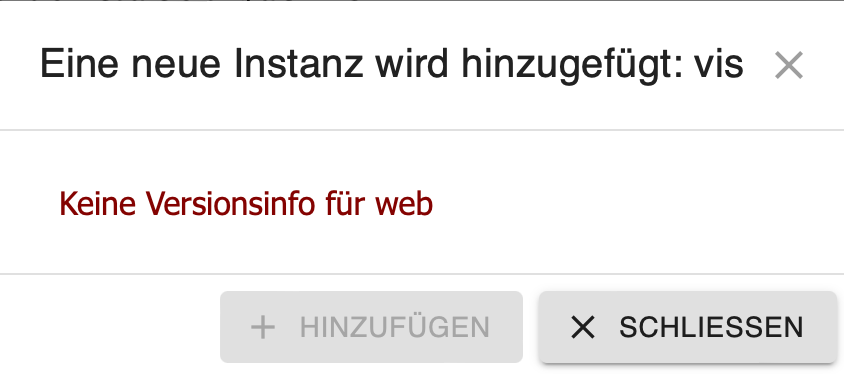
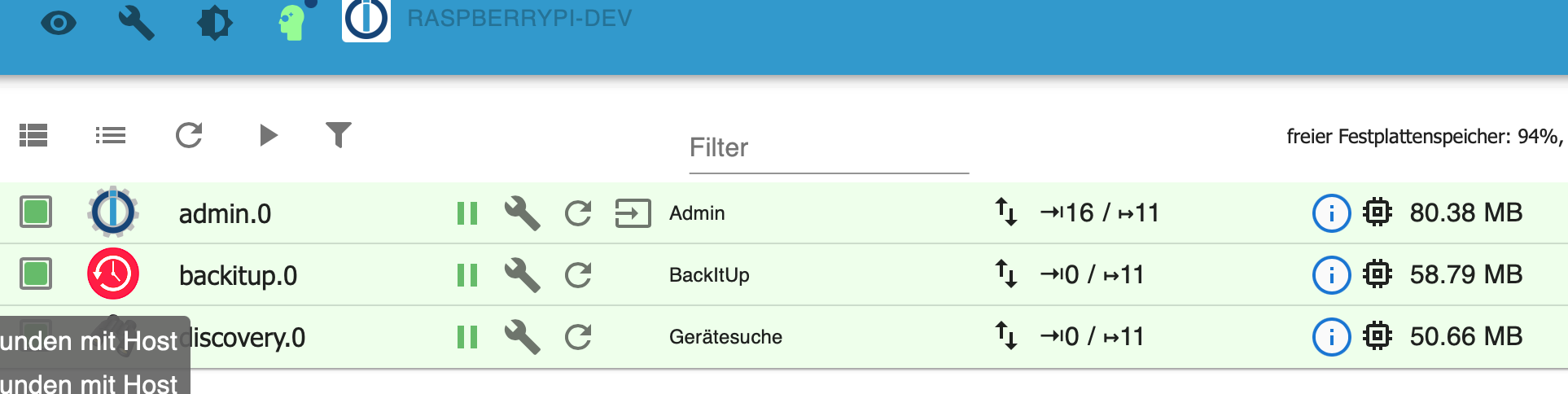
VIS 1.14.5 lässt sich nicht installieren
-
@apollon77 Also, ich habe das nun ein halbes Dutzend Mal mit verschidenen Linux /node Versionen und mal mit mal ohne vorher installiertem VIS / web Adapter durchgeführt. Die ausführliche Beschreibung ist hier zu finden: https://forum.iobroker.net/topic/55574/vis-1-14-5-lässt-sich-nicht-installieren/74
-
@apollon77 Also, ich habe das nun ein halbes Dutzend Mal mit verschidenen Linux /node Versionen und mal mit mal ohne vorher installiertem VIS / web Adapter durchgeführt. Die ausführliche Beschreibung ist hier zu finden: https://forum.iobroker.net/topic/55574/vis-1-14-5-lässt-sich-nicht-installieren/74
@andygr42 am Ende sehe ich folgendes. Nach dem restore sagst finagling und Vis sind tod. Was heißt das? Laut log startet Admin korrekt. Ja er sagt „can not read repository“. Das wäre zu checken.
Das log danach (für mich unklar was du dazwischen getan hast (iob stop?) sagt er das er keine Instanzen startet weil keine dem Host zugewiesen sind. Das heißt das sich der hostname zwischen dem stop und nächsten Start geändert haben muss. Weil er für den aktuellen Hostnamen des Servers keine Instanzen findet.
Also mehr Details bitte.
-
@andygr42 am Ende sehe ich folgendes. Nach dem restore sagst finagling und Vis sind tod. Was heißt das? Laut log startet Admin korrekt. Ja er sagt „can not read repository“. Das wäre zu checken.
Das log danach (für mich unklar was du dazwischen getan hast (iob stop?) sagt er das er keine Instanzen startet weil keine dem Host zugewiesen sind. Das heißt das sich der hostname zwischen dem stop und nächsten Start geändert haben muss. Weil er für den aktuellen Hostnamen des Servers keine Instanzen findet.
Also mehr Details bitte.
@apollon77 Nach dem Restore bleibt iobroker exakt in diesem Status stehen, wie im Logfile zu sehen. Ich habe stop / start, restart und auch einen kompletten reboot probiert, ändert genauso wenig wie eine Stunde warten. VIS ist eh nicht aktiv und Admin kann auch nicht aufgerufen werden.
Da ich, außer dem Restore, nichts gemacht habe die Frage: ändert ein Restore den Hostname? Wenn ja, dann haben wir die Ursache gefunden. Im Testsystem hat iobroker wohl den Hostname vom OS übernommen, was natürlich nicht mit dem Hostname aus dem Backup übereinstimmt.
Interessant wäre nur, warum hat dies bei meinem prod System funktioniert? Das hat auch einen anderen OS Hostname und ich habe hier vor dem Restore auch den iobroker Hostname nicht geändert.
-
Ok, verpasse ich dem Host den alten Namen läuft der Restore einwandfrei durch. Stellt sich mir nur immer noch die Frage, warum das beim Prod System funktioniert hat. Da habe ich den Hostname definitiv nicht vorher geändert. Ich habe es gerade nochmal im Log nachgesehen.
P.S.: Reproduzierbar, wenn der Hostname nicht übereinstimmt, funktioniert Restore nicht. Im Prinzip würde auch ein zweiter Restore funktionieren, da der Erste den Hostname ändert. Das wäre also ein Fix wenn der erste Restore fehlschlug.
-
@apollon77 Nach dem Restore bleibt iobroker exakt in diesem Status stehen, wie im Logfile zu sehen. Ich habe stop / start, restart und auch einen kompletten reboot probiert, ändert genauso wenig wie eine Stunde warten. VIS ist eh nicht aktiv und Admin kann auch nicht aufgerufen werden.
Da ich, außer dem Restore, nichts gemacht habe die Frage: ändert ein Restore den Hostname? Wenn ja, dann haben wir die Ursache gefunden. Im Testsystem hat iobroker wohl den Hostname vom OS übernommen, was natürlich nicht mit dem Hostname aus dem Backup übereinstimmt.
Interessant wäre nur, warum hat dies bei meinem prod System funktioniert? Das hat auch einen anderen OS Hostname und ich habe hier vor dem Restore auch den iobroker Hostname nicht geändert.
@andygr42 sagte in VIS 1.14.5 lässt sich nicht installieren:
ändert ein Restore den Hostname?
nein. Der Hostname bleibt der, der bei der Betriebssystem Installation vergeben wurde und ist ggf. unterschiedlich zu der in Den Instanzen des Backups vergebenen.
-
@homoran Das ist leider inkorrekt:
2022-06-22 06:57:03.677 - info: host.odroid received SIGTERM 2022-06-22 06:57:03.683 - info: backitup.0 (11567) cleaned everything up... 2022-06-22 06:57:03.683 - info: admin.0 (11537) terminating http server on port 8081 2022-06-22 06:57:03.687 - info: host.odroid stopInstance system.adapter.admin.0 (force=false, process=true) 2022-06-22 06:57:03.688 - info: host.odroid stopInstance system.adapter.discovery.0 (force=false, process=true) 2022-06-22 06:57:03.689 - info: host.odroid stopInstance system.adapter.backitup.0 (force=false, process=true) 2022-06-22 06:57:03.701 - info: admin.0 (11537) Got terminate signal TERMINATE_YOURSELF 2022-06-22 06:57:03.704 - info: discovery.0 (11552) Got terminate signal TERMINATE_YOURSELF 2022-06-22 06:57:03.704 - info: backitup.0 (11567) Got terminate signal TERMINATE_YOURSELF 2022-06-22 06:57:03.708 - info: host.odroid stopInstance system.adapter.admin.0 send kill signal 2022-06-22 06:57:03.710 - info: admin.0 (11537) Terminated (START_IMMEDIATELY_AFTER_STOP): Without reason 2022-06-22 06:57:03.710 - info: backitup.0 (11567) Terminated (START_IMMEDIATELY_AFTER_STOP): Without reason 2022-06-22 06:57:03.710 - info: discovery.0 (11552) Terminated (START_IMMEDIATELY_AFTER_STOP): Without reason 2022-06-22 06:57:03.750 - info: host.odroid stopInstance system.adapter.discovery.0 send kill signal 2022-06-22 06:57:03.751 - info: host.odroid stopInstance system.adapter.backitup.0 send kill signal 2022-06-22 06:57:04.346 - info: host.odroid instance system.adapter.admin.0 terminated with code 156 (START_IMMEDIATELY_AFTER_STOP) 2022-06-22 06:57:04.380 - info: host.odroid instance system.adapter.backitup.0 terminated with code 156 (START_IMMEDIATELY_AFTER_STOP) 2022-06-22 06:57:04.382 - info: host.odroid instance system.adapter.discovery.0 terminated with code 156 (START_IMMEDIATELY_AFTER_STOP) 2022-06-22 06:57:04.382 - info: host.odroid All instances are stopped. 2022-06-22 06:57:04.522 - info: host.odroid terminated 2022-06-22 07:00:22.780 - info: host.gt-iob01 iobroker.js-controller version 4.0.23 js-controller starting 2022-06-22 07:00:22.790 - info: host.gt-iob01 Copyright (c) 2014-2022 bluefox, 2014 hobbyquaker 2022-06-22 07:00:22.791 - info: host.gt-iob01 hostname: gt-iob01, node: v16.15.1 2022-06-22 07:00:22.793 - info: host.gt-iob01 ip addresses: 192.168.67.57 fe80::8db6:672a:d749:62d 2022-06-22 07:00:27.984 - info: host.gt-iob01 connected to Objects and States 2022-06-22 07:00:28.109 - info: host.gt-iob01 added notifications configuration of host 2022-06-22 07:00:29.163 - info: host.gt-iob01 Delete host system.host.odroid 2022-06-22 07:00:29.409 - info: host.gt-iob01 41 instances found 2022-06-22 07:00:29.445 - warn: host.gt-iob01 does not start any instances on this host -
@homoran Das ist leider inkorrekt:
2022-06-22 06:57:03.677 - info: host.odroid received SIGTERM 2022-06-22 06:57:03.683 - info: backitup.0 (11567) cleaned everything up... 2022-06-22 06:57:03.683 - info: admin.0 (11537) terminating http server on port 8081 2022-06-22 06:57:03.687 - info: host.odroid stopInstance system.adapter.admin.0 (force=false, process=true) 2022-06-22 06:57:03.688 - info: host.odroid stopInstance system.adapter.discovery.0 (force=false, process=true) 2022-06-22 06:57:03.689 - info: host.odroid stopInstance system.adapter.backitup.0 (force=false, process=true) 2022-06-22 06:57:03.701 - info: admin.0 (11537) Got terminate signal TERMINATE_YOURSELF 2022-06-22 06:57:03.704 - info: discovery.0 (11552) Got terminate signal TERMINATE_YOURSELF 2022-06-22 06:57:03.704 - info: backitup.0 (11567) Got terminate signal TERMINATE_YOURSELF 2022-06-22 06:57:03.708 - info: host.odroid stopInstance system.adapter.admin.0 send kill signal 2022-06-22 06:57:03.710 - info: admin.0 (11537) Terminated (START_IMMEDIATELY_AFTER_STOP): Without reason 2022-06-22 06:57:03.710 - info: backitup.0 (11567) Terminated (START_IMMEDIATELY_AFTER_STOP): Without reason 2022-06-22 06:57:03.710 - info: discovery.0 (11552) Terminated (START_IMMEDIATELY_AFTER_STOP): Without reason 2022-06-22 06:57:03.750 - info: host.odroid stopInstance system.adapter.discovery.0 send kill signal 2022-06-22 06:57:03.751 - info: host.odroid stopInstance system.adapter.backitup.0 send kill signal 2022-06-22 06:57:04.346 - info: host.odroid instance system.adapter.admin.0 terminated with code 156 (START_IMMEDIATELY_AFTER_STOP) 2022-06-22 06:57:04.380 - info: host.odroid instance system.adapter.backitup.0 terminated with code 156 (START_IMMEDIATELY_AFTER_STOP) 2022-06-22 06:57:04.382 - info: host.odroid instance system.adapter.discovery.0 terminated with code 156 (START_IMMEDIATELY_AFTER_STOP) 2022-06-22 06:57:04.382 - info: host.odroid All instances are stopped. 2022-06-22 06:57:04.522 - info: host.odroid terminated 2022-06-22 07:00:22.780 - info: host.gt-iob01 iobroker.js-controller version 4.0.23 js-controller starting 2022-06-22 07:00:22.790 - info: host.gt-iob01 Copyright (c) 2014-2022 bluefox, 2014 hobbyquaker 2022-06-22 07:00:22.791 - info: host.gt-iob01 hostname: gt-iob01, node: v16.15.1 2022-06-22 07:00:22.793 - info: host.gt-iob01 ip addresses: 192.168.67.57 fe80::8db6:672a:d749:62d 2022-06-22 07:00:27.984 - info: host.gt-iob01 connected to Objects and States 2022-06-22 07:00:28.109 - info: host.gt-iob01 added notifications configuration of host 2022-06-22 07:00:29.163 - info: host.gt-iob01 Delete host system.host.odroid 2022-06-22 07:00:29.409 - info: host.gt-iob01 41 instances found 2022-06-22 07:00:29.445 - warn: host.gt-iob01 does not start any instances on this hostStarte ich nun den gleichen Restore nochmal, mit dem nun gleichen Hostname, funktioniert es einwandfrei:
2022-06-22 07:00:22.780 - info: host.gt-iob01 iobroker.js-controller version 4.0.23 js-controller starting 2022-06-22 07:00:22.790 - info: host.gt-iob01 Copyright (c) 2014-2022 bluefox, 2014 hobbyquaker 2022-06-22 07:00:22.791 - info: host.gt-iob01 hostname: gt-iob01, node: v16.15.1 2022-06-22 07:00:22.793 - info: host.gt-iob01 ip addresses: 192.168.67.57 fe80::8db6:672a:d749:62d 2022-06-22 07:00:27.984 - info: host.gt-iob01 connected to Objects and States 2022-06-22 07:00:28.109 - info: host.gt-iob01 added notifications configuration of host 2022-06-22 07:00:29.163 - info: host.gt-iob01 Delete host system.host.odroid 2022-06-22 07:00:29.409 - info: host.gt-iob01 41 instances found 2022-06-22 07:00:29.445 - warn: host.gt-iob01 does not start any instances on this host 2022-06-22 07:01:55.692 - info: host.gt-iob01 received SIGTERM 2022-06-22 07:01:55.757 - info: host.gt-iob01 terminated 2022-06-22 07:04:49.372 - info: host.gt-iob01 iobroker.js-controller version 4.0.23 js-controller starting 2022-06-22 07:04:49.381 - info: host.gt-iob01 Copyright (c) 2014-2022 bluefox, 2014 hobbyquaker 2022-06-22 07:04:49.383 - info: host.gt-iob01 hostname: gt-iob01, node: v16.15.1 2022-06-22 07:04:49.385 - info: host.gt-iob01 ip addresses: 192.168.67.57 fe80::8db6:672a:d749:62d 2022-06-22 07:04:55.980 - info: host.gt-iob01 connected to Objects and States 2022-06-22 07:04:56.104 - info: host.gt-iob01 added notifications configuration of host 2022-06-22 07:04:57.186 - info: host.gt-iob01 Delete host system.host.gt-iob01 2022-06-22 07:04:57.443 - info: host.gt-iob01 41 instances found 2022-06-22 07:04:57.505 - warn: host.gt-iob01 startInstance cannot find adapter "devices@1.0.10". Try to install it... 1 attempt 2022-06-22 07:04:57.506 - info: host.gt-iob01 iobroker install devices@1.0.10 using installedFrom 2022-06-22 07:04:57.579 - info: host.gt-iob01 starting 2 instances 2022-06-22 07:04:57.919 - info: host.gt-iob01 instance system.adapter.admin.0 started with pid 11868 2022-06-22 07:05:02.150 - info: host.gt-iob01 instance system.adapter.backitup.0 started with pid 11883 2022-06-22 07:05:03.583 - info: host.gt-iob01 iobroker npm-install: NPM version: 8.11.0Installing iobroker.devices@1.0.10... (System call) 2022-06-22 07:05:05.447 - info: admin.0 (11868) starting. Version 5.3.8 in /opt/iobroker/node_modules/iobroker.admin, node: v16.15.1, js-controller: 4.0.23 2022-06-22 07:05:05.533 - info: admin.0 (11868) requesting all states 2022-06-22 07:05:05.534 - info: admin.0 (11868) requesting all objects -
Starte ich nun den gleichen Restore nochmal, mit dem nun gleichen Hostname, funktioniert es einwandfrei:
2022-06-22 07:00:22.780 - info: host.gt-iob01 iobroker.js-controller version 4.0.23 js-controller starting 2022-06-22 07:00:22.790 - info: host.gt-iob01 Copyright (c) 2014-2022 bluefox, 2014 hobbyquaker 2022-06-22 07:00:22.791 - info: host.gt-iob01 hostname: gt-iob01, node: v16.15.1 2022-06-22 07:00:22.793 - info: host.gt-iob01 ip addresses: 192.168.67.57 fe80::8db6:672a:d749:62d 2022-06-22 07:00:27.984 - info: host.gt-iob01 connected to Objects and States 2022-06-22 07:00:28.109 - info: host.gt-iob01 added notifications configuration of host 2022-06-22 07:00:29.163 - info: host.gt-iob01 Delete host system.host.odroid 2022-06-22 07:00:29.409 - info: host.gt-iob01 41 instances found 2022-06-22 07:00:29.445 - warn: host.gt-iob01 does not start any instances on this host 2022-06-22 07:01:55.692 - info: host.gt-iob01 received SIGTERM 2022-06-22 07:01:55.757 - info: host.gt-iob01 terminated 2022-06-22 07:04:49.372 - info: host.gt-iob01 iobroker.js-controller version 4.0.23 js-controller starting 2022-06-22 07:04:49.381 - info: host.gt-iob01 Copyright (c) 2014-2022 bluefox, 2014 hobbyquaker 2022-06-22 07:04:49.383 - info: host.gt-iob01 hostname: gt-iob01, node: v16.15.1 2022-06-22 07:04:49.385 - info: host.gt-iob01 ip addresses: 192.168.67.57 fe80::8db6:672a:d749:62d 2022-06-22 07:04:55.980 - info: host.gt-iob01 connected to Objects and States 2022-06-22 07:04:56.104 - info: host.gt-iob01 added notifications configuration of host 2022-06-22 07:04:57.186 - info: host.gt-iob01 Delete host system.host.gt-iob01 2022-06-22 07:04:57.443 - info: host.gt-iob01 41 instances found 2022-06-22 07:04:57.505 - warn: host.gt-iob01 startInstance cannot find adapter "devices@1.0.10". Try to install it... 1 attempt 2022-06-22 07:04:57.506 - info: host.gt-iob01 iobroker install devices@1.0.10 using installedFrom 2022-06-22 07:04:57.579 - info: host.gt-iob01 starting 2 instances 2022-06-22 07:04:57.919 - info: host.gt-iob01 instance system.adapter.admin.0 started with pid 11868 2022-06-22 07:05:02.150 - info: host.gt-iob01 instance system.adapter.backitup.0 started with pid 11883 2022-06-22 07:05:03.583 - info: host.gt-iob01 iobroker npm-install: NPM version: 8.11.0Installing iobroker.devices@1.0.10... (System call) 2022-06-22 07:05:05.447 - info: admin.0 (11868) starting. Version 5.3.8 in /opt/iobroker/node_modules/iobroker.admin, node: v16.15.1, js-controller: 4.0.23 2022-06-22 07:05:05.533 - info: admin.0 (11868) requesting all states 2022-06-22 07:05:05.534 - info: admin.0 (11868) requesting all objects@andygr42 Was auch reproduzierbar bleibt ist das Problem mit dem VIS Adapter (weshalb ich überhaupt den ganzen Aufriss mit dem Restore auf dem Test System gemacht habe):
2022-06-22 07:25:37.356 - warn: host.gt-iob01 startInstance cannot find adapter "vis@1.4.15". Try to install it... 2 attempt 2022-06-22 07:25:37.356 - info: host.gt-iob01 iobroker install vis@1.4.15 using installedFrom 2022-06-22 07:25:41.477 - info: host.gt-iob01 iobroker npm-install: NPM version: 8.11.0 2022-06-22 07:25:41.479 - info: host.gt-iob01 iobroker npm-install: Installing iobroker.vis@1.4.15... (System call) 2022-06-22 07:25:56.983 - info: vis.0 (14042) starting. Version 1.4.15 in /opt/iobroker/node_modules/iobroker.vis, node: v16.15.1, js-controller: 4.0.23 2022-06-22 07:25:57.179 - info: vis.0 (14042) vis license is OK. 2022-06-22 07:25:57.515 - error: vis.0 (14042) Unhandled promise rejection. This error originated either by throwing inside of an async function without a catch block, or by rejecting a promise which was not handled with .catch(). 2022-06-22 07:25:57.517 - error: vis.0 (14042) unhandled promise rejection: Not exists 2022-06-22 07:25:57.521 - error: vis.0 (14042) Error: Not exists at Object.maybeCallbackWithError (/opt/iobroker/node_modules/@iobroker/js-controller-common/lib/common/tools.js:2973:17) at ObjectsInRedisClient._readFile (/opt/iobroker/node_modules/@iobroker/db-objects-redis/lib/objects/objectsInRedisClient.js:1043:26) at Immediate.<anonymous> (/opt/iobroker/node_modules/@iobroker/db-objects-redis/lib/objects/objectsInRedisClient.js:1092:29) at processImmediate (node:internal/timers:468:21) 2022-06-22 07:25:57.524 - error: vis.0 (14042) Not exists 2022-06-22 07:25:58.031 - info: vis.0 (14042) terminating 2022-06-22 07:25:58.033 - warn: vis.0 (14042) Terminated (UNCAUGHT_EXCEPTION): Without reason 2022-06-22 07:25:58.869 - error: host.gt-iob01 iobroker npm-install: host.gt-iob01 Cannot install iobroker.vis@1.4.15: 6 2022-06-22 07:25:59.905 - info: host.gt-iob01 iobroker npm-install: exit 25 2022-06-22 07:26:00.905 - warn: host.gt-iob01 startInstance cannot find adapter "vis@1.4.15". Try to install it... 3 attempt 2022-06-22 07:26:00.908 - info: host.gt-iob01 iobroker install vis@1.4.15 using installedVersion 2022-06-22 07:26:04.954 - info: host.gt-iob01 iobroker npm-install: NPM version: 8.11.0 2022-06-22 07:26:04.957 - info: host.gt-iob01 iobroker npm-install: Installing iobroker.vis@1.4.15... (System call) 2022-06-22 07:26:20.268 - info: vis.0 (14088) starting. Version 1.4.15 in /opt/iobroker/node_modules/iobroker.vis, node: v16.15.1, js-controller: 4.0.23 2022-06-22 07:26:20.451 - info: vis.0 (14088) vis license is OK. 2022-06-22 07:26:20.799 - error: vis.0 (14088) Unhandled promise rejection. This error originated either by throwing inside of an async function without a catch block, or by rejecting a promise which was not handled with .catch(). 2022-06-22 07:26:20.801 - error: vis.0 (14088) unhandled promise rejection: Not exists 2022-06-22 07:26:20.806 - error: vis.0 (14088) Error: Not exists at Object.maybeCallbackWithError (/opt/iobroker/node_modules/@iobroker/js-controller-common/lib/common/tools.js:2973:17) at ObjectsInRedisClient._readFile (/opt/iobroker/node_modules/@iobroker/db-objects-redis/lib/objects/objectsInRedisClient.js:1043:26) at Immediate.<anonymous> (/opt/iobroker/node_modules/@iobroker/db-objects-redis/lib/objects/objectsInRedisClient.js:1092:29) at processImmediate (node:internal/timers:468:21) 2022-06-22 07:26:20.808 - error: vis.0 (14088) Not exists 2022-06-22 07:26:21.315 - info: vis.0 (14088) terminating 2022-06-22 07:26:21.317 - warn: vis.0 (14088) Terminated (UNCAUGHT_EXCEPTION): Without reason 2022-06-22 07:26:22.166 - error: host.gt-iob01 iobroker npm-install: host.gt-iob01 Cannot install iobroker.vis@1.4.15: 6 2022-06-22 07:26:23.210 - info: host.gt-iob01 iobroker npm-install: exit 25 2022-06-22 07:26:24.211 - warn: host.gt-iob01 startInstance cannot find adapter "vis@1.4.15". Try to install it... 4 attempt 2022-06-22 07:26:24.212 - info: host.gt-iob01 iobroker install vis@1.4.15 using installedVersion 2022-06-22 07:26:28.304 - info: host.gt-iob01 iobroker npm-install: NPM version: 8.11.0 2022-06-22 07:26:28.307 - info: host.gt-iob01 iobroker npm-install: Installing iobroker.vis@1.4.15... (System call) 2022-06-22 07:26:43.559 - info: vis.0 (14134) starting. Version 1.4.15 in /opt/iobroker/node_modules/iobroker.vis, node: v16.15.1, js-controller: 4.0.23 2022-06-22 07:26:43.772 - info: vis.0 (14134) vis license is OK. 2022-06-22 07:26:44.107 - error: vis.0 (14134) Unhandled promise rejection. This error originated either by throwing inside of an async function without a catch block, or by rejecting a promise which was not handled with .catch(). 2022-06-22 07:26:44.109 - error: vis.0 (14134) unhandled promise rejection: Not exists 2022-06-22 07:26:44.114 - error: vis.0 (14134) Error: Not exists at Object.maybeCallbackWithError (/opt/iobroker/node_modules/@iobroker/js-controller-common/lib/common/tools.js:2973:17) at ObjectsInRedisClient._readFile (/opt/iobroker/node_modules/@iobroker/db-objects-redis/lib/objects/objectsInRedisClient.js:1043:26) at Immediate.<anonymous> (/opt/iobroker/node_modules/@iobroker/db-objects-redis/lib/objects/objectsInRedisClient.js:1092:29) at processImmediate (node:internal/timers:468:21) 2022-06-22 07:26:44.116 - error: vis.0 (14134) Not exists 2022-06-22 07:26:44.623 - info: vis.0 (14134) terminating 2022-06-22 07:26:44.625 - warn: vis.0 (14134) Terminated (UNCAUGHT_EXCEPTION): Without reason 2022-06-22 07:26:45.474 - error: host.gt-iob01 iobroker npm-install: host.gt-iob01 Cannot install iobroker.vis@1.4.15: 6 2022-06-22 07:26:46.508 - info: host.gt-iob01 iobroker npm-install: exit 25 2022-06-22 07:26:47.509 - error: host.gt-iob01 Cannot download and install adapter "vis@1.4.15". To retry it disable/enable the adapter or restart host. Also check the error messages in the log! -
@andygr42 Was auch reproduzierbar bleibt ist das Problem mit dem VIS Adapter (weshalb ich überhaupt den ganzen Aufriss mit dem Restore auf dem Test System gemacht habe):
2022-06-22 07:25:37.356 - warn: host.gt-iob01 startInstance cannot find adapter "vis@1.4.15". Try to install it... 2 attempt 2022-06-22 07:25:37.356 - info: host.gt-iob01 iobroker install vis@1.4.15 using installedFrom 2022-06-22 07:25:41.477 - info: host.gt-iob01 iobroker npm-install: NPM version: 8.11.0 2022-06-22 07:25:41.479 - info: host.gt-iob01 iobroker npm-install: Installing iobroker.vis@1.4.15... (System call) 2022-06-22 07:25:56.983 - info: vis.0 (14042) starting. Version 1.4.15 in /opt/iobroker/node_modules/iobroker.vis, node: v16.15.1, js-controller: 4.0.23 2022-06-22 07:25:57.179 - info: vis.0 (14042) vis license is OK. 2022-06-22 07:25:57.515 - error: vis.0 (14042) Unhandled promise rejection. This error originated either by throwing inside of an async function without a catch block, or by rejecting a promise which was not handled with .catch(). 2022-06-22 07:25:57.517 - error: vis.0 (14042) unhandled promise rejection: Not exists 2022-06-22 07:25:57.521 - error: vis.0 (14042) Error: Not exists at Object.maybeCallbackWithError (/opt/iobroker/node_modules/@iobroker/js-controller-common/lib/common/tools.js:2973:17) at ObjectsInRedisClient._readFile (/opt/iobroker/node_modules/@iobroker/db-objects-redis/lib/objects/objectsInRedisClient.js:1043:26) at Immediate.<anonymous> (/opt/iobroker/node_modules/@iobroker/db-objects-redis/lib/objects/objectsInRedisClient.js:1092:29) at processImmediate (node:internal/timers:468:21) 2022-06-22 07:25:57.524 - error: vis.0 (14042) Not exists 2022-06-22 07:25:58.031 - info: vis.0 (14042) terminating 2022-06-22 07:25:58.033 - warn: vis.0 (14042) Terminated (UNCAUGHT_EXCEPTION): Without reason 2022-06-22 07:25:58.869 - error: host.gt-iob01 iobroker npm-install: host.gt-iob01 Cannot install iobroker.vis@1.4.15: 6 2022-06-22 07:25:59.905 - info: host.gt-iob01 iobroker npm-install: exit 25 2022-06-22 07:26:00.905 - warn: host.gt-iob01 startInstance cannot find adapter "vis@1.4.15". Try to install it... 3 attempt 2022-06-22 07:26:00.908 - info: host.gt-iob01 iobroker install vis@1.4.15 using installedVersion 2022-06-22 07:26:04.954 - info: host.gt-iob01 iobroker npm-install: NPM version: 8.11.0 2022-06-22 07:26:04.957 - info: host.gt-iob01 iobroker npm-install: Installing iobroker.vis@1.4.15... (System call) 2022-06-22 07:26:20.268 - info: vis.0 (14088) starting. Version 1.4.15 in /opt/iobroker/node_modules/iobroker.vis, node: v16.15.1, js-controller: 4.0.23 2022-06-22 07:26:20.451 - info: vis.0 (14088) vis license is OK. 2022-06-22 07:26:20.799 - error: vis.0 (14088) Unhandled promise rejection. This error originated either by throwing inside of an async function without a catch block, or by rejecting a promise which was not handled with .catch(). 2022-06-22 07:26:20.801 - error: vis.0 (14088) unhandled promise rejection: Not exists 2022-06-22 07:26:20.806 - error: vis.0 (14088) Error: Not exists at Object.maybeCallbackWithError (/opt/iobroker/node_modules/@iobroker/js-controller-common/lib/common/tools.js:2973:17) at ObjectsInRedisClient._readFile (/opt/iobroker/node_modules/@iobroker/db-objects-redis/lib/objects/objectsInRedisClient.js:1043:26) at Immediate.<anonymous> (/opt/iobroker/node_modules/@iobroker/db-objects-redis/lib/objects/objectsInRedisClient.js:1092:29) at processImmediate (node:internal/timers:468:21) 2022-06-22 07:26:20.808 - error: vis.0 (14088) Not exists 2022-06-22 07:26:21.315 - info: vis.0 (14088) terminating 2022-06-22 07:26:21.317 - warn: vis.0 (14088) Terminated (UNCAUGHT_EXCEPTION): Without reason 2022-06-22 07:26:22.166 - error: host.gt-iob01 iobroker npm-install: host.gt-iob01 Cannot install iobroker.vis@1.4.15: 6 2022-06-22 07:26:23.210 - info: host.gt-iob01 iobroker npm-install: exit 25 2022-06-22 07:26:24.211 - warn: host.gt-iob01 startInstance cannot find adapter "vis@1.4.15". Try to install it... 4 attempt 2022-06-22 07:26:24.212 - info: host.gt-iob01 iobroker install vis@1.4.15 using installedVersion 2022-06-22 07:26:28.304 - info: host.gt-iob01 iobroker npm-install: NPM version: 8.11.0 2022-06-22 07:26:28.307 - info: host.gt-iob01 iobroker npm-install: Installing iobroker.vis@1.4.15... (System call) 2022-06-22 07:26:43.559 - info: vis.0 (14134) starting. Version 1.4.15 in /opt/iobroker/node_modules/iobroker.vis, node: v16.15.1, js-controller: 4.0.23 2022-06-22 07:26:43.772 - info: vis.0 (14134) vis license is OK. 2022-06-22 07:26:44.107 - error: vis.0 (14134) Unhandled promise rejection. This error originated either by throwing inside of an async function without a catch block, or by rejecting a promise which was not handled with .catch(). 2022-06-22 07:26:44.109 - error: vis.0 (14134) unhandled promise rejection: Not exists 2022-06-22 07:26:44.114 - error: vis.0 (14134) Error: Not exists at Object.maybeCallbackWithError (/opt/iobroker/node_modules/@iobroker/js-controller-common/lib/common/tools.js:2973:17) at ObjectsInRedisClient._readFile (/opt/iobroker/node_modules/@iobroker/db-objects-redis/lib/objects/objectsInRedisClient.js:1043:26) at Immediate.<anonymous> (/opt/iobroker/node_modules/@iobroker/db-objects-redis/lib/objects/objectsInRedisClient.js:1092:29) at processImmediate (node:internal/timers:468:21) 2022-06-22 07:26:44.116 - error: vis.0 (14134) Not exists 2022-06-22 07:26:44.623 - info: vis.0 (14134) terminating 2022-06-22 07:26:44.625 - warn: vis.0 (14134) Terminated (UNCAUGHT_EXCEPTION): Without reason 2022-06-22 07:26:45.474 - error: host.gt-iob01 iobroker npm-install: host.gt-iob01 Cannot install iobroker.vis@1.4.15: 6 2022-06-22 07:26:46.508 - info: host.gt-iob01 iobroker npm-install: exit 25 2022-06-22 07:26:47.509 - error: host.gt-iob01 Cannot download and install adapter "vis@1.4.15". To retry it disable/enable the adapter or restart host. Also check the error messages in the log!@andygr42 wo wir wieder bei dem Thema sind
https://forum.iobroker.net/post/813432
Unter anderem würde es wahrscheinlich auch mit einer älteren js-controller Version funktionieren. Ab welcher das Problem jedoch aufkam, kann ich aber nicht aus dem Stehgreif sagen, das war irgendwo in einem anderen Thread. -
@andygr42 wo wir wieder bei dem Thema sind
https://forum.iobroker.net/post/813432
Unter anderem würde es wahrscheinlich auch mit einer älteren js-controller Version funktionieren. Ab welcher das Problem jedoch aufkam, kann ich aber nicht aus dem Stehgreif sagen, das war irgendwo in einem anderen Thread.@crunchip Ja, hier bin ich auch einen Schritt weiter. Ich muss das aber nochmal sauber reproduzieren. Es scheint aber so, als ob man bei gestoppten iobroker mit "npm install iobroker.vis" einen Zustand herstellen kann, dass beim nächsten Start von iobroker VIS automatisch installiert wird. Wie gesagt, muss ich nochmal reproduzieren.
P.S.: zu früh gefreut. VIS Adapter lässt sich installieren, läuft aber nicht...
-
@homoran Das ist leider inkorrekt:
2022-06-22 06:57:03.677 - info: host.odroid received SIGTERM 2022-06-22 06:57:03.683 - info: backitup.0 (11567) cleaned everything up... 2022-06-22 06:57:03.683 - info: admin.0 (11537) terminating http server on port 8081 2022-06-22 06:57:03.687 - info: host.odroid stopInstance system.adapter.admin.0 (force=false, process=true) 2022-06-22 06:57:03.688 - info: host.odroid stopInstance system.adapter.discovery.0 (force=false, process=true) 2022-06-22 06:57:03.689 - info: host.odroid stopInstance system.adapter.backitup.0 (force=false, process=true) 2022-06-22 06:57:03.701 - info: admin.0 (11537) Got terminate signal TERMINATE_YOURSELF 2022-06-22 06:57:03.704 - info: discovery.0 (11552) Got terminate signal TERMINATE_YOURSELF 2022-06-22 06:57:03.704 - info: backitup.0 (11567) Got terminate signal TERMINATE_YOURSELF 2022-06-22 06:57:03.708 - info: host.odroid stopInstance system.adapter.admin.0 send kill signal 2022-06-22 06:57:03.710 - info: admin.0 (11537) Terminated (START_IMMEDIATELY_AFTER_STOP): Without reason 2022-06-22 06:57:03.710 - info: backitup.0 (11567) Terminated (START_IMMEDIATELY_AFTER_STOP): Without reason 2022-06-22 06:57:03.710 - info: discovery.0 (11552) Terminated (START_IMMEDIATELY_AFTER_STOP): Without reason 2022-06-22 06:57:03.750 - info: host.odroid stopInstance system.adapter.discovery.0 send kill signal 2022-06-22 06:57:03.751 - info: host.odroid stopInstance system.adapter.backitup.0 send kill signal 2022-06-22 06:57:04.346 - info: host.odroid instance system.adapter.admin.0 terminated with code 156 (START_IMMEDIATELY_AFTER_STOP) 2022-06-22 06:57:04.380 - info: host.odroid instance system.adapter.backitup.0 terminated with code 156 (START_IMMEDIATELY_AFTER_STOP) 2022-06-22 06:57:04.382 - info: host.odroid instance system.adapter.discovery.0 terminated with code 156 (START_IMMEDIATELY_AFTER_STOP) 2022-06-22 06:57:04.382 - info: host.odroid All instances are stopped. 2022-06-22 06:57:04.522 - info: host.odroid terminated 2022-06-22 07:00:22.780 - info: host.gt-iob01 iobroker.js-controller version 4.0.23 js-controller starting 2022-06-22 07:00:22.790 - info: host.gt-iob01 Copyright (c) 2014-2022 bluefox, 2014 hobbyquaker 2022-06-22 07:00:22.791 - info: host.gt-iob01 hostname: gt-iob01, node: v16.15.1 2022-06-22 07:00:22.793 - info: host.gt-iob01 ip addresses: 192.168.67.57 fe80::8db6:672a:d749:62d 2022-06-22 07:00:27.984 - info: host.gt-iob01 connected to Objects and States 2022-06-22 07:00:28.109 - info: host.gt-iob01 added notifications configuration of host 2022-06-22 07:00:29.163 - info: host.gt-iob01 Delete host system.host.odroid 2022-06-22 07:00:29.409 - info: host.gt-iob01 41 instances found 2022-06-22 07:00:29.445 - warn: host.gt-iob01 does not start any instances on this host@andygr42 sagte in VIS 1.14.5 lässt sich nicht installieren:
Das ist leider inkorrekt:
was genau?
Der Hostname wird bei der Installation des OS vergeben.
Deswegen muss dieser bei Änderung zum Backup nach dem Restore und vor dem ersten Start von ioBroker diesem viaiobroker host thismitgeteilt werden. -
@andygr42 sagte in VIS 1.14.5 lässt sich nicht installieren:
Das ist leider inkorrekt:
was genau?
Der Hostname wird bei der Installation des OS vergeben.
Deswegen muss dieser bei Änderung zum Backup nach dem Restore und vor dem ersten Start von ioBroker diesem viaiobroker host thismitgeteilt werden.@homoran Restore ändert den Hostname. Du meintest, dass würde nicht passieren. Passt der Hostname vom Zielsystem nicht zum Hostname aus dem Backup, dann schlägt der Restore fehl und kein Adapter startet. Dennoch wird der Hostname des Zielsystem geändert, so dass bei einem zweiten Restore alles (bis auf VIS) funktioniert. Wenn man das weiß, ist alles ok. Eine Abfrage beim Restore wäre perfekt, aber so geht's ja auch.
P.S.: oder natürlich man passt den Namen vorher an.
-
@homoran Restore ändert den Hostname. Du meintest, dass würde nicht passieren. Passt der Hostname vom Zielsystem nicht zum Hostname aus dem Backup, dann schlägt der Restore fehl und kein Adapter startet. Dennoch wird der Hostname des Zielsystem geändert, so dass bei einem zweiten Restore alles (bis auf VIS) funktioniert. Wenn man das weiß, ist alles ok. Eine Abfrage beim Restore wäre perfekt, aber so geht's ja auch.
P.S.: oder natürlich man passt den Namen vorher an.
@andygr42 sagte in VIS 1.14.5 lässt sich nicht installieren:
Passt der Hostname vom Zielsystem nicht zum Hostname aus dem Backup, dann schlägt der Restore fehl und kein Adapter startet
das kann sein, wenn der neue Hostname der ioBroker Installation aus dem Backup nicht mitgeteilt wurde. (siehe letzten Post)
Das war schon immer so, zumindest gab es dann immer schon mal Probleme.Das sieht man unter system.host.xxxx
@andygr42 sagte in VIS 1.14.5 lässt sich nicht installieren:
Dennoch wird der Hostname des Zielsystem geändert,
im Betriebssystem??
kann ich nicht glauben
-
@homoran Restore ändert den Hostname. Du meintest, dass würde nicht passieren. Passt der Hostname vom Zielsystem nicht zum Hostname aus dem Backup, dann schlägt der Restore fehl und kein Adapter startet. Dennoch wird der Hostname des Zielsystem geändert, so dass bei einem zweiten Restore alles (bis auf VIS) funktioniert. Wenn man das weiß, ist alles ok. Eine Abfrage beim Restore wäre perfekt, aber so geht's ja auch.
P.S.: oder natürlich man passt den Namen vorher an.
@andygr42 AAaaalso wenn man tiefer reinschauen wollte ....
Den Hostnamen des Hosts ändern wir in keinem Fall beim Restore. Was aber sein kann ist folgendes:
Man kann im iobroker.json den Hostname quasi überschreiben. Wenn das bei einem System gemacht wurde und das dann gebackupped wird dann steht dieser Hostname im backup und wird beim Restore auch wieder hergestellt. Wenn dort keiner definiert ist dann kommt auch keiner in die Konfig und es gilt der Hostname des Systems.
Weiterhin gibt es beim backup eine Logik die "die Objekte von dem Host wo das Backup läuft" mit nem Patzhalter versieht und beim Restore wird der Platzhalter mit dem Hostname der nach obiger Logik dann gilt wieder geschrieben. Wenn aber noch andere Hosts im System sind (zb wegen Multihost) dann bleiben die auf Ihren Namen auch nach dem backup.
Lange rede kurzer Sinn: Das kann schnell etwas komplexig werden und ohne jetzt bei Dir hier genau zu schauen welche Kombination beim Backup war und was dann beim Restore galt kommen wir nicht weiter
-
Starte ich nun den gleichen Restore nochmal, mit dem nun gleichen Hostname, funktioniert es einwandfrei:
2022-06-22 07:00:22.780 - info: host.gt-iob01 iobroker.js-controller version 4.0.23 js-controller starting 2022-06-22 07:00:22.790 - info: host.gt-iob01 Copyright (c) 2014-2022 bluefox, 2014 hobbyquaker 2022-06-22 07:00:22.791 - info: host.gt-iob01 hostname: gt-iob01, node: v16.15.1 2022-06-22 07:00:22.793 - info: host.gt-iob01 ip addresses: 192.168.67.57 fe80::8db6:672a:d749:62d 2022-06-22 07:00:27.984 - info: host.gt-iob01 connected to Objects and States 2022-06-22 07:00:28.109 - info: host.gt-iob01 added notifications configuration of host 2022-06-22 07:00:29.163 - info: host.gt-iob01 Delete host system.host.odroid 2022-06-22 07:00:29.409 - info: host.gt-iob01 41 instances found 2022-06-22 07:00:29.445 - warn: host.gt-iob01 does not start any instances on this host 2022-06-22 07:01:55.692 - info: host.gt-iob01 received SIGTERM 2022-06-22 07:01:55.757 - info: host.gt-iob01 terminated 2022-06-22 07:04:49.372 - info: host.gt-iob01 iobroker.js-controller version 4.0.23 js-controller starting 2022-06-22 07:04:49.381 - info: host.gt-iob01 Copyright (c) 2014-2022 bluefox, 2014 hobbyquaker 2022-06-22 07:04:49.383 - info: host.gt-iob01 hostname: gt-iob01, node: v16.15.1 2022-06-22 07:04:49.385 - info: host.gt-iob01 ip addresses: 192.168.67.57 fe80::8db6:672a:d749:62d 2022-06-22 07:04:55.980 - info: host.gt-iob01 connected to Objects and States 2022-06-22 07:04:56.104 - info: host.gt-iob01 added notifications configuration of host 2022-06-22 07:04:57.186 - info: host.gt-iob01 Delete host system.host.gt-iob01 2022-06-22 07:04:57.443 - info: host.gt-iob01 41 instances found 2022-06-22 07:04:57.505 - warn: host.gt-iob01 startInstance cannot find adapter "devices@1.0.10". Try to install it... 1 attempt 2022-06-22 07:04:57.506 - info: host.gt-iob01 iobroker install devices@1.0.10 using installedFrom 2022-06-22 07:04:57.579 - info: host.gt-iob01 starting 2 instances 2022-06-22 07:04:57.919 - info: host.gt-iob01 instance system.adapter.admin.0 started with pid 11868 2022-06-22 07:05:02.150 - info: host.gt-iob01 instance system.adapter.backitup.0 started with pid 11883 2022-06-22 07:05:03.583 - info: host.gt-iob01 iobroker npm-install: NPM version: 8.11.0Installing iobroker.devices@1.0.10... (System call) 2022-06-22 07:05:05.447 - info: admin.0 (11868) starting. Version 5.3.8 in /opt/iobroker/node_modules/iobroker.admin, node: v16.15.1, js-controller: 4.0.23 2022-06-22 07:05:05.533 - info: admin.0 (11868) requesting all states 2022-06-22 07:05:05.534 - info: admin.0 (11868) requesting all objects@andygr42 said in VIS 1.14.5 lässt sich nicht installieren:
Starte ich nun den gleichen Restore nochmal, mit dem nun gleichen Hostname, funktioniert es einwandfrei:
Kann (muss) ich leider bestätigen. Das hat aber vor ein paar Tagen noch problemlos funktioniert.Edit: Fehler tritt bei mir nur auf wenn das BackUp von einer SSL geschützten Iobroker-Installation gemacht wird. Ohne SSL gibts keine Probleme.
-
@andygr42 sagte in VIS 1.14.5 lässt sich nicht installieren:
Passt der Hostname vom Zielsystem nicht zum Hostname aus dem Backup, dann schlägt der Restore fehl und kein Adapter startet
das kann sein, wenn der neue Hostname der ioBroker Installation aus dem Backup nicht mitgeteilt wurde. (siehe letzten Post)
Das war schon immer so, zumindest gab es dann immer schon mal Probleme.Das sieht man unter system.host.xxxx
@andygr42 sagte in VIS 1.14.5 lässt sich nicht installieren:
Dennoch wird der Hostname des Zielsystem geändert,
im Betriebssystem??
kann ich nicht glauben
@homoran Natürlich nicht der vom OS sondern von iobroker
@apollon77 Danke für die ausführliche Erklärung. Mein Quellsystem hatte den iobroker Host Namen vom OS übernommen. Da bin ich mir ziemlich sicher, da ich damals im Netzwerk noch mit dynamischen DNS Updates per DHCP gearbeitet habe und deshalb der OS Hostname wichtig war. Mache ich mittlerweile nicht mehr, weil zu aufwändig. Die 2-3 Systeme wo DNS Auflösung wichtig ist, bekommen halt eine feste IP und einen DNS Eintrag. Von daher bin ich ziemlich sicher, dass ich nix per Hand in eine config Datei geschrieben haben. Multihost hab ich auch nicht.
-
@homoran Natürlich nicht der vom OS sondern von iobroker
@apollon77 Danke für die ausführliche Erklärung. Mein Quellsystem hatte den iobroker Host Namen vom OS übernommen. Da bin ich mir ziemlich sicher, da ich damals im Netzwerk noch mit dynamischen DNS Updates per DHCP gearbeitet habe und deshalb der OS Hostname wichtig war. Mache ich mittlerweile nicht mehr, weil zu aufwändig. Die 2-3 Systeme wo DNS Auflösung wichtig ist, bekommen halt eine feste IP und einen DNS Eintrag. Von daher bin ich ziemlich sicher, dass ich nix per Hand in eine config Datei geschrieben haben. Multihost hab ich auch nicht.
-
@andygr42 sagte in VIS 1.14.5 lässt sich nicht installieren:
Natürlich nicht der vom OS sondern von iobroker
klar!
weil backitup nach dem restore einiobroker host thismacht, bevor iobroker wieder gestartet wird.@homoran sagte in VIS 1.14.5 lässt sich nicht installieren:
klar!
weil backitup nach dem restore einiobroker host thismacht, bevor iobroker wieder gestartet wird.Also ändert ein Restore doch den iob Host Name, wenn dieser zwischen Ziel- und Quellsystem unterschiedlich ist? Egal, wie man dieses Problem löst ist ja bekannt und einfach.
Ich habe aber immer noch Probleme mit VIS nach dem Restore. Das passiert jedes Mal, wenn ich versuche die Instanz zu starten:
2022-06-22 10:50:40.071  - info: host.gt-iob01 "system.adapter.vis.0" disabled
2022-06-22 10:50:42.226  - info: host.gt-iob01 "system.adapter.vis.0" enabled
2022-06-22 10:50:43.979  - debug: vis.0 (21503) Redis Objects: Use Redis connection: 127.0.0.1:9001
2022-06-22 10:50:44.088  - debug: vis.0 (21503) Objects client ready ... initialize now
2022-06-22 10:50:44.092  - debug: vis.0 (21503) Objects create System PubSub Client
2022-06-22 10:50:44.094  - debug: vis.0 (21503) Objects create User PubSub Client
2022-06-22 10:50:44.258  - debug: vis.0 (21503) Objects client initialize lua scripts
2022-06-22 10:50:44.271  - debug: vis.0 (21503) Objects connected to redis: 127.0.0.1:9001
2022-06-22 10:50:44.276  - silly: vis.0 (21503) redis psubscribe cfg.o.system.user.*
2022-06-22 10:50:44.338  - silly: vis.0 (21503) redis psubscribe cfg.o.enum.*
2022-06-22 10:50:44.348  - silly: vis.0 (21503) objectDB connected
2022-06-22 10:50:44.353  - debug: vis.0 (21503) Redis States: Use Redis connection: 127.0.0.1:9000
2022-06-22 10:50:44.433  - debug: vis.0 (21503) States create System PubSub Client
2022-06-22 10:50:44.436  - debug: vis.0 (21503) States create User PubSub Client
2022-06-22 10:50:44.625  - debug: vis.0 (21503) States connected to redis: 127.0.0.1:9000
2022-06-22 10:50:44.627  - silly: vis.0 (21503) statesDB connected
2022-06-22 10:50:44.977  - info: vis.0 (21503) starting. Version 1.4.15 in /opt/iobroker/node_modules/iobroker.vis, node: v16.15.1, js-controller: 4.0.23
2022-06-22 10:50:45.035  - silly: vis.0 (21503) States system redis pmessage system.adapter.vis.0.logLevel/system.adapter.vis.0.logLevel:{"val":"silly","ack":true,"ts":1655895045019,"q":0,"from":"system.adapter.vis.0","lc":1655299810220}
2022-06-22 10:50:45.229  - info: vis.0 (21503) vis license is OK.
2022-06-22 10:50:46.135  - info: vis.0 (21503) Terminated (NO_ERROR): Without reason
2022-06-22 10:50:46.784  - info: host.gt-iob01 instance system.adapter.vis.0 terminated while should be started once
VIS läuft aber! Damit habe ich im Prinzip den gleichen Zustand wie in meinem prod System, was ich wohl irgendwie durch eine Installation einer VIS Version während des Restore bzw. Neustart hingebastelt habe. So wirklich überzeugend ist das aber nicht :(
Das System (Ubuntu 20.04.4 LTS auf Odroid C4) habe ich wie folgt vorbereitet:
- iobroker entfernt:
sudo rm -fR /usr/lib/node_modules sudo rm -fR /opt/iobroker sudo apt remove --purge nodejs sudo systemctl disable iobroker.service- iobroker per Script neu installiert (node 16.15.1, npm 8.11.0)
- Host Name per Admin geändert
- VIS 1.14.5 per CLI installiert (läuft, wenn auch ohne Lizenz)
- Restore per CLI (funktioniert einwandfrei, alle Adapter werden installiert)
-
@homoran sagte in VIS 1.14.5 lässt sich nicht installieren:
klar!
weil backitup nach dem restore einiobroker host thismacht, bevor iobroker wieder gestartet wird.Also ändert ein Restore doch den iob Host Name, wenn dieser zwischen Ziel- und Quellsystem unterschiedlich ist? Egal, wie man dieses Problem löst ist ja bekannt und einfach.
Ich habe aber immer noch Probleme mit VIS nach dem Restore. Das passiert jedes Mal, wenn ich versuche die Instanz zu starten:
2022-06-22 10:50:40.071  - info: host.gt-iob01 "system.adapter.vis.0" disabled
2022-06-22 10:50:42.226  - info: host.gt-iob01 "system.adapter.vis.0" enabled
2022-06-22 10:50:43.979  - debug: vis.0 (21503) Redis Objects: Use Redis connection: 127.0.0.1:9001
2022-06-22 10:50:44.088  - debug: vis.0 (21503) Objects client ready ... initialize now
2022-06-22 10:50:44.092  - debug: vis.0 (21503) Objects create System PubSub Client
2022-06-22 10:50:44.094  - debug: vis.0 (21503) Objects create User PubSub Client
2022-06-22 10:50:44.258  - debug: vis.0 (21503) Objects client initialize lua scripts
2022-06-22 10:50:44.271  - debug: vis.0 (21503) Objects connected to redis: 127.0.0.1:9001
2022-06-22 10:50:44.276  - silly: vis.0 (21503) redis psubscribe cfg.o.system.user.*
2022-06-22 10:50:44.338  - silly: vis.0 (21503) redis psubscribe cfg.o.enum.*
2022-06-22 10:50:44.348  - silly: vis.0 (21503) objectDB connected
2022-06-22 10:50:44.353  - debug: vis.0 (21503) Redis States: Use Redis connection: 127.0.0.1:9000
2022-06-22 10:50:44.433  - debug: vis.0 (21503) States create System PubSub Client
2022-06-22 10:50:44.436  - debug: vis.0 (21503) States create User PubSub Client
2022-06-22 10:50:44.625  - debug: vis.0 (21503) States connected to redis: 127.0.0.1:9000
2022-06-22 10:50:44.627  - silly: vis.0 (21503) statesDB connected
2022-06-22 10:50:44.977  - info: vis.0 (21503) starting. Version 1.4.15 in /opt/iobroker/node_modules/iobroker.vis, node: v16.15.1, js-controller: 4.0.23
2022-06-22 10:50:45.035  - silly: vis.0 (21503) States system redis pmessage system.adapter.vis.0.logLevel/system.adapter.vis.0.logLevel:{"val":"silly","ack":true,"ts":1655895045019,"q":0,"from":"system.adapter.vis.0","lc":1655299810220}
2022-06-22 10:50:45.229  - info: vis.0 (21503) vis license is OK.
2022-06-22 10:50:46.135  - info: vis.0 (21503) Terminated (NO_ERROR): Without reason
2022-06-22 10:50:46.784  - info: host.gt-iob01 instance system.adapter.vis.0 terminated while should be started once
VIS läuft aber! Damit habe ich im Prinzip den gleichen Zustand wie in meinem prod System, was ich wohl irgendwie durch eine Installation einer VIS Version während des Restore bzw. Neustart hingebastelt habe. So wirklich überzeugend ist das aber nicht :(
Das System (Ubuntu 20.04.4 LTS auf Odroid C4) habe ich wie folgt vorbereitet:
- iobroker entfernt:
sudo rm -fR /usr/lib/node_modules sudo rm -fR /opt/iobroker sudo apt remove --purge nodejs sudo systemctl disable iobroker.service- iobroker per Script neu installiert (node 16.15.1, npm 8.11.0)
- Host Name per Admin geändert
- VIS 1.14.5 per CLI installiert (läuft, wenn auch ohne Lizenz)
- Restore per CLI (funktioniert einwandfrei, alle Adapter werden installiert)
-
@andygr42 sagte in VIS 1.14.5 lässt sich nicht installieren:
So wirklich überzeugend ist das aber nicht
auch richtig.
Das issue mit vis ist temporär und bekannt.Hat (fast) nichts mit dem Rest zu tun


Hey! Du scheinst an dieser Unterhaltung interessiert zu sein, hast aber noch kein Konto.
Hast du es satt, bei jedem Besuch durch die gleichen Beiträge zu scrollen? Wenn du dich für ein Konto anmeldest, kommst du immer genau dorthin zurück, wo du zuvor warst, und kannst dich über neue Antworten benachrichtigen lassen (entweder per E-Mail oder Push-Benachrichtigung). Du kannst auch Lesezeichen speichern und Beiträge positiv bewerten, um anderen Community-Mitgliedern deine Wertschätzung zu zeigen.
Mit deinem Input könnte dieser Beitrag noch besser werden 💗
Registrieren AnmeldenSupport us
138
Online33.1k
Benutzende83.7k
Themen1.3m
Beiträge