



Skip to content
  • Home
  • Aktuell
  • Tags
  • 0 Ungelesen 0
  • Kategorien
  • Unreplied
  • Beliebt
  • GitHub
  • Docu
  • Hilfe
Skins
  • Light
  • Brite
  • Cerulean
  • Cosmo
  • Flatly
  • Journal
  • Litera
  • Lumen
  • Lux
  • Materia
  • Minty
  • Morph
  • Pulse
  • Sandstone
  • Simplex
  • Sketchy
  • Spacelab
  • United
  • Yeti
  • Zephyr
  • Dark
  • Cyborg
  • Darkly
  • Quartz
  • Slate
  • Solar
  • Superhero
  • Vapor

  • Standard: (Kein Skin)
  • Kein Skin
Einklappen
ioBroker Logo

Community Forum

donate donate
  1. ioBroker Community Home
  2. Deutsch
  3. ioBroker Allgemein
  4. [ Geklärt ] Problem bei Influx Installation

NEWS

  • UPDATE 31.10.: Amazon Alexa - ioBroker Skill läuft aus ?
    apollon77A
    apollon77
    48
    3
    8.7k

  • Monatsrückblick – September 2025
    BluefoxB
    Bluefox
    13
    1
    2.2k

  • Neues Video "KI im Smart Home" - ioBroker plus n8n
    BluefoxB
    Bluefox
    16
    1
    3.1k

[ Geklärt ] Problem bei Influx Installation

Geplant Angeheftet Gesperrt Verschoben ioBroker Allgemein
influxdb
178 Beiträge 12 Kommentatoren 34.1k Aufrufe 11 Watching
  • Älteste zuerst
  • Neuste zuerst
  • Meiste Stimmen
Antworten
  • In einem neuen Thema antworten
Anmelden zum Antworten
Dieses Thema wurde gelöscht. Nur Nutzer mit entsprechenden Rechten können es sehen.
  • wendy2702W Offline
    wendy2702W Offline
    wendy2702
    schrieb am zuletzt editiert von
    #128

    @altersrentner Das ist jetzt deine alte HDD ?

    sudo systemctl status grafana-server
    

    Bitte keine Fragen per PN, die gehören ins Forum!

    Benutzt das Voting rechts unten im Beitrag wenn er euch geholfen hat.

    A 1 Antwort Letzte Antwort
    0
    • wendy2702W wendy2702

      @altersrentner Das ist jetzt deine alte HDD ?

      sudo systemctl status grafana-server
      
      A Offline
      A Offline
      Altersrentner
      schrieb am zuletzt editiert von
      #129

      @wendy2702 sagte in [ Geklärt ] Problem bei Influx Installation:

      sudo systemctl status grafana-server

      pi@raspberrypi:/opt/iobroker $ sudo systemctl status grafana-server
      ● grafana-server.service - Grafana instance
         Loaded: loaded (/usr/lib/systemd/system/grafana-server.service; enabled; vendor preset: enabled)
         Active: active (running) since Sun 2021-03-07 14:28:17 CET; 3h 59min ago
           Docs: http://docs.grafana.org
       Main PID: 606 (grafana-server)
          Tasks: 17 (limit: 4915)
         CGroup: /system.slice/grafana-server.service
                 └─606 /usr/sbin/grafana-server --config=/etc/grafana/grafana.ini --pidfile=/var/run/grafana/grafana-server.
      
      Mar 07 18:19:44 raspberrypi grafana-server[606]: t=2021-03-07T18:19:44+0100 lvl=info msg="Request Completed" logger=co
      Mar 07 18:21:23 raspberrypi grafana-server[606]: t=2021-03-07T18:21:23+0100 lvl=info msg="Request Completed" logger=co
      Mar 07 18:21:23 raspberrypi grafana-server[606]: t=2021-03-07T18:21:23+0100 lvl=info msg="Request Completed" logger=co
      Mar 07 18:21:27 raspberrypi grafana-server[606]: t=2021-03-07T18:21:27+0100 lvl=info msg="Request Completed" logger=co
      Mar 07 18:21:33 raspberrypi grafana-server[606]: t=2021-03-07T18:21:33+0100 lvl=info msg="Request Completed" logger=co
      Mar 07 18:21:34 raspberrypi grafana-server[606]: t=2021-03-07T18:21:33+0100 lvl=info msg="Request Completed" logger=co
      Mar 07 18:21:37 raspberrypi grafana-server[606]: t=2021-03-07T18:21:37+0100 lvl=info msg="Request Completed" logger=co
      Mar 07 18:21:44 raspberrypi grafana-server[606]: t=2021-03-07T18:21:44+0100 lvl=info msg="Request Completed" logger=co
      Mar 07 18:21:44 raspberrypi grafana-server[606]: t=2021-03-07T18:21:44+0100 lvl=info msg="Request Completed" logger=co
      Mar 07 18:21:47 raspberrypi grafana-server[606]: t=2021-03-07T18:21:47+0100 lvl=info msg="Request Completed" logger=co
      lines 1-19/19 (END)...skipping...
      
      
      wendy2702W 1 Antwort Letzte Antwort
      0
      • A Altersrentner

        @wendy2702 sagte in [ Geklärt ] Problem bei Influx Installation:

        sudo systemctl status grafana-server

        pi@raspberrypi:/opt/iobroker $ sudo systemctl status grafana-server
        ● grafana-server.service - Grafana instance
           Loaded: loaded (/usr/lib/systemd/system/grafana-server.service; enabled; vendor preset: enabled)
           Active: active (running) since Sun 2021-03-07 14:28:17 CET; 3h 59min ago
             Docs: http://docs.grafana.org
         Main PID: 606 (grafana-server)
            Tasks: 17 (limit: 4915)
           CGroup: /system.slice/grafana-server.service
                   └─606 /usr/sbin/grafana-server --config=/etc/grafana/grafana.ini --pidfile=/var/run/grafana/grafana-server.
        
        Mar 07 18:19:44 raspberrypi grafana-server[606]: t=2021-03-07T18:19:44+0100 lvl=info msg="Request Completed" logger=co
        Mar 07 18:21:23 raspberrypi grafana-server[606]: t=2021-03-07T18:21:23+0100 lvl=info msg="Request Completed" logger=co
        Mar 07 18:21:23 raspberrypi grafana-server[606]: t=2021-03-07T18:21:23+0100 lvl=info msg="Request Completed" logger=co
        Mar 07 18:21:27 raspberrypi grafana-server[606]: t=2021-03-07T18:21:27+0100 lvl=info msg="Request Completed" logger=co
        Mar 07 18:21:33 raspberrypi grafana-server[606]: t=2021-03-07T18:21:33+0100 lvl=info msg="Request Completed" logger=co
        Mar 07 18:21:34 raspberrypi grafana-server[606]: t=2021-03-07T18:21:33+0100 lvl=info msg="Request Completed" logger=co
        Mar 07 18:21:37 raspberrypi grafana-server[606]: t=2021-03-07T18:21:37+0100 lvl=info msg="Request Completed" logger=co
        Mar 07 18:21:44 raspberrypi grafana-server[606]: t=2021-03-07T18:21:44+0100 lvl=info msg="Request Completed" logger=co
        Mar 07 18:21:44 raspberrypi grafana-server[606]: t=2021-03-07T18:21:44+0100 lvl=info msg="Request Completed" logger=co
        Mar 07 18:21:47 raspberrypi grafana-server[606]: t=2021-03-07T18:21:47+0100 lvl=info msg="Request Completed" logger=co
        lines 1-19/19 (END)...skipping...
        
        
        wendy2702W Offline
        wendy2702W Offline
        wendy2702
        schrieb am zuletzt editiert von
        #130

        @altersrentner Also Grafane läuft. Ich gehe davon aus das es noch deine alte HDD ist.

        Hat er jetzt ein Grafana Backup erstellt?

        Wenn es noch die alte HDD ist kopiere die Backup files per FTP runter.

        Boote wieder von SSD und mach ein Restore von Influx und Grafana mit Backitup

        Bitte keine Fragen per PN, die gehören ins Forum!

        Benutzt das Voting rechts unten im Beitrag wenn er euch geholfen hat.

        A 1 Antwort Letzte Antwort
        0
        • wendy2702W wendy2702

          @altersrentner Also Grafane läuft. Ich gehe davon aus das es noch deine alte HDD ist.

          Hat er jetzt ein Grafana Backup erstellt?

          Wenn es noch die alte HDD ist kopiere die Backup files per FTP runter.

          Boote wieder von SSD und mach ein Restore von Influx und Grafana mit Backitup

          A Offline
          A Offline
          Altersrentner
          schrieb am zuletzt editiert von
          #131

          @wendy2702 Ja es ist noch die alte HDD angeschlossen
          Nein erhat kein Grafana Backup gemacht.
          Habe eben gesehen, das unter
          Backitup Grafana der Hostname und der Grafana API Key fehlen
          Was sollich dort eintragen bzw wie bekomme ich den Key

          wendy2702W crunchipC 2 Antworten Letzte Antwort
          0
          • crunchipC crunchip

            @Altersrentner
            gib mal folgendes ein

            systemctl daemon-reload
            systemctl enable influxdb
            systemctl start influxdb
            
            A Offline
            A Offline
            Altersrentner
            schrieb am zuletzt editiert von
            #132

            @crunchip

            pi@raspberrypi:~ $ systemctl daemon-reload
            ==== AUTHENTICATING FOR org.freedesktop.systemd1.reload-daemon ===
            Authentication is required to reload the systemd state.
            Authenticating as: ,,, (pi)
            Password:
            ==== AUTHENTICATION COMPLETE ===
            pi@raspberrypi:~ $ systemctl enable influxdb
            ==== AUTHENTICATING FOR org.freedesktop.systemd1.manage-unit-files ===
            Authentication is required to manage system service or unit files.
            Authenticating as: ,,, (pi)
            Password:
            ==== AUTHENTICATION COMPLETE ===
            ==== AUTHENTICATING FOR org.freedesktop.systemd1.reload-daemon ===
            Authentication is required to reload the systemd state.
            Authenticating as: ,,, (pi)
            Password:
            ==== AUTHENTICATION COMPLETE ===
            pi@raspberrypi:~ $ systemctl start influxdb
            ==== AUTHENTICATING FOR org.freedesktop.systemd1.manage-units ===
            Authentication is required to start 'influxdb.service'.
            Authenticating as: ,,, (pi)
            Password:
            ==== AUTHENTICATION COMPLETE ===
            pi@raspberrypi:~ $
            
            
            1 Antwort Letzte Antwort
            0
            • A Altersrentner

              @crunchip sagte in [ Geklärt ] Problem bei Influx Installation:

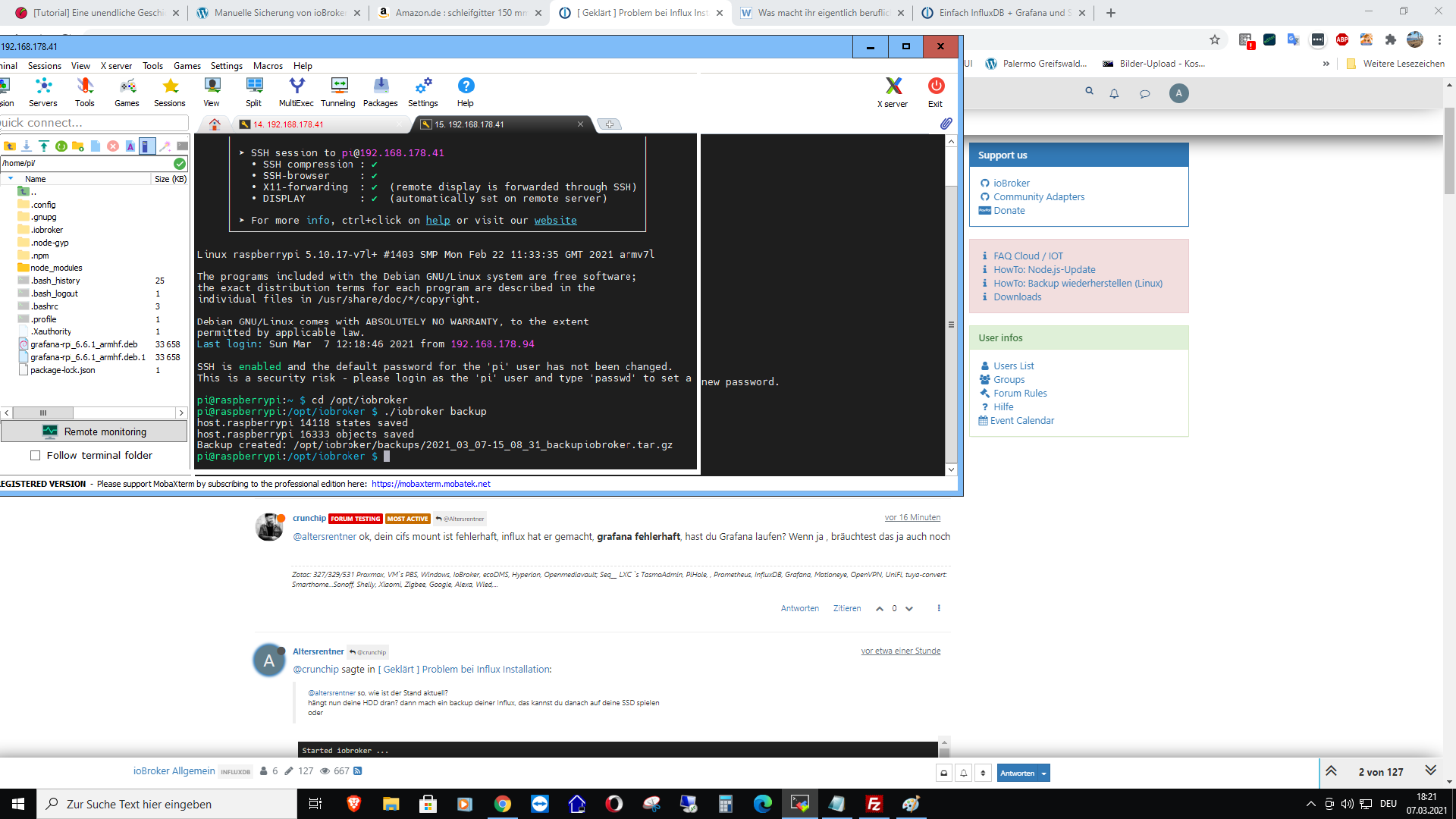
              ok, dein cifs mount ist fehlerhaft, influx hat er gemacht, grafana fehlerhaft, hast du Grafana laufen? Wenn ja , bräuchtest das ja auch noch

              Was kann ich hinsichtlich cifs machen?
              Grafana läuft wohl nicht aber die Graphen sind in vis vorhanden und aktualisieren auch
              Graf1.png
              Links ist aber Grafana auf der HDD vorhande?

              crunchipC Abwesend
              crunchipC Abwesend
              crunchip
              Forum Testing Most Active
              schrieb am zuletzt editiert von
              #133

              @altersrentner sagte in [ Geklärt ] Problem bei Influx Installation:

              Was kann ich hinsichtlich cifs machen?

              ich habe keine Ahnung was du alles eingerichtet hast, bzw was du wohin schickst um backup's zu machen. Nutzt du überhaupt cifs oder nur google drive?
              grafana läuft, aber du hast wahrscheinlich die Einstellungen für das Grafana Backup nicht richtig gesetzt.(benutzername/passwort/api-key)

              umgestiegen von Proxmox auf Unraid

              A 1 Antwort Letzte Antwort
              0
              • A Altersrentner

                @wendy2702 Ja es ist noch die alte HDD angeschlossen
                Nein erhat kein Grafana Backup gemacht.
                Habe eben gesehen, das unter
                Backitup Grafana der Hostname und der Grafana API Key fehlen
                Was sollich dort eintragen bzw wie bekomme ich den Key

                wendy2702W Offline
                wendy2702W Offline
                wendy2702
                schrieb am zuletzt editiert von
                #134

                @altersrentner Hostname sollte der hier sein:

                raspberrypi
                

                Key... keine Ahnung.

                Vielleicht ist es einfacher wenn du über die Grafana GUI gehst und deine Dashboards einfach exportierst.

                Bitte keine Fragen per PN, die gehören ins Forum!

                Benutzt das Voting rechts unten im Beitrag wenn er euch geholfen hat.

                1 Antwort Letzte Antwort
                0
                • A Altersrentner

                  @wendy2702 Ja es ist noch die alte HDD angeschlossen
                  Nein erhat kein Grafana Backup gemacht.
                  Habe eben gesehen, das unter
                  Backitup Grafana der Hostname und der Grafana API Key fehlen
                  Was sollich dort eintragen bzw wie bekomme ich den Key

                  crunchipC Abwesend
                  crunchipC Abwesend
                  crunchip
                  Forum Testing Most Active
                  schrieb am zuletzt editiert von crunchip
                  #135

                  @altersrentner sagte in [ Geklärt ] Problem bei Influx Installation:

                  Was sollich dort eintragen bzw wie bekomme ich den Key

                  Des Weiteren muss in der Grafana-Weboberfläche ein Api-Key erzeugt werden, um Zugriff auf die Dashboards zu bekommen.
                  Der Api-Key kann unter "Configuration → API Keys" erstellt werden.

                  Edit:
                  Nochmal zusammengefasst, du hast möchtest umziehen von einer Hdd auf eine SSD. Iobroker hast du dort schon laufen, mittels Backup.
                  Was du vergessen/nicht beachtet hast, das Grafana und InfluxDB zwei separate Installationen sind, die mit dem Backup des Iobrokers nichts zu tun haben, daher musst du beide entsprechend wieder auf deiner SSD installieren.
                  wenn du beide Backups(via backitup) von Influx und Grafana hast, kannst du diese auch wieder per backitup zurückspielen, wenn nicht, musst du dir die Daten entsprechend aus deiner HDD holen und wieder in deiner SSD einfügen

                  umgestiegen von Proxmox auf Unraid

                  1 Antwort Letzte Antwort
                  0
                  • crunchipC crunchip

                    @altersrentner sagte in [ Geklärt ] Problem bei Influx Installation:

                    Was kann ich hinsichtlich cifs machen?

                    ich habe keine Ahnung was du alles eingerichtet hast, bzw was du wohin schickst um backup's zu machen. Nutzt du überhaupt cifs oder nur google drive?
                    grafana läuft, aber du hast wahrscheinlich die Einstellungen für das Grafana Backup nicht richtig gesetzt.(benutzername/passwort/api-key)

                    A Offline
                    A Offline
                    Altersrentner
                    schrieb am zuletzt editiert von Altersrentner
                    #136

                    @crunchip sagte in [ Geklärt ] Problem bei Influx Installation:

                    oder nur google drive?

                    Nur Google Drive
                    Den Key habe ich erstellt.
                    Nun der Hostname
                    Wo finde ich den?

                    crunchipC wendy2702W 2 Antworten Letzte Antwort
                    0
                    • A Altersrentner

                      @crunchip sagte in [ Geklärt ] Problem bei Influx Installation:

                      oder nur google drive?

                      Nur Google Drive
                      Den Key habe ich erstellt.
                      Nun der Hostname
                      Wo finde ich den?

                      crunchipC Abwesend
                      crunchipC Abwesend
                      crunchip
                      Forum Testing Most Active
                      schrieb am zuletzt editiert von crunchip
                      #137

                      @altersrentner sagte in [ Geklärt ] Problem bei Influx Installation:

                      Nun der Hostname

                      gib einfach deine Ip Adresse ein

                      @altersrentner sagte in [ Geklärt ] Problem bei Influx Installation:

                      Nur Google Drive

                      dann hast du NAS/Kopieren scheinbar angehakt, in den Haupteinstellungen, daher der Fehler

                      umgestiegen von Proxmox auf Unraid

                      A 1 Antwort Letzte Antwort
                      0
                      • A Altersrentner

                        @crunchip sagte in [ Geklärt ] Problem bei Influx Installation:

                        oder nur google drive?

                        Nur Google Drive
                        Den Key habe ich erstellt.
                        Nun der Hostname
                        Wo finde ich den?

                        wendy2702W Offline
                        wendy2702W Offline
                        wendy2702
                        schrieb am zuletzt editiert von
                        #138

                        @altersrentner Hatt ich zwar schon geschrieben kannst aber auch gerne nochmal hier schauen

                        cat /etc/hosts
                        

                        Bitte keine Fragen per PN, die gehören ins Forum!

                        Benutzt das Voting rechts unten im Beitrag wenn er euch geholfen hat.

                        A 3 Antworten Letzte Antwort
                        0
                        • crunchipC crunchip

                          @altersrentner sagte in [ Geklärt ] Problem bei Influx Installation:

                          Nun der Hostname

                          gib einfach deine Ip Adresse ein

                          @altersrentner sagte in [ Geklärt ] Problem bei Influx Installation:

                          Nur Google Drive

                          dann hast du NAS/Kopieren scheinbar angehakt, in den Haupteinstellungen, daher der Fehler

                          A Offline
                          A Offline
                          Altersrentner
                          schrieb am zuletzt editiert von
                          #139

                          @crunchip
                          Danke!
                          Jetz mache ich noch ein Backup
                          mal sehen was dann ist

                          1 Antwort Letzte Antwort
                          0
                          • wendy2702W wendy2702

                            @altersrentner Hatt ich zwar schon geschrieben kannst aber auch gerne nochmal hier schauen

                            cat /etc/hosts
                            
                            A Offline
                            A Offline
                            Altersrentner
                            schrieb am zuletzt editiert von
                            #140

                            @wendy2702 super Danke:blush: :+1:

                            1 Antwort Letzte Antwort
                            0
                            • wendy2702W wendy2702

                              @altersrentner Hatt ich zwar schon geschrieben kannst aber auch gerne nochmal hier schauen

                              cat /etc/hosts
                              
                              A Offline
                              A Offline
                              Altersrentner
                              schrieb am zuletzt editiert von
                              #141

                              @wendy2702
                              Es erscheint wieder ein Error bei Grafana

                              DEBUG] [grafana] - Start Grafana Backup ...
                              [DEBUG] [grafana] - Created grafana_tmp directory
                              [DEBUG] [grafana] - Created dashboard directory
                              [DEBUG] [grafana] - Created dashboards_manually_restore directory
                              [DEBUG] [grafana] - Created datasource directory
                              [DEBUG] [grafana] - start Grafana request ...
                              [DEBUG] [grafana] - Grafana is available ... Status: 200
                              [DEBUG] [grafana] - Error on Grafana Dashoard Request: Error: Request failed with status code 401
                              [DEBUG] [grafana] - start Grafana backup compress ...
                              [DEBUG] [grafana] - Try deleting the Grafana tmp directory: "/opt/iobroker/backups/grafana_tmp"
                              [DEBUG] [grafana] - Grafana tmp directory "/opt/iobroker/backups/grafana_tmp" successfully deleted
                              [DEBUG] [grafana] - cannot found Grafana Backup files
                              [DEBUG] [grafana] - done
                              [DEBUG] [cifs] - done
                              [DEBUG] [googledrive] - Google Drive: Copy iobroker_2021_03_07-19_08_53_influx grafana_backupiobroker.tar.gz...
                              
                              crunchipC 1 Antwort Letzte Antwort
                              0
                              • A Altersrentner

                                @wendy2702
                                Es erscheint wieder ein Error bei Grafana

                                DEBUG] [grafana] - Start Grafana Backup ...
                                [DEBUG] [grafana] - Created grafana_tmp directory
                                [DEBUG] [grafana] - Created dashboard directory
                                [DEBUG] [grafana] - Created dashboards_manually_restore directory
                                [DEBUG] [grafana] - Created datasource directory
                                [DEBUG] [grafana] - start Grafana request ...
                                [DEBUG] [grafana] - Grafana is available ... Status: 200
                                [DEBUG] [grafana] - Error on Grafana Dashoard Request: Error: Request failed with status code 401
                                [DEBUG] [grafana] - start Grafana backup compress ...
                                [DEBUG] [grafana] - Try deleting the Grafana tmp directory: "/opt/iobroker/backups/grafana_tmp"
                                [DEBUG] [grafana] - Grafana tmp directory "/opt/iobroker/backups/grafana_tmp" successfully deleted
                                [DEBUG] [grafana] - cannot found Grafana Backup files
                                [DEBUG] [grafana] - done
                                [DEBUG] [cifs] - done
                                [DEBUG] [googledrive] - Google Drive: Copy iobroker_2021_03_07-19_08_53_influx grafana_backupiobroker.tar.gz...
                                
                                crunchipC Abwesend
                                crunchipC Abwesend
                                crunchip
                                Forum Testing Most Active
                                schrieb am zuletzt editiert von
                                #142

                                @altersrentner sagte in [ Geklärt ] Problem bei Influx Installation:

                                Error on Grafana Dashoard Request: Error: Request failed with status code 401

                                Falschen Benutzerdaten oder Api-Key falsch
                                Grafana ist erreichbar (siehe Status 200)

                                umgestiegen von Proxmox auf Unraid

                                A 2 Antworten Letzte Antwort
                                0
                                • crunchipC crunchip

                                  @altersrentner sagte in [ Geklärt ] Problem bei Influx Installation:

                                  Error on Grafana Dashoard Request: Error: Request failed with status code 401

                                  Falschen Benutzerdaten oder Api-Key falsch
                                  Grafana ist erreichbar (siehe Status 200)

                                  A Offline
                                  A Offline
                                  Altersrentner
                                  schrieb am zuletzt editiert von
                                  #143

                                  @crunchip
                                  Danke, habe jetzt beim Host die IP eingestellt
                                  und ein neuer Versuch

                                  1 Antwort Letzte Antwort
                                  0
                                  • crunchipC crunchip

                                    @altersrentner sagte in [ Geklärt ] Problem bei Influx Installation:

                                    Error on Grafana Dashoard Request: Error: Request failed with status code 401

                                    Falschen Benutzerdaten oder Api-Key falsch
                                    Grafana ist erreichbar (siehe Status 200)

                                    A Offline
                                    A Offline
                                    Altersrentner
                                    schrieb am zuletzt editiert von
                                    #144

                                    @crunchip

                                    Started iobroker ...
                                    [DEBUG] [mount] - first mount attempt with smb option failed. try next mount attempt without smb option ...
                                    [ERROR] [mount] - [undefined Error: Command failed: sudo mount -t cifs -o username=Backup,password=****,rw,file_mode=0777,dir_mode=0777 //192.168.178.35/homes/Backup/iobroker/minimalPi4 /opt/iobroker/backups
                                    Unable to find suitable address.
                                    
                                    [ERROR] [mount] - [IGNORED] Error: Command failed: sudo mount -t cifs -o username=Backup,password=****,rw,file_mode=0777,dir_mode=0777 //192.168.178.35/homes/Backup/iobroker/minimalPi4 /opt/iobroker/backups
                                    Unable to find suitable address.
                                    
                                    [DEBUG] [iobroker] - host.raspberrypi 14084 states saved
                                    
                                    [DEBUG] [iobroker] - host.raspberrypi 16331 objects saved
                                    
                                    [DEBUG] [iobroker] - Backup created: /opt/iobroker/backups/iobroker_2021_03_07-19_34_18_influx grafana2_backupiobroker.tar.gz
                                    
                                    [DEBUG] [iobroker] - done
                                    [DEBUG] [influxDB] - Start InfluxDB Backup ...
                                    [DEBUG] [influxDB] - InfluxDB Backup tmp directory created 
                                    [DEBUG] [influxDB] - Packed 15MB so far...
                                    [DEBUG] [influxDB] - Packed 47MB so far...
                                    [DEBUG] [influxDB] - Packed 79MB so far...
                                    [DEBUG] [influxDB] - Packed 149MB so far...
                                    [DEBUG] [influxDB] - Packed 235MB so far...
                                    [DEBUG] [influxDB] - Packed 313MB so far...
                                    [DEBUG] [influxDB] - Packed 405MB so far...
                                    [DEBUG] [influxDB] - Packed 481MB so far...
                                    [DEBUG] [influxDB] - Packed 562MB so far...
                                    [DEBUG] [influxDB] - Packed 646MB so far...
                                    [DEBUG] [influxDB] - Packed 727MB so far...
                                    [DEBUG] [influxDB] - Packed 817MB so far...
                                    [DEBUG] [influxDB] - Backup created: /opt/iobroker/backups/influxDB_2021_03_07-19_34_51_influx grafana2_backupiobroker.tar.gz
                                    [DEBUG] [influxDB] - Try deleting the InfluxDB tmp directory
                                    [DEBUG] [influxDB] - InfluxDB tmp directory was successfully deleted
                                    [DEBUG] [influxDB] - done
                                    [DEBUG] [grafana] - Start Grafana Backup ...
                                    [DEBUG] [grafana] - Created grafana_tmp directory
                                    [DEBUG] [grafana] - Created dashboard directory
                                    [DEBUG] [grafana] - Created dashboards_manually_restore directory
                                    [DEBUG] [grafana] - Created datasource directory
                                    [DEBUG] [grafana] - start Grafana request ...
                                    [DEBUG] [grafana] - Grafana is available ... Status: 200
                                    [DEBUG] [grafana] - found Dashboard: n1-aussen-wz
                                    [DEBUG] [grafana] - start Grafana backup compress ...
                                    [DEBUG] [grafana] - Backup created: /opt/iobroker/backups/grafana_2021_03_07-19_42_25_backupiobroker.tar.gz
                                    [DEBUG] [grafana] - Try deleting the Grafana tmp directory: "/opt/iobroker/backups/grafana_tmp"
                                    [DEBUG] [grafana] - Grafana tmp directory "/opt/iobroker/backups/grafana_tmp" successfully deleted
                                    [DEBUG] [grafana] - done
                                    [DEBUG] [cifs] - done
                                    [DEBUG] [googledrive] - Google Drive: Copy iobroker_2021_03_07-19_34_18_influx grafana2_backupiobroker.tar.gz...
                                    [DEBUG] [googledrive] - Google Drive: Copy influxDB_2021_03_07-19_34_51_influx grafana2_backupiobroker.tar.gz...
                                    

                                    Ich glaube jetzt hat es geklappt:+1: oder:-1:

                                    crunchipC 1 Antwort Letzte Antwort
                                    0
                                    • A Altersrentner

                                      @crunchip

                                      Started iobroker ...
                                      [DEBUG] [mount] - first mount attempt with smb option failed. try next mount attempt without smb option ...
                                      [ERROR] [mount] - [undefined Error: Command failed: sudo mount -t cifs -o username=Backup,password=****,rw,file_mode=0777,dir_mode=0777 //192.168.178.35/homes/Backup/iobroker/minimalPi4 /opt/iobroker/backups
                                      Unable to find suitable address.
                                      
                                      [ERROR] [mount] - [IGNORED] Error: Command failed: sudo mount -t cifs -o username=Backup,password=****,rw,file_mode=0777,dir_mode=0777 //192.168.178.35/homes/Backup/iobroker/minimalPi4 /opt/iobroker/backups
                                      Unable to find suitable address.
                                      
                                      [DEBUG] [iobroker] - host.raspberrypi 14084 states saved
                                      
                                      [DEBUG] [iobroker] - host.raspberrypi 16331 objects saved
                                      
                                      [DEBUG] [iobroker] - Backup created: /opt/iobroker/backups/iobroker_2021_03_07-19_34_18_influx grafana2_backupiobroker.tar.gz
                                      
                                      [DEBUG] [iobroker] - done
                                      [DEBUG] [influxDB] - Start InfluxDB Backup ...
                                      [DEBUG] [influxDB] - InfluxDB Backup tmp directory created 
                                      [DEBUG] [influxDB] - Packed 15MB so far...
                                      [DEBUG] [influxDB] - Packed 47MB so far...
                                      [DEBUG] [influxDB] - Packed 79MB so far...
                                      [DEBUG] [influxDB] - Packed 149MB so far...
                                      [DEBUG] [influxDB] - Packed 235MB so far...
                                      [DEBUG] [influxDB] - Packed 313MB so far...
                                      [DEBUG] [influxDB] - Packed 405MB so far...
                                      [DEBUG] [influxDB] - Packed 481MB so far...
                                      [DEBUG] [influxDB] - Packed 562MB so far...
                                      [DEBUG] [influxDB] - Packed 646MB so far...
                                      [DEBUG] [influxDB] - Packed 727MB so far...
                                      [DEBUG] [influxDB] - Packed 817MB so far...
                                      [DEBUG] [influxDB] - Backup created: /opt/iobroker/backups/influxDB_2021_03_07-19_34_51_influx grafana2_backupiobroker.tar.gz
                                      [DEBUG] [influxDB] - Try deleting the InfluxDB tmp directory
                                      [DEBUG] [influxDB] - InfluxDB tmp directory was successfully deleted
                                      [DEBUG] [influxDB] - done
                                      [DEBUG] [grafana] - Start Grafana Backup ...
                                      [DEBUG] [grafana] - Created grafana_tmp directory
                                      [DEBUG] [grafana] - Created dashboard directory
                                      [DEBUG] [grafana] - Created dashboards_manually_restore directory
                                      [DEBUG] [grafana] - Created datasource directory
                                      [DEBUG] [grafana] - start Grafana request ...
                                      [DEBUG] [grafana] - Grafana is available ... Status: 200
                                      [DEBUG] [grafana] - found Dashboard: n1-aussen-wz
                                      [DEBUG] [grafana] - start Grafana backup compress ...
                                      [DEBUG] [grafana] - Backup created: /opt/iobroker/backups/grafana_2021_03_07-19_42_25_backupiobroker.tar.gz
                                      [DEBUG] [grafana] - Try deleting the Grafana tmp directory: "/opt/iobroker/backups/grafana_tmp"
                                      [DEBUG] [grafana] - Grafana tmp directory "/opt/iobroker/backups/grafana_tmp" successfully deleted
                                      [DEBUG] [grafana] - done
                                      [DEBUG] [cifs] - done
                                      [DEBUG] [googledrive] - Google Drive: Copy iobroker_2021_03_07-19_34_18_influx grafana2_backupiobroker.tar.gz...
                                      [DEBUG] [googledrive] - Google Drive: Copy influxDB_2021_03_07-19_34_51_influx grafana2_backupiobroker.tar.gz...
                                      

                                      Ich glaube jetzt hat es geklappt:+1: oder:-1:

                                      crunchipC Abwesend
                                      crunchipC Abwesend
                                      crunchip
                                      Forum Testing Most Active
                                      schrieb am zuletzt editiert von
                                      #145

                                      @altersrentner sieht so aus, grafana und influx, dein cifs hast aber noch aktiv(was du ja nicht nutzt), also Haken noch raus bei Nas.
                                      aber deine Backups sind gemacht
                                      musst nur dran denken, das du bei deiner SSD Influx und Grafana installiert haben musst um das backup ein zu spielen

                                      umgestiegen von Proxmox auf Unraid

                                      A 1 Antwort Letzte Antwort
                                      0
                                      • crunchipC crunchip

                                        @altersrentner sieht so aus, grafana und influx, dein cifs hast aber noch aktiv(was du ja nicht nutzt), also Haken noch raus bei Nas.
                                        aber deine Backups sind gemacht
                                        musst nur dran denken, das du bei deiner SSD Influx und Grafana installiert haben musst um das backup ein zu spielen

                                        A Offline
                                        A Offline
                                        Altersrentner
                                        schrieb am zuletzt editiert von
                                        #146

                                        @crunchip OK

                                        
                                        wget -qO- https://repos.influxdata.com/influxdb.key | sudo apt-key add -
                                        source /etc/os-release
                                        echo "deb https://repos.influxdata.com/debian $(lsb_release -cs) stable" | sudo tee /etc/apt/sources.list.d/influxdb.list
                                         
                                        sudo apt update
                                        sudo apt install -y influxdb
                                        sudo systemctl unmask influxdb.service
                                        sudo systemctl start influxdb.service
                                        sudo systemctl enable influxdb.service
                                        

                                        Damit installiere ich Influx.
                                        Kannst Du mir bitte noch den Code für Grafana mitteilen?
                                        Danke
                                        Mit freundlichen Grüßen
                                        Michael

                                        crunchipC 1 Antwort Letzte Antwort
                                        0
                                        • A Altersrentner

                                          @crunchip OK

                                          
                                          wget -qO- https://repos.influxdata.com/influxdb.key | sudo apt-key add -
                                          source /etc/os-release
                                          echo "deb https://repos.influxdata.com/debian $(lsb_release -cs) stable" | sudo tee /etc/apt/sources.list.d/influxdb.list
                                           
                                          sudo apt update
                                          sudo apt install -y influxdb
                                          sudo systemctl unmask influxdb.service
                                          sudo systemctl start influxdb.service
                                          sudo systemctl enable influxdb.service
                                          

                                          Damit installiere ich Influx.
                                          Kannst Du mir bitte noch den Code für Grafana mitteilen?
                                          Danke
                                          Mit freundlichen Grüßen
                                          Michael

                                          crunchipC Abwesend
                                          crunchipC Abwesend
                                          crunchip
                                          Forum Testing Most Active
                                          schrieb am zuletzt editiert von
                                          #147

                                          @altersrentner
                                          apt-Schlüssel zufügen

                                          wget -q -O - https://packages.grafana.com/gpg.key | sudo apt-key add -
                                          

                                          grafana repository hinzufügen

                                          echo "deb https://packages.grafana.com/oss/deb stable main" | sudo tee -a /etc/apt/sources.list.d/grafana.list
                                          

                                          installieren

                                          sudo apt-get update
                                          sudo apt-get install -y grafana
                                          

                                          aktivieren und starten

                                          sudo /bin/systemctl enable grafana-server
                                          sudo /bin/systemctl start grafana-server
                                          

                                          aufrufen dann über http://<ip address>:3000
                                          Name und Kennwort ist standard
                                          admin
                                          admin

                                          umgestiegen von Proxmox auf Unraid

                                          A 2 Antworten Letzte Antwort
                                          0
                                          Antworten
                                          • In einem neuen Thema antworten
                                          Anmelden zum Antworten
                                          • Älteste zuerst
                                          • Neuste zuerst
                                          • Meiste Stimmen


                                          Support us

                                          ioBroker
                                          Community Adapters
                                          Donate
                                          FAQ Cloud / IOT
                                          HowTo: Node.js-Update
                                          HowTo: Backup/Restore
                                          Downloads
                                          BLOG

                                          494

                                          Online

                                          32.4k

                                          Benutzer

                                          81.5k

                                          Themen

                                          1.3m

                                          Beiträge
                                          Community
                                          Impressum | Datenschutz-Bestimmungen | Nutzungsbedingungen | Einwilligungseinstellungen
                                          ioBroker Community 2014-2025
                                          logo
                                          • Anmelden

                                          • Du hast noch kein Konto? Registrieren

                                          • Anmelden oder registrieren, um zu suchen
                                          • Erster Beitrag
                                            Letzter Beitrag
                                          0
                                          • Home
                                          • Aktuell
                                          • Tags
                                          • Ungelesen 0
                                          • Kategorien
                                          • Unreplied
                                          • Beliebt
                                          • GitHub
                                          • Docu
                                          • Hilfe
