Skip to content
  • Home
  • Aktuell
  • Tags
  • 0 Ungelesen 0
  • Kategorien
  • Unreplied
  • Beliebt
  • GitHub
  • Docu
  • Hilfe
Skins
  • Light
  • Brite
  • Cerulean
  • Cosmo
  • Flatly
  • Journal
  • Litera
  • Lumen
  • Lux
  • Materia
  • Minty
  • Morph
  • Pulse
  • Sandstone
  • Simplex
  • Sketchy
  • Spacelab
  • United
  • Yeti
  • Zephyr
  • Dark
  • Cyborg
  • Darkly
  • Quartz
  • Slate
  • Solar
  • Superhero
  • Vapor

  • Standard: (Kein Skin)
  • Kein Skin
Einklappen
ioBroker Logo

Community Forum

donate donate
  1. ioBroker Community Home
  2. Deutsch
  3. ioBroker Allgemein
  4. Iobroker läuft nicht mehr richtig, nur noch Logfehler
NEWS

  • Jahresrückblick 2025 – unser neuer Blogbeitrag ist online! ✨
    BluefoxB
    Bluefox
    17
    1
    2.0k

  • Neuer Blogbeitrag: Monatsrückblick - Dezember 2025 🎄
    BluefoxB
    Bluefox
    13
    1
    927

  • Weihnachtsangebot 2025! 🎄
    BluefoxB
    Bluefox
    25
    1
    2.2k

Iobroker läuft nicht mehr richtig, nur noch Logfehler

Geplant Angeheftet Gesperrt Verschoben ioBroker Allgemein
log fehler iobroker
32 Beiträge 3 Kommentatoren 2.2k Aufrufe 3 Watching
  • Älteste zuerst
  • Neuste zuerst
  • Meiste Stimmen
Antworten
  • In einem neuen Thema antworten
Anmelden zum Antworten
Dieses Thema wurde gelöscht. Nur Nutzer mit entsprechenden Rechten können es sehen.
  • L Offline
    L Offline
    Lady Ela
    schrieb am zuletzt editiert von
    #8

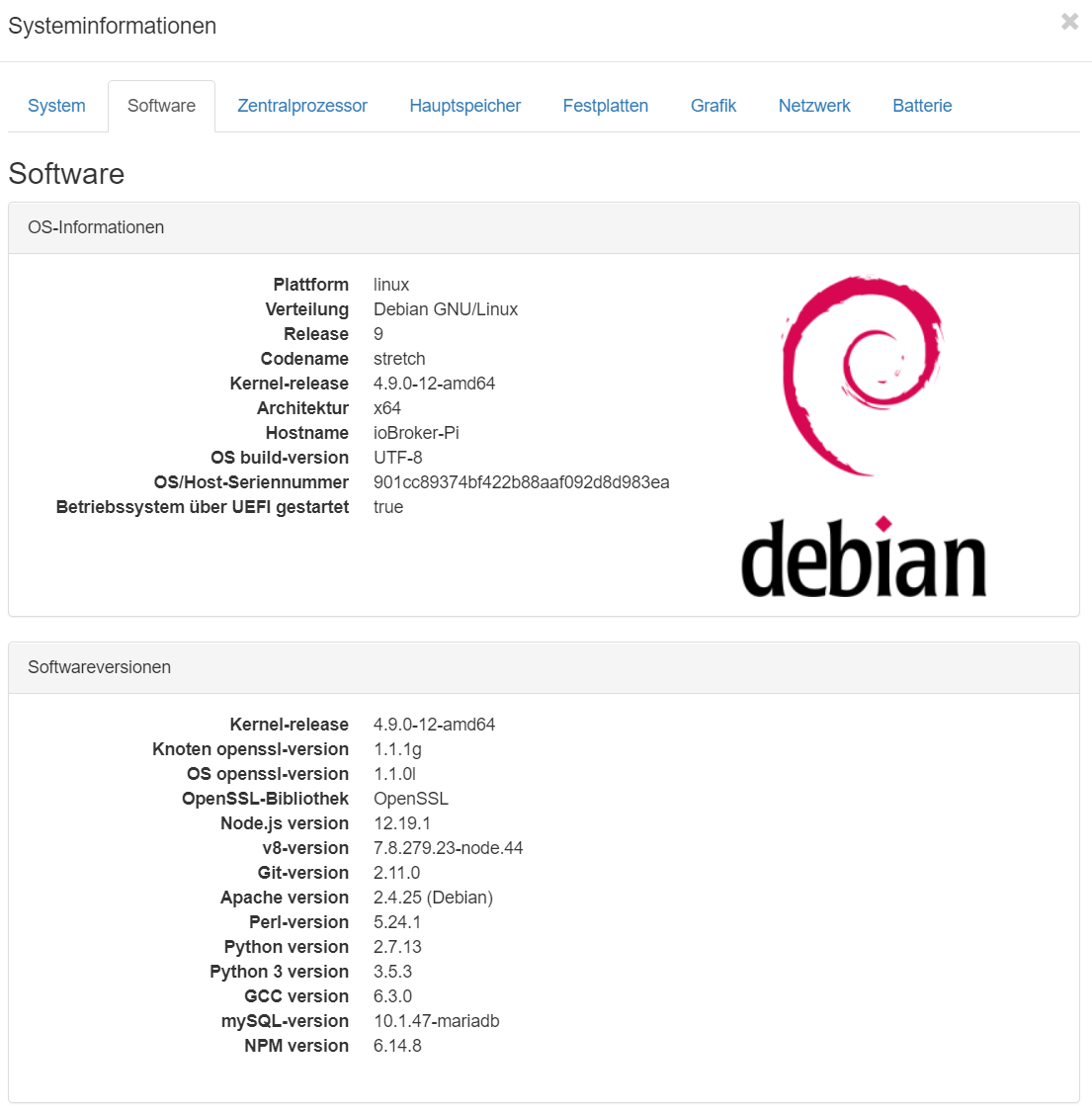
    355b84e2-a59a-4926-ad07-ef573e7c1efe-image.png

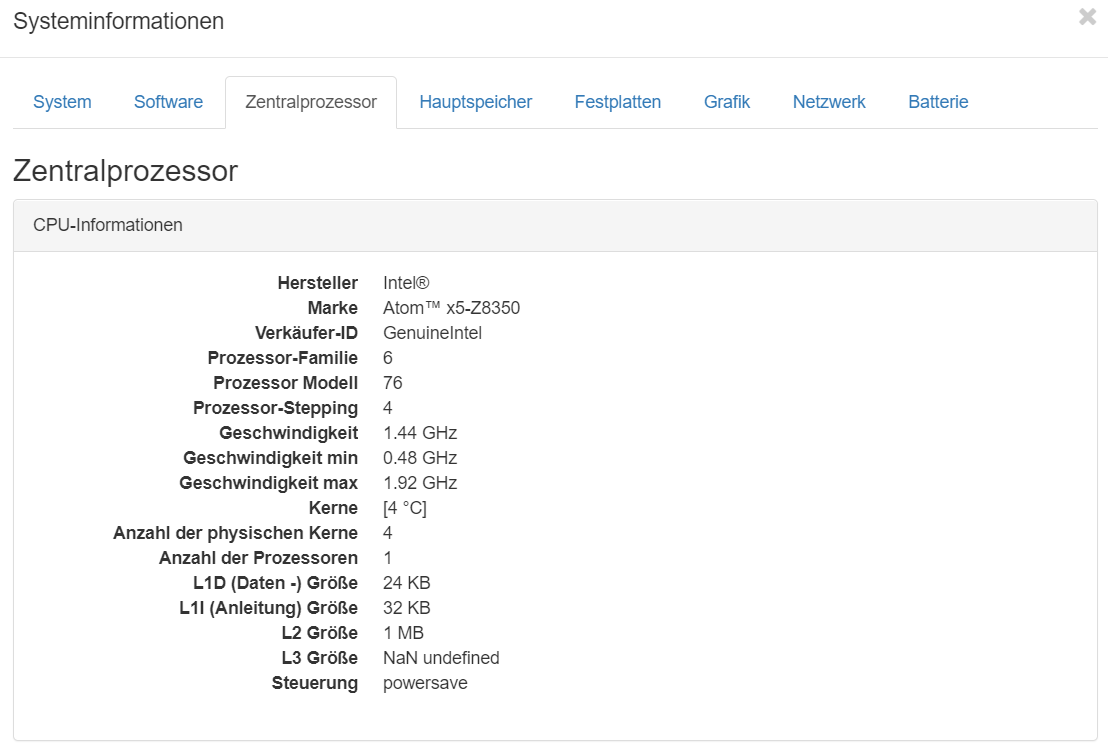
    c0830abb-5ce1-4831-a3c0-a8ac1001d862-image.png

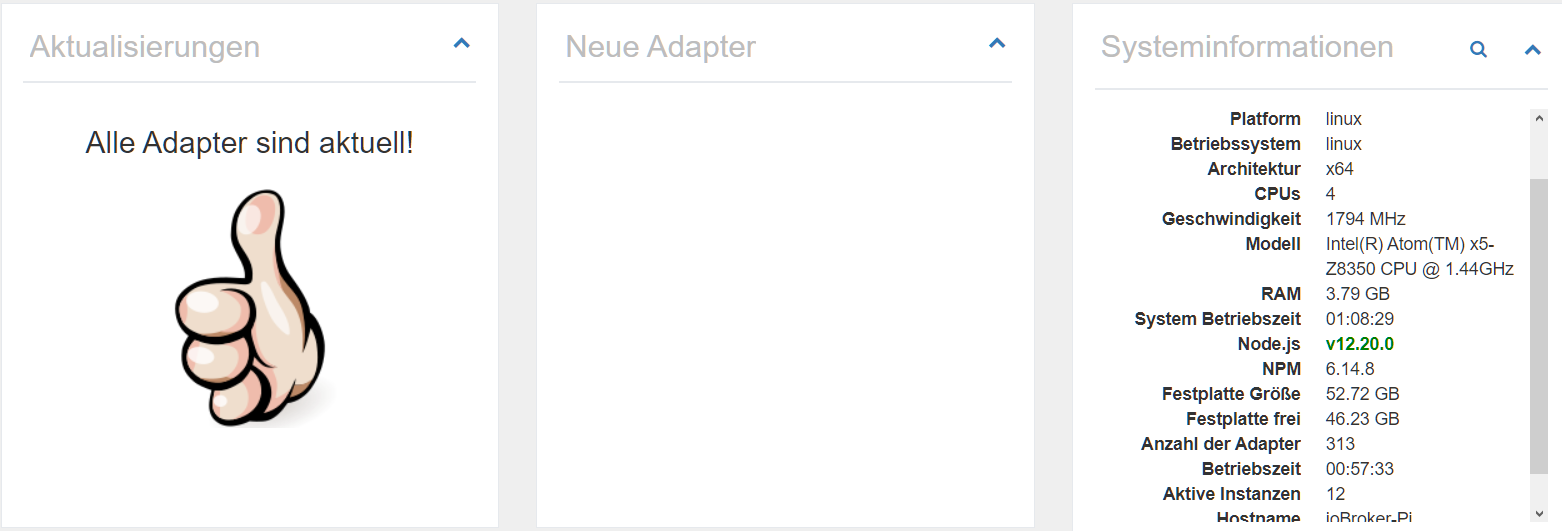
    b54281fb-bdb2-47af-8958-e97b1fd79da5-image.png

    1 Antwort Letzte Antwort
    0
    • L Offline
      L Offline
      Lady Ela
      schrieb am zuletzt editiert von
      #9

      Ich kann es leider nur als root ausführen, als User bekomme ich folgenden Fehler zurück.

      michaela@ioBroker-Pi:~$ Leider darf der Benutzer michaela »/usr/bin/apt update« als root auf ioBroker-Pi                          .fritz.box nicht ausführen.
      -bash: Leider: Kommando nicht gefunden.
      michaela@ioBroker-Pi:~$ michaela@ioBroker-Pi:~$
      -bash: michaela@ioBroker-Pi:~$: Kommando nicht gefunden.
      
      
      Thomas BraunT 1 Antwort Letzte Antwort
      0
      • L Lady Ela

        Ich kann es leider nur als root ausführen, als User bekomme ich folgenden Fehler zurück.

        michaela@ioBroker-Pi:~$ Leider darf der Benutzer michaela »/usr/bin/apt update« als root auf ioBroker-Pi                          .fritz.box nicht ausführen.
        -bash: Leider: Kommando nicht gefunden.
        michaela@ioBroker-Pi:~$ michaela@ioBroker-Pi:~$
        -bash: michaela@ioBroker-Pi:~$: Kommando nicht gefunden.
        
        
        Thomas BraunT Online
        Thomas BraunT Online
        Thomas Braun
        Most Active
        schrieb am zuletzt editiert von Thomas Braun
        #10

        @Lady-Ela
        Als root:

        usermod -aG sudo michaela
        

        Dann am besten mal rebooten:

        reboot
        

        Dann sollte die michaela auch per sudo root-Kommandos absetzen können.

        Linux-Werkzeugkasten:
        https://forum.iobroker.net/topic/42952/der-kleine-iobroker-linux-werkzeugkasten
        NodeJS Fixer Skript:
        https://forum.iobroker.net/topic/68035/iob-node-fix-skript
        iob_diag: curl -sLf -o diag.sh https://iobroker.net/diag.sh && bash diag.sh

        1 Antwort Letzte Antwort
        0
        • L Offline
          L Offline
          Lady Ela
          schrieb am zuletzt editiert von
          #11

          Läuft leider immer noch nicht

          Thomas BraunT 1 Antwort Letzte Antwort
          0
          • L Lady Ela

            Läuft leider immer noch nicht

            Thomas BraunT Online
            Thomas BraunT Online
            Thomas Braun
            Most Active
            schrieb am zuletzt editiert von
            #12

            @Lady-Ela
            Joh...
            Wir haben ja auch noch gar nichts gemacht...

            Die michaela kann aber jetzt das sudo Kommando nutzen?

            sudo whoami
            

            Linux-Werkzeugkasten:
            https://forum.iobroker.net/topic/42952/der-kleine-iobroker-linux-werkzeugkasten
            NodeJS Fixer Skript:
            https://forum.iobroker.net/topic/68035/iob-node-fix-skript
            iob_diag: curl -sLf -o diag.sh https://iobroker.net/diag.sh && bash diag.sh

            1 Antwort Letzte Antwort
            0
            • L Offline
              L Offline
              Lady Ela
              schrieb am zuletzt editiert von
              #13

              @Thomas-Braun said in Iobroker läuft nicht mehr richtig, nur noch Logfehler:

              sudo whoami

              ja kann ich beziehungsweise als user michaela

              Thomas BraunT 1 Antwort Letzte Antwort
              0
              • L Lady Ela

                @Thomas-Braun said in Iobroker läuft nicht mehr richtig, nur noch Logfehler:

                sudo whoami

                ja kann ich beziehungsweise als user michaela

                Thomas BraunT Online
                Thomas BraunT Online
                Thomas Braun
                Most Active
                schrieb am zuletzt editiert von Thomas Braun
                #14

                @Lady-Ela

                iobroker fix
                

                Und bitte die Ausführung bzw. die Rückmeldungen vom System auch die Helfer wissen lassen.

                Linux-Werkzeugkasten:
                https://forum.iobroker.net/topic/42952/der-kleine-iobroker-linux-werkzeugkasten
                NodeJS Fixer Skript:
                https://forum.iobroker.net/topic/68035/iob-node-fix-skript
                iob_diag: curl -sLf -o diag.sh https://iobroker.net/diag.sh && bash diag.sh

                1 Antwort Letzte Antwort
                0
                • L Offline
                  L Offline
                  Lady Ela
                  schrieb am zuletzt editiert von
                  #15

                  Leider kein Erfolg

                  michaela@ioBroker-Pi:~$ iobroker fix
                  library: loaded
                  Library version=2020-06-12
                  ioBroker or some processes are still running:
                   io.admin.0
                   io.discovery.0
                   io.terminal.0
                   io.alexa2.0
                   io.backitup.0
                   io.hue.0
                   io.zigbee.0
                   io.tankerkoenig.0
                   io.denon.0
                   io.email.0
                   io.ping.0
                   io.web.0
                   io.pollenflug.0
                   io.pushover.0
                   io.telegram.0
                   io.javascript.0
                   io.sonoff.0
                   io.iot.0
                   io.harmony.0
                   io.sql.0
                   io.iqontrol.0
                  Please stop them first and try again!
                  michaela@ioBroker-Pi:~$ sudo iobroker stop
                  michaela@ioBroker-Pi:~$ iobroker fix
                  library: loaded
                  Library version=2020-06-12
                  
                  ==========================================================================
                  
                      Welcome to the ioBroker installation fixer!
                      Script version: 2020-06-15
                  
                      You might need to enter your password a couple of times.
                  
                  ==========================================================================
                  
                  
                  ==========================================================================
                      Installing prerequisites (1/3)
                  ==========================================================================
                  
                  OK:1 http://phoscon.de/apt/deconz stretch InRelease
                  Ign:2 http://ftp.de.debian.org/debian stretch InRelease
                  OK:3 http://ftp.de.debian.org/debian stretch-updates InRelease
                  OK:4 http://ftp.de.debian.org/debian stretch Release
                  OK:5 https://deb.nodesource.com/node_12.x stretch InRelease
                  OK:6 http://security.debian.org/debian-security stretch/updates InRelease
                  Paketlisten werden gelesen... Fertig
                  Installed gcc-c++
                  
                  ==========================================================================
                      Checking ioBroker user and directory permissions (2/3)
                  ==========================================================================
                  
                  Created /etc/sudoers.d/iobroker
                  Fixing directory permissions...
                  
                  ==========================================================================
                      Checking autostart (3/3)
                  ==========================================================================
                  
                  Enabling autostart...
                  Autostart enabled!
                  
                  ==========================================================================
                  
                      Your installation was fixed successfully
                      Run iobroker start to start ioBroker again!
                  
                  ==========================================================================
                  
                  michaela@ioBroker-Pi:~$ sudo iobroker start
                  michaela@ioBroker-Pi:~$ ^C
                  michaela@ioBroker-Pi:~$ ^C
                  michaela@ioBroker-Pi:~$ ^C
                  michaela@ioBroker-Pi:~$ iobroker fix
                  Library version=2020-06-12
                  ioBroker or some processes are still running:
                   io.admin.0
                   io.discovery.0
                   io.terminal.0
                   io.alexa2.0
                   io.backitup.0
                   io.hue.0
                   io.zigbee.0
                   io.tankerkoenig.0
                   io.denon.0
                   io.email.0
                   io.ping.0
                   io.web.0
                   io.pollenflug.0
                   io.pushover.0
                   io.telegram.0
                   io.javascript.0
                   io.sonoff.0
                   io.iot.0
                   io.harmony.0
                   io.sql.0
                   io.iqontrol.0
                  Please stop them first and try again!
                  michaela@ioBroker-Pi:~$ sudo iobroker stop
                  michaela@ioBroker-Pi:~$ iobroker fix
                  library: loaded
                  Library version=2020-06-12
                  
                  ==========================================================================
                  
                      Welcome to the ioBroker installation fixer!
                      Script version: 2020-06-15
                  
                      You might need to enter your password a couple of times.
                  
                  ==========================================================================
                  
                  
                  ==========================================================================
                      Installing prerequisites (1/3)
                  ==========================================================================
                  
                  OK:1 http://phoscon.de/apt/deconz stretch InRelease
                  Ign:2 http://ftp.de.debian.org/debian stretch InRelease
                  OK:3 http://ftp.de.debian.org/debian stretch-updates InRelease
                  OK:4 http://ftp.de.debian.org/debian stretch Release
                  OK:5 https://deb.nodesource.com/node_12.x stretch InRelease
                  OK:6 http://security.debian.org/debian-security stretch/updates InRelease
                  Paketlisten werden gelesen... Fertig
                  Installed gcc-c++
                  
                  ==========================================================================
                      Checking ioBroker user and directory permissions (2/3)
                  ==========================================================================
                  
                  Created /etc/sudoers.d/iobroker
                  Fixing directory permissions...
                  
                  ==========================================================================
                      Checking autostart (3/3)
                  ==========================================================================
                  
                  Enabling autostart...
                  Autostart enabled!
                  
                  ==========================================================================
                  
                      Your installation was fixed successfully
                      Run iobroker start to start ioBroker again!
                  
                  ==========================================================================
                  
                  
                  Thomas BraunT 1 Antwort Letzte Antwort
                  0
                  • L Lady Ela

                    Leider kein Erfolg

                    michaela@ioBroker-Pi:~$ iobroker fix
                    library: loaded
                    Library version=2020-06-12
                    ioBroker or some processes are still running:
                     io.admin.0
                     io.discovery.0
                     io.terminal.0
                     io.alexa2.0
                     io.backitup.0
                     io.hue.0
                     io.zigbee.0
                     io.tankerkoenig.0
                     io.denon.0
                     io.email.0
                     io.ping.0
                     io.web.0
                     io.pollenflug.0
                     io.pushover.0
                     io.telegram.0
                     io.javascript.0
                     io.sonoff.0
                     io.iot.0
                     io.harmony.0
                     io.sql.0
                     io.iqontrol.0
                    Please stop them first and try again!
                    michaela@ioBroker-Pi:~$ sudo iobroker stop
                    michaela@ioBroker-Pi:~$ iobroker fix
                    library: loaded
                    Library version=2020-06-12
                    
                    ==========================================================================
                    
                        Welcome to the ioBroker installation fixer!
                        Script version: 2020-06-15
                    
                        You might need to enter your password a couple of times.
                    
                    ==========================================================================
                    
                    
                    ==========================================================================
                        Installing prerequisites (1/3)
                    ==========================================================================
                    
                    OK:1 http://phoscon.de/apt/deconz stretch InRelease
                    Ign:2 http://ftp.de.debian.org/debian stretch InRelease
                    OK:3 http://ftp.de.debian.org/debian stretch-updates InRelease
                    OK:4 http://ftp.de.debian.org/debian stretch Release
                    OK:5 https://deb.nodesource.com/node_12.x stretch InRelease
                    OK:6 http://security.debian.org/debian-security stretch/updates InRelease
                    Paketlisten werden gelesen... Fertig
                    Installed gcc-c++
                    
                    ==========================================================================
                        Checking ioBroker user and directory permissions (2/3)
                    ==========================================================================
                    
                    Created /etc/sudoers.d/iobroker
                    Fixing directory permissions...
                    
                    ==========================================================================
                        Checking autostart (3/3)
                    ==========================================================================
                    
                    Enabling autostart...
                    Autostart enabled!
                    
                    ==========================================================================
                    
                        Your installation was fixed successfully
                        Run iobroker start to start ioBroker again!
                    
                    ==========================================================================
                    
                    michaela@ioBroker-Pi:~$ sudo iobroker start
                    michaela@ioBroker-Pi:~$ ^C
                    michaela@ioBroker-Pi:~$ ^C
                    michaela@ioBroker-Pi:~$ ^C
                    michaela@ioBroker-Pi:~$ iobroker fix
                    Library version=2020-06-12
                    ioBroker or some processes are still running:
                     io.admin.0
                     io.discovery.0
                     io.terminal.0
                     io.alexa2.0
                     io.backitup.0
                     io.hue.0
                     io.zigbee.0
                     io.tankerkoenig.0
                     io.denon.0
                     io.email.0
                     io.ping.0
                     io.web.0
                     io.pollenflug.0
                     io.pushover.0
                     io.telegram.0
                     io.javascript.0
                     io.sonoff.0
                     io.iot.0
                     io.harmony.0
                     io.sql.0
                     io.iqontrol.0
                    Please stop them first and try again!
                    michaela@ioBroker-Pi:~$ sudo iobroker stop
                    michaela@ioBroker-Pi:~$ iobroker fix
                    library: loaded
                    Library version=2020-06-12
                    
                    ==========================================================================
                    
                        Welcome to the ioBroker installation fixer!
                        Script version: 2020-06-15
                    
                        You might need to enter your password a couple of times.
                    
                    ==========================================================================
                    
                    
                    ==========================================================================
                        Installing prerequisites (1/3)
                    ==========================================================================
                    
                    OK:1 http://phoscon.de/apt/deconz stretch InRelease
                    Ign:2 http://ftp.de.debian.org/debian stretch InRelease
                    OK:3 http://ftp.de.debian.org/debian stretch-updates InRelease
                    OK:4 http://ftp.de.debian.org/debian stretch Release
                    OK:5 https://deb.nodesource.com/node_12.x stretch InRelease
                    OK:6 http://security.debian.org/debian-security stretch/updates InRelease
                    Paketlisten werden gelesen... Fertig
                    Installed gcc-c++
                    
                    ==========================================================================
                        Checking ioBroker user and directory permissions (2/3)
                    ==========================================================================
                    
                    Created /etc/sudoers.d/iobroker
                    Fixing directory permissions...
                    
                    ==========================================================================
                        Checking autostart (3/3)
                    ==========================================================================
                    
                    Enabling autostart...
                    Autostart enabled!
                    
                    ==========================================================================
                    
                        Your installation was fixed successfully
                        Run iobroker start to start ioBroker again!
                    
                    ==========================================================================
                    
                    
                    Thomas BraunT Online
                    Thomas BraunT Online
                    Thomas Braun
                    Most Active
                    schrieb am zuletzt editiert von
                    #16

                    @Lady-Ela
                    Sorry...

                    iobroker stop
                    iobroker fix
                    

                    Linux-Werkzeugkasten:
                    https://forum.iobroker.net/topic/42952/der-kleine-iobroker-linux-werkzeugkasten
                    NodeJS Fixer Skript:
                    https://forum.iobroker.net/topic/68035/iob-node-fix-skript
                    iob_diag: curl -sLf -o diag.sh https://iobroker.net/diag.sh && bash diag.sh

                    1 Antwort Letzte Antwort
                    0
                    • L Offline
                      L Offline
                      Lady Ela
                      schrieb am zuletzt editiert von
                      #17

                      Hab ich gemacht siehe noch mal Code oben

                      Thomas BraunT 1 Antwort Letzte Antwort
                      0
                      • L Lady Ela

                        Hab ich gemacht siehe noch mal Code oben

                        Thomas BraunT Online
                        Thomas BraunT Online
                        Thomas Braun
                        Most Active
                        schrieb am zuletzt editiert von
                        #18

                        @Lady-Ela
                        Aber bitte nicht per:

                        sudo iobroker stop
                        
                        iobroker stop
                        

                        reicht aus.

                        Linux-Werkzeugkasten:
                        https://forum.iobroker.net/topic/42952/der-kleine-iobroker-linux-werkzeugkasten
                        NodeJS Fixer Skript:
                        https://forum.iobroker.net/topic/68035/iob-node-fix-skript
                        iob_diag: curl -sLf -o diag.sh https://iobroker.net/diag.sh && bash diag.sh

                        1 Antwort Letzte Antwort
                        0
                        • L Offline
                          L Offline
                          Lady Ela
                          schrieb am zuletzt editiert von
                          #19

                          Also es laufen fast alle Adpter wieder nur dieser blöde Log Fehler ist noch da.

                          Thomas BraunT 1 Antwort Letzte Antwort
                          0
                          • L Lady Ela

                            Also es laufen fast alle Adpter wieder nur dieser blöde Log Fehler ist noch da.

                            Thomas BraunT Online
                            Thomas BraunT Online
                            Thomas Braun
                            Most Active
                            schrieb am zuletzt editiert von
                            #20

                            @Lady-Ela Welcher Fehler?

                            Linux-Werkzeugkasten:
                            https://forum.iobroker.net/topic/42952/der-kleine-iobroker-linux-werkzeugkasten
                            NodeJS Fixer Skript:
                            https://forum.iobroker.net/topic/68035/iob-node-fix-skript
                            iob_diag: curl -sLf -o diag.sh https://iobroker.net/diag.sh && bash diag.sh

                            1 Antwort Letzte Antwort
                            0
                            • L Offline
                              L Offline
                              Lady Ela
                              schrieb am zuletzt editiert von
                              #21

                              Das einmal beim Terminal das Icon fehlt und das der Infoadapter nicht richtig läuft, sowie der ganz oben genannter Logfehler.
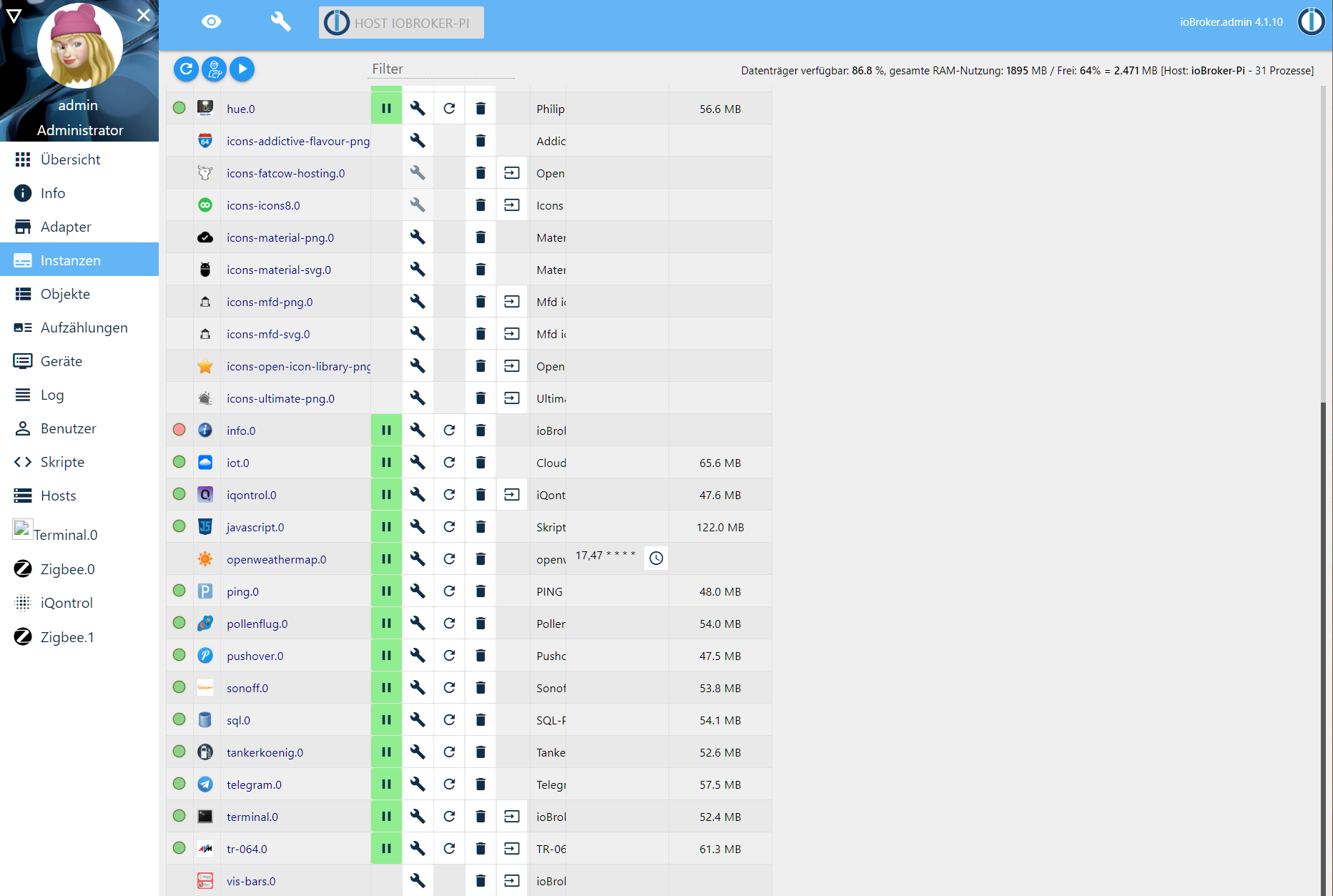
                              58b8c5ad-c2ec-4af6-8717-6fb1615d81cc-image.png

                              Thomas BraunT 1 Antwort Letzte Antwort
                              0
                              • L Lady Ela

                                Das einmal beim Terminal das Icon fehlt und das der Infoadapter nicht richtig läuft, sowie der ganz oben genannter Logfehler.

                                58b8c5ad-c2ec-4af6-8717-6fb1615d81cc-image.png

                                Thomas BraunT Online
                                Thomas BraunT Online
                                Thomas Braun
                                Most Active
                                schrieb am zuletzt editiert von Thomas Braun
                                #22

                                @Lady-Ela

                                Fehlendes Icon im Terminal-Adapter ist bekannt.
                                IMHO kann man den Adapter auch deinstallieren, auf dem Debian hast du ja ohnehin diverse Konsolen zur Verfügung.

                                info-Adapter: Starte das Ding mal neu, Einträge dazu im Logfile hier posten.

                                Zu den Meldungen im Log:

                                cd /opt/iobroker
                                sudo -H -u iobroker npm install iobroker.js-controller
                                

                                Linux-Werkzeugkasten:
                                https://forum.iobroker.net/topic/42952/der-kleine-iobroker-linux-werkzeugkasten
                                NodeJS Fixer Skript:
                                https://forum.iobroker.net/topic/68035/iob-node-fix-skript
                                iob_diag: curl -sLf -o diag.sh https://iobroker.net/diag.sh && bash diag.sh

                                1 Antwort Letzte Antwort
                                0
                                • L Offline
                                  L Offline
                                  Lady Ela
                                  schrieb am zuletzt editiert von
                                  #23

                                  wieder mit michaela die comandos ausführen?

                                  Thomas BraunT 1 Antwort Letzte Antwort
                                  0
                                  • L Lady Ela

                                    wieder mit michaela die comandos ausführen?

                                    Thomas BraunT Online
                                    Thomas BraunT Online
                                    Thomas Braun
                                    Most Active
                                    schrieb am zuletzt editiert von
                                    #24

                                    @Lady-Ela
                                    Ja. Bitte vergiss ab sofort den root. Der ist tabu!

                                    Linux-Werkzeugkasten:
                                    https://forum.iobroker.net/topic/42952/der-kleine-iobroker-linux-werkzeugkasten
                                    NodeJS Fixer Skript:
                                    https://forum.iobroker.net/topic/68035/iob-node-fix-skript
                                    iob_diag: curl -sLf -o diag.sh https://iobroker.net/diag.sh && bash diag.sh

                                    1 Antwort Letzte Antwort
                                    0
                                    • L Offline
                                      L Offline
                                      Lady Ela
                                      schrieb am zuletzt editiert von
                                      #25

                                      So wie es ausschaut ist das sogar der Infoadapter der folgende Fehler im Log anzeigt.

                                      host.ioBroker-Pi	2020-11-25 21:11:39.510	info	instance system.adapter.info.0 started with pid 6412
                                      host.ioBroker-Pi	2020-11-25 21:11:09.472	info	Restart adapter system.adapter.info.0 because enabled
                                      host.ioBroker-Pi	2020-11-25 21:11:09.472	error	instance system.adapter.info.0 terminated with code 1 (JS_CONTROLLER_STOPPED)
                                      host.ioBroker-Pi	2020-11-25 21:11:09.471	error	Caught by controller[0]: at Object.<anonymous> (/opt/iobroker/node_modules/file-stream-rotator/FileStreamRotator.js:15:14)
                                      host.ioBroker-Pi	2020-11-25 21:11:09.470	error	Caught by controller[0]: at require (internal/modules/cjs/helpers.js:74:18)
                                      host.ioBroker-Pi	2020-11-25 21:11:09.469	error	Caught by controller[0]: at Module.require (internal/modules/cjs/loader.js:887:19)
                                      host.ioBroker-Pi	2020-11-25 21:11:09.469	error	Caught by controller[0]: at Function.Module._load (internal/modules/cjs/loader.js:708:14)
                                      host.ioBroker-Pi	2020-11-25 21:11:09.469	error	Caught by controller[0]: at Module.load (internal/modules/cjs/loader.js:863:32)
                                      host.ioBroker-Pi	2020-11-25 21:11:09.469	error	Caught by controller[0]: at Object.Module._extensions..js (internal/modules/cjs/loader.js:1027:10)
                                      host.ioBroker-Pi	2020-11-25 21:11:09.469	error	Caught by controller[0]: at Module._compile (internal/modules/cjs/loader.js:999:30)
                                      host.ioBroker-Pi	2020-11-25 21:11:09.468	error	Caught by controller[0]: at Object.<anonymous> (/opt/iobroker/node_modules/moment/moment.js:11:2)
                                      host.ioBroker-Pi	2020-11-25 21:11:09.468	error	Caught by controller[0]: at /opt/iobroker/node_modules/moment/moment.js:8:85
                                      host.ioBroker-Pi	2020-11-25 21:11:09.468	error	Caught by controller[0]: at /opt/iobroker/node_modules/moment/moment.js:4919:20
                                      host.ioBroker-Pi	2020-11-25 21:11:09.468	error	Caught by controller[0]: TypeError: Cannot assign to read only property 'toString' of object '#<Moment>'
                                      host.ioBroker-Pi	2020-11-25 21:11:09.468	error	Caught by controller[0]: ^
                                      host.ioBroker-Pi	2020-11-25 21:11:09.467	error	Caught by controller[0]: proto.toString = toString;
                                      host.ioBroker-Pi	2020-11-25 21:11:09.467	error	Caught by controller[0]: /opt/iobroker/node_modules/moment/moment.js:4919
                                      host.ioBroker-Pi	2020-11-25 21:11:07.818	info	instance system.adapter.info.0 started with pid 6389
                                      host.ioBroker-Pi	2020-11-25 21:10:37.786	info	Restart adapter system.adapter.info.0 because enabled
                                      host.ioBroker-Pi	2020-11-25 21:10:37.785	error	instance system.adapter.info.0 terminated with code 1 (JS_CONTROLLER_STOPPED)
                                      host.ioBroker-Pi	2020-11-25 21:10:37.785	error	Caught by controller[0]: at Object.<anonymous> (/opt/iobroker/node_modules/file-stream-rotator/FileStreamRotator.js:15:14)
                                      host.ioBroker-Pi	2020-11-25 21:10:37.785	error	Caught by controller[0]: at require (internal/modules/cjs/helpers.js:74:18)
                                      host.ioBroker-Pi	2020-11-25 21:10:37.785	error	Caught by controller[0]: at Module.require (internal/modules/cjs/loader.js:887:19)
                                      host.ioBroker-Pi	2020-11-25 21:10:37.785	error	Caught by controller[0]: at Function.Module._load (internal/modules/cjs/loader.js:708:14)
                                      host.ioBroker-Pi	2020-11-25 21:10:37.784	error	Caught by controller[0]: at Module.load (internal/modules/cjs/loader.js:863:32)
                                      host.ioBroker-Pi	2020-11-25 21:10:37.784	error	Caught by controller[0]: at Object.Module._extensions..js (internal/modules/cjs/loader.js:1027:10)
                                      host.ioBroker-Pi	2020-11-25 21:10:37.784	error	Caught by controller[0]: at Module._compile (internal/modules/cjs/loader.js:999:30)
                                      host.ioBroker-Pi	2020-11-25 21:10:37.784	error	Caught by controller[0]: at Object.<anonymous> (/opt/iobroker/node_modules/moment/moment.js:11:2)
                                      host.ioBroker-Pi	2020-11-25 21:10:37.783	error	Caught by controller[0]: at /opt/iobroker/node_modules/moment/moment.js:8:85
                                      host.ioBroker-Pi	2020-11-25 21:10:37.783	error	Caught by controller[0]: at /opt/iobroker/node_modules/moment/moment.js:4919:20
                                      host.ioBroker-Pi	2020-11-25 21:10:37.783	error	Caught by controller[0]: TypeError: Cannot assign to read only property 'toString' of object '#<Moment>'
                                      host.ioBroker-Pi	2020-11-25 21:10:37.783	error	Caught by controller[0]: ^
                                      host.ioBroker-Pi	2020-11-25 21:10:37.782	error	Caught by controller[0]: proto.toString = toString;
                                      host.ioBroker-Pi	2020-11-25 21:10:37.781	error	Caught by controller[0]: /opt/iobroker/node_modules/moment/moment.js:4919
                                      
                                      Thomas BraunT 1 Antwort Letzte Antwort
                                      0
                                      • L Lady Ela

                                        So wie es ausschaut ist das sogar der Infoadapter der folgende Fehler im Log anzeigt.

                                        host.ioBroker-Pi	2020-11-25 21:11:39.510	info	instance system.adapter.info.0 started with pid 6412
                                        host.ioBroker-Pi	2020-11-25 21:11:09.472	info	Restart adapter system.adapter.info.0 because enabled
                                        host.ioBroker-Pi	2020-11-25 21:11:09.472	error	instance system.adapter.info.0 terminated with code 1 (JS_CONTROLLER_STOPPED)
                                        host.ioBroker-Pi	2020-11-25 21:11:09.471	error	Caught by controller[0]: at Object.<anonymous> (/opt/iobroker/node_modules/file-stream-rotator/FileStreamRotator.js:15:14)
                                        host.ioBroker-Pi	2020-11-25 21:11:09.470	error	Caught by controller[0]: at require (internal/modules/cjs/helpers.js:74:18)
                                        host.ioBroker-Pi	2020-11-25 21:11:09.469	error	Caught by controller[0]: at Module.require (internal/modules/cjs/loader.js:887:19)
                                        host.ioBroker-Pi	2020-11-25 21:11:09.469	error	Caught by controller[0]: at Function.Module._load (internal/modules/cjs/loader.js:708:14)
                                        host.ioBroker-Pi	2020-11-25 21:11:09.469	error	Caught by controller[0]: at Module.load (internal/modules/cjs/loader.js:863:32)
                                        host.ioBroker-Pi	2020-11-25 21:11:09.469	error	Caught by controller[0]: at Object.Module._extensions..js (internal/modules/cjs/loader.js:1027:10)
                                        host.ioBroker-Pi	2020-11-25 21:11:09.469	error	Caught by controller[0]: at Module._compile (internal/modules/cjs/loader.js:999:30)
                                        host.ioBroker-Pi	2020-11-25 21:11:09.468	error	Caught by controller[0]: at Object.<anonymous> (/opt/iobroker/node_modules/moment/moment.js:11:2)
                                        host.ioBroker-Pi	2020-11-25 21:11:09.468	error	Caught by controller[0]: at /opt/iobroker/node_modules/moment/moment.js:8:85
                                        host.ioBroker-Pi	2020-11-25 21:11:09.468	error	Caught by controller[0]: at /opt/iobroker/node_modules/moment/moment.js:4919:20
                                        host.ioBroker-Pi	2020-11-25 21:11:09.468	error	Caught by controller[0]: TypeError: Cannot assign to read only property 'toString' of object '#<Moment>'
                                        host.ioBroker-Pi	2020-11-25 21:11:09.468	error	Caught by controller[0]: ^
                                        host.ioBroker-Pi	2020-11-25 21:11:09.467	error	Caught by controller[0]: proto.toString = toString;
                                        host.ioBroker-Pi	2020-11-25 21:11:09.467	error	Caught by controller[0]: /opt/iobroker/node_modules/moment/moment.js:4919
                                        host.ioBroker-Pi	2020-11-25 21:11:07.818	info	instance system.adapter.info.0 started with pid 6389
                                        host.ioBroker-Pi	2020-11-25 21:10:37.786	info	Restart adapter system.adapter.info.0 because enabled
                                        host.ioBroker-Pi	2020-11-25 21:10:37.785	error	instance system.adapter.info.0 terminated with code 1 (JS_CONTROLLER_STOPPED)
                                        host.ioBroker-Pi	2020-11-25 21:10:37.785	error	Caught by controller[0]: at Object.<anonymous> (/opt/iobroker/node_modules/file-stream-rotator/FileStreamRotator.js:15:14)
                                        host.ioBroker-Pi	2020-11-25 21:10:37.785	error	Caught by controller[0]: at require (internal/modules/cjs/helpers.js:74:18)
                                        host.ioBroker-Pi	2020-11-25 21:10:37.785	error	Caught by controller[0]: at Module.require (internal/modules/cjs/loader.js:887:19)
                                        host.ioBroker-Pi	2020-11-25 21:10:37.785	error	Caught by controller[0]: at Function.Module._load (internal/modules/cjs/loader.js:708:14)
                                        host.ioBroker-Pi	2020-11-25 21:10:37.784	error	Caught by controller[0]: at Module.load (internal/modules/cjs/loader.js:863:32)
                                        host.ioBroker-Pi	2020-11-25 21:10:37.784	error	Caught by controller[0]: at Object.Module._extensions..js (internal/modules/cjs/loader.js:1027:10)
                                        host.ioBroker-Pi	2020-11-25 21:10:37.784	error	Caught by controller[0]: at Module._compile (internal/modules/cjs/loader.js:999:30)
                                        host.ioBroker-Pi	2020-11-25 21:10:37.784	error	Caught by controller[0]: at Object.<anonymous> (/opt/iobroker/node_modules/moment/moment.js:11:2)
                                        host.ioBroker-Pi	2020-11-25 21:10:37.783	error	Caught by controller[0]: at /opt/iobroker/node_modules/moment/moment.js:8:85
                                        host.ioBroker-Pi	2020-11-25 21:10:37.783	error	Caught by controller[0]: at /opt/iobroker/node_modules/moment/moment.js:4919:20
                                        host.ioBroker-Pi	2020-11-25 21:10:37.783	error	Caught by controller[0]: TypeError: Cannot assign to read only property 'toString' of object '#<Moment>'
                                        host.ioBroker-Pi	2020-11-25 21:10:37.783	error	Caught by controller[0]: ^
                                        host.ioBroker-Pi	2020-11-25 21:10:37.782	error	Caught by controller[0]: proto.toString = toString;
                                        host.ioBroker-Pi	2020-11-25 21:10:37.781	error	Caught by controller[0]: /opt/iobroker/node_modules/moment/moment.js:4919
                                        
                                        Thomas BraunT Online
                                        Thomas BraunT Online
                                        Thomas Braun
                                        Most Active
                                        schrieb am zuletzt editiert von
                                        #26

                                        @Lady-Ela
                                        Ja, hier hat jemand das gleiche Problem, wie mir scheint:
                                        https://forum.iobroker.net/topic/39024/info-0-fehler-instanz-steht-auf-rot

                                        Da würde ich ein Issue auf github für den info-Adapter aufmachen.

                                        Ich habe jetzt mal auf node 12.20.0 gewechselt (war auf einer anderen), bei mir läuft der info-Adapter allerdings unauffällig durch:

                                        (12862) starting. Version 1.7.10 in /opt/iobroker/node_modules/iobroker.info, node: v12.20.0, js-controller: 3.1.6
                                        

                                        Welche Version des info-Adapters läuft da bei dir?

                                        Linux-Werkzeugkasten:
                                        https://forum.iobroker.net/topic/42952/der-kleine-iobroker-linux-werkzeugkasten
                                        NodeJS Fixer Skript:
                                        https://forum.iobroker.net/topic/68035/iob-node-fix-skript
                                        iob_diag: curl -sLf -o diag.sh https://iobroker.net/diag.sh && bash diag.sh

                                        1 Antwort Letzte Antwort
                                        0
                                        • L Offline
                                          L Offline
                                          Lady Ela
                                          schrieb am zuletzt editiert von
                                          #27

                                          Bei mir auch der 1.7.10 dann muß ich ihn erstmal ausstellen bis das Problem behoben ist. Trotzdem nochmal vielen Dank für die Hilfe.

                                          Thomas BraunT 2 Antworten Letzte Antwort
                                          0
                                          Antworten
                                          • In einem neuen Thema antworten
                                          Anmelden zum Antworten
                                          • Älteste zuerst
                                          • Neuste zuerst
                                          • Meiste Stimmen


                                          Support us

                                          ioBroker
                                          Community Adapters
                                          Donate
                                          FAQ Cloud / IOT
                                          HowTo: Node.js-Update
                                          HowTo: Backup/Restore
                                          Downloads
                                          BLOG

                                          412

                                          Online

                                          32.6k

                                          Benutzer

                                          82.2k

                                          Themen

                                          1.3m

                                          Beiträge
                                          Community
                                          Impressum | Datenschutz-Bestimmungen | Nutzungsbedingungen | Einwilligungseinstellungen
                                          ioBroker Community 2014-2025
                                          logo
                                          • Anmelden

                                          • Du hast noch kein Konto? Registrieren

                                          • Anmelden oder registrieren, um zu suchen
                                          • Erster Beitrag
                                            Letzter Beitrag
                                          0
                                          • Home
                                          • Aktuell
                                          • Tags
                                          • Ungelesen 0
                                          • Kategorien
                                          • Unreplied
                                          • Beliebt
                                          • GitHub
                                          • Docu
                                          • Hilfe