



Skip to content
  • Home
  • Aktuell
  • Tags
  • 0 Ungelesen 0
  • Kategorien
  • Unreplied
  • Beliebt
  • GitHub
  • Docu
  • Hilfe
Skins
  • Light
  • Brite
  • Cerulean
  • Cosmo
  • Flatly
  • Journal
  • Litera
  • Lumen
  • Lux
  • Materia
  • Minty
  • Morph
  • Pulse
  • Sandstone
  • Simplex
  • Sketchy
  • Spacelab
  • United
  • Yeti
  • Zephyr
  • Dark
  • Cyborg
  • Darkly
  • Quartz
  • Slate
  • Solar
  • Superhero
  • Vapor

  • Standard: (Kein Skin)
  • Kein Skin
Einklappen
ioBroker Logo

Community Forum

donate donate
  1. ioBroker Community Home
  2. Deutsch
  3. ioBroker Allgemein
  4. phantomjs problem bei installation
NEWS

  • Jahresrückblick 2025 – unser neuer Blogbeitrag ist online! ✨
    BluefoxB
    Bluefox
    16
    1
    959

  • Neuer Blogbeitrag: Monatsrückblick - Dezember 2025 🎄
    BluefoxB
    Bluefox
    13
    1
    690

  • Weihnachtsangebot 2025! 🎄
    BluefoxB
    Bluefox
    25
    1
    2.0k

phantomjs problem bei installation

Geplant Angeheftet Gesperrt Verschoben ioBroker Allgemein
phantomjsadapteradapter installieren fehler
31 Beiträge 3 Kommentatoren 2.3k Aufrufe 2 Watching
  • Älteste zuerst
  • Neuste zuerst
  • Meiste Stimmen
Antworten
  • In einem neuen Thema antworten
Anmelden zum Antworten
Dieses Thema wurde gelöscht. Nur Nutzer mit entsprechenden Rechten können es sehen.
  • P petzi2712

    @Glasfaser sagte in phantomjs problem bei installation:

    @petzi2712
    Zeige mal

    iobroker version
    

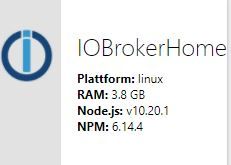
    pi@IOBrokerHome:~ $ sudo iobroker version
    2.2.9

    GlasfaserG Offline
    GlasfaserG Offline
    Glasfaser
    schrieb am zuletzt editiert von Glasfaser
    #11

    @petzi2712

    2.2.9

    Uiii ... schon lang nicht mehr ein Update gemacht .
    Auch Node 12 ist auch schon zu empfehlen.

    js-controller 3.1 jetzt im STABLE!

    [HowTo] Nodejs-Installation und Upgrades unter Debian

    Synology 918+ 16GB - ioBroker in Docker v9 , VISO auf Trekstor Primebook C13 13,3" , Hikvision Domkameras mit Surveillance Station .. CCU RaspberryMatic in Synology VM .. Zigbee CC2538+CC2592 .. Sonoff .. KNX .. Modbus ..

    P 1 Antwort Letzte Antwort
    0
    • GlasfaserG Glasfaser

      @petzi2712

      2.2.9

      Uiii ... schon lang nicht mehr ein Update gemacht .
      Auch Node 12 ist auch schon zu empfehlen.

      js-controller 3.1 jetzt im STABLE!

      [HowTo] Nodejs-Installation und Upgrades unter Debian

      P Offline
      P Offline
      petzi2712
      schrieb am zuletzt editiert von
      #12

      @Glasfaser sagte in phantomjs problem bei installation:

      @petzi2712

      2.2.9

      Uiii ... schon lang nicht mehr ein Update gemacht .
      Auch Node 12 ist auch schon zu empfehlen
      hatte mit den letzten updates immer schlechte erfahrungen gemacht... deswegen alt...
      hat den adapter schon mal jemad installiert?!?

      GlasfaserG 1 Antwort Letzte Antwort
      0
      • P petzi2712

        @Glasfaser sagte in phantomjs problem bei installation:

        @petzi2712

        2.2.9

        Uiii ... schon lang nicht mehr ein Update gemacht .
        Auch Node 12 ist auch schon zu empfehlen
        hatte mit den letzten updates immer schlechte erfahrungen gemacht... deswegen alt...
        hat den adapter schon mal jemad installiert?!?

        GlasfaserG Offline
        GlasfaserG Offline
        Glasfaser
        schrieb am zuletzt editiert von Glasfaser
        #13

        @petzi2712

        Die Fehlermeldung sagt auch bei dir

        ERROR elifecycle 
        

        eher ein Fall von js-controller der bei dir wohl Probleme macht .
        Aktualisiere erstmal dein System !

        Ich habe auch den Adapter ... aber keine Probleme damit .

        Synology 918+ 16GB - ioBroker in Docker v9 , VISO auf Trekstor Primebook C13 13,3" , Hikvision Domkameras mit Surveillance Station .. CCU RaspberryMatic in Synology VM .. Zigbee CC2538+CC2592 .. Sonoff .. KNX .. Modbus ..

        1 Antwort Letzte Antwort
        0
        • P petzi2712

          @Glasfaser sagte in phantomjs problem bei installation:

          @petzi2712
          Zeige mal

          iobroker version
          

          pi@IOBrokerHome:~ $ sudo iobroker version
          2.2.9

          GlasfaserG Offline
          GlasfaserG Offline
          Glasfaser
          schrieb am zuletzt editiert von
          #14

          @petzi2712 sagte in phantomjs problem bei installation:

          pi@IOBrokerHome:~ $ sudo iobroker version
          2.2.9

          setzte es bitte beim nächsten mal in

          CodeTags ...

          dp2.gif

          Synology 918+ 16GB - ioBroker in Docker v9 , VISO auf Trekstor Primebook C13 13,3" , Hikvision Domkameras mit Surveillance Station .. CCU RaspberryMatic in Synology VM .. Zigbee CC2538+CC2592 .. Sonoff .. KNX .. Modbus ..

          P 1 Antwort Letzte Antwort
          0
          • GlasfaserG Glasfaser

            @petzi2712 sagte in phantomjs problem bei installation:

            pi@IOBrokerHome:~ $ sudo iobroker version
            2.2.9

            setzte es bitte beim nächsten mal in

            CodeTags ...

            dp2.gif

            P Offline
            P Offline
            petzi2712
            schrieb am zuletzt editiert von
            #15

            @Glasfaser sagte in phantomjs problem bei installation:

            @petzi2712 sagte in phantomjs problem bei installation:

            pi@IOBrokerHome:~ $ sudo iobroker version
            2.2.9

            setzte es bitte beim nächsten mal in

            CodeTags ...

            dp2.gif

            ja sorry

            GlasfaserG 1 Antwort Letzte Antwort
            0
            • P petzi2712

              @Glasfaser sagte in phantomjs problem bei installation:

              @petzi2712 sagte in phantomjs problem bei installation:

              pi@IOBrokerHome:~ $ sudo iobroker version
              2.2.9

              setzte es bitte beim nächsten mal in

              CodeTags ...

              dp2.gif

              ja sorry

              GlasfaserG Offline
              GlasfaserG Offline
              Glasfaser
              schrieb am zuletzt editiert von Glasfaser
              #16

              @petzi2712 sagte in phantomjs problem bei installation:

              ja sorry

              Du brauchst auch nicht alles im Vollpost Anworten !!!!
              Eine Antwort reicht ;)

              Synology 918+ 16GB - ioBroker in Docker v9 , VISO auf Trekstor Primebook C13 13,3" , Hikvision Domkameras mit Surveillance Station .. CCU RaspberryMatic in Synology VM .. Zigbee CC2538+CC2592 .. Sonoff .. KNX .. Modbus ..

              P 1 Antwort Letzte Antwort
              0
              • GlasfaserG Glasfaser

                @petzi2712 sagte in phantomjs problem bei installation:

                ja sorry

                Du brauchst auch nicht alles im Vollpost Anworten !!!!
                Eine Antwort reicht ;)

                P Offline
                P Offline
                petzi2712
                schrieb am zuletzt editiert von
                #17

                @Glasfaser Moin nochmal

                ich hab jetzt endlich mal alles soweit upgedated. Trotzdem lässt sich phantomjs nicht installieren irgend ein plan was noch helfen könnte?
                Ach so ich habe auch wie empfohlen " sudo apt-get install libfontconfig " ausgeführt / Neustart....

                gruß petzi

                
                pi@raspberrypi:~ $ iobroker version
                3.1.6
                pi@raspberrypi:~ $ which nodejs && nodejs -v && which node && node -v && which npm && npm -v && apt policy nodejs
                /usr/bin/nodejs
                v12.19.0
                /usr/bin/node
                v12.19.0
                /usr/bin/npm
                6.14.8
                nodejs:
                  Installed: 12.19.0-1nodesource1
                  Candidate: 12.19.0-1nodesource1
                  Version table:
                 *** 12.19.0-1nodesource1 500
                        500 https://deb.nodesource.com/node_12.x buster/main armhf Packages
                        100 /var/lib/dpkg/status
                     10.21.0~dfsg-1~deb10u1+rpi1 500
                        500 http://raspbian.raspberrypi.org/raspbian buster/main armhf Packages
                
                GlasfaserG 1 Antwort Letzte Antwort
                0
                • P petzi2712

                  @Glasfaser Moin nochmal

                  ich hab jetzt endlich mal alles soweit upgedated. Trotzdem lässt sich phantomjs nicht installieren irgend ein plan was noch helfen könnte?
                  Ach so ich habe auch wie empfohlen " sudo apt-get install libfontconfig " ausgeführt / Neustart....

                  gruß petzi

                  
                  pi@raspberrypi:~ $ iobroker version
                  3.1.6
                  pi@raspberrypi:~ $ which nodejs && nodejs -v && which node && node -v && which npm && npm -v && apt policy nodejs
                  /usr/bin/nodejs
                  v12.19.0
                  /usr/bin/node
                  v12.19.0
                  /usr/bin/npm
                  6.14.8
                  nodejs:
                    Installed: 12.19.0-1nodesource1
                    Candidate: 12.19.0-1nodesource1
                    Version table:
                   *** 12.19.0-1nodesource1 500
                          500 https://deb.nodesource.com/node_12.x buster/main armhf Packages
                          100 /var/lib/dpkg/status
                       10.21.0~dfsg-1~deb10u1+rpi1 500
                          500 http://raspbian.raspberrypi.org/raspbian buster/main armhf Packages
                  
                  GlasfaserG Offline
                  GlasfaserG Offline
                  Glasfaser
                  schrieb am zuletzt editiert von
                  #18

                  @petzi2712

                  zeige mal bitte die Aktuelle Fehlerausgabe vom installieren !

                  Synology 918+ 16GB - ioBroker in Docker v9 , VISO auf Trekstor Primebook C13 13,3" , Hikvision Domkameras mit Surveillance Station .. CCU RaspberryMatic in Synology VM .. Zigbee CC2538+CC2592 .. Sonoff .. KNX .. Modbus ..

                  P 1 Antwort Letzte Antwort
                  0
                  • GlasfaserG Glasfaser

                    @petzi2712

                    zeige mal bitte die Aktuelle Fehlerausgabe vom installieren !

                    P Offline
                    P Offline
                    petzi2712
                    schrieb am zuletzt editiert von
                    #19

                    @Glasfaser ```
                    $ ./iobroker add phantomjs --host raspberrypi
                    NPM version: 6.14.8
                    npm install iobroker.phantomjs@1.1.2 --loglevel error --prefix "/opt/iobroker" (System call)
                    Unexpected platform or architecture: linux/armIt seems there is no binary available for your platform/architectureTry to install PhantomJS globally
                    npm ERR! code ELIFECYCLEnpm ERR! errno 1
                    npm ERR! phantomjs-prebuilt@2.1.16 install: node install.jsnpm ERR! Exit status 1npm ERR! npm ERR! Failed at the phantomjs-prebuilt@2.1.16 install script.npm ERR! This is probably not a problem with npm. There is likely additional logging output above.
                    npm ERR! A complete log of this run can be found in:npm ERR! /home/iobroker/.npm/_logs/2020-10-09T12_16_30_031Z-debug.log
                    ERROR: host.raspberrypi Cannot install iobroker.phantomjs@1.1.2: 1
                    ERROR: process exited with code 25

                    GlasfaserG 1 Antwort Letzte Antwort
                    0
                    • P petzi2712

                      @Glasfaser ```
                      $ ./iobroker add phantomjs --host raspberrypi
                      NPM version: 6.14.8
                      npm install iobroker.phantomjs@1.1.2 --loglevel error --prefix "/opt/iobroker" (System call)
                      Unexpected platform or architecture: linux/armIt seems there is no binary available for your platform/architectureTry to install PhantomJS globally
                      npm ERR! code ELIFECYCLEnpm ERR! errno 1
                      npm ERR! phantomjs-prebuilt@2.1.16 install: node install.jsnpm ERR! Exit status 1npm ERR! npm ERR! Failed at the phantomjs-prebuilt@2.1.16 install script.npm ERR! This is probably not a problem with npm. There is likely additional logging output above.
                      npm ERR! A complete log of this run can be found in:npm ERR! /home/iobroker/.npm/_logs/2020-10-09T12_16_30_031Z-debug.log
                      ERROR: host.raspberrypi Cannot install iobroker.phantomjs@1.1.2: 1
                      ERROR: process exited with code 25

                      GlasfaserG Offline
                      GlasfaserG Offline
                      Glasfaser
                      schrieb am zuletzt editiert von Glasfaser
                      #20

                      @petzi2712

                      mit dem Code-Tags setzten mußt du aber noch lernen ;)

                      Mache mal bitte das:

                      cd /opt/iobroker
                      iobroker stop
                      npm cache clean --force
                      iobroker start


                      warten und dann

                      sudo reboot
                      

                      Synology 918+ 16GB - ioBroker in Docker v9 , VISO auf Trekstor Primebook C13 13,3" , Hikvision Domkameras mit Surveillance Station .. CCU RaspberryMatic in Synology VM .. Zigbee CC2538+CC2592 .. Sonoff .. KNX .. Modbus ..

                      P 1 Antwort Letzte Antwort
                      0
                      • GlasfaserG Glasfaser

                        @petzi2712

                        mit dem Code-Tags setzten mußt du aber noch lernen ;)

                        Mache mal bitte das:

                        cd /opt/iobroker
                        iobroker stop
                        npm cache clean --force
                        iobroker start


                        warten und dann

                        sudo reboot
                        
                        P Offline
                        P Offline
                        petzi2712
                        schrieb am zuletzt editiert von
                        #21

                        @Glasfaser
                        same same.....
                        Mal anders gefragt..... gibt's ne andere Möglichkeit screenshots per mail oder Telegramm zu versenden.... ?

                        GlasfaserG 1 Antwort Letzte Antwort
                        0
                        • P petzi2712

                          @Glasfaser
                          same same.....
                          Mal anders gefragt..... gibt's ne andere Möglichkeit screenshots per mail oder Telegramm zu versenden.... ?

                          GlasfaserG Offline
                          GlasfaserG Offline
                          Glasfaser
                          schrieb am zuletzt editiert von Glasfaser
                          #22

                          @petzi2712

                          Das Problem ist ....... deine System hat einen Fehler und den schleppst du weiterhin mit , der macht sich irgendwann bei anderen Adaptern bemerkbar , auch wenn du auf eine andere Lösung aufspringen willst .

                          Synology 918+ 16GB - ioBroker in Docker v9 , VISO auf Trekstor Primebook C13 13,3" , Hikvision Domkameras mit Surveillance Station .. CCU RaspberryMatic in Synology VM .. Zigbee CC2538+CC2592 .. Sonoff .. KNX .. Modbus ..

                          P 1 Antwort Letzte Antwort
                          0
                          • GlasfaserG Glasfaser

                            @petzi2712

                            Das Problem ist ....... deine System hat einen Fehler und den schleppst du weiterhin mit , der macht sich irgendwann bei anderen Adaptern bemerkbar , auch wenn du auf eine andere Lösung aufspringen willst .

                            P Offline
                            P Offline
                            petzi2712
                            schrieb am zuletzt editiert von
                            #23

                            @Glasfaser
                            gibs denn ne andere lösung?

                            GlasfaserG 1 Antwort Letzte Antwort
                            0
                            • P petzi2712

                              @Glasfaser
                              gibs denn ne andere lösung?

                              GlasfaserG Offline
                              GlasfaserG Offline
                              Glasfaser
                              schrieb am zuletzt editiert von Glasfaser
                              #24

                              @petzi2712

                              hast du jetzt mal die Befehle ausgeführt !?

                              Synology 918+ 16GB - ioBroker in Docker v9 , VISO auf Trekstor Primebook C13 13,3" , Hikvision Domkameras mit Surveillance Station .. CCU RaspberryMatic in Synology VM .. Zigbee CC2538+CC2592 .. Sonoff .. KNX .. Modbus ..

                              P 1 Antwort Letzte Antwort
                              0
                              • GlasfaserG Glasfaser

                                @petzi2712

                                hast du jetzt mal die Befehle ausgeführt !?

                                P Offline
                                P Offline
                                petzi2712
                                schrieb am zuletzt editiert von
                                #25

                                @Glasfaser
                                Jupp alles wie beschrieben ausgeführt

                                Thomas BraunT 1 Antwort Letzte Antwort
                                0
                                • P petzi2712

                                  @Glasfaser
                                  Jupp alles wie beschrieben ausgeführt

                                  Thomas BraunT Online
                                  Thomas BraunT Online
                                  Thomas Braun
                                  Most Active
                                  schrieb am zuletzt editiert von
                                  #26

                                  @petzi2712
                                  phantomJS hat keine binairies für arm-Prozessoren.
                                  Muss selber gebaut werden.

                                  Linux-Werkzeugkasten:
                                  https://forum.iobroker.net/topic/42952/der-kleine-iobroker-linux-werkzeugkasten
                                  NodeJS Fixer Skript:
                                  https://forum.iobroker.net/topic/68035/iob-node-fix-skript
                                  iob_diag: curl -sLf -o diag.sh https://iobroker.net/diag.sh && bash diag.sh

                                  P 1 Antwort Letzte Antwort
                                  0
                                  • Thomas BraunT Thomas Braun

                                    @petzi2712
                                    phantomJS hat keine binairies für arm-Prozessoren.
                                    Muss selber gebaut werden.

                                    P Offline
                                    P Offline
                                    petzi2712
                                    schrieb am zuletzt editiert von
                                    #27

                                    @Thomas-Braun sagte in phantomjs problem bei installation:

                                    @petzi2712
                                    phantomJS hat keine binairies für arm-Prozessoren.
                                    Muss selber gebaut werden.

                                    heisst?

                                    Thomas BraunT GlasfaserG 2 Antworten Letzte Antwort
                                    0
                                    • P petzi2712

                                      @Thomas-Braun sagte in phantomjs problem bei installation:

                                      @petzi2712
                                      phantomJS hat keine binairies für arm-Prozessoren.
                                      Muss selber gebaut werden.

                                      heisst?

                                      Thomas BraunT Online
                                      Thomas BraunT Online
                                      Thomas Braun
                                      Most Active
                                      schrieb am zuletzt editiert von
                                      #28

                                      @petzi2712 Viel lesen und ein build-environment haben.

                                      Linux-Werkzeugkasten:
                                      https://forum.iobroker.net/topic/42952/der-kleine-iobroker-linux-werkzeugkasten
                                      NodeJS Fixer Skript:
                                      https://forum.iobroker.net/topic/68035/iob-node-fix-skript
                                      iob_diag: curl -sLf -o diag.sh https://iobroker.net/diag.sh && bash diag.sh

                                      1 Antwort Letzte Antwort
                                      0
                                      • P petzi2712

                                        @Thomas-Braun sagte in phantomjs problem bei installation:

                                        @petzi2712
                                        phantomJS hat keine binairies für arm-Prozessoren.
                                        Muss selber gebaut werden.

                                        heisst?

                                        GlasfaserG Offline
                                        GlasfaserG Offline
                                        Glasfaser
                                        schrieb am zuletzt editiert von
                                        #29

                                        @petzi2712

                                        installiere über die Git

                                        https://github.com/fg2it/phantomjs-on-raspberry
                                        

                                        Synology 918+ 16GB - ioBroker in Docker v9 , VISO auf Trekstor Primebook C13 13,3" , Hikvision Domkameras mit Surveillance Station .. CCU RaspberryMatic in Synology VM .. Zigbee CC2538+CC2592 .. Sonoff .. KNX .. Modbus ..

                                        P 1 Antwort Letzte Antwort
                                        0
                                        • GlasfaserG Glasfaser

                                          @petzi2712

                                          installiere über die Git

                                          https://github.com/fg2it/phantomjs-on-raspberry
                                          
                                          P Offline
                                          P Offline
                                          petzi2712
                                          schrieb am zuletzt editiert von
                                          #30

                                          @Glasfaser

                                          $ ./iobroker url "https://github.com/fg2it/phantomjs-on-raspberry"
                                          install https://github.com/fg2it/phantomjs-on-raspberry/tarball/304432ab911787805334c82d23d6b8b4801b9536
                                          NPM version: 6.14.8
                                          npm install https://github.com/fg2it/phantomjs-on-raspberry/tarball/304432ab911787805334c82d23d6b8b4801b9536 --loglevel error --prefix "/opt/iobroker" (System call)
                                          npm ERR! code ENOPACKAGEJSON
                                          npm
                                           
                                          ERR! package.json Non-registry package missing package.json: https://github.com/fg2it/phantomjs-on-raspberry/tarball/304432ab911787805334c82d23d6b8b4801b9536.npm ERR! package.json npm can't find a package.json file in your current directory.
                                          npm ERR! A complete log of this run can be found in:npm ERR!     /home/iobroker/.npm/_logs/2020-10-09T12_52_25_375Z-debug.log
                                          ERROR: host.raspberrypi Cannot install https://github.com/fg2it/phantomjs-on-raspberry/tarball/304432ab911787805334c82d23d6b8b4801b9536: 1
                                          ERROR: process exited with code 25
                                          

                                          Ich denke ich werde es aufgeben... :-(

                                          GlasfaserG 1 Antwort Letzte Antwort
                                          0
                                          Antworten
                                          • In einem neuen Thema antworten
                                          Anmelden zum Antworten
                                          • Älteste zuerst
                                          • Neuste zuerst
                                          • Meiste Stimmen


                                          Support us

                                          ioBroker
                                          Community Adapters
                                          Donate
                                          FAQ Cloud / IOT
                                          HowTo: Node.js-Update
                                          HowTo: Backup/Restore
                                          Downloads
                                          BLOG

                                          623

                                          Online

                                          32.6k

                                          Benutzer

                                          82.0k

                                          Themen

                                          1.3m

                                          Beiträge
                                          Community
                                          Impressum | Datenschutz-Bestimmungen | Nutzungsbedingungen | Einwilligungseinstellungen
                                          ioBroker Community 2014-2025
                                          logo
                                          • Anmelden

                                          • Du hast noch kein Konto? Registrieren

                                          • Anmelden oder registrieren, um zu suchen
                                          • Erster Beitrag
                                            Letzter Beitrag
                                          0
                                          • Home
                                          • Aktuell
                                          • Tags
                                          • Ungelesen 0
                                          • Kategorien
                                          • Unreplied
                                          • Beliebt
                                          • GitHub
                                          • Docu
                                          • Hilfe