Skip to content
  • Home
  • Aktuell
  • Tags
  • 0 Ungelesen 0
  • Kategorien
  • Unreplied
  • Beliebt
  • GitHub
  • Docu
  • Hilfe
Skins
  • Light
  • Brite
  • Cerulean
  • Cosmo
  • Flatly
  • Journal
  • Litera
  • Lumen
  • Lux
  • Materia
  • Minty
  • Morph
  • Pulse
  • Sandstone
  • Simplex
  • Sketchy
  • Spacelab
  • United
  • Yeti
  • Zephyr
  • Dark
  • Cyborg
  • Darkly
  • Quartz
  • Slate
  • Solar
  • Superhero
  • Vapor

  • Standard: (Kein Skin)
  • Kein Skin
Einklappen
ioBroker Logo

Community Forum

donate donate
  1. ioBroker Community Home
  2. Deutsch
  3. Error/Bug
  4. (Alexa Adapter) Cannot find module 'https-proxy-agent'

NEWS

  • Jahresrückblick 2025 – unser neuer Blogbeitrag ist online! ✨
    BluefoxB
    Bluefox
    16
    1
    931

  • Neuer Blogbeitrag: Monatsrückblick - Dezember 2025 🎄
    BluefoxB
    Bluefox
    13
    1
    689

  • Weihnachtsangebot 2025! 🎄
    BluefoxB
    Bluefox
    25
    1
    2.0k

(Alexa Adapter) Cannot find module 'https-proxy-agent'

Geplant Angeheftet Gesperrt Verschoben Ungelöst Error/Bug
alexahttps-proxy-agenterror
31 Beiträge 7 Kommentatoren 3.9k Aufrufe 7 Watching
  • Älteste zuerst
  • Neuste zuerst
  • Meiste Stimmen
Antworten
  • In einem neuen Thema antworten
Anmelden zum Antworten
Dieses Thema wurde gelöscht. Nur Nutzer mit entsprechenden Rechten können es sehen.
  • moelskiM Offline
    moelskiM Offline
    moelski
    schrieb am zuletzt editiert von
    #10

    Moin !

    fix durchgeführt:

    ==========================================================================
        Checking ioBroker user and directory permissions (2/3)
    ==========================================================================
    
    Created /etc/sudoers.d/iobroker
    Fixing directory permissions...
    
    ==========================================================================
        Checking autostart (3/3)
    ==========================================================================
    
    Enabling autostart...
    Autostart enabled!
    
    ==========================================================================
    
        Your installation was fixed successfully
        Run iobroker start to start ioBroker again!
    
    ==========================================================================
    
    dominik@SHome-IoBroker:/opt/iobroker$ iobroker start
    dominik@SHome-IoBroker:/opt/iobroker$ iobroker fix^C
    dominik@SHome-IoBroker:/opt/iobroker$ npm list http-proxy-agent
    iobroker.inst@2.0.3 /opt/iobroker
    └─┬ iobroker.alexa2@3.2.8
      └─┬ virtual-device-sdk@1.7.3
        └── http-proxy-agent@4.0.1
    

    Aber der Fehler mit dem Alexa bleibt leider immer noch.

    Stretch Update ... Hmm, ok da müsste ich dann wohl demnächst mal ran ...

    Grüße

    Grüße Dominik

    1 Antwort Letzte Antwort
    0
    • M Offline
      M Offline
      mrzee
      schrieb am zuletzt editiert von
      #11

      Bei mir ist es das gleiche.
      System ist jedoch Ubuntu - nach dem letzten Update bekomme ich die gleichen Fehlermeldungen und stelle fest, dass der Pfad, auf den das Log verweist, gar nicht existiert.
      Gleichmaßen kann ich den http-proxy-agent aber auch nicht neuinstallieren.

      Thomas BraunT 1 Antwort Letzte Antwort
      0
      • M mrzee

        Bei mir ist es das gleiche.
        System ist jedoch Ubuntu - nach dem letzten Update bekomme ich die gleichen Fehlermeldungen und stelle fest, dass der Pfad, auf den das Log verweist, gar nicht existiert.
        Gleichmaßen kann ich den http-proxy-agent aber auch nicht neuinstallieren.

        Thomas BraunT Online
        Thomas BraunT Online
        Thomas Braun
        Most Active
        schrieb am zuletzt editiert von
        #12

        @mrzee Für Ubuntu gelten die gleichen Anmerkungen zu nodejs wie zu Debian.

        Linux-Werkzeugkasten:
        https://forum.iobroker.net/topic/42952/der-kleine-iobroker-linux-werkzeugkasten
        NodeJS Fixer Skript:
        https://forum.iobroker.net/topic/68035/iob-node-fix-skript
        iob_diag: curl -sLf -o diag.sh https://iobroker.net/diag.sh && bash diag.sh

        M 1 Antwort Letzte Antwort
        0
        • Thomas BraunT Thomas Braun

          @mrzee Für Ubuntu gelten die gleichen Anmerkungen zu nodejs wie zu Debian.

          M Offline
          M Offline
          mrzee
          schrieb am zuletzt editiert von mrzee
          #13

          @Thomas-Braun

          Danke - ich komme mit den ganzen Distris immer durcheinander. Ich habe das Problem aber gefunden:
          Scheinbar wurde bei einem Update, entweder Adapter oder OS, das Verzeichnis /opt/iobroker/node_modules/https-proxy-agent wie auch immer beschädigt. Eine manuelle Neuinstallation via NPM hat funktioniert und der Adapter läuft wieder.

          1 Antwort Letzte Antwort
          0
          • B Offline
            B Offline
            Bibo*13
            schrieb am zuletzt editiert von
            #14

            Hi wunderbar das das Problem gefunden wurde.
            Leider bin ich etwas unbedart und weiß nicht wie ich den fehlenden http-proxy-agent fixen soll.
            Kann mir bitte jemand da auf die Sprünge helfen.

            1 Antwort Letzte Antwort
            0
            • C Offline
              C Offline
              Chrischo
              schrieb am zuletzt editiert von
              #15

              Würde mich auch interessieren. Habe den fixer laufen lassen - hat aber nicht geholfen. Habe die Instanz und den kompletten Adapter deinstalliert und anschließend neu installiert - leider auch keine Besserung. Das ist aber wirklich sehr ärgerlich.

              1 Antwort Letzte Antwort
              0
              • C Offline
                C Offline
                Chrischo
                schrieb am zuletzt editiert von
                #16

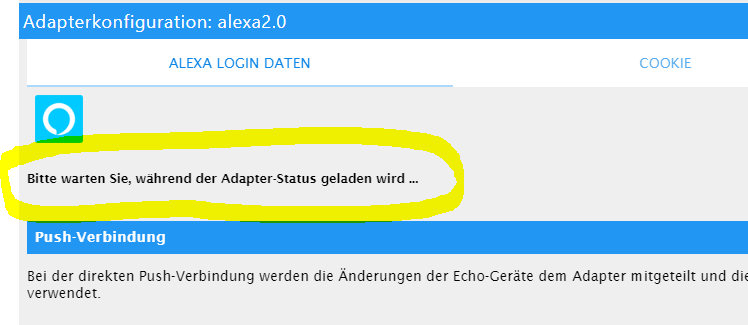
                alexa.PNG

                Dabei bleibt´s dann stehen und der Adapter startet nicht.

                Thomas BraunT 1 Antwort Letzte Antwort
                0
                • C Chrischo

                  alexa.PNG

                  Dabei bleibt´s dann stehen und der Adapter startet nicht.

                  Thomas BraunT Online
                  Thomas BraunT Online
                  Thomas Braun
                  Most Active
                  schrieb am zuletzt editiert von
                  #17

                  @Chrischo Und was sagt das Log? Und ist nodejs sauber?

                  Linux-Werkzeugkasten:
                  https://forum.iobroker.net/topic/42952/der-kleine-iobroker-linux-werkzeugkasten
                  NodeJS Fixer Skript:
                  https://forum.iobroker.net/topic/68035/iob-node-fix-skript
                  iob_diag: curl -sLf -o diag.sh https://iobroker.net/diag.sh && bash diag.sh

                  C 1 Antwort Letzte Antwort
                  0
                  • Thomas BraunT Thomas Braun

                    @Chrischo Und was sagt das Log? Und ist nodejs sauber?

                    C Offline
                    C Offline
                    Chrischo
                    schrieb am zuletzt editiert von
                    #18

                    @Thomas-Braun
                    nicht viel Neues :-(

                    host.raspberrypi	2020-07-19 14:20:20.839	error	instance system.adapter.alexa2.0 terminated with code 1 (JS_CONTROLLER_STOPPED)
                    host.raspberrypi	2020-07-19 14:20:20.839	error	Caught by controller[0]: }
                    host.raspberrypi	2020-07-19 14:20:20.838	error	Caught by controller[0]: ]
                    host.raspberrypi	2020-07-19 14:20:20.838	error	Caught by controller[0]: '/opt/iobroker/node_modules/iobroker.alexa2/main.js'
                    host.raspberrypi	2020-07-19 14:20:20.838	error	Caught by controller[0]: '/opt/iobroker/node_modules/virtual-device-sdk/lib/src/Index.js',
                    host.raspberrypi	2020-07-19 14:20:20.838	error	Caught by controller[0]: '/opt/iobroker/node_modules/virtual-device-sdk/lib/src/VirtualDevice.js',
                    host.raspberrypi	2020-07-19 14:20:20.838	error	Caught by controller[0]: requireStack: [
                    host.raspberrypi	2020-07-19 14:20:20.838	error	Caught by controller[0]: code: 'MODULE_NOT_FOUND',
                    host.raspberrypi	2020-07-19 14:20:20.837	error	Caught by controller[0]: at Module.require (internal/modules/cjs/loader.js:1026:19) {
                    host.raspberrypi	2020-07-19 14:20:20.837	error	Caught by controller[0]: at Function.Module._load (internal/modules/cjs/loader.js:879:14)
                    host.raspberrypi	2020-07-19 14:20:20.837	error	Caught by controller[0]: at Module.load (internal/modules/cjs/loader.js:986:32)
                    host.raspberrypi	2020-07-19 14:20:20.837	error	Caught by controller[0]: at Object.Module._extensions..js (internal/modules/cjs/loader.js:1158:10)
                    host.raspberrypi	2020-07-19 14:20:20.837	error	Caught by controller[0]: at Module._compile (internal/modules/cjs/loader.js:1138:30)
                    host.raspberrypi	2020-07-19 14:20:20.836	error	Caught by controller[0]: at Object.<anonymous> (/opt/iobroker/node_modules/virtual-device-sdk/lib/src/VirtualDevice.js:41:23)
                    host.raspberrypi	2020-07-19 14:20:20.836	error	Caught by controller[0]: at require (internal/modules/cjs/helpers.js:72:18)
                    host.raspberrypi	2020-07-19 14:20:20.836	error	Caught by controller[0]: at Module.require (internal/modules/cjs/loader.js:1026:19)
                    host.raspberrypi	2020-07-19 14:20:20.836	error	Caught by controller[0]: at Function.Module._load (internal/modules/cjs/loader.js:842:27)
                    host.raspberrypi	2020-07-19 14:20:20.836	error	Caught by controller[0]: at Function.Module._resolveFilename (internal/modules/cjs/loader.js:966:15)
                    host.raspberrypi	2020-07-19 14:20:20.835	error	Caught by controller[0]: - /opt/iobroker/node_modules/iobroker.alexa2/main.js
                    host.raspberrypi	2020-07-19 14:20:20.835	error	Caught by controller[0]: - /opt/iobroker/node_modules/virtual-device-sdk/lib/src/Index.js
                    host.raspberrypi	2020-07-19 14:20:20.835	error	Caught by controller[0]: - /opt/iobroker/node_modules/virtual-device-sdk/lib/src/VirtualDevice.js
                    host.raspberrypi	2020-07-19 14:20:20.835	error	Caught by controller[0]: Require stack:
                    host.raspberrypi	2020-07-19 14:20:20.835	error	Caught by controller[0]: Error: Cannot find module 'https-proxy-agent'
                    host.raspberrypi	2020-07-19 14:20:20.835	error	Caught by controller[0]: ^
                    host.raspberrypi	2020-07-19 14:20:20.834	error	Caught by controller[0]: throw err;
                    host.raspberrypi	2020-07-19 14:20:20.834	error	Caught by controller[0]: internal/modules/cjs/loader.js:969
                    
                    Thomas BraunT 1 Antwort Letzte Antwort
                    0
                    • C Chrischo

                      @Thomas-Braun
                      nicht viel Neues :-(

                      host.raspberrypi	2020-07-19 14:20:20.839	error	instance system.adapter.alexa2.0 terminated with code 1 (JS_CONTROLLER_STOPPED)
                      host.raspberrypi	2020-07-19 14:20:20.839	error	Caught by controller[0]: }
                      host.raspberrypi	2020-07-19 14:20:20.838	error	Caught by controller[0]: ]
                      host.raspberrypi	2020-07-19 14:20:20.838	error	Caught by controller[0]: '/opt/iobroker/node_modules/iobroker.alexa2/main.js'
                      host.raspberrypi	2020-07-19 14:20:20.838	error	Caught by controller[0]: '/opt/iobroker/node_modules/virtual-device-sdk/lib/src/Index.js',
                      host.raspberrypi	2020-07-19 14:20:20.838	error	Caught by controller[0]: '/opt/iobroker/node_modules/virtual-device-sdk/lib/src/VirtualDevice.js',
                      host.raspberrypi	2020-07-19 14:20:20.838	error	Caught by controller[0]: requireStack: [
                      host.raspberrypi	2020-07-19 14:20:20.838	error	Caught by controller[0]: code: 'MODULE_NOT_FOUND',
                      host.raspberrypi	2020-07-19 14:20:20.837	error	Caught by controller[0]: at Module.require (internal/modules/cjs/loader.js:1026:19) {
                      host.raspberrypi	2020-07-19 14:20:20.837	error	Caught by controller[0]: at Function.Module._load (internal/modules/cjs/loader.js:879:14)
                      host.raspberrypi	2020-07-19 14:20:20.837	error	Caught by controller[0]: at Module.load (internal/modules/cjs/loader.js:986:32)
                      host.raspberrypi	2020-07-19 14:20:20.837	error	Caught by controller[0]: at Object.Module._extensions..js (internal/modules/cjs/loader.js:1158:10)
                      host.raspberrypi	2020-07-19 14:20:20.837	error	Caught by controller[0]: at Module._compile (internal/modules/cjs/loader.js:1138:30)
                      host.raspberrypi	2020-07-19 14:20:20.836	error	Caught by controller[0]: at Object.<anonymous> (/opt/iobroker/node_modules/virtual-device-sdk/lib/src/VirtualDevice.js:41:23)
                      host.raspberrypi	2020-07-19 14:20:20.836	error	Caught by controller[0]: at require (internal/modules/cjs/helpers.js:72:18)
                      host.raspberrypi	2020-07-19 14:20:20.836	error	Caught by controller[0]: at Module.require (internal/modules/cjs/loader.js:1026:19)
                      host.raspberrypi	2020-07-19 14:20:20.836	error	Caught by controller[0]: at Function.Module._load (internal/modules/cjs/loader.js:842:27)
                      host.raspberrypi	2020-07-19 14:20:20.836	error	Caught by controller[0]: at Function.Module._resolveFilename (internal/modules/cjs/loader.js:966:15)
                      host.raspberrypi	2020-07-19 14:20:20.835	error	Caught by controller[0]: - /opt/iobroker/node_modules/iobroker.alexa2/main.js
                      host.raspberrypi	2020-07-19 14:20:20.835	error	Caught by controller[0]: - /opt/iobroker/node_modules/virtual-device-sdk/lib/src/Index.js
                      host.raspberrypi	2020-07-19 14:20:20.835	error	Caught by controller[0]: - /opt/iobroker/node_modules/virtual-device-sdk/lib/src/VirtualDevice.js
                      host.raspberrypi	2020-07-19 14:20:20.835	error	Caught by controller[0]: Require stack:
                      host.raspberrypi	2020-07-19 14:20:20.835	error	Caught by controller[0]: Error: Cannot find module 'https-proxy-agent'
                      host.raspberrypi	2020-07-19 14:20:20.835	error	Caught by controller[0]: ^
                      host.raspberrypi	2020-07-19 14:20:20.834	error	Caught by controller[0]: throw err;
                      host.raspberrypi	2020-07-19 14:20:20.834	error	Caught by controller[0]: internal/modules/cjs/loader.js:969
                      
                      Thomas BraunT Online
                      Thomas BraunT Online
                      Thomas Braun
                      Most Active
                      schrieb am zuletzt editiert von
                      #19

                      @Chrischo nodejs sauber?

                      Linux-Werkzeugkasten:
                      https://forum.iobroker.net/topic/42952/der-kleine-iobroker-linux-werkzeugkasten
                      NodeJS Fixer Skript:
                      https://forum.iobroker.net/topic/68035/iob-node-fix-skript
                      iob_diag: curl -sLf -o diag.sh https://iobroker.net/diag.sh && bash diag.sh

                      C 1 Antwort Letzte Antwort
                      0
                      • Thomas BraunT Thomas Braun

                        @Chrischo nodejs sauber?

                        C Offline
                        C Offline
                        Chrischo
                        schrieb am zuletzt editiert von
                        #20

                        @Thomas-Braun wie überprüfe ich die "Sauberkeit"?
                        Augenscheinlich macht es keine Probleme.

                        Thomas BraunT 1 Antwort Letzte Antwort
                        0
                        • C Chrischo

                          @Thomas-Braun wie überprüfe ich die "Sauberkeit"?
                          Augenscheinlich macht es keine Probleme.

                          Thomas BraunT Online
                          Thomas BraunT Online
                          Thomas Braun
                          Most Active
                          schrieb am zuletzt editiert von
                          #21

                          @Chrischo

                          which nodejs && nodejs -v && which node && node -v && which npm && npm -v && apt policy nodejs
                          

                          Linux-Werkzeugkasten:
                          https://forum.iobroker.net/topic/42952/der-kleine-iobroker-linux-werkzeugkasten
                          NodeJS Fixer Skript:
                          https://forum.iobroker.net/topic/68035/iob-node-fix-skript
                          iob_diag: curl -sLf -o diag.sh https://iobroker.net/diag.sh && bash diag.sh

                          C 1 Antwort Letzte Antwort
                          0
                          • Thomas BraunT Thomas Braun

                            @Chrischo

                            which nodejs && nodejs -v && which node && node -v && which npm && npm -v && apt policy nodejs
                            
                            C Offline
                            C Offline
                            Chrischo
                            schrieb am zuletzt editiert von
                            #22

                            @Thomas-Braun

                            
                            pi@raspberrypi:~ $ which nodejs && nodejs -v && which node && node -v && which npm && npm -v && apt policy nodejs
                            /usr/bin/nodejs
                            v12.18.2
                            /usr/bin/node
                            v12.18.2
                            /usr/bin/npm
                            6.14.5
                            nodejs:
                              Installed: 12.18.2-1nodesource1
                              Candidate: 12.18.2-1nodesource1
                              Version table:
                             *** 12.18.2-1nodesource1 500
                                    500 https://deb.nodesource.com/node_12.x buster/main arm64 Packages
                                    100 /var/lib/dpkg/status
                                 10.21.0~dfsg-1~deb10u1 500
                                    500 http://deb.debian.org/debian-security buster/updates/main arm64 Packages
                                 10.19.0~dfsg1-1 500
                                    500 http://deb.debian.org/debian buster/main arm64 Packages


                            Das hatte ich aber bereits weiter oben im Beitrag schon gepostet.

                            Thomas BraunT 1 Antwort Letzte Antwort
                            0
                            • C Chrischo

                              @Thomas-Braun

                              
                              pi@raspberrypi:~ $ which nodejs && nodejs -v && which node && node -v && which npm && npm -v && apt policy nodejs
                              /usr/bin/nodejs
                              v12.18.2
                              /usr/bin/node
                              v12.18.2
                              /usr/bin/npm
                              6.14.5
                              nodejs:
                                Installed: 12.18.2-1nodesource1
                                Candidate: 12.18.2-1nodesource1
                                Version table:
                               *** 12.18.2-1nodesource1 500
                                      500 https://deb.nodesource.com/node_12.x buster/main arm64 Packages
                                      100 /var/lib/dpkg/status
                                   10.21.0~dfsg-1~deb10u1 500
                                      500 http://deb.debian.org/debian-security buster/updates/main arm64 Packages
                                   10.19.0~dfsg1-1 500
                                      500 http://deb.debian.org/debian buster/main arm64 Packages


                              Das hatte ich aber bereits weiter oben im Beitrag schon gepostet.

                              Thomas BraunT Online
                              Thomas BraunT Online
                              Thomas Braun
                              Most Active
                              schrieb am zuletzt editiert von
                              #23

                              @Chrischo Passt. Dann installier den Adapter nochmals frisch neu

                              Linux-Werkzeugkasten:
                              https://forum.iobroker.net/topic/42952/der-kleine-iobroker-linux-werkzeugkasten
                              NodeJS Fixer Skript:
                              https://forum.iobroker.net/topic/68035/iob-node-fix-skript
                              iob_diag: curl -sLf -o diag.sh https://iobroker.net/diag.sh && bash diag.sh

                              C 1 Antwort Letzte Antwort
                              0
                              • Thomas BraunT Thomas Braun

                                @Chrischo Passt. Dann installier den Adapter nochmals frisch neu

                                C Offline
                                C Offline
                                Chrischo
                                schrieb am zuletzt editiert von
                                #24

                                @Thomas-Braun alles schon gemacht, selbst ein Downgrade auf eine ältere Adapter-Version funktioniert nicht mehr. Die 3.2.8 muss irgendwas im System zerschossen haben :face_with_rolling_eyes: .

                                1 Antwort Letzte Antwort
                                0
                                • C Offline
                                  C Offline
                                  Chrischo
                                  schrieb am zuletzt editiert von
                                  #25

                                  LÖSUNG:

                                  So hat´s nun bei mir funktioniert, danke an Apollon77.

                                  • ListenpunktInstanz & Adapter komplett deinstalliert

                                  • Login per SSH in das Verzeichnis /opt/iobroker/

                                  • folgenden Befehl ausgeführt: npm install iobroker.alexa2@3.2.8 --production

                                  • Alexa/Amazon Anmeldedaten neu eingegeben - dann lief der Adapter wieder :+1:

                                  Thomas BraunT 1 Antwort Letzte Antwort
                                  0
                                  • C Chrischo

                                    LÖSUNG:

                                    So hat´s nun bei mir funktioniert, danke an Apollon77.

                                    • ListenpunktInstanz & Adapter komplett deinstalliert

                                    • Login per SSH in das Verzeichnis /opt/iobroker/

                                    • folgenden Befehl ausgeführt: npm install iobroker.alexa2@3.2.8 --production

                                    • Alexa/Amazon Anmeldedaten neu eingegeben - dann lief der Adapter wieder :+1:

                                    Thomas BraunT Online
                                    Thomas BraunT Online
                                    Thomas Braun
                                    Most Active
                                    schrieb am zuletzt editiert von
                                    #26

                                    @Chrischo Sagte ich doch auch schon. Frische Neuinstallation.

                                    Linux-Werkzeugkasten:
                                    https://forum.iobroker.net/topic/42952/der-kleine-iobroker-linux-werkzeugkasten
                                    NodeJS Fixer Skript:
                                    https://forum.iobroker.net/topic/68035/iob-node-fix-skript
                                    iob_diag: curl -sLf -o diag.sh https://iobroker.net/diag.sh && bash diag.sh

                                    C 1 Antwort Letzte Antwort
                                    0
                                    • Thomas BraunT Thomas Braun

                                      @Chrischo Sagte ich doch auch schon. Frische Neuinstallation.

                                      C Offline
                                      C Offline
                                      Chrischo
                                      schrieb am zuletzt editiert von
                                      #27

                                      @Thomas-Braun ja, funktioniert aber nur "manuell" per SSH-Zugriff - nicht über das GUI.

                                      1 Antwort Letzte Antwort
                                      0
                                      • A Offline
                                        A Offline
                                        Adnim
                                        schrieb am zuletzt editiert von
                                        #28

                                        Hi!
                                        habe auch das gleiche Modul Problem, bekomme aber Alexa Adapter nicht gelöscht. Via Gui oder CLI kommt immer der gleiche Fehler, hat mir wer einen Tipp?

                                        $ ./iobroker del alexa2
                                        Delete adapter "alexa2"
                                        npm uninstall iobroker.alexa2 --error --prefix "/opt/iobroker" (System call)
                                        npm
                                         ERR! code ELOOPnpm ERR! syscall opennpm ERR! path /opt/iobroker/node_modules/iobroker.objects-redis/package.jsonnpm ERR! errno -40
                                        npm 
                                        ERR! ELOOP: too many symbolic links encountered, open '/opt/iobroker/node_modules/iobroker.objects-redis/package.json'
                                        
                                        npm ERR! A complete log of this run can be found in:npm ERR!     /home/iobroker/.npm/_logs/2020-07-25T07_50_39_421Z-debug.log
                                        ERROR: Error deleting adapter alexa2 from disk: Error: host.iobroker1: Cannot uninstall iobroker.alexa2: 216You might have to delete it yourself!
                                        process exited with code 0
                                        
                                        which nodejs && nodejs -v && which node && node -v && which npm && npm -v && apt policy nodejs
                                        

                                        Ist ein Proxmox Container:

                                        root@iobroker1:/opt/iobroker# which nodejs && nodejs -v && which node && node -v && which npm && npm -v && apt policy nodejs
                                        /usr/bin/nodejs
                                        v12.18.3
                                        /usr/bin/node
                                        v12.18.3
                                        /usr/bin/npm
                                        6.14.6
                                        nodejs:
                                          Installed: 12.18.3-1nodesource1
                                          Candidate: 12.18.3-1nodesource1
                                          Version table:
                                         *** 12.18.3-1nodesource1 500
                                                500 https://deb.nodesource.com/node_12.x stretch/main amd64 Packages
                                                100 /var/lib/dpkg/status
                                             4.8.2~dfsg-1 500
                                                500 http://ftp.debian.org/debian stretch/main amd64 Packages
                                        
                                        
                                        npm list http-proxy-agent
                                        
                                        root@iobroker1:/opt/iobroker# npm list http-proxy-agent
                                        iobroker.inst@1.1.2 /opt/iobroker
                                        +-- iobroker.alexa2@3.3.1
                                        | `-- virtual-device-sdk@1.7.3
                                        |   `-- http-proxy-agent@4.0.1 
                                        +-- iobroker.unifi@0.5.5
                                        | `-- node-unifi@1.3.3
                                        |   `-- snyk@1.339.2
                                        |     `-- proxy-agent@3.1.1
                                        |       +-- http-proxy-agent@2.1.0 
                                        |       `-- pac-proxy-agent@3.0.1
                                        |         `-- http-proxy-agent@2.1.0 
                                        `-- iobroker.vis-weather@2.5.2
                                          `-- npm@6.14.4
                                            `-- npm-registry-fetch@4.0.3
                                              `-- make-fetch-happen@5.0.2
                                                `-- http-proxy-agent@2.1.0 
                                        

                                        Vg

                                        Thomas BraunT 1 Antwort Letzte Antwort
                                        0
                                        • A Adnim

                                          Hi!
                                          habe auch das gleiche Modul Problem, bekomme aber Alexa Adapter nicht gelöscht. Via Gui oder CLI kommt immer der gleiche Fehler, hat mir wer einen Tipp?

                                          $ ./iobroker del alexa2
                                          Delete adapter "alexa2"
                                          npm uninstall iobroker.alexa2 --error --prefix "/opt/iobroker" (System call)
                                          npm
                                           ERR! code ELOOPnpm ERR! syscall opennpm ERR! path /opt/iobroker/node_modules/iobroker.objects-redis/package.jsonnpm ERR! errno -40
                                          npm 
                                          ERR! ELOOP: too many symbolic links encountered, open '/opt/iobroker/node_modules/iobroker.objects-redis/package.json'
                                          
                                          npm ERR! A complete log of this run can be found in:npm ERR!     /home/iobroker/.npm/_logs/2020-07-25T07_50_39_421Z-debug.log
                                          ERROR: Error deleting adapter alexa2 from disk: Error: host.iobroker1: Cannot uninstall iobroker.alexa2: 216You might have to delete it yourself!
                                          process exited with code 0
                                          
                                          which nodejs && nodejs -v && which node && node -v && which npm && npm -v && apt policy nodejs
                                          

                                          Ist ein Proxmox Container:

                                          root@iobroker1:/opt/iobroker# which nodejs && nodejs -v && which node && node -v && which npm && npm -v && apt policy nodejs
                                          /usr/bin/nodejs
                                          v12.18.3
                                          /usr/bin/node
                                          v12.18.3
                                          /usr/bin/npm
                                          6.14.6
                                          nodejs:
                                            Installed: 12.18.3-1nodesource1
                                            Candidate: 12.18.3-1nodesource1
                                            Version table:
                                           *** 12.18.3-1nodesource1 500
                                                  500 https://deb.nodesource.com/node_12.x stretch/main amd64 Packages
                                                  100 /var/lib/dpkg/status
                                               4.8.2~dfsg-1 500
                                                  500 http://ftp.debian.org/debian stretch/main amd64 Packages
                                          
                                          
                                          npm list http-proxy-agent
                                          
                                          root@iobroker1:/opt/iobroker# npm list http-proxy-agent
                                          iobroker.inst@1.1.2 /opt/iobroker
                                          +-- iobroker.alexa2@3.3.1
                                          | `-- virtual-device-sdk@1.7.3
                                          |   `-- http-proxy-agent@4.0.1 
                                          +-- iobroker.unifi@0.5.5
                                          | `-- node-unifi@1.3.3
                                          |   `-- snyk@1.339.2
                                          |     `-- proxy-agent@3.1.1
                                          |       +-- http-proxy-agent@2.1.0 
                                          |       `-- pac-proxy-agent@3.0.1
                                          |         `-- http-proxy-agent@2.1.0 
                                          `-- iobroker.vis-weather@2.5.2
                                            `-- npm@6.14.4
                                              `-- npm-registry-fetch@4.0.3
                                                `-- make-fetch-happen@5.0.2
                                                  `-- http-proxy-agent@2.1.0 
                                          

                                          Vg

                                          Thomas BraunT Online
                                          Thomas BraunT Online
                                          Thomas Braun
                                          Most Active
                                          schrieb am zuletzt editiert von
                                          #29

                                          @Adnim

                                          hat mir wer einen Tipp?

                                          Ja. Nicht als root anmelden.

                                          Linux-Werkzeugkasten:
                                          https://forum.iobroker.net/topic/42952/der-kleine-iobroker-linux-werkzeugkasten
                                          NodeJS Fixer Skript:
                                          https://forum.iobroker.net/topic/68035/iob-node-fix-skript
                                          iob_diag: curl -sLf -o diag.sh https://iobroker.net/diag.sh && bash diag.sh

                                          1 Antwort Letzte Antwort
                                          0
                                          Antworten
                                          • In einem neuen Thema antworten
                                          Anmelden zum Antworten
                                          • Älteste zuerst
                                          • Neuste zuerst
                                          • Meiste Stimmen


                                          Support us

                                          ioBroker
                                          Community Adapters
                                          Donate

                                          959

                                          Online

                                          32.6k

                                          Benutzer

                                          82.0k

                                          Themen

                                          1.3m

                                          Beiträge
                                          Community
                                          Impressum | Datenschutz-Bestimmungen | Nutzungsbedingungen | Einwilligungseinstellungen
                                          ioBroker Community 2014-2025
                                          logo
                                          • Anmelden

                                          • Du hast noch kein Konto? Registrieren

                                          • Anmelden oder registrieren, um zu suchen
                                          • Erster Beitrag
                                            Letzter Beitrag
                                          0
                                          • Home
                                          • Aktuell
                                          • Tags
                                          • Ungelesen 0
                                          • Kategorien
                                          • Unreplied
                                          • Beliebt
                                          • GitHub
                                          • Docu
                                          • Hilfe