Skip to content
  • Home
  • Aktuell
  • Tags
  • 0 Ungelesen 0
  • Kategorien
  • Unreplied
  • Beliebt
  • GitHub
  • Docu
  • Hilfe
Skins
  • Light
  • Brite
  • Cerulean
  • Cosmo
  • Flatly
  • Journal
  • Litera
  • Lumen
  • Lux
  • Materia
  • Minty
  • Morph
  • Pulse
  • Sandstone
  • Simplex
  • Sketchy
  • Spacelab
  • United
  • Yeti
  • Zephyr
  • Dark
  • Cyborg
  • Darkly
  • Quartz
  • Slate
  • Solar
  • Superhero
  • Vapor

  • Standard: (Kein Skin)
  • Kein Skin
Einklappen
ioBroker Logo

Community Forum

donate donate
  1. ioBroker Community Home
  2. English
  3. Visualization
  4. Read oid in VIS HTML

NEWS

  • Weihnachtsangebot 2025! 🎄
    BluefoxB
    Bluefox
    23
    1
    1.3k

  • UPDATE 31.10.: Amazon Alexa - ioBroker Skill läuft aus ?
    apollon77A
    apollon77
    48
    3
    9.3k

  • Monatsrückblick – September 2025
    BluefoxB
    Bluefox
    14
    1
    2.5k

Read oid in VIS HTML

Geplant Angeheftet Gesperrt Verschoben Visualization
vis
15 Beiträge 3 Kommentatoren 1.5k Aufrufe 3 Watching
  • Älteste zuerst
  • Neuste zuerst
  • Meiste Stimmen
Antworten
  • In einem neuen Thema antworten
Anmelden zum Antworten
Dieses Thema wurde gelöscht. Nur Nutzer mit entsprechenden Rechten können es sehen.
  • GunthervcG Offline
    GunthervcG Offline
    Gunthervc
    schrieb am zuletzt editiert von
    #1

    Hi,
    Could someone help me to get the image in my table instead of true/false text.

    In VIS i placed a HTML widget .
    Is it possible to read image instead of text and also is it possible to change the status like the bulb on/off widget in a table?

    <table class="mytable">
    <tr>
    <td width="20%">{sonoff.0.Lamp.POWER}</td>
    <td width="80%">{sonoff.0.Lamp.INFO.Hostname}</td>
    </tr>
    </table>

    thank you

    CrunkFXC 1 Antwort Letzte Antwort
    0
    • GunthervcG Gunthervc

      Hi,
      Could someone help me to get the image in my table instead of true/false text.

      In VIS i placed a HTML widget .
      Is it possible to read image instead of text and also is it possible to change the status like the bulb on/off widget in a table?

      <table class="mytable">
      <tr>
      <td width="20%">{sonoff.0.Lamp.POWER}</td>
      <td width="80%">{sonoff.0.Lamp.INFO.Hostname}</td>
      </tr>
      </table>

      thank you

      CrunkFXC Offline
      CrunkFXC Offline
      CrunkFX
      Forum Testing
      schrieb am zuletzt editiert von
      #2

      @Gunthervc Why are you using a Table for that?

      Bitte benutzt das Voting rechts unten im Beitrag wenn er euch geholfen hat.

      1 Antwort Letzte Antwort
      0
      • GunthervcG Offline
        GunthervcG Offline
        Gunthervc
        schrieb am zuletzt editiert von
        #3

        @CrunkFX To make a better and proper align on vis html.

        CrunkFXC 2 Antworten Letzte Antwort
        0
        • GunthervcG Gunthervc

          @CrunkFX To make a better and proper align on vis html.

          CrunkFXC Offline
          CrunkFXC Offline
          CrunkFX
          Forum Testing
          schrieb am zuletzt editiert von
          #4

          @Gunthervc OK i'll take a Look at IT later

          Bitte benutzt das Voting rechts unten im Beitrag wenn er euch geholfen hat.

          1 Antwort Letzte Antwort
          0
          • GunthervcG Gunthervc

            @CrunkFX To make a better and proper align on vis html.

            CrunkFXC Offline
            CrunkFXC Offline
            CrunkFX
            Forum Testing
            schrieb am zuletzt editiert von
            #5

            @Gunthervc So doing it with a table will be a bit tricky but not impossible. I tried finding a way without using scripts for that.

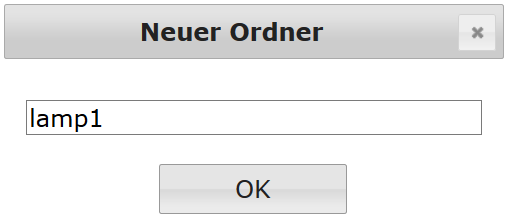
            First goto your VIS FileManager and Create an new folder with a custom nameScreenshot (22).png
            then open the created folder and upload your images to itScreenshot (21).png
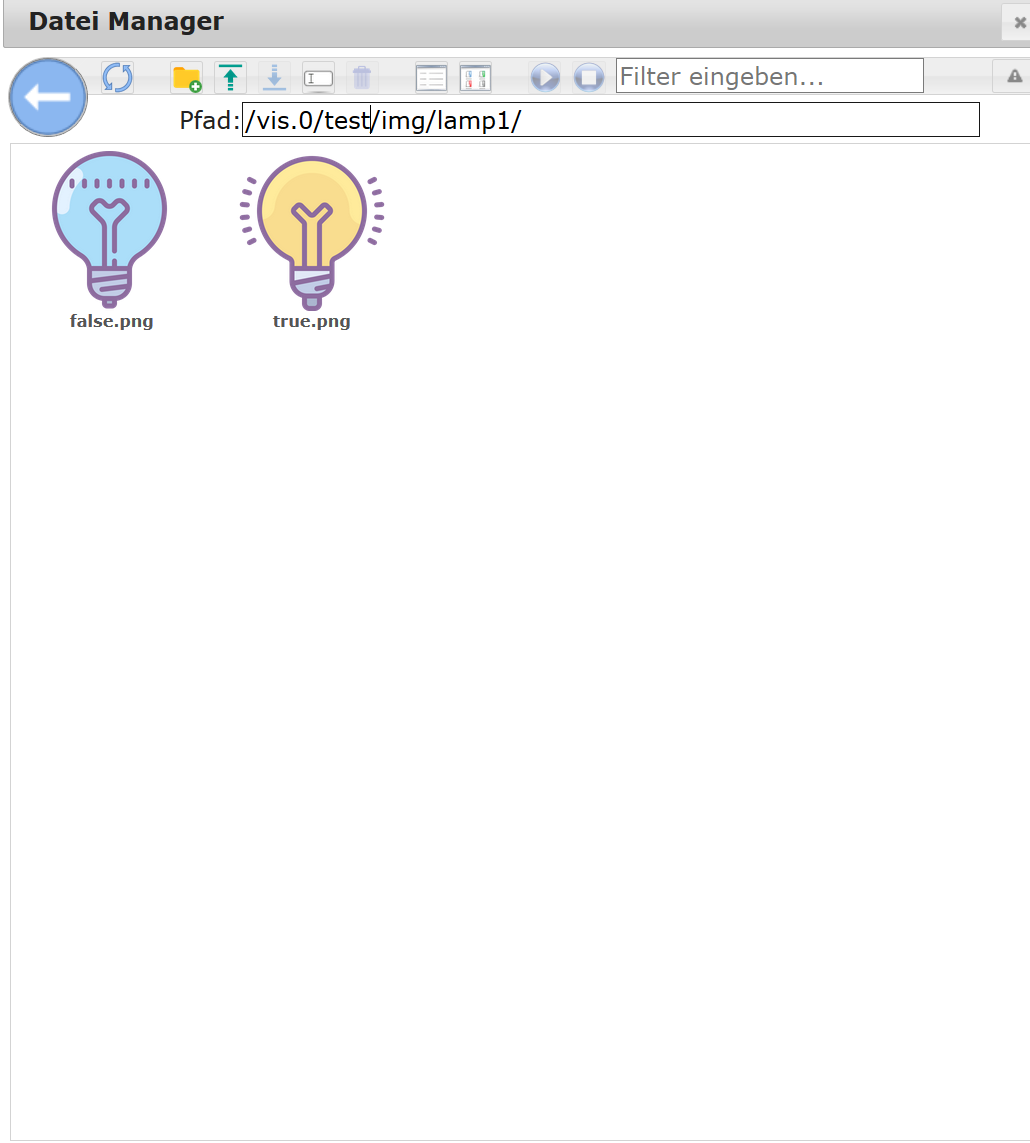
            then put the actual states of your switched element into the names ( in my case true and false).

            After that you can close the window and goto the HTML Table and put the following line into it:

            <img src= /vis.0/test/img/lamp1/{0_userdata.0.yourlamporwhatever}.png height=100 width=100>
            

            This is the Path we created earlier:

            /vis.0/test/img/lamp1/
            

            This is the actual State(true, false,1,0,whatever):

            {0_userdata.0.yourlamporwhatever}
            

            The rest of the filename so if you use jpg put in .jpg:

            .png
            

            That should do the Trick.
            I´ll be available for any questions

            Kind regards
            CrunkFX

            Bitte benutzt das Voting rechts unten im Beitrag wenn er euch geholfen hat.

            GunthervcG 1 Antwort Letzte Antwort
            1
            • CrunkFXC CrunkFX

              @Gunthervc So doing it with a table will be a bit tricky but not impossible. I tried finding a way without using scripts for that.

              First goto your VIS FileManager and Create an new folder with a custom nameScreenshot (22).png
              then open the created folder and upload your images to itScreenshot (21).png
              then put the actual states of your switched element into the names ( in my case true and false).

              After that you can close the window and goto the HTML Table and put the following line into it:

              <img src= /vis.0/test/img/lamp1/{0_userdata.0.yourlamporwhatever}.png height=100 width=100>
              

              This is the Path we created earlier:

              /vis.0/test/img/lamp1/
              

              This is the actual State(true, false,1,0,whatever):

              {0_userdata.0.yourlamporwhatever}
              

              The rest of the filename so if you use jpg put in .jpg:

              .png
              

              That should do the Trick.
              I´ll be available for any questions

              Kind regards
              CrunkFX

              GunthervcG Offline
              GunthervcG Offline
              Gunthervc
              schrieb am zuletzt editiert von
              #6

              @CrunkFX This is awesone!
              Search this for a long time.

              Is it also possible to make these images to toggle (false/true) on click?

              I appreciate your help.

              CrunkFXC 1 Antwort Letzte Antwort
              0
              • GunthervcG Gunthervc

                @CrunkFX This is awesone!
                Search this for a long time.

                Is it also possible to make these images to toggle (false/true) on click?

                I appreciate your help.

                CrunkFXC Offline
                CrunkFXC Offline
                CrunkFX
                Forum Testing
                schrieb am zuletzt editiert von
                #7

                @Gunthervc There's Dome was of creating a Button Image. I'll take a Look at IT.

                Bitte benutzt das Voting rechts unten im Beitrag wenn er euch geholfen hat.

                1 Antwort Letzte Antwort
                0
                • GunthervcG Offline
                  GunthervcG Offline
                  Gunthervc
                  schrieb am zuletzt editiert von Gunthervc
                  #8

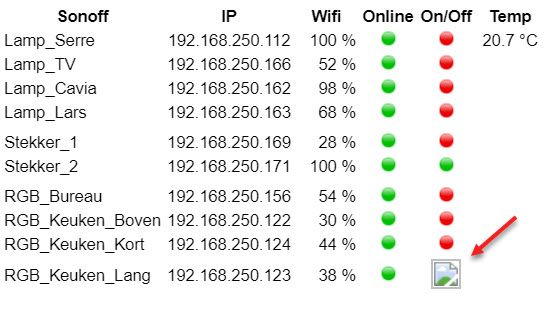
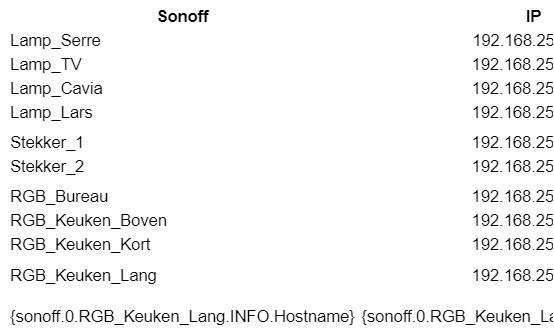
                  Is there some limitation on creating objects in 1 table?
                  After 10 rows the latest image won't be showing.
                  When adding 1 more (11rows) all table are gone and showing code.
                  A.jpg
                  B.jpg

                  CrunkFXC 2 Antworten Letzte Antwort
                  0
                  • GunthervcG Gunthervc

                    Is there some limitation on creating objects in 1 table?
                    After 10 rows the latest image won't be showing.
                    When adding 1 more (11rows) all table are gone and showing code.

                    A.jpg
                    B.jpg

                    CrunkFXC Offline
                    CrunkFXC Offline
                    CrunkFX
                    Forum Testing
                    schrieb am zuletzt editiert von CrunkFX
                    #9

                    @Gunthervc We got that issue already. I'll try top find the Thread but i don't Know If There's was a workaround

                    we kunnen ook gewoon nederlands praten als dat makkelijker is

                    Bitte benutzt das Voting rechts unten im Beitrag wenn er euch geholfen hat.

                    1 Antwort Letzte Antwort
                    0
                    • GunthervcG Gunthervc

                      Is there some limitation on creating objects in 1 table?
                      After 10 rows the latest image won't be showing.
                      When adding 1 more (11rows) all table are gone and showing code.

                      A.jpg
                      B.jpg

                      CrunkFXC Offline
                      CrunkFXC Offline
                      CrunkFX
                      Forum Testing
                      schrieb am zuletzt editiert von
                      #10

                      @Gunthervc Could you try to use div's instead of Tables?

                      Bitte benutzt das Voting rechts unten im Beitrag wenn er euch geholfen hat.

                      GunthervcG 1 Antwort Letzte Antwort
                      0
                      • CrunkFXC CrunkFX

                        @Gunthervc Could you try to use div's instead of Tables?

                        GunthervcG Offline
                        GunthervcG Offline
                        Gunthervc
                        schrieb am zuletzt editiert von Gunthervc
                        #11

                        @CrunkFX thanks for the effort.

                        if you can find the topic please let me know.
                        i will try div instead of tables.

                        Ja in het nederlands zou makkelijker zijn maar weet niet of het is toegelaten op dit forum.
                        Je heb me al heel hard geholpen met aantal problemen.
                        Ik ben graag met deze zaken bezig maar schiet te kort in het schrijven van code. Het uitlezen is geen probleem maar kan ze nooit zelf bedenken.

                        Dit alles is begonnen met mijn simatic S7 waar ik momenteel alles mee doe.

                        CrunkFXC 1 Antwort Letzte Antwort
                        0
                        • CrunkFXC Offline
                          CrunkFXC Offline
                          CrunkFX
                          Forum Testing
                          schrieb am zuletzt editiert von
                          #12

                          @Gunthervc
                          u kunt ook gebruik maken van het nederlandse forum hier https://forum.iobroker.net/category/40/nederlands

                          het topic ging niet over html maar ik dacht dat wel.

                          er zijn hier scripts die het mogelijk maken om grote html-tabellen te maken, dus dit moet mogelijk zijn. Ik zal deze scripts uitvoeren en zien wat ze anders doen

                          Groeten
                          CrunkFX

                          Bitte benutzt das Voting rechts unten im Beitrag wenn er euch geholfen hat.

                          1 Antwort Letzte Antwort
                          0
                          • GunthervcG Gunthervc

                            @CrunkFX thanks for the effort.

                            if you can find the topic please let me know.
                            i will try div instead of tables.

                            Ja in het nederlands zou makkelijker zijn maar weet niet of het is toegelaten op dit forum.
                            Je heb me al heel hard geholpen met aantal problemen.
                            Ik ben graag met deze zaken bezig maar schiet te kort in het schrijven van code. Het uitlezen is geen probleem maar kan ze nooit zelf bedenken.

                            Dit alles is begonnen met mijn simatic S7 waar ik momenteel alles mee doe.

                            CrunkFXC Offline
                            CrunkFXC Offline
                            CrunkFX
                            Forum Testing
                            schrieb am zuletzt editiert von
                            #13

                            @Gunthervc kunt u hier uw html-script als code plaatsen of via directe chat?

                            Bitte benutzt das Voting rechts unten im Beitrag wenn er euch geholfen hat.

                            1 Antwort Letzte Antwort
                            0
                            • O Offline
                              O Offline
                              oliverthom707
                              schrieb am zuletzt editiert von oliverthom707
                              #14

                              Is it also possible to make these images to toggle (false/true) on click?.

                              CrunkFXC 1 Antwort Letzte Antwort
                              0
                              • O oliverthom707

                                Is it also possible to make these images to toggle (false/true) on click?.

                                CrunkFXC Offline
                                CrunkFXC Offline
                                CrunkFX
                                Forum Testing
                                schrieb am zuletzt editiert von
                                #15

                                @oliverthom707 Of course, it is possible, but somehow not very effective to build. I would consider doing it with a Material Table by Scrounger or just using Buttons in VIS. If created by hand we can´t get big HTML Tables to work properly.


                                Bitte benutzt das Voting rechts unten im Beitrag wenn er euch geholfen hat.

                                1 Antwort Letzte Antwort
                                0
                                Antworten
                                • In einem neuen Thema antworten
                                Anmelden zum Antworten
                                • Älteste zuerst
                                • Neuste zuerst
                                • Meiste Stimmen


                                Support us

                                ioBroker
                                Community Adapters
                                Donate

                                758

                                Online

                                32.5k

                                Benutzer

                                81.7k

                                Themen

                                1.3m

                                Beiträge
                                Community
                                Impressum | Datenschutz-Bestimmungen | Nutzungsbedingungen | Einwilligungseinstellungen
                                ioBroker Community 2014-2025
                                logo
                                • Anmelden

                                • Du hast noch kein Konto? Registrieren

                                • Anmelden oder registrieren, um zu suchen
                                • Erster Beitrag
                                  Letzter Beitrag
                                0
                                • Home
                                • Aktuell
                                • Tags
                                • Ungelesen 0
                                • Kategorien
                                • Unreplied
                                • Beliebt
                                • GitHub
                                • Docu
                                • Hilfe