




js-controller 2.0 ab sofort im Latest Repo

-
Moin, mir ist aufgefallen, das sei dem 2.0 Safari auf dem iPad (13.1.2) die Admin Oberfläche nicht mehr richtig funktioniert.
Info Adapter lädt und lädt.
Adapter in der Listenansicht lädt und lädt
Skripte bleibt direkt leer.Unter Chrome auf dem iPad läuft super.
Grüße Monox
-
Bei mir geht iQontrol in dieser Anzeige nicht. (iQontrol an sich funktioniert aber)
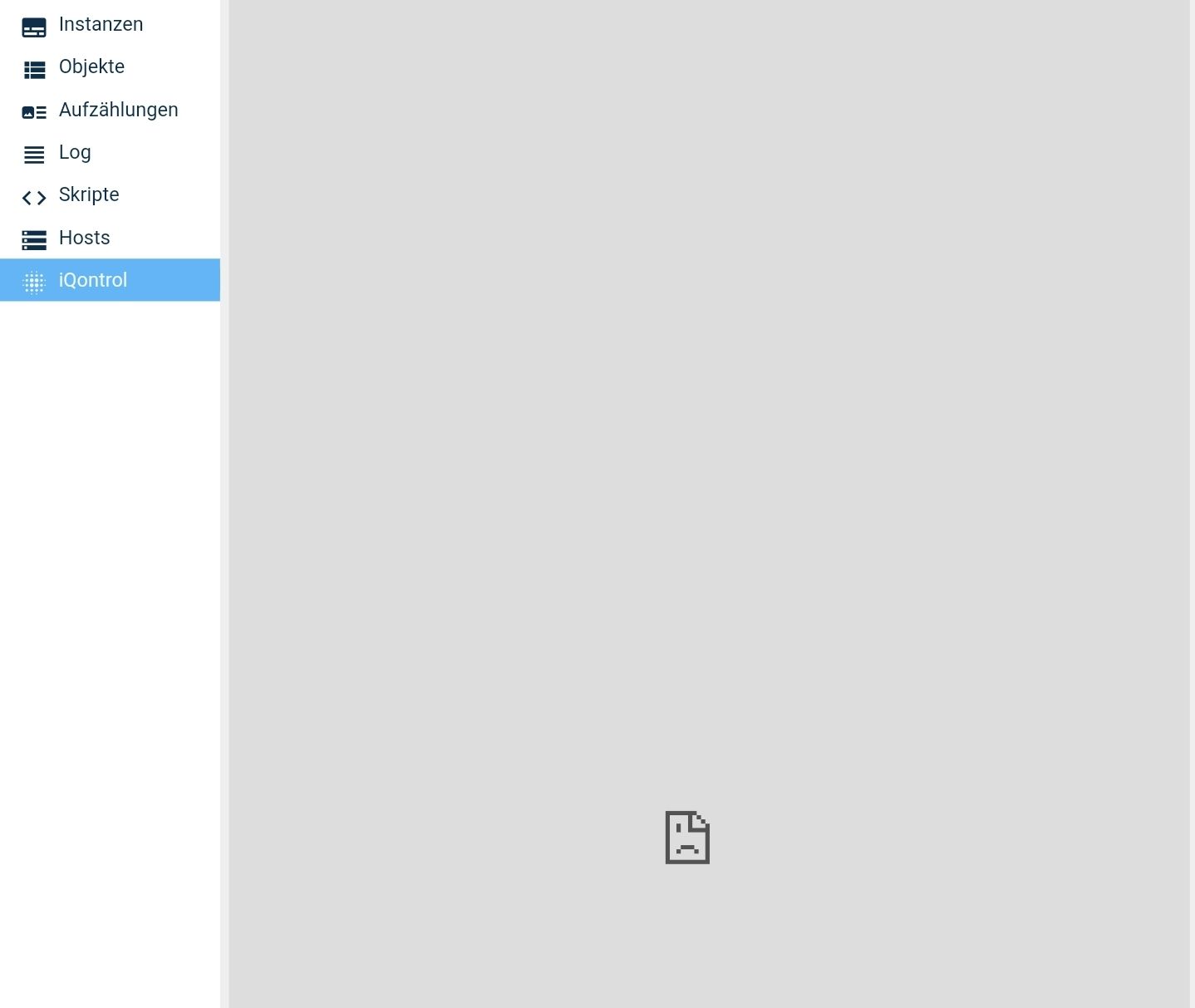
Das ist die mobile Ansicht.
Mit Chrome auf dem Mac in der Entwicklerkonsole kommen auch einige Fehler in dieser Ansicht, komme ich aber gerade nicht drann. (mußte nochmal weg)
2.0.29 wird mir übrigens immer noch nicht angeboten, keine Ahnung woran das liegt.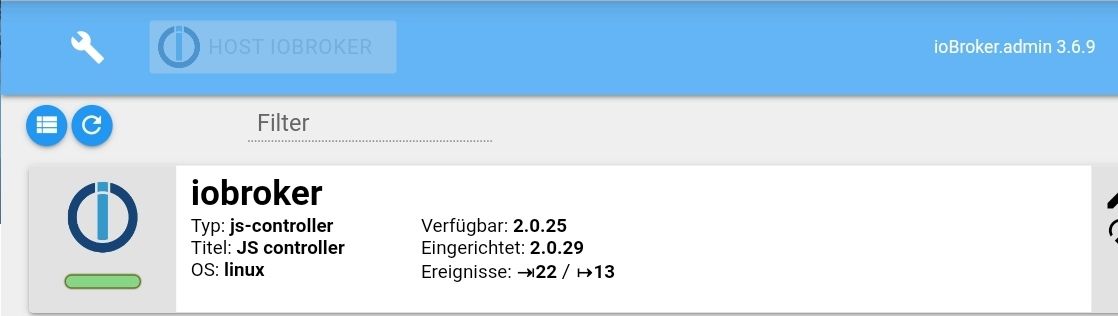
-
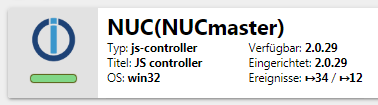
Ich habe gerade meine ioBroker Instanz auf meinem NUC mit Win10 Installer Installation neu aufsetzen müssen.
Als ich zum Abschluss dann "Alle Adapter updaten" im admin angeklickt habe, hat er versucht, NPM zu aktualisieren.
Laut log ging das schief:
Aber laut admin, ist es installiert.
-
Mein Slave (Raspberry PI 3b+ via WLAN) startet immer wieder durch. Ging bei 1.5.14 ohne Probleme. Wo kann man da schauen? Kann ich ein Downgrade machen?
-
Das Setting über den Schraubenschlüssel hatte ich hier aktiviert, lässt sich nun aber nicht mehr ausschalten, kann es zwar deaktivieren und speichern, jedoch wird es nicht übernommen. Ein erneuter Aufruf, zeigt wieder aktiviert.
Hab vorhin den Admin von 3.6.9 angehoben auf 3.6.10
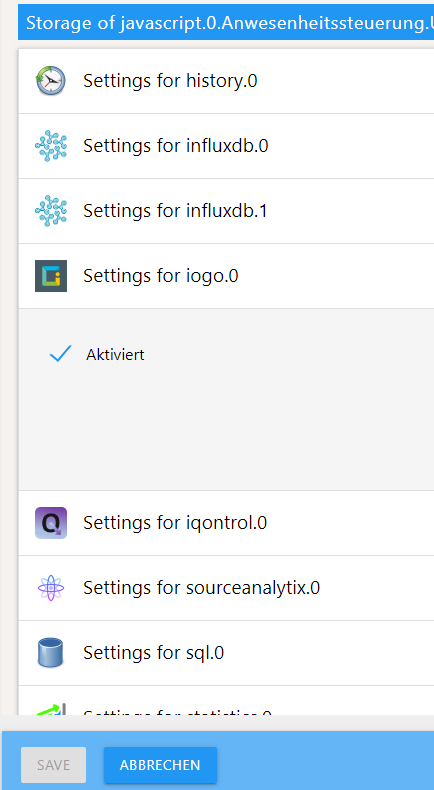
@crunchip Kannst Du es mal bei zB influxdb oder history testen? geht es da? Nicht das es irgendwie bei iogo ist ...
Beitrag hat geholfen? Votet rechts unten im Beitrag :-) https://paypal.me/Apollon77 / https://github.com/sponsors/Apollon77
- Debug-Log für Instanz einschalten? Admin -> Instanzen -> Expertenmodus -> Instanz aufklappen - Loglevel ändern
- Logfiles auf Platte /opt/iobroker/log/… nutzen, Admin schneidet Zeilen ab
-
@crunchip Kannst Du es mal bei zB influxdb oder history testen? geht es da? Nicht das es irgendwie bei iogo ist ...
@apollon77 deine Vermutung ist richtig, History probiert, da funktioniert es
dann werde ich es dort nochmal mitteilenumgestiegen von Proxmox auf Unraid
-
@apollon77 deine Vermutung ist richtig, History probiert, da funktioniert es
dann werde ich es dort nochmal mitteilen@crunchip Dann bitte beim Adapter :-)
Beitrag hat geholfen? Votet rechts unten im Beitrag :-) https://paypal.me/Apollon77 / https://github.com/sponsors/Apollon77
- Debug-Log für Instanz einschalten? Admin -> Instanzen -> Expertenmodus -> Instanz aufklappen - Loglevel ändern
- Logfiles auf Platte /opt/iobroker/log/… nutzen, Admin schneidet Zeilen ab
-
@apollon77 hab ich soeben gemeldet
-
@aleks-83 Wo steht das er "npm" Aktualisiert hat? Er hat den Controller aktualisiert. Ja.
Auch das was kaputt ist finde ich nirgends. Sind nur Warnungen zu optionalen Dependencies ...
Alles sieht korrekt aus.
@apollon77
Ja den Controller, sorry.Aber ich denke dass man unter Windows den Controller nicht per npm aktualisieren soll!?
Das hat mir Sorge gemacht.
Und nun hat er es doch selbstständig geupdatet...Aber wenn es läuft, ok.
Traue mich nur gerade nicht, nochmal neu zu Booten
Hab gestern erst alles neu gemacht. -
@Monox Kann auch an sich miteinander nichts zu tun haben. Es gab schonmal Fälle wo der Browser Dinge gecached hat die zu sowas geführt haben
@apollon77 werde nachher den Cache löschen und es noch mal probieren.
-
@darkiop sagte in js-controller 2.0 ab sofort im Latest Repo:
An die Redis Erfahrenen: Hier scheint alles i.O. zu sein oder? Im Backup-Konzept muss jetzt nur noch '/volume2/docker-ssd/iobroker-redis/data' Berücksichtigt werden?
Wenn dort die dup.rdb liegt dann ja, Ausgabe sieht ok aus. Ist halt die "einfachste" Form der Persistenz ... Liess mal die verlinkte Seite komplett
@apollon77 sagte in js-controller 2.0 ab sofort im Latest Repo:
@darkiop sagte in js-controller 2.0 ab sofort im Latest Repo:
An die Redis Erfahrenen: Hier scheint alles i.O. zu sein oder? Im Backup-Konzept muss jetzt nur noch '/volume2/docker-ssd/iobroker-redis/data' Berücksichtigt werden?
Wenn dort die dup.rdb liegt dann ja, Ausgabe sieht ok aus. Ist halt die "einfachste" Form der Persistenz ... Liess mal die verlinkte Seite komplett
Die dump.rdp liegt da.
Du meinst diese Seiten hier?
https://github.com/ioBroker/ioBroker.js-controller/blob/master/README.md#redis-as-database
https://redis.io/topics/persistence@apollon77 sagte in js-controller 2.0 ab sofort im Latest Repo:
Was? Hatten die States nun Werte oder nicht Alle gesetzten States sollten migriert werden, für alles andere sollten die Objekte existieren oder ?! Oder was genau fehlt?
Ok, meine Formulierung war ... naja :D Also ich hatte nach der Migration alle Objekte in der Redis DB - States waren aber wohl nicht alle da. Aufgefallen ist mir das bei meinen manuell angelegten (die ja auch nicht von laufenden Adaptern wieder befüllt werden). Es könnte aber auch sein, das dieser Zustand durch meinen ersten Versuch mit dem Fehlerhaften Docker-Container provoziert wurde ... Aktuell ist alles gut, habe die Werte nachgetragen, Performance Vorteil merkt man definitiv!
-
@apollon77 Here you go ->
@apollon77 sagte in js-controller 2.0 ab sofort im Latest Repo:
/opt/iobroker/log/
2019-10-14 20:00:16.773 - info: ical.0 (1529) Terminated (NO_ERROR): Without reason 2019-10-14 20:00:16.813 - info: host.raspberrypi instance system.adapter.ical.0 terminated with code 0 (NO_ERROR) 2019-10-14 20:00:33.408 - info: daswetter.0 (1514) Terminated (NO_ERROR): Without reason 2019-10-14 20:00:33.424 - info: host.raspberrypi instance system.adapter.daswetter.0 terminated with code 0 (NO_ERROR) 2019-10-14 20:12:54.750 - info: geofency.0 (708) adapter geofency received webhook from device Diana with values: name: iPhone Geo, entry: 1 2019-10-14 20:21:50.774 - warn: rpi2.0 (1369) Cannot connect/reconnect to objects DB. Terminating 2019-10-14 20:21:50.777 - info: rpi2.0 (1369) Terminated (NO_ERROR): Without reason 2019-10-14 20:21:51.138 - info: host.raspberrypi instance system.adapter.rpi2.0 terminated with code 0 (NO_ERROR) 2019-10-14 20:21:51.139 - info: host.raspberrypi Restart adapter system.adapter.rpi2.0 because enabled 2019-10-14 20:22:21.157 - info: host.raspberrypi instance system.adapter.rpi2.0 started with pid 1579 2019-10-14 20:22:23.582 - info: rpi2.0 (1579) starting. Version 1.1.1 in /opt/iobroker/node_modules/iobroker.rpi2, node: v10.16.3 2019-10-14 20:55:01.745 - debug: text2command.0 (741) system.adapter.admin.0: logging true 2019-10-14 20:55:36.949 - info: host.raspberrypi received SIGTERM 2019-10-14 20:55:36.957 - info: geofency.0 (708) terminating http server on port 7999 2019-10-14 20:55:36.973 - warn: smartmeter.1 (794) ERROR CLOSING SERIALPORT 2019-10-14 20:55:36.978 - info: tr-064-community.3 (869) Terminated (START_IMMEDIATELY_AFTER_STOP): Without reason 2019-10-14 20:55:36.970 - warn: smartmeter.0 (776) ERROR CLOSING SERIALPORT 2019-10-14 20:55:36.994 - info: tr-064-community.2 (854) Terminated (START_IMMEDIATELY_AFTER_STOP): Without reason 2019-10-14 20:55:37.008 - info: rpi2.0 (1579) Terminated (START_IMMEDIATELY_AFTER_STOP): Without reason 2019-10-14 20:55:37.008 - info: tr-064-community.1 (835) Terminated (START_IMMEDIATELY_AFTER_STOP): Without reason 2019-10-14 20:55:36.970 - info: host.raspberrypi stopInstance system.adapter.fritzdect.0 2019-10-14 20:55:36.972 - info: host.raspberrypi stopInstance system.adapter.geofency.0 2019-10-14 20:55:36.974 - info: host.raspberrypi stopInstance system.adapter.lgtv11.0 2019-10-14 20:55:36.979 - info: host.raspberrypi stopInstance system.adapter.text2command.0 2019-10-14 20:55:36.983 - info: host.raspberrypi stopInstance system.adapter.ical.0 2019-10-14 20:55:36.984 - info: host.raspberrypi stopInstance canceled schedule system.adapter.ical.0 2019-10-14 20:55:36.985 - info: host.raspberrypi stopInstance system.adapter.daswetter.0 2019-10-14 20:55:36.986 - info: host.raspberrypi stopInstance canceled schedule system.adapter.daswetter.0 2019-10-14 20:55:36.987 - info: host.raspberrypi stopInstance system.adapter.smartmeter.0 2019-10-14 20:55:36.992 - info: host.raspberrypi stopInstance system.adapter.smartmeter.1 2019-10-14 20:55:36.993 - info: host.raspberrypi stopInstance system.adapter.rpi2.0 2019-10-14 20:55:36.995 - info: host.raspberrypi stopInstance system.adapter.tr-064-community.0 2019-10-14 20:55:36.997 - info: host.raspberrypi stopInstance system.adapter.tr-064-community.1 2019-10-14 20:55:36.999 - info: host.raspberrypi stopInstance system.adapter.tr-064-community.2 2019-10-14 20:55:37.001 - info: host.raspberrypi stopInstance system.adapter.tr-064-community.3 2019-10-14 20:55:37.002 - info: host.raspberrypi stopInstance system.adapter.enigma2.0 2019-10-14 20:55:37.004 - info: host.raspberrypi stopInstance system.adapter.enigma2.1 2019-10-14 20:55:37.022 - info: lgtv11.0 (730) Terminated (START_IMMEDIATELY_AFTER_STOP): Without reason 2019-10-14 20:55:37.030 - info: tr-064-community.0 (824) Terminated (START_IMMEDIATELY_AFTER_STOP): Without reason 2019-10-14 20:55:37.045 - info: geofency.0 (708) Terminated (START_IMMEDIATELY_AFTER_STOP): Without reason 2019-10-14 20:55:37.074 - info: text2command.0 (741) Got terminate signal TERMINATE_YOURSELF 2019-10-14 20:55:37.097 - info: enigma2.0 (1497) Got terminate signal TERMINATE_YOURSELF 2019-10-14 20:55:37.098 - info: enigma2.1 (895) Got terminate signal TERMINATE_YOURSELF 2019-10-14 20:55:37.108 - info: host.raspberrypi stopInstance system.adapter.fritzdect.0 send kill signal 2019-10-14 20:55:37.110 - info: host.raspberrypi stopInstance system.adapter.geofency.0 send kill signal 2019-10-14 20:55:37.111 - info: host.raspberrypi stopInstance system.adapter.lgtv11.0 send kill signal 2019-10-14 20:55:37.112 - info: host.raspberrypi stopInstance system.adapter.text2command.0 send kill signal 2019-10-14 20:55:37.113 - info: host.raspberrypi stopInstance system.adapter.smartmeter.0 send kill signal 2019-10-14 20:55:37.114 - info: host.raspberrypi stopInstance system.adapter.smartmeter.1 send kill signal 2019-10-14 20:55:37.115 - info: host.raspberrypi stopInstance system.adapter.rpi2.0 send kill signal 2019-10-14 20:55:37.115 - info: host.raspberrypi stopInstance system.adapter.tr-064-community.0 send kill signal 2019-10-14 20:55:37.116 - info: host.raspberrypi stopInstance system.adapter.tr-064-community.1 send kill signal 2019-10-14 20:55:37.117 - info: host.raspberrypi stopInstance system.adapter.tr-064-community.2 send kill signal 2019-10-14 20:55:37.118 - info: host.raspberrypi stopInstance system.adapter.tr-064-community.3 send kill signal 2019-10-14 20:55:37.120 - info: host.raspberrypi stopInstance system.adapter.enigma2.0 send kill signal 2019-10-14 20:55:37.121 - info: host.raspberrypi stopInstance system.adapter.enigma2.1 send kill signal 2019-10-14 20:55:37.526 - info: enigma2.0 (1497) Terminated (START_IMMEDIATELY_AFTER_STOP): Without reason 2019-10-14 20:55:37.524 - info: text2command.0 (741) Terminated (START_IMMEDIATELY_AFTER_STOP): Without reason 2019-10-14 20:55:37.527 - info: enigma2.1 (895) Terminated (START_IMMEDIATELY_AFTER_STOP): Without reason 2019-10-14 20:55:37.541 - info: host.raspberrypi instance system.adapter.fritzdect.0 terminated with code 156 (156) 2019-10-14 20:55:37.788 - info: host.raspberrypi instance system.adapter.tr-064-community.3 terminated with code 156 (156) 2019-10-14 20:55:37.935 - info: host.raspberrypi instance system.adapter.tr-064-community.2 terminated with code 156 (156) 2019-10-14 20:55:38.160 - info: host.raspberrypi instance system.adapter.rpi2.0 terminated with code 156 (156) 2019-10-14 20:55:38.163 - info: host.raspberrypi stopInstance system.adapter.geofency.0 killing pid 708 2019-10-14 20:55:38.164 - info: host.raspberrypi stopInstance system.adapter.lgtv11.0 killing pid 730 2019-10-14 20:55:38.165 - info: host.raspberrypi stopInstance system.adapter.text2command.0 killing pid 741 2019-10-14 20:55:38.166 - info: host.raspberrypi stopInstance system.adapter.smartmeter.0 killing pid 776 2019-10-14 20:55:38.166 - info: host.raspberrypi stopInstance system.adapter.smartmeter.1 killing pid 794 2019-10-14 20:55:38.167 - info: host.raspberrypi stopInstance system.adapter.tr-064-community.0 killing pid 824 2019-10-14 20:55:38.167 - info: host.raspberrypi stopInstance system.adapter.tr-064-community.1 killing pid 835 2019-10-14 20:55:38.168 - info: host.raspberrypi stopInstance system.adapter.enigma2.0 killing pid 1497 2019-10-14 20:55:38.168 - info: host.raspberrypi stopInstance system.adapter.enigma2.1 killing pid 895 2019-10-14 20:55:38.393 - info: host.raspberrypi instance system.adapter.tr-064-community.1 terminated with code 156 (156) 2019-10-14 20:55:38.594 - info: host.raspberrypi instance system.adapter.tr-064-community.0 terminated with code 156 (156) 2019-10-14 20:55:38.801 - info: host.raspberrypi instance system.adapter.lgtv11.0 terminated with code 156 (156) 2019-10-14 20:55:39.257 - info: host.raspberrypi instance system.adapter.geofency.0 terminated with code 156 (156) 2019-10-14 20:55:39.671 - info: host.raspberrypi instance system.adapter.text2command.0 terminated with code 156 (156) 2019-10-14 20:55:39.865 - info: host.raspberrypi instance system.adapter.smartmeter.0 terminated with code 156 (156) 2019-10-14 20:55:40.063 - info: host.raspberrypi instance system.adapter.smartmeter.1 terminated with code 156 (156) 2019-10-14 20:55:40.279 - info: host.raspberrypi instance system.adapter.enigma2.1 terminated with code 156 (156) 2019-10-14 20:55:40.473 - info: host.raspberrypi instance system.adapter.enigma2.0 terminated with code 156 (156) 2019-10-14 20:55:40.474 - info: host.raspberrypi All instances are stopped. 2019-10-14 20:55:40.532 - info: host.raspberrypi terminated 2019-10-14 20:58:15.542 - info: host.raspberrypi iobroker.js-controller version 2.0.29 js-controller starting 2019-10-14 20:58:15.555 - info: host.raspberrypi Copyright (c) 2014-2019 bluefox, 2014 hobbyquaker 2019-10-14 20:58:15.557 - info: host.raspberrypi hostname: raspberrypi, node: v10.16.3 2019-10-14 20:58:15.560 - info: host.raspberrypi ip addresses: 192.168.178.44 fe80::fc73:a015:5ae9:b5af 2019-10-14 20:58:15.730 - info: host.raspberrypi connected to Objects and States 2019-10-14 20:58:16.313 - info: host.raspberrypi 46 instances found 2019-10-14 20:58:16.362 - info: host.raspberrypi starting 15 instances 2019-10-14 20:58:16.391 - info: host.raspberrypi instance system.adapter.fritzdect.0 started with pid 2376 2019-10-14 20:58:20.392 - info: host.raspberrypi instance system.adapter.geofency.0 started with pid 2387 2019-10-14 20:58:23.056 - info: geofency.0 (2387) starting. Version 0.3.2 in /opt/iobroker/node_modules/iobroker.geofency, node: v10.16.3 2019-10-14 20:58:23.115 - info: geofency.0 (2387) Adapter got 'Ready' Signal - initiating Main function... 2019-10-14 20:58:23.161 - info: geofency.0 (2387) http server listening on port 7999 2019-10-14 20:58:24.391 - info: host.raspberrypi instance system.adapter.lgtv11.0 started with pid 2406 2019-10-14 20:58:28.389 - info: host.raspberrypi instance system.adapter.text2command.0 started with pid 2417 2019-10-14 20:58:29.422 - info: lgtv11.0 (2406) starting. Version 1.0.5 in /opt/iobroker/node_modules/iobroker.lgtv11, node: v10.16.3 2019-10-14 20:58:29.775 - debug: text2command.0 (2417) Redis Objects: Use Redis connection: 192.168.178.15:9001 2019-10-14 20:58:29.466 - info: lgtv11.0 (2406) Ready. Configured LG TV IP: 192.168.178.20, Port: 8080, Pairing Key: 789905 2019-10-14 20:58:30.030 - debug: text2command.0 (2417) objectDB connected 2019-10-14 20:58:30.035 - debug: text2command.0 (2417) Redis States: Use Redis connection: 192.168.178.15:9000 2019-10-14 20:58:30.040 - debug: text2command.0 (2417) Objects connected to redis: 192.168.178.15:9001 2019-10-14 20:58:30.123 - debug: text2command.0 (2417) statesDB connected 2019-10-14 20:58:30.439 - debug: text2command.0 (2417) States connected to redis: 192.168.178.15:9000 2019-10-14 20:58:32.426 - info: host.raspberrypi instance scheduled system.adapter.ical.0 0 */4 * * * 2019-10-14 20:58:32.446 - info: host.raspberrypi instance system.adapter.ical.0 started with pid 2432 2019-10-14 20:58:33.823 - info: text2command.0 (2417) starting. Version 1.3.0 in /opt/iobroker/node_modules/iobroker.text2command, node: v10.16.3 2019-10-14 20:58:36.375 - info: host.raspberrypi instance scheduled system.adapter.daswetter.0 0 * * * * 2019-10-14 20:58:36.792 - info: ical.0 (2432) starting. Version 1.7.0 in /opt/iobroker/node_modules/iobroker.ical, node: v10.16.3 2019-10-14 20:58:37.518 - info: ical.0 (2432) processing URL: Müllabfuhr 2019-10-14 20:58:38.183 - info: ical.0 (2432) processing URL: ItaloBrothers 2019-10-14 20:58:40.389 - info: host.raspberrypi instance system.adapter.smartmeter.0 started with pid 2451 2019-10-14 20:58:44.342 - info: ical.0 (2432) Terminated (NO_ERROR): Without reason 2019-10-14 20:58:44.378 - info: host.raspberrypi instance system.adapter.smartmeter.1 started with pid 2466 2019-10-14 20:58:48.413 - info: host.raspberrypi instance system.adapter.rpi2.0 started with pid 2477 2019-10-14 20:58:51.115 - info: rpi2.0 (2477) starting. Version 1.1.1 in /opt/iobroker/node_modules/iobroker.rpi2, node: v10.16.3 2019-10-14 20:58:52.379 - info: host.raspberrypi instance system.adapter.tr-064-community.0 started with pid 2496 2019-10-14 20:58:56.387 - info: host.raspberrypi instance system.adapter.tr-064-community.1 started with pid 2507 2019-10-14 20:58:58.710 - info: tr-064-community.0 (2496) starting. Version 1.0.0 in /opt/iobroker/node_modules/iobroker.tr-064-community, node: v10.16.3 2019-10-14 20:59:00.379 - info: host.raspberrypi instance system.adapter.tr-064-community.2 started with pid 2522 2019-10-14 20:59:01.634 - info: tr-064-community.1 (2507) starting. Version 1.0.0 in /opt/iobroker/node_modules/iobroker.tr-064-community, node: v10.16.3 2019-10-14 20:59:04.089 - info: tr-064-community.2 (2522) starting. Version 1.0.0 in /opt/iobroker/node_modules/iobroker.tr-064-community, node: v10.16.3 2019-10-14 20:59:04.389 - info: host.raspberrypi instance system.adapter.tr-064-community.3 started with pid 2541 2019-10-14 20:59:07.688 - info: tr-064-community.3 (2541) starting. Version 1.0.0 in /opt/iobroker/node_modules/iobroker.tr-064-community, node: v10.16.3 2019-10-14 20:59:08.386 - info: host.raspberrypi instance system.adapter.enigma2.0 started with pid 2557 2019-10-14 20:59:12.387 - info: host.raspberrypi instance system.adapter.enigma2.1 started with pid 2568 2019-10-14 20:59:14.207 - info: enigma2.0 (2557) starting. Version 1.2.3 in /opt/iobroker/node_modules/iobroker.enigma2, node: v10.16.3 2019-10-14 20:59:14.270 - info: enigma2.0 (2557) starting Polling every 15000 ms 2019-10-14 20:59:18.080 - info: enigma2.1 (2568) starting. Version 1.2.3 in /opt/iobroker/node_modules/iobroker.enigma2, node: v10.16.3 2019-10-14 20:59:18.181 - info: enigma2.1 (2568) starting Polling every 15000 ms 2019-10-14 20:59:29.802 - info: enigma2.0 (2557) enigma2 Verbunden! 2019-10-14 20:59:36.337 - info: enigma2.1 (2568) enigma2: 192.168.178.220:88 ist nicht erreichbar! 2019-10-14 20:59:50.011 - info: host.raspberrypi iobroker upgrade ble 2019-10-14 20:59:53.670 - info: host.raspberrypi iobroker Update ble from @0.7.4 to @0.10.1 2019-10-14 20:59:54.717 - info: host.raspberrypi iobroker NPM version: 6.9.0 2019-10-14 20:59:54.719 - info: host.raspberrypi iobroker npm install iobroker.ble@0.10.1 --loglevel error --production --save --prefix "/opt/iobroker" (System call) 2019-10-14 20:59:57.418 - debug: text2command.0 (2417) system.adapter.admin.0: logging false 2019-10-14 21:00:00.053 - info: host.raspberrypi instance system.adapter.daswetter.0 started with pid 2614 2019-10-14 21:00:03.772 - info: daswetter.0 (2614) starting. Version 2.8.1 in /opt/iobroker/node_modules/iobroker.daswetter, node: v10.16.3 2019-10-14 21:00:45.496 - info: daswetter.0 (2614) Terminated (NO_ERROR): Without reason 2019-10-14 21:00:45.518 - info: host.raspberrypi instance system.adapter.daswetter.0 terminated with code 0 (NO_ERROR) 2019-10-14 21:01:00.071 - info: host.raspberrypi iobroker ../src/BluetoothHciSocket.cpp: In member function ‘void BluetoothHciSocket::poll()’:../src/BluetoothHciSocket.cpp:252:95: warning: ‘v8::Local<v8::Value> Nan::MakeCallback(v8::Local<v8::Object>, v8::Local<v8::String>, int, v8::Local<v8::Value>*)’ is deprecated [-Wdeprecated-declarations] Nan::MakeCallback(Nan::New<Object>(this->This), Nan::New("emit").ToLocalChecked(), 2, argv); ^In file included from ../src/BluetoothHciSocket.cpp:8:0:../../../nan/nan.h:1045:46: note: declared here NAN_DEPRECATED inline v8::Local<v8::Value> MakeCallback( ^~~~~~~~~~~~ 2019-10-14 21:01:00.075 - info: host.raspberrypi iobroker ../src/BluetoothHciSocket.cpp: In member function ‘void BluetoothHciSocket::emitErrnoError()’:../src/BluetoothHciSocket.cpp:274:93: warning: ‘v8::Local<v8::Value> Nan::MakeCallback(v8::Local<v8::Object>, v8::Local<v8::String>, int, v8::Local<v8::Value>*)’ is deprecated [-Wdeprecated-declarations] Nan::MakeCallback(Nan::New<Object>(this->This), Nan::New("emit").ToLocalChecked(), 2, argv); ^In file included from ../src/BluetoothHciSocket.cpp:8:0:../../../nan/nan.h:1045:46: note: declared here NAN_DEPRECATED inline v8::Local<v8::Value> MakeCallback( ^~~~~~~~~~~~ 2019-10-14 21:01:11.247 - info: host.raspberrypi iobroker upload [7] ble.admin /opt/iobroker/node_modules/iobroker.ble/admin/words.js words.js application/javascript 2019-10-14 21:01:11.762 - info: host.raspberrypi iobroker upload [6] ble.admin /opt/iobroker/node_modules/iobroker.ble/admin/style.css style.css text/css 2019-10-14 21:01:11.847 - info: host.raspberrypi iobroker upload [5] ble.admin /opt/iobroker/node_modules/iobroker.ble/admin/index_m.html index_m.html text/html 2019-10-14 21:01:11.919 - info: host.raspberrypi iobroker upload [4] ble.admin /opt/iobroker/node_modules/iobroker.ble/admin/index.html index.html text/html 2019-10-14 21:01:11.991 - info: host.raspberrypi iobroker upload [3] ble.admin /opt/iobroker/node_modules/iobroker.ble/admin/build/index.map build/index.map application/json 2019-10-14 21:01:12.346 - info: host.raspberrypi iobroker upload [2] ble.admin /opt/iobroker/node_modules/iobroker.ble/admin/build/index.js.map build/index.js.map application/json 2019-10-14 21:01:12.510 - info: host.raspberrypi iobroker upload [1] ble.admin /opt/iobroker/node_modules/iobroker.ble/admin/build/index.js build/index.js application/javascript 2019-10-14 21:01:12.634 - info: host.raspberrypi iobroker upload [0] ble.admin /opt/iobroker/node_modules/iobroker.ble/admin/ble.png ble.png image/png 2019-10-14 21:01:12.729 - info: host.raspberrypi iobroker Adapter "ble" updated 2019-10-14 21:01:13.771 - info: host.raspberrypi iobroker exit 0 2019-10-14 21:02:58.840 - debug: text2command.0 (2417) system.adapter.admin.0: logging true 2019-10-14 21:03:15.939 - debug: text2command.0 (2417) system.adapter.admin.0: logging false 2019-10-14 21:04:53.726 - debug: text2command.0 (2417) system.adapter.admin.0: logging true 2019-10-14 21:18:15.164 - debug: text2command.0 (2417) system.adapter.admin.0: logging false 2019-10-14 21:19:12.716 - debug: text2command.0 (2417) system.adapter.admin.0: logging true 2019-10-14 21:21:12.079 - debug: text2command.0 (2417) system.adapter.admin.0: logging false 2019-10-14 21:21:54.780 - debug: text2command.0 (2417) system.adapter.admin.0: logging true 2019-10-14 21:22:10.276 - debug: text2command.0 (2417) system.adapter.admin.0: logging false 2019-10-14 21:23:24.990 - debug: text2command.0 (2417) system.adapter.admin.0: logging true 2019-10-14 21:26:00.696 - debug: text2command.0 (2417) system.adapter.admin.0: logging false 2019-10-14 21:26:42.878 - debug: text2command.0 (2417) system.adapter.admin.0: logging true 2019-10-14 21:29:25.218 - debug: text2command.0 (2417) system.adapter.admin.0: logging false 2019-10-14 22:00:00.049 - info: host.raspberrypi instance system.adapter.daswetter.0 started with pid 2855 2019-10-14 22:00:03.408 - info: daswetter.0 (2855) starting. Version 2.8.1 in /opt/iobroker/node_modules/iobroker.daswetter, node: v10.16.3 2019-10-14 22:00:39.296 - info: daswetter.0 (2855) Terminated (NO_ERROR): Without reason 2019-10-14 22:00:39.326 - info: host.raspberrypi instance system.adapter.daswetter.0 terminated with code 0 (NO_ERROR) 2019-10-14 22:08:47.963 - warn: host.raspberrypi Slave controller detected disconnection. Stop all instances. 2019-10-14 22:08:47.981 - info: geofency.0 (2387) terminating http server on port 7999 2019-10-14 22:08:47.999 - warn: smartmeter.0 (2451) ERROR CLOSING SERIALPORT 2019-10-14 22:08:47.971 - info: host.raspberrypi stopInstance system.adapter.fritzdect.0 2019-10-14 22:08:47.972 - info: host.raspberrypi stopInstance forced system.adapter.fritzdect.0 killing pid 2376 2019-10-14 22:08:47.974 - info: host.raspberrypi stopInstance system.adapter.geofency.0 2019-10-14 22:08:47.975 - info: host.raspberrypi stopInstance forced system.adapter.geofency.0 killing pid 2387 2019-10-14 22:08:47.976 - info: host.raspberrypi stopInstance system.adapter.lgtv11.0 2019-10-14 22:08:47.978 - info: host.raspberrypi stopInstance forced system.adapter.lgtv11.0 killing pid 2406 2019-10-14 22:08:47.979 - info: host.raspberrypi stopInstance system.adapter.text2command.0 2019-10-14 22:08:47.981 - info: host.raspberrypi stopInstance forced system.adapter.text2command.0 killing pid 2417 2019-10-14 22:08:47.985 - info: host.raspberrypi stopInstance system.adapter.ical.0 2019-10-14 22:08:47.988 - info: host.raspberrypi stopInstance canceled schedule system.adapter.ical.0 2019-10-14 22:08:47.989 - info: host.raspberrypi stopInstance system.adapter.daswetter.0 2019-10-14 22:08:47.991 - info: host.raspberrypi stopInstance canceled schedule system.adapter.daswetter.0 2019-10-14 22:08:47.992 - info: host.raspberrypi stopInstance system.adapter.smartmeter.0 2019-10-14 22:08:47.993 - info: host.raspberrypi stopInstance forced system.adapter.smartmeter.0 killing pid 2451 2019-10-14 22:08:47.994 - info: host.raspberrypi stopInstance system.adapter.smartmeter.1 2019-10-14 22:08:47.994 - info: host.raspberrypi stopInstance forced system.adapter.smartmeter.1 killing pid 2466 2019-10-14 22:08:47.995 - info: host.raspberrypi stopInstance system.adapter.rpi2.0 2019-10-14 22:08:47.996 - info: host.raspberrypi stopInstance forced system.adapter.rpi2.0 killing pid 2477 2019-10-14 22:08:47.998 - info: host.raspberrypi stopInstance system.adapter.tr-064-community.0 2019-10-14 22:08:47.999 - info: host.raspberrypi stopInstance forced system.adapter.tr-064-community.0 killing pid 2496 2019-10-14 22:08:48.000 - info: host.raspberrypi stopInstance system.adapter.tr-064-community.1 2019-10-14 22:08:48.002 - info: host.raspberrypi stopInstance forced system.adapter.tr-064-community.1 killing pid 2507 2019-10-14 22:08:48.003 - info: host.raspberrypi stopInstance system.adapter.tr-064-community.2 2019-10-14 22:08:48.004 - info: host.raspberrypi stopInstance forced system.adapter.tr-064-community.2 killing pid 2522 2019-10-14 22:08:48.006 - info: host.raspberrypi stopInstance system.adapter.tr-064-community.3 2019-10-14 22:08:48.007 - info: host.raspberrypi stopInstance forced system.adapter.tr-064-community.3 killing pid 2541 2019-10-14 22:08:48.009 - info: host.raspberrypi stopInstance system.adapter.enigma2.0 2019-10-14 22:08:48.010 - info: host.raspberrypi stopInstance forced system.adapter.enigma2.0 killing pid 2557 2019-10-14 22:08:48.012 - info: host.raspberrypi stopInstance system.adapter.enigma2.1 2019-10-14 22:08:48.013 - info: host.raspberrypi stopInstance forced system.adapter.enigma2.1 killing pid 2568 2019-10-14 22:08:48.001 - warn: smartmeter.1 (2466) ERROR CLOSING SERIALPORT 2019-10-14 22:08:48.195 - info: geofency.0 (2387) Terminated (START_IMMEDIATELY_AFTER_STOP): Without reason 2019-10-14 22:08:48.195 - info: tr-064-community.1 (2507) Terminated (START_IMMEDIATELY_AFTER_STOP): Without reason 2019-10-14 22:08:48.195 - info: lgtv11.0 (2406) Terminated (START_IMMEDIATELY_AFTER_STOP): Without reason 2019-10-14 22:08:48.202 - info: tr-064-community.0 (2496) Terminated (START_IMMEDIATELY_AFTER_STOP): Without reason 2019-10-14 22:08:48.203 - info: tr-064-community.2 (2522) Terminated (START_IMMEDIATELY_AFTER_STOP): Without reason 2019-10-14 22:08:48.213 - info: rpi2.0 (2477) Terminated (START_IMMEDIATELY_AFTER_STOP): Without reason 2019-10-14 22:08:48.206 - info: tr-064-community.3 (2541) Terminated (START_IMMEDIATELY_AFTER_STOP): Without reason 2019-10-14 22:08:48.525 - info: text2command.0 (2417) Terminated (START_IMMEDIATELY_AFTER_STOP): Without reason 2019-10-14 22:08:48.559 - info: enigma2.1 (2568) Terminated (START_IMMEDIATELY_AFTER_STOP): Without reason 2019-10-14 22:08:48.601 - info: enigma2.0 (2557) Terminated (START_IMMEDIATELY_AFTER_STOP): Without reason 2019-10-14 22:08:48.941 - info: host.raspberrypi instance system.adapter.ical.0 terminated with code 0 (NO_ERROR) 2019-10-14 22:08:54.003 - info: host.raspberrypi instance system.adapter.lgtv11.0 terminated with code 156 (156) 2019-10-14 22:08:54.005 - info: host.raspberrypi All instances are stopped. 2019-10-14 22:08:54.169 - info: host.raspberrypi instance system.adapter.geofency.0 terminated with code 156 (156) 2019-10-14 22:08:54.409 - info: host.raspberrypi instance system.adapter.tr-064-community.0 terminated with code 156 (156) 2019-10-14 22:08:54.611 - info: host.raspberrypi instance system.adapter.tr-064-community.1 terminated with code 156 (156) 2019-10-14 22:08:54.795 - info: host.raspberrypi instance system.adapter.fritzdect.0 terminated with code 156 (156) 2019-10-14 22:08:54.929 - info: host.raspberrypi instance system.adapter.tr-064-community.2 terminated with code 156 (156) 2019-10-14 22:08:55.110 - info: host.raspberrypi instance system.adapter.rpi2.0 terminated with code 156 (156) 2019-10-14 22:08:55.273 - info: host.raspberrypi instance system.adapter.tr-064-community.3 terminated with code 156 (156) 2019-10-14 22:08:55.467 - info: host.raspberrypi instance system.adapter.text2command.0 terminated with code 156 (156) 2019-10-14 22:08:55.583 - info: host.raspberrypi instance system.adapter.smartmeter.0 terminated with code 156 (156) 2019-10-14 22:08:55.719 - info: host.raspberrypi instance system.adapter.smartmeter.1 terminated with code 156 (156) 2019-10-14 22:08:55.827 - info: host.raspberrypi instance system.adapter.enigma2.1 terminated with code 156 (156) 2019-10-14 22:08:55.943 - info: host.raspberrypi instance system.adapter.enigma2.0 terminated with code 156 (156) 2019-10-14 22:09:09.009 - info: host.raspberrypi iobroker _restart 2019-10-14 22:09:11.910 - info: host.raspberrypi iobroker.js-controller version 2.0.29 js-controller starting 2019-10-14 22:09:11.924 - info: host.raspberrypi Copyright (c) 2014-2019 bluefox, 2014 hobbyquaker 2019-10-14 22:09:11.925 - info: host.raspberrypi hostname: raspberrypi, node: v10.16.3 2019-10-14 22:09:11.928 - info: host.raspberrypi ip addresses: 192.168.***.*** *****::fc73:*****:5ae9:*** 2019-10-14 22:09:12.253 - info: host.raspberrypi connected to Objects and States 2019-10-14 22:09:12.819 - info: host.raspberrypi 46 instances found 2019-10-14 22:09:12.870 - info: host.raspberrypi starting 15 instances 2019-10-14 22:09:12.900 - info: host.raspberrypi instance system.adapter.fritzdect.0 started with pid 2908 2019-10-14 22:09:17.347 - info: host.raspberrypi instance system.adapter.geofency.0 started with pid 2921 2019-10-14 22:09:20.226 - info: geofency.0 (2921) starting. Version 0.3.2 in /opt/iobroker/node_modules/iobroker.geofency, node: v10.16.3 2019-10-14 22:09:20.301 - info: geofency.0 (2921) Adapter got 'Ready' Signal - initiating Main function... 2019-10-14 22:09:20.356 - info: geofency.0 (2921) http server listening on port 7999 2019-10-14 22:09:20.891 - info: host.raspberrypi instance system.adapter.lgtv11.0 started with pid 2940 2019-10-14 22:09:24.900 - info: host.raspberrypi instance system.adapter.text2command.0 started with pid 2951 2019-10-14 22:09:25.855 - info: lgtv11.0 (2940) starting. Version 1.0.5 in /opt/iobroker/node_modules/iobroker.lgtv11, node: v10.16.3 2019-10-14 22:09:25.913 - info: lgtv11.0 (2940) Ready. Configured LG TV IP: 192.168.178.20, Port: 8080, Pairing Key: 789905 2019-10-14 22:09:26.285 - debug: text2command.0 (2951) Redis Objects: Use Redis connection: 192.168.178.15:9001 2019-10-14 22:09:26.382 - debug: text2command.0 (2951) objectDB connected 2019-10-14 22:09:26.387 - debug: text2command.0 (2951) Redis States: Use Redis connection: 192.168.178.15:9000 2019-10-14 22:09:26.392 - debug: text2command.0 (2951) Objects connected to redis: 192.168.178.15:9001 2019-10-14 22:09:26.414 - debug: text2command.0 (2951) statesDB connected 2019-10-14 22:09:26.485 - debug: text2command.0 (2951) States connected to redis: 192.168.178.15:9000 2019-10-14 22:09:27.838 - info: text2command.0 (2951) starting. Version 1.3.0 in /opt/iobroker/node_modules/iobroker.text2command, node: v10.16.3 2019-10-14 22:09:28.919 - info: host.raspberrypi instance scheduled system.adapter.ical.0 0 */4 * * * 2019-10-14 22:09:28.942 - info: host.raspberrypi instance system.adapter.ical.0 started with pid 2970 2019-10-14 22:09:32.898 - info: host.raspberrypi instance scheduled system.adapter.daswetter.0 0 * * * * 2019-10-14 22:09:36.111 - info: ical.0 (2970) starting. Version 1.7.0 in /opt/iobroker/node_modules/iobroker.ical, node: v10.16.3 2019-10-14 22:09:36.890 - info: host.raspberrypi instance system.adapter.smartmeter.0 started with pid 2985 2019-10-14 22:09:36.925 - info: ical.0 (2970) processing URL: Müllabfuhr 2019-10-14 22:09:37.732 - info: ical.0 (2970) processing URL: ItaloBrothers 2019-10-14 22:09:40.889 - info: host.raspberrypi instance system.adapter.smartmeter.1 started with pid 3000 2019-10-14 22:09:44.240 - info: ical.0 (2970) Terminated (NO_ERROR): Without reason 2019-10-14 22:09:44.603 - info: host.raspberrypi instance system.adapter.ical.0 terminated with code 0 (NO_ERROR) 2019-10-14 22:09:44.924 - info: host.raspberrypi instance system.adapter.rpi2.0 started with pid 3015 2019-10-14 22:09:47.510 - info: rpi2.0 (3015) starting. Version 1.1.1 in /opt/iobroker/node_modules/iobroker.rpi2, node: v10.16.3 2019-10-14 22:09:48.890 - info: host.raspberrypi instance system.adapter.tr-064-community.0 started with pid 3030 2019-10-14 22:09:52.893 - info: host.raspberrypi instance system.adapter.tr-064-community.1 started with pid 3043 2019-10-14 22:09:53.264 - info: tr-064-community.0 (3030) starting. Version 1.0.0 in /opt/iobroker/node_modules/iobroker.tr-064-community, node: v10.16.3 2019-10-14 22:09:56.898 - info: host.raspberrypi instance system.adapter.tr-064-community.2 started with pid 3058 2019-10-14 22:09:59.303 - info: tr-064-community.1 (3043) starting. Version 1.0.0 in /opt/iobroker/node_modules/iobroker.tr-064-community, node: v10.16.3 2019-10-14 22:10:00.902 - info: host.raspberrypi instance system.adapter.tr-064-community.3 started with pid 3073 2019-10-14 22:10:01.787 - info: tr-064-community.2 (3058) starting. Version 1.0.0 in /opt/iobroker/node_modules/iobroker.tr-064-community, node: v10.16.3 2019-10-14 22:10:04.374 - info: tr-064-community.3 (3073) starting. Version 1.0.0 in /opt/iobroker/node_modules/iobroker.tr-064-community, node: v10.16.3 2019-10-14 22:10:04.890 - info: host.raspberrypi instance system.adapter.enigma2.0 started with pid 3092 2019-10-14 22:10:08.902 - info: host.raspberrypi instance system.adapter.enigma2.1 started with pid 3103 2019-10-14 22:10:10.989 - info: enigma2.0 (3092) starting. Version 1.2.3 in /opt/iobroker/node_modules/iobroker.enigma2, node: v10.16.3 2019-10-14 22:10:11.047 - info: enigma2.0 (3092) starting Polling every 15000 ms 2019-10-14 22:10:14.947 - info: enigma2.1 (3103) starting. Version 1.2.3 in /opt/iobroker/node_modules/iobroker.enigma2, node: v10.16.3 2019-10-14 22:10:15.045 - info: enigma2.1 (3103) starting Polling every 15000 ms 2019-10-14 22:10:26.974 - info: enigma2.0 (3092) enigma2 Verbunden! 2019-10-14 22:10:33.217 - info: enigma2.1 (3103) enigma2: 192.168.178.220:88 ist nicht erreichbar! 2019-10-14 22:11:08.122 - debug: text2command.0 (2951) system.adapter.admin.0: logging false 2019-10-14 22:11:08.524 - debug: text2command.0 (2951) system.adapter.admin.0: logging true 2019-10-14 22:12:27.948 - debug: text2command.0 (2951) system.adapter.admin.0: logging false 2019-10-14 22:12:31.537 - debug: text2command.0 (2951) system.adapter.admin.0: logging true 2019-10-14 22:12:48.255 - debug: text2command.0 (2951) system.adapter.admin.0: logging false 2019-10-14 22:32:07.903 - debug: text2command.0 (2951) system.adapter.admin.0: logging true 2019-10-14 22:33:35.541 - debug: text2command.0 (2951) system.adapter.admin.0: logging false 2019-10-14 22:33:52.467 - debug: text2command.0 (2951) system.adapter.admin.0: logging true 2019-10-14 22:34:26.737 - debug: text2command.0 (2951) system.adapter.admin.0: logging false 2019-10-14 22:43:27.674 - debug: text2command.0 (2951) system.adapter.admin.0: logging true 2019-10-14 22:43:44.254 - debug: text2command.0 (2951) system.adapter.admin.0: logging false 2019-10-14 23:00:00.066 - info: host.raspberrypi instance system.adapter.daswetter.0 started with pid 3293 2019-10-14 23:00:03.495 - info: daswetter.0 (3293) starting. Version 2.8.1 in /opt/iobroker/node_modules/iobroker.daswetter, node: v10.16.3 2019-10-14 23:00:32.449 - info: daswetter.0 (3293) Terminated (NO_ERROR): Without reason 2019-10-14 23:00:32.482 - info: host.raspberrypi instance system.adapter.daswetter.0 terminated with code 0 (NO_ERROR) -
@apollon77 Here you go ->
@apollon77 sagte in js-controller 2.0 ab sofort im Latest Repo:
/opt/iobroker/log/
2019-10-14 20:00:16.773 - info: ical.0 (1529) Terminated (NO_ERROR): Without reason 2019-10-14 20:00:16.813 - info: host.raspberrypi instance system.adapter.ical.0 terminated with code 0 (NO_ERROR) 2019-10-14 20:00:33.408 - info: daswetter.0 (1514) Terminated (NO_ERROR): Without reason 2019-10-14 20:00:33.424 - info: host.raspberrypi instance system.adapter.daswetter.0 terminated with code 0 (NO_ERROR) 2019-10-14 20:12:54.750 - info: geofency.0 (708) adapter geofency received webhook from device Diana with values: name: iPhone Geo, entry: 1 2019-10-14 20:21:50.774 - warn: rpi2.0 (1369) Cannot connect/reconnect to objects DB. Terminating 2019-10-14 20:21:50.777 - info: rpi2.0 (1369) Terminated (NO_ERROR): Without reason 2019-10-14 20:21:51.138 - info: host.raspberrypi instance system.adapter.rpi2.0 terminated with code 0 (NO_ERROR) 2019-10-14 20:21:51.139 - info: host.raspberrypi Restart adapter system.adapter.rpi2.0 because enabled 2019-10-14 20:22:21.157 - info: host.raspberrypi instance system.adapter.rpi2.0 started with pid 1579 2019-10-14 20:22:23.582 - info: rpi2.0 (1579) starting. Version 1.1.1 in /opt/iobroker/node_modules/iobroker.rpi2, node: v10.16.3 2019-10-14 20:55:01.745 - debug: text2command.0 (741) system.adapter.admin.0: logging true 2019-10-14 20:55:36.949 - info: host.raspberrypi received SIGTERM 2019-10-14 20:55:36.957 - info: geofency.0 (708) terminating http server on port 7999 2019-10-14 20:55:36.973 - warn: smartmeter.1 (794) ERROR CLOSING SERIALPORT 2019-10-14 20:55:36.978 - info: tr-064-community.3 (869) Terminated (START_IMMEDIATELY_AFTER_STOP): Without reason 2019-10-14 20:55:36.970 - warn: smartmeter.0 (776) ERROR CLOSING SERIALPORT 2019-10-14 20:55:36.994 - info: tr-064-community.2 (854) Terminated (START_IMMEDIATELY_AFTER_STOP): Without reason 2019-10-14 20:55:37.008 - info: rpi2.0 (1579) Terminated (START_IMMEDIATELY_AFTER_STOP): Without reason 2019-10-14 20:55:37.008 - info: tr-064-community.1 (835) Terminated (START_IMMEDIATELY_AFTER_STOP): Without reason 2019-10-14 20:55:36.970 - info: host.raspberrypi stopInstance system.adapter.fritzdect.0 2019-10-14 20:55:36.972 - info: host.raspberrypi stopInstance system.adapter.geofency.0 2019-10-14 20:55:36.974 - info: host.raspberrypi stopInstance system.adapter.lgtv11.0 2019-10-14 20:55:36.979 - info: host.raspberrypi stopInstance system.adapter.text2command.0 2019-10-14 20:55:36.983 - info: host.raspberrypi stopInstance system.adapter.ical.0 2019-10-14 20:55:36.984 - info: host.raspberrypi stopInstance canceled schedule system.adapter.ical.0 2019-10-14 20:55:36.985 - info: host.raspberrypi stopInstance system.adapter.daswetter.0 2019-10-14 20:55:36.986 - info: host.raspberrypi stopInstance canceled schedule system.adapter.daswetter.0 2019-10-14 20:55:36.987 - info: host.raspberrypi stopInstance system.adapter.smartmeter.0 2019-10-14 20:55:36.992 - info: host.raspberrypi stopInstance system.adapter.smartmeter.1 2019-10-14 20:55:36.993 - info: host.raspberrypi stopInstance system.adapter.rpi2.0 2019-10-14 20:55:36.995 - info: host.raspberrypi stopInstance system.adapter.tr-064-community.0 2019-10-14 20:55:36.997 - info: host.raspberrypi stopInstance system.adapter.tr-064-community.1 2019-10-14 20:55:36.999 - info: host.raspberrypi stopInstance system.adapter.tr-064-community.2 2019-10-14 20:55:37.001 - info: host.raspberrypi stopInstance system.adapter.tr-064-community.3 2019-10-14 20:55:37.002 - info: host.raspberrypi stopInstance system.adapter.enigma2.0 2019-10-14 20:55:37.004 - info: host.raspberrypi stopInstance system.adapter.enigma2.1 2019-10-14 20:55:37.022 - info: lgtv11.0 (730) Terminated (START_IMMEDIATELY_AFTER_STOP): Without reason 2019-10-14 20:55:37.030 - info: tr-064-community.0 (824) Terminated (START_IMMEDIATELY_AFTER_STOP): Without reason 2019-10-14 20:55:37.045 - info: geofency.0 (708) Terminated (START_IMMEDIATELY_AFTER_STOP): Without reason 2019-10-14 20:55:37.074 - info: text2command.0 (741) Got terminate signal TERMINATE_YOURSELF 2019-10-14 20:55:37.097 - info: enigma2.0 (1497) Got terminate signal TERMINATE_YOURSELF 2019-10-14 20:55:37.098 - info: enigma2.1 (895) Got terminate signal TERMINATE_YOURSELF 2019-10-14 20:55:37.108 - info: host.raspberrypi stopInstance system.adapter.fritzdect.0 send kill signal 2019-10-14 20:55:37.110 - info: host.raspberrypi stopInstance system.adapter.geofency.0 send kill signal 2019-10-14 20:55:37.111 - info: host.raspberrypi stopInstance system.adapter.lgtv11.0 send kill signal 2019-10-14 20:55:37.112 - info: host.raspberrypi stopInstance system.adapter.text2command.0 send kill signal 2019-10-14 20:55:37.113 - info: host.raspberrypi stopInstance system.adapter.smartmeter.0 send kill signal 2019-10-14 20:55:37.114 - info: host.raspberrypi stopInstance system.adapter.smartmeter.1 send kill signal 2019-10-14 20:55:37.115 - info: host.raspberrypi stopInstance system.adapter.rpi2.0 send kill signal 2019-10-14 20:55:37.115 - info: host.raspberrypi stopInstance system.adapter.tr-064-community.0 send kill signal 2019-10-14 20:55:37.116 - info: host.raspberrypi stopInstance system.adapter.tr-064-community.1 send kill signal 2019-10-14 20:55:37.117 - info: host.raspberrypi stopInstance system.adapter.tr-064-community.2 send kill signal 2019-10-14 20:55:37.118 - info: host.raspberrypi stopInstance system.adapter.tr-064-community.3 send kill signal 2019-10-14 20:55:37.120 - info: host.raspberrypi stopInstance system.adapter.enigma2.0 send kill signal 2019-10-14 20:55:37.121 - info: host.raspberrypi stopInstance system.adapter.enigma2.1 send kill signal 2019-10-14 20:55:37.526 - info: enigma2.0 (1497) Terminated (START_IMMEDIATELY_AFTER_STOP): Without reason 2019-10-14 20:55:37.524 - info: text2command.0 (741) Terminated (START_IMMEDIATELY_AFTER_STOP): Without reason 2019-10-14 20:55:37.527 - info: enigma2.1 (895) Terminated (START_IMMEDIATELY_AFTER_STOP): Without reason 2019-10-14 20:55:37.541 - info: host.raspberrypi instance system.adapter.fritzdect.0 terminated with code 156 (156) 2019-10-14 20:55:37.788 - info: host.raspberrypi instance system.adapter.tr-064-community.3 terminated with code 156 (156) 2019-10-14 20:55:37.935 - info: host.raspberrypi instance system.adapter.tr-064-community.2 terminated with code 156 (156) 2019-10-14 20:55:38.160 - info: host.raspberrypi instance system.adapter.rpi2.0 terminated with code 156 (156) 2019-10-14 20:55:38.163 - info: host.raspberrypi stopInstance system.adapter.geofency.0 killing pid 708 2019-10-14 20:55:38.164 - info: host.raspberrypi stopInstance system.adapter.lgtv11.0 killing pid 730 2019-10-14 20:55:38.165 - info: host.raspberrypi stopInstance system.adapter.text2command.0 killing pid 741 2019-10-14 20:55:38.166 - info: host.raspberrypi stopInstance system.adapter.smartmeter.0 killing pid 776 2019-10-14 20:55:38.166 - info: host.raspberrypi stopInstance system.adapter.smartmeter.1 killing pid 794 2019-10-14 20:55:38.167 - info: host.raspberrypi stopInstance system.adapter.tr-064-community.0 killing pid 824 2019-10-14 20:55:38.167 - info: host.raspberrypi stopInstance system.adapter.tr-064-community.1 killing pid 835 2019-10-14 20:55:38.168 - info: host.raspberrypi stopInstance system.adapter.enigma2.0 killing pid 1497 2019-10-14 20:55:38.168 - info: host.raspberrypi stopInstance system.adapter.enigma2.1 killing pid 895 2019-10-14 20:55:38.393 - info: host.raspberrypi instance system.adapter.tr-064-community.1 terminated with code 156 (156) 2019-10-14 20:55:38.594 - info: host.raspberrypi instance system.adapter.tr-064-community.0 terminated with code 156 (156) 2019-10-14 20:55:38.801 - info: host.raspberrypi instance system.adapter.lgtv11.0 terminated with code 156 (156) 2019-10-14 20:55:39.257 - info: host.raspberrypi instance system.adapter.geofency.0 terminated with code 156 (156) 2019-10-14 20:55:39.671 - info: host.raspberrypi instance system.adapter.text2command.0 terminated with code 156 (156) 2019-10-14 20:55:39.865 - info: host.raspberrypi instance system.adapter.smartmeter.0 terminated with code 156 (156) 2019-10-14 20:55:40.063 - info: host.raspberrypi instance system.adapter.smartmeter.1 terminated with code 156 (156) 2019-10-14 20:55:40.279 - info: host.raspberrypi instance system.adapter.enigma2.1 terminated with code 156 (156) 2019-10-14 20:55:40.473 - info: host.raspberrypi instance system.adapter.enigma2.0 terminated with code 156 (156) 2019-10-14 20:55:40.474 - info: host.raspberrypi All instances are stopped. 2019-10-14 20:55:40.532 - info: host.raspberrypi terminated 2019-10-14 20:58:15.542 - info: host.raspberrypi iobroker.js-controller version 2.0.29 js-controller starting 2019-10-14 20:58:15.555 - info: host.raspberrypi Copyright (c) 2014-2019 bluefox, 2014 hobbyquaker 2019-10-14 20:58:15.557 - info: host.raspberrypi hostname: raspberrypi, node: v10.16.3 2019-10-14 20:58:15.560 - info: host.raspberrypi ip addresses: 192.168.178.44 fe80::fc73:a015:5ae9:b5af 2019-10-14 20:58:15.730 - info: host.raspberrypi connected to Objects and States 2019-10-14 20:58:16.313 - info: host.raspberrypi 46 instances found 2019-10-14 20:58:16.362 - info: host.raspberrypi starting 15 instances 2019-10-14 20:58:16.391 - info: host.raspberrypi instance system.adapter.fritzdect.0 started with pid 2376 2019-10-14 20:58:20.392 - info: host.raspberrypi instance system.adapter.geofency.0 started with pid 2387 2019-10-14 20:58:23.056 - info: geofency.0 (2387) starting. Version 0.3.2 in /opt/iobroker/node_modules/iobroker.geofency, node: v10.16.3 2019-10-14 20:58:23.115 - info: geofency.0 (2387) Adapter got 'Ready' Signal - initiating Main function... 2019-10-14 20:58:23.161 - info: geofency.0 (2387) http server listening on port 7999 2019-10-14 20:58:24.391 - info: host.raspberrypi instance system.adapter.lgtv11.0 started with pid 2406 2019-10-14 20:58:28.389 - info: host.raspberrypi instance system.adapter.text2command.0 started with pid 2417 2019-10-14 20:58:29.422 - info: lgtv11.0 (2406) starting. Version 1.0.5 in /opt/iobroker/node_modules/iobroker.lgtv11, node: v10.16.3 2019-10-14 20:58:29.775 - debug: text2command.0 (2417) Redis Objects: Use Redis connection: 192.168.178.15:9001 2019-10-14 20:58:29.466 - info: lgtv11.0 (2406) Ready. Configured LG TV IP: 192.168.178.20, Port: 8080, Pairing Key: 789905 2019-10-14 20:58:30.030 - debug: text2command.0 (2417) objectDB connected 2019-10-14 20:58:30.035 - debug: text2command.0 (2417) Redis States: Use Redis connection: 192.168.178.15:9000 2019-10-14 20:58:30.040 - debug: text2command.0 (2417) Objects connected to redis: 192.168.178.15:9001 2019-10-14 20:58:30.123 - debug: text2command.0 (2417) statesDB connected 2019-10-14 20:58:30.439 - debug: text2command.0 (2417) States connected to redis: 192.168.178.15:9000 2019-10-14 20:58:32.426 - info: host.raspberrypi instance scheduled system.adapter.ical.0 0 */4 * * * 2019-10-14 20:58:32.446 - info: host.raspberrypi instance system.adapter.ical.0 started with pid 2432 2019-10-14 20:58:33.823 - info: text2command.0 (2417) starting. Version 1.3.0 in /opt/iobroker/node_modules/iobroker.text2command, node: v10.16.3 2019-10-14 20:58:36.375 - info: host.raspberrypi instance scheduled system.adapter.daswetter.0 0 * * * * 2019-10-14 20:58:36.792 - info: ical.0 (2432) starting. Version 1.7.0 in /opt/iobroker/node_modules/iobroker.ical, node: v10.16.3 2019-10-14 20:58:37.518 - info: ical.0 (2432) processing URL: Müllabfuhr 2019-10-14 20:58:38.183 - info: ical.0 (2432) processing URL: ItaloBrothers 2019-10-14 20:58:40.389 - info: host.raspberrypi instance system.adapter.smartmeter.0 started with pid 2451 2019-10-14 20:58:44.342 - info: ical.0 (2432) Terminated (NO_ERROR): Without reason 2019-10-14 20:58:44.378 - info: host.raspberrypi instance system.adapter.smartmeter.1 started with pid 2466 2019-10-14 20:58:48.413 - info: host.raspberrypi instance system.adapter.rpi2.0 started with pid 2477 2019-10-14 20:58:51.115 - info: rpi2.0 (2477) starting. Version 1.1.1 in /opt/iobroker/node_modules/iobroker.rpi2, node: v10.16.3 2019-10-14 20:58:52.379 - info: host.raspberrypi instance system.adapter.tr-064-community.0 started with pid 2496 2019-10-14 20:58:56.387 - info: host.raspberrypi instance system.adapter.tr-064-community.1 started with pid 2507 2019-10-14 20:58:58.710 - info: tr-064-community.0 (2496) starting. Version 1.0.0 in /opt/iobroker/node_modules/iobroker.tr-064-community, node: v10.16.3 2019-10-14 20:59:00.379 - info: host.raspberrypi instance system.adapter.tr-064-community.2 started with pid 2522 2019-10-14 20:59:01.634 - info: tr-064-community.1 (2507) starting. Version 1.0.0 in /opt/iobroker/node_modules/iobroker.tr-064-community, node: v10.16.3 2019-10-14 20:59:04.089 - info: tr-064-community.2 (2522) starting. Version 1.0.0 in /opt/iobroker/node_modules/iobroker.tr-064-community, node: v10.16.3 2019-10-14 20:59:04.389 - info: host.raspberrypi instance system.adapter.tr-064-community.3 started with pid 2541 2019-10-14 20:59:07.688 - info: tr-064-community.3 (2541) starting. Version 1.0.0 in /opt/iobroker/node_modules/iobroker.tr-064-community, node: v10.16.3 2019-10-14 20:59:08.386 - info: host.raspberrypi instance system.adapter.enigma2.0 started with pid 2557 2019-10-14 20:59:12.387 - info: host.raspberrypi instance system.adapter.enigma2.1 started with pid 2568 2019-10-14 20:59:14.207 - info: enigma2.0 (2557) starting. Version 1.2.3 in /opt/iobroker/node_modules/iobroker.enigma2, node: v10.16.3 2019-10-14 20:59:14.270 - info: enigma2.0 (2557) starting Polling every 15000 ms 2019-10-14 20:59:18.080 - info: enigma2.1 (2568) starting. Version 1.2.3 in /opt/iobroker/node_modules/iobroker.enigma2, node: v10.16.3 2019-10-14 20:59:18.181 - info: enigma2.1 (2568) starting Polling every 15000 ms 2019-10-14 20:59:29.802 - info: enigma2.0 (2557) enigma2 Verbunden! 2019-10-14 20:59:36.337 - info: enigma2.1 (2568) enigma2: 192.168.178.220:88 ist nicht erreichbar! 2019-10-14 20:59:50.011 - info: host.raspberrypi iobroker upgrade ble 2019-10-14 20:59:53.670 - info: host.raspberrypi iobroker Update ble from @0.7.4 to @0.10.1 2019-10-14 20:59:54.717 - info: host.raspberrypi iobroker NPM version: 6.9.0 2019-10-14 20:59:54.719 - info: host.raspberrypi iobroker npm install iobroker.ble@0.10.1 --loglevel error --production --save --prefix "/opt/iobroker" (System call) 2019-10-14 20:59:57.418 - debug: text2command.0 (2417) system.adapter.admin.0: logging false 2019-10-14 21:00:00.053 - info: host.raspberrypi instance system.adapter.daswetter.0 started with pid 2614 2019-10-14 21:00:03.772 - info: daswetter.0 (2614) starting. Version 2.8.1 in /opt/iobroker/node_modules/iobroker.daswetter, node: v10.16.3 2019-10-14 21:00:45.496 - info: daswetter.0 (2614) Terminated (NO_ERROR): Without reason 2019-10-14 21:00:45.518 - info: host.raspberrypi instance system.adapter.daswetter.0 terminated with code 0 (NO_ERROR) 2019-10-14 21:01:00.071 - info: host.raspberrypi iobroker ../src/BluetoothHciSocket.cpp: In member function ‘void BluetoothHciSocket::poll()’:../src/BluetoothHciSocket.cpp:252:95: warning: ‘v8::Local<v8::Value> Nan::MakeCallback(v8::Local<v8::Object>, v8::Local<v8::String>, int, v8::Local<v8::Value>*)’ is deprecated [-Wdeprecated-declarations] Nan::MakeCallback(Nan::New<Object>(this->This), Nan::New("emit").ToLocalChecked(), 2, argv); ^In file included from ../src/BluetoothHciSocket.cpp:8:0:../../../nan/nan.h:1045:46: note: declared here NAN_DEPRECATED inline v8::Local<v8::Value> MakeCallback( ^~~~~~~~~~~~ 2019-10-14 21:01:00.075 - info: host.raspberrypi iobroker ../src/BluetoothHciSocket.cpp: In member function ‘void BluetoothHciSocket::emitErrnoError()’:../src/BluetoothHciSocket.cpp:274:93: warning: ‘v8::Local<v8::Value> Nan::MakeCallback(v8::Local<v8::Object>, v8::Local<v8::String>, int, v8::Local<v8::Value>*)’ is deprecated [-Wdeprecated-declarations] Nan::MakeCallback(Nan::New<Object>(this->This), Nan::New("emit").ToLocalChecked(), 2, argv); ^In file included from ../src/BluetoothHciSocket.cpp:8:0:../../../nan/nan.h:1045:46: note: declared here NAN_DEPRECATED inline v8::Local<v8::Value> MakeCallback( ^~~~~~~~~~~~ 2019-10-14 21:01:11.247 - info: host.raspberrypi iobroker upload [7] ble.admin /opt/iobroker/node_modules/iobroker.ble/admin/words.js words.js application/javascript 2019-10-14 21:01:11.762 - info: host.raspberrypi iobroker upload [6] ble.admin /opt/iobroker/node_modules/iobroker.ble/admin/style.css style.css text/css 2019-10-14 21:01:11.847 - info: host.raspberrypi iobroker upload [5] ble.admin /opt/iobroker/node_modules/iobroker.ble/admin/index_m.html index_m.html text/html 2019-10-14 21:01:11.919 - info: host.raspberrypi iobroker upload [4] ble.admin /opt/iobroker/node_modules/iobroker.ble/admin/index.html index.html text/html 2019-10-14 21:01:11.991 - info: host.raspberrypi iobroker upload [3] ble.admin /opt/iobroker/node_modules/iobroker.ble/admin/build/index.map build/index.map application/json 2019-10-14 21:01:12.346 - info: host.raspberrypi iobroker upload [2] ble.admin /opt/iobroker/node_modules/iobroker.ble/admin/build/index.js.map build/index.js.map application/json 2019-10-14 21:01:12.510 - info: host.raspberrypi iobroker upload [1] ble.admin /opt/iobroker/node_modules/iobroker.ble/admin/build/index.js build/index.js application/javascript 2019-10-14 21:01:12.634 - info: host.raspberrypi iobroker upload [0] ble.admin /opt/iobroker/node_modules/iobroker.ble/admin/ble.png ble.png image/png 2019-10-14 21:01:12.729 - info: host.raspberrypi iobroker Adapter "ble" updated 2019-10-14 21:01:13.771 - info: host.raspberrypi iobroker exit 0 2019-10-14 21:02:58.840 - debug: text2command.0 (2417) system.adapter.admin.0: logging true 2019-10-14 21:03:15.939 - debug: text2command.0 (2417) system.adapter.admin.0: logging false 2019-10-14 21:04:53.726 - debug: text2command.0 (2417) system.adapter.admin.0: logging true 2019-10-14 21:18:15.164 - debug: text2command.0 (2417) system.adapter.admin.0: logging false 2019-10-14 21:19:12.716 - debug: text2command.0 (2417) system.adapter.admin.0: logging true 2019-10-14 21:21:12.079 - debug: text2command.0 (2417) system.adapter.admin.0: logging false 2019-10-14 21:21:54.780 - debug: text2command.0 (2417) system.adapter.admin.0: logging true 2019-10-14 21:22:10.276 - debug: text2command.0 (2417) system.adapter.admin.0: logging false 2019-10-14 21:23:24.990 - debug: text2command.0 (2417) system.adapter.admin.0: logging true 2019-10-14 21:26:00.696 - debug: text2command.0 (2417) system.adapter.admin.0: logging false 2019-10-14 21:26:42.878 - debug: text2command.0 (2417) system.adapter.admin.0: logging true 2019-10-14 21:29:25.218 - debug: text2command.0 (2417) system.adapter.admin.0: logging false 2019-10-14 22:00:00.049 - info: host.raspberrypi instance system.adapter.daswetter.0 started with pid 2855 2019-10-14 22:00:03.408 - info: daswetter.0 (2855) starting. Version 2.8.1 in /opt/iobroker/node_modules/iobroker.daswetter, node: v10.16.3 2019-10-14 22:00:39.296 - info: daswetter.0 (2855) Terminated (NO_ERROR): Without reason 2019-10-14 22:00:39.326 - info: host.raspberrypi instance system.adapter.daswetter.0 terminated with code 0 (NO_ERROR) 2019-10-14 22:08:47.963 - warn: host.raspberrypi Slave controller detected disconnection. Stop all instances. 2019-10-14 22:08:47.981 - info: geofency.0 (2387) terminating http server on port 7999 2019-10-14 22:08:47.999 - warn: smartmeter.0 (2451) ERROR CLOSING SERIALPORT 2019-10-14 22:08:47.971 - info: host.raspberrypi stopInstance system.adapter.fritzdect.0 2019-10-14 22:08:47.972 - info: host.raspberrypi stopInstance forced system.adapter.fritzdect.0 killing pid 2376 2019-10-14 22:08:47.974 - info: host.raspberrypi stopInstance system.adapter.geofency.0 2019-10-14 22:08:47.975 - info: host.raspberrypi stopInstance forced system.adapter.geofency.0 killing pid 2387 2019-10-14 22:08:47.976 - info: host.raspberrypi stopInstance system.adapter.lgtv11.0 2019-10-14 22:08:47.978 - info: host.raspberrypi stopInstance forced system.adapter.lgtv11.0 killing pid 2406 2019-10-14 22:08:47.979 - info: host.raspberrypi stopInstance system.adapter.text2command.0 2019-10-14 22:08:47.981 - info: host.raspberrypi stopInstance forced system.adapter.text2command.0 killing pid 2417 2019-10-14 22:08:47.985 - info: host.raspberrypi stopInstance system.adapter.ical.0 2019-10-14 22:08:47.988 - info: host.raspberrypi stopInstance canceled schedule system.adapter.ical.0 2019-10-14 22:08:47.989 - info: host.raspberrypi stopInstance system.adapter.daswetter.0 2019-10-14 22:08:47.991 - info: host.raspberrypi stopInstance canceled schedule system.adapter.daswetter.0 2019-10-14 22:08:47.992 - info: host.raspberrypi stopInstance system.adapter.smartmeter.0 2019-10-14 22:08:47.993 - info: host.raspberrypi stopInstance forced system.adapter.smartmeter.0 killing pid 2451 2019-10-14 22:08:47.994 - info: host.raspberrypi stopInstance system.adapter.smartmeter.1 2019-10-14 22:08:47.994 - info: host.raspberrypi stopInstance forced system.adapter.smartmeter.1 killing pid 2466 2019-10-14 22:08:47.995 - info: host.raspberrypi stopInstance system.adapter.rpi2.0 2019-10-14 22:08:47.996 - info: host.raspberrypi stopInstance forced system.adapter.rpi2.0 killing pid 2477 2019-10-14 22:08:47.998 - info: host.raspberrypi stopInstance system.adapter.tr-064-community.0 2019-10-14 22:08:47.999 - info: host.raspberrypi stopInstance forced system.adapter.tr-064-community.0 killing pid 2496 2019-10-14 22:08:48.000 - info: host.raspberrypi stopInstance system.adapter.tr-064-community.1 2019-10-14 22:08:48.002 - info: host.raspberrypi stopInstance forced system.adapter.tr-064-community.1 killing pid 2507 2019-10-14 22:08:48.003 - info: host.raspberrypi stopInstance system.adapter.tr-064-community.2 2019-10-14 22:08:48.004 - info: host.raspberrypi stopInstance forced system.adapter.tr-064-community.2 killing pid 2522 2019-10-14 22:08:48.006 - info: host.raspberrypi stopInstance system.adapter.tr-064-community.3 2019-10-14 22:08:48.007 - info: host.raspberrypi stopInstance forced system.adapter.tr-064-community.3 killing pid 2541 2019-10-14 22:08:48.009 - info: host.raspberrypi stopInstance system.adapter.enigma2.0 2019-10-14 22:08:48.010 - info: host.raspberrypi stopInstance forced system.adapter.enigma2.0 killing pid 2557 2019-10-14 22:08:48.012 - info: host.raspberrypi stopInstance system.adapter.enigma2.1 2019-10-14 22:08:48.013 - info: host.raspberrypi stopInstance forced system.adapter.enigma2.1 killing pid 2568 2019-10-14 22:08:48.001 - warn: smartmeter.1 (2466) ERROR CLOSING SERIALPORT 2019-10-14 22:08:48.195 - info: geofency.0 (2387) Terminated (START_IMMEDIATELY_AFTER_STOP): Without reason 2019-10-14 22:08:48.195 - info: tr-064-community.1 (2507) Terminated (START_IMMEDIATELY_AFTER_STOP): Without reason 2019-10-14 22:08:48.195 - info: lgtv11.0 (2406) Terminated (START_IMMEDIATELY_AFTER_STOP): Without reason 2019-10-14 22:08:48.202 - info: tr-064-community.0 (2496) Terminated (START_IMMEDIATELY_AFTER_STOP): Without reason 2019-10-14 22:08:48.203 - info: tr-064-community.2 (2522) Terminated (START_IMMEDIATELY_AFTER_STOP): Without reason 2019-10-14 22:08:48.213 - info: rpi2.0 (2477) Terminated (START_IMMEDIATELY_AFTER_STOP): Without reason 2019-10-14 22:08:48.206 - info: tr-064-community.3 (2541) Terminated (START_IMMEDIATELY_AFTER_STOP): Without reason 2019-10-14 22:08:48.525 - info: text2command.0 (2417) Terminated (START_IMMEDIATELY_AFTER_STOP): Without reason 2019-10-14 22:08:48.559 - info: enigma2.1 (2568) Terminated (START_IMMEDIATELY_AFTER_STOP): Without reason 2019-10-14 22:08:48.601 - info: enigma2.0 (2557) Terminated (START_IMMEDIATELY_AFTER_STOP): Without reason 2019-10-14 22:08:48.941 - info: host.raspberrypi instance system.adapter.ical.0 terminated with code 0 (NO_ERROR) 2019-10-14 22:08:54.003 - info: host.raspberrypi instance system.adapter.lgtv11.0 terminated with code 156 (156) 2019-10-14 22:08:54.005 - info: host.raspberrypi All instances are stopped. 2019-10-14 22:08:54.169 - info: host.raspberrypi instance system.adapter.geofency.0 terminated with code 156 (156) 2019-10-14 22:08:54.409 - info: host.raspberrypi instance system.adapter.tr-064-community.0 terminated with code 156 (156) 2019-10-14 22:08:54.611 - info: host.raspberrypi instance system.adapter.tr-064-community.1 terminated with code 156 (156) 2019-10-14 22:08:54.795 - info: host.raspberrypi instance system.adapter.fritzdect.0 terminated with code 156 (156) 2019-10-14 22:08:54.929 - info: host.raspberrypi instance system.adapter.tr-064-community.2 terminated with code 156 (156) 2019-10-14 22:08:55.110 - info: host.raspberrypi instance system.adapter.rpi2.0 terminated with code 156 (156) 2019-10-14 22:08:55.273 - info: host.raspberrypi instance system.adapter.tr-064-community.3 terminated with code 156 (156) 2019-10-14 22:08:55.467 - info: host.raspberrypi instance system.adapter.text2command.0 terminated with code 156 (156) 2019-10-14 22:08:55.583 - info: host.raspberrypi instance system.adapter.smartmeter.0 terminated with code 156 (156) 2019-10-14 22:08:55.719 - info: host.raspberrypi instance system.adapter.smartmeter.1 terminated with code 156 (156) 2019-10-14 22:08:55.827 - info: host.raspberrypi instance system.adapter.enigma2.1 terminated with code 156 (156) 2019-10-14 22:08:55.943 - info: host.raspberrypi instance system.adapter.enigma2.0 terminated with code 156 (156) 2019-10-14 22:09:09.009 - info: host.raspberrypi iobroker _restart 2019-10-14 22:09:11.910 - info: host.raspberrypi iobroker.js-controller version 2.0.29 js-controller starting 2019-10-14 22:09:11.924 - info: host.raspberrypi Copyright (c) 2014-2019 bluefox, 2014 hobbyquaker 2019-10-14 22:09:11.925 - info: host.raspberrypi hostname: raspberrypi, node: v10.16.3 2019-10-14 22:09:11.928 - info: host.raspberrypi ip addresses: 192.168.***.*** *****::fc73:*****:5ae9:*** 2019-10-14 22:09:12.253 - info: host.raspberrypi connected to Objects and States 2019-10-14 22:09:12.819 - info: host.raspberrypi 46 instances found 2019-10-14 22:09:12.870 - info: host.raspberrypi starting 15 instances 2019-10-14 22:09:12.900 - info: host.raspberrypi instance system.adapter.fritzdect.0 started with pid 2908 2019-10-14 22:09:17.347 - info: host.raspberrypi instance system.adapter.geofency.0 started with pid 2921 2019-10-14 22:09:20.226 - info: geofency.0 (2921) starting. Version 0.3.2 in /opt/iobroker/node_modules/iobroker.geofency, node: v10.16.3 2019-10-14 22:09:20.301 - info: geofency.0 (2921) Adapter got 'Ready' Signal - initiating Main function... 2019-10-14 22:09:20.356 - info: geofency.0 (2921) http server listening on port 7999 2019-10-14 22:09:20.891 - info: host.raspberrypi instance system.adapter.lgtv11.0 started with pid 2940 2019-10-14 22:09:24.900 - info: host.raspberrypi instance system.adapter.text2command.0 started with pid 2951 2019-10-14 22:09:25.855 - info: lgtv11.0 (2940) starting. Version 1.0.5 in /opt/iobroker/node_modules/iobroker.lgtv11, node: v10.16.3 2019-10-14 22:09:25.913 - info: lgtv11.0 (2940) Ready. Configured LG TV IP: 192.168.178.20, Port: 8080, Pairing Key: 789905 2019-10-14 22:09:26.285 - debug: text2command.0 (2951) Redis Objects: Use Redis connection: 192.168.178.15:9001 2019-10-14 22:09:26.382 - debug: text2command.0 (2951) objectDB connected 2019-10-14 22:09:26.387 - debug: text2command.0 (2951) Redis States: Use Redis connection: 192.168.178.15:9000 2019-10-14 22:09:26.392 - debug: text2command.0 (2951) Objects connected to redis: 192.168.178.15:9001 2019-10-14 22:09:26.414 - debug: text2command.0 (2951) statesDB connected 2019-10-14 22:09:26.485 - debug: text2command.0 (2951) States connected to redis: 192.168.178.15:9000 2019-10-14 22:09:27.838 - info: text2command.0 (2951) starting. Version 1.3.0 in /opt/iobroker/node_modules/iobroker.text2command, node: v10.16.3 2019-10-14 22:09:28.919 - info: host.raspberrypi instance scheduled system.adapter.ical.0 0 */4 * * * 2019-10-14 22:09:28.942 - info: host.raspberrypi instance system.adapter.ical.0 started with pid 2970 2019-10-14 22:09:32.898 - info: host.raspberrypi instance scheduled system.adapter.daswetter.0 0 * * * * 2019-10-14 22:09:36.111 - info: ical.0 (2970) starting. Version 1.7.0 in /opt/iobroker/node_modules/iobroker.ical, node: v10.16.3 2019-10-14 22:09:36.890 - info: host.raspberrypi instance system.adapter.smartmeter.0 started with pid 2985 2019-10-14 22:09:36.925 - info: ical.0 (2970) processing URL: Müllabfuhr 2019-10-14 22:09:37.732 - info: ical.0 (2970) processing URL: ItaloBrothers 2019-10-14 22:09:40.889 - info: host.raspberrypi instance system.adapter.smartmeter.1 started with pid 3000 2019-10-14 22:09:44.240 - info: ical.0 (2970) Terminated (NO_ERROR): Without reason 2019-10-14 22:09:44.603 - info: host.raspberrypi instance system.adapter.ical.0 terminated with code 0 (NO_ERROR) 2019-10-14 22:09:44.924 - info: host.raspberrypi instance system.adapter.rpi2.0 started with pid 3015 2019-10-14 22:09:47.510 - info: rpi2.0 (3015) starting. Version 1.1.1 in /opt/iobroker/node_modules/iobroker.rpi2, node: v10.16.3 2019-10-14 22:09:48.890 - info: host.raspberrypi instance system.adapter.tr-064-community.0 started with pid 3030 2019-10-14 22:09:52.893 - info: host.raspberrypi instance system.adapter.tr-064-community.1 started with pid 3043 2019-10-14 22:09:53.264 - info: tr-064-community.0 (3030) starting. Version 1.0.0 in /opt/iobroker/node_modules/iobroker.tr-064-community, node: v10.16.3 2019-10-14 22:09:56.898 - info: host.raspberrypi instance system.adapter.tr-064-community.2 started with pid 3058 2019-10-14 22:09:59.303 - info: tr-064-community.1 (3043) starting. Version 1.0.0 in /opt/iobroker/node_modules/iobroker.tr-064-community, node: v10.16.3 2019-10-14 22:10:00.902 - info: host.raspberrypi instance system.adapter.tr-064-community.3 started with pid 3073 2019-10-14 22:10:01.787 - info: tr-064-community.2 (3058) starting. Version 1.0.0 in /opt/iobroker/node_modules/iobroker.tr-064-community, node: v10.16.3 2019-10-14 22:10:04.374 - info: tr-064-community.3 (3073) starting. Version 1.0.0 in /opt/iobroker/node_modules/iobroker.tr-064-community, node: v10.16.3 2019-10-14 22:10:04.890 - info: host.raspberrypi instance system.adapter.enigma2.0 started with pid 3092 2019-10-14 22:10:08.902 - info: host.raspberrypi instance system.adapter.enigma2.1 started with pid 3103 2019-10-14 22:10:10.989 - info: enigma2.0 (3092) starting. Version 1.2.3 in /opt/iobroker/node_modules/iobroker.enigma2, node: v10.16.3 2019-10-14 22:10:11.047 - info: enigma2.0 (3092) starting Polling every 15000 ms 2019-10-14 22:10:14.947 - info: enigma2.1 (3103) starting. Version 1.2.3 in /opt/iobroker/node_modules/iobroker.enigma2, node: v10.16.3 2019-10-14 22:10:15.045 - info: enigma2.1 (3103) starting Polling every 15000 ms 2019-10-14 22:10:26.974 - info: enigma2.0 (3092) enigma2 Verbunden! 2019-10-14 22:10:33.217 - info: enigma2.1 (3103) enigma2: 192.168.178.220:88 ist nicht erreichbar! 2019-10-14 22:11:08.122 - debug: text2command.0 (2951) system.adapter.admin.0: logging false 2019-10-14 22:11:08.524 - debug: text2command.0 (2951) system.adapter.admin.0: logging true 2019-10-14 22:12:27.948 - debug: text2command.0 (2951) system.adapter.admin.0: logging false 2019-10-14 22:12:31.537 - debug: text2command.0 (2951) system.adapter.admin.0: logging true 2019-10-14 22:12:48.255 - debug: text2command.0 (2951) system.adapter.admin.0: logging false 2019-10-14 22:32:07.903 - debug: text2command.0 (2951) system.adapter.admin.0: logging true 2019-10-14 22:33:35.541 - debug: text2command.0 (2951) system.adapter.admin.0: logging false 2019-10-14 22:33:52.467 - debug: text2command.0 (2951) system.adapter.admin.0: logging true 2019-10-14 22:34:26.737 - debug: text2command.0 (2951) system.adapter.admin.0: logging false 2019-10-14 22:43:27.674 - debug: text2command.0 (2951) system.adapter.admin.0: logging true 2019-10-14 22:43:44.254 - debug: text2command.0 (2951) system.adapter.admin.0: logging false 2019-10-14 23:00:00.066 - info: host.raspberrypi instance system.adapter.daswetter.0 started with pid 3293 2019-10-14 23:00:03.495 - info: daswetter.0 (3293) starting. Version 2.8.1 in /opt/iobroker/node_modules/iobroker.daswetter, node: v10.16.3 2019-10-14 23:00:32.449 - info: daswetter.0 (3293) Terminated (NO_ERROR): Without reason 2019-10-14 23:00:32.482 - info: host.raspberrypi instance system.adapter.daswetter.0 terminated with code 0 (NO_ERROR)@LJSven sagte in js-controller 2.0 ab sofort im Latest Repo:
2019-10-14 22:08:47.963 - warn: host.raspberrypi Slave controller detected disconnection. Stop all instances.
der Slave verliert die Verbindung zum Master ... die kommende 2.0.30 sollte das vllt besser behandeln ... Siehe Beta Thread,
-
@LJSven sagte in js-controller 2.0 ab sofort im Latest Repo:
2019-10-14 22:08:47.963 - warn: host.raspberrypi Slave controller detected disconnection. Stop all instances.
der Slave verliert die Verbindung zum Master ... die kommende 2.0.30 sollte das vllt besser behandeln ... Siehe Beta Thread,
-
@apollon77 Okay! Soll ich abwarten oder die Beta installieren?
PS. Ich denke es wäre besser den Slave via Ethernet zu verbinden - lässt sich das leicht umsetzen / setup technisch? -
Guten Abend zusammen - ich bin eben gerade gestorben.
Ich habe eine alte händische Windows Installation von ioB laufen. Node.js ist 10.16.0. Also habe ich mal das Update des Host Adapters nach dem bekannten Schema angestoßen
cd C:\ioBroker
iobroker stop
iobroker update
iobroker upgrade self
iobroker start
Bei Upgrade self rumpelte es ordentlich im Karton und es kamen jede Menge Fehlermeldungen. Ich glaube da stand dann irgend etwas von einer LOG Datei, aber ich weiß nicht mehr wo diese LOG Datei gespeichert sein könnte.
Lange Rede kurzer Sinn. ioB war zerschossen und antwortete auf jede Art von Start oder Stop versuchen mit der folgenden Fehlermeldung.
C:\ioBroker>iobroker stop

C:\ioBroker>node node_modules/iobroker.js-controller/iobroker.js stop
internal/modules/cjs/loader.js:638
    throw err;
    ^

Error: Cannot find module 'C:\ioBroker\node_modules\iobroker.js-controller\iobroker.js'
    at Function.Module._resolveFilename (internal/modules/cjs/loader.js:636:15)
    at Function.Module._load (internal/modules/cjs/loader.js:562:25)
    at Function.Module.runMain (internal/modules/cjs/loader.js:829:12)
    at startup (internal/bootstrap/node.js:283:19)
    at bootstrapNodeJSCore (internal/bootstrap/node.js:622:3)
Gott sei Dank habe ich den Thread hier gefunden und somit konnte ich die alte Version mit dem Befehl
npm install iobroker.js-controller@1.5.14
wiederherstellen. Aber auch die Wiederherstellung brachte eine ganze Reihe von Fehler und Warnmeldungen mit sich. Im Moment läuft ioB wieder - vielleicht sind diese ganzen Meldungen auch nicht von Belang - ich weiß es nicht.
Was da schief gelaufen ist würde ich selber ganz gerne wissen, jedoch finde ich die LOG Datei nicht. Kann mir ggf. jemand sagen wo ich diese erste LOG Datei (die mit dem Host Update) finden kann?
ioBroker (since 2018) auf Intel Core i3-5005U NUC und Windwos10 Pro
-
Guten Abend zusammen - ich bin eben gerade gestorben.
Ich habe eine alte händische Windows Installation von ioB laufen. Node.js ist 10.16.0. Also habe ich mal das Update des Host Adapters nach dem bekannten Schema angestoßen
cd C:\ioBroker
iobroker stop
iobroker update
iobroker upgrade self
iobroker start
Bei Upgrade self rumpelte es ordentlich im Karton und es kamen jede Menge Fehlermeldungen. Ich glaube da stand dann irgend etwas von einer LOG Datei, aber ich weiß nicht mehr wo diese LOG Datei gespeichert sein könnte.
Lange Rede kurzer Sinn. ioB war zerschossen und antwortete auf jede Art von Start oder Stop versuchen mit der folgenden Fehlermeldung.
C:\ioBroker>iobroker stop

C:\ioBroker>node node_modules/iobroker.js-controller/iobroker.js stop
internal/modules/cjs/loader.js:638
    throw err;
    ^

Error: Cannot find module 'C:\ioBroker\node_modules\iobroker.js-controller\iobroker.js'
    at Function.Module._resolveFilename (internal/modules/cjs/loader.js:636:15)
    at Function.Module._load (internal/modules/cjs/loader.js:562:25)
    at Function.Module.runMain (internal/modules/cjs/loader.js:829:12)
    at startup (internal/bootstrap/node.js:283:19)
    at bootstrapNodeJSCore (internal/bootstrap/node.js:622:3)
Gott sei Dank habe ich den Thread hier gefunden und somit konnte ich die alte Version mit dem Befehl
npm install iobroker.js-controller@1.5.14
wiederherstellen. Aber auch die Wiederherstellung brachte eine ganze Reihe von Fehler und Warnmeldungen mit sich. Im Moment läuft ioB wieder - vielleicht sind diese ganzen Meldungen auch nicht von Belang - ich weiß es nicht.
Was da schief gelaufen ist würde ich selber ganz gerne wissen, jedoch finde ich die LOG Datei nicht. Kann mir ggf. jemand sagen wo ich diese erste LOG Datei (die mit dem Host Update) finden kann?
@JB_Sullivan sagte in js-controller 2.0 ab sofort im Latest Repo:
Was da schief gelaufen ist würde ich selber ganz gerne wissen
Die npm-Installation ist schief gelaufen, danach war der JS-Controller nicht mehr vorhanden.
-
Aber was kann ICH tun, damit das nicht wieder passiert. Ich starte ja nur den Update Prozess und dann sollte alles automatisch ablaufen.
ioBroker (since 2018) auf Intel Core i3-5005U NUC und Windwos10 Pro
-
habe ja auch REDIS komplett umgestellt ... ich würde das die Tage noch mal beobachten, aber es scheint, dass es "Netzwerkverbindungen" immer noch dreht, wenn VIS Bildschirm wieder aktiv wird, vielleicht etwas weniger. Habe hier Fully Kiosk Browser, der auch verdunkelt, wenn keiner da ist. Die Frage, wäre ... gibt es unter VIS Einstellungen irgendwas einzustellen, damit es besser ist. manchmal bleibt hier weiter die Uhrzeit stehen. Der Server langweilt sich aber.





Hey! Du scheinst an dieser Unterhaltung interessiert zu sein, hast aber noch kein Konto.
Hast du es satt, bei jedem Besuch durch die gleichen Beiträge zu scrollen? Wenn du dich für ein Konto anmeldest, kommst du immer genau dorthin zurück, wo du zuvor warst, und kannst dich über neue Antworten benachrichtigen lassen (entweder per E-Mail oder Push-Benachrichtigung). Du kannst auch Lesezeichen speichern und Beiträge positiv bewerten, um anderen Community-Mitgliedern deine Wertschätzung zu zeigen.
Mit deinem Input könnte dieser Beitrag noch besser werden 💗
Registrieren Anmelden510
Online33.0k
Benutzer83.6k
Themen1.3m
Beiträge