




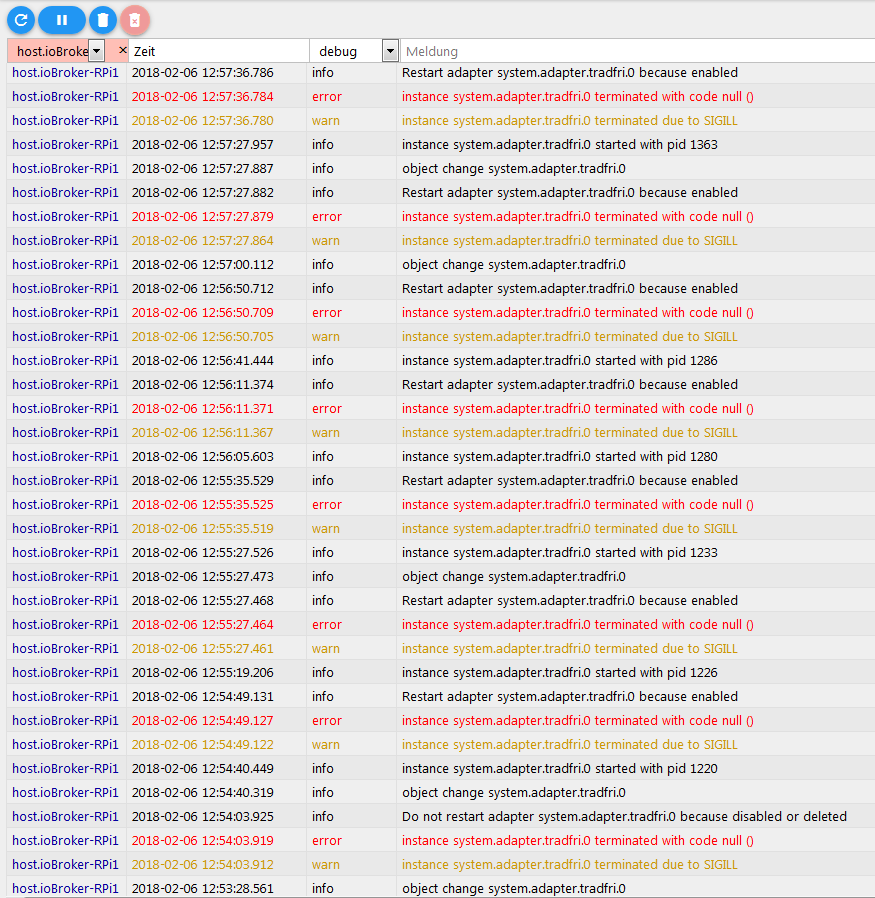
Ikea Tradfri Adapter läuft nicht.
-
Moin,
ich bin neu hier im Forum und hoffe das man mir hier helfen kann.
ich habe wie oben von lustily beschrieben die selbe Hardware und auch genau das selbe problem.
-
ioBroker.admin 3.1.12
-
nodejs 6.12.3
was ich nun schon gemacht habe:
da ich keinen von diesen Ordner gefunden habe.
/opt/iobroker/node_modules/node-aead-crypto
/opt/iobroker/node_modules/iobroker.tradfri/node_modules/node-aead-crypto
/opt/iobroker/node_modules/iobroker.tradfri/node_modules/node-coap-client/node_modules/node-dtls-client/node_modules/node-aead-crypto
bin ich wie von AlCalzone beschrieben vorgegangen.
sudo npm i -g node-gypund dann im Ordner
/opt/iobroker/node_modules/node-aead-crypto
sudo node-gyp rebuild
dies führt zu dieser meldung:
! ````
pi@raspberrypi:/opt/iobroker $ cd /opt/iobroker/node_modules/node-aead-crypto/
pi@raspberrypi:/opt/iobroker/node_modules/node-aead-crypto $ sudo node-gyp rebuild
gyp info it worked if it ends with ok
gyp info using node-gyp@3.6.2
gyp info using node@6.12.3 | linux | arm
gyp info spawn /usr/bin/python2
gyp info spawn args [ '/usr/local/lib/node_modules/node-gyp/gyp/gyp_main.py',
gyp info spawn args 'binding.gyp',
gyp info spawn args '-f',
gyp info spawn args 'make',
gyp info spawn args '-I',
gyp info spawn args '/opt/iobroker/node_modules/node-aead-crypto/build/config.gypi',
gyp info spawn args '-I',
gyp info spawn args '/usr/local/lib/node_modules/node-gyp/addon.gypi',
gyp info spawn args '-I',
gyp info spawn args '/root/.node-gyp/6.12.3/include/node/common.gypi',
gyp info spawn args '-Dlibrary=shared_library',
gyp info spawn args '-Dvisibility=default',
gyp info spawn args '-Dnode_root_dir=/root/.node-gyp/6.12.3',
gyp info spawn args '-Dnode_gyp_dir=/usr/local/lib/node_modules/node-gyp',
gyp info spawn args '-Dnode_lib_file=/root/.node-gyp/6.12.3/<(target_arch)/node.lib',
gyp info spawn args '-Dmodule_root_dir=/opt/iobroker/node_modules/node-aead-crypto',
gyp info spawn args '-Dnode_engine=v8',
gyp info spawn args '--depth=.',
gyp info spawn args '--no-parallel',
gyp info spawn args '--generator-output',
gyp info spawn args 'build',
gyp info spawn args '-Goutput_dir=.' ]
gyp: Undefined variable module_name in binding.gyp while trying to load binding.gyp
gyp ERR! configure error
gyp ERR! stack Error:gypfailed with exit code: 1
gyp ERR! stack at ChildProcess.onCpExit (/usr/local/lib/node_modules/node-gyp/lib/configure.js:336:16)
gyp ERR! stack at emitTwo (events.js:106:13)
gyp ERR! stack at ChildProcess.emit (events.js:191:7)
gyp ERR! stack at Process.ChildProcess._handle.onexit (internal/child_process.js:219:12)
gyp ERR! System Linux 4.9.59+
gyp ERR! command "/usr/local/bin/node" "/usr/local/bin/node-gyp" "rebuild"
gyp ERR! cwd /opt/iobroker/node_modules/node-aead-crypto
gyp ERR! node -v v6.12.3
gyp ERR! node-gyp -v v3.6.2
gyp ERR! not okund im Iobroker wenn ich den Adapter nun Starte: >! ```` host.raspberrypi 2018-02-20 08:07:42.220 info Restart adapter system.adapter.tradfri.0 because enabled host.raspberrypi 2018-02-20 08:07:42.219 error instance system.adapter.tradfri.0 terminated with code 1 () host.raspberrypi 2018-02-20 08:07:42.217 error Caught by controller[0]: at Function.Module._load (module.js:438:3) host.raspberrypi 2018-02-20 08:07:42.216 error Caught by controller[0]: at tryModuleLoad (module.js:446:12) host.raspberrypi 2018-02-20 08:07:42.214 error Caught by controller[0]: at Module.load (module.js:487:32) host.raspberrypi 2018-02-20 08:07:42.212 error Caught by controller[0]: at Object.Module._extensions..js (module.js:579:10) host.raspberrypi 2018-02-20 08:07:42.211 error Caught by controller[0]: at Module._compile (module.js:570:32) host.raspberrypi 2018-02-20 08:07:42.209 error Caught by controller[0]: at Object. (/opt/iobroker/node_modules/node-aead-crypto/index.js:4:15) host.raspberrypi 2018-02-20 08:07:42.202 error Caught by controller[0]: at require (internal/module.js:20:19) host.raspberrypi 2018-02-20 08:07:42.201 error Caught by controller[0]: at Module.require (module.js:497:17) host.raspberrypi 2018-02-20 08:07:42.199 error Caught by controller[0]: at Function.Module._load (module.js:417:25) host.raspberrypi 2018-02-20 08:07:42.197 error Caught by controller[0]: at Function.Module._resolveFilename (module.js:469:15) host.raspberrypi 2018-02-20 08:07:42.196 error Caught by controller[0]: Error: Cannot find module '/opt/iobroker/node_modules/node-aead-crypto/build/Release/node-v48-linux-arm/node_aead_crypto.node' host.raspberrypi 2018-02-20 08:07:42.194 error Caught by controller[0]: ^ host.raspberrypi 2018-02-20 08:07:42.182 error Caught by controller[0]: throw err; host.raspberrypi 2018-02-20 08:07:42.179 error Caught by controller[0]: module.js:471 host.raspberrypi 2018-02-20 08:07:37.619 info instance system.adapter.tradfri.0 started with pid 682 host.raspberrypi 2018-02-20 08:07:07.565 info Restart adapter system.adapter.tradfri.0 because enabled host.raspberrypi 2018-02-20 08:07:07.562 error instance system.adapter.tradfri.0 terminated with code 1 ()schon mal Danke und sollte ich hier etwas falsch kommentiert oder formatiert habe bitte ich um Verständnis.
gruß fossil
-
-
Wie? Du hast keinen von diesen Ordnern gefunden und trotzdem in einem davon node-gyp ausgeführt? Da hast du sicher einen Schritt ausgelassen in deiner Erzählung. Ich kann nachher mal nachsehen was die genauen Kommandos sind, nur das fehlende Modul zu installieren.
Gesendet von unterwegs
-
ich habe das so verstanden das man mit
sudo npm i -g node-gypnode gyp installiert.
nach der installation habe ich den ordner gefunden..
cd /opt/iobroker/node_modules/node-aead-cryptohabe das hier jetzt noch ausgeführt, hoffe das dies zur Fehleranalyse beiträgt.
! ````
pi@raspberrypi:~ $ cd /opt/iobroker/node_modules/iobroker.tradfri
pi@raspberrypi:/opt/iobroker/node_modules/iobroker.tradfri $ DEBUG=node--client node main.js --force --logs
module.js:471
throw err;
^
! Error: Cannot find module '/opt/iobroker/node_modules/node-aead-crypto/build/Release/node-v48-linux-arm/node_aead_crypto.node'
at Function.Module._resolveFilename (module.js:469:15)
at Function.Module._load (module.js:417:25)
at Module.require (module.js:497:17)
at require (internal/module.js:20:19)
at Object. <anonymous>(/opt/iobroker/node_modules/node-aead-crypto/index.js:4:15)
at Module._compile (module.js:570:32)
at Object.Module._extensions..js (module.js:579:10)
at Module.load (module.js:487:32)
at tryModuleLoad (module.js:446:12)
at Function.Module._load (module.js:438:3)
pi@raspberrypi:/opt/iobroker/node_modules/iobroker.tradfri $ sudo DEBUG=node--client node main.js --force --logs
module.js:471
throw err;
^
! Error: Cannot find module '/opt/iobroker/node_modules/node-aead-crypto/build/Release/node-v48-linux-arm/node_aead_crypto.node'
at Function.Module._resolveFilename (module.js:469:15)
at Function.Module._load (module.js:417:25)
at Module.require (module.js:497:17)
at require (internal/module.js:20:19)
at Object. <anonymous>(/opt/iobroker/node_modules/node-aead-crypto/index.js:4:15)
at Module._compile (module.js:570:32)
at Object.Module._extensions..js (module.js:579:10)
at Module.load (module.js:487:32)
at tryModuleLoad (module.js:446:12)
at Function.Module._load (module.js:438:3)
pi@raspberrypi:/opt/iobroker/node_modules/iobroker.tradfri $</anonymous></anonymous>eventuell habe ich ja auch mehr als nur einen gedanken fehler. -
ich habe das so verstanden das man mit
sudo npm i -g node-gypnode gyp installiert.
nach der installation habe ich den ordner gefunden..
cd /opt/iobroker/node_modules/node-aead-crypto
```` `
Dann war der aber vorher auch schon da. Probier mal in dem Ordner folgenden Befehl (beachte das "-pre")
sudo node-pre-gyp rebuild -
wenn ich in den Ordner gehe und den Befehl ausführe sieht das so aus:
pi@raspberrypi:~ $ cd /opt/iobroker/node_modules/node-aead-crypto pi@raspberrypi:/opt/iobroker/node_modules/node-aead-crypto $ sudo node-pre-gyp rebuild sudo: node-pre-gyp: Befehl nicht gefunden pi@raspberrypi:/opt/iobroker/node_modules/node-aead-crypto $ -
> sudo: node-pre-gyp: Befehl nicht gefunden
Uhh, dann scheint er die Abhängigkeiten gar nicht erst zu installieren. Führe malsudo npm installaus und probiers danach nochmal. Wenns dann immer noch nicht geht:
sudo npm install nan@2.7.x node-pre-gyp node-pre-gyp-githubund danach
sudo node-pre-gyp rebuildIch versuche das Problem bei der Installation des Pakets abzufangen. Könntest du mir bitte noch den Output von
cat /proc/cpuinfoposten?
Und am besten noch
uname -m -
hier einmal die gewünschten daten:
! ````
pi@raspberrypi:~ $ cat /proc/cpuinfo
processor : 0
model name : ARMv6-compatible processor rev 7 (v6l)
BogoMIPS : 697.95
Features : half thumb fastmult vfp edsp java tls
CPU implementer : 0x41
CPU architecture: 7
CPU variant : 0x0
CPU part : 0xb76
CPU revision : 7
! Hardware : BCM2835
Revision : 000e
Serial : 0000000043b1132b
! pi@raspberrypi:~ $ uname -m
armv6l
pi@raspberrypi:~ $das kam mit dem befehl:pi@raspberrypi:~ $ sudo npm install
npm WARN enoent ENOENT: no such file or directory, open '/home/pi/package.json'
npm WARN pi No description
npm WARN pi No repository field.
npm WARN pi No README data
npm WARN pi No license field.danach:sudo npm install nan@2.7.x node-pre-gyp node-pre-gyp-github
>! ````
pi@raspberrypi:~ $ sudo npm install nan@2.7.x node-pre-gyp node-pre-gyp-github
npm WARN deprecated github@0.2.4: 'github' has been renamed to '@octokit/rest' (https://git.io/vNB11)
/home/pi
├── nan@2.7.0
├─┬ node-pre-gyp@0.6.39
│ ├── detect-libc@1.0.3
│ ├─┬ hawk@3.1.3
│ │ ├── boom@2.10.1
│ │ ├── cryptiles@2.0.5
│ │ ├── hoek@2.16.3
│ │ └── sntp@1.0.9
│ ├─┬ mkdirp@0.5.1
│ │ └── minimist@0.0.8
│ ├─┬ nopt@4.0.1
│ │ ├── abbrev@1.1.1
│ │ └─┬ osenv@0.1.5
│ │   ├── os-homedir@1.0.2
│ │   └── os-tmpdir@1.0.2
│ ├─┬ npmlog@4.1.2
│ │ ├─┬ are-we-there-yet@1.1.4
│ │ │ └── delegates@1.0.0
│ │ ├── console-control-strings@1.1.0
│ │ ├─┬ gauge@2.7.4
│ │ │ ├── aproba@1.2.0
│ │ │ ├── has-unicode@2.0.1
│ │ │ ├── object-assign@4.1.1
│ │ │ ├── signal-exit@3.0.2
│ │ │ ├─┬ string-width@1.0.2
│ │ │ │ ├── code-point-at@1.1.0
│ │ │ │ └─┬ is-fullwidth-code-point@1.0.0
│ │ │ │   └── number-is-nan@1.0.1
│ │ │ ├─┬ strip-ansi@3.0.1
│ │ │ │ └── ansi-regex@2.1.1
│ │ │ └── wide-align@1.1.2
│ │ └── set-blocking@2.0.0
│ ├─┬ rc@1.2.5
│ │ ├── deep-extend@0.4.2
│ │ ├── ini@1.3.5
│ │ ├── minimist@1.2.0
│ │ └── strip-json-comments@2.0.1
│ ├─┬ request@2.81.0
│ │ ├── aws-sign2@0.6.0
│ │ ├── aws4@1.6.0
│ │ ├── caseless@0.12.0
│ │ ├─┬ combined-stream@1.0.6
│ │ │ └── delayed-stream@1.0.0
│ │ ├── extend@3.0.1
│ │ ├── forever-agent@0.6.1
│ │ ├─┬ form-data@2.1.4
│ │ │ └── asynckit@0.4.0
│ │ ├─┬ har-validator@4.2.1
│ │ │ ├─┬ ajv@4.11.8
│ │ │ │ ├── co@4.6.0
│ │ │ │ └─┬ json-stable-stringify@1.0.1
│ │ │ │   └── jsonify@0.0.0
│ │ │ └── har-schema@1.0.5
│ │ ├─┬ http-signature@1.1.1
│ │ │ ├── assert-plus@0.2.0
│ │ │ ├─┬ jsprim@1.4.1
│ │ │ │ ├── assert-plus@1.0.0
│ │ │ │ ├── extsprintf@1.3.0
│ │ │ │ ├── json-schema@0.2.3
│ │ │ │ └─┬ verror@1.10.0
│ │ │ │   └── assert-plus@1.0.0
│ │ │ └─┬ sshpk@1.13.1
│ │ │   ├── asn1@0.2.3
│ │ │   ├── assert-plus@1.0.0
│ │ │   ├── bcrypt-pbkdf@1.0.1
│ │ │   ├─┬ dashdash@1.14.1
│ │ │   │ └── assert-plus@1.0.0
│ │ │   ├── ecc-jsbn@0.1.1
│ │ │   ├─┬ getpass@0.1.7
│ │ │   │ └── assert-plus@1.0.0
│ │ │   ├── jsbn@0.1.1
│ │ │   └── tweetnacl@0.14.5
│ │ ├── is-typedarray@1.0.0
│ │ ├── isstream@0.1.2
│ │ ├── json-stringify-safe@5.0.1
│ │ ├─┬ mime-types@2.1.18
│ │ │ └── mime-db@1.33.0
│ │ ├── oauth-sign@0.8.2
│ │ ├── performance-now@0.2.0
│ │ ├── qs@6.4.0
│ │ ├── safe-buffer@5.1.1
│ │ ├── stringstream@0.0.5
│ │ ├─┬ tough-cookie@2.3.3
│ │ │ └── punycode@1.4.1
│ │ ├── tunnel-agent@0.6.0
│ │ └── uuid@3.2.1
│ ├─┬ rimraf@2.6.2
│ │ └─┬ glob@7.1.2
│ │   ├── fs.realpath@1.0.0
│ │   ├── inflight@1.0.6
│ │   ├─┬ minimatch@3.0.4
│ │   │ └─┬ brace-expansion@1.1.11
│ │   │   ├── balanced-match@1.0.0
│ │   │   └── concat-map@0.0.1
│ │   └── path-is-absolute@1.0.1
│ ├── semver@5.5.0
│ ├─┬ tar@2.2.1
│ │ ├── block-stream@0.0.9
│ │ ├─┬ fstream@1.0.11
│ │ │ └── graceful-fs@4.1.11
│ │ └── inherits@2.0.3
│ └─┬ tar-pack@3.4.1
│   ├─┬ debug@2.6.9
│   │ └── ms@2.0.0
│   ├── fstream-ignore@1.0.5
│   ├─┬ once@1.4.0
│   │ └── wrappy@1.0.2
│   ├─┬ readable-stream@2.3.4
│   │ ├── core-util-is@1.0.2
│   │ ├── isarray@1.0.0
│   │ ├── process-nextick-args@2.0.0
│   │ ├── string_decoder@1.0.3
│   │ └── util-deprecate@1.0.2
│   └── uid-number@0.0.6
└─┬ node-pre-gyp-github@1.3.1
  ├── commander@2.14.1
  └─┬ github@0.2.4
    └── mime@1.6.0
>! npm WARN enoent ENOENT: no such file or directory, open '/home/pi/package.json'
npm WARN pi No description
npm WARN pi No repository field.
npm WARN pi No README data
npm WARN pi No license field.
pi@raspberrypi:~ $
>! ````
pi@raspberrypi:~ $ sudo node-pre-gyp rebuild
sudo: node-pre-gyp: Befehl nicht gefundenoder hätte ich das ganze in dem Ordner/opt/iobroker/node_modules/node-aead-crypto
ausführen sollen -
oder hätte ich das ganze in dem Ordner
/opt/iobroker/node_modules/node-aead-cryptoausführen sollen `
Ja - hab schon überlegt ob ich das nochmal dazu schreibe ;)Edit: das letzte Kommando muss wohl
sudo node_modules/.bin/node-pre-gyp rebuildheißen
<size size="200">EDIT 2:</size>
Du kannst auch direkt mal folgendes probieren:
Im Ordner /opt/iobroker:
sudo npm install https://github.com/AlCalzone/node-aead-crypto/tarball/fix-3 --production -
habe es gerade mit
sudo npm install https://github.com/AlCalzone/node-aead-crypto/tarball/fix-3 --productionausprobiert da kommt dann das:
! ````
node-aead-crypto@1.0.4 install /home/pi/node_modules/node-aead-crypto
node lib/install.js
! running rpi1 installation script
gyp ERR! build error
gyp ERR! stack Error: You must runnode-gyp configurefirst!
gyp ERR! stack at ReadFileContext. <anonymous>(/usr/local/lib/node_modules/npm/node_modules/node-gyp/lib/build.js:51:20)
gyp ERR! stack at ReadFileContext.callback (/usr/local/lib/node_modules/npm/node_modules/graceful-fs/graceful-fs.js:78:16)
gyp ERR! stack at FSReqWrap.readFileAfterOpen [as oncomplete] (fs.js:367:13)
gyp ERR! System Linux 4.9.59+
gyp ERR! command "/usr/local/bin/node" "/usr/local/lib/node_modules/npm/node_modules/node-gyp/bin/node-gyp.js" "build" "--module=/home/pi/node_modules/node-aead-crypto/build/Release/node-v48-linux-arm/node_aead_crypto.node" "--module_name=node_aead_crypto" "--module_path=/home/pi/node_modules/node-aead-crypto/build/Release/node-v48-linux-arm"
gyp ERR! cwd /home/pi/node_modules/node-aead-crypto
gyp ERR! node -v v6.12.3
gyp ERR! node-gyp -v v3.4.0
gyp ERR! not ok
node-pre-gyp ERR! build error
node-pre-gyp ERR! stack Error: Failed to execute '/usr/local/bin/node /usr/local/lib/node_modules/npm/node_modules/node-gyp/bin/node-gyp.js build --module=/home/pi/node_modules/node-aead-crypto/build/Release/node-v48-linux-arm/node_aead_crypto.node --module_name=node_aead_crypto --module_path=/home/pi/node_modules/node-aead-crypto/build/Release/node-v48-linux-arm' (1)
node-pre-gyp ERR! stack at ChildProcess. <anonymous>(/home/pi/node_modules/node-pre-gyp/lib/util/compile.js:83:29)
node-pre-gyp ERR! stack at emitTwo (events.js:106:13)
node-pre-gyp ERR! stack at ChildProcess.emit (events.js:191:7)
node-pre-gyp ERR! stack at maybeClose (internal/child_process.js:920:16)
node-pre-gyp ERR! stack at Process.ChildProcess._handle.onexit (internal/child_process.js:230:5)
node-pre-gyp ERR! System Linux 4.9.59+
node-pre-gyp ERR! command "/usr/local/bin/node" "/home/pi/node_modules/.bin/node-pre-gyp" "build"
node-pre-gyp ERR! cwd /home/pi/node_modules/node-aead-crypto
node-pre-gyp ERR! node -v v6.12.3
node-pre-gyp ERR! node-pre-gyp -v v0.6.39
node-pre-gyp ERR! not ok
! npm ERR! Linux 4.9.59+
npm ERR! argv "/usr/local/bin/node" "/usr/local/bin/npm" "run" "install:rpi1"
npm ERR! node v6.12.3
npm ERR! npm v3.10.10
npm ERR! code ELIFECYCLE
npm ERR! node-aead-crypto@1.0.4 install:rpi1:node-pre-gyp configure & node-pre-gyp build
npm ERR! Exit status 1
npm ERR!
npm ERR! Failed at the node-aead-crypto@1.0.4 install:rpi1 script 'node-pre-gyp configure & node-pre-gyp build'.
npm ERR! Make sure you have the latest version of node.js and npm installed.
npm ERR! If you do, this is most likely a problem with the node-aead-crypto package,
npm ERR! not with npm itself.
npm ERR! Tell the author that this fails on your system:
npm ERR! node-pre-gyp configure & node-pre-gyp build
npm ERR! You can get information on how to open an issue for this project with:
npm ERR! npm bugs node-aead-crypto
npm ERR! Or if that isn't available, you can get their info via:
npm ERR! npm owner ls node-aead-crypto
npm ERR! There is likely additional logging output above.
npm WARN Local package.json exists, but node_modules missing, did you mean to install?
! npm ERR! Please include the following file with any support request:
npm ERR! /home/pi/node_modules/node-aead-crypto/npm-debug.log
gyp WARN EACCES user "root" does not have permission to access the dev dir "/root/.node-gyp/6.12.3"
gyp WARN EACCES attempting to reinstall using temporary dev dir "/home/pi/node_modules/node-aead-crypto/.node-gyp"
child_process.js:516
throw err;
^
! Error: Command failed: npm run install:rpi1
gyp ERR! build error
gyp ERR! stack Error: You must runnode-gyp configurefirst!
gyp ERR! stack at ReadFileContext. <anonymous>(/usr/local/lib/node_modules/npm/node_modules/node-gyp/lib/build.js:51:20)
gyp ERR! stack at ReadFileContext.callback (/usr/local/lib/node_modules/npm/node_modules/graceful-fs/graceful-fs.js:78:16)
gyp ERR! stack at FSReqWrap.readFileAfterOpen [as oncomplete] (fs.js:367:13)
gyp ERR! System Linux 4.9.59+
gyp ERR! command "/usr/local/bin/node" "/usr/local/lib/node_modules/npm/node_modules/node-gyp/bin/node-gyp.js" "build" "--module=/home/pi/node_modules/node-aead-crypto/build/Release/node-v48-linux-arm/node_aead_crypto.node" "--module_name=node_aead_crypto" "--module_path=/home/pi/node_modules/node-aead-crypto/build/Release/node-v48-linux-arm"
gyp ERR! cwd /home/pi/node_modules/node-aead-crypto
gyp ERR! node -v v6.12.3
gyp ERR! node-gyp -v v3.4.0
gyp ERR! not ok
node-pre-gyp ERR! build error
node-pre-gyp ERR! stack Error: Failed to execute '/usr/local/bin/node /usr/local/lib/node_modules/npm/node_modules/node-gyp/bin/node-gyp.js build --module=/home/pi/node_modules/node-aead-crypto/build/Release/node-v48-linux-arm/node_aead_crypto.node --module_name=node_aead_crypto --module_path=/home/pi/node_modules/node-aead-crypto/build/Release/node-v48-linux-arm' (1)
node-pre-gyp ERR! stack at ChildProcess. <anonymous>(/home/pi/node_modules/node-pre-gyp/lib/util/compile.js:83:29)
node-pre-gyp ERR! stack at emitTwo (events.js:106:13)
node-pre-gyp ERR! stack at ChildProcess.emit (events.js:191:7)
node-pre-gyp ERR! stack at maybeClose (internal/child_process.js:920:16)
node-pre-gyp ERR! stack at Process.ChildProcess._handle.onexit (internal/child_process.js:230:5)
node-pre-gyp ERR! System Linux 4.9.59+
node-pre-gyp ERR! command "/usr/local/bin/node" "/home/pi/node_modules/.bin/node-pre-gyp" "build"
node-pre-gyp ERR! cwd /home/pi/node_modules/node-aead-crypto
node-pre-gyp ERR! node -v v6.12.3
node-pre-gyp ERR! node-pre-gyp -v v0.6.39
node-pre-gyp ERR! not ok
! npm ERR! Linux 4.9.59+
npm ERR! argv "/usr/local/bin/node" "/usr/local/bin/npm" "run" "install:rpi1"
npm ERR! node v6.12.3
npm ERR! npm v3.10.10
npm ERR! code ELIFECYCLE
npm ERR! node-aead-crypto@1.0.4 install:rpi1:node-pre-gyp configure & node-pre-gyp build
npm ERR! Exit status 1
npm ERR!
npm ERR! Failed at the node-aead-crypto@1.0.4 install:rpi1 script 'node-pre-gyp configure & node-pre-gyp build'.
npm ERR! Make sure you have the latest version of node.js and npm installed.
npm ERR! If you do, this is most likely a problem with the node-aead-crypto package,
npm ERR! not with npm itself.
npm ERR! Tell the author that this fails on your system:
npm ERR! node-pre-gyp configure & node-pre-gyp build
npm ERR! You can get information on how to open an issue for this project with:
npm ERR! npm bugs node-aead-crypto
npm ERR! Or if that isn't available, you can get their info via:
npm ERR! npm owner ls node-aead-crypto
npm ERR! There is likely additional logging output above.
npm WARN Local package.json exists, but node_modules missing, did you mean to install?
! npm ERR! Please include the following file with any support request:
npm ERR! /home/pi/node_modules/node-aead-crypto/npm-debug.log
gyp WARN EACCES user "root" does not have permission to access the dev dir "/root/.node-gyp/6.12.3"
gyp WARN EACCES attempting to reinstall using temporary dev dir "/home/pi/node_modules/node-aead-crypto/.node-gyp"
! at checkExecSyncError (child_process.js:473:13)
at execSync (child_process.js:513:13)
at Object. <anonymous>(/home/pi/node_modules/node-aead-crypto/lib/install.js:22:1)
at Module._compile (module.js:570:32)
at Object.Module._extensions..js (module.js:579:10)
at Module.load (module.js:487:32)
at tryModuleLoad (module.js:446:12)
at Function.Module._load (module.js:438:3)
at Module.runMain (module.js:604:10)
at run (bootstrap_node.js:383:7)
npm WARN enoent ENOENT: no such file or directory, open '/home/pi/package.json'
npm WARN pi No description
npm WARN pi No repository field.
npm WARN pi No README data
npm WARN pi No license field.
npm ERR! Linux 4.9.59+
npm ERR! argv "/usr/local/bin/node" "/usr/local/bin/npm" "install" "https://github.com/AlCalzone/node-aead-crypto/tarball/fix-3" "--production"
npm ERR! node v6.12.3
npm ERR! npm v3.10.10
npm ERR! code ELIFECYCLE
! npm ERR! node-aead-crypto@1.0.4 install:node lib/install.js
npm ERR! Exit status 1
npm ERR!
npm ERR! Failed at the node-aead-crypto@1.0.4 install script 'node lib/install.js'.
npm ERR! Make sure you have the latest version of node.js and npm installed.
npm ERR! If you do, this is most likely a problem with the node-aead-crypto package,
npm ERR! not with npm itself.
npm ERR! Tell the author that this fails on your system:
npm ERR! node lib/install.js
npm ERR! You can get information on how to open an issue for this project with:
npm ERR! npm bugs node-aead-crypto
npm ERR! Or if that isn't available, you can get their info via:
npm ERR! npm owner ls node-aead-crypto
npm ERR! There is likely additional logging output above.
! npm ERR! Please include the following file with any support request:
npm ERR! /home/pi/npm-debug.log
pi@raspberrypi:~ $</anonymous></anonymous></anonymous></anonymous></anonymous> -
hier das ergebniss nach dem ich es nun das zweite mal ausgeführt habe:
! ````
pi@raspberrypi:~ $ sudo npm install https://github.com/AlCalzone/node-aead-crypto/tarball/fix-3 --production
! > node-aead-crypto@1.0.4 install /home/pi/node_modules/node-aead-crypto
node lib/install.js
! running rpi1 installation script
gyp ERR! build error
gyp ERR! stack Error: You must runnode-gyp configurefirst!
gyp ERR! stack at ReadFileContext. <anonymous>(/usr/local/lib/node_modules/npm/node_modules/node-gyp/lib/build.js:51:20)
gyp ERR! stack at ReadFileContext.callback (/usr/local/lib/node_modules/npm/node_modules/graceful-fs/graceful-fs.js:78:16)
gyp ERR! stack at FSReqWrap.readFileAfterOpen [as oncomplete] (fs.js:367:13)
gyp ERR! System Linux 4.9.59+
gyp ERR! command "/usr/local/bin/node" "/usr/local/lib/node_modules/npm/node_modules/node-gyp/bin/node-gyp.js" "build" "--module=/home/pi/node_modules/node-aead-crypto/build/Release/node-v48-linux-arm/node_aead_crypto.node" "--module_name=node_aead_crypto" "--module_path=/home/pi/node_modules/node-aead-crypto/build/Release/node-v48-linux-arm"
gyp ERR! cwd /home/pi/node_modules/node-aead-crypto
gyp ERR! node -v v6.12.3
gyp ERR! node-gyp -v v3.4.0
gyp ERR! not ok
node-pre-gyp ERR! build error
node-pre-gyp ERR! stack Error: Failed to execute '/usr/local/bin/node /usr/local/lib/node_modules/npm/node_modules/node-gyp/bin/node-gyp.js build --module=/home/pi/node_modules/node-aead-crypto/build/Release/node-v48-linux-arm/node_aead_crypto.node --module_name=node_aead_crypto --module_path=/home/pi/node_modules/node-aead-crypto/build/Release/node-v48-linux-arm' (1)
node-pre-gyp ERR! stack at ChildProcess. <anonymous>(/home/pi/node_modules/node-pre-gyp/lib/util/compile.js:83:29)
node-pre-gyp ERR! stack at emitTwo (events.js:106:13)
node-pre-gyp ERR! stack at ChildProcess.emit (events.js:191:7)
node-pre-gyp ERR! stack at maybeClose (internal/child_process.js:920:16)
node-pre-gyp ERR! stack at Process.ChildProcess._handle.onexit (internal/child_process.js:230:5)
node-pre-gyp ERR! System Linux 4.9.59+
node-pre-gyp ERR! command "/usr/local/bin/node" "/home/pi/node_modules/.bin/node-pre-gyp" "build"
node-pre-gyp ERR! cwd /home/pi/node_modules/node-aead-crypto
node-pre-gyp ERR! node -v v6.12.3
node-pre-gyp ERR! node-pre-gyp -v v0.6.39
node-pre-gyp ERR! not ok
! npm ERR! Linux 4.9.59+
npm ERR! argv "/usr/local/bin/node" "/usr/local/bin/npm" "run" "install:rpi1"
npm ERR! node v6.12.3
npm ERR! npm v3.10.10
npm ERR! code ELIFECYCLE
npm ERR! node-aead-crypto@1.0.4 install:rpi1:node-gyp configure & node-pre-gyp build
npm ERR! Exit status 1
npm ERR!
npm ERR! Failed at the node-aead-crypto@1.0.4 install:rpi1 script 'node-gyp configure & node-pre-gyp build'.
npm ERR! Make sure you have the latest version of node.js and npm installed.
npm ERR! If you do, this is most likely a problem with the node-aead-crypto package,
npm ERR! not with npm itself.
npm ERR! Tell the author that this fails on your system:
npm ERR! node-gyp configure & node-pre-gyp build
npm ERR! You can get information on how to open an issue for this project with:
npm ERR! npm bugs node-aead-crypto
npm ERR! Or if that isn't available, you can get their info via:
npm ERR! npm owner ls node-aead-crypto
npm ERR! There is likely additional logging output above.
npm WARN Local package.json exists, but node_modules missing, did you mean to install?
! npm ERR! Please include the following file with any support request:
npm ERR! /home/pi/node_modules/node-aead-crypto/npm-debug.log
gyp WARN EACCES user "root" does not have permission to access the dev dir "/root/.node-gyp/6.12.3"
gyp WARN EACCES attempting to reinstall using temporary dev dir "/home/pi/node_modules/node-aead-crypto/.node-gyp"
gyp: Undefined variable module_name in binding.gyp while trying to load binding.gyp
gyp ERR! configure error
gyp ERR! stack Error:gypfailed with exit code: 1
gyp ERR! stack at ChildProcess.onCpExit (/usr/local/lib/node_modules/npm/node_modules/node-gyp/lib/configure.js:305:16)
gyp ERR! stack at emitTwo (events.js:106:13)
gyp ERR! stack at ChildProcess.emit (events.js:191:7)
gyp ERR! stack at Process.ChildProcess._handle.onexit (internal/child_process.js:219:12)
gyp ERR! System Linux 4.9.59+
gyp ERR! command "/usr/local/bin/node" "/usr/local/lib/node_modules/npm/node_modules/node-gyp/bin/node-gyp.js" "configure"
gyp ERR! cwd /home/pi/node_modules/node-aead-crypto
gyp ERR! node -v v6.12.3
gyp ERR! node-gyp -v v3.4.0
gyp ERR! not ok
child_process.js:516
throw err;
^
! Error: Command failed: npm run install:rpi1
gyp ERR! build error
gyp ERR! stack Error: You must runnode-gyp configurefirst!
gyp ERR! stack at ReadFileContext. <anonymous>(/usr/local/lib/node_modules/npm/node_modules/node-gyp/lib/build.js:51:20)
gyp ERR! stack at ReadFileContext.callback (/usr/local/lib/node_modules/npm/node_modules/graceful-fs/graceful-fs.js:78:16)
gyp ERR! stack at FSReqWrap.readFileAfterOpen [as oncomplete] (fs.js:367:13)
gyp ERR! System Linux 4.9.59+
gyp ERR! command "/usr/local/bin/node" "/usr/local/lib/node_modules/npm/node_modules/node-gyp/bin/node-gyp.js" "build" "--module=/home/pi/node_modules/node-aead-crypto/build/Release/node-v48-linux-arm/node_aead_crypto.node" "--module_name=node_aead_crypto" "--module_path=/home/pi/node_modules/node-aead-crypto/build/Release/node-v48-linux-arm"
gyp ERR! cwd /home/pi/node_modules/node-aead-crypto
gyp ERR! node -v v6.12.3
gyp ERR! node-gyp -v v3.4.0
gyp ERR! not ok
node-pre-gyp ERR! build error
node-pre-gyp ERR! stack Error: Failed to execute '/usr/local/bin/node /usr/local/lib/node_modules/npm/node_modules/node-gyp/bin/node-gyp.js build --module=/home/pi/node_modules/node-aead-crypto/build/Release/node-v48-linux-arm/node_aead_crypto.node --module_name=node_aead_crypto --module_path=/home/pi/node_modules/node-aead-crypto/build/Release/node-v48-linux-arm' (1)
node-pre-gyp ERR! stack at ChildProcess. <anonymous>(/home/pi/node_modules/node-pre-gyp/lib/util/compile.js:83:29)
node-pre-gyp ERR! stack at emitTwo (events.js:106:13)
node-pre-gyp ERR! stack at ChildProcess.emit (events.js:191:7)
node-pre-gyp ERR! stack at maybeClose (internal/child_process.js:920:16)
node-pre-gyp ERR! stack at Process.ChildProcess._handle.onexit (internal/child_process.js:230:5)
node-pre-gyp ERR! System Linux 4.9.59+
node-pre-gyp ERR! command "/usr/local/bin/node" "/home/pi/node_modules/.bin/node-pre-gyp" "build"
node-pre-gyp ERR! cwd /home/pi/node_modules/node-aead-crypto
node-pre-gyp ERR! node -v v6.12.3
node-pre-gyp ERR! node-pre-gyp -v v0.6.39
node-pre-gyp ERR! not ok
! npm ERR! Linux 4.9.59+
npm ERR! argv "/usr/local/bin/node" "/usr/local/bin/npm" "run" "install:rpi1"
npm ERR! node v6.12.3
npm ERR! npm v3.10.10
npm ERR! code ELIFECYCLE
npm ERR! node-aead-crypto@1.0.4 install:rpi1:node-gyp configure & node-pre-gyp build
npm ERR! Exit status 1
npm ERR!
npm ERR! Failed at the node-aead-crypto@1.0.4 install:rpi1 script 'node-gyp configure & node-pre-gyp build'.
npm ERR! Make sure you have the latest version of node.js and npm installed.
npm ERR! If you do, this is most likely a problem with the node-aead-crypto package,
npm ERR! not with npm itself.
npm ERR! Tell the author that this fails on your system:
npm ERR! node-gyp configure & node-pre-gyp build
npm ERR! You can get information on how to open an issue for this project with:
npm ERR! npm bugs node-aead-crypto
npm ERR! Or if that isn't available, you can get their info via:
npm ERR! npm owner ls node-aead-crypto
npm ERR! There is likely additional logging output above.
npm WARN Local package.json exists, but node_modules missing, did you mean to install?
! npm ERR! Please include the following file with any support request:
npm ERR! /home/pi/node_modules/node-aead-crypto/npm-debug.log
gyp WARN EACCES user "root" does not have permission to access the dev dir "/root/.node-gyp/6.12.3"
gyp WARN EACCES attempting to reinstall using temporary dev dir "/home/pi/node_modules/node-aead-crypto/.node-gyp"
gyp: Undefined variable module_name in binding.gyp while trying to load binding.gyp
gyp ERR! configure error
gyp ERR! stack Error:gypfailed with exit code: 1
gyp ERR! stack at ChildProcess.onCpExit (/usr/local/lib/node_modules/npm/node_modules/node-gyp/lib/configure.js:305:16)
gyp ERR! stack at emitTwo (events.js:106:13)
gyp ERR! stack at ChildProcess.emit (events.js:191:7)
gyp ERR! stack at Process.ChildProcess._handle.onexit (internal/child_process.js:219:12)
gyp ERR! System Linux 4.9.59+
gyp ERR! command "/usr/local/bin/node" "/usr/local/lib/node_modules/npm/node_modules/node-gyp/bin/node-gyp.js" "configure"
gyp ERR! cwd /home/pi/node_modules/node-aead-crypto
gyp ERR! node -v v6.12.3
gyp ERR! node-gyp -v v3.4.0
gyp ERR! not ok
! at checkExecSyncError (child_process.js:473:13)
at execSync (child_process.js:513:13)
at Object. <anonymous>(/home/pi/node_modules/node-aead-crypto/lib/install.js:22:1)
at Module._compile (module.js:570:32)
at Object.Module._extensions..js (module.js:579:10)
at Module.load (module.js:487:32)
at tryModuleLoad (module.js:446:12)
at Function.Module._load (module.js:438:3)
at Module.runMain (module.js:604:10)
at run (bootstrap_node.js:383:7)
npm WARN enoent ENOENT: no such file or directory, open '/home/pi/package.json'
npm WARN pi No description
npm WARN pi No repository field.
npm WARN pi No README data
npm WARN pi No license field.
npm ERR! Linux 4.9.59+
npm ERR! argv "/usr/local/bin/node" "/usr/local/bin/npm" "install" "https://github.com/AlCalzone/node-aead-crypto/tarball/fix-3" "--production"
npm ERR! node v6.12.3
npm ERR! npm v3.10.10
npm ERR! code ELIFECYCLE
! npm ERR! node-aead-crypto@1.0.4 install:node lib/install.js
npm ERR! Exit status 1
npm ERR!
npm ERR! Failed at the node-aead-crypto@1.0.4 install script 'node lib/install.js'.
npm ERR! Make sure you have the latest version of node.js and npm installed.
npm ERR! If you do, this is most likely a problem with the node-aead-crypto package,
npm ERR! not with npm itself.
npm ERR! Tell the author that this fails on your system:
npm ERR! node lib/install.js
npm ERR! You can get information on how to open an issue for this project with:
npm ERR! npm bugs node-aead-crypto
npm ERR! Or if that isn't available, you can get their info via:
npm ERR! npm owner ls node-aead-crypto
npm ERR! There is likely additional logging output above.
! npm ERR! Please include the following file with any support request:
npm ERR! /home/pi/npm-debug.log
pi@raspberrypi:~ $</anonymous></anonymous></anonymous></anonymous></anonymous> -
hier der nächste versuch :D
! ````
pi@raspberrypi:~ $ sudo npm install https://github.com/AlCalzone/node-aead-crypto/tarball/fix-3 --production
! > node-aead-crypto@1.0.4 install /home/pi/node_modules/node-aead-crypto
node lib/install.js
! running rpi1 installation script
gyp WARN EACCES user "root" does not have permission to access the dev dir "/root/.node-gyp/6.12.3"
gyp WARN EACCES attempting to reinstall using temporary dev dir "/home/pi/node_modules/node-aead-crypto/.node-gyp"
make: *** Keine Regel vorhanden, um das Ziel „../.node-gyp/6.12.3/include/node/common.gypi“,
benötigt von „Makefile“, zu erstellen. Schluss.
gyp ERR! build error
gyp ERR! stack Error:makefailed with exit code: 2
gyp ERR! stack at ChildProcess.onExit (/usr/local/lib/node_modules/npm/node_modules/node-gyp/lib/build.js:276:23)
gyp ERR! stack at emitTwo (events.js:106:13)
gyp ERR! stack at ChildProcess.emit (events.js:191:7)
gyp ERR! stack at Process.ChildProcess._handle.onexit (internal/child_process.js:219:12)
gyp ERR! System Linux 4.9.59+
gyp ERR! command "/usr/local/bin/node" "/usr/local/lib/node_modules/npm/node_modules/node-gyp/bin/node-gyp.js" "build" "--build-from-source" "--module=/home/pi/node_modules/node-aead-crypto/build/Release/node-v48-linux-arm/node_aead_crypto.node" "--module_name=node_aead_crypto" "--module_path=/home/pi/node_modules/node-aead-crypto/build/Release/node-v48-linux-arm"
gyp ERR! cwd /home/pi/node_modules/node-aead-crypto
gyp ERR! node -v v6.12.3
gyp ERR! node-gyp -v v3.4.0
gyp ERR! not ok
node-pre-gyp ERR! build error
node-pre-gyp ERR! stack Error: Failed to execute '/usr/local/bin/node /usr/local/lib/node_modules/npm/node_modules/node-gyp/bin/node-gyp.js build --build-from-source --module=/home/pi/node_modules/node-aead-crypto/build/Release/node-v48-linux-arm/node_aead_crypto.node --module_name=node_aead_crypto --module_path=/home/pi/node_modules/node-aead-crypto/build/Release/node-v48-linux-arm' (1)
node-pre-gyp ERR! stack at ChildProcess. <anonymous>(/home/pi/node_modules/node-pre-gyp/lib/util/compile.js:83:29)
node-pre-gyp ERR! stack at emitTwo (events.js:106:13)
node-pre-gyp ERR! stack at ChildProcess.emit (events.js:191:7)
node-pre-gyp ERR! stack at maybeClose (internal/child_process.js:920:16)
node-pre-gyp ERR! stack at Process.ChildProcess._handle.onexit (internal/child_process.js:230:5)
node-pre-gyp ERR! System Linux 4.9.59+
node-pre-gyp ERR! command "/usr/local/bin/node" "/home/pi/node_modules/.bin/node-pre-gyp" "install" "--build-from-source"
node-pre-gyp ERR! cwd /home/pi/node_modules/node-aead-crypto
node-pre-gyp ERR! node -v v6.12.3
node-pre-gyp ERR! node-pre-gyp -v v0.6.39
node-pre-gyp ERR! not ok
! npm ERR! Linux 4.9.59+
npm ERR! argv "/usr/local/bin/node" "/usr/local/bin/npm" "run" "install:rpi1"
npm ERR! node v6.12.3
npm ERR! npm v3.10.10
npm ERR! code ELIFECYCLE
npm ERR! node-aead-crypto@1.0.4 install:rpi1:node-pre-gyp install --build-from-source
npm ERR! Exit status 1
npm ERR!
npm ERR! Failed at the node-aead-crypto@1.0.4 install:rpi1 script 'node-pre-gyp install --build-from-source'.
npm ERR! Make sure you have the latest version of node.js and npm installed.
npm ERR! If you do, this is most likely a problem with the node-aead-crypto package,
npm ERR! not with npm itself.
npm ERR! Tell the author that this fails on your system:
npm ERR! node-pre-gyp install --build-from-source
npm ERR! You can get information on how to open an issue for this project with:
npm ERR! npm bugs node-aead-crypto
npm ERR! Or if that isn't available, you can get their info via:
npm ERR! npm owner ls node-aead-crypto
npm ERR! There is likely additional logging output above.
npm WARN Local package.json exists, but node_modules missing, did you mean to install?
! npm ERR! Please include the following file with any support request:
npm ERR! /home/pi/node_modules/node-aead-crypto/npm-debug.log
child_process.js:516
throw err;
^
! Error: Command failed: npm run install:rpi1
gyp WARN EACCES user "root" does not have permission to access the dev dir "/root/.node-gyp/6.12.3"
gyp WARN EACCES attempting to reinstall using temporary dev dir "/home/pi/node_modules/node-aead-crypto/.node-gyp"
make: *** Keine Regel vorhanden, um das Ziel „../.node-gyp/6.12.3/include/node/common.gypi“,
benötigt von „Makefile“, zu erstellen. Schluss.
gyp ERR! build error
gyp ERR! stack Error:makefailed with exit code: 2
gyp ERR! stack at ChildProcess.onExit (/usr/local/lib/node_modules/npm/node_modules/node-gyp/lib/build.js:276:23)
gyp ERR! stack at emitTwo (events.js:106:13)
gyp ERR! stack at ChildProcess.emit (events.js:191:7)
gyp ERR! stack at Process.ChildProcess._handle.onexit (internal/child_process.js:219:12)
gyp ERR! System Linux 4.9.59+
gyp ERR! command "/usr/local/bin/node" "/usr/local/lib/node_modules/npm/node_modules/node-gyp/bin/node-gyp.js" "build" "--build-from-source" "--module=/home/pi/node_modules/node-aead-crypto/build/Release/node-v48-linux-arm/node_aead_crypto.node" "--module_name=node_aead_crypto" "--module_path=/home/pi/node_modules/node-aead-crypto/build/Release/node-v48-linux-arm"
gyp ERR! cwd /home/pi/node_modules/node-aead-crypto
gyp ERR! node -v v6.12.3
gyp ERR! node-gyp -v v3.4.0
gyp ERR! not ok
node-pre-gyp ERR! build error
node-pre-gyp ERR! stack Error: Failed to execute '/usr/local/bin/node /usr/local/lib/node_modules/npm/node_modules/node-gyp/bin/node-gyp.js build --build-from-source --module=/home/pi/node_modules/node-aead-crypto/build/Release/node-v48-linux-arm/node_aead_crypto.node --module_name=node_aead_crypto --module_path=/home/pi/node_modules/node-aead-crypto/build/Release/node-v48-linux-arm' (1)
node-pre-gyp ERR! stack at ChildProcess. <anonymous>(/home/pi/node_modules/node-pre-gyp/lib/util/compile.js:83:29)
node-pre-gyp ERR! stack at emitTwo (events.js:106:13)
node-pre-gyp ERR! stack at ChildProcess.emit (events.js:191:7)
node-pre-gyp ERR! stack at maybeClose (internal/child_process.js:920:16)
node-pre-gyp ERR! stack at Process.ChildProcess._handle.onexit (internal/child_process.js:230:5)
node-pre-gyp ERR! System Linux 4.9.59+
node-pre-gyp ERR! command "/usr/local/bin/node" "/home/pi/node_modules/.bin/node-pre-gyp" "install" "--build-from-source"
node-pre-gyp ERR! cwd /home/pi/node_modules/node-aead-crypto
node-pre-gyp ERR! node -v v6.12.3
node-pre-gyp ERR! node-pre-gyp -v v0.6.39
node-pre-gyp ERR! not ok
! npm ERR! Linux 4.9.59+
npm ERR! argv "/usr/local/bin/node" "/usr/local/bin/npm" "run" "install:rpi1"
npm ERR! node v6.12.3
npm ERR! npm v3.10.10
npm ERR! code ELIFECYCLE
npm ERR! node-aead-crypto@1.0.4 install:rpi1:node-pre-gyp install --build-from-source
npm ERR! Exit status 1
npm ERR!
npm ERR! Failed at the node-aead-crypto@1.0.4 install:rpi1 script 'node-pre-gyp install --build-from-source'.
npm ERR! Make sure you have the latest version of node.js and npm installed.
npm ERR! If you do, this is most likely a problem with the node-aead-crypto package,
npm ERR! not with npm itself.
npm ERR! Tell the author that this fails on your system:
npm ERR! node-pre-gyp install --build-from-source
npm ERR! You can get information on how to open an issue for this project with:
npm ERR! npm bugs node-aead-crypto
npm ERR! Or if that isn't available, you can get their info via:
npm ERR! npm owner ls node-aead-crypto
npm ERR! There is likely additional logging output above.
npm WARN Local package.json exists, but node_modules missing, did you mean to install?
! npm ERR! Please include the following file with any support request:
npm ERR! /home/pi/node_modules/node-aead-crypto/npm-debug.log
! at checkExecSyncError (child_process.js:473:13)
at execSync (child_process.js:513:13)
at Object. <anonymous>(/home/pi/node_modules/node-aead-crypto/lib/install.js:22:1)
at Module._compile (module.js:570:32)
at Object.Module._extensions..js (module.js:579:10)
at Module.load (module.js:487:32)
at tryModuleLoad (module.js:446:12)
at Function.Module._load (module.js:438:3)
at Module.runMain (module.js:604:10)
at run (bootstrap_node.js:383:7)
npm WARN enoent ENOENT: no such file or directory, open '/home/pi/package.json'
npm WARN pi No description
npm WARN pi No repository field.
npm WARN pi No README data
npm WARN pi No license field.
npm ERR! Linux 4.9.59+
npm ERR! argv "/usr/local/bin/node" "/usr/local/bin/npm" "install" "https://github.com/AlCalzone/node-aead-crypto/tarball/fix-3" "--production"
npm ERR! node v6.12.3
npm ERR! npm v3.10.10
npm ERR! code ELIFECYCLE
! npm ERR! node-aead-crypto@1.0.4 install:node lib/install.js
npm ERR! Exit status 1
npm ERR!
npm ERR! Failed at the node-aead-crypto@1.0.4 install script 'node lib/install.js'.
npm ERR! Make sure you have the latest version of node.js and npm installed.
npm ERR! If you do, this is most likely a problem with the node-aead-crypto package,
npm ERR! not with npm itself.
npm ERR! Tell the author that this fails on your system:
npm ERR! node lib/install.js
npm ERR! You can get information on how to open an issue for this project with:
npm ERR! npm bugs node-aead-crypto
npm ERR! Or if that isn't available, you can get their info via:
npm ERR! npm owner ls node-aead-crypto
npm ERR! There is likely additional logging output above.
! npm ERR! Please include the following file with any support request:
npm ERR! /home/pi/npm-debug.log
pi@raspberrypi:~ $</anonymous></anonymous></anonymous> -
Abgesehen davon, dass du wieder im falschen Ordner unterwegs bist (das sollte wie vorhin /opt/iobroker) sein, dürfte jetzt nur eine Kleinigkeit am Kommando fehlen:
sudo npm install https://github.com/AlCalzone/node-aead-crypto/tarball/fix-3 --production --unsafe-perm -
So probiere das nun gerade mit der Installation noch mal aus :D
und da ich das in dem Ordner /opt/iobroker/ machen soll habe ich gekonnt überlesen :shock:
werde dann gleich berichten ob es geklappt hat. :)
Woran liegt das überhaupt?
Ist das ein Problem mit dem Raspberry Pi1 oder habe ich bei der installation am Anfang schon etwas falsch gemacht!
-
hier das ergebniss in dem Richtigem Ordner :lol:
! ````
pi@raspberrypi:~ $ cd /opt/iobroker/
pi@raspberrypi:/opt/iobroker $ sudo npm install https://github.com/AlCalzone/node-aead-crypto/tarball/fix-3 --production --unsafe-perm
! > node-aead-crypto@1.0.4 install /opt/iobroker/node_modules/node-aead-crypto
node lib/install.js
! running rpi1 installation script
abbrev@1.1.1 node_modules/node-aead-crypto/node_modules/abbrev -> node_modules/abbrev
aproba@1.2.0 node_modules/node-aead-crypto/node_modules/aproba -> node_modules/aproba
block-stream@0.0.9 node_modules/node-aead-crypto/node_modules/block-stream -> node_modules/block-stream
console-control-strings@1.1.0 node_modules/node-aead-crypto/node_modules/console-control-strings -> node_modules/console-control-strings
delegates@1.0.0 node_modules/node-aead-crypto/node_modules/delegates -> node_modules/delegates
are-we-there-yet@1.1.4 node_modules/node-aead-crypto/node_modules/are-we-there-yet -> node_modules/are-we-there-yet
detect-libc@1.0.3 node_modules/node-aead-crypto/node_modules/detect-libc -> node_modules/detect-libc
fstream@1.0.11 node_modules/node-aead-crypto/node_modules/fstream -> node_modules/fstream
fstream-ignore@1.0.5 node_modules/node-aead-crypto/node_modules/fstream-ignore -> node_modules/fstream-ignore
has-unicode@2.0.1 node_modules/node-aead-crypto/node_modules/has-unicode -> node_modules/has-unicode
ini@1.3.5 node_modules/node-aead-crypto/node_modules/ini -> node_modules/ini
jsonify@0.0.0 node_modules/node-aead-crypto/node_modules/jsonify -> node_modules/jsonify
json-stable-stringify@1.0.1 node_modules/node-aead-crypto/node_modules/json-stable-stringify -> node_modules/json-stable-stringify- ansi-regex@2.1.1 node_modules/node-aead-crypto/node_modules/ansi-regex
- asn1@0.2.3 node_modules/node-aead-crypto/node_modules/asn1
- asynckit@0.4.0 node_modules/node-aead-crypto/node_modules/asynckit
- aws4@1.6.0 node_modules/node-aead-crypto/node_modules/aws4
- balanced-match@1.0.0 node_modules/node-aead-crypto/node_modules/balanced-match
- browser-stdout@1.3.0 node_modules/node-aead-crypto/node_modules/browser-stdout
- caseless@0.12.0 node_modules/node-aead-crypto/node_modules/caseless
- co@4.6.0 node_modules/node-aead-crypto/node_modules/co
- code-point-at@1.1.0 node_modules/node-aead-crypto/node_modules/code-point-at
- commander@2.14.1 node_modules/node-aead-crypto/node_modules/commander
- concat-map@0.0.1 node_modules/node-aead-crypto/node_modules/concat-map
- brace-expansion@1.1.8 node_modules/node-aead-crypto/node_modules/brace-expansion
- core-util-is@1.0.2 node_modules/node-aead-crypto/node_modules/core-util-is
- assert-plus@1.0.0 node_modules/node-aead-crypto/node_modules/dashdash/node_modules/assert-plus
- dashdash@1.14.1 node_modules/node-aead-crypto/node_modules/dashdash
- delayed-stream@1.0.0 node_modules/node-aead-crypto/node_modules/delayed-stream
- combined-stream@1.0.6 node_modules/node-aead-crypto/node_modules/combined-stream
- diff@3.2.0 node_modules/node-aead-crypto/node_modules/diff
- escape-string-regexp@1.0.5 node_modules/node-aead-crypto/node_modules/escape-string-regexp
- extend@3.0.1 node_modules/node-aead-crypto/node_modules/extend
- extsprintf@1.3.0 node_modules/node-aead-crypto/node_modules/extsprintf
- forever-agent@0.6.1 node_modules/node-aead-crypto/node_modules/forever-agent
- fs.realpath@1.0.0 node_modules/node-aead-crypto/node_modules/fs.realpath
- assert-plus@1.0.0 node_modules/node-aead-crypto/node_modules/getpass/node_modules/assert-plus
- getpass@0.1.7 node_modules/node-aead-crypto/node_modules/getpass
- graceful-fs@4.1.11 node_modules/node-aead-crypto/node_modules/graceful-fs
- graceful-readlink@1.0.1 node_modules/node-aead-crypto/node_modules/graceful-readlink
- growl@1.9.2 node_modules/node-aead-crypto/node_modules/growl
- has-flag@1.0.0 node_modules/node-aead-crypto/node_modules/has-flag
- he@1.1.1 node_modules/node-aead-crypto/node_modules/he
- inherits@2.0.3 node_modules/node-aead-crypto/node_modules/inherits
- is-typedarray@1.0.0 node_modules/node-aead-crypto/node_modules/is-typedarray
- isstream@0.1.2 node_modules/node-aead-crypto/node_modules/isstream
- jsbn@0.1.1 node_modules/node-aead-crypto/node_modules/jsbn
- ecc-jsbn@0.1.1 node_modules/node-aead-crypto/node_modules/ecc-jsbn
- json-schema@0.2.3 node_modules/node-aead-crypto/node_modules/json-schema
- json-stringify-safe@5.0.1 node_modules/node-aead-crypto/node_modules/json-stringify-safe
- json3@3.3.2 node_modules/node-aead-crypto/node_modules/json3
- assert-plus@1.0.0 node_modules/node-aead-crypto/node_modules/jsprim/node_modules/assert-plus
- lodash._basecopy@3.0.1 node_modules/node-aead-crypto/node_modules/lodash._basecopy
- lodash._basecreate@3.0.3 node_modules/node-aead-crypto/node_modules/lodash._basecreate
- lodash._getnative@3.9.1 node_modules/node-aead-crypto/node_modules/lodash._getnative
- lodash._isiterateecall@3.0.9 node_modules/node-aead-crypto/node_modules/lodash._isiterateecall
- lodash.isarguments@3.1.0 node_modules/node-aead-crypto/node_modules/lodash.isarguments
- lodash.isarray@3.0.4 node_modules/node-aead-crypto/node_modules/lodash.isarray
- lodash.keys@3.1.2 node_modules/node-aead-crypto/node_modules/lodash.keys
- lodash._baseassign@3.2.0 node_modules/node-aead-crypto/node_modules/lodash._baseassign
- lodash.create@3.1.1 node_modules/node-aead-crypto/node_modules/lodash.create
- mime@1.6.0 node_modules/node-aead-crypto/node_modules/mime
- github@0.2.4 node_modules/node-aead-crypto/node_modules/github
- mime-db@1.33.0 node_modules/node-aead-crypto/node_modules/mime-db
- mime-types@2.1.18 node_modules/node-aead-crypto/node_modules/mime-types
- minimatch@3.0.4 node_modules/node-aead-crypto/node_modules/minimatch
- minimist@0.0.8 node_modules/node-aead-crypto/node_modules/minimist
- mkdirp@0.5.1 node_modules/node-aead-crypto/node_modules/mkdirp
- commander@2.9.0 node_modules/node-aead-crypto/node_modules/mocha/node_modules/commander
- ms@2.0.0 node_modules/node-aead-crypto/node_modules/ms
- debug@2.6.8 node_modules/node-aead-crypto/node_modules/debug
- node-pre-gyp-github@1.3.1 node_modules/node-aead-crypto/node_modules/node-pre-gyp-github
- number-is-nan@1.0.1 node_modules/node-aead-crypto/node_modules/number-is-nan
- is-fullwidth-code-point@1.0.0 node_modules/node-aead-crypto/node_modules/is-fullwidth-code-point
- oauth-sign@0.8.2 node_modules/node-aead-crypto/node_modules/oauth-sign
- object-assign@4.1.1 node_modules/node-aead-crypto/node_modules/object-assign
- path-is-absolute@1.0.1 node_modules/node-aead-crypto/node_modules/path-is-absolute
- punycode@1.4.1 node_modules/node-aead-crypto/node_modules/punycode
- safe-buffer@5.1.1 node_modules/node-aead-crypto/node_modules/safe-buffer
- semver@5.5.0 node_modules/node-aead-crypto/node_modules/semver
- set-blocking@2.0.0 node_modules/node-aead-crypto/node_modules/set-blocking
- should-type@1.4.0 node_modules/node-aead-crypto/node_modules/should-type
- should-equal@1.0.1 node_modules/node-aead-crypto/node_modules/should-equal
- should-util@1.0.0 node_modules/node-aead-crypto/node_modules/should-util
- should-type-adaptors@1.1.0 node_modules/node-aead-crypto/node_modules/should-type-adaptors
- should-format@3.0.3 node_modules/node-aead-crypto/node_modules/should-format
- assert-plus@1.0.0 node_modules/node-aead-crypto/node_modules/sshpk/node_modules/assert-plus
- stringstream@0.0.5 node_modules/node-aead-crypto/node_modules/stringstream
- strip-ansi@3.0.1 node_modules/node-aead-crypto/node_modules/strip-ansi
- string-width@1.0.2 node_modules/node-aead-crypto/node_modules/string-width
- supports-color@3.1.2 node_modules/node-aead-crypto/node_modules/supports-color
- tough-cookie@2.3.3 node_modules/node-aead-crypto/node_modules/tough-cookie
- tunnel-agent@0.6.0 node_modules/node-aead-crypto/node_modules/tunnel-agent
- tweetnacl@0.14.5 node_modules/node-aead-crypto/node_modules/tweetnacl
- bcrypt-pbkdf@1.0.1 node_modules/node-aead-crypto/node_modules/bcrypt-pbkdf
- sshpk@1.13.1 node_modules/node-aead-crypto/node_modules/sshpk
- uid-number@0.0.6 node_modules/node-aead-crypto/node_modules/uid-number
- util-deprecate@1.0.2 node_modules/node-aead-crypto/node_modules/util-deprecate
- uuid@3.2.1 node_modules/node-aead-crypto/node_modules/uuid
- assert-plus@1.0.0 node_modules/node-aead-crypto/node_modules/verror/node_modules/assert-plus
- verror@1.10.0 node_modules/node-aead-crypto/node_modules/verror
- jsprim@1.4.1 node_modules/node-aead-crypto/node_modules/jsprim
- wrappy@1.0.2 node_modules/node-aead-crypto/node_modules/wrappy
- once@1.4.0 node_modules/node-aead-crypto/node_modules/once
- inflight@1.0.6 node_modules/node-aead-crypto/node_modules/inflight
- glob@7.1.2 node_modules/node-aead-crypto/node_modules/glob
- rimraf@2.6.2 node_modules/node-aead-crypto/node_modules/rimraf
- glob@7.1.1 node_modules/node-aead-crypto/node_modules/mocha/node_modules/glob
ajv@4.11.8 node_modules/node-aead-crypto/node_modules/ajv -> node_modules/node-pre-gyp/node_modules/ajv
assert-plus@0.2.0 node_modules/node-aead-crypto/node_modules/assert-plus -> node_modules/node-pre-gyp/node_modules/assert-plus
aws-sign2@0.6.0 node_modules/node-aead-crypto/node_modules/aws-sign2 -> node_modules/node-pre-gyp/node_modules/aws-sign2
form-data@2.1.4 node_modules/node-aead-crypto/node_modules/form-data -> node_modules/node-pre-gyp/node_modules/form-data
har-schema@1.0.5 node_modules/node-aead-crypto/node_modules/har-schema -> node_modules/node-pre-gyp/node_modules/har-schema
har-validator@4.2.1 node_modules/node-aead-crypto/node_modules/har-validator -> node_modules/node-pre-gyp/node_modules/har-validator
hoek@2.16.3 node_modules/node-aead-crypto/node_modules/hoek -> node_modules/node-pre-gyp/node_modules/hoek
boom@2.10.1 node_modules/node-aead-crypto/node_modules/boom -> node_modules/node-pre-gyp/node_modules/boom
cryptiles@2.0.5 node_modules/node-aead-crypto/node_modules/cryptiles -> node_modules/node-pre-gyp/node_modules/cryptiles
http-signature@1.1.1 node_modules/node-aead-crypto/node_modules/http-signature -> node_modules/node-pre-gyp/node_modules/http-signature
performance-now@0.2.0 node_modules/node-aead-crypto/node_modules/performance-now -> node_modules/node-pre-gyp/node_modules/performance-now
qs@6.4.0 node_modules/node-aead-crypto/node_modules/qs -> node_modules/node-pre-gyp/node_modules/qs
sntp@1.0.9 node_modules/node-aead-crypto/node_modules/sntp -> node_modules/node-pre-gyp/node_modules/sntp
hawk@3.1.3 node_modules/node-aead-crypto/node_modules/hawk -> node_modules/node-pre-gyp/node_modules/hawk
request@2.81.0 node_modules/node-aead-crypto/node_modules/request -> node_modules/node-pre-gyp/node_modules/request
tar@2.2.1 node_modules/node-aead-crypto/node_modules/tar -> node_modules/node-pre-gyp/node_modules/tar
os-homedir@1.0.2 node_modules/node-aead-crypto/node_modules/os-homedir -> node_modules/os-homedir
os-tmpdir@1.0.2 node_modules/node-aead-crypto/node_modules/os-tmpdir -> node_modules/os-tmpdir
osenv@0.1.5 node_modules/node-aead-crypto/node_modules/osenv -> node_modules/osenv
nopt@4.0.1 node_modules/node-aead-crypto/node_modules/nopt -> node_modules/nopt
deep-extend@0.4.2 node_modules/node-aead-crypto/node_modules/deep-extend -> node_modules/rc/node_modules/deep-extend
minimist@1.2.0 node_modules/node-aead-crypto/node_modules/rc/node_modules/minimist -> node_modules/rc/node_modules/minimist
signal-exit@3.0.2 node_modules/node-aead-crypto/node_modules/signal-exit -> node_modules/signal-exit
strip-json-comments@2.0.1 node_modules/node-aead-crypto/node_modules/strip-json-comments -> node_modules/strip-json-comments
rc@1.2.5 node_modules/node-aead-crypto/node_modules/rc -> node_modules/rc
isarray@1.0.0 node_modules/node-aead-crypto/node_modules/isarray -> node_modules/tar-pack/node_modules/isarray
process-nextick-args@2.0.0 node_modules/node-aead-crypto/node_modules/process-nextick-args -> node_modules/tar-pack/node_modules/process-nextick-args
string_decoder@1.0.3 node_modules/node-aead-crypto/node_modules/string_decoder -> node_modules/tar-pack/node_modules/string_decoder
readable-stream@2.3.4 node_modules/node-aead-crypto/node_modules/readable-stream -> node_modules/tar-pack/node_modules/readable-stream
tar-pack@3.4.1 node_modules/node-aead-crypto/node_modules/tar-pack -> node_modules/tar-pack
wide-align@1.1.2 node_modules/node-aead-crypto/node_modules/wide-align -> node_modules/wide-align
gauge@2.7.4 node_modules/node-aead-crypto/node_modules/gauge -> node_modules/gauge
npmlog@4.1.2 node_modules/node-aead-crypto/node_modules/npmlog -> node_modules/npmlog - buffertools@2.1.6 node_modules/node-aead-crypto/node_modules/buffertools
- mocha@3.5.3 node_modules/node-aead-crypto/node_modules/mocha
- should@11.2.1 node_modules/node-aead-crypto/node_modules/should
node-pre-gyp@0.6.39 node_modules/node-aead-crypto/node_modules/node-pre-gyp -> node_modules/node-pre-gyp
iobroker.inst@1.0.8 /opt/iobroker
└── (empty)
! npm ERR! code 1
! ````EDIT:
Der Adapter läuft nun einwand frei :o
aber dann noch mal zu meiner Frage:
Woran liegt das überhaupt?
Ist das ein Problem mit dem Raspberry Pi1 oder habe ich bei der installation am Anfang schon etwas falsch gemacht?
P.s. Danke für den großartigen Support :D :)
-
Ist das ein Problem mit dem Raspberry Pi1 oder habe ich bei der installation am Anfang schon etwas falsch gemacht? `
Das Paket in Frage rüstet benötigte Verschlüsselungsmethoden für die Kommunikation nach und muss je nach NodeJS-Version und Plattform kompiliert werden. Da das nicht unbedingt trivial ist, insbesondere auf Windows, setze ich ein Paket (node-pre-gyp) ein, das diese vorkompiliert. Bei der Installation muss dann nur noch die passende Version heruntergeladen werden.Allerdings existiert für node-pre-gyp nur linux/darwin(osx)/windows/arm - hier wird keine Unterscheidung zwischen armv6 und armv7 getroffen. Die Compiler, die zum Vorkompilieren eingesetzt werden, kennen auch nur armv7. Daher wurde bisher einfach die armv7 Version auf Raspberry installiert, was auf Pi1 oder Pi Zero allerdings die falsche ist.
Die Lösung ist jetzt, dass das Paket bei der Installation erkennt, ob es auf einem armv6 installiert werden soll. In diesem Fall wird es auf dem Gerät kompiliert, ohne zu versuchen, die vorkompilierte Variante herunterzuladen.
-
Also nur noch mal für mein Verständnis:
Jeder der ein Pi 1 oder Zero mit armv6 besitzt und Iobroker installiert hat, muss nach dem er den Tradfri Adapter über den Iobroker.Admin installiert hat noch einemal über ssh in den Ordner:
cd /opt/iobroker/und mit dem Befehl:
sudo npm install https://github.com/AlCalzone/node-aead-crypto/tarball/fix-3 --production --unsafe-permdie richtige Verschlüsselungsmethode installieren?
-
Jeder der ein Pi 1 oder Zero mit armv6 besitzt und Iobroker installiert hat, muss … die richtige Verschlüsselungsmethode installieren? `
Nein, du warst nur mein Testkaninchen. Der fix-3 branch ist mittlerweile in master gemerged, d.h. jede zukünftige Installation macht das automatisch. Es könnte lediglich notwendig sein, den Adapter auf Pi1/Zero manuell zu installieren statt über Admin-GUI:cd /opt/iobroker sudo npm install iobroker.tradfri --production --unsafe-perm

Hey! Du scheinst an dieser Unterhaltung interessiert zu sein, hast aber noch kein Konto.
Hast du es satt, bei jedem Besuch durch die gleichen Beiträge zu scrollen? Wenn du dich für ein Konto anmeldest, kommst du immer genau dorthin zurück, wo du zuvor warst, und kannst dich über neue Antworten benachrichtigen lassen (entweder per E-Mail oder Push-Benachrichtigung). Du kannst auch Lesezeichen speichern und Beiträge positiv bewerten, um anderen Community-Mitgliedern deine Wertschätzung zu zeigen.
Mit deinem Input könnte dieser Beitrag noch besser werden 💗
Registrieren AnmeldenSupport us
335
Online33.0k
Benutzer83.5k
Themen1.3m
Beiträge