

verschiedene nodejs Versionen?
-
iob diag
Danke, Thomas! Kannst du mal drüberschauen? Die Fehler unter DANGER betreffen offenbar CVE's, für die es noch keinen Patch gibt.
========== Start marking the full check here ===========

```bash
Script v.2026-01-31

*** BASE SYSTEM ***
Operating System: Debian GNU/Linux 13 (trixie)
 Static hostname: raspberrypi
       Icon name: computer
          Kernel: Linux 6.12.75+rpt-rpi-2712
    Architecture: arm64
OS is similar to:

Model           : Raspberry Pi 5 Model B Rev 1.1
Docker          : false
Virtualization  : none
Kernel          : aarch64
Userland        : 64 bit

Systemuptime and Load:
 08:09:03 up 17:28,  1 user,  load average: 0.60, 0.40, 0.32
CPU threads: 4


*** LIFE CYCLE STATUS ***
Operating System is the current Debian stable version codenamed 'trixie'!

*** RASPBERRY THROTTLING ***
Current issues:
No throttling issues detected.

Previously detected issues:
No throttling issues detected.

*** TIME AND TIMEZONES ***
               Local time: Sat 2026-04-11 08:09:03 CEST
           Universal time: Sat 2026-04-11 06:09:03 UTC
                 RTC time: Sat 2026-04-11 06:09:03
                Time zone: Europe/Vienna (CEST, +0200)
System clock synchronized: yes
              NTP service: active
          RTC in local TZ: no

*** Users and Groups ***
User that called 'iob diag':
pi
HOME=/home/pi
GROUPS=pi adm dialout cdrom sudo audio video plugdev games users netdev gpio i2c spi render input iobroker

User that is running 'js-controller':
iobroker
HOME=/home/iobroker
SUDO_HOME=/home/pi
GROUPS=iobroker tty dialout audio video plugdev bluetooth gpio i2c

*** DISPLAY-SERVER SETUP ***
Display-Server:         false
Unit display-manager.service could not be found.
Display-Manager:
Desktop:
Session:                tty

*** MEMORY ***
               total        used        free      shared  buff/cache   available
Mem:             17G        2.9G         12G         24M        1.6G         14G
Swap:           2.1G          0B        2.1G
Total:           19G        2.9G         14G

Active iob-Instances:   20

        16218 M total memory
         2799 M used memory
         2563 M active memory
         1186 M inactive memory
        11990 M free memory
          229 M buffer memory
         1343 M swap cache
         2047 M total swap
            0 M used swap
         2047 M free swap

*** top - Table Of Processes  ***
top - 08:09:04 up 17:28,  1 user,  load average: 0.60, 0.40, 0.32
Tasks: 216 total,   1 running, 215 sleeping,   0 stopped,   0 zombie
%Cpu(s):  4.3 us,  2.2 sy,  0.0 ni, 93.5 id,  0.0 wa,  0.0 hi,  0.0 si,  0.0 st
MiB Mem :  16218.9 total,  11985.8 free,   2802.3 used,   1574.0 buff/cache
MiB Swap:   2048.0 total,   2048.0 free,      0.0 used.  13416.6 avail Mem

*** FAILED SERVICES ***

  UNIT LOAD ACTIVE SUB DESCRIPTION

0 loaded units listed.


*** DMESG CRITICAL ERRORS ***
No critical errors detected

*** FILESYSTEM ***
Filesystem     Type      Size  Used Avail Use% Mounted on
udev           devtmpfs  7.9G     0  7.9G   0% /dev
tmpfs          tmpfs     3.2G   14M  3.2G   1% /run
/dev/mmcblk0p2 ext4       48G   11G   36G  23% /
tmpfs          tmpfs     8.0G     0  8.0G   0% /dev/shm
tmpfs          tmpfs     5.0M   48K  5.0M   1% /run/lock
tmpfs          tmpfs     1.0M     0  1.0M   0% /run/credentials/systemd-journald.service
tmpfs          tmpfs     8.0G  9.5M  8.0G   1% /tmp
/dev/mmcblk0p1 vfat      510M   66M  445M  13% /boot/firmware
tmpfs          tmpfs     1.0M     0  1.0M   0% /run/credentials/getty@tty1.service
tmpfs          tmpfs     1.0M     0  1.0M   0% /run/credentials/serial-getty@ttyAMA10.service
tmpfs          tmpfs     1.6G   32K  1.6G   1% /run/user/1000

Messages concerning ext4 filesystem in dmesg:
[Fri Apr 10 14:40:55 2026] EXT4-fs (mmcblk0p2): orphan cleanup on readonly fs
[Fri Apr 10 14:40:55 2026] EXT4-fs (mmcblk0p2): mounted filesystem 21724cc6-e5a3-48a1-8643-7917dba3a9fb ro with ordered data mode. Quota mode: none.
[Fri Apr 10 14:40:57 2026] EXT4-fs (mmcblk0p2): re-mounted 21724cc6-e5a3-48a1-8643-7917dba3a9fb r/w.

Show mounted filesystems:
TARGET           SOURCE         FSTYPE OPTIONS
/                /dev/mmcblk0p2 ext4   rw,noatime
`-/boot/firmware /dev/mmcblk0p1 vfat   rw,relatime,fmask=0022,dmask=0022,codepage=437,iocharset=ascii,shortname=mixed,errors=remount-ro

Files in neuralgic directories:

/var:
2.9G    /var/
660M    /var/lib
478M    /var/lib/mysql
231M    /var/cache
225M    /var/cache/apt

Archived and active journals take up 8M in the file system.

/opt/iobroker/backups:
95M     /opt/iobroker/backups/

/opt/iobroker/iobroker-data:
488M    /opt/iobroker/iobroker-data/
403M    /opt/iobroker/iobroker-data/files
250M    /opt/iobroker/iobroker-data/files/vis-2
141M    /opt/iobroker/iobroker-data/files/vis-2/assets
87M     /opt/iobroker/iobroker-data/files/vis-2/widgets

The five largest files in iobroker-data are:
34M     /opt/iobroker/iobroker-data/files/vis-2/assets/index-DqJdyjgH.js.map
34M     /opt/iobroker/iobroker-data/files/vis-2/assets/index-CrLrNq4s.js.map
21M     /opt/iobroker/iobroker-data/objects.jsonl
13M     /opt/iobroker/iobroker-data/files/vis-2/assets/index-BsqTzvub.js.map
9.8M    /opt/iobroker/iobroker-data/files/vis-2/material-icons/knx-uf.json

USB-Devices by-id:
USB-Sticks - Avoid direct links to /dev/tty* in your adapter setups,
please always prefer the links 'by-id':

No Devices found 'by-id'

No nvbackup.json found.

*** NodeJS-Installation ***

/usr/bin/nodejs         v22.22.1
/usr/bin/node           v22.22.1
/usr/bin/npm            10.9.4
/usr/bin/npx            10.9.4

✓ Node.js installation is correct

nodejs:
  Installed: 22.22.1-1nodesource1
  Candidate: 22.22.1-1nodesource1
  Version table:
 *** 22.22.1-1nodesource1 100
        100 /var/lib/dpkg/status
     20.20.2-1nodesource1 600
        500 https://deb.nodesource.com/node_20.x nodistro/main arm64 Packages
     20.20.1-1nodesource1 600
        500 https://deb.nodesource.com/node_20.x nodistro/main arm64 Packages
     20.20.0-1nodesource1 600
        500 https://deb.nodesource.com/node_20.x nodistro/main arm64 Packages
     20.19.6-1nodesource1 600
        500 https://deb.nodesource.com/node_20.x nodistro/main arm64 Packages
     20.19.5-1nodesource1 600
        500 https://deb.nodesource.com/node_20.x nodistro/main arm64 Packages
     20.19.4-1nodesource1 600
        500 https://deb.nodesource.com/node_20.x nodistro/main arm64 Packages
     20.19.3-1nodesource1 600
        500 https://deb.nodesource.com/node_20.x nodistro/main arm64 Packages
     20.19.2+dfsg-1+deb13u2 500
        500 http://deb.debian.org/debian-security trixie-security/main arm64 Packages
     20.19.2+dfsg-1 500
        500 http://deb.debian.org/debian trixie/main arm64 Packages
     20.19.2-1nodesource1 600
        500 https://deb.nodesource.com/node_20.x nodistro/main arm64 Packages
     20.19.1-1nodesource1 600
        500 https://deb.nodesource.com/node_20.x nodistro/main arm64 Packages
     20.19.0-1nodesource1 600
        500 https://deb.nodesource.com/node_20.x nodistro/main arm64 Packages
     20.18.3-1nodesource1 600
        500 https://deb.nodesource.com/node_20.x nodistro/main arm64 Packages
     20.18.2-1nodesource1 600
        500 https://deb.nodesource.com/node_20.x nodistro/main arm64 Packages
     20.18.1-1nodesource1 600
        500 https://deb.nodesource.com/node_20.x nodistro/main arm64 Packages
     20.18.0-1nodesource1 600
        500 https://deb.nodesource.com/node_20.x nodistro/main arm64 Packages
     20.17.0-1nodesource1 600
        500 https://deb.nodesource.com/node_20.x nodistro/main arm64 Packages
     20.16.0-1nodesource1 600
        500 https://deb.nodesource.com/node_20.x nodistro/main arm64 Packages
     20.15.1-1nodesource1 600
        500 https://deb.nodesource.com/node_20.x nodistro/main arm64 Packages
     20.15.0-1nodesource1 600
        500 https://deb.nodesource.com/node_20.x nodistro/main arm64 Packages
     20.14.0-1nodesource1 600
        500 https://deb.nodesource.com/node_20.x nodistro/main arm64 Packages
     20.13.1-1nodesource1 600
        500 https://deb.nodesource.com/node_20.x nodistro/main arm64 Packages
     20.13.0-1nodesource1 600
        500 https://deb.nodesource.com/node_20.x nodistro/main arm64 Packages
     20.12.2-1nodesource1 600
        500 https://deb.nodesource.com/node_20.x nodistro/main arm64 Packages
     20.12.1-1nodesource1 600
        500 https://deb.nodesource.com/node_20.x nodistro/main arm64 Packages
     20.12.0-1nodesource1 600
        500 https://deb.nodesource.com/node_20.x nodistro/main arm64 Packages
     20.11.1-1nodesource1 600
        500 https://deb.nodesource.com/node_20.x nodistro/main arm64 Packages
     20.11.0-1nodesource1 600
        500 https://deb.nodesource.com/node_20.x nodistro/main arm64 Packages
     20.10.0-1nodesource1 600
        500 https://deb.nodesource.com/node_20.x nodistro/main arm64 Packages
     20.9.0-1nodesource1 600
        500 https://deb.nodesource.com/node_20.x nodistro/main arm64 Packages
     20.8.1-1nodesource1 600
        500 https://deb.nodesource.com/node_20.x nodistro/main arm64 Packages
     20.8.0-1nodesource1 600
        500 https://deb.nodesource.com/node_20.x nodistro/main arm64 Packages
     20.7.0-1nodesource1 600
        500 https://deb.nodesource.com/node_20.x nodistro/main arm64 Packages
     20.6.1-1nodesource1 600
        500 https://deb.nodesource.com/node_20.x nodistro/main arm64 Packages
     20.6.0-1nodesource1 600
        500 https://deb.nodesource.com/node_20.x nodistro/main arm64 Packages
     20.5.1-1nodesource1 600
        500 https://deb.nodesource.com/node_20.x nodistro/main arm64 Packages
     20.5.0-1nodesource1 600
        500 https://deb.nodesource.com/node_20.x nodistro/main arm64 Packages
     20.4.0-1nodesource1 600
        500 https://deb.nodesource.com/node_20.x nodistro/main arm64 Packages
     20.3.1-1nodesource1 600
        500 https://deb.nodesource.com/node_20.x nodistro/main arm64 Packages
     20.3.0-1nodesource1 600
        500 https://deb.nodesource.com/node_20.x nodistro/main arm64 Packages
     20.2.0-1nodesource1 600
        500 https://deb.nodesource.com/node_20.x nodistro/main arm64 Packages
     20.1.0-1nodesource1 600
        500 https://deb.nodesource.com/node_20.x nodistro/main arm64 Packages
     20.0.0-1nodesource1 600
        500 https://deb.nodesource.com/node_20.x nodistro/main arm64 Packages

Temp directories causing deletion problem: 0
No problems detected

Errors in npm tree: 0
No problems detected

Checking for nodejs vulnerability:


██████   █████  ███    ██  ██████  ███████ ███████
██   ██ ██   ██ ████   ██ ██       ██      ██   ██
██   ██ ███████ ██ ██  ██ ██   ███ █████   ███████
██   ██ ██   ██ ██  ██ ██ ██    ██ ██      ██   ██
██████  ██   ██ ██   ████  ██████  ███████ ██   ██


The current Node.js version (v22.22.1) is vulnerable to the following CVEs:

CVE-2026-21637(high): A flaw in Node.js TLS error handling leaves `SNICallback` invocations unprotected against synchronous exceptions, while the equivalent ALPN and PSK callbacks were already addressed in CVE-2026-21637. This represents an incomplete fix of that prior vulnerability.

When an `SNICallback` throws synchronously on unexpected input the exception bypasses TLS error handlers and propagates as an uncaught exception, crashing the Node.js process.

* This vulnerability affects all Node.js versions that received the CVE-2026-21637 fix, including **20.x, 22.x, 24.x, and 25.x**, on any TLS server where `SNICallback` may throw on unexpected `servername` input.
Patched versions: ^20.20.2 || ^22.22.2 || ^24.14.1 || ^25.8.2
=

CVE-2026-21710(high): A flaw in Node.js HTTP request handling causes an uncaught `TypeError` when a request is received with a header named `__proto__` and the application accesses `req.headersDistinct`.

When this occurs, `dest["__proto__"]` resolves to `Object.prototype` rather than `undefined`, causing `.push()` to be called on a non-array. This exception is thrown synchronously inside a property getter and cannot be intercepted by `error` event listeners, meaning it cannot be handled without wrapping every `req.headersDistinct` access in a `try/catch`.

* This vulnerability affects all Node.js HTTP servers on **20.x, 22.x, 24.x, and v25.x**
Patched versions: ^20.20.2 || ^22.22.2 || ^24.14.1 || ^25.8.2
=

CVE-2026-21713(medium): A flaw in Node.js HMAC verification uses a non-constant-time comparison when validating user-provided signatures, potentially leaking timing information proportional to the number of matching bytes. Under certain threat models where high-resolution timing measurements are possible, this behavior could be exploited as a timing oracle to infer HMAC values.

Node.js already provides timing-safe comparison primitives used elsewhere in the codebase, indicating this is an oversight rather than an intentional design decision.

This vulnerability affects **20.x, 22.x, 24.x, and 25.x**.
Patched versions: ^20.20.2 || ^22.22.2 || ^24.14.1 || ^25.8.2
=

CVE-2026-21714(medium): A memory leak occurs in Node.js HTTP/2 servers when a client sends WINDOW_UPDATE frames on stream 0 (connection-level) that cause the flow control window to exceed the maximum value of 2³¹-1. The server correctly sends a GOAWAY frame, but the Http2Session object is never cleaned up.

This vulnerability affects HTTP2 users on Node.js 20, 22, 24 and 25.
Patched versions: ^20.20.2 || ^22.22.2 || ^24.14.1 || ^25.8.2
=

CVE-2026-21715(low): A flaw in Node.js Permission Model filesystem enforcement leaves `fs.realpathSync.native()` without the required read permission checks, while all comparable filesystem functions correctly enforce them.

As a result, code running under `--permission` with restricted `--allow-fs-read` can still use `fs.realpathSync.native()` to check file existence, resolve symlink targets, and enumerate filesystem paths outside of permitted directories.

This vulnerability affects **20.x, 22.x, 24.x, and 25.x** processes using the Permission Model where `--allow-fs-read` is intentionally restricted.
Patched versions: ^20.20.2 || ^22.22.2 || ^24.14.1 || ^25.8.2
=

CVE-2026-21716(low): An incomplete fix for CVE-2024-36137 leaves `FileHandle.chmod()` and `FileHandle.chown()` in the promises API without the required permission checks, while their callback-based equivalents (`fs.fchmod()`, `fs.fchown()`) were correctly patched.

As a result, code running under `--permission` with restricted `--allow-fs-write` can still use promise-based `FileHandle` methods to modify file permissions and ownership on already-open file descriptors, bypassing the intended write restrictions.

This vulnerability affects **20.x, 22.x, 24.x, and 25.x** processes using the Permission Model where `--allow-fs-write` is intentionally restricted.
Patched versions: ^20.20.2 || ^22.22.2 || ^24.14.1 || ^25.8.2
=

CVE-2026-21717(medium): A flaw in V8's string hashing mechanism causes integer-like strings to be hashed to their numeric value, making hash collisions trivially predictable. By crafting a request that causes many such collisions in V8's internal string table, an attacker can significantly degrade performance of the Node.js process.

The most common trigger is any endpoint that calls `JSON.parse()` on attacker-controlled input, as JSON parsing automatically internalizes short strings into the affected hash table.

This vulnerability affects **20.x, 22.x, 24.x, and 25.x**.
Patched versions: ^20.20.2 || ^22.22.2 || ^24.14.1 || ^25.8.2
=

*** ioBroker-Installation ***

ioBroker Status
iobroker is running on this host.


Objects type: jsonl
States  type: jsonl

Hosts:
raspberrypi         raspberrypi (version: 7.0.7, hostname: raspberrypi   , alive, uptime: 62861)

Core adapters versions
js-controller:  7.0.7
admin:          7.7.22
javascript:     9.0.18

nodejs modules from github:     3
+-- iobroker.fronius-wattpilot@4.8.0 (git+ssh://git@github.com/tim2zg/ioBroker.fronius-wattpilot.git#8da184dab0eaa20364e8c8be3b39f582a4c6fac4)
+-- iobroker.script-restore@0.0.10 (git+ssh://git@github.com/ipod86/ioBroker.script-restore.git#60fb9979766969c1d14815c4021ebec98f9613b8)
+-- iobroker.vis-2-widgets-icontwo@1.31.0 (git+ssh://git@github.com/inventwo/ioBroker.vis-2-widgets-icontwo.git#088ca279da142555a738446568ce27c05aa80faf)

Adapter State
+ system.adapter.admin.0                  : admin                 : raspberrypi                              -  enabled, port: 8081, bind: 0.0.0.0, run as: admin
  system.adapter.apg-info.0               : apg-info              : raspberrypi                              -  enabled
+ system.adapter.backitup.0               : backitup              : raspberrypi                              -  enabled
+ system.adapter.echarts.0                : echarts               : raspberrypi                              -  enabled
+ system.adapter.email.0                  : email                 : raspberrypi                              -  enabled
+ system.adapter.emporia.1                : emporia               : raspberrypi                              -  enabled
  system.adapter.flexcharts.0             : flexcharts            : raspberrypi                              -  enabled
+ system.adapter.fronius-wattpilot.0      : fronius-wattpilot     : raspberrypi                              -  enabled
+ system.adapter.javascript.0             : javascript            : raspberrypi                              -  enabled
+ system.adapter.javascript.1             : javascript            : raspberrypi                              -  enabled
+ system.adapter.kecontact.0              : kecontact             : raspberrypi                              -  enabled
+ system.adapter.modbus.0                 : modbus                : raspberrypi                              -  enabled
+ system.adapter.modbus.1                 : modbus                : raspberrypi                              -  enabled
+ system.adapter.modbus.2                 : modbus                : raspberrypi                              -  enabled
+ system.adapter.moma.0                   : moma                  : raspberrypi                              -  enabled
+ system.adapter.ping.0                   : ping                  : raspberrypi                              -  enabled
+ system.adapter.script-restore.0         : script-restore        : raspberrypi                              -  enabled
+ system.adapter.shelly.0                 : shelly                : raspberrypi                              -  enabled, port: 1882, bind: 192.168.0.100
+ system.adapter.sql.0                    : sql                   : raspberrypi                              -  enabled, port: 3306
  system.adapter.vis-2-widgets-collection.0: vis-2-widgets-collection: raspberrypi                              -  enabled
  system.adapter.vis-2-widgets-energy.0   : vis-2-widgets-energy  : raspberrypi                              -  enabled
  system.adapter.vis-2-widgets-gauges.0   : vis-2-widgets-gauges  : raspberrypi                              -  enabled
  system.adapter.vis-2-widgets-icontwo.0  : vis-2-widgets-icontwo : raspberrypi                              -  enabled
  system.adapter.vis-2-widgets-inventwo.0 : vis-2-widgets-inventwo: raspberrypi                              -  enabled
  system.adapter.vis-2-widgets-material.0 : vis-2-widgets-material: raspberrypi                              -  enabled
  system.adapter.vis-2-widgets-weather-and-heating.0: vis-2-widgets-weather-and-heating: raspberrypi                              -  enabled
+ system.adapter.vis-2.0                  : vis-2                 : raspberrypi                              -  enabled
+ system.adapter.web.0                    : web                   : raspberrypi                              -  enabled, port: 8082, bind: 0.0.0.0, run as: admin

+ instance is alive

Enabled adapters with bindings
+ system.adapter.admin.0                  : admin                 : raspberrypi                              -  enabled, port: 8081, bind: 0.0.0.0, run as: admin
+ system.adapter.shelly.0                 : shelly                : raspberrypi                              -  enabled, port: 1882, bind: 192.168.0.100
+ system.adapter.sql.0                    : sql                   : raspberrypi                              -  enabled, port: 3306
+ system.adapter.web.0                    : web                   : raspberrypi                              -  enabled, port: 8082, bind: 0.0.0.0, run as: admin

ioBroker-Repositories
┌─────────┬──────────┬──────────────────────────────────────────────────┬──────────────┐
│ (index) │ name     │ url                                              │ auto upgrade │
├─────────┼──────────┼──────────────────────────────────────────────────┼──────────────┤
│ 0       │ 'stable' │ 'http://download.iobroker.net/sources-dist.json' │ true         │
└─────────┴──────────┴──────────────────────────────────────────────────┴──────────────┘

Active repo(s): stable
Upgrade policy: none

Installed ioBroker-Adapters
Used repository: stable
Adapter    "admin"        : 7.7.22   , installed 7.7.22
Adapter    "apg-info"     : 0.1.30   , installed 0.1.30
Adapter    "backitup"     : 3.3.14   , installed 3.3.14
Adapter    "echarts"      : 3.1.0    , installed 3.1.0
Adapter    "email"        : 2.0.4    , installed 2.0.4
Adapter    "emporia"      : 0.0.12   , installed 0.1.0
Adapter    "flexcharts"   : 0.6.1    , installed 0.6.1
Adapter    "fronius-wattpilot": 4.8.0, installed 4.8.0
Adapter    "javascript"   : 9.0.18   , installed 9.0.18
Controller "js-controller": 7.0.7    , installed 7.0.7
Adapter    "kecontact"    : 3.5.0    , installed 3.5.0
Adapter    "modbus"       : 8.0.3    , installed 8.0.3
Adapter    "moma"         : 1.2.9    , installed 1.2.9
Adapter    "ping"         : 1.7.9    , installed 1.7.9
Adapter    "shelly"       : 10.6.1   , installed 10.6.1
Adapter    "socketio"     : 7.0.8    , installed 7.0.8
Adapter    "sql"          : 3.0.1    , installed 3.0.1
Adapter    "vis-2"        : 2.13.8   , installed 2.13.17
Adapter    "vis-2-widgets-collection": 1.8.1, installed 2.4.1
Adapter    "vis-2-widgets-energy": 1.0.2, installed 1.0.2
Adapter    "vis-2-widgets-gauges": 2.0.2, installed 2.0.2
Adapter    "vis-2-widgets-icontwo": 1.31.0, installed 1.31.0
Adapter    "vis-2-widgets-inventwo": 0.5.5, installed 0.6.1
Adapter    "vis-2-widgets-material": 1.6.1, installed 1.6.1
Adapter    "vis-2-widgets-weather-and-heating": 1.1.5, installed 1.1.5
Adapter    "web"          : 8.0.0    , installed 8.0.0
Adapter    "ws"           : 4.0.0    , installed 4.0.0

Objects and States
Please stand by - This may take a while
Objects:        5385
States:         4432

*** OS-Repositories and Updates ***
Hit:1 http://deb.debian.org/debian trixie InRelease
Hit:2 http://deb.debian.org/debian trixie-updates InRelease
Hit:3 http://deb.debian.org/debian-security trixie-security InRelease
Hit:4 http://archive.raspberrypi.com/debian trixie InRelease
Hit:5 https://deb.nodesource.com/node_20.x nodistro InRelease
Reading package lists...
Pending systemupdates: 0

*** Listening Ports ***
Active Internet connections (only servers)
Proto Recv-Q Send-Q Local Address           Foreign Address         State       User       Inode      PID/Program name
tcp        0      0 0.0.0.0:3306            0.0.0.0:*               LISTEN      102        9241       1018/mariadbd
tcp        0      0 192.168.0.100:1882      0.0.0.0:*               LISTEN      1001       13424      1693/io.shelly.0
tcp        0      0 127.0.0.1:9001          0.0.0.0:*               LISTEN      1001       6823       950/iobroker.js-con
tcp        0      0 127.0.0.1:9000          0.0.0.0:*               LISTEN      1001       6828       950/iobroker.js-con
tcp        0      0 0.0.0.0:111             0.0.0.0:*               LISTEN      0          4629       1/init
tcp        0      0 0.0.0.0:22              0.0.0.0:*               LISTEN      0          6732       969/sshd: /usr/sbin
tcp6       0      0 :::8082                 :::*                    LISTEN      1001       10438      1369/io.web.0
tcp6       0      0 :::8081                 :::*                    LISTEN      1001       9649       1121/io.admin.0
tcp6       0      0 :::111                  :::*                    LISTEN      0          404        1/init
tcp6       0      0 :::22                   :::*                    LISTEN      0          6734       969/sshd: /usr/sbin
udp        0      0 0.0.0.0:35145           0.0.0.0:*                           1001       13442      1664/io.kecontact.0
udp        0      0 0.0.0.0:60507           0.0.0.0:*                           101        6530       746/avahi-daemon: r
udp        0      0 0.0.0.0:5353            0.0.0.0:*                           101        6528       746/avahi-daemon: r
udp        0      0 0.0.0.0:7090            0.0.0.0:*                           1001       13440      1664/io.kecontact.0
udp        0      0 0.0.0.0:7092            0.0.0.0:*                           1001       13441      1664/io.kecontact.0
udp        0      0 0.0.0.0:111             0.0.0.0:*                           0          1182       1/init
udp6       0      0 :::5353                 :::*                                101        6529       746/avahi-daemon: r
udp6       0      0 :::39899                :::*                                101        6531       746/avahi-daemon: r
udp6       0      0 :::111                  :::*                                0          4630       1/init
udp6       0      0 fe80::a0fc:7013:6c5:546 :::*                                0          6762       818/NetworkManager

*** Log File - Last 25 Lines ***

2026-04-11 08:07:32.563  - silly: vis-2.0 (1380) Objects user redis pmessage system.adapter.*/cfg.o.system.adapter.moma.0.memRss:{"_id":"system.adapter.moma.0.memRss","type":"state","common":{"name":"moma.0 resident Set Size","desc":"Resident set size","read":true,"write":false,"type":"number","role":"indicator.state","unit":"MB"},"native":{},"from":"system.adapter.moma.0","ts":1775887652560,"acl":{"object":1636,"state":1636,"owner":"system.user.admin","ownerGroup":"system.group.administrator"},"user":"system.user.admin"}
2026-04-11 08:07:32.567  - silly: vis-2.0 (1380) Objects user redis pmessage system.adapter.*/cfg.o.system.adapter.moma.0.uptime:{"_id":"system.adapter.moma.0.uptime","type":"state","common":{"name":"moma.0 uptime","type":"number","read":true,"write":false,"role":"indicator.state","unit":"seconds"},"native":{},"from":"system.adapter.moma.0","ts":1775887652565,"acl":{"object":1636,"state":1636,"owner":"system.user.admin","ownerGroup":"system.group.administrator"},"user":"system.user.admin"}
2026-04-11 08:07:32.571  - silly: vis-2.0 (1380) Objects user redis pmessage system.adapter.*/cfg.o.system.adapter.moma.0.inputCount:{"_id":"system.adapter.moma.0.inputCount","type":"state","common":{"name":"moma.0 events input counter","desc":"State's inputs in 15 seconds","type":"number","read":true,"write":false,"role":"state","unit":"events/15 seconds"},"native":{},"from":"system.adapter.moma.0","ts":1775887652569,"acl":{"object":1636,"state":1636,"owner":"system.user.admin","ownerGroup":"system.group.administrator"},"user":"system.user.admin"}
2026-04-11 08:07:32.574  - silly: vis-2.0 (1380) Objects user redis pmessage system.adapter.*/cfg.o.system.adapter.moma.0.outputCount:{"_id":"system.adapter.moma.0.outputCount","type":"state","common":{"name":"moma.0 events output counter","desc":"State's outputs in 15 seconds","type":"number","read":true,"write":false,"role":"state","unit":"events/15 seconds"},"native":{},"from":"system.adapter.moma.0","ts":1775887652573,"acl":{"object":1636,"state":1636,"owner":"system.user.admin","ownerGroup":"system.group.administrator"},"user":"system.user.admin"}
2026-04-11 08:07:32.578  - silly: vis-2.0 (1380) Objects user redis pmessage system.adapter.*/cfg.o.system.adapter.moma.0.eventLoopLag:{"_id":"system.adapter.moma.0.eventLoopLag","type":"state","common":{"name":"moma.0 Node.js event loop lag","desc":"Node.js event loop lag in ms averaged over 15 seconds","type":"number","read":true,"write":false,"role":"state","unit":"ms"},"native":{},"from":"system.adapter.moma.0","ts":1775887652576,"acl":{"object":1636,"state":1636,"owner":"system.user.admin","ownerGroup":"system.group.administrator"},"user":"system.user.admin"}
2026-04-11 08:07:32.585  - silly: vis-2.0 (1380) Objects user redis pmessage system.adapter.*/cfg.o.system.adapter.moma.0.sigKill:{"_id":"system.adapter.moma.0.sigKill","type":"state","common":{"name":"moma.0 kill signal","type":"number","read":true,"write":false,"desc":"Process id that must survive. All other IDs must terminate itself","role":"state"},"native":{},"from":"system.adapter.moma.0","ts":1775887652582,"acl":{"object":1636,"state":1636,"owner":"system.user.admin","ownerGroup":"system.group.administrator"},"user":"system.user.admin"}
2026-04-11 08:07:32.590  - silly: vis-2.0 (1380) Objects user redis pmessage system.adapter.*/cfg.o.system.adapter.moma.0.logLevel:{"_id":"system.adapter.moma.0.logLevel","type":"state","common":{"name":"moma.0 loglevel","type":"string","read":true,"write":true,"desc":"Loglevel of the adapter. Will be set on start with defined value but can be overridden during runtime","role":"state"},"native":{},"from":"system.adapter.moma.0","ts":1775887652586,"acl":{"object":1636,"state":1636,"owner":"system.user.admin","ownerGroup":"system.group.administrator"},"user":"system.user.admin"}
2026-04-11 08:07:32.604  - info: moma.0 (2212191) starting. Version 1.2.9 in /opt/iobroker/node_modules/iobroker.moma, node: v22.22.1, js-controller: 7.0.7
2026-04-11 08:07:33.623  - info: moma.0 (2212191) library systeminformation version 5.31.5
2026-04-11 08:07:51.486  - info: admin.0 (1121) ==> Connected system.user.admin from ::ffff:192.168.0.2
2026-04-11 08:08:03.032  - info: admin.0 (1121) <== Disconnect system.user.admin from ::ffff:192.168.0.2
2026-04-11 08:08:45.034  - debug: modbus.2 (1297) [DevID_1] Poll start ---------------------
2026-04-11 08:08:45.034  - debug: modbus.2 (1297) [DevID_1/inputRegs] Poll address 271 - 24 registers
2026-04-11 08:08:45.126  - debug: modbus.2 (1297) [DevID_1/inputRegs] Poll address 271 DONE
2026-04-11 08:08:45.127  - debug: modbus.2 (1297) [DevID_1/inputRegs] Poll address 307 - 2 registers
2026-04-11 08:08:45.168  - debug: modbus.2 (1297) [DevID_1/inputRegs] Poll address 307 DONE
2026-04-11 08:08:45.168  - debug: modbus.2 (1297) [DevID_1/inputRegs] Poll address 321 - 18 registers
2026-04-11 08:08:45.245  - debug: modbus.2 (1297) [DevID_1/inputRegs] Poll address 321 DONE
2026-04-11 08:08:45.295  - debug: modbus.2 (1297) [DevID_5] Poll start ---------------------
2026-04-11 08:08:45.296  - debug: modbus.2 (1297) [DevID_5/inputRegs] Poll address 106 - 3 registers
2026-04-11 08:08:45.418  - debug: modbus.2 (1297) [DevID_5/inputRegs] Poll address 106 DONE
2026-04-11 08:08:45.418  - debug: modbus.2 (1297) [DevID_5/inputRegs] Poll address 139 - 9 registers
2026-04-11 08:08:45.458  - debug: modbus.2 (1297) [DevID_5/inputRegs] Poll address 139 DONE
2026-04-11 08:08:45.458  - debug: modbus.2 (1297) [DevID_5/inputRegs] Poll address 407 - 1 registers
2026-04-11 08:08:45.482  - debug: modbus.2 (1297) [DevID_5/inputRegs] Poll address 407 DONE
============ Mark until here for C&P =============
iob diag has finished.
fuzzy1955 sagte:
Die Fehler unter DANGER betreffen offenbar CVE's, für die es noch keinen Patch gibt
@Homoran Ich hab's schon gefunden.
iob nodejs-update 22hat das Problem behoben. Danke für die Unterstützung!
========== Start marking the full check here ===========

```bash
Script v.2026-01-31

*** BASE SYSTEM ***
Operating System: Debian GNU/Linux 13 (trixie)
 Static hostname: raspberrypi
       Icon name: computer
          Kernel: Linux 6.12.75+rpt-rpi-2712
    Architecture: arm64
OS is similar to:

Model           : Raspberry Pi 5 Model B Rev 1.1
Docker          : false
Virtualization  : none
Kernel          : aarch64
Userland        : 64 bit

Systemuptime and Load:
 08:28:22 up 17:47,  1 user,  load average: 2.78, 1.10, 0.58
CPU threads: 4


*** LIFE CYCLE STATUS ***
Operating System is the current Debian stable version codenamed 'trixie'!

*** RASPBERRY THROTTLING ***
Current issues:
No throttling issues detected.

Previously detected issues:
No throttling issues detected.

*** TIME AND TIMEZONES ***
               Local time: Sat 2026-04-11 08:28:22 CEST
           Universal time: Sat 2026-04-11 06:28:22 UTC
                 RTC time: Sat 2026-04-11 06:28:22
                Time zone: Europe/Vienna (CEST, +0200)
System clock synchronized: yes
              NTP service: active
          RTC in local TZ: no

*** Users and Groups ***
User that called 'iob diag':
pi
HOME=/home/pi
GROUPS=pi adm dialout cdrom sudo audio video plugdev games users netdev gpio i2c spi render input iobroker

User that is running 'js-controller':
iobroker
HOME=/home/iobroker
SUDO_HOME=/home/pi
GROUPS=iobroker tty dialout audio video plugdev bluetooth gpio i2c

*** DISPLAY-SERVER SETUP ***
Display-Server:         false
Unit display-manager.service could not be found.
Display-Manager:
Desktop:
Session:                tty

*** MEMORY ***
               total        used        free      shared  buff/cache   available
Mem:             17G        2.6G         12G         33M        2.2G         14G
Swap:           2.1G          0B        2.1G
Total:           19G        2.6G         14G

Active iob-Instances:   13

        16218 M total memory
         2438 M used memory
         2000 M active memory
         1822 M inactive memory
        11794 M free memory
          249 M buffer memory
         1887 M swap cache
         2047 M total swap
            0 M used swap
         2047 M free swap

*** top - Table Of Processes  ***
top - 08:28:22 up 17:47,  1 user,  load average: 2.78, 1.10, 0.58
Tasks: 210 total,   1 running, 209 sleeping,   0 stopped,   0 zombie
%Cpu(s):  4.9 us,  0.0 sy,  0.0 ni, 95.1 id,  0.0 wa,  0.0 hi,  0.0 si,  0.0 st
MiB Mem :  16218.9 total,  11792.8 free,   2440.7 used,   2137.4 buff/cache
MiB Swap:   2048.0 total,   2048.0 free,      0.0 used.  13778.3 avail Mem

*** FAILED SERVICES ***

  UNIT LOAD ACTIVE SUB DESCRIPTION

0 loaded units listed.


*** DMESG CRITICAL ERRORS ***
No critical errors detected

*** FILESYSTEM ***
Filesystem     Type      Size  Used Avail Use% Mounted on
udev           devtmpfs  7.9G     0  7.9G   0% /dev
tmpfs          tmpfs     3.2G   14M  3.2G   1% /run
/dev/mmcblk0p2 ext4       48G   11G   36G  23% /
tmpfs          tmpfs     8.0G     0  8.0G   0% /dev/shm
tmpfs          tmpfs     5.0M   48K  5.0M   1% /run/lock
tmpfs          tmpfs     1.0M     0  1.0M   0% /run/credentials/systemd-journald.service
tmpfs          tmpfs     8.0G   19M  8.0G   1% /tmp
/dev/mmcblk0p1 vfat      510M   66M  445M  13% /boot/firmware
tmpfs          tmpfs     1.0M     0  1.0M   0% /run/credentials/getty@tty1.service
tmpfs          tmpfs     1.0M     0  1.0M   0% /run/credentials/serial-getty@ttyAMA10.service
tmpfs          tmpfs     1.6G   32K  1.6G   1% /run/user/1000

Messages concerning ext4 filesystem in dmesg:
[Fri Apr 10 14:40:57 2026] EXT4-fs (mmcblk0p2): re-mounted 21724cc6-e5a3-48a1-8643-7917dba3a9fb r/w.

Show mounted filesystems:
TARGET           SOURCE         FSTYPE OPTIONS
/                /dev/mmcblk0p2 ext4   rw,noatime
`-/boot/firmware /dev/mmcblk0p1 vfat   rw,relatime,fmask=0022,dmask=0022,codepage=437,iocharset=ascii,shortname=mixed,errors=remount-ro

Files in neuralgic directories:

/var:
3.0G    /var/
660M    /var/lib
478M    /var/lib/mysql
267M    /var/cache
261M    /var/cache/apt

Archived and active journals take up 8M in the file system.

/opt/iobroker/backups:
95M     /opt/iobroker/backups/

/opt/iobroker/iobroker-data:
492M    /opt/iobroker/iobroker-data/
403M    /opt/iobroker/iobroker-data/files
250M    /opt/iobroker/iobroker-data/files/vis-2
141M    /opt/iobroker/iobroker-data/files/vis-2/assets
87M     /opt/iobroker/iobroker-data/files/vis-2/widgets

The five largest files in iobroker-data are:
34M     /opt/iobroker/iobroker-data/files/vis-2/assets/index-DqJdyjgH.js.map
34M     /opt/iobroker/iobroker-data/files/vis-2/assets/index-CrLrNq4s.js.map
21M     /opt/iobroker/iobroker-data/objects.jsonl
13M     /opt/iobroker/iobroker-data/files/vis-2/assets/index-BsqTzvub.js.map
9.8M    /opt/iobroker/iobroker-data/files/vis-2/material-icons/knx-uf.json

USB-Devices by-id:
USB-Sticks - Avoid direct links to /dev/tty* in your adapter setups,
please always prefer the links 'by-id':

No Devices found 'by-id'

No nvbackup.json found.

*** NodeJS-Installation ***

/usr/bin/nodejs         v22.22.2
/usr/bin/node           v22.22.2
/usr/bin/npm            10.9.7
/usr/bin/npx            10.9.7

✓ Node.js installation is correct

nodejs:
  Installed: 22.22.2-1nodesource1
  Candidate: 22.22.2-1nodesource1
  Version table:
 *** 22.22.2-1nodesource1 1001
        500 https://deb.nodesource.com/node_22.x nodistro/main arm64 Packages
        100 /var/lib/dpkg/status
     22.22.1-1nodesource1 1001
        500 https://deb.nodesource.com/node_22.x nodistro/main arm64 Packages
     22.22.0-1nodesource1 1001
        500 https://deb.nodesource.com/node_22.x nodistro/main arm64 Packages
     22.21.0-1nodesource1 1001
        500 https://deb.nodesource.com/node_22.x nodistro/main arm64 Packages
     22.20.0-1nodesource1 1001
        500 https://deb.nodesource.com/node_22.x nodistro/main arm64 Packages
     22.19.0-1nodesource1 1001
        500 https://deb.nodesource.com/node_22.x nodistro/main arm64 Packages
     22.18.0-1nodesource1 1001
        500 https://deb.nodesource.com/node_22.x nodistro/main arm64 Packages
     22.17.1-1nodesource1 1001
        500 https://deb.nodesource.com/node_22.x nodistro/main arm64 Packages
     22.17.0-1nodesource1 1001
        500 https://deb.nodesource.com/node_22.x nodistro/main arm64 Packages
     22.16.0-1nodesource1 1001
        500 https://deb.nodesource.com/node_22.x nodistro/main arm64 Packages
     22.15.1-1nodesource1 1001
        500 https://deb.nodesource.com/node_22.x nodistro/main arm64 Packages
     22.15.0-1nodesource1 1001
        500 https://deb.nodesource.com/node_22.x nodistro/main arm64 Packages
     22.14.0-1nodesource1 1001
        500 https://deb.nodesource.com/node_22.x nodistro/main arm64 Packages
     22.13.1-1nodesource1 1001
        500 https://deb.nodesource.com/node_22.x nodistro/main arm64 Packages
     22.13.0-1nodesource1 1001
        500 https://deb.nodesource.com/node_22.x nodistro/main arm64 Packages
     22.12.0-1nodesource1 1001
        500 https://deb.nodesource.com/node_22.x nodistro/main arm64 Packages
     22.11.0-1nodesource1 1001
        500 https://deb.nodesource.com/node_22.x nodistro/main arm64 Packages
     22.10.0-1nodesource1 1001
        500 https://deb.nodesource.com/node_22.x nodistro/main arm64 Packages
     22.9.0-1nodesource1 1001
        500 https://deb.nodesource.com/node_22.x nodistro/main arm64 Packages
     22.8.0-1nodesource1 1001
        500 https://deb.nodesource.com/node_22.x nodistro/main arm64 Packages
     22.7.0-1nodesource1 1001
        500 https://deb.nodesource.com/node_22.x nodistro/main arm64 Packages
     22.6.0-1nodesource1 1001
        500 https://deb.nodesource.com/node_22.x nodistro/main arm64 Packages
     22.5.1-1nodesource1 1001
        500 https://deb.nodesource.com/node_22.x nodistro/main arm64 Packages
     22.5.0-1nodesource1 1001
        500 https://deb.nodesource.com/node_22.x nodistro/main arm64 Packages
     22.4.1-1nodesource1 1001
        500 https://deb.nodesource.com/node_22.x nodistro/main arm64 Packages
     22.4.0-1nodesource1 1001
        500 https://deb.nodesource.com/node_22.x nodistro/main arm64 Packages
     22.3.0-1nodesource1 1001
        500 https://deb.nodesource.com/node_22.x nodistro/main arm64 Packages
     22.2.0-1nodesource1 1001
        500 https://deb.nodesource.com/node_22.x nodistro/main arm64 Packages
     22.1.0-1nodesource1 1001
        500 https://deb.nodesource.com/node_22.x nodistro/main arm64 Packages
     22.0.0-1nodesource1 1001
        500 https://deb.nodesource.com/node_22.x nodistro/main arm64 Packages
     20.19.2+dfsg-1+deb13u2 500
        500 http://deb.debian.org/debian-security trixie-security/main arm64 Packages
     20.19.2+dfsg-1 500
        500 http://deb.debian.org/debian trixie/main arm64 Packages

Temp directories causing deletion problem: 0
No problems detected

Errors in npm tree: 0
No problems detected

Checking for nodejs vulnerability:


 █████  ██      ██           ██████   ██████   ██████  ██████         ██
██   ██ ██      ██          ██       ██    ██ ██    ██ ██   ██     ██  ██
███████ ██      ██          ██   ███ ██    ██ ██    ██ ██   ██         ██
██   ██ ██      ██          ██    ██ ██    ██ ██    ██ ██   ██     ██  ██
██   ██ ███████ ███████      ██████   ██████   ██████  ██████         ██


*** ioBroker-Installation ***

ioBroker Status
iobroker is running on this host.


Objects type: jsonl
States  type: jsonl

Hosts:
raspberrypi         raspberrypi (version: 7.0.7, hostname: raspberrypi   , alive, uptime: 31)

Core adapters versions
js-controller:  7.0.7
admin:          7.7.22
javascript:     9.0.18

nodejs modules from github:     3
+-- iobroker.fronius-wattpilot@4.8.0 (git+ssh://git@github.com/tim2zg/ioBroker.fronius-wattpilot.git#8da184dab0eaa20364e8c8be3b39f582a4c6fac4)
+-- iobroker.script-restore@0.0.10 (git+ssh://git@github.com/ipod86/ioBroker.script-restore.git#60fb9979766969c1d14815c4021ebec98f9613b8)
+-- iobroker.vis-2-widgets-icontwo@1.31.0 (git+ssh://git@github.com/inventwo/ioBroker.vis-2-widgets-icontwo.git#088ca279da142555a738446568ce27c05aa80faf)

Adapter State
+ system.adapter.admin.0                  : admin                 : raspberrypi                              -  enabled, port: 8081, bind: 0.0.0.0, run as: admin
  system.adapter.apg-info.0               : apg-info              : raspberrypi                              -  enabled
+ system.adapter.backitup.0               : backitup              : raspberrypi                              -  enabled
  system.adapter.echarts.0                : echarts               : raspberrypi                              -  enabled
+ system.adapter.email.0                  : email                 : raspberrypi                              -  enabled
+ system.adapter.emporia.1                : emporia               : raspberrypi                              -  enabled
  system.adapter.flexcharts.0             : flexcharts            : raspberrypi                              -  enabled
+ system.adapter.fronius-wattpilot.0      : fronius-wattpilot     : raspberrypi                              -  enabled
+ system.adapter.javascript.0             : javascript            : raspberrypi                              -  enabled
+ system.adapter.javascript.1             : javascript            : raspberrypi                              -  enabled
+ system.adapter.kecontact.0              : kecontact             : raspberrypi                              -  enabled
+ system.adapter.modbus.0                 : modbus                : raspberrypi                              -  enabled
+ system.adapter.modbus.1                 : modbus                : raspberrypi                              -  enabled
  system.adapter.modbus.2                 : modbus                : raspberrypi                              -  enabled
  system.adapter.moma.0                   : moma                  : raspberrypi                              -  enabled
  system.adapter.ping.0                   : ping                  : raspberrypi                              -  enabled
  system.adapter.script-restore.0         : script-restore        : raspberrypi                              -  enabled
+ system.adapter.shelly.0                 : shelly                : raspberrypi                              -  enabled, port: 1882, bind: 192.168.0.100
+ system.adapter.sql.0                    : sql                   : raspberrypi                              -  enabled, port: 3306
  system.adapter.vis-2-widgets-collection.0: vis-2-widgets-collection: raspberrypi                              -  enabled
  system.adapter.vis-2-widgets-energy.0   : vis-2-widgets-energy  : raspberrypi                              -  enabled
  system.adapter.vis-2-widgets-gauges.0   : vis-2-widgets-gauges  : raspberrypi                              -  enabled
  system.adapter.vis-2-widgets-icontwo.0  : vis-2-widgets-icontwo : raspberrypi                              -  enabled
  system.adapter.vis-2-widgets-inventwo.0 : vis-2-widgets-inventwo: raspberrypi                              -  enabled
  system.adapter.vis-2-widgets-material.0 : vis-2-widgets-material: raspberrypi                              -  enabled
  system.adapter.vis-2-widgets-weather-and-heating.0: vis-2-widgets-weather-and-heating: raspberrypi                              -  enabled
  system.adapter.vis-2.0                  : vis-2                 : raspberrypi                              -  enabled
  system.adapter.web.0                    : web                   : raspberrypi                              -  enabled, port: 8082, bind: 0.0.0.0, run as: admin

+ instance is alive

Enabled adapters with bindings
+ system.adapter.admin.0                  : admin                 : raspberrypi                              -  enabled, port: 8081, bind: 0.0.0.0, run as: admin
+ system.adapter.shelly.0                 : shelly                : raspberrypi                              -  enabled, port: 1882, bind: 192.168.0.100
+ system.adapter.sql.0                    : sql                   : raspberrypi                              -  enabled, port: 3306
  system.adapter.web.0                    : web                   : raspberrypi                              -  enabled, port: 8082, bind: 0.0.0.0, run as: admin

ioBroker-Repositories
┌─────────┬──────────┬──────────────────────────────────────────────────┬──────────────┐
│ (index) │ name     │ url                                              │ auto upgrade │
├─────────┼──────────┼──────────────────────────────────────────────────┼──────────────┤
│ 0       │ 'stable' │ 'http://download.iobroker.net/sources-dist.json' │ true         │
└─────────┴──────────┴──────────────────────────────────────────────────┴──────────────┘

Active repo(s): stable
Upgrade policy: none

Installed ioBroker-Adapters
Used repository: stable
Adapter    "admin"        : 7.7.22   , installed 7.7.22
Adapter    "apg-info"     : 0.1.30   , installed 0.1.30
Adapter    "backitup"     : 3.3.14   , installed 3.3.14
Adapter    "echarts"      : 3.1.0    , installed 3.1.0
Adapter    "email"        : 2.0.4    , installed 2.0.4
Adapter    "emporia"      : 0.0.12   , installed 0.1.0
Adapter    "flexcharts"   : 0.6.1    , installed 0.6.1
Adapter    "fronius-wattpilot": 4.8.0, installed 4.8.0
Adapter    "javascript"   : 9.0.18   , installed 9.0.18
Controller "js-controller": 7.0.7    , installed 7.0.7
Adapter    "kecontact"    : 3.5.0    , installed 3.5.0
Adapter    "modbus"       : 8.0.3    , installed 8.0.3
Adapter    "moma"         : 1.2.9    , installed 1.2.9
Adapter    "ping"         : 1.7.9    , installed 1.7.9
Adapter    "shelly"       : 10.6.1   , installed 10.6.1
Adapter    "socketio"     : 7.0.8    , installed 7.0.8
Adapter    "sql"          : 3.0.1    , installed 3.0.1
Adapter    "vis-2"        : 2.13.8   , installed 2.13.17
Adapter    "vis-2-widgets-collection": 1.8.1, installed 2.4.1
Adapter    "vis-2-widgets-energy": 1.0.2, installed 1.0.2
Adapter    "vis-2-widgets-gauges": 2.0.2, installed 2.0.2
Adapter    "vis-2-widgets-icontwo": 1.31.0, installed 1.31.0
Adapter    "vis-2-widgets-inventwo": 0.5.5, installed 0.6.1
Adapter    "vis-2-widgets-material": 1.6.1, installed 1.6.1
Adapter    "vis-2-widgets-weather-and-heating": 1.1.5, installed 1.1.5
Adapter    "web"          : 8.0.0    , installed 8.0.0
Adapter    "ws"           : 4.0.0    , installed 4.0.0

Objects and States
Please stand by - This may take a while
Objects:        5386
States:         4407

*** OS-Repositories and Updates ***
Hit:1 http://deb.debian.org/debian trixie InRelease
Hit:2 http://deb.debian.org/debian trixie-updates InRelease
Hit:3 http://deb.debian.org/debian-security trixie-security InRelease
Hit:4 http://archive.raspberrypi.com/debian trixie InRelease
Hit:5 https://deb.nodesource.com/node_22.x nodistro InRelease
Reading package lists...
Pending systemupdates: 0

*** Listening Ports ***
Active Internet connections (only servers)
Proto Recv-Q Send-Q Local Address           Foreign Address         State       User       Inode      PID/Program name
tcp        0      0 0.0.0.0:3306            0.0.0.0:*               LISTEN      102        9241       1018/mariadbd
tcp        0      0 192.168.0.100:1882      0.0.0.0:*               LISTEN      1001       3846276    2416203/io.shelly.0
tcp        0      0 127.0.0.1:9001          0.0.0.0:*               LISTEN      1001       3843249    2415926/iobroker.js
tcp        0      0 127.0.0.1:9000          0.0.0.0:*               LISTEN      1001       3843254    2415926/iobroker.js
tcp        0      0 0.0.0.0:111             0.0.0.0:*               LISTEN      0          4629       1/init
tcp        0      0 0.0.0.0:22              0.0.0.0:*               LISTEN      0          6732       969/sshd: /usr/sbin
tcp6       0      0 :::8082                 :::*                    LISTEN      1001       3847516    2416840/io.web.0
tcp6       0      0 :::8081                 :::*                    LISTEN      1001       3840918    2415949/io.admin.0
tcp6       0      0 :::111                  :::*                    LISTEN      0          404        1/init
tcp6       0      0 :::22                   :::*                    LISTEN      0          6734       969/sshd: /usr/sbin
udp        0      0 0.0.0.0:52117           0.0.0.0:*                           1001       3846281    2416177/io.kecontac
udp        0      0 0.0.0.0:60507           0.0.0.0:*                           101        6530       746/avahi-daemon: r
udp        0      0 0.0.0.0:5353            0.0.0.0:*                           101        6528       746/avahi-daemon: r
udp        0      0 0.0.0.0:7090            0.0.0.0:*                           1001       3844718    2416177/io.kecontac
udp        0      0 0.0.0.0:7092            0.0.0.0:*                           1001       3844719    2416177/io.kecontac
udp        0      0 0.0.0.0:111             0.0.0.0:*                           0          1182       1/init
udp6       0      0 :::5353                 :::*                                101        6529       746/avahi-daemon: r
udp6       0      0 :::39899                :::*                                101        6531       746/avahi-daemon: r
udp6       0      0 :::111                  :::*                                0          4630       1/init
udp6       0      0 fe80::a0fc:7013:6c5:546 :::*                                0          6762       818/NetworkManager

*** Log File - Last 25 Lines ***

2026-04-11 08:28:32.289  - debug: modbus.2 (2416658) [DevID_5/inputRegs] Poll address 106 - 3 registers
2026-04-11 08:28:32.318  - debug: modbus.2 (2416658) [DevID_5/inputRegs] Poll address 106 DONE
2026-04-11 08:28:32.318  - debug: modbus.2 (2416658) [DevID_5/inputRegs] Poll address 139 - 9 registers
2026-04-11 08:28:32.359  - debug: modbus.2 (2416658) [DevID_5/inputRegs] Poll address 139 DONE
2026-04-11 08:28:32.364  - debug: modbus.2 (2416658) [DevID_5/inputRegs] Poll address 407 - 1 registers
2026-04-11 08:28:32.389  - debug: modbus.2 (2416658) [DevID_5/inputRegs] Poll address 407 DONE
2026-04-11 08:28:33.078  - info: shelly.0 (2416203) [MQTT] Device with client id "shelly1pmminig4-a085e3c433b0" initialized.
2026-04-11 08:28:33.934  - info: host.raspberrypi instance system.adapter.ping.0 in version "1.7.9" started with pid 2416703
2026-04-11 08:28:34.682  - info: ping.0 (2416703) starting. Version 1.7.9 in /opt/iobroker/node_modules/iobroker.ping, node: v22.22.2, js-controller: 7.0.7
2026-04-11 08:28:35.748  - info: shelly.0 (2416203) [MQTT] Device with client id "shellypro0110pm-8813bfd960b4" connected from 192.168.0.103!
2026-04-11 08:28:36.679  - info: shelly.0 (2416203) [MQTT] Device with client id "shellypro0110pm-8813bfd960b4" initialized.
2026-04-11 08:28:37.789  - info: shelly.0 (2416203) [MQTT] Device with client id "shelly1pmminig4-a085e3b0e7cc" connected from 192.168.0.102!
2026-04-11 08:28:38.725  - info: shelly.0 (2416203) [MQTT] Device with client id "shelly1pmminig4-a085e3b0e7cc" initialized.
2026-04-11 08:28:39.237  - info: shelly.0 (2416203) [MQTT] Device with client id "shelly1minig3-543204675360" connected from 192.168.0.107!
2026-04-11 08:28:40.045  - info: shelly.0 (2416203) [MQTT] Device with client id "shelly1minig3-543204675360" initialized.
2026-04-11 08:28:40.944  - info: shelly.0 (2416203) [MQTT] Device with client id "shelly1pmg3-28372f2670c8" connected from 192.168.0.124!
2026-04-11 08:28:41.962  - info: shelly.0 (2416203) [MQTT] Device with client id "shelly1pmg3-28372f2670c8" initialized.
2026-04-11 08:28:42.001  - info: shelly.0 (2416203) [MQTT] Device with client id "shellyplus1-78ee4cd69b54" connected from 192.168.0.104!
2026-04-11 08:28:43.116  - info: shelly.0 (2416203) [MQTT] Device with client id "shellyplus1-78ee4cd69b54" initialized.
2026-04-11 08:28:45.932  - info: host.raspberrypi instance system.adapter.web.0 in version "8.0.0" started with pid 2416840
2026-04-11 08:28:47.052  - info: web.0 (2416840) starting. Version 8.0.0 in /opt/iobroker/node_modules/iobroker.web, node: v22.22.2, js-controller: 7.0.7
2026-04-11 08:28:47.219  - info: web.0 (2416840) socket.io server listening on port 8082
2026-04-11 08:28:47.222  - info: web.0 (2416840) Connecting extension "flexcharts/lib/web.js"
2026-04-11 08:28:47.223  - info: web.0 (2416840) Install extension on /flexcharts
2026-04-11 08:28:47.228  - info: web.0 (2416840) http server listening on port 8082
============ Mark until here for C&P =============
iob diag has finished.
Smart-Home-Automation unter IOB auf RASPI5, 16GB RAM, 50GB SSD, MariaSQL, VIS-2.
Anfang 2025 war ich Newbie in Sachen RaspBerry, Linux und IOB.
Jetzt läuft alles konstant gut und ich gebe gern meine Erfahrungen und mein Wissen an die Forums-User/Innen weiter.
Großes Danke an alle tatkräftigen Helfer im Forum! -
fuzzy1955 sagte:
Die Fehler unter DANGER betreffen offenbar CVE's, für die es noch keinen Patch gibt
@Homoran Ich hab's schon gefunden.
iob nodejs-update 22hat das Problem behoben. Danke für die Unterstützung!
========== Start marking the full check here ===========

```bash
Script v.2026-01-31

*** BASE SYSTEM ***
Operating System: Debian GNU/Linux 13 (trixie)
 Static hostname: raspberrypi
       Icon name: computer
          Kernel: Linux 6.12.75+rpt-rpi-2712
    Architecture: arm64
OS is similar to:

Model           : Raspberry Pi 5 Model B Rev 1.1
Docker          : false
Virtualization  : none
Kernel          : aarch64
Userland        : 64 bit

Systemuptime and Load:
 08:28:22 up 17:47,  1 user,  load average: 2.78, 1.10, 0.58
CPU threads: 4


*** LIFE CYCLE STATUS ***
Operating System is the current Debian stable version codenamed 'trixie'!

*** RASPBERRY THROTTLING ***
Current issues:
No throttling issues detected.

Previously detected issues:
No throttling issues detected.

*** TIME AND TIMEZONES ***
               Local time: Sat 2026-04-11 08:28:22 CEST
           Universal time: Sat 2026-04-11 06:28:22 UTC
                 RTC time: Sat 2026-04-11 06:28:22
                Time zone: Europe/Vienna (CEST, +0200)
System clock synchronized: yes
              NTP service: active
          RTC in local TZ: no

*** Users and Groups ***
User that called 'iob diag':
pi
HOME=/home/pi
GROUPS=pi adm dialout cdrom sudo audio video plugdev games users netdev gpio i2c spi render input iobroker

User that is running 'js-controller':
iobroker
HOME=/home/iobroker
SUDO_HOME=/home/pi
GROUPS=iobroker tty dialout audio video plugdev bluetooth gpio i2c

*** DISPLAY-SERVER SETUP ***
Display-Server:         false
Unit display-manager.service could not be found.
Display-Manager:
Desktop:
Session:                tty

*** MEMORY ***
               total        used        free      shared  buff/cache   available
Mem:             17G        2.6G         12G         33M        2.2G         14G
Swap:           2.1G          0B        2.1G
Total:           19G        2.6G         14G

Active iob-Instances:   13

        16218 M total memory
         2438 M used memory
         2000 M active memory
         1822 M inactive memory
        11794 M free memory
          249 M buffer memory
         1887 M swap cache
         2047 M total swap
            0 M used swap
         2047 M free swap

*** top - Table Of Processes  ***
top - 08:28:22 up 17:47,  1 user,  load average: 2.78, 1.10, 0.58
Tasks: 210 total,   1 running, 209 sleeping,   0 stopped,   0 zombie
%Cpu(s):  4.9 us,  0.0 sy,  0.0 ni, 95.1 id,  0.0 wa,  0.0 hi,  0.0 si,  0.0 st
MiB Mem :  16218.9 total,  11792.8 free,   2440.7 used,   2137.4 buff/cache
MiB Swap:   2048.0 total,   2048.0 free,      0.0 used.  13778.3 avail Mem

*** FAILED SERVICES ***

  UNIT LOAD ACTIVE SUB DESCRIPTION

0 loaded units listed.


*** DMESG CRITICAL ERRORS ***
No critical errors detected

*** FILESYSTEM ***
Filesystem     Type      Size  Used Avail Use% Mounted on
udev           devtmpfs  7.9G     0  7.9G   0% /dev
tmpfs          tmpfs     3.2G   14M  3.2G   1% /run
/dev/mmcblk0p2 ext4       48G   11G   36G  23% /
tmpfs          tmpfs     8.0G     0  8.0G   0% /dev/shm
tmpfs          tmpfs     5.0M   48K  5.0M   1% /run/lock
tmpfs          tmpfs     1.0M     0  1.0M   0% /run/credentials/systemd-journald.service
tmpfs          tmpfs     8.0G   19M  8.0G   1% /tmp
/dev/mmcblk0p1 vfat      510M   66M  445M  13% /boot/firmware
tmpfs          tmpfs     1.0M     0  1.0M   0% /run/credentials/getty@tty1.service
tmpfs          tmpfs     1.0M     0  1.0M   0% /run/credentials/serial-getty@ttyAMA10.service
tmpfs          tmpfs     1.6G   32K  1.6G   1% /run/user/1000

Messages concerning ext4 filesystem in dmesg:
[Fri Apr 10 14:40:57 2026] EXT4-fs (mmcblk0p2): re-mounted 21724cc6-e5a3-48a1-8643-7917dba3a9fb r/w.

Show mounted filesystems:
TARGET           SOURCE         FSTYPE OPTIONS
/                /dev/mmcblk0p2 ext4   rw,noatime
`-/boot/firmware /dev/mmcblk0p1 vfat   rw,relatime,fmask=0022,dmask=0022,codepage=437,iocharset=ascii,shortname=mixed,errors=remount-ro

Files in neuralgic directories:

/var:
3.0G    /var/
660M    /var/lib
478M    /var/lib/mysql
267M    /var/cache
261M    /var/cache/apt

Archived and active journals take up 8M in the file system.

/opt/iobroker/backups:
95M     /opt/iobroker/backups/

/opt/iobroker/iobroker-data:
492M    /opt/iobroker/iobroker-data/
403M    /opt/iobroker/iobroker-data/files
250M    /opt/iobroker/iobroker-data/files/vis-2
141M    /opt/iobroker/iobroker-data/files/vis-2/assets
87M     /opt/iobroker/iobroker-data/files/vis-2/widgets

The five largest files in iobroker-data are:
34M     /opt/iobroker/iobroker-data/files/vis-2/assets/index-DqJdyjgH.js.map
34M     /opt/iobroker/iobroker-data/files/vis-2/assets/index-CrLrNq4s.js.map
21M     /opt/iobroker/iobroker-data/objects.jsonl
13M     /opt/iobroker/iobroker-data/files/vis-2/assets/index-BsqTzvub.js.map
9.8M    /opt/iobroker/iobroker-data/files/vis-2/material-icons/knx-uf.json

USB-Devices by-id:
USB-Sticks - Avoid direct links to /dev/tty* in your adapter setups,
please always prefer the links 'by-id':

No Devices found 'by-id'

No nvbackup.json found.

*** NodeJS-Installation ***

/usr/bin/nodejs         v22.22.2
/usr/bin/node           v22.22.2
/usr/bin/npm            10.9.7
/usr/bin/npx            10.9.7

✓ Node.js installation is correct

nodejs:
  Installed: 22.22.2-1nodesource1
  Candidate: 22.22.2-1nodesource1
  Version table:
 *** 22.22.2-1nodesource1 1001
        500 https://deb.nodesource.com/node_22.x nodistro/main arm64 Packages
        100 /var/lib/dpkg/status
     22.22.1-1nodesource1 1001
        500 https://deb.nodesource.com/node_22.x nodistro/main arm64 Packages
     22.22.0-1nodesource1 1001
        500 https://deb.nodesource.com/node_22.x nodistro/main arm64 Packages
     22.21.0-1nodesource1 1001
        500 https://deb.nodesource.com/node_22.x nodistro/main arm64 Packages
     22.20.0-1nodesource1 1001
        500 https://deb.nodesource.com/node_22.x nodistro/main arm64 Packages
     22.19.0-1nodesource1 1001
        500 https://deb.nodesource.com/node_22.x nodistro/main arm64 Packages
     22.18.0-1nodesource1 1001
        500 https://deb.nodesource.com/node_22.x nodistro/main arm64 Packages
     22.17.1-1nodesource1 1001
        500 https://deb.nodesource.com/node_22.x nodistro/main arm64 Packages
     22.17.0-1nodesource1 1001
        500 https://deb.nodesource.com/node_22.x nodistro/main arm64 Packages
     22.16.0-1nodesource1 1001
        500 https://deb.nodesource.com/node_22.x nodistro/main arm64 Packages
     22.15.1-1nodesource1 1001
        500 https://deb.nodesource.com/node_22.x nodistro/main arm64 Packages
     22.15.0-1nodesource1 1001
        500 https://deb.nodesource.com/node_22.x nodistro/main arm64 Packages
     22.14.0-1nodesource1 1001
        500 https://deb.nodesource.com/node_22.x nodistro/main arm64 Packages
     22.13.1-1nodesource1 1001
        500 https://deb.nodesource.com/node_22.x nodistro/main arm64 Packages
     22.13.0-1nodesource1 1001
        500 https://deb.nodesource.com/node_22.x nodistro/main arm64 Packages
     22.12.0-1nodesource1 1001
        500 https://deb.nodesource.com/node_22.x nodistro/main arm64 Packages
     22.11.0-1nodesource1 1001
        500 https://deb.nodesource.com/node_22.x nodistro/main arm64 Packages
     22.10.0-1nodesource1 1001
        500 https://deb.nodesource.com/node_22.x nodistro/main arm64 Packages
     22.9.0-1nodesource1 1001
        500 https://deb.nodesource.com/node_22.x nodistro/main arm64 Packages
     22.8.0-1nodesource1 1001
        500 https://deb.nodesource.com/node_22.x nodistro/main arm64 Packages
     22.7.0-1nodesource1 1001
        500 https://deb.nodesource.com/node_22.x nodistro/main arm64 Packages
     22.6.0-1nodesource1 1001
        500 https://deb.nodesource.com/node_22.x nodistro/main arm64 Packages
     22.5.1-1nodesource1 1001
        500 https://deb.nodesource.com/node_22.x nodistro/main arm64 Packages
     22.5.0-1nodesource1 1001
        500 https://deb.nodesource.com/node_22.x nodistro/main arm64 Packages
     22.4.1-1nodesource1 1001
        500 https://deb.nodesource.com/node_22.x nodistro/main arm64 Packages
     22.4.0-1nodesource1 1001
        500 https://deb.nodesource.com/node_22.x nodistro/main arm64 Packages
     22.3.0-1nodesource1 1001
        500 https://deb.nodesource.com/node_22.x nodistro/main arm64 Packages
     22.2.0-1nodesource1 1001
        500 https://deb.nodesource.com/node_22.x nodistro/main arm64 Packages
     22.1.0-1nodesource1 1001
        500 https://deb.nodesource.com/node_22.x nodistro/main arm64 Packages
     22.0.0-1nodesource1 1001
        500 https://deb.nodesource.com/node_22.x nodistro/main arm64 Packages
     20.19.2+dfsg-1+deb13u2 500
        500 http://deb.debian.org/debian-security trixie-security/main arm64 Packages
     20.19.2+dfsg-1 500
        500 http://deb.debian.org/debian trixie/main arm64 Packages

Temp directories causing deletion problem: 0
No problems detected

Errors in npm tree: 0
No problems detected

Checking for nodejs vulnerability:


 █████  ██      ██           ██████   ██████   ██████  ██████         ██
██   ██ ██      ██          ██       ██    ██ ██    ██ ██   ██     ██  ██
███████ ██      ██          ██   ███ ██    ██ ██    ██ ██   ██         ██
██   ██ ██      ██          ██    ██ ██    ██ ██    ██ ██   ██     ██  ██
██   ██ ███████ ███████      ██████   ██████   ██████  ██████         ██


*** ioBroker-Installation ***

ioBroker Status
iobroker is running on this host.


Objects type: jsonl
States  type: jsonl

Hosts:
raspberrypi         raspberrypi (version: 7.0.7, hostname: raspberrypi   , alive, uptime: 31)

Core adapters versions
js-controller:  7.0.7
admin:          7.7.22
javascript:     9.0.18

nodejs modules from github:     3
+-- iobroker.fronius-wattpilot@4.8.0 (git+ssh://git@github.com/tim2zg/ioBroker.fronius-wattpilot.git#8da184dab0eaa20364e8c8be3b39f582a4c6fac4)
+-- iobroker.script-restore@0.0.10 (git+ssh://git@github.com/ipod86/ioBroker.script-restore.git#60fb9979766969c1d14815c4021ebec98f9613b8)
+-- iobroker.vis-2-widgets-icontwo@1.31.0 (git+ssh://git@github.com/inventwo/ioBroker.vis-2-widgets-icontwo.git#088ca279da142555a738446568ce27c05aa80faf)

Adapter State
+ system.adapter.admin.0                  : admin                 : raspberrypi                              -  enabled, port: 8081, bind: 0.0.0.0, run as: admin
  system.adapter.apg-info.0               : apg-info              : raspberrypi                              -  enabled
+ system.adapter.backitup.0               : backitup              : raspberrypi                              -  enabled
  system.adapter.echarts.0                : echarts               : raspberrypi                              -  enabled
+ system.adapter.email.0                  : email                 : raspberrypi                              -  enabled
+ system.adapter.emporia.1                : emporia               : raspberrypi                              -  enabled
  system.adapter.flexcharts.0             : flexcharts            : raspberrypi                              -  enabled
+ system.adapter.fronius-wattpilot.0      : fronius-wattpilot     : raspberrypi                              -  enabled
+ system.adapter.javascript.0             : javascript            : raspberrypi                              -  enabled
+ system.adapter.javascript.1             : javascript            : raspberrypi                              -  enabled
+ system.adapter.kecontact.0              : kecontact             : raspberrypi                              -  enabled
+ system.adapter.modbus.0                 : modbus                : raspberrypi                              -  enabled
+ system.adapter.modbus.1                 : modbus                : raspberrypi                              -  enabled
  system.adapter.modbus.2                 : modbus                : raspberrypi                              -  enabled
  system.adapter.moma.0                   : moma                  : raspberrypi                              -  enabled
  system.adapter.ping.0                   : ping                  : raspberrypi                              -  enabled
  system.adapter.script-restore.0         : script-restore        : raspberrypi                              -  enabled
+ system.adapter.shelly.0                 : shelly                : raspberrypi                              -  enabled, port: 1882, bind: 192.168.0.100
+ system.adapter.sql.0                    : sql                   : raspberrypi                              -  enabled, port: 3306
  system.adapter.vis-2-widgets-collection.0: vis-2-widgets-collection: raspberrypi                              -  enabled
  system.adapter.vis-2-widgets-energy.0   : vis-2-widgets-energy  : raspberrypi                              -  enabled
  system.adapter.vis-2-widgets-gauges.0   : vis-2-widgets-gauges  : raspberrypi                              -  enabled
  system.adapter.vis-2-widgets-icontwo.0  : vis-2-widgets-icontwo : raspberrypi                              -  enabled
  system.adapter.vis-2-widgets-inventwo.0 : vis-2-widgets-inventwo: raspberrypi                              -  enabled
  system.adapter.vis-2-widgets-material.0 : vis-2-widgets-material: raspberrypi                              -  enabled
  system.adapter.vis-2-widgets-weather-and-heating.0: vis-2-widgets-weather-and-heating: raspberrypi                              -  enabled
  system.adapter.vis-2.0                  : vis-2                 : raspberrypi                              -  enabled
  system.adapter.web.0                    : web                   : raspberrypi                              -  enabled, port: 8082, bind: 0.0.0.0, run as: admin

+ instance is alive

Enabled adapters with bindings
+ system.adapter.admin.0                  : admin                 : raspberrypi                              -  enabled, port: 8081, bind: 0.0.0.0, run as: admin
+ system.adapter.shelly.0                 : shelly                : raspberrypi                              -  enabled, port: 1882, bind: 192.168.0.100
+ system.adapter.sql.0                    : sql                   : raspberrypi                              -  enabled, port: 3306
  system.adapter.web.0                    : web                   : raspberrypi                              -  enabled, port: 8082, bind: 0.0.0.0, run as: admin

ioBroker-Repositories
┌─────────┬──────────┬──────────────────────────────────────────────────┬──────────────┐
│ (index) │ name     │ url                                              │ auto upgrade │
├─────────┼──────────┼──────────────────────────────────────────────────┼──────────────┤
│ 0       │ 'stable' │ 'http://download.iobroker.net/sources-dist.json' │ true         │
└─────────┴──────────┴──────────────────────────────────────────────────┴──────────────┘

Active repo(s): stable
Upgrade policy: none

Installed ioBroker-Adapters
Used repository: stable
Adapter    "admin"        : 7.7.22   , installed 7.7.22
Adapter    "apg-info"     : 0.1.30   , installed 0.1.30
Adapter    "backitup"     : 3.3.14   , installed 3.3.14
Adapter    "echarts"      : 3.1.0    , installed 3.1.0
Adapter    "email"        : 2.0.4    , installed 2.0.4
Adapter    "emporia"      : 0.0.12   , installed 0.1.0
Adapter    "flexcharts"   : 0.6.1    , installed 0.6.1
Adapter    "fronius-wattpilot": 4.8.0, installed 4.8.0
Adapter    "javascript"   : 9.0.18   , installed 9.0.18
Controller "js-controller": 7.0.7    , installed 7.0.7
Adapter    "kecontact"    : 3.5.0    , installed 3.5.0
Adapter    "modbus"       : 8.0.3    , installed 8.0.3
Adapter    "moma"         : 1.2.9    , installed 1.2.9
Adapter    "ping"         : 1.7.9    , installed 1.7.9
Adapter    "shelly"       : 10.6.1   , installed 10.6.1
Adapter    "socketio"     : 7.0.8    , installed 7.0.8
Adapter    "sql"          : 3.0.1    , installed 3.0.1
Adapter    "vis-2"        : 2.13.8   , installed 2.13.17
Adapter    "vis-2-widgets-collection": 1.8.1, installed 2.4.1
Adapter    "vis-2-widgets-energy": 1.0.2, installed 1.0.2
Adapter    "vis-2-widgets-gauges": 2.0.2, installed 2.0.2
Adapter    "vis-2-widgets-icontwo": 1.31.0, installed 1.31.0
Adapter    "vis-2-widgets-inventwo": 0.5.5, installed 0.6.1
Adapter    "vis-2-widgets-material": 1.6.1, installed 1.6.1
Adapter    "vis-2-widgets-weather-and-heating": 1.1.5, installed 1.1.5
Adapter    "web"          : 8.0.0    , installed 8.0.0
Adapter    "ws"           : 4.0.0    , installed 4.0.0

Objects and States
Please stand by - This may take a while
Objects:        5386
States:         4407

*** OS-Repositories and Updates ***
Hit:1 http://deb.debian.org/debian trixie InRelease
Hit:2 http://deb.debian.org/debian trixie-updates InRelease
Hit:3 http://deb.debian.org/debian-security trixie-security InRelease
Hit:4 http://archive.raspberrypi.com/debian trixie InRelease
Hit:5 https://deb.nodesource.com/node_22.x nodistro InRelease
Reading package lists...
Pending systemupdates: 0

*** Listening Ports ***
Active Internet connections (only servers)
Proto Recv-Q Send-Q Local Address           Foreign Address         State       User       Inode      PID/Program name
tcp        0      0 0.0.0.0:3306            0.0.0.0:*               LISTEN      102        9241       1018/mariadbd
tcp        0      0 192.168.0.100:1882      0.0.0.0:*               LISTEN      1001       3846276    2416203/io.shelly.0
tcp        0      0 127.0.0.1:9001          0.0.0.0:*               LISTEN      1001       3843249    2415926/iobroker.js
tcp        0      0 127.0.0.1:9000          0.0.0.0:*               LISTEN      1001       3843254    2415926/iobroker.js
tcp        0      0 0.0.0.0:111             0.0.0.0:*               LISTEN      0          4629       1/init
tcp        0      0 0.0.0.0:22              0.0.0.0:*               LISTEN      0          6732       969/sshd: /usr/sbin
tcp6       0      0 :::8082                 :::*                    LISTEN      1001       3847516    2416840/io.web.0
tcp6       0      0 :::8081                 :::*                    LISTEN      1001       3840918    2415949/io.admin.0
tcp6       0      0 :::111                  :::*                    LISTEN      0          404        1/init
tcp6       0      0 :::22                   :::*                    LISTEN      0          6734       969/sshd: /usr/sbin
udp        0      0 0.0.0.0:52117           0.0.0.0:*                           1001       3846281    2416177/io.kecontac
udp        0      0 0.0.0.0:60507           0.0.0.0:*                           101        6530       746/avahi-daemon: r
udp        0      0 0.0.0.0:5353            0.0.0.0:*                           101        6528       746/avahi-daemon: r
udp        0      0 0.0.0.0:7090            0.0.0.0:*                           1001       3844718    2416177/io.kecontac
udp        0      0 0.0.0.0:7092            0.0.0.0:*                           1001       3844719    2416177/io.kecontac
udp        0      0 0.0.0.0:111             0.0.0.0:*                           0          1182       1/init
udp6       0      0 :::5353                 :::*                                101        6529       746/avahi-daemon: r
udp6       0      0 :::39899                :::*                                101        6531       746/avahi-daemon: r
udp6       0      0 :::111                  :::*                                0          4630       1/init
udp6       0      0 fe80::a0fc:7013:6c5:546 :::*                                0          6762       818/NetworkManager

*** Log File - Last 25 Lines ***

2026-04-11 08:28:32.289  - debug: modbus.2 (2416658) [DevID_5/inputRegs] Poll address 106 - 3 registers
2026-04-11 08:28:32.318  - debug: modbus.2 (2416658) [DevID_5/inputRegs] Poll address 106 DONE
2026-04-11 08:28:32.318  - debug: modbus.2 (2416658) [DevID_5/inputRegs] Poll address 139 - 9 registers
2026-04-11 08:28:32.359  - debug: modbus.2 (2416658) [DevID_5/inputRegs] Poll address 139 DONE
2026-04-11 08:28:32.364  - debug: modbus.2 (2416658) [DevID_5/inputRegs] Poll address 407 - 1 registers
2026-04-11 08:28:32.389  - debug: modbus.2 (2416658) [DevID_5/inputRegs] Poll address 407 DONE
2026-04-11 08:28:33.078  - info: shelly.0 (2416203) [MQTT] Device with client id "shelly1pmminig4-a085e3c433b0" initialized.
2026-04-11 08:28:33.934  - info: host.raspberrypi instance system.adapter.ping.0 in version "1.7.9" started with pid 2416703
2026-04-11 08:28:34.682  - info: ping.0 (2416703) starting. Version 1.7.9 in /opt/iobroker/node_modules/iobroker.ping, node: v22.22.2, js-controller: 7.0.7
2026-04-11 08:28:35.748  - info: shelly.0 (2416203) [MQTT] Device with client id "shellypro0110pm-8813bfd960b4" connected from 192.168.0.103!
2026-04-11 08:28:36.679  - info: shelly.0 (2416203) [MQTT] Device with client id "shellypro0110pm-8813bfd960b4" initialized.
2026-04-11 08:28:37.789  - info: shelly.0 (2416203) [MQTT] Device with client id "shelly1pmminig4-a085e3b0e7cc" connected from 192.168.0.102!
2026-04-11 08:28:38.725  - info: shelly.0 (2416203) [MQTT] Device with client id "shelly1pmminig4-a085e3b0e7cc" initialized.
2026-04-11 08:28:39.237  - info: shelly.0 (2416203) [MQTT] Device with client id "shelly1minig3-543204675360" connected from 192.168.0.107!
2026-04-11 08:28:40.045  - info: shelly.0 (2416203) [MQTT] Device with client id "shelly1minig3-543204675360" initialized.
2026-04-11 08:28:40.944  - info: shelly.0 (2416203) [MQTT] Device with client id "shelly1pmg3-28372f2670c8" connected from 192.168.0.124!
2026-04-11 08:28:41.962  - info: shelly.0 (2416203) [MQTT] Device with client id "shelly1pmg3-28372f2670c8" initialized.
2026-04-11 08:28:42.001  - info: shelly.0 (2416203) [MQTT] Device with client id "shellyplus1-78ee4cd69b54" connected from 192.168.0.104!
2026-04-11 08:28:43.116  - info: shelly.0 (2416203) [MQTT] Device with client id "shellyplus1-78ee4cd69b54" initialized.
2026-04-11 08:28:45.932  - info: host.raspberrypi instance system.adapter.web.0 in version "8.0.0" started with pid 2416840
2026-04-11 08:28:47.052  - info: web.0 (2416840) starting. Version 8.0.0 in /opt/iobroker/node_modules/iobroker.web, node: v22.22.2, js-controller: 7.0.7
2026-04-11 08:28:47.219  - info: web.0 (2416840) socket.io server listening on port 8082
2026-04-11 08:28:47.222  - info: web.0 (2416840) Connecting extension "flexcharts/lib/web.js"
2026-04-11 08:28:47.223  - info: web.0 (2416840) Install extension on /flexcharts
2026-04-11 08:28:47.228  - info: web.0 (2416840) http server listening on port 8082
============ Mark until here for C&P =============
iob diag has finished.
hat das Problem behoben. D
Und jetzt sieh dir mal die Liste an.
Vorher war nur die 22.22.1 aus dem 22er Zweig!Wie hast du denn auf node22 gewechselt??
Das ist wohl nie vollständig im System angekommen.wie spiele ich den Patch ein?
Hattest du das noch nicht gemacht?
Homoran sagte:
deine Quellen sind nicht ok!
iob nodejs-update 22 sollte das fixenkein Support per PN! - Fragen im Forum stellen - Benutzt das Voting rechts unten im Beitrag wenn er euch geholfen hat.
Das Forum freut sich über eine Spende. Benutzt dazu den Spendenbutton oben rechts. Danke!
der Installationsfixer: curl -fsL https://iobroker.net/fix.sh | bash - -
hat das Problem behoben. D
Und jetzt sieh dir mal die Liste an.
Vorher war nur die 22.22.1 aus dem 22er Zweig!Wie hast du denn auf node22 gewechselt??
Das ist wohl nie vollständig im System angekommen.wie spiele ich den Patch ein?
Hattest du das noch nicht gemacht?
Homoran sagte:
deine Quellen sind nicht ok!
iob nodejs-update 22 sollte das fixeniob nodejs-update 22 sollte das fixen
Das hab ich ja vorhin gestartet und darauf iob diag gefahren !?
Smart-Home-Automation unter IOB auf RASPI5, 16GB RAM, 50GB SSD, MariaSQL, VIS-2.
Anfang 2025 war ich Newbie in Sachen RaspBerry, Linux und IOB.
Jetzt läuft alles konstant gut und ich gebe gern meine Erfahrungen und mein Wissen an die Forums-User/Innen weiter.
Großes Danke an alle tatkräftigen Helfer im Forum! -
Das hab ich ja vorhin gestartet u
Homoran sagte:
Hattest du das noch nicht gemacht?
Das hab ich dir doch direkt zu Beginn geraten.
Wir gehen immer davon aus, dass so etwas auch gemacht wird.kein Support per PN! - Fragen im Forum stellen - Benutzt das Voting rechts unten im Beitrag wenn er euch geholfen hat.
Das Forum freut sich über eine Spende. Benutzt dazu den Spendenbutton oben rechts. Danke!
der Installationsfixer: curl -fsL https://iobroker.net/fix.sh | bash - -
Das hab ich ja vorhin gestartet u
Homoran sagte:
Hattest du das noch nicht gemacht?
Das hab ich dir doch direkt zu Beginn geraten.
Wir gehen immer davon aus, dass so etwas auch gemacht wird.Das hab ich dir doch direkt zu Beginn geraten.
Pardon, aber ich blicke noch nicht ganz durch. Wenn ich
iob stop
iob fix
iob update
iob upgrade self
iob upgrade
sudo apt update
sudo apt full-upgrade -y
sudo apt autoremove -y
iob fix
regelmäßig starte, wann muss ich dann
iob nodejs-update 22auch noch starten?
Smart-Home-Automation unter IOB auf RASPI5, 16GB RAM, 50GB SSD, MariaSQL, VIS-2.
Anfang 2025 war ich Newbie in Sachen RaspBerry, Linux und IOB.
Jetzt läuft alles konstant gut und ich gebe gern meine Erfahrungen und mein Wissen an die Forums-User/Innen weiter.
Großes Danke an alle tatkräftigen Helfer im Forum! -
Das hab ich ja vorhin gestartet u
Homoran sagte:
Hattest du das noch nicht gemacht?
Das hab ich dir doch direkt zu Beginn geraten.
Wir gehen immer davon aus, dass so etwas auch gemacht wird.Wir gehen immer davon aus, dass so etwas auch gemacht wird
Und warum zeigt es die Version verschieden an?
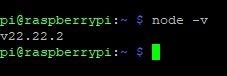
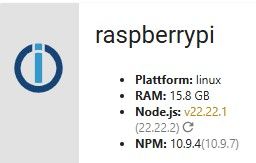
Smart-Home-Automation unter IOB auf RASPI5, 16GB RAM, 50GB SSD, MariaSQL, VIS-2.
Anfang 2025 war ich Newbie in Sachen RaspBerry, Linux und IOB.
Jetzt läuft alles konstant gut und ich gebe gern meine Erfahrungen und mein Wissen an die Forums-User/Innen weiter.
Großes Danke an alle tatkräftigen Helfer im Forum! -
Das hab ich dir doch direkt zu Beginn geraten.
Pardon, aber ich blicke noch nicht ganz durch. Wenn ich
iob stop
iob fix
iob update
iob upgrade self
iob upgrade
sudo apt update
sudo apt full-upgrade -y
sudo apt autoremove -y
iob fix
regelmäßig starte, wann muss ich dann
iob nodejs-update 22auch noch starten?
wann muss ich dann
iob nodejs-update 22
auch noch starten?
Wenn
Homoran sagte:
deine Quellen sind nicht ok
sind!
Dazu muss man aber u.a. wissen
Homoran sagte:
Wie hast du denn auf node22 gewechselt??
Das scheint nicht sauber gemacht worden zu sein.
Spätestens beim darauffolgendensudo apt update && sudo apt upgrademuss ein entsprechender Error/warn aufgetreten sein, dass der Key nicht passtkein Support per PN! - Fragen im Forum stellen - Benutzt das Voting rechts unten im Beitrag wenn er euch geholfen hat.
Das Forum freut sich über eine Spende. Benutzt dazu den Spendenbutton oben rechts. Danke!
der Installationsfixer: curl -fsL https://iobroker.net/fix.sh | bash - -
Das hab ich dir doch direkt zu Beginn geraten.
Pardon, aber ich blicke noch nicht ganz durch. Wenn ich
iob stop
iob fix
iob update
iob upgrade self
iob upgrade
sudo apt update
sudo apt full-upgrade -y
sudo apt autoremove -y
iob fix
regelmäßig starte, wann muss ich dann
iob nodejs-update 22auch noch starten?
Nein, wenn du dir die Quelle für nodejs@22 nicht wieder löschst.
Hier sieht man nämlich ganz genau, das du zwar mal irgendwann irgendwie 22.22.1-1nodesource1 eingespielt hast, es aber keine ordentliche Quellel gibt. Die ist nämlich auf nodejs@20 eingestellt:nodejs: Installed: 22.22.1-1nodesource1 Candidate: 22.22.1-1nodesource1 Version table: *** 22.22.1-1nodesource1 100 100 /var/lib/dpkg/status 20.20.2-1nodesource1 600 500 https://deb.nodesource.com/node_20.x nodistro/main arm64 Packages 20.20.1-1nodesource1 600 500 https://deb.nodesource.com/node_20.x nodistro/main arm64 Packages -
Und warum zeigt es die Version verschieden an?
Weil du die 22.22.1 da ohne Anbindung an die Quelle freischwebend im System hast. Dein Paketmanager sieht aber nur nodejs@20 Versionen, daher kann es da kein Update geben. Woher auch?
Der Admin schaut aber direkt bei nodejs.org nach der letzten Veröffentlichung aus dem 22er-Zweig und zeigt die natürlich an. -
wann muss ich dann
iob nodejs-update 22
auch noch starten?
Wenn
Homoran sagte:
deine Quellen sind nicht ok
sind!
Dazu muss man aber u.a. wissen
Homoran sagte:
Wie hast du denn auf node22 gewechselt??
Das scheint nicht sauber gemacht worden zu sein.
Spätestens beim darauffolgendensudo apt update && sudo apt upgrademuss ein entsprechender Error/warn aufgetreten sein, dass der Key nicht passtSpätestens beim darauffolgenden sudo apt update && sudo apt upgrade muss ein entsprechender Error/warn aufgetreten sein, dass der Key nicht passt
Nein, das nicht. Der key ist der gleiche für alle nodesource-Repos.
Edit: Präzisierung.
Linux-Werkzeugkasten:
https://forum.iobroker.net/topic/42952/der-kleine-iobroker-linux-werkzeugkasten
NodeJS Fixer Skript:
https://forum.iobroker.net/topic/68035/iob-node-fix-skript
iob_diag: curl -sLf -o diag.sh https://iobroker.net/diag.sh && bash diag.sh -
Nein, das nicht. Der key ist der gleiche für alle nodejs-Repos.
Puuuh ... das ist für mich etwas kompliziert. Ich werde an meinem Wissen über Linux noch feilen müssen ;-)
Smart-Home-Automation unter IOB auf RASPI5, 16GB RAM, 50GB SSD, MariaSQL, VIS-2.
Anfang 2025 war ich Newbie in Sachen RaspBerry, Linux und IOB.
Jetzt läuft alles konstant gut und ich gebe gern meine Erfahrungen und mein Wissen an die Forums-User/Innen weiter.
Großes Danke an alle tatkräftigen Helfer im Forum! -
Nein, das nicht. Der key ist der gleiche für alle nodejs-Repos.
Puuuh ... das ist für mich etwas kompliziert. Ich werde an meinem Wissen über Linux noch feilen müssen ;-)
Aber jetzt erzähl mal, wie du die 22.22.1-1nodesource1 da rein gehievt hast.
Linux-Werkzeugkasten:
https://forum.iobroker.net/topic/42952/der-kleine-iobroker-linux-werkzeugkasten
NodeJS Fixer Skript:
https://forum.iobroker.net/topic/68035/iob-node-fix-skript
iob_diag: curl -sLf -o diag.sh https://iobroker.net/diag.sh && bash diag.sh -
Aber jetzt erzähl mal, wie du die 22.22.1-1nodesource1 da rein gehievt hast.
Aber jetzt erzähl mal, wie du die 22.22.1-1nodesource1 da rein gehievt hast
Das war in Zusammenhang mit dem VIS-2-Problem des weißen Bildschirms im Browser und Editor. Unter #3 hast du mir dazu geraten.
Smart-Home-Automation unter IOB auf RASPI5, 16GB RAM, 50GB SSD, MariaSQL, VIS-2.
Anfang 2025 war ich Newbie in Sachen RaspBerry, Linux und IOB.
Jetzt läuft alles konstant gut und ich gebe gern meine Erfahrungen und mein Wissen an die Forums-User/Innen weiter.
Großes Danke an alle tatkräftigen Helfer im Forum! -
Aber jetzt erzähl mal, wie du die 22.22.1-1nodesource1 da rein gehievt hast
Das war in Zusammenhang mit dem VIS-2-Problem des weißen Bildschirms im Browser und Editor. Unter #3 hast du mir dazu geraten.
Unter #3 hast du mir dazu geraten.
Ja, aber WIE hast du das dann konkret gemacht, wenn der obige Zustand dabei herausgekommen ist?
Denn es war ja in dem anderen Thread dann auch korrekt. Du musst also irgendwas danach noch an der nodesource-Quelle gefrickelt haben. Sonst wäre deine nodejs 22.22.1-1nodesource1 nicht ohne Anbindung an ihre Quelle in der dpkg-Datenbank gewesen.Linux-Werkzeugkasten:
https://forum.iobroker.net/topic/42952/der-kleine-iobroker-linux-werkzeugkasten
NodeJS Fixer Skript:
https://forum.iobroker.net/topic/68035/iob-node-fix-skript
iob_diag: curl -sLf -o diag.sh https://iobroker.net/diag.sh && bash diag.sh -
Unter #3 hast du mir dazu geraten.
Ja, aber WIE hast du das dann konkret gemacht, wenn der obige Zustand dabei herausgekommen ist?
Denn es war ja in dem anderen Thread dann auch korrekt. Du musst also irgendwas danach noch an der nodesource-Quelle gefrickelt haben. Sonst wäre deine nodejs 22.22.1-1nodesource1 nicht ohne Anbindung an ihre Quelle in der dpkg-Datenbank gewesen.



Hey! Du scheinst an dieser Unterhaltung interessiert zu sein, hast aber noch kein Konto.
Hast du es satt, bei jedem Besuch durch die gleichen Beiträge zu scrollen? Wenn du dich für ein Konto anmeldest, kommst du immer genau dorthin zurück, wo du zuvor warst, und kannst dich über neue Antworten benachrichtigen lassen (entweder per E-Mail oder Push-Benachrichtigung). Du kannst auch Lesezeichen speichern und Beiträge positiv bewerten, um anderen Community-Mitgliedern deine Wertschätzung zu zeigen.
Mit deinem Input könnte dieser Beitrag noch besser werden 💗
Registrieren AnmeldenSupport us
224
Online33.1k
Benutzende83.8k
Themen1.4m
Beiträge