




Panasonic comfort cloud Adapter funktioniert nicht mehr
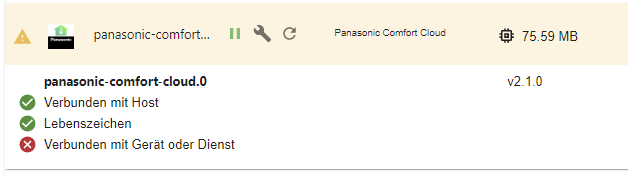

-
@thomas-braun said in Panasonic comfort cloud Adapter funktioniert nicht mehr:
@timaios2000 sagte in Panasonic comfort cloud Adapter funktioniert nicht mehr:
Irgendwas stimmt da nicht.
Da steht bestimmt was im Log...
Halt dich mit der GITHUB Version nicht auf. Es gibt keine 3.0.3. Da ist der Bau schief gegangen und die wurde nicht auf npm deployed. Das sollte / muss sich der Dev ansehen.
https://github.com/marc2016/ioBroker.panasonic-comfort-cloud/issues/70
@mcm1957 said in Panasonic comfort cloud Adapter funktioniert nicht mehr:
@thomas-braun said in Panasonic comfort cloud Adapter funktioniert nicht mehr:
@timaios2000 sagte in Panasonic comfort cloud Adapter funktioniert nicht mehr:
Irgendwas stimmt da nicht.
Da steht bestimmt was im Log...
Halt dich mit der GITHUB Version nicht auf. Es gibt keine 3.0.3. Da ist der Bau schief gegangen und die wurde nicht auf npm deployed. Das sollte / muss sich der Dev ansehen.
https://github.com/marc2016/ioBroker.panasonic-comfort-cloud/issues/70
nur zur INfo - bei mir klappt es jetzt mit der 3.0.3 aus GitHUb
-
@mcm1957 said in Panasonic comfort cloud Adapter funktioniert nicht mehr:
@thomas-braun said in Panasonic comfort cloud Adapter funktioniert nicht mehr:
@timaios2000 sagte in Panasonic comfort cloud Adapter funktioniert nicht mehr:
Irgendwas stimmt da nicht.
Da steht bestimmt was im Log...
Halt dich mit der GITHUB Version nicht auf. Es gibt keine 3.0.3. Da ist der Bau schief gegangen und die wurde nicht auf npm deployed. Das sollte / muss sich der Dev ansehen.
https://github.com/marc2016/ioBroker.panasonic-comfort-cloud/issues/70
nur zur INfo - bei mir klappt es jetzt mit der 3.0.3 aus GitHUb
Bei geht nichts – trotz 3.0.3 und App-Version 1.22.0:
Ich folge mal mcm1957 und höre auf, meine Zeit zu verschwenden.
2024-11-19 11:31:54.190 - error: panasonic-comfort-cloud.0 (25798) Unknown error: TypeError: Cannot set properties of undefined (setting 'guid'). Stack: TypeError: Cannot set properties of undefined (setting 'guid') at /opt/iobroker/node_modules/panasonic-comfort-cloud-client/dist/src/ComfortCloudClient.js:99:40 at arrayMap (/opt/iobroker/node_modules/lodash/lodash.js:653:23) at Function.map (/opt/iobroker/node_modules/lodash/lodash.js:9622:14) at /opt/iobroker/node_modules/panasonic-comfort-cloud-client/dist/src/ComfortCloudClient.js:97:54 at arrayMap (/opt/iobroker/node_modules/lodash/lodash.js:653:23) at Function.map (/opt/iobroker/node_modules/lodash/lodash.js:9622:14) at ComfortCloudClient.getGroups (/opt/iobroker/node_modules/panasonic-comfort-cloud-client/dist/src/ComfortCloudClient.js:96:49) at process.processTicksAndRejections (node:internal/process/task_queues:95:5) at async PanasonicComfortCloud.onReady (/opt/iobroker/node_modules/iobroker.panasonic-comfort-cloud/build/main.js:72:24) -
Hey Zusammen,
ich habe das problem das der Adapter zwar grün wird aber in den Objekten werden mir meine 2 geräte nicht angezeigt.
Kann mir jemand weiterhelfen?

ich habe alle möglichen versionen ausprobiert.
Vielen dank
-
Hey Zusammen,
ich habe das problem das der Adapter zwar grün wird aber in den Objekten werden mir meine 2 geräte nicht angezeigt.
Kann mir jemand weiterhelfen?
ich habe alle möglichen versionen ausprobiert.
Vielen dank
Was steht den, wenn du die Objekte löscht im Log nach Restart des Adapters?
bei mir gerade getestet. Geht Alles. Ich nutzt die v3.0.3
panasonic-comfort-cloud.0 2025-01-09 05:35:08.006 info Device Klima Juliazimmer created. panasonic-comfort-cloud.0 2025-01-09 05:35:08.006 info Method "createState" is deprecated and will be removed in js-controller 7.1, use "extendObject/setObjectNotExists" instead panasonic-comfort-cloud.0 2025-01-09 05:35:08.005 info Method "createState" is deprecated and will be removed in js-controller 7.1, use "extendObject/setObjectNotExists" instead panasonic-comfort-cloud.0 2025-01-09 05:35:08.005 info Method "createState" is deprecated and will be removed in js-controller 7.1, use "extendObject/setObjectNotExists" instead panasonic-comfort-cloud.0 2025-01-09 05:35:08.004 info Method "createState" is deprecated and will be removed in js-controller 7.1, use "extendObject/setObjectNotExists" instead panasonic-comfort-cloud.0 2025-01-09 05:35:08.002 info Method "createState" is deprecated and will be removed in js-controller 7.1, use "extendObject/setObjectNotExists" instead panasonic-comfort-cloud.0 2025-01-09 05:35:08.001 info Method "createState" is deprecated and will be removed in js-controller 7.1, use "extendObject/setObjectNotExists" instead panasonic-comfort-cloud.0 2025-01-09 05:35:08.001 info Method "createState" is deprecated and will be removed in js-controller 7.1, use "extendObject/setObjectNotExists" instead panasonic-comfort-cloud.0 2025-01-09 05:35:08.000 info Method "createState" is deprecated and will be removed in js-controller 7.1, use "extendObject/setObjectNotExists" instead panasonic-comfort-cloud.0 2025-01-09 05:35:07.999 info Method "createState" is deprecated and will be removed in js-controller 7.1, use "extendObject/setObjectNotExists" instead panasonic-comfort-cloud.0 2025-01-09 05:35:07.994 info Method "createState" is deprecated and will be removed in js-controller 7.1, use "extendObject/setObjectNotExists" instead panasonic-comfort-cloud.0 2025-01-09 05:35:07.993 info Method "createState" is deprecated and will be removed in js-controller 7.1, use "extendObject/setObjectNotExists" instead panasonic-comfort-cloud.0 2025-01-09 05:35:07.993 info Method "createState" is deprecated and will be removed in js-controller 7.1, use "extendObject/setObjectNotExists" instead panasonic-comfort-cloud.0 2025-01-09 05:35:07.992 info Method "createState" is deprecated and will be removed in js-controller 7.1, use "extendObject/setObjectNotExists" instead panasonic-comfort-cloud.0 2025-01-09 05:35:07.992 info Method "createDevice" is deprecated and will be removed in js-controller 7.1, use "extendObject/setObjectNotExists" instead panasonic-comfort-cloud.0 2025-01-09 05:35:07.797 info Device Klima Wohnzimmer created. panasonic-comfort-cloud.0 2025-01-09 05:35:07.795 info Method "createState" is deprecated and will be removed in js-controller 7.1, use "extendObject/setObjectNotExists" instead panasonic-comfort-cloud.0 2025-01-09 05:35:07.795 info Method "createState" is deprecated and will be removed in js-controller 7.1, use "extendObject/setObjectNotExists" instead panasonic-comfort-cloud.0 2025-01-09 05:35:07.795 info Method "createState" is deprecated and will be removed in js-controller 7.1, use "extendObject/setObjectNotExists" instead panasonic-comfort-cloud.0 2025-01-09 05:35:07.794 info Method "createState" is deprecated and will be removed in js-controller 7.1, use "extendObject/setObjectNotExists" instead panasonic-comfort-cloud.0 2025-01-09 05:35:07.794 info Method "createState" is deprecated and will be removed in js-controller 7.1, use "extendObject/setObjectNotExists" instead panasonic-comfort-cloud.0 2025-01-09 05:35:07.793 info Method "createState" is deprecated and will be removed in js-controller 7.1, use "extendObject/setObjectNotExists" instead panasonic-comfort-cloud.0 2025-01-09 05:35:07.793 info Method "createState" is deprecated and will be removed in js-controller 7.1, use "extendObject/setObjectNotExists" instead panasonic-comfort-cloud.0 2025-01-09 05:35:07.792 info Method "createState" is deprecated and will be removed in js-controller 7.1, use "extendObject/setObjectNotExists" instead panasonic-comfort-cloud.0 2025-01-09 05:35:07.792 info Method "createState" is deprecated and will be removed in js-controller 7.1, use "extendObject/setObjectNotExists" instead panasonic-comfort-cloud.0 2025-01-09 05:35:07.791 info Method "createState" is deprecated and will be removed in js-controller 7.1, use "extendObject/setObjectNotExists" instead panasonic-comfort-cloud.0 2025-01-09 05:35:07.791 info Method "createState" is deprecated and will be removed in js-controller 7.1, use "extendObject/setObjectNotExists" instead panasonic-comfort-cloud.0 2025-01-09 05:35:07.790 info Method "createState" is deprecated and will be removed in js-controller 7.1, use "extendObject/setObjectNotExists" instead panasonic-comfort-cloud.0 2025-01-09 05:35:07.790 info Method "createState" is deprecated and will be removed in js-controller 7.1, use "extendObject/setObjectNotExists" instead panasonic-comfort-cloud.0 2025-01-09 05:35:07.789 info Method "createDevice" is deprecated and will be removed in js-controller 7.1, use "extendObject/setObjectNotExists" instead panasonic-comfort-cloud.0 2025-01-09 05:35:07.722 info Device Klima Schlafzimmer created. panasonic-comfort-cloud.0 2025-01-09 05:35:07.721 info Method "createState" is deprecated and will be removed in js-controller 7.1, use "extendObject/setObjectNotExists" instead panasonic-comfort-cloud.0 2025-01-09 05:35:07.719 info Method "createState" is deprecated and will be removed in js-controller 7.1, use "extendObject/setObjectNotExists" instead panasonic-comfort-cloud.0 2025-01-09 05:35:07.717 info Method "createState" is deprecated and will be removed in js-controller 7.1, use "extendObject/setObjectNotExists" instead panasonic-comfort-cloud.0 2025-01-09 05:35:07.707 info Method "createState" is deprecated and will be removed in js-controller 7.1, use "extendObject/setObjectNotExists" instead panasonic-comfort-cloud.0 2025-01-09 05:35:07.706 info Method "createState" is deprecated and will be removed in js-controller 7.1, use "extendObject/setObjectNotExists" instead panasonic-comfort-cloud.0 2025-01-09 05:35:07.704 info Method "createState" is deprecated and will be removed in js-controller 7.1, use "extendObject/setObjectNotExists" instead panasonic-comfort-cloud.0 2025-01-09 05:35:07.702 info Method "createState" is deprecated and will be removed in js-controller 7.1, use "extendObject/setObjectNotExists" instead panasonic-comfort-cloud.0 2025-01-09 05:35:07.694 info Method "createState" is deprecated and will be removed in js-controller 7.1, use "extendObject/setObjectNotExists" instead panasonic-comfort-cloud.0 2025-01-09 05:35:07.692 info Method "createState" is deprecated and will be removed in js-controller 7.1, use "extendObject/setObjectNotExists" instead panasonic-comfort-cloud.0 2025-01-09 05:35:07.691 info Method "createState" is deprecated and will be removed in js-controller 7.1, use "extendObject/setObjectNotExists" instead panasonic-comfort-cloud.0 2025-01-09 05:35:07.690 info Method "createState" is deprecated and will be removed in js-controller 7.1, use "extendObject/setObjectNotExists" instead panasonic-comfort-cloud.0 2025-01-09 05:35:07.689 info Method "createState" is deprecated and will be removed in js-controller 7.1, use "extendObject/setObjectNotExists" instead panasonic-comfort-cloud.0 2025-01-09 05:35:07.687 info Method "createState" is deprecated and will be removed in js-controller 7.1, use "extendObject/setObjectNotExists" instead panasonic-comfort-cloud.0 2025-01-09 05:35:07.678 info Method "createDevice" is deprecated and will be removed in js-controller 7.1, use "extendObject/setObjectNotExists" instead panasonic-comfort-cloud.0 2025-01-09 05:35:05.882 info Login successful. panasonic-comfort-cloud.0 2025-01-09 05:35:02.108 info Loaded app version from GitHub: 1.21.0 panasonic-comfort-cloud.0 2025-01-09 05:35:01.747 info starting. Version 3.0.3 (non-npm: marc2016/ioBroker.panasonic-comfort-cloud#09cd3d9de2d1d948dfd4956b4719f3167d5c03e7) in /opt/iobroker/node_modules/iobroker.panasonic-comfort-cloud, node: v20.18.0, js-controller: 7.0.6 panasonic-comfort-cloud.0 2025-01-09 05:34:54.381 info terminating panasonic-comfort-cloud.0 2025-01-09 05:34:53.880 info Terminated (ADAPTER_REQUESTED_TERMINATION): Without reason panasonic-comfort-cloud.0 2025-01-09 05:34:53.878 info terminating panasonic-comfort-cloud.0 2025-01-09 05:34:53.877 info cleaned everything up... panasonic-comfort-cloud.0 2025-01-09 05:34:53.865 info Got terminate signal TERMINATE_YOURSELF -
Hey Zusammen,
ich habe das problem das der Adapter zwar grün wird aber in den Objekten werden mir meine 2 geräte nicht angezeigt.
Kann mir jemand weiterhelfen?
ich habe alle möglichen versionen ausprobiert.
Vielen dank
@ecurb said in Panasonic comfort cloud Adapter funktioniert nicht mehr:
Kann mir jemand weiterhelfen?
https://forum.iobroker.net/topic/51555/hinweise-für-gute-forenbeiträge
Um sinnvoll zu helfen, bitte mal die Versionen der beteiligten Software angeben.
Adapter?
js-controller?
Node ?Am besten den Output der LANGFASSUNG von
ionb diaghier und unter code tags posten. -
@ecurb said in Panasonic comfort cloud Adapter funktioniert nicht mehr:
Kann mir jemand weiterhelfen?
https://forum.iobroker.net/topic/51555/hinweise-für-gute-forenbeiträge
Um sinnvoll zu helfen, bitte mal die Versionen der beteiligten Software angeben.
Adapter?
js-controller?
Node ?Am besten den Output der LANGFASSUNG von
ionb diaghier und unter code tags posten.Hey Also das kommt wenn ich alles gelöscht habe und neu Starte:
panasonic-comfort-cloud.0 2025-01-09 21:48:16.258 error Unknown error: TypeError: Cannot set properties of undefined (setting 'guid'). Stack: TypeError: Cannot set properties of undefined (setting 'guid') at /opt/iobroker/node_modules/panasonic-comfort-cloud-client/dist/src/ComfortCloudClient.js:107:40 at arrayMap (/opt/iobroker/node_modules/lodash/lodash.js:653:23) at Function.map (/opt/iobroker/node_modules/lodash/lodash.js:9622:14) at /opt/iobroker/node_modules/panasonic-comfort-cloud-client/dist/src/ComfortCloudClient.js:105:54 at arrayMap (/opt/iobroker/node_modules/lodash/lodash.js:653:23) at Function.map (/opt/iobroker/node_modules/lodash/lodash.js:9622:14) at ComfortCloudClient.getGroups (/opt/iobroker/node_modules/panasonic-comfort-cloud-client/dist/src/ComfortCloudClient.js:104:49) at process.processTicksAndRejections (node:internal/process/task_queues:95:5) at async PanasonicComfortCloud.onReady (/opt/iobroker/node_modules/iobroker.panasonic-comfort-cloud/build/main.js:72:24) panasonic-comfort-cloud.0 2025-01-09 21:48:15.388 info Login successful. panasonic-comfort-cloud.0 2025-01-09 21:48:11.921 info Loaded app version from GitHub: 1.21.0 panasonic-comfort-cloud.0 2025-01-09 21:48:11.692 info starting. Version 3.0.3 (non-npm: marc2016/ioBroker.panasonic-comfort-cloud#2f7ea2238b31a5ebc0ad234f8145f1bbfcf3e802) in /opt/iobroker/node_modules/iobroker.panasonic-comfort-cloud, node: v20.18.1, js-controller: 7.0.3 panasonic-comfort-cloud.0 2025-01-09 21:48:05.985 info terminating panasonic-comfort-cloud.0 2025-01-09 21:48:05.483 info Terminated (ADAPTER_REQUESTED_TERMINATION): Without reason panasonic-comfort-cloud.0 2025-01-09 21:48:05.483 info terminating panasonic-comfort-cloud.0 2025-01-09 21:48:05.482 info cleaned everything up... panasonic-comfort-cloud.0 2025-01-09 21:48:05.480 info Got terminate signal TERMINATE_YOURSELF@mcm1957
ja hätte ich auch direkt mal mit senden können.
Ist das so richtig? Bzw. welches von den beiden macht mehr sinn?======================= SUMMARY ======================= v.2024-10-19 Static hostname: PI Icon name: computer Operating System: Debian GNU/Linux 12 (bookworm) Kernel: Linux 6.6.51+rpt-rpi-v8 Architecture: arm64 Installation: native Kernel: aarch64 Userland: 64 bit Timezone: Europe/Berlin (CET, +0100) User-ID: 1000 Display-Server: false Boot Target: graphical.target Pending OS-Updates: 47 Pending iob updates: 6 Nodejs-Installation: /usr/bin/nodejs v20.18.1 /usr/bin/node v20.18.1 /usr/bin/npm 10.8.2 /usr/bin/npx 10.8.2 /usr/bin/corepack 0.29.4 Recommended versions are nodejs 20.18.1 and npm 10.8.2 nodeJS installation is correct MEMORY: total used free shared buff/cache available Mem: 4.0G 1.2G 890M 23M 2.0G 2.8G Swap: 536M 0B 536M Total: 4.5G 1.2G 1.4G Active iob-Instances: 5 Upgrade policy: none ioBroker Core: js-controller 7.0.3 admin 7.4.10 ioBroker Status: iobroker is running on this host. Objects type: jsonl States type: jsonl Status admin and web instance: + system.adapter.admin.0 : admin : PI - enabled, port: 8081, bind: 0.0.0.0, run as: admin system.adapter.web.0 : web : PI - enabled, port: 8082, bind: 0.0.0.0, run as: admin Objects: 1433 States: 1170 Size of iob-Database: 6.5M /opt/iobroker/iobroker-data/objects.jsonl 648K /opt/iobroker/iobroker-data/states.jsonl Operating System is the current Debian stable version codenamed 'bookworm'! =================== END OF SUMMARY ====================Script v.2024-10-19 *** BASE SYSTEM *** Static hostname: PI Icon name: computer Operating System: Debian GNU/Linux 12 (bookworm) Kernel: Linux 6.6.51+rpt-rpi-v8 Architecture: arm64 OS is similar to: Model : Raspberry Pi 4 Model B Rev 1.5 Docker : false Virtualization : none Kernel : aarch64 Userland : 64 bit Systemuptime and Load: 21:52:42 up 4 days, 7:23, 4 users, load average: 0.33, 0.68, 0.55 CPU threads: 4 *** LIFE CYCLE STATUS *** Operating System is the current Debian stable version codenamed 'bookworm'! *** RASPBERRY THROTTLING *** Current issues: No throttling issues detected. Previously detected issues: No throttling issues detected. *** TIME AND TIMEZONES *** Local time: Thu 2025-01-09 21:52:42 CET Universal time: Thu 2025-01-09 20:52:42 UTC RTC time: n/a Time zone: Europe/Berlin (CET, +0100) System clock synchronized: yes NTP service: active RTC in local TZ: no *** Users and Groups *** User that called 'iob diag': IO-Broker_Matthias HOME=/home/IO-Broker_Matthias GROUPS=IO-Broker_Matthias adm dialout cdrom sudo audio video plugdev games users input render netdev lpadmin gpio i2c spi iobroker User that is running 'js-controller': iobroker HOME=/home/iobroker GROUPS=iobroker tty dialout audio video plugdev bluetooth gpio i2c *** DISPLAY-SERVER SETUP *** Display-Server: false Desktop: Terminal: tty System is booting into 'graphical.target'. Usually a server is running in 'multi-user.target'. Please set BootTarget to 'multi-user.target' or run 'iobroker fix' *** MEMORY *** total used free shared buff/cache available Mem: 4.0G 1.2G 902M 23M 2.0G 2.8G Swap: 536M 0B 536M Total: 4.5G 1.2G 1.4G Active iob-Instances: 14 3791 M total memory 1139 M used memory 1413 M active memory 1249 M inactive memory 860 M free memory 153 M buffer memory 1736 M swap cache 511 M total swap 0 M used swap 511 M free swap *** top - Table Of Processes *** top - 21:52:43 up 4 days, 7:23, 4 users, load average: 0.33, 0.68, 0.55 Tasks: 224 total, 1 running, 223 sleeping, 0 stopped, 0 zombie %Cpu(s): 0.0 us, 25.0 sy, 0.0 ni, 75.0 id, 0.0 wa, 0.0 hi, 0.0 si, 0.0 st MiB Mem : 3792.0 total, 860.5 free, 1139.6 used, 1889.7 buff/cache MiB Swap: 512.0 total, 512.0 free, 0.0 used. 2652.4 avail Mem *** FAILED SERVICES *** UNIT LOAD ACTIVE SUB DESCRIPTION 0 loaded units listed. *** DMESG CRITICAL ERRORS *** No critical errors detected *** FILESYSTEM *** Filesystem Type Size Used Avail Use% Mounted on udev devtmpfs 1.6G 0 1.6G 0% /dev tmpfs tmpfs 380M 1.3M 378M 1% /run /dev/mmcblk0p2 ext4 57G 8.8G 46G 17% / tmpfs tmpfs 1.9G 216K 1.9G 1% /dev/shm tmpfs tmpfs 5.0M 16K 5.0M 1% /run/lock /dev/mmcblk0p1 vfat 510M 76M 435M 15% /boot/firmware tmpfs tmpfs 380M 48K 380M 1% /run/user/1000 Messages concerning ext4 filesystem in dmesg: [Sun Jan 5 14:28:58 2025] Kernel command line: coherent_pool=1M 8250.nr_uarts=0 snd_bcm2835.enable_headphones=0 snd_bcm2835.enable_headphones=1 snd_bcm2835.enable_hdmi=1 snd_bcm2835.enable_hdmi=0 smsc95xx.macaddr=D8:3A:DD:96:40:AB vc_mem.mem_base=0x3ec00000 vc_mem.mem_size=0x40000000 console=ttyS0,115200 console=tty1 root=PARTUUID=5756260d-02 rootfstype=ext4 fsck.repair=yes rootwait quiet splash plymouth.ignore-serial-consoles [Sun Jan 5 14:29:05 2025] EXT4-fs (mmcblk0p2): mounted filesystem a36be96c-66be-4487-a7a6-0481bca99d89 ro with ordered data mode. Quota mode: none. [Sun Jan 5 14:29:08 2025] EXT4-fs (mmcblk0p2): re-mounted a36be96c-66be-4487-a7a6-0481bca99d89 r/w. Quota mode: none. Show mounted filesystems: TARGET SOURCE FSTYPE OPTIONS / /dev/mmcblk0p2 ext4 rw,noatime |-/run/user/1000/doc portal fuse.portal rw,nosuid,nodev,relatime,user_id=1000,group_id=1000 `-/boot/firmware /dev/mmcblk0p1 vfat rw,relatime,fmask=0022,dmask=0022,codepage=437,iocharset=ascii,shortname=mixed,errors=remount-ro Files in neuralgic directories: /var: 1.5G /var/ 618M /var/log 523M /var/log/journal/7329095d68b04839a916655656349e19 523M /var/log/journal 195M /var/lib Archived and active journals take up 522.8M in the file system. /opt/iobroker/backups: 66M /opt/iobroker/backups/ /opt/iobroker/iobroker-data: 936M /opt/iobroker/iobroker-data/ 866M /opt/iobroker/iobroker-data/files 617M /opt/iobroker/iobroker-data/files/javascript.admin 560M /opt/iobroker/iobroker-data/files/javascript.admin/static 558M /opt/iobroker/iobroker-data/files/javascript.admin/static/js The five largest files in iobroker-data are: 24M /opt/iobroker/iobroker-data/files/web.admin/static/js/main.135279a0.js.map 12M /opt/iobroker/iobroker-data/files/backitup.admin/static/js/main.bd24114f.js 8.7M /opt/iobroker/iobroker-data/files/javascript.admin/static/js/838.0aa41cb0.chunk.js.map 8.6M /opt/iobroker/iobroker-data/files/javascript.admin/static/js/310.89a60ae1.chunk.js.map 8.5M /opt/iobroker/iobroker-data/files/web.admin/static/js/main.135279a0.js USB-Devices by-id: USB-Sticks - Avoid direct links to /dev/tty* in your adapter setups, please always prefer the links 'by-id': No Devices found 'by-id' *** NodeJS-Installation *** /usr/bin/nodejs v20.18.1 /usr/bin/node v20.18.1 /usr/bin/npm 10.8.2 /usr/bin/npx 10.8.2 /usr/bin/corepack 0.29.4 nodejs: Installed: 20.18.1-1nodesource1 Candidate: 20.18.1-1nodesource1 Version table: *** 20.18.1-1nodesource1 1001 500 https://deb.nodesource.com/node_20.x nodistro/main arm64 Packages 100 /var/lib/dpkg/status 20.18.0-1nodesource1 1001 500 https://deb.nodesource.com/node_20.x nodistro/main arm64 Packages 20.17.0-1nodesource1 1001 500 https://deb.nodesource.com/node_20.x nodistro/main arm64 Packages 20.16.0-1nodesource1 1001 500 https://deb.nodesource.com/node_20.x nodistro/main arm64 Packages 20.15.1-1nodesource1 1001 500 https://deb.nodesource.com/node_20.x nodistro/main arm64 Packages 20.15.0-1nodesource1 1001 500 https://deb.nodesource.com/node_20.x nodistro/main arm64 Packages 20.14.0-1nodesource1 1001 500 https://deb.nodesource.com/node_20.x nodistro/main arm64 Packages 20.13.1-1nodesource1 1001 500 https://deb.nodesource.com/node_20.x nodistro/main arm64 Packages 20.13.0-1nodesource1 1001 500 https://deb.nodesource.com/node_20.x nodistro/main arm64 Packages 20.12.2-1nodesource1 1001 500 https://deb.nodesource.com/node_20.x nodistro/main arm64 Packages 20.12.1-1nodesource1 1001 500 https://deb.nodesource.com/node_20.x nodistro/main arm64 Packages 20.12.0-1nodesource1 1001 500 https://deb.nodesource.com/node_20.x nodistro/main arm64 Packages 20.11.1-1nodesource1 1001 500 https://deb.nodesource.com/node_20.x nodistro/main arm64 Packages 20.11.0-1nodesource1 1001 500 https://deb.nodesource.com/node_20.x nodistro/main arm64 Packages 20.10.0-1nodesource1 1001 500 https://deb.nodesource.com/node_20.x nodistro/main arm64 Packages 20.9.0-1nodesource1 1001 500 https://deb.nodesource.com/node_20.x nodistro/main arm64 Packages 20.8.1-1nodesource1 1001 500 https://deb.nodesource.com/node_20.x nodistro/main arm64 Packages 20.8.0-1nodesource1 1001 500 https://deb.nodesource.com/node_20.x nodistro/main arm64 Packages 20.7.0-1nodesource1 1001 500 https://deb.nodesource.com/node_20.x nodistro/main arm64 Packages 20.6.1-1nodesource1 1001 500 https://deb.nodesource.com/node_20.x nodistro/main arm64 Packages 20.6.0-1nodesource1 1001 500 https://deb.nodesource.com/node_20.x nodistro/main arm64 Packages 20.5.1-1nodesource1 1001 500 https://deb.nodesource.com/node_20.x nodistro/main arm64 Packages 20.5.0-1nodesource1 1001 500 https://deb.nodesource.com/node_20.x nodistro/main arm64 Packages 20.4.0-1nodesource1 1001 500 https://deb.nodesource.com/node_20.x nodistro/main arm64 Packages 20.3.1-1nodesource1 1001 500 https://deb.nodesource.com/node_20.x nodistro/main arm64 Packages 20.3.0-1nodesource1 1001 500 https://deb.nodesource.com/node_20.x nodistro/main arm64 Packages 20.2.0-1nodesource1 1001 500 https://deb.nodesource.com/node_20.x nodistro/main arm64 Packages 20.1.0-1nodesource1 1001 500 https://deb.nodesource.com/node_20.x nodistro/main arm64 Packages 20.0.0-1nodesource1 1001 500 https://deb.nodesource.com/node_20.x nodistro/main arm64 Packages 18.19.0+dfsg-6~deb12u2 500 500 http://deb.debian.org/debian bookworm/main arm64 Packages 18.19.0+dfsg-6~deb12u1 500 500 http://deb.debian.org/debian-security bookworm-security/main arm64 Packages Temp directories causing deletion problem: 0 No problems detected Errors in npm tree: 0 No problems detected *** ioBroker-Installation *** ioBroker Status iobroker is running on this host. Objects type: jsonl States type: jsonl Hosts: PI PI (version: 7.0.3, hostname: PI , alive, uptime: 332) Core adapters versions js-controller: 7.0.3 admin: 7.4.10 javascript: 8.8.3 nodejs modules from github: 2 +-- iobroker.panasonic-comfort-cloud@3.0.3 (git+ssh://git@github.com/marc2016/ioBroker.panasonic-comfort-cloud.git#2f7ea2238b31a5ebc0ad234f8145f1bbfcf3e802) +-- iobroker.repositories@1.0.4 (git+ssh://git@github.com/ioBroker/ioBroker.repositories.git#b565a6ffd7e97de5d097524c05d7fb97b06071a7) Adapter State + system.adapter.admin.0 : admin : PI - enabled, port: 8081, bind: 0.0.0.0, run as: admin + system.adapter.backitup.0 : backitup : PI - enabled system.adapter.bshb.0 : bshb : PI - disabled + system.adapter.discovery.0 : discovery : PI - enabled system.adapter.flot.0 : flot : PI - enabled + system.adapter.history.0 : history : PI - enabled + system.adapter.javascript.0 : javascript : PI - enabled + system.adapter.panasonic-comfort-cloud.0: panasonic-comfort-cloud: PI - enabled + system.adapter.ping.0 : ping : PI - enabled + system.adapter.rpi2.0 : rpi2 : PI - enabled + system.adapter.shelly.0 : shelly : PI - enabled, port: 1882, bind: 0.0.0.0 system.adapter.sun2000-modbus.0 : sun2000-modbus : PI - disabled, port: 502 + system.adapter.sun2000.0 : sun2000 : PI - enabled, port: 502 + system.adapter.tibberlink.0 : tibberlink : PI - enabled + system.adapter.tuya.0 : tuya : PI - enabled system.adapter.vis-2-widgets-energy.0 : vis-2-widgets-energy : PI - enabled system.adapter.vis-history.0 : vis-history : PI - enabled system.adapter.vis-hqwidgets.0 : vis-hqwidgets : PI - enabled system.adapter.vis-justgage.0 : vis-justgage : PI - enabled system.adapter.vis.0 : vis : PI - enabled + system.adapter.web.0 : web : PI - enabled, port: 8082, bind: 0.0.0.0, run as: admin + instance is alive Enabled adapters with bindings + system.adapter.admin.0 : admin : PI - enabled, port: 8081, bind: 0.0.0.0, run as: admin + system.adapter.shelly.0 : shelly : PI - enabled, port: 1882, bind: 0.0.0.0 + system.adapter.sun2000.0 : sun2000 : PI - enabled, port: 502 + system.adapter.web.0 : web : PI - enabled, port: 8082, bind: 0.0.0.0, run as: admin ioBroker-Repositories ┌─────────┬──────────┬─────────────────────────────────────────────────────────┬──────────────┐ │ (index) │ name │ url │ auto upgrade │ ├─────────┼──────────┼─────────────────────────────────────────────────────────┼──────────────┤ │ 0 │ 'stable' │ 'http://download.iobroker.net/sources-dist.json' │ false │ │ 1 │ 'beta' │ 'http://download.iobroker.net/sources-dist-latest.json' │ false │ └─────────┴──────────┴─────────────────────────────────────────────────────────┴──────────────┘ Active repo(s): stable Upgrade policy: none Installed ioBroker-Instances Used repository: stable Adapter "admin" : 7.4.10 , installed 7.4.10 Adapter "backitup" : 3.0.31 , installed 3.0.25 [Updatable] Adapter "bshb" : 0.3.0 , installed 0.3.0 Adapter "discovery" : 5.0.0 , installed 5.0.0 Adapter "flot" : 1.12.0 , installed 1.12.0 Adapter "history" : 3.0.1 , installed 3.0.1 Adapter "javascript" : 8.8.3 , installed 8.8.3 Controller "js-controller": 7.0.6 , installed 7.0.3 [Updatable] Adapter "panasonic-comfort-cloud": 3.0.3, installed 3.0.3 Adapter "ping" : 1.6.2 , installed 1.6.2 Adapter "rpi2" : 2.2.1 , installed 2.0.0 [Updatable] Adapter "shelly" : 8.5.1 , installed 8.2.1 [Updatable] Adapter "simple-api" : 2.8.0 , installed 2.8.0 Adapter "socketio" : 6.7.1 , installed 6.6.1 [Updatable] Adapter "sun2000" : 0.17.1 , installed 0.17.1 Adapter "sun2000-modbus": 0.1.3 , installed 0.1.3 Adapter "tibberlink" : 4.1.0 , installed 4.1.0 Adapter "tuya" : 3.16.0 , installed 3.16.0 Adapter "vis" : 1.5.6 , installed 1.5.6 Adapter "vis-2-widgets-energy": 1.0.2, installed 1.0.2 Adapter "vis-history" : 1.0.0 , installed 1.0.0 Adapter "vis-hqwidgets": 1.5.1 , installed 1.5.1 Adapter "vis-justgage" : 2.1.7 , installed 2.1.7 Adapter "web" : 6.2.5 , installed 6.2.5 Adapter "ws" : 2.6.2 , installed 2.5.11 [Updatable] Objects and States Please stand by - This may take a while Objects: 1433 States: 1170 *** OS-Repositories and Updates *** Hit:1 http://deb.debian.org/debian bookworm InRelease Hit:2 http://deb.debian.org/debian-security bookworm-security InRelease Hit:3 http://archive.raspberrypi.com/debian bookworm InRelease Hit:4 http://deb.debian.org/debian bookworm-updates InRelease Hit:5 https://deb.nodesource.com/node_20.x nodistro InRelease Reading package lists... Pending Updates: 47 *** Listening Ports *** Active Internet connections (only servers) Proto Recv-Q Send-Q Local Address Foreign Address State User Inode PID/Program name tcp 0 0 0.0.0.0:1882 0.0.0.0:* LISTEN 1001 5013782 511268/io.shelly.0 tcp 0 0 0.0.0.0:22 0.0.0.0:* LISTEN 0 1881 676/sshd: /usr/sbin tcp 0 0 127.0.0.1:9000 0.0.0.0:* LISTEN 1001 5011350 511063/iobroker.js- tcp 0 0 127.0.0.1:9001 0.0.0.0:* LISTEN 1001 5011345 511063/iobroker.js- tcp 0 0 127.0.0.1:631 0.0.0.0:* LISTEN 0 3986659 403880/cupsd tcp6 0 0 :::8082 :::* LISTEN 1001 5014996 511474/io.web.0 tcp6 0 0 :::8081 :::* LISTEN 1001 5012441 511081/io.admin.0 tcp6 0 0 ::1:631 :::* LISTEN 0 3986658 403880/cupsd tcp6 0 0 :::22 :::* LISTEN 0 1883 676/sshd: /usr/sbin udp 0 0 0.0.0.0:35640 0.0.0.0:* 104 6353 476/avahi-daemon: r udp 0 0 0.0.0.0:5353 0.0.0.0:* 104 6351 476/avahi-daemon: r udp 0 0 0.0.0.0:6666 0.0.0.0:* 1001 5013861 511392/io.tuya.0 udp 0 0 0.0.0.0:6667 0.0.0.0:* 1001 5013862 511392/io.tuya.0 udp6 0 0 :::5353 :::* 104 6352 476/avahi-daemon: r udp6 0 0 :::44274 :::* 104 6354 476/avahi-daemon: r udp6 0 0 fe80::de9e:cfdf:b68:546 :::* 0 7736 601/NetworkManager *** Log File - Last 25 Lines *** 2025-01-09 21:48:05.482 - info: panasonic-comfort-cloud.0 (511212) cleaned everything up... 2025-01-09 21:48:05.483 - info: panasonic-comfort-cloud.0 (511212) terminating 2025-01-09 21:48:05.483 - info: panasonic-comfort-cloud.0 (511212) Terminated (ADAPTER_REQUESTED_TERMINATION): Without reason 2025-01-09 21:48:05.527 - info: host.PI stopInstance system.adapter.panasonic-comfort-cloud.0 send kill signal 2025-01-09 21:48:05.985 - info: panasonic-comfort-cloud.0 (511212) terminating 2025-01-09 21:48:06.027 - info: host.PI instance system.adapter.panasonic-comfort-cloud.0 terminated with code 11 (ADAPTER_REQUESTED_TERMINATION) 2025-01-09 21:48:09.339 - info: host.PI instance system.adapter.panasonic-comfort-cloud.0 in version "3.0.3" (non-npm: marc2016/ioBroker.panasonic-comfort-cloud#2f7ea2238b31a5ebc0ad234f8145f1bbfcf3e802) started with pid 511512 2025-01-09 21:48:11.692 - info: panasonic-comfort-cloud.0 (511512) starting. Version 3.0.3 (non-npm: marc2016/ioBroker.panasonic-comfort-cloud#2f7ea2238b31a5ebc0ad234f8145f1bbfcf3e802) in /opt/iobroker/node_modules/iobroker.panasonic-comfort-cloud, node: v20.18.1, js-controller: 7.0.3 2025-01-09 21:48:11.921 - info: panasonic-comfort-cloud.0 (511512) Loaded app version from GitHub: 1.21.0 2025-01-09 21:48:15.388 - info: panasonic-comfort-cloud.0 (511512) Login successful. 2025-01-09 21:48:16.258 - error: panasonic-comfort-cloud.0 (511512) Unknown error: TypeError: Cannot set properties of undefined (setting 'guid'). Stack: TypeError: Cannot set properties of undefined (setting 'guid') at /opt/iobroker/node_modules/panasonic-comfort-cloud-client/dist/src/ComfortCloudClient.js:107:40 at arrayMap (/opt/iobroker/node_modules/lodash/lodash.js:653:23) at Function.map (/opt/iobroker/node_modules/lodash/lodash.js:9622:14) at /opt/iobroker/node_modules/panasonic-comfort-cloud-client/dist/src/ComfortCloudClient.js:105:54 at arrayMap (/opt/iobroker/node_modules/lodash/lodash.js:653:23) at Function.map (/opt/iobroker/node_modules/lodash/lodash.js:9622:14) at ComfortCloudClient.getGroups (/opt/iobroker/node_modules/panasonic-comfort-cloud-client/dist/src/ComfortCloudClient.js:104:49) at process.processTicksAndRejections (node:internal/process/task_queues:95:5) at async PanasonicComfortCloud.onReady (/opt/iobroker/node_modules/iobroker.panasonic-comfort-cloud/build/main.js:72:24) 2025-01-09 21:48:32.748 - info: tuya.0 (511392) bf0445af0a9326dqja8: Error on Reconnect (5): connect EHOSTUNREACH 192.168.178.73:6668 2025-01-09 21:48:34.153 - info: tuya.0 (511392) bf2ab0ecafb19b4vptt: Error on Reconnect (5): connect EHOSTUNREACH 192.168.178.123:6668 2025-01-09 21:49:35.816 - info: tuya.0 (511392) bf0445af0a9326dqja8: Error on Reconnect (7): connect EHOSTUNREACH 192.168.178.73:6668 2025-01-09 21:49:37.223 - info: tuya.0 (511392) bf2ab0ecafb19b4vptt: Error on Reconnect (7): connect EHOSTUNREACH 192.168.178.123:6668Habe gerade noch den js-controller von 7.0.3 auf 7.0.6 gemacht. Fehler bleibt bestehen.
-
Hey Also das kommt wenn ich alles gelöscht habe und neu Starte:
panasonic-comfort-cloud.0 2025-01-09 21:48:16.258 error Unknown error: TypeError: Cannot set properties of undefined (setting 'guid'). Stack: TypeError: Cannot set properties of undefined (setting 'guid') at /opt/iobroker/node_modules/panasonic-comfort-cloud-client/dist/src/ComfortCloudClient.js:107:40 at arrayMap (/opt/iobroker/node_modules/lodash/lodash.js:653:23) at Function.map (/opt/iobroker/node_modules/lodash/lodash.js:9622:14) at /opt/iobroker/node_modules/panasonic-comfort-cloud-client/dist/src/ComfortCloudClient.js:105:54 at arrayMap (/opt/iobroker/node_modules/lodash/lodash.js:653:23) at Function.map (/opt/iobroker/node_modules/lodash/lodash.js:9622:14) at ComfortCloudClient.getGroups (/opt/iobroker/node_modules/panasonic-comfort-cloud-client/dist/src/ComfortCloudClient.js:104:49) at process.processTicksAndRejections (node:internal/process/task_queues:95:5) at async PanasonicComfortCloud.onReady (/opt/iobroker/node_modules/iobroker.panasonic-comfort-cloud/build/main.js:72:24) panasonic-comfort-cloud.0 2025-01-09 21:48:15.388 info Login successful. panasonic-comfort-cloud.0 2025-01-09 21:48:11.921 info Loaded app version from GitHub: 1.21.0 panasonic-comfort-cloud.0 2025-01-09 21:48:11.692 info starting. Version 3.0.3 (non-npm: marc2016/ioBroker.panasonic-comfort-cloud#2f7ea2238b31a5ebc0ad234f8145f1bbfcf3e802) in /opt/iobroker/node_modules/iobroker.panasonic-comfort-cloud, node: v20.18.1, js-controller: 7.0.3 panasonic-comfort-cloud.0 2025-01-09 21:48:05.985 info terminating panasonic-comfort-cloud.0 2025-01-09 21:48:05.483 info Terminated (ADAPTER_REQUESTED_TERMINATION): Without reason panasonic-comfort-cloud.0 2025-01-09 21:48:05.483 info terminating panasonic-comfort-cloud.0 2025-01-09 21:48:05.482 info cleaned everything up... panasonic-comfort-cloud.0 2025-01-09 21:48:05.480 info Got terminate signal TERMINATE_YOURSELF@mcm1957
ja hätte ich auch direkt mal mit senden können.
Ist das so richtig? Bzw. welches von den beiden macht mehr sinn?======================= SUMMARY ======================= v.2024-10-19 Static hostname: PI Icon name: computer Operating System: Debian GNU/Linux 12 (bookworm) Kernel: Linux 6.6.51+rpt-rpi-v8 Architecture: arm64 Installation: native Kernel: aarch64 Userland: 64 bit Timezone: Europe/Berlin (CET, +0100) User-ID: 1000 Display-Server: false Boot Target: graphical.target Pending OS-Updates: 47 Pending iob updates: 6 Nodejs-Installation: /usr/bin/nodejs v20.18.1 /usr/bin/node v20.18.1 /usr/bin/npm 10.8.2 /usr/bin/npx 10.8.2 /usr/bin/corepack 0.29.4 Recommended versions are nodejs 20.18.1 and npm 10.8.2 nodeJS installation is correct MEMORY: total used free shared buff/cache available Mem: 4.0G 1.2G 890M 23M 2.0G 2.8G Swap: 536M 0B 536M Total: 4.5G 1.2G 1.4G Active iob-Instances: 5 Upgrade policy: none ioBroker Core: js-controller 7.0.3 admin 7.4.10 ioBroker Status: iobroker is running on this host. Objects type: jsonl States type: jsonl Status admin and web instance: + system.adapter.admin.0 : admin : PI - enabled, port: 8081, bind: 0.0.0.0, run as: admin system.adapter.web.0 : web : PI - enabled, port: 8082, bind: 0.0.0.0, run as: admin Objects: 1433 States: 1170 Size of iob-Database: 6.5M /opt/iobroker/iobroker-data/objects.jsonl 648K /opt/iobroker/iobroker-data/states.jsonl Operating System is the current Debian stable version codenamed 'bookworm'! =================== END OF SUMMARY ====================Script v.2024-10-19 *** BASE SYSTEM *** Static hostname: PI Icon name: computer Operating System: Debian GNU/Linux 12 (bookworm) Kernel: Linux 6.6.51+rpt-rpi-v8 Architecture: arm64 OS is similar to: Model : Raspberry Pi 4 Model B Rev 1.5 Docker : false Virtualization : none Kernel : aarch64 Userland : 64 bit Systemuptime and Load: 21:52:42 up 4 days, 7:23, 4 users, load average: 0.33, 0.68, 0.55 CPU threads: 4 *** LIFE CYCLE STATUS *** Operating System is the current Debian stable version codenamed 'bookworm'! *** RASPBERRY THROTTLING *** Current issues: No throttling issues detected. Previously detected issues: No throttling issues detected. *** TIME AND TIMEZONES *** Local time: Thu 2025-01-09 21:52:42 CET Universal time: Thu 2025-01-09 20:52:42 UTC RTC time: n/a Time zone: Europe/Berlin (CET, +0100) System clock synchronized: yes NTP service: active RTC in local TZ: no *** Users and Groups *** User that called 'iob diag': IO-Broker_Matthias HOME=/home/IO-Broker_Matthias GROUPS=IO-Broker_Matthias adm dialout cdrom sudo audio video plugdev games users input render netdev lpadmin gpio i2c spi iobroker User that is running 'js-controller': iobroker HOME=/home/iobroker GROUPS=iobroker tty dialout audio video plugdev bluetooth gpio i2c *** DISPLAY-SERVER SETUP *** Display-Server: false Desktop: Terminal: tty System is booting into 'graphical.target'. Usually a server is running in 'multi-user.target'. Please set BootTarget to 'multi-user.target' or run 'iobroker fix' *** MEMORY *** total used free shared buff/cache available Mem: 4.0G 1.2G 902M 23M 2.0G 2.8G Swap: 536M 0B 536M Total: 4.5G 1.2G 1.4G Active iob-Instances: 14 3791 M total memory 1139 M used memory 1413 M active memory 1249 M inactive memory 860 M free memory 153 M buffer memory 1736 M swap cache 511 M total swap 0 M used swap 511 M free swap *** top - Table Of Processes *** top - 21:52:43 up 4 days, 7:23, 4 users, load average: 0.33, 0.68, 0.55 Tasks: 224 total, 1 running, 223 sleeping, 0 stopped, 0 zombie %Cpu(s): 0.0 us, 25.0 sy, 0.0 ni, 75.0 id, 0.0 wa, 0.0 hi, 0.0 si, 0.0 st MiB Mem : 3792.0 total, 860.5 free, 1139.6 used, 1889.7 buff/cache MiB Swap: 512.0 total, 512.0 free, 0.0 used. 2652.4 avail Mem *** FAILED SERVICES *** UNIT LOAD ACTIVE SUB DESCRIPTION 0 loaded units listed. *** DMESG CRITICAL ERRORS *** No critical errors detected *** FILESYSTEM *** Filesystem Type Size Used Avail Use% Mounted on udev devtmpfs 1.6G 0 1.6G 0% /dev tmpfs tmpfs 380M 1.3M 378M 1% /run /dev/mmcblk0p2 ext4 57G 8.8G 46G 17% / tmpfs tmpfs 1.9G 216K 1.9G 1% /dev/shm tmpfs tmpfs 5.0M 16K 5.0M 1% /run/lock /dev/mmcblk0p1 vfat 510M 76M 435M 15% /boot/firmware tmpfs tmpfs 380M 48K 380M 1% /run/user/1000 Messages concerning ext4 filesystem in dmesg: [Sun Jan 5 14:28:58 2025] Kernel command line: coherent_pool=1M 8250.nr_uarts=0 snd_bcm2835.enable_headphones=0 snd_bcm2835.enable_headphones=1 snd_bcm2835.enable_hdmi=1 snd_bcm2835.enable_hdmi=0 smsc95xx.macaddr=D8:3A:DD:96:40:AB vc_mem.mem_base=0x3ec00000 vc_mem.mem_size=0x40000000 console=ttyS0,115200 console=tty1 root=PARTUUID=5756260d-02 rootfstype=ext4 fsck.repair=yes rootwait quiet splash plymouth.ignore-serial-consoles [Sun Jan 5 14:29:05 2025] EXT4-fs (mmcblk0p2): mounted filesystem a36be96c-66be-4487-a7a6-0481bca99d89 ro with ordered data mode. Quota mode: none. [Sun Jan 5 14:29:08 2025] EXT4-fs (mmcblk0p2): re-mounted a36be96c-66be-4487-a7a6-0481bca99d89 r/w. Quota mode: none. Show mounted filesystems: TARGET SOURCE FSTYPE OPTIONS / /dev/mmcblk0p2 ext4 rw,noatime |-/run/user/1000/doc portal fuse.portal rw,nosuid,nodev,relatime,user_id=1000,group_id=1000 `-/boot/firmware /dev/mmcblk0p1 vfat rw,relatime,fmask=0022,dmask=0022,codepage=437,iocharset=ascii,shortname=mixed,errors=remount-ro Files in neuralgic directories: /var: 1.5G /var/ 618M /var/log 523M /var/log/journal/7329095d68b04839a916655656349e19 523M /var/log/journal 195M /var/lib Archived and active journals take up 522.8M in the file system. /opt/iobroker/backups: 66M /opt/iobroker/backups/ /opt/iobroker/iobroker-data: 936M /opt/iobroker/iobroker-data/ 866M /opt/iobroker/iobroker-data/files 617M /opt/iobroker/iobroker-data/files/javascript.admin 560M /opt/iobroker/iobroker-data/files/javascript.admin/static 558M /opt/iobroker/iobroker-data/files/javascript.admin/static/js The five largest files in iobroker-data are: 24M /opt/iobroker/iobroker-data/files/web.admin/static/js/main.135279a0.js.map 12M /opt/iobroker/iobroker-data/files/backitup.admin/static/js/main.bd24114f.js 8.7M /opt/iobroker/iobroker-data/files/javascript.admin/static/js/838.0aa41cb0.chunk.js.map 8.6M /opt/iobroker/iobroker-data/files/javascript.admin/static/js/310.89a60ae1.chunk.js.map 8.5M /opt/iobroker/iobroker-data/files/web.admin/static/js/main.135279a0.js USB-Devices by-id: USB-Sticks - Avoid direct links to /dev/tty* in your adapter setups, please always prefer the links 'by-id': No Devices found 'by-id' *** NodeJS-Installation *** /usr/bin/nodejs v20.18.1 /usr/bin/node v20.18.1 /usr/bin/npm 10.8.2 /usr/bin/npx 10.8.2 /usr/bin/corepack 0.29.4 nodejs: Installed: 20.18.1-1nodesource1 Candidate: 20.18.1-1nodesource1 Version table: *** 20.18.1-1nodesource1 1001 500 https://deb.nodesource.com/node_20.x nodistro/main arm64 Packages 100 /var/lib/dpkg/status 20.18.0-1nodesource1 1001 500 https://deb.nodesource.com/node_20.x nodistro/main arm64 Packages 20.17.0-1nodesource1 1001 500 https://deb.nodesource.com/node_20.x nodistro/main arm64 Packages 20.16.0-1nodesource1 1001 500 https://deb.nodesource.com/node_20.x nodistro/main arm64 Packages 20.15.1-1nodesource1 1001 500 https://deb.nodesource.com/node_20.x nodistro/main arm64 Packages 20.15.0-1nodesource1 1001 500 https://deb.nodesource.com/node_20.x nodistro/main arm64 Packages 20.14.0-1nodesource1 1001 500 https://deb.nodesource.com/node_20.x nodistro/main arm64 Packages 20.13.1-1nodesource1 1001 500 https://deb.nodesource.com/node_20.x nodistro/main arm64 Packages 20.13.0-1nodesource1 1001 500 https://deb.nodesource.com/node_20.x nodistro/main arm64 Packages 20.12.2-1nodesource1 1001 500 https://deb.nodesource.com/node_20.x nodistro/main arm64 Packages 20.12.1-1nodesource1 1001 500 https://deb.nodesource.com/node_20.x nodistro/main arm64 Packages 20.12.0-1nodesource1 1001 500 https://deb.nodesource.com/node_20.x nodistro/main arm64 Packages 20.11.1-1nodesource1 1001 500 https://deb.nodesource.com/node_20.x nodistro/main arm64 Packages 20.11.0-1nodesource1 1001 500 https://deb.nodesource.com/node_20.x nodistro/main arm64 Packages 20.10.0-1nodesource1 1001 500 https://deb.nodesource.com/node_20.x nodistro/main arm64 Packages 20.9.0-1nodesource1 1001 500 https://deb.nodesource.com/node_20.x nodistro/main arm64 Packages 20.8.1-1nodesource1 1001 500 https://deb.nodesource.com/node_20.x nodistro/main arm64 Packages 20.8.0-1nodesource1 1001 500 https://deb.nodesource.com/node_20.x nodistro/main arm64 Packages 20.7.0-1nodesource1 1001 500 https://deb.nodesource.com/node_20.x nodistro/main arm64 Packages 20.6.1-1nodesource1 1001 500 https://deb.nodesource.com/node_20.x nodistro/main arm64 Packages 20.6.0-1nodesource1 1001 500 https://deb.nodesource.com/node_20.x nodistro/main arm64 Packages 20.5.1-1nodesource1 1001 500 https://deb.nodesource.com/node_20.x nodistro/main arm64 Packages 20.5.0-1nodesource1 1001 500 https://deb.nodesource.com/node_20.x nodistro/main arm64 Packages 20.4.0-1nodesource1 1001 500 https://deb.nodesource.com/node_20.x nodistro/main arm64 Packages 20.3.1-1nodesource1 1001 500 https://deb.nodesource.com/node_20.x nodistro/main arm64 Packages 20.3.0-1nodesource1 1001 500 https://deb.nodesource.com/node_20.x nodistro/main arm64 Packages 20.2.0-1nodesource1 1001 500 https://deb.nodesource.com/node_20.x nodistro/main arm64 Packages 20.1.0-1nodesource1 1001 500 https://deb.nodesource.com/node_20.x nodistro/main arm64 Packages 20.0.0-1nodesource1 1001 500 https://deb.nodesource.com/node_20.x nodistro/main arm64 Packages 18.19.0+dfsg-6~deb12u2 500 500 http://deb.debian.org/debian bookworm/main arm64 Packages 18.19.0+dfsg-6~deb12u1 500 500 http://deb.debian.org/debian-security bookworm-security/main arm64 Packages Temp directories causing deletion problem: 0 No problems detected Errors in npm tree: 0 No problems detected *** ioBroker-Installation *** ioBroker Status iobroker is running on this host. Objects type: jsonl States type: jsonl Hosts: PI PI (version: 7.0.3, hostname: PI , alive, uptime: 332) Core adapters versions js-controller: 7.0.3 admin: 7.4.10 javascript: 8.8.3 nodejs modules from github: 2 +-- iobroker.panasonic-comfort-cloud@3.0.3 (git+ssh://git@github.com/marc2016/ioBroker.panasonic-comfort-cloud.git#2f7ea2238b31a5ebc0ad234f8145f1bbfcf3e802) +-- iobroker.repositories@1.0.4 (git+ssh://git@github.com/ioBroker/ioBroker.repositories.git#b565a6ffd7e97de5d097524c05d7fb97b06071a7) Adapter State + system.adapter.admin.0 : admin : PI - enabled, port: 8081, bind: 0.0.0.0, run as: admin + system.adapter.backitup.0 : backitup : PI - enabled system.adapter.bshb.0 : bshb : PI - disabled + system.adapter.discovery.0 : discovery : PI - enabled system.adapter.flot.0 : flot : PI - enabled + system.adapter.history.0 : history : PI - enabled + system.adapter.javascript.0 : javascript : PI - enabled + system.adapter.panasonic-comfort-cloud.0: panasonic-comfort-cloud: PI - enabled + system.adapter.ping.0 : ping : PI - enabled + system.adapter.rpi2.0 : rpi2 : PI - enabled + system.adapter.shelly.0 : shelly : PI - enabled, port: 1882, bind: 0.0.0.0 system.adapter.sun2000-modbus.0 : sun2000-modbus : PI - disabled, port: 502 + system.adapter.sun2000.0 : sun2000 : PI - enabled, port: 502 + system.adapter.tibberlink.0 : tibberlink : PI - enabled + system.adapter.tuya.0 : tuya : PI - enabled system.adapter.vis-2-widgets-energy.0 : vis-2-widgets-energy : PI - enabled system.adapter.vis-history.0 : vis-history : PI - enabled system.adapter.vis-hqwidgets.0 : vis-hqwidgets : PI - enabled system.adapter.vis-justgage.0 : vis-justgage : PI - enabled system.adapter.vis.0 : vis : PI - enabled + system.adapter.web.0 : web : PI - enabled, port: 8082, bind: 0.0.0.0, run as: admin + instance is alive Enabled adapters with bindings + system.adapter.admin.0 : admin : PI - enabled, port: 8081, bind: 0.0.0.0, run as: admin + system.adapter.shelly.0 : shelly : PI - enabled, port: 1882, bind: 0.0.0.0 + system.adapter.sun2000.0 : sun2000 : PI - enabled, port: 502 + system.adapter.web.0 : web : PI - enabled, port: 8082, bind: 0.0.0.0, run as: admin ioBroker-Repositories ┌─────────┬──────────┬─────────────────────────────────────────────────────────┬──────────────┐ │ (index) │ name │ url │ auto upgrade │ ├─────────┼──────────┼─────────────────────────────────────────────────────────┼──────────────┤ │ 0 │ 'stable' │ 'http://download.iobroker.net/sources-dist.json' │ false │ │ 1 │ 'beta' │ 'http://download.iobroker.net/sources-dist-latest.json' │ false │ └─────────┴──────────┴─────────────────────────────────────────────────────────┴──────────────┘ Active repo(s): stable Upgrade policy: none Installed ioBroker-Instances Used repository: stable Adapter "admin" : 7.4.10 , installed 7.4.10 Adapter "backitup" : 3.0.31 , installed 3.0.25 [Updatable] Adapter "bshb" : 0.3.0 , installed 0.3.0 Adapter "discovery" : 5.0.0 , installed 5.0.0 Adapter "flot" : 1.12.0 , installed 1.12.0 Adapter "history" : 3.0.1 , installed 3.0.1 Adapter "javascript" : 8.8.3 , installed 8.8.3 Controller "js-controller": 7.0.6 , installed 7.0.3 [Updatable] Adapter "panasonic-comfort-cloud": 3.0.3, installed 3.0.3 Adapter "ping" : 1.6.2 , installed 1.6.2 Adapter "rpi2" : 2.2.1 , installed 2.0.0 [Updatable] Adapter "shelly" : 8.5.1 , installed 8.2.1 [Updatable] Adapter "simple-api" : 2.8.0 , installed 2.8.0 Adapter "socketio" : 6.7.1 , installed 6.6.1 [Updatable] Adapter "sun2000" : 0.17.1 , installed 0.17.1 Adapter "sun2000-modbus": 0.1.3 , installed 0.1.3 Adapter "tibberlink" : 4.1.0 , installed 4.1.0 Adapter "tuya" : 3.16.0 , installed 3.16.0 Adapter "vis" : 1.5.6 , installed 1.5.6 Adapter "vis-2-widgets-energy": 1.0.2, installed 1.0.2 Adapter "vis-history" : 1.0.0 , installed 1.0.0 Adapter "vis-hqwidgets": 1.5.1 , installed 1.5.1 Adapter "vis-justgage" : 2.1.7 , installed 2.1.7 Adapter "web" : 6.2.5 , installed 6.2.5 Adapter "ws" : 2.6.2 , installed 2.5.11 [Updatable] Objects and States Please stand by - This may take a while Objects: 1433 States: 1170 *** OS-Repositories and Updates *** Hit:1 http://deb.debian.org/debian bookworm InRelease Hit:2 http://deb.debian.org/debian-security bookworm-security InRelease Hit:3 http://archive.raspberrypi.com/debian bookworm InRelease Hit:4 http://deb.debian.org/debian bookworm-updates InRelease Hit:5 https://deb.nodesource.com/node_20.x nodistro InRelease Reading package lists... Pending Updates: 47 *** Listening Ports *** Active Internet connections (only servers) Proto Recv-Q Send-Q Local Address Foreign Address State User Inode PID/Program name tcp 0 0 0.0.0.0:1882 0.0.0.0:* LISTEN 1001 5013782 511268/io.shelly.0 tcp 0 0 0.0.0.0:22 0.0.0.0:* LISTEN 0 1881 676/sshd: /usr/sbin tcp 0 0 127.0.0.1:9000 0.0.0.0:* LISTEN 1001 5011350 511063/iobroker.js- tcp 0 0 127.0.0.1:9001 0.0.0.0:* LISTEN 1001 5011345 511063/iobroker.js- tcp 0 0 127.0.0.1:631 0.0.0.0:* LISTEN 0 3986659 403880/cupsd tcp6 0 0 :::8082 :::* LISTEN 1001 5014996 511474/io.web.0 tcp6 0 0 :::8081 :::* LISTEN 1001 5012441 511081/io.admin.0 tcp6 0 0 ::1:631 :::* LISTEN 0 3986658 403880/cupsd tcp6 0 0 :::22 :::* LISTEN 0 1883 676/sshd: /usr/sbin udp 0 0 0.0.0.0:35640 0.0.0.0:* 104 6353 476/avahi-daemon: r udp 0 0 0.0.0.0:5353 0.0.0.0:* 104 6351 476/avahi-daemon: r udp 0 0 0.0.0.0:6666 0.0.0.0:* 1001 5013861 511392/io.tuya.0 udp 0 0 0.0.0.0:6667 0.0.0.0:* 1001 5013862 511392/io.tuya.0 udp6 0 0 :::5353 :::* 104 6352 476/avahi-daemon: r udp6 0 0 :::44274 :::* 104 6354 476/avahi-daemon: r udp6 0 0 fe80::de9e:cfdf:b68:546 :::* 0 7736 601/NetworkManager *** Log File - Last 25 Lines *** 2025-01-09 21:48:05.482 - info: panasonic-comfort-cloud.0 (511212) cleaned everything up... 2025-01-09 21:48:05.483 - info: panasonic-comfort-cloud.0 (511212) terminating 2025-01-09 21:48:05.483 - info: panasonic-comfort-cloud.0 (511212) Terminated (ADAPTER_REQUESTED_TERMINATION): Without reason 2025-01-09 21:48:05.527 - info: host.PI stopInstance system.adapter.panasonic-comfort-cloud.0 send kill signal 2025-01-09 21:48:05.985 - info: panasonic-comfort-cloud.0 (511212) terminating 2025-01-09 21:48:06.027 - info: host.PI instance system.adapter.panasonic-comfort-cloud.0 terminated with code 11 (ADAPTER_REQUESTED_TERMINATION) 2025-01-09 21:48:09.339 - info: host.PI instance system.adapter.panasonic-comfort-cloud.0 in version "3.0.3" (non-npm: marc2016/ioBroker.panasonic-comfort-cloud#2f7ea2238b31a5ebc0ad234f8145f1bbfcf3e802) started with pid 511512 2025-01-09 21:48:11.692 - info: panasonic-comfort-cloud.0 (511512) starting. Version 3.0.3 (non-npm: marc2016/ioBroker.panasonic-comfort-cloud#2f7ea2238b31a5ebc0ad234f8145f1bbfcf3e802) in /opt/iobroker/node_modules/iobroker.panasonic-comfort-cloud, node: v20.18.1, js-controller: 7.0.3 2025-01-09 21:48:11.921 - info: panasonic-comfort-cloud.0 (511512) Loaded app version from GitHub: 1.21.0 2025-01-09 21:48:15.388 - info: panasonic-comfort-cloud.0 (511512) Login successful. 2025-01-09 21:48:16.258 - error: panasonic-comfort-cloud.0 (511512) Unknown error: TypeError: Cannot set properties of undefined (setting 'guid'). Stack: TypeError: Cannot set properties of undefined (setting 'guid') at /opt/iobroker/node_modules/panasonic-comfort-cloud-client/dist/src/ComfortCloudClient.js:107:40 at arrayMap (/opt/iobroker/node_modules/lodash/lodash.js:653:23) at Function.map (/opt/iobroker/node_modules/lodash/lodash.js:9622:14) at /opt/iobroker/node_modules/panasonic-comfort-cloud-client/dist/src/ComfortCloudClient.js:105:54 at arrayMap (/opt/iobroker/node_modules/lodash/lodash.js:653:23) at Function.map (/opt/iobroker/node_modules/lodash/lodash.js:9622:14) at ComfortCloudClient.getGroups (/opt/iobroker/node_modules/panasonic-comfort-cloud-client/dist/src/ComfortCloudClient.js:104:49) at process.processTicksAndRejections (node:internal/process/task_queues:95:5) at async PanasonicComfortCloud.onReady (/opt/iobroker/node_modules/iobroker.panasonic-comfort-cloud/build/main.js:72:24) 2025-01-09 21:48:32.748 - info: tuya.0 (511392) bf0445af0a9326dqja8: Error on Reconnect (5): connect EHOSTUNREACH 192.168.178.73:6668 2025-01-09 21:48:34.153 - info: tuya.0 (511392) bf2ab0ecafb19b4vptt: Error on Reconnect (5): connect EHOSTUNREACH 192.168.178.123:6668 2025-01-09 21:49:35.816 - info: tuya.0 (511392) bf0445af0a9326dqja8: Error on Reconnect (7): connect EHOSTUNREACH 192.168.178.73:6668 2025-01-09 21:49:37.223 - info: tuya.0 (511392) bf2ab0ecafb19b4vptt: Error on Reconnect (7): connect EHOSTUNREACH 192.168.178.123:6668Habe gerade noch den js-controller von 7.0.3 auf 7.0.6 gemacht. Fehler bleibt bestehen.
@ecurb said in Panasonic comfort cloud Adapter funktioniert nicht mehr:
nodejs modules from github: 2 +-- iobroker.panasonic-comfort-cloud@3.0.3 (git+ssh://git@github.com/marc2016/ioBroker.panasonic-comfort-cloud.git#2f7ea2238b31a5ebc0ad234f8145f1bbfcf3e802)
+-- iobroker.repositories@1.0.4 (git+ssh://git@github.com/ioBroker/ioBroker.repositories.git#b565a6ffd7e97de5d097524c05d7fb97b06071a7)**Warum installierst du von GITHUB? **
Der Adapter ist ganz normal in beiden Repositories verfügbar. Wenn du kein Tester bist und nicht auf Aufforderung des Maintainers was ausprobieren sollt Hände weg von GitHub installationen.
Installier den Adapter mal sauber.
Warum installierst du iobroker.repositories?
Keine Ahnung wie du das geschafft hast zu installieren (iobroker.repositories@1.0.4 ). Lass es uns bitte wissen. Das Repo ist kein adapter und kann nur mehr oder weniger massive Problem auslösen wenn es am Zielsystem installiert wird. Schau dass du es deinstallierst.
Von direkten Installation von GitHub - insbesondere auf produktiven Systemen - wird explizit abgeraten.
GitHub Versionen können sich jederzeit (auch kurzfristig) ändern und durchaus auch in sich inkonsistent und fehlerhaft sein. Versionsangaben von GitHub Installationen sind Schall und Rauch da die Versionsnummer zumindest bei Verwendung der standardmäßigen Umgebung erst im Zuge der Releaseerstellung geändert wird.
Auf explizite Aufforderung durch den Entwickler kann eine GitHub Installation zur Fehlereingrenzung oder zum Test neuer Funktionalität - unter Inkaufnahme des erhöhten Risikos - natürlich erfolgen.
Adapter die nur via GitHub oder npm (also NICHT aus einem der beiden Repositories) installierbar sind sind mit erhöhter Vorsicht zu betrachten. Hier sollte der Entwickler drum ersucht werden eine Aufnahme in die Repositories zu veranlassen indem z.B. ein Issue im Adapterrepository erstellt wird.
Und falls es irgendwie unklar ist:
ioBroker unterstützt folgende Arten von Installation:
-
aus dem STABLE Repository
Das sind Adapter Releases die keine groben Fehler aufweisen (sollten). Natürlich kann es auch dort Fehler geben, die Behebung davon obliegt dem jeweiligen Dev und kann ggF auch dauern.
-
aus dem LATEST Repository
Das sind Adapter Releases die neu erstellt wurden und nur rudimentär getestet sind - oft auch als BETA Releases bezeichnet. Releases aus dem LATEST sind primär für unsere zahlreichen freiwilligen Tester gedacht. BETA / LATEST Releases können durchaus Fehler aufweisen - auch wenn ich davon ausgehe dass jeder aintainer dies zu vermeiden versucht. Vom Einsatz auf produktiven Systemen wird abgeraten außer man braucht irgenein neues Feature (z.B. neues Gerät) unbedingt. Hier muss dann jeder Entscheiden was ihm wichtig ist.
-
direkt von GITHUB
Von Installationen direkt aus Giuthub wird definitiv abgeraten außer auf Anweisung des Maintainers und für den Fall dass man gemeinsam mit diesem etwas testen will. Details siehe oben.
-
direkt von npm
Diese Installation kann erforderlich sein, wenn man eine bestimmte Version installieren möchte / muss. Im Normalfall sollte man direkte npm Installationen ebenso meiden wie direkte GitHub Installationen - ausgenommen um z.B. zu einer bekannten Version downzugraden - obwohl hier wenigstens ein definierter Stand garantiert ist.
Adapter die NUR via npm und/oder nur via GitHub installierbar sind sollte man meiden - diese wurden nicht mal einem rudimentären Review unterzogen und sollten mit dem Attribut "vollständig auf eigenes Risiko verwenden" installiert werden. Hier empfiehlt es sich den Developer zu ersuchen eine Aufnahme in die Repos zu veranlassen. Wenn dieser darauf nicht reagiert sollte man von einer eher kurzen und unklaren Lebensdauer des Adapters ausgehen. Support meiner-/unsererseits für solche Adapter ist mit sicherheit minimalistisch.
@mcm1957
CommentLeave a comment
Footer
-
-
@mcm1957 said in Panasonic comfort cloud Adapter funktioniert nicht mehr:
**Warum installierst du von GITHUB? **
weil ich schon sehr viel rumprobiert habe. Ich habe erst alle möglichen Versionen direkt über IObroker getestet und gesucht im internet. Irgend wo bin ich auf einen eintrag gestoßen das die Hinterlegte Version fehlerhaft sei und man es über GitHub versuchen solle.
Warum ich das repositories installiert habe weiß ich mittlerweile auch nicht mehr. Ich denke das selbe weil ich es irgend wo gelesen habe.
Egal ich habe den Panasonic adapter löschen können. Beim Repositories konnte ich nur den Ordner direkt im PI löschen.
Hier weiß ich jetzt aber nicht ob es wirklich gelöscht ist.
Nach dem Restart vom IO-Broker und einiger zeit taucht das Repositories wieder auf.Ich werde mal einen neuen PI aufsetzen und nur diesen einen Adapter instalieren. Mal schauen was dann passiert.
-
habe gerade einen PI neu aufgesetzt.
Es ist ein älteres model aber das sollte ja nicht die rolle spielen.IO-Broker haben ich mit dem befehl "curl -sLf https://iobroker.net/install.sh | bash -" instaliert.
Das sagt der Adapter wenn er neu gestartet wird:
panasonic-comfort-cloud.0
	2025-01-10 21:09:26.568	error	Unknown error: TypeError: Cannot set properties of undefined (setting 'guid'). Stack: TypeError: Cannot set properties of undefined (setting 'guid') at /opt/iobroker/node_modules/panasonic-comfort-cloud-client/dist/src/ComfortCloudClient.js:99:40 at arrayMap (/opt/iobroker/node_modules/lodash/lodash.js:653:23) at Function.map (/opt/iobroker/node_modules/lodash/lodash.js:9622:14) at /opt/iobroker/node_modules/panasonic-comfort-cloud-client/dist/src/ComfortCloudClient.js:97:54 at arrayMap (/opt/iobroker/node_modules/lodash/lodash.js:653:23) at Function.map (/opt/iobroker/node_modules/lodash/lodash.js:9622:14) at ComfortCloudClient.getGroups (/opt/iobroker/node_modules/panasonic-comfort-cloud-client/dist/src/ComfortCloudClient.js:96:49) at process.processTicksAndRejections (node:internal/process/task_queues:95:5) at async PanasonicComfortCloud.onReady (/opt/iobroker/node_modules/iobroker.panasonic-comfort-cloud/build/main.js:72:24)
panasonic-comfort-cloud.0
	2025-01-10 21:09:25.887	info	Login successful.
panasonic-comfort-cloud.0
	2025-01-10 21:09:21.992	info	Loaded app version from GitHub: 1.21.0
Script v.2024-10-19 *** BASE SYSTEM *** Static hostname: IO-PI Icon name: computer Operating System: Debian GNU/Linux 12 (bookworm) Kernel: Linux 6.6.51+rpt-rpi-v8 Architecture: arm64 OS is similar to: Model : Raspberry Pi 3 Model B Rev 1.2 Docker : false Virtualization : none Kernel : aarch64 Userland : 64 bit Systemuptime and Load: 21:13:43 up 30 min, 2 users, load average: 0.58, 0.64, 0.84 CPU threads: 4 *** LIFE CYCLE STATUS *** Operating System is the current Debian stable version codenamed 'bookworm'! *** RASPBERRY THROTTLING *** Current issues: No throttling issues detected. Previously detected issues: No throttling issues detected. *** TIME AND TIMEZONES *** Local time: Fri 2025-01-10 21:13:43 CET Universal time: Fri 2025-01-10 20:13:43 UTC RTC time: n/a Time zone: Europe/Berlin (CET, +0100) System clock synchronized: yes NTP service: active RTC in local TZ: no *** Users and Groups *** User that called 'iob diag': Test HOME=/home/Test GROUPS=Test adm dialout cdrom sudo audio video plugdev games users input render netdev gpio i2c spi iobroker User that is running 'js-controller': js-controller is not running *** DISPLAY-SERVER SETUP *** Display-Server: false Desktop: Terminal: tty *** MEMORY *** total used free shared buff/cache available Mem: 951M 152M 517M 196K 349M 799M Swap: 536M 18M 518M Total: 1.5G 170M 1.0G Active iob-Instances: 1 907 M total memory 144 M used memory 113 M active memory 186 M inactive memory 493 M free memory 13 M buffer memory 319 M swap cache 511 M total swap 17 M used swap 494 M free swap *** top - Table Of Processes *** top - 21:13:44 up 30 min, 2 users, load average: 0.58, 0.64, 0.84 Tasks: 147 total, 1 running, 146 sleeping, 0 stopped, 0 zombie %Cpu(s): 0.0 us, 25.0 sy, 0.0 ni, 75.0 id, 0.0 wa, 0.0 hi, 0.0 si, 0.0 st MiB Mem : 907.3 total, 492.8 free, 145.6 used, 333.3 buff/cache MiB Swap: 512.0 total, 494.7 free, 17.2 used. 761.7 avail Mem *** FAILED SERVICES *** UNIT LOAD ACTIVE SUB DESCRIPTION * iobroker.service loaded failed failed ioBroker Server LOAD = Reflects whether the unit definition was properly loaded. ACTIVE = The high-level unit activation state, i.e. generalization of SUB. SUB = The low-level unit activation state, values depend on unit type. 1 loaded units listed. *** DMESG CRITICAL ERRORS *** No critical errors detected *** FILESYSTEM *** Filesystem Type Size Used Avail Use% Mounted on udev devtmpfs 318M 0 318M 0% /dev tmpfs tmpfs 91M 1008K 90M 2% /run /dev/mmcblk0p2 ext4 15G 3.6G 9.8G 27% / tmpfs tmpfs 454M 0 454M 0% /dev/shm tmpfs tmpfs 5.0M 12K 5.0M 1% /run/lock /dev/mmcblk0p1 vfat 510M 64M 447M 13% /boot/firmware tmpfs tmpfs 91M 0 91M 0% /run/user/1000 Messages concerning ext4 filesystem in dmesg: [Fri Jan 10 20:42:44 2025] Kernel command line: coherent_pool=1M 8250.nr_uarts=0 snd_bcm2835.enable_headphones=0 snd_bcm2835.enable_headphones=1 snd_bcm2835.enable_hdmi=1 snd_bcm2835.enable_hdmi=0 vc_mem.mem_base=0x3ec00000 vc_mem.mem_size=0x40000000 console=ttyS0,115200 console=tty1 root=PARTUUID=4cb582d8-02 rootfstype=ext4 fsck.repair=yes rootwait cfg80211.ieee80211_regdom=DE [Fri Jan 10 20:42:48 2025] EXT4-fs (mmcblk0p2): mounted filesystem ce208fd3-38a8-424a-87a2-cd44114eb820 ro with ordered data mode. Quota mode: none. [Fri Jan 10 20:42:51 2025] EXT4-fs (mmcblk0p2): re-mounted ce208fd3-38a8-424a-87a2-cd44114eb820 r/w. Quota mode: none. Show mounted filesystems: TARGET SOURCE FSTYPE OPTIONS / /dev/mmcblk0p2 ext4 rw,noatime `-/boot/firmware /dev/mmcblk0p1 vfat rw,relatime,fmask=0022,dmask=0022,codepage=437,iocharset=ascii,shortname=mixed,errors=remount-ro Files in neuralgic directories: /var: 917M /var/ 205M /var/cache 200M /var/cache/apt 164M /var/lib 135M /var/lib/apt/lists Archived and active journals take up 36.0M in the file system. /opt/iobroker/backups: 4.0K /opt/iobroker/backups/ /opt/iobroker/iobroker-data: 181M /opt/iobroker/iobroker-data/ 176M /opt/iobroker/iobroker-data/files 158M /opt/iobroker/iobroker-data/files/admin.admin 157M /opt/iobroker/iobroker-data/files/admin.admin/custom/static/js 157M /opt/iobroker/iobroker-data/files/admin.admin/custom/static The five largest files in iobroker-data are: 7.4M /opt/iobroker/iobroker-data/files/admin.admin/custom/static/js/vendors-node_modules_iobroker_adapter-react-v5_node_modules_mui_icons-material_esm_index_js.d7ed606b.chunk.js.map 7.0M /opt/iobroker/iobroker-data/files/admin.admin/custom/static/js/vendors-node_modules_mui_icons-material_esm_index_js.e5b40573.chunk.js.map 7.0M /opt/iobroker/iobroker-data/files/admin.admin/custom/static/js/vendors-node_modules_mui_icons-material_esm_index_js.8219fdd8.chunk.js.map 7.0M /opt/iobroker/iobroker-data/files/admin.admin/custom/static/js/vendors-node_modules_mui_icons-material_esm_index_js.358dc38e.chunk.js.map 6.8M /opt/iobroker/iobroker-data/files/backitup.admin/custom/static/js/vendors-node_modules_file-saver_dist_FileSaver_min_js-node_modules_react-icons_di_index_mjs-n-0fd47d.a444afaa.chunk.js USB-Devices by-id: USB-Sticks - Avoid direct links to /dev/tty* in your adapter setups, please always prefer the links 'by-id': No Devices found 'by-id' *** NodeJS-Installation *** /usr/bin/nodejs v20.18.1 /usr/bin/node v20.18.1 /usr/bin/npm 10.8.2 /usr/bin/npx 10.8.2 /usr/bin/corepack 0.29.4 nodejs: Installed: 20.18.1-1nodesource1 Candidate: 20.18.1-1nodesource1 Version table: *** 20.18.1-1nodesource1 1001 500 https://deb.nodesource.com/node_20.x nodistro/main arm64 Packages 100 /var/lib/dpkg/status 20.18.0-1nodesource1 1001 500 https://deb.nodesource.com/node_20.x nodistro/main arm64 Packages 20.17.0-1nodesource1 1001 500 https://deb.nodesource.com/node_20.x nodistro/main arm64 Packages 20.16.0-1nodesource1 1001 500 https://deb.nodesource.com/node_20.x nodistro/main arm64 Packages 20.15.1-1nodesource1 1001 500 https://deb.nodesource.com/node_20.x nodistro/main arm64 Packages 20.15.0-1nodesource1 1001 500 https://deb.nodesource.com/node_20.x nodistro/main arm64 Packages 20.14.0-1nodesource1 1001 500 https://deb.nodesource.com/node_20.x nodistro/main arm64 Packages 20.13.1-1nodesource1 1001 500 https://deb.nodesource.com/node_20.x nodistro/main arm64 Packages 20.13.0-1nodesource1 1001 500 https://deb.nodesource.com/node_20.x nodistro/main arm64 Packages 20.12.2-1nodesource1 1001 500 https://deb.nodesource.com/node_20.x nodistro/main arm64 Packages 20.12.1-1nodesource1 1001 500 https://deb.nodesource.com/node_20.x nodistro/main arm64 Packages 20.12.0-1nodesource1 1001 500 https://deb.nodesource.com/node_20.x nodistro/main arm64 Packages 20.11.1-1nodesource1 1001 500 https://deb.nodesource.com/node_20.x nodistro/main arm64 Packages 20.11.0-1nodesource1 1001 500 https://deb.nodesource.com/node_20.x nodistro/main arm64 Packages 20.10.0-1nodesource1 1001 500 https://deb.nodesource.com/node_20.x nodistro/main arm64 Packages 20.9.0-1nodesource1 1001 500 https://deb.nodesource.com/node_20.x nodistro/main arm64 Packages 20.8.1-1nodesource1 1001 500 https://deb.nodesource.com/node_20.x nodistro/main arm64 Packages 20.8.0-1nodesource1 1001 500 https://deb.nodesource.com/node_20.x nodistro/main arm64 Packages 20.7.0-1nodesource1 1001 500 https://deb.nodesource.com/node_20.x nodistro/main arm64 Packages 20.6.1-1nodesource1 1001 500 https://deb.nodesource.com/node_20.x nodistro/main arm64 Packages 20.6.0-1nodesource1 1001 500 https://deb.nodesource.com/node_20.x nodistro/main arm64 Packages 20.5.1-1nodesource1 1001 500 https://deb.nodesource.com/node_20.x nodistro/main arm64 Packages 20.5.0-1nodesource1 1001 500 https://deb.nodesource.com/node_20.x nodistro/main arm64 Packages 20.4.0-1nodesource1 1001 500 https://deb.nodesource.com/node_20.x nodistro/main arm64 Packages 20.3.1-1nodesource1 1001 500 https://deb.nodesource.com/node_20.x nodistro/main arm64 Packages 20.3.0-1nodesource1 1001 500 https://deb.nodesource.com/node_20.x nodistro/main arm64 Packages 20.2.0-1nodesource1 1001 500 https://deb.nodesource.com/node_20.x nodistro/main arm64 Packages 20.1.0-1nodesource1 1001 500 https://deb.nodesource.com/node_20.x nodistro/main arm64 Packages 20.0.0-1nodesource1 1001 500 https://deb.nodesource.com/node_20.x nodistro/main arm64 Packages 18.19.0+dfsg-6~deb12u2 500 500 http://deb.debian.org/debian bookworm/main arm64 Packages 18.19.0+dfsg-6~deb12u1 500 500 http://deb.debian.org/debian-security bookworm-security/main arm64 Packages Temp directories causing deletion problem: 0 No problems detected Errors in npm tree: 0 No problems detected *** ioBroker-Installation *** ioBroker Status iobroker is not running on this host. Objects type: jsonl States type: jsonl Hosts: IO-PI IO-PI (version: 7.0.6, hostname: IO-PI , alive, uptime: 652) Core adapters versions js-controller: 7.0.6 admin: 7.4.10 javascript: "javascript" not found nodejs modules from github: 0 Adapter State system.adapter.admin.0 : admin : IO-PI - enabled, port: 8081, bind: 0.0.0.0, run as: admin system.adapter.backitup.0 : backitup : IO-PI - enabled system.adapter.discovery.0 : discovery : IO-PI - enabled system.adapter.panasonic-comfort-cloud.0: panasonic-comfort-cloud: IO-PI - enabled + instance is alive Enabled adapters with bindings system.adapter.admin.0 : admin : IO-PI - enabled, port: 8081, bind: 0.0.0.0, run as: admin ioBroker-Repositories ┌─────────┬──────────┬─────────────────────────────────────────────────────────┬──────────────┐ │ (index) │ name │ url │ auto upgrade │ ├─────────┼──────────┼─────────────────────────────────────────────────────────┼──────────────┤ │ 0 │ 'stable' │ 'http://download.iobroker.net/sources-dist.json' │ false │ │ 1 │ 'beta' │ 'http://download.iobroker.net/sources-dist-latest.json' │ false │ └─────────┴──────────┴─────────────────────────────────────────────────────────┴──────────────┘ Active repo(s): stable Upgrade policy: none Installed ioBroker-Instances Used repository: stable Adapter "admin" : 7.4.10 , installed 7.4.10 Adapter "backitup" : 3.0.31 , installed 3.0.31 Adapter "discovery" : 5.0.0 , installed 5.0.0 Controller "js-controller": 7.0.6 , installed 7.0.6 Adapter "panasonic-comfort-cloud": 3.0.3, installed 3.0.3 Objects and States Please stand by - This may take a while Objects: 170 States: 87 *** OS-Repositories and Updates *** Hit:1 http://deb.debian.org/debian bookworm InRelease Hit:2 http://deb.debian.org/debian-security bookworm-security InRelease Hit:3 http://archive.raspberrypi.com/debian bookworm InRelease Hit:4 http://deb.debian.org/debian bookworm-updates InRelease Hit:5 https://deb.nodesource.com/node_20.x nodistro InRelease Reading package lists... Pending Updates: 12 *** Listening Ports *** Active Internet connections (only servers) Proto Recv-Q Send-Q Local Address Foreign Address State User Inode PID/Program name tcp 0 0 0.0.0.0:22 0.0.0.0:* LISTEN 0 2534 548/sshd: /usr/sbin tcp6 0 0 :::22 :::* LISTEN 0 2536 548/sshd: /usr/sbin udp 0 0 0.0.0.0:39976 0.0.0.0:* 104 4733 380/avahi-daemon: r udp 0 0 0.0.0.0:5353 0.0.0.0:* 104 4731 380/avahi-daemon: r udp6 0 0 fe80::670f:5c02:79f:546 :::* 0 5547 441/NetworkManager udp6 0 0 :::51930 :::* 104 4734 380/avahi-daemon: r udp6 0 0 :::5353 :::* 104 4732 380/avahi-daemon: r *** Log File - Last 25 Lines *** 2025-01-10 21:12:34.664 - info: panasonic-comfort-cloud.0 (9739) Got terminate signal TERMINATE_YOURSELF 2025-01-10 21:12:34.660 - info: discovery.0 (9515) Got terminate signal TERMINATE_YOURSELF 2025-01-10 21:12:34.676 - info: discovery.0 (9515) terminating 2025-01-10 21:12:34.679 - info: admin.0 (9489) Got terminate signal TERMINATE_YOURSELF 2025-01-10 21:12:34.682 - info: host.IO-PI stopInstance system.adapter.admin.0 send kill signal 2025-01-10 21:12:34.681 - info: discovery.0 (9515) Terminated (NO_ERROR): Without reason 2025-01-10 21:12:34.684 - info: host.IO-PI stopInstance system.adapter.backitup.0 send kill signal 2025-01-10 21:12:34.685 - info: host.IO-PI stopInstance system.adapter.discovery.0 send kill signal 2025-01-10 21:12:34.686 - info: host.IO-PI stopInstance system.adapter.panasonic-comfort-cloud.0 send kill signal 2025-01-10 21:12:34.702 - info: admin.0 (9489) terminating 2025-01-10 21:12:34.705 - info: admin.0 (9489) Terminated (NO_ERROR): Without reason 2025-01-10 21:12:34.718 - info: backitup.0 (9496) terminating 2025-01-10 21:12:34.722 - info: backitup.0 (9496) Terminated (NO_ERROR): Without reason 2025-01-10 21:12:34.726 - info: panasonic-comfort-cloud.0 (9739) terminating 2025-01-10 21:12:34.729 - info: panasonic-comfort-cloud.0 (9739) Terminated (NO_ERROR): Without reason 2025-01-10 21:12:35.126 - info: discovery.0 (9515) terminating 2025-01-10 21:12:35.135 - info: backitup.0 (9496) terminating 2025-01-10 21:12:35.142 - info: panasonic-comfort-cloud.0 (9739) terminating 2025-01-10 21:12:35.174 - info: admin.0 (9489) terminating 2025-01-10 21:12:35.288 - info: host.IO-PI instance system.adapter.discovery.0 terminated with code 0 (NO_ERROR) 2025-01-10 21:12:35.343 - info: host.IO-PI instance system.adapter.admin.0 terminated with code 0 (NO_ERROR) 2025-01-10 21:12:35.375 - info: host.IO-PI instance system.adapter.backitup.0 terminated with code 0 (NO_ERROR) 2025-01-10 21:12:35.415 - info: host.IO-PI instance system.adapter.panasonic-comfort-cloud.0 terminated with code 0 (NO_ERROR) 2025-01-10 21:12:35.416 - info: host.IO-PI All instances are stopped. 2025-01-10 21:12:35.511 - info: host.IO-PI terminated -
habe gerade einen PI neu aufgesetzt.
Es ist ein älteres model aber das sollte ja nicht die rolle spielen.IO-Broker haben ich mit dem befehl "curl -sLf https://iobroker.net/install.sh | bash -" instaliert.
Das sagt der Adapter wenn er neu gestartet wird:
panasonic-comfort-cloud.0
	2025-01-10 21:09:26.568	error	Unknown error: TypeError: Cannot set properties of undefined (setting 'guid'). Stack: TypeError: Cannot set properties of undefined (setting 'guid') at /opt/iobroker/node_modules/panasonic-comfort-cloud-client/dist/src/ComfortCloudClient.js:99:40 at arrayMap (/opt/iobroker/node_modules/lodash/lodash.js:653:23) at Function.map (/opt/iobroker/node_modules/lodash/lodash.js:9622:14) at /opt/iobroker/node_modules/panasonic-comfort-cloud-client/dist/src/ComfortCloudClient.js:97:54 at arrayMap (/opt/iobroker/node_modules/lodash/lodash.js:653:23) at Function.map (/opt/iobroker/node_modules/lodash/lodash.js:9622:14) at ComfortCloudClient.getGroups (/opt/iobroker/node_modules/panasonic-comfort-cloud-client/dist/src/ComfortCloudClient.js:96:49) at process.processTicksAndRejections (node:internal/process/task_queues:95:5) at async PanasonicComfortCloud.onReady (/opt/iobroker/node_modules/iobroker.panasonic-comfort-cloud/build/main.js:72:24)
panasonic-comfort-cloud.0
	2025-01-10 21:09:25.887	info	Login successful.
panasonic-comfort-cloud.0
	2025-01-10 21:09:21.992	info	Loaded app version from GitHub: 1.21.0
Script v.2024-10-19 *** BASE SYSTEM *** Static hostname: IO-PI Icon name: computer Operating System: Debian GNU/Linux 12 (bookworm) Kernel: Linux 6.6.51+rpt-rpi-v8 Architecture: arm64 OS is similar to: Model : Raspberry Pi 3 Model B Rev 1.2 Docker : false Virtualization : none Kernel : aarch64 Userland : 64 bit Systemuptime and Load: 21:13:43 up 30 min, 2 users, load average: 0.58, 0.64, 0.84 CPU threads: 4 *** LIFE CYCLE STATUS *** Operating System is the current Debian stable version codenamed 'bookworm'! *** RASPBERRY THROTTLING *** Current issues: No throttling issues detected. Previously detected issues: No throttling issues detected. *** TIME AND TIMEZONES *** Local time: Fri 2025-01-10 21:13:43 CET Universal time: Fri 2025-01-10 20:13:43 UTC RTC time: n/a Time zone: Europe/Berlin (CET, +0100) System clock synchronized: yes NTP service: active RTC in local TZ: no *** Users and Groups *** User that called 'iob diag': Test HOME=/home/Test GROUPS=Test adm dialout cdrom sudo audio video plugdev games users input render netdev gpio i2c spi iobroker User that is running 'js-controller': js-controller is not running *** DISPLAY-SERVER SETUP *** Display-Server: false Desktop: Terminal: tty *** MEMORY *** total used free shared buff/cache available Mem: 951M 152M 517M 196K 349M 799M Swap: 536M 18M 518M Total: 1.5G 170M 1.0G Active iob-Instances: 1 907 M total memory 144 M used memory 113 M active memory 186 M inactive memory 493 M free memory 13 M buffer memory 319 M swap cache 511 M total swap 17 M used swap 494 M free swap *** top - Table Of Processes *** top - 21:13:44 up 30 min, 2 users, load average: 0.58, 0.64, 0.84 Tasks: 147 total, 1 running, 146 sleeping, 0 stopped, 0 zombie %Cpu(s): 0.0 us, 25.0 sy, 0.0 ni, 75.0 id, 0.0 wa, 0.0 hi, 0.0 si, 0.0 st MiB Mem : 907.3 total, 492.8 free, 145.6 used, 333.3 buff/cache MiB Swap: 512.0 total, 494.7 free, 17.2 used. 761.7 avail Mem *** FAILED SERVICES *** UNIT LOAD ACTIVE SUB DESCRIPTION * iobroker.service loaded failed failed ioBroker Server LOAD = Reflects whether the unit definition was properly loaded. ACTIVE = The high-level unit activation state, i.e. generalization of SUB. SUB = The low-level unit activation state, values depend on unit type. 1 loaded units listed. *** DMESG CRITICAL ERRORS *** No critical errors detected *** FILESYSTEM *** Filesystem Type Size Used Avail Use% Mounted on udev devtmpfs 318M 0 318M 0% /dev tmpfs tmpfs 91M 1008K 90M 2% /run /dev/mmcblk0p2 ext4 15G 3.6G 9.8G 27% / tmpfs tmpfs 454M 0 454M 0% /dev/shm tmpfs tmpfs 5.0M 12K 5.0M 1% /run/lock /dev/mmcblk0p1 vfat 510M 64M 447M 13% /boot/firmware tmpfs tmpfs 91M 0 91M 0% /run/user/1000 Messages concerning ext4 filesystem in dmesg: [Fri Jan 10 20:42:44 2025] Kernel command line: coherent_pool=1M 8250.nr_uarts=0 snd_bcm2835.enable_headphones=0 snd_bcm2835.enable_headphones=1 snd_bcm2835.enable_hdmi=1 snd_bcm2835.enable_hdmi=0 vc_mem.mem_base=0x3ec00000 vc_mem.mem_size=0x40000000 console=ttyS0,115200 console=tty1 root=PARTUUID=4cb582d8-02 rootfstype=ext4 fsck.repair=yes rootwait cfg80211.ieee80211_regdom=DE [Fri Jan 10 20:42:48 2025] EXT4-fs (mmcblk0p2): mounted filesystem ce208fd3-38a8-424a-87a2-cd44114eb820 ro with ordered data mode. Quota mode: none. [Fri Jan 10 20:42:51 2025] EXT4-fs (mmcblk0p2): re-mounted ce208fd3-38a8-424a-87a2-cd44114eb820 r/w. Quota mode: none. Show mounted filesystems: TARGET SOURCE FSTYPE OPTIONS / /dev/mmcblk0p2 ext4 rw,noatime `-/boot/firmware /dev/mmcblk0p1 vfat rw,relatime,fmask=0022,dmask=0022,codepage=437,iocharset=ascii,shortname=mixed,errors=remount-ro Files in neuralgic directories: /var: 917M /var/ 205M /var/cache 200M /var/cache/apt 164M /var/lib 135M /var/lib/apt/lists Archived and active journals take up 36.0M in the file system. /opt/iobroker/backups: 4.0K /opt/iobroker/backups/ /opt/iobroker/iobroker-data: 181M /opt/iobroker/iobroker-data/ 176M /opt/iobroker/iobroker-data/files 158M /opt/iobroker/iobroker-data/files/admin.admin 157M /opt/iobroker/iobroker-data/files/admin.admin/custom/static/js 157M /opt/iobroker/iobroker-data/files/admin.admin/custom/static The five largest files in iobroker-data are: 7.4M /opt/iobroker/iobroker-data/files/admin.admin/custom/static/js/vendors-node_modules_iobroker_adapter-react-v5_node_modules_mui_icons-material_esm_index_js.d7ed606b.chunk.js.map 7.0M /opt/iobroker/iobroker-data/files/admin.admin/custom/static/js/vendors-node_modules_mui_icons-material_esm_index_js.e5b40573.chunk.js.map 7.0M /opt/iobroker/iobroker-data/files/admin.admin/custom/static/js/vendors-node_modules_mui_icons-material_esm_index_js.8219fdd8.chunk.js.map 7.0M /opt/iobroker/iobroker-data/files/admin.admin/custom/static/js/vendors-node_modules_mui_icons-material_esm_index_js.358dc38e.chunk.js.map 6.8M /opt/iobroker/iobroker-data/files/backitup.admin/custom/static/js/vendors-node_modules_file-saver_dist_FileSaver_min_js-node_modules_react-icons_di_index_mjs-n-0fd47d.a444afaa.chunk.js USB-Devices by-id: USB-Sticks - Avoid direct links to /dev/tty* in your adapter setups, please always prefer the links 'by-id': No Devices found 'by-id' *** NodeJS-Installation *** /usr/bin/nodejs v20.18.1 /usr/bin/node v20.18.1 /usr/bin/npm 10.8.2 /usr/bin/npx 10.8.2 /usr/bin/corepack 0.29.4 nodejs: Installed: 20.18.1-1nodesource1 Candidate: 20.18.1-1nodesource1 Version table: *** 20.18.1-1nodesource1 1001 500 https://deb.nodesource.com/node_20.x nodistro/main arm64 Packages 100 /var/lib/dpkg/status 20.18.0-1nodesource1 1001 500 https://deb.nodesource.com/node_20.x nodistro/main arm64 Packages 20.17.0-1nodesource1 1001 500 https://deb.nodesource.com/node_20.x nodistro/main arm64 Packages 20.16.0-1nodesource1 1001 500 https://deb.nodesource.com/node_20.x nodistro/main arm64 Packages 20.15.1-1nodesource1 1001 500 https://deb.nodesource.com/node_20.x nodistro/main arm64 Packages 20.15.0-1nodesource1 1001 500 https://deb.nodesource.com/node_20.x nodistro/main arm64 Packages 20.14.0-1nodesource1 1001 500 https://deb.nodesource.com/node_20.x nodistro/main arm64 Packages 20.13.1-1nodesource1 1001 500 https://deb.nodesource.com/node_20.x nodistro/main arm64 Packages 20.13.0-1nodesource1 1001 500 https://deb.nodesource.com/node_20.x nodistro/main arm64 Packages 20.12.2-1nodesource1 1001 500 https://deb.nodesource.com/node_20.x nodistro/main arm64 Packages 20.12.1-1nodesource1 1001 500 https://deb.nodesource.com/node_20.x nodistro/main arm64 Packages 20.12.0-1nodesource1 1001 500 https://deb.nodesource.com/node_20.x nodistro/main arm64 Packages 20.11.1-1nodesource1 1001 500 https://deb.nodesource.com/node_20.x nodistro/main arm64 Packages 20.11.0-1nodesource1 1001 500 https://deb.nodesource.com/node_20.x nodistro/main arm64 Packages 20.10.0-1nodesource1 1001 500 https://deb.nodesource.com/node_20.x nodistro/main arm64 Packages 20.9.0-1nodesource1 1001 500 https://deb.nodesource.com/node_20.x nodistro/main arm64 Packages 20.8.1-1nodesource1 1001 500 https://deb.nodesource.com/node_20.x nodistro/main arm64 Packages 20.8.0-1nodesource1 1001 500 https://deb.nodesource.com/node_20.x nodistro/main arm64 Packages 20.7.0-1nodesource1 1001 500 https://deb.nodesource.com/node_20.x nodistro/main arm64 Packages 20.6.1-1nodesource1 1001 500 https://deb.nodesource.com/node_20.x nodistro/main arm64 Packages 20.6.0-1nodesource1 1001 500 https://deb.nodesource.com/node_20.x nodistro/main arm64 Packages 20.5.1-1nodesource1 1001 500 https://deb.nodesource.com/node_20.x nodistro/main arm64 Packages 20.5.0-1nodesource1 1001 500 https://deb.nodesource.com/node_20.x nodistro/main arm64 Packages 20.4.0-1nodesource1 1001 500 https://deb.nodesource.com/node_20.x nodistro/main arm64 Packages 20.3.1-1nodesource1 1001 500 https://deb.nodesource.com/node_20.x nodistro/main arm64 Packages 20.3.0-1nodesource1 1001 500 https://deb.nodesource.com/node_20.x nodistro/main arm64 Packages 20.2.0-1nodesource1 1001 500 https://deb.nodesource.com/node_20.x nodistro/main arm64 Packages 20.1.0-1nodesource1 1001 500 https://deb.nodesource.com/node_20.x nodistro/main arm64 Packages 20.0.0-1nodesource1 1001 500 https://deb.nodesource.com/node_20.x nodistro/main arm64 Packages 18.19.0+dfsg-6~deb12u2 500 500 http://deb.debian.org/debian bookworm/main arm64 Packages 18.19.0+dfsg-6~deb12u1 500 500 http://deb.debian.org/debian-security bookworm-security/main arm64 Packages Temp directories causing deletion problem: 0 No problems detected Errors in npm tree: 0 No problems detected *** ioBroker-Installation *** ioBroker Status iobroker is not running on this host. Objects type: jsonl States type: jsonl Hosts: IO-PI IO-PI (version: 7.0.6, hostname: IO-PI , alive, uptime: 652) Core adapters versions js-controller: 7.0.6 admin: 7.4.10 javascript: "javascript" not found nodejs modules from github: 0 Adapter State system.adapter.admin.0 : admin : IO-PI - enabled, port: 8081, bind: 0.0.0.0, run as: admin system.adapter.backitup.0 : backitup : IO-PI - enabled system.adapter.discovery.0 : discovery : IO-PI - enabled system.adapter.panasonic-comfort-cloud.0: panasonic-comfort-cloud: IO-PI - enabled + instance is alive Enabled adapters with bindings system.adapter.admin.0 : admin : IO-PI - enabled, port: 8081, bind: 0.0.0.0, run as: admin ioBroker-Repositories ┌─────────┬──────────┬─────────────────────────────────────────────────────────┬──────────────┐ │ (index) │ name │ url │ auto upgrade │ ├─────────┼──────────┼─────────────────────────────────────────────────────────┼──────────────┤ │ 0 │ 'stable' │ 'http://download.iobroker.net/sources-dist.json' │ false │ │ 1 │ 'beta' │ 'http://download.iobroker.net/sources-dist-latest.json' │ false │ └─────────┴──────────┴─────────────────────────────────────────────────────────┴──────────────┘ Active repo(s): stable Upgrade policy: none Installed ioBroker-Instances Used repository: stable Adapter "admin" : 7.4.10 , installed 7.4.10 Adapter "backitup" : 3.0.31 , installed 3.0.31 Adapter "discovery" : 5.0.0 , installed 5.0.0 Controller "js-controller": 7.0.6 , installed 7.0.6 Adapter "panasonic-comfort-cloud": 3.0.3, installed 3.0.3 Objects and States Please stand by - This may take a while Objects: 170 States: 87 *** OS-Repositories and Updates *** Hit:1 http://deb.debian.org/debian bookworm InRelease Hit:2 http://deb.debian.org/debian-security bookworm-security InRelease Hit:3 http://archive.raspberrypi.com/debian bookworm InRelease Hit:4 http://deb.debian.org/debian bookworm-updates InRelease Hit:5 https://deb.nodesource.com/node_20.x nodistro InRelease Reading package lists... Pending Updates: 12 *** Listening Ports *** Active Internet connections (only servers) Proto Recv-Q Send-Q Local Address Foreign Address State User Inode PID/Program name tcp 0 0 0.0.0.0:22 0.0.0.0:* LISTEN 0 2534 548/sshd: /usr/sbin tcp6 0 0 :::22 :::* LISTEN 0 2536 548/sshd: /usr/sbin udp 0 0 0.0.0.0:39976 0.0.0.0:* 104 4733 380/avahi-daemon: r udp 0 0 0.0.0.0:5353 0.0.0.0:* 104 4731 380/avahi-daemon: r udp6 0 0 fe80::670f:5c02:79f:546 :::* 0 5547 441/NetworkManager udp6 0 0 :::51930 :::* 104 4734 380/avahi-daemon: r udp6 0 0 :::5353 :::* 104 4732 380/avahi-daemon: r *** Log File - Last 25 Lines *** 2025-01-10 21:12:34.664 - info: panasonic-comfort-cloud.0 (9739) Got terminate signal TERMINATE_YOURSELF 2025-01-10 21:12:34.660 - info: discovery.0 (9515) Got terminate signal TERMINATE_YOURSELF 2025-01-10 21:12:34.676 - info: discovery.0 (9515) terminating 2025-01-10 21:12:34.679 - info: admin.0 (9489) Got terminate signal TERMINATE_YOURSELF 2025-01-10 21:12:34.682 - info: host.IO-PI stopInstance system.adapter.admin.0 send kill signal 2025-01-10 21:12:34.681 - info: discovery.0 (9515) Terminated (NO_ERROR): Without reason 2025-01-10 21:12:34.684 - info: host.IO-PI stopInstance system.adapter.backitup.0 send kill signal 2025-01-10 21:12:34.685 - info: host.IO-PI stopInstance system.adapter.discovery.0 send kill signal 2025-01-10 21:12:34.686 - info: host.IO-PI stopInstance system.adapter.panasonic-comfort-cloud.0 send kill signal 2025-01-10 21:12:34.702 - info: admin.0 (9489) terminating 2025-01-10 21:12:34.705 - info: admin.0 (9489) Terminated (NO_ERROR): Without reason 2025-01-10 21:12:34.718 - info: backitup.0 (9496) terminating 2025-01-10 21:12:34.722 - info: backitup.0 (9496) Terminated (NO_ERROR): Without reason 2025-01-10 21:12:34.726 - info: panasonic-comfort-cloud.0 (9739) terminating 2025-01-10 21:12:34.729 - info: panasonic-comfort-cloud.0 (9739) Terminated (NO_ERROR): Without reason 2025-01-10 21:12:35.126 - info: discovery.0 (9515) terminating 2025-01-10 21:12:35.135 - info: backitup.0 (9496) terminating 2025-01-10 21:12:35.142 - info: panasonic-comfort-cloud.0 (9739) terminating 2025-01-10 21:12:35.174 - info: admin.0 (9489) terminating 2025-01-10 21:12:35.288 - info: host.IO-PI instance system.adapter.discovery.0 terminated with code 0 (NO_ERROR) 2025-01-10 21:12:35.343 - info: host.IO-PI instance system.adapter.admin.0 terminated with code 0 (NO_ERROR) 2025-01-10 21:12:35.375 - info: host.IO-PI instance system.adapter.backitup.0 terminated with code 0 (NO_ERROR) 2025-01-10 21:12:35.415 - info: host.IO-PI instance system.adapter.panasonic-comfort-cloud.0 terminated with code 0 (NO_ERROR) 2025-01-10 21:12:35.416 - info: host.IO-PI All instances are stopped. 2025-01-10 21:12:35.511 - info: host.IO-PI terminated@ecurb
Sieht nach diesem Issue aus
https://github.com/marc2016/ioBroker.panasonic-comfort-cloud/issues/60Infos dazu kann nur der dev geben.
-
Heute hat Panasonic mal wieder was geändert, neue Datenschutzrichtlinie und natürlich wohl Änderungen am System. Der aktuelle Adapter v3.0.3 aus dem Github von Marc2016 verbindet sich nicht mehr.
-
issue: (https://github.com/marc2016/ioBroker.panasonic-comfort-cloud/issues/79) ist dazu schon eröffnet
-
mit 2.1.0 werden die Objekte bei mir angelegt, aber leider wird kein Status mit der Klima ausgetauscht.
Egal ob ein/aus oder connected oder Temperatursensor - da verändert sich nichts, die Klima wird damit nicht ausgelesen.
Hat jemand noch eine Idee?
Deinstalliert und sämtliche andere Versionen haben nicht funktioniert.
Es ist echt ein Mist, gefühlt alle 6 Monate geht nix mehr.... -
mit 2.1.0 werden die Objekte bei mir angelegt, aber leider wird kein Status mit der Klima ausgetauscht.
Egal ob ein/aus oder connected oder Temperatursensor - da verändert sich nichts, die Klima wird damit nicht ausgelesen.
Hat jemand noch eine Idee?
Deinstalliert und sämtliche andere Versionen haben nicht funktioniert.
Es ist echt ein Mist, gefühlt alle 6 Monate geht nix mehr....Geht hier ohne Probleme. Ob mit App geschaltet oder über Alexa und meinem Blockly
Hast du lang genug gewartet?
Was hast du in den Einstellungen bei "Aktualisierungsintervall" eingestellt? -
1 Minute, die Instanz ist sofort da, aber die Objekte werden nicht installiert - eben dachte ich das passt, Klima war an. Hab dann Temperatur geändert und ca. 5 Minuten später ausgeschaltet. connect wird angezeigt, jedoch steht operate jetzt immer noch auf On...temp set steht auch noch unverändert
-
1 Minute, die Instanz ist sofort da, aber die Objekte werden nicht installiert - eben dachte ich das passt, Klima war an. Hab dann Temperatur geändert und ca. 5 Minuten später ausgeschaltet. connect wird angezeigt, jedoch steht operate jetzt immer noch auf On...temp set steht auch noch unverändert
@grombiegel
nutzt du das App und den Adapter mit den gleichem Benutzer und PW?Oder hast du dir ein Zweitaccount gemacht?
-
App und Adapter mit selben Zugangsdaten, App funktioniert auch korrekt
-
nanu, jetzt funktioniert die Kommunikation, hatte nochmals die App aufgerufen eine Änderung durchgeführt und jetzt werden die Daten auch im Adapter aktualisiert - danke für die Unterstützung
-
Ich bekomme leider einen Fehler (wurde oben schonmal so ähnlich gepostet, leider ohne für mich erkennbare Lösung). Ich bitte um Hilfe...
error Unknown error: TypeError: Cannot set properties of undefined (setting 'guid'). Stack: TypeError: Cannot set properties of undefined (setting 'guid') at /opt/iobroker/node_modules/panasonic-comfort-cloud-client/dist/src/ComfortCloudClient.js:107:40 at arrayMap (/opt/iobroker/node_modules/lodash/lodash.js:653:23) at Function.map (/opt/iobroker/node_modules/lodash/lodash.js:9622:14) at /opt/iobroker/node_modules/panasonic-comfort-cloud-client/dist/src/ComfortCloudClient.js:105:54 at arrayMap (/opt/iobroker/node_modules/lodash/lodash.js:653:23) at Function.map (/opt/iobroker/node_modules/lodash/lodash.js:9622:14) at ComfortCloudClient.getGroups (/opt/iobroker/node_modules/panasonic-comfort-cloud-client/dist/src/ComfortCloudClient.js:104:49) at process.processTicksAndRejections (node:internal/process/task_queues:95:5) at async PanasonicComfortCloud.onReady (/opt/iobroker/node_modules/iobroker.panasonic-comfort-cloud/build/main.js:72:24)


Hey! Du scheinst an dieser Unterhaltung interessiert zu sein, hast aber noch kein Konto.
Hast du es satt, bei jedem Besuch durch die gleichen Beiträge zu scrollen? Wenn du dich für ein Konto anmeldest, kommst du immer genau dorthin zurück, wo du zuvor warst, und kannst dich über neue Antworten benachrichtigen lassen (entweder per E-Mail oder Push-Benachrichtigung). Du kannst auch Lesezeichen speichern und Beiträge positiv bewerten, um anderen Community-Mitgliedern deine Wertschätzung zu zeigen.
Mit deinem Input könnte dieser Beitrag noch besser werden 💗
Registrieren Anmelden475
Online33.0k
Benutzer83.6k
Themen1.3m
Beiträge