




Adapter lassen sich nicht mehr aktualisieren
-
@t1m0 sagte in Adapter lassen sich nicht mehr aktualisieren:
npm ERR! A complete log of this run can be found in: /home/iobroker/.npm/_logs/2024-05-14T13_19_12_049Z-debug-0.log
Kannst du diesen Log mal posten? und ich würde auch mal iobroker fix über das System laufen lassen.
@amg_666 said in Adapter lassen sich nicht mehr aktualisieren:
/home/iobroker/.npm/_logs/2024-05-14T13_19_12_049Z-debug-0.log
schon probiert, bringt nix :/
pi@iobroker:~$ nano /home/iobroker/.npm/_logs/2024-05-14T13_19_12_049Z-debug-0.log GNU nano 3.2 /home/iobroker/.npm/_logs/2024-05-14T13_19_12_049Z-debug-0.log 0 verbose cli /usr/bin/node /usr/bin/npm 1 info using npm@10.5.0 2 info using node@v18.20.2 3 timing npm:load:whichnode Completed in 2ms 4 timing config:load:defaults Completed in 2ms 5 timing config:load:file:/usr/lib/node_modules/npm/npmrc Completed in 0ms 6 timing config:load:builtin Completed in 0ms 7 timing config:load:cli Completed in 3ms 8 timing config:load:env Completed in 0ms 9 timing config:load:file:/opt/iobroker/.npmrc Completed in 2ms 10 timing config:load:project Completed in 7ms 11 timing config:load:file:/home/iobroker/.npmrc Completed in 0ms 12 timing config:load:user Completed in 0ms 13 timing config:load:file:/usr/etc/npmrc Completed in 0ms 14 timing config:load:global Completed in 0ms 15 timing config:load:setEnvs Completed in 1ms 16 timing config:load Completed in 13ms 17 timing npm:load:configload Completed in 13ms 18 timing config:load:flatten Completed in 2ms 19 timing npm:load:mkdirpcache Completed in 0ms 20 timing npm:load:mkdirplogs Completed in 0ms 21 verbose title npm install iobroker.hm-rpc@1.17.0 22 verbose argv "install" "--save-exact" "iobroker.hm-rpc@1.17.0" 23 timing npm:load:setTitle Completed in 0ms 24 timing npm:load:display Completed in 1ms 25 verbose logfile logs-max:10 dir:/home/iobroker/.npm/_logs/2024-05-14T13_19_12_049Z- 26 verbose logfile /home/iobroker/.npm/_logs/2024-05-14T13_19_12_049Z-debug-0.log 27 timing npm:load:logFile Completed in 6ms 28 timing npm:load:timers Completed in 0ms 29 timing npm:load:configScope Completed in 0ms 30 timing npm:load Completed in 34ms 31 timing arborist:ctor Completed in 0ms 32 silly logfile start cleaning logs, removing 3 files 33 timing idealTree:init Completed in 7ms 34 timing idealTree:userRequests Completed in 3ms 35 silly idealTree buildDeps 36 silly fetch manifest colors@^1.3.2 37 silly logfile done cleaning log files 38 verbose shrinkwrap failed to load node_modules/.package-lock.json out of date, updated: node_modules 39 http fetch GET 200 https://registry.npmjs.org/colors 575ms (cache revalidated) 40 silly fetch manifest fs-extra@^7.0.0 41 http fetch GET 200 https://registry.npmjs.org/fs-extra 160ms (cache revalidated) 42 silly fetch manifest iobroker.acme@0.1.2 43 http fetch GET 200 https://registry.npmjs.org/iobroker.acme 567ms (cache revalidated) 44 silly fetch manifest iobroker.admin@6.13.16 45 http fetch GET 200 https://registry.npmjs.org/iobroker.admin 592ms (cache revalidated) 46 silly fetch manifest iobroker.alexa2@3.26.4 47 http fetch GET 200 https://registry.npmjs.org/iobroker.alexa2 591ms (cache revalidated) 48 silly fetch manifest iobroker.alias-manager@1.2.6 49 http fetch GET 200 https://registry.npmjs.org/iobroker.alias-manager 561ms (cache revalidated) 50 silly fetch manifest iobroker.amazon-dash@1.2.0 51 http fetch GET 200 https://registry.npmjs.org/iobroker.amazon-dash 581ms (cache revalidated) 52 silly fetch manifest iobroker.backitup@2.9.8 53 http fetch GET 200 https://registry.npmjs.org/iobroker.backitup 568ms (cache revalidated) 54 silly fetch manifest iobroker.ble@0.13.4 55 http fetch GET 200 https://registry.npmjs.org/iobroker.ble 225ms (cache revalidated) 56 silly fetch manifest iobroker.broadlink2@2.1.5 57 http fetch GET 200 https://registry.npmjs.org/iobroker.broadlink2 591ms (cache revalidated) -
@t1m0 sagte in Adapter lassen sich nicht mehr aktualisieren:
Ich habe, zumindest nicht wissentlich, irgendetwas geändert.
Joh, aber dein Betriebssystem hättest du ganz wissentlich aktualisieren dürfen. Buster ist seit September 2022 abgekündigt. Höchste Zeit von dem toten Gaul herunterzusteigen.
@thomas-braun okay, danke! War da nie dran. Werde das dann mal probieren

-
@t1m0 BUSTER ist auch schon sehr, sehr lange tot ;)
Wir sind mittlerweile bei BOOKWORM.
Bring das auf Stand.
-
@thomas-braun okay, danke! War da nie dran. Werde das dann mal probieren
@t1m0 sagte in Adapter lassen sich nicht mehr aktualisieren:
War da nie dran.
Das sieht man...
Das Log ist nicht vollständig.
-
@t1m0 sagte in Adapter lassen sich nicht mehr aktualisieren:
ich werde es mal versuchen und berichten
Ja, da gibt es hier im Forum gefühlt zehntausend Beiträge für Systemupgrades. Einfach suchen und das Problem selbst lösen.
-
Grüße,
seit ein paar Tagen bin ich nicht in der Lage irgendwelche updates durchzuführen. Ich habe, zumindest nicht wissentlich, irgendetwas geändert.
Ich bekomme immer, egal welchen Adapter ich Updaten will, folgende Fehlermeldung:$ iobroker upgrade hm-rpc@1.17.0 --debug Update hm-rpc from @1.16.0 to @1.17.0 NPM version: 10.5.0 Installing iobroker.hm-rpc@1.17.0... (System call) npm WARN deprecated dgram@1.0.1: npm is holding this package for security reasons. As it's a core Node module, we will not transfer it over to other users. You may safely remove the package from your dependencies. npm WARN deprecated har-validator@5.1.5: this library is no longer supported npm WARN deprecated querystring@0.2.1: The querystring API is considered Legacy. new code should use the URLSearchParams API instead. npm WARN deprecated node-inspect@2.0.0: This module is part of Node.js core and does not need to be installed separately. It is now unmaintained. npm WARN deprecated debug@4.1.1: Debug versions >=3.2.0 <3.2.7 || >=4 <4.3.1 have a low-severity ReDos regression when used in a Node.js environment. It is recommended you upgrade to 3.2.7 or 4.3.1. (https://github.com/visionmedia/debug/issues/797) npm WARN deprecated debug@4.1.1: Debug versions >=3.2.0 <3.2.7 || >=4 <4.3.1 have a low-severity ReDos regression when used in a Node.js environment. It is recommended you upgrade to 3.2.7 or 4.3.1. (https://github.com/visionmedia/debug/issues/797) npm WARN deprecated debug@4.1.1: Debug versions >=3.2.0 <3.2.7 || >=4 <4.3.1 have a low-severity ReDos regression when used in a Node.js environment. It is recommended you upgrade to 3.2.7 or 4.3.1. (https://github.com/visionmedia/debug/issues/797) npm WARN deprecated uuid@3.4.0: Please upgrade to version 7 or higher. Older versions may use Math.random() in certain circumstances, which is known to be problematic. See https://v8.dev/blog/math-random for details. npm WARN deprecated request@2.88.2: request has been deprecated, see https://github.com/request/request/issues/3142 npm WARN deprecated axios@0.19.2: Critical security vulnerability fixed in v0.21.1. For more information, see https://github.com/axios/axios/pull/3410 npm ERR! code 127 npm ERR! A complete log of this run can be found in: /home/iobroker/.npm/_logs/2024-05-14T13_19_12_049Z-debug-0.log npm WARN deprecated dgram@1.0.1: npm is holding this package for security reasons. As it's a core Node module, we will not transfer it over to other users. You may safely remove the package from your dependencies.npm WARN deprecated har-validator@5.1.5: this library is no longer supportednpm WARN deprecated querystring@0.2.1: The querystring API is considered Legacy. new code should use the URLSearchParams API instead.npm WARN deprecated node-inspect@2.0.0: This module is part of Node.js core and does not need to be installed separately. It is now unmaintained.npm WARN deprecated debug@4.1.1: Debug versions >=3.2.0 <3.2.7 || >=4 <4.3.1 have a low-severity ReDos regression when used in a Node.js environment. It is recommended you upgrade to 3.2.7 or 4.3.1. (https://github.com/visionmedia/debug/issues/797)npm WARN deprecated debug@4.1.1: Debug versions >=3.2.0 <3.2.7 || >=4 <4.3.1 have a low-severity ReDos regression when used in a Node.js environment. It is recommended you upgrade to 3.2.7 or 4.3.1. (https://github.com/visionmedia/debug/issues/797)npm WARN deprecated debug@4.1.1: Debug versions >=3.2.0 <3.2.7 || >=4 <4.3.1 have a low-severity ReDos regression when used in a Node.js environment. It is recommended you upgrade to 3.2.7 or 4.3.1. (https://github.com/visionmedia/debug/issues/797)npm WARN deprecated uuid@3.4.0: Please upgrade to version 7 or higher. Older versions may use Math.random() in certain circumstances, which is known to be problematic. See https://v8.dev/blog/math-random for details.npm WARN deprecated request@2.88.2: request has been deprecated, see https://github.com/request/request/issues/3142npm WARN deprecated axios@0.19.2: Critical security vulnerability fixed in v0.21.1. For more information, see https://github.com/axios/axios/pull/3410npm ERR! code 127npm ERR! path /opt/iobroker/node_modules/zlibnpm ERR! command failednpm ERR! command sh -c node-waf clean || true; node-waf configure buildnpm ERR! sh: 1: node-waf: not foundnpm ERR! sh: 1: node-waf: not foundnpm ERR! A complete log of this run can be found in: /home/iobroker/.npm/_logs/2024-05-14T13_19_12_049Z-debug-0.loghost.iobroker Cannot install iobroker.hm-rpc@1.17.0: 127 ERROR: Process exited with code 25Mein System:
pi@iobroker:~$ uname -m && type -P nodejs node npm npx corepack && nodejs -v && node -v && npm -v && npx -v && corepack -v && iob -v && whoami && groups && echo $XDG_SESSION_TYPE && pwd && sudo apt update &> /dev/null && sudo apt update && apt policy nodejs
x86_64
/usr/bin/nodejs
/usr/bin/node
/usr/bin/npm
/usr/bin/npx
/usr/bin/corepack
v18.20.2
v18.20.2
10.5.0
10.5.0
0.25.2
5.0.19
pi
pi cdrom floppy sudo audio dip video plugdev netdev iobroker
tty
/home/pi
OK:1 http://security.debian.org/debian-security buster/updates InRelease
OK:2 http://deb.debian.org/debian buster InRelease
OK:3 http://deb.debian.org/debian buster-updates InRelease
OK:4 https://deb.nodesource.com/node_18.x nodistro InRelease
Paketlisten werden gelesen... Fertig
Abhängigkeitsbaum wird aufgebaut.
Statusinformationen werden eingelesen.... Fertig
Aktualisierung für 7 Pakete verfügbar. Führen Sie »apt list --upgradable« aus, um sie anzuzeigen.
nodejs:
  Installiert:           18.20.2-1nodesource1
  Installationskandidat: 18.20.2-1nodesource1
  Versionstabelle:
 *** 18.20.2-1nodesource1 500
        500 https://deb.nodesource.com/node_18.x nodistro/main amd64 Packages
        100 /var/lib/dpkg/status
     18.20.1-1nodesource1 500
        500 https://deb.nodesource.com/node_18.x nodistro/main amd64 Packages
     18.20.0-1nodesource1 500
        500 https://deb.nodesource.com/node_18.x nodistro/main amd64 Packages
     18.19.1-1nodesource1 500
        500 https://deb.nodesource.com/node_18.x nodistro/main amd64 Packages
     18.19.0-1nodesource1 500
        500 https://deb.nodesource.com/node_18.x nodistro/main amd64 Packages
     18.18.2-1nodesource1 500
        500 https://deb.nodesource.com/node_18.x nodistro/main amd64 Packages
     18.18.1-1nodesource1 500
        500 https://deb.nodesource.com/node_18.x nodistro/main amd64 Packages
     18.18.0-1nodesource1 500
        500 https://deb.nodesource.com/node_18.x nodistro/main amd64 Packages
     18.17.1-1nodesource1 500
        500 https://deb.nodesource.com/node_18.x nodistro/main amd64 Packages
     18.17.0-1nodesource1 500
        500 https://deb.nodesource.com/node_18.x nodistro/main amd64 Packages
     18.16.1-1nodesource1 500
        500 https://deb.nodesource.com/node_18.x nodistro/main amd64 Packages
     18.16.0-1nodesource1 500
        500 https://deb.nodesource.com/node_18.x nodistro/main amd64 Packages
     18.15.0-1nodesource1 500
        500 https://deb.nodesource.com/node_18.x nodistro/main amd64 Packages
     18.14.2-1nodesource1 500
        500 https://deb.nodesource.com/node_18.x nodistro/main amd64 Packages
     18.14.1-1nodesource1 500
        500 https://deb.nodesource.com/node_18.x nodistro/main amd64 Packages
     18.14.0-1nodesource1 500
        500 https://deb.nodesource.com/node_18.x nodistro/main amd64 Packages
     18.13.0-1nodesource1 500
        500 https://deb.nodesource.com/node_18.x nodistro/main amd64 Packages
     18.12.0-1nodesource1 500
        500 https://deb.nodesource.com/node_18.x nodistro/main amd64 Packages
     18.11.0-1nodesource1 500
        500 https://deb.nodesource.com/node_18.x nodistro/main amd64 Packages
     18.10.0-1nodesource1 500
        500 https://deb.nodesource.com/node_18.x nodistro/main amd64 Packages
     18.9.1-1nodesource1 500
        500 https://deb.nodesource.com/node_18.x nodistro/main amd64 Packages
     18.9.0-1nodesource1 500
        500 https://deb.nodesource.com/node_18.x nodistro/main amd64 Packages
     18.8.0-1nodesource1 500
        500 https://deb.nodesource.com/node_18.x nodistro/main amd64 Packages
     18.7.0-1nodesource1 500
        500 https://deb.nodesource.com/node_18.x nodistro/main amd64 Packages
     18.6.0-1nodesource1 500
        500 https://deb.nodesource.com/node_18.x nodistro/main amd64 Packages
     18.5.0-1nodesource1 500
        500 https://deb.nodesource.com/node_18.x nodistro/main amd64 Packages
     18.4.0-1nodesource1 500
        500 https://deb.nodesource.com/node_18.x nodistro/main amd64 Packages
     18.3.0-1nodesource1 500
        500 https://deb.nodesource.com/node_18.x nodistro/main amd64 Packages
     18.2.0-1nodesource1 500
        500 https://deb.nodesource.com/node_18.x nodistro/main amd64 Packages
     18.1.0-1nodesource1 500
        500 https://deb.nodesource.com/node_18.x nodistro/main amd64 Packages
     18.0.0-1nodesource1 500
        500 https://deb.nodesource.com/node_18.x nodistro/main amd64 Packages
     10.24.0~dfsg-1~deb10u4 500
        500 http://security.debian.org/debian-security buster/updates/main amd64 Packages
     10.24.0~dfsg-1~deb10u1 500
        500 http://deb.debian.org/debian buster/main amd64 Packages
Über eure Hilfe wäre ich sehr Dankbar!
So ich habe nun alles auf den neuesten Stand gebracht (hoffe ich zumindest).
Trotzdem bekomme ich weiterhin diese Fehlermeldung...$ iobroker upgrade alexa2@3.26.5 Update alexa2 from @3.26.4 to @3.26.5 NPM version: 10.5.0Installing iobroker.alexa2@3.26.5... (System call) npm ERR! code 127npm ERR! path /opt/iobroker/node_modules/zlibnpm ERR! command failednpm ERR! command sh -c node-waf clean || true; node-waf configure buildnpm ERR! sh: 1: node-waf: not foundnpm ERR! sh: 1: node-waf: not foundnpm ERR! A complete log of this run can be found in: /home/iobroker/.npm/_logs/2024-05-14T20_53_59_908Z-debug-0.loghost.iobroker Cannot install iobroker.alexa2@3.26.5: 127 ERROR: Process exited with code 25uname -m && type -P nodejs node npm && nodejs -v && node -v && npm -v && iob -v && whoami && groups && pwd && sudo apt update &> /dev/null && sudo apt update && apt policy nodejs
pi@iobroker:~$ uname -m && type -P nodejs node npm && nodejs -v && node -v && npm -v && iob -v && whoami && groups && pwd && sudo apt update &> /dev/null && sudo apt update && apt policy nodejs x86_64 /usr/bin/nodejs /usr/bin/node /usr/bin/npm v18.20.2 v18.20.2 10.5.0 5.0.19 pi pi cdrom floppy sudo audio dip video plugdev netdev iobroker /home/pi OK:1 http://deb.debian.org/debian bookworm InRelease OK:2 http://security.debian.org/debian-security bookworm-security InRelease OK:3 http://deb.debian.org/debian bookworm-updates InRelease OK:4 https://deb.nodesource.com/node_18.x nodistro InRelease Paketlisten werden gelesen… Fertig Abhängigkeitsbaum wird aufgebaut… Fertig Statusinformationen werden eingelesen… Fertig Alle Pakete sind aktuell. nodejs: Installiert: 18.20.2-1nodesource1 Installationskandidat: 18.20.2-1nodesource1 Versionstabelle: *** 18.20.2-1nodesource1 500 500 https://deb.nodesource.com/node_18.x nodistro/main amd64 Packages 100 /var/lib/dpkg/status 18.20.1-1nodesource1 500 500 https://deb.nodesource.com/node_18.x nodistro/main amd64 Packages 18.20.0-1nodesource1 500 500 https://deb.nodesource.com/node_18.x nodistro/main amd64 Packages 18.19.1-1nodesource1 500 500 https://deb.nodesource.com/node_18.x nodistro/main amd64 Packages 18.19.0+dfsg-6~deb12u1 500 500 http://security.debian.org/debian-security bookworm-security/main amd64 Packages 18.19.0-1nodesource1 500 500 https://deb.nodesource.com/node_18.x nodistro/main amd64 Packages 18.18.2-1nodesource1 500 500 https://deb.nodesource.com/node_18.x nodistro/main amd64 Packages 18.18.1-1nodesource1 500 500 https://deb.nodesource.com/node_18.x nodistro/main amd64 Packages 18.18.0-1nodesource1 500 500 https://deb.nodesource.com/node_18.x nodistro/main amd64 Packages 18.17.1-1nodesource1 500 500 https://deb.nodesource.com/node_18.x nodistro/main amd64 Packages 18.17.0-1nodesource1 500 500 https://deb.nodesource.com/node_18.x nodistro/main amd64 Packages 18.16.1-1nodesource1 500 500 https://deb.nodesource.com/node_18.x nodistro/main amd64 Packages 18.16.0-1nodesource1 500 500 https://deb.nodesource.com/node_18.x nodistro/main amd64 Packages 18.15.0-1nodesource1 500 500 https://deb.nodesource.com/node_18.x nodistro/main amd64 Packages 18.14.2-1nodesource1 500 500 https://deb.nodesource.com/node_18.x nodistro/main amd64 Packages 18.14.1-1nodesource1 500 500 https://deb.nodesource.com/node_18.x nodistro/main amd64 Packages 18.14.0-1nodesource1 500 500 https://deb.nodesource.com/node_18.x nodistro/main amd64 Packages 18.13.0+dfsg1-1 500 500 http://deb.debian.org/debian bookworm/main amd64 Packages 18.13.0-1nodesource1 500 500 https://deb.nodesource.com/node_18.x nodistro/main amd64 Packages 18.12.0-1nodesource1 500 500 https://deb.nodesource.com/node_18.x nodistro/main amd64 Packages 18.11.0-1nodesource1 500 500 https://deb.nodesource.com/node_18.x nodistro/main amd64 Packages 18.10.0-1nodesource1 500 500 https://deb.nodesource.com/node_18.x nodistro/main amd64 Packages 18.9.1-1nodesource1 500 500 https://deb.nodesource.com/node_18.x nodistro/main amd64 Packages 18.9.0-1nodesource1 500 500 https://deb.nodesource.com/node_18.x nodistro/main amd64 Packages 18.8.0-1nodesource1 500 500 https://deb.nodesource.com/node_18.x nodistro/main amd64 Packages 18.7.0-1nodesource1 500 500 https://deb.nodesource.com/node_18.x nodistro/main amd64 Packages 18.6.0-1nodesource1 500 500 https://deb.nodesource.com/node_18.x nodistro/main amd64 Packages 18.5.0-1nodesource1 500 500 https://deb.nodesource.com/node_18.x nodistro/main amd64 Packages 18.4.0-1nodesource1 500 500 https://deb.nodesource.com/node_18.x nodistro/main amd64 Packages 18.3.0-1nodesource1 500 500 https://deb.nodesource.com/node_18.x nodistro/main amd64 Packages 18.2.0-1nodesource1 500 500 https://deb.nodesource.com/node_18.x nodistro/main amd64 Packages 18.1.0-1nodesource1 500 500 https://deb.nodesource.com/node_18.x nodistro/main amd64 Packages 18.0.0-1nodesource1 500 500 https://deb.nodesource.com/node_18.x nodistro/main amd64 Packages pi@iobroker:~$ -
So ich habe nun alles auf den neuesten Stand gebracht (hoffe ich zumindest).
Trotzdem bekomme ich weiterhin diese Fehlermeldung...$ iobroker upgrade alexa2@3.26.5 Update alexa2 from @3.26.4 to @3.26.5 NPM version: 10.5.0Installing iobroker.alexa2@3.26.5... (System call) npm ERR! code 127npm ERR! path /opt/iobroker/node_modules/zlibnpm ERR! command failednpm ERR! command sh -c node-waf clean || true; node-waf configure buildnpm ERR! sh: 1: node-waf: not foundnpm ERR! sh: 1: node-waf: not foundnpm ERR! A complete log of this run can be found in: /home/iobroker/.npm/_logs/2024-05-14T20_53_59_908Z-debug-0.loghost.iobroker Cannot install iobroker.alexa2@3.26.5: 127 ERROR: Process exited with code 25uname -m && type -P nodejs node npm && nodejs -v && node -v && npm -v && iob -v && whoami && groups && pwd && sudo apt update &> /dev/null && sudo apt update && apt policy nodejs
pi@iobroker:~$ uname -m && type -P nodejs node npm && nodejs -v && node -v && npm -v && iob -v && whoami && groups && pwd && sudo apt update &> /dev/null && sudo apt update && apt policy nodejs x86_64 /usr/bin/nodejs /usr/bin/node /usr/bin/npm v18.20.2 v18.20.2 10.5.0 5.0.19 pi pi cdrom floppy sudo audio dip video plugdev netdev iobroker /home/pi OK:1 http://deb.debian.org/debian bookworm InRelease OK:2 http://security.debian.org/debian-security bookworm-security InRelease OK:3 http://deb.debian.org/debian bookworm-updates InRelease OK:4 https://deb.nodesource.com/node_18.x nodistro InRelease Paketlisten werden gelesen… Fertig Abhängigkeitsbaum wird aufgebaut… Fertig Statusinformationen werden eingelesen… Fertig Alle Pakete sind aktuell. nodejs: Installiert: 18.20.2-1nodesource1 Installationskandidat: 18.20.2-1nodesource1 Versionstabelle: *** 18.20.2-1nodesource1 500 500 https://deb.nodesource.com/node_18.x nodistro/main amd64 Packages 100 /var/lib/dpkg/status 18.20.1-1nodesource1 500 500 https://deb.nodesource.com/node_18.x nodistro/main amd64 Packages 18.20.0-1nodesource1 500 500 https://deb.nodesource.com/node_18.x nodistro/main amd64 Packages 18.19.1-1nodesource1 500 500 https://deb.nodesource.com/node_18.x nodistro/main amd64 Packages 18.19.0+dfsg-6~deb12u1 500 500 http://security.debian.org/debian-security bookworm-security/main amd64 Packages 18.19.0-1nodesource1 500 500 https://deb.nodesource.com/node_18.x nodistro/main amd64 Packages 18.18.2-1nodesource1 500 500 https://deb.nodesource.com/node_18.x nodistro/main amd64 Packages 18.18.1-1nodesource1 500 500 https://deb.nodesource.com/node_18.x nodistro/main amd64 Packages 18.18.0-1nodesource1 500 500 https://deb.nodesource.com/node_18.x nodistro/main amd64 Packages 18.17.1-1nodesource1 500 500 https://deb.nodesource.com/node_18.x nodistro/main amd64 Packages 18.17.0-1nodesource1 500 500 https://deb.nodesource.com/node_18.x nodistro/main amd64 Packages 18.16.1-1nodesource1 500 500 https://deb.nodesource.com/node_18.x nodistro/main amd64 Packages 18.16.0-1nodesource1 500 500 https://deb.nodesource.com/node_18.x nodistro/main amd64 Packages 18.15.0-1nodesource1 500 500 https://deb.nodesource.com/node_18.x nodistro/main amd64 Packages 18.14.2-1nodesource1 500 500 https://deb.nodesource.com/node_18.x nodistro/main amd64 Packages 18.14.1-1nodesource1 500 500 https://deb.nodesource.com/node_18.x nodistro/main amd64 Packages 18.14.0-1nodesource1 500 500 https://deb.nodesource.com/node_18.x nodistro/main amd64 Packages 18.13.0+dfsg1-1 500 500 http://deb.debian.org/debian bookworm/main amd64 Packages 18.13.0-1nodesource1 500 500 https://deb.nodesource.com/node_18.x nodistro/main amd64 Packages 18.12.0-1nodesource1 500 500 https://deb.nodesource.com/node_18.x nodistro/main amd64 Packages 18.11.0-1nodesource1 500 500 https://deb.nodesource.com/node_18.x nodistro/main amd64 Packages 18.10.0-1nodesource1 500 500 https://deb.nodesource.com/node_18.x nodistro/main amd64 Packages 18.9.1-1nodesource1 500 500 https://deb.nodesource.com/node_18.x nodistro/main amd64 Packages 18.9.0-1nodesource1 500 500 https://deb.nodesource.com/node_18.x nodistro/main amd64 Packages 18.8.0-1nodesource1 500 500 https://deb.nodesource.com/node_18.x nodistro/main amd64 Packages 18.7.0-1nodesource1 500 500 https://deb.nodesource.com/node_18.x nodistro/main amd64 Packages 18.6.0-1nodesource1 500 500 https://deb.nodesource.com/node_18.x nodistro/main amd64 Packages 18.5.0-1nodesource1 500 500 https://deb.nodesource.com/node_18.x nodistro/main amd64 Packages 18.4.0-1nodesource1 500 500 https://deb.nodesource.com/node_18.x nodistro/main amd64 Packages 18.3.0-1nodesource1 500 500 https://deb.nodesource.com/node_18.x nodistro/main amd64 Packages 18.2.0-1nodesource1 500 500 https://deb.nodesource.com/node_18.x nodistro/main amd64 Packages 18.1.0-1nodesource1 500 500 https://deb.nodesource.com/node_18.x nodistro/main amd64 Packages 18.0.0-1nodesource1 500 500 https://deb.nodesource.com/node_18.x nodistro/main amd64 Packages pi@iobroker:~$ -
So ich habe nun alles auf den neuesten Stand gebracht (hoffe ich zumindest).
Trotzdem bekomme ich weiterhin diese Fehlermeldung...$ iobroker upgrade alexa2@3.26.5 Update alexa2 from @3.26.4 to @3.26.5 NPM version: 10.5.0Installing iobroker.alexa2@3.26.5... (System call) npm ERR! code 127npm ERR! path /opt/iobroker/node_modules/zlibnpm ERR! command failednpm ERR! command sh -c node-waf clean || true; node-waf configure buildnpm ERR! sh: 1: node-waf: not foundnpm ERR! sh: 1: node-waf: not foundnpm ERR! A complete log of this run can be found in: /home/iobroker/.npm/_logs/2024-05-14T20_53_59_908Z-debug-0.loghost.iobroker Cannot install iobroker.alexa2@3.26.5: 127 ERROR: Process exited with code 25uname -m && type -P nodejs node npm && nodejs -v && node -v && npm -v && iob -v && whoami && groups && pwd && sudo apt update &> /dev/null && sudo apt update && apt policy nodejs
pi@iobroker:~$ uname -m && type -P nodejs node npm && nodejs -v && node -v && npm -v && iob -v && whoami && groups && pwd && sudo apt update &> /dev/null && sudo apt update && apt policy nodejs x86_64 /usr/bin/nodejs /usr/bin/node /usr/bin/npm v18.20.2 v18.20.2 10.5.0 5.0.19 pi pi cdrom floppy sudo audio dip video plugdev netdev iobroker /home/pi OK:1 http://deb.debian.org/debian bookworm InRelease OK:2 http://security.debian.org/debian-security bookworm-security InRelease OK:3 http://deb.debian.org/debian bookworm-updates InRelease OK:4 https://deb.nodesource.com/node_18.x nodistro InRelease Paketlisten werden gelesen… Fertig Abhängigkeitsbaum wird aufgebaut… Fertig Statusinformationen werden eingelesen… Fertig Alle Pakete sind aktuell. nodejs: Installiert: 18.20.2-1nodesource1 Installationskandidat: 18.20.2-1nodesource1 Versionstabelle: *** 18.20.2-1nodesource1 500 500 https://deb.nodesource.com/node_18.x nodistro/main amd64 Packages 100 /var/lib/dpkg/status 18.20.1-1nodesource1 500 500 https://deb.nodesource.com/node_18.x nodistro/main amd64 Packages 18.20.0-1nodesource1 500 500 https://deb.nodesource.com/node_18.x nodistro/main amd64 Packages 18.19.1-1nodesource1 500 500 https://deb.nodesource.com/node_18.x nodistro/main amd64 Packages 18.19.0+dfsg-6~deb12u1 500 500 http://security.debian.org/debian-security bookworm-security/main amd64 Packages 18.19.0-1nodesource1 500 500 https://deb.nodesource.com/node_18.x nodistro/main amd64 Packages 18.18.2-1nodesource1 500 500 https://deb.nodesource.com/node_18.x nodistro/main amd64 Packages 18.18.1-1nodesource1 500 500 https://deb.nodesource.com/node_18.x nodistro/main amd64 Packages 18.18.0-1nodesource1 500 500 https://deb.nodesource.com/node_18.x nodistro/main amd64 Packages 18.17.1-1nodesource1 500 500 https://deb.nodesource.com/node_18.x nodistro/main amd64 Packages 18.17.0-1nodesource1 500 500 https://deb.nodesource.com/node_18.x nodistro/main amd64 Packages 18.16.1-1nodesource1 500 500 https://deb.nodesource.com/node_18.x nodistro/main amd64 Packages 18.16.0-1nodesource1 500 500 https://deb.nodesource.com/node_18.x nodistro/main amd64 Packages 18.15.0-1nodesource1 500 500 https://deb.nodesource.com/node_18.x nodistro/main amd64 Packages 18.14.2-1nodesource1 500 500 https://deb.nodesource.com/node_18.x nodistro/main amd64 Packages 18.14.1-1nodesource1 500 500 https://deb.nodesource.com/node_18.x nodistro/main amd64 Packages 18.14.0-1nodesource1 500 500 https://deb.nodesource.com/node_18.x nodistro/main amd64 Packages 18.13.0+dfsg1-1 500 500 http://deb.debian.org/debian bookworm/main amd64 Packages 18.13.0-1nodesource1 500 500 https://deb.nodesource.com/node_18.x nodistro/main amd64 Packages 18.12.0-1nodesource1 500 500 https://deb.nodesource.com/node_18.x nodistro/main amd64 Packages 18.11.0-1nodesource1 500 500 https://deb.nodesource.com/node_18.x nodistro/main amd64 Packages 18.10.0-1nodesource1 500 500 https://deb.nodesource.com/node_18.x nodistro/main amd64 Packages 18.9.1-1nodesource1 500 500 https://deb.nodesource.com/node_18.x nodistro/main amd64 Packages 18.9.0-1nodesource1 500 500 https://deb.nodesource.com/node_18.x nodistro/main amd64 Packages 18.8.0-1nodesource1 500 500 https://deb.nodesource.com/node_18.x nodistro/main amd64 Packages 18.7.0-1nodesource1 500 500 https://deb.nodesource.com/node_18.x nodistro/main amd64 Packages 18.6.0-1nodesource1 500 500 https://deb.nodesource.com/node_18.x nodistro/main amd64 Packages 18.5.0-1nodesource1 500 500 https://deb.nodesource.com/node_18.x nodistro/main amd64 Packages 18.4.0-1nodesource1 500 500 https://deb.nodesource.com/node_18.x nodistro/main amd64 Packages 18.3.0-1nodesource1 500 500 https://deb.nodesource.com/node_18.x nodistro/main amd64 Packages 18.2.0-1nodesource1 500 500 https://deb.nodesource.com/node_18.x nodistro/main amd64 Packages 18.1.0-1nodesource1 500 500 https://deb.nodesource.com/node_18.x nodistro/main amd64 Packages 18.0.0-1nodesource1 500 500 https://deb.nodesource.com/node_18.x nodistro/main amd64 Packages pi@iobroker:~$@t1m0 sagte in Adapter lassen sich nicht mehr aktualisieren:
node-waf
Das Ding macht seit einiger Zeit Trouble. Siehe auch hier:
https://forum.iobroker.net/topic/73800/iobroker-exit-25-bei-adapter-update
-
Skript v.2024-04-21 *** BASE SYSTEM *** Static hostname: iobroker Icon name: computer-vm Chassis: vm 🖴 Virtualization: kvm Operating System: Debian GNU/Linux 12 (bookworm) Kernel: Linux 6.1.0-21-amd64 Architecture: x86-64 Hardware Vendor: QEMU Hardware Model: Standard PC _i440FX + PIIX, 1996_ Firmware Version: rel-1.16.2-0-gea1b7a073390-prebuilt.qemu.org model name : Common KVM processor Docker : false Virtualization : kvm Kernel : x86_64 Userland : 64 bit Systemuptime and Load: 23:42:01 up 10 min, 2 users, load average: 0.15, 0.30, 0.20 CPU threads: 4 *** Time and Time Zones *** Local time: Thu 2024-05-16 23:42:01 CEST Universal time: Thu 2024-05-16 21:42:01 UTC RTC time: Thu 2024-05-16 21:42:01 Time zone: Europe/Berlin (CEST, +0200) System clock synchronized: yes NTP service: active RTC in local TZ: no *** Users and Groups *** User that called 'iob diag': pi HOME=/home/pi GROUPS=pi cdrom floppy sudo audio dip video plugdev netdev iobroker User that is running 'js-controller': iobroker HOME=/home/iobroker GROUPS=iobroker tty dialout audio video plugdev bluetooth *** Display-Server-Setup *** pgrep: pattern that searches for process name longer than 15 characters will result in zero matches Try `pgrep -f' option to match against the complete command line. Display-Server: false Desktop: Terminal: tty Boot Target: graphical.target *** MEMORY *** total used free shared buff/cache available Mem: 6.2G 2.6G 2.7G 544K 1.1G 3.6G Swap: 5.4G 0B 5.4G Total: 11G 2.6G 8.1G Active iob-Instances: 31 5925 M total memory 2523 M used memory 374 M active memory 2621 M inactive memory 2583 M free memory 156 M buffer memory 938 M swap cache 5117 M total swap 0 M used swap 5117 M free swap *** top - Table Of Processes *** top - 23:42:01 up 10 min, 2 users, load average: 0.15, 0.30, 0.20 Tasks: 123 total, 1 running, 122 sleeping, 0 stopped, 0 zombie %Cpu(s): 0.0 us, 0.0 sy, 0.0 ni,100.0 id, 0.0 wa, 0.0 hi, 0.0 si, 0.0 st MiB Mem : 5925.2 total, 2583.4 free, 2523.1 used, 1094.5 buff/cache MiB Swap: 5118.0 total, 5118.0 free, 0.0 used. 3402.1 avail Mem *** FAILED SERVICES *** UNIT LOAD ACTIVE SUB DESCRIPTION 0 loaded units listed. *** FILESYSTEM *** Filesystem Type Size Used Avail Use% Mounted on udev devtmpfs 2.9G 0 2.9G 0% /dev tmpfs tmpfs 593M 536K 592M 1% /run /dev/vda1 ext4 27G 19G 6.6G 74% / tmpfs tmpfs 2.9G 0 2.9G 0% /dev/shm tmpfs tmpfs 5.0M 0 5.0M 0% /run/lock tmpfs tmpfs 593M 0 593M 0% /run/user/1000 Messages concerning ext4 filesystem in dmesg: [Thu May 16 23:31:21 2024] EXT4-fs (vda1): mounted filesystem with ordered data mode. Quota mode: none. [Thu May 16 23:31:22 2024] EXT4-fs (vda1): re-mounted. Quota mode: none. Show mounted filesystems: TARGET SOURCE FSTYPE OPTIONS / /dev/vda1 ext4 rw,relatime,errors=remount-ro |-/sys sysfs sysfs rw,nosuid,nodev,noexec,relatime | |-/sys/kernel/security securityfs securityfs rw,nosuid,nodev,noexec,relatime | |-/sys/fs/cgroup cgroup2 cgroup2 rw,nosuid,nodev,noexec,relatime,nsdelegate,memory_recursiveprot | |-/sys/fs/pstore pstore pstore rw,nosuid,nodev,noexec,relatime | |-/sys/fs/bpf bpf bpf rw,nosuid,nodev,noexec,relatime,mode=700 | |-/sys/kernel/tracing tracefs tracefs rw,nosuid,nodev,noexec,relatime | |-/sys/kernel/debug debugfs debugfs rw,nosuid,nodev,noexec,relatime | |-/sys/fs/fuse/connections fusectl fusectl rw,nosuid,nodev,noexec,relatime | `-/sys/kernel/config configfs configfs rw,nosuid,nodev,noexec,relatime |-/proc proc proc rw,nosuid,nodev,noexec,relatime | `-/proc/sys/fs/binfmt_misc systemd-1 autofs rw,relatime,fd=30,pgrp=1,timeout=0,minproto=5,maxproto=5,direct,pipe_ino=13012 | `-/proc/sys/fs/binfmt_misc binfmt_misc binfmt_misc rw,nosuid,nodev,noexec,relatime |-/dev udev devtmpfs rw,nosuid,relatime,size=3014624k,nr_inodes=753656,mode=755,inode64 | |-/dev/pts devpts devpts rw,nosuid,noexec,relatime,gid=5,mode=620,ptmxmode=000 | |-/dev/shm tmpfs tmpfs rw,nosuid,nodev,inode64 | |-/dev/hugepages hugetlbfs hugetlbfs rw,relatime,pagesize=2M | `-/dev/mqueue mqueue mqueue rw,nosuid,nodev,noexec,relatime `-/run tmpfs tmpfs rw,nosuid,nodev,noexec,relatime,size=606744k,mode=755,inode64 |-/run/lock tmpfs tmpfs rw,nosuid,nodev,noexec,relatime,size=5120k,inode64 |-/run/credentials/systemd-tmpfiles-setup-dev.service ramfs ramfs ro,nosuid,nodev,noexec,relatime,mode=700 |-/run/credentials/systemd-sysctl.service ramfs ramfs ro,nosuid,nodev,noexec,relatime,mode=700 |-/run/credentials/systemd-sysusers.service ramfs ramfs ro,nosuid,nodev,noexec,relatime,mode=700 |-/run/credentials/systemd-tmpfiles-setup.service ramfs ramfs ro,nosuid,nodev,noexec,relatime,mode=700 |-/run/rpc_pipefs sunrpc rpc_pipefs rw,relatime `-/run/user/1000 tmpfs tmpfs rw,nosuid,nodev,relatime,size=606740k,nr_inodes=151685,mode=700,uid=1000,gid=1000,inode64 Files in neuralgic directories: /var: 1.3G /var/ 1020M /var/cache 1011M /var/cache/apt 935M /var/cache/apt/archives 179M /var/lib Hint: You are currently not seeing messages from other users and the system. Users in groups 'adm', 'systemd-journal' can see all messages. Pass -q to turn off this notice. Archived and active journals take up 15.3M in the file system. /opt/iobroker/backups: 7.2G /opt/iobroker/backups/ /opt/iobroker/iobroker-data: 2.0G /opt/iobroker/iobroker-data/ 1.4G /opt/iobroker/iobroker-data/sonosCache 289M /opt/iobroker/iobroker-data/files 159M /opt/iobroker/iobroker-data/backup-objects 57M /opt/iobroker/iobroker-data/files/javascript.admin The five largest files in iobroker-data are: 35M /opt/iobroker/iobroker-data/files/devices.admin/static/js/main.24f2bb56.js.map 22M /opt/iobroker/iobroker-data/files/web.admin/static/js/main.c05ba1d3.js.map 20M /opt/iobroker/iobroker-data/objects.jsonl 18M /opt/iobroker/iobroker-data/files/text2command.admin/static/js/main.274a4d8d.js.map 16M /opt/iobroker/iobroker-data/objects.json.migrated USB-Devices by-id: USB-Sticks - Avoid direct links to /dev/tty* in your adapter setups, please always prefer the links 'by-id': No Devices found 'by-id' HINT: Your zigbee.0 COM-Port is NOT matching 'by-id'. Please check your setting: /dev/serial/by-id/usb-ITead_Sonoff_Zigbee_3.0_USB_Dongle_Plus_f6cab8486cd9eb11a420178e6fe9f4d9-if00-port0 *** NodeJS-Installation *** /usr/bin/nodejs v18.20.2 /usr/bin/node v18.20.2 /usr/bin/npm 10.5.0 /usr/bin/npx 10.5.0 /usr/bin/corepack 0.25.2 nodejs: Installed: 18.20.2-1nodesource1 Candidate: 18.20.2-1nodesource1 Version table: *** 18.20.2-1nodesource1 500 500 https://deb.nodesource.com/node_18.x nodistro/main amd64 Packages 100 /var/lib/dpkg/status 18.20.1-1nodesource1 500 500 https://deb.nodesource.com/node_18.x nodistro/main amd64 Packages 18.20.0-1nodesource1 500 500 https://deb.nodesource.com/node_18.x nodistro/main amd64 Packages 18.19.1-1nodesource1 500 500 https://deb.nodesource.com/node_18.x nodistro/main amd64 Packages 18.19.0+dfsg-6~deb12u1 500 500 http://security.debian.org/debian-security bookworm-security/main amd64 Packages 18.19.0-1nodesource1 500 500 https://deb.nodesource.com/node_18.x nodistro/main amd64 Packages 18.18.2-1nodesource1 500 500 https://deb.nodesource.com/node_18.x nodistro/main amd64 Packages 18.18.1-1nodesource1 500 500 https://deb.nodesource.com/node_18.x nodistro/main amd64 Packages 18.18.0-1nodesource1 500 500 https://deb.nodesource.com/node_18.x nodistro/main amd64 Packages 18.17.1-1nodesource1 500 500 https://deb.nodesource.com/node_18.x nodistro/main amd64 Packages 18.17.0-1nodesource1 500 500 https://deb.nodesource.com/node_18.x nodistro/main amd64 Packages 18.16.1-1nodesource1 500 500 https://deb.nodesource.com/node_18.x nodistro/main amd64 Packages 18.16.0-1nodesource1 500 500 https://deb.nodesource.com/node_18.x nodistro/main amd64 Packages 18.15.0-1nodesource1 500 500 https://deb.nodesource.com/node_18.x nodistro/main amd64 Packages 18.14.2-1nodesource1 500 500 https://deb.nodesource.com/node_18.x nodistro/main amd64 Packages 18.14.1-1nodesource1 500 500 https://deb.nodesource.com/node_18.x nodistro/main amd64 Packages 18.14.0-1nodesource1 500 500 https://deb.nodesource.com/node_18.x nodistro/main amd64 Packages 18.13.0+dfsg1-1 500 500 http://deb.debian.org/debian bookworm/main amd64 Packages 18.13.0-1nodesource1 500 500 https://deb.nodesource.com/node_18.x nodistro/main amd64 Packages 18.12.0-1nodesource1 500 500 https://deb.nodesource.com/node_18.x nodistro/main amd64 Packages 18.11.0-1nodesource1 500 500 https://deb.nodesource.com/node_18.x nodistro/main amd64 Packages 18.10.0-1nodesource1 500 500 https://deb.nodesource.com/node_18.x nodistro/main amd64 Packages 18.9.1-1nodesource1 500 500 https://deb.nodesource.com/node_18.x nodistro/main amd64 Packages 18.9.0-1nodesource1 500 500 https://deb.nodesource.com/node_18.x nodistro/main amd64 Packages 18.8.0-1nodesource1 500 500 https://deb.nodesource.com/node_18.x nodistro/main amd64 Packages 18.7.0-1nodesource1 500 500 https://deb.nodesource.com/node_18.x nodistro/main amd64 Packages 18.6.0-1nodesource1 500 500 https://deb.nodesource.com/node_18.x nodistro/main amd64 Packages 18.5.0-1nodesource1 500 500 https://deb.nodesource.com/node_18.x nodistro/main amd64 Packages 18.4.0-1nodesource1 500 500 https://deb.nodesource.com/node_18.x nodistro/main amd64 Packages 18.3.0-1nodesource1 500 500 https://deb.nodesource.com/node_18.x nodistro/main amd64 Packages 18.2.0-1nodesource1 500 500 https://deb.nodesource.com/node_18.x nodistro/main amd64 Packages 18.1.0-1nodesource1 500 500 https://deb.nodesource.com/node_18.x nodistro/main amd64 Packages 18.0.0-1nodesource1 500 500 https://deb.nodesource.com/node_18.x nodistro/main amd64 Packages Temp directories causing npm8 problem: 0 No problems detected Errors in npm tree: *** ioBroker-Installation *** ioBroker Status iobroker is running on this host. Objects type: jsonl States type: jsonl Core adapters versions js-controller: 5.0.19 admin: 6.13.16 javascript: 7.8.0 nodejs modules from github: 1 | `-- xmlbuilder@0.4.2 invalid: "https://github.com/hobbyquaker/xmlbuilder-js/tarball/29fe5030dc6852007dc8d1bfd5109d75f8da58d5" from node_modules/homematic-xmlrpc Adapter State + system.adapter.admin.0 : admin : iobroker - enabled, port: 8081, bind: 0.0.0.0 (SSL), run as: admin + system.adapter.alexa2.0 : alexa2 : iobroker - enabled system.adapter.alias-manager.0 : alias-manager : iobroker - enabled + system.adapter.amazon-dash.0 : amazon-dash : iobroker - enabled system.adapter.backitup.0 : backitup : iobroker - disabled system.adapter.ble.0 : ble : iobroker - disabled system.adapter.broadlink2.0 : broadlink2 : iobroker - disabled system.adapter.daswetter.0 : daswetter : iobroker - enabled system.adapter.devices.0 : devices : iobroker - enabled system.adapter.discovery.0 : discovery : iobroker - disabled + system.adapter.doorbird.0 : doorbird : iobroker - enabled system.adapter.dwd.0 : dwd : iobroker - enabled system.adapter.flot.0 : flot : iobroker - enabled + system.adapter.history.0 : history : iobroker - enabled + system.adapter.hm-rega.0 : hm-rega : iobroker - enabled + system.adapter.hm-rpc.0 : hm-rpc : iobroker - enabled, port: 12001 + system.adapter.hm-rpc.1 : hm-rpc : iobroker - enabled, port: 12002 + system.adapter.homeconnect.0 : homeconnect : iobroker - enabled + system.adapter.hue.1 : hue : iobroker - enabled, port: 443 system.adapter.ical.0 : ical : iobroker - enabled system.adapter.icons-mfd-svg.0 : icons-mfd-svg : iobroker - enabled system.adapter.icons-ultimate-png.0 : icons-ultimate-png : iobroker - enabled + system.adapter.influxdb.0 : influxdb : iobroker - enabled, port: 8086 system.adapter.info.0 : info : iobroker - disabled + system.adapter.javascript.0 : javascript : iobroker - enabled + system.adapter.mihome-vacuum.0 : mihome-vacuum : iobroker - enabled, port: 54321 + system.adapter.mihome-vacuum.1 : mihome-vacuum : iobroker - enabled, port: 54321 + system.adapter.milight-smart-light.0 : milight-smart-light : iobroker - enabled + system.adapter.milight-smart-light.1 : milight-smart-light : iobroker - enabled system.adapter.milight.0 : milight : iobroker - disabled, port: 5987 system.adapter.milight.1 : milight : iobroker - disabled, port: 5987 + system.adapter.mqtt.0 : mqtt : iobroker - enabled, port: 1883, bind: 0.0.0.0 + system.adapter.nut.0 : nut : iobroker - enabled system.adapter.openweathermap.0 : openweathermap : iobroker - enabled system.adapter.panasonic-comfort-cloud.0: panasonic-comfort-cloud: iobroker - disabled system.adapter.parser.0 : parser : iobroker - disabled + system.adapter.ping.0 : ping : iobroker - enabled system.adapter.proxmox.0 : proxmox : iobroker - disabled, port: 8006 + system.adapter.pushover.0 : pushover : iobroker - enabled + system.adapter.scenes.0 : scenes : iobroker - enabled + system.adapter.simple-api.0 : simple-api : iobroker - enabled, port: 8087, bind: 0.0.0.0, run as: admin + system.adapter.sonoff.0 : sonoff : iobroker - enabled, port: 1337, bind: 10.0.0.9 + system.adapter.sonos.0 : sonos : iobroker - enabled system.adapter.tankerkoenig.0 : tankerkoenig : iobroker - disabled system.adapter.tankerkoenig.1 : tankerkoenig : iobroker - disabled + system.adapter.telegram.0 : telegram : iobroker - enabled, port: 8443, bind: 0.0.0.0 + system.adapter.text2command.0 : text2command : iobroker - enabled + system.adapter.trashschedule.0 : trashschedule : iobroker - enabled system.adapter.unifi.0 : unifi : iobroker - disabled + system.adapter.valuetrackerovertime.0 : valuetrackerovertime : iobroker - enabled system.adapter.vis-bars.0 : vis-bars : iobroker - enabled system.adapter.vis-colorpicker.0 : vis-colorpicker : iobroker - enabled system.adapter.vis-history.0 : vis-history : iobroker - enabled system.adapter.vis-hqwidgets.0 : vis-hqwidgets : iobroker - enabled system.adapter.vis-justgage.0 : vis-justgage : iobroker - enabled system.adapter.vis-keyboard.0 : vis-keyboard : iobroker - enabled system.adapter.vis-map.0 : vis-map : iobroker - enabled system.adapter.vis-players.0 : vis-players : iobroker - enabled system.adapter.vis-timeandweather.0 : vis-timeandweather : iobroker - enabled system.adapter.vis.0 : vis : iobroker - enabled + system.adapter.web.0 : web : iobroker - enabled, port: 8082, bind: 0.0.0.0, run as: admin + system.adapter.yahka.1 : yahka : iobroker - enabled system.adapter.zigbee.0 : zigbee : iobroker - disabled, port: /dev/serial/by-id/usb-ITead_Sonoff_Zigbee_3.0_USB_Dongle_Plus_f6cab8486cd9eb11a420178e6fe9f4d9-if00-port0 + instance is alive Enabled adapters with bindings + system.adapter.admin.0 : admin : iobroker - enabled, port: 8081, bind: 0.0.0.0 (SSL), run as: admin + system.adapter.hm-rpc.0 : hm-rpc : iobroker - enabled, port: 12001 + system.adapter.hm-rpc.1 : hm-rpc : iobroker - enabled, port: 12002 + system.adapter.hue.1 : hue : iobroker - enabled, port: 443 + system.adapter.influxdb.0 : influxdb : iobroker - enabled, port: 8086 + system.adapter.mihome-vacuum.0 : mihome-vacuum : iobroker - enabled, port: 54321 + system.adapter.mihome-vacuum.1 : mihome-vacuum : iobroker - enabled, port: 54321 + system.adapter.mqtt.0 : mqtt : iobroker - enabled, port: 1883, bind: 0.0.0.0 + system.adapter.simple-api.0 : simple-api : iobroker - enabled, port: 8087, bind: 0.0.0.0, run as: admin + system.adapter.sonoff.0 : sonoff : iobroker - enabled, port: 1337, bind: 10.0.0.9 + system.adapter.telegram.0 : telegram : iobroker - enabled, port: 8443, bind: 0.0.0.0 + system.adapter.web.0 : web : iobroker - enabled, port: 8082, bind: 0.0.0.0, run as: admin ioBroker-Repositories Stable (default): http://download.iobroker.net/sources-dist.json Active repo(s): Stable (default) Installed ioBroker-Instances Used repository: Stable (default) Adapter "acme" : 0.1.2 , installed 0.1.2 Adapter "admin" : 6.13.16 , installed 6.13.16 Adapter "alexa2" : 3.26.5 , installed 3.26.4 [Updatable] Adapter "alias-manager": 1.2.6 , installed 1.2.6 Adapter "amazon-dash" : 1.2.0 , installed 1.2.0 Adapter "backitup" : 2.11.0 , installed 2.9.8 [Updatable] Adapter "ble" : 0.14.0 , installed 0.13.4 [Updatable] Adapter "broadlink2" : 2.2.0 , installed 2.1.5 [Updatable] Adapter "daswetter" : 3.1.13 , installed 3.1.10 [Updatable] Adapter "devices" : 1.1.5 , installed 1.1.5 Adapter "discovery" : 4.4.0 , installed 4.4.0 Adapter "doorbird" : 1.5.0 , installed 1.3.1 [Updatable] Adapter "dwd" : 2.8.5 , installed 2.8.5 Adapter "flot" : 1.12.0 , installed 1.12.0 Adapter "history" : 3.0.1 , installed 3.0.1 Adapter "hm-rega" : 4.0.0 , installed 4.0.0 Adapter "hm-rpc" : 1.17.0 , installed 1.16.0 [Updatable] Adapter "homeconnect" : 1.3.0 , installed 1.3.0 Adapter "hue" : 3.11.0 , installed 3.10.2 [Updatable] Adapter "ical" : 1.14.3 , installed 1.13.3 [Updatable] Adapter "icons-mfd-svg": 1.2.0 , installed 1.2.0 Adapter "icons-ultimate-png": 1.0.1, installed 1.0.1 Adapter "influxdb" : 4.0.2 , installed 4.0.2 Adapter "javascript" : 7.8.0 , installed 7.8.0 Controller "js-controller": 5.0.19 , installed 5.0.19 Adapter "mihome-vacuum": 4.2.0 , installed 4.1.0 [Updatable] Adapter "milight" : 0.4.0 , installed 0.4.0 Adapter "milight-smart-light": 1.2.2, installed 1.2.2 Adapter "mqtt" : 5.2.0 , installed 5.2.0 Adapter "nut" : 1.6.0 , installed 1.6.0 Adapter "openweathermap": 1.0.4 , installed 0.4.5 [Updatable] Adapter "panasonic-comfort-cloud": 2.3.0, installed 2.3.0 Adapter "parser" : 2.1.0 , installed 2.1.0 Adapter "ping" : 1.6.2 , installed 1.6.2 Adapter "proxmox" : 2.3.0 , installed 2.2.1 [Updatable] Adapter "pushover" : 3.0.6 , installed 3.0.3 [Updatable] Adapter "scenes" : 2.3.9 , installed 2.3.9 Adapter "simple-api" : 2.7.2 , installed 2.7.2 Adapter "socketio" : 6.7.0 , installed 6.6.0 [Updatable] Adapter "sonoff" : 3.0.3 , installed 3.0.3 Adapter "sonos" : 3.0.0 , installed 3.0.0 Adapter "tankerkoenig" : 3.4.0 , installed 3.3.7 [Updatable] Adapter "telegram" : 3.2.1 , installed 3.0.1 [Updatable] Adapter "text2command" : 3.0.3 , installed 3.0.2 [Updatable] Adapter "trashschedule": 3.2.0 , installed 2.3.0 [Updatable] Adapter "unifi" : 0.7.0 , installed 0.6.6 [Updatable] Adapter "valuetrackerovertime": 1.0.1, installed 1.0.1 Adapter "vis" : 1.5.4 , installed 1.5.4 Adapter "vis-bars" : 0.1.4 , installed 0.1.4 Adapter "vis-colorpicker": 2.0.3 , installed 1.2.0 [Updatable] Adapter "vis-history" : 1.0.0 , installed 1.0.0 Adapter "vis-hqwidgets": 1.5.1 , installed 1.4.0 [Updatable] Adapter "vis-justgage" : 2.1.7 , installed 2.0.2 [Updatable] Adapter "vis-keyboard" : 0.0.2 , installed 0.0.2 Adapter "vis-map" : 1.0.5 , installed 1.0.4 [Updatable] Adapter "vis-players" : 0.1.6 , installed 0.1.6 Adapter "vis-timeandweather": 1.2.2, installed 1.2.2 Adapter "web" : 6.2.5 , installed 6.2.3 [Updatable] Adapter "ws" : 2.6.1 , installed 2.5.10 [Updatable] Adapter "yahka" : 1.0.3 , installed 1.0.3 Adapter "zigbee" : 1.10.3 , installed 1.8.24 [Updatable] Objects and States Please stand by - This may take a while Objects: 23842 States: 20725 *** OS-Repositories and Updates *** Hit:1 http://deb.debian.org/debian bookworm InRelease Hit:2 http://security.debian.org/debian-security bookworm-security InRelease Hit:3 http://deb.debian.org/debian bookworm-updates InRelease Hit:4 https://deb.nodesource.com/node_18.x nodistro InRelease Reading package lists... Pending Updates: 0 *** Listening Ports *** Active Internet connections (only servers) Proto Recv-Q Send-Q Local Address Foreign Address State User Inode PID/Program name tcp 0 0 0.0.0.0:22 0.0.0.0:* LISTEN 0 15559 471/sshd: /usr/sbin tcp 0 0 0.0.0.0:111 0.0.0.0:* LISTEN 0 1864 1/init tcp 0 0 0.0.0.0:42629 0.0.0.0:* LISTEN 1001 19144 1127/io.yahka.1 tcp 0 0 10.0.0.9:12002 0.0.0.0:* LISTEN 1001 17198 758/io.hm-rpc.1 tcp 0 0 10.0.0.9:12001 0.0.0.0:* LISTEN 1001 16893 671/io.hm-rpc.0 tcp 0 0 10.0.0.9:8100 0.0.0.0:* LISTEN 1001 18938 1021/io.doorbird.0 tcp 0 0 127.0.0.1:9000 0.0.0.0:* LISTEN 1001 15608 448/iobroker.js-con tcp 0 0 127.0.0.1:9001 0.0.0.0:* LISTEN 1001 15601 448/iobroker.js-con tcp 0 0 10.0.0.9:1337 0.0.0.0:* LISTEN 1001 17663 824/io.sonoff.0 tcp6 0 0 :::22 :::* LISTEN 0 15561 471/sshd: /usr/sbin tcp6 0 0 :::111 :::* LISTEN 0 1866 1/init tcp6 0 0 :::8081 :::* LISTEN 1001 15679 497/io.admin.0 tcp6 0 0 :::8082 :::* LISTEN 1001 18589 898/io.web.0 tcp6 0 0 :::8087 :::* LISTEN 1001 18105 985/io.simple-api.0 udp 0 0 0.0.0.0:68 0.0.0.0:* 0 14120 411/dhclient udp 0 0 0.0.0.0:111 0.0.0.0:* 0 1865 1/init udp 0 0 0.0.0.0:53421 0.0.0.0:* 1001 16278 741/io.mihome-vacuu udp 0 0 0.0.0.0:53422 0.0.0.0:* 1001 17893 882/io.mihome-vacuu udp 0 0 0.0.0.0:57980 0.0.0.0:* 1001 19514 1178/io.milight-sma udp 0 0 0.0.0.0:5353 0.0.0.0:* 106 15520 432/avahi-daemon: r udp 0 0 0.0.0.0:38379 0.0.0.0:* 106 15522 432/avahi-daemon: r udp 0 0 0.0.0.0:1905 0.0.0.0:* 1001 32778 706/io.sonos.0 udp 0 0 0.0.0.0:38880 0.0.0.0:* 1001 19228 1161/io.milight-sma udp6 0 0 :::111 :::* 0 1867 1/init udp6 0 0 :::5353 :::* 106 15521 432/avahi-daemon: r udp6 0 0 :::59121 :::* 106 15523 432/avahi-daemon: r *** Log File - Last 25 Lines *** 2024-05-16 23:34:01.580 - info: panasonic-comfort-cloud.0 (1145) Got terminate signal TERMINATE_YOURSELF 2024-05-16 23:34:01.580 - info: panasonic-comfort-cloud.0 (1145) cleaned everything up... 2024-05-16 23:34:01.580 - info: panasonic-comfort-cloud.0 (1145) terminating 2024-05-16 23:34:01.581 - info: panasonic-comfort-cloud.0 (1145) Terminated (ADAPTER_REQUESTED_TERMINATION): Without reason 2024-05-16 23:34:01.623 - info: host.iobroker stopInstance system.adapter.panasonic-comfort-cloud.0 send kill signal 2024-05-16 23:34:02.081 - info: panasonic-comfort-cloud.0 (1145) terminating 2024-05-16 23:34:02.135 - info: host.iobroker instance system.adapter.panasonic-comfort-cloud.0 terminated with code 11 (ADAPTER_REQUESTED_TERMINATION) 2024-05-16 23:34:37.708 - info: sonoff.0 (824) Client [zwischensteckernous2] connected with secret 1715895277708_8747 2024-05-16 23:34:38.721 - info: sonoff.0 (824) Client [zwischensteckernous5] connected with secret 1715895278721_6036 2024-05-16 23:34:59.544 - info: mihome-vacuum.0 (741) create state for carpet_mode 2024-05-16 23:35:00.010 - info: host.iobroker instance system.adapter.dwd.0 started with pid 1332 2024-05-16 23:35:00.820 - info: dwd.0 (1332) starting. Version 2.8.5 in /opt/iobroker/node_modules/iobroker.dwd, node: v18.20.2, js-controller: 5.0.19 2024-05-16 23:35:01.346 - info: dwd.0 (1332) Terminated (ADAPTER_REQUESTED_TERMINATION): Without reason 2024-05-16 23:35:01.857 - info: host.iobroker instance system.adapter.dwd.0 terminated with code 11 (ADAPTER_REQUESTED_TERMINATION) 2024-05-16 23:35:19.650 - info: mihome-vacuum.0 (741) change states from State control.fan_power 2024-05-16 23:35:19.650 - info: mihome-vacuum.0 (741) create states for water box 2024-05-16 23:36:01.350 - info: host.iobroker iobroker upgrade doorbird@1.5.0 2024-05-16 23:36:02.157 - info: host.iobroker iobroker Update doorbird from @1.3.1 to @1.5.0 2024-05-16 23:36:02.448 - info: host.iobroker iobroker NPM version: 10.5.0Installing iobroker.doorbird@1.5.0... (System call) 2024-05-16 23:39:32.894 - error: host.iobroker iobroker npm ERR! code 127npm ERR! path /opt/iobroker/node_modules/zlibnpm ERR! command failednpm ERR! command sh -c node-waf clean || true; node-waf configure buildnpm ERR! sh: 1: node-waf: not foundnpm ERR! sh: 1: node-waf: not foundnpm ERR! A complete log of this run can be found in: /home/iobroker/.npm/_logs/2024-05-16T21_36_02_664Z-debug-0.loghost.iobroker Cannot install iobroker.doorbird@1.5.0: 127 2024-05-16 23:39:33.904 - info: host.iobroker iobroker exit 25 2024-05-16 23:40:00.012 - info: host.iobroker instance system.adapter.dwd.0 started with pid 2663 2024-05-16 23:40:00.853 - info: dwd.0 (2663) starting. Version 2.8.5 in /opt/iobroker/node_modules/iobroker.dwd, node: v18.20.2, js-controller: 5.0.19 2024-05-16 23:40:01.511 - info: dwd.0 (2663) Terminated (ADAPTER_REQUESTED_TERMINATION): Without reason 2024-05-16 23:40:02.022 - info: host.iobroker instance system.adapter.dwd.0 terminated with code 11 (ADAPTER_REQUESTED_TERMINATION)======================= SUMMARY ======================= v.2024-04-21 Static hostname: iobroker Icon name: computer-vm Chassis: vm 🖴 Virtualization: kvm Operating System: Debian GNU/Linux 12 (bookworm) Kernel: Linux 6.1.0-21-amd64 Architecture: x86-64 Hardware Vendor: QEMU Hardware Model: Standard PC _i440FX + PIIX, 1996_ Firmware Version: rel-1.16.2-0-gea1b7a073390-prebuilt.qemu.org Installation: kvm Kernel: x86_64 Userland: 64 bit Timezone: Europe/Berlin (CEST, +0200) User-ID: 1000 Display-Server: false Boot Target: graphical.target Pending OS-Updates: 0 Pending iob updates: 26 Nodejs-Installation: /usr/bin/nodejs v18.20.2 /usr/bin/node v18.20.2 /usr/bin/npm 10.5.0 /usr/bin/npx 10.5.0 /usr/bin/corepack 0.25.2 Recommended versions are nodejs 18.20.2 and npm 10.5.0 Your nodejs installation is correct MEMORY: total used free shared buff/cache available Mem: 6.2G 2.7G 2.7G 548K 1.1G 3.6G Swap: 5.4G 0B 5.4G Total: 11G 2.7G 8.1G Active iob-Instances: 31 Active repo(s): Stable (default) ioBroker Core: js-controller 5.0.19 admin 6.13.16 ioBroker Status: iobroker is running on this host. Objects type: jsonl States type: jsonl Status admin and web instance: + system.adapter.admin.0 : admin : iobroker - enabled, port: 8081, bind: 0.0.0.0 (SSL), run as: admin + system.adapter.web.0 : web : iobroker - enabled, port: 8082, bind: 0.0.0.0, run as: admin Objects: 23842 States: 20725 Size of iob-Database: 20M /opt/iobroker/iobroker-data/objects.jsonl 16M /opt/iobroker/iobroker-data/objects.json.migrated 16M /opt/iobroker/iobroker-data/objects.json.bak.migrated 6.4M /opt/iobroker/iobroker-data/states.jsonl 4.6M /opt/iobroker/iobroker-data/states.json.migrated 4.6M /opt/iobroker/iobroker-data/states.json.bak.migrated 0 /opt/iobroker/iobroker-data/states.json.broken =================== END OF SUMMARY ==================== -
Skript v.2024-04-21 *** BASE SYSTEM *** Static hostname: iobroker Icon name: computer-vm Chassis: vm 🖴 Virtualization: kvm Operating System: Debian GNU/Linux 12 (bookworm) Kernel: Linux 6.1.0-21-amd64 Architecture: x86-64 Hardware Vendor: QEMU Hardware Model: Standard PC _i440FX + PIIX, 1996_ Firmware Version: rel-1.16.2-0-gea1b7a073390-prebuilt.qemu.org model name : Common KVM processor Docker : false Virtualization : kvm Kernel : x86_64 Userland : 64 bit Systemuptime and Load: 23:42:01 up 10 min, 2 users, load average: 0.15, 0.30, 0.20 CPU threads: 4 *** Time and Time Zones *** Local time: Thu 2024-05-16 23:42:01 CEST Universal time: Thu 2024-05-16 21:42:01 UTC RTC time: Thu 2024-05-16 21:42:01 Time zone: Europe/Berlin (CEST, +0200) System clock synchronized: yes NTP service: active RTC in local TZ: no *** Users and Groups *** User that called 'iob diag': pi HOME=/home/pi GROUPS=pi cdrom floppy sudo audio dip video plugdev netdev iobroker User that is running 'js-controller': iobroker HOME=/home/iobroker GROUPS=iobroker tty dialout audio video plugdev bluetooth *** Display-Server-Setup *** pgrep: pattern that searches for process name longer than 15 characters will result in zero matches Try `pgrep -f' option to match against the complete command line. Display-Server: false Desktop: Terminal: tty Boot Target: graphical.target *** MEMORY *** total used free shared buff/cache available Mem: 6.2G 2.6G 2.7G 544K 1.1G 3.6G Swap: 5.4G 0B 5.4G Total: 11G 2.6G 8.1G Active iob-Instances: 31 5925 M total memory 2523 M used memory 374 M active memory 2621 M inactive memory 2583 M free memory 156 M buffer memory 938 M swap cache 5117 M total swap 0 M used swap 5117 M free swap *** top - Table Of Processes *** top - 23:42:01 up 10 min, 2 users, load average: 0.15, 0.30, 0.20 Tasks: 123 total, 1 running, 122 sleeping, 0 stopped, 0 zombie %Cpu(s): 0.0 us, 0.0 sy, 0.0 ni,100.0 id, 0.0 wa, 0.0 hi, 0.0 si, 0.0 st MiB Mem : 5925.2 total, 2583.4 free, 2523.1 used, 1094.5 buff/cache MiB Swap: 5118.0 total, 5118.0 free, 0.0 used. 3402.1 avail Mem *** FAILED SERVICES *** UNIT LOAD ACTIVE SUB DESCRIPTION 0 loaded units listed. *** FILESYSTEM *** Filesystem Type Size Used Avail Use% Mounted on udev devtmpfs 2.9G 0 2.9G 0% /dev tmpfs tmpfs 593M 536K 592M 1% /run /dev/vda1 ext4 27G 19G 6.6G 74% / tmpfs tmpfs 2.9G 0 2.9G 0% /dev/shm tmpfs tmpfs 5.0M 0 5.0M 0% /run/lock tmpfs tmpfs 593M 0 593M 0% /run/user/1000 Messages concerning ext4 filesystem in dmesg: [Thu May 16 23:31:21 2024] EXT4-fs (vda1): mounted filesystem with ordered data mode. Quota mode: none. [Thu May 16 23:31:22 2024] EXT4-fs (vda1): re-mounted. Quota mode: none. Show mounted filesystems: TARGET SOURCE FSTYPE OPTIONS / /dev/vda1 ext4 rw,relatime,errors=remount-ro |-/sys sysfs sysfs rw,nosuid,nodev,noexec,relatime | |-/sys/kernel/security securityfs securityfs rw,nosuid,nodev,noexec,relatime | |-/sys/fs/cgroup cgroup2 cgroup2 rw,nosuid,nodev,noexec,relatime,nsdelegate,memory_recursiveprot | |-/sys/fs/pstore pstore pstore rw,nosuid,nodev,noexec,relatime | |-/sys/fs/bpf bpf bpf rw,nosuid,nodev,noexec,relatime,mode=700 | |-/sys/kernel/tracing tracefs tracefs rw,nosuid,nodev,noexec,relatime | |-/sys/kernel/debug debugfs debugfs rw,nosuid,nodev,noexec,relatime | |-/sys/fs/fuse/connections fusectl fusectl rw,nosuid,nodev,noexec,relatime | `-/sys/kernel/config configfs configfs rw,nosuid,nodev,noexec,relatime |-/proc proc proc rw,nosuid,nodev,noexec,relatime | `-/proc/sys/fs/binfmt_misc systemd-1 autofs rw,relatime,fd=30,pgrp=1,timeout=0,minproto=5,maxproto=5,direct,pipe_ino=13012 | `-/proc/sys/fs/binfmt_misc binfmt_misc binfmt_misc rw,nosuid,nodev,noexec,relatime |-/dev udev devtmpfs rw,nosuid,relatime,size=3014624k,nr_inodes=753656,mode=755,inode64 | |-/dev/pts devpts devpts rw,nosuid,noexec,relatime,gid=5,mode=620,ptmxmode=000 | |-/dev/shm tmpfs tmpfs rw,nosuid,nodev,inode64 | |-/dev/hugepages hugetlbfs hugetlbfs rw,relatime,pagesize=2M | `-/dev/mqueue mqueue mqueue rw,nosuid,nodev,noexec,relatime `-/run tmpfs tmpfs rw,nosuid,nodev,noexec,relatime,size=606744k,mode=755,inode64 |-/run/lock tmpfs tmpfs rw,nosuid,nodev,noexec,relatime,size=5120k,inode64 |-/run/credentials/systemd-tmpfiles-setup-dev.service ramfs ramfs ro,nosuid,nodev,noexec,relatime,mode=700 |-/run/credentials/systemd-sysctl.service ramfs ramfs ro,nosuid,nodev,noexec,relatime,mode=700 |-/run/credentials/systemd-sysusers.service ramfs ramfs ro,nosuid,nodev,noexec,relatime,mode=700 |-/run/credentials/systemd-tmpfiles-setup.service ramfs ramfs ro,nosuid,nodev,noexec,relatime,mode=700 |-/run/rpc_pipefs sunrpc rpc_pipefs rw,relatime `-/run/user/1000 tmpfs tmpfs rw,nosuid,nodev,relatime,size=606740k,nr_inodes=151685,mode=700,uid=1000,gid=1000,inode64 Files in neuralgic directories: /var: 1.3G /var/ 1020M /var/cache 1011M /var/cache/apt 935M /var/cache/apt/archives 179M /var/lib Hint: You are currently not seeing messages from other users and the system. Users in groups 'adm', 'systemd-journal' can see all messages. Pass -q to turn off this notice. Archived and active journals take up 15.3M in the file system. /opt/iobroker/backups: 7.2G /opt/iobroker/backups/ /opt/iobroker/iobroker-data: 2.0G /opt/iobroker/iobroker-data/ 1.4G /opt/iobroker/iobroker-data/sonosCache 289M /opt/iobroker/iobroker-data/files 159M /opt/iobroker/iobroker-data/backup-objects 57M /opt/iobroker/iobroker-data/files/javascript.admin The five largest files in iobroker-data are: 35M /opt/iobroker/iobroker-data/files/devices.admin/static/js/main.24f2bb56.js.map 22M /opt/iobroker/iobroker-data/files/web.admin/static/js/main.c05ba1d3.js.map 20M /opt/iobroker/iobroker-data/objects.jsonl 18M /opt/iobroker/iobroker-data/files/text2command.admin/static/js/main.274a4d8d.js.map 16M /opt/iobroker/iobroker-data/objects.json.migrated USB-Devices by-id: USB-Sticks - Avoid direct links to /dev/tty* in your adapter setups, please always prefer the links 'by-id': No Devices found 'by-id' HINT: Your zigbee.0 COM-Port is NOT matching 'by-id'. Please check your setting: /dev/serial/by-id/usb-ITead_Sonoff_Zigbee_3.0_USB_Dongle_Plus_f6cab8486cd9eb11a420178e6fe9f4d9-if00-port0 *** NodeJS-Installation *** /usr/bin/nodejs v18.20.2 /usr/bin/node v18.20.2 /usr/bin/npm 10.5.0 /usr/bin/npx 10.5.0 /usr/bin/corepack 0.25.2 nodejs: Installed: 18.20.2-1nodesource1 Candidate: 18.20.2-1nodesource1 Version table: *** 18.20.2-1nodesource1 500 500 https://deb.nodesource.com/node_18.x nodistro/main amd64 Packages 100 /var/lib/dpkg/status 18.20.1-1nodesource1 500 500 https://deb.nodesource.com/node_18.x nodistro/main amd64 Packages 18.20.0-1nodesource1 500 500 https://deb.nodesource.com/node_18.x nodistro/main amd64 Packages 18.19.1-1nodesource1 500 500 https://deb.nodesource.com/node_18.x nodistro/main amd64 Packages 18.19.0+dfsg-6~deb12u1 500 500 http://security.debian.org/debian-security bookworm-security/main amd64 Packages 18.19.0-1nodesource1 500 500 https://deb.nodesource.com/node_18.x nodistro/main amd64 Packages 18.18.2-1nodesource1 500 500 https://deb.nodesource.com/node_18.x nodistro/main amd64 Packages 18.18.1-1nodesource1 500 500 https://deb.nodesource.com/node_18.x nodistro/main amd64 Packages 18.18.0-1nodesource1 500 500 https://deb.nodesource.com/node_18.x nodistro/main amd64 Packages 18.17.1-1nodesource1 500 500 https://deb.nodesource.com/node_18.x nodistro/main amd64 Packages 18.17.0-1nodesource1 500 500 https://deb.nodesource.com/node_18.x nodistro/main amd64 Packages 18.16.1-1nodesource1 500 500 https://deb.nodesource.com/node_18.x nodistro/main amd64 Packages 18.16.0-1nodesource1 500 500 https://deb.nodesource.com/node_18.x nodistro/main amd64 Packages 18.15.0-1nodesource1 500 500 https://deb.nodesource.com/node_18.x nodistro/main amd64 Packages 18.14.2-1nodesource1 500 500 https://deb.nodesource.com/node_18.x nodistro/main amd64 Packages 18.14.1-1nodesource1 500 500 https://deb.nodesource.com/node_18.x nodistro/main amd64 Packages 18.14.0-1nodesource1 500 500 https://deb.nodesource.com/node_18.x nodistro/main amd64 Packages 18.13.0+dfsg1-1 500 500 http://deb.debian.org/debian bookworm/main amd64 Packages 18.13.0-1nodesource1 500 500 https://deb.nodesource.com/node_18.x nodistro/main amd64 Packages 18.12.0-1nodesource1 500 500 https://deb.nodesource.com/node_18.x nodistro/main amd64 Packages 18.11.0-1nodesource1 500 500 https://deb.nodesource.com/node_18.x nodistro/main amd64 Packages 18.10.0-1nodesource1 500 500 https://deb.nodesource.com/node_18.x nodistro/main amd64 Packages 18.9.1-1nodesource1 500 500 https://deb.nodesource.com/node_18.x nodistro/main amd64 Packages 18.9.0-1nodesource1 500 500 https://deb.nodesource.com/node_18.x nodistro/main amd64 Packages 18.8.0-1nodesource1 500 500 https://deb.nodesource.com/node_18.x nodistro/main amd64 Packages 18.7.0-1nodesource1 500 500 https://deb.nodesource.com/node_18.x nodistro/main amd64 Packages 18.6.0-1nodesource1 500 500 https://deb.nodesource.com/node_18.x nodistro/main amd64 Packages 18.5.0-1nodesource1 500 500 https://deb.nodesource.com/node_18.x nodistro/main amd64 Packages 18.4.0-1nodesource1 500 500 https://deb.nodesource.com/node_18.x nodistro/main amd64 Packages 18.3.0-1nodesource1 500 500 https://deb.nodesource.com/node_18.x nodistro/main amd64 Packages 18.2.0-1nodesource1 500 500 https://deb.nodesource.com/node_18.x nodistro/main amd64 Packages 18.1.0-1nodesource1 500 500 https://deb.nodesource.com/node_18.x nodistro/main amd64 Packages 18.0.0-1nodesource1 500 500 https://deb.nodesource.com/node_18.x nodistro/main amd64 Packages Temp directories causing npm8 problem: 0 No problems detected Errors in npm tree: *** ioBroker-Installation *** ioBroker Status iobroker is running on this host. Objects type: jsonl States type: jsonl Core adapters versions js-controller: 5.0.19 admin: 6.13.16 javascript: 7.8.0 nodejs modules from github: 1 | `-- xmlbuilder@0.4.2 invalid: "https://github.com/hobbyquaker/xmlbuilder-js/tarball/29fe5030dc6852007dc8d1bfd5109d75f8da58d5" from node_modules/homematic-xmlrpc Adapter State + system.adapter.admin.0 : admin : iobroker - enabled, port: 8081, bind: 0.0.0.0 (SSL), run as: admin + system.adapter.alexa2.0 : alexa2 : iobroker - enabled system.adapter.alias-manager.0 : alias-manager : iobroker - enabled + system.adapter.amazon-dash.0 : amazon-dash : iobroker - enabled system.adapter.backitup.0 : backitup : iobroker - disabled system.adapter.ble.0 : ble : iobroker - disabled system.adapter.broadlink2.0 : broadlink2 : iobroker - disabled system.adapter.daswetter.0 : daswetter : iobroker - enabled system.adapter.devices.0 : devices : iobroker - enabled system.adapter.discovery.0 : discovery : iobroker - disabled + system.adapter.doorbird.0 : doorbird : iobroker - enabled system.adapter.dwd.0 : dwd : iobroker - enabled system.adapter.flot.0 : flot : iobroker - enabled + system.adapter.history.0 : history : iobroker - enabled + system.adapter.hm-rega.0 : hm-rega : iobroker - enabled + system.adapter.hm-rpc.0 : hm-rpc : iobroker - enabled, port: 12001 + system.adapter.hm-rpc.1 : hm-rpc : iobroker - enabled, port: 12002 + system.adapter.homeconnect.0 : homeconnect : iobroker - enabled + system.adapter.hue.1 : hue : iobroker - enabled, port: 443 system.adapter.ical.0 : ical : iobroker - enabled system.adapter.icons-mfd-svg.0 : icons-mfd-svg : iobroker - enabled system.adapter.icons-ultimate-png.0 : icons-ultimate-png : iobroker - enabled + system.adapter.influxdb.0 : influxdb : iobroker - enabled, port: 8086 system.adapter.info.0 : info : iobroker - disabled + system.adapter.javascript.0 : javascript : iobroker - enabled + system.adapter.mihome-vacuum.0 : mihome-vacuum : iobroker - enabled, port: 54321 + system.adapter.mihome-vacuum.1 : mihome-vacuum : iobroker - enabled, port: 54321 + system.adapter.milight-smart-light.0 : milight-smart-light : iobroker - enabled + system.adapter.milight-smart-light.1 : milight-smart-light : iobroker - enabled system.adapter.milight.0 : milight : iobroker - disabled, port: 5987 system.adapter.milight.1 : milight : iobroker - disabled, port: 5987 + system.adapter.mqtt.0 : mqtt : iobroker - enabled, port: 1883, bind: 0.0.0.0 + system.adapter.nut.0 : nut : iobroker - enabled system.adapter.openweathermap.0 : openweathermap : iobroker - enabled system.adapter.panasonic-comfort-cloud.0: panasonic-comfort-cloud: iobroker - disabled system.adapter.parser.0 : parser : iobroker - disabled + system.adapter.ping.0 : ping : iobroker - enabled system.adapter.proxmox.0 : proxmox : iobroker - disabled, port: 8006 + system.adapter.pushover.0 : pushover : iobroker - enabled + system.adapter.scenes.0 : scenes : iobroker - enabled + system.adapter.simple-api.0 : simple-api : iobroker - enabled, port: 8087, bind: 0.0.0.0, run as: admin + system.adapter.sonoff.0 : sonoff : iobroker - enabled, port: 1337, bind: 10.0.0.9 + system.adapter.sonos.0 : sonos : iobroker - enabled system.adapter.tankerkoenig.0 : tankerkoenig : iobroker - disabled system.adapter.tankerkoenig.1 : tankerkoenig : iobroker - disabled + system.adapter.telegram.0 : telegram : iobroker - enabled, port: 8443, bind: 0.0.0.0 + system.adapter.text2command.0 : text2command : iobroker - enabled + system.adapter.trashschedule.0 : trashschedule : iobroker - enabled system.adapter.unifi.0 : unifi : iobroker - disabled + system.adapter.valuetrackerovertime.0 : valuetrackerovertime : iobroker - enabled system.adapter.vis-bars.0 : vis-bars : iobroker - enabled system.adapter.vis-colorpicker.0 : vis-colorpicker : iobroker - enabled system.adapter.vis-history.0 : vis-history : iobroker - enabled system.adapter.vis-hqwidgets.0 : vis-hqwidgets : iobroker - enabled system.adapter.vis-justgage.0 : vis-justgage : iobroker - enabled system.adapter.vis-keyboard.0 : vis-keyboard : iobroker - enabled system.adapter.vis-map.0 : vis-map : iobroker - enabled system.adapter.vis-players.0 : vis-players : iobroker - enabled system.adapter.vis-timeandweather.0 : vis-timeandweather : iobroker - enabled system.adapter.vis.0 : vis : iobroker - enabled + system.adapter.web.0 : web : iobroker - enabled, port: 8082, bind: 0.0.0.0, run as: admin + system.adapter.yahka.1 : yahka : iobroker - enabled system.adapter.zigbee.0 : zigbee : iobroker - disabled, port: /dev/serial/by-id/usb-ITead_Sonoff_Zigbee_3.0_USB_Dongle_Plus_f6cab8486cd9eb11a420178e6fe9f4d9-if00-port0 + instance is alive Enabled adapters with bindings + system.adapter.admin.0 : admin : iobroker - enabled, port: 8081, bind: 0.0.0.0 (SSL), run as: admin + system.adapter.hm-rpc.0 : hm-rpc : iobroker - enabled, port: 12001 + system.adapter.hm-rpc.1 : hm-rpc : iobroker - enabled, port: 12002 + system.adapter.hue.1 : hue : iobroker - enabled, port: 443 + system.adapter.influxdb.0 : influxdb : iobroker - enabled, port: 8086 + system.adapter.mihome-vacuum.0 : mihome-vacuum : iobroker - enabled, port: 54321 + system.adapter.mihome-vacuum.1 : mihome-vacuum : iobroker - enabled, port: 54321 + system.adapter.mqtt.0 : mqtt : iobroker - enabled, port: 1883, bind: 0.0.0.0 + system.adapter.simple-api.0 : simple-api : iobroker - enabled, port: 8087, bind: 0.0.0.0, run as: admin + system.adapter.sonoff.0 : sonoff : iobroker - enabled, port: 1337, bind: 10.0.0.9 + system.adapter.telegram.0 : telegram : iobroker - enabled, port: 8443, bind: 0.0.0.0 + system.adapter.web.0 : web : iobroker - enabled, port: 8082, bind: 0.0.0.0, run as: admin ioBroker-Repositories Stable (default): http://download.iobroker.net/sources-dist.json Active repo(s): Stable (default) Installed ioBroker-Instances Used repository: Stable (default) Adapter "acme" : 0.1.2 , installed 0.1.2 Adapter "admin" : 6.13.16 , installed 6.13.16 Adapter "alexa2" : 3.26.5 , installed 3.26.4 [Updatable] Adapter "alias-manager": 1.2.6 , installed 1.2.6 Adapter "amazon-dash" : 1.2.0 , installed 1.2.0 Adapter "backitup" : 2.11.0 , installed 2.9.8 [Updatable] Adapter "ble" : 0.14.0 , installed 0.13.4 [Updatable] Adapter "broadlink2" : 2.2.0 , installed 2.1.5 [Updatable] Adapter "daswetter" : 3.1.13 , installed 3.1.10 [Updatable] Adapter "devices" : 1.1.5 , installed 1.1.5 Adapter "discovery" : 4.4.0 , installed 4.4.0 Adapter "doorbird" : 1.5.0 , installed 1.3.1 [Updatable] Adapter "dwd" : 2.8.5 , installed 2.8.5 Adapter "flot" : 1.12.0 , installed 1.12.0 Adapter "history" : 3.0.1 , installed 3.0.1 Adapter "hm-rega" : 4.0.0 , installed 4.0.0 Adapter "hm-rpc" : 1.17.0 , installed 1.16.0 [Updatable] Adapter "homeconnect" : 1.3.0 , installed 1.3.0 Adapter "hue" : 3.11.0 , installed 3.10.2 [Updatable] Adapter "ical" : 1.14.3 , installed 1.13.3 [Updatable] Adapter "icons-mfd-svg": 1.2.0 , installed 1.2.0 Adapter "icons-ultimate-png": 1.0.1, installed 1.0.1 Adapter "influxdb" : 4.0.2 , installed 4.0.2 Adapter "javascript" : 7.8.0 , installed 7.8.0 Controller "js-controller": 5.0.19 , installed 5.0.19 Adapter "mihome-vacuum": 4.2.0 , installed 4.1.0 [Updatable] Adapter "milight" : 0.4.0 , installed 0.4.0 Adapter "milight-smart-light": 1.2.2, installed 1.2.2 Adapter "mqtt" : 5.2.0 , installed 5.2.0 Adapter "nut" : 1.6.0 , installed 1.6.0 Adapter "openweathermap": 1.0.4 , installed 0.4.5 [Updatable] Adapter "panasonic-comfort-cloud": 2.3.0, installed 2.3.0 Adapter "parser" : 2.1.0 , installed 2.1.0 Adapter "ping" : 1.6.2 , installed 1.6.2 Adapter "proxmox" : 2.3.0 , installed 2.2.1 [Updatable] Adapter "pushover" : 3.0.6 , installed 3.0.3 [Updatable] Adapter "scenes" : 2.3.9 , installed 2.3.9 Adapter "simple-api" : 2.7.2 , installed 2.7.2 Adapter "socketio" : 6.7.0 , installed 6.6.0 [Updatable] Adapter "sonoff" : 3.0.3 , installed 3.0.3 Adapter "sonos" : 3.0.0 , installed 3.0.0 Adapter "tankerkoenig" : 3.4.0 , installed 3.3.7 [Updatable] Adapter "telegram" : 3.2.1 , installed 3.0.1 [Updatable] Adapter "text2command" : 3.0.3 , installed 3.0.2 [Updatable] Adapter "trashschedule": 3.2.0 , installed 2.3.0 [Updatable] Adapter "unifi" : 0.7.0 , installed 0.6.6 [Updatable] Adapter "valuetrackerovertime": 1.0.1, installed 1.0.1 Adapter "vis" : 1.5.4 , installed 1.5.4 Adapter "vis-bars" : 0.1.4 , installed 0.1.4 Adapter "vis-colorpicker": 2.0.3 , installed 1.2.0 [Updatable] Adapter "vis-history" : 1.0.0 , installed 1.0.0 Adapter "vis-hqwidgets": 1.5.1 , installed 1.4.0 [Updatable] Adapter "vis-justgage" : 2.1.7 , installed 2.0.2 [Updatable] Adapter "vis-keyboard" : 0.0.2 , installed 0.0.2 Adapter "vis-map" : 1.0.5 , installed 1.0.4 [Updatable] Adapter "vis-players" : 0.1.6 , installed 0.1.6 Adapter "vis-timeandweather": 1.2.2, installed 1.2.2 Adapter "web" : 6.2.5 , installed 6.2.3 [Updatable] Adapter "ws" : 2.6.1 , installed 2.5.10 [Updatable] Adapter "yahka" : 1.0.3 , installed 1.0.3 Adapter "zigbee" : 1.10.3 , installed 1.8.24 [Updatable] Objects and States Please stand by - This may take a while Objects: 23842 States: 20725 *** OS-Repositories and Updates *** Hit:1 http://deb.debian.org/debian bookworm InRelease Hit:2 http://security.debian.org/debian-security bookworm-security InRelease Hit:3 http://deb.debian.org/debian bookworm-updates InRelease Hit:4 https://deb.nodesource.com/node_18.x nodistro InRelease Reading package lists... Pending Updates: 0 *** Listening Ports *** Active Internet connections (only servers) Proto Recv-Q Send-Q Local Address Foreign Address State User Inode PID/Program name tcp 0 0 0.0.0.0:22 0.0.0.0:* LISTEN 0 15559 471/sshd: /usr/sbin tcp 0 0 0.0.0.0:111 0.0.0.0:* LISTEN 0 1864 1/init tcp 0 0 0.0.0.0:42629 0.0.0.0:* LISTEN 1001 19144 1127/io.yahka.1 tcp 0 0 10.0.0.9:12002 0.0.0.0:* LISTEN 1001 17198 758/io.hm-rpc.1 tcp 0 0 10.0.0.9:12001 0.0.0.0:* LISTEN 1001 16893 671/io.hm-rpc.0 tcp 0 0 10.0.0.9:8100 0.0.0.0:* LISTEN 1001 18938 1021/io.doorbird.0 tcp 0 0 127.0.0.1:9000 0.0.0.0:* LISTEN 1001 15608 448/iobroker.js-con tcp 0 0 127.0.0.1:9001 0.0.0.0:* LISTEN 1001 15601 448/iobroker.js-con tcp 0 0 10.0.0.9:1337 0.0.0.0:* LISTEN 1001 17663 824/io.sonoff.0 tcp6 0 0 :::22 :::* LISTEN 0 15561 471/sshd: /usr/sbin tcp6 0 0 :::111 :::* LISTEN 0 1866 1/init tcp6 0 0 :::8081 :::* LISTEN 1001 15679 497/io.admin.0 tcp6 0 0 :::8082 :::* LISTEN 1001 18589 898/io.web.0 tcp6 0 0 :::8087 :::* LISTEN 1001 18105 985/io.simple-api.0 udp 0 0 0.0.0.0:68 0.0.0.0:* 0 14120 411/dhclient udp 0 0 0.0.0.0:111 0.0.0.0:* 0 1865 1/init udp 0 0 0.0.0.0:53421 0.0.0.0:* 1001 16278 741/io.mihome-vacuu udp 0 0 0.0.0.0:53422 0.0.0.0:* 1001 17893 882/io.mihome-vacuu udp 0 0 0.0.0.0:57980 0.0.0.0:* 1001 19514 1178/io.milight-sma udp 0 0 0.0.0.0:5353 0.0.0.0:* 106 15520 432/avahi-daemon: r udp 0 0 0.0.0.0:38379 0.0.0.0:* 106 15522 432/avahi-daemon: r udp 0 0 0.0.0.0:1905 0.0.0.0:* 1001 32778 706/io.sonos.0 udp 0 0 0.0.0.0:38880 0.0.0.0:* 1001 19228 1161/io.milight-sma udp6 0 0 :::111 :::* 0 1867 1/init udp6 0 0 :::5353 :::* 106 15521 432/avahi-daemon: r udp6 0 0 :::59121 :::* 106 15523 432/avahi-daemon: r *** Log File - Last 25 Lines *** 2024-05-16 23:34:01.580 - info: panasonic-comfort-cloud.0 (1145) Got terminate signal TERMINATE_YOURSELF 2024-05-16 23:34:01.580 - info: panasonic-comfort-cloud.0 (1145) cleaned everything up... 2024-05-16 23:34:01.580 - info: panasonic-comfort-cloud.0 (1145) terminating 2024-05-16 23:34:01.581 - info: panasonic-comfort-cloud.0 (1145) Terminated (ADAPTER_REQUESTED_TERMINATION): Without reason 2024-05-16 23:34:01.623 - info: host.iobroker stopInstance system.adapter.panasonic-comfort-cloud.0 send kill signal 2024-05-16 23:34:02.081 - info: panasonic-comfort-cloud.0 (1145) terminating 2024-05-16 23:34:02.135 - info: host.iobroker instance system.adapter.panasonic-comfort-cloud.0 terminated with code 11 (ADAPTER_REQUESTED_TERMINATION) 2024-05-16 23:34:37.708 - info: sonoff.0 (824) Client [zwischensteckernous2] connected with secret 1715895277708_8747 2024-05-16 23:34:38.721 - info: sonoff.0 (824) Client [zwischensteckernous5] connected with secret 1715895278721_6036 2024-05-16 23:34:59.544 - info: mihome-vacuum.0 (741) create state for carpet_mode 2024-05-16 23:35:00.010 - info: host.iobroker instance system.adapter.dwd.0 started with pid 1332 2024-05-16 23:35:00.820 - info: dwd.0 (1332) starting. Version 2.8.5 in /opt/iobroker/node_modules/iobroker.dwd, node: v18.20.2, js-controller: 5.0.19 2024-05-16 23:35:01.346 - info: dwd.0 (1332) Terminated (ADAPTER_REQUESTED_TERMINATION): Without reason 2024-05-16 23:35:01.857 - info: host.iobroker instance system.adapter.dwd.0 terminated with code 11 (ADAPTER_REQUESTED_TERMINATION) 2024-05-16 23:35:19.650 - info: mihome-vacuum.0 (741) change states from State control.fan_power 2024-05-16 23:35:19.650 - info: mihome-vacuum.0 (741) create states for water box 2024-05-16 23:36:01.350 - info: host.iobroker iobroker upgrade doorbird@1.5.0 2024-05-16 23:36:02.157 - info: host.iobroker iobroker Update doorbird from @1.3.1 to @1.5.0 2024-05-16 23:36:02.448 - info: host.iobroker iobroker NPM version: 10.5.0Installing iobroker.doorbird@1.5.0... (System call) 2024-05-16 23:39:32.894 - error: host.iobroker iobroker npm ERR! code 127npm ERR! path /opt/iobroker/node_modules/zlibnpm ERR! command failednpm ERR! command sh -c node-waf clean || true; node-waf configure buildnpm ERR! sh: 1: node-waf: not foundnpm ERR! sh: 1: node-waf: not foundnpm ERR! A complete log of this run can be found in: /home/iobroker/.npm/_logs/2024-05-16T21_36_02_664Z-debug-0.loghost.iobroker Cannot install iobroker.doorbird@1.5.0: 127 2024-05-16 23:39:33.904 - info: host.iobroker iobroker exit 25 2024-05-16 23:40:00.012 - info: host.iobroker instance system.adapter.dwd.0 started with pid 2663 2024-05-16 23:40:00.853 - info: dwd.0 (2663) starting. Version 2.8.5 in /opt/iobroker/node_modules/iobroker.dwd, node: v18.20.2, js-controller: 5.0.19 2024-05-16 23:40:01.511 - info: dwd.0 (2663) Terminated (ADAPTER_REQUESTED_TERMINATION): Without reason 2024-05-16 23:40:02.022 - info: host.iobroker instance system.adapter.dwd.0 terminated with code 11 (ADAPTER_REQUESTED_TERMINATION)======================= SUMMARY ======================= v.2024-04-21 Static hostname: iobroker Icon name: computer-vm Chassis: vm 🖴 Virtualization: kvm Operating System: Debian GNU/Linux 12 (bookworm) Kernel: Linux 6.1.0-21-amd64 Architecture: x86-64 Hardware Vendor: QEMU Hardware Model: Standard PC _i440FX + PIIX, 1996_ Firmware Version: rel-1.16.2-0-gea1b7a073390-prebuilt.qemu.org Installation: kvm Kernel: x86_64 Userland: 64 bit Timezone: Europe/Berlin (CEST, +0200) User-ID: 1000 Display-Server: false Boot Target: graphical.target Pending OS-Updates: 0 Pending iob updates: 26 Nodejs-Installation: /usr/bin/nodejs v18.20.2 /usr/bin/node v18.20.2 /usr/bin/npm 10.5.0 /usr/bin/npx 10.5.0 /usr/bin/corepack 0.25.2 Recommended versions are nodejs 18.20.2 and npm 10.5.0 Your nodejs installation is correct MEMORY: total used free shared buff/cache available Mem: 6.2G 2.7G 2.7G 548K 1.1G 3.6G Swap: 5.4G 0B 5.4G Total: 11G 2.7G 8.1G Active iob-Instances: 31 Active repo(s): Stable (default) ioBroker Core: js-controller 5.0.19 admin 6.13.16 ioBroker Status: iobroker is running on this host. Objects type: jsonl States type: jsonl Status admin and web instance: + system.adapter.admin.0 : admin : iobroker - enabled, port: 8081, bind: 0.0.0.0 (SSL), run as: admin + system.adapter.web.0 : web : iobroker - enabled, port: 8082, bind: 0.0.0.0, run as: admin Objects: 23842 States: 20725 Size of iob-Database: 20M /opt/iobroker/iobroker-data/objects.jsonl 16M /opt/iobroker/iobroker-data/objects.json.migrated 16M /opt/iobroker/iobroker-data/objects.json.bak.migrated 6.4M /opt/iobroker/iobroker-data/states.jsonl 4.6M /opt/iobroker/iobroker-data/states.json.migrated 4.6M /opt/iobroker/iobroker-data/states.json.bak.migrated 0 /opt/iobroker/iobroker-data/states.json.broken =================== END OF SUMMARY ====================Da klemmt es:
nodejs modules from github:     1
|   `-- xmlbuilder@0.4.2 invalid: "https://github.com/hobbyquaker/xmlbuilder-js/tarball/29fe5030dc6852007dc8d1bfd5109d75f8da58d5" from node_modules/homematic-xmlrpc
Installier den homematic-Adapter nochmal.
-
Da klemmt es:
nodejs modules from github:     1
|   `-- xmlbuilder@0.4.2 invalid: "https://github.com/hobbyquaker/xmlbuilder-js/tarball/29fe5030dc6852007dc8d1bfd5109d75f8da58d5" from node_modules/homematic-xmlrpc
Installier den homematic-Adapter nochmal.
-
Wie soll ich denn etwas neu installieren? Kann ich doch nicht. Oder meinst du es ändert sich, wenn ich die Adapter vorher lösche?
Habe 3Stk
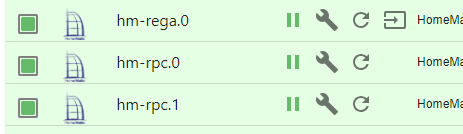
Versuch es mal über die Kommandozeile
iobroker upgrade ADAPTERNAME@VERSIONSNUMMER€dit: Falschen Fehler korrigiert.
Linux-Werkzeugkasten:
https://forum.iobroker.net/topic/42952/der-kleine-iobroker-linux-werkzeugkasten
NodeJS Fixer Skript:
https://forum.iobroker.net/topic/68035/iob-node-fix-skript
iob_diag: curl -sLf -o diag.sh https://iobroker.net/diag.sh && bash diag.sh -
Versuch es mal über die Kommandozeile
iobroker upgrade ADAPTERNAME@VERSIONSNUMMER€dit: Falschen Fehler korrigiert.
@thomas-braun sagte in Adapter lassen sich nicht mehr aktualisieren:
Versuch es mal über die Kommandozeile
iobroker update ADAPTERNAME@VERSIONSNUMMER@t1m0 am besten mit `--debug`` hinten dran. Und dann die Ausgabe posten
-
Versuch es mal über die Kommandozeile
iobroker upgrade ADAPTERNAME@VERSIONSNUMMER€dit: Falschen Fehler korrigiert.
oder meinst du "upgrade"?
Adapter "zigbee" : 1.10.3 , installed 1.8.24 [Updatable] pi@iobroker:~$ iobroker update zigbee@1.10.3 --debug Used repository: zigbee@1.10.3 Error: unknown repository is active - "zigbee@1.10.3". Known: Stable (default) pi@iobroker:~$ -
oder meinst du "upgrade"?
Adapter "zigbee" : 1.10.3 , installed 1.8.24 [Updatable] pi@iobroker:~$ iobroker update zigbee@1.10.3 --debug Used repository: zigbee@1.10.3 Error: unknown repository is active - "zigbee@1.10.3". Known: Stable (default) pi@iobroker:~$Ja, sorry, hab aus dem Gedächtnis geschrieben.
upgrade muss das heißen.
iobroker upgrade ADAPTERNAME@VERSIONSNUMMERIch würde auch die homematic-Adapter ins Auge fassen, nicht den zigbee.
-
Ja, sorry, hab aus dem Gedächtnis geschrieben.
upgrade muss das heißen.
iobroker upgrade ADAPTERNAME@VERSIONSNUMMERIch würde auch die homematic-Adapter ins Auge fassen, nicht den zigbee.
pi@iobroker:~$ iobroker upgrade hm-rpc@1.17.0 --debug This upgrade of "hm-rpc" will introduce the following changes: ========================================================================== -> 1.17.0: Fixed encrypted configuration -> 1.16.1: Improved the configuration layout ========================================================================== Would you like to upgrade hm-rpc from @1.16.0 to @1.17.0 now? [(y)es, (n)o]: y Update hm-rpc from @1.16.0 to @1.17.0 NPM version: 10.5.0 Installing iobroker.hm-rpc@1.17.0... (System call) npm WARN deprecated dgram@1.0.1: npm is holding this package for security reasons. As it's a core Node module, we will not transfer it over to other users. You may safely remove the package from your dependencies. npm WARN deprecated har-validator@5.1.5: this library is no longer supported npm WARN deprecated querystring@0.2.1: The querystring API is considered Legacy. new code should use the URLSearchParams API instead. npm WARN deprecated node-inspect@2.0.0: This module is part of Node.js core and does not need to be installed separately. It is now unmaintained. npm WARN deprecated debug@4.1.1: Debug versions >=3.2.0 <3.2.7 || >=4 <4.3.1 have a low-severity ReDos regression when used in a Node.js environment. It is recommended you upgrade to 3.2.7 or 4.3.1. (https://github.com/visionmedia/debug/issues/797) npm WARN deprecated debug@4.1.1: Debug versions >=3.2.0 <3.2.7 || >=4 <4.3.1 have a low-severity ReDos regression when used in a Node.js environment. It is recommended you upgrade to 3.2.7 or 4.3.1. (https://github.com/visionmedia/debug/issues/797) npm WARN deprecated debug@4.1.1: Debug versions >=3.2.0 <3.2.7 || >=4 <4.3.1 have a low-severity ReDos regression when used in a Node.js environment. It is recommended you upgrade to 3.2.7 or 4.3.1. (https://github.com/visionmedia/debug/issues/797) npm WARN deprecated uuid@3.4.0: Please upgrade to version 7 or higher. Older versions may use Math.random() in certain circumstances, which is known to be problematic. See https://v8.dev/blog/math-random for details. npm WARN deprecated request@2.88.2: request has been deprecated, see https://github.com/request/request/issues/3142 npm WARN deprecated axios@0.19.2: Critical security vulnerability fixed in v0.21.1. For more information, see https://github.com/axios/axios/pull/3410 npm ERR! code 127 npm ERR! path /opt/iobroker/node_modules/zlib npm ERR! command failed npm ERR! command sh -c node-waf clean || true; node-waf configure build npm ERR! sh: 1: node-waf: not found npm ERR! sh: 1: node-waf: not found npm ERR! A complete log of this run can be found in: /home/iobroker/.npm/_logs/2024-05-17T09_55_38_815Z-debug-0.log npm WARN deprecated dgram@1.0.1: npm is holding this package for security reasons. As it's a core Node module, we will not transfer it over to other users. You may safely remove the package from your dependencies. npm WARN deprecated har-validator@5.1.5: this library is no longer supported npm WARN deprecated querystring@0.2.1: The querystring API is considered Legacy. new code should use the URLSearchParams API instead. npm WARN deprecated node-inspect@2.0.0: This module is part of Node.js core and does not need to be installed separately. It is now unmaintained. npm WARN deprecated debug@4.1.1: Debug versions >=3.2.0 <3.2.7 || >=4 <4.3.1 have a low-severity ReDos regression when used in a Node.js environment. It is recommended you upgrade to 3.2.7 or 4.3.1. (https://github.com/visionmedia/debug/issues/797) npm WARN deprecated debug@4.1.1: Debug versions >=3.2.0 <3.2.7 || >=4 <4.3.1 have a low-severity ReDos regression when used in a Node.js environment. It is recommended you upgrade to 3.2.7 or 4.3.1. (https://github.com/visionmedia/debug/issues/797) npm WARN deprecated debug@4.1.1: Debug versions >=3.2.0 <3.2.7 || >=4 <4.3.1 have a low-severity ReDos regression when used in a Node.js environment. It is recommended you upgrade to 3.2.7 or 4.3.1. (https://github.com/visionmedia/debug/issues/797) npm WARN deprecated uuid@3.4.0: Please upgrade to version 7 or higher. Older versions may use Math.random() in certain circumstances, which is known to be problematic. See https://v8.dev/blog/math-random for details. npm WARN deprecated request@2.88.2: request has been deprecated, see https://github.com/request/request/issues/3142 npm WARN deprecated axios@0.19.2: Critical security vulnerability fixed in v0.21.1. For more information, see https://github.com/axios/axios/pull/3410 npm ERR! code 127 npm ERR! path /opt/iobroker/node_modules/zlib npm ERR! command failed npm ERR! command sh -c node-waf clean || true; node-waf configure build npm ERR! sh: 1: node-waf: not found npm ERR! sh: 1: node-waf: not found npm ERR! A complete log of this run can be found in: /home/iobroker/.npm/_logs/2024-05-17T09_55_38_815Z-debug-0.log host.iobroker Cannot install iobroker.hm-rpc@1.17.0: 127 pi@iobroker:~$ -
Grüße,
seit ein paar Tagen bin ich nicht in der Lage irgendwelche updates durchzuführen. Ich habe, zumindest nicht wissentlich, irgendetwas geändert.
Ich bekomme immer, egal welchen Adapter ich Updaten will, folgende Fehlermeldung:$ iobroker upgrade hm-rpc@1.17.0 --debug Update hm-rpc from @1.16.0 to @1.17.0 NPM version: 10.5.0 Installing iobroker.hm-rpc@1.17.0... (System call) npm WARN deprecated dgram@1.0.1: npm is holding this package for security reasons. As it's a core Node module, we will not transfer it over to other users. You may safely remove the package from your dependencies. npm WARN deprecated har-validator@5.1.5: this library is no longer supported npm WARN deprecated querystring@0.2.1: The querystring API is considered Legacy. new code should use the URLSearchParams API instead. npm WARN deprecated node-inspect@2.0.0: This module is part of Node.js core and does not need to be installed separately. It is now unmaintained. npm WARN deprecated debug@4.1.1: Debug versions >=3.2.0 <3.2.7 || >=4 <4.3.1 have a low-severity ReDos regression when used in a Node.js environment. It is recommended you upgrade to 3.2.7 or 4.3.1. (https://github.com/visionmedia/debug/issues/797) npm WARN deprecated debug@4.1.1: Debug versions >=3.2.0 <3.2.7 || >=4 <4.3.1 have a low-severity ReDos regression when used in a Node.js environment. It is recommended you upgrade to 3.2.7 or 4.3.1. (https://github.com/visionmedia/debug/issues/797) npm WARN deprecated debug@4.1.1: Debug versions >=3.2.0 <3.2.7 || >=4 <4.3.1 have a low-severity ReDos regression when used in a Node.js environment. It is recommended you upgrade to 3.2.7 or 4.3.1. (https://github.com/visionmedia/debug/issues/797) npm WARN deprecated uuid@3.4.0: Please upgrade to version 7 or higher. Older versions may use Math.random() in certain circumstances, which is known to be problematic. See https://v8.dev/blog/math-random for details. npm WARN deprecated request@2.88.2: request has been deprecated, see https://github.com/request/request/issues/3142 npm WARN deprecated axios@0.19.2: Critical security vulnerability fixed in v0.21.1. For more information, see https://github.com/axios/axios/pull/3410 npm ERR! code 127 npm ERR! A complete log of this run can be found in: /home/iobroker/.npm/_logs/2024-05-14T13_19_12_049Z-debug-0.log npm WARN deprecated dgram@1.0.1: npm is holding this package for security reasons. As it's a core Node module, we will not transfer it over to other users. You may safely remove the package from your dependencies.npm WARN deprecated har-validator@5.1.5: this library is no longer supportednpm WARN deprecated querystring@0.2.1: The querystring API is considered Legacy. new code should use the URLSearchParams API instead.npm WARN deprecated node-inspect@2.0.0: This module is part of Node.js core and does not need to be installed separately. It is now unmaintained.npm WARN deprecated debug@4.1.1: Debug versions >=3.2.0 <3.2.7 || >=4 <4.3.1 have a low-severity ReDos regression when used in a Node.js environment. It is recommended you upgrade to 3.2.7 or 4.3.1. (https://github.com/visionmedia/debug/issues/797)npm WARN deprecated debug@4.1.1: Debug versions >=3.2.0 <3.2.7 || >=4 <4.3.1 have a low-severity ReDos regression when used in a Node.js environment. It is recommended you upgrade to 3.2.7 or 4.3.1. (https://github.com/visionmedia/debug/issues/797)npm WARN deprecated debug@4.1.1: Debug versions >=3.2.0 <3.2.7 || >=4 <4.3.1 have a low-severity ReDos regression when used in a Node.js environment. It is recommended you upgrade to 3.2.7 or 4.3.1. (https://github.com/visionmedia/debug/issues/797)npm WARN deprecated uuid@3.4.0: Please upgrade to version 7 or higher. Older versions may use Math.random() in certain circumstances, which is known to be problematic. See https://v8.dev/blog/math-random for details.npm WARN deprecated request@2.88.2: request has been deprecated, see https://github.com/request/request/issues/3142npm WARN deprecated axios@0.19.2: Critical security vulnerability fixed in v0.21.1. For more information, see https://github.com/axios/axios/pull/3410npm ERR! code 127npm ERR! path /opt/iobroker/node_modules/zlibnpm ERR! command failednpm ERR! command sh -c node-waf clean || true; node-waf configure buildnpm ERR! sh: 1: node-waf: not foundnpm ERR! sh: 1: node-waf: not foundnpm ERR! A complete log of this run can be found in: /home/iobroker/.npm/_logs/2024-05-14T13_19_12_049Z-debug-0.loghost.iobroker Cannot install iobroker.hm-rpc@1.17.0: 127 ERROR: Process exited with code 25Mein System:
pi@iobroker:~$ uname -m && type -P nodejs node npm npx corepack && nodejs -v && node -v && npm -v && npx -v && corepack -v && iob -v && whoami && groups && echo $XDG_SESSION_TYPE && pwd && sudo apt update &> /dev/null && sudo apt update && apt policy nodejs
x86_64
/usr/bin/nodejs
/usr/bin/node
/usr/bin/npm
/usr/bin/npx
/usr/bin/corepack
v18.20.2
v18.20.2
10.5.0
10.5.0
0.25.2
5.0.19
pi
pi cdrom floppy sudo audio dip video plugdev netdev iobroker
tty
/home/pi
OK:1 http://security.debian.org/debian-security buster/updates InRelease
OK:2 http://deb.debian.org/debian buster InRelease
OK:3 http://deb.debian.org/debian buster-updates InRelease
OK:4 https://deb.nodesource.com/node_18.x nodistro InRelease
Paketlisten werden gelesen... Fertig
Abhängigkeitsbaum wird aufgebaut.
Statusinformationen werden eingelesen.... Fertig
Aktualisierung für 7 Pakete verfügbar. Führen Sie »apt list --upgradable« aus, um sie anzuzeigen.
nodejs:
  Installiert:           18.20.2-1nodesource1
  Installationskandidat: 18.20.2-1nodesource1
  Versionstabelle:
 *** 18.20.2-1nodesource1 500
        500 https://deb.nodesource.com/node_18.x nodistro/main amd64 Packages
        100 /var/lib/dpkg/status
     18.20.1-1nodesource1 500
        500 https://deb.nodesource.com/node_18.x nodistro/main amd64 Packages
     18.20.0-1nodesource1 500
        500 https://deb.nodesource.com/node_18.x nodistro/main amd64 Packages
     18.19.1-1nodesource1 500
        500 https://deb.nodesource.com/node_18.x nodistro/main amd64 Packages
     18.19.0-1nodesource1 500
        500 https://deb.nodesource.com/node_18.x nodistro/main amd64 Packages
     18.18.2-1nodesource1 500
        500 https://deb.nodesource.com/node_18.x nodistro/main amd64 Packages
     18.18.1-1nodesource1 500
        500 https://deb.nodesource.com/node_18.x nodistro/main amd64 Packages
     18.18.0-1nodesource1 500
        500 https://deb.nodesource.com/node_18.x nodistro/main amd64 Packages
     18.17.1-1nodesource1 500
        500 https://deb.nodesource.com/node_18.x nodistro/main amd64 Packages
     18.17.0-1nodesource1 500
        500 https://deb.nodesource.com/node_18.x nodistro/main amd64 Packages
     18.16.1-1nodesource1 500
        500 https://deb.nodesource.com/node_18.x nodistro/main amd64 Packages
     18.16.0-1nodesource1 500
        500 https://deb.nodesource.com/node_18.x nodistro/main amd64 Packages
     18.15.0-1nodesource1 500
        500 https://deb.nodesource.com/node_18.x nodistro/main amd64 Packages
     18.14.2-1nodesource1 500
        500 https://deb.nodesource.com/node_18.x nodistro/main amd64 Packages
     18.14.1-1nodesource1 500
        500 https://deb.nodesource.com/node_18.x nodistro/main amd64 Packages
     18.14.0-1nodesource1 500
        500 https://deb.nodesource.com/node_18.x nodistro/main amd64 Packages
     18.13.0-1nodesource1 500
        500 https://deb.nodesource.com/node_18.x nodistro/main amd64 Packages
     18.12.0-1nodesource1 500
        500 https://deb.nodesource.com/node_18.x nodistro/main amd64 Packages
     18.11.0-1nodesource1 500
        500 https://deb.nodesource.com/node_18.x nodistro/main amd64 Packages
     18.10.0-1nodesource1 500
        500 https://deb.nodesource.com/node_18.x nodistro/main amd64 Packages
     18.9.1-1nodesource1 500
        500 https://deb.nodesource.com/node_18.x nodistro/main amd64 Packages
     18.9.0-1nodesource1 500
        500 https://deb.nodesource.com/node_18.x nodistro/main amd64 Packages
     18.8.0-1nodesource1 500
        500 https://deb.nodesource.com/node_18.x nodistro/main amd64 Packages
     18.7.0-1nodesource1 500
        500 https://deb.nodesource.com/node_18.x nodistro/main amd64 Packages
     18.6.0-1nodesource1 500
        500 https://deb.nodesource.com/node_18.x nodistro/main amd64 Packages
     18.5.0-1nodesource1 500
        500 https://deb.nodesource.com/node_18.x nodistro/main amd64 Packages
     18.4.0-1nodesource1 500
        500 https://deb.nodesource.com/node_18.x nodistro/main amd64 Packages
     18.3.0-1nodesource1 500
        500 https://deb.nodesource.com/node_18.x nodistro/main amd64 Packages
     18.2.0-1nodesource1 500
        500 https://deb.nodesource.com/node_18.x nodistro/main amd64 Packages
     18.1.0-1nodesource1 500
        500 https://deb.nodesource.com/node_18.x nodistro/main amd64 Packages
     18.0.0-1nodesource1 500
        500 https://deb.nodesource.com/node_18.x nodistro/main amd64 Packages
     10.24.0~dfsg-1~deb10u4 500
        500 http://security.debian.org/debian-security buster/updates/main amd64 Packages
     10.24.0~dfsg-1~deb10u1 500
        500 http://deb.debian.org/debian buster/main amd64 Packages
Über eure Hilfe wäre ich sehr Dankbar!
-
Ich habe nun keinen anderen Ausweg gesehen, als Iobroker neu zu installieren und ein Backup einzuspielen. Dies hat auch alles wunderbar funktioniert. Ich kann nun wieder alles aktualisieren.
Ein Adapter hat aber Probleme gemacht, und den gleichen Fehler ausgespuckt. Den Adapter habe ich dann gelöscht und neu installiert. Nun habe ich auch hier keine Probleme mehr und Iobroker funktioniert wieder!!!
-
Ich habe nun keinen anderen Ausweg gesehen, als Iobroker neu zu installieren und ein Backup einzuspielen. Dies hat auch alles wunderbar funktioniert. Ich kann nun wieder alles aktualisieren.
Ein Adapter hat aber Probleme gemacht, und den gleichen Fehler ausgespuckt. Den Adapter habe ich dann gelöscht und neu installiert. Nun habe ich auch hier keine Probleme mehr und Iobroker funktioniert wieder!!!@t1m0 sagte in Adapter lassen sich nicht mehr aktualisieren:
Ein Adapter hat aber Probleme gemacht, und den gleichen Fehler ausgespuckt.
Und welcher Adapter war das?




Hey! Du scheinst an dieser Unterhaltung interessiert zu sein, hast aber noch kein Konto.
Hast du es satt, bei jedem Besuch durch die gleichen Beiträge zu scrollen? Wenn du dich für ein Konto anmeldest, kommst du immer genau dorthin zurück, wo du zuvor warst, und kannst dich über neue Antworten benachrichtigen lassen (entweder per E-Mail oder Push-Benachrichtigung). Du kannst auch Lesezeichen speichern und Beiträge positiv bewerten, um anderen Community-Mitgliedern deine Wertschätzung zu zeigen.
Mit deinem Input könnte dieser Beitrag noch besser werden 💗
Registrieren Anmelden470
Online33.0k
Benutzende83.7k
Themen1.3m
Beiträge