




Proxmox neues LXC Container, fehler im iob diag
-
Systemdata Bitte Ausfüllen Hardwaresystem: NUC. Arbeitsspeicher: 6GB Festplattenart: SSD Betriebssystem: Ubuntu Node-Version: 18.x.x Nodejs-Version: 9.x.x Guten Abend,
ich habe in Proxmox ein neues LXC Container mit ioBroker installiert.
Alle Backups draufgespielt, alles hat ohne Probleme geklapt.
Nur wenn ich "iob diag" starte, erhalte ich unter "Failed Services" 2 Fehler.
Was Linux angeht, bin ich erst Anfänger und weis jetzt nicht, wie ich diese Fehler lösen kann.iob diag.
Skript v.2023-10-10 *** BASE SYSTEM *** Static hostname: IOBROKER Icon name: computer-container Chassis: container Virtualization: lxc Operating System: Ubuntu 22.04.3 LTS Kernel: Linux 6.2.16-15-pve Architecture: x86-64 model name : Intel(R) Pentium(R) Silver J5040 CPU @ 2.00GHz Docker : false Virtualization : lxc Kernel : x86_64 Userland : amd64 Systemuptime and Load: 22:32:46 up 55 min, 2 users, load average: 0.39, 0.45, 0.46 CPU threads: 2 *** Time and Time Zones *** Local time: Tue 2023-10-24 22:32:46 CEST Universal time: Tue 2023-10-24 20:32:46 UTC RTC time: n/a Time zone: Europe/Berlin (CEST, +0200) System clock synchronized: yes NTP service: inactive RTC in local TZ: no *** User and Groups *** edi77 /home/edi77 edi77 sudo iobroker *** X-Server-Setup *** X-Server: false Desktop: Terminal: tty Boot Target: graphical.target *** MEMORY *** total used free shared buff/cache available Mem: 6.1G 1.5G 4.0G 0.0K 622M 4.7G Swap: 2.0G 0B 2.0G Total: 8.2G 1.5G 6.1G 6144 M total memory 1485 M used memory 413 M active memory 1526 M inactive memory 4036 M free memory 0 M buffer memory 622 M swap cache 2048 M total swap 0 M used swap 2048 M free swap *** FAILED SERVICES *** UNIT LOAD ACTIVE SUB DESCRIPTION * apparmor.service loaded failed failed Load AppArmor profiles * systemd-sysusers.service loaded failed failed Create System Users LOAD = Reflects whether the unit definition was properly loaded. ACTIVE = The high-level unit activation state, i.e. generalization of SUB. SUB = The low-level unit activation state, values depend on unit type. 2 loaded units listed. *** FILESYSTEM *** Filesystem Type Size Used Avail Use% Mounted on /dev/mapper/pve-vm--101--disk--0 ext4 16G 3.5G 12G 24% / none tmpfs 492K 4.0K 488K 1% /dev tmpfs tmpfs 3.7G 0 3.7G 0% /dev/shm tmpfs tmpfs 1.5G 128K 1.5G 1% /run tmpfs tmpfs 5.0M 0 5.0M 0% /run/lock tmpfs tmpfs 752M 0 752M 0% /run/user/1000 Messages concerning ext4 filesystem in dmesg: [Tue Oct 10 18:15:54 2023] EXT4-fs (dm-1): mounted filesystem dcc632b4-4524-4008-a047-ede87046e036 with ordered data mode. Quota mode: none. [Tue Oct 10 18:15:55 2023] EXT4-fs (dm-1): re-mounted dcc632b4-4524-4008-a047-ede87046e036. Quota mode: none. [Tue Oct 10 18:16:10 2023] EXT4-fs (dm-6): mounted filesystem c7ac5491-9bf7-46a2-a6f8-4a33d593592b with ordered data mode. Quota mode: none. [Mon Oct 16 19:02:53 2023] EXT4-fs (dm-6): unmounting filesystem c7ac5491-9bf7-46a2-a6f8-4a33d593592b. [Mon Oct 16 19:02:54 2023] EXT4-fs (dm-6): mounted filesystem c7ac5491-9bf7-46a2-a6f8-4a33d593592b with ordered data mode. Quota mode: none. [Mon Oct 23 19:10:53 2023] EXT4-fs (dm-8): mounted filesystem b9504c5a-9337-4ebe-8410-ab6490771608 with ordered data mode. Quota mode: none. [Mon Oct 23 19:11:02 2023] EXT4-fs (dm-8): unmounting filesystem b9504c5a-9337-4ebe-8410-ab6490771608. [Mon Oct 23 19:11:37 2023] EXT4-fs (dm-8): mounted filesystem b9504c5a-9337-4ebe-8410-ab6490771608 with ordered data mode. Quota mode: none. [Mon Oct 23 19:26:39 2023] EXT4-fs (dm-8): unmounting filesystem b9504c5a-9337-4ebe-8410-ab6490771608. [Mon Oct 23 19:26:40 2023] EXT4-fs (dm-8): mounted filesystem b9504c5a-9337-4ebe-8410-ab6490771608 with ordered data mode. Quota mode: none. [Mon Oct 23 19:28:34 2023] EXT4-fs (dm-8): unmounting filesystem b9504c5a-9337-4ebe-8410-ab6490771608. [Mon Oct 23 19:34:36 2023] EXT4-fs (dm-8): mounted filesystem 9ab8010b-f1da-4a4b-bebd-7309c1284fc1 with ordered data mode. Quota mode: none. [Mon Oct 23 19:34:47 2023] EXT4-fs (dm-8): unmounting filesystem 9ab8010b-f1da-4a4b-bebd-7309c1284fc1. [Mon Oct 23 19:34:48 2023] EXT4-fs (dm-8): mounted filesystem 9ab8010b-f1da-4a4b-bebd-7309c1284fc1 with ordered data mode. Quota mode: none. [Mon Oct 23 19:36:13 2023] EXT4-fs (dm-9): write access unavailable, skipping orphan cleanup [Mon Oct 23 19:36:13 2023] EXT4-fs (dm-9): mounted filesystem 9ab8010b-f1da-4a4b-bebd-7309c1284fc1 without journal. Quota mode: none. [Mon Oct 23 19:36:26 2023] EXT4-fs (dm-9): unmounting filesystem 9ab8010b-f1da-4a4b-bebd-7309c1284fc1. [Mon Oct 23 20:22:21 2023] EXT4-fs (dm-6): unmounting filesystem c7ac5491-9bf7-46a2-a6f8-4a33d593592b. [Mon Oct 23 20:39:38 2023] EXT4-fs (dm-6): mounted filesystem c7ac5491-9bf7-46a2-a6f8-4a33d593592b with ordered data mode. Quota mode: none. [Mon Oct 23 20:51:44 2023] EXT4-fs (dm-8): unmounting filesystem 9ab8010b-f1da-4a4b-bebd-7309c1284fc1. [Tue Oct 24 17:16:17 2023] EXT4-fs (dm-8): mounted filesystem 9ab8010b-f1da-4a4b-bebd-7309c1284fc1 with ordered data mode. Quota mode: none. [Tue Oct 24 17:43:23 2023] EXT4-fs (dm-6): unmounting filesystem c7ac5491-9bf7-46a2-a6f8-4a33d593592b. [Tue Oct 24 18:05:03 2023] EXT4-fs (dm-8): unmounting filesystem 9ab8010b-f1da-4a4b-bebd-7309c1284fc1. [Tue Oct 24 18:05:05 2023] EXT4-fs (dm-8): mounted filesystem 9ab8010b-f1da-4a4b-bebd-7309c1284fc1 with ordered data mode. Quota mode: none. [Tue Oct 24 18:36:27 2023] EXT4-fs (dm-8): unmounting filesystem 9ab8010b-f1da-4a4b-bebd-7309c1284fc1. [Tue Oct 24 18:37:45 2023] EXT4-fs (dm-9): mounted filesystem 36e08bb2-0047-45d8-aa82-392252aeebaa with ordered data mode. Quota mode: none. [Tue Oct 24 18:37:52 2023] EXT4-fs (dm-9): unmounting filesystem 36e08bb2-0047-45d8-aa82-392252aeebaa. [Tue Oct 24 18:38:13 2023] EXT4-fs (dm-9): mounted filesystem 36e08bb2-0047-45d8-aa82-392252aeebaa with ordered data mode. Quota mode: none. [Tue Oct 24 19:01:58 2023] EXT4-fs (dm-9): unmounting filesystem 36e08bb2-0047-45d8-aa82-392252aeebaa. [Tue Oct 24 19:01:59 2023] EXT4-fs (dm-9): mounted filesystem 36e08bb2-0047-45d8-aa82-392252aeebaa with ordered data mode. Quota mode: none. [Tue Oct 24 19:43:32 2023] EXT4-fs (dm-6): mounted filesystem c7ac5491-9bf7-46a2-a6f8-4a33d593592b with ordered data mode. Quota mode: none. [Tue Oct 24 19:43:34 2023] EXT4-fs (dm-9): unmounting filesystem 36e08bb2-0047-45d8-aa82-392252aeebaa. [Tue Oct 24 20:14:59 2023] EXT4-fs (dm-7): mounted filesystem c7ac5491-9bf7-46a2-a6f8-4a33d593592b without journal. Quota mode: none. [Tue Oct 24 20:16:54 2023] EXT4-fs (dm-7): unmounting filesystem c7ac5491-9bf7-46a2-a6f8-4a33d593592b. [Tue Oct 24 20:38:16 2023] EXT4-fs (dm-7): mounted filesystem 4c7b1fe0-de8e-4790-af42-5a75df07a866 with ordered data mode. Quota mode: none. [Tue Oct 24 20:38:24 2023] EXT4-fs (dm-7): unmounting filesystem 4c7b1fe0-de8e-4790-af42-5a75df07a866. [Tue Oct 24 20:38:25 2023] EXT4-fs (dm-7): mounted filesystem 4c7b1fe0-de8e-4790-af42-5a75df07a866 with ordered data mode. Quota mode: none. [Tue Oct 24 20:46:57 2023] EXT4-fs (dm-7): unmounting filesystem 4c7b1fe0-de8e-4790-af42-5a75df07a866. [Tue Oct 24 20:46:59 2023] EXT4-fs (dm-7): mounted filesystem 4c7b1fe0-de8e-4790-af42-5a75df07a866 with ordered data mode. Quota mode: none. [Tue Oct 24 20:49:37 2023] EXT4-fs (dm-7): unmounting filesystem 4c7b1fe0-de8e-4790-af42-5a75df07a866. [Tue Oct 24 20:49:39 2023] EXT4-fs (dm-7): mounted filesystem 4c7b1fe0-de8e-4790-af42-5a75df07a866 with ordered data mode. Quota mode: none. [Tue Oct 24 21:35:39 2023] EXT4-fs (dm-7): unmounting filesystem 4c7b1fe0-de8e-4790-af42-5a75df07a866. [Tue Oct 24 21:35:50 2023] EXT4-fs (dm-7): mounted filesystem 4c7b1fe0-de8e-4790-af42-5a75df07a866 with ordered data mode. Quota mode: none. [Tue Oct 24 21:37:31 2023] EXT4-fs (dm-7): unmounting filesystem 4c7b1fe0-de8e-4790-af42-5a75df07a866. [Tue Oct 24 21:37:33 2023] EXT4-fs (dm-7): mounted filesystem 4c7b1fe0-de8e-4790-af42-5a75df07a866 with ordered data mode. Quota mode: none. [Tue Oct 24 22:16:36 2023] EXT4-fs (dm-6): unmounting filesystem c7ac5491-9bf7-46a2-a6f8-4a33d593592b. Show mounted filesystems \(real ones only\): TARGET SOURCE FSTYPE OPTIONS / /dev/mapper/pve-vm--101--disk--0 ext4 rw,relatime,stripe=16 Files in neuralgic directories: /var: 513M /var/ 248M /var/lib 239M /var/cache 232M /var/cache/apt 153M /var/lib/apt/lists Hint: You are currently not seeing messages from other users and the system. Users in groups 'adm', 'systemd-journal' can see all messages. Pass -q to turn off this notice. Archived and active journals take up 8.0M in the file system. /opt/iobroker/backups: 31M /opt/iobroker/backups/ /opt/iobroker/iobroker-data: 508M /opt/iobroker/iobroker-data/ 346M /opt/iobroker/iobroker-data/files 148M /opt/iobroker/iobroker-data/history 88M /opt/iobroker/iobroker-data/files/echarts.admin 57M /opt/iobroker/iobroker-data/files/echarts The five largest files in iobroker-data are: 23M /opt/iobroker/iobroker-data/files/echarts/static/js/main.eb0afecd.js.map 23M /opt/iobroker/iobroker-data/files/echarts.admin/static/js/main.7952f0f7.js.map 23M /opt/iobroker/iobroker-data/files/echarts.admin/chart/static/js/main.eb0afecd.js.map 21M /opt/iobroker/iobroker-data/files/web.admin/static/js/main.edf7552a.js.map 18M /opt/iobroker/iobroker-data/files/text2command.admin/static/js/main.274a4d8d.js.map USB-Devices by-id: USB-Sticks - Avoid direct links to /dev/* in your adapter setups, please always prefer the links 'by-id': find: '/dev/serial/by-id/': No such file or directory *** NodeJS-Installation *** /usr/bin/nodejs v18.18.2 /usr/bin/node v18.18.2 /usr/bin/npm 9.8.1 /usr/bin/npx 9.8.1 /usr/bin/corepack 0.19.0 nodejs: Installed: 18.18.2-1nodesource1 Candidate: 18.18.2-1nodesource1 Version table: *** 18.18.2-1nodesource1 500 500 https://deb.nodesource.com/node_18.x nodistro/main amd64 Packages 100 /var/lib/dpkg/status 18.18.1-1nodesource1 500 500 https://deb.nodesource.com/node_18.x nodistro/main amd64 Packages 18.18.0-1nodesource1 500 500 https://deb.nodesource.com/node_18.x nodistro/main amd64 Packages 18.17.1-1nodesource1 500 500 https://deb.nodesource.com/node_18.x nodistro/main amd64 Packages 18.17.0-1nodesource1 500 500 https://deb.nodesource.com/node_18.x nodistro/main amd64 Packages 18.16.1-1nodesource1 500 500 https://deb.nodesource.com/node_18.x nodistro/main amd64 Packages 18.16.0-1nodesource1 500 500 https://deb.nodesource.com/node_18.x nodistro/main amd64 Packages 18.15.0-1nodesource1 500 500 https://deb.nodesource.com/node_18.x nodistro/main amd64 Packages 18.14.2-1nodesource1 500 500 https://deb.nodesource.com/node_18.x nodistro/main amd64 Packages 18.14.1-1nodesource1 500 500 https://deb.nodesource.com/node_18.x nodistro/main amd64 Packages 18.14.0-1nodesource1 500 500 https://deb.nodesource.com/node_18.x nodistro/main amd64 Packages 18.13.0-1nodesource1 500 500 https://deb.nodesource.com/node_18.x nodistro/main amd64 Packages 18.12.0-1nodesource1 500 500 https://deb.nodesource.com/node_18.x nodistro/main amd64 Packages 18.11.0-1nodesource1 500 500 https://deb.nodesource.com/node_18.x nodistro/main amd64 Packages 18.10.0-1nodesource1 500 500 https://deb.nodesource.com/node_18.x nodistro/main amd64 Packages 18.9.1-1nodesource1 500 500 https://deb.nodesource.com/node_18.x nodistro/main amd64 Packages 18.9.0-1nodesource1 500 500 https://deb.nodesource.com/node_18.x nodistro/main amd64 Packages 18.8.0-1nodesource1 500 500 https://deb.nodesource.com/node_18.x nodistro/main amd64 Packages 18.7.0-1nodesource1 500 500 https://deb.nodesource.com/node_18.x nodistro/main amd64 Packages 18.6.0-1nodesource1 500 500 https://deb.nodesource.com/node_18.x nodistro/main amd64 Packages 18.5.0-1nodesource1 500 500 https://deb.nodesource.com/node_18.x nodistro/main amd64 Packages 18.4.0-1nodesource1 500 500 https://deb.nodesource.com/node_18.x nodistro/main amd64 Packages 18.3.0-1nodesource1 500 500 https://deb.nodesource.com/node_18.x nodistro/main amd64 Packages 18.2.0-1nodesource1 500 500 https://deb.nodesource.com/node_18.x nodistro/main amd64 Packages 18.1.0-1nodesource1 500 500 https://deb.nodesource.com/node_18.x nodistro/main amd64 Packages 18.0.0-1nodesource1 500 500 https://deb.nodesource.com/node_18.x nodistro/main amd64 Packages 12.22.9~dfsg-1ubuntu3 500 500 http://archive.ubuntu.com/ubuntu jammy/universe amd64 Packages Temp directories causing npm8 problem: 0 No problems detected Errors in npm tree: *** ioBroker-Installation *** ioBroker Status iobroker is running on this host. Objects type: jsonl States type: jsonl Core adapters versions js-controller: 5.0.12 admin: 6.10.1 javascript: 7.1.4 Adapters from github: 2 Adapter State + system.adapter.admin.0 : admin : IOBROKER - enabled, port: 8081, bind: 0.0.0.0, run as: admin + system.adapter.backitup.1 : backitup : IOBROKER - enabled + system.adapter.cloud.0 : cloud : IOBROKER - enabled + system.adapter.deyeidc.0 : deyeidc : IOBROKER - enabled, port: 8899 + system.adapter.discovery.0 : discovery : IOBROKER - enabled + system.adapter.echarts.0 : echarts : IOBROKER - enabled + system.adapter.history.0 : history : IOBROKER - enabled + system.adapter.hmip.0 : hmip : IOBROKER - enabled system.adapter.icons-mfd-png.0 : icons-mfd-png : IOBROKER - disabled system.adapter.icons-mfd-svg.0 : icons-mfd-svg : IOBROKER - disabled + system.adapter.javascript.0 : javascript : IOBROKER - enabled + system.adapter.mihome-cloud.0 : mihome-cloud : IOBROKER - enabled + system.adapter.mihome-vacuum.0 : mihome-vacuum : IOBROKER - enabled, port: 54321 system.adapter.onvif.0 : onvif : IOBROKER - disabled, port: 8086 + system.adapter.proxmox.0 : proxmox : IOBROKER - enabled, port: 8006 + system.adapter.simple-api.0 : simple-api : IOBROKER - enabled, port: 8087, bind: 0.0.0.0, run as: admin + system.adapter.snmp.0 : snmp : IOBROKER - enabled + system.adapter.sonoff.0 : sonoff : IOBROKER - enabled, port: 1883, bind: 0.0.0.0 + system.adapter.sourceanalytix.0 : sourceanalytix : IOBROKER - enabled + system.adapter.tankerkoenig.0 : tankerkoenig : IOBROKER - enabled + system.adapter.telegram.0 : telegram : IOBROKER - enabled, port: 8443, bind: 0.0.0.0 system.adapter.text2command.0 : text2command : IOBROKER - disabled + system.adapter.tuya.0 : tuya : IOBROKER - enabled system.adapter.vis-canvas-gauges.0 : vis-canvas-gauges : IOBROKER - disabled system.adapter.vis-fancyswitch.0 : vis-fancyswitch : IOBROKER - disabled system.adapter.vis-hqwidgets.0 : vis-hqwidgets : IOBROKER - disabled + system.adapter.vis-inventwo.0 : vis-inventwo : IOBROKER - enabled system.adapter.vis-jqui-mfd.0 : vis-jqui-mfd : IOBROKER - disabled system.adapter.vis-material-advanced.0 : vis-material-advanced : IOBROKER - disabled system.adapter.vis-timeandweather.0 : vis-timeandweather : IOBROKER - disabled system.adapter.vis.0 : vis : IOBROKER - enabled + system.adapter.web.0 : web : IOBROKER - enabled, port: 8082, bind: 0.0.0.0, run as: admin + system.adapter.ws.0 : ws : IOBROKER - enabled, port: 8084, bind: 0.0.0.0, run as: admin + instance is alive Enabled adapters with bindings + system.adapter.admin.0 : admin : IOBROKER - enabled, port: 8081, bind: 0.0.0.0, run as: admin + system.adapter.deyeidc.0 : deyeidc : IOBROKER - enabled, port: 8899 + system.adapter.mihome-vacuum.0 : mihome-vacuum : IOBROKER - enabled, port: 54321 + system.adapter.proxmox.0 : proxmox : IOBROKER - enabled, port: 8006 + system.adapter.simple-api.0 : simple-api : IOBROKER - enabled, port: 8087, bind: 0.0.0.0, run as: admin + system.adapter.sonoff.0 : sonoff : IOBROKER - enabled, port: 1883, bind: 0.0.0.0 + system.adapter.telegram.0 : telegram : IOBROKER - enabled, port: 8443, bind: 0.0.0.0 + system.adapter.web.0 : web : IOBROKER - enabled, port: 8082, bind: 0.0.0.0, run as: admin + system.adapter.ws.0 : ws : IOBROKER - enabled, port: 8084, bind: 0.0.0.0, run as: admin ioBroker-Repositories stable : http://download.iobroker.net/sources-dist.json beta : http://download.iobroker.net/sources-dist-latest.json Active repo(s): stable Installed ioBroker-Instances Used repository: stable Adapter "admin" : 6.10.1 , installed 6.10.1 Adapter "backitup" : 2.8.1 , installed 2.8.1 Adapter "cloud" : 4.4.1 , installed 4.4.1 Adapter "deyeidc" : 0.0.11 , installed 0.0.11 Adapter "discovery" : 3.1.0 , installed 3.1.0 Adapter "echarts" : 1.5.1 , installed 1.5.1 Adapter "history" : 2.2.6 , installed 2.2.6 Adapter "hmip" : 1.20.0 , installed 1.20.0 Adapter "icons-mfd-png": 1.1.0 , installed 1.1.0 Adapter "icons-mfd-svg": 1.1.0 , installed 1.1.0 Adapter "javascript" : 7.1.4 , installed 7.1.4 Controller "js-controller": 5.0.12 , installed 5.0.12 Adapter "mihome-cloud" : 0.1.0 , installed 0.1.1 Adapter "mihome-vacuum": 4.0.0 , installed 4.0.0 Adapter "onvif" : 1.0.5 , installed 1.0.5 Adapter "proxmox" : 1.3.5 , installed 1.3.5 Adapter "simple-api" : 2.7.2 , installed 2.7.2 Adapter "snmp" : 2.4.11 , installed 2.4.11 Adapter "socketio" : 6.5.5 , installed 6.5.5 Adapter "sonoff" : 2.5.3 , installed 2.5.3 Adapter "tankerkoenig" : 3.3.7 , installed 3.3.7 Adapter "telegram" : 1.16.0 , installed 1.16.0 Adapter "text2command" : 3.0.2 , installed 3.0.2 Adapter "tuya" : 3.14.2 , installed 3.14.2 Adapter "vis" : 1.4.16 , installed 1.4.16 Adapter "vis-canvas-gauges": 1.0.1, installed 1.0.1 Adapter "vis-fancyswitch": 1.1.0 , installed 1.1.0 Adapter "vis-hqwidgets": 1.4.0 , installed 1.4.0 Adapter "vis-inventwo" : 3.3.3 , installed 3.3.3 Adapter "vis-jqui-mfd" : 1.0.12 , installed 1.0.12 Adapter "vis-material-advanced": 1.7.4, installed 1.7.4 Adapter "vis-timeandweather": 1.2.2, installed 1.2.2 Adapter "web" : 6.1.2 , installed 6.1.2 Adapter "ws" : 2.5.5 , installed 2.5.5 Objects and States Please stand by - This may take a while Objects: 3225 States: 2570 *** OS-Repositories and Updates *** Hit:1 https://deb.nodesource.com/node_18.x nodistro InRelease Hit:2 http://archive.ubuntu.com/ubuntu jammy InRelease Hit:3 http://archive.ubuntu.com/ubuntu jammy-updates InRelease Hit:4 http://archive.ubuntu.com/ubuntu jammy-security InRelease Reading package lists... Pending Updates: 0 *** Listening Ports *** Active Internet connections (only servers) Proto Recv-Q Send-Q Local Address Foreign Address State User Inode PID/Program name tcp 0 0 127.0.0.53:53 0.0.0.0:* LISTEN 106 31468695 95/systemd-resolved tcp 0 0 127.0.0.1:9000 0.0.0.0:* LISTEN 1001 31531633 3149/iobroker.js-co tcp 0 0 127.0.0.1:9001 0.0.0.0:* LISTEN 1001 31531626 3149/iobroker.js-co tcp 0 0 127.0.0.1:25 0.0.0.0:* LISTEN 0 31467229 333/master tcp 0 0 0.0.0.0:1883 0.0.0.0:* LISTEN 1001 31533324 3434/io.sonoff.0 tcp 0 0 0.0.0.0:111 0.0.0.0:* LISTEN 0 31465391 1/init tcp6 0 0 :::8084 :::* LISTEN 1001 31594718 5828/io.ws.0 tcp6 0 0 :::8087 :::* LISTEN 1001 31540925 4343/io.simple-api. tcp6 0 0 :::8081 :::* LISTEN 1001 31531739 3167/io.admin.0 tcp6 0 0 :::8082 :::* LISTEN 1001 31595680 5813/io.web.0 tcp6 0 0 ::1:25 :::* LISTEN 0 31467230 333/master tcp6 0 0 :::22 :::* LISTEN 0 31468785 1/init tcp6 0 0 :::111 :::* LISTEN 0 31465393 1/init udp 0 0 127.0.0.53:53 0.0.0.0:* 106 31468694 95/systemd-resolved udp 0 0 0.0.0.0:111 0.0.0.0:* 0 31465392 1/init udp 0 0 0.0.0.0:53421 0.0.0.0:* 1001 31533205 3314/io.mihome-vacu udp 0 0 0.0.0.0:53922 0.0.0.0:* 1001 31540968 4361/io.snmp.0 udp 0 0 0.0.0.0:6666 0.0.0.0:* 1001 31534205 3471/io.tuya.0 udp 0 0 0.0.0.0:6667 0.0.0.0:* 1001 31534206 3471/io.tuya.0 udp6 0 0 :::111 :::* 0 31465394 1/init udp6 0 0 fe80::bc88:b8ff:fed:546 :::* 105 31468901 86/systemd-networkd *** Log File - Last 25 Lines *** 2023-10-24 22:23:43.611 - info: admin.0 (3167) <== Disconnect system.user.admin from ::ffff:192.168.178.25 admin 2023-10-24 22:28:13.894 - warn: mihome-cloud.0 (5765) Error getting Status of the device via Plugin for Ventilator 2 (410394573) with {"id":0,"method":"get_properties","accessKey":"IOS00026747c5acafc2","params":[]} 2023-10-24 22:28:13.894 - warn: mihome-cloud.0 (5765) {"code":-2,"error":{"code":-2,"message":"device offline"},"exe_time":0,"id":8427818,"message":"device offline","net_cost":0,"ot_cost":0} 2023-10-24 22:30:59.202 - info: admin.0 (3167) ==> Connected system.user.admin from ::ffff:192.168.178.25============ Mark until here for C&P =============
iob diag has finished.
Press any key for a summary
======================= SUMMARY ======================= v.2023-10-10 Static hostname: IOBROKER Icon name: computer-container Chassis: container Virtualization: lxc Operating System: Ubuntu 22.04.3 LTS Kernel: Linux 6.2.16-15-pve Architecture: x86-64 Installation: lxc Kernel: x86_64 Userland: amd64 Timezone: Europe/Berlin (CEST, +0200) User-ID: 1000 X-Server: false Boot Target: graphical.target Pending OS-Updates: 0 Pending iob updates: 0 Nodejs-Installation: /usr/bin/nodejs v18.18.2 /usr/bin/node v18.18.2 /usr/bin/npm 9.8.1 /usr/bin/npx 9.8.1 /usr/bin/corepack 0.19.0 Recommended versions are nodejs 18.18.2 and npm 9.8.1 Your nodejs installation is correct MEMORY: total used free shared buff/cache available Mem: 6.1G 1.5G 4.0G 0.0K 623M 4.6G Swap: 2.0G 0B 2.0G Total: 8.2G 1.5G 6.0G Active iob-Instances: 23 Active repo(s): stable ioBroker Core: js-controller 5.0.12 admin 6.10.1 ioBroker Status: iobroker is running on this host. Objects type: jsonl States type: jsonl Status admin and web instance: + system.adapter.admin.0 : admin : IOBROKER - enabled, port: 8081, bind: 0.0.0.0, run as: admin + system.adapter.web.0 : web : IOBROKER - enabled, port: 8082, bind: 0.0.0.0, run as: admin Objects: 3225 States: 2566 Size of iob-Database: 11M /opt/iobroker/iobroker-data/objects.jsonl 4.0M /opt/iobroker/iobroker-data/states.jsonl =================== END OF SUMMARY ====================@edis77 sagte in Proxmox neues LXC Container, fehler im iob diag:
Messages concerning ext4 filesystem in dmesg:
Moin,
diese Meldungen von Mount, Unmount, sehen für mich eher abnorm aus
[Tue Oct 10 18:15:54 2023] EXT4-fs (dm-1): mounted filesystem dcc632b4-4524-4008-a047-ede87046e036 with ordered data mode. Quota mode: none.
[Tue Oct 10 18:15:55 2023] EXT4-fs (dm-1): re-mounted dcc632b4-4524-4008-a047-ede87046e036. Quota mode: none.
[Tue Oct 10 18:16:10 2023] EXT4-fs (dm-6): mounted filesystem c7ac5491-9bf7-46a2-a6f8-4a33d593592b with ordered data mode. Quota mode: none.
[Mon Oct 16 19:02:53 2023] EXT4-fs (dm-6): unmounting filesystem c7ac5491-9bf7-46a2-a6f8-4a33d593592b.
[Mon Oct 16 19:02:54 2023] EXT4-fs (dm-6): mounted filesystem c7ac5491-9bf7-46a2-a6f8-4a33d593592b with ordered data mode. Quota mode: none.
[Mon Oct 23 19:10:53 2023] EXT4-fs (dm-8): mounted filesystem b9504c5a-9337-4ebe-8410-ab6490771608 with ordered data mode. Quota mode: none.
[Mon Oct 23 19:11:02 2023] EXT4-fs (dm-8): unmounting filesystem b9504c5a-9337-4ebe-8410-ab6490771608.
VG
Bernd -
@edis77 sagte in Proxmox neues LXC Container, fehler im iob diag:
Messages concerning ext4 filesystem in dmesg:
Moin,
diese Meldungen von Mount, Unmount, sehen für mich eher abnorm aus
[Tue Oct 10 18:15:54 2023] EXT4-fs (dm-1): mounted filesystem dcc632b4-4524-4008-a047-ede87046e036 with ordered data mode. Quota mode: none.
[Tue Oct 10 18:15:55 2023] EXT4-fs (dm-1): re-mounted dcc632b4-4524-4008-a047-ede87046e036. Quota mode: none.
[Tue Oct 10 18:16:10 2023] EXT4-fs (dm-6): mounted filesystem c7ac5491-9bf7-46a2-a6f8-4a33d593592b with ordered data mode. Quota mode: none.
[Mon Oct 16 19:02:53 2023] EXT4-fs (dm-6): unmounting filesystem c7ac5491-9bf7-46a2-a6f8-4a33d593592b.
[Mon Oct 16 19:02:54 2023] EXT4-fs (dm-6): mounted filesystem c7ac5491-9bf7-46a2-a6f8-4a33d593592b with ordered data mode. Quota mode: none.
[Mon Oct 23 19:10:53 2023] EXT4-fs (dm-8): mounted filesystem b9504c5a-9337-4ebe-8410-ab6490771608 with ordered data mode. Quota mode: none.
[Mon Oct 23 19:11:02 2023] EXT4-fs (dm-8): unmounting filesystem b9504c5a-9337-4ebe-8410-ab6490771608.
VG
Bernd@dp20eic
Guten Morgen, danke für schnelle Antwort.x systemd-sysusers.service - Create System Users Loaded: loaded (/lib/systemd/system/systemd-sysusers.service; static) Active: failed (Result: exit-code) since Tue 2023-10-24 21:37:41 CEST; 9h > Docs: man:sysusers.d(5) man:systemd-sysusers.service(8) Main PID: 56 (code=exited, status=243/CREDENTIALS) CPU: 1ms Notice: journal has been rotated since unit was started, output may be incomple> lines 1-9/9 (END) x systemd-sysusers.service - Create System Users Loaded: loaded (/lib/systemd/system/systemd-sysusers.service; static) Active: failed (Result: exit-code) since Tue 2023-10-24 21:37:41 CEST; 9h ago Docs: man:sysusers.d(5) man:systemd-sysusers.service(8) Main PID: 56 (code=exited, status=243/CREDENTIALS) CPU: 1ms Notice: journal has been rotated since unit was started, output may be incomplete.was soll ich machen?
-
@edis77 sagte in Proxmox neues LXC Container, fehler im iob diag:
Messages concerning ext4 filesystem in dmesg:
Moin,
diese Meldungen von Mount, Unmount, sehen für mich eher abnorm aus
[Tue Oct 10 18:15:54 2023] EXT4-fs (dm-1): mounted filesystem dcc632b4-4524-4008-a047-ede87046e036 with ordered data mode. Quota mode: none.
[Tue Oct 10 18:15:55 2023] EXT4-fs (dm-1): re-mounted dcc632b4-4524-4008-a047-ede87046e036. Quota mode: none.
[Tue Oct 10 18:16:10 2023] EXT4-fs (dm-6): mounted filesystem c7ac5491-9bf7-46a2-a6f8-4a33d593592b with ordered data mode. Quota mode: none.
[Mon Oct 16 19:02:53 2023] EXT4-fs (dm-6): unmounting filesystem c7ac5491-9bf7-46a2-a6f8-4a33d593592b.
[Mon Oct 16 19:02:54 2023] EXT4-fs (dm-6): mounted filesystem c7ac5491-9bf7-46a2-a6f8-4a33d593592b with ordered data mode. Quota mode: none.
[Mon Oct 23 19:10:53 2023] EXT4-fs (dm-8): mounted filesystem b9504c5a-9337-4ebe-8410-ab6490771608 with ordered data mode. Quota mode: none.
[Mon Oct 23 19:11:02 2023] EXT4-fs (dm-8): unmounting filesystem b9504c5a-9337-4ebe-8410-ab6490771608.
VG
Bernd -
@dp20eic
Guten Morgen, danke für schnelle Antwort.x systemd-sysusers.service - Create System Users Loaded: loaded (/lib/systemd/system/systemd-sysusers.service; static) Active: failed (Result: exit-code) since Tue 2023-10-24 21:37:41 CEST; 9h > Docs: man:sysusers.d(5) man:systemd-sysusers.service(8) Main PID: 56 (code=exited, status=243/CREDENTIALS) CPU: 1ms Notice: journal has been rotated since unit was started, output may be incomple> lines 1-9/9 (END) x systemd-sysusers.service - Create System Users Loaded: loaded (/lib/systemd/system/systemd-sysusers.service; static) Active: failed (Result: exit-code) since Tue 2023-10-24 21:37:41 CEST; 9h ago Docs: man:sysusers.d(5) man:systemd-sysusers.service(8) Main PID: 56 (code=exited, status=243/CREDENTIALS) CPU: 1ms Notice: journal has been rotated since unit was started, output may be incomplete.was soll ich machen?
@edis77 sagte in Proxmox neues LXC Container, fehler im iob diag:
was soll ich machen?
Moin,
erst einmal richtig zitieren, es hilft beim Helfen, wenn man sieht was Du eingetippt hast
also sodp20eic@iobroker:~$ sudo systemctl status systemd-sysusers.service [sudo] password for dp20eic: * systemd-sysusers.service - Create System Users Loaded: loaded (/lib/systemd/system/systemd-sysusers.service; static) Active: active (exited) since Tue 2023-10-17 09:21:40 CEST; 1 weeks 0 days ago Docs: man:sysusers.d(5) man:systemd-sysusers.service(8) Process: 61 ExecStart=systemd-sysusers (code=exited, status=0/SUCCESS) Main PID: 61 (code=exited, status=0/SUCCESS) CPU: 8ms Warning: journal has been rotated since unit was started, output may be incomplete. dp20eic@iobroker:~$Dann kann man einmal versuchen neu zu starten
dp20eic@iobroker:~$ sudo systemctl restart systemd-sysusers.serviceUnd wieder schauen ob er läuft
dp20eic@iobroker:~$ sudo systemctl status systemd-sysusers.service
* systemd-sysusers.service - Create System Users
     Loaded: loaded (/lib/systemd/system/systemd-sysusers.service; static)
     Active: active (exited) since Wed 2023-10-25 07:45:08 CEST; 4s ago
       Docs: man:sysusers.d(5)
             man:systemd-sysusers.service(8)
    Process: 111278 ExecStart=systemd-sysusers (code=exited, status=0/SUCCESS)
   Main PID: 111278 (code=exited, status=0/SUCCESS)
        CPU: 10ms

Oct 25 07:45:08 iobroker systemd[1]: Starting Create System Users...
Oct 25 07:45:08 iobroker systemd[1]: Finished Create System Users.
VG
Bernd -
@dp20eic
Wenn ich status von AppArmor abfrage, bekomme ich folgendes:edi77@IOBROKER:~$ sudo apparmor_status apparmor module is loaded.@edis77 sagte in Proxmox neues LXC Container, fehler im iob diag:
Wenn ich status von AppArmor abfrage, bekomme ich folgendes:
Moin,
zu AppAmor kann ich nicht viel sagen, benutze ich nicht!
Aber was sagt denn# sudo systemctl status appamor.serviceVG
Bernd -
@edis77 sagte in Proxmox neues LXC Container, fehler im iob diag:
Messages concerning ext4 filesystem in dmesg:
Moin,
diese Meldungen von Mount, Unmount, sehen für mich eher abnorm aus
[Tue Oct 10 18:15:54 2023] EXT4-fs (dm-1): mounted filesystem dcc632b4-4524-4008-a047-ede87046e036 with ordered data mode. Quota mode: none.
[Tue Oct 10 18:15:55 2023] EXT4-fs (dm-1): re-mounted dcc632b4-4524-4008-a047-ede87046e036. Quota mode: none.
[Tue Oct 10 18:16:10 2023] EXT4-fs (dm-6): mounted filesystem c7ac5491-9bf7-46a2-a6f8-4a33d593592b with ordered data mode. Quota mode: none.
[Mon Oct 16 19:02:53 2023] EXT4-fs (dm-6): unmounting filesystem c7ac5491-9bf7-46a2-a6f8-4a33d593592b.
[Mon Oct 16 19:02:54 2023] EXT4-fs (dm-6): mounted filesystem c7ac5491-9bf7-46a2-a6f8-4a33d593592b with ordered data mode. Quota mode: none.
[Mon Oct 23 19:10:53 2023] EXT4-fs (dm-8): mounted filesystem b9504c5a-9337-4ebe-8410-ab6490771608 with ordered data mode. Quota mode: none.
[Mon Oct 23 19:11:02 2023] EXT4-fs (dm-8): unmounting filesystem b9504c5a-9337-4ebe-8410-ab6490771608.
VG
Bernd@dp20eic sagte in Proxmox neues LXC Container, fehler im iob diag:
@edis77 sagte in Proxmox neues LXC Container, fehler im iob diag:
Messages concerning ext4 filesystem in dmesg:
Moin,
diese Meldungen von Mount, Unmount, sehen für mich eher abnorm aus
[Tue Oct 10 18:15:54 2023] EXT4-fs (dm-1): mounted filesystem dcc632b4-4524-4008-a047-ede87046e036 with ordered data mode. Quota mode: none.
[Tue Oct 10 18:15:55 2023] EXT4-fs (dm-1): re-mounted dcc632b4-4524-4008-a047-ede87046e036. Quota mode: none.
[Tue Oct 10 18:16:10 2023] EXT4-fs (dm-6): mounted filesystem c7ac5491-9bf7-46a2-a6f8-4a33d593592b with ordered data mode. Quota mode: none.
[Mon Oct 16 19:02:53 2023] EXT4-fs (dm-6): unmounting filesystem c7ac5491-9bf7-46a2-a6f8-4a33d593592b.
[Mon Oct 16 19:02:54 2023] EXT4-fs (dm-6): mounted filesystem c7ac5491-9bf7-46a2-a6f8-4a33d593592b with ordered data mode. Quota mode: none.
[Mon Oct 23 19:10:53 2023] EXT4-fs (dm-8): mounted filesystem b9504c5a-9337-4ebe-8410-ab6490771608 with ordered data mode. Quota mode: none.
[Mon Oct 23 19:11:02 2023] EXT4-fs (dm-8): unmounting filesystem b9504c5a-9337-4ebe-8410-ab6490771608.
VG
BerndKann es daran liegen, dass ich gestern wehrend Installation mehrmals LXC Container rebootet habe.
Debian war zuerst meine erste Wahl. Ich habe zuerst 2 Mal versucht, nach Anleitung aus Docu, Debian zu installieren. Habe aber immer im "iob diag" gleiche Time Out Fehler gehabt und History Adapter hat Backup immer mit einem Error abgebrohen.
Deswegen habe ich dann mit Ubuntu versucht. -
@dp20eic sagte in Proxmox neues LXC Container, fehler im iob diag:
@edis77 sagte in Proxmox neues LXC Container, fehler im iob diag:
Messages concerning ext4 filesystem in dmesg:
Moin,
diese Meldungen von Mount, Unmount, sehen für mich eher abnorm aus
[Tue Oct 10 18:15:54 2023] EXT4-fs (dm-1): mounted filesystem dcc632b4-4524-4008-a047-ede87046e036 with ordered data mode. Quota mode: none.
[Tue Oct 10 18:15:55 2023] EXT4-fs (dm-1): re-mounted dcc632b4-4524-4008-a047-ede87046e036. Quota mode: none.
[Tue Oct 10 18:16:10 2023] EXT4-fs (dm-6): mounted filesystem c7ac5491-9bf7-46a2-a6f8-4a33d593592b with ordered data mode. Quota mode: none.
[Mon Oct 16 19:02:53 2023] EXT4-fs (dm-6): unmounting filesystem c7ac5491-9bf7-46a2-a6f8-4a33d593592b.
[Mon Oct 16 19:02:54 2023] EXT4-fs (dm-6): mounted filesystem c7ac5491-9bf7-46a2-a6f8-4a33d593592b with ordered data mode. Quota mode: none.
[Mon Oct 23 19:10:53 2023] EXT4-fs (dm-8): mounted filesystem b9504c5a-9337-4ebe-8410-ab6490771608 with ordered data mode. Quota mode: none.
[Mon Oct 23 19:11:02 2023] EXT4-fs (dm-8): unmounting filesystem b9504c5a-9337-4ebe-8410-ab6490771608.
VG
BerndKann es daran liegen, dass ich gestern wehrend Installation mehrmals LXC Container rebootet habe.
Debian war zuerst meine erste Wahl. Ich habe zuerst 2 Mal versucht, nach Anleitung aus Docu, Debian zu installieren. Habe aber immer im "iob diag" gleiche Time Out Fehler gehabt und History Adapter hat Backup immer mit einem Error abgebrohen.
Deswegen habe ich dann mit Ubuntu versucht.@edis77 sagte in Proxmox neues LXC Container, fehler im iob diag:
Kann es daran liegen, dass ich gestern wehrend Installation mehrmals LXC Container rebootet habe.
Moin,
kann ich nicht sagen, ob es daran lag, liegt.
@edis77 sagte in Proxmox neues LXC Container, fehler im iob diag:
Ich habe zuerst 2 Mal versucht, nach Anleitung aus Docu, Debian zu installieren.
Nach welcher, ist eigentlich narrensicher, ein LXC unter Proxmox zu erstellen.
VG
BerndP.S.: wenn keine neuen
Mount,UnmontEinträge dazukommen, dann scheint es der Reboot zu sein.
P.P.S.: wieso rebootet man während einer Installation? -
@edis77 sagte in Proxmox neues LXC Container, fehler im iob diag:
was soll ich machen?
Moin,
erst einmal richtig zitieren, es hilft beim Helfen, wenn man sieht was Du eingetippt hast
also sodp20eic@iobroker:~$ sudo systemctl status systemd-sysusers.service [sudo] password for dp20eic: * systemd-sysusers.service - Create System Users Loaded: loaded (/lib/systemd/system/systemd-sysusers.service; static) Active: active (exited) since Tue 2023-10-17 09:21:40 CEST; 1 weeks 0 days ago Docs: man:sysusers.d(5) man:systemd-sysusers.service(8) Process: 61 ExecStart=systemd-sysusers (code=exited, status=0/SUCCESS) Main PID: 61 (code=exited, status=0/SUCCESS) CPU: 8ms Warning: journal has been rotated since unit was started, output may be incomplete. dp20eic@iobroker:~$Dann kann man einmal versuchen neu zu starten
dp20eic@iobroker:~$ sudo systemctl restart systemd-sysusers.serviceUnd wieder schauen ob er läuft
dp20eic@iobroker:~$ sudo systemctl status systemd-sysusers.service
* systemd-sysusers.service - Create System Users
     Loaded: loaded (/lib/systemd/system/systemd-sysusers.service; static)
     Active: active (exited) since Wed 2023-10-25 07:45:08 CEST; 4s ago
       Docs: man:sysusers.d(5)
             man:systemd-sysusers.service(8)
    Process: 111278 ExecStart=systemd-sysusers (code=exited, status=0/SUCCESS)
   Main PID: 111278 (code=exited, status=0/SUCCESS)
        CPU: 10ms

Oct 25 07:45:08 iobroker systemd[1]: Starting Create System Users...
Oct 25 07:45:08 iobroker systemd[1]: Finished Create System Users.
VG
Bernd@dp20eic sagte in Proxmox neues LXC Container, fehler im iob diag:
@edis77 sagte in Proxmox neues LXC Container, fehler im iob diag:
was soll ich machen?
Moin,
erst einmal richtig zitieren, es hilft beim Helfen, wenn man sieht was Du eingetippt hast
also sodp20eic@iobroker:~$ sudo systemctl status systemd-sysusers.service [sudo] password for dp20eic: * systemd-sysusers.service - Create System Users Loaded: loaded (/lib/systemd/system/systemd-sysusers.service; static) Active: active (exited) since Tue 2023-10-17 09:21:40 CEST; 1 weeks 0 days ago Docs: man:sysusers.d(5) man:systemd-sysusers.service(8) Process: 61 ExecStart=systemd-sysusers (code=exited, status=0/SUCCESS) Main PID: 61 (code=exited, status=0/SUCCESS) CPU: 8ms Warning: journal has been rotated since unit was started, output may be incomplete. dp20eic@iobroker:~$Dann kann man einmal versuchen neu zu starten
dp20eic@iobroker:~$ sudo systemctl restart systemd-sysusers.serviceUnd wieder schauen ob er läuft
dp20eic@iobroker:~$ sudo systemctl status systemd-sysusers.service
* systemd-sysusers.service - Create System Users
     Loaded: loaded (/lib/systemd/system/systemd-sysusers.service; static)
     Active: active (exited) since Wed 2023-10-25 07:45:08 CEST; 4s ago
       Docs: man:sysusers.d(5)
             man:systemd-sysusers.service(8)
    Process: 111278 ExecStart=systemd-sysusers (code=exited, status=0/SUCCESS)
   Main PID: 111278 (code=exited, status=0/SUCCESS)
        CPU: 10ms

Oct 25 07:45:08 iobroker systemd[1]: Starting Create System Users...
Oct 25 07:45:08 iobroker systemd[1]: Finished Create System Users.
VG
BerndEntschuldige.
edi77@IOBROKER:~$
edi77@IOBROKER:~$ sudo systemctl status systemd-sysusers.service
[sudo] password for edi77:
x systemd-sysusers.service - Create System Users
     Loaded: loaded (/lib/systemd/system/systemd-sysusers.service; static)
     Active: failed (Result: exit-code) since Tue 2023-10-24 21:37:41 CEST; 10h>
       Docs: man:sysusers.d(5)
             man:systemd-sysusers.service(8)
   Main PID: 56 (code=exited, status=243/CREDENTIALS)
        CPU: 1ms

Notice: journal has been rotated since unit was started, output may be incomple>
lines 1-9/9 (END)
x systemd-sysusers.service - Create System Users
     Loaded: loaded (/lib/systemd/system/systemd-sysusers.service; static)
     Active: failed (Result: exit-code) since Tue 2023-10-24 21:37:41 CEST; 10h ago
       Docs: man:sysusers.d(5)
             man:systemd-sysusers.service(8)
   Main PID: 56 (code=exited, status=243/CREDENTIALS)
        CPU: 1ms

Notice: journal has been rotated since unit was started, output may be incomplete.
~
~
~
~
~
~
~
~
~
~
~
~
~
~
lines 1-9/9 (END)
x systemd-sysusers.service - Create System Users
     Loaded: loaded (/lib/systemd/system/systemd-sysusers.service; static)
     Active: failed (Result: exit-code) since Tue 2023-10-24 21:37:41 CEST; 10h ago
       Docs: man:sysusers.d(5)
             man:systemd-sysusers.service(8)
   Main PID: 56 (code=exited, status=243/CREDENTIALS)
        CPU: 1ms

Notice: journal has been rotated since unit was started, output may be incomplete.
~
~
~
~
~
~
~
~
~
~
~
~
~
~
lines 1-9/9 (END)
edi77@IOBROKER:~$ sudo systemctl restart systemd-sysusers.service Job for systemd-sysusers.service failed because the control process exited with error code. See "systemctl status systemd-sysusers.service" and "journalctl -xeu systemd-sysusers.service" for details. edi77@IOBROKER:~$ -
@edis77 sagte in Proxmox neues LXC Container, fehler im iob diag:
Kann es daran liegen, dass ich gestern wehrend Installation mehrmals LXC Container rebootet habe.
Moin,
kann ich nicht sagen, ob es daran lag, liegt.
@edis77 sagte in Proxmox neues LXC Container, fehler im iob diag:
Ich habe zuerst 2 Mal versucht, nach Anleitung aus Docu, Debian zu installieren.
Nach welcher, ist eigentlich narrensicher, ein LXC unter Proxmox zu erstellen.
VG
BerndP.S.: wenn keine neuen
Mount,UnmontEinträge dazukommen, dann scheint es der Reboot zu sein.
P.P.S.: wieso rebootet man während einer Installation?@dp20eic
Nach welcher, ist eigentlich narrensicher, ein LXC unter Proxmox zu erstellen.VG
BerndAus ioBroker Docu. https://www.iobroker.net/#de/documentation/install/proxmox.md
deshalb habe ich mich auch gewundert, wieso es bei mir nicht klappt.@dp20eic
P.P.S.: wieso rebootet man während einer Installation?Nicht während Installation, sondern danach. vor dem aufspielen von Backup und danach.
-
@dp20eic sagte in Proxmox neues LXC Container, fehler im iob diag:
@edis77 sagte in Proxmox neues LXC Container, fehler im iob diag:
was soll ich machen?
Moin,
erst einmal richtig zitieren, es hilft beim Helfen, wenn man sieht was Du eingetippt hast
also sodp20eic@iobroker:~$ sudo systemctl status systemd-sysusers.service [sudo] password for dp20eic: * systemd-sysusers.service - Create System Users Loaded: loaded (/lib/systemd/system/systemd-sysusers.service; static) Active: active (exited) since Tue 2023-10-17 09:21:40 CEST; 1 weeks 0 days ago Docs: man:sysusers.d(5) man:systemd-sysusers.service(8) Process: 61 ExecStart=systemd-sysusers (code=exited, status=0/SUCCESS) Main PID: 61 (code=exited, status=0/SUCCESS) CPU: 8ms Warning: journal has been rotated since unit was started, output may be incomplete. dp20eic@iobroker:~$Dann kann man einmal versuchen neu zu starten
dp20eic@iobroker:~$ sudo systemctl restart systemd-sysusers.serviceUnd wieder schauen ob er läuft
dp20eic@iobroker:~$ sudo systemctl status systemd-sysusers.service
* systemd-sysusers.service - Create System Users
     Loaded: loaded (/lib/systemd/system/systemd-sysusers.service; static)
     Active: active (exited) since Wed 2023-10-25 07:45:08 CEST; 4s ago
       Docs: man:sysusers.d(5)
             man:systemd-sysusers.service(8)
    Process: 111278 ExecStart=systemd-sysusers (code=exited, status=0/SUCCESS)
   Main PID: 111278 (code=exited, status=0/SUCCESS)
        CPU: 10ms

Oct 25 07:45:08 iobroker systemd[1]: Starting Create System Users...
Oct 25 07:45:08 iobroker systemd[1]: Finished Create System Users.
VG
BerndEntschuldige.
edi77@IOBROKER:~$
edi77@IOBROKER:~$ sudo systemctl status systemd-sysusers.service
[sudo] password for edi77:
x systemd-sysusers.service - Create System Users
     Loaded: loaded (/lib/systemd/system/systemd-sysusers.service; static)
     Active: failed (Result: exit-code) since Tue 2023-10-24 21:37:41 CEST; 10h>
       Docs: man:sysusers.d(5)
             man:systemd-sysusers.service(8)
   Main PID: 56 (code=exited, status=243/CREDENTIALS)
        CPU: 1ms

Notice: journal has been rotated since unit was started, output may be incomple>
lines 1-9/9 (END)
x systemd-sysusers.service - Create System Users
     Loaded: loaded (/lib/systemd/system/systemd-sysusers.service; static)
     Active: failed (Result: exit-code) since Tue 2023-10-24 21:37:41 CEST; 10h ago
       Docs: man:sysusers.d(5)
             man:systemd-sysusers.service(8)
   Main PID: 56 (code=exited, status=243/CREDENTIALS)
        CPU: 1ms

Notice: journal has been rotated since unit was started, output may be incomplete.
~
~
~
~
~
~
~
~
~
~
~
~
~
~
lines 1-9/9 (END)
x systemd-sysusers.service - Create System Users
     Loaded: loaded (/lib/systemd/system/systemd-sysusers.service; static)
     Active: failed (Result: exit-code) since Tue 2023-10-24 21:37:41 CEST; 10h ago
       Docs: man:sysusers.d(5)
             man:systemd-sysusers.service(8)
   Main PID: 56 (code=exited, status=243/CREDENTIALS)
        CPU: 1ms

Notice: journal has been rotated since unit was started, output may be incomplete.
~
~
~
~
~
~
~
~
~
~
~
~
~
~
lines 1-9/9 (END)
edi77@IOBROKER:~$ sudo systemctl restart systemd-sysusers.service Job for systemd-sysusers.service failed because the control process exited with error code. See "systemctl status systemd-sysusers.service" and "journalctl -xeu systemd-sysusers.service" for details. edi77@IOBROKER:~$@edis77 sagte in Proxmox neues LXC Container, fehler im iob diag:
See "systemctl status systemd-sysusers.service" and "journalctl -xeu systemd-sysusers.service" for details.
Moin,
ja und dann mal das gemacht was da als Hinweis kam?
See "systemctl status systemd-sysusers.service" and "journalctl -xeu systemd-sysusers.service" for details.VG
Bernd -
@edis77 sagte in Proxmox neues LXC Container, fehler im iob diag:
See "systemctl status systemd-sysusers.service" and "journalctl -xeu systemd-sysusers.service" for details.
Moin,
ja und dann mal das gemacht was da als Hinweis kam?
See "systemctl status systemd-sysusers.service" and "journalctl -xeu systemd-sysusers.service" for details.VG
Bernd -
@dp20eic
Nach welcher, ist eigentlich narrensicher, ein LXC unter Proxmox zu erstellen.VG
BerndAus ioBroker Docu. https://www.iobroker.net/#de/documentation/install/proxmox.md
deshalb habe ich mich auch gewundert, wieso es bei mir nicht klappt.@dp20eic
P.P.S.: wieso rebootet man während einer Installation?Nicht während Installation, sondern danach. vor dem aufspielen von Backup und danach.
@edis77 sagte in Proxmox neues LXC Container, fehler im iob diag:
Aus ioBroker Docu. https://www.iobroker.net/#de/documentation/install/proxmox.md
deshalb habe ich mich auch gewundert, wieso es bei mir nicht klappt.Moin,
gut, das ist ja die korrekte, was hat denn nicht funktioniert?
VG
Bernd -
@edis77 sagte in Proxmox neues LXC Container, fehler im iob diag:
Entschuldige aber mit Linux fange ich erst an.
Moin,
na man nimmt die gezeigten Befehle und kopiert die auf die Konsole :)
# sudo systemctl status systemd-sysusers.service
oder
# sudo journalctl -xeu systemd-sysusers.service
Das hat auch nichts mit
Linuxzu tun, wenn Du in Windof weinen Dialog angezeigt bekommen würdest, dann würdest Du doch auch den Anweisungen folgen, zumal der erste Befehl genau der gleiche ist, den Du schon ausgeführt hast, ok, der zweite ist neu, aber dann probiert mal es einfach mal und schaut was passiert :)VG
Bernd -
@edis77 sagte in Proxmox neues LXC Container, fehler im iob diag:
Entschuldige aber mit Linux fange ich erst an.
Moin,
na man nimmt die gezeigten Befehle und kopiert die auf die Konsole :)
# sudo systemctl status systemd-sysusers.service
oder
# sudo journalctl -xeu systemd-sysusers.service
Das hat auch nichts mit
Linuxzu tun, wenn Du in Windof weinen Dialog angezeigt bekommen würdest, dann würdest Du doch auch den Anweisungen folgen, zumal der erste Befehl genau der gleiche ist, den Du schon ausgeführt hast, ok, der zweite ist neu, aber dann probiert mal es einfach mal und schaut was passiert :)VG
Bernd@dp20eic sagte in Proxmox neues LXC Container, fehler im iob diag:
sudo systemctl status systemd-sysusers.service
edi77@IOBROKER:~$ sudo systemctl status systemd-sysusers.service [sudo] password for edi77: x systemd-sysusers.service - Create System Users Loaded: loaded (/lib/systemd/system/systemd-sysusers.service; static) Active: failed (Result: exit-code) since Wed 2023-10-25 08:10:40 CEST; 29m> Docs: man:sysusers.d(5) man:systemd-sysusers.service(8) Process: 18557 ExecStart=systemd-sysusers (code=exited, status=243/CREDENTI> Main PID: 18557 (code=exited, status=243/CREDENTIALS) CPU: 2ms Oct 25 08:10:40 IOBROKER systemd[1]: Starting Create System Users... Oct 25 08:10:40 IOBROKER systemd[18557]: systemd-sysusers.service: Failed to se> Oct 25 08:10:40 IOBROKER systemd[18557]: systemd-sysusers.service: Failed at st> Oct 25 08:10:40 IOBROKER systemd[1]: systemd-sysusers.service: Main process exi> Oct 25 08:10:40 IOBROKER systemd[1]: systemd-sysusers.service: Failed with resu> Oct 25 08:10:40 IOBROKER systemd[1]: Failed to start Create System Users. -
@dp20eic sagte in Proxmox neues LXC Container, fehler im iob diag:
sudo systemctl status systemd-sysusers.service
edi77@IOBROKER:~$ sudo systemctl status systemd-sysusers.service [sudo] password for edi77: x systemd-sysusers.service - Create System Users Loaded: loaded (/lib/systemd/system/systemd-sysusers.service; static) Active: failed (Result: exit-code) since Wed 2023-10-25 08:10:40 CEST; 29m> Docs: man:sysusers.d(5) man:systemd-sysusers.service(8) Process: 18557 ExecStart=systemd-sysusers (code=exited, status=243/CREDENTI> Main PID: 18557 (code=exited, status=243/CREDENTIALS) CPU: 2ms Oct 25 08:10:40 IOBROKER systemd[1]: Starting Create System Users... Oct 25 08:10:40 IOBROKER systemd[18557]: systemd-sysusers.service: Failed to se> Oct 25 08:10:40 IOBROKER systemd[18557]: systemd-sysusers.service: Failed at st> Oct 25 08:10:40 IOBROKER systemd[1]: systemd-sysusers.service: Main process exi> Oct 25 08:10:40 IOBROKER systemd[1]: systemd-sysusers.service: Failed with resu> Oct 25 08:10:40 IOBROKER systemd[1]: Failed to start Create System Users.@edis77 sagte in Proxmox neues LXC Container, fehler im iob diag:
d to se>
Moin,
hast Du nur ein 10" Monitor, weil, da alles abgeschnitten ist :)
Mach mal das Terminalfenster ganz groß, gehst Du perputtyoder Proxmox Konsole auf die LXC?Was sagt der zweite Befehl?
VG
Bernd -
@edis77 sagte in Proxmox neues LXC Container, fehler im iob diag:
d to se>
Moin,
hast Du nur ein 10" Monitor, weil, da alles abgeschnitten ist :)
Mach mal das Terminalfenster ganz groß, gehst Du perputtyoder Proxmox Konsole auf die LXC?Was sagt der zweite Befehl?
VG
Bernd -
@dp20eic
ich gehe per putty rein.
Ich versuche zur Zeit ein 3 Mal Debian zu installieren.
Ich melde mich wenn es fertig ist.Ich habe jetzt Drittes Mal Debian und ioBroker installiert.
Und bekomme die gleichen Fehlermeldungen.======== Start marking the full check here =========
Skript v.2023-10-10 *** BASE SYSTEM *** Failed to query system properties: Failed to activate service 'org.freedesktop.hostname1': timed out (service_start_timeout=25000ms) model name : Intel(R) Pentium(R) Silver J5040 CPU @ 2.00GHz Docker : false Virtualization : lxc Kernel : x86_64 Userland : amd64 Systemuptime and Load: 10:38:55 up 1:41, 0 user, load average: 0.12, 0.46, 0.69 CPU threads: 4 *** Time and Time Zones *** Failed to query server: Connection timed out *** User and Groups *** edi77 /home/edi77 edi77 sudo users iobroker *** X-Server-Setup *** X-Server: false Desktop: Terminal: Boot Target: graphical.target *** MEMORY *** total used free shared buff/cache available Mem: 6.4G 4.1G 1.5G 32K 846M 2.3G Swap: 2.1G 196M 2.0G Total: 8.6G 4.3G 3.5G 6144 M total memory 3905 M used memory 1311 M active memory 3251 M inactive memory 1431 M free memory 0 M buffer memory 807 M swap cache 2048 M total swap 187 M used swap 1860 M free swap *** FAILED SERVICES *** UNIT LOAD ACTIVE SUB DESCRIPTION * nftables.service loaded failed failed nftables * systemd-firstboot.service loaded failed failed First Boot Wizard * systemd-hostnamed.service loaded failed failed Hostname Service * systemd-logind.service loaded failed failed User Login Management * systemd-networkd.service loaded failed failed Network Configuration * systemd-sysctl.service loaded failed failed Apply Kernel Variables * systemd-sysusers.service loaded failed failed Create System Users * systemd-timedated.service loaded failed failed Time & Date Service * systemd-tmpfiles-clean.service loaded failed failed Cleanup of Temporary Directories * systemd-tmpfiles-setup-dev.service loaded failed failed Create Static Device Nodes in /dev * systemd-tmpfiles-setup.service loaded failed failed Create Volatile Files and Directories * systemd-networkd.socket loaded failed failed Network Service Netlink Socket LOAD = Reflects whether the unit definition was properly loaded. ACTIVE = The high-level unit activation state, i.e. generalization of SUB. SUB = The low-level unit activation state, values depend on unit type. 12 loaded units listed. *** FILESYSTEM *** Filesystem Type Size Used Avail Use% Mounted on /dev/mapper/pve-vm--102--disk--0 ext4 20G 3.6G 15G 20% / none tmpfs 492K 4.0K 488K 1% /dev tmpfs tmpfs 3.7G 0 3.7G 0% /dev/shm tmpfs tmpfs 1.5G 76K 1.5G 1% /run tmpfs tmpfs 5.0M 0 5.0M 0% /run/lock Messages concerning ext4 filesystem in dmesg: [Tue Oct 10 18:15:55 2023] EXT4-fs (dm-1): re-mounted dcc632b4-4524-4008-a047-ede87046e036. Quota mode: none. [Tue Oct 10 18:16:10 2023] EXT4-fs (dm-6): mounted filesystem c7ac5491-9bf7-46a2-a6f8-4a33d593592b with ordered data mode. Quota mode: none. [Mon Oct 16 19:02:53 2023] EXT4-fs (dm-6): unmounting filesystem c7ac5491-9bf7-46a2-a6f8-4a33d593592b. [Mon Oct 16 19:02:54 2023] EXT4-fs (dm-6): mounted filesystem c7ac5491-9bf7-46a2-a6f8-4a33d593592b with ordered data mode. Quota mode: none. [Mon Oct 23 19:10:53 2023] EXT4-fs (dm-8): mounted filesystem b9504c5a-9337-4ebe-8410-ab6490771608 with ordered data mode. Quota mode: none. [Mon Oct 23 19:11:02 2023] EXT4-fs (dm-8): unmounting filesystem b9504c5a-9337-4ebe-8410-ab6490771608. [Mon Oct 23 19:11:37 2023] EXT4-fs (dm-8): mounted filesystem b9504c5a-9337-4ebe-8410-ab6490771608 with ordered data mode. Quota mode: none. [Mon Oct 23 19:26:39 2023] EXT4-fs (dm-8): unmounting filesystem b9504c5a-9337-4ebe-8410-ab6490771608. [Mon Oct 23 19:26:40 2023] EXT4-fs (dm-8): mounted filesystem b9504c5a-9337-4ebe-8410-ab6490771608 with ordered data mode. Quota mode: none. [Mon Oct 23 19:28:34 2023] EXT4-fs (dm-8): unmounting filesystem b9504c5a-9337-4ebe-8410-ab6490771608. [Mon Oct 23 19:34:36 2023] EXT4-fs (dm-8): mounted filesystem 9ab8010b-f1da-4a4b-bebd-7309c1284fc1 with ordered data mode. Quota mode: none. [Mon Oct 23 19:34:47 2023] EXT4-fs (dm-8): unmounting filesystem 9ab8010b-f1da-4a4b-bebd-7309c1284fc1. [Mon Oct 23 19:34:48 2023] EXT4-fs (dm-8): mounted filesystem 9ab8010b-f1da-4a4b-bebd-7309c1284fc1 with ordered data mode. Quota mode: none. [Mon Oct 23 19:36:13 2023] EXT4-fs (dm-9): write access unavailable, skipping orphan cleanup [Mon Oct 23 19:36:13 2023] EXT4-fs (dm-9): mounted filesystem 9ab8010b-f1da-4a4b-bebd-7309c1284fc1 without journal. Quota mode: none. [Mon Oct 23 19:36:26 2023] EXT4-fs (dm-9): unmounting filesystem 9ab8010b-f1da-4a4b-bebd-7309c1284fc1. [Mon Oct 23 20:22:21 2023] EXT4-fs (dm-6): unmounting filesystem c7ac5491-9bf7-46a2-a6f8-4a33d593592b. [Mon Oct 23 20:39:38 2023] EXT4-fs (dm-6): mounted filesystem c7ac5491-9bf7-46a2-a6f8-4a33d593592b with ordered data mode. Quota mode: none. [Mon Oct 23 20:51:44 2023] EXT4-fs (dm-8): unmounting filesystem 9ab8010b-f1da-4a4b-bebd-7309c1284fc1. [Tue Oct 24 17:16:17 2023] EXT4-fs (dm-8): mounted filesystem 9ab8010b-f1da-4a4b-bebd-7309c1284fc1 with ordered data mode. Quota mode: none. [Tue Oct 24 17:43:23 2023] EXT4-fs (dm-6): unmounting filesystem c7ac5491-9bf7-46a2-a6f8-4a33d593592b. [Tue Oct 24 18:05:03 2023] EXT4-fs (dm-8): unmounting filesystem 9ab8010b-f1da-4a4b-bebd-7309c1284fc1. [Tue Oct 24 18:05:05 2023] EXT4-fs (dm-8): mounted filesystem 9ab8010b-f1da-4a4b-bebd-7309c1284fc1 with ordered data mode. Quota mode: none. [Tue Oct 24 18:36:27 2023] EXT4-fs (dm-8): unmounting filesystem 9ab8010b-f1da-4a4b-bebd-7309c1284fc1. [Tue Oct 24 18:37:45 2023] EXT4-fs (dm-9): mounted filesystem 36e08bb2-0047-45d8-aa82-392252aeebaa with ordered data mode. Quota mode: none. [Tue Oct 24 18:37:52 2023] EXT4-fs (dm-9): unmounting filesystem 36e08bb2-0047-45d8-aa82-392252aeebaa. [Tue Oct 24 18:38:13 2023] EXT4-fs (dm-9): mounted filesystem 36e08bb2-0047-45d8-aa82-392252aeebaa with ordered data mode. Quota mode: none. [Tue Oct 24 19:01:58 2023] EXT4-fs (dm-9): unmounting filesystem 36e08bb2-0047-45d8-aa82-392252aeebaa. [Tue Oct 24 19:01:59 2023] EXT4-fs (dm-9): mounted filesystem 36e08bb2-0047-45d8-aa82-392252aeebaa with ordered data mode. Quota mode: none. [Tue Oct 24 19:43:32 2023] EXT4-fs (dm-6): mounted filesystem c7ac5491-9bf7-46a2-a6f8-4a33d593592b with ordered data mode. Quota mode: none. [Tue Oct 24 19:43:34 2023] EXT4-fs (dm-9): unmounting filesystem 36e08bb2-0047-45d8-aa82-392252aeebaa. [Tue Oct 24 20:14:59 2023] EXT4-fs (dm-7): mounted filesystem c7ac5491-9bf7-46a2-a6f8-4a33d593592b without journal. Quota mode: none. [Tue Oct 24 20:16:54 2023] EXT4-fs (dm-7): unmounting filesystem c7ac5491-9bf7-46a2-a6f8-4a33d593592b. [Tue Oct 24 20:38:16 2023] EXT4-fs (dm-7): mounted filesystem 4c7b1fe0-de8e-4790-af42-5a75df07a866 with ordered data mode. Quota mode: none. [Tue Oct 24 20:38:24 2023] EXT4-fs (dm-7): unmounting filesystem 4c7b1fe0-de8e-4790-af42-5a75df07a866. [Tue Oct 24 20:38:25 2023] EXT4-fs (dm-7): mounted filesystem 4c7b1fe0-de8e-4790-af42-5a75df07a866 with ordered data mode. Quota mode: none. [Tue Oct 24 20:46:57 2023] EXT4-fs (dm-7): unmounting filesystem 4c7b1fe0-de8e-4790-af42-5a75df07a866. [Tue Oct 24 20:46:59 2023] EXT4-fs (dm-7): mounted filesystem 4c7b1fe0-de8e-4790-af42-5a75df07a866 with ordered data mode. Quota mode: none. [Tue Oct 24 20:49:37 2023] EXT4-fs (dm-7): unmounting filesystem 4c7b1fe0-de8e-4790-af42-5a75df07a866. [Tue Oct 24 20:49:39 2023] EXT4-fs (dm-7): mounted filesystem 4c7b1fe0-de8e-4790-af42-5a75df07a866 with ordered data mode. Quota mode: none. [Tue Oct 24 21:35:39 2023] EXT4-fs (dm-7): unmounting filesystem 4c7b1fe0-de8e-4790-af42-5a75df07a866. [Tue Oct 24 21:35:50 2023] EXT4-fs (dm-7): mounted filesystem 4c7b1fe0-de8e-4790-af42-5a75df07a866 with ordered data mode. Quota mode: none. [Tue Oct 24 21:37:31 2023] EXT4-fs (dm-7): unmounting filesystem 4c7b1fe0-de8e-4790-af42-5a75df07a866. [Tue Oct 24 21:37:33 2023] EXT4-fs (dm-7): mounted filesystem 4c7b1fe0-de8e-4790-af42-5a75df07a866 with ordered data mode. Quota mode: none. [Tue Oct 24 22:16:36 2023] EXT4-fs (dm-6): unmounting filesystem c7ac5491-9bf7-46a2-a6f8-4a33d593592b. [Wed Oct 25 08:34:59 2023] EXT4-fs (dm-8): mounted filesystem e4400d99-9393-482e-a0d7-6c76bde42e2f with ordered data mode. Quota mode: none. [Wed Oct 25 08:35:08 2023] EXT4-fs (dm-8): unmounting filesystem e4400d99-9393-482e-a0d7-6c76bde42e2f. [Wed Oct 25 08:35:09 2023] EXT4-fs (dm-8): mounted filesystem e4400d99-9393-482e-a0d7-6c76bde42e2f with ordered data mode. Quota mode: none. [Wed Oct 25 08:55:04 2023] EXT4-fs (dm-8): unmounting filesystem e4400d99-9393-482e-a0d7-6c76bde42e2f. [Wed Oct 25 08:57:14 2023] EXT4-fs (dm-8): mounted filesystem aa14789c-0f19-4c5f-a270-495df66c93a5 with ordered data mode. Quota mode: none. [Wed Oct 25 08:57:23 2023] EXT4-fs (dm-8): unmounting filesystem aa14789c-0f19-4c5f-a270-495df66c93a5. [Wed Oct 25 08:57:25 2023] EXT4-fs (dm-8): mounted filesystem aa14789c-0f19-4c5f-a270-495df66c93a5 with ordered data mode. Quota mode: none. [Wed Oct 25 08:58:44 2023] EXT4-fs (dm-9): write access unavailable, skipping orphan cleanup [Wed Oct 25 08:58:44 2023] EXT4-fs (dm-9): mounted filesystem aa14789c-0f19-4c5f-a270-495df66c93a5 without journal. Quota mode: none. [Wed Oct 25 08:58:57 2023] EXT4-fs (dm-9): unmounting filesystem aa14789c-0f19-4c5f-a270-495df66c93a5. [Wed Oct 25 09:34:58 2023] EXT4-fs (dm-9): write access unavailable, skipping orphan cleanup [Wed Oct 25 09:34:58 2023] EXT4-fs (dm-9): mounted filesystem aa14789c-0f19-4c5f-a270-495df66c93a5 without journal. Quota mode: none. [Wed Oct 25 09:35:51 2023] EXT4-fs (dm-9): unmounting filesystem aa14789c-0f19-4c5f-a270-495df66c93a5. Show mounted filesystems \(real ones only\): TARGET SOURCE FSTYPE OPTIONS / /dev/mapper/pve-vm--102--disk--0 ext4 rw,relatime,stripe=16 Files in neuralgic directories: /var: 416M /var/ 247M /var/cache 243M /var/cache/apt 168M /var/cache/apt/archives 145M /var/lib Hint: You are currently not seeing messages from other users and the system. Users in the 'systemd-journal' group can see all messages. Pass -q to turn off this notice. Archived and active journals take up 8.0M in the file system. /opt/iobroker/backups: 31M /opt/iobroker/backups/ /opt/iobroker/iobroker-data: 524M /opt/iobroker/iobroker-data/ 346M /opt/iobroker/iobroker-data/files 149M /opt/iobroker/iobroker-data/history 88M /opt/iobroker/iobroker-data/files/echarts.admin 57M /opt/iobroker/iobroker-data/files/echarts The five largest files in iobroker-data are: 23M /opt/iobroker/iobroker-data/files/echarts/static/js/main.eb0afecd.js.map 23M /opt/iobroker/iobroker-data/files/echarts.admin/static/js/main.7952f0f7.js.map 23M /opt/iobroker/iobroker-data/files/echarts.admin/chart/static/js/main.eb0afecd.js.map 22M /opt/iobroker/iobroker-data/objects.jsonl 21M /opt/iobroker/iobroker-data/files/web.admin/static/js/main.edf7552a.js.map USB-Devices by-id: USB-Sticks - Avoid direct links to /dev/* in your adapter setups, please always prefer the links 'by-id': find: '/dev/serial/by-id/': No such file or directory *** NodeJS-Installation *** /usr/bin/nodejs v18.18.2 /usr/bin/node v18.18.2 /usr/bin/npm 9.8.1 /usr/bin/npx 9.8.1 /usr/bin/corepack 0.19.0 nodejs: Installed: 18.18.2-1nodesource1 Candidate: 18.18.2-1nodesource1 Version table: *** 18.18.2-1nodesource1 500 500 https://deb.nodesource.com/node_18.x nodistro/main amd64 Packages 100 /var/lib/dpkg/status 18.18.1-1nodesource1 500 500 https://deb.nodesource.com/node_18.x nodistro/main amd64 Packages 18.18.0-1nodesource1 500 500 https://deb.nodesource.com/node_18.x nodistro/main amd64 Packages 18.17.1-1nodesource1 500 500 https://deb.nodesource.com/node_18.x nodistro/main amd64 Packages 18.17.0-1nodesource1 500 500 https://deb.nodesource.com/node_18.x nodistro/main amd64 Packages 18.16.1-1nodesource1 500 500 https://deb.nodesource.com/node_18.x nodistro/main amd64 Packages 18.16.0-1nodesource1 500 500 https://deb.nodesource.com/node_18.x nodistro/main amd64 Packages 18.15.0-1nodesource1 500 500 https://deb.nodesource.com/node_18.x nodistro/main amd64 Packages 18.14.2-1nodesource1 500 500 https://deb.nodesource.com/node_18.x nodistro/main amd64 Packages 18.14.1-1nodesource1 500 500 https://deb.nodesource.com/node_18.x nodistro/main amd64 Packages 18.14.0-1nodesource1 500 500 https://deb.nodesource.com/node_18.x nodistro/main amd64 Packages 18.13.0+dfsg1-1 500 500 http://deb.debian.org/debian bookworm/main amd64 Packages 18.13.0-1nodesource1 500 500 https://deb.nodesource.com/node_18.x nodistro/main amd64 Packages 18.12.0-1nodesource1 500 500 https://deb.nodesource.com/node_18.x nodistro/main amd64 Packages 18.11.0-1nodesource1 500 500 https://deb.nodesource.com/node_18.x nodistro/main amd64 Packages 18.10.0-1nodesource1 500 500 https://deb.nodesource.com/node_18.x nodistro/main amd64 Packages 18.9.1-1nodesource1 500 500 https://deb.nodesource.com/node_18.x nodistro/main amd64 Packages 18.9.0-1nodesource1 500 500 https://deb.nodesource.com/node_18.x nodistro/main amd64 Packages 18.8.0-1nodesource1 500 500 https://deb.nodesource.com/node_18.x nodistro/main amd64 Packages 18.7.0-1nodesource1 500 500 https://deb.nodesource.com/node_18.x nodistro/main amd64 Packages 18.6.0-1nodesource1 500 500 https://deb.nodesource.com/node_18.x nodistro/main amd64 Packages 18.5.0-1nodesource1 500 500 https://deb.nodesource.com/node_18.x nodistro/main amd64 Packages 18.4.0-1nodesource1 500 500 https://deb.nodesource.com/node_18.x nodistro/main amd64 Packages 18.3.0-1nodesource1 500 500 https://deb.nodesource.com/node_18.x nodistro/main amd64 Packages 18.2.0-1nodesource1 500 500 https://deb.nodesource.com/node_18.x nodistro/main amd64 Packages 18.1.0-1nodesource1 500 500 https://deb.nodesource.com/node_18.x nodistro/main amd64 Packages 18.0.0-1nodesource1 500 500 https://deb.nodesource.com/node_18.x nodistro/main amd64 Packages Temp directories causing npm8 problem: 0 No problems detected Errors in npm tree: *** ioBroker-Installation *** ioBroker Status iobroker is running on this host. Objects type: jsonl States type: jsonl Core adapters versions js-controller: 5.0.12 admin: 6.10.1 javascript: 7.1.4 Adapters from github: 2 Adapter State + system.adapter.admin.0 : admin : ioBroker - enabled, port: 8081, bind: 0.0.0.0, run as: admin + system.adapter.backitup.1 : backitup : ioBroker - enabled + system.adapter.cloud.0 : cloud : ioBroker - enabled + system.adapter.deyeidc.0 : deyeidc : ioBroker - enabled, port: 8899 + system.adapter.discovery.0 : discovery : ioBroker - enabled + system.adapter.echarts.0 : echarts : ioBroker - enabled + system.adapter.history.0 : history : ioBroker - enabled + system.adapter.hmip.0 : hmip : ioBroker - enabled system.adapter.icons-mfd-png.0 : icons-mfd-png : ioBroker - disabled system.adapter.icons-mfd-svg.0 : icons-mfd-svg : ioBroker - disabled + system.adapter.javascript.0 : javascript : ioBroker - enabled system.adapter.mihome-cloud.0 : mihome-cloud : ioBroker - disabled + system.adapter.mihome-vacuum.0 : mihome-vacuum : ioBroker - enabled, port: 54321 system.adapter.onvif.0 : onvif : ioBroker - disabled, port: 8086 + system.adapter.proxmox.0 : proxmox : ioBroker - enabled, port: 8006 + system.adapter.simple-api.0 : simple-api : ioBroker - enabled, port: 8087, bind: 0.0.0.0, run as: admin + system.adapter.snmp.0 : snmp : ioBroker - enabled + system.adapter.sonoff.0 : sonoff : ioBroker - enabled, port: 1883, bind: 0.0.0.0 + system.adapter.sourceanalytix.0 : sourceanalytix : ioBroker - enabled + system.adapter.tankerkoenig.0 : tankerkoenig : ioBroker - enabled + system.adapter.telegram.0 : telegram : ioBroker - enabled, port: 8443, bind: 0.0.0.0 system.adapter.text2command.0 : text2command : ioBroker - disabled + system.adapter.tuya.0 : tuya : ioBroker - enabled system.adapter.vis-canvas-gauges.0 : vis-canvas-gauges : ioBroker - disabled system.adapter.vis-fancyswitch.0 : vis-fancyswitch : ioBroker - disabled system.adapter.vis-hqwidgets.0 : vis-hqwidgets : ioBroker - disabled + system.adapter.vis-inventwo.0 : vis-inventwo : ioBroker - enabled system.adapter.vis-jqui-mfd.0 : vis-jqui-mfd : ioBroker - disabled system.adapter.vis-material-advanced.0 : vis-material-advanced : ioBroker - disabled system.adapter.vis-timeandweather.0 : vis-timeandweather : ioBroker - disabled system.adapter.vis.0 : vis : ioBroker - enabled + system.adapter.web.0 : web : ioBroker - enabled, port: 8082, bind: 0.0.0.0, run as: admin + system.adapter.ws.0 : ws : ioBroker - enabled, port: 8084, bind: 0.0.0.0, run as: admin + instance is alive Enabled adapters with bindings + system.adapter.admin.0 : admin : ioBroker - enabled, port: 8081, bind: 0.0.0.0, run as: admin + system.adapter.deyeidc.0 : deyeidc : ioBroker - enabled, port: 8899 + system.adapter.mihome-vacuum.0 : mihome-vacuum : ioBroker - enabled, port: 54321 + system.adapter.proxmox.0 : proxmox : ioBroker - enabled, port: 8006 + system.adapter.simple-api.0 : simple-api : ioBroker - enabled, port: 8087, bind: 0.0.0.0, run as: admin + system.adapter.sonoff.0 : sonoff : ioBroker - enabled, port: 1883, bind: 0.0.0.0 + system.adapter.telegram.0 : telegram : ioBroker - enabled, port: 8443, bind: 0.0.0.0 + system.adapter.web.0 : web : ioBroker - enabled, port: 8082, bind: 0.0.0.0, run as: admin + system.adapter.ws.0 : ws : ioBroker - enabled, port: 8084, bind: 0.0.0.0, run as: admin ioBroker-Repositories stable : http://download.iobroker.net/sources-dist.json beta : http://download.iobroker.net/sources-dist-latest.json Active repo(s): stable Installed ioBroker-Instances Used repository: stable Adapter "admin" : 6.10.1 , installed 6.10.1 Adapter "backitup" : 2.8.1 , installed 2.8.1 Adapter "cloud" : 4.4.1 , installed 4.4.1 Adapter "deyeidc" : 0.0.11 , installed 0.0.11 Adapter "discovery" : 3.1.0 , installed 3.1.0 Adapter "echarts" : 1.5.1 , installed 1.5.1 Adapter "history" : 3.0.1 , installed 3.0.1 Adapter "hmip" : 1.20.0 , installed 1.20.0 Adapter "icons-mfd-png": 1.1.0 , installed 1.1.0 Adapter "icons-mfd-svg": 1.1.0 , installed 1.1.0 Adapter "javascript" : 7.1.4 , installed 7.1.4 Controller "js-controller": 5.0.12 , installed 5.0.12 Adapter "mihome-cloud" : 0.1.0 , installed 0.1.1 Adapter "mihome-vacuum": 4.0.0 , installed 4.0.0 Adapter "onvif" : 1.0.5 , installed 1.0.5 Adapter "proxmox" : 1.3.5 , installed 1.3.5 Adapter "simple-api" : 2.7.2 , installed 2.7.2 Adapter "snmp" : 2.4.11 , installed 2.4.11 Adapter "socketio" : 6.5.5 , installed 6.5.5 Adapter "sonoff" : 2.5.3 , installed 2.5.3 Adapter "tankerkoenig" : 3.3.7 , installed 3.3.7 Adapter "telegram" : 1.16.0 , installed 1.16.0 Adapter "text2command" : 3.0.2 , installed 3.0.2 Adapter "tuya" : 3.14.2 , installed 3.14.2 Adapter "vis" : 1.4.16 , installed 1.4.16 Adapter "vis-canvas-gauges": 1.0.1, installed 1.0.1 Adapter "vis-fancyswitch": 1.1.0 , installed 1.1.0 Adapter "vis-hqwidgets": 1.4.0 , installed 1.4.0 Adapter "vis-inventwo" : 3.3.3 , installed 3.3.3 Adapter "vis-jqui-mfd" : 1.0.12 , installed 1.0.12 Adapter "vis-material-advanced": 1.7.4, installed 1.7.4 Adapter "vis-timeandweather": 1.2.2, installed 1.2.2 Adapter "web" : 6.1.2 , installed 6.1.2 Adapter "ws" : 2.5.5 , installed 2.5.5 Objects and States Please stand by - This may take a while Objects: 3254 States: 2586 *** OS-Repositories and Updates *** Hit:1 http://security.debian.org bookworm-security InRelease Hit:2 http://deb.debian.org/debian bookworm InRelease Hit:3 http://deb.debian.org/debian bookworm-updates InRelease Hit:4 https://deb.nodesource.com/node_18.x nodistro InRelease Reading package lists... Pending Updates: 0 *** Listening Ports *** Active Internet connections (only servers) Proto Recv-Q Send-Q Local Address Foreign Address State User Inode PID/Program name tcp 0 0 0.0.0.0:111 0.0.0.0:* LISTEN 0 32714961 1/init tcp 0 0 0.0.0.0:1883 0.0.0.0:* LISTEN 1001 32839125 13468/io.sonoff.0 tcp 0 0 127.0.0.1:9000 0.0.0.0:* LISTEN 1001 32800660 11672/iobroker.js-c tcp 0 0 127.0.0.1:9001 0.0.0.0:* LISTEN 1001 32801525 11672/iobroker.js-c tcp 0 0 127.0.0.1:25 0.0.0.0:* LISTEN 0 32586457 306/master tcp6 0 0 :::22 :::* LISTEN 0 32587208 1/init tcp6 0 0 :::111 :::* LISTEN 0 32714066 1/init tcp6 0 0 ::1:25 :::* LISTEN 0 32586458 306/master tcp6 0 0 :::8081 :::* LISTEN 1001 32802908 11699/io.admin.0 tcp6 0 0 :::8082 :::* LISTEN 1001 32841881 13599/io.web.0 tcp6 0 0 :::8084 :::* LISTEN 1001 32840569 13614/io.ws.0 tcp6 0 0 :::8087 :::* LISTEN 1001 32839861 13438/io.simple-api udp 0 0 0.0.0.0:111 0.0.0.0:* 0 32715870 1/init udp 0 0 0.0.0.0:53421 0.0.0.0:* 1001 32839817 13419/io.mihome-vac udp 0 0 0.0.0.0:46499 0.0.0.0:* 1001 32839909 13453/io.snmp.0 udp 0 0 0.0.0.0:6666 0.0.0.0:* 1001 32840860 13543/io.tuya.0 udp 0 0 0.0.0.0:6667 0.0.0.0:* 1001 32840861 13543/io.tuya.0 udp6 0 0 :::111 :::* 0 32714963 1/init *** Log File - Last 25 Lines *** 2023-10-25 10:38:13.066 - warn: telegram.0 (13513) polling_error: ETELEGRAM, ETELEGRAM: 409 Conflict: terminated by other getUpdates request; make sure that only one bot instance is running 2023-10-25 10:38:14.291 - warn: hmip.0 (13393) ws connection closed (0) - code: 1000 - reason: 2023-10-25 10:38:19.911 - warn: telegram.0 (13513) polling_error: ETELEGRAM, ETELEGRAM: 409 Conflict: terminated by other getUpdates request; make sure that only one bot instance is running 2023-10-25 10:38:24.399 - info: hmip.0 (13393) ws connection opened 2023-10-25 10:38:26.747 - warn: telegram.0 (13513) polling_error: ETELEGRAM, ETELEGRAM: 409 Conflict: terminated by other getUpdates request; make sure that only one bot instance is running 2023-10-25 10:38:33.560 - warn: telegram.0 (13513) polling_error: ETELEGRAM, ETELEGRAM: 409 Conflict: terminated by other getUpdates request; make sure that only one bot instance is running 2023-10-25 10:38:34.543 - warn: hmip.0 (13393) ws connection closed (0) - code: 1000 - reason: 2023-10-25 10:38:40.367 - warn: telegram.0 (13513) polling_error: ETELEGRAM, ETELEGRAM: 409 Conflict: terminated by other getUpdates request; make sure that only one bot instance is running 2023-10-25 10:38:44.645 - info: hmip.0 (13393) ws connection opened 2023-10-25 10:38:47.177 - warn: telegram.0 (13513) polling_error: ETELEGRAM, ETELEGRAM: 409 Conflict: terminated by other getUpdates request; make sure that only one bot instance is running 2023-10-25 10:38:53.997 - warn: telegram.0 (13513) polling_error: ETELEGRAM, ETELEGRAM: 409 Conflict: terminated by other getUpdates request; make sure that only one bot instance is running 2023-10-25 10:38:54.794 - warn: hmip.0 (13393) ws connection closed (0) - code: 1000 - reason: 2023-10-25 10:39:00.793 - warn: telegram.0 (13513) polling_error: ETELEGRAM, ETELEGRAM: 409 Conflict: terminated by other getUpdates request; make sure that only one bot instance is running 2023-10-25 10:39:04.917 - info: hmip.0 (13393) ws connection opened 2023-10-25 10:39:07.617 - warn: telegram.0 (13513) polling_error: ETELEGRAM, ETELEGRAM: 409 Conflict: terminated by other getUpdates request; make sure that only one bot instance is running 2023-10-25 10:39:14.436 - warn: telegram.0 (13513) polling_error: ETELEGRAM, ETELEGRAM: 409 Conflict: terminated by other getUpdates request; make sure that only one bot instance is running 2023-10-25 10:39:15.062 - warn: hmip.0 (13393) ws connection closed (0) - code: 1000 - reason: 2023-10-25 10:39:21.334 - warn: telegram.0 (13513) polling_error: ETELEGRAM, ETELEGRAM: 409 Conflict: terminated by other getUpdates request; make sure that only one bot instance is running 2023-10-25 10:39:25.164 - info: hmip.0 (13393) ws connection opened 2023-10-25 10:39:28.145 - warn: telegram.0 (13513) polling_error: ETELEGRAM, ETELEGRAM: 409 Conflict: terminated by other getUpdates request; make sure that only one bot instance is running 2023-10-25 10:39:34.951 - warn: telegram.0 (13513) polling_error: ETELEGRAM, ETELEGRAM: 409 Conflict: terminated by other getUpdates request; make sure that only one bot instance is running 2023-10-25 10:39:35.309 - warn: hmip.0 (13393) ws connection closed (0) - code: 1000 - reason: 2023-10-25 10:39:41.757 - warn: telegram.0 (13513) polling_error: ETELEGRAM, ETELEGRAM: 409 Conflict: terminated by other getUpdates request; make sure that only one bot instance is running 2023-10-25 10:39:45.411 - info: hmip.0 (13393) ws connection opened 2023-10-25 10:39:48.564 - warn: telegram.0 (13513) polling_error: ETELEGRAM, ETELEGRAM: 409 Conflict: terminated by other getUpdates request; make sure that only one bot instance is running============ Mark until here for C&P =============
iob diag has finished.
-
Ich habe jetzt Drittes Mal Debian und ioBroker installiert.
Und bekomme die gleichen Fehlermeldungen.======== Start marking the full check here =========
Skript v.2023-10-10 *** BASE SYSTEM *** Failed to query system properties: Failed to activate service 'org.freedesktop.hostname1': timed out (service_start_timeout=25000ms) model name : Intel(R) Pentium(R) Silver J5040 CPU @ 2.00GHz Docker : false Virtualization : lxc Kernel : x86_64 Userland : amd64 Systemuptime and Load: 10:38:55 up 1:41, 0 user, load average: 0.12, 0.46, 0.69 CPU threads: 4 *** Time and Time Zones *** Failed to query server: Connection timed out *** User and Groups *** edi77 /home/edi77 edi77 sudo users iobroker *** X-Server-Setup *** X-Server: false Desktop: Terminal: Boot Target: graphical.target *** MEMORY *** total used free shared buff/cache available Mem: 6.4G 4.1G 1.5G 32K 846M 2.3G Swap: 2.1G 196M 2.0G Total: 8.6G 4.3G 3.5G 6144 M total memory 3905 M used memory 1311 M active memory 3251 M inactive memory 1431 M free memory 0 M buffer memory 807 M swap cache 2048 M total swap 187 M used swap 1860 M free swap *** FAILED SERVICES *** UNIT LOAD ACTIVE SUB DESCRIPTION * nftables.service loaded failed failed nftables * systemd-firstboot.service loaded failed failed First Boot Wizard * systemd-hostnamed.service loaded failed failed Hostname Service * systemd-logind.service loaded failed failed User Login Management * systemd-networkd.service loaded failed failed Network Configuration * systemd-sysctl.service loaded failed failed Apply Kernel Variables * systemd-sysusers.service loaded failed failed Create System Users * systemd-timedated.service loaded failed failed Time & Date Service * systemd-tmpfiles-clean.service loaded failed failed Cleanup of Temporary Directories * systemd-tmpfiles-setup-dev.service loaded failed failed Create Static Device Nodes in /dev * systemd-tmpfiles-setup.service loaded failed failed Create Volatile Files and Directories * systemd-networkd.socket loaded failed failed Network Service Netlink Socket LOAD = Reflects whether the unit definition was properly loaded. ACTIVE = The high-level unit activation state, i.e. generalization of SUB. SUB = The low-level unit activation state, values depend on unit type. 12 loaded units listed. *** FILESYSTEM *** Filesystem Type Size Used Avail Use% Mounted on /dev/mapper/pve-vm--102--disk--0 ext4 20G 3.6G 15G 20% / none tmpfs 492K 4.0K 488K 1% /dev tmpfs tmpfs 3.7G 0 3.7G 0% /dev/shm tmpfs tmpfs 1.5G 76K 1.5G 1% /run tmpfs tmpfs 5.0M 0 5.0M 0% /run/lock Messages concerning ext4 filesystem in dmesg: [Tue Oct 10 18:15:55 2023] EXT4-fs (dm-1): re-mounted dcc632b4-4524-4008-a047-ede87046e036. Quota mode: none. [Tue Oct 10 18:16:10 2023] EXT4-fs (dm-6): mounted filesystem c7ac5491-9bf7-46a2-a6f8-4a33d593592b with ordered data mode. Quota mode: none. [Mon Oct 16 19:02:53 2023] EXT4-fs (dm-6): unmounting filesystem c7ac5491-9bf7-46a2-a6f8-4a33d593592b. [Mon Oct 16 19:02:54 2023] EXT4-fs (dm-6): mounted filesystem c7ac5491-9bf7-46a2-a6f8-4a33d593592b with ordered data mode. Quota mode: none. [Mon Oct 23 19:10:53 2023] EXT4-fs (dm-8): mounted filesystem b9504c5a-9337-4ebe-8410-ab6490771608 with ordered data mode. Quota mode: none. [Mon Oct 23 19:11:02 2023] EXT4-fs (dm-8): unmounting filesystem b9504c5a-9337-4ebe-8410-ab6490771608. [Mon Oct 23 19:11:37 2023] EXT4-fs (dm-8): mounted filesystem b9504c5a-9337-4ebe-8410-ab6490771608 with ordered data mode. Quota mode: none. [Mon Oct 23 19:26:39 2023] EXT4-fs (dm-8): unmounting filesystem b9504c5a-9337-4ebe-8410-ab6490771608. [Mon Oct 23 19:26:40 2023] EXT4-fs (dm-8): mounted filesystem b9504c5a-9337-4ebe-8410-ab6490771608 with ordered data mode. Quota mode: none. [Mon Oct 23 19:28:34 2023] EXT4-fs (dm-8): unmounting filesystem b9504c5a-9337-4ebe-8410-ab6490771608. [Mon Oct 23 19:34:36 2023] EXT4-fs (dm-8): mounted filesystem 9ab8010b-f1da-4a4b-bebd-7309c1284fc1 with ordered data mode. Quota mode: none. [Mon Oct 23 19:34:47 2023] EXT4-fs (dm-8): unmounting filesystem 9ab8010b-f1da-4a4b-bebd-7309c1284fc1. [Mon Oct 23 19:34:48 2023] EXT4-fs (dm-8): mounted filesystem 9ab8010b-f1da-4a4b-bebd-7309c1284fc1 with ordered data mode. Quota mode: none. [Mon Oct 23 19:36:13 2023] EXT4-fs (dm-9): write access unavailable, skipping orphan cleanup [Mon Oct 23 19:36:13 2023] EXT4-fs (dm-9): mounted filesystem 9ab8010b-f1da-4a4b-bebd-7309c1284fc1 without journal. Quota mode: none. [Mon Oct 23 19:36:26 2023] EXT4-fs (dm-9): unmounting filesystem 9ab8010b-f1da-4a4b-bebd-7309c1284fc1. [Mon Oct 23 20:22:21 2023] EXT4-fs (dm-6): unmounting filesystem c7ac5491-9bf7-46a2-a6f8-4a33d593592b. [Mon Oct 23 20:39:38 2023] EXT4-fs (dm-6): mounted filesystem c7ac5491-9bf7-46a2-a6f8-4a33d593592b with ordered data mode. Quota mode: none. [Mon Oct 23 20:51:44 2023] EXT4-fs (dm-8): unmounting filesystem 9ab8010b-f1da-4a4b-bebd-7309c1284fc1. [Tue Oct 24 17:16:17 2023] EXT4-fs (dm-8): mounted filesystem 9ab8010b-f1da-4a4b-bebd-7309c1284fc1 with ordered data mode. Quota mode: none. [Tue Oct 24 17:43:23 2023] EXT4-fs (dm-6): unmounting filesystem c7ac5491-9bf7-46a2-a6f8-4a33d593592b. [Tue Oct 24 18:05:03 2023] EXT4-fs (dm-8): unmounting filesystem 9ab8010b-f1da-4a4b-bebd-7309c1284fc1. [Tue Oct 24 18:05:05 2023] EXT4-fs (dm-8): mounted filesystem 9ab8010b-f1da-4a4b-bebd-7309c1284fc1 with ordered data mode. Quota mode: none. [Tue Oct 24 18:36:27 2023] EXT4-fs (dm-8): unmounting filesystem 9ab8010b-f1da-4a4b-bebd-7309c1284fc1. [Tue Oct 24 18:37:45 2023] EXT4-fs (dm-9): mounted filesystem 36e08bb2-0047-45d8-aa82-392252aeebaa with ordered data mode. Quota mode: none. [Tue Oct 24 18:37:52 2023] EXT4-fs (dm-9): unmounting filesystem 36e08bb2-0047-45d8-aa82-392252aeebaa. [Tue Oct 24 18:38:13 2023] EXT4-fs (dm-9): mounted filesystem 36e08bb2-0047-45d8-aa82-392252aeebaa with ordered data mode. Quota mode: none. [Tue Oct 24 19:01:58 2023] EXT4-fs (dm-9): unmounting filesystem 36e08bb2-0047-45d8-aa82-392252aeebaa. [Tue Oct 24 19:01:59 2023] EXT4-fs (dm-9): mounted filesystem 36e08bb2-0047-45d8-aa82-392252aeebaa with ordered data mode. Quota mode: none. [Tue Oct 24 19:43:32 2023] EXT4-fs (dm-6): mounted filesystem c7ac5491-9bf7-46a2-a6f8-4a33d593592b with ordered data mode. Quota mode: none. [Tue Oct 24 19:43:34 2023] EXT4-fs (dm-9): unmounting filesystem 36e08bb2-0047-45d8-aa82-392252aeebaa. [Tue Oct 24 20:14:59 2023] EXT4-fs (dm-7): mounted filesystem c7ac5491-9bf7-46a2-a6f8-4a33d593592b without journal. Quota mode: none. [Tue Oct 24 20:16:54 2023] EXT4-fs (dm-7): unmounting filesystem c7ac5491-9bf7-46a2-a6f8-4a33d593592b. [Tue Oct 24 20:38:16 2023] EXT4-fs (dm-7): mounted filesystem 4c7b1fe0-de8e-4790-af42-5a75df07a866 with ordered data mode. Quota mode: none. [Tue Oct 24 20:38:24 2023] EXT4-fs (dm-7): unmounting filesystem 4c7b1fe0-de8e-4790-af42-5a75df07a866. [Tue Oct 24 20:38:25 2023] EXT4-fs (dm-7): mounted filesystem 4c7b1fe0-de8e-4790-af42-5a75df07a866 with ordered data mode. Quota mode: none. [Tue Oct 24 20:46:57 2023] EXT4-fs (dm-7): unmounting filesystem 4c7b1fe0-de8e-4790-af42-5a75df07a866. [Tue Oct 24 20:46:59 2023] EXT4-fs (dm-7): mounted filesystem 4c7b1fe0-de8e-4790-af42-5a75df07a866 with ordered data mode. Quota mode: none. [Tue Oct 24 20:49:37 2023] EXT4-fs (dm-7): unmounting filesystem 4c7b1fe0-de8e-4790-af42-5a75df07a866. [Tue Oct 24 20:49:39 2023] EXT4-fs (dm-7): mounted filesystem 4c7b1fe0-de8e-4790-af42-5a75df07a866 with ordered data mode. Quota mode: none. [Tue Oct 24 21:35:39 2023] EXT4-fs (dm-7): unmounting filesystem 4c7b1fe0-de8e-4790-af42-5a75df07a866. [Tue Oct 24 21:35:50 2023] EXT4-fs (dm-7): mounted filesystem 4c7b1fe0-de8e-4790-af42-5a75df07a866 with ordered data mode. Quota mode: none. [Tue Oct 24 21:37:31 2023] EXT4-fs (dm-7): unmounting filesystem 4c7b1fe0-de8e-4790-af42-5a75df07a866. [Tue Oct 24 21:37:33 2023] EXT4-fs (dm-7): mounted filesystem 4c7b1fe0-de8e-4790-af42-5a75df07a866 with ordered data mode. Quota mode: none. [Tue Oct 24 22:16:36 2023] EXT4-fs (dm-6): unmounting filesystem c7ac5491-9bf7-46a2-a6f8-4a33d593592b. [Wed Oct 25 08:34:59 2023] EXT4-fs (dm-8): mounted filesystem e4400d99-9393-482e-a0d7-6c76bde42e2f with ordered data mode. Quota mode: none. [Wed Oct 25 08:35:08 2023] EXT4-fs (dm-8): unmounting filesystem e4400d99-9393-482e-a0d7-6c76bde42e2f. [Wed Oct 25 08:35:09 2023] EXT4-fs (dm-8): mounted filesystem e4400d99-9393-482e-a0d7-6c76bde42e2f with ordered data mode. Quota mode: none. [Wed Oct 25 08:55:04 2023] EXT4-fs (dm-8): unmounting filesystem e4400d99-9393-482e-a0d7-6c76bde42e2f. [Wed Oct 25 08:57:14 2023] EXT4-fs (dm-8): mounted filesystem aa14789c-0f19-4c5f-a270-495df66c93a5 with ordered data mode. Quota mode: none. [Wed Oct 25 08:57:23 2023] EXT4-fs (dm-8): unmounting filesystem aa14789c-0f19-4c5f-a270-495df66c93a5. [Wed Oct 25 08:57:25 2023] EXT4-fs (dm-8): mounted filesystem aa14789c-0f19-4c5f-a270-495df66c93a5 with ordered data mode. Quota mode: none. [Wed Oct 25 08:58:44 2023] EXT4-fs (dm-9): write access unavailable, skipping orphan cleanup [Wed Oct 25 08:58:44 2023] EXT4-fs (dm-9): mounted filesystem aa14789c-0f19-4c5f-a270-495df66c93a5 without journal. Quota mode: none. [Wed Oct 25 08:58:57 2023] EXT4-fs (dm-9): unmounting filesystem aa14789c-0f19-4c5f-a270-495df66c93a5. [Wed Oct 25 09:34:58 2023] EXT4-fs (dm-9): write access unavailable, skipping orphan cleanup [Wed Oct 25 09:34:58 2023] EXT4-fs (dm-9): mounted filesystem aa14789c-0f19-4c5f-a270-495df66c93a5 without journal. Quota mode: none. [Wed Oct 25 09:35:51 2023] EXT4-fs (dm-9): unmounting filesystem aa14789c-0f19-4c5f-a270-495df66c93a5. Show mounted filesystems \(real ones only\): TARGET SOURCE FSTYPE OPTIONS / /dev/mapper/pve-vm--102--disk--0 ext4 rw,relatime,stripe=16 Files in neuralgic directories: /var: 416M /var/ 247M /var/cache 243M /var/cache/apt 168M /var/cache/apt/archives 145M /var/lib Hint: You are currently not seeing messages from other users and the system. Users in the 'systemd-journal' group can see all messages. Pass -q to turn off this notice. Archived and active journals take up 8.0M in the file system. /opt/iobroker/backups: 31M /opt/iobroker/backups/ /opt/iobroker/iobroker-data: 524M /opt/iobroker/iobroker-data/ 346M /opt/iobroker/iobroker-data/files 149M /opt/iobroker/iobroker-data/history 88M /opt/iobroker/iobroker-data/files/echarts.admin 57M /opt/iobroker/iobroker-data/files/echarts The five largest files in iobroker-data are: 23M /opt/iobroker/iobroker-data/files/echarts/static/js/main.eb0afecd.js.map 23M /opt/iobroker/iobroker-data/files/echarts.admin/static/js/main.7952f0f7.js.map 23M /opt/iobroker/iobroker-data/files/echarts.admin/chart/static/js/main.eb0afecd.js.map 22M /opt/iobroker/iobroker-data/objects.jsonl 21M /opt/iobroker/iobroker-data/files/web.admin/static/js/main.edf7552a.js.map USB-Devices by-id: USB-Sticks - Avoid direct links to /dev/* in your adapter setups, please always prefer the links 'by-id': find: '/dev/serial/by-id/': No such file or directory *** NodeJS-Installation *** /usr/bin/nodejs v18.18.2 /usr/bin/node v18.18.2 /usr/bin/npm 9.8.1 /usr/bin/npx 9.8.1 /usr/bin/corepack 0.19.0 nodejs: Installed: 18.18.2-1nodesource1 Candidate: 18.18.2-1nodesource1 Version table: *** 18.18.2-1nodesource1 500 500 https://deb.nodesource.com/node_18.x nodistro/main amd64 Packages 100 /var/lib/dpkg/status 18.18.1-1nodesource1 500 500 https://deb.nodesource.com/node_18.x nodistro/main amd64 Packages 18.18.0-1nodesource1 500 500 https://deb.nodesource.com/node_18.x nodistro/main amd64 Packages 18.17.1-1nodesource1 500 500 https://deb.nodesource.com/node_18.x nodistro/main amd64 Packages 18.17.0-1nodesource1 500 500 https://deb.nodesource.com/node_18.x nodistro/main amd64 Packages 18.16.1-1nodesource1 500 500 https://deb.nodesource.com/node_18.x nodistro/main amd64 Packages 18.16.0-1nodesource1 500 500 https://deb.nodesource.com/node_18.x nodistro/main amd64 Packages 18.15.0-1nodesource1 500 500 https://deb.nodesource.com/node_18.x nodistro/main amd64 Packages 18.14.2-1nodesource1 500 500 https://deb.nodesource.com/node_18.x nodistro/main amd64 Packages 18.14.1-1nodesource1 500 500 https://deb.nodesource.com/node_18.x nodistro/main amd64 Packages 18.14.0-1nodesource1 500 500 https://deb.nodesource.com/node_18.x nodistro/main amd64 Packages 18.13.0+dfsg1-1 500 500 http://deb.debian.org/debian bookworm/main amd64 Packages 18.13.0-1nodesource1 500 500 https://deb.nodesource.com/node_18.x nodistro/main amd64 Packages 18.12.0-1nodesource1 500 500 https://deb.nodesource.com/node_18.x nodistro/main amd64 Packages 18.11.0-1nodesource1 500 500 https://deb.nodesource.com/node_18.x nodistro/main amd64 Packages 18.10.0-1nodesource1 500 500 https://deb.nodesource.com/node_18.x nodistro/main amd64 Packages 18.9.1-1nodesource1 500 500 https://deb.nodesource.com/node_18.x nodistro/main amd64 Packages 18.9.0-1nodesource1 500 500 https://deb.nodesource.com/node_18.x nodistro/main amd64 Packages 18.8.0-1nodesource1 500 500 https://deb.nodesource.com/node_18.x nodistro/main amd64 Packages 18.7.0-1nodesource1 500 500 https://deb.nodesource.com/node_18.x nodistro/main amd64 Packages 18.6.0-1nodesource1 500 500 https://deb.nodesource.com/node_18.x nodistro/main amd64 Packages 18.5.0-1nodesource1 500 500 https://deb.nodesource.com/node_18.x nodistro/main amd64 Packages 18.4.0-1nodesource1 500 500 https://deb.nodesource.com/node_18.x nodistro/main amd64 Packages 18.3.0-1nodesource1 500 500 https://deb.nodesource.com/node_18.x nodistro/main amd64 Packages 18.2.0-1nodesource1 500 500 https://deb.nodesource.com/node_18.x nodistro/main amd64 Packages 18.1.0-1nodesource1 500 500 https://deb.nodesource.com/node_18.x nodistro/main amd64 Packages 18.0.0-1nodesource1 500 500 https://deb.nodesource.com/node_18.x nodistro/main amd64 Packages Temp directories causing npm8 problem: 0 No problems detected Errors in npm tree: *** ioBroker-Installation *** ioBroker Status iobroker is running on this host. Objects type: jsonl States type: jsonl Core adapters versions js-controller: 5.0.12 admin: 6.10.1 javascript: 7.1.4 Adapters from github: 2 Adapter State + system.adapter.admin.0 : admin : ioBroker - enabled, port: 8081, bind: 0.0.0.0, run as: admin + system.adapter.backitup.1 : backitup : ioBroker - enabled + system.adapter.cloud.0 : cloud : ioBroker - enabled + system.adapter.deyeidc.0 : deyeidc : ioBroker - enabled, port: 8899 + system.adapter.discovery.0 : discovery : ioBroker - enabled + system.adapter.echarts.0 : echarts : ioBroker - enabled + system.adapter.history.0 : history : ioBroker - enabled + system.adapter.hmip.0 : hmip : ioBroker - enabled system.adapter.icons-mfd-png.0 : icons-mfd-png : ioBroker - disabled system.adapter.icons-mfd-svg.0 : icons-mfd-svg : ioBroker - disabled + system.adapter.javascript.0 : javascript : ioBroker - enabled system.adapter.mihome-cloud.0 : mihome-cloud : ioBroker - disabled + system.adapter.mihome-vacuum.0 : mihome-vacuum : ioBroker - enabled, port: 54321 system.adapter.onvif.0 : onvif : ioBroker - disabled, port: 8086 + system.adapter.proxmox.0 : proxmox : ioBroker - enabled, port: 8006 + system.adapter.simple-api.0 : simple-api : ioBroker - enabled, port: 8087, bind: 0.0.0.0, run as: admin + system.adapter.snmp.0 : snmp : ioBroker - enabled + system.adapter.sonoff.0 : sonoff : ioBroker - enabled, port: 1883, bind: 0.0.0.0 + system.adapter.sourceanalytix.0 : sourceanalytix : ioBroker - enabled + system.adapter.tankerkoenig.0 : tankerkoenig : ioBroker - enabled + system.adapter.telegram.0 : telegram : ioBroker - enabled, port: 8443, bind: 0.0.0.0 system.adapter.text2command.0 : text2command : ioBroker - disabled + system.adapter.tuya.0 : tuya : ioBroker - enabled system.adapter.vis-canvas-gauges.0 : vis-canvas-gauges : ioBroker - disabled system.adapter.vis-fancyswitch.0 : vis-fancyswitch : ioBroker - disabled system.adapter.vis-hqwidgets.0 : vis-hqwidgets : ioBroker - disabled + system.adapter.vis-inventwo.0 : vis-inventwo : ioBroker - enabled system.adapter.vis-jqui-mfd.0 : vis-jqui-mfd : ioBroker - disabled system.adapter.vis-material-advanced.0 : vis-material-advanced : ioBroker - disabled system.adapter.vis-timeandweather.0 : vis-timeandweather : ioBroker - disabled system.adapter.vis.0 : vis : ioBroker - enabled + system.adapter.web.0 : web : ioBroker - enabled, port: 8082, bind: 0.0.0.0, run as: admin + system.adapter.ws.0 : ws : ioBroker - enabled, port: 8084, bind: 0.0.0.0, run as: admin + instance is alive Enabled adapters with bindings + system.adapter.admin.0 : admin : ioBroker - enabled, port: 8081, bind: 0.0.0.0, run as: admin + system.adapter.deyeidc.0 : deyeidc : ioBroker - enabled, port: 8899 + system.adapter.mihome-vacuum.0 : mihome-vacuum : ioBroker - enabled, port: 54321 + system.adapter.proxmox.0 : proxmox : ioBroker - enabled, port: 8006 + system.adapter.simple-api.0 : simple-api : ioBroker - enabled, port: 8087, bind: 0.0.0.0, run as: admin + system.adapter.sonoff.0 : sonoff : ioBroker - enabled, port: 1883, bind: 0.0.0.0 + system.adapter.telegram.0 : telegram : ioBroker - enabled, port: 8443, bind: 0.0.0.0 + system.adapter.web.0 : web : ioBroker - enabled, port: 8082, bind: 0.0.0.0, run as: admin + system.adapter.ws.0 : ws : ioBroker - enabled, port: 8084, bind: 0.0.0.0, run as: admin ioBroker-Repositories stable : http://download.iobroker.net/sources-dist.json beta : http://download.iobroker.net/sources-dist-latest.json Active repo(s): stable Installed ioBroker-Instances Used repository: stable Adapter "admin" : 6.10.1 , installed 6.10.1 Adapter "backitup" : 2.8.1 , installed 2.8.1 Adapter "cloud" : 4.4.1 , installed 4.4.1 Adapter "deyeidc" : 0.0.11 , installed 0.0.11 Adapter "discovery" : 3.1.0 , installed 3.1.0 Adapter "echarts" : 1.5.1 , installed 1.5.1 Adapter "history" : 3.0.1 , installed 3.0.1 Adapter "hmip" : 1.20.0 , installed 1.20.0 Adapter "icons-mfd-png": 1.1.0 , installed 1.1.0 Adapter "icons-mfd-svg": 1.1.0 , installed 1.1.0 Adapter "javascript" : 7.1.4 , installed 7.1.4 Controller "js-controller": 5.0.12 , installed 5.0.12 Adapter "mihome-cloud" : 0.1.0 , installed 0.1.1 Adapter "mihome-vacuum": 4.0.0 , installed 4.0.0 Adapter "onvif" : 1.0.5 , installed 1.0.5 Adapter "proxmox" : 1.3.5 , installed 1.3.5 Adapter "simple-api" : 2.7.2 , installed 2.7.2 Adapter "snmp" : 2.4.11 , installed 2.4.11 Adapter "socketio" : 6.5.5 , installed 6.5.5 Adapter "sonoff" : 2.5.3 , installed 2.5.3 Adapter "tankerkoenig" : 3.3.7 , installed 3.3.7 Adapter "telegram" : 1.16.0 , installed 1.16.0 Adapter "text2command" : 3.0.2 , installed 3.0.2 Adapter "tuya" : 3.14.2 , installed 3.14.2 Adapter "vis" : 1.4.16 , installed 1.4.16 Adapter "vis-canvas-gauges": 1.0.1, installed 1.0.1 Adapter "vis-fancyswitch": 1.1.0 , installed 1.1.0 Adapter "vis-hqwidgets": 1.4.0 , installed 1.4.0 Adapter "vis-inventwo" : 3.3.3 , installed 3.3.3 Adapter "vis-jqui-mfd" : 1.0.12 , installed 1.0.12 Adapter "vis-material-advanced": 1.7.4, installed 1.7.4 Adapter "vis-timeandweather": 1.2.2, installed 1.2.2 Adapter "web" : 6.1.2 , installed 6.1.2 Adapter "ws" : 2.5.5 , installed 2.5.5 Objects and States Please stand by - This may take a while Objects: 3254 States: 2586 *** OS-Repositories and Updates *** Hit:1 http://security.debian.org bookworm-security InRelease Hit:2 http://deb.debian.org/debian bookworm InRelease Hit:3 http://deb.debian.org/debian bookworm-updates InRelease Hit:4 https://deb.nodesource.com/node_18.x nodistro InRelease Reading package lists... Pending Updates: 0 *** Listening Ports *** Active Internet connections (only servers) Proto Recv-Q Send-Q Local Address Foreign Address State User Inode PID/Program name tcp 0 0 0.0.0.0:111 0.0.0.0:* LISTEN 0 32714961 1/init tcp 0 0 0.0.0.0:1883 0.0.0.0:* LISTEN 1001 32839125 13468/io.sonoff.0 tcp 0 0 127.0.0.1:9000 0.0.0.0:* LISTEN 1001 32800660 11672/iobroker.js-c tcp 0 0 127.0.0.1:9001 0.0.0.0:* LISTEN 1001 32801525 11672/iobroker.js-c tcp 0 0 127.0.0.1:25 0.0.0.0:* LISTEN 0 32586457 306/master tcp6 0 0 :::22 :::* LISTEN 0 32587208 1/init tcp6 0 0 :::111 :::* LISTEN 0 32714066 1/init tcp6 0 0 ::1:25 :::* LISTEN 0 32586458 306/master tcp6 0 0 :::8081 :::* LISTEN 1001 32802908 11699/io.admin.0 tcp6 0 0 :::8082 :::* LISTEN 1001 32841881 13599/io.web.0 tcp6 0 0 :::8084 :::* LISTEN 1001 32840569 13614/io.ws.0 tcp6 0 0 :::8087 :::* LISTEN 1001 32839861 13438/io.simple-api udp 0 0 0.0.0.0:111 0.0.0.0:* 0 32715870 1/init udp 0 0 0.0.0.0:53421 0.0.0.0:* 1001 32839817 13419/io.mihome-vac udp 0 0 0.0.0.0:46499 0.0.0.0:* 1001 32839909 13453/io.snmp.0 udp 0 0 0.0.0.0:6666 0.0.0.0:* 1001 32840860 13543/io.tuya.0 udp 0 0 0.0.0.0:6667 0.0.0.0:* 1001 32840861 13543/io.tuya.0 udp6 0 0 :::111 :::* 0 32714963 1/init *** Log File - Last 25 Lines *** 2023-10-25 10:38:13.066 - warn: telegram.0 (13513) polling_error: ETELEGRAM, ETELEGRAM: 409 Conflict: terminated by other getUpdates request; make sure that only one bot instance is running 2023-10-25 10:38:14.291 - warn: hmip.0 (13393) ws connection closed (0) - code: 1000 - reason: 2023-10-25 10:38:19.911 - warn: telegram.0 (13513) polling_error: ETELEGRAM, ETELEGRAM: 409 Conflict: terminated by other getUpdates request; make sure that only one bot instance is running 2023-10-25 10:38:24.399 - info: hmip.0 (13393) ws connection opened 2023-10-25 10:38:26.747 - warn: telegram.0 (13513) polling_error: ETELEGRAM, ETELEGRAM: 409 Conflict: terminated by other getUpdates request; make sure that only one bot instance is running 2023-10-25 10:38:33.560 - warn: telegram.0 (13513) polling_error: ETELEGRAM, ETELEGRAM: 409 Conflict: terminated by other getUpdates request; make sure that only one bot instance is running 2023-10-25 10:38:34.543 - warn: hmip.0 (13393) ws connection closed (0) - code: 1000 - reason: 2023-10-25 10:38:40.367 - warn: telegram.0 (13513) polling_error: ETELEGRAM, ETELEGRAM: 409 Conflict: terminated by other getUpdates request; make sure that only one bot instance is running 2023-10-25 10:38:44.645 - info: hmip.0 (13393) ws connection opened 2023-10-25 10:38:47.177 - warn: telegram.0 (13513) polling_error: ETELEGRAM, ETELEGRAM: 409 Conflict: terminated by other getUpdates request; make sure that only one bot instance is running 2023-10-25 10:38:53.997 - warn: telegram.0 (13513) polling_error: ETELEGRAM, ETELEGRAM: 409 Conflict: terminated by other getUpdates request; make sure that only one bot instance is running 2023-10-25 10:38:54.794 - warn: hmip.0 (13393) ws connection closed (0) - code: 1000 - reason: 2023-10-25 10:39:00.793 - warn: telegram.0 (13513) polling_error: ETELEGRAM, ETELEGRAM: 409 Conflict: terminated by other getUpdates request; make sure that only one bot instance is running 2023-10-25 10:39:04.917 - info: hmip.0 (13393) ws connection opened 2023-10-25 10:39:07.617 - warn: telegram.0 (13513) polling_error: ETELEGRAM, ETELEGRAM: 409 Conflict: terminated by other getUpdates request; make sure that only one bot instance is running 2023-10-25 10:39:14.436 - warn: telegram.0 (13513) polling_error: ETELEGRAM, ETELEGRAM: 409 Conflict: terminated by other getUpdates request; make sure that only one bot instance is running 2023-10-25 10:39:15.062 - warn: hmip.0 (13393) ws connection closed (0) - code: 1000 - reason: 2023-10-25 10:39:21.334 - warn: telegram.0 (13513) polling_error: ETELEGRAM, ETELEGRAM: 409 Conflict: terminated by other getUpdates request; make sure that only one bot instance is running 2023-10-25 10:39:25.164 - info: hmip.0 (13393) ws connection opened 2023-10-25 10:39:28.145 - warn: telegram.0 (13513) polling_error: ETELEGRAM, ETELEGRAM: 409 Conflict: terminated by other getUpdates request; make sure that only one bot instance is running 2023-10-25 10:39:34.951 - warn: telegram.0 (13513) polling_error: ETELEGRAM, ETELEGRAM: 409 Conflict: terminated by other getUpdates request; make sure that only one bot instance is running 2023-10-25 10:39:35.309 - warn: hmip.0 (13393) ws connection closed (0) - code: 1000 - reason: 2023-10-25 10:39:41.757 - warn: telegram.0 (13513) polling_error: ETELEGRAM, ETELEGRAM: 409 Conflict: terminated by other getUpdates request; make sure that only one bot instance is running 2023-10-25 10:39:45.411 - info: hmip.0 (13393) ws connection opened 2023-10-25 10:39:48.564 - warn: telegram.0 (13513) polling_error: ETELEGRAM, ETELEGRAM: 409 Conflict: terminated by other getUpdates request; make sure that only one bot instance is running============ Mark until here for C&P =============
iob diag has finished.
@edis77 sagte in Proxmox neues LXC Container, fehler im iob diag:
Und bekomme die gleichen Fehlermeldungen.
Moin,
Versuch mal Deinen Weg/Installation mit ein paar Bildern zu zeigen, was hast Du wie, wo eingestellt, das mit den ganzen
Mounts/Unmountskapiere ich nicht, wie sieht Deine Proxmox Installation aus, welche Storages hast Du, was Mountest Du da alles im LX Container.
Ich verstehe es nicht, was Du da machst, ich muss jetzt aber erst mal mit Frauchen Einkaufen, später schaue ich mir das noch einmal an und installiere mir einen neuen LX Container, um sicherzugehen, dass da nichts in Proxmox anders ist als in der Dokumentation beschreiben.VG
Bernd -
Ich habe jetzt Drittes Mal Debian und ioBroker installiert.
Und bekomme die gleichen Fehlermeldungen.======== Start marking the full check here =========
Skript v.2023-10-10 *** BASE SYSTEM *** Failed to query system properties: Failed to activate service 'org.freedesktop.hostname1': timed out (service_start_timeout=25000ms) model name : Intel(R) Pentium(R) Silver J5040 CPU @ 2.00GHz Docker : false Virtualization : lxc Kernel : x86_64 Userland : amd64 Systemuptime and Load: 10:38:55 up 1:41, 0 user, load average: 0.12, 0.46, 0.69 CPU threads: 4 *** Time and Time Zones *** Failed to query server: Connection timed out *** User and Groups *** edi77 /home/edi77 edi77 sudo users iobroker *** X-Server-Setup *** X-Server: false Desktop: Terminal: Boot Target: graphical.target *** MEMORY *** total used free shared buff/cache available Mem: 6.4G 4.1G 1.5G 32K 846M 2.3G Swap: 2.1G 196M 2.0G Total: 8.6G 4.3G 3.5G 6144 M total memory 3905 M used memory 1311 M active memory 3251 M inactive memory 1431 M free memory 0 M buffer memory 807 M swap cache 2048 M total swap 187 M used swap 1860 M free swap *** FAILED SERVICES *** UNIT LOAD ACTIVE SUB DESCRIPTION * nftables.service loaded failed failed nftables * systemd-firstboot.service loaded failed failed First Boot Wizard * systemd-hostnamed.service loaded failed failed Hostname Service * systemd-logind.service loaded failed failed User Login Management * systemd-networkd.service loaded failed failed Network Configuration * systemd-sysctl.service loaded failed failed Apply Kernel Variables * systemd-sysusers.service loaded failed failed Create System Users * systemd-timedated.service loaded failed failed Time & Date Service * systemd-tmpfiles-clean.service loaded failed failed Cleanup of Temporary Directories * systemd-tmpfiles-setup-dev.service loaded failed failed Create Static Device Nodes in /dev * systemd-tmpfiles-setup.service loaded failed failed Create Volatile Files and Directories * systemd-networkd.socket loaded failed failed Network Service Netlink Socket LOAD = Reflects whether the unit definition was properly loaded. ACTIVE = The high-level unit activation state, i.e. generalization of SUB. SUB = The low-level unit activation state, values depend on unit type. 12 loaded units listed. *** FILESYSTEM *** Filesystem Type Size Used Avail Use% Mounted on /dev/mapper/pve-vm--102--disk--0 ext4 20G 3.6G 15G 20% / none tmpfs 492K 4.0K 488K 1% /dev tmpfs tmpfs 3.7G 0 3.7G 0% /dev/shm tmpfs tmpfs 1.5G 76K 1.5G 1% /run tmpfs tmpfs 5.0M 0 5.0M 0% /run/lock Messages concerning ext4 filesystem in dmesg: [Tue Oct 10 18:15:55 2023] EXT4-fs (dm-1): re-mounted dcc632b4-4524-4008-a047-ede87046e036. Quota mode: none. [Tue Oct 10 18:16:10 2023] EXT4-fs (dm-6): mounted filesystem c7ac5491-9bf7-46a2-a6f8-4a33d593592b with ordered data mode. Quota mode: none. [Mon Oct 16 19:02:53 2023] EXT4-fs (dm-6): unmounting filesystem c7ac5491-9bf7-46a2-a6f8-4a33d593592b. [Mon Oct 16 19:02:54 2023] EXT4-fs (dm-6): mounted filesystem c7ac5491-9bf7-46a2-a6f8-4a33d593592b with ordered data mode. Quota mode: none. [Mon Oct 23 19:10:53 2023] EXT4-fs (dm-8): mounted filesystem b9504c5a-9337-4ebe-8410-ab6490771608 with ordered data mode. Quota mode: none. [Mon Oct 23 19:11:02 2023] EXT4-fs (dm-8): unmounting filesystem b9504c5a-9337-4ebe-8410-ab6490771608. [Mon Oct 23 19:11:37 2023] EXT4-fs (dm-8): mounted filesystem b9504c5a-9337-4ebe-8410-ab6490771608 with ordered data mode. Quota mode: none. [Mon Oct 23 19:26:39 2023] EXT4-fs (dm-8): unmounting filesystem b9504c5a-9337-4ebe-8410-ab6490771608. [Mon Oct 23 19:26:40 2023] EXT4-fs (dm-8): mounted filesystem b9504c5a-9337-4ebe-8410-ab6490771608 with ordered data mode. Quota mode: none. [Mon Oct 23 19:28:34 2023] EXT4-fs (dm-8): unmounting filesystem b9504c5a-9337-4ebe-8410-ab6490771608. [Mon Oct 23 19:34:36 2023] EXT4-fs (dm-8): mounted filesystem 9ab8010b-f1da-4a4b-bebd-7309c1284fc1 with ordered data mode. Quota mode: none. [Mon Oct 23 19:34:47 2023] EXT4-fs (dm-8): unmounting filesystem 9ab8010b-f1da-4a4b-bebd-7309c1284fc1. [Mon Oct 23 19:34:48 2023] EXT4-fs (dm-8): mounted filesystem 9ab8010b-f1da-4a4b-bebd-7309c1284fc1 with ordered data mode. Quota mode: none. [Mon Oct 23 19:36:13 2023] EXT4-fs (dm-9): write access unavailable, skipping orphan cleanup [Mon Oct 23 19:36:13 2023] EXT4-fs (dm-9): mounted filesystem 9ab8010b-f1da-4a4b-bebd-7309c1284fc1 without journal. Quota mode: none. [Mon Oct 23 19:36:26 2023] EXT4-fs (dm-9): unmounting filesystem 9ab8010b-f1da-4a4b-bebd-7309c1284fc1. [Mon Oct 23 20:22:21 2023] EXT4-fs (dm-6): unmounting filesystem c7ac5491-9bf7-46a2-a6f8-4a33d593592b. [Mon Oct 23 20:39:38 2023] EXT4-fs (dm-6): mounted filesystem c7ac5491-9bf7-46a2-a6f8-4a33d593592b with ordered data mode. Quota mode: none. [Mon Oct 23 20:51:44 2023] EXT4-fs (dm-8): unmounting filesystem 9ab8010b-f1da-4a4b-bebd-7309c1284fc1. [Tue Oct 24 17:16:17 2023] EXT4-fs (dm-8): mounted filesystem 9ab8010b-f1da-4a4b-bebd-7309c1284fc1 with ordered data mode. Quota mode: none. [Tue Oct 24 17:43:23 2023] EXT4-fs (dm-6): unmounting filesystem c7ac5491-9bf7-46a2-a6f8-4a33d593592b. [Tue Oct 24 18:05:03 2023] EXT4-fs (dm-8): unmounting filesystem 9ab8010b-f1da-4a4b-bebd-7309c1284fc1. [Tue Oct 24 18:05:05 2023] EXT4-fs (dm-8): mounted filesystem 9ab8010b-f1da-4a4b-bebd-7309c1284fc1 with ordered data mode. Quota mode: none. [Tue Oct 24 18:36:27 2023] EXT4-fs (dm-8): unmounting filesystem 9ab8010b-f1da-4a4b-bebd-7309c1284fc1. [Tue Oct 24 18:37:45 2023] EXT4-fs (dm-9): mounted filesystem 36e08bb2-0047-45d8-aa82-392252aeebaa with ordered data mode. Quota mode: none. [Tue Oct 24 18:37:52 2023] EXT4-fs (dm-9): unmounting filesystem 36e08bb2-0047-45d8-aa82-392252aeebaa. [Tue Oct 24 18:38:13 2023] EXT4-fs (dm-9): mounted filesystem 36e08bb2-0047-45d8-aa82-392252aeebaa with ordered data mode. Quota mode: none. [Tue Oct 24 19:01:58 2023] EXT4-fs (dm-9): unmounting filesystem 36e08bb2-0047-45d8-aa82-392252aeebaa. [Tue Oct 24 19:01:59 2023] EXT4-fs (dm-9): mounted filesystem 36e08bb2-0047-45d8-aa82-392252aeebaa with ordered data mode. Quota mode: none. [Tue Oct 24 19:43:32 2023] EXT4-fs (dm-6): mounted filesystem c7ac5491-9bf7-46a2-a6f8-4a33d593592b with ordered data mode. Quota mode: none. [Tue Oct 24 19:43:34 2023] EXT4-fs (dm-9): unmounting filesystem 36e08bb2-0047-45d8-aa82-392252aeebaa. [Tue Oct 24 20:14:59 2023] EXT4-fs (dm-7): mounted filesystem c7ac5491-9bf7-46a2-a6f8-4a33d593592b without journal. Quota mode: none. [Tue Oct 24 20:16:54 2023] EXT4-fs (dm-7): unmounting filesystem c7ac5491-9bf7-46a2-a6f8-4a33d593592b. [Tue Oct 24 20:38:16 2023] EXT4-fs (dm-7): mounted filesystem 4c7b1fe0-de8e-4790-af42-5a75df07a866 with ordered data mode. Quota mode: none. [Tue Oct 24 20:38:24 2023] EXT4-fs (dm-7): unmounting filesystem 4c7b1fe0-de8e-4790-af42-5a75df07a866. [Tue Oct 24 20:38:25 2023] EXT4-fs (dm-7): mounted filesystem 4c7b1fe0-de8e-4790-af42-5a75df07a866 with ordered data mode. Quota mode: none. [Tue Oct 24 20:46:57 2023] EXT4-fs (dm-7): unmounting filesystem 4c7b1fe0-de8e-4790-af42-5a75df07a866. [Tue Oct 24 20:46:59 2023] EXT4-fs (dm-7): mounted filesystem 4c7b1fe0-de8e-4790-af42-5a75df07a866 with ordered data mode. Quota mode: none. [Tue Oct 24 20:49:37 2023] EXT4-fs (dm-7): unmounting filesystem 4c7b1fe0-de8e-4790-af42-5a75df07a866. [Tue Oct 24 20:49:39 2023] EXT4-fs (dm-7): mounted filesystem 4c7b1fe0-de8e-4790-af42-5a75df07a866 with ordered data mode. Quota mode: none. [Tue Oct 24 21:35:39 2023] EXT4-fs (dm-7): unmounting filesystem 4c7b1fe0-de8e-4790-af42-5a75df07a866. [Tue Oct 24 21:35:50 2023] EXT4-fs (dm-7): mounted filesystem 4c7b1fe0-de8e-4790-af42-5a75df07a866 with ordered data mode. Quota mode: none. [Tue Oct 24 21:37:31 2023] EXT4-fs (dm-7): unmounting filesystem 4c7b1fe0-de8e-4790-af42-5a75df07a866. [Tue Oct 24 21:37:33 2023] EXT4-fs (dm-7): mounted filesystem 4c7b1fe0-de8e-4790-af42-5a75df07a866 with ordered data mode. Quota mode: none. [Tue Oct 24 22:16:36 2023] EXT4-fs (dm-6): unmounting filesystem c7ac5491-9bf7-46a2-a6f8-4a33d593592b. [Wed Oct 25 08:34:59 2023] EXT4-fs (dm-8): mounted filesystem e4400d99-9393-482e-a0d7-6c76bde42e2f with ordered data mode. Quota mode: none. [Wed Oct 25 08:35:08 2023] EXT4-fs (dm-8): unmounting filesystem e4400d99-9393-482e-a0d7-6c76bde42e2f. [Wed Oct 25 08:35:09 2023] EXT4-fs (dm-8): mounted filesystem e4400d99-9393-482e-a0d7-6c76bde42e2f with ordered data mode. Quota mode: none. [Wed Oct 25 08:55:04 2023] EXT4-fs (dm-8): unmounting filesystem e4400d99-9393-482e-a0d7-6c76bde42e2f. [Wed Oct 25 08:57:14 2023] EXT4-fs (dm-8): mounted filesystem aa14789c-0f19-4c5f-a270-495df66c93a5 with ordered data mode. Quota mode: none. [Wed Oct 25 08:57:23 2023] EXT4-fs (dm-8): unmounting filesystem aa14789c-0f19-4c5f-a270-495df66c93a5. [Wed Oct 25 08:57:25 2023] EXT4-fs (dm-8): mounted filesystem aa14789c-0f19-4c5f-a270-495df66c93a5 with ordered data mode. Quota mode: none. [Wed Oct 25 08:58:44 2023] EXT4-fs (dm-9): write access unavailable, skipping orphan cleanup [Wed Oct 25 08:58:44 2023] EXT4-fs (dm-9): mounted filesystem aa14789c-0f19-4c5f-a270-495df66c93a5 without journal. Quota mode: none. [Wed Oct 25 08:58:57 2023] EXT4-fs (dm-9): unmounting filesystem aa14789c-0f19-4c5f-a270-495df66c93a5. [Wed Oct 25 09:34:58 2023] EXT4-fs (dm-9): write access unavailable, skipping orphan cleanup [Wed Oct 25 09:34:58 2023] EXT4-fs (dm-9): mounted filesystem aa14789c-0f19-4c5f-a270-495df66c93a5 without journal. Quota mode: none. [Wed Oct 25 09:35:51 2023] EXT4-fs (dm-9): unmounting filesystem aa14789c-0f19-4c5f-a270-495df66c93a5. Show mounted filesystems \(real ones only\): TARGET SOURCE FSTYPE OPTIONS / /dev/mapper/pve-vm--102--disk--0 ext4 rw,relatime,stripe=16 Files in neuralgic directories: /var: 416M /var/ 247M /var/cache 243M /var/cache/apt 168M /var/cache/apt/archives 145M /var/lib Hint: You are currently not seeing messages from other users and the system. Users in the 'systemd-journal' group can see all messages. Pass -q to turn off this notice. Archived and active journals take up 8.0M in the file system. /opt/iobroker/backups: 31M /opt/iobroker/backups/ /opt/iobroker/iobroker-data: 524M /opt/iobroker/iobroker-data/ 346M /opt/iobroker/iobroker-data/files 149M /opt/iobroker/iobroker-data/history 88M /opt/iobroker/iobroker-data/files/echarts.admin 57M /opt/iobroker/iobroker-data/files/echarts The five largest files in iobroker-data are: 23M /opt/iobroker/iobroker-data/files/echarts/static/js/main.eb0afecd.js.map 23M /opt/iobroker/iobroker-data/files/echarts.admin/static/js/main.7952f0f7.js.map 23M /opt/iobroker/iobroker-data/files/echarts.admin/chart/static/js/main.eb0afecd.js.map 22M /opt/iobroker/iobroker-data/objects.jsonl 21M /opt/iobroker/iobroker-data/files/web.admin/static/js/main.edf7552a.js.map USB-Devices by-id: USB-Sticks - Avoid direct links to /dev/* in your adapter setups, please always prefer the links 'by-id': find: '/dev/serial/by-id/': No such file or directory *** NodeJS-Installation *** /usr/bin/nodejs v18.18.2 /usr/bin/node v18.18.2 /usr/bin/npm 9.8.1 /usr/bin/npx 9.8.1 /usr/bin/corepack 0.19.0 nodejs: Installed: 18.18.2-1nodesource1 Candidate: 18.18.2-1nodesource1 Version table: *** 18.18.2-1nodesource1 500 500 https://deb.nodesource.com/node_18.x nodistro/main amd64 Packages 100 /var/lib/dpkg/status 18.18.1-1nodesource1 500 500 https://deb.nodesource.com/node_18.x nodistro/main amd64 Packages 18.18.0-1nodesource1 500 500 https://deb.nodesource.com/node_18.x nodistro/main amd64 Packages 18.17.1-1nodesource1 500 500 https://deb.nodesource.com/node_18.x nodistro/main amd64 Packages 18.17.0-1nodesource1 500 500 https://deb.nodesource.com/node_18.x nodistro/main amd64 Packages 18.16.1-1nodesource1 500 500 https://deb.nodesource.com/node_18.x nodistro/main amd64 Packages 18.16.0-1nodesource1 500 500 https://deb.nodesource.com/node_18.x nodistro/main amd64 Packages 18.15.0-1nodesource1 500 500 https://deb.nodesource.com/node_18.x nodistro/main amd64 Packages 18.14.2-1nodesource1 500 500 https://deb.nodesource.com/node_18.x nodistro/main amd64 Packages 18.14.1-1nodesource1 500 500 https://deb.nodesource.com/node_18.x nodistro/main amd64 Packages 18.14.0-1nodesource1 500 500 https://deb.nodesource.com/node_18.x nodistro/main amd64 Packages 18.13.0+dfsg1-1 500 500 http://deb.debian.org/debian bookworm/main amd64 Packages 18.13.0-1nodesource1 500 500 https://deb.nodesource.com/node_18.x nodistro/main amd64 Packages 18.12.0-1nodesource1 500 500 https://deb.nodesource.com/node_18.x nodistro/main amd64 Packages 18.11.0-1nodesource1 500 500 https://deb.nodesource.com/node_18.x nodistro/main amd64 Packages 18.10.0-1nodesource1 500 500 https://deb.nodesource.com/node_18.x nodistro/main amd64 Packages 18.9.1-1nodesource1 500 500 https://deb.nodesource.com/node_18.x nodistro/main amd64 Packages 18.9.0-1nodesource1 500 500 https://deb.nodesource.com/node_18.x nodistro/main amd64 Packages 18.8.0-1nodesource1 500 500 https://deb.nodesource.com/node_18.x nodistro/main amd64 Packages 18.7.0-1nodesource1 500 500 https://deb.nodesource.com/node_18.x nodistro/main amd64 Packages 18.6.0-1nodesource1 500 500 https://deb.nodesource.com/node_18.x nodistro/main amd64 Packages 18.5.0-1nodesource1 500 500 https://deb.nodesource.com/node_18.x nodistro/main amd64 Packages 18.4.0-1nodesource1 500 500 https://deb.nodesource.com/node_18.x nodistro/main amd64 Packages 18.3.0-1nodesource1 500 500 https://deb.nodesource.com/node_18.x nodistro/main amd64 Packages 18.2.0-1nodesource1 500 500 https://deb.nodesource.com/node_18.x nodistro/main amd64 Packages 18.1.0-1nodesource1 500 500 https://deb.nodesource.com/node_18.x nodistro/main amd64 Packages 18.0.0-1nodesource1 500 500 https://deb.nodesource.com/node_18.x nodistro/main amd64 Packages Temp directories causing npm8 problem: 0 No problems detected Errors in npm tree: *** ioBroker-Installation *** ioBroker Status iobroker is running on this host. Objects type: jsonl States type: jsonl Core adapters versions js-controller: 5.0.12 admin: 6.10.1 javascript: 7.1.4 Adapters from github: 2 Adapter State + system.adapter.admin.0 : admin : ioBroker - enabled, port: 8081, bind: 0.0.0.0, run as: admin + system.adapter.backitup.1 : backitup : ioBroker - enabled + system.adapter.cloud.0 : cloud : ioBroker - enabled + system.adapter.deyeidc.0 : deyeidc : ioBroker - enabled, port: 8899 + system.adapter.discovery.0 : discovery : ioBroker - enabled + system.adapter.echarts.0 : echarts : ioBroker - enabled + system.adapter.history.0 : history : ioBroker - enabled + system.adapter.hmip.0 : hmip : ioBroker - enabled system.adapter.icons-mfd-png.0 : icons-mfd-png : ioBroker - disabled system.adapter.icons-mfd-svg.0 : icons-mfd-svg : ioBroker - disabled + system.adapter.javascript.0 : javascript : ioBroker - enabled system.adapter.mihome-cloud.0 : mihome-cloud : ioBroker - disabled + system.adapter.mihome-vacuum.0 : mihome-vacuum : ioBroker - enabled, port: 54321 system.adapter.onvif.0 : onvif : ioBroker - disabled, port: 8086 + system.adapter.proxmox.0 : proxmox : ioBroker - enabled, port: 8006 + system.adapter.simple-api.0 : simple-api : ioBroker - enabled, port: 8087, bind: 0.0.0.0, run as: admin + system.adapter.snmp.0 : snmp : ioBroker - enabled + system.adapter.sonoff.0 : sonoff : ioBroker - enabled, port: 1883, bind: 0.0.0.0 + system.adapter.sourceanalytix.0 : sourceanalytix : ioBroker - enabled + system.adapter.tankerkoenig.0 : tankerkoenig : ioBroker - enabled + system.adapter.telegram.0 : telegram : ioBroker - enabled, port: 8443, bind: 0.0.0.0 system.adapter.text2command.0 : text2command : ioBroker - disabled + system.adapter.tuya.0 : tuya : ioBroker - enabled system.adapter.vis-canvas-gauges.0 : vis-canvas-gauges : ioBroker - disabled system.adapter.vis-fancyswitch.0 : vis-fancyswitch : ioBroker - disabled system.adapter.vis-hqwidgets.0 : vis-hqwidgets : ioBroker - disabled + system.adapter.vis-inventwo.0 : vis-inventwo : ioBroker - enabled system.adapter.vis-jqui-mfd.0 : vis-jqui-mfd : ioBroker - disabled system.adapter.vis-material-advanced.0 : vis-material-advanced : ioBroker - disabled system.adapter.vis-timeandweather.0 : vis-timeandweather : ioBroker - disabled system.adapter.vis.0 : vis : ioBroker - enabled + system.adapter.web.0 : web : ioBroker - enabled, port: 8082, bind: 0.0.0.0, run as: admin + system.adapter.ws.0 : ws : ioBroker - enabled, port: 8084, bind: 0.0.0.0, run as: admin + instance is alive Enabled adapters with bindings + system.adapter.admin.0 : admin : ioBroker - enabled, port: 8081, bind: 0.0.0.0, run as: admin + system.adapter.deyeidc.0 : deyeidc : ioBroker - enabled, port: 8899 + system.adapter.mihome-vacuum.0 : mihome-vacuum : ioBroker - enabled, port: 54321 + system.adapter.proxmox.0 : proxmox : ioBroker - enabled, port: 8006 + system.adapter.simple-api.0 : simple-api : ioBroker - enabled, port: 8087, bind: 0.0.0.0, run as: admin + system.adapter.sonoff.0 : sonoff : ioBroker - enabled, port: 1883, bind: 0.0.0.0 + system.adapter.telegram.0 : telegram : ioBroker - enabled, port: 8443, bind: 0.0.0.0 + system.adapter.web.0 : web : ioBroker - enabled, port: 8082, bind: 0.0.0.0, run as: admin + system.adapter.ws.0 : ws : ioBroker - enabled, port: 8084, bind: 0.0.0.0, run as: admin ioBroker-Repositories stable : http://download.iobroker.net/sources-dist.json beta : http://download.iobroker.net/sources-dist-latest.json Active repo(s): stable Installed ioBroker-Instances Used repository: stable Adapter "admin" : 6.10.1 , installed 6.10.1 Adapter "backitup" : 2.8.1 , installed 2.8.1 Adapter "cloud" : 4.4.1 , installed 4.4.1 Adapter "deyeidc" : 0.0.11 , installed 0.0.11 Adapter "discovery" : 3.1.0 , installed 3.1.0 Adapter "echarts" : 1.5.1 , installed 1.5.1 Adapter "history" : 3.0.1 , installed 3.0.1 Adapter "hmip" : 1.20.0 , installed 1.20.0 Adapter "icons-mfd-png": 1.1.0 , installed 1.1.0 Adapter "icons-mfd-svg": 1.1.0 , installed 1.1.0 Adapter "javascript" : 7.1.4 , installed 7.1.4 Controller "js-controller": 5.0.12 , installed 5.0.12 Adapter "mihome-cloud" : 0.1.0 , installed 0.1.1 Adapter "mihome-vacuum": 4.0.0 , installed 4.0.0 Adapter "onvif" : 1.0.5 , installed 1.0.5 Adapter "proxmox" : 1.3.5 , installed 1.3.5 Adapter "simple-api" : 2.7.2 , installed 2.7.2 Adapter "snmp" : 2.4.11 , installed 2.4.11 Adapter "socketio" : 6.5.5 , installed 6.5.5 Adapter "sonoff" : 2.5.3 , installed 2.5.3 Adapter "tankerkoenig" : 3.3.7 , installed 3.3.7 Adapter "telegram" : 1.16.0 , installed 1.16.0 Adapter "text2command" : 3.0.2 , installed 3.0.2 Adapter "tuya" : 3.14.2 , installed 3.14.2 Adapter "vis" : 1.4.16 , installed 1.4.16 Adapter "vis-canvas-gauges": 1.0.1, installed 1.0.1 Adapter "vis-fancyswitch": 1.1.0 , installed 1.1.0 Adapter "vis-hqwidgets": 1.4.0 , installed 1.4.0 Adapter "vis-inventwo" : 3.3.3 , installed 3.3.3 Adapter "vis-jqui-mfd" : 1.0.12 , installed 1.0.12 Adapter "vis-material-advanced": 1.7.4, installed 1.7.4 Adapter "vis-timeandweather": 1.2.2, installed 1.2.2 Adapter "web" : 6.1.2 , installed 6.1.2 Adapter "ws" : 2.5.5 , installed 2.5.5 Objects and States Please stand by - This may take a while Objects: 3254 States: 2586 *** OS-Repositories and Updates *** Hit:1 http://security.debian.org bookworm-security InRelease Hit:2 http://deb.debian.org/debian bookworm InRelease Hit:3 http://deb.debian.org/debian bookworm-updates InRelease Hit:4 https://deb.nodesource.com/node_18.x nodistro InRelease Reading package lists... Pending Updates: 0 *** Listening Ports *** Active Internet connections (only servers) Proto Recv-Q Send-Q Local Address Foreign Address State User Inode PID/Program name tcp 0 0 0.0.0.0:111 0.0.0.0:* LISTEN 0 32714961 1/init tcp 0 0 0.0.0.0:1883 0.0.0.0:* LISTEN 1001 32839125 13468/io.sonoff.0 tcp 0 0 127.0.0.1:9000 0.0.0.0:* LISTEN 1001 32800660 11672/iobroker.js-c tcp 0 0 127.0.0.1:9001 0.0.0.0:* LISTEN 1001 32801525 11672/iobroker.js-c tcp 0 0 127.0.0.1:25 0.0.0.0:* LISTEN 0 32586457 306/master tcp6 0 0 :::22 :::* LISTEN 0 32587208 1/init tcp6 0 0 :::111 :::* LISTEN 0 32714066 1/init tcp6 0 0 ::1:25 :::* LISTEN 0 32586458 306/master tcp6 0 0 :::8081 :::* LISTEN 1001 32802908 11699/io.admin.0 tcp6 0 0 :::8082 :::* LISTEN 1001 32841881 13599/io.web.0 tcp6 0 0 :::8084 :::* LISTEN 1001 32840569 13614/io.ws.0 tcp6 0 0 :::8087 :::* LISTEN 1001 32839861 13438/io.simple-api udp 0 0 0.0.0.0:111 0.0.0.0:* 0 32715870 1/init udp 0 0 0.0.0.0:53421 0.0.0.0:* 1001 32839817 13419/io.mihome-vac udp 0 0 0.0.0.0:46499 0.0.0.0:* 1001 32839909 13453/io.snmp.0 udp 0 0 0.0.0.0:6666 0.0.0.0:* 1001 32840860 13543/io.tuya.0 udp 0 0 0.0.0.0:6667 0.0.0.0:* 1001 32840861 13543/io.tuya.0 udp6 0 0 :::111 :::* 0 32714963 1/init *** Log File - Last 25 Lines *** 2023-10-25 10:38:13.066 - warn: telegram.0 (13513) polling_error: ETELEGRAM, ETELEGRAM: 409 Conflict: terminated by other getUpdates request; make sure that only one bot instance is running 2023-10-25 10:38:14.291 - warn: hmip.0 (13393) ws connection closed (0) - code: 1000 - reason: 2023-10-25 10:38:19.911 - warn: telegram.0 (13513) polling_error: ETELEGRAM, ETELEGRAM: 409 Conflict: terminated by other getUpdates request; make sure that only one bot instance is running 2023-10-25 10:38:24.399 - info: hmip.0 (13393) ws connection opened 2023-10-25 10:38:26.747 - warn: telegram.0 (13513) polling_error: ETELEGRAM, ETELEGRAM: 409 Conflict: terminated by other getUpdates request; make sure that only one bot instance is running 2023-10-25 10:38:33.560 - warn: telegram.0 (13513) polling_error: ETELEGRAM, ETELEGRAM: 409 Conflict: terminated by other getUpdates request; make sure that only one bot instance is running 2023-10-25 10:38:34.543 - warn: hmip.0 (13393) ws connection closed (0) - code: 1000 - reason: 2023-10-25 10:38:40.367 - warn: telegram.0 (13513) polling_error: ETELEGRAM, ETELEGRAM: 409 Conflict: terminated by other getUpdates request; make sure that only one bot instance is running 2023-10-25 10:38:44.645 - info: hmip.0 (13393) ws connection opened 2023-10-25 10:38:47.177 - warn: telegram.0 (13513) polling_error: ETELEGRAM, ETELEGRAM: 409 Conflict: terminated by other getUpdates request; make sure that only one bot instance is running 2023-10-25 10:38:53.997 - warn: telegram.0 (13513) polling_error: ETELEGRAM, ETELEGRAM: 409 Conflict: terminated by other getUpdates request; make sure that only one bot instance is running 2023-10-25 10:38:54.794 - warn: hmip.0 (13393) ws connection closed (0) - code: 1000 - reason: 2023-10-25 10:39:00.793 - warn: telegram.0 (13513) polling_error: ETELEGRAM, ETELEGRAM: 409 Conflict: terminated by other getUpdates request; make sure that only one bot instance is running 2023-10-25 10:39:04.917 - info: hmip.0 (13393) ws connection opened 2023-10-25 10:39:07.617 - warn: telegram.0 (13513) polling_error: ETELEGRAM, ETELEGRAM: 409 Conflict: terminated by other getUpdates request; make sure that only one bot instance is running 2023-10-25 10:39:14.436 - warn: telegram.0 (13513) polling_error: ETELEGRAM, ETELEGRAM: 409 Conflict: terminated by other getUpdates request; make sure that only one bot instance is running 2023-10-25 10:39:15.062 - warn: hmip.0 (13393) ws connection closed (0) - code: 1000 - reason: 2023-10-25 10:39:21.334 - warn: telegram.0 (13513) polling_error: ETELEGRAM, ETELEGRAM: 409 Conflict: terminated by other getUpdates request; make sure that only one bot instance is running 2023-10-25 10:39:25.164 - info: hmip.0 (13393) ws connection opened 2023-10-25 10:39:28.145 - warn: telegram.0 (13513) polling_error: ETELEGRAM, ETELEGRAM: 409 Conflict: terminated by other getUpdates request; make sure that only one bot instance is running 2023-10-25 10:39:34.951 - warn: telegram.0 (13513) polling_error: ETELEGRAM, ETELEGRAM: 409 Conflict: terminated by other getUpdates request; make sure that only one bot instance is running 2023-10-25 10:39:35.309 - warn: hmip.0 (13393) ws connection closed (0) - code: 1000 - reason: 2023-10-25 10:39:41.757 - warn: telegram.0 (13513) polling_error: ETELEGRAM, ETELEGRAM: 409 Conflict: terminated by other getUpdates request; make sure that only one bot instance is running 2023-10-25 10:39:45.411 - info: hmip.0 (13393) ws connection opened 2023-10-25 10:39:48.564 - warn: telegram.0 (13513) polling_error: ETELEGRAM, ETELEGRAM: 409 Conflict: terminated by other getUpdates request; make sure that only one bot instance is running============ Mark until here for C&P =============
iob diag has finished.
@edis77 sagte in Proxmox neues LXC Container, fehler im iob diag:
Failed to query server: Connection timed out
Da stimmt doch vermutlich in deiner Grundinstallation schon etwas nicht
umgestiegen von Proxmox auf Unraid
-
@edis77 sagte in Proxmox neues LXC Container, fehler im iob diag:
Failed to query server: Connection timed out
Da stimmt doch vermutlich in deiner Grundinstallation schon etwas nicht
@crunchip
ich glaube ich habe mein Fehler gefunden.
Ich wollte ein Privilegierte Container erstellen.
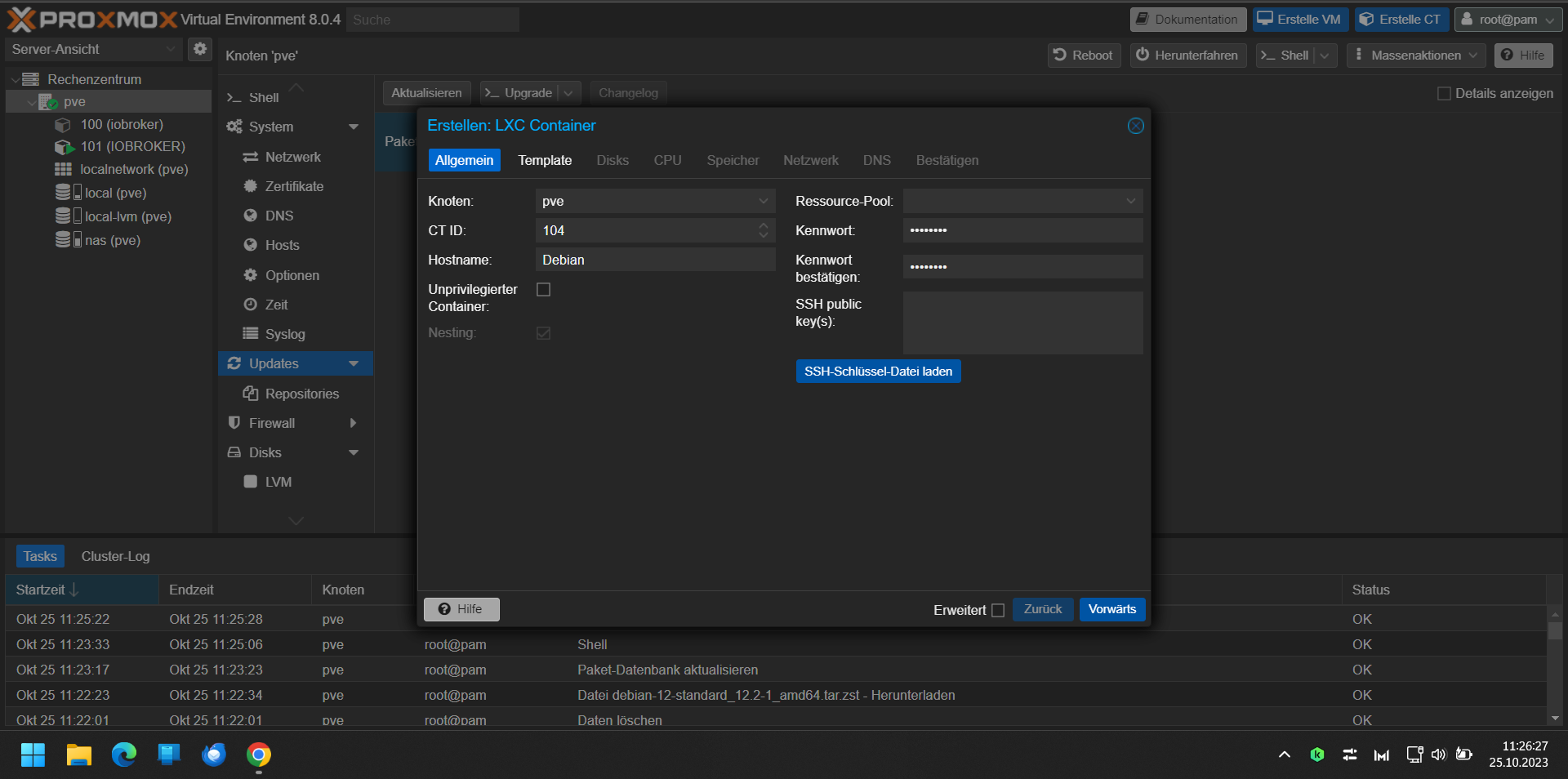
Das hat bei mir immer zu dem Fehler geführt.
======== Start marking the full check here =========
Skript v.2023-10-10

*** BASE SYSTEM ***
Failed to query system properties: Connection timed out

model name      : Intel(R) Pentium(R) Silver J5040 CPU @ 2.00GHz
Docker          : false
Virtualization  : lxc
Kernel          : x86_64
Userland        : amd64

Systemuptime and Load:
 11:50:44 up 20 min,  0 user,  load average: 0.51, 0.62, 0.50
CPU threads: 4


*** Time and Time Zones ***
Failed to query server: Connection timed out
Jetzt beim 5 Mal habe ich ein Unprivilegierte Container erstellt.
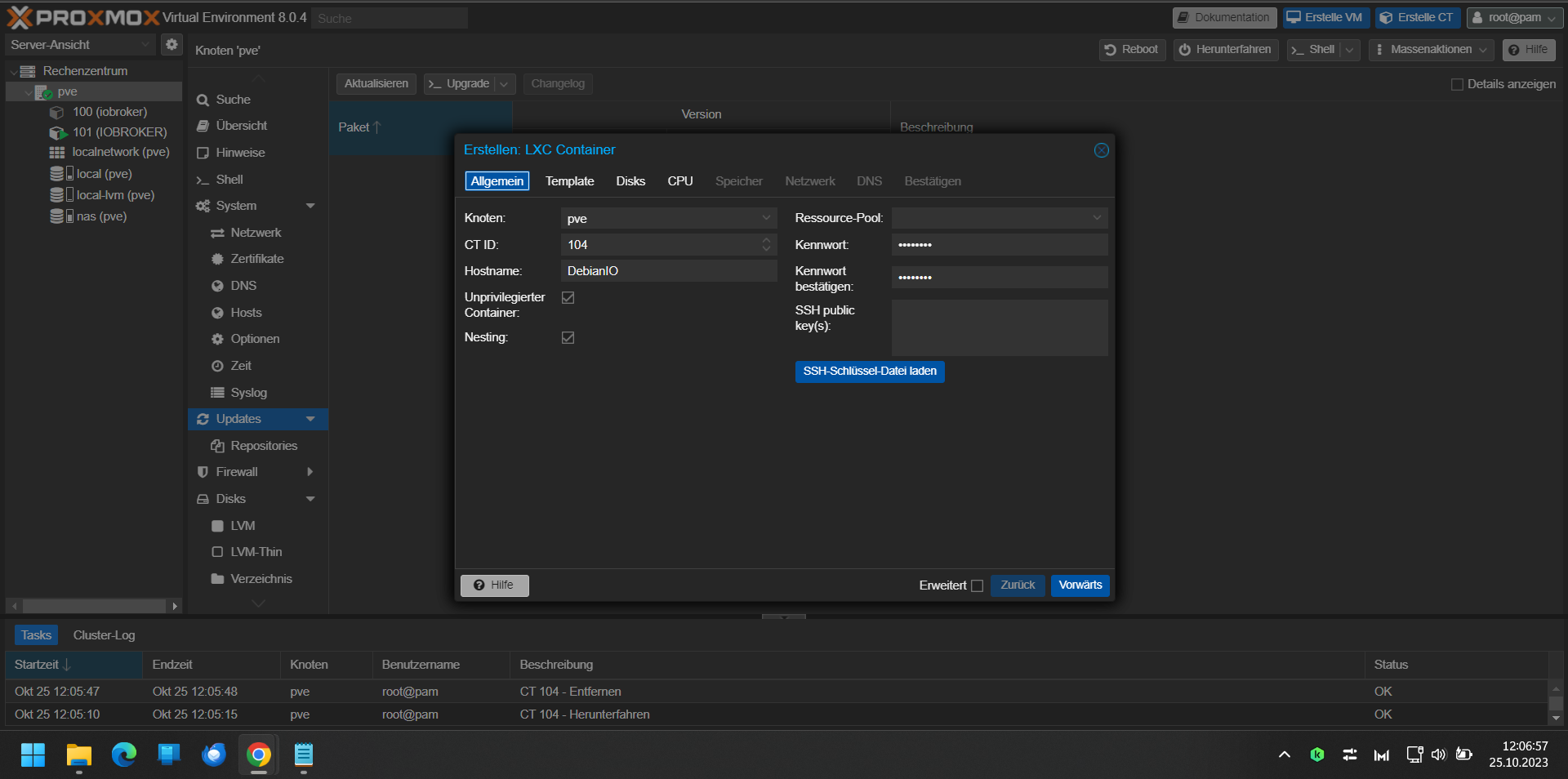
Jetzt habe ich Time Out Fehler nicht. (wieso auch immer)
"iob diag" sagt jetzt.
Skript v.2023-10-10

*** BASE SYSTEM ***
 Static hostname: DebianIO
       Icon name: computer-container
         Chassis: container ☐
  Virtualization: lxc
Operating System: Debian GNU/Linux 12 (bookworm)
          Kernel: Linux 6.2.16-15-pve
    Architecture: x86-64

model name      : Intel(R) Pentium(R) Silver J5040 CPU @ 2.00GHz
Docker          : false
Virtualization  : lxc
Kernel          : x86_64
Userland        : amd64

Systemuptime and Load:
 12:19:06 up 10 min,  2 users,  load average: 1.30, 1.14, 0.69
CPU threads: 4


*** Time and Time Zones ***
               Local time: Wed 2023-10-25 12:19:07 CEST
           Universal time: Wed 2023-10-25 10:19:07 UTC
                 RTC time: n/a
                Time zone: Europe/Berlin (CEST, +0200)
System clock synchronized: yes
              NTP service: inactive
          RTC in local TZ: no

*** User and Groups ***
edi77
/home/edi77
edi77 sudo users

*** X-Server-Setup ***
X-Server:       false
Desktop:
Terminal:
Boot Target:    graphical.target

*** MEMORY ***
               total        used        free      shared  buff/cache   available
Mem:            6.4G        309M        4.5G        118K        1.7G        6.1G
Swap:           1.1G          0B        1.1G
Total:          7.5G        309M        5.5G

         6144 M total memory
          295 M used memory
          343 M active memory
         1400 M inactive memory
         4265 M free memory
            0 M buffer memory
         1582 M swap cache
         1024 M total swap
            0 M used swap
         1024 M free swap

*** FAILED SERVICES ***

  UNIT                    LOAD   ACTIVE SUB    DESCRIPTION
* run-rpc_pipefs.mount    loaded failed failed RPC Pipe File System
* sys-kernel-config.mount loaded failed failed Kernel Configuration File System

LOAD   = Reflects whether the unit definition was properly loaded.
ACTIVE = The high-level unit activation state, i.e. generalization of SUB.
SUB    = The low-level unit activation state, values depend on unit type.
2 loaded units listed.

*** FILESYSTEM ***
Filesystem                       Type      Size  Used Avail Use% Mounted on
/dev/mapper/pve-vm--104--disk--0 ext4       16G  2.0G   13G  13% /
none                             tmpfs     492K  4.0K  488K   1% /dev
udev                             devtmpfs  3.7G     0  3.7G   0% /dev/tty
tmpfs                            tmpfs     3.7G     0  3.7G   0% /dev/shm
tmpfs                            tmpfs     1.5G  112K  1.5G   1% /run
tmpfs                            tmpfs     5.0M     0  5.0M   0% /run/lock

Messages concerning ext4 filesystem in dmesg:
dmesg: read kernel buffer failed: Operation not permitted

Show mounted filesystems \(real ones only\):
TARGET SOURCE                           FSTYPE OPTIONS
/      /dev/mapper/pve-vm--104--disk--0 ext4   rw,relatime,stripe=16

Files in neuralgic directories:

/var:
416M    /var/
247M    /var/cache
243M    /var/cache/apt
167M    /var/cache/apt/archives
145M    /var/lib

Hint: You are currently not seeing messages from other users and the system.
      Users in groups 'adm', 'systemd-journal' can see all messages.
      Pass -q to turn off this notice.
Archived and active journals take up 8.0M in the file system.

/opt/iobroker/backups:
4.0K    /opt/iobroker/backups/

/opt/iobroker/iobroker-data:
15M     /opt/iobroker/iobroker-data/files
15M     /opt/iobroker/iobroker-data/
13M     /opt/iobroker/iobroker-data/files/admin.admin/custom/static/js
13M     /opt/iobroker/iobroker-data/files/admin.admin/custom/static
13M     /opt/iobroker/iobroker-data/files/admin.admin/custom

The five largest files in iobroker-data are:
6.3M    /opt/iobroker/iobroker-data/files/admin.admin/custom/static/js/vendors-node_modules_iobroker_adapter-react-v5_assets_devices_parseNames_js-node_modules_iobr-99c23e.847b8ad9.chunk.js.map
2.8M    /opt/iobroker/iobroker-data/files/admin.admin/custom/static/js/vendors-node_modules_iobroker_adapter-react-v5_assets_devices_parseNames_js-node_modules_iobr-99c23e.847b8ad9.chunk.js
1.6M    /opt/iobroker/iobroker-data/files/admin.admin/custom/static/js/vendors-node_modules_mui_material_Accordion_index_js-node_modules_mui_material_AccordionDetai-57e02d.0886b730.chunk.js.map
652K    /opt/iobroker/iobroker-data/files/admin.admin/custom/static/js/vendors-node_modules_mui_material_index_js.40e01f69.chunk.js.map
384K    /opt/iobroker/iobroker-data/files/admin.admin/custom/static/js/vendors-node_modules_mui_material_Accordion_index_js-node_modules_mui_material_AccordionDetai-57e02d.0886b730.chunk.js

USB-Devices by-id:
USB-Sticks -  Avoid direct links to /dev/* in your adapter setups, please always prefer the links 'by-id':

find: '/dev/serial/by-id/': No such file or directory

*** NodeJS-Installation ***

/usr/bin/nodejs         v18.18.2
/usr/bin/node           v18.18.2
/usr/bin/npm            9.8.1
/usr/bin/npx            9.8.1
/usr/bin/corepack       0.19.0


nodejs:
  Installed: 18.18.2-1nodesource1
  Candidate: 18.18.2-1nodesource1
  Version table:
 *** 18.18.2-1nodesource1 500
        500 https://deb.nodesource.com/node_18.x nodistro/main amd64 Packages
        100 /var/lib/dpkg/status
     18.18.1-1nodesource1 500
        500 https://deb.nodesource.com/node_18.x nodistro/main amd64 Packages
     18.18.0-1nodesource1 500
        500 https://deb.nodesource.com/node_18.x nodistro/main amd64 Packages
     18.17.1-1nodesource1 500
        500 https://deb.nodesource.com/node_18.x nodistro/main amd64 Packages
     18.17.0-1nodesource1 500
        500 https://deb.nodesource.com/node_18.x nodistro/main amd64 Packages
     18.16.1-1nodesource1 500
        500 https://deb.nodesource.com/node_18.x nodistro/main amd64 Packages
     18.16.0-1nodesource1 500
        500 https://deb.nodesource.com/node_18.x nodistro/main amd64 Packages
     18.15.0-1nodesource1 500
        500 https://deb.nodesource.com/node_18.x nodistro/main amd64 Packages
     18.14.2-1nodesource1 500
        500 https://deb.nodesource.com/node_18.x nodistro/main amd64 Packages
     18.14.1-1nodesource1 500
        500 https://deb.nodesource.com/node_18.x nodistro/main amd64 Packages
     18.14.0-1nodesource1 500
        500 https://deb.nodesource.com/node_18.x nodistro/main amd64 Packages
     18.13.0+dfsg1-1 500
        500 http://deb.debian.org/debian bookworm/main amd64 Packages
     18.13.0-1nodesource1 500
        500 https://deb.nodesource.com/node_18.x nodistro/main amd64 Packages
     18.12.0-1nodesource1 500
        500 https://deb.nodesource.com/node_18.x nodistro/main amd64 Packages
     18.11.0-1nodesource1 500
        500 https://deb.nodesource.com/node_18.x nodistro/main amd64 Packages
     18.10.0-1nodesource1 500
        500 https://deb.nodesource.com/node_18.x nodistro/main amd64 Packages
     18.9.1-1nodesource1 500
        500 https://deb.nodesource.com/node_18.x nodistro/main amd64 Packages
     18.9.0-1nodesource1 500
        500 https://deb.nodesource.com/node_18.x nodistro/main amd64 Packages
     18.8.0-1nodesource1 500
        500 https://deb.nodesource.com/node_18.x nodistro/main amd64 Packages
     18.7.0-1nodesource1 500
        500 https://deb.nodesource.com/node_18.x nodistro/main amd64 Packages
     18.6.0-1nodesource1 500
        500 https://deb.nodesource.com/node_18.x nodistro/main amd64 Packages
     18.5.0-1nodesource1 500
        500 https://deb.nodesource.com/node_18.x nodistro/main amd64 Packages
     18.4.0-1nodesource1 500
        500 https://deb.nodesource.com/node_18.x nodistro/main amd64 Packages
     18.3.0-1nodesource1 500
        500 https://deb.nodesource.com/node_18.x nodistro/main amd64 Packages
     18.2.0-1nodesource1 500
        500 https://deb.nodesource.com/node_18.x nodistro/main amd64 Packages
     18.1.0-1nodesource1 500
        500 https://deb.nodesource.com/node_18.x nodistro/main amd64 Packages
     18.0.0-1nodesource1 500
        500 https://deb.nodesource.com/node_18.x nodistro/main amd64 Packages

Temp directories causing npm8 problem: 0
No problems detected

Errors in npm tree:

*** ioBroker-Installation ***

ioBroker Status
iobroker is running on this host.


Objects type: jsonl
States  type: jsonl

Core adapters versions
js-controller:  5.0.12
admin:          6.10.1
javascript:     "javascript" not found

Adapters from github:   0

Adapter State
+ system.adapter.admin.0                  : admin                 : DebianIO                                 -  enabled, port: 8081, bind: 0.0.0.0, run as: admin
+ system.adapter.backitup.0               : backitup              : DebianIO                                 -  enabled
+ system.adapter.discovery.0              : discovery             : DebianIO                                 -  enabled

+ instance is alive

Enabled adapters with bindings
+ system.adapter.admin.0                  : admin                 : DebianIO                                 -  enabled, port: 8081, bind: 0.0.0.0, run as: admin

ioBroker-Repositories
stable        : http://download.iobroker.net/sources-dist.json
beta          : http://download.iobroker.net/sources-dist-latest.json

Active repo(s): stable

Installed ioBroker-Instances
Used repository: stable
Adapter    "admin"        : 6.10.1   , installed 6.10.1
Adapter    "backitup"     : 2.8.1    , installed 2.8.1
Adapter    "discovery"    : 3.1.0    , installed 3.1.0
Controller "js-controller": 5.0.12   , installed 5.0.12

Objects and States
Please stand by - This may take a while
Objects:        142
States:         102

*** OS-Repositories and Updates ***
Hit:1 http://deb.debian.org/debian bookworm InRelease
Hit:2 http://security.debian.org bookworm-security InRelease
Hit:3 http://deb.debian.org/debian bookworm-updates InRelease
Hit:4 https://deb.nodesource.com/node_18.x nodistro InRelease
Reading package lists...
Pending Updates: 0

*** Listening Ports ***
Active Internet connections (only servers)
Proto Recv-Q Send-Q Local Address           Foreign Address         State       User       Inode      PID/Program name
tcp        0      0 127.0.0.1:25            0.0.0.0:*               LISTEN      0          208394     298/master
tcp        0      0 127.0.0.1:9001          0.0.0.0:*               LISTEN      1001       267130     10597/iobroker.js-c
tcp        0      0 127.0.0.1:9000          0.0.0.0:*               LISTEN      1001       268711     10597/iobroker.js-c
tcp        0      0 0.0.0.0:111             0.0.0.0:*               LISTEN      0          264110     1/init
tcp6       0      0 :::8081                 :::*                    LISTEN      1001       269645     10692/io.admin.0
tcp6       0      0 ::1:25                  :::*                    LISTEN      0          208395     298/master
tcp6       0      0 :::22                   :::*                    LISTEN      0          209203     1/init
tcp6       0      0 :::111                  :::*                    LISTEN      0          264112     1/init
udp        0      0 0.0.0.0:111             0.0.0.0:*                           0          264111     1/init
udp6       0      0 :::111                  :::*                                0          264113     1/init

*** Log File - Last 25 Lines ***

2023-10-25 12:18:42.066  - info: host.DebianIO iobroker.js-controller version 5.0.12 js-controller starting
2023-10-25 12:18:42.068  - info: host.DebianIO Copyright (c) 2014-2023 bluefox, 2014 hobbyquaker
2023-10-25 12:18:42.069  - info: host.DebianIO hostname: DebianIO, node: v18.18.2
2023-10-25 12:18:42.069  - info: host.DebianIO ip addresses: 192.168.178.5 2003:c0:ff08:b900:4068:1cff:fe60:9f9a fe80::4068:1cff:fe60:9f9a
2023-10-25 12:18:42.361  - info: host.DebianIO connected to Objects and States
2023-10-25 12:18:42.376  - info: host.DebianIO Node.js version has changed from unknown to 18.18.2
2023-10-25 12:18:42.404  - info: host.DebianIO Successfully updated capabilities "cap_net_admin, cap_net_bind_service, cap_net_raw" for /usr/bin/node
2023-10-25 12:18:42.413  - info: host.DebianIO added notifications configuration of host
2023-10-25 12:18:42.647  - info: host.DebianIO 3 instances found
2023-10-25 12:18:42.651  - info: host.DebianIO starting 3 instances
2023-10-25 12:18:42.681  - info: host.DebianIO instance system.adapter.admin.0 started with pid 10692
2023-10-25 12:18:43.631  - info: admin.0 (10692) starting. Version 6.10.1 in /opt/iobroker/node_modules/iobroker.admin, node: v18.18.2, js-controller: 5.0.12
2023-10-25 12:18:43.662  - info: admin.0 (10692) requesting all objects
2023-10-25 12:18:43.737  - info: admin.0 (10692) received all objects
2023-10-25 12:18:43.782  - info: admin.0 (10692) socket.io server listening on port 8081
2023-10-25 12:18:43.783  - info: admin.0 (10692) http server listening on port 8081
2023-10-25 12:18:43.784  - info: admin.0 (10692) Use link "http://127.0.0.1:8081" to configure.
2023-10-25 12:18:43.903  - warn: admin.0 (10692) Repository cannot be read: Active repo - stable
2023-10-25 12:18:43.903  - warn: admin.0 (10692) Active repository "stable" cannot be read
2023-10-25 12:18:44.071  - error: admin.0 (10692) Cannot update news: TypeError: newNews.forEach is not a function
2023-10-25 12:18:46.671  - info: host.DebianIO instance system.adapter.discovery.0 started with pid 10719
2023-10-25 12:18:47.413  - info: discovery.0 (10719) starting. Version 3.1.0 in /opt/iobroker/node_modules/iobroker.discovery, node: v18.18.2, js-controller: 5.0.12
2023-10-25 12:18:50.669  - info: host.DebianIO instance system.adapter.backitup.0 started with pid 10734
2023-10-25 12:18:51.487  - info: backitup.0 (10734) starting. Version 2.8.1 in /opt/iobroker/node_modules/iobroker.backitup, node: v18.18.2, js-controller: 5.0.12
2023-10-25 12:18:51.526  - info: backitup.0 (10734) [iobroker] backup will be activated at 02:40 every 1 day(s)
============ Mark until here for C&P =============
iob diag has finished.
======================= SUMMARY =======================
                        v.2023-10-10


 Static hostname: DebianIO
       Icon name: computer-container
         Chassis: container ☐
  Virtualization: lxc
Operating System: Debian GNU/Linux 12 (bookworm)
          Kernel: Linux 6.2.16-15-pve
    Architecture: x86-64

Installation:           lxc
Kernel:                 x86_64
Userland:               amd64
Timezone:               Europe/Berlin (CEST, +0200)
User-ID:                1000
X-Server:               false
Boot Target:            graphical.target

Pending OS-Updates:     0
Pending iob updates:    0

Nodejs-Installation:    /usr/bin/nodejs         v18.18.2
                        /usr/bin/node           v18.18.2
                        /usr/bin/npm            9.8.1
                        /usr/bin/npx            9.8.1
                        /usr/bin/corepack       0.19.0

Recommended versions are nodejs 18.18.2 and npm 9.8.1
Your nodejs installation is correct

MEMORY:
               total        used        free      shared  buff/cache   available
Mem:            6.4G        458M        4.3G        118K        1.7G        6.0G
Swap:           1.1G          0B        1.1G
Total:          7.5G        458M        5.4G

Active iob-Instances:   4
Active repo(s): stable

ioBroker Core:          js-controller           5.0.12
                        admin                   6.10.1

ioBroker Status:        iobroker is running on this host.


Objects type: jsonl
States  type: jsonl

Status admin and web instance:
+ system.adapter.admin.0                  : admin                 : DebianIO                                 -  enabled, port: 8081, bind: 0.0.0.0, run as: admin

Objects:                142
States:                 102

Size of iob-Database:

3.8M    /opt/iobroker/iobroker-data/objects.jsonl
32K     /opt/iobroker/iobroker-data/states.jsonl


=================== END OF SUMMARY ====================
Aber 2 Probleme hat er noch. Oder?
*** FAILED SERVICES ***

  UNIT                    LOAD   ACTIVE SUB    DESCRIPTION
* run-rpc_pipefs.mount    loaded failed failed RPC Pipe File System
* sys-kernel-config.mount loaded failed failed Kernel Configuration File System


Hey! Du scheinst an dieser Unterhaltung interessiert zu sein, hast aber noch kein Konto.
Hast du es satt, bei jedem Besuch durch die gleichen Beiträge zu scrollen? Wenn du dich für ein Konto anmeldest, kommst du immer genau dorthin zurück, wo du zuvor warst, und kannst dich über neue Antworten benachrichtigen lassen (entweder per E-Mail oder Push-Benachrichtigung). Du kannst auch Lesezeichen speichern und Beiträge positiv bewerten, um anderen Community-Mitgliedern deine Wertschätzung zu zeigen.
Mit deinem Input könnte dieser Beitrag noch besser werden 💗
Registrieren AnmeldenSupport us
321
Online33.0k
Benutzer83.6k
Themen1.3m
Beiträge