



Skip to content
  • Home
  • Aktuell
  • Tags
  • 0 Ungelesen 0
  • Kategorien
  • Unreplied
  • Beliebt
  • GitHub
  • Docu
  • Hilfe
Skins
  • Light
  • Brite
  • Cerulean
  • Cosmo
  • Flatly
  • Journal
  • Litera
  • Lumen
  • Lux
  • Materia
  • Minty
  • Morph
  • Pulse
  • Sandstone
  • Simplex
  • Sketchy
  • Spacelab
  • United
  • Yeti
  • Zephyr
  • Dark
  • Cyborg
  • Darkly
  • Quartz
  • Slate
  • Solar
  • Superhero
  • Vapor

  • Standard: (Kein Skin)
  • Kein Skin
Einklappen
ioBroker Logo

Community Forum

donate donate
  1. ioBroker Community Home
  2. Deutsch
  3. ioBroker Allgemein
  4. inventwo Icon Set Adapter - updaten funktioniert nicht
NEWS

  • Monatsrückblick Januar/Februar 2026 ist online!
    BluefoxB
    Bluefox
    13
    1
    170

  • Jahresrückblick 2025 – unser neuer Blogbeitrag ist online! ✨
    BluefoxB
    Bluefox
    17
    1
    4.4k

  • Neuer Blogbeitrag: Monatsrückblick - Dezember 2025 🎄
    BluefoxB
    Bluefox
    13
    1
    1.3k

inventwo Icon Set Adapter - updaten funktioniert nicht

Geplant Angeheftet Gesperrt Verschoben ioBroker Allgemein
61 Beiträge 4 Kommentatoren 5.8k Aufrufe 4 Watching
  • Älteste zuerst
  • Neuste zuerst
  • Meiste Stimmen
Antworten
  • In einem neuen Thema antworten
Anmelden zum Antworten
Dieses Thema wurde gelöscht. Nur Nutzer mit entsprechenden Rechten können es sehen.
  • rtwlR rtwl

    @thomas-braun
    Hat geklappt - zumindest ist jetzt eine Installation gelaufen. hier der Auszug davon:

    You are running nodejs v.14.21.3. Do you want to install recommended nodejs v.18.17.1?
    *** DO NOT TRY THIS FIX ON NON-LINUX-SYSTEMS! ***
    Press <y> to continue or any other key to quit
    rm: cannot remove '/etc/apt/sources.list.d/nodesource.lis*': No such file or directory
    Waiting for ioBroker to shut down - Give me a minute...
    ############################################################
    ## Installing the NodeSource Node.js 18.x repo...
    
    
    ## Populating apt-get cache...
    
    + apt-get update
    Hit:1 http://raspbian.raspberrypi.org/raspbian bullseye InRelease
    Hit:2 http://archive.raspberrypi.org/debian bullseye InRelease
    Reading package lists... Done
    
    ## Confirming "bullseye" is supported...
    
    + curl -sLf -o /dev/null 'https://deb.nodesource.com/node_18.x/dists/bullseye/Release'
    
    ## Adding the NodeSource signing key to your keyring...
    
    + curl -s https://deb.nodesource.com/gpgkey/nodesource.gpg.key | gpg --dearmor | tee /usr/share/keyrings/nodesource.gpg >/dev/null
    
    ## Creating apt sources list file for the NodeSource Node.js 18.x repo...
    
    + echo 'deb [signed-by=/usr/share/keyrings/nodesource.gpg] https://deb.nodesource.com/node_18.x bullseye main' > /etc/apt/sources.list.d/nodesource.list
    Hit:2 http://archive.raspberrypi.org/debian bullseye InRelease
    Get:3 https://deb.nodesource.com/node_18.x bullseye InRelease [4586 B]
    Get:4 https://deb.nodesource.com/node_18.x bullseye/main armhf Packages [787 B]
    Fetched 5373 B in 1s (5983 B/s)
    Reading package lists... Done
    
    ## Run `sudo apt-get install -y nodejs` to install Node.js 18.x and npm
    ## You may also need development tools to build native addons:
         sudo apt-get install gcc g++ make
    ## To install the Yarn package manager, run:
         curl -sL https://dl.yarnpkg.com/debian/pubkey.gpg | gpg --dearmor | sudo tee /usr/share/keyrings/yarnkey.gpg >/dev/null
         echo "deb [signed-by=/usr/share/keyrings/yarnkey.gpg] https://dl.yarnpkg.com/debian stable main" | sudo tee /etc/apt/sources.list.d/yarn.list
         sudo apt-get update && sudo apt-get install yarn
    
    
    Reading package lists... Done
    Building dependency tree... Done
    Reading state information... Done
    The following package was automatically installed and is no longer required:
      raspinfo
    Use 'sudo apt autoremove' to remove it.
    The following packages will be upgraded:
      nodejs
    1 upgraded, 0 newly installed, 0 to remove and 0 not upgraded.
    Need to get 25.9 MB of archives.
    After this operation, 61.6 MB of additional disk space will be used.
    Get:1 https://deb.nodesource.com/node_18.x bullseye/main armhf nodejs armhf 18.17.1-deb-1nodesource1 [25.9 MB]
    Fetched 25.9 MB in 6s (4332 kB/s)
    apt-listchanges: Reading changelogs...
    (Reading database ... 55245 files and directories currently installed.)
    Preparing to unpack .../nodejs_18.17.1-deb-1nodesource1_armhf.deb ...
    Unpacking nodejs (18.17.1-deb-1nodesource1) over (14.21.3-deb-1nodesource1) ...
    Setting up nodejs (18.17.1-deb-1nodesource1) ...
    Processing triggers for man-db (2.9.4-2) ...
    

    passt das so?

    Thomas BraunT Online
    Thomas BraunT Online
    Thomas Braun
    Most Active
    schrieb am zuletzt editiert von
    #49

    @rtwl sagte in inventwo Icon Set Adapter - updaten funktioniert nicht:

    passt das so?

    Ja, so soll das aussehen.
    Kannst ja mit dem
    iob diag
    jetzt nochmal schauen, ob es passt.

    Linux-Werkzeugkasten:
    https://forum.iobroker.net/topic/42952/der-kleine-iobroker-linux-werkzeugkasten
    NodeJS Fixer Skript:
    https://forum.iobroker.net/topic/68035/iob-node-fix-skript
    iob_diag: curl -sLf -o diag.sh https://iobroker.net/diag.sh && bash diag.sh

    1 Antwort Letzte Antwort
    0
    • rtwlR Online
      rtwlR Online
      rtwl
      schrieb am zuletzt editiert von
      #50

      müsste passen, oder?

      rtwl@smarthome:~ $ node -v
      v18.17.1
      

      Bin ich jetzt meine "Steinzeit" los? 🙂

      -Peter

      Thomas BraunT 1 Antwort Letzte Antwort
      0
      • rtwlR rtwl

        müsste passen, oder?

        rtwl@smarthome:~ $ node -v
        v18.17.1
        

        Bin ich jetzt meine "Steinzeit" los? 🙂

        Thomas BraunT Online
        Thomas BraunT Online
        Thomas Braun
        Most Active
        schrieb am zuletzt editiert von
        #51

        @rtwl sagte in inventwo Icon Set Adapter - updaten funktioniert nicht:

        Bin ich jetzt meine "Steinzeit" los?

        Moderne Neuzeit.
        Schau mal die 'Summary' von iob diag an. Da sollte es ja jetzt auch alles richtig sein.

        Linux-Werkzeugkasten:
        https://forum.iobroker.net/topic/42952/der-kleine-iobroker-linux-werkzeugkasten
        NodeJS Fixer Skript:
        https://forum.iobroker.net/topic/68035/iob-node-fix-skript
        iob_diag: curl -sLf -o diag.sh https://iobroker.net/diag.sh && bash diag.sh

        rtwlR 1 Antwort Letzte Antwort
        0
        • Thomas BraunT Thomas Braun

          @rtwl sagte in inventwo Icon Set Adapter - updaten funktioniert nicht:

          Bin ich jetzt meine "Steinzeit" los?

          Moderne Neuzeit.
          Schau mal die 'Summary' von iob diag an. Da sollte es ja jetzt auch alles richtig sein.

          rtwlR Online
          rtwlR Online
          rtwl
          schrieb am zuletzt editiert von
          #52

          @thomas-braun

          Skript v.2023-04-16
          
          *** BASE SYSTEM ***
          Model           : Raspberry Pi 4 Model B Rev 1.4
          Architecture    : aarch64
          Docker          : false
          Virtualization  : none
          Distributor ID: Raspbian
          Description:    Raspbian GNU/Linux 11 (bullseye)
          Release:        11
          Codename:       bullseye
          
          PRETTY_NAME="Raspbian GNU/Linux 11 (bullseye)"
          NAME="Raspbian GNU/Linux"
          VERSION_ID="11"
          VERSION="11 (bullseye)"
          VERSION_CODENAME=bullseye
          ID=raspbian
          ID_LIKE=debian
          HOME_URL="http://www.raspbian.org/"
          SUPPORT_URL="http://www.raspbian.org/RaspbianForums"
          BUG_REPORT_URL="http://www.raspbian.org/RaspbianBugs"
          
          Systemuptime and Load:
          22:32:20 up  3:28,  1 user,  load average: 0.68, 1.83, 1.36
          CPU threads: 4
          
          Raspberry only:
          throttled=0x0
          Other values than 0x0 hint to temperature/voltage problems
          temp=65.2'C
          volt=0.9060V
          
          *** Time and Time Zones ***
                        Local time: Sun 2023-08-13 22:32:20 CEST
                    Universal time: Sun 2023-08-13 20:32:20 UTC
                          RTC time: n/a
                         Time zone: Europe/Vienna (CEST, +0200)
          System clock synchronized: yes
                       NTP service: active
                   RTC in local TZ: no
          
          *** User and Groups ***
          rtwl
          /home/rtwl
          rtwl adm dialout cdrom sudo audio video plugdev games users input render netdev gpio i2c spi iobroker
          
          *** X-Server-Setup ***
          X-Server:       false
          Desktop:
          Terminal:       tty
          Boot Target:    graphical.target
          
          *** MEMORY ***
                        total        used        free      shared  buff/cache   available
          Mem:            3.8G        787M        2.1G        0.0K        952M        2.9G
          Swap:            99M          0B         99M
          Total:          3.9G        787M        2.2G
          
                  3794 M total memory
                   787 M used memory
                   798 M active memory
                   682 M inactive memory
                  2054 M free memory
                   137 M buffer memory
                   814 M swap cache
                    99 M total swap
                     0 M used swap
                    99 M free swap
          
          Raspberry only:
          oom events: 0
          lifetime oom required: 0 Mbytes
          total time in oom handler: 0 ms
          max time spent in oom handler: 0 ms
          
          *** FILESYSTEM ***
          Filesystem     Type      Size  Used Avail Use% Mounted on
          /dev/root      ext4       15G  5.9G  7.9G  43% /
          devtmpfs       devtmpfs  1.7G     0  1.7G   0% /dev
          tmpfs          tmpfs     1.9G     0  1.9G   0% /dev/shm
          tmpfs          tmpfs     759M  800K  759M   1% /run
          tmpfs          tmpfs     5.0M  4.0K  5.0M   1% /run/lock
          /dev/mmcblk0p1 vfat      253M   51M  202M  20% /boot
          tmpfs          tmpfs     380M     0  380M   0% /run/user/1000
          
          Messages concerning ext4 filesystem in dmesg:
          [Sun Aug 13 19:03:46 2023] Kernel command line: coherent_pool=1M 8250.nr_uarts=0 snd_bcm2835.enable_headphones=0 snd_bcm2835.enable_headphones=1 snd_bcm2835.enable_hdmi=1 snd_bcm2835.enable_hdmi=0  smsc95xx.macaddr=E4:5F:01:75:F7:C5 vc_mem.mem_base=0x3ec00000 vc_mem.mem_size=0x40000000  console=ttyS0,115200 console=tty1 root=PARTUUID=36a229aa-02 rootfstype=ext4 fsck.repair=yes rootwait
          [Sun Aug 13 19:03:47 2023] EXT4-fs (mmcblk0p2): mounted filesystem with ordered data mode. Quota mode: none.
          [Sun Aug 13 19:03:47 2023] VFS: Mounted root (ext4 filesystem) readonly on device 179:2.
          [Sun Aug 13 19:03:50 2023] EXT4-fs (mmcblk0p2): re-mounted. Quota mode: none.
          
          Show mounted filesystems (real ones only):
          TARGET  SOURCE         FSTYPE OPTIONS
          /       /dev/mmcblk0p2 ext4   rw,noatime
          `-/boot /dev/mmcblk0p1 vfat   rw,relatime,fmask=0022,dmask=0022,codepage=437,iocharset=ascii,shortname=mixed,flush,errors=remount-ro
          
          Files in neuralgic directories:
          
          /var:
          1.2G    /var/
          795M    /var/log
          793M    /var/log/journal/ce513f1a44ff4c9dbd382eb66e08c51e
          793M    /var/log/journal
          144M    /var/cache
          
          Archived and active journals take up 792.1M in the file system.
          
          /opt/iobroker/backups:
          140M    /opt/iobroker/backups/
          
          /opt/iobroker/iobroker-data:
          963M    /opt/iobroker/iobroker-data/
          485M    /opt/iobroker/iobroker-data/history
          297M    /opt/iobroker/iobroker-data/files
          139M    /opt/iobroker/iobroker-data/backup-objects
          88M     /opt/iobroker/iobroker-data/files/echarts.admin
          
          The five largest files in iobroker-data are:
          23M     /opt/iobroker/iobroker-data/files/echarts/static/js/main.eb0afecd.js.map
          23M     /opt/iobroker/iobroker-data/files/echarts.admin/static/js/main.7952f0f7.js.map
          23M     /opt/iobroker/iobroker-data/files/echarts.admin/chart/static/js/main.eb0afecd.js.map
          17M     /opt/iobroker/iobroker-data/objects.jsonl
          17M     /opt/iobroker/iobroker-data/files/echarts/preview/static/js/main.1b04901d.js.map
          
          *** NodeJS-Installation ***
          
          /usr/bin/nodejs         v18.17.1
          /usr/bin/node           v18.17.1
          /usr/bin/npm            9.6.7
          /usr/bin/npx            9.6.7
          
          
          nodejs:
           Installed: 18.17.1-deb-1nodesource1
           Candidate: 18.17.1-deb-1nodesource1
           Version table:
          *** 18.17.1-deb-1nodesource1 500
                 500 https://deb.nodesource.com/node_18.x bullseye/main armhf Packages
                 100 /var/lib/dpkg/status
              12.22.12~dfsg-1~deb11u4 500
                 500 http://raspbian.raspberrypi.org/raspbian bullseye/main armhf Packages
          
          Temp directories causing npm8 problem: 0
          No problems detected
          
          *** ioBroker-Installation ***
          
          ioBroker Status
          iobroker is running on this host.
          
          
          Objects type: jsonl
          States  type: jsonl
          
          MULTIHOSTSERVICE/enabled: false
          
          Core adapters versions
          js-controller:  4.0.24
          admin:          6.4.1
          javascript:     7.0.3
          
          Adapters from github:   0
          
          Adapter State
          + system.adapter.admin.0                  : admin                 : smarthome                                -  enabled, port: 8081, bind: 0.0.0.0, run as: admin
          + system.adapter.alexa2.0                 : alexa2                : smarthome                                -  enabled
           system.adapter.alias-manager.0          : alias-manager         : smarthome                                -  enabled
          + system.adapter.backitup.0               : backitup              : smarthome                                -  enabled
          + system.adapter.bring.0                  : bring                 : smarthome                                -  enabled
           system.adapter.daswetter.0              : daswetter             : smarthome                                -  enabled
           system.adapter.discovery.0              : discovery             : smarthome                                - disabled
          + system.adapter.echarts.0                : echarts               : smarthome                                -  enabled
           system.adapter.flot.0                   : flot                  : smarthome                                -  enabled
          + system.adapter.harmony.0                : harmony               : smarthome                                -  enabled
          + system.adapter.history.0                : history               : smarthome                                -  enabled
           system.adapter.ical.0                   : ical                  : smarthome                                -  enabled
           system.adapter.ical.1                   : ical                  : smarthome                                -  enabled
          + system.adapter.javascript.0             : javascript            : smarthome                                -  enabled
           system.adapter.meteoalarm.0             : meteoalarm            : smarthome                                -  enabled
           system.adapter.meteoalarm.1             : meteoalarm            : smarthome                                -  enabled
          + system.adapter.mqtt.0                   : mqtt                  : smarthome                                -  enabled, port: 1883, bind: 0.0.0.0
           system.adapter.netatmo-crawler.0        : netatmo-crawler       : smarthome                                -  enabled
          + system.adapter.onkyo.0                  : onkyo                 : smarthome                                -  enabled
          + system.adapter.pushover.0               : pushover              : smarthome                                -  enabled
          + system.adapter.radar2.0                 : radar2                : smarthome                                -  enabled
          + system.adapter.shelly.0                 : shelly                : smarthome                                -  enabled, port: 1882, bind: 0.0.0.0
          + system.adapter.shuttercontrol.0         : shuttercontrol        : smarthome                                -  enabled
          + system.adapter.sourceanalytix.0         : sourceanalytix        : smarthome                                -  enabled
          + system.adapter.trashschedule.0          : trashschedule         : smarthome                                -  enabled
           system.adapter.uv-protect.0             : uv-protect            : smarthome                                -  enabled
           system.adapter.vis-icontwo.0            : vis-icontwo           : smarthome                                -  enabled
          + system.adapter.vis-inventwo.0           : vis-inventwo          : smarthome                                -  enabled
           system.adapter.vis-materialdesign.0     : vis-materialdesign    : smarthome                                -  enabled
           system.adapter.vis-timeandweather.0     : vis-timeandweather    : smarthome                                -  enabled
           system.adapter.vis.0                    : vis                   : smarthome                                -  enabled
          + system.adapter.web.0                    : web                   : smarthome                                -  enabled, port: 8082, bind: 0.0.0.0, run as: admin
          
          + instance is alive
          
          Enabled adapters with bindings
          + system.adapter.admin.0                  : admin                 : smarthome                                -  enabled, port: 8081, bind: 0.0.0.0, run as: admin
          + system.adapter.mqtt.0                   : mqtt                  : smarthome                                -  enabled, port: 1883, bind: 0.0.0.0
          + system.adapter.shelly.0                 : shelly                : smarthome                                -  enabled, port: 1882, bind: 0.0.0.0
          + system.adapter.web.0                    : web                   : smarthome                                -  enabled, port: 8082, bind: 0.0.0.0, run as: admin
          
          ioBroker-Repositories
          stable        : http://download.iobroker.net/sources-dist.json
          beta          : http://download.iobroker.net/sources-dist-latest.json
          
          Active repo(s): stable
          
          Installed ioBroker-Instances
          Used repository: stable
          Adapter    "admin"        : 6.3.5    , installed 6.4.1
          Adapter    "alexa2"       : 3.24.1   , installed 3.24.1
          Adapter    "alias-manager": 1.2.4    , installed 1.2.4
          Adapter    "backitup"     : 2.6.23   , installed 2.6.23
          Adapter    "bring"        : 1.8.1    , installed 1.8.1
          Adapter    "chromecast"   : 3.0.3    , installed 3.0.3
          Adapter    "daswetter"    : 3.1.10   , installed 3.1.10
          Adapter    "discovery"    : 3.1.0    , installed 3.1.0
          Adapter    "echarts"      : 1.5.1    , installed 1.5.1
          Adapter    "flot"         : 1.12.0   , installed 1.12.0
          Adapter    "harmony"      : 1.2.2    , installed 1.2.2
          Adapter    "history"      : 2.2.4    , installed 2.2.4
          Adapter    "ical"         : 1.13.3   , installed 1.13.3
          Adapter    "javascript"   : 7.0.3    , installed 7.0.3
          Controller "js-controller": 4.0.24   , installed 4.0.24
          Adapter    "meteoalarm"   : 2.3.6    , installed 2.3.6
          Adapter    "mqtt"         : 4.1.1    , installed 4.1.1
          Adapter    "netatmo-crawler": 0.8.1  , installed 0.8.1
          Adapter    "onkyo"        : 2.1.2    , installed 2.1.2
          Adapter    "ping"         : 1.5.3    , installed 1.5.3
          Adapter    "pushover"     : 3.0.3    , installed 3.0.3
          Adapter    "radar2"       : 2.0.7    , installed 2.0.7
          Adapter    "shelly"       : 6.4.1    , installed 6.4.1
          Adapter    "shuttercontrol": 1.5.0   , installed 1.5.0
          Adapter    "simple-api"   : 2.7.2    , installed 2.7.2
          Adapter    "socketio"     : 4.2.0    , installed 4.2.0
          Adapter    "trashschedule": 2.2.0    , installed 2.2.0
          Adapter    "uv-protect"   : 0.4.0    , installed 0.4.0
          Adapter    "vis"          : 1.4.16   , installed 1.4.16
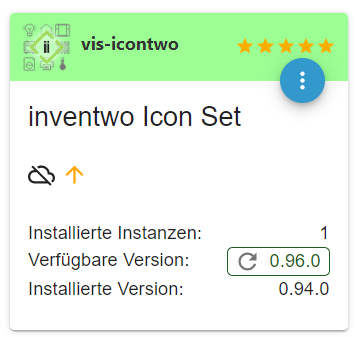
          Adapter    "vis-icontwo"  : 0.96.0   , installed 0.94.0 [Updatable]
          Adapter    "vis-inventwo" : 3.3.3    , installed 3.3.3
          Adapter    "vis-timeandweather": 1.2.2, installed 1.2.2
          Adapter    "web"          : 4.3.0    , installed 4.3.0
          Adapter    "ws"           : 1.3.0    , installed 1.3.0
          
          Objects and States
          Please stand by - This may take a while
          Objects:        9374
          States:         8189
          
          *** OS-Repositories and Updates ***
          Hit:1 http://raspbian.raspberrypi.org/raspbian bullseye InRelease
          Hit:2 http://archive.raspberrypi.org/debian bullseye InRelease
          Hit:3 https://deb.nodesource.com/node_18.x bullseye InRelease
          Reading package lists...
          Pending Updates: 0
          
          *** Listening Ports ***
          Active Internet connections (only servers)
          Proto Recv-Q Send-Q Local Address           Foreign Address         State       User       Inode      PID/Program name
          tcp        0      0 0.0.0.0:22              0.0.0.0:*               LISTEN      0          12596      531/sshd: /usr/sbin
          tcp        0      0 0.0.0.0:1883            0.0.0.0:*               LISTEN      1001       140851     10023/io.mqtt.0
          tcp        0      0 127.0.0.1:9000          0.0.0.0:*               LISTEN      1001       138998     9826/iobroker.js-co
          tcp        0      0 127.0.0.1:9001          0.0.0.0:*               LISTEN      1001       139891     9826/iobroker.js-co
          tcp6       0      0 :::61991                :::*                    LISTEN      1001       141674     10152/io.harmony.0
          tcp6       0      0 :::22                   :::*                    LISTEN      0          12598      531/sshd: /usr/sbin
          tcp6       0      0 :::8081                 :::*                    LISTEN      1001       140631     9848/io.admin.0
          tcp6       0      0 :::8082                 :::*                    LISTEN      1001       140252     10071/io.web.0
          udp        0      0 0.0.0.0:67              0.0.0.0:*                           1001       139225     9961/io.radar2.0
          udp        0      0 0.0.0.0:68              0.0.0.0:*                           0          1892       667/dhcpcd
          udp        0      0 0.0.0.0:59618           0.0.0.0:*                           108        1769       392/avahi-daemon: r
          udp        0      0 0.0.0.0:61991           0.0.0.0:*                           1001       141675     10152/io.harmony.0
          udp        0      0 0.0.0.0:5353            0.0.0.0:*                           108        1767       392/avahi-daemon: r
          udp        0      0 0.0.0.0:5683            0.0.0.0:*                           1001       140028     9919/io.shelly.0
          udp6       0      0 :::39631                :::*                                108        1770       392/avahi-daemon: r
          udp6       0      0 :::5353                 :::*                                108        1768       392/avahi-daemon: r
          
          *** Log File - Last 25 Lines ***
          
          2023-08-13 22:28:09.554  - info: mqtt.0 (10023) Starting MQTT authenticated server on 0.0.0.0:1883
          2023-08-13 22:28:10.520  - info: onkyo.0 (10016) starting. Version 2.1.2 in /opt/iobroker/node_modules/iobroker.onkyo, node: v18.17.1, js-controller: 4.0.24
          2023-08-13 22:28:10.823  - info: onkyo.0 (10016) Starting AVR discovery
          2023-08-13 22:28:16.956  - info: web.0 (10071) starting. Version 4.3.0 in /opt/iobroker/node_modules/iobroker.web, node: v18.17.1, js-controller: 4.0.24
          2023-08-13 22:28:17.528  - info: web.0 (10071) socket.io server listening on port 8082
          2023-08-13 22:28:17.538  - info: web.0 (10071) simpleAPI server listening on port 8082
          2023-08-13 22:28:17.542  - info: web.0 (10071) Allow states only when user is owner: false
          2023-08-13 22:28:17.563  - info: web.0 (10071) http server listening on port 8082
          2023-08-13 22:28:24.141  - info: bring.0 (10106) starting. Version 1.8.1 in /opt/iobroker/node_modules/iobroker.bring, node: v18.17.1, js-controller: 4.0.24
          2023-08-13 22:28:24.940  - info: bring.0 (10106) [LOGIN] Successfully logged in as Peter
          2023-08-13 22:28:31.689  - info: vis-inventwo.0 (10124) starting. Version 3.3.3 in /opt/iobroker/node_modules/iobroker.vis-inventwo, node: v18.17.1, js-controller: 4.0.24
          2023-08-13 22:28:47.168  - info: shuttercontrol.0 (10216) starting. Version 1.5.0 in /opt/iobroker/node_modules/iobroker.shuttercontrol, node: v18.17.1, js-controller: 4.0.24
          2023-08-13 22:29:05.768  - info: echarts.0 (10261) starting. Version 1.5.1 in /opt/iobroker/node_modules/iobroker.echarts, node: v18.17.1, js-controller: 4.0.24
          2023-08-13 22:30:24.763  - info: javascript.0 (9871) script.js.common.Adapter_check: Instanz radar2.0 alive läuft wieder
          2023-08-13 22:30:38.971  - info: javascript.0 (9871) script.js.common.Adapter_check: Instanz mqtt.0 alive läuft wieder
          2023-08-13 22:30:40.700  - info: javascript.0 (9871) script.js.common.Adapter_check: Instanz onkyo.0 alive läuft wieder
          2023-08-13 22:30:42.738  - info: javascript.0 (9871) script.js.common.Adapter_check: Instanz backitup.0 alive läuft wieder
          2023-08-13 22:30:47.063  - info: javascript.0 (9871) script.js.common.Adapter_check: Instanz web.0 alive läuft wieder
          2023-08-13 22:30:54.240  - info: javascript.0 (9871) script.js.common.Adapter_check: Instanz bring.0 alive läuft wieder
          2023-08-13 22:31:01.869  - info: javascript.0 (9871) script.js.common.Adapter_check: Instanz vis-inventwo.0 alive läuft wieder
          2023-08-13 22:31:05.215  - info: javascript.0 (9871) script.js.common.Adapter_check: Instanz trashschedule.0 alive läuft wieder
          2023-08-13 22:31:05.576  - info: javascript.0 (9871) script.js.common.Adapter_check: Instanz harmony.0 alive läuft wieder
          2023-08-13 22:31:17.248  - info: javascript.0 (9871) script.js.common.Adapter_check: Instanz shuttercontrol.0 alive läuft wieder
          2023-08-13 22:31:32.122  - info: javascript.0 (9871) script.js.common.Adapter_check: Instanz sourceanalytix.0 alive läuft wieder
          2023-08-13 22:31:35.852  - info: javascript.0 (9871) script.js.common.Adapter_check: Instanz echarts.0 alive läuft wieder


          ======================= SUMMARY =======================
                              v.2023-04-16
          
          
          Operatingsystem:        Raspbian GNU/Linux 11 (bullseye)
          Kernel:                 6.1.21-v8+
          Installation:           Native
          Timezone:               Europe/Vienna (CEST, +0200)
          User-ID:                1000
          X-Server:               false
          Boot Target:            graphical.target
          
          Pending OS-Updates:     0
          Pending iob updates:    1
          
          Nodejs-Installation:    /usr/bin/nodejs         v18.17.1
                                 /usr/bin/node           v18.17.1
                                 /usr/bin/npm            9.6.7
                                 /usr/bin/npx            9.6.7
          
          Recommended versions are nodejs 18.x.y and npm 9.x.y
          Your nodejs installation is correct
          
          MEMORY:
                        total        used        free      shared  buff/cache   available
          Mem:            3.8G        825M        2.0G        0.0K        953M        2.9G
          Swap:            99M          0B         99M
          Total:          3.9G        825M        2.1G
          
          Active iob-Instances:   19
          Active repo(s): stable
          
          ioBroker Core:          js-controller           4.0.24
                                 admin                   6.4.1
          
          ioBroker Status:        iobroker is running on this host.
          
          
          Objects type: jsonl
          States  type: jsonl
          
          Status admin and web instance:
          + system.adapter.admin.0                  : admin                 : smarthome                                -  enabled, port: 8081, bind: 0.0.0.0, run as: admin
          + system.adapter.web.0                    : web                   : smarthome                                -  enabled, port: 8082, bind: 0.0.0.0, run as: admin
          
          Objects:                9374
          States:                 8189
          
          Size of iob-Database:
          
          17M     /opt/iobroker/iobroker-data/objects.jsonl
          9.6M    /opt/iobroker/iobroker-data/objects.json.migrated
          9.6M    /opt/iobroker/iobroker-data/objects.json.bak.migrated
          5.6M    /opt/iobroker/iobroker-data/states.jsonl
          1.2M    /opt/iobroker/iobroker-data/states.json.migrated
          1.2M    /opt/iobroker/iobroker-data/states.json.bak.migrated
          0       /opt/iobroker/iobroker-data/states.json.broken


          =================== END OF SUMMARY ====================
          

          -Peter

          Thomas BraunT 1 Antwort Letzte Antwort
          0
          • rtwlR rtwl

            @thomas-braun

            Skript v.2023-04-16
            
            *** BASE SYSTEM ***
            Model           : Raspberry Pi 4 Model B Rev 1.4
            Architecture    : aarch64
            Docker          : false
            Virtualization  : none
            Distributor ID: Raspbian
            Description:    Raspbian GNU/Linux 11 (bullseye)
            Release:        11
            Codename:       bullseye
            
            PRETTY_NAME="Raspbian GNU/Linux 11 (bullseye)"
            NAME="Raspbian GNU/Linux"
            VERSION_ID="11"
            VERSION="11 (bullseye)"
            VERSION_CODENAME=bullseye
            ID=raspbian
            ID_LIKE=debian
            HOME_URL="http://www.raspbian.org/"
            SUPPORT_URL="http://www.raspbian.org/RaspbianForums"
            BUG_REPORT_URL="http://www.raspbian.org/RaspbianBugs"
            
            Systemuptime and Load:
            22:32:20 up  3:28,  1 user,  load average: 0.68, 1.83, 1.36
            CPU threads: 4
            
            Raspberry only:
            throttled=0x0
            Other values than 0x0 hint to temperature/voltage problems
            temp=65.2'C
            volt=0.9060V
            
            *** Time and Time Zones ***
                          Local time: Sun 2023-08-13 22:32:20 CEST
                      Universal time: Sun 2023-08-13 20:32:20 UTC
                            RTC time: n/a
                           Time zone: Europe/Vienna (CEST, +0200)
            System clock synchronized: yes
                         NTP service: active
                     RTC in local TZ: no
            
            *** User and Groups ***
            rtwl
            /home/rtwl
            rtwl adm dialout cdrom sudo audio video plugdev games users input render netdev gpio i2c spi iobroker
            
            *** X-Server-Setup ***
            X-Server:       false
            Desktop:
            Terminal:       tty
            Boot Target:    graphical.target
            
            *** MEMORY ***
                          total        used        free      shared  buff/cache   available
            Mem:            3.8G        787M        2.1G        0.0K        952M        2.9G
            Swap:            99M          0B         99M
            Total:          3.9G        787M        2.2G
            
                    3794 M total memory
                     787 M used memory
                     798 M active memory
                     682 M inactive memory
                    2054 M free memory
                     137 M buffer memory
                     814 M swap cache
                      99 M total swap
                       0 M used swap
                      99 M free swap
            
            Raspberry only:
            oom events: 0
            lifetime oom required: 0 Mbytes
            total time in oom handler: 0 ms
            max time spent in oom handler: 0 ms
            
            *** FILESYSTEM ***
            Filesystem     Type      Size  Used Avail Use% Mounted on
            /dev/root      ext4       15G  5.9G  7.9G  43% /
            devtmpfs       devtmpfs  1.7G     0  1.7G   0% /dev
            tmpfs          tmpfs     1.9G     0  1.9G   0% /dev/shm
            tmpfs          tmpfs     759M  800K  759M   1% /run
            tmpfs          tmpfs     5.0M  4.0K  5.0M   1% /run/lock
            /dev/mmcblk0p1 vfat      253M   51M  202M  20% /boot
            tmpfs          tmpfs     380M     0  380M   0% /run/user/1000
            
            Messages concerning ext4 filesystem in dmesg:
            [Sun Aug 13 19:03:46 2023] Kernel command line: coherent_pool=1M 8250.nr_uarts=0 snd_bcm2835.enable_headphones=0 snd_bcm2835.enable_headphones=1 snd_bcm2835.enable_hdmi=1 snd_bcm2835.enable_hdmi=0  smsc95xx.macaddr=E4:5F:01:75:F7:C5 vc_mem.mem_base=0x3ec00000 vc_mem.mem_size=0x40000000  console=ttyS0,115200 console=tty1 root=PARTUUID=36a229aa-02 rootfstype=ext4 fsck.repair=yes rootwait
            [Sun Aug 13 19:03:47 2023] EXT4-fs (mmcblk0p2): mounted filesystem with ordered data mode. Quota mode: none.
            [Sun Aug 13 19:03:47 2023] VFS: Mounted root (ext4 filesystem) readonly on device 179:2.
            [Sun Aug 13 19:03:50 2023] EXT4-fs (mmcblk0p2): re-mounted. Quota mode: none.
            
            Show mounted filesystems (real ones only):
            TARGET  SOURCE         FSTYPE OPTIONS
            /       /dev/mmcblk0p2 ext4   rw,noatime
            `-/boot /dev/mmcblk0p1 vfat   rw,relatime,fmask=0022,dmask=0022,codepage=437,iocharset=ascii,shortname=mixed,flush,errors=remount-ro
            
            Files in neuralgic directories:
            
            /var:
            1.2G    /var/
            795M    /var/log
            793M    /var/log/journal/ce513f1a44ff4c9dbd382eb66e08c51e
            793M    /var/log/journal
            144M    /var/cache
            
            Archived and active journals take up 792.1M in the file system.
            
            /opt/iobroker/backups:
            140M    /opt/iobroker/backups/
            
            /opt/iobroker/iobroker-data:
            963M    /opt/iobroker/iobroker-data/
            485M    /opt/iobroker/iobroker-data/history
            297M    /opt/iobroker/iobroker-data/files
            139M    /opt/iobroker/iobroker-data/backup-objects
            88M     /opt/iobroker/iobroker-data/files/echarts.admin
            
            The five largest files in iobroker-data are:
            23M     /opt/iobroker/iobroker-data/files/echarts/static/js/main.eb0afecd.js.map
            23M     /opt/iobroker/iobroker-data/files/echarts.admin/static/js/main.7952f0f7.js.map
            23M     /opt/iobroker/iobroker-data/files/echarts.admin/chart/static/js/main.eb0afecd.js.map
            17M     /opt/iobroker/iobroker-data/objects.jsonl
            17M     /opt/iobroker/iobroker-data/files/echarts/preview/static/js/main.1b04901d.js.map
            
            *** NodeJS-Installation ***
            
            /usr/bin/nodejs         v18.17.1
            /usr/bin/node           v18.17.1
            /usr/bin/npm            9.6.7
            /usr/bin/npx            9.6.7
            
            
            nodejs:
             Installed: 18.17.1-deb-1nodesource1
             Candidate: 18.17.1-deb-1nodesource1
             Version table:
            *** 18.17.1-deb-1nodesource1 500
                   500 https://deb.nodesource.com/node_18.x bullseye/main armhf Packages
                   100 /var/lib/dpkg/status
                12.22.12~dfsg-1~deb11u4 500
                   500 http://raspbian.raspberrypi.org/raspbian bullseye/main armhf Packages
            
            Temp directories causing npm8 problem: 0
            No problems detected
            
            *** ioBroker-Installation ***
            
            ioBroker Status
            iobroker is running on this host.
            
            
            Objects type: jsonl
            States  type: jsonl
            
            MULTIHOSTSERVICE/enabled: false
            
            Core adapters versions
            js-controller:  4.0.24
            admin:          6.4.1
            javascript:     7.0.3
            
            Adapters from github:   0
            
            Adapter State
            + system.adapter.admin.0                  : admin                 : smarthome                                -  enabled, port: 8081, bind: 0.0.0.0, run as: admin
            + system.adapter.alexa2.0                 : alexa2                : smarthome                                -  enabled
             system.adapter.alias-manager.0          : alias-manager         : smarthome                                -  enabled
            + system.adapter.backitup.0               : backitup              : smarthome                                -  enabled
            + system.adapter.bring.0                  : bring                 : smarthome                                -  enabled
             system.adapter.daswetter.0              : daswetter             : smarthome                                -  enabled
             system.adapter.discovery.0              : discovery             : smarthome                                - disabled
            + system.adapter.echarts.0                : echarts               : smarthome                                -  enabled
             system.adapter.flot.0                   : flot                  : smarthome                                -  enabled
            + system.adapter.harmony.0                : harmony               : smarthome                                -  enabled
            + system.adapter.history.0                : history               : smarthome                                -  enabled
             system.adapter.ical.0                   : ical                  : smarthome                                -  enabled
             system.adapter.ical.1                   : ical                  : smarthome                                -  enabled
            + system.adapter.javascript.0             : javascript            : smarthome                                -  enabled
             system.adapter.meteoalarm.0             : meteoalarm            : smarthome                                -  enabled
             system.adapter.meteoalarm.1             : meteoalarm            : smarthome                                -  enabled
            + system.adapter.mqtt.0                   : mqtt                  : smarthome                                -  enabled, port: 1883, bind: 0.0.0.0
             system.adapter.netatmo-crawler.0        : netatmo-crawler       : smarthome                                -  enabled
            + system.adapter.onkyo.0                  : onkyo                 : smarthome                                -  enabled
            + system.adapter.pushover.0               : pushover              : smarthome                                -  enabled
            + system.adapter.radar2.0                 : radar2                : smarthome                                -  enabled
            + system.adapter.shelly.0                 : shelly                : smarthome                                -  enabled, port: 1882, bind: 0.0.0.0
            + system.adapter.shuttercontrol.0         : shuttercontrol        : smarthome                                -  enabled
            + system.adapter.sourceanalytix.0         : sourceanalytix        : smarthome                                -  enabled
            + system.adapter.trashschedule.0          : trashschedule         : smarthome                                -  enabled
             system.adapter.uv-protect.0             : uv-protect            : smarthome                                -  enabled
             system.adapter.vis-icontwo.0            : vis-icontwo           : smarthome                                -  enabled
            + system.adapter.vis-inventwo.0           : vis-inventwo          : smarthome                                -  enabled
             system.adapter.vis-materialdesign.0     : vis-materialdesign    : smarthome                                -  enabled
             system.adapter.vis-timeandweather.0     : vis-timeandweather    : smarthome                                -  enabled
             system.adapter.vis.0                    : vis                   : smarthome                                -  enabled
            + system.adapter.web.0                    : web                   : smarthome                                -  enabled, port: 8082, bind: 0.0.0.0, run as: admin
            
            + instance is alive
            
            Enabled adapters with bindings
            + system.adapter.admin.0                  : admin                 : smarthome                                -  enabled, port: 8081, bind: 0.0.0.0, run as: admin
            + system.adapter.mqtt.0                   : mqtt                  : smarthome                                -  enabled, port: 1883, bind: 0.0.0.0
            + system.adapter.shelly.0                 : shelly                : smarthome                                -  enabled, port: 1882, bind: 0.0.0.0
            + system.adapter.web.0                    : web                   : smarthome                                -  enabled, port: 8082, bind: 0.0.0.0, run as: admin
            
            ioBroker-Repositories
            stable        : http://download.iobroker.net/sources-dist.json
            beta          : http://download.iobroker.net/sources-dist-latest.json
            
            Active repo(s): stable
            
            Installed ioBroker-Instances
            Used repository: stable
            Adapter    "admin"        : 6.3.5    , installed 6.4.1
            Adapter    "alexa2"       : 3.24.1   , installed 3.24.1
            Adapter    "alias-manager": 1.2.4    , installed 1.2.4
            Adapter    "backitup"     : 2.6.23   , installed 2.6.23
            Adapter    "bring"        : 1.8.1    , installed 1.8.1
            Adapter    "chromecast"   : 3.0.3    , installed 3.0.3
            Adapter    "daswetter"    : 3.1.10   , installed 3.1.10
            Adapter    "discovery"    : 3.1.0    , installed 3.1.0
            Adapter    "echarts"      : 1.5.1    , installed 1.5.1
            Adapter    "flot"         : 1.12.0   , installed 1.12.0
            Adapter    "harmony"      : 1.2.2    , installed 1.2.2
            Adapter    "history"      : 2.2.4    , installed 2.2.4
            Adapter    "ical"         : 1.13.3   , installed 1.13.3
            Adapter    "javascript"   : 7.0.3    , installed 7.0.3
            Controller "js-controller": 4.0.24   , installed 4.0.24
            Adapter    "meteoalarm"   : 2.3.6    , installed 2.3.6
            Adapter    "mqtt"         : 4.1.1    , installed 4.1.1
            Adapter    "netatmo-crawler": 0.8.1  , installed 0.8.1
            Adapter    "onkyo"        : 2.1.2    , installed 2.1.2
            Adapter    "ping"         : 1.5.3    , installed 1.5.3
            Adapter    "pushover"     : 3.0.3    , installed 3.0.3
            Adapter    "radar2"       : 2.0.7    , installed 2.0.7
            Adapter    "shelly"       : 6.4.1    , installed 6.4.1
            Adapter    "shuttercontrol": 1.5.0   , installed 1.5.0
            Adapter    "simple-api"   : 2.7.2    , installed 2.7.2
            Adapter    "socketio"     : 4.2.0    , installed 4.2.0
            Adapter    "trashschedule": 2.2.0    , installed 2.2.0
            Adapter    "uv-protect"   : 0.4.0    , installed 0.4.0
            Adapter    "vis"          : 1.4.16   , installed 1.4.16
            Adapter    "vis-icontwo"  : 0.96.0   , installed 0.94.0 [Updatable]
            Adapter    "vis-inventwo" : 3.3.3    , installed 3.3.3
            Adapter    "vis-timeandweather": 1.2.2, installed 1.2.2
            Adapter    "web"          : 4.3.0    , installed 4.3.0
            Adapter    "ws"           : 1.3.0    , installed 1.3.0
            
            Objects and States
            Please stand by - This may take a while
            Objects:        9374
            States:         8189
            
            *** OS-Repositories and Updates ***
            Hit:1 http://raspbian.raspberrypi.org/raspbian bullseye InRelease
            Hit:2 http://archive.raspberrypi.org/debian bullseye InRelease
            Hit:3 https://deb.nodesource.com/node_18.x bullseye InRelease
            Reading package lists...
            Pending Updates: 0
            
            *** Listening Ports ***
            Active Internet connections (only servers)
            Proto Recv-Q Send-Q Local Address           Foreign Address         State       User       Inode      PID/Program name
            tcp        0      0 0.0.0.0:22              0.0.0.0:*               LISTEN      0          12596      531/sshd: /usr/sbin
            tcp        0      0 0.0.0.0:1883            0.0.0.0:*               LISTEN      1001       140851     10023/io.mqtt.0
            tcp        0      0 127.0.0.1:9000          0.0.0.0:*               LISTEN      1001       138998     9826/iobroker.js-co
            tcp        0      0 127.0.0.1:9001          0.0.0.0:*               LISTEN      1001       139891     9826/iobroker.js-co
            tcp6       0      0 :::61991                :::*                    LISTEN      1001       141674     10152/io.harmony.0
            tcp6       0      0 :::22                   :::*                    LISTEN      0          12598      531/sshd: /usr/sbin
            tcp6       0      0 :::8081                 :::*                    LISTEN      1001       140631     9848/io.admin.0
            tcp6       0      0 :::8082                 :::*                    LISTEN      1001       140252     10071/io.web.0
            udp        0      0 0.0.0.0:67              0.0.0.0:*                           1001       139225     9961/io.radar2.0
            udp        0      0 0.0.0.0:68              0.0.0.0:*                           0          1892       667/dhcpcd
            udp        0      0 0.0.0.0:59618           0.0.0.0:*                           108        1769       392/avahi-daemon: r
            udp        0      0 0.0.0.0:61991           0.0.0.0:*                           1001       141675     10152/io.harmony.0
            udp        0      0 0.0.0.0:5353            0.0.0.0:*                           108        1767       392/avahi-daemon: r
            udp        0      0 0.0.0.0:5683            0.0.0.0:*                           1001       140028     9919/io.shelly.0
            udp6       0      0 :::39631                :::*                                108        1770       392/avahi-daemon: r
            udp6       0      0 :::5353                 :::*                                108        1768       392/avahi-daemon: r
            
            *** Log File - Last 25 Lines ***
            
            2023-08-13 22:28:09.554  - info: mqtt.0 (10023) Starting MQTT authenticated server on 0.0.0.0:1883
            2023-08-13 22:28:10.520  - info: onkyo.0 (10016) starting. Version 2.1.2 in /opt/iobroker/node_modules/iobroker.onkyo, node: v18.17.1, js-controller: 4.0.24
            2023-08-13 22:28:10.823  - info: onkyo.0 (10016) Starting AVR discovery
            2023-08-13 22:28:16.956  - info: web.0 (10071) starting. Version 4.3.0 in /opt/iobroker/node_modules/iobroker.web, node: v18.17.1, js-controller: 4.0.24
            2023-08-13 22:28:17.528  - info: web.0 (10071) socket.io server listening on port 8082
            2023-08-13 22:28:17.538  - info: web.0 (10071) simpleAPI server listening on port 8082
            2023-08-13 22:28:17.542  - info: web.0 (10071) Allow states only when user is owner: false
            2023-08-13 22:28:17.563  - info: web.0 (10071) http server listening on port 8082
            2023-08-13 22:28:24.141  - info: bring.0 (10106) starting. Version 1.8.1 in /opt/iobroker/node_modules/iobroker.bring, node: v18.17.1, js-controller: 4.0.24
            2023-08-13 22:28:24.940  - info: bring.0 (10106) [LOGIN] Successfully logged in as Peter
            2023-08-13 22:28:31.689  - info: vis-inventwo.0 (10124) starting. Version 3.3.3 in /opt/iobroker/node_modules/iobroker.vis-inventwo, node: v18.17.1, js-controller: 4.0.24
            2023-08-13 22:28:47.168  - info: shuttercontrol.0 (10216) starting. Version 1.5.0 in /opt/iobroker/node_modules/iobroker.shuttercontrol, node: v18.17.1, js-controller: 4.0.24
            2023-08-13 22:29:05.768  - info: echarts.0 (10261) starting. Version 1.5.1 in /opt/iobroker/node_modules/iobroker.echarts, node: v18.17.1, js-controller: 4.0.24
            2023-08-13 22:30:24.763  - info: javascript.0 (9871) script.js.common.Adapter_check: Instanz radar2.0 alive läuft wieder
            2023-08-13 22:30:38.971  - info: javascript.0 (9871) script.js.common.Adapter_check: Instanz mqtt.0 alive läuft wieder
            2023-08-13 22:30:40.700  - info: javascript.0 (9871) script.js.common.Adapter_check: Instanz onkyo.0 alive läuft wieder
            2023-08-13 22:30:42.738  - info: javascript.0 (9871) script.js.common.Adapter_check: Instanz backitup.0 alive läuft wieder
            2023-08-13 22:30:47.063  - info: javascript.0 (9871) script.js.common.Adapter_check: Instanz web.0 alive läuft wieder
            2023-08-13 22:30:54.240  - info: javascript.0 (9871) script.js.common.Adapter_check: Instanz bring.0 alive läuft wieder
            2023-08-13 22:31:01.869  - info: javascript.0 (9871) script.js.common.Adapter_check: Instanz vis-inventwo.0 alive läuft wieder
            2023-08-13 22:31:05.215  - info: javascript.0 (9871) script.js.common.Adapter_check: Instanz trashschedule.0 alive läuft wieder
            2023-08-13 22:31:05.576  - info: javascript.0 (9871) script.js.common.Adapter_check: Instanz harmony.0 alive läuft wieder
            2023-08-13 22:31:17.248  - info: javascript.0 (9871) script.js.common.Adapter_check: Instanz shuttercontrol.0 alive läuft wieder
            2023-08-13 22:31:32.122  - info: javascript.0 (9871) script.js.common.Adapter_check: Instanz sourceanalytix.0 alive läuft wieder
            2023-08-13 22:31:35.852  - info: javascript.0 (9871) script.js.common.Adapter_check: Instanz echarts.0 alive läuft wieder


            ======================= SUMMARY =======================
                                v.2023-04-16
            
            
            Operatingsystem:        Raspbian GNU/Linux 11 (bullseye)
            Kernel:                 6.1.21-v8+
            Installation:           Native
            Timezone:               Europe/Vienna (CEST, +0200)
            User-ID:                1000
            X-Server:               false
            Boot Target:            graphical.target
            
            Pending OS-Updates:     0
            Pending iob updates:    1
            
            Nodejs-Installation:    /usr/bin/nodejs         v18.17.1
                                   /usr/bin/node           v18.17.1
                                   /usr/bin/npm            9.6.7
                                   /usr/bin/npx            9.6.7
            
            Recommended versions are nodejs 18.x.y and npm 9.x.y
            Your nodejs installation is correct
            
            MEMORY:
                          total        used        free      shared  buff/cache   available
            Mem:            3.8G        825M        2.0G        0.0K        953M        2.9G
            Swap:            99M          0B         99M
            Total:          3.9G        825M        2.1G
            
            Active iob-Instances:   19
            Active repo(s): stable
            
            ioBroker Core:          js-controller           4.0.24
                                   admin                   6.4.1
            
            ioBroker Status:        iobroker is running on this host.
            
            
            Objects type: jsonl
            States  type: jsonl
            
            Status admin and web instance:
            + system.adapter.admin.0                  : admin                 : smarthome                                -  enabled, port: 8081, bind: 0.0.0.0, run as: admin
            + system.adapter.web.0                    : web                   : smarthome                                -  enabled, port: 8082, bind: 0.0.0.0, run as: admin
            
            Objects:                9374
            States:                 8189
            
            Size of iob-Database:
            
            17M     /opt/iobroker/iobroker-data/objects.jsonl
            9.6M    /opt/iobroker/iobroker-data/objects.json.migrated
            9.6M    /opt/iobroker/iobroker-data/objects.json.bak.migrated
            5.6M    /opt/iobroker/iobroker-data/states.jsonl
            1.2M    /opt/iobroker/iobroker-data/states.json.migrated
            1.2M    /opt/iobroker/iobroker-data/states.json.bak.migrated
            0       /opt/iobroker/iobroker-data/states.json.broken


            =================== END OF SUMMARY ====================
            

            Thomas BraunT Online
            Thomas BraunT Online
            Thomas Braun
            Most Active
            schrieb am zuletzt editiert von
            #53

            @rtwl

            Ja, schaut sehr gut aus.
            Und Danke für's Beta-Testing des nodejs-Fixer-Codes. :-)

            Linux-Werkzeugkasten:
            https://forum.iobroker.net/topic/42952/der-kleine-iobroker-linux-werkzeugkasten
            NodeJS Fixer Skript:
            https://forum.iobroker.net/topic/68035/iob-node-fix-skript
            iob_diag: curl -sLf -o diag.sh https://iobroker.net/diag.sh && bash diag.sh

            1 Antwort Letzte Antwort
            2
            • rtwlR Online
              rtwlR Online
              rtwl
              schrieb am zuletzt editiert von
              #54

              Ich hab nicht "beta-gestestet" ich hab nur copy&paste gemacht 😁

              mal schauen, ob sich jetzt der icontwo icon set Adapter updaten lässt - hängt jetzt schon 5 min in der Installation

              -Peter

              GlasfaserG 1 Antwort Letzte Antwort
              0
              • rtwlR rtwl

                Ich hab nicht "beta-gestestet" ich hab nur copy&paste gemacht 😁

                mal schauen, ob sich jetzt der icontwo icon set Adapter updaten lässt - hängt jetzt schon 5 min in der Installation

                GlasfaserG Offline
                GlasfaserG Offline
                Glasfaser
                schrieb am zuletzt editiert von Glasfaser
                #55

                @rtwl sagte in inventwo Icon Set Adapter - updaten funktioniert nicht:

                Ich hab nicht "beta-gestestet" ich hab nur copy&paste gemacht

                Sieht doch alles gut aus

                und Danke das du nicht quer im Hintergrund etwas selber gemacht hast ... LOB :+1:

                Synology 918+ 16GB - ioBroker in Docker v9 , VISO auf Trekstor Primebook C13 13,3" , Hikvision Domkameras mit Surveillance Station .. CCU RaspberryMatic in Synology VM .. Zigbee CC2538+CC2592 .. Sonoff .. KNX .. Modbus ..

                rtwlR 1 Antwort Letzte Antwort
                0
                • GlasfaserG Glasfaser

                  @rtwl sagte in inventwo Icon Set Adapter - updaten funktioniert nicht:

                  Ich hab nicht "beta-gestestet" ich hab nur copy&paste gemacht

                  Sieht doch alles gut aus

                  und Danke das du nicht quer im Hintergrund etwas selber gemacht hast ... LOB :+1:

                  rtwlR Online
                  rtwlR Online
                  rtwl
                  schrieb am zuletzt editiert von
                  #56

                  @glasfaser @Thomas-Braun

                  Ich muss euch beiden Danken! auch wenn ich seit beginn meines Threads immer wieder weg musste und keine Zeit hatte, habt ihr mir als ich dann wieder online war sofort wieder weiter geholfen.

                  und das alles nur, weil ich mir ein paar neue Icons ansehen wollte (inventwo Icon Set Adapter).

                  Dafür hab ich jetzt ein sauberes aktuelles System am laufen 👍

                  DANKE

                  -Peter

                  GlasfaserG 1 Antwort Letzte Antwort
                  1
                  • rtwlR rtwl

                    @glasfaser @Thomas-Braun

                    Ich muss euch beiden Danken! auch wenn ich seit beginn meines Threads immer wieder weg musste und keine Zeit hatte, habt ihr mir als ich dann wieder online war sofort wieder weiter geholfen.

                    und das alles nur, weil ich mir ein paar neue Icons ansehen wollte (inventwo Icon Set Adapter).

                    Dafür hab ich jetzt ein sauberes aktuelles System am laufen 👍

                    DANKE

                    GlasfaserG Offline
                    GlasfaserG Offline
                    Glasfaser
                    schrieb am zuletzt editiert von
                    #57

                    @rtwl sagte in inventwo Icon Set Adapter - updaten funktioniert nicht:

                    DANKE

                    Sehr gerne :)

                    Synology 918+ 16GB - ioBroker in Docker v9 , VISO auf Trekstor Primebook C13 13,3" , Hikvision Domkameras mit Surveillance Station .. CCU RaspberryMatic in Synology VM .. Zigbee CC2538+CC2592 .. Sonoff .. KNX .. Modbus ..

                    1 Antwort Letzte Antwort
                    1
                    • rtwlR Online
                      rtwlR Online
                      rtwl
                      schrieb am zuletzt editiert von
                      #58

                      eine abschließende Frage:

                      damit ich in Zukunft nicht wieder in die Steinzeit zurück falle. Soll man diese 4 Schritte regelmäßig ausführen, um immer am aktuellen Stand zu bleiben? - wenn ja, wie oft ist "regelmäßig"?

                      sudo apt update
                      iob stop
                      sudo apt full-upgrade
                      sudo reboot
                      

                      -Peter

                      Thomas BraunT 1 Antwort Letzte Antwort
                      0
                      • rtwlR rtwl

                        eine abschließende Frage:

                        damit ich in Zukunft nicht wieder in die Steinzeit zurück falle. Soll man diese 4 Schritte regelmäßig ausführen, um immer am aktuellen Stand zu bleiben? - wenn ja, wie oft ist "regelmäßig"?

                        sudo apt update
                        iob stop
                        sudo apt full-upgrade
                        sudo reboot
                        
                        Thomas BraunT Online
                        Thomas BraunT Online
                        Thomas Braun
                        Most Active
                        schrieb am zuletzt editiert von Thomas Braun
                        #59

                        @rtwl sagte in inventwo Icon Set Adapter - updaten funktioniert nicht:

                        Soll man diese 4 Schritte regelmäßig ausführen, um immer am aktuellen Stand zu bleiben?

                        Ja, natürlich. So oft wie möglich, aber alle paar Wochen spätestens.
                        Wobei hier 'nur' Updates innerhalb eines Releases (sei es des Betriebssystems oder von nodejs) vorgenommen werden. Sprünge auf das nächste Release muss man anders unternehmen.

                        Wobei der Stop des ioBrokers und ein reboot nicht immer zwingend ist, das war jetzt nur der Einfachheit halber drin. Meist kommt man auch mit

                        sudo apt update
                        sudo apt full-upgrade
                        

                        hin.

                        Linux-Werkzeugkasten:
                        https://forum.iobroker.net/topic/42952/der-kleine-iobroker-linux-werkzeugkasten
                        NodeJS Fixer Skript:
                        https://forum.iobroker.net/topic/68035/iob-node-fix-skript
                        iob_diag: curl -sLf -o diag.sh https://iobroker.net/diag.sh && bash diag.sh

                        rtwlR 1 Antwort Letzte Antwort
                        0
                        • Thomas BraunT Thomas Braun

                          @rtwl sagte in inventwo Icon Set Adapter - updaten funktioniert nicht:

                          Soll man diese 4 Schritte regelmäßig ausführen, um immer am aktuellen Stand zu bleiben?

                          Ja, natürlich. So oft wie möglich, aber alle paar Wochen spätestens.
                          Wobei hier 'nur' Updates innerhalb eines Releases (sei es des Betriebssystems oder von nodejs) vorgenommen werden. Sprünge auf das nächste Release muss man anders unternehmen.

                          Wobei der Stop des ioBrokers und ein reboot nicht immer zwingend ist, das war jetzt nur der Einfachheit halber drin. Meist kommt man auch mit

                          sudo apt update
                          sudo apt full-upgrade
                          

                          hin.

                          rtwlR Online
                          rtwlR Online
                          rtwl
                          schrieb am zuletzt editiert von
                          #60

                          @thomas-braun sagte in inventwo Icon Set Adapter - updaten funktioniert nicht:

                          Sprünge auf das nächste Release muss man anders unternehmen.

                          Diese Sprünge werden dann aber sicher hier im Forum angekündigt und mit einer Anleitung zum Aktualisieren ergänzt. Nehme ich an?

                          @thomas-braun sagte in inventwo Icon Set Adapter - updaten funktioniert nicht:

                          Wobei der Stop des ioBrokers und ein reboot nicht immer zwingend ist

                          alles klar, danke 👍

                          -Peter

                          Thomas BraunT 1 Antwort Letzte Antwort
                          0
                          • rtwlR rtwl

                            @thomas-braun sagte in inventwo Icon Set Adapter - updaten funktioniert nicht:

                            Sprünge auf das nächste Release muss man anders unternehmen.

                            Diese Sprünge werden dann aber sicher hier im Forum angekündigt und mit einer Anleitung zum Aktualisieren ergänzt. Nehme ich an?

                            @thomas-braun sagte in inventwo Icon Set Adapter - updaten funktioniert nicht:

                            Wobei der Stop des ioBrokers und ein reboot nicht immer zwingend ist

                            alles klar, danke 👍

                            Thomas BraunT Online
                            Thomas BraunT Online
                            Thomas Braun
                            Most Active
                            schrieb am zuletzt editiert von
                            #61

                            @rtwl sagte in inventwo Icon Set Adapter - updaten funktioniert nicht:

                            Diese Sprünge werden dann aber sicher hier im Forum angekündigt und mit einer Anleitung zum Aktualisieren ergänzt.

                            Ja, und für beide Fälle gibt es bislang auch Anleitungen.

                            Bzw. für das Betriebsssystem-Update (Release Upgrade) gibt es natürlich hier im Forum nur indirekte Ankündigungen, das ist ja nicht Bestandteil des ioBrokers. Da muss man selber auch mal schauen, was sich da getan hat.

                            Linux-Werkzeugkasten:
                            https://forum.iobroker.net/topic/42952/der-kleine-iobroker-linux-werkzeugkasten
                            NodeJS Fixer Skript:
                            https://forum.iobroker.net/topic/68035/iob-node-fix-skript
                            iob_diag: curl -sLf -o diag.sh https://iobroker.net/diag.sh && bash diag.sh

                            1 Antwort Letzte Antwort
                            1
                            Antworten
                            • In einem neuen Thema antworten
                            Anmelden zum Antworten
                            • Älteste zuerst
                            • Neuste zuerst
                            • Meiste Stimmen


                            Support us

                            ioBroker
                            Community Adapters
                            Donate
                            FAQ Cloud / IOT
                            HowTo: Node.js-Update
                            HowTo: Backup/Restore
                            Downloads
                            BLOG

                            522

                            Online

                            32.7k

                            Benutzer

                            82.4k

                            Themen

                            1.3m

                            Beiträge
                            Community
                            Impressum | Datenschutz-Bestimmungen | Nutzungsbedingungen | Einwilligungseinstellungen
                            ioBroker Community 2014-2025
                            logo
                            • Anmelden

                            • Du hast noch kein Konto? Registrieren

                            • Anmelden oder registrieren, um zu suchen
                            • Erster Beitrag
                              Letzter Beitrag
                            0
                            • Home
                            • Aktuell
                            • Tags
                            • Ungelesen 0
                            • Kategorien
                            • Unreplied
                            • Beliebt
                            • GitHub
                            • Docu
                            • Hilfe
