Skip to content
  • Home
  • Aktuell
  • Tags
  • 0 Ungelesen 0
  • Kategorien
  • Unreplied
  • Beliebt
  • GitHub
  • Docu
  • Hilfe
Skins
  • Light
  • Brite
  • Cerulean
  • Cosmo
  • Flatly
  • Journal
  • Litera
  • Lumen
  • Lux
  • Materia
  • Minty
  • Morph
  • Pulse
  • Sandstone
  • Simplex
  • Sketchy
  • Spacelab
  • United
  • Yeti
  • Zephyr
  • Dark
  • Cyborg
  • Darkly
  • Quartz
  • Slate
  • Solar
  • Superhero
  • Vapor

  • Standard: (Kein Skin)
  • Kein Skin
Einklappen
ioBroker Logo

Community Forum

donate donate
  1. ioBroker Community Home
  2. Deutsch
  3. ioBroker Allgemein
  4. inventwo Icon Set Adapter - updaten funktioniert nicht
NEWS

  • Monatsrückblick Januar/Februar 2026 ist online!
    BluefoxB
    Bluefox
    13
    1
    167

  • Jahresrückblick 2025 – unser neuer Blogbeitrag ist online! ✨
    BluefoxB
    Bluefox
    17
    1
    4.3k

  • Neuer Blogbeitrag: Monatsrückblick - Dezember 2025 🎄
    BluefoxB
    Bluefox
    13
    1
    1.3k

inventwo Icon Set Adapter - updaten funktioniert nicht

Geplant Angeheftet Gesperrt Verschoben ioBroker Allgemein
61 Beiträge 4 Kommentatoren 5.8k Aufrufe 4 Watching
  • Älteste zuerst
  • Neuste zuerst
  • Meiste Stimmen
Antworten
  • In einem neuen Thema antworten
Anmelden zum Antworten
Dieses Thema wurde gelöscht. Nur Nutzer mit entsprechenden Rechten können es sehen.
  • GlasfaserG Glasfaser

    @rtwl

    Ja , jetzt den JS Controller

    rtwlR Online
    rtwlR Online
    rtwl
    schrieb am zuletzt editiert von
    #31

    @glasfaser

    Skript v.2023-04-16
    
    *** BASE SYSTEM ***
    Model           : Raspberry Pi 4 Model B Rev 1.4
    Architecture    : aarch64
    Docker          : false
    Virtualization  : none
    Distributor ID: Raspbian
    Description:    Raspbian GNU/Linux 11 (bullseye)
    Release:        11
    Codename:       bullseye
    
    PRETTY_NAME="Raspbian GNU/Linux 11 (bullseye)"
    NAME="Raspbian GNU/Linux"
    VERSION_ID="11"
    VERSION="11 (bullseye)"
    VERSION_CODENAME=bullseye
    ID=raspbian
    ID_LIKE=debian
    HOME_URL="http://www.raspbian.org/"
    SUPPORT_URL="http://www.raspbian.org/RaspbianForums"
    BUG_REPORT_URL="http://www.raspbian.org/RaspbianBugs"
    
    Systemuptime and Load:
    20:13:17 up  1:09,  1 user,  load average: 1.71, 1.78, 1.07
    CPU threads: 4
    
    Raspberry only:
    throttled=0x0
    Other values than 0x0 hint to temperature/voltage problems
    temp=67.2'C
    volt=0.9060V
    
    *** Time and Time Zones ***
                  Local time: Sun 2023-08-13 20:13:17 CEST
              Universal time: Sun 2023-08-13 18:13:17 UTC
                    RTC time: n/a
                   Time zone: Europe/Vienna (CEST, +0200)
    System clock synchronized: yes
                 NTP service: active
             RTC in local TZ: no
    
    *** User and Groups ***
    rtwl
    /home/rtwl
    rtwl adm dialout cdrom sudo audio video plugdev games users input render netdev gpio i2c spi iobroker
    
    *** X-Server-Setup ***
    X-Server:       false
    Desktop:
    Terminal:       tty
    Boot Target:    graphical.target
    
    *** MEMORY ***
                  total        used        free      shared  buff/cache   available
    Mem:            3.8G        646M        2.4G        0.0K        727M        3.1G
    Swap:            99M          0B         99M
    Total:          3.9G        646M        2.5G
    
            3794 M total memory
             646 M used memory
             665 M active memory
             484 M inactive memory
            2419 M free memory
             120 M buffer memory
             607 M swap cache
              99 M total swap
               0 M used swap
              99 M free swap
    
    Raspberry only:
    oom events: 0
    lifetime oom required: 0 Mbytes
    total time in oom handler: 0 ms
    max time spent in oom handler: 0 ms
    
    *** FILESYSTEM ***
    Filesystem     Type      Size  Used Avail Use% Mounted on
    /dev/root      ext4       15G  5.8G  8.0G  42% /
    devtmpfs       devtmpfs  1.7G     0  1.7G   0% /dev
    tmpfs          tmpfs     1.9G     0  1.9G   0% /dev/shm
    tmpfs          tmpfs     759M  804K  759M   1% /run
    tmpfs          tmpfs     5.0M  4.0K  5.0M   1% /run/lock
    /dev/mmcblk0p1 vfat      253M   51M  202M  20% /boot
    tmpfs          tmpfs     380M     0  380M   0% /run/user/1000
    
    Messages concerning ext4 filesystem in dmesg:
    [Sun Aug 13 19:03:46 2023] Kernel command line: coherent_pool=1M 8250.nr_uarts=0 snd_bcm2835.enable_headphones=0 snd_bcm2835.enable_headphones=1 snd_bcm2835.enable_hdmi=1 snd_bcm2835.enable_hdmi=0  smsc95xx.macaddr=E4:5F:01:75:F7:C5 vc_mem.mem_base=0x3ec00000 vc_mem.mem_size=0x40000000  console=ttyS0,115200 console=tty1 root=PARTUUID=36a229aa-02 rootfstype=ext4 fsck.repair=yes rootwait
    [Sun Aug 13 19:03:47 2023] EXT4-fs (mmcblk0p2): mounted filesystem with ordered data mode. Quota mode: none.
    [Sun Aug 13 19:03:47 2023] VFS: Mounted root (ext4 filesystem) readonly on device 179:2.
    [Sun Aug 13 19:03:50 2023] EXT4-fs (mmcblk0p2): re-mounted. Quota mode: none.
    
    Show mounted filesystems (real ones only):
    TARGET  SOURCE         FSTYPE OPTIONS
    /       /dev/mmcblk0p2 ext4   rw,noatime
    `-/boot /dev/mmcblk0p1 vfat   rw,relatime,fmask=0022,dmask=0022,codepage=437,iocharset=ascii,shortname=mixed,flush,errors=remount-ro
    
    Files in neuralgic directories:
    
    /var:
    1.2G    /var/
    794M    /var/log
    793M    /var/log/journal/ce513f1a44ff4c9dbd382eb66e08c51e
    793M    /var/log/journal
    144M    /var/cache
    
    Archived and active journals take up 792.1M in the file system.
    
    /opt/iobroker/backups:
    140M    /opt/iobroker/backups/
    
    /opt/iobroker/iobroker-data:
    956M    /opt/iobroker/iobroker-data/
    485M    /opt/iobroker/iobroker-data/history
    297M    /opt/iobroker/iobroker-data/files
    139M    /opt/iobroker/iobroker-data/backup-objects
    88M     /opt/iobroker/iobroker-data/files/echarts.admin
    
    The five largest files in iobroker-data are:
    23M     /opt/iobroker/iobroker-data/files/echarts/static/js/main.eb0afecd.js.map
    23M     /opt/iobroker/iobroker-data/files/echarts.admin/static/js/main.7952f0f7.js.map
    23M     /opt/iobroker/iobroker-data/files/echarts.admin/chart/static/js/main.eb0afecd.js.map
    17M     /opt/iobroker/iobroker-data/files/echarts/preview/static/js/main.1b04901d.js.map
    17M     /opt/iobroker/iobroker-data/files/echarts.admin/preview/static/js/main.1b04901d.js.map
    
    *** NodeJS-Installation ***
    
    /usr/bin/nodejs         v14.21.3
    /usr/bin/node           v14.21.3
    /usr/bin/npm            6.14.18
    /usr/bin/npx            6.14.18
    
    
    nodejs:
     Installed: 14.21.3-deb-1nodesource1
     Candidate: 14.21.3-deb-1nodesource1
     Version table:
    *** 14.21.3-deb-1nodesource1 500
           500 https://deb.nodesource.com/node_14.x bullseye/main armhf Packages
           100 /var/lib/dpkg/status
        12.22.12~dfsg-1~deb11u4 500
           500 http://raspbian.raspberrypi.org/raspbian bullseye/main armhf Packages
    
    Temp directories causing npm8 problem: 0
    No problems detected
    
    *** ioBroker-Installation ***
    
    ioBroker Status
    iobroker is running on this host.
    
    
    Objects type: jsonl
    States  type: jsonl
    
    MULTIHOSTSERVICE/enabled: false
    
    Core adapters versions
    js-controller:  4.0.24
    admin:          6.4.1
    javascript:     7.0.3
    
    Adapters from github:   5
    
    Adapter State
    No connection to databases possible ...
    
    Enabled adapters with bindings
    + system.adapter.admin.0                  : admin                 : smarthome                                -  enabled, port: 8081, bind: 0.0.0.0, run as: admin
    + system.adapter.mqtt.0                   : mqtt                  : smarthome                                -  enabled, port: 1883, bind: 0.0.0.0
    + system.adapter.shelly.0                 : shelly                : smarthome                                -  enabled, port: 1882, bind: 0.0.0.0
    + system.adapter.web.0                    : web                   : smarthome                                -  enabled, port: 8082, bind: 0.0.0.0, run as: admin
    
    ioBroker-Repositories
    stable        : http://download.iobroker.net/sources-dist.json
    beta          : http://download.iobroker.net/sources-dist-latest.json
    
    Active repo(s): stable
    
    Installed ioBroker-Instances
    Used repository: stable
    Adapter    "admin"        : 6.3.5    , installed 6.4.1
    Adapter    "alexa2"       : 3.24.1   , installed 3.24.1
    Adapter    "alias-manager": 1.2.4    , installed 1.2.4
    Adapter    "backitup"     : 2.6.23   , installed 2.6.23
    Adapter    "bring"        : 1.8.1    , installed 1.8.1
    Adapter    "chromecast"   : 3.0.3    , installed 3.0.3
    Adapter    "daswetter"    : 3.1.10   , installed 3.1.10
    Adapter    "discovery"    : 3.1.0    , installed 3.1.0
    Adapter    "echarts"      : 1.5.1    , installed 1.5.1
    Adapter    "flot"         : 1.12.0   , installed 1.12.0
    Adapter    "harmony"      : 1.2.2    , installed 1.2.2
    Adapter    "history"      : 2.2.4    , installed 2.2.4
    Adapter    "ical"         : 1.13.3   , installed 1.13.3
    Adapter    "javascript"   : 7.0.3    , installed 7.0.3
    Controller "js-controller": 4.0.24   , installed 4.0.24
    Adapter    "meteoalarm"   : 2.3.6    , installed 2.3.6
    Adapter    "mqtt"         : 4.1.1    , installed 4.1.1
    Adapter    "netatmo-crawler": 0.8.1  , installed 0.8.1
    Adapter    "onkyo"        : 2.1.2    , installed 2.1.2
    Adapter    "ping"         : 1.5.3    , installed 1.5.3
    Adapter    "pushover"     : 3.0.3    , installed 3.0.3
    Adapter    "radar2"       : 2.0.7    , installed 2.0.7
    Adapter    "shelly"       : 6.4.1    , installed 6.4.1
    Adapter    "shuttercontrol": 1.5.0   , installed 1.5.0
    Adapter    "simple-api"   : 2.7.2    , installed 2.7.2
    Adapter    "socketio"     : 4.2.0    , installed 4.2.0
    Adapter    "trashschedule": 2.2.0    , installed 2.2.0
    Adapter    "uv-protect"   : 0.4.0    , installed 0.4.0
    Adapter    "vis"          : 1.4.16   , installed 1.4.16
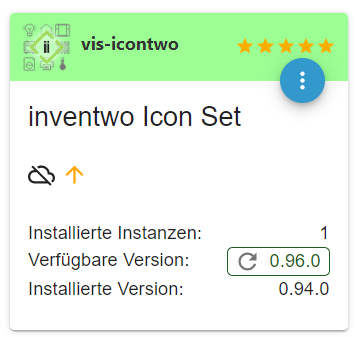
    Adapter    "vis-icontwo"  : 0.96.0   , installed 0.94.0 [Updatable]
    Adapter    "vis-inventwo" : 3.3.3    , installed 3.3.3
    Adapter    "vis-timeandweather": 1.2.2, installed 1.2.2
    Adapter    "web"          : 4.3.0    , installed 4.3.0
    Adapter    "ws"           : 1.3.0    , installed 1.3.0
    
    Objects and States
    Please stand by - This may take a while
    Objects:        9374
    States:         8192
    
    *** OS-Repositories and Updates ***
    Hit:1 https://deb.nodesource.com/node_14.x bullseye InRelease
    Hit:2 http://raspbian.raspberrypi.org/raspbian bullseye InRelease
    Hit:3 http://archive.raspberrypi.org/debian bullseye InRelease
    Reading package lists...
    Pending Updates: 0
    
    *** Listening Ports ***
    Active Internet connections (only servers)
    Proto Recv-Q Send-Q Local Address           Foreign Address         State       User       Inode      PID/Program name
    tcp        0      0 0.0.0.0:22              0.0.0.0:*               LISTEN      0          12596      531/sshd: /usr/sbin
    tcp        0      0 0.0.0.0:1883            0.0.0.0:*               LISTEN      1001       57685      3960/io.mqtt.0
    tcp        0      0 127.0.0.1:9000          0.0.0.0:*               LISTEN      1001       55023      3627/iobroker.js-co
    tcp        0      0 127.0.0.1:9001          0.0.0.0:*               LISTEN      1001       55016      3627/iobroker.js-co
    tcp6       0      0 :::61991                :::*                    LISTEN      1001       58753      4150/io.harmony.0
    tcp6       0      0 :::22                   :::*                    LISTEN      0          12598      531/sshd: /usr/sbin
    tcp6       0      0 :::8081                 :::*                    LISTEN      1001       53785      3645/io.admin.0
    tcp6       0      0 :::8082                 :::*                    LISTEN      1001       57757      4033/io.web.0
    udp        0      0 0.0.0.0:67              0.0.0.0:*                           1001       59450      3782/io.radar2.0
    udp        0      0 0.0.0.0:68              0.0.0.0:*                           0          1892       667/dhcpcd
    udp        0      0 0.0.0.0:59618           0.0.0.0:*                           108        1769       392/avahi-daemon: r
    udp        0      0 0.0.0.0:61991           0.0.0.0:*                           1001       58755      4150/io.harmony.0
    udp        0      0 0.0.0.0:5353            0.0.0.0:*                           108        1767       392/avahi-daemon: r
    udp        0      0 0.0.0.0:5683            0.0.0.0:*                           1001       57098      3728/io.shelly.0
    udp6       0      0 :::39631                :::*                                108        1770       392/avahi-daemon: r
    udp6       0      0 :::5353                 :::*                                108        1768       392/avahi-daemon: r
    
    *** Log File - Last 25 Lines ***
    
    2023-08-13 20:14:21.939  - info: radar2.0 (3782) Adapter identified macs: (60:b7:6e:01:2e:68,84:2a:fd:25:2d:48,54:60:09:84:fd:d2,00:1e:c0:5d:9e:de,dc:0b:34:c9:1f:49,58:24:29:6b:45:17,00:04:20:fb:fa:12,5c:33:8e:9d:db:c6,b2:a7:b9:06:f9:22),
    ips: (192.168.0.8,192.168.0.29,192.168.0.12,192.168.0.23,192.168.0.9,192.168.0.7,192.168.0.6,192.168.0.19,192.168.0.100),
    bts LE: (),
    bts norm: ()
    2023-08-13 20:14:22.151  - info: radar2.0 (3782) will scan UWZ with code UWZAT00803 every 60 minutes
    2023-08-13 20:14:22.281  - info: radar2.0 (3782) UWZ found the following (changed) warnings: Unwetterwarnung der Stufe Rot vor starkem Gewitter, gültig von Sonntag, 13.08. 14:00 Uhr bis Dienstag, 15.08. 14:00 Uhr.: alert_forewarn_red
    Wetterhinweis wegen Hitze, gültig von Montag, 14.08. 14:00 Uhr bis Montag, 14.08. 17:00 Uhr.: notice_forewarn_orange
    2023-08-13 20:14:22.317  - info: radar2.0 (3782) radar2 found 9 devices in config (Papa,Drucker,Chromecast,LMAir,Tasker_Handy,Mama,HarmonyHub,Fernseher,Smartmeter) and 9 enabled.
    2023-08-13 20:14:22.318  - info: radar2.0 (3782) radar2 set use of noble(false), doArp(false), btid(-1) and doUwz(UWZAT00803,60,0,de,true).
    2023-08-13 20:14:22.912  - info: vis-inventwo.0 (4096) starting. Version 3.3.3 in /opt/iobroker/node_modules/iobroker.vis-inventwo, node: v14.21.3, js-controller: 4.0.24
    2023-08-13 20:14:28.157  - info: shuttercontrol.0 (4151) starting. Version 1.5.0 in /opt/iobroker/node_modules/iobroker.shuttercontrol, node: v14.21.3, js-controller: 4.0.24
    2023-08-13 20:14:30.609  - info: sourceanalytix.0 (4200) starting. Version 0.4.14 in /opt/iobroker/node_modules/iobroker.sourceanalytix, node: v14.21.3, js-controller: 4.0.24
    2023-08-13 20:14:30.656  - info: sourceanalytix.0 (4200) Welcome to SourceAnalytix, making things ready ...
    2023-08-13 20:14:30.773  - info: sourceanalytix.0 (4200) Found 3 SourceAnalytix enabled states
    2023-08-13 20:14:30.774  - info: sourceanalytix.0 (4200) Initialising (1 of 3) "shelly.0.SHPLG-S#9773DE#1.Relay0.Energy"
    2023-08-13 20:14:32.305  - info: echarts.0 (4236) starting. Version 1.5.1 in /opt/iobroker/node_modules/iobroker.echarts, node: v14.21.3, js-controller: 4.0.24
    2023-08-13 20:14:34.569  - info: sourceanalytix.0 (4200) Initialization of shelly.0.SHPLG-S#9773DE#1.Relay0.Energy successfully
    2023-08-13 20:14:34.570  - info: sourceanalytix.0 (4200) Initialising (2 of 3) "shelly.0.SHPLG-S#8040D1#1.Relay0.Energy"
    2023-08-13 20:14:38.809  - info: sourceanalytix.0 (4200) Initialization of shelly.0.SHPLG-S#8040D1#1.Relay0.Energy successfully
    2023-08-13 20:14:38.810  - info: sourceanalytix.0 (4200) Initialising (3 of 3) "mqtt.0.SHRDZM.4C7525361F9E.4C7525361F9E.sensor.1.8.0"
    2023-08-13 20:14:42.516  - info: sourceanalytix.0 (4200) Initialization of mqtt.0.SHRDZM.4C7525361F9E.4C7525361F9E.sensor.1.8.0 successfully
    2023-08-13 20:14:42.529  - info: sourceanalytix.0 (4200) Successfully activated SourceAnalytix for 3 of 3 states, will do my Job until you stop me!
    2023-08-13 20:14:48.938  - info: radar2.0 (3782) first scan took 26.618 seconds
    2023-08-13 20:14:48.939  - info: radar2.0 (3782) will scan external network every  60  minutes
    2023-08-13 20:14:49.496  - info: radar2.0 (3782) Adapter initialization finished!


    js-controller ist up to date.

    wie geht es weiter?

    -Peter

    GlasfaserG 1 Antwort Letzte Antwort
    0
    • rtwlR rtwl

      @glasfaser

      Skript v.2023-04-16
      
      *** BASE SYSTEM ***
      Model           : Raspberry Pi 4 Model B Rev 1.4
      Architecture    : aarch64
      Docker          : false
      Virtualization  : none
      Distributor ID: Raspbian
      Description:    Raspbian GNU/Linux 11 (bullseye)
      Release:        11
      Codename:       bullseye
      
      PRETTY_NAME="Raspbian GNU/Linux 11 (bullseye)"
      NAME="Raspbian GNU/Linux"
      VERSION_ID="11"
      VERSION="11 (bullseye)"
      VERSION_CODENAME=bullseye
      ID=raspbian
      ID_LIKE=debian
      HOME_URL="http://www.raspbian.org/"
      SUPPORT_URL="http://www.raspbian.org/RaspbianForums"
      BUG_REPORT_URL="http://www.raspbian.org/RaspbianBugs"
      
      Systemuptime and Load:
      20:13:17 up  1:09,  1 user,  load average: 1.71, 1.78, 1.07
      CPU threads: 4
      
      Raspberry only:
      throttled=0x0
      Other values than 0x0 hint to temperature/voltage problems
      temp=67.2'C
      volt=0.9060V
      
      *** Time and Time Zones ***
                    Local time: Sun 2023-08-13 20:13:17 CEST
                Universal time: Sun 2023-08-13 18:13:17 UTC
                      RTC time: n/a
                     Time zone: Europe/Vienna (CEST, +0200)
      System clock synchronized: yes
                   NTP service: active
               RTC in local TZ: no
      
      *** User and Groups ***
      rtwl
      /home/rtwl
      rtwl adm dialout cdrom sudo audio video plugdev games users input render netdev gpio i2c spi iobroker
      
      *** X-Server-Setup ***
      X-Server:       false
      Desktop:
      Terminal:       tty
      Boot Target:    graphical.target
      
      *** MEMORY ***
                    total        used        free      shared  buff/cache   available
      Mem:            3.8G        646M        2.4G        0.0K        727M        3.1G
      Swap:            99M          0B         99M
      Total:          3.9G        646M        2.5G
      
              3794 M total memory
               646 M used memory
               665 M active memory
               484 M inactive memory
              2419 M free memory
               120 M buffer memory
               607 M swap cache
                99 M total swap
                 0 M used swap
                99 M free swap
      
      Raspberry only:
      oom events: 0
      lifetime oom required: 0 Mbytes
      total time in oom handler: 0 ms
      max time spent in oom handler: 0 ms
      
      *** FILESYSTEM ***
      Filesystem     Type      Size  Used Avail Use% Mounted on
      /dev/root      ext4       15G  5.8G  8.0G  42% /
      devtmpfs       devtmpfs  1.7G     0  1.7G   0% /dev
      tmpfs          tmpfs     1.9G     0  1.9G   0% /dev/shm
      tmpfs          tmpfs     759M  804K  759M   1% /run
      tmpfs          tmpfs     5.0M  4.0K  5.0M   1% /run/lock
      /dev/mmcblk0p1 vfat      253M   51M  202M  20% /boot
      tmpfs          tmpfs     380M     0  380M   0% /run/user/1000
      
      Messages concerning ext4 filesystem in dmesg:
      [Sun Aug 13 19:03:46 2023] Kernel command line: coherent_pool=1M 8250.nr_uarts=0 snd_bcm2835.enable_headphones=0 snd_bcm2835.enable_headphones=1 snd_bcm2835.enable_hdmi=1 snd_bcm2835.enable_hdmi=0  smsc95xx.macaddr=E4:5F:01:75:F7:C5 vc_mem.mem_base=0x3ec00000 vc_mem.mem_size=0x40000000  console=ttyS0,115200 console=tty1 root=PARTUUID=36a229aa-02 rootfstype=ext4 fsck.repair=yes rootwait
      [Sun Aug 13 19:03:47 2023] EXT4-fs (mmcblk0p2): mounted filesystem with ordered data mode. Quota mode: none.
      [Sun Aug 13 19:03:47 2023] VFS: Mounted root (ext4 filesystem) readonly on device 179:2.
      [Sun Aug 13 19:03:50 2023] EXT4-fs (mmcblk0p2): re-mounted. Quota mode: none.
      
      Show mounted filesystems (real ones only):
      TARGET  SOURCE         FSTYPE OPTIONS
      /       /dev/mmcblk0p2 ext4   rw,noatime
      `-/boot /dev/mmcblk0p1 vfat   rw,relatime,fmask=0022,dmask=0022,codepage=437,iocharset=ascii,shortname=mixed,flush,errors=remount-ro
      
      Files in neuralgic directories:
      
      /var:
      1.2G    /var/
      794M    /var/log
      793M    /var/log/journal/ce513f1a44ff4c9dbd382eb66e08c51e
      793M    /var/log/journal
      144M    /var/cache
      
      Archived and active journals take up 792.1M in the file system.
      
      /opt/iobroker/backups:
      140M    /opt/iobroker/backups/
      
      /opt/iobroker/iobroker-data:
      956M    /opt/iobroker/iobroker-data/
      485M    /opt/iobroker/iobroker-data/history
      297M    /opt/iobroker/iobroker-data/files
      139M    /opt/iobroker/iobroker-data/backup-objects
      88M     /opt/iobroker/iobroker-data/files/echarts.admin
      
      The five largest files in iobroker-data are:
      23M     /opt/iobroker/iobroker-data/files/echarts/static/js/main.eb0afecd.js.map
      23M     /opt/iobroker/iobroker-data/files/echarts.admin/static/js/main.7952f0f7.js.map
      23M     /opt/iobroker/iobroker-data/files/echarts.admin/chart/static/js/main.eb0afecd.js.map
      17M     /opt/iobroker/iobroker-data/files/echarts/preview/static/js/main.1b04901d.js.map
      17M     /opt/iobroker/iobroker-data/files/echarts.admin/preview/static/js/main.1b04901d.js.map
      
      *** NodeJS-Installation ***
      
      /usr/bin/nodejs         v14.21.3
      /usr/bin/node           v14.21.3
      /usr/bin/npm            6.14.18
      /usr/bin/npx            6.14.18
      
      
      nodejs:
       Installed: 14.21.3-deb-1nodesource1
       Candidate: 14.21.3-deb-1nodesource1
       Version table:
      *** 14.21.3-deb-1nodesource1 500
             500 https://deb.nodesource.com/node_14.x bullseye/main armhf Packages
             100 /var/lib/dpkg/status
          12.22.12~dfsg-1~deb11u4 500
             500 http://raspbian.raspberrypi.org/raspbian bullseye/main armhf Packages
      
      Temp directories causing npm8 problem: 0
      No problems detected
      
      *** ioBroker-Installation ***
      
      ioBroker Status
      iobroker is running on this host.
      
      
      Objects type: jsonl
      States  type: jsonl
      
      MULTIHOSTSERVICE/enabled: false
      
      Core adapters versions
      js-controller:  4.0.24
      admin:          6.4.1
      javascript:     7.0.3
      
      Adapters from github:   5
      
      Adapter State
      No connection to databases possible ...
      
      Enabled adapters with bindings
      + system.adapter.admin.0                  : admin                 : smarthome                                -  enabled, port: 8081, bind: 0.0.0.0, run as: admin
      + system.adapter.mqtt.0                   : mqtt                  : smarthome                                -  enabled, port: 1883, bind: 0.0.0.0
      + system.adapter.shelly.0                 : shelly                : smarthome                                -  enabled, port: 1882, bind: 0.0.0.0
      + system.adapter.web.0                    : web                   : smarthome                                -  enabled, port: 8082, bind: 0.0.0.0, run as: admin
      
      ioBroker-Repositories
      stable        : http://download.iobroker.net/sources-dist.json
      beta          : http://download.iobroker.net/sources-dist-latest.json
      
      Active repo(s): stable
      
      Installed ioBroker-Instances
      Used repository: stable
      Adapter    "admin"        : 6.3.5    , installed 6.4.1
      Adapter    "alexa2"       : 3.24.1   , installed 3.24.1
      Adapter    "alias-manager": 1.2.4    , installed 1.2.4
      Adapter    "backitup"     : 2.6.23   , installed 2.6.23
      Adapter    "bring"        : 1.8.1    , installed 1.8.1
      Adapter    "chromecast"   : 3.0.3    , installed 3.0.3
      Adapter    "daswetter"    : 3.1.10   , installed 3.1.10
      Adapter    "discovery"    : 3.1.0    , installed 3.1.0
      Adapter    "echarts"      : 1.5.1    , installed 1.5.1
      Adapter    "flot"         : 1.12.0   , installed 1.12.0
      Adapter    "harmony"      : 1.2.2    , installed 1.2.2
      Adapter    "history"      : 2.2.4    , installed 2.2.4
      Adapter    "ical"         : 1.13.3   , installed 1.13.3
      Adapter    "javascript"   : 7.0.3    , installed 7.0.3
      Controller "js-controller": 4.0.24   , installed 4.0.24
      Adapter    "meteoalarm"   : 2.3.6    , installed 2.3.6
      Adapter    "mqtt"         : 4.1.1    , installed 4.1.1
      Adapter    "netatmo-crawler": 0.8.1  , installed 0.8.1
      Adapter    "onkyo"        : 2.1.2    , installed 2.1.2
      Adapter    "ping"         : 1.5.3    , installed 1.5.3
      Adapter    "pushover"     : 3.0.3    , installed 3.0.3
      Adapter    "radar2"       : 2.0.7    , installed 2.0.7
      Adapter    "shelly"       : 6.4.1    , installed 6.4.1
      Adapter    "shuttercontrol": 1.5.0   , installed 1.5.0
      Adapter    "simple-api"   : 2.7.2    , installed 2.7.2
      Adapter    "socketio"     : 4.2.0    , installed 4.2.0
      Adapter    "trashschedule": 2.2.0    , installed 2.2.0
      Adapter    "uv-protect"   : 0.4.0    , installed 0.4.0
      Adapter    "vis"          : 1.4.16   , installed 1.4.16
      Adapter    "vis-icontwo"  : 0.96.0   , installed 0.94.0 [Updatable]
      Adapter    "vis-inventwo" : 3.3.3    , installed 3.3.3
      Adapter    "vis-timeandweather": 1.2.2, installed 1.2.2
      Adapter    "web"          : 4.3.0    , installed 4.3.0
      Adapter    "ws"           : 1.3.0    , installed 1.3.0
      
      Objects and States
      Please stand by - This may take a while
      Objects:        9374
      States:         8192
      
      *** OS-Repositories and Updates ***
      Hit:1 https://deb.nodesource.com/node_14.x bullseye InRelease
      Hit:2 http://raspbian.raspberrypi.org/raspbian bullseye InRelease
      Hit:3 http://archive.raspberrypi.org/debian bullseye InRelease
      Reading package lists...
      Pending Updates: 0
      
      *** Listening Ports ***
      Active Internet connections (only servers)
      Proto Recv-Q Send-Q Local Address           Foreign Address         State       User       Inode      PID/Program name
      tcp        0      0 0.0.0.0:22              0.0.0.0:*               LISTEN      0          12596      531/sshd: /usr/sbin
      tcp        0      0 0.0.0.0:1883            0.0.0.0:*               LISTEN      1001       57685      3960/io.mqtt.0
      tcp        0      0 127.0.0.1:9000          0.0.0.0:*               LISTEN      1001       55023      3627/iobroker.js-co
      tcp        0      0 127.0.0.1:9001          0.0.0.0:*               LISTEN      1001       55016      3627/iobroker.js-co
      tcp6       0      0 :::61991                :::*                    LISTEN      1001       58753      4150/io.harmony.0
      tcp6       0      0 :::22                   :::*                    LISTEN      0          12598      531/sshd: /usr/sbin
      tcp6       0      0 :::8081                 :::*                    LISTEN      1001       53785      3645/io.admin.0
      tcp6       0      0 :::8082                 :::*                    LISTEN      1001       57757      4033/io.web.0
      udp        0      0 0.0.0.0:67              0.0.0.0:*                           1001       59450      3782/io.radar2.0
      udp        0      0 0.0.0.0:68              0.0.0.0:*                           0          1892       667/dhcpcd
      udp        0      0 0.0.0.0:59618           0.0.0.0:*                           108        1769       392/avahi-daemon: r
      udp        0      0 0.0.0.0:61991           0.0.0.0:*                           1001       58755      4150/io.harmony.0
      udp        0      0 0.0.0.0:5353            0.0.0.0:*                           108        1767       392/avahi-daemon: r
      udp        0      0 0.0.0.0:5683            0.0.0.0:*                           1001       57098      3728/io.shelly.0
      udp6       0      0 :::39631                :::*                                108        1770       392/avahi-daemon: r
      udp6       0      0 :::5353                 :::*                                108        1768       392/avahi-daemon: r
      
      *** Log File - Last 25 Lines ***
      
      2023-08-13 20:14:21.939  - info: radar2.0 (3782) Adapter identified macs: (60:b7:6e:01:2e:68,84:2a:fd:25:2d:48,54:60:09:84:fd:d2,00:1e:c0:5d:9e:de,dc:0b:34:c9:1f:49,58:24:29:6b:45:17,00:04:20:fb:fa:12,5c:33:8e:9d:db:c6,b2:a7:b9:06:f9:22),
      ips: (192.168.0.8,192.168.0.29,192.168.0.12,192.168.0.23,192.168.0.9,192.168.0.7,192.168.0.6,192.168.0.19,192.168.0.100),
      bts LE: (),
      bts norm: ()
      2023-08-13 20:14:22.151  - info: radar2.0 (3782) will scan UWZ with code UWZAT00803 every 60 minutes
      2023-08-13 20:14:22.281  - info: radar2.0 (3782) UWZ found the following (changed) warnings: Unwetterwarnung der Stufe Rot vor starkem Gewitter, gültig von Sonntag, 13.08. 14:00 Uhr bis Dienstag, 15.08. 14:00 Uhr.: alert_forewarn_red
      Wetterhinweis wegen Hitze, gültig von Montag, 14.08. 14:00 Uhr bis Montag, 14.08. 17:00 Uhr.: notice_forewarn_orange
      2023-08-13 20:14:22.317  - info: radar2.0 (3782) radar2 found 9 devices in config (Papa,Drucker,Chromecast,LMAir,Tasker_Handy,Mama,HarmonyHub,Fernseher,Smartmeter) and 9 enabled.
      2023-08-13 20:14:22.318  - info: radar2.0 (3782) radar2 set use of noble(false), doArp(false), btid(-1) and doUwz(UWZAT00803,60,0,de,true).
      2023-08-13 20:14:22.912  - info: vis-inventwo.0 (4096) starting. Version 3.3.3 in /opt/iobroker/node_modules/iobroker.vis-inventwo, node: v14.21.3, js-controller: 4.0.24
      2023-08-13 20:14:28.157  - info: shuttercontrol.0 (4151) starting. Version 1.5.0 in /opt/iobroker/node_modules/iobroker.shuttercontrol, node: v14.21.3, js-controller: 4.0.24
      2023-08-13 20:14:30.609  - info: sourceanalytix.0 (4200) starting. Version 0.4.14 in /opt/iobroker/node_modules/iobroker.sourceanalytix, node: v14.21.3, js-controller: 4.0.24
      2023-08-13 20:14:30.656  - info: sourceanalytix.0 (4200) Welcome to SourceAnalytix, making things ready ...
      2023-08-13 20:14:30.773  - info: sourceanalytix.0 (4200) Found 3 SourceAnalytix enabled states
      2023-08-13 20:14:30.774  - info: sourceanalytix.0 (4200) Initialising (1 of 3) "shelly.0.SHPLG-S#9773DE#1.Relay0.Energy"
      2023-08-13 20:14:32.305  - info: echarts.0 (4236) starting. Version 1.5.1 in /opt/iobroker/node_modules/iobroker.echarts, node: v14.21.3, js-controller: 4.0.24
      2023-08-13 20:14:34.569  - info: sourceanalytix.0 (4200) Initialization of shelly.0.SHPLG-S#9773DE#1.Relay0.Energy successfully
      2023-08-13 20:14:34.570  - info: sourceanalytix.0 (4200) Initialising (2 of 3) "shelly.0.SHPLG-S#8040D1#1.Relay0.Energy"
      2023-08-13 20:14:38.809  - info: sourceanalytix.0 (4200) Initialization of shelly.0.SHPLG-S#8040D1#1.Relay0.Energy successfully
      2023-08-13 20:14:38.810  - info: sourceanalytix.0 (4200) Initialising (3 of 3) "mqtt.0.SHRDZM.4C7525361F9E.4C7525361F9E.sensor.1.8.0"
      2023-08-13 20:14:42.516  - info: sourceanalytix.0 (4200) Initialization of mqtt.0.SHRDZM.4C7525361F9E.4C7525361F9E.sensor.1.8.0 successfully
      2023-08-13 20:14:42.529  - info: sourceanalytix.0 (4200) Successfully activated SourceAnalytix for 3 of 3 states, will do my Job until you stop me!
      2023-08-13 20:14:48.938  - info: radar2.0 (3782) first scan took 26.618 seconds
      2023-08-13 20:14:48.939  - info: radar2.0 (3782) will scan external network every  60  minutes
      2023-08-13 20:14:49.496  - info: radar2.0 (3782) Adapter initialization finished!


      js-controller ist up to date.

      wie geht es weiter?

      GlasfaserG Offline
      GlasfaserG Offline
      Glasfaser
      schrieb am zuletzt editiert von
      #32

      @rtwl sagte in inventwo Icon Set Adapter - updaten funktioniert nicht:

      wie geht es weiter?

      HowTo in seiner Signatur zu 18

      https://forum.iobroker.net/post/1029006

      Synology 918+ 16GB - ioBroker in Docker v9 , VISO auf Trekstor Primebook C13 13,3" , Hikvision Domkameras mit Surveillance Station .. CCU RaspberryMatic in Synology VM .. Zigbee CC2538+CC2592 .. Sonoff .. KNX .. Modbus ..

      rtwlR 1 Antwort Letzte Antwort
      0
      • GlasfaserG Glasfaser

        @rtwl sagte in inventwo Icon Set Adapter - updaten funktioniert nicht:

        wie geht es weiter?

        HowTo in seiner Signatur zu 18

        https://forum.iobroker.net/post/1029006

        rtwlR Online
        rtwlR Online
        rtwl
        schrieb am zuletzt editiert von
        #33

        @glasfaser
        ich habs befürchtet, dass das jetzt kommt...
        hab mir den Post 1 dort schon gelesen, aber bin mir nicht sicher ob ich das schaffe. Da muss man so viel selber kontrollieren und einschätzen ob korrekt bzw "kann man ignorieren" oder auch irgendwelche Verisonsnummern/Pfade rausfinden,... so dass ich mich da ehrlichgesagt nicht sicher fühle, das ganze durchzuspielen.

        -Peter

        1 Antwort Letzte Antwort
        0
        • GlasfaserG Offline
          GlasfaserG Offline
          Glasfaser
          schrieb am zuletzt editiert von Glasfaser
          #34

          @rtwl sagte in inventwo Icon Set Adapter - updaten funktioniert nicht:

          das ganze durchzuspielen.

          siehe hier den Hinweis !

          @thomas-braun sagte in inventwo Icon Set Adapter - updaten funktioniert nicht:
          Oder du kannst auch probieren mit der Beta-Version von iob diag auf node18 zu kommen.

          per :

          curl https://raw.githubusercontent.com/Grothesk242/iob_diag/main/iob_diag > iob_diag
          chmod 744 iob_diag
          ./iob_diag
          

          Synology 918+ 16GB - ioBroker in Docker v9 , VISO auf Trekstor Primebook C13 13,3" , Hikvision Domkameras mit Surveillance Station .. CCU RaspberryMatic in Synology VM .. Zigbee CC2538+CC2592 .. Sonoff .. KNX .. Modbus ..

          rtwlR 1 Antwort Letzte Antwort
          0
          • GlasfaserG Glasfaser

            @rtwl sagte in inventwo Icon Set Adapter - updaten funktioniert nicht:

            das ganze durchzuspielen.

            siehe hier den Hinweis !

            @thomas-braun sagte in inventwo Icon Set Adapter - updaten funktioniert nicht:
            Oder du kannst auch probieren mit der Beta-Version von iob diag auf node18 zu kommen.

            per :

            curl https://raw.githubusercontent.com/Grothesk242/iob_diag/main/iob_diag > iob_diag
            chmod 744 iob_diag
            ./iob_diag
            
            rtwlR Online
            rtwlR Online
            rtwl
            schrieb am zuletzt editiert von
            #35

            @glasfaser
            kann ich gerne "probieren". Was aber passiert da im schlimmsten Fall? Kann ich damit mein System lahm legen?

            muss ich diese 3 Zeilen hintereinander einfügen mit jeweils [ENTER], oder ist es nur eine Zeile und beim Einfügen hier etwas schief gegangen?

            -Peter

            GlasfaserG 1 Antwort Letzte Antwort
            0
            • rtwlR rtwl

              @glasfaser
              kann ich gerne "probieren". Was aber passiert da im schlimmsten Fall? Kann ich damit mein System lahm legen?

              muss ich diese 3 Zeilen hintereinander einfügen mit jeweils [ENTER], oder ist es nur eine Zeile und beim Einfügen hier etwas schief gegangen?

              GlasfaserG Offline
              GlasfaserG Offline
              Glasfaser
              schrieb am zuletzt editiert von
              #36

              @rtwl sagte in inventwo Icon Set Adapter - updaten funktioniert nicht:

              muss ich diese 3 Zeilen hintereinander einfügen mit jeweils [ENTER], oder ist es nur eine Zeile und beim Einfügen hier etwas schief gegangen?

              in der ersten Zeile wird von Github das Script auf dein System geladen
              in der zweiten Zeile die Rechte dafür vergeben
              die dritte Zeile startet das Script .

              Also alles einzeln eingeben !

              Synology 918+ 16GB - ioBroker in Docker v9 , VISO auf Trekstor Primebook C13 13,3" , Hikvision Domkameras mit Surveillance Station .. CCU RaspberryMatic in Synology VM .. Zigbee CC2538+CC2592 .. Sonoff .. KNX .. Modbus ..

              rtwlR 1 Antwort Letzte Antwort
              0
              • GlasfaserG Glasfaser

                @rtwl sagte in inventwo Icon Set Adapter - updaten funktioniert nicht:

                muss ich diese 3 Zeilen hintereinander einfügen mit jeweils [ENTER], oder ist es nur eine Zeile und beim Einfügen hier etwas schief gegangen?

                in der ersten Zeile wird von Github das Script auf dein System geladen
                in der zweiten Zeile die Rechte dafür vergeben
                die dritte Zeile startet das Script .

                Also alles einzeln eingeben !

                rtwlR Online
                rtwlR Online
                rtwl
                schrieb am zuletzt editiert von
                #37

                @glasfaser
                Erledigt.

                Skript v.2023-08-13
                
                *** BASE SYSTEM ***
                   Static hostname: smarthome
                         Icon name: computer
                        Machine ID: ce513f1a44ff4c9dbd382eb66e08c51e
                           Boot ID: 6acd61a272a4420690e212e4f6f77ae7
                  Operating System: Raspbian GNU/Linux 11 (bullseye)
                            Kernel: Linux 6.1.21-v8+
                      Architecture: arm64
                
                Model           : Raspberry Pi 4 Model B Rev 1.4
                Docker          : false
                Virtualization  : none
                Kernel          : aarch64
                Userland        : armhf
                
                Systemuptime and Load:
                 21:02:55 up  1:59,  1 user,  load average: 0.41, 0.67, 1.06
                CPU threads: 4
                
                Raspberry only:
                throttled=0x0
                Other values than 0x0 hint to temperature/voltage problems
                temp=63.3'C
                volt=0.9060V
                
                *** Time and Time Zones ***
                               Local time: Sun 2023-08-13 21:02:55 CEST
                           Universal time: Sun 2023-08-13 19:02:55 UTC
                                 RTC time: n/a
                                Time zone: Europe/Vienna (CEST, +0200)
                System clock synchronized: yes
                              NTP service: active
                          RTC in local TZ: no
                
                *** User and Groups ***
                rtwl
                /home/rtwl
                rtwl adm dialout cdrom sudo audio video plugdev games users input render netdev gpio i2c spi iobroker
                
                *** X-Server-Setup ***
                X-Server:       false
                Desktop:
                Terminal:       tty
                Boot Target:    graphical.target
                
                *** MEMORY ***
                               total        used        free      shared  buff/cache   available
                Mem:            3.8G        1.1G        2.0G        0.0K        768M        2.9G
                Swap:            99M          0B         99M
                Total:          3.9G        1.1G        2.1G
                
                         3794 M total memory
                         1059 M used memory
                          840 M active memory
                          751 M inactive memory
                         1966 M free memory
                          123 M buffer memory
                          645 M swap cache
                           99 M total swap
                            0 M used swap
                           99 M free swap
                
                Raspberry only:
                oom events: 0
                lifetime oom required: 0 Mbytes
                total time in oom handler: 0 ms
                max time spent in oom handler: 0 ms
                
                *** FAILED SERVICES ***
                
                  UNIT LOAD ACTIVE SUB DESCRIPTION
                0 loaded units listed.
                
                *** FILESYSTEM ***
                Filesystem     Type      Size  Used Avail Use% Mounted on
                /dev/root      ext4       15G  5.8G  8.0G  43% /
                devtmpfs       devtmpfs  1.7G     0  1.7G   0% /dev
                tmpfs          tmpfs     1.9G     0  1.9G   0% /dev/shm
                tmpfs          tmpfs     759M  808K  759M   1% /run
                tmpfs          tmpfs     5.0M  4.0K  5.0M   1% /run/lock
                /dev/mmcblk0p1 vfat      253M   51M  202M  20% /boot
                tmpfs          tmpfs     380M     0  380M   0% /run/user/1000
                
                Messages concerning ext4 filesystem in dmesg:
                [Sun Aug 13 19:03:46 2023] Kernel command line: coherent_pool=1M 8250.nr_uarts=0 snd_bcm2835.enable_headphones=0 snd_bcm2835.enable_headphones=1 snd_bcm2835.enable_hdmi=1 snd_bcm2835.enable_hdmi=0  smsc95xx.macaddr=E4:5F:01:75:F7:C5 vc_mem.mem_base=0x3ec00000 vc_mem.mem_size=0x40000000  console=ttyS0,115200 console=tty1 root=PARTUUID=36a229aa-02 rootfstype=ext4 fsck.repair=yes rootwait
                [Sun Aug 13 19:03:47 2023] EXT4-fs (mmcblk0p2): mounted filesystem with ordered data mode. Quota mode: none.
                [Sun Aug 13 19:03:47 2023] VFS: Mounted root (ext4 filesystem) readonly on device 179:2.
                [Sun Aug 13 19:03:50 2023] EXT4-fs (mmcblk0p2): re-mounted. Quota mode: none.
                
                Show mounted filesystems \(real ones only\):
                TARGET  SOURCE         FSTYPE OPTIONS
                /       /dev/mmcblk0p2 ext4   rw,noatime
                `-/boot /dev/mmcblk0p1 vfat   rw,relatime,fmask=0022,dmask=0022,codepage=437,iocharset=ascii,shortname=mixed,flush,errors=remount-ro
                
                Files in neuralgic directories:
                
                /var:
                1.2G    /var/
                794M    /var/log
                793M    /var/log/journal/ce513f1a44ff4c9dbd382eb66e08c51e
                793M    /var/log/journal
                144M    /var/cache
                
                Archived and active journals take up 792.1M in the file system.
                
                /opt/iobroker/backups:
                140M    /opt/iobroker/backups/
                
                /opt/iobroker/iobroker-data:
                962M    /opt/iobroker/iobroker-data/
                485M    /opt/iobroker/iobroker-data/history
                297M    /opt/iobroker/iobroker-data/files
                139M    /opt/iobroker/iobroker-data/backup-objects
                88M     /opt/iobroker/iobroker-data/files/echarts.admin
                
                The five largest files in iobroker-data are:
                23M     /opt/iobroker/iobroker-data/files/echarts/static/js/main.eb0afecd.js.map
                23M     /opt/iobroker/iobroker-data/files/echarts.admin/static/js/main.7952f0f7.js.map
                23M     /opt/iobroker/iobroker-data/files/echarts.admin/chart/static/js/main.eb0afecd.js.map
                20M     /opt/iobroker/iobroker-data/objects.jsonl
                17M     /opt/iobroker/iobroker-data/files/echarts/preview/static/js/main.1b04901d.js.map
                
                *** NodeJS-Installation ***
                
                /usr/bin/nodejs         v14.21.3
                /usr/bin/node           v14.21.3
                /usr/bin/npm            6.14.18
                /usr/bin/npx            6.14.18
                /usr/bin/corepack       0.15.1
                
                
                nodejs:
                  Installed: 14.21.3-deb-1nodesource1
                  Candidate: 14.21.3-deb-1nodesource1
                  Version table:
                 *** 14.21.3-deb-1nodesource1 500
                        500 https://deb.nodesource.com/node_14.x bullseye/main armhf Packages
                        100 /var/lib/dpkg/status
                     12.22.12~dfsg-1~deb11u4 500
                        500 http://raspbian.raspberrypi.org/raspbian bullseye/main armhf Packages
                
                Temp directories causing npm8 problem: 0
                No problems detected
                
                Errors in npm tree:
                
                *** ioBroker-Installation ***
                
                ioBroker Status
                iobroker is running on this host.
                
                
                Objects type: jsonl
                States  type: jsonl
                
                
                Core adapters versions
                js-controller:  4.0.24
                admin:          6.4.1
                javascript:     7.0.3
                
                Adapters from github:   5
                
                Adapter State
                + system.adapter.admin.0                  : admin                 : smarthome                                -  enabled, port: 8081, bind: 0.0.0.0, run as: admin
                + system.adapter.alexa2.0                 : alexa2                : smarthome                                -  enabled
                  system.adapter.alias-manager.0          : alias-manager         : smarthome                                -  enabled
                + system.adapter.backitup.0               : backitup              : smarthome                                -  enabled
                + system.adapter.bring.0                  : bring                 : smarthome                                -  enabled
                  system.adapter.daswetter.0              : daswetter             : smarthome                                -  enabled
                  system.adapter.discovery.0              : discovery             : smarthome                                - disabled
                + system.adapter.echarts.0                : echarts               : smarthome                                -  enabled
                  system.adapter.flot.0                   : flot                  : smarthome                                -  enabled
                + system.adapter.harmony.0                : harmony               : smarthome                                -  enabled
                + system.adapter.history.0                : history               : smarthome                                -  enabled
                  system.adapter.ical.0                   : ical                  : smarthome                                -  enabled
                  system.adapter.ical.1                   : ical                  : smarthome                                -  enabled
                + system.adapter.javascript.0             : javascript            : smarthome                                -  enabled
                  system.adapter.meteoalarm.0             : meteoalarm            : smarthome                                -  enabled
                  system.adapter.meteoalarm.1             : meteoalarm            : smarthome                                -  enabled
                + system.adapter.mqtt.0                   : mqtt                  : smarthome                                -  enabled, port: 1883, bind: 0.0.0.0
                  system.adapter.netatmo-crawler.0        : netatmo-crawler       : smarthome                                -  enabled
                + system.adapter.onkyo.0                  : onkyo                 : smarthome                                -  enabled
                + system.adapter.pushover.0               : pushover              : smarthome                                -  enabled
                + system.adapter.radar2.0                 : radar2                : smarthome                                -  enabled
                + system.adapter.shelly.0                 : shelly                : smarthome                                -  enabled, port: 1882, bind: 0.0.0.0
                + system.adapter.shuttercontrol.0         : shuttercontrol        : smarthome                                -  enabled
                + system.adapter.sourceanalytix.0         : sourceanalytix        : smarthome                                -  enabled
                + system.adapter.trashschedule.0          : trashschedule         : smarthome                                -  enabled
                  system.adapter.uv-protect.0             : uv-protect            : smarthome                                -  enabled
                  system.adapter.vis-icontwo.0            : vis-icontwo           : smarthome                                -  enabled
                + system.adapter.vis-inventwo.0           : vis-inventwo          : smarthome                                -  enabled
                  system.adapter.vis-materialdesign.0     : vis-materialdesign    : smarthome                                -  enabled
                  system.adapter.vis-timeandweather.0     : vis-timeandweather    : smarthome                                -  enabled
                  system.adapter.vis.0                    : vis                   : smarthome                                -  enabled
                + system.adapter.web.0                    : web                   : smarthome                                -  enabled, port: 8082, bind: 0.0.0.0, run as: admin
                
                + instance is alive
                
                Enabled adapters with bindings
                + system.adapter.admin.0                  : admin                 : smarthome                                -  enabled, port: 8081, bind: 0.0.0.0, run as: admin
                + system.adapter.mqtt.0                   : mqtt                  : smarthome                                -  enabled, port: 1883, bind: 0.0.0.0
                + system.adapter.shelly.0                 : shelly                : smarthome                                -  enabled, port: 1882, bind: 0.0.0.0
                + system.adapter.web.0                    : web                   : smarthome                                -  enabled, port: 8082, bind: 0.0.0.0, run as: admin
                
                ioBroker-Repositories
                stable        : http://download.iobroker.net/sources-dist.json
                beta          : http://download.iobroker.net/sources-dist-latest.json
                
                Active repo(s): stable
                
                Installed ioBroker-Instances
                Used repository: stable
                Adapter    "admin"        : 6.3.5    , installed 6.4.1
                Adapter    "alexa2"       : 3.24.1   , installed 3.24.1
                Adapter    "alias-manager": 1.2.4    , installed 1.2.4
                Adapter    "backitup"     : 2.6.23   , installed 2.6.23
                Adapter    "bring"        : 1.8.1    , installed 1.8.1
                Adapter    "chromecast"   : 3.0.3    , installed 3.0.3
                Adapter    "daswetter"    : 3.1.10   , installed 3.1.10
                Adapter    "discovery"    : 3.1.0    , installed 3.1.0
                Adapter    "echarts"      : 1.5.1    , installed 1.5.1
                Adapter    "flot"         : 1.12.0   , installed 1.12.0
                Adapter    "harmony"      : 1.2.2    , installed 1.2.2
                Adapter    "history"      : 2.2.4    , installed 2.2.4
                Adapter    "ical"         : 1.13.3   , installed 1.13.3
                Adapter    "javascript"   : 7.0.3    , installed 7.0.3
                Controller "js-controller": 4.0.24   , installed 4.0.24
                Adapter    "meteoalarm"   : 2.3.6    , installed 2.3.6
                Adapter    "mqtt"         : 4.1.1    , installed 4.1.1
                Adapter    "netatmo-crawler": 0.8.1  , installed 0.8.1
                Adapter    "onkyo"        : 2.1.2    , installed 2.1.2
                Adapter    "ping"         : 1.5.3    , installed 1.5.3
                Adapter    "pushover"     : 3.0.3    , installed 3.0.3
                Adapter    "radar2"       : 2.0.7    , installed 2.0.7
                Adapter    "shelly"       : 6.4.1    , installed 6.4.1
                Adapter    "shuttercontrol": 1.5.0   , installed 1.5.0
                Adapter    "simple-api"   : 2.7.2    , installed 2.7.2
                Adapter    "socketio"     : 4.2.0    , installed 4.2.0
                Adapter    "trashschedule": 2.2.0    , installed 2.2.0
                Adapter    "uv-protect"   : 0.4.0    , installed 0.4.0
                Adapter    "vis"          : 1.4.16   , installed 1.4.16
                Adapter    "vis-icontwo"  : 0.96.0   , installed 0.94.0 [Updatable]
                Adapter    "vis-inventwo" : 3.3.3    , installed 3.3.3
                Adapter    "vis-timeandweather": 1.2.2, installed 1.2.2
                Adapter    "web"          : 4.3.0    , installed 4.3.0
                Adapter    "ws"           : 1.3.0    , installed 1.3.0
                
                Objects and States
                Please stand by - This may take a while
                Objects:        9374
                States:         8137
                
                *** OS-Repositories and Updates ***
                Hit:1 http://raspbian.raspberrypi.org/raspbian bullseye InRelease
                Hit:2 http://archive.raspberrypi.org/debian bullseye InRelease
                Hit:3 https://deb.nodesource.com/node_14.x bullseye InRelease
                Reading package lists... Done
                Pending Updates: 0
                
                *** Listening Ports ***
                Active Internet connections (only servers)
                Proto Recv-Q Send-Q Local Address           Foreign Address         State       User       Inode      PID/Program name
                tcp        0      0 0.0.0.0:22              0.0.0.0:*               LISTEN      0          12596      531/sshd: /usr/sbin
                tcp        0      0 0.0.0.0:1883            0.0.0.0:*               LISTEN      1001       65910      4948/io.mqtt.0
                tcp        0      0 127.0.0.1:9000          0.0.0.0:*               LISTEN      1001       65035      4683/iobroker.js-co
                tcp        0      0 127.0.0.1:9001          0.0.0.0:*               LISTEN      1001       65028      4683/iobroker.js-co
                tcp6       0      0 :::61991                :::*                    LISTEN      1001       64370      5142/io.harmony.0
                tcp6       0      0 :::22                   :::*                    LISTEN      0          12598      531/sshd: /usr/sbin
                tcp6       0      0 :::8081                 :::*                    LISTEN      1001       62901      4702/io.admin.0
                tcp6       0      0 :::8082                 :::*                    LISTEN      1001       66017      5011/io.web.0
                udp        0      0 0.0.0.0:67              0.0.0.0:*                           1001       86007      6067/io.radar2.0
                udp        0      0 0.0.0.0:68              0.0.0.0:*                           0          1892       667/dhcpcd
                udp        0      0 0.0.0.0:59618           0.0.0.0:*                           108        1769       392/avahi-daemon: r
                udp        0      0 0.0.0.0:61991           0.0.0.0:*                           1001       64371      5142/io.harmony.0
                udp        0      0 0.0.0.0:5353            0.0.0.0:*                           108        1767       392/avahi-daemon: r
                udp        0      0 0.0.0.0:5683            0.0.0.0:*                           1001       63006      4793/io.shelly.0
                udp6       0      0 :::39631                :::*                                108        1770       392/avahi-daemon: r
                udp6       0      0 :::5353                 :::*                                108        1768       392/avahi-daemon: r
                
                *** Log File - Last 25 Lines ***
                
                2023-08-13 20:42:00.180  - info: javascript.0 (4725) script.js.VIS.Anzahl_Lampen: 1
                2023-08-13 20:51:20.212  - info: web.0 (5011) ==> Connected system.user.admin from ::ffff:192.168.0.5
                2023-08-13 20:52:00.073  - info: shuttercontrol.0 (5194) Living down #18 Set ID: Terrassen Fenster value: 0%
                2023-08-13 20:52:00.096  - info: javascript.0 (4725) script.js.Raffstores.TerrassenFenster: geschlossen
                2023-08-13 20:52:03.102  - info: shuttercontrol.0 (5194) Living down #18 Set ID: Küche value: 0%
                2023-08-13 20:52:03.117  - info: javascript.0 (4725) script.js.Raffstores.Küche: geschlossen
                2023-08-13 20:52:06.132  - info: shuttercontrol.0 (5194) Living down #18 Set ID: Wäscheraum value: 0%
                2023-08-13 20:52:06.169  - info: javascript.0 (4725) script.js.Raffstores.Wäscheraum: geschlossen
                2023-08-13 20:52:09.179  - info: shuttercontrol.0 (5194) Living down #18 Set ID: Wohnzimmer value: 0%
                2023-08-13 20:52:11.202  - info: javascript.0 (4725) script.js.Raffstores.Wohnzimmer: geschlossen / Lamellen offen
                2023-08-13 20:52:12.219  - info: shuttercontrol.0 (5194) Living down #18 Set ID: Vorzimmer value: 0%
                2023-08-13 20:52:15.289  - info: shuttercontrol.0 (5194) Living down #18 Set ID: Bad value: 0%
                2023-08-13 20:52:18.309  - info: shuttercontrol.0 (5194) Living down #18 Set ID: Schrankraum value: 0%
                2023-08-13 20:52:47.299  - info: javascript.0 (4725) script.js.Raffstores.Vorzimmer: geschlossen / Lamellen offen
                2023-08-13 20:52:49.313  - info: javascript.0 (4725) script.js.Raffstores.Bad: geschlossen / Lamellen offen
                2023-08-13 20:52:52.345  - info: javascript.0 (4725) script.js.Raffstores.Schrankraum: geschlossen / Lamellen offen
                2023-08-13 21:00:21.982  - info: sourceanalytix.0 (5227) Got terminate signal TERMINATE_YOURSELF
                2023-08-13 21:00:21.985  - info: sourceanalytix.0 (5227) SourceAnalytix stopped, now you have to calculate by yourself :'( ...
                2023-08-13 21:00:21.986  - info: sourceanalytix.0 (5227) terminating
                2023-08-13 21:00:21.988  - info: sourceanalytix.0 (5227) Terminated (ADAPTER_REQUESTED_TERMINATION): Without reason
                2023-08-13 21:01:04.205  - info: radar2.0 (4852) Got terminate signal TERMINATE_YOURSELF
                2023-08-13 21:01:04.213  - info: radar2.0 (4852) Unload adapter now with null
                2023-08-13 21:01:04.215  - info: radar2.0 (4852) Adapter disconnected and stopped with dostop(null) and callback(true)
                2023-08-13 21:01:04.216  - info: radar2.0 (4852) terminating
                2023-08-13 21:01:04.218  - info: radar2.0 (4852) Terminated (ADAPTER_REQUESTED_TERMINATION): Without reason


                Vielen Dank zwischendurch mal für deine Hilfe!

                -Peter

                rtwlR 1 Antwort Letzte Antwort
                0
                • rtwlR rtwl

                  @glasfaser
                  Erledigt.

                  Skript v.2023-08-13
                  
                  *** BASE SYSTEM ***
                     Static hostname: smarthome
                           Icon name: computer
                          Machine ID: ce513f1a44ff4c9dbd382eb66e08c51e
                             Boot ID: 6acd61a272a4420690e212e4f6f77ae7
                    Operating System: Raspbian GNU/Linux 11 (bullseye)
                              Kernel: Linux 6.1.21-v8+
                        Architecture: arm64
                  
                  Model           : Raspberry Pi 4 Model B Rev 1.4
                  Docker          : false
                  Virtualization  : none
                  Kernel          : aarch64
                  Userland        : armhf
                  
                  Systemuptime and Load:
                   21:02:55 up  1:59,  1 user,  load average: 0.41, 0.67, 1.06
                  CPU threads: 4
                  
                  Raspberry only:
                  throttled=0x0
                  Other values than 0x0 hint to temperature/voltage problems
                  temp=63.3'C
                  volt=0.9060V
                  
                  *** Time and Time Zones ***
                                 Local time: Sun 2023-08-13 21:02:55 CEST
                             Universal time: Sun 2023-08-13 19:02:55 UTC
                                   RTC time: n/a
                                  Time zone: Europe/Vienna (CEST, +0200)
                  System clock synchronized: yes
                                NTP service: active
                            RTC in local TZ: no
                  
                  *** User and Groups ***
                  rtwl
                  /home/rtwl
                  rtwl adm dialout cdrom sudo audio video plugdev games users input render netdev gpio i2c spi iobroker
                  
                  *** X-Server-Setup ***
                  X-Server:       false
                  Desktop:
                  Terminal:       tty
                  Boot Target:    graphical.target
                  
                  *** MEMORY ***
                                 total        used        free      shared  buff/cache   available
                  Mem:            3.8G        1.1G        2.0G        0.0K        768M        2.9G
                  Swap:            99M          0B         99M
                  Total:          3.9G        1.1G        2.1G
                  
                           3794 M total memory
                           1059 M used memory
                            840 M active memory
                            751 M inactive memory
                           1966 M free memory
                            123 M buffer memory
                            645 M swap cache
                             99 M total swap
                              0 M used swap
                             99 M free swap
                  
                  Raspberry only:
                  oom events: 0
                  lifetime oom required: 0 Mbytes
                  total time in oom handler: 0 ms
                  max time spent in oom handler: 0 ms
                  
                  *** FAILED SERVICES ***
                  
                    UNIT LOAD ACTIVE SUB DESCRIPTION
                  0 loaded units listed.
                  
                  *** FILESYSTEM ***
                  Filesystem     Type      Size  Used Avail Use% Mounted on
                  /dev/root      ext4       15G  5.8G  8.0G  43% /
                  devtmpfs       devtmpfs  1.7G     0  1.7G   0% /dev
                  tmpfs          tmpfs     1.9G     0  1.9G   0% /dev/shm
                  tmpfs          tmpfs     759M  808K  759M   1% /run
                  tmpfs          tmpfs     5.0M  4.0K  5.0M   1% /run/lock
                  /dev/mmcblk0p1 vfat      253M   51M  202M  20% /boot
                  tmpfs          tmpfs     380M     0  380M   0% /run/user/1000
                  
                  Messages concerning ext4 filesystem in dmesg:
                  [Sun Aug 13 19:03:46 2023] Kernel command line: coherent_pool=1M 8250.nr_uarts=0 snd_bcm2835.enable_headphones=0 snd_bcm2835.enable_headphones=1 snd_bcm2835.enable_hdmi=1 snd_bcm2835.enable_hdmi=0  smsc95xx.macaddr=E4:5F:01:75:F7:C5 vc_mem.mem_base=0x3ec00000 vc_mem.mem_size=0x40000000  console=ttyS0,115200 console=tty1 root=PARTUUID=36a229aa-02 rootfstype=ext4 fsck.repair=yes rootwait
                  [Sun Aug 13 19:03:47 2023] EXT4-fs (mmcblk0p2): mounted filesystem with ordered data mode. Quota mode: none.
                  [Sun Aug 13 19:03:47 2023] VFS: Mounted root (ext4 filesystem) readonly on device 179:2.
                  [Sun Aug 13 19:03:50 2023] EXT4-fs (mmcblk0p2): re-mounted. Quota mode: none.
                  
                  Show mounted filesystems \(real ones only\):
                  TARGET  SOURCE         FSTYPE OPTIONS
                  /       /dev/mmcblk0p2 ext4   rw,noatime
                  `-/boot /dev/mmcblk0p1 vfat   rw,relatime,fmask=0022,dmask=0022,codepage=437,iocharset=ascii,shortname=mixed,flush,errors=remount-ro
                  
                  Files in neuralgic directories:
                  
                  /var:
                  1.2G    /var/
                  794M    /var/log
                  793M    /var/log/journal/ce513f1a44ff4c9dbd382eb66e08c51e
                  793M    /var/log/journal
                  144M    /var/cache
                  
                  Archived and active journals take up 792.1M in the file system.
                  
                  /opt/iobroker/backups:
                  140M    /opt/iobroker/backups/
                  
                  /opt/iobroker/iobroker-data:
                  962M    /opt/iobroker/iobroker-data/
                  485M    /opt/iobroker/iobroker-data/history
                  297M    /opt/iobroker/iobroker-data/files
                  139M    /opt/iobroker/iobroker-data/backup-objects
                  88M     /opt/iobroker/iobroker-data/files/echarts.admin
                  
                  The five largest files in iobroker-data are:
                  23M     /opt/iobroker/iobroker-data/files/echarts/static/js/main.eb0afecd.js.map
                  23M     /opt/iobroker/iobroker-data/files/echarts.admin/static/js/main.7952f0f7.js.map
                  23M     /opt/iobroker/iobroker-data/files/echarts.admin/chart/static/js/main.eb0afecd.js.map
                  20M     /opt/iobroker/iobroker-data/objects.jsonl
                  17M     /opt/iobroker/iobroker-data/files/echarts/preview/static/js/main.1b04901d.js.map
                  
                  *** NodeJS-Installation ***
                  
                  /usr/bin/nodejs         v14.21.3
                  /usr/bin/node           v14.21.3
                  /usr/bin/npm            6.14.18
                  /usr/bin/npx            6.14.18
                  /usr/bin/corepack       0.15.1
                  
                  
                  nodejs:
                    Installed: 14.21.3-deb-1nodesource1
                    Candidate: 14.21.3-deb-1nodesource1
                    Version table:
                   *** 14.21.3-deb-1nodesource1 500
                          500 https://deb.nodesource.com/node_14.x bullseye/main armhf Packages
                          100 /var/lib/dpkg/status
                       12.22.12~dfsg-1~deb11u4 500
                          500 http://raspbian.raspberrypi.org/raspbian bullseye/main armhf Packages
                  
                  Temp directories causing npm8 problem: 0
                  No problems detected
                  
                  Errors in npm tree:
                  
                  *** ioBroker-Installation ***
                  
                  ioBroker Status
                  iobroker is running on this host.
                  
                  
                  Objects type: jsonl
                  States  type: jsonl
                  
                  
                  Core adapters versions
                  js-controller:  4.0.24
                  admin:          6.4.1
                  javascript:     7.0.3
                  
                  Adapters from github:   5
                  
                  Adapter State
                  + system.adapter.admin.0                  : admin                 : smarthome                                -  enabled, port: 8081, bind: 0.0.0.0, run as: admin
                  + system.adapter.alexa2.0                 : alexa2                : smarthome                                -  enabled
                    system.adapter.alias-manager.0          : alias-manager         : smarthome                                -  enabled
                  + system.adapter.backitup.0               : backitup              : smarthome                                -  enabled
                  + system.adapter.bring.0                  : bring                 : smarthome                                -  enabled
                    system.adapter.daswetter.0              : daswetter             : smarthome                                -  enabled
                    system.adapter.discovery.0              : discovery             : smarthome                                - disabled
                  + system.adapter.echarts.0                : echarts               : smarthome                                -  enabled
                    system.adapter.flot.0                   : flot                  : smarthome                                -  enabled
                  + system.adapter.harmony.0                : harmony               : smarthome                                -  enabled
                  + system.adapter.history.0                : history               : smarthome                                -  enabled
                    system.adapter.ical.0                   : ical                  : smarthome                                -  enabled
                    system.adapter.ical.1                   : ical                  : smarthome                                -  enabled
                  + system.adapter.javascript.0             : javascript            : smarthome                                -  enabled
                    system.adapter.meteoalarm.0             : meteoalarm            : smarthome                                -  enabled
                    system.adapter.meteoalarm.1             : meteoalarm            : smarthome                                -  enabled
                  + system.adapter.mqtt.0                   : mqtt                  : smarthome                                -  enabled, port: 1883, bind: 0.0.0.0
                    system.adapter.netatmo-crawler.0        : netatmo-crawler       : smarthome                                -  enabled
                  + system.adapter.onkyo.0                  : onkyo                 : smarthome                                -  enabled
                  + system.adapter.pushover.0               : pushover              : smarthome                                -  enabled
                  + system.adapter.radar2.0                 : radar2                : smarthome                                -  enabled
                  + system.adapter.shelly.0                 : shelly                : smarthome                                -  enabled, port: 1882, bind: 0.0.0.0
                  + system.adapter.shuttercontrol.0         : shuttercontrol        : smarthome                                -  enabled
                  + system.adapter.sourceanalytix.0         : sourceanalytix        : smarthome                                -  enabled
                  + system.adapter.trashschedule.0          : trashschedule         : smarthome                                -  enabled
                    system.adapter.uv-protect.0             : uv-protect            : smarthome                                -  enabled
                    system.adapter.vis-icontwo.0            : vis-icontwo           : smarthome                                -  enabled
                  + system.adapter.vis-inventwo.0           : vis-inventwo          : smarthome                                -  enabled
                    system.adapter.vis-materialdesign.0     : vis-materialdesign    : smarthome                                -  enabled
                    system.adapter.vis-timeandweather.0     : vis-timeandweather    : smarthome                                -  enabled
                    system.adapter.vis.0                    : vis                   : smarthome                                -  enabled
                  + system.adapter.web.0                    : web                   : smarthome                                -  enabled, port: 8082, bind: 0.0.0.0, run as: admin
                  
                  + instance is alive
                  
                  Enabled adapters with bindings
                  + system.adapter.admin.0                  : admin                 : smarthome                                -  enabled, port: 8081, bind: 0.0.0.0, run as: admin
                  + system.adapter.mqtt.0                   : mqtt                  : smarthome                                -  enabled, port: 1883, bind: 0.0.0.0
                  + system.adapter.shelly.0                 : shelly                : smarthome                                -  enabled, port: 1882, bind: 0.0.0.0
                  + system.adapter.web.0                    : web                   : smarthome                                -  enabled, port: 8082, bind: 0.0.0.0, run as: admin
                  
                  ioBroker-Repositories
                  stable        : http://download.iobroker.net/sources-dist.json
                  beta          : http://download.iobroker.net/sources-dist-latest.json
                  
                  Active repo(s): stable
                  
                  Installed ioBroker-Instances
                  Used repository: stable
                  Adapter    "admin"        : 6.3.5    , installed 6.4.1
                  Adapter    "alexa2"       : 3.24.1   , installed 3.24.1
                  Adapter    "alias-manager": 1.2.4    , installed 1.2.4
                  Adapter    "backitup"     : 2.6.23   , installed 2.6.23
                  Adapter    "bring"        : 1.8.1    , installed 1.8.1
                  Adapter    "chromecast"   : 3.0.3    , installed 3.0.3
                  Adapter    "daswetter"    : 3.1.10   , installed 3.1.10
                  Adapter    "discovery"    : 3.1.0    , installed 3.1.0
                  Adapter    "echarts"      : 1.5.1    , installed 1.5.1
                  Adapter    "flot"         : 1.12.0   , installed 1.12.0
                  Adapter    "harmony"      : 1.2.2    , installed 1.2.2
                  Adapter    "history"      : 2.2.4    , installed 2.2.4
                  Adapter    "ical"         : 1.13.3   , installed 1.13.3
                  Adapter    "javascript"   : 7.0.3    , installed 7.0.3
                  Controller "js-controller": 4.0.24   , installed 4.0.24
                  Adapter    "meteoalarm"   : 2.3.6    , installed 2.3.6
                  Adapter    "mqtt"         : 4.1.1    , installed 4.1.1
                  Adapter    "netatmo-crawler": 0.8.1  , installed 0.8.1
                  Adapter    "onkyo"        : 2.1.2    , installed 2.1.2
                  Adapter    "ping"         : 1.5.3    , installed 1.5.3
                  Adapter    "pushover"     : 3.0.3    , installed 3.0.3
                  Adapter    "radar2"       : 2.0.7    , installed 2.0.7
                  Adapter    "shelly"       : 6.4.1    , installed 6.4.1
                  Adapter    "shuttercontrol": 1.5.0   , installed 1.5.0
                  Adapter    "simple-api"   : 2.7.2    , installed 2.7.2
                  Adapter    "socketio"     : 4.2.0    , installed 4.2.0
                  Adapter    "trashschedule": 2.2.0    , installed 2.2.0
                  Adapter    "uv-protect"   : 0.4.0    , installed 0.4.0
                  Adapter    "vis"          : 1.4.16   , installed 1.4.16
                  Adapter    "vis-icontwo"  : 0.96.0   , installed 0.94.0 [Updatable]
                  Adapter    "vis-inventwo" : 3.3.3    , installed 3.3.3
                  Adapter    "vis-timeandweather": 1.2.2, installed 1.2.2
                  Adapter    "web"          : 4.3.0    , installed 4.3.0
                  Adapter    "ws"           : 1.3.0    , installed 1.3.0
                  
                  Objects and States
                  Please stand by - This may take a while
                  Objects:        9374
                  States:         8137
                  
                  *** OS-Repositories and Updates ***
                  Hit:1 http://raspbian.raspberrypi.org/raspbian bullseye InRelease
                  Hit:2 http://archive.raspberrypi.org/debian bullseye InRelease
                  Hit:3 https://deb.nodesource.com/node_14.x bullseye InRelease
                  Reading package lists... Done
                  Pending Updates: 0
                  
                  *** Listening Ports ***
                  Active Internet connections (only servers)
                  Proto Recv-Q Send-Q Local Address           Foreign Address         State       User       Inode      PID/Program name
                  tcp        0      0 0.0.0.0:22              0.0.0.0:*               LISTEN      0          12596      531/sshd: /usr/sbin
                  tcp        0      0 0.0.0.0:1883            0.0.0.0:*               LISTEN      1001       65910      4948/io.mqtt.0
                  tcp        0      0 127.0.0.1:9000          0.0.0.0:*               LISTEN      1001       65035      4683/iobroker.js-co
                  tcp        0      0 127.0.0.1:9001          0.0.0.0:*               LISTEN      1001       65028      4683/iobroker.js-co
                  tcp6       0      0 :::61991                :::*                    LISTEN      1001       64370      5142/io.harmony.0
                  tcp6       0      0 :::22                   :::*                    LISTEN      0          12598      531/sshd: /usr/sbin
                  tcp6       0      0 :::8081                 :::*                    LISTEN      1001       62901      4702/io.admin.0
                  tcp6       0      0 :::8082                 :::*                    LISTEN      1001       66017      5011/io.web.0
                  udp        0      0 0.0.0.0:67              0.0.0.0:*                           1001       86007      6067/io.radar2.0
                  udp        0      0 0.0.0.0:68              0.0.0.0:*                           0          1892       667/dhcpcd
                  udp        0      0 0.0.0.0:59618           0.0.0.0:*                           108        1769       392/avahi-daemon: r
                  udp        0      0 0.0.0.0:61991           0.0.0.0:*                           1001       64371      5142/io.harmony.0
                  udp        0      0 0.0.0.0:5353            0.0.0.0:*                           108        1767       392/avahi-daemon: r
                  udp        0      0 0.0.0.0:5683            0.0.0.0:*                           1001       63006      4793/io.shelly.0
                  udp6       0      0 :::39631                :::*                                108        1770       392/avahi-daemon: r
                  udp6       0      0 :::5353                 :::*                                108        1768       392/avahi-daemon: r
                  
                  *** Log File - Last 25 Lines ***
                  
                  2023-08-13 20:42:00.180  - info: javascript.0 (4725) script.js.VIS.Anzahl_Lampen: 1
                  2023-08-13 20:51:20.212  - info: web.0 (5011) ==> Connected system.user.admin from ::ffff:192.168.0.5
                  2023-08-13 20:52:00.073  - info: shuttercontrol.0 (5194) Living down #18 Set ID: Terrassen Fenster value: 0%
                  2023-08-13 20:52:00.096  - info: javascript.0 (4725) script.js.Raffstores.TerrassenFenster: geschlossen
                  2023-08-13 20:52:03.102  - info: shuttercontrol.0 (5194) Living down #18 Set ID: Küche value: 0%
                  2023-08-13 20:52:03.117  - info: javascript.0 (4725) script.js.Raffstores.Küche: geschlossen
                  2023-08-13 20:52:06.132  - info: shuttercontrol.0 (5194) Living down #18 Set ID: Wäscheraum value: 0%
                  2023-08-13 20:52:06.169  - info: javascript.0 (4725) script.js.Raffstores.Wäscheraum: geschlossen
                  2023-08-13 20:52:09.179  - info: shuttercontrol.0 (5194) Living down #18 Set ID: Wohnzimmer value: 0%
                  2023-08-13 20:52:11.202  - info: javascript.0 (4725) script.js.Raffstores.Wohnzimmer: geschlossen / Lamellen offen
                  2023-08-13 20:52:12.219  - info: shuttercontrol.0 (5194) Living down #18 Set ID: Vorzimmer value: 0%
                  2023-08-13 20:52:15.289  - info: shuttercontrol.0 (5194) Living down #18 Set ID: Bad value: 0%
                  2023-08-13 20:52:18.309  - info: shuttercontrol.0 (5194) Living down #18 Set ID: Schrankraum value: 0%
                  2023-08-13 20:52:47.299  - info: javascript.0 (4725) script.js.Raffstores.Vorzimmer: geschlossen / Lamellen offen
                  2023-08-13 20:52:49.313  - info: javascript.0 (4725) script.js.Raffstores.Bad: geschlossen / Lamellen offen
                  2023-08-13 20:52:52.345  - info: javascript.0 (4725) script.js.Raffstores.Schrankraum: geschlossen / Lamellen offen
                  2023-08-13 21:00:21.982  - info: sourceanalytix.0 (5227) Got terminate signal TERMINATE_YOURSELF
                  2023-08-13 21:00:21.985  - info: sourceanalytix.0 (5227) SourceAnalytix stopped, now you have to calculate by yourself :'( ...
                  2023-08-13 21:00:21.986  - info: sourceanalytix.0 (5227) terminating
                  2023-08-13 21:00:21.988  - info: sourceanalytix.0 (5227) Terminated (ADAPTER_REQUESTED_TERMINATION): Without reason
                  2023-08-13 21:01:04.205  - info: radar2.0 (4852) Got terminate signal TERMINATE_YOURSELF
                  2023-08-13 21:01:04.213  - info: radar2.0 (4852) Unload adapter now with null
                  2023-08-13 21:01:04.215  - info: radar2.0 (4852) Adapter disconnected and stopped with dostop(null) and callback(true)
                  2023-08-13 21:01:04.216  - info: radar2.0 (4852) terminating
                  2023-08-13 21:01:04.218  - info: radar2.0 (4852) Terminated (ADAPTER_REQUESTED_TERMINATION): Without reason


                  Vielen Dank zwischendurch mal für deine Hilfe!

                  rtwlR Online
                  rtwlR Online
                  rtwl
                  schrieb am zuletzt editiert von
                  #38

                  ah doch nicht - wird erst jetzt installiert

                  -Peter

                  1 Antwort Letzte Antwort
                  0
                  • GlasfaserG Offline
                    GlasfaserG Offline
                    Glasfaser
                    schrieb am zuletzt editiert von
                    #39

                    @rtwl sagte in inventwo Icon Set Adapter - updaten funktioniert nicht:

                    wird erst jetzt installiert

                    jipp

                    Synology 918+ 16GB - ioBroker in Docker v9 , VISO auf Trekstor Primebook C13 13,3" , Hikvision Domkameras mit Surveillance Station .. CCU RaspberryMatic in Synology VM .. Zigbee CC2538+CC2592 .. Sonoff .. KNX .. Modbus ..

                    rtwlR 1 Antwort Letzte Antwort
                    0
                    • GlasfaserG Glasfaser

                      @rtwl sagte in inventwo Icon Set Adapter - updaten funktioniert nicht:

                      wird erst jetzt installiert

                      jipp

                      rtwlR Online
                      rtwlR Online
                      rtwl
                      schrieb am zuletzt editiert von
                      #40

                      @glasfaser
                      sieht schlecht aus...

                      You are running nodejs v.14.21.3. Do you want to install recommended nodejs v.18.17.1?
                      *** DO NOT TRY THIS FIX ON NON-LINUX-SYSTEMS! ***
                      Press <y> to continue or any other key to quit
                      Waiting for ioBroker to shut down - Give me a minute...
                      ############################################################sudo: /home/iobroker/nodesetup: command not found
                      Reading package lists... Done
                      Building dependency tree... Done
                      Reading state information... Done
                      E: Version '18.17.1-deb-1nodesource1' for 'nodejs' was not found
                      

                      -Peter

                      GlasfaserG 2 Antworten Letzte Antwort
                      0
                      • rtwlR rtwl

                        @glasfaser
                        sieht schlecht aus...

                        You are running nodejs v.14.21.3. Do you want to install recommended nodejs v.18.17.1?
                        *** DO NOT TRY THIS FIX ON NON-LINUX-SYSTEMS! ***
                        Press <y> to continue or any other key to quit
                        Waiting for ioBroker to shut down - Give me a minute...
                        ############################################################sudo: /home/iobroker/nodesetup: command not found
                        Reading package lists... Done
                        Building dependency tree... Done
                        Reading state information... Done
                        E: Version '18.17.1-deb-1nodesource1' for 'nodejs' was not found
                        
                        GlasfaserG Offline
                        GlasfaserG Offline
                        Glasfaser
                        schrieb am zuletzt editiert von
                        #41

                        @Thomas-Braun

                        kannst du mal in dein Script schauen !!!

                        Synology 918+ 16GB - ioBroker in Docker v9 , VISO auf Trekstor Primebook C13 13,3" , Hikvision Domkameras mit Surveillance Station .. CCU RaspberryMatic in Synology VM .. Zigbee CC2538+CC2592 .. Sonoff .. KNX .. Modbus ..

                        1 Antwort Letzte Antwort
                        0
                        • rtwlR rtwl

                          @glasfaser
                          sieht schlecht aus...

                          You are running nodejs v.14.21.3. Do you want to install recommended nodejs v.18.17.1?
                          *** DO NOT TRY THIS FIX ON NON-LINUX-SYSTEMS! ***
                          Press <y> to continue or any other key to quit
                          Waiting for ioBroker to shut down - Give me a minute...
                          ############################################################sudo: /home/iobroker/nodesetup: command not found
                          Reading package lists... Done
                          Building dependency tree... Done
                          Reading state information... Done
                          E: Version '18.17.1-deb-1nodesource1' for 'nodejs' was not found
                          
                          GlasfaserG Offline
                          GlasfaserG Offline
                          Glasfaser
                          schrieb am zuletzt editiert von
                          #42

                          @rtwl
                          Kein Panik , warte bitte auf @Thomas-Braun

                          Synology 918+ 16GB - ioBroker in Docker v9 , VISO auf Trekstor Primebook C13 13,3" , Hikvision Domkameras mit Surveillance Station .. CCU RaspberryMatic in Synology VM .. Zigbee CC2538+CC2592 .. Sonoff .. KNX .. Modbus ..

                          rtwlR 1 Antwort Letzte Antwort
                          0
                          • GlasfaserG Glasfaser

                            @rtwl
                            Kein Panik , warte bitte auf @Thomas-Braun

                            rtwlR Online
                            rtwlR Online
                            rtwl
                            schrieb am zuletzt editiert von
                            #43

                            @glasfaser
                            alles klar - Danke für deine/eure Hilfe!

                            -Peter

                            Thomas BraunT 1 Antwort Letzte Antwort
                            1
                            • rtwlR rtwl

                              @glasfaser
                              alles klar - Danke für deine/eure Hilfe!

                              Thomas BraunT Online
                              Thomas BraunT Online
                              Thomas Braun
                              Most Active
                              schrieb am zuletzt editiert von
                              #44

                              @rtwl

                              Schau mal bitte was denn gefunden wird.

                              apt policy nodejs
                              

                              bitte.

                              Linux-Werkzeugkasten:
                              https://forum.iobroker.net/topic/42952/der-kleine-iobroker-linux-werkzeugkasten
                              NodeJS Fixer Skript:
                              https://forum.iobroker.net/topic/68035/iob-node-fix-skript
                              iob_diag: curl -sLf -o diag.sh https://iobroker.net/diag.sh && bash diag.sh

                              rtwlR 1 Antwort Letzte Antwort
                              0
                              • Thomas BraunT Thomas Braun

                                @rtwl

                                Schau mal bitte was denn gefunden wird.

                                apt policy nodejs
                                

                                bitte.

                                rtwlR Online
                                rtwlR Online
                                rtwl
                                schrieb am zuletzt editiert von
                                #45

                                das hier wird angezeigt:

                                nodejs:
                                  Installed: 14.21.3-deb-1nodesource1
                                  Candidate: 14.21.3-deb-1nodesource1
                                  Version table:
                                 *** 14.21.3-deb-1nodesource1 100
                                        100 /var/lib/dpkg/status
                                     12.22.12~dfsg-1~deb11u4 500
                                        500 http://raspbian.raspberrypi.org/raspbian bullseye/main armhf Packages
                                

                                -Peter

                                Thomas BraunT 2 Antworten Letzte Antwort
                                0
                                • rtwlR rtwl

                                  das hier wird angezeigt:

                                  nodejs:
                                    Installed: 14.21.3-deb-1nodesource1
                                    Candidate: 14.21.3-deb-1nodesource1
                                    Version table:
                                   *** 14.21.3-deb-1nodesource1 100
                                          100 /var/lib/dpkg/status
                                       12.22.12~dfsg-1~deb11u4 500
                                          500 http://raspbian.raspberrypi.org/raspbian bullseye/main armhf Packages
                                  
                                  Thomas BraunT Online
                                  Thomas BraunT Online
                                  Thomas Braun
                                  Most Active
                                  schrieb am zuletzt editiert von
                                  #46

                                  @rtwl

                                  Hm... Das ist komisch:

                                  sudo: /home/iobroker/nodesetup: command not found

                                  Das sollte eigentlich gefunden werden können....
                                  Ich schau mal flugs in den Code, wo es da hängt.

                                  Linux-Werkzeugkasten:
                                  https://forum.iobroker.net/topic/42952/der-kleine-iobroker-linux-werkzeugkasten
                                  NodeJS Fixer Skript:
                                  https://forum.iobroker.net/topic/68035/iob-node-fix-skript
                                  iob_diag: curl -sLf -o diag.sh https://iobroker.net/diag.sh && bash diag.sh

                                  1 Antwort Letzte Antwort
                                  0
                                  • rtwlR rtwl

                                    das hier wird angezeigt:

                                    nodejs:
                                      Installed: 14.21.3-deb-1nodesource1
                                      Candidate: 14.21.3-deb-1nodesource1
                                      Version table:
                                     *** 14.21.3-deb-1nodesource1 100
                                            100 /var/lib/dpkg/status
                                         12.22.12~dfsg-1~deb11u4 500
                                            500 http://raspbian.raspberrypi.org/raspbian bullseye/main armhf Packages
                                    
                                    Thomas BraunT Online
                                    Thomas BraunT Online
                                    Thomas Braun
                                    Most Active
                                    schrieb am zuletzt editiert von Thomas Braun
                                    #47

                                    @rtwl

                                    Lad das skript nochmal frisch runter. Dürfte jetzt funktionieren.

                                    Linux-Werkzeugkasten:
                                    https://forum.iobroker.net/topic/42952/der-kleine-iobroker-linux-werkzeugkasten
                                    NodeJS Fixer Skript:
                                    https://forum.iobroker.net/topic/68035/iob-node-fix-skript
                                    iob_diag: curl -sLf -o diag.sh https://iobroker.net/diag.sh && bash diag.sh

                                    rtwlR 1 Antwort Letzte Antwort
                                    0
                                    • Thomas BraunT Thomas Braun

                                      @rtwl

                                      Lad das skript nochmal frisch runter. Dürfte jetzt funktionieren.

                                      rtwlR Online
                                      rtwlR Online
                                      rtwl
                                      schrieb am zuletzt editiert von
                                      #48

                                      @thomas-braun
                                      Hat geklappt - zumindest ist jetzt eine Installation gelaufen. hier der Auszug davon:

                                      You are running nodejs v.14.21.3. Do you want to install recommended nodejs v.18.17.1?
                                      *** DO NOT TRY THIS FIX ON NON-LINUX-SYSTEMS! ***
                                      Press <y> to continue or any other key to quit
                                      rm: cannot remove '/etc/apt/sources.list.d/nodesource.lis*': No such file or directory
                                      Waiting for ioBroker to shut down - Give me a minute...
                                      ############################################################
                                      ## Installing the NodeSource Node.js 18.x repo...
                                      
                                      
                                      ## Populating apt-get cache...
                                      
                                      + apt-get update
                                      Hit:1 http://raspbian.raspberrypi.org/raspbian bullseye InRelease
                                      Hit:2 http://archive.raspberrypi.org/debian bullseye InRelease
                                      Reading package lists... Done
                                      
                                      ## Confirming "bullseye" is supported...
                                      
                                      + curl -sLf -o /dev/null 'https://deb.nodesource.com/node_18.x/dists/bullseye/Release'
                                      
                                      ## Adding the NodeSource signing key to your keyring...
                                      
                                      + curl -s https://deb.nodesource.com/gpgkey/nodesource.gpg.key | gpg --dearmor | tee /usr/share/keyrings/nodesource.gpg >/dev/null
                                      
                                      ## Creating apt sources list file for the NodeSource Node.js 18.x repo...
                                      
                                      + echo 'deb [signed-by=/usr/share/keyrings/nodesource.gpg] https://deb.nodesource.com/node_18.x bullseye main' > /etc/apt/sources.list.d/nodesource.list
                                      Hit:2 http://archive.raspberrypi.org/debian bullseye InRelease
                                      Get:3 https://deb.nodesource.com/node_18.x bullseye InRelease [4586 B]
                                      Get:4 https://deb.nodesource.com/node_18.x bullseye/main armhf Packages [787 B]
                                      Fetched 5373 B in 1s (5983 B/s)
                                      Reading package lists... Done
                                      
                                      ## Run `sudo apt-get install -y nodejs` to install Node.js 18.x and npm
                                      ## You may also need development tools to build native addons:
                                           sudo apt-get install gcc g++ make
                                      ## To install the Yarn package manager, run:
                                           curl -sL https://dl.yarnpkg.com/debian/pubkey.gpg | gpg --dearmor | sudo tee /usr/share/keyrings/yarnkey.gpg >/dev/null
                                           echo "deb [signed-by=/usr/share/keyrings/yarnkey.gpg] https://dl.yarnpkg.com/debian stable main" | sudo tee /etc/apt/sources.list.d/yarn.list
                                           sudo apt-get update && sudo apt-get install yarn
                                      
                                      
                                      Reading package lists... Done
                                      Building dependency tree... Done
                                      Reading state information... Done
                                      The following package was automatically installed and is no longer required:
                                        raspinfo
                                      Use 'sudo apt autoremove' to remove it.
                                      The following packages will be upgraded:
                                        nodejs
                                      1 upgraded, 0 newly installed, 0 to remove and 0 not upgraded.
                                      Need to get 25.9 MB of archives.
                                      After this operation, 61.6 MB of additional disk space will be used.
                                      Get:1 https://deb.nodesource.com/node_18.x bullseye/main armhf nodejs armhf 18.17.1-deb-1nodesource1 [25.9 MB]
                                      Fetched 25.9 MB in 6s (4332 kB/s)
                                      apt-listchanges: Reading changelogs...
                                      (Reading database ... 55245 files and directories currently installed.)
                                      Preparing to unpack .../nodejs_18.17.1-deb-1nodesource1_armhf.deb ...
                                      Unpacking nodejs (18.17.1-deb-1nodesource1) over (14.21.3-deb-1nodesource1) ...
                                      Setting up nodejs (18.17.1-deb-1nodesource1) ...
                                      Processing triggers for man-db (2.9.4-2) ...
                                      

                                      passt das so?

                                      -Peter

                                      Thomas BraunT 1 Antwort Letzte Antwort
                                      0
                                      • rtwlR rtwl

                                        @thomas-braun
                                        Hat geklappt - zumindest ist jetzt eine Installation gelaufen. hier der Auszug davon:

                                        You are running nodejs v.14.21.3. Do you want to install recommended nodejs v.18.17.1?
                                        *** DO NOT TRY THIS FIX ON NON-LINUX-SYSTEMS! ***
                                        Press <y> to continue or any other key to quit
                                        rm: cannot remove '/etc/apt/sources.list.d/nodesource.lis*': No such file or directory
                                        Waiting for ioBroker to shut down - Give me a minute...
                                        ############################################################
                                        ## Installing the NodeSource Node.js 18.x repo...
                                        
                                        
                                        ## Populating apt-get cache...
                                        
                                        + apt-get update
                                        Hit:1 http://raspbian.raspberrypi.org/raspbian bullseye InRelease
                                        Hit:2 http://archive.raspberrypi.org/debian bullseye InRelease
                                        Reading package lists... Done
                                        
                                        ## Confirming "bullseye" is supported...
                                        
                                        + curl -sLf -o /dev/null 'https://deb.nodesource.com/node_18.x/dists/bullseye/Release'
                                        
                                        ## Adding the NodeSource signing key to your keyring...
                                        
                                        + curl -s https://deb.nodesource.com/gpgkey/nodesource.gpg.key | gpg --dearmor | tee /usr/share/keyrings/nodesource.gpg >/dev/null
                                        
                                        ## Creating apt sources list file for the NodeSource Node.js 18.x repo...
                                        
                                        + echo 'deb [signed-by=/usr/share/keyrings/nodesource.gpg] https://deb.nodesource.com/node_18.x bullseye main' > /etc/apt/sources.list.d/nodesource.list
                                        Hit:2 http://archive.raspberrypi.org/debian bullseye InRelease
                                        Get:3 https://deb.nodesource.com/node_18.x bullseye InRelease [4586 B]
                                        Get:4 https://deb.nodesource.com/node_18.x bullseye/main armhf Packages [787 B]
                                        Fetched 5373 B in 1s (5983 B/s)
                                        Reading package lists... Done
                                        
                                        ## Run `sudo apt-get install -y nodejs` to install Node.js 18.x and npm
                                        ## You may also need development tools to build native addons:
                                             sudo apt-get install gcc g++ make
                                        ## To install the Yarn package manager, run:
                                             curl -sL https://dl.yarnpkg.com/debian/pubkey.gpg | gpg --dearmor | sudo tee /usr/share/keyrings/yarnkey.gpg >/dev/null
                                             echo "deb [signed-by=/usr/share/keyrings/yarnkey.gpg] https://dl.yarnpkg.com/debian stable main" | sudo tee /etc/apt/sources.list.d/yarn.list
                                             sudo apt-get update && sudo apt-get install yarn
                                        
                                        
                                        Reading package lists... Done
                                        Building dependency tree... Done
                                        Reading state information... Done
                                        The following package was automatically installed and is no longer required:
                                          raspinfo
                                        Use 'sudo apt autoremove' to remove it.
                                        The following packages will be upgraded:
                                          nodejs
                                        1 upgraded, 0 newly installed, 0 to remove and 0 not upgraded.
                                        Need to get 25.9 MB of archives.
                                        After this operation, 61.6 MB of additional disk space will be used.
                                        Get:1 https://deb.nodesource.com/node_18.x bullseye/main armhf nodejs armhf 18.17.1-deb-1nodesource1 [25.9 MB]
                                        Fetched 25.9 MB in 6s (4332 kB/s)
                                        apt-listchanges: Reading changelogs...
                                        (Reading database ... 55245 files and directories currently installed.)
                                        Preparing to unpack .../nodejs_18.17.1-deb-1nodesource1_armhf.deb ...
                                        Unpacking nodejs (18.17.1-deb-1nodesource1) over (14.21.3-deb-1nodesource1) ...
                                        Setting up nodejs (18.17.1-deb-1nodesource1) ...
                                        Processing triggers for man-db (2.9.4-2) ...
                                        

                                        passt das so?

                                        Thomas BraunT Online
                                        Thomas BraunT Online
                                        Thomas Braun
                                        Most Active
                                        schrieb am zuletzt editiert von
                                        #49

                                        @rtwl sagte in inventwo Icon Set Adapter - updaten funktioniert nicht:

                                        passt das so?

                                        Ja, so soll das aussehen.
                                        Kannst ja mit dem
                                        iob diag
                                        jetzt nochmal schauen, ob es passt.

                                        Linux-Werkzeugkasten:
                                        https://forum.iobroker.net/topic/42952/der-kleine-iobroker-linux-werkzeugkasten
                                        NodeJS Fixer Skript:
                                        https://forum.iobroker.net/topic/68035/iob-node-fix-skript
                                        iob_diag: curl -sLf -o diag.sh https://iobroker.net/diag.sh && bash diag.sh

                                        1 Antwort Letzte Antwort
                                        0
                                        • rtwlR Online
                                          rtwlR Online
                                          rtwl
                                          schrieb am zuletzt editiert von
                                          #50

                                          müsste passen, oder?

                                          rtwl@smarthome:~ $ node -v
                                          v18.17.1
                                          

                                          Bin ich jetzt meine "Steinzeit" los? 🙂

                                          -Peter

                                          Thomas BraunT 1 Antwort Letzte Antwort
                                          0
                                          Antworten
                                          • In einem neuen Thema antworten
                                          Anmelden zum Antworten
                                          • Älteste zuerst
                                          • Neuste zuerst
                                          • Meiste Stimmen


                                          Support us

                                          ioBroker
                                          Community Adapters
                                          Donate
                                          FAQ Cloud / IOT
                                          HowTo: Node.js-Update
                                          HowTo: Backup/Restore
                                          Downloads
                                          BLOG

                                          494

                                          Online

                                          32.7k

                                          Benutzer

                                          82.4k

                                          Themen

                                          1.3m

                                          Beiträge
                                          Community
                                          Impressum | Datenschutz-Bestimmungen | Nutzungsbedingungen | Einwilligungseinstellungen
                                          ioBroker Community 2014-2025
                                          logo
                                          • Anmelden

                                          • Du hast noch kein Konto? Registrieren

                                          • Anmelden oder registrieren, um zu suchen
                                          • Erster Beitrag
                                            Letzter Beitrag
                                          0
                                          • Home
                                          • Aktuell
                                          • Tags
                                          • Ungelesen 0
                                          • Kategorien
                                          • Unreplied
                                          • Beliebt
                                          • GitHub
                                          • Docu
                                          • Hilfe