




Iobroker / Grafana - IP Adresse verändert vom Router.
-
Ein schön Sonntag,
ich habe mit der Funktion des ioBroker eine merkwürdige Änderung erfahren.
Die IP-Adresse wurde vom Router DHCP entfernt und auf x.x.x.135 geändert...Bis gestern Abend, hatte die IP xxx.xxx.xxx.134:8081 die Funktion über PuTTy, Browser und HD Fiere zureichen; plötztlich Netzwerkfehler und und IP ist nicht mehr zu erreichen, Neustart der Router usw. brachte keine Veränderung.
F12 meldet: crbug/1173575, non-JS module files deprecated.Ich habe jetzt mal zum Testen die andere IP xxx.xxx.xxx.133:8081 /135:8081 genommen, die mir die LAN-Config anzeigt und siehe da, Zugriff und alle Seiten werden angezeigt; komme auch als Admin an die Oberfläche von ioBroker.
Zugriff auf solaranzeige.local:3000 funktioniert auch über die IP x.x.x.133:3000
Was könnte der Grund sein, dass die andere IP-Adresse entfernt wurde und wie kann ich alles Sichern um dann (nach dem Hinweis auf der Plattform -Thema - NUC nutzen) Umzuziehen, mit einer Neuinstallation auf einen NUC mit dem Backups auf dem NUC einzuspielen und Stand 5.9.2023 17:00 Uhr zu haben.
Kann mir jemand dabei helfen?
Habe ich was Vergessen, bitte fragen.
Danke onelWas für ein Router hast du? Bei der FRITZ!Box kann man jedem Gerät eine feste IP zuweisen bzw. die IP die vom DHCP vergeben wurde festsetzen.
Gruß Tom
Wenn meine Hilfe erfolgreich war, benutze bitte das Voting unten rechts im Beitrag
Public Transport
https://github.com/tt-tom17/ioBroker.public-transport
https://github.com/tt-tom17/ioBroker.public-transport/wikiNSPanel Adapter Wiki
https://github.com/ticaki/ioBroker.nspanel-lovelace-ui/wiki -
Was für ein Router hast du? Bei der FRITZ!Box kann man jedem Gerät eine feste IP zuweisen bzw. die IP die vom DHCP vergeben wurde festsetzen.
@tt-tom sagte in Iobroker / Grafana - IP Adresse verändert vom Router.:
Was für ein Router hast du? Bei der FRITZ!Box kann man jedem Gerät eine feste IP zuweisen bzw. die IP die vom DHCP vergeben wurde festsetzen.
LANCOM 1783VAW (feste IP sollte man im Raspberry Pi vergeben, würde ich es nicht anders wissen)
Kein Recht um zu Antworten - "Forbidden/Verboten" - F5 Drücken -> Lösung um zu Kommunizieren
-
@tt-tom sagte in Iobroker / Grafana - IP Adresse verändert vom Router.:
Was für ein Router hast du? Bei der FRITZ!Box kann man jedem Gerät eine feste IP zuweisen bzw. die IP die vom DHCP vergeben wurde festsetzen.
LANCOM 1783VAW (feste IP sollte man im Raspberry Pi vergeben, würde ich es nicht anders wissen)
@onel04 sagte in Iobroker / Grafana - IP Adresse verändert vom Router.:
LANCOM 1783VAW
Kenne das Teil nicht aber Google hat mal eben DAS ausgespuckt:
https://it-beratung-koch.de/kb/lancom-dhcp-reservierung-feste-ip-adresse-fuer-client-vergeben/
-
@thomas-braun sagte in Iobroker / Grafana - IP Adresse verändert vom Router.:
Vollständige, unveränderte Ausgabe von
iob diagbekannt machen, damit man mal sieht wie du da wo genau unterwegs bist.
Und warum eigentlich immer dieser Hantier mit IP-Adressen? Kein Mensch nutzt die direkt, dafür gibt es Hostnamen.
- Anwender nutzen IP-Adressen; es ist einfacher für sie.
- Netzwerke spricht man über Namen an, so habe ich es eingerichtet für meine Laufwerke der NAS Geräte.
iob diag -> 348 Zeilen hat er ausgegeben mit dieser Zeile:
curl https://raw.githubusercontent.com/Grothesk242/iob_diag/main/iob_diag > iob_diag
chmod 744 iob_diag
./iob_diag
======== Start marking the full check here ========= Skript v.2023-06-21 *** BASE SYSTEM *** Static hostname: solaranzeige Icon name: computer Machine ID: 51319ec9dfc7468988d22bbb2f2825a0 Boot ID: 039f63e45fd043e7aee9eb314684944c Operating System: Raspbian GNU/Linux 11 (bullseye) Kernel: Linux 6.1.21-v8+ Architecture: arm64 Model : Raspberry Pi 4 Model B Rev 1.5 Docker : false Virtualization : none Kernel : aarch64 Userland : armhf Systemuptime and Load: 11:55:01 up 17:09, 3 users, load average: 0.24, 0.23, 0.27 CPU threads: 4 Raspberry only: throttled=0x0 Other values than 0x0 hint to temperature/voltage problems temp=30.1'C volt=0.9160V *** Time and Time Zones *** Local time: Sun 2023-08-06 11:55:01 CEST Universal time: Sun 2023-08-06 09:55:01 UTC RTC time: n/a Time zone: Europe/Berlin (CEST, +0200) System clock synchronized: yes NTP service: active RTC in local TZ: no *** User and Groups *** pi /home/pi pi adm dialout cdrom sudo audio video plugdev games users input render netdev gpio i2c spi iobroker *** X-Server-Setup *** X-Server: true Desktop: Terminal: tty Boot Target: graphical.target *** MEMORY *** total used free shared buff/cache available Mem: 3.8G 1.1G 1.7G 33M 969M 2.7G Swap: 2.0G 0B 2.0G Total: 5.8G 1.1G 3.8G 3794 M total memory 1104 M used memory 1435 M active memory 454 M inactive memory 1720 M free memory 85 M buffer memory 883 M swap cache 2047 M total swap 0 M used swap 2047 M free swap Raspberry only: oom events: 0 lifetime oom required: 0 Mbytes total time in oom handler: 0 ms max time spent in oom handler: 0 ms *** FILESYSTEM *** Filesystem Type Size Used Avail Use% Mounted on /dev/root ext4 29G 7.7G 21G 28% / devtmpfs devtmpfs 1.7G 0 1.7G 0% /dev tmpfs tmpfs 1.9G 0 1.9G 0% /dev/shm tmpfs tmpfs 759M 1.2M 758M 1% /run tmpfs tmpfs 5.0M 4.0K 5.0M 1% /run/lock /dev/mmcblk0p1 vfat 255M 51M 205M 20% /boot tmpfs tmpfs 380M 16K 380M 1% /run/user/1000 Messages concerning ext4 filesystem in dmesg: [Sat Aug 5 18:45:13 2023] Kernel command line: coherent_pool=1M 8250.nr_uarts=0 snd_bcm2835.enable_headphones=0 snd_bcm2835.enable_headp hones=1 snd_bcm2835.enable_hdmi=1 snd_bcm2835.enable_hdmi=0 smsc95xx.macaddr=D8:3A:DD:28:21:3A vc_mem.mem_base=0x3ec00000 vc_mem.mem_siz e=0x40000000 console=ttyS0,115200 console=tty1 root=PARTUUID=8f690866-02 rootfstype=ext4 fsck.repair=yes rootwait [Sat Aug 5 18:45:14 2023] EXT4-fs (mmcblk0p2): INFO: recovery required on readonly filesystem [Sat Aug 5 18:45:14 2023] EXT4-fs (mmcblk0p2): write access will be enabled during recovery [Sat Aug 5 18:45:15 2023] EXT4-fs (mmcblk0p2): orphan cleanup on readonly fs [Sat Aug 5 18:45:15 2023] EXT4-fs (mmcblk0p2): 4 orphan inodes deleted [Sat Aug 5 18:45:15 2023] EXT4-fs (mmcblk0p2): recovery complete [Sat Aug 5 18:45:15 2023] EXT4-fs (mmcblk0p2): mounted filesystem with ordered data mode. Quota mode: none. [Sat Aug 5 18:45:15 2023] VFS: Mounted root (ext4 filesystem) readonly on device 179:2. [Sat Aug 5 18:45:17 2023] EXT4-fs (mmcblk0p2): re-mounted. Quota mode: none. Show mounted filesystems (real ones only): TARGET SOURCE FSTYPE OPTIONS / /dev/mmcblk0p2 ext4 rw,noatime `-/boot /dev/mmcblk0p1 vfat rw,relatime,fmask=0022,dmask=0022,codepage=437,iocharset=ascii,shortname=mixed,errors=remount-ro Files in neuralgic directories: /var: 3.2G /var/ 871M /var/log 833M /var/log/journal/51319ec9dfc7468988d22bbb2f2825a0 833M /var/log/journal 140M /var/lib Archived and active journals take up 832.1M in the file system. /opt/iobroker/backups: 5.6M /opt/iobroker/backups/ /opt/iobroker/iobroker-data: 345M /opt/iobroker/iobroker-data/ 278M /opt/iobroker/iobroker-data/files 88M /opt/iobroker/iobroker-data/files/echarts.admin 57M /opt/iobroker/iobroker-data/files/echarts 52M /opt/iobroker/iobroker-data/files/javascript.admin The five largest files in iobroker-data are: 23M /opt/iobroker/iobroker-data/files/echarts/static/js/main.eb0afecd.js.map 23M /opt/iobroker/iobroker-data/files/echarts.admin/static/js/main.7952f0f7.js.map 23M /opt/iobroker/iobroker-data/files/echarts.admin/chart/static/js/main.eb0afecd.js.map 17M /opt/iobroker/iobroker-data/files/echarts/preview/static/js/main.1b04901d.js.map 17M /opt/iobroker/iobroker-data/files/echarts.admin/preview/static/js/main.1b04901d.js.map *** NodeJS-Installation *** /usr/bin/nodejs v18.17.0 /usr/bin/node v18.17.0 /usr/bin/npm 9.6.7 /usr/bin/npx 9.6.7 nodejs: Installed: 18.17.0-deb-1nodesource1 Candidate: 18.17.0-deb-1nodesource1 Version table: *** 18.17.0-deb-1nodesource1 500 500 https://deb.nodesource.com/node_18.x bullseye/main armhf Packages 100 /var/lib/dpkg/status 12.22.12~dfsg-1~deb11u4 500 500 http://raspbian.raspberrypi.org/raspbian bullseye/main armhf Packages Temp directories causing npm8 problem: 0 No problems detected Errors in npm tree: 0 *** ioBroker-Installation *** ioBroker Status iobroker is running on this host. Objects type: jsonl States type: jsonl No configuration change needed. Multihost discovery server: disabled Discovery authentication: enabled Persistent activation: disabled Objects: jsonl on 127.0.0.1 States: jsonl on 127.0.0.1 Core adapters versions js-controller: 4.0.24 admin: 6.3.5 javascript: 7.0.3 Adapters from github: 0 Adapter State + system.adapter.admin.0 : admin : solaranzeige - enabled, port: 8081, bind : 0.0.0.0, run as: admin + system.adapter.backitup.1 : backitup : solaranzeige - enabled + system.adapter.bshb.0 : bshb : solaranzeige - enabled + system.adapter.cloud.0 : cloud : solaranzeige - enabled + system.adapter.discovery.0 : discovery : solaranzeige - enabled system.adapter.echarts.0 : echarts : solaranzeige - disabled system.adapter.growatt.0 : growatt : solaranzeige - disabled + system.adapter.influxdb.0 : influxdb : solaranzeige - enabled, port: 8086 system.adapter.jarvis.0 : jarvis : solaranzeige - disabled + system.adapter.javascript.0 : javascript : solaranzeige - enabled system.adapter.net-tools.0 : net-tools : solaranzeige - disabled system.adapter.openweathermap.0 : openweathermap : solaranzeige - enabled system.adapter.ping.0 : ping : solaranzeige - disabled system.adapter.sonos.0 : sonos : solaranzeige - disabled system.adapter.vis-icontwo.0 : vis-icontwo : solaranzeige - enabled + system.adapter.vis-inventwo.0 : vis-inventwo : solaranzeige - enabled system.adapter.vis.0 : vis : solaranzeige - enabled + system.adapter.web.0 : web : solaranzeige - enabled, port: 8082, bind : 0.0.0.0, run as: admin + instance is alive Enabled adapters with bindings + system.adapter.admin.0 : admin : solaranzeige - enabled, port: 8081, bind : 0.0.0.0, run as: admin + system.adapter.influxdb.0 : influxdb : solaranzeige - enabled, port: 8086 + system.adapter.web.0 : web : solaranzeige - enabled, port: 8082, bind : 0.0.0.0, run as: admin ioBroker-Repositories stable : http://download.iobroker.net/sources-dist.json beta : http://download.iobroker.net/sources-dist-latest.json Active repo(s): stable Installed ioBroker-Instances Used repository: stable Cannot download repository hash file from "http://download.iobroker.net/sources-dist-hash.json": timeout of 10000ms exceeded Cannot download repository hash file from "http://download.iobroker.net/sources-dist-hash.json": timeout of 10000ms exceeded Cannot download repository file from "http://download.iobroker.net/sources-dist.json": aborted Adapter "admin" : 6.3.5 , installed 6.3.5 Adapter "backitup" : 2.6.23 , installed 2.6.23 Adapter "bshb" : 0.2.4 , installed 0.2.4 Adapter "cloud" : 4.4.1 , installed 4.4.1 Adapter "discovery" : 3.1.0 , installed 3.1.0 Adapter "echarts" : 1.5.1 , installed 1.5.1 Adapter "growatt" : 3.0.4 , installed 3.0.4 Adapter "habpanel" : 0.5.0 , installed 0.5.0 Adapter "influxdb" : 3.2.0 , installed 3.2.0 Adapter "jarvis" : 3.1.2 , installed 3.1.2 Adapter "javascript" : 7.0.3 , installed 7.0.3 Controller "js-controller": 4.0.24 , installed 4.0.24 Adapter "net-tools" : 0.2.0 , installed 0.2.0 Adapter "openweathermap": 0.3.9 , installed 0.3.9 Adapter "ping" : 1.5.3 , installed 1.5.3 Adapter "simple-api" : 2.7.2 , installed 2.7.2 Adapter "socketio" : 4.2.0 , installed 4.2.0 Adapter "sonos" : 2.3.1 , installed 2.3.1 Adapter "vis" : 1.4.16 , installed 1.4.16 Adapter "vis-icontwo" : 0.96.0 , installed 0.96.0 Adapter "vis-inventwo" : 3.3.3 , installed 3.3.3 Adapter "web" : 4.3.0 , installed 4.3.0 Adapter "ws" : 1.3.0 , installed 1.3.0 Objects and States Please stand by - This may take a while Objects: 2231 States: 1942 *** OS-Repositories and Updates *** ======== Start marking the full check here ========= Skript v.2023-06-21 *** BASE SYSTEM *** Static hostname: solaranzeige Icon name: computer Machine ID: 51319ec9dfc7468988d22bbb2f2825a0 Boot ID: 039f63e45fd043e7aee9eb314684944c Operating System: Raspbian GNU/Linux 11 (bullseye) Kernel: Linux 6.1.21-v8+ Architecture: arm64 Model : Raspberry Pi 4 Model B Rev 1.5 Docker : false Virtualization : none Kernel : aarch64 Userland : armhf Systemuptime and Load: 11:55:01 up 17:09, 3 users, load average: 0.24, 0.23, 0.27 CPU threads: 4 Raspberry only: throttled=0x0 Other values than 0x0 hint to temperature/voltage problems temp=30.1'C volt=0.9160V *** Time and Time Zones *** Local time: Sun 2023-08-06 11:55:01 CEST Universal time: Sun 2023-08-06 09:55:01 UTC RTC time: n/a Time zone: Europe/Berlin (CEST, +0200) System clock synchronized: yes NTP service: active RTC in local TZ: no *** User and Groups *** pi /home/pi pi adm dialout cdrom sudo audio video plugdev games users input render netdev gpio i2c spi iobroker *** X-Server-Setup *** X-Server: true Desktop: Terminal: tty Boot Target: graphical.target *** MEMORY *** total used free shared buff/cache available Mem: 3.8G 1.1G 1.7G 33M 969M 2.7G Swap: 2.0G 0B 2.0G Total: 5.8G 1.1G 3.8G 3794 M total memory 1104 M used memory 1435 M active memory 454 M inactive memory 1720 M free memory 85 M buffer memory 883 M swap cache 2047 M total swap 0 M used swap 2047 M free swap Raspberry only: oom events: 0 lifetime oom required: 0 Mbytes total time in oom handler: 0 ms max time spent in oom handler: 0 ms *** FILESYSTEM *** Filesystem Type Size Used Avail Use% Mounted on /dev/root ext4 29G 7.7G 21G 28% / devtmpfs devtmpfs 1.7G 0 1.7G 0% /dev tmpfs tmpfs 1.9G 0 1.9G 0% /dev/shm tmpfs tmpfs 759M 1.2M 758M 1% /run tmpfs tmpfs 5.0M 4.0K 5.0M 1% /run/lock /dev/mmcblk0p1 vfat 255M 51M 205M 20% /boot tmpfs tmpfs 380M 16K 380M 1% /run/user/1000 Messages concerning ext4 filesystem in dmesg: [Sat Aug 5 18:45:13 2023] Kernel command line: coherent_pool=1M 8250.nr_uarts=0 snd_bcm2835.enable_headphones=0 snd_bcm2835.enable_headp hones=1 snd_bcm2835.enable_hdmi=1 snd_bcm2835.enable_hdmi=0 smsc95xx.macaddr=D8:3A:DD:28:21:3A vc_mem.mem_base=0x3ec00000 vc_mem.mem_siz e=0x40000000 console=ttyS0,115200 console=tty1 root=PARTUUID=8f690866-02 rootfstype=ext4 fsck.repair=yes rootwait [Sat Aug 5 18:45:14 2023] EXT4-fs (mmcblk0p2): INFO: recovery required on readonly filesystem [Sat Aug 5 18:45:14 2023] EXT4-fs (mmcblk0p2): write access will be enabled during recovery [Sat Aug 5 18:45:15 2023] EXT4-fs (mmcblk0p2): orphan cleanup on readonly fs [Sat Aug 5 18:45:15 2023] EXT4-fs (mmcblk0p2): 4 orphan inodes deleted [Sat Aug 5 18:45:15 2023] EXT4-fs (mmcblk0p2): recovery complete [Sat Aug 5 18:45:15 2023] EXT4-fs (mmcblk0p2): mounted filesystem with ordered data mode. Quota mode: none. [Sat Aug 5 18:45:15 2023] VFS: Mounted root (ext4 filesystem) readonly on device 179:2. [Sat Aug 5 18:45:17 2023] EXT4-fs (mmcblk0p2): re-mounted. Quota mode: none. Show mounted filesystems (real ones only): TARGET SOURCE FSTYPE OPTIONS / /dev/mmcblk0p2 ext4 rw,noatime `-/boot /dev/mmcblk0p1 vfat rw,relatime,fmask=0022,dmask=0022,codepage=437,iocharset=ascii,shortname=mixed,errors=remount-ro Files in neuralgic directories: /var: 3.2G /var/ 871M /var/log 833M /var/log/journDenke Bitte daran, dass ich Anwender bin und etwas anderes verstehe als Menschen, die täglich damit zu tun haben.
Danke onel
Kein Recht um zu Antworten - "Forbidden/Verboten" - F5 Drücken -> Lösung um zu Kommunizieren
-
@thomas-braun sagte in Iobroker / Grafana - IP Adresse verändert vom Router.:
Vollständige, unveränderte Ausgabe von
iob diagbekannt machen, damit man mal sieht wie du da wo genau unterwegs bist.
Und warum eigentlich immer dieser Hantier mit IP-Adressen? Kein Mensch nutzt die direkt, dafür gibt es Hostnamen.
- Anwender nutzen IP-Adressen; es ist einfacher für sie.
- Netzwerke spricht man über Namen an, so habe ich es eingerichtet für meine Laufwerke der NAS Geräte.
iob diag -> 348 Zeilen hat er ausgegeben mit dieser Zeile:
curl https://raw.githubusercontent.com/Grothesk242/iob_diag/main/iob_diag > iob_diag
chmod 744 iob_diag
./iob_diag
======== Start marking the full check here ========= Skript v.2023-06-21 *** BASE SYSTEM *** Static hostname: solaranzeige Icon name: computer Machine ID: 51319ec9dfc7468988d22bbb2f2825a0 Boot ID: 039f63e45fd043e7aee9eb314684944c Operating System: Raspbian GNU/Linux 11 (bullseye) Kernel: Linux 6.1.21-v8+ Architecture: arm64 Model : Raspberry Pi 4 Model B Rev 1.5 Docker : false Virtualization : none Kernel : aarch64 Userland : armhf Systemuptime and Load: 11:55:01 up 17:09, 3 users, load average: 0.24, 0.23, 0.27 CPU threads: 4 Raspberry only: throttled=0x0 Other values than 0x0 hint to temperature/voltage problems temp=30.1'C volt=0.9160V *** Time and Time Zones *** Local time: Sun 2023-08-06 11:55:01 CEST Universal time: Sun 2023-08-06 09:55:01 UTC RTC time: n/a Time zone: Europe/Berlin (CEST, +0200) System clock synchronized: yes NTP service: active RTC in local TZ: no *** User and Groups *** pi /home/pi pi adm dialout cdrom sudo audio video plugdev games users input render netdev gpio i2c spi iobroker *** X-Server-Setup *** X-Server: true Desktop: Terminal: tty Boot Target: graphical.target *** MEMORY *** total used free shared buff/cache available Mem: 3.8G 1.1G 1.7G 33M 969M 2.7G Swap: 2.0G 0B 2.0G Total: 5.8G 1.1G 3.8G 3794 M total memory 1104 M used memory 1435 M active memory 454 M inactive memory 1720 M free memory 85 M buffer memory 883 M swap cache 2047 M total swap 0 M used swap 2047 M free swap Raspberry only: oom events: 0 lifetime oom required: 0 Mbytes total time in oom handler: 0 ms max time spent in oom handler: 0 ms *** FILESYSTEM *** Filesystem Type Size Used Avail Use% Mounted on /dev/root ext4 29G 7.7G 21G 28% / devtmpfs devtmpfs 1.7G 0 1.7G 0% /dev tmpfs tmpfs 1.9G 0 1.9G 0% /dev/shm tmpfs tmpfs 759M 1.2M 758M 1% /run tmpfs tmpfs 5.0M 4.0K 5.0M 1% /run/lock /dev/mmcblk0p1 vfat 255M 51M 205M 20% /boot tmpfs tmpfs 380M 16K 380M 1% /run/user/1000 Messages concerning ext4 filesystem in dmesg: [Sat Aug 5 18:45:13 2023] Kernel command line: coherent_pool=1M 8250.nr_uarts=0 snd_bcm2835.enable_headphones=0 snd_bcm2835.enable_headp hones=1 snd_bcm2835.enable_hdmi=1 snd_bcm2835.enable_hdmi=0 smsc95xx.macaddr=D8:3A:DD:28:21:3A vc_mem.mem_base=0x3ec00000 vc_mem.mem_siz e=0x40000000 console=ttyS0,115200 console=tty1 root=PARTUUID=8f690866-02 rootfstype=ext4 fsck.repair=yes rootwait [Sat Aug 5 18:45:14 2023] EXT4-fs (mmcblk0p2): INFO: recovery required on readonly filesystem [Sat Aug 5 18:45:14 2023] EXT4-fs (mmcblk0p2): write access will be enabled during recovery [Sat Aug 5 18:45:15 2023] EXT4-fs (mmcblk0p2): orphan cleanup on readonly fs [Sat Aug 5 18:45:15 2023] EXT4-fs (mmcblk0p2): 4 orphan inodes deleted [Sat Aug 5 18:45:15 2023] EXT4-fs (mmcblk0p2): recovery complete [Sat Aug 5 18:45:15 2023] EXT4-fs (mmcblk0p2): mounted filesystem with ordered data mode. Quota mode: none. [Sat Aug 5 18:45:15 2023] VFS: Mounted root (ext4 filesystem) readonly on device 179:2. [Sat Aug 5 18:45:17 2023] EXT4-fs (mmcblk0p2): re-mounted. Quota mode: none. Show mounted filesystems (real ones only): TARGET SOURCE FSTYPE OPTIONS / /dev/mmcblk0p2 ext4 rw,noatime `-/boot /dev/mmcblk0p1 vfat rw,relatime,fmask=0022,dmask=0022,codepage=437,iocharset=ascii,shortname=mixed,errors=remount-ro Files in neuralgic directories: /var: 3.2G /var/ 871M /var/log 833M /var/log/journal/51319ec9dfc7468988d22bbb2f2825a0 833M /var/log/journal 140M /var/lib Archived and active journals take up 832.1M in the file system. /opt/iobroker/backups: 5.6M /opt/iobroker/backups/ /opt/iobroker/iobroker-data: 345M /opt/iobroker/iobroker-data/ 278M /opt/iobroker/iobroker-data/files 88M /opt/iobroker/iobroker-data/files/echarts.admin 57M /opt/iobroker/iobroker-data/files/echarts 52M /opt/iobroker/iobroker-data/files/javascript.admin The five largest files in iobroker-data are: 23M /opt/iobroker/iobroker-data/files/echarts/static/js/main.eb0afecd.js.map 23M /opt/iobroker/iobroker-data/files/echarts.admin/static/js/main.7952f0f7.js.map 23M /opt/iobroker/iobroker-data/files/echarts.admin/chart/static/js/main.eb0afecd.js.map 17M /opt/iobroker/iobroker-data/files/echarts/preview/static/js/main.1b04901d.js.map 17M /opt/iobroker/iobroker-data/files/echarts.admin/preview/static/js/main.1b04901d.js.map *** NodeJS-Installation *** /usr/bin/nodejs v18.17.0 /usr/bin/node v18.17.0 /usr/bin/npm 9.6.7 /usr/bin/npx 9.6.7 nodejs: Installed: 18.17.0-deb-1nodesource1 Candidate: 18.17.0-deb-1nodesource1 Version table: *** 18.17.0-deb-1nodesource1 500 500 https://deb.nodesource.com/node_18.x bullseye/main armhf Packages 100 /var/lib/dpkg/status 12.22.12~dfsg-1~deb11u4 500 500 http://raspbian.raspberrypi.org/raspbian bullseye/main armhf Packages Temp directories causing npm8 problem: 0 No problems detected Errors in npm tree: 0 *** ioBroker-Installation *** ioBroker Status iobroker is running on this host. Objects type: jsonl States type: jsonl No configuration change needed. Multihost discovery server: disabled Discovery authentication: enabled Persistent activation: disabled Objects: jsonl on 127.0.0.1 States: jsonl on 127.0.0.1 Core adapters versions js-controller: 4.0.24 admin: 6.3.5 javascript: 7.0.3 Adapters from github: 0 Adapter State + system.adapter.admin.0 : admin : solaranzeige - enabled, port: 8081, bind : 0.0.0.0, run as: admin + system.adapter.backitup.1 : backitup : solaranzeige - enabled + system.adapter.bshb.0 : bshb : solaranzeige - enabled + system.adapter.cloud.0 : cloud : solaranzeige - enabled + system.adapter.discovery.0 : discovery : solaranzeige - enabled system.adapter.echarts.0 : echarts : solaranzeige - disabled system.adapter.growatt.0 : growatt : solaranzeige - disabled + system.adapter.influxdb.0 : influxdb : solaranzeige - enabled, port: 8086 system.adapter.jarvis.0 : jarvis : solaranzeige - disabled + system.adapter.javascript.0 : javascript : solaranzeige - enabled system.adapter.net-tools.0 : net-tools : solaranzeige - disabled system.adapter.openweathermap.0 : openweathermap : solaranzeige - enabled system.adapter.ping.0 : ping : solaranzeige - disabled system.adapter.sonos.0 : sonos : solaranzeige - disabled system.adapter.vis-icontwo.0 : vis-icontwo : solaranzeige - enabled + system.adapter.vis-inventwo.0 : vis-inventwo : solaranzeige - enabled system.adapter.vis.0 : vis : solaranzeige - enabled + system.adapter.web.0 : web : solaranzeige - enabled, port: 8082, bind : 0.0.0.0, run as: admin + instance is alive Enabled adapters with bindings + system.adapter.admin.0 : admin : solaranzeige - enabled, port: 8081, bind : 0.0.0.0, run as: admin + system.adapter.influxdb.0 : influxdb : solaranzeige - enabled, port: 8086 + system.adapter.web.0 : web : solaranzeige - enabled, port: 8082, bind : 0.0.0.0, run as: admin ioBroker-Repositories stable : http://download.iobroker.net/sources-dist.json beta : http://download.iobroker.net/sources-dist-latest.json Active repo(s): stable Installed ioBroker-Instances Used repository: stable Cannot download repository hash file from "http://download.iobroker.net/sources-dist-hash.json": timeout of 10000ms exceeded Cannot download repository hash file from "http://download.iobroker.net/sources-dist-hash.json": timeout of 10000ms exceeded Cannot download repository file from "http://download.iobroker.net/sources-dist.json": aborted Adapter "admin" : 6.3.5 , installed 6.3.5 Adapter "backitup" : 2.6.23 , installed 2.6.23 Adapter "bshb" : 0.2.4 , installed 0.2.4 Adapter "cloud" : 4.4.1 , installed 4.4.1 Adapter "discovery" : 3.1.0 , installed 3.1.0 Adapter "echarts" : 1.5.1 , installed 1.5.1 Adapter "growatt" : 3.0.4 , installed 3.0.4 Adapter "habpanel" : 0.5.0 , installed 0.5.0 Adapter "influxdb" : 3.2.0 , installed 3.2.0 Adapter "jarvis" : 3.1.2 , installed 3.1.2 Adapter "javascript" : 7.0.3 , installed 7.0.3 Controller "js-controller": 4.0.24 , installed 4.0.24 Adapter "net-tools" : 0.2.0 , installed 0.2.0 Adapter "openweathermap": 0.3.9 , installed 0.3.9 Adapter "ping" : 1.5.3 , installed 1.5.3 Adapter "simple-api" : 2.7.2 , installed 2.7.2 Adapter "socketio" : 4.2.0 , installed 4.2.0 Adapter "sonos" : 2.3.1 , installed 2.3.1 Adapter "vis" : 1.4.16 , installed 1.4.16 Adapter "vis-icontwo" : 0.96.0 , installed 0.96.0 Adapter "vis-inventwo" : 3.3.3 , installed 3.3.3 Adapter "web" : 4.3.0 , installed 4.3.0 Adapter "ws" : 1.3.0 , installed 1.3.0 Objects and States Please stand by - This may take a while Objects: 2231 States: 1942 *** OS-Repositories and Updates *** ======== Start marking the full check here ========= Skript v.2023-06-21 *** BASE SYSTEM *** Static hostname: solaranzeige Icon name: computer Machine ID: 51319ec9dfc7468988d22bbb2f2825a0 Boot ID: 039f63e45fd043e7aee9eb314684944c Operating System: Raspbian GNU/Linux 11 (bullseye) Kernel: Linux 6.1.21-v8+ Architecture: arm64 Model : Raspberry Pi 4 Model B Rev 1.5 Docker : false Virtualization : none Kernel : aarch64 Userland : armhf Systemuptime and Load: 11:55:01 up 17:09, 3 users, load average: 0.24, 0.23, 0.27 CPU threads: 4 Raspberry only: throttled=0x0 Other values than 0x0 hint to temperature/voltage problems temp=30.1'C volt=0.9160V *** Time and Time Zones *** Local time: Sun 2023-08-06 11:55:01 CEST Universal time: Sun 2023-08-06 09:55:01 UTC RTC time: n/a Time zone: Europe/Berlin (CEST, +0200) System clock synchronized: yes NTP service: active RTC in local TZ: no *** User and Groups *** pi /home/pi pi adm dialout cdrom sudo audio video plugdev games users input render netdev gpio i2c spi iobroker *** X-Server-Setup *** X-Server: true Desktop: Terminal: tty Boot Target: graphical.target *** MEMORY *** total used free shared buff/cache available Mem: 3.8G 1.1G 1.7G 33M 969M 2.7G Swap: 2.0G 0B 2.0G Total: 5.8G 1.1G 3.8G 3794 M total memory 1104 M used memory 1435 M active memory 454 M inactive memory 1720 M free memory 85 M buffer memory 883 M swap cache 2047 M total swap 0 M used swap 2047 M free swap Raspberry only: oom events: 0 lifetime oom required: 0 Mbytes total time in oom handler: 0 ms max time spent in oom handler: 0 ms *** FILESYSTEM *** Filesystem Type Size Used Avail Use% Mounted on /dev/root ext4 29G 7.7G 21G 28% / devtmpfs devtmpfs 1.7G 0 1.7G 0% /dev tmpfs tmpfs 1.9G 0 1.9G 0% /dev/shm tmpfs tmpfs 759M 1.2M 758M 1% /run tmpfs tmpfs 5.0M 4.0K 5.0M 1% /run/lock /dev/mmcblk0p1 vfat 255M 51M 205M 20% /boot tmpfs tmpfs 380M 16K 380M 1% /run/user/1000 Messages concerning ext4 filesystem in dmesg: [Sat Aug 5 18:45:13 2023] Kernel command line: coherent_pool=1M 8250.nr_uarts=0 snd_bcm2835.enable_headphones=0 snd_bcm2835.enable_headp hones=1 snd_bcm2835.enable_hdmi=1 snd_bcm2835.enable_hdmi=0 smsc95xx.macaddr=D8:3A:DD:28:21:3A vc_mem.mem_base=0x3ec00000 vc_mem.mem_siz e=0x40000000 console=ttyS0,115200 console=tty1 root=PARTUUID=8f690866-02 rootfstype=ext4 fsck.repair=yes rootwait [Sat Aug 5 18:45:14 2023] EXT4-fs (mmcblk0p2): INFO: recovery required on readonly filesystem [Sat Aug 5 18:45:14 2023] EXT4-fs (mmcblk0p2): write access will be enabled during recovery [Sat Aug 5 18:45:15 2023] EXT4-fs (mmcblk0p2): orphan cleanup on readonly fs [Sat Aug 5 18:45:15 2023] EXT4-fs (mmcblk0p2): 4 orphan inodes deleted [Sat Aug 5 18:45:15 2023] EXT4-fs (mmcblk0p2): recovery complete [Sat Aug 5 18:45:15 2023] EXT4-fs (mmcblk0p2): mounted filesystem with ordered data mode. Quota mode: none. [Sat Aug 5 18:45:15 2023] VFS: Mounted root (ext4 filesystem) readonly on device 179:2. [Sat Aug 5 18:45:17 2023] EXT4-fs (mmcblk0p2): re-mounted. Quota mode: none. Show mounted filesystems (real ones only): TARGET SOURCE FSTYPE OPTIONS / /dev/mmcblk0p2 ext4 rw,noatime `-/boot /dev/mmcblk0p1 vfat rw,relatime,fmask=0022,dmask=0022,codepage=437,iocharset=ascii,shortname=mixed,errors=remount-ro Files in neuralgic directories: /var: 3.2G /var/ 871M /var/log 833M /var/log/journDenke Bitte daran, dass ich Anwender bin und etwas anderes verstehe als Menschen, die täglich damit zu tun haben.
Danke onel
Das ist nicht vollständig und/oder wirr durcheinander kopiert.
Mach es nochmal. Am besten die Ausgaben direkt aus dem Terminal kopieren. -
@thomas-braun sagte in Iobroker / Grafana - IP Adresse verändert vom Router.:
Das ist nicht vollständig und/oder wirr durcheinander kopiert.
Mach es nochmal. Am besten die Ausgaben direkt aus dem Terminal kopieren.genau so habe ich es bekommen. aber ich mache es nochmal. Moment Bitte
Kein Recht um zu Antworten - "Forbidden/Verboten" - F5 Drücken -> Lösung um zu Kommunizieren
-
@thomas-braun sagte in Iobroker / Grafana - IP Adresse verändert vom Router.:
Das ist nicht vollständig und/oder wirr durcheinander kopiert.
Mach es nochmal. Am besten die Ausgaben direkt aus dem Terminal kopieren.genau so habe ich es bekommen. aber ich mache es nochmal. Moment Bitte
@onel04 sagte in Iobroker / Grafana - IP Adresse verändert vom Router.:
genau so habe ich es bekommen.
Das kann nicht sein, die Ausgaben sehen im Original anders aus. Ich weiß das, ich hab den Output schon mehr als einmal gesehen. Und auch angepasst.
-
@thomas-braun
hier der Start, wenn es beginnt als Bild Ausschnitt:
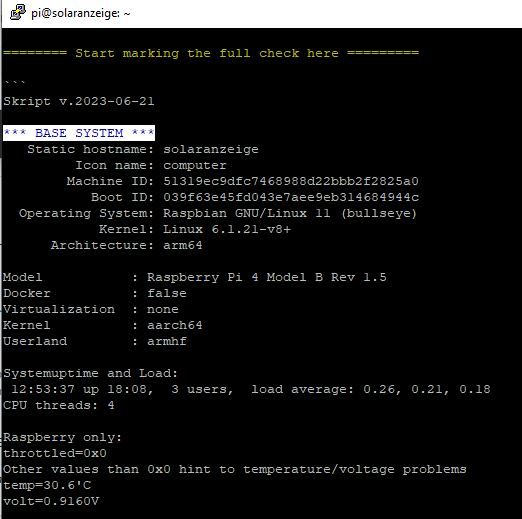
Rest folgt. Moment bitte, damit Du siehst, dass ich nichts verändere oder anpasse. 1 zu 1 zeige ich dann die Ausgabe. Dauert etwas...
onelKein Recht um zu Antworten - "Forbidden/Verboten" - F5 Drücken -> Lösung um zu Kommunizieren
-
@thomas-braun
hier der Start, wenn es beginnt als Bild Ausschnitt:
Rest folgt. Moment bitte, damit Du siehst, dass ich nichts verändere oder anpasse. 1 zu 1 zeige ich dann die Ausgabe. Dauert etwas...
onelKeine Screenshots! Das ist Text und der kommt auch 1:1 als Text hier rein.
-
Keine Screenshots! Das ist Text und der kommt auch 1:1 als Text hier rein.
Hier die Informationen:
======== Start marking the full check here =========


Skript v.2023-06-21

*** BASE SYSTEM ***
   Static hostname: solaranzeige
         Icon name: computer
        Machine ID: 51319ec9dfc7468988d22bbb2f2825a0
           Boot ID: 039f63e45fd043e7aee9eb314684944c
  Operating System: Raspbian GNU/Linux 11 (bullseye)
            Kernel: Linux 6.1.21-v8+
      Architecture: arm64

Model           : Raspberry Pi 4 Model B Rev 1.5
Docker          : false
Virtualization  : none
Kernel          : aarch64
Userland        : armhf

Systemuptime and Load:
 12:53:37 up 18:08,  3 users,  load average: 0.26, 0.21, 0.18
CPU threads: 4

Raspberry only:
throttled=0x0
Other values than 0x0 hint to temperature/voltage problems
temp=30.6'C
volt=0.9160V

*** Time and Time Zones ***
               Local time: Sun 2023-08-06 12:53:37 CEST
           Universal time: Sun 2023-08-06 10:53:37 UTC
                 RTC time: n/a
                Time zone: Europe/Berlin (CEST, +0200)
System clock synchronized: yes
              NTP service: active
          RTC in local TZ: no

*** User and Groups ***
pi
/home/pi
pi adm dialout cdrom sudo audio video plugdev games users input render netdev gpio i2c spi iobroker

*** X-Server-Setup ***
X-Server:       true
Desktop:
Terminal:       tty
Boot Target:    graphical.target

*** MEMORY ***
               total        used        free      shared  buff/cache   available
Mem:            3.8G        1.1G        1.6G         33M        1.2G        2.7G
Swap:           2.0G          0B        2.0G
Total:          5.8G        1.1G        3.6G

         3794 M total memory
         1074 M used memory
         1375 M active memory
          639 M inactive memory
         1565 M free memory
          117 M buffer memory
         1036 M swap cache
         2047 M total swap
            0 M used swap
         2047 M free swap

Raspberry only:
oom events: 0
lifetime oom required: 0 Mbytes
total time in oom handler: 0 ms
max time spent in oom handler: 0 ms

*** FILESYSTEM ***
Filesystem     Type      Size  Used Avail Use% Mounted on
/dev/root      ext4       29G  7.7G   21G  28% /
devtmpfs       devtmpfs  1.7G     0  1.7G   0% /dev
tmpfs          tmpfs     1.9G     0  1.9G   0% /dev/shm
tmpfs          tmpfs     759M  1.2M  758M   1% /run
tmpfs          tmpfs     5.0M  4.0K  5.0M   1% /run/lock
/dev/mmcblk0p1 vfat      255M   51M  205M  20% /boot
tmpfs          tmpfs     380M   16K  380M   1% /run/user/1000

Messages concerning ext4 filesystem in dmesg:
[Sat Aug  5 18:45:13 2023] Kernel command line: coherent_pool=1M 8250.nr_uarts=0 snd_bcm2835.enable_headphones=0 snd_bcm2835.enable_headphones=1 snd_bcm2835.enable_hdmi=1 snd_bcm2835.enable_hdmi=0  smsc95xx.macaddr=D8:3A:DD:28:21:3A vc_mem.mem_base=0x3ec00000 vc_mem.mem_size=0x40000000  console=ttyS0,115200 console=tty1 root=PARTUUID=8f690866-02 rootfstype=ext4 fsck.repair=yes rootwait
[Sat Aug  5 18:45:14 2023] EXT4-fs (mmcblk0p2): INFO: recovery required on readonly filesystem
[Sat Aug  5 18:45:14 2023] EXT4-fs (mmcblk0p2): write access will be enabled during recovery
[Sat Aug  5 18:45:15 2023] EXT4-fs (mmcblk0p2): orphan cleanup on readonly fs
[Sat Aug  5 18:45:15 2023] EXT4-fs (mmcblk0p2): 4 orphan inodes deleted
[Sat Aug  5 18:45:15 2023] EXT4-fs (mmcblk0p2): recovery complete
[Sat Aug  5 18:45:15 2023] EXT4-fs (mmcblk0p2): mounted filesystem with ordered data mode. Quota mode: none.
[Sat Aug  5 18:45:15 2023] VFS: Mounted root (ext4 filesystem) readonly on device 179:2.
[Sat Aug  5 18:45:17 2023] EXT4-fs (mmcblk0p2): re-mounted. Quota mode: none.

Show mounted filesystems (real ones only):
TARGET  SOURCE         FSTYPE OPTIONS
/       /dev/mmcblk0p2 ext4   rw,noatime
`-/boot /dev/mmcblk0p1 vfat   rw,relatime,fmask=0022,dmask=0022,codepage=437,iocharset=ascii,shortname=mixed,errors=remount-ro

Files in neuralgic directories:

/var:
3.2G    /var/
871M    /var/log
833M    /var/log/journal/51319ec9dfc7468988d22bbb2f2825a0
833M    /var/log/journal
148M    /var/lib

Archived and active journals take up 832.1M in the file system.

/opt/iobroker/backups:
5.6M    /opt/iobroker/backups/

/opt/iobroker/iobroker-data:
354M    /opt/iobroker/iobroker-data/
278M    /opt/iobroker/iobroker-data/files
88M     /opt/iobroker/iobroker-data/files/echarts.admin
57M     /opt/iobroker/iobroker-data/files/echarts
52M     /opt/iobroker/iobroker-data/files/javascript.admin

The five largest files in iobroker-data are:
23M     /opt/iobroker/iobroker-data/files/echarts/static/js/main.eb0afecd.js.map
23M     /opt/iobroker/iobroker-data/files/echarts.admin/static/js/main.7952f0f7.js.map
23M     /opt/iobroker/iobroker-data/files/echarts.admin/chart/static/js/main.eb0afecd.js.map
19M     /opt/iobroker/iobroker-data/objects.jsonl
17M     /opt/iobroker/iobroker-data/files/echarts/preview/static/js/main.1b04901d.js.map

*** NodeJS-Installation ***

/usr/bin/nodejs         v18.17.0
/usr/bin/node           v18.17.0
/usr/bin/npm            9.6.7
/usr/bin/npx            9.6.7


nodejs:
  Installed: 18.17.0-deb-1nodesource1
  Candidate: 18.17.0-deb-1nodesource1
  Version table:
 *** 18.17.0-deb-1nodesource1 500
        500 https://deb.nodesource.com/node_18.x bullseye/main armhf Packages
        100 /var/lib/dpkg/status
     12.22.12~dfsg-1~deb11u4 500
        500 http://raspbian.raspberrypi.org/raspbian bullseye/main armhf Packages

Temp directories causing npm8 problem: 0
No problems detected

Errors in npm tree: 0

*** ioBroker-Installation ***

ioBroker Status
iobroker is running on this host.


Objects type: jsonl
States  type: jsonl

No configuration change needed.


Multihost discovery server: disabled
Discovery authentication:   enabled
Persistent activation:      disabled
Objects:                    jsonl on 127.0.0.1
States:                     jsonl on 127.0.0.1

Core adapters versions
js-controller:  4.0.24
admin:          6.3.5
javascript:     7.0.3

Adapters from github:   0

Adapter State
+ system.adapter.admin.0                  : admin                 : solaranzeige                             -  enabled, port: 8081, bind: 0.0.0.0, run as: admin
+ system.adapter.backitup.1               : backitup              : solaranzeige                             -  enabled
  system.adapter.bshb.0                   : bshb                  : solaranzeige                             - disabled
+ system.adapter.cloud.0                  : cloud                 : solaranzeige                             -  enabled
+ system.adapter.discovery.0              : discovery             : solaranzeige                             -  enabled
  system.adapter.echarts.0                : echarts               : solaranzeige                             - disabled
  system.adapter.growatt.0                : growatt               : solaranzeige                             - disabled
+ system.adapter.influxdb.0               : influxdb              : solaranzeige                             -  enabled, port: 8086
  system.adapter.jarvis.0                 : jarvis                : solaranzeige                             - disabled
+ system.adapter.javascript.0             : javascript            : solaranzeige                             -  enabled
  system.adapter.net-tools.0              : net-tools             : solaranzeige                             - disabled
  system.adapter.openweathermap.0         : openweathermap        : solaranzeige                             - disabled
  system.adapter.ping.0                   : ping                  : solaranzeige                             - disabled
  system.adapter.sonos.0                  : sonos                 : solaranzeige                             - disabled
  system.adapter.vis-icontwo.0            : vis-icontwo           : solaranzeige                             -  enabled
+ system.adapter.vis-inventwo.0           : vis-inventwo          : solaranzeige                             -  enabled
  system.adapter.vis.0                    : vis                   : solaranzeige                             -  enabled
+ system.adapter.web.0                    : web                   : solaranzeige                             -  enabled, port: 8082, bind: 0.0.0.0, run as: admin

+ instance is alive

Enabled adapters with bindings
+ system.adapter.admin.0                  : admin                 : solaranzeige                             -  enabled, port: 8081, bind: 0.0.0.0, run as: admin
+ system.adapter.influxdb.0               : influxdb              : solaranzeige                             -  enabled, port: 8086
+ system.adapter.web.0                    : web                   : solaranzeige                             -  enabled, port: 8082, bind: 0.0.0.0, run as: admin

ioBroker-Repositories
stable        : http://download.iobroker.net/sources-dist.json
beta          : http://download.iobroker.net/sources-dist-latest.json

Active repo(s): stable

Installed ioBroker-Instances
Used repository: stable
Adapter    "admin"        : 6.3.5    , installed 6.3.5
Adapter    "backitup"     : 2.6.23   , installed 2.6.23
Adapter    "bshb"         : 0.2.4    , installed 0.2.4
Adapter    "cloud"        : 4.4.1    , installed 4.4.1
Adapter    "discovery"    : 3.1.0    , installed 3.1.0
Adapter    "echarts"      : 1.5.1    , installed 1.5.1
Adapter    "growatt"      : 3.0.4    , installed 3.0.4
Adapter    "habpanel"     : 0.5.0    , installed 0.5.0
Adapter    "influxdb"     : 3.2.0    , installed 3.2.0
Adapter    "jarvis"       : 3.1.2    , installed 3.1.2
Adapter    "javascript"   : 7.0.3    , installed 7.0.3
Controller "js-controller": 4.0.24   , installed 4.0.24
Adapter    "net-tools"    : 0.2.0    , installed 0.2.0
Adapter    "openweathermap": 0.3.9   , installed 0.3.9
Adapter    "ping"         : 1.5.3    , installed 1.5.3
Adapter    "simple-api"   : 2.7.2    , installed 2.7.2
Adapter    "socketio"     : 4.2.0    , installed 4.2.0
Adapter    "sonos"        : 2.3.1    , installed 2.3.1
Adapter    "vis"          : 1.4.16   , installed 1.4.16
Adapter    "vis-icontwo"  : 0.96.0   , installed 0.96.0
Adapter    "vis-inventwo" : 3.3.3    , installed 3.3.3
Adapter    "web"          : 4.3.0    , installed 4.3.0
Adapter    "ws"           : 1.3.0    , installed 1.3.0

Objects and States
Please stand by - This may take a while
Objects:        2231
States:         1941

*** OS-Repositories and Updates ***
W: Failed to fetch http://raspbian.raspberrypi.org/raspbian/dists/bullseye/InRelease  Connection timed out [IP: 93.93.128.193 80]
W: Failed to fetch https://apt.grafana.com/dists/stable/InRelease  Could not wait for server fd - select (11: Resource temporarily unavailable) [IP: 151.101.2.217 443]
W: Failed to fetch https://deb.nodesource.com/node_18.x/dists/bullseye/InRelease  Could not handshake: The TLS connection was non-properly terminated. [IP: 2.19.213.73 443]
W: Some index files failed to download. They have been ignored, or old ones used instead.
Get:1 http://raspbian.raspberrypi.org/raspbian bullseye InRelease [15.0 kB]
Hit:2 http://archive.raspberrypi.org/debian bullseye InRelease
Get:3 http://raspbian.raspberrypi.org/raspbian bullseye/main armhf Packages [13.2 MB]
Hit:4 https://deb.nodesource.com/node_18.x bullseye InRelease
Hit:5 https://apt.grafana.com stable InRelease
Ign:3 http://raspbian.raspberrypi.org/raspbian bullseye/main armhf Packages
Get:3 http://raspbian.raspberrypi.org/raspbian bullseye/main armhf Packages [18.3 MB]
Ign:3 http://raspbian.raspberrypi.org/raspbian bullseye/main armhf Packages
Err:3 http://raspbian.raspberrypi.org/raspbian bullseye/main armhf Packages
  Connection timed out [IP: 93.93.128.193 80]
Fetched 11.1 kB in 7min 29s (24 B/s)
Reading package lists... Done
E: Failed to fetch http://raspbian.raspberrypi.org/raspbian/dists/bullseye/main/binary-armhf/Packages  Connection timed out [IP: 93.93.128.193 80]
E: Some index files failed to download. They have been ignored, or old ones used instead.
Pending Updates: 9

*** Listening Ports ***
Active Internet connections (only servers)
Proto Recv-Q Send-Q Local Address           Foreign Address         State       User       Inode      PID/Program name
tcp        0      0 127.0.0.1:8088          0.0.0.0:*               LISTEN      114        12921      531/influxd
tcp        0      0 0.0.0.0:1883            0.0.0.0:*               LISTEN      116        1929       555/mosquitto
tcp        0      0 0.0.0.0:80              0.0.0.0:*               LISTEN      0          17562      1175/lighttpd
tcp        0      0 0.0.0.0:22              0.0.0.0:*               LISTEN      0          12905      573/sshd: /usr/sbin
tcp        0      0 127.0.0.1:9001          0.0.0.0:*               LISTEN      1001       15989      532/iobroker.js-con
tcp        0      0 127.0.0.1:9000          0.0.0.0:*               LISTEN      1001       18560      532/iobroker.js-con
tcp6       0      0 :::1883                 :::*                    LISTEN      116        1930       555/mosquitto
tcp6       0      0 :::8081                 :::*                    LISTEN      1001       21108      1765/io.admin.0
tcp6       0      0 :::8082                 :::*                    LISTEN      1001       22559      1874/io.web.0
tcp6       0      0 :::8086                 :::*                    LISTEN      114        13089      531/influxd
tcp6       0      0 :::80                   :::*                    LISTEN      0          17563      1175/lighttpd
tcp6       0      0 :::3000                 :::*                    LISTEN      115        18965      1153/grafana
udp        0      0 0.0.0.0:54357           0.0.0.0:*                           108        1751       396/avahi-daemon: r
udp        0      0 0.0.0.0:5353            0.0.0.0:*                           108        1749       396/avahi-daemon: r
udp        0      0 0.0.0.0:68              0.0.0.0:*                           0          13068      1152/dhcpcd
udp6       0      0 :::59892                :::*                                108        1752       396/avahi-daemon: r
udp6       0      0 :::5353                 :::*                                108        1750       396/avahi-daemon: r

*** Log File - Last 25 Lines ***

2023-08-06 12:48:58.358  - info: web.0 (1874) ==> Connected system.user.admin from ::ffff:192.168.0.142
2023-08-06 12:49:46.118  - info: admin.0 (1765) <== Disconnect system.user.admin from ::ffff:192.168.0.155
2023-08-06 12:50:01.208  - info: admin.0 (1765) ==> Connected system.user.admin from ::ffff:192.168.0.155
2023-08-06 12:51:19.810  - info: host.solaranzeige stopInstance system.adapter.backitup.1 (force=false, process=true)
2023-08-06 12:51:19.815  - info: backitup.1 (27250) Got terminate signal TERMINATE_YOURSELF
2023-08-06 12:51:19.818  - info: backitup.1 (27250) cleaned everything up...
2023-08-06 12:51:19.819  - info: backitup.1 (27250) terminating
2023-08-06 12:51:19.820  - info: backitup.1 (27250) Terminated (ADAPTER_REQUESTED_TERMINATION): Without reason
2023-08-06 12:51:19.855  - info: host.solaranzeige stopInstance system.adapter.backitup.1 send kill signal
2023-08-06 12:51:20.375  - info: host.solaranzeige instance system.adapter.backitup.1 terminated with code 11 (ADAPTER_REQUESTED_TERMINATION)
2023-08-06 12:51:22.902  - info: host.solaranzeige instance system.adapter.backitup.1 started with pid 32288
2023-08-06 12:51:25.048  - info: backitup.1 (32288) starting. Version 2.6.23 in /opt/iobroker/node_modules/iobroker.backitup, node: v18.17.0, js-controller: 4.0.24
2023-08-06 12:51:25.174  - info: backitup.1 (32288) [iobroker] backup will be activated at 02:40 every 1 day(s)
2023-08-06 12:51:45.800  - info: cloud.0 (1954) User disconnected from cloud:
2023-08-06 12:52:33.000  - error: backitup.1 (32288) [iobroker/influxDB] The temporary directory "/opt/iobroker/backups/influxDB_2023_08_06-12_52_32_backupiobroker" could not be deleted. Please check the directory permissions and delete the directory manually
2023-08-06 12:52:33.001  - error: backitup.1 (32288) [iobroker/influxDB] The temporary directory "/opt/iobroker/backups/influxDB_2023_08_06-12_52_32_backupiobroker" could not be deleted. Please check the directory permissions and delete the directory manually
2023-08-06 12:52:34.207  - error: backitup.1 (32288) [iobroker/grafana] Grafana Backup cannot created. Please check your Configuration
2023-08-06 12:52:36.015  - error: backitup.1 (32288) [iobroker/clean] Backup files not deleted from /opt/iobroker/backups because some errors.
2023-08-06 13:02:46.306  - info: web.0 (1874) <== Disconnect system.user.admin from ::ffff:192.168.0.142
2023-08-06 13:02:46.311  - info: web.0 (1874) <== Disconnect system.user.admin from ::ffff:192.168.0.142 vis.0
2023-08-06 13:02:46.314  - info: web.0 (1874) <== Disconnect system.user.admin from ::ffff:192.168.0.142
2023-08-06 13:03:03.395  - info: web.0 (1874) ==> Connected system.user.admin from ::ffff:192.168.0.142
2023-08-06 13:03:21.195  - info: web.0 (1874) ==> Connected system.user.admin from ::ffff:192.168.0.142
2023-08-06 13:03:25.014  - info: admin.0 (1765) <== Disconnect system.user.admin from ::ffff:192.168.0.155
2023-08-06 13:03:25.351  - info: admin.0 (1765) ==> Connected system.user.admin from ::ffff:192.168.0.155


============ Mark until here for C&P =============

iob diag has finished.


Press any key for a summary
Copy text starting here:
======================= SUMMARY =======================
                     v.2023-06-21


   Static hostname: solaranzeige
         Icon name: computer
        Machine ID: 51319ec9dfc7468988d22bbb2f2825a0
           Boot ID: 039f63e45fd043e7aee9eb314684944c
  Operating System: Raspbian GNU/Linux 11 (bullseye)
            Kernel: Linux 6.1.21-v8+
      Architecture: arm64

Installation:           native
Kernel:                 aarch64
Userland:               armhf
Timezone:               Europe/Berlin (CEST, +0200)
User-ID:                1000
X-Server:               true
Boot Target:            graphical.target

Pending OS-Updates:     9
Pending iob updates:    0

Nodejs-Installation:    /usr/bin/nodejs         v18.17.0
                        /usr/bin/node           v18.17.0
                        /usr/bin/npm            9.6.7
                        /usr/bin/npx            9.6.7

Recommended versions are nodejs 16.20.1 and npm 8.19.4
Your nodejs installation is correct

MEMORY:
               total        used        free      shared  buff/cache   available
Mem:            3.8G        1.1G        1.5G         33M        1.2G        2.7G
Swap:           2.0G          0B        2.0G
Total:          5.8G        1.1G        3.6G

Active iob-Instances:   9
Active repo(s): stable

ioBroker Core:          js-controller           4.0.24
                        admin                   6.3.5

ioBroker Status:        iobroker is running on this host.


Objects type: jsonl
States  type: jsonl

Status admin and web instance:
+ system.adapter.admin.0                  : admin                 : solaranzeige                             -  enabled, port: 8081, bind: 0.0.0.0, run as: admin
+ system.adapter.web.0                    : web                   : solaranzeige                             -  enabled, port: 8082, bind: 0.0.0.0, run as: admin

Objects:                2231
States:                 1941

Size of iob-Database:

19M     /opt/iobroker/iobroker-data/objects.jsonl
11M     /opt/iobroker/iobroker-data/states.jsonl


=================== END OF SUMMARY ====================

=== Mark text until here for copying ===
Möge es jetzt stimmen.
onelKein Recht um zu Antworten - "Forbidden/Verboten" - F5 Drücken -> Lösung um zu Kommunizieren
-
Hier die Informationen:
======== Start marking the full check here =========


Skript v.2023-06-21

*** BASE SYSTEM ***
   Static hostname: solaranzeige
         Icon name: computer
        Machine ID: 51319ec9dfc7468988d22bbb2f2825a0
           Boot ID: 039f63e45fd043e7aee9eb314684944c
  Operating System: Raspbian GNU/Linux 11 (bullseye)
            Kernel: Linux 6.1.21-v8+
      Architecture: arm64

Model           : Raspberry Pi 4 Model B Rev 1.5
Docker          : false
Virtualization  : none
Kernel          : aarch64
Userland        : armhf

Systemuptime and Load:
 12:53:37 up 18:08,  3 users,  load average: 0.26, 0.21, 0.18
CPU threads: 4

Raspberry only:
throttled=0x0
Other values than 0x0 hint to temperature/voltage problems
temp=30.6'C
volt=0.9160V

*** Time and Time Zones ***
               Local time: Sun 2023-08-06 12:53:37 CEST
           Universal time: Sun 2023-08-06 10:53:37 UTC
                 RTC time: n/a
                Time zone: Europe/Berlin (CEST, +0200)
System clock synchronized: yes
              NTP service: active
          RTC in local TZ: no

*** User and Groups ***
pi
/home/pi
pi adm dialout cdrom sudo audio video plugdev games users input render netdev gpio i2c spi iobroker

*** X-Server-Setup ***
X-Server:       true
Desktop:
Terminal:       tty
Boot Target:    graphical.target

*** MEMORY ***
               total        used        free      shared  buff/cache   available
Mem:            3.8G        1.1G        1.6G         33M        1.2G        2.7G
Swap:           2.0G          0B        2.0G
Total:          5.8G        1.1G        3.6G

         3794 M total memory
         1074 M used memory
         1375 M active memory
          639 M inactive memory
         1565 M free memory
          117 M buffer memory
         1036 M swap cache
         2047 M total swap
            0 M used swap
         2047 M free swap

Raspberry only:
oom events: 0
lifetime oom required: 0 Mbytes
total time in oom handler: 0 ms
max time spent in oom handler: 0 ms

*** FILESYSTEM ***
Filesystem     Type      Size  Used Avail Use% Mounted on
/dev/root      ext4       29G  7.7G   21G  28% /
devtmpfs       devtmpfs  1.7G     0  1.7G   0% /dev
tmpfs          tmpfs     1.9G     0  1.9G   0% /dev/shm
tmpfs          tmpfs     759M  1.2M  758M   1% /run
tmpfs          tmpfs     5.0M  4.0K  5.0M   1% /run/lock
/dev/mmcblk0p1 vfat      255M   51M  205M  20% /boot
tmpfs          tmpfs     380M   16K  380M   1% /run/user/1000

Messages concerning ext4 filesystem in dmesg:
[Sat Aug  5 18:45:13 2023] Kernel command line: coherent_pool=1M 8250.nr_uarts=0 snd_bcm2835.enable_headphones=0 snd_bcm2835.enable_headphones=1 snd_bcm2835.enable_hdmi=1 snd_bcm2835.enable_hdmi=0  smsc95xx.macaddr=D8:3A:DD:28:21:3A vc_mem.mem_base=0x3ec00000 vc_mem.mem_size=0x40000000  console=ttyS0,115200 console=tty1 root=PARTUUID=8f690866-02 rootfstype=ext4 fsck.repair=yes rootwait
[Sat Aug  5 18:45:14 2023] EXT4-fs (mmcblk0p2): INFO: recovery required on readonly filesystem
[Sat Aug  5 18:45:14 2023] EXT4-fs (mmcblk0p2): write access will be enabled during recovery
[Sat Aug  5 18:45:15 2023] EXT4-fs (mmcblk0p2): orphan cleanup on readonly fs
[Sat Aug  5 18:45:15 2023] EXT4-fs (mmcblk0p2): 4 orphan inodes deleted
[Sat Aug  5 18:45:15 2023] EXT4-fs (mmcblk0p2): recovery complete
[Sat Aug  5 18:45:15 2023] EXT4-fs (mmcblk0p2): mounted filesystem with ordered data mode. Quota mode: none.
[Sat Aug  5 18:45:15 2023] VFS: Mounted root (ext4 filesystem) readonly on device 179:2.
[Sat Aug  5 18:45:17 2023] EXT4-fs (mmcblk0p2): re-mounted. Quota mode: none.

Show mounted filesystems (real ones only):
TARGET  SOURCE         FSTYPE OPTIONS
/       /dev/mmcblk0p2 ext4   rw,noatime
`-/boot /dev/mmcblk0p1 vfat   rw,relatime,fmask=0022,dmask=0022,codepage=437,iocharset=ascii,shortname=mixed,errors=remount-ro

Files in neuralgic directories:

/var:
3.2G    /var/
871M    /var/log
833M    /var/log/journal/51319ec9dfc7468988d22bbb2f2825a0
833M    /var/log/journal
148M    /var/lib

Archived and active journals take up 832.1M in the file system.

/opt/iobroker/backups:
5.6M    /opt/iobroker/backups/

/opt/iobroker/iobroker-data:
354M    /opt/iobroker/iobroker-data/
278M    /opt/iobroker/iobroker-data/files
88M     /opt/iobroker/iobroker-data/files/echarts.admin
57M     /opt/iobroker/iobroker-data/files/echarts
52M     /opt/iobroker/iobroker-data/files/javascript.admin

The five largest files in iobroker-data are:
23M     /opt/iobroker/iobroker-data/files/echarts/static/js/main.eb0afecd.js.map
23M     /opt/iobroker/iobroker-data/files/echarts.admin/static/js/main.7952f0f7.js.map
23M     /opt/iobroker/iobroker-data/files/echarts.admin/chart/static/js/main.eb0afecd.js.map
19M     /opt/iobroker/iobroker-data/objects.jsonl
17M     /opt/iobroker/iobroker-data/files/echarts/preview/static/js/main.1b04901d.js.map

*** NodeJS-Installation ***

/usr/bin/nodejs         v18.17.0
/usr/bin/node           v18.17.0
/usr/bin/npm            9.6.7
/usr/bin/npx            9.6.7


nodejs:
  Installed: 18.17.0-deb-1nodesource1
  Candidate: 18.17.0-deb-1nodesource1
  Version table:
 *** 18.17.0-deb-1nodesource1 500
        500 https://deb.nodesource.com/node_18.x bullseye/main armhf Packages
        100 /var/lib/dpkg/status
     12.22.12~dfsg-1~deb11u4 500
        500 http://raspbian.raspberrypi.org/raspbian bullseye/main armhf Packages

Temp directories causing npm8 problem: 0
No problems detected

Errors in npm tree: 0

*** ioBroker-Installation ***

ioBroker Status
iobroker is running on this host.


Objects type: jsonl
States  type: jsonl

No configuration change needed.


Multihost discovery server: disabled
Discovery authentication:   enabled
Persistent activation:      disabled
Objects:                    jsonl on 127.0.0.1
States:                     jsonl on 127.0.0.1

Core adapters versions
js-controller:  4.0.24
admin:          6.3.5
javascript:     7.0.3

Adapters from github:   0

Adapter State
+ system.adapter.admin.0                  : admin                 : solaranzeige                             -  enabled, port: 8081, bind: 0.0.0.0, run as: admin
+ system.adapter.backitup.1               : backitup              : solaranzeige                             -  enabled
  system.adapter.bshb.0                   : bshb                  : solaranzeige                             - disabled
+ system.adapter.cloud.0                  : cloud                 : solaranzeige                             -  enabled
+ system.adapter.discovery.0              : discovery             : solaranzeige                             -  enabled
  system.adapter.echarts.0                : echarts               : solaranzeige                             - disabled
  system.adapter.growatt.0                : growatt               : solaranzeige                             - disabled
+ system.adapter.influxdb.0               : influxdb              : solaranzeige                             -  enabled, port: 8086
  system.adapter.jarvis.0                 : jarvis                : solaranzeige                             - disabled
+ system.adapter.javascript.0             : javascript            : solaranzeige                             -  enabled
  system.adapter.net-tools.0              : net-tools             : solaranzeige                             - disabled
  system.adapter.openweathermap.0         : openweathermap        : solaranzeige                             - disabled
  system.adapter.ping.0                   : ping                  : solaranzeige                             - disabled
  system.adapter.sonos.0                  : sonos                 : solaranzeige                             - disabled
  system.adapter.vis-icontwo.0            : vis-icontwo           : solaranzeige                             -  enabled
+ system.adapter.vis-inventwo.0           : vis-inventwo          : solaranzeige                             -  enabled
  system.adapter.vis.0                    : vis                   : solaranzeige                             -  enabled
+ system.adapter.web.0                    : web                   : solaranzeige                             -  enabled, port: 8082, bind: 0.0.0.0, run as: admin

+ instance is alive

Enabled adapters with bindings
+ system.adapter.admin.0                  : admin                 : solaranzeige                             -  enabled, port: 8081, bind: 0.0.0.0, run as: admin
+ system.adapter.influxdb.0               : influxdb              : solaranzeige                             -  enabled, port: 8086
+ system.adapter.web.0                    : web                   : solaranzeige                             -  enabled, port: 8082, bind: 0.0.0.0, run as: admin

ioBroker-Repositories
stable        : http://download.iobroker.net/sources-dist.json
beta          : http://download.iobroker.net/sources-dist-latest.json

Active repo(s): stable

Installed ioBroker-Instances
Used repository: stable
Adapter    "admin"        : 6.3.5    , installed 6.3.5
Adapter    "backitup"     : 2.6.23   , installed 2.6.23
Adapter    "bshb"         : 0.2.4    , installed 0.2.4
Adapter    "cloud"        : 4.4.1    , installed 4.4.1
Adapter    "discovery"    : 3.1.0    , installed 3.1.0
Adapter    "echarts"      : 1.5.1    , installed 1.5.1
Adapter    "growatt"      : 3.0.4    , installed 3.0.4
Adapter    "habpanel"     : 0.5.0    , installed 0.5.0
Adapter    "influxdb"     : 3.2.0    , installed 3.2.0
Adapter    "jarvis"       : 3.1.2    , installed 3.1.2
Adapter    "javascript"   : 7.0.3    , installed 7.0.3
Controller "js-controller": 4.0.24   , installed 4.0.24
Adapter    "net-tools"    : 0.2.0    , installed 0.2.0
Adapter    "openweathermap": 0.3.9   , installed 0.3.9
Adapter    "ping"         : 1.5.3    , installed 1.5.3
Adapter    "simple-api"   : 2.7.2    , installed 2.7.2
Adapter    "socketio"     : 4.2.0    , installed 4.2.0
Adapter    "sonos"        : 2.3.1    , installed 2.3.1
Adapter    "vis"          : 1.4.16   , installed 1.4.16
Adapter    "vis-icontwo"  : 0.96.0   , installed 0.96.0
Adapter    "vis-inventwo" : 3.3.3    , installed 3.3.3
Adapter    "web"          : 4.3.0    , installed 4.3.0
Adapter    "ws"           : 1.3.0    , installed 1.3.0

Objects and States
Please stand by - This may take a while
Objects:        2231
States:         1941

*** OS-Repositories and Updates ***
W: Failed to fetch http://raspbian.raspberrypi.org/raspbian/dists/bullseye/InRelease  Connection timed out [IP: 93.93.128.193 80]
W: Failed to fetch https://apt.grafana.com/dists/stable/InRelease  Could not wait for server fd - select (11: Resource temporarily unavailable) [IP: 151.101.2.217 443]
W: Failed to fetch https://deb.nodesource.com/node_18.x/dists/bullseye/InRelease  Could not handshake: The TLS connection was non-properly terminated. [IP: 2.19.213.73 443]
W: Some index files failed to download. They have been ignored, or old ones used instead.
Get:1 http://raspbian.raspberrypi.org/raspbian bullseye InRelease [15.0 kB]
Hit:2 http://archive.raspberrypi.org/debian bullseye InRelease
Get:3 http://raspbian.raspberrypi.org/raspbian bullseye/main armhf Packages [13.2 MB]
Hit:4 https://deb.nodesource.com/node_18.x bullseye InRelease
Hit:5 https://apt.grafana.com stable InRelease
Ign:3 http://raspbian.raspberrypi.org/raspbian bullseye/main armhf Packages
Get:3 http://raspbian.raspberrypi.org/raspbian bullseye/main armhf Packages [18.3 MB]
Ign:3 http://raspbian.raspberrypi.org/raspbian bullseye/main armhf Packages
Err:3 http://raspbian.raspberrypi.org/raspbian bullseye/main armhf Packages
  Connection timed out [IP: 93.93.128.193 80]
Fetched 11.1 kB in 7min 29s (24 B/s)
Reading package lists... Done
E: Failed to fetch http://raspbian.raspberrypi.org/raspbian/dists/bullseye/main/binary-armhf/Packages  Connection timed out [IP: 93.93.128.193 80]
E: Some index files failed to download. They have been ignored, or old ones used instead.
Pending Updates: 9

*** Listening Ports ***
Active Internet connections (only servers)
Proto Recv-Q Send-Q Local Address           Foreign Address         State       User       Inode      PID/Program name
tcp        0      0 127.0.0.1:8088          0.0.0.0:*               LISTEN      114        12921      531/influxd
tcp        0      0 0.0.0.0:1883            0.0.0.0:*               LISTEN      116        1929       555/mosquitto
tcp        0      0 0.0.0.0:80              0.0.0.0:*               LISTEN      0          17562      1175/lighttpd
tcp        0      0 0.0.0.0:22              0.0.0.0:*               LISTEN      0          12905      573/sshd: /usr/sbin
tcp        0      0 127.0.0.1:9001          0.0.0.0:*               LISTEN      1001       15989      532/iobroker.js-con
tcp        0      0 127.0.0.1:9000          0.0.0.0:*               LISTEN      1001       18560      532/iobroker.js-con
tcp6       0      0 :::1883                 :::*                    LISTEN      116        1930       555/mosquitto
tcp6       0      0 :::8081                 :::*                    LISTEN      1001       21108      1765/io.admin.0
tcp6       0      0 :::8082                 :::*                    LISTEN      1001       22559      1874/io.web.0
tcp6       0      0 :::8086                 :::*                    LISTEN      114        13089      531/influxd
tcp6       0      0 :::80                   :::*                    LISTEN      0          17563      1175/lighttpd
tcp6       0      0 :::3000                 :::*                    LISTEN      115        18965      1153/grafana
udp        0      0 0.0.0.0:54357           0.0.0.0:*                           108        1751       396/avahi-daemon: r
udp        0      0 0.0.0.0:5353            0.0.0.0:*                           108        1749       396/avahi-daemon: r
udp        0      0 0.0.0.0:68              0.0.0.0:*                           0          13068      1152/dhcpcd
udp6       0      0 :::59892                :::*                                108        1752       396/avahi-daemon: r
udp6       0      0 :::5353                 :::*                                108        1750       396/avahi-daemon: r

*** Log File - Last 25 Lines ***

2023-08-06 12:48:58.358  - info: web.0 (1874) ==> Connected system.user.admin from ::ffff:192.168.0.142
2023-08-06 12:49:46.118  - info: admin.0 (1765) <== Disconnect system.user.admin from ::ffff:192.168.0.155
2023-08-06 12:50:01.208  - info: admin.0 (1765) ==> Connected system.user.admin from ::ffff:192.168.0.155
2023-08-06 12:51:19.810  - info: host.solaranzeige stopInstance system.adapter.backitup.1 (force=false, process=true)
2023-08-06 12:51:19.815  - info: backitup.1 (27250) Got terminate signal TERMINATE_YOURSELF
2023-08-06 12:51:19.818  - info: backitup.1 (27250) cleaned everything up...
2023-08-06 12:51:19.819  - info: backitup.1 (27250) terminating
2023-08-06 12:51:19.820  - info: backitup.1 (27250) Terminated (ADAPTER_REQUESTED_TERMINATION): Without reason
2023-08-06 12:51:19.855  - info: host.solaranzeige stopInstance system.adapter.backitup.1 send kill signal
2023-08-06 12:51:20.375  - info: host.solaranzeige instance system.adapter.backitup.1 terminated with code 11 (ADAPTER_REQUESTED_TERMINATION)
2023-08-06 12:51:22.902  - info: host.solaranzeige instance system.adapter.backitup.1 started with pid 32288
2023-08-06 12:51:25.048  - info: backitup.1 (32288) starting. Version 2.6.23 in /opt/iobroker/node_modules/iobroker.backitup, node: v18.17.0, js-controller: 4.0.24
2023-08-06 12:51:25.174  - info: backitup.1 (32288) [iobroker] backup will be activated at 02:40 every 1 day(s)
2023-08-06 12:51:45.800  - info: cloud.0 (1954) User disconnected from cloud:
2023-08-06 12:52:33.000  - error: backitup.1 (32288) [iobroker/influxDB] The temporary directory "/opt/iobroker/backups/influxDB_2023_08_06-12_52_32_backupiobroker" could not be deleted. Please check the directory permissions and delete the directory manually
2023-08-06 12:52:33.001  - error: backitup.1 (32288) [iobroker/influxDB] The temporary directory "/opt/iobroker/backups/influxDB_2023_08_06-12_52_32_backupiobroker" could not be deleted. Please check the directory permissions and delete the directory manually
2023-08-06 12:52:34.207  - error: backitup.1 (32288) [iobroker/grafana] Grafana Backup cannot created. Please check your Configuration
2023-08-06 12:52:36.015  - error: backitup.1 (32288) [iobroker/clean] Backup files not deleted from /opt/iobroker/backups because some errors.
2023-08-06 13:02:46.306  - info: web.0 (1874) <== Disconnect system.user.admin from ::ffff:192.168.0.142
2023-08-06 13:02:46.311  - info: web.0 (1874) <== Disconnect system.user.admin from ::ffff:192.168.0.142 vis.0
2023-08-06 13:02:46.314  - info: web.0 (1874) <== Disconnect system.user.admin from ::ffff:192.168.0.142
2023-08-06 13:03:03.395  - info: web.0 (1874) ==> Connected system.user.admin from ::ffff:192.168.0.142
2023-08-06 13:03:21.195  - info: web.0 (1874) ==> Connected system.user.admin from ::ffff:192.168.0.142
2023-08-06 13:03:25.014  - info: admin.0 (1765) <== Disconnect system.user.admin from ::ffff:192.168.0.155
2023-08-06 13:03:25.351  - info: admin.0 (1765) ==> Connected system.user.admin from ::ffff:192.168.0.155


============ Mark until here for C&P =============

iob diag has finished.


Press any key for a summary
Copy text starting here:
======================= SUMMARY =======================
                     v.2023-06-21


   Static hostname: solaranzeige
         Icon name: computer
        Machine ID: 51319ec9dfc7468988d22bbb2f2825a0
           Boot ID: 039f63e45fd043e7aee9eb314684944c
  Operating System: Raspbian GNU/Linux 11 (bullseye)
            Kernel: Linux 6.1.21-v8+
      Architecture: arm64

Installation:           native
Kernel:                 aarch64
Userland:               armhf
Timezone:               Europe/Berlin (CEST, +0200)
User-ID:                1000
X-Server:               true
Boot Target:            graphical.target

Pending OS-Updates:     9
Pending iob updates:    0

Nodejs-Installation:    /usr/bin/nodejs         v18.17.0
                        /usr/bin/node           v18.17.0
                        /usr/bin/npm            9.6.7
                        /usr/bin/npx            9.6.7

Recommended versions are nodejs 16.20.1 and npm 8.19.4
Your nodejs installation is correct

MEMORY:
               total        used        free      shared  buff/cache   available
Mem:            3.8G        1.1G        1.5G         33M        1.2G        2.7G
Swap:           2.0G          0B        2.0G
Total:          5.8G        1.1G        3.6G

Active iob-Instances:   9
Active repo(s): stable

ioBroker Core:          js-controller           4.0.24
                        admin                   6.3.5

ioBroker Status:        iobroker is running on this host.


Objects type: jsonl
States  type: jsonl

Status admin and web instance:
+ system.adapter.admin.0                  : admin                 : solaranzeige                             -  enabled, port: 8081, bind: 0.0.0.0, run as: admin
+ system.adapter.web.0                    : web                   : solaranzeige                             -  enabled, port: 8082, bind: 0.0.0.0, run as: admin

Objects:                2231
States:                 1941

Size of iob-Database:

19M     /opt/iobroker/iobroker-data/objects.jsonl
11M     /opt/iobroker/iobroker-data/states.jsonl


=================== END OF SUMMARY ====================

=== Mark text until here for copying ===
Möge es jetzt stimmen.
onelServer immer ohne Desktop/X-Server.
Dann schalte die Mühle niemals per 'Stecker ziehen' aus. Das killt dein Dateisystem, hat auch schon Einschläge zu verzeichnen.Dann ist da offensichtlich irgendwas beim Netzwerk nicht in Ordnung. Es werden die Paketquellen nicht erreicht.
-
Server immer ohne Desktop/X-Server.
Dann schalte die Mühle niemals per 'Stecker ziehen' aus. Das killt dein Dateisystem, hat auch schon Einschläge zu verzeichnen.Dann ist da offensichtlich irgendwas beim Netzwerk nicht in Ordnung. Es werden die Paketquellen nicht erreicht.
@thomas-braun sagte in Iobroker / Grafana - IP Adresse verändert vom Router.:
, hat auch schon Einschläge zu verzeichnen.
das passt zu dem was ich @onel04 beteits in seinem vis-lizenz thread geschrieben habe.
Da ist irgendwas vollkommen verbogen
-
Zur Information:
Das Netzwerk funktioniert wie folgt und funktioniert auch noch immer mit Grafana/Solaranzeige.
System: LANCOM 1783VAW - Lankabel - LN630 - Bridge WLAN 5 Ghz - IAP 322 - Lankabel - PiAlso wird der iobroker nicht für diese Nutzung ausgelegt sein; auch vom Entwickler nicht gewollt (WLAN), sonst würde er nicht so "zicken", das zu viele Versenden von Paketen sorgt für den Flaschenhals über das 5 GHz Netz.
OkayDamit zurück zu meiner eigentlichen Frage an Euch:
Was muss ich sichern (iobrocker, dbFlux, Grafana, ... was vergessen ?),und vor allen Dingen wie am einfachsten umsetzen.? Würde dazu die Pi an LAN hängen, damit das Sichern reibungslos verläuft.
Damit ich dann die Backups wieder auf den NUC (Debian, iobroker, dbFlux, Grafana) einspielen kann, welcher dann im LAN verbleibt und ich mir nur die Instanz von Solaranzeige auf das Widget hole per WLAN (den das Funktioniert reibungslos seit dem ersten Tag)?Danke, bis später
onelKein Recht um zu Antworten - "Forbidden/Verboten" - F5 Drücken -> Lösung um zu Kommunizieren
-
@homoran sagte in Iobroker / Grafana - IP Adresse verändert vom Router.:
@thomas-braun sagte in Iobroker / Grafana - IP Adresse verändert vom Router.:
, hat auch schon Einschläge zu verzeichnen.
das passt zu dem was ich @onel04 beteits in seinem vis-lizenz thread geschrieben habe.
Da ist irgendwas vollkommen verbogen
ja, daher auch der Kauf eines NUC (Blackview, Intel 12th Gen N95 (up to 3.4GHz) Windows 11 Pro mit 16 GB DDR4 RAM 512 GB M.2 SSD), welcher ruhiger und besser läuft als die Pi 4.
Kommt noch bissel arbeit auf mich zu.onel
-
Zur Information:
Das Netzwerk funktioniert wie folgt und funktioniert auch noch immer mit Grafana/Solaranzeige.
System: LANCOM 1783VAW - Lankabel - LN630 - Bridge WLAN 5 Ghz - IAP 322 - Lankabel - PiAlso wird der iobroker nicht für diese Nutzung ausgelegt sein; auch vom Entwickler nicht gewollt (WLAN), sonst würde er nicht so "zicken", das zu viele Versenden von Paketen sorgt für den Flaschenhals über das 5 GHz Netz.
OkayDamit zurück zu meiner eigentlichen Frage an Euch:
Was muss ich sichern (iobrocker, dbFlux, Grafana, ... was vergessen ?),und vor allen Dingen wie am einfachsten umsetzen.? Würde dazu die Pi an LAN hängen, damit das Sichern reibungslos verläuft.
Damit ich dann die Backups wieder auf den NUC (Debian, iobroker, dbFlux, Grafana) einspielen kann, welcher dann im LAN verbleibt und ich mir nur die Instanz von Solaranzeige auf das Widget hole per WLAN (den das Funktioniert reibungslos seit dem ersten Tag)?Danke, bis später
onel@onel04 sagte in Iobroker / Grafana - IP Adresse verändert vom Router.:
Also wird der iobroker nicht für diese Nutzung ausgelegt sein; auch vom Entwickler nicht gewollt (WLAN)
Server betreibt man auch nicht an einem WLAN.
Das ist nicht 'nicht so von iobroker vorgesehen' sondern ganz allgemein im Serverbetrieb nicht so vorgesehen. Ein WLAN ist viel zu wackelig und langsam dafür.



Hey! Du scheinst an dieser Unterhaltung interessiert zu sein, hast aber noch kein Konto.
Hast du es satt, bei jedem Besuch durch die gleichen Beiträge zu scrollen? Wenn du dich für ein Konto anmeldest, kommst du immer genau dorthin zurück, wo du zuvor warst, und kannst dich über neue Antworten benachrichtigen lassen (entweder per E-Mail oder Push-Benachrichtigung). Du kannst auch Lesezeichen speichern und Beiträge positiv bewerten, um anderen Community-Mitgliedern deine Wertschätzung zu zeigen.
Mit deinem Input könnte dieser Beitrag noch besser werden 💗
Registrieren AnmeldenSupport us
489
Online33.0k
Benutzer83.6k
Themen1.3m
Beiträge