Skip to content

JavaScript

Hilfe für Skripterstellung mit JavaScript

2.5k Topics 48.9k Posts

NEWS

  • Script vor dem stoppen aufräumen

    3
    0 Votes
    3 Posts
    152 Views
    M
    @oliverio Danke, klar die Beschreibung zum Adapter. Wie blind ist man manchmal?
  • IoBroker und VOIP / SIP Calls mit Asterisk + Fritzbox

    Moved
    209
    5
    5 Votes
    209 Posts
    45k Views
    FriedhofsblondF
    @friedhofsblond OK läuft habs hinbekommen.
  • Via flot.0 alle Charts abfragen

    javascript
    5
    0 Votes
    5 Posts
    199 Views
    E
    @mcu Danke, das funktioniert super. Jetzt brauche ich noch alle vorhandenen Namen in einem Array. Dann kann ich in einer Schleife alle durchgehen und etwas damit machen.
  • Wled Grafiganzeige auf state

    3
    0 Votes
    3 Posts
    163 Views
    matze55M
    @mcu Den oben geposteten Code habe ich nicht mehr in Nutzung. Ich habe aus einem Beitrag von hier den View auf die Datenpunkte vom Adapter ,,wled,, abgestimmt. Ich wollte es versuchen Grafiken auf die ID der Effekte die man auswählen kann zu definieren. Das hat auch mit dem Widget Image 8 gut funktioniert , aber ein aussehen in der View sah nicht so gut aus deshalb habe ich das weg gelassen. Aber danke noch mal für deine Antwort...lg matze
  • ( gelöst ) Ordnernamen auslesen und in Datenpunkt schreiben

    3
    0 Votes
    3 Posts
    181 Views
    P
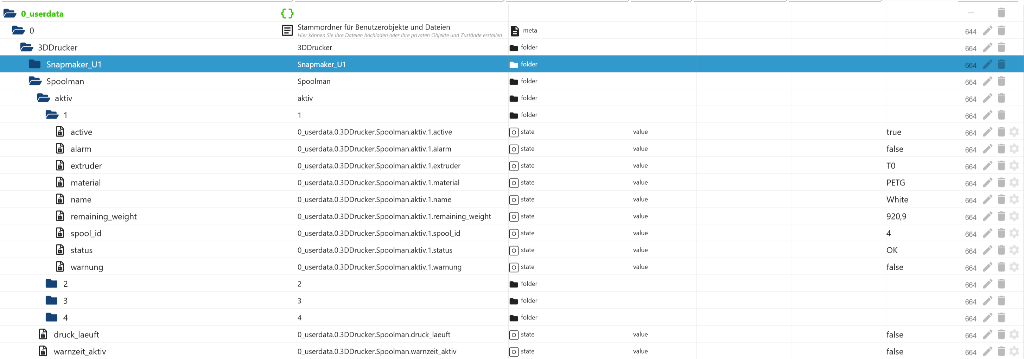
    @oliverio sagte in Ordnernamen auslesen und in Datenpunkt schreiben: let prefix = '0_userdata.0.Gasanbieter.'; let dp=$(prefix+"*"); console.log(dp); Hallo so der Hinweis hat mich zumindest auf einige Fehler noch in meinen Datenpunktnamen gebracht. Damit konnte ich dann den Fehler immer weiter eingrenzen, so das es jetzt klappt Danke
  • Problem mit 2 Klassen und Callback

    6
    0 Votes
    6 Posts
    192 Views
    M
    @ticaki Klasse, das geht. Sieht man ja sogar öfter wenn Funktionen übergeben werden.
  • Adapter pvforecast.0.summary.power.hoursToday

    2
    0 Votes
    2 Posts
    96 Views
    M
    @netfritz Muss 5 sein const ids = $('pvforecast.0.summary.power.hoursToday.*'); // das ist der Selector var devices = []; ids.each(function(id, i) { console.log("id= " + id + " " + i); let dev0 = id.split('.')[0]; let dev6 = id.split('.')[5]; console.log("test= " + dev0 + " = " + dev6); var Status = getState("pvforecast.0.summary.power.hoursToday.12:00:00").val; }); LOG javascript.0 17:59:50.188 info id= pvforecast.0.summary.power.hoursToday.21:00:00 16 javascript.0 17:59:50.188 info test= pvforecast = 21:00:00 ID pvforecast.0.summary.power.hoursToday.* 0 1 2 3 4 5
  • (gelöst) Alias über Skript von ganzem Folder anlegen.

    5
    0 Votes
    5 Posts
    171 Views
    M
    @paul53 @ticaki vielen Dank ! Funktioniert.
  • LastContact (.lc) von allen States eines Objektes triggern

    9
    0 Votes
    9 Posts
    259 Views
    paul53P
    @klausimausi sagte: die Datenpunkte ".zone" und ".area" ausschließen. on(/0_userdata\.0\.Dummy\.Temperatursensor\..+/, function(dp) { if(!(dp.id.endsWith('.zone') || dp.id.endsWith('.area'))) { const lc = dp.state.lc; } }); @klausimausi sagte in LastContact (.lc) von allen States eines Objektes triggern: Die werden einmal generiert und ändern sich nie wieder. Dann triggern sie auch nur einmal, denn der gezeigte Trigger reagiert nur auf Wertänderung.
  • enum.functions.xxx Inhalte gleichzeitig schalten

    Moved
    5
    0 Votes
    5 Posts
    161 Views
    HomoranH
    @australien das ist nun wirklich keine Einsteigerfrage! ich hab das mal in die entsprechende Kategorie verschoben.
  • KW/Jahr in Monat/Jahr umwandeln

    4
    0 Votes
    4 Posts
    286 Views
    S
    @david-g danke für deine Arbeit! Die erste Version hat gleich geklappt.
  • iobroker -> MQTT -> HomeAssistent AutoDiscovery

    9
    3
    1 Votes
    9 Posts
    1k Views
    haselchenH
    @wierer-sigi Versuch mal die MQTT Explorer Integration in HA
  • Gibt es schon was mit Energiemanager?

    2
    0 Votes
    2 Posts
    154 Views
    H
    @martin-5 Sowas: https://forum.iobroker.net/topic/81755/test-adapter-smartloadmanager-v0-0-x-latest-repo
  • Performance Profile für Javascript in iobroker

    2
    0 Votes
    2 Posts
    186 Views
    arteckA
    @homeuser nö.. gibbet nicht..
  • [erl.]wie speichert man Array von Arrays

    3
    0 Votes
    3 Posts
    307 Views
    paul53P
    @asgothian sagte: der einfachste weg: Nicht mit @liv-in-sky sagte in wie speichert man Array von Arrays: datenpunkt vom type "array" , denn dann nimmt der Javascript-Adapter die Wandlung nach/von JSON vor.
  • JSON Tabelle FuelPriceMonitor [Austria]

    77
    4
    3 Votes
    77 Posts
    8k Views
    liv-in-skyL
    @australien im ersten post dieses threads ist mein script - was du gepostet hast, kenn ich nicht - evtl hat es jmd weiterntwickelt ? wie erwähnt - ich nutze das ja nicht und bin somit nicht auf dem laufenden :-(
  • Info: Auslagerung von Global-Scripten ins Filesystem

    12
    1
    5 Votes
    12 Posts
    2k Views
    I
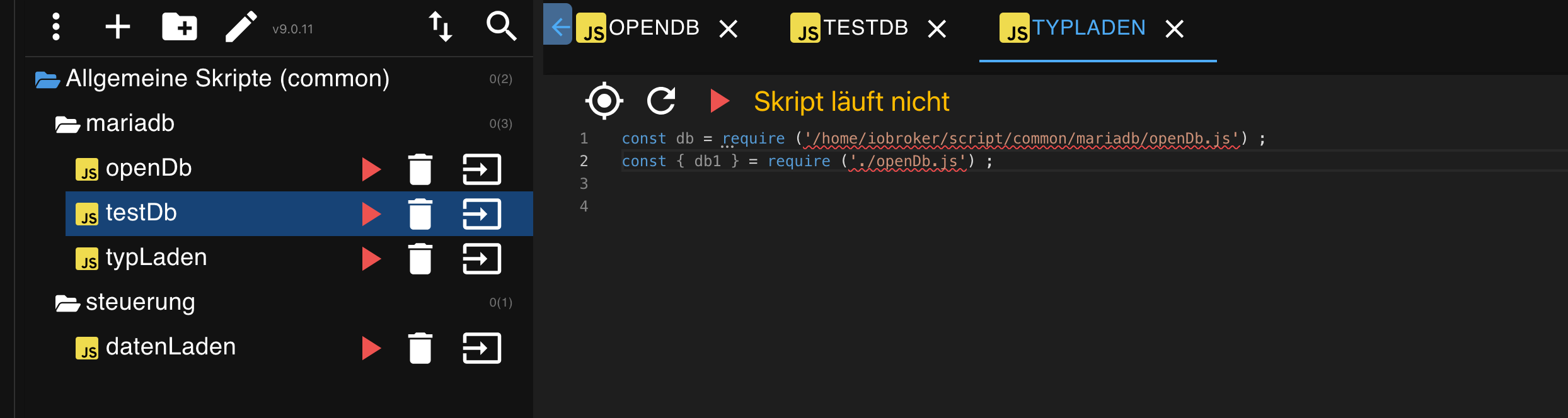
    @uwe72 Hab mir ein bisschen die Zähne ausgebissen, bis es bei mir lief. Das Problem war, dass ich mit Windows arbeite und ich nicht sicher war, ob es an den Pfadangaben gelegen hat. Das Problem war, dass Dein Beispiel für Javascript eben Typescript enthält ( : number ) und das funktioniert halt in einem .js script nicht und muss transpiliert werden. Der Transpiler hat das dann rausgenommen. Vielleicht kannst du das für andere ja kurz anpassen. Trotzdem finde ich die Variante gut!
  • Von Javascript adapter auf das DOM in der vis zugreifen

    16
    0 Votes
    16 Posts
    546 Views
    I
    @codierknecht @OliverIO Danke erst mal. Ich muss das erst mal durchdenken und ausprobieren. Melde mich ev. später wieder ... ;-)
  • 2 Votes
    145 Posts
    28k Views
    U
    Hallo Leute, Das Thema ist zwar sehr alt, aber ich habe es heute wieder einmal heraus gekramt, weil ich genau das brauchte. Vielen Dank für alles. Es hat zuerst ganz gut Funktioniert. Das einzige, was doof war, war das der JavaScript Editor die match Variable nicht erkannt hat und diese als Fehler im Skript dargestellt wurden. Das konnte man recht einfach mit mit "var match;" vor jeder Verwendungsstelle, die Variable erst einmal definiert. Also zweites hatte ich dann bei bestimmten Geräten auch das Problem, dass mir die Sperren an den falschen Geräten eingestellt wurden. Hier ist das Problem das Folgende. Die Filter müssen auf Basis der Geräte ID gesetzt werden. Für die Einfachere Handhabbarkeit wird im Skript aber der Gerätename angegeben. Das Skript fragt daher vorher zu dem Gerätenamen die ID ab. Dabei wird einer Liste aller Gerätenamen mit zugehöriger ID angelegt. Wenn man auf fBListOnly = true setzt, dann sieht man diese Liste auch. Leider kann man aber hier schlecht nachvollziehen, ob diese Liste stimmt. Jedenfalls stimmte diese Liste bei mir nicht. Es gab einen Versatz. Bei mir wurde dieser ausgelöst durch eine "()" im Namen. Fehlerbehebung: Zeile 210: var rx = new RegExp( /class=\"name\"\stitle=\"([a-zA-Z0-9 äöüÄÖÜ\-\_\.]*)\"\sdatalabel/g ); druch var rx = new RegExp( /class=\"name\"\stitle=\"([a-zA-Z0-9 äöüÄÖÜ\-\_\.]*)\"\sdatalabel/g ) ; ersetzen! Desweiteren ist die request Funktion veraltet. Das wirft jedes Mal eine Warnung, wenn man das Skript startet. Da fingen die Probleme dann richtig an. Ich kann zwar grundsätzlich Programmieren, aber diese tiefen vom Java Script und den Webapplikationen gehen dann doch weit über mein Wissen hinaus. Ich beschreibe das mal so, wie ich es mir zusammengereimt habe. anstatt request.get soll man httpGet() oder anstatt request.post http.Post() verwenden. Eins zu eins tauschen ist nicht. Also habe ich etwas gegoogelt und ChatGpt befragt, aber irgendwie war die Funktion nicht so, wie sie zu erwarten war. Das Problem hier war, dass das so genannte axios irgendwo im Iobroker installiert ist und die standard httpGet und httpPost Funktionen überschreibt. Die neuen Funktionen funktionieren dann anders, weil es axios ist. Als ich dann soweit erstmal war, hat ChatGpt mir ganz gut geholfen, alle requst zu ersetzen. Wichtig ist, dann man oben dieses request = require("request") dann auch noch entfernt, weil sonst die Warnung weiterhin auftaucht. Die neuen httpGet() Funktionen bekommen die Werte nicht mehr alle in einer Struct sondern als einzelne Parameter. Auch die Rückgabewerte vom Body sind etwas woanders. Es gibt keine drei Rückgabewerte mehr im Callback, sondern nur noch zwei und der response (zweiter Wert) hat den alten "body" dann unter response.data. Da ich sehr viele Geräte in meiner Fritzbox habe, musste ich zudem bei einem httpPost() von getfBDevices das Timeout noch erhöhen. Das war ein hartes Stück Arbeit, dass alles heraus zu bekommen, aber ChatGPT ist echt erstaunlich und hat viel geholfen. Ich füge mein neues Skipt jetzt hier ein. Es ist leider komplett Umgebaut, weil ich es als Klasse haben wollte. Ich arbeitet generell in meinen Skripten viel mit Klassen. So habe ich eine Klasse "VirtuellesGerät". Wenn ich davon eine Instanz erzeuge, kann ich einen Namen übergeben. Unter diesem Namen wird dann ein Datenpunkt angelegt. Mit einer Methode setCallback(function()) kann ich dem Objekt dann direkt ein Callback geben, welches aufgerufen wird, wenn sich der Datenpunkt ändert. Ich kann so auch sehr einfach ein und Ausschaltzeiten für das Gerät definieren, weil meine Klasse das alles kann. Diese Zeiten schalten auch den Datenpunkt, wodurch dann der Callback ebenfalls ausgelöst wird. Daher wollte ich für meine ganzen Fritzbox Geräte, die ich Sperren möchte, eines meiner Virtuellen Geräte angelegen und im Callback dann die Methode meiner neuen Fritzbox Klasse aufrufen, um die Internetsperre ein oder auszuschalten. Hier daher mein Funktionierenden Fritzbox Klassen Skript als Unterstützung zum Nachbauen der von mir oben beschriebenen Änderungen. class FritzBox { Ip; User; Password; Debug; Liste; Active; headers; secChallenge; secMd5; secLogin; secSid; secProfileNames = []; secProfileIds = []; secDeviceNames = []; secDeviceIds = []; JsonList = ""; hexcase = 0; /* hex output format. 0 - lowercase; 1 - uppercase */ b64pad = ""; /* base-64 pad character. "=" for strict RFC compliance */ InternetAn = "filtprof3"; InternetAus = "filtprof1371"; Debugging = false; ListOnly = false; CreateList = false; constructor (IP,User,Password,Debug = false) { this.Ip = IP; this.User = User; this.Password = Password; this.log("Fritzbox für IP: " + this.Ip + " erstellt"); this.Debug = Debug; this.Liste = new Map(); this.Active = false; this.headers = { 'Content-Type': 'application/x-www-form-urlencoded', 'User-Agent': 'curl/7.64.0', 'Accept': '*/*' }; if (this.ListOnly) { this.getFbChallenge(); } } log(Message) { if (this.Debug) { console.log("FritzBox: " + Message); } } EintagHinzufuegen(name, state) { this.Liste.set(name, state); if (!this.Active) { this.Active = true; this.CheckListe(); } } CheckListe() { if (this.Liste.size != 0) { const [name, state] = this.Liste.entries().next().value; this.SetDevice(name, state); this.log("Set Device: " + name); } else { this.Active = false; } } SetDevice(Device,Internet) { this.Device = Device; if (Internet) { this.Profile = this.InternetAn; } else { this.Profile = this.InternetAus; } this.getFbChallenge(); } hex_md5(s) { return this.rstr2hex(this.rstr_md5(this.str2rstr_utf8(s))); } b64_md5(s) { return this.rstr2b64(this.rstr_md5(this.str2rstr_utf8(s))); } any_md5(s, e) { return this.rstr2any(this.rstr_md5(this.str2rstr_utf8(s)), e); } hex_hmac_md5(k, d) { return this.rstr2hex(this.rstr_hmac_md5(this.str2rstr_utf8(k), this.str2rstr_utf8(d))); } b64_hmac_md5(k, d) { return this.rstr2b64(this.rstr_hmac_md5(this.str2rstr_utf8(k), this.str2rstr_utf8(d))); } any_hmac_md5(k, d, e) { return this.rstr2any(this.rstr_hmac_md5(this.str2rstr_utf8(k), this.str2rstr_utf8(d)), e); } /* * Perform a simple self-test to see if the VM is working */ md5_vm_test() { return this.hex_md5("abc").toLowerCase() == "900150983cd24fb0d6963f7d28e17f72"; } /* * Calculate the MD5 of a raw string */ rstr_md5(s) { return this.binl2rstr(this.binl_md5(this.rstr2binl(s), s.length * 8)); } /* * Calculate the HMAC-MD5, of a key and some data (raw strings) */ rstr_hmac_md5(key, data) { var bkey = this.rstr2binl(key); if(bkey.length > 16) bkey = this.binl_md5(bkey, key.length * 8); var ipad = Array(16), opad = Array(16); for(var i = 0; i < 16; i++) { ipad[i] = bkey[i] ^ 0x36363636; opad[i] = bkey[i] ^ 0x5C5C5C5C; } var hash = this.binl_md5(ipad.concat(this.rstr2binl(data)), 512 + data.length * 8); return this.binl2rstr(this.binl_md5(opad.concat(hash), 512 + 128)); } /* * Convert a raw string to a hex string */ rstr2hex(input) { try { this.hexcase } catch(e) { this.hexcase=0; } var hex_tab = this.hexcase ? "0123456789ABCDEF" : "0123456789abcdef"; var output = ""; var x; for(var i = 0; i < input.length; i++) { x = input.charCodeAt(i); output += hex_tab.charAt((x >>> 4) & 0x0F) + hex_tab.charAt( x & 0x0F); } return output; } /* * Convert a raw string to a base-64 string */ rstr2b64(input) { try { this.b64pad } catch(e) { this.b64pad=''; } var tab = "ABCDEFGHIJKLMNOPQRSTUVWXYZabcdefghijklmnopqrstuvwxyz0123456789+/"; var output = ""; var len = input.length; for(var i = 0; i < len; i += 3) { var triplet = (input.charCodeAt(i) << 16) | (i + 1 < len ? input.charCodeAt(i+1) << 8 : 0) | (i + 2 < len ? input.charCodeAt(i+2) : 0); for(var j = 0; j < 4; j++) { if(i * 8 + j * 6 > input.length * 8) output += this.b64pad; else output += tab.charAt((triplet >>> 6*(3-j)) & 0x3F); } } return output; } /* * Convert a raw string to an arbitrary string encoding */ rstr2any(input, encoding) { var divisor = encoding.length; var i, j, q, x, quotient; /* Convert to an array of 16-bit big-endian values, forming the dividend */ var dividend = Array(Math.ceil(input.length / 2)); for(i = 0; i < dividend.length; i++) { dividend[i] = (input.charCodeAt(i * 2) << 8) | input.charCodeAt(i * 2 + 1); } /* * Repeatedly perform a long division. The binary array forms the dividend, * the length of the encoding is the divisor. Once computed, the quotient * forms the dividend for the next step. All remainders are stored for later * use. */ var full_length = Math.ceil(input.length * 8 / (Math.log(encoding.length) / Math.log(2))); var remainders = Array(full_length); for(j = 0; j < full_length; j++) { quotient = Array(); x = 0; for(i = 0; i < dividend.length; i++) { x = (x << 16) + dividend[i]; q = Math.floor(x / divisor); x -= q * divisor; if(quotient.length > 0 || q > 0) quotient[quotient.length] = q; } remainders[j] = x; dividend = quotient; } /* Convert the remainders to the output string */ var output = ""; for(i = remainders.length - 1; i >= 0; i--) output += encoding.charAt(remainders[i]); return output; } /* * Encode a string as utf-8. * For efficiency, this assumes the input is valid utf-16. */ str2rstr_utf8(input) { var output = ""; var i = -1; var x, y; while(++i < input.length) { /* Decode utf-16 surrogate pairs */ x = input.charCodeAt(i); y = i + 1 < input.length ? input.charCodeAt(i + 1) : 0; if(0xD800 <= x && x <= 0xDBFF && 0xDC00 <= y && y <= 0xDFFF) { x = 0x10000 + ((x & 0x03FF) << 10) + (y & 0x03FF); i++; } /* Encode output as utf-8 */ if(x <= 0x7F) output += String.fromCharCode(x); else if(x <= 0x7FF) output += String.fromCharCode(0xC0 | ((x >>> 6 ) & 0x1F), 0x80 | ( x & 0x3F)); else if(x <= 0xFFFF) output += String.fromCharCode(0xE0 | ((x >>> 12) & 0x0F), 0x80 | ((x >>> 6 ) & 0x3F), 0x80 | ( x & 0x3F)); else if(x <= 0x1FFFFF) output += String.fromCharCode(0xF0 | ((x >>> 18) & 0x07), 0x80 | ((x >>> 12) & 0x3F), 0x80 | ((x >>> 6 ) & 0x3F), 0x80 | ( x & 0x3F)); } return output; } str2rstr_utf16le(input) { var output = ""; for(var i = 0; i < input.length; i++) output += String.fromCharCode( input.charCodeAt(i) & 0xFF, (input.charCodeAt(i) >>> 8) & 0xFF); return output; } str2rstr_utf16be(input) { var output = ""; for(var i = 0; i < input.length; i++) output += String.fromCharCode((input.charCodeAt(i) >>> 8) & 0xFF, input.charCodeAt(i) & 0xFF); return output; } rstr2binl(input) { var output = Array(input.length >> 2); for(var i = 0; i < output.length; i++) output[i] = 0; for(var i = 0; i < input.length * 8; i += 8) output[i>>5] |= (input.charCodeAt(i / 8) & 0xFF) << (i%32); return output; } /* * Convert an array of little-endian words to a string */ binl2rstr(input) { var output = ""; for(var i = 0; i < input.length * 32; i += 8) output += String.fromCharCode((input[i>>5] >>> (i % 32)) & 0xFF); return output; } /* * Calculate the MD5 of an array of little-endian words, and a bit length. */ binl_md5(x, len) { /* append padding */ x[len >> 5] |= 0x80 << ((len) % 32); x[(((len + 64) >>> 9) << 4) + 14] = len; var a = 1732584193; var b = -271733879; var c = -1732584194; var d = 271733878; for(var i = 0; i < x.length; i += 16) { var olda = a; var oldb = b; var oldc = c; var oldd = d; a = this.md5_ff(a, b, c, d, x[i+ 0], 7 , -680876936); d = this.md5_ff(d, a, b, c, x[i+ 1], 12, -389564586); c = this.md5_ff(c, d, a, b, x[i+ 2], 17, 606105819); b = this.md5_ff(b, c, d, a, x[i+ 3], 22, -1044525330); a = this.md5_ff(a, b, c, d, x[i+ 4], 7 , -176418897); d = this.md5_ff(d, a, b, c, x[i+ 5], 12, 1200080426); c = this.md5_ff(c, d, a, b, x[i+ 6], 17, -1473231341); b = this.md5_ff(b, c, d, a, x[i+ 7], 22, -45705983); a = this.md5_ff(a, b, c, d, x[i+ 8], 7 , 1770035416); d = this.md5_ff(d, a, b, c, x[i+ 9], 12, -1958414417); c = this.md5_ff(c, d, a, b, x[i+10], 17, -42063); b = this.md5_ff(b, c, d, a, x[i+11], 22, -1990404162); a = this.md5_ff(a, b, c, d, x[i+12], 7 , 1804603682); d = this.md5_ff(d, a, b, c, x[i+13], 12, -40341101); c = this.md5_ff(c, d, a, b, x[i+14], 17, -1502002290); b = this.md5_ff(b, c, d, a, x[i+15], 22, 1236535329); a = this.md5_gg(a, b, c, d, x[i+ 1], 5 , -165796510); d = this.md5_gg(d, a, b, c, x[i+ 6], 9 , -1069501632); c = this.md5_gg(c, d, a, b, x[i+11], 14, 643717713); b = this.md5_gg(b, c, d, a, x[i+ 0], 20, -373897302); a = this.md5_gg(a, b, c, d, x[i+ 5], 5 , -701558691); d = this.md5_gg(d, a, b, c, x[i+10], 9 , 38016083); c = this.md5_gg(c, d, a, b, x[i+15], 14, -660478335); b = this.md5_gg(b, c, d, a, x[i+ 4], 20, -405537848); a = this.md5_gg(a, b, c, d, x[i+ 9], 5 , 568446438); d = this.md5_gg(d, a, b, c, x[i+14], 9 , -1019803690); c = this.md5_gg(c, d, a, b, x[i+ 3], 14, -187363961); b = this.md5_gg(b, c, d, a, x[i+ 8], 20, 1163531501); a = this.md5_gg(a, b, c, d, x[i+13], 5 , -1444681467); d = this.md5_gg(d, a, b, c, x[i+ 2], 9 , -51403784); c = this.md5_gg(c, d, a, b, x[i+ 7], 14, 1735328473); b = this.md5_gg(b, c, d, a, x[i+12], 20, -1926607734); a = this.md5_hh(a, b, c, d, x[i+ 5], 4 , -378558); d = this.md5_hh(d, a, b, c, x[i+ 8], 11, -2022574463); c = this.md5_hh(c, d, a, b, x[i+11], 16, 1839030562); b = this.md5_hh(b, c, d, a, x[i+14], 23, -35309556); a = this.md5_hh(a, b, c, d, x[i+ 1], 4 , -1530992060); d = this.md5_hh(d, a, b, c, x[i+ 4], 11, 1272893353); c = this.md5_hh(c, d, a, b, x[i+ 7], 16, -155497632); b = this.md5_hh(b, c, d, a, x[i+10], 23, -1094730640); a = this.md5_hh(a, b, c, d, x[i+13], 4 , 681279174); d = this.md5_hh(d, a, b, c, x[i+ 0], 11, -358537222); c = this.md5_hh(c, d, a, b, x[i+ 3], 16, -722521979); b = this.md5_hh(b, c, d, a, x[i+ 6], 23, 76029189); a = this.md5_hh(a, b, c, d, x[i+ 9], 4 , -640364487); d = this.md5_hh(d, a, b, c, x[i+12], 11, -421815835); c = this.md5_hh(c, d, a, b, x[i+15], 16, 530742520); b = this.md5_hh(b, c, d, a, x[i+ 2], 23, -995338651); a = this.md5_ii(a, b, c, d, x[i+ 0], 6 , -198630844); d = this.md5_ii(d, a, b, c, x[i+ 7], 10, 1126891415); c = this.md5_ii(c, d, a, b, x[i+14], 15, -1416354905); b = this.md5_ii(b, c, d, a, x[i+ 5], 21, -57434055); a = this.md5_ii(a, b, c, d, x[i+12], 6 , 1700485571); d = this.md5_ii(d, a, b, c, x[i+ 3], 10, -1894986606); c = this.md5_ii(c, d, a, b, x[i+10], 15, -1051523); b = this.md5_ii(b, c, d, a, x[i+ 1], 21, -2054922799); a = this.md5_ii(a, b, c, d, x[i+ 8], 6 , 1873313359); d = this.md5_ii(d, a, b, c, x[i+15], 10, -30611744); c = this.md5_ii(c, d, a, b, x[i+ 6], 15, -1560198380); b = this.md5_ii(b, c, d, a, x[i+13], 21, 1309151649); a = this.md5_ii(a, b, c, d, x[i+ 4], 6 , -145523070); d = this.md5_ii(d, a, b, c, x[i+11], 10, -1120210379); c = this.md5_ii(c, d, a, b, x[i+ 2], 15, 718787259); b = this.md5_ii(b, c, d, a, x[i+ 9], 21, -343485551); a = this.safe_add(a, olda); b = this.safe_add(b, oldb); c = this.safe_add(c, oldc); d = this.safe_add(d, oldd); } return Array(a, b, c, d); } /* * These functions implement the four basic operations the algorithm uses. */ md5_cmn(q, a, b, x, s, t) { return this.safe_add(this.bit_rol(this.safe_add(this.safe_add(a, q), this.safe_add(x, t)), s),b); } md5_ff(a, b, c, d, x, s, t) { return this.md5_cmn((b & c) | ((~b) & d), a, b, x, s, t); } md5_gg(a, b, c, d, x, s, t) { return this.md5_cmn((b & d) | (c & (~d)), a, b, x, s, t); } md5_hh(a, b, c, d, x, s, t) { return this.md5_cmn(b ^ c ^ d, a, b, x, s, t); } md5_ii(a, b, c, d, x, s, t) { return this.md5_cmn(c ^ (b | (~d)), a, b, x, s, t); } /* * Add integers, wrapping at 2^32. This uses 16-bit operations internally * to work around bugs in some JS interpreters. */ safe_add(x, y) { var lsw = (x & 0xFFFF) + (y & 0xFFFF); var msw = (x >> 16) + (y >> 16) + (lsw >> 16); return (msw << 16) | (lsw & 0xFFFF); } /* * Bitwise rotate a 32-bit number to the left. */ bit_rol(num, cnt) { return (num << cnt) | (num >>> (32 - cnt)); } getFbChallenge() { this.log("function getFbChallenge"); httpGet ('http://' + this.Ip + '/login_sid.lua?username=' + this.User,{ headers: this.headers }, (error, body) => { if (error) log(error, 'error'); this.log(body.data); // https://developer.mozilla.org/de/docs/Web/JavaScript/Reference/Global_Objects/RegExp // <?xml version="1.0" encoding="utf-8"?><SessionInfo><SID>0000000000000000</SID><Challenge>d36de231</Challenge><BlockTime>0</BlockTime><Rights></Rights></SessionI this.secChallenge = body.data.match(/Challenge>(.*)<\/Challenge/)[1]; this.log(" > Challenge : " + this.secChallenge); var uft16le = this.str2rstr_utf16le(this.secChallenge + "-" + this.Password ); var md5 = this.rstr_md5(uft16le); this.secMd5 = this.rstr2hex(md5); this.log(" > MD5 : " + this.secMd5); // response="${challenge}-${md5}" // sid=$(curl -i -s -k -d "response=${response}&username=" "http://$1" | grep -Po -m 1 '(?<=sid=)[a-f\d]+' | tail -1) this.secLogin = "response=" + this.secChallenge + "-" + this.secMd5 + "&username=" + this.User; this.log(" > Login : " + this.secLogin); this.getFbSid(); }); } // Get the SID from the Fritzbox getFbSid() { this.log("function getFbSid"); //this.log('httpPost typeof: ' + typeof httpPost); //this.log('httpPost function content:\n' + httpPost.toString()); httpPost('http://' + this.Ip + '/login_sid.lua', this.secLogin, { headers: this.headers }, (error, response ) => { this.log(response.data); if (error) log(error, 'error'); // SID filtern // "sid":"c503b24dae458086" try { //this.secSid = response.data.match(/\"sid\":\"(.*)\"/)[1]; this.secSid = response.data.match(/<SID>(.*?)<\/SID>/)[1]; } catch (e) { if (this.secSid == undefined) { this.log("Your login was not successful. End Script " + Error) return; } } this.log(" > SID : " + this.secSid); //getFbDeviceInfos(); this.getFbProfiles(); }); } // TBD: // Netzwerkinfos mit allen Devices lesen: // var req = "xhr=1&sid=" + secSid + "&lang=de&page=netDev&xhrId=cleanup&useajax=1&no_sidrenew=" getFbDeviceInfos(){ this.log("function getFbDeviceInfos"); var req = "xhr=1&sid=" + this.secSid + "&lang=de&page=netDev&xhrId=cleanup&useajax=1&no_sidrenew=" httpPost('http://' +this.Ip + '/data.lua',req, { headers: this.headers }, (error, response) => { if (error) log(error, 'error'); this.log(response.data); }); } // Get all Profiles from the Fritzbox getFbProfiles() { this.log("function getFbProfiles"); // #curl -d "xhr=1&sid=${sid}&lang=de&no_sidrenew=&page=kidPro" "http://$1/data.lua" var req = "xhr=1&sid=" + this.secSid + "&lang=de&no_sidrenew=&page=kidPro"; var match; httpPost('http://' + this.Ip + '/data.lua',req, { headers: this.headers, }, (error, response) => { if (error) log(error, 'error'); if (this.Debugging){ this.log(" > response.body : \n" + response.data); } this.secProfileIds = []; this.secProfileNames = []; this.log(" > Decode Names") var rx = new RegExp( /class=\"name\"\stitle=\"([a-zA-Z0-9 äöüÄÖÜ\-\_\.]*)\"\sdatalabel/g ); while( (match = rx.exec( response.data )) != null ) { this.secProfileNames.push(match[1]); } if (this.Debugging){ this.log(" > secProfileNames : \n" + this.secProfileNames); } this.log(" > Decode Filters") // submit" name="edit" value=" rx = new RegExp( /submit\"\sname=\"edit\"\svalue=\"([a-zA-Z0-9 äöüÄÖÜ\-\_\.]*)\"\sclass=\"icon/g ); while( (match = rx.exec( response.data )) != null ) { this.secProfileIds.push(match[1]); } if (this.Debugging){ this.log(" > secProfileIds : \n" + this.secProfileIds); } if (this.ListOnly) { this.log("Filter Count : " + this.secProfileIds.length); for (var i = 0; i < this.secProfileIds.length; i++) { this.log("Filter named '"+ this.secProfileNames[i] + "' has ID : " + this.secProfileIds[i]); } } this.getFbDevices(); }); } // IMPORTANT: // The DeviceId changes when you switch the profile. // If you use default profiles it is something like "landevice308962" // If you use your own profiles it is something like "user7749" getFbDevices() { this.log("function getFbDevices"); var match; // xhr=1&sid=5f5ba302815594d8&lang=de&no_sidrenew=&page=kidLis var req = "xhr=1&sid=" + this.secSid + "&lang=de&no_sidrenew=&page=kidLis"; httpPost('http://' + this.Ip + '/data.lua',req, { headers: this.headers, timeout: 10000 }, (error, response) => { if (error) this.log("HTTP Fehler: " + error); if (this.Debugging){ this.log(" > response.data : \n" + response.data); } // TESTING //body = getState("Global.0.Testing.StringValue").val; this.secDeviceNames = []; this.secDeviceIds = []; this.log(" > Decode Device Names") var rx = /class=\"name"\stitle=\"([^"]*)\"\sdatalabel/g; //var rx = new RegExp( /class=\"name"\stitle=\"([a-zA-Z0-9 äöüÄÖÜ\-\_\.]*)\"\sdatalabel/g ); while( (match = rx.exec( response.data )) != null ) { this.secDeviceNames.push(match[1]); } if (this){ this.log(" > secDeviceNames : \n" + this.secDeviceNames); } this.log(" > Decode Device Ids") rx = new RegExp( /name=\"profile:([a-zA-Z0-9 äöüÄÖÜ\-\_\.]*)\"><option/g ); while( (match = rx.exec( response.data )) != null ) { this.secDeviceIds.push(match[1]); } if (this.Debugging){ this.log(" > secDeviceIds : \n" + this.secDeviceIds); } if (this.ListOnly) { this.log("Device Count : " + this.secDeviceIds.length); for (var i = 0; i < this.secDeviceNames.length; i++) { this.log(i + " - Device named '"+ this.secDeviceNames[i] + "' has ID : " + this.secDeviceIds[i]); } } if (!this.ListOnly) { this.setFbSperre(); } else { this.log("DONE : Listmode - No Device blocking ..."); } }); } //curl -d "sid=${sid}&edit=$3&time=$4&budget=unlimited&apply=&page=kids_profileedit" "http://$1/data.lua" >/dev/null 2>&1 setFbSperre() { this.log("function setFbSperre"); // Device suchen ... var devId = -1; for (var i = 0; i < this.secDeviceNames.length; i++) { if (this.secDeviceNames[i] == this.Device) { devId = i; } } this.log(" > Device Nr : " + devId); this.log(" > Device ID : " + this.secDeviceIds[devId]); this.log(" > Device Name : " + this.secDeviceNames[devId]); //var profile = "filtprof4"; //var profile = "filtprof3079"; // xhr=1&sid=b46f3d48b3b0fcc2&lang=de&no_sidrenew=&profile%3Alandevice308962=filtprof4&apply=&oldpage=%2Finternet%2Fkids_userlist.lua var req2 = "xhr=1&sid=" + this.secSid + "&lang=de&no_sidrenew=&profile%3A" + this.secDeviceIds[devId] + "=" + this.Profile + "&apply=&oldpage=%2Finternet%2Fkids_userlist.lua"; this.log(" > req : " + req2); httpPost('http://' + this.Ip + '/data.lua',req2, { headers: this.headers, }, (error, response) => { if (error) log(error, 'error'); if (this.Debugging){ this.log(" > response : \n" + response.data); } this.log("Change done. Check your FB / Device if it worked :-)"); this.Liste.delete(this.Device); this.CheckListe(); if (this.CreateList) { this.getFbDeviceFilterList(); } }); } getFbDeviceFilterList() { this.log("function getFbDeviceFilterList"); // xhr=1&sid=e2d99419592fb780&lang=de&no_sidrenew=&page=kidLis var req = "xhr=1&sid=" + this.secSid + "&lang=de&no_sidrenew=&page=kidLis"; var match; httpPost('http://' + this.Ip + '/data.lua',req, { headers: this.headers, }, (error, response) => { //if (error) log(error, 'error'); //this.log(response.body); this.JsonList = ""; var tmpDevices = []; var tmpUsage = []; var tmpProfilesId = []; var tmpProfilesName = []; var tmpTimes = []; // TESTING //body = getState("Global.0.Testing.StringValue").val; this.log(" > Decode Device Names") var rx = new RegExp(/class=\"name"\stitle=\"([a-zA-Z0-9 äöüÄÖÜ\-\_\.]*)\"\sdatalabel/g); while ((match = rx.exec(response.data)) != null) { tmpDevices.push(match[1]); } //this.log(" > " + tmpDevices); this.log(" > Decode Device Profile ID"); //rx = new RegExp(/button\s.*?value=\"([a-zA-Z0-9 äöüÄÖÜ]*?)\"/g); rx = new RegExp(/option\svalue=\"([a-zA-Z0-9 äöüÄÖÜ\-]*?)\"\sselected/g); while ((match = rx.exec(response.data)) != null) { tmpProfilesId.push(match[1]); } //this.log(" > " + tmpProfilesId); this.log(" > Decode Device Profile Names"); for (var i = 0; i < tmpProfilesId.length; i++) { for (var j = 0; j < this.secProfileIds.length; j++) { //this.log(tmpProfilesId[i] + " > " + secProfileIds[j]); if (tmpProfilesId[i] == this.secProfileIds[j]){ tmpProfilesName.push(this.secProfileNames[j]); } } } //this.log(" > " + tmpProfilesName); this.log(" > Decode Internetnutzung") rx = new RegExp(/td\sdatalabel=\"[a-zA-Z0-9 äöüÄÖÜ\-]+\"\sclass=\"usage\">(.*?)<\/td>/g); while ((match = rx.exec(response.data)) != null) { var tmp = match[1]; tmp = tmp.replace("<span>", "").replace("<\/span>", ""); tmpUsage.push(tmp); } //this.log(" > " + tmpUsage); this.log(" > Decode Times") rx = new RegExp(/td\sdatalabel=\"[a-zA-Z0-9 äöüÄÖÜ\-]+\"\sclass=\"bar\stime\">(.*?)<\/td>/g); while ((match = rx.exec(response.data)) != null) { var tmp = match[1]; if (tmp.includes("\"")) { tmp = tmp.replace("<span title=\"", ""); tmp = tmp.slice(0, tmp.indexOf("\"")); tmpTimes.push(tmp); } else { tmpTimes.push(tmp); } } //this.log(" > " + tmpTimes); // this.log("Device Count : " + secDeviceIds.length); this.JsonList = "["; for (var i = 0; i < tmpDevices.length; i++) { this.JsonList += "{"; this.JsonList += "\"Device\": \"" + tmpDevices[i] + "\"," this.JsonList += "\"Profile ID\": \"" + tmpProfilesId[i] + "\"," this.JsonList += "\"Profile Name\": \"" + tmpProfilesName[i] + "\"," this.JsonList += "\"Usage\": \"" + tmpUsage[i] + "\"," this.JsonList += "\"Time\": \"" + tmpTimes[i] + "\"" if (i != tmpDevices.length - 1) { this.JsonList += "},"; } else { this.JsonList += "}"; } } this.JsonList += "]"; this.log("DONE : List generated ..."); }); } }; let _FritzBox = new FritzBox("192.168.2.254","user","passwort",true); //_FritzBox.EintagHinzufuegen("TV Schlafzimmer",true); Ich habe oben im Skript die zwei Profile für InternetAn und InternetAus definiert. Daher kann ich mit "TV Schlafzimmer",true das Internet für den FireTV Stick im Schlafzimmer auf einschalten und mit false ausschalten. Ebenfalls sollte berücksichtigt sein, dass Anfragen, die Gleichzeitig kommen, nacheinander abgearbeitet werden. So mal eben 4 Stunden Kopfzerbrechen, nur damit die Kinder nicht Heimlich an Fernsehen und Tablet gucken können. (9 und 12 Jahre). Ich denke, jetzt habe ich wieder die Nase vorn aber es wird nicht lange dauern, dann werden die Kinder diese Sperren auch umgehen können, da bin ich mir sicher. Ein ständiger Wettkampf.
  • Skript läuft plötzlich nicht mehr

    28
    0 Votes
    28 Posts
    1k Views
    OliverIOO
    @hotspot_2 sagte in Skript läuft plötzlich nicht mehr: Auch wann es sinnvoll ist Helper (functions) anzulegen und wann nicht. Das geht in die richtige Richtung und ich lerne auch was dabei. hardcore sprach-stilisten wollen eine funktion nicht mehr wie 10-20 Zeilen lang + Dokumentation. Nur dann bleibt der code für jemanden 3.wartbar oder auch für dich wenn du nach einem Jahr wieder drauf schauen musst. d.h. Funktionen entsprechend unterteilen. Dann gäbe es noch die Steuerungsschicht (wo nur die Logik hinterlegt ist) und dann die eigentliche Funktionsebene, anhand der die Steuerungsschicht entscheidet wohin es hingeht und welche Ergebnisse wie verarbeitet werden. Aber das ist dann schon sehr Theorie

587

Online

32.6k

Users

82.3k

Topics

1.3m

Posts