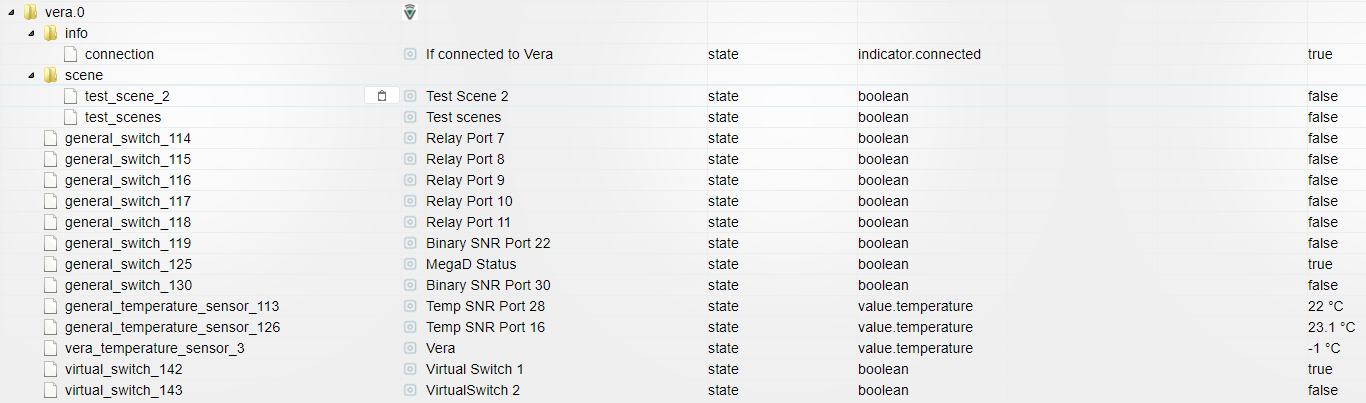
Попытался задействовать MPD для оповещения и сталкнулся с проблемой:
Iobroker - 192.168.11.3
Debian c MPD - 192.168.11.89
root@orangepipc:~# cat /proc/asound/cards
0 [audiocodec ]: audiocodec - audiocodec
audiocodec
1 [sndhdmi ]: sndhdmi - sndhdmi
sndhdmi
mpd.conf
! ````
An example configuration file for MPD.
Read the user manual for documentation: http://www.musicpd.org/doc/user/
or /usr/share/doc/mpd/user-manual.html
! # Files and directories #######################################################
This setting controls the top directory which MPD will search to discover the
available audio files and add them to the daemon's online database. This
setting defaults to the XDG directory, otherwise the music directory will be
be disabled and audio files will only be accepted over ipc socket (using
file:// protocol) or streaming files over an accepted protocol.
#music_directory "/var/lib/mpd/music"
music_directory "/home/mikhail/Music"
This setting sets the MPD internal playlist directory. The purpose of this
directory is storage for playlists created by MPD. The server will use
playlist files not created by the server but only if they are in the MPD
format. This setting defaults to playlist saving being disabled.
#playlist_directory "/var/lib/mpd/playlists"
playlist_directory "/home/mikhail/.mpd/playlists"
This setting sets the location of the MPD database. This file is used to
load the database at server start up and store the database while the
server is not up. This setting defaults to disabled which will allow
MPD to accept files over ipc socket (using file:// protocol) or streaming
files over an accepted protocol.
#db_file "/var/lib/mpd/tag_cache"
db_file "/home/mikhail/.mpd/tag_cache"
These settings are the locations for the daemon log files for the daemon.
These logs are great for troubleshooting, depending on your log_level
settings.
The special value "syslog" makes MPD use the local syslog daemon. This
setting defaults to logging to syslog, otherwise logging is disabled.
#log_file "/var/log/mpd/mpd.log"
log_file "/home/mikhail/.mpd/mpd.log"
This setting sets the location of the file which stores the process ID
for use of mpd --kill and some init scripts. This setting is disabled by
default and the pid file will not be stored.
#pid_file "/run/mpd/pid"
pid_file "/home/mikhail/.mpd/pid"
This setting sets the location of the file which contains information about
most variables to get MPD back into the same general shape it was in before
it was brought down. This setting is disabled by default and the server
state will be reset on server start up.
#state_file "/var/lib/mpd/state"
state_file "/home/mikhail/.mpd/state"
The location of the sticker database. This is a database which
manages dynamic information attached to songs.
#sticker_file "/var/lib/mpd/sticker.sql"
sticker_file "/home/mikhail/.mpd/sticker.sql"
###############################################################################
! # General music daemon options ################################################
This setting specifies the user that MPD will run as. MPD should never run as
root and you may use this setting to make MPD change its user ID after
initialization. This setting is disabled by default and MPD is run as the
current user.
user "mpd"
This setting specifies the group that MPD will run as. If not specified
primary group of user specified with "user" setting will be used (if set).
This is useful if MPD needs to be a member of group such as "audio" to
have permission to use sound card.
#group "nogroup"
This setting sets the address for the daemon to listen on. Careful attention
should be paid if this is assigned to anything other then the default, any.
This setting can deny access to control of the daemon. Choose any if you want
to have mpd listen on every address
For network
bind_to_address "localhost"
And for Unix Socket
#bind_to_address "/run/mpd/socket"
This setting is the TCP port that is desired for the daemon to get assigned
to.
port "6600"
This setting controls the type of information which is logged. Available
setting arguments are "default", "secure" or "verbose". The "verbose" setting
argument is recommended for troubleshooting, though can quickly stretch
available resources on limited hardware storage.
log_level "default"
If you have a problem with your MP3s ending abruptly it is recommended that
you set this argument to "no" to attempt to fix the problem. If this solves
the problem, it is highly recommended to fix the MP3 files with vbrfix
(available as vbrfix in the debian archive), at which
point gapless MP3 playback can be enabled.
#gapless_mp3_playback "yes"
Setting "restore_paused" to "yes" puts MPD into pause mode instead
of starting playback after startup.
#restore_paused "no"
This setting enables MPD to create playlists in a format usable by other
music players.
#save_absolute_paths_in_playlists "no"
This setting defines a list of tag types that will be extracted during the
audio file discovery process. The complete list of possible values can be
found in the mpd.conf man page.
#metadata_to_use "artist,album,title,track,name,genre,date,composer,performer,disc"
This setting enables automatic update of MPD's database when files in
music_directory are changed.
#auto_update "yes"
Limit the depth of the directories being watched, 0 means only watch
the music directory itself. There is no limit by default.
#auto_update_depth "3"
###############################################################################
! # Symbolic link behavior ######################################################
If this setting is set to "yes", MPD will discover audio files by following
symbolic links outside of the configured music_directory.
#follow_outside_symlinks "yes"
If this setting is set to "yes", MPD will discover audio files by following
symbolic links inside of the configured music_directory.
#follow_inside_symlinks "yes"
###############################################################################
! # Zeroconf / Avahi Service Discovery ##########################################
If this setting is set to "yes", service information will be published with
Zeroconf / Avahi.
#zeroconf_enabled "yes"
The argument to this setting will be the Zeroconf / Avahi unique name for
this MPD server on the network.
#zeroconf_name "Music Player"
###############################################################################
! # Permissions #################################################################
If this setting is set, MPD will require password authorization. The password
can setting can be specified multiple times for different password profiles.
#password "password@read,add,control,admin"
This setting specifies the permissions a user has who has not yet logged in.
#default_permissions "read,add,control,admin"
###############################################################################
! # Database #######################################################################
! #database {
plugin "proxy"
host "other.mpd.host"
port "6600"
#}
! # Input #######################################################################
! input {
plugin "curl"
proxy "proxy.isp.com:8080"
proxy_user "user"
proxy_password "password"
}
! #
###############################################################################
! # Audio Output ################################################################
MPD supports various audio output types, as well as playing through multiple
audio outputs at the same time, through multiple audio_output settings
blocks. Setting this block is optional, though the server will only attempt
autodetection for one sound card.
An example of an ALSA output:
audio_output {
type "alsa"
name "My ALSA Device"
device "hw:0,0" # optional
mixer_type "software" # optional
mixer_device "default" # optional
mixer_control "PCM" # optional
mixer_index "0" # optional
}
An example of an OSS output:
#audio_output {
type "oss"
name "My OSS Device"
device "/dev/dsp" # optional
mixer_type "hardware" # optional
mixer_device "/dev/mixer" # optional
mixer_control "PCM" # optional
#}
An example of a shout output (for streaming to Icecast):
#audio_output {
type "shout"
encoding "ogg" # optional
name "My Shout Stream"
host "localhost"
port "8000"
mount "/mpd.ogg"
password "hackme"
quality "5.0"
bitrate "128"
format "44100:16:1"
protocol "icecast2" # optional
user "source" # optional
description "My Stream Description" # optional
url "http://example.com" # optional
genre "jazz" # optional
public "no" # optional
timeout "2" # optional
mixer_type "software" # optional
#}
An example of a recorder output:
#audio_output {
type "recorder"
name "My recorder"
encoder "vorbis" # optional, vorbis or lame
path "/var/lib/mpd/recorder/mpd.ogg"
quality "5.0" # do not define if bitrate is defined
bitrate "128" # do not define if quality is defined
format "44100:16:1"
#}
An example of a httpd output (built-in HTTP streaming server):
#audio_output {
type "httpd"
name "My HTTP Stream"
encoder "lame" # optional, vorbis or lame
port "8000"
bind_to_address "0.0.0.0" # optional, IPv4 or IPv6
quality "5.0" # do not define if bitrate is defined
bitrate "128" # do not define if quality is defined
format "44100:16:1"
max_clients "0" # optional 0=no limit
#}
An example of a pulseaudio output (streaming to a remote pulseaudio server)
Please see README.Debian if you want mpd to play through the pulseaudio
daemon started as part of your graphical desktop session!
#audio_output {
type "pulse"
name "My Pulse Output"
server "remote_server" # optional
sink "remote_server_sink" # optional
#}
An example of a winmm output (Windows multimedia API).
#audio_output {
type "winmm"
name "My WinMM output"
device "Digital Audio (S/PDIF) (High Definition Audio Device)" # optional
or
device "0" # optional
mixer_type "hardware" # optional
#}
An example of an openal output.
#audio_output {
type "openal"
name "My OpenAL output"
device "Digital Audio (S/PDIF) (High Definition Audio Device)" # optional
#}
Example "pipe" output:
#audio_output {
type "pipe"
name "my pipe"
command "aplay -f cd 2>/dev/null"
Or if you're want to use AudioCompress
command "AudioCompress -m | aplay -f cd 2>/dev/null"
Or to send raw PCM stream through PCM:
command "nc example.org 8765"
format "44100:16:2"
#}
An example of a null output (for no audio output):
#audio_output {
type "null"
name "My Null Output"
mixer_type "none" # optional
#}
If MPD has been compiled with libsamplerate support, this setting specifies
the sample rate converter to use. Possible values can be found in the
mpd.conf man page or the libsamplerate documentation. By default, this is
setting is disabled.
#samplerate_converter "Fastest Sinc Interpolator"
###############################################################################
! # Normalization automatic volume adjustments ##################################
This setting specifies the type of ReplayGain to use. This setting can have
the argument "off", "album", "track" or "auto". "auto" is a special mode that
chooses between "track" and "album" depending on the current state of
random playback. If random playback is enabled then "track" mode is used.
See <http: www.replaygain.org="">for more details about ReplayGain.
This setting is off by default.
#replaygain "album"
This setting sets the pre-amp used for files that have ReplayGain tags. By
default this setting is disabled.
#replaygain_preamp "0"
This setting sets the pre-amp used for files that do NOT have ReplayGain tags.
By default this setting is disabled.
#replaygain_missing_preamp "0"
This setting enables or disables ReplayGain limiting.
MPD calculates actual amplification based on the ReplayGain tags
and replaygain_preamp / replaygain_missing_preamp setting.
If replaygain_limit is enabled MPD will never amplify audio signal
above its original level. If replaygain_limit is disabled such amplification
might occur. By default this setting is enabled.
#replaygain_limit "yes"
This setting enables on-the-fly normalization volume adjustment. This will
result in the volume of all playing audio to be adjusted so the output has
equal "loudness". This setting is disabled by default.
#volume_normalization "no"
###############################################################################
! # Character Encoding ##########################################################
If file or directory names do not display correctly for your locale then you
may need to modify this setting.
filesystem_charset "UTF-8"
This setting controls the encoding that ID3v1 tags should be converted from.
id3v1_encoding "UTF-8"
###############################################################################
! # SIDPlay decoder #############################################################
songlength_database:
Location of your songlengths file, as distributed with the HVSC.
The sidplay plugin checks this for matching MD5 fingerprints.
See http://www.c64.org/HVSC/DOCUMENTS/Songlengths.faq
default_songlength:
This is the default playing time in seconds for songs not in the
songlength database, or in case you're not using a database.
A value of 0 means play indefinitely.
filter:
Turns the SID filter emulation on or off.
#decoder {
plugin "sidplay"
songlength_database "/media/C64Music/DOCUMENTS/Songlengths.txt"
default_songlength "120"
filter "true"
#}
###############################################################################</http:>
После отработки сайит MPD выдает ошибки…
Jan 16 12:09 : playlist: No such playlist
Jan 16 12:09 : player: played "http://192.168.11.3:8082/state/sayit.0.tts.mp3"
Jan 16 12:09 : errno: Failed to open "/home/mikhail/.mpd/playlists/temp_ForSayIt.m3u": No such file or directory
Jan 16 12:09 : playlist: No such playlist
Jan 16 18:58 : playlist: No such playlist
Jan 16 18:58 : player: played "http://192.168.11.3:8082/state/sayit.0.tts.mp3"
Jan 16 18:58 : errno: Failed to open "/home/mikhail/.mpd/playlists/temp_ForSayIt.m3u": No such file or directory
Jan 16 18:58 : playlist: No such playlist
Что предпринять?
PS: заработало
/home/mikhail/.mpd/playlists - права нужно 755 mpd:audio
Чтоб громкость была нормальная в mpd.conf добавил
decoder {
plugin "mad"
enabled "no"
}
вычитал тут - [https://forum.armbian.com/topic/1947-an … nge-pi-pc/](https://forum.armbian.com/topic/1947-analog-audio-output-low-volume-with-mpd-server-orange-pi-pc/)





 1
0 Stimmen2 Beiträge1k Aufrufe
1
0 Stimmen2 Beiträge1k Aufrufe 1
0 Stimmen6 Beiträge4k Aufrufe
1
0 Stimmen6 Beiträge4k Aufrufe