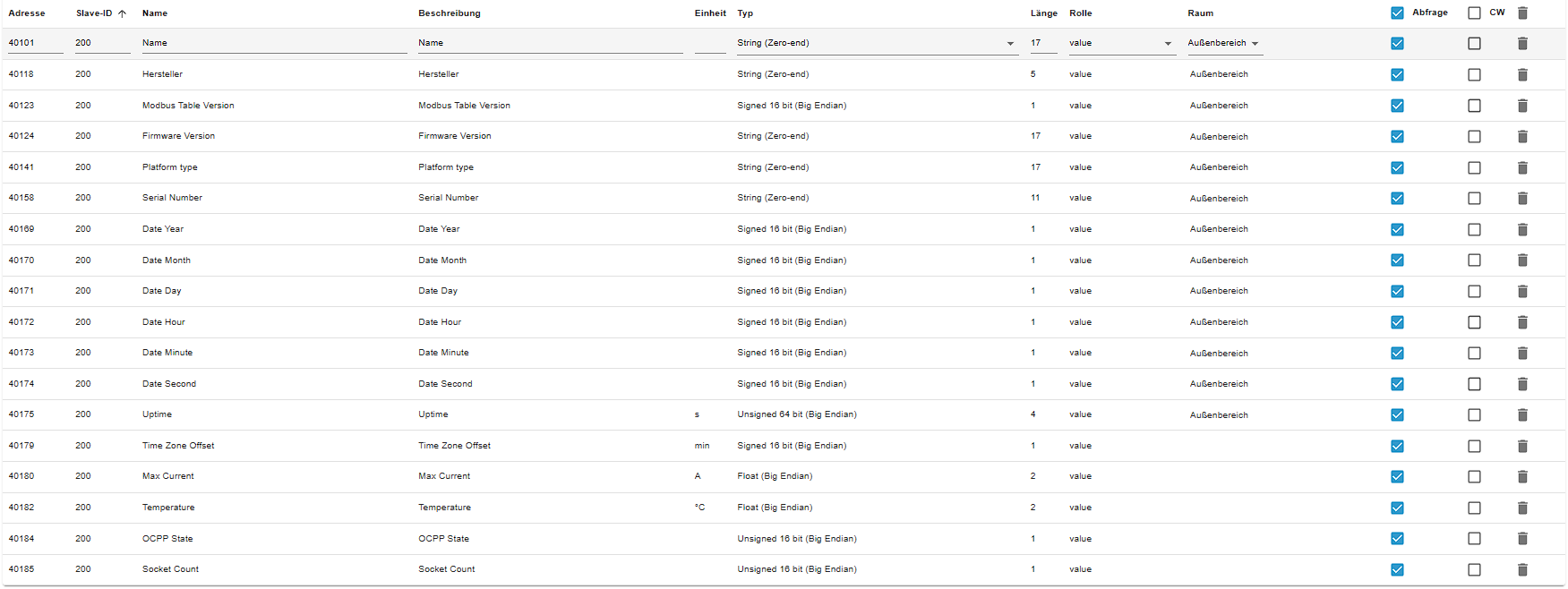
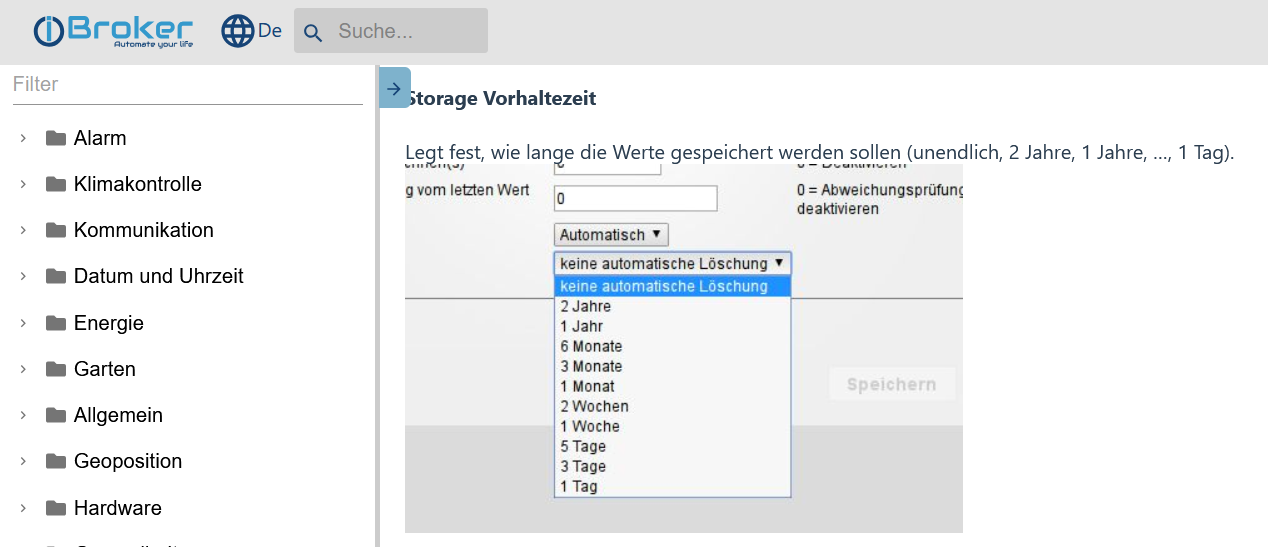
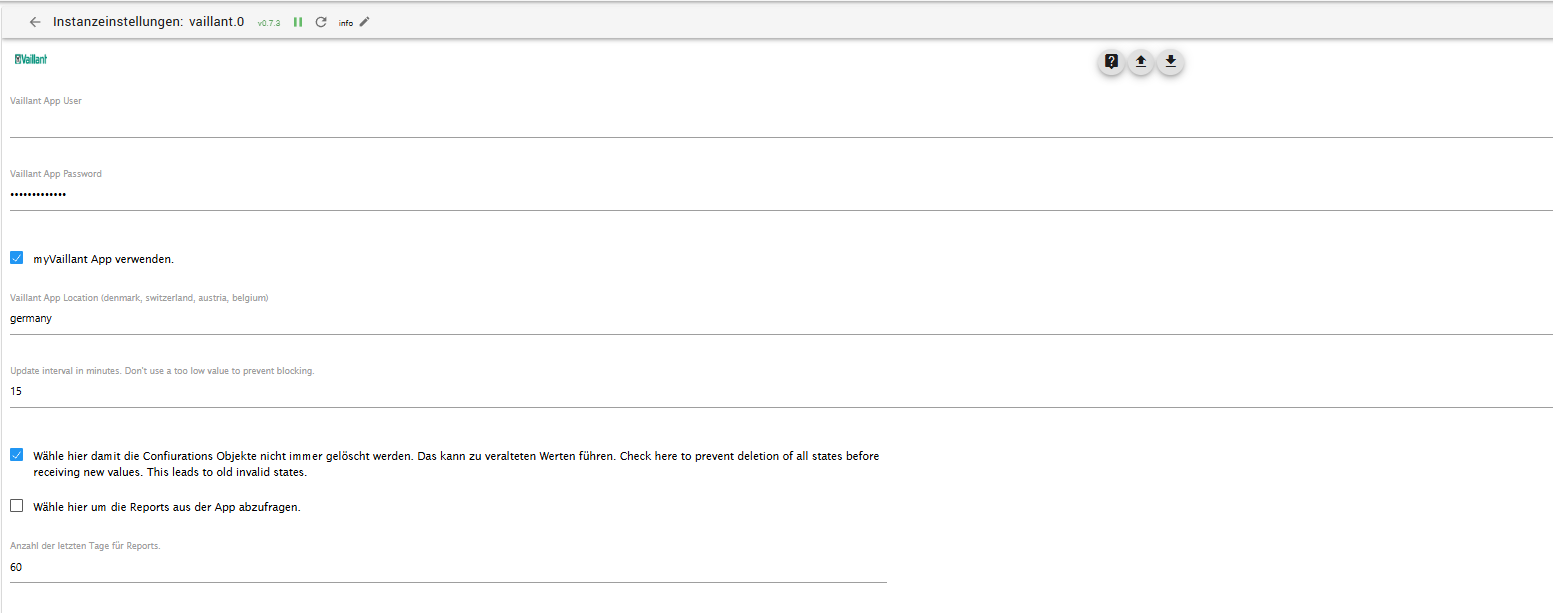
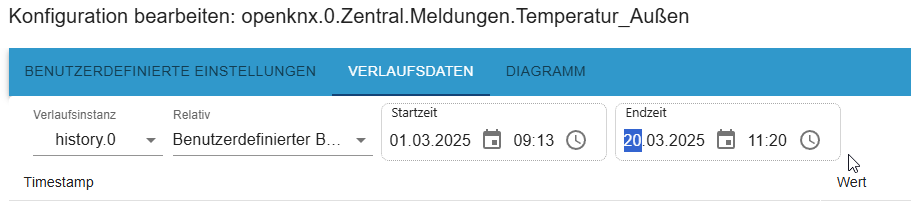
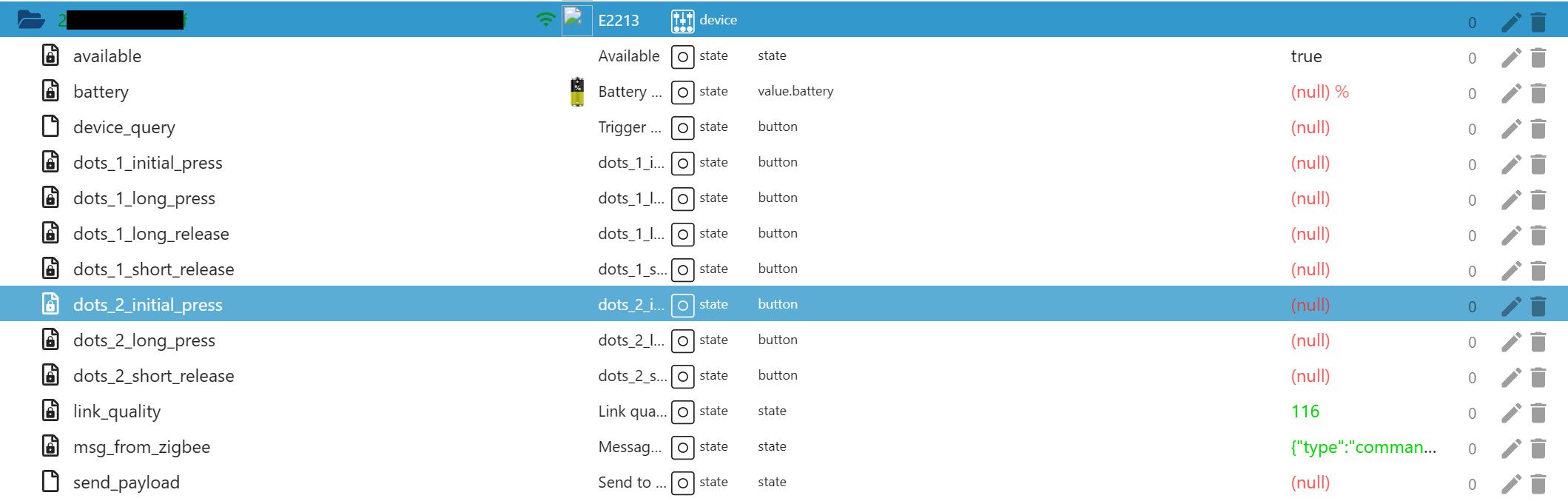
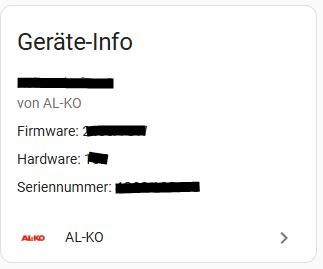
@mcm1957 ich hoffe das ist das was Du mit LANG meinst:
========== Start marking the full check here ===========
```bash
Script v.2025-02-23
*** BASE SYSTEM ***
Static hostname: iobroker-vm
Icon name: computer-vm
Chassis: vm 🖴
Virtualization: kvm
Operating System: Debian GNU/Linux 12 (bookworm)
Kernel: Linux 6.1.0-33-amd64
Architecture: x86-64
Hardware Vendor: QEMU
Hardware Model: Standard PC _i440FX + PIIX, 1996_
Firmware Version: rel-1.16.3-0-ga6ed6b701f0a-prebuilt.qemu.org
OS is similar to:
model name : Common KVM processor
Docker : false
Virtualization : kvm
Kernel : x86_64
Userland : 64 bit
Systemuptime and Load:
14:29:22 up 3:42, 2 users, load average: 1.43, 0.97, 0.91
CPU threads: 4
*** LIFE CYCLE STATUS ***
Operating System is the current Debian stable version codenamed 'bookworm'!
*** TIME AND TIMEZONES ***
Local time: Thu 2025-04-24 14:29:22 CEST
Universal time: Thu 2025-04-24 12:29:22 UTC
RTC time: Thu 2025-04-24 12:29:22
Time zone: Europe/Berlin (CEST, +0200)
System clock synchronized: yes
NTP service: active
RTC in local TZ: no
*** Users and Groups ***
User that called 'iob diag':
iobroker
HOME=/home/iobroker
GROUPS=iobroker tty dialout sudo audio video plugdev bluetooth
User that is running 'js-controller':
iobroker
HOME=/home/iobroker
GROUPS=iobroker tty dialout sudo audio video plugdev bluetooth
A default user should be created! This user will be enabled to temporarily switch to root via 'sudo'!
A root login is not required in most Linux Distributions.
Run 'iobroker fix' or use the system tools to create a user.
*** DISPLAY-SERVER SETUP ***
Display-Server: false
Desktop:
Terminal:
*** MEMORY ***
total used free shared buff/cache available
Mem: 16G 5.6G 9.6G 831K 1.4G 10G
Swap: 9.7G 0B 9.7G
Total: 26G 5.6G 19G
Active iob-Instances: 83
15615 M total memory
5370 M used memory
462 M active memory
5605 M inactive memory
9155 M free memory
143 M buffer memory
1227 M swap cache
9215 M total swap
0 M used swap
9215 M free swap
*** top - Table Of Processes ***
top - 14:29:22 up 3:42, 2 users, load average: 1.48, 0.99, 0.92
Tasks: 183 total, 2 running, 181 sleeping, 0 stopped, 0 zombie
%Cpu(s): 0.0 us,100.0 sy, 0.0 ni, 0.0 id, 0.0 wa, 0.0 hi, 0.0 si, 0.0 st
MiB Mem : 15615.1 total, 9155.3 free, 5371.1 used, 1371.9 buff/cache
MiB Swap: 9216.0 total, 9216.0 free, 0.0 used. 10244.0 avail Mem
*** FAILED SERVICES ***
UNIT LOAD ACTIVE SUB DESCRIPTION
0 loaded units listed.
*** DMESG CRITICAL ERRORS ***
[sudo] password for iobroker:
No critical errors detected
*** FILESYSTEM ***
Filesystem Type Size Used Avail Use% Mounted on
udev devtmpfs 7.6G 0 7.6G 0% /dev
tmpfs tmpfs 1.6G 812K 1.6G 1% /run
/dev/vda1 ext4 28G 21G 5.3G 80% /
tmpfs tmpfs 7.7G 4.0K 7.7G 1% /dev/shm
tmpfs tmpfs 5.0M 0 5.0M 0% /run/lock
Messages concerning ext4 filesystem in dmesg:
[Thu Apr 24 10:47:02 2025] EXT4-fs (vda1): mounted filesystem with ordered data mode. Quota mode: none.
[Thu Apr 24 10:47:04 2025] EXT4-fs (vda1): re-mounted. Quota mode: none.
Show mounted filesystems:
TARGET SOURCE FSTYPE OPTIONS
/ /dev/vda1 ext4 rw,relatime,errors=remount-ro
Files in neuralgic directories:
/var:
2.7G /var/
1.5G /var/log
1.1G /var/log/journal/f3470a077a9640dbb13a1b57976d2a99
1.1G /var/log/journal
925M /var/cache
Hint: You are currently not seeing messages from other users and the system.
Users in groups 'adm', 'systemd-journal' can see all messages.
Pass -q to turn off this notice.
Archived and active journals take up 232.7M in the file system.
/opt/iobroker/backups:
495M /opt/iobroker/backups/
/opt/iobroker/iobroker-data:
2.5G /opt/iobroker/iobroker-data/
1.5G /opt/iobroker/iobroker-data/files
681M /opt/iobroker/iobroker-data/history
617M /opt/iobroker/iobroker-data/files/javascript.admin
560M /opt/iobroker/iobroker-data/files/javascript.admin/static
The five largest files in iobroker-data are:
58M /opt/iobroker/iobroker-data/objects.jsonl
41M /opt/iobroker/iobroker-data/files/material/static/js/main.c5478f66.js.map
35M /opt/iobroker/iobroker-data/files/devices.admin/static/js/main.24f2bb56.js.map
24M /opt/iobroker/iobroker-data/files/vis-2/static/js/main.f305bc29.js.map
24M /opt/iobroker/iobroker-data/files/vis-2/static/js/main.8e80ccb0.js.map
USB-Devices by-id:
USB-Sticks - Avoid direct links to /dev/tty* in your adapter setups, please always prefer the links 'by-id':
No Devices found 'by-id'
Zigbee Network Settings on your coordinator/in nvbackup are:
*** NodeJS-Installation ***
/usr/bin/nodejs v20.19.1
/usr/bin/node v20.19.1
/usr/bin/npm 10.8.2
/usr/bin/npx 10.8.2
/usr/bin/corepack 0.31.0
nodejs:
Installed: 20.19.1-1nodesource1
Candidate: 20.19.1-1nodesource1
Version table:
*** 20.19.1-1nodesource1 1001
500 https://deb.nodesource.com/node_20.x nodistro/main amd64 Packages
100 /var/lib/dpkg/status
20.19.0-1nodesource1 1001
500 https://deb.nodesource.com/node_20.x nodistro/main amd64 Packages
20.18.3-1nodesource1 1001
500 https://deb.nodesource.com/node_20.x nodistro/main amd64 Packages
20.18.2-1nodesource1 1001
500 https://deb.nodesource.com/node_20.x nodistro/main amd64 Packages
20.18.1-1nodesource1 1001
500 https://deb.nodesource.com/node_20.x nodistro/main amd64 Packages
20.18.0-1nodesource1 1001
500 https://deb.nodesource.com/node_20.x nodistro/main amd64 Packages
20.17.0-1nodesource1 1001
500 https://deb.nodesource.com/node_20.x nodistro/main amd64 Packages
20.16.0-1nodesource1 1001
500 https://deb.nodesource.com/node_20.x nodistro/main amd64 Packages
20.15.1-1nodesource1 1001
500 https://deb.nodesource.com/node_20.x nodistro/main amd64 Packages
20.15.0-1nodesource1 1001
500 https://deb.nodesource.com/node_20.x nodistro/main amd64 Packages
20.14.0-1nodesource1 1001
500 https://deb.nodesource.com/node_20.x nodistro/main amd64 Packages
20.13.1-1nodesource1 1001
500 https://deb.nodesource.com/node_20.x nodistro/main amd64 Packages
20.13.0-1nodesource1 1001
500 https://deb.nodesource.com/node_20.x nodistro/main amd64 Packages
20.12.2-1nodesource1 1001
500 https://deb.nodesource.com/node_20.x nodistro/main amd64 Packages
20.12.1-1nodesource1 1001
500 https://deb.nodesource.com/node_20.x nodistro/main amd64 Packages
20.12.0-1nodesource1 1001
500 https://deb.nodesource.com/node_20.x nodistro/main amd64 Packages
20.11.1-1nodesource1 1001
500 https://deb.nodesource.com/node_20.x nodistro/main amd64 Packages
20.11.0-1nodesource1 1001
500 https://deb.nodesource.com/node_20.x nodistro/main amd64 Packages
20.10.0-1nodesource1 1001
500 https://deb.nodesource.com/node_20.x nodistro/main amd64 Packages
20.9.0-1nodesource1 1001
500 https://deb.nodesource.com/node_20.x nodistro/main amd64 Packages
20.8.1-1nodesource1 1001
500 https://deb.nodesource.com/node_20.x nodistro/main amd64 Packages
20.8.0-1nodesource1 1001
500 https://deb.nodesource.com/node_20.x nodistro/main amd64 Packages
20.7.0-1nodesource1 1001
500 https://deb.nodesource.com/node_20.x nodistro/main amd64 Packages
20.6.1-1nodesource1 1001
500 https://deb.nodesource.com/node_20.x nodistro/main amd64 Packages
20.6.0-1nodesource1 1001
500 https://deb.nodesource.com/node_20.x nodistro/main amd64 Packages
20.5.1-1nodesource1 1001
500 https://deb.nodesource.com/node_20.x nodistro/main amd64 Packages
20.5.0-1nodesource1 1001
500 https://deb.nodesource.com/node_20.x nodistro/main amd64 Packages
20.4.0-1nodesource1 1001
500 https://deb.nodesource.com/node_20.x nodistro/main amd64 Packages
20.3.1-1nodesource1 1001
500 https://deb.nodesource.com/node_20.x nodistro/main amd64 Packages
20.3.0-1nodesource1 1001
500 https://deb.nodesource.com/node_20.x nodistro/main amd64 Packages
20.2.0-1nodesource1 1001
500 https://deb.nodesource.com/node_20.x nodistro/main amd64 Packages
20.1.0-1nodesource1 1001
500 https://deb.nodesource.com/node_20.x nodistro/main amd64 Packages
20.0.0-1nodesource1 1001
500 https://deb.nodesource.com/node_20.x nodistro/main amd64 Packages
18.19.0+dfsg-6~deb12u2 500
500 http://deb.debian.org/debian bookworm/main amd64 Packages
18.19.0+dfsg-6~deb12u1 500
500 http://security.debian.org/debian-security bookworm-security/main amd64 Packages
Temp directories causing deletion problem: 0
No problems detected
Errors in npm tree: 0
No problems detected
*** ioBroker-Installation ***
ioBroker Status
iobroker is running on this host.
Objects type: jsonl
States type: jsonl
Hosts:
iob-slave iob-slave (version: 7.0.6, hostname: iob-slave , alive, uptime: 13518)
iobroker-vm iobroker-vm (version: 7.0.6, hostname: iobroker-vm , alive, uptime: 13342)
Core adapters versions
js-controller: 7.0.6
admin: 7.6.3
javascript: 8.8.3
nodejs modules from github: 8
+-- evcc@ (git+ssh://git@github.com/evcc-io/evcc.git#984b899be37587ee4603936fbf048385b7a45fe5)
+-- iobroker.icons-open-icon-library-png@0.1.3 (git+ssh://git@github.com/ioBroker/ioBroker.icons-open-icon-library-png.git#0847a79d713ee6725ccb6ccfb044c025b73ec946)
+-- iobroker.linux-control@1.1.6 (git+ssh://git@github.com/Scrounger/ioBroker.linux-control.git#59f578f3402850684ba8767a24a9ff288b05a3f0)
+-- iobroker.siegenia@1.1.1 (git+ssh://git@github.com/Apollon77/ioBroker.siegenia.git#d594992dea1183d5fac68cee56cea5c60c05e747)
+-- iobroker.smartthings@0.1.1 (git+ssh://git@github.com/TA2k/ioBroker.smartthings.git#41eede2d2694dd9d70ce2118f1c4ec38b935e3d1)
+-- iobroker.sourceanalytix@0.4.15-alpha.1 (git+ssh://git@github.com/DrozmotiX/ioBroker.sourceanalytix.git#fd3b7f9f362a348741cbe18d70a130d2bfee6727)
| +-- syno@3.0.0 (git+https://git@github.com/MeisterTR/syno.git#0104a973d33fe332aa6b1ab5be7fe8c57d3c68b0)
+-- iobroker.vis-hqwidgets@1.5.1 (git+ssh://git@github.com/ioBroker/ioBroker.vis-hqwidgets.git#5f082c9d9da08dab0ffd8fa3cda0aed45c70b9a6)
Adapter State
system.adapter.accuweather.0 : accuweather : iobroker-vm - disabled
+ system.adapter.admin.0 : admin : iobroker-vm - enabled, port: 8081, bind: 0.0.0.0, run as: admin
+ system.adapter.admin.1 : admin : iob-slave - enabled, port: 8081, bind: 0.0.0.0, run as: admin
system.adapter.alias-manager.0 : alias-manager : iob-slave - enabled
+ system.adapter.backitup.0 : backitup : iobroker-vm - enabled
+ system.adapter.backitup.1 : backitup : iob-slave - enabled
+ system.adapter.bluelink.0 : bluelink : iob-slave - enabled
system.adapter.broadlink2.0 : broadlink2 : iobroker-vm - disabled
system.adapter.cloud.0 : cloud : iobroker-vm - disabled
system.adapter.daswetter.0 : daswetter : iobroker-vm - enabled
+ system.adapter.deconz.0 : deconz : iob-slave - enabled, port: 80
+ system.adapter.deconz.1 : deconz : iob-slave - enabled, port: 80
+ system.adapter.denon.0 : denon : iobroker-vm - enabled
system.adapter.devices.0 : devices : iobroker-vm - enabled
+ system.adapter.discovery.0 : discovery : iobroker-vm - enabled
+ system.adapter.email.0 : email : iobroker-vm - enabled
+ system.adapter.energiefluss-erweitert.0 : energiefluss-erweitert: iobroker-vm - enabled
+ system.adapter.energiefluss-erweitert.1 : energiefluss-erweitert: iobroker-vm - enabled
system.adapter.feiertage.0 : feiertage : iobroker-vm - enabled
+ system.adapter.hm-rega.0 : hm-rega : iobroker-vm - enabled
+ system.adapter.hm-rega.10 : hm-rega : iobroker-vm - enabled
system.adapter.hm-rega.11 : hm-rega : iobroker-vm - disabled
+ system.adapter.hm-rega.4 : hm-rega : iobroker-vm - enabled
+ system.adapter.hm-rega.5 : hm-rega : iobroker-vm - enabled
+ system.adapter.hm-rega.6 : hm-rega : iobroker-vm - enabled
+ system.adapter.hm-rpc.0 : hm-rpc : iobroker-vm - enabled, port: 0
+ system.adapter.hm-rpc.10 : hm-rpc : iobroker-vm - enabled, port: 0
+ system.adapter.hm-rpc.11 : hm-rpc : iobroker-vm - enabled, port: 0
+ system.adapter.hm-rpc.2 : hm-rpc : iobroker-vm - enabled, port: 0
system.adapter.hm-rpc.3 : hm-rpc : iobroker-vm - disabled, port: 0
+ system.adapter.hm-rpc.4 : hm-rpc : iobroker-vm - enabled, port: 0
+ system.adapter.hm-rpc.5 : hm-rpc : iobroker-vm - enabled, port: 0
+ system.adapter.hm-rpc.6 : hm-rpc : iobroker-vm - enabled, port: 0
+ system.adapter.hm-rpc.7 : hm-rpc : iobroker-vm - enabled, port: 0
+ system.adapter.hm-rpc.8 : hm-rpc : iobroker-vm - enabled, port: 0
+ system.adapter.hm-rpc.9 : hm-rpc : iobroker-vm - enabled, port: 0
+ system.adapter.homeconnect.0 : homeconnect : iob-slave - enabled
system.adapter.ical.0 : ical : iobroker-vm - enabled
system.adapter.ical.2 : ical : iobroker-vm - enabled
system.adapter.icons-addictive-flavour-png.0: icons-addictive-flavour-png: iobroker-vm - enabled
system.adapter.icons-mfd-svg.0 : icons-mfd-svg : iobroker-vm - enabled
system.adapter.icons-open-icon-library-png.0: icons-open-icon-library-png: iobroker-vm - enabled
system.adapter.icons-ultimate-png.0 : icons-ultimate-png : iobroker-vm - enabled
+ system.adapter.influxdb.0 : influxdb : iobroker-vm - enabled, port: 8086
+ system.adapter.influxdb.1 : influxdb : iobroker-vm - enabled, port: 8086
+ system.adapter.iqontrol.0 : iqontrol : iobroker-vm - enabled
+ system.adapter.jarvis.0 : jarvis : iobroker-vm - enabled, port: 8082, bind: 192.168.178.97, run as: admin
+ system.adapter.javascript.0 : javascript : iobroker-vm - enabled
+ system.adapter.kisshome-research.0 : kisshome-research : iobroker-vm - enabled
+ system.adapter.linux-control.0 : linux-control : iobroker-vm - enabled
system.adapter.luftdaten.0 : luftdaten : iobroker-vm - enabled
system.adapter.material.0 : material : iobroker-vm - enabled
+ system.adapter.modbus.0 : modbus : iob-slave - enabled
system.adapter.modbus.1 : modbus : iobroker-vm - disabled
+ system.adapter.modbus.10 : modbus : iobroker-vm - enabled
+ system.adapter.modbus.11 : modbus : iobroker-vm - enabled
+ system.adapter.modbus.2 : modbus : iobroker-vm - enabled
+ system.adapter.modbus.3 : modbus : iobroker-vm - enabled
+ system.adapter.modbus.4 : modbus : iobroker-vm - enabled
system.adapter.modbus.5 : modbus : iobroker-vm - disabled
system.adapter.modbus.6 : modbus : iobroker-vm - disabled
+ system.adapter.modbus.7 : modbus : iobroker-vm - enabled
+ system.adapter.modbus.8 : modbus : iobroker-vm - enabled
+ system.adapter.modbus.9 : modbus : iobroker-vm - enabled
system.adapter.mqtt.0 : mqtt : iobroker-vm - disabled, port: 1883, bind: 0.0.0.0
+ system.adapter.mqtt.1 : mqtt : iobroker-vm - enabled, port: 1883, bind: 0.0.0.0
system.adapter.mqtt.2 : mqtt : iobroker-vm - disabled, port: 1883, bind: 0.0.0.0
+ system.adapter.mqtt.3 : mqtt : iobroker-vm - enabled, port: 1883, bind: 0.0.0.0
system.adapter.mqtt.5 : mqtt : iobroker-vm - disabled, port: 1883, bind: 0.0.0.0
+ system.adapter.mqtt.6 : mqtt : iobroker-vm - enabled, port: 1883, bind: 0.0.0.0
system.adapter.mqtt.7 : mqtt : iobroker-vm - disabled, port: 1883, bind: 0.0.0.0
system.adapter.mqtt.8 : mqtt : iobroker-vm - disabled, port: 1883, bind: 0.0.0.0
+ system.adapter.net-tools.0 : net-tools : iobroker-vm - enabled
system.adapter.netatmo-crawler.0 : netatmo-crawler : iobroker-vm - enabled
+ system.adapter.parser.0 : parser : iobroker-vm - enabled
+ system.adapter.ping.0 : ping : iobroker-vm - enabled
system.adapter.ping.1 : ping : iob-slave - disabled
+ system.adapter.proxmox.0 : proxmox : iobroker-vm - enabled, port: 8006
+ system.adapter.pushover.0 : pushover : iobroker-vm - enabled
+ system.adapter.pvforecast.0 : pvforecast : iobroker-vm - enabled
+ system.adapter.robonect.0 : robonect : iobroker-vm - enabled
+ system.adapter.samsung_tizen.0 : samsung_tizen : iob-slave - enabled, port: 8002
+ system.adapter.scenes.0 : scenes : iobroker-vm - enabled
+ system.adapter.shelly.0 : shelly : iobroker-vm - enabled, port: 1882, bind: 0.0.0.0
+ system.adapter.shelly.1 : shelly : iobroker-vm - enabled, port: 1882, bind: 0.0.0.0
system.adapter.shuttercontrol.0 : shuttercontrol : iobroker-vm - disabled
+ system.adapter.siegenia.0 : siegenia : iobroker-vm - enabled
+ system.adapter.simple-api.0 : simple-api : iobroker-vm - enabled, port: 8087, bind: 0.0.0.0, run as: admin
system.adapter.smartthings.2 : smartthings : iobroker-vm - disabled
+ system.adapter.snmp.0 : snmp : iobroker-vm - enabled
+ system.adapter.sourceanalytix.1 : sourceanalytix : iobroker-vm - enabled
+ system.adapter.sourceanalytix.2 : sourceanalytix : iobroker-vm - enabled
+ system.adapter.sourceanalytix.3 : sourceanalytix : iobroker-vm - enabled
+ system.adapter.sourceanalytix.4 : sourceanalytix : iob-slave - enabled
+ system.adapter.sql.0 : sql : iobroker-vm - enabled, port: 3306
+ system.adapter.statistics.0 : statistics : iobroker-vm - enabled
+ system.adapter.synology.1 : synology : iobroker-vm - enabled, port: 5000
+ system.adapter.synology.2 : synology : iobroker-vm - enabled, port: 5000
+ system.adapter.tibberlink.0 : tibberlink : iobroker-vm - enabled
+ system.adapter.tr-064.1 : tr-064 : iobroker-vm - enabled
+ system.adapter.tr-064.3 : tr-064 : iobroker-vm - enabled
+ system.adapter.tr-064.4 : tr-064 : iobroker-vm - enabled
+ system.adapter.tr-064.6 : tr-064 : iobroker-vm - enabled
+ system.adapter.trashschedule.0 : trashschedule : iobroker-vm - enabled
+ system.adapter.tuya.0 : tuya : iob-slave - enabled
+ system.adapter.tuya.1 : tuya : iobroker-vm - enabled
+ system.adapter.upnp.0 : upnp : iobroker-vm - enabled
system.adapter.ve.0 : ve : iob-slave - disabled
system.adapter.vis-2-widgets-energy.0 : vis-2-widgets-energy : iobroker-vm - enabled
system.adapter.vis-2-widgets-gauges.0 : vis-2-widgets-gauges : iobroker-vm - enabled
system.adapter.vis-2-widgets-material.0 : vis-2-widgets-material: iobroker-vm - enabled
+ system.adapter.vis-2.0 : vis-2 : iobroker-vm - enabled
system.adapter.vis-canvas-gauges.0 : vis-canvas-gauges : iobroker-vm - enabled
system.adapter.vis-fancyswitch.0 : vis-fancyswitch : iobroker-vm - enabled
system.adapter.vis-history.0 : vis-history : iobroker-vm - enabled
system.adapter.vis-hqwidgets.0 : vis-hqwidgets : iobroker-vm - enabled
system.adapter.vis-icontwo.0 : vis-icontwo : iobroker-vm - enabled
+ system.adapter.vis-inventwo.0 : vis-inventwo : iobroker-vm - enabled
system.adapter.vis-jqui-mfd.0 : vis-jqui-mfd : iobroker-vm - enabled
system.adapter.vis-material-advanced.0 : vis-material-advanced : iobroker-vm - enabled
system.adapter.vis-materialdesign.0 : vis-materialdesign : iobroker-vm - enabled
system.adapter.vis-metro.0 : vis-metro : iobroker-vm - enabled
system.adapter.vis-rgraph.0 : vis-rgraph : iobroker-vm - enabled
system.adapter.vis-timeandweather.0 : vis-timeandweather : iobroker-vm - enabled
system.adapter.vis-weather.0 : vis-weather : iobroker-vm - enabled
system.adapter.vis.0 : vis : iobroker-vm - enabled
system.adapter.weatherunderground.0 : weatherunderground : iobroker-vm - disabled
+ system.adapter.web.0 : web : iobroker-vm - enabled, port: 8082, bind: 192.168.178.97, run as: admin
+ system.adapter.web.1 : web : iob-slave - enabled, port: 8082, bind: 0.0.0.0, run as: admin
+ instance is alive
Enabled adapters with bindings
+ system.adapter.admin.0 : admin : iobroker-vm - enabled, port: 8081, bind: 0.0.0.0, run as: admin
+ system.adapter.admin.1 : admin : iob-slave - enabled, port: 8081, bind: 0.0.0.0, run as: admin
+ system.adapter.deconz.0 : deconz : iob-slave - enabled, port: 80
+ system.adapter.deconz.1 : deconz : iob-slave - enabled, port: 80
+ system.adapter.hm-rpc.0 : hm-rpc : iobroker-vm - enabled, port: 0
+ system.adapter.hm-rpc.10 : hm-rpc : iobroker-vm - enabled, port: 0
+ system.adapter.hm-rpc.11 : hm-rpc : iobroker-vm - enabled, port: 0
+ system.adapter.hm-rpc.2 : hm-rpc : iobroker-vm - enabled, port: 0
+ system.adapter.hm-rpc.4 : hm-rpc : iobroker-vm - enabled, port: 0
+ system.adapter.hm-rpc.5 : hm-rpc : iobroker-vm - enabled, port: 0
+ system.adapter.hm-rpc.6 : hm-rpc : iobroker-vm - enabled, port: 0
+ system.adapter.hm-rpc.7 : hm-rpc : iobroker-vm - enabled, port: 0
+ system.adapter.hm-rpc.8 : hm-rpc : iobroker-vm - enabled, port: 0
+ system.adapter.hm-rpc.9 : hm-rpc : iobroker-vm - enabled, port: 0
+ system.adapter.influxdb.0 : influxdb : iobroker-vm - enabled, port: 8086
+ system.adapter.influxdb.1 : influxdb : iobroker-vm - enabled, port: 8086
+ system.adapter.jarvis.0 : jarvis : iobroker-vm - enabled, port: 8082, bind: 192.168.178.97, run as: admin
+ system.adapter.mqtt.1 : mqtt : iobroker-vm - enabled, port: 1883, bind: 0.0.0.0
+ system.adapter.mqtt.3 : mqtt : iobroker-vm - enabled, port: 1883, bind: 0.0.0.0
+ system.adapter.mqtt.6 : mqtt : iobroker-vm - enabled, port: 1883, bind: 0.0.0.0
+ system.adapter.proxmox.0 : proxmox : iobroker-vm - enabled, port: 8006
+ system.adapter.samsung_tizen.0 : samsung_tizen : iob-slave - enabled, port: 8002
+ system.adapter.shelly.0 : shelly : iobroker-vm - enabled, port: 1882, bind: 0.0.0.0
+ system.adapter.shelly.1 : shelly : iobroker-vm - enabled, port: 1882, bind: 0.0.0.0
+ system.adapter.simple-api.0 : simple-api : iobroker-vm - enabled, port: 8087, bind: 0.0.0.0, run as: admin
+ system.adapter.sql.0 : sql : iobroker-vm - enabled, port: 3306
+ system.adapter.synology.1 : synology : iobroker-vm - enabled, port: 5000
+ system.adapter.synology.2 : synology : iobroker-vm - enabled, port: 5000
+ system.adapter.web.0 : web : iobroker-vm - enabled, port: 8082, bind: 192.168.178.97, run as: admin
+ system.adapter.web.1 : web : iob-slave - enabled, port: 8082, bind: 0.0.0.0, run as: admin
ioBroker-Repositories
┌─────────┬────────────────────┬─────────────────────────────────────────────────────────┬──────────────┐
│ (index) │ name │ url │ auto upgrade │
├─────────┼────────────────────┼─────────────────────────────────────────────────────────┼──────────────┤
│ 0 │ 'Stable (default)' │ 'http://download.iobroker.net/sources-dist.json' │ false │
│ 1 │ 'Beta (latest)' │ 'http://download.iobroker.net/sources-dist-latest.json' │ false │
└─────────┴────────────────────┴─────────────────────────────────────────────────────────┴──────────────┘
Active repo(s): Stable (default)
Upgrade policy: none
Installed ioBroker-Adapters
Used repository: Stable (default)
Adapter "accuweather" : 2.1.0 , installed 2.1.0
Adapter "admin" : 7.6.3 , installed 7.6.3
Adapter "backitup" : 3.0.31 , installed 3.0.31
Adapter "broadlink2" : 2.3.0 , installed 2.3.0
Adapter "cloud" : 5.0.1 , installed 5.0.1
Adapter "daswetter" : 3.2.3 , installed 3.2.3
Adapter "denon" : 1.15.12 , installed 1.15.12
Adapter "devices" : 1.1.5 , installed 1.1.5
Adapter "discovery" : 5.0.0 , installed 5.0.0
Adapter "email" : 2.0.3 , installed 2.0.4
Adapter "energiefluss-erweitert": 0.6.2, installed 0.6.2
Adapter "feiertage" : 1.2.1 , installed 1.2.1
Adapter "hm-rega" : 5.1.0 , installed 5.1.0
Adapter "hm-rpc" : 2.0.2 , installed 2.0.2
Adapter "ical" : 1.16.1 , installed 1.16.1
Adapter "icons-addictive-flavour-png": 0.1.0, installed 0.1.0
Adapter "icons-mfd-svg": 1.2.0 , installed 1.2.0
Adapter "icons-open-icon-library-png": 0.1.2, installed 0.1.3
Adapter "icons-ultimate-png": 1.0.1, installed 1.0.1
Adapter "influxdb" : 4.0.2 , installed 4.0.2
Adapter "iqontrol" : 3.0.0 , installed 3.0.0
Adapter "jarvis" : 3.1.8 , installed 3.1.8
Adapter "javascript" : 8.8.3 , installed 8.8.3
Controller "js-controller": 7.0.6 , installed 7.0.6
Adapter "kisshome-research": 1.2.5, installed 1.2.5
Adapter "linux-control": 1.1.5 , installed 1.1.6
Adapter "luftdaten" : 4.0.0 , installed 4.0.0
Adapter "material" : 1.3.1 , installed 1.3.1
Adapter "modbus" : 6.3.2 , installed 6.3.2
Adapter "mqtt" : 6.1.2 , installed 6.1.2
Adapter "net-tools" : 1.0.11 , installed 1.0.11
Adapter "netatmo-crawler": 0.8.1 , installed 0.8.1
Adapter "parser" : 2.2.4 , installed 2.2.4
Adapter "ping" : 1.6.2 , installed 1.6.2
Adapter "proxmox" : 2.4.0 , installed 2.4.0
Adapter "pushover" : 4.1.0 , installed 4.1.0
Adapter "pvforecast" : 4.1.0 , installed 4.1.0
Adapter "robonect" : 1.4.2 , installed 1.4.2
Adapter "samsung_tizen": 1.1.0 , installed 1.1.0
Adapter "scenes" : 3.2.3 , installed 3.2.3
Adapter "shelly" : 9.2.0 , installed 9.2.0
Adapter "shuttercontrol": 2.0.1 , installed 2.0.1
Adapter "siegenia" : 1.1.1 , installed 1.1.1
Adapter "simple-api" : 2.8.0 , installed 2.8.0
Adapter "snmp" : 3.2.0 , installed 3.2.0
Adapter "socketio" : 6.7.1 , installed 6.7.1
Adapter "sql" : 3.0.1 , installed 3.0.1
Adapter "statistics" : 2.4.0 , installed 2.4.0
Adapter "synology" : 3.1.0 , installed 3.1.0
Adapter "tibberlink" : 4.5.1 , installed 4.5.1
Adapter "tr-064" : 4.3.0 , installed 4.3.0
Adapter "trashschedule": 3.3.0 , installed 3.3.0
Adapter "tuya" : 3.16.0 , installed 3.16.0
Adapter "upnp" : 1.1.0 , installed 1.1.0
Adapter "vis" : 1.5.6 , installed 1.5.6
Adapter "vis-2" : 2.9.64 , installed 2.9.64
Adapter "vis-2-widgets-energy": 1.0.2, installed 1.0.2
Adapter "vis-2-widgets-gauges": 1.1.0, installed 1.1.0
Adapter "vis-2-widgets-material": 1.4.10, installed 1.4.10
Adapter "vis-canvas-gauges": 1.0.1, installed 1.0.1
Adapter "vis-fancyswitch": 1.1.0 , installed 1.1.0
Adapter "vis-history" : 1.0.0 , installed 1.0.0
Adapter "vis-hqwidgets": 1.5.1 , installed 1.5.1
Adapter "vis-icontwo" : 1.11.0 , installed 1.11.0
Adapter "vis-inventwo" : 3.3.4 , installed 3.3.4
Adapter "vis-jqui-mfd" : 1.1.1 , installed 1.1.1
Adapter "vis-material-advanced": 1.7.4, installed 1.7.4
Adapter "vis-materialdesign": 0.5.9, installed 0.5.9
Adapter "vis-metro" : 1.2.0 , installed 1.2.0
Adapter "vis-rgraph" : 0.0.2 , installed 0.0.2
Adapter "vis-timeandweather": 1.2.2, installed 1.2.2
Adapter "vis-weather" : 2.5.11 , installed 2.5.11
Adapter "weatherunderground": 3.7.0, installed 3.7.0
Adapter "web" : 7.0.8 , installed 7.0.8
Adapter "ws" : 2.6.2 , installed 2.6.2
Objects and States
Please stand by - This may take a while
Objects: 46866
States: 44200
*** OS-Repositories and Updates ***
W: http://phoscon.de/apt/deconz/dists/buster/InRelease: Key is stored in legacy trusted.gpg keyring (/etc/apt/trusted.gpg), see the DEPRECATION section in apt-key(8) for details.
Hit:1 http://deb.debian.org/debian bookworm InRelease
Hit:2 http://security.debian.org/debian-security bookworm-security InRelease
Hit:3 http://ftp.debian.org/debian bookworm-backports InRelease
Hit:4 http://phoscon.de/apt/deconz buster InRelease
Hit:5 http://deb.debian.org/debian bookworm-updates InRelease
Hit:6 https://apt.grafana.com stable InRelease
Hit:7 https://repos.influxdata.com/debian stable InRelease
Hit:8 https://repos.influxdata.com/debian buster InRelease
Hit:9 https://deb.nodesource.com/node_20.x nodistro InRelease
Reading package lists...
W: http://phoscon.de/apt/deconz/dists/buster/InRelease: Key is stored in legacy trusted.gpg keyring (/etc/apt/trusted.gpg), see the DEPRECATION section in apt-key(8) for details.
Pending Updates: 0
*** Listening Ports ***
Active Internet connections (only servers)
Proto Recv-Q Send-Q Local Address Foreign Address State User Inode PID/Program name
tcp 0 0 127.0.0.1:631 0.0.0.0:* LISTEN 0 16940 550/cupsd
tcp 0 0 192.168.178.97:2005 0.0.0.0:* LISTEN 1001 22524 1538/io.hm-rpc.9
tcp 0 0 192.168.178.97:2004 0.0.0.0:* LISTEN 1001 21508 1350/io.hm-rpc.6
tcp 0 0 192.168.178.97:2001 0.0.0.0:* LISTEN 1001 19696 951/io.hm-rpc.0
tcp 0 0 192.168.178.97:2003 0.0.0.0:* LISTEN 1001 20618 1284/io.hm-rpc.5
tcp 0 0 192.168.178.97:2002 0.0.0.0:* LISTEN 1001 20301 1252/io.hm-rpc.4
tcp 0 0 192.168.178.97:2013 0.0.0.0:* LISTEN 1001 22876 1635/io.hm-rpc.11
tcp 0 0 192.168.178.97:2012 0.0.0.0:* LISTEN 1001 21476 1515/io.hm-rpc.8
tcp 0 0 192.168.178.97:2011 0.0.0.0:* LISTEN 1001 21598 1385/io.hm-rpc.7
tcp 0 0 192.168.178.97:2010 0.0.0.0:* LISTEN 1001 18843 966/io.hm-rpc.2
tcp 0 0 192.168.178.97:8701 0.0.0.0:* LISTEN 1001 22721 1580/io.hm-rpc.10
tcp 0 0 0.0.0.0:1883 0.0.0.0:* LISTEN 123 16922 566/mosquitto
tcp 0 0 0.0.0.0:1882 0.0.0.0:* LISTEN 1001 21673 1403/io.shelly.1
tcp 0 0 127.0.0.1:6010 0.0.0.0:* LISTEN 1001 585852 47608/sshd: iobroke
tcp 0 0 0.0.0.0:9001 0.0.0.0:* LISTEN 1001 17218 659/iobroker.js-con
tcp 0 0 0.0.0.0:9000 0.0.0.0:* LISTEN 1001 15995 659/iobroker.js-con
tcp 0 0 0.0.0.0:22 0.0.0.0:* LISTEN 0 15738 571/sshd: /usr/sbin
tcp 0 0 0.0.0.0:80 0.0.0.0:* LISTEN 1000 15700 465/deCONZ
tcp 0 0 0.0.0.0:111 0.0.0.0:* LISTEN 0 552 1/init
tcp 0 0 0.0.0.0:8400 0.0.0.0:* LISTEN 1001 28059 2204/io.jarvis.0
tcp 0 0 0.0.0.0:443 0.0.0.0:* LISTEN 1000 15918 465/deCONZ
tcp 0 0 0.0.0.0:502 0.0.0.0:* LISTEN 1001 19849 1040/io.modbus.2
tcp 0 0 192.168.178.97:8082 0.0.0.0:* LISTEN 1001 26605 2049/io.web.0
tcp 0 0 127.0.0.1:8088 0.0.0.0:* LISTEN 998 17098 625/influxd
tcp6 0 0 :::8000 :::* LISTEN 1001 33305 2023/io.upnp.0
tcp6 0 0 :::8081 :::* LISTEN 1001 17390 707/io.admin.0
tcp6 0 0 :::8087 :::* LISTEN 1001 28536 2264/io.simple-api.
tcp6 0 0 :::8086 :::* LISTEN 998 17128 625/influxd
tcp6 0 0 ::1:631 :::* LISTEN 0 16939 550/cupsd
tcp6 0 0 :::1883 :::* LISTEN 123 16923 566/mosquitto
tcp6 0 0 :::22 :::* LISTEN 0 15740 571/sshd: /usr/sbin
tcp6 0 0 :::111 :::* LISTEN 0 554 1/init
tcp6 0 0 ::1:6010 :::* LISTEN 1001 585851 47608/sshd: iobroke
tcp6 0 0 :::3000 :::* LISTEN 110 15981 658/grafana
udp 0 0 0.0.0.0:5683 0.0.0.0:* 1001 20066 1172/io.shelly.0
udp 0 0 0.0.0.0:46662 0.0.0.0:* 1001 26274 2023/io.upnp.0
udp 0 0 0.0.0.0:55024 0.0.0.0:* 1001 24199 1763/io.tr-064.3
udp 0 0 0.0.0.0:38640 0.0.0.0:* 106 15588 462/avahi-daemon: r
udp 0 0 0.0.0.0:47103 0.0.0.0:* 1001 26603 2067/io.vis-inventw
udp 0 0 0.0.0.0:47526 0.0.0.0:* 1001 27778 2102/io.statistics.
udp 0 0 0.0.0.0:6666 0.0.0.0:* 1001 23151 1718/io.tuya.1
udp 0 0 0.0.0.0:6667 0.0.0.0:* 1001 23152 1718/io.tuya.1
udp 0 0 0.0.0.0:39786 0.0.0.0:* 1001 19024 1096/io.mqtt.6
udp 0 0 0.0.0.0:40134 0.0.0.0:* 1001 27544 2189/io.vis-2.0
udp 0 0 0.0.0.0:48455 0.0.0.0:* 1001 25231 1918/io.discovery.0
udp 0 0 0.0.0.0:48991 0.0.0.0:* 1001 29214 2256/io.kisshome-re
udp 0 0 0.0.0.0:49079 0.0.0.0:* 1001 17738 770/io.influxdb.1
udp 0 0 0.0.0.0:32769 0.0.0.0:* 1001 15975 659/iobroker.js-con
udp 0 0 0.0.0.0:68 0.0.0.0:* 0 14530 412/dhclient
udp 0 0 0.0.0.0:111 0.0.0.0:* 0 553 1/init
udp 0 0 0.0.0.0:41687 0.0.0.0:* 1001 17517 750/io.influxdb.0
udp 0 0 0.0.0.0:41891 0.0.0.0:* 1001 119962 1703/io.tibberlink.
udp 0 0 0.0.0.0:58301 0.0.0.0:* 1001 23244 1748/io.tr-064.1
udp 0 0 0.0.0.0:42077 0.0.0.0:* 1001 17820 817/io.sql.0
udp 0 0 0.0.0.0:58645 0.0.0.0:* 1001 17813 810/io.pushover.0
udp 0 0 0.0.0.0:59065 0.0.0.0:* 1001 26276 2023/io.upnp.0
udp 0 0 0.0.0.0:1900 0.0.0.0:* 1001 27037 2023/io.upnp.0
udp 0 0 0.0.0.0:1900 0.0.0.0:* 1000 17164 465/deCONZ
udp 0 0 0.0.0.0:51092 0.0.0.0:* 1001 20491 1215/io.snmp.0
udp 0 0 0.0.0.0:51468 0.0.0.0:* 1001 25282 1935/io.iqontrol.0
udp 0 0 0.0.0.0:51578 0.0.0.0:* 1001 28832 2215/io.pvforecast.
udp 0 0 0.0.0.0:60167 0.0.0.0:* 1001 27451 2142/io.parser.0
udp 0 0 0.0.0.0:60430 0.0.0.0:* 1001 20198 1232/io.denon.0
udp 0 0 0.0.0.0:44125 0.0.0.0:* 1001 24705 1796/io.tr-064.4
udp 0 0 0.0.0.0:60657 0.0.0.0:* 1001 23722 1403/io.shelly.1
udp 0 0 0.0.0.0:52515 0.0.0.0:* 1001 20490 1215/io.snmp.0
udp 0 0 0.0.0.0:36188 0.0.0.0:* 1001 20492 1215/io.snmp.0
udp 0 0 0.0.0.0:44482 0.0.0.0:* 1001 28057 2204/io.jarvis.0
udp 0 0 0.0.0.0:60939 0.0.0.0:* 1001 25064 1886/io.proxmox.0
udp 0 0 0.0.0.0:44700 0.0.0.0:* 1001 24245 1779/io.tr-064.6
udp 0 0 0.0.0.0:53273 0.0.0.0:* 1001 28535 2264/io.simple-api.
udp 0 0 0.0.0.0:53281 0.0.0.0:* 1001 18525 803/io.javascript.0
udp 0 0 0.0.0.0:37500 0.0.0.0:* 1001 19169 1143/io.robonect.0
udp 0 0 192.168.178.97:5353 0.0.0.0:* 1001 24393 1796/io.tr-064.4
udp 0 0 192.168.178.97:5353 0.0.0.0:* 1001 23438 1779/io.tr-064.6
udp 0 0 192.168.178.97:5353 0.0.0.0:* 1001 23343 1763/io.tr-064.3
udp 0 0 192.168.178.97:5353 0.0.0.0:* 1001 23246 1748/io.tr-064.1
udp 0 0 0.0.0.0:5353 0.0.0.0:* 106 15586 462/avahi-daemon: r
udp6 0 0 :::56644 :::* 106 15589 462/avahi-daemon: r
udp6 0 0 :::111 :::* 0 555 1/init
udp6 0 0 :::5353 :::* 106 15587 462/avahi-daemon: r
*** Log File - Last 25 Lines ***
2025-04-24 14:22:03.612 - info: javascript.0 (803) script.js.heizung-lueftung.luftfeuchte_abs_Raspi_Zero_1: 8.25
2025-04-24 14:23:05.331 - info: javascript.0 (803) script.js.heizung-lueftung.luftfeuchte_abs_Raspi_Zero_1: 8.26
2025-04-24 14:23:05.383 - info: javascript.0 (803) script.js.heizung-lueftung.luftfeuchte_abs_Raspi_Zero_1: 8.26
2025-04-24 14:24:05.309 - info: javascript.0 (803) script.js.heizung-lueftung.luftfeuchte_abs_Raspi_Zero_1: 8.24
2025-04-24 14:24:05.358 - info: javascript.0 (803) script.js.heizung-lueftung.luftfeuchte_abs_Raspi_Zero_1: 8.24
2025-04-24 14:25:05.231 - info: javascript.0 (803) script.js.heizung-lueftung.luftfeuchte_abs_Raspi_Zero_1: 8.26
2025-04-24 14:25:05.278 - info: javascript.0 (803) script.js.heizung-lueftung.luftfeuchte_abs_Raspi_Zero_1: 8.26
2025-04-24 14:25:18.123 - info: host.iobroker-vm instance system.adapter.netatmo-crawler.0 in version "0.8.1" started with pid 46722
2025-04-24 14:25:21.187 - info: host.iobroker-vm instance system.adapter.netatmo-crawler.0 having pid 46722 terminated with code 11 (ADAPTER_REQUESTED_TERMINATION)
2025-04-24 14:26:03.619 - info: javascript.0 (803) script.js.heizung-lueftung.luftfeuchte_abs_Raspi_Zero_1: 8.26
2025-04-24 14:27:05.176 - info: javascript.0 (803) script.js.heizung-lueftung.luftfeuchte_abs_Raspi_Zero_1: 8.24
2025-04-24 14:27:05.220 - info: javascript.0 (803) script.js.heizung-lueftung.luftfeuchte_abs_Raspi_Zero_1: 8.24
2025-04-24 14:28:05.048 - info: javascript.0 (803) script.js.heizung-lueftung.luftfeuchte_abs_Raspi_Zero_1: 8.26
2025-04-24 14:28:05.094 - info: javascript.0 (803) script.js.heizung-lueftung.luftfeuchte_abs_Raspi_Zero_1: 8.26
2025-04-24 14:29:05.042 - info: javascript.0 (803) script.js.heizung-lueftung.luftfeuchte_abs_Raspi_Zero_1: 8.25
2025-04-24 14:29:05.127 - info: javascript.0 (803) script.js.heizung-lueftung.luftfeuchte_abs_Raspi_Zero_1: 8.26
2025-04-24 14:30:04.604 - info: host.iobroker-vm instance system.adapter.ical.2 in version "1.16.1" started with pid 48875
2025-04-24 14:30:04.640 - info: javascript.0 (803) script.js.heizung-lueftung.luftfeuchte_abs_Raspi_Zero_1: 8.27
2025-04-24 14:30:04.645 - info: javascript.0 (803) script.js.heizung-lueftung.luftfeuchte_abs_Raspi_Zero_1: 8.27
2025-04-24 14:30:08.615 - info: host.iobroker-vm instance system.adapter.ical.0 in version "1.16.1" started with pid 48931
2025-04-24 14:30:18.758 - info: host.iobroker-vm instance system.adapter.netatmo-crawler.0 in version "0.8.1" started with pid 49028
2025-04-24 14:30:19.568 - warn: ical.2 (48875) get state error: Connection is closed.
2025-04-24 14:30:19.715 - info: host.iobroker-vm instance system.adapter.ical.2 having pid 48875 terminated with code 0 (NO_ERROR)
2025-04-24 14:30:21.414 - info: host.iobroker-vm instance system.adapter.ical.0 having pid 48931 terminated with code 0 (NO_ERROR)
2025-04-24 14:30:23.510 - info: host.iobroker-vm instance system.adapter.netatmo-crawler.0 having pid 49028 terminated with code 11 (ADAPTER_REQUESTED_TERMINATION)
======================= SUMMARY =======================
v.2025-02-23
Static hostname: iobroker-vm
Icon name: computer-vm
Chassis: vm 🖴
Virtualization: kvm
Operating System: Debian GNU/Linux 12 (bookworm)
Kernel: Linux 6.1.0-33-amd64
Architecture: x86-64
Hardware Vendor: QEMU
Hardware Model: Standard PC _i440FX + PIIX, 1996_
Firmware Version: rel-1.16.3-0-ga6ed6b701f0a-prebuilt.qemu.org
Installation: kvm
Kernel: x86_64
Userland: 64 bit
Timezone: Europe/Berlin (CEST, +0200)
User-ID: 1001
Display-Server: false
Boot Target: multi-user.target
Pending OS-Updates: 0
Pending iob updates: 0
Nodejs-Installation:
/usr/bin/nodejs v20.19.1
/usr/bin/node v20.19.1
/usr/bin/npm 10.8.2
/usr/bin/npx 10.8.2
/usr/bin/corepack 0.31.0
Recommended versions are nodejs 20.19.1 and npm 10.8.2
nodeJS installation is correct
MEMORY:
total used free shared buff/cache available
Mem: 16G 5.9G 9.2G 835K 1.6G 10G
Swap: 9.7G 0B 9.7G
Total: 26G 5.9G 18G
Active iob-Instances: 83
Upgrade policy: none
ioBroker Core: js-controller 7.0.6
admin 7.6.3
ioBroker Status: iobroker is running on this host.
Objects type: jsonl
States type: jsonl
Status admin and web instance:
+ system.adapter.admin.0 : admin : iobroker-vm - enabled, port: 8081, bind: 0.0.0.0, run as: admin
+ system.adapter.admin.1 : admin : iob-slave - enabled, port: 8081, bind: 0.0.0.0, run as: admin
+ system.adapter.web.0 : web : iobroker-vm - enabled, port: 8082, bind: 192.168.178.97, run as: admin
+ system.adapter.web.1 : web : iob-slave - enabled, port: 8082, bind: 0.0.0.0, run as: admin
Objects: 46866
States: 44200
Size of iob-Database:
66M /opt/iobroker/iobroker-data/objects.jsonl
17M /opt/iobroker/iobroker-data/objects.json.migrated
17M /opt/iobroker/iobroker-data/objects.json.bak.migrated
15M /opt/iobroker/iobroker-data/objects.json.broken
14M /opt/iobroker/iobroker-data/states.jsonl
5.5M /opt/iobroker/iobroker-data/states.json.migrated
5.5M /opt/iobroker/iobroker-data/states.json.broken
5.5M /opt/iobroker/iobroker-data/states.json.bak.migrated
Operating System is the current Debian stable version codenamed 'bookworm'!
=================== END OF SUMMARY ====================





 1
0 Votes9 Posts690 Views
1
0 Votes9 Posts690 Views