Skip to content

ioBroker Allgemein

29.7k Topics 436.9k Posts
Integrationtsplattform für IoT

NEWS

  • Kamera in Homekit mit YAHKA - Aufnahme möglich?

    4
    0 Votes
    4 Posts
    388 Views
    CodierknechtC
    @stony2k sagte in Kamera in Homekit mit YAHKA - Aufnahme möglich?: ob die Aufnahme per iCloud möglich ist. Wie bei einer zertifizierten HomeKit Video Secure Kamera. Wohl eher nicht.
  • Fehlersuche nach Umzug

    3
    1
    0 Votes
    3 Posts
    420 Views
    mcm1957M
    @edstobi Leider gibt es hier ein Problem das (noch) nicht gefixed ist. Der Info Adapter ist wie gesagt abgekündigt und zeigt zur Zeit tw. auch falsche Infos an. Bei einem Restore wird dieser nicht mehr installiert. Allerdings werden Infos die das "Info" Icon im linken Seitenbereich anzeigen trotzdem restauriert. Du kannst das wie folgt bereinigen: Info via npm installieren, dazu expert mode aktivieren bei der Katze "benutzerdefiniert" auswählen und "iobroker.info@2.0.0" eingeben alternativ auf der commandline "iobroker url iobroker.info@2.0.0 eingeben" Dies installiert eine veraltete Version des Info Adapters. Info anschließend normal deinstallieren Damit solletn auch die unerwünschten Reste entfernt werden. Von einer Weiterbenutzung des Adapeters wird explizit abgeraten, da er zwischnzeitlich wie obwn geschrieben falsche Daten liefert.
  • Zigbee Adapter umziehen auf anderen Rasp Multihost

    2
    0 Votes
    2 Posts
    197 Views
    arteckA
    @robbi12 du installierst iobroker auf dem pi2 und bindest den als multihost ein.. dazu musst du den Adapter auf diesen dann verschieben und den Ordner /opt/iobroker/iobroker-data/zigbee_0 manuell auf den pi2 kopieren erst dann den adapter starten mit einer 2-ten instanz wird es nicht gehen..
  • OpenDTU hängt sich auf, arbeitet erst nach Neustart

    1
    0 Votes
    1 Posts
    309 Views
    No one has replied
  • Latest available version of "web"

    Moved
    2
    0 Votes
    2 Posts
    87 Views
    HomoranH
    @thomaskunis sagte in Latest available version of "web": Wie kann ich die korrekte Version von "web" installieren? wie jeden anderen Adapter auch. über den Admin - Seite Adapter web- Adapter (+) https://www.iobroker.net/#de/documentation/tutorial/adapter.md
  • 0 Votes
    2 Posts
    231 Views
    O
    @ludino Ab hier lesen: https://forum.iobroker.net/topic/57891/test-adapter-ham-5-2-0-github/85?_=1692818725844
  • Logitech und Motion Hubs verlieren Verbindung nach Reboot ??

    12
    0 Votes
    12 Posts
    994 Views
    N
    @homoran Jo, genau so. Verstehe ich auch nicht....
  • Fenecon/OpenEMS Adapter

    fems openems fenecon
    57
    0 Votes
    57 Posts
    12k Views
    Thomas BraunT
    @mojo1985 Ich würde erstmal die Finger von Fenecon und Beta-Versionen lassen und den jetzigen ioBroker als stable auf den letzten Stand bringen. iob stop iob update iob upgrade all -y iob upgrade self iob start Dann von diesem Stand ein Backup ziehen, das Betriebssystem komplett neuinstallieren: https://forum.iobroker.net/topic/51869/installation-auf-raspi-einfacher-geht-s-nicht ,den ioBroker 'leer' installieren und dann dort das zuvor angelegte Backup wieder reinziehen. Wenn das dann alles stabil läuft kannst du überlegen, ob du Fenecon wirklich jetzt schon in der Beta-Version testen kannst und willst.
  • IoBroker umsiedeln

    21
    2
    0 Votes
    21 Posts
    3k Views
    CodierknechtC
    @elektrobau sagte in IoBroker umsiedeln: möchte auf eine VM im Microserver Aber doch keine Windows-VM Pack da ein Debian 12 drauf.
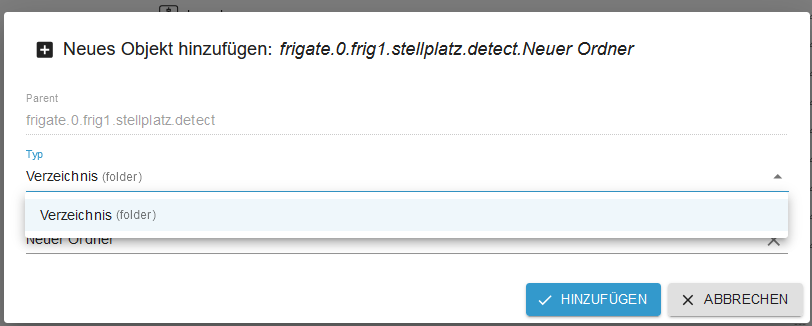
  • [erl.] state-Datenpunkt erzeugen nicht mehr möglich?

    7
    2
    0 Votes
    7 Posts
    143 Views
    MartinPM
    @haus-automatisierung Sehe ich auch so - Titel angepasst
  • iobroker Oberfläche nach Stromausfall nicht zu erreichen

    37
    0 Votes
    37 Posts
    5k Views
    Thomas BraunT
    @bananajoe sagte in iobroker Oberfläche nach Stromausfall nicht zu erreichen: das es bei Linux keine regelmäßigen Patch-Days wie bei Microsoft gibt Das hängt von der Distribution ab, wie das gehandhabt wird. Gibt ja schon zwischen Debian und Ubuntu Unterschiede, bei anderen Systemen sieht das dann nochmal ganz anders aus... Ich bin jetzt schon genervt von den Admin-Meldungen ... wtf, ich hab doch erst heute morgen Updates eingespielt ... und die Meldung kommt ja bei jedem Aufruf des Admins. Einen Tod musste halt sterben... Gar keine Info ist falsch, beständiges 'nerven' kann auch zu einer Abwehrhaltung führen, was auch wieder falsch ist. Und zurückgehaltene Updates werden genauso gemeldet (also Updates die schon gelistet sind, aber in Wellen verteilt werden) Bei reinem Debian nicht, die haben keine staged updates. Ist eine Ubuntu-Eigenart. Vielleicht würde es ausreichen, wenn die Meldung auf vorliegende Updates nur einmal in der Woche kommt?
  • Statistic Adapter berechnet falschen Average

    23
    0 Votes
    23 Posts
    2k Views
    hg6806H
    Was mir gerade einfällt. Sourceanalytix kann das ja auch. Also eine Leistung kumulieren und damit die Zeit mit einbeziehen und Arbeit in kWh daraus basteln. Wenn ich die momentane Leistung nun als neuen Datenpunkt nur im Bezugsfall erfasse und direkt in Sourceanalytix speise, habe ich direkt den gewünschten Wert ohne noch den Stromzählerwert mit einzubeziehen. Wobei das mit dem Testen schwierig wird, da ich wahrscheinlich vor November oder gar Dezember keinen Bezugsfall haben werde.
  • raspi stürzt alle 2 Tage ab.

    68
    0 Votes
    68 Posts
    6k Views
    rtwlR
    so, per Blockly wird nun alle 5 Min dieser Code abgefragt, und wenn nicht 0x0 kommt, werde ich per Pushover benachrichtigt. Danke für den Tipp! 👍
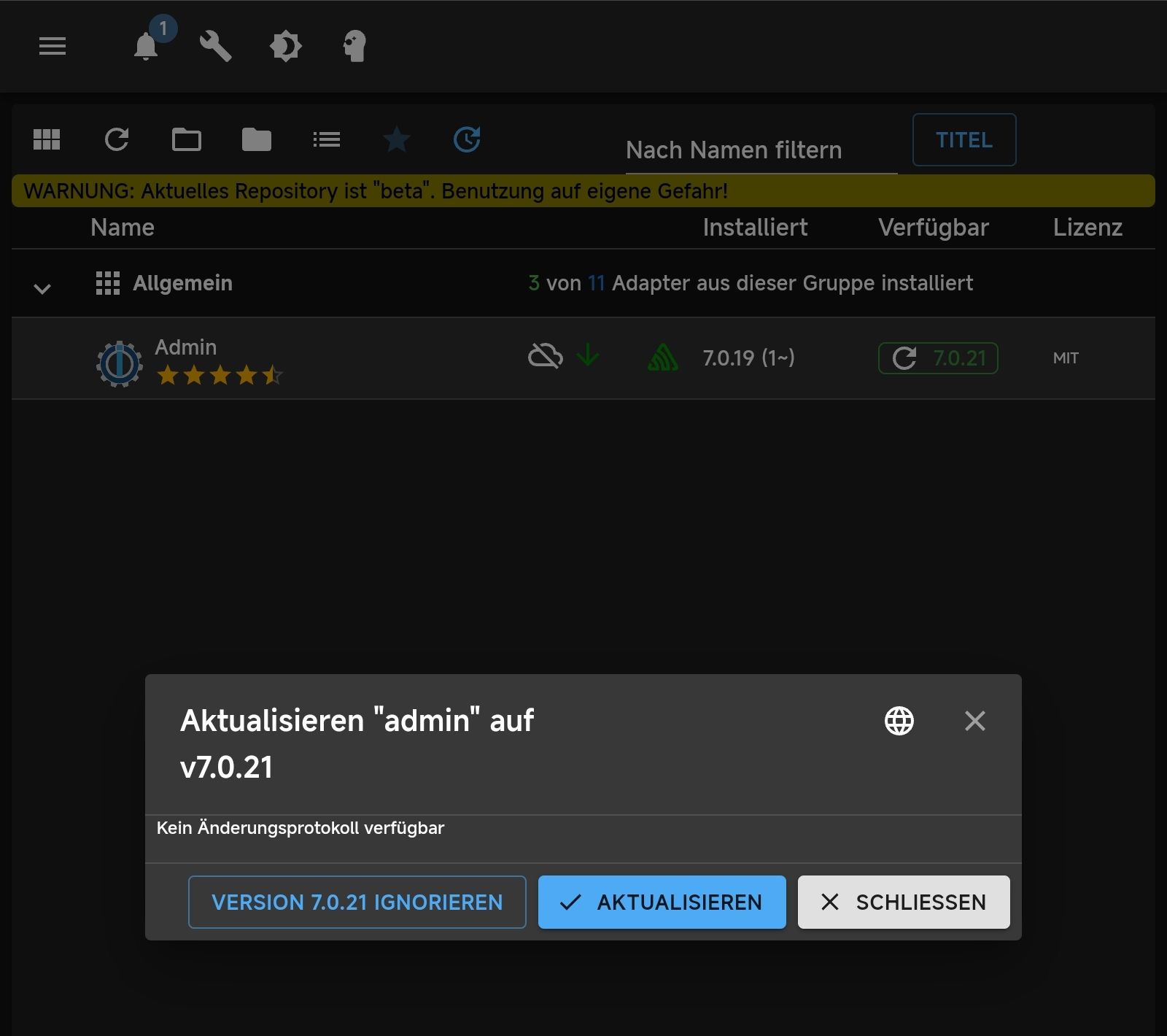
  • Admin 7.0.21 ohne Changelog

    4
    1
    0 Votes
    4 Posts
    328 Views
    haus-automatisierungH
    @shadowhunter23 Da die heute erst freigegeben wurde, dauert es immer ein paar Stunden bis das Repo neu erstellt wird. Das passiert 2x am Tag. Sollte dir spätestens morgen angeboten werden.
  • Kann keine Instanzen mehr hinzufügen

    29
    0 Votes
    29 Posts
    2k Views
    Bernd1967B
    Seit Admin 7.0.21 funktioniert das mit dem web Adapter wieder. Vielleicht gehen dann auch die anderen Adapter
  • [Closed] Shelly: "General Status Notifications" are disabled

    shelly plus 1
    7
    0 Votes
    7 Posts
    994 Views
    hruH
    sorry mein Fehler, ich habe nicht richtig gelesen!
  • JavaScript-Adapter 8.7.2 - Namen rechtsbündig

    23
    1
    0 Votes
    23 Posts
    3k Views
    paul53P
    @armilar sagte: Bei mir sieht das tabellarisch ganz ordentlich aus: Bei mir nur dann, wenn ich das Editor-Fenster schmaler mache als normal zum Editieren.
  • neues System Debian 12 -> Backup Influx, Grafana einspielen

    grafana influx-db
    2
    0 Votes
    2 Posts
    131 Views
    T
    @bobber69 wenn der iobroker eine neue ip-Adresse hat, musst du diese überall eingeben. kenne ich nicht wenn du die Datenbank neu installiert hast, hast du auch ein neues Token. Das musst du im Adapter eingeben.
  • Sungrow SG (nicht Hybrid) Modbus Register TSV

    2
    0 Votes
    2 Posts
    311 Views
    M
    ich habe mal mit hilfe von Internet-Recherchen was zusammengestellt ich bin mir noch nicht sicher ob alles richtig ist, aber vielleicht hilft es Anderen ja schon _address name description unit type len factor offset formula role room cw isScale 5002 Daily PV Generation PV-Stromerzeugung heute Kwh uint16be 1 0.1 0 value true false 5003 Total PV Generation PV-Stromerzeugung gesamt Kwh uint32sw 2 0.1 0 value true false 5005 Total running time yields Gesamt Laufzeit h uint32be 1 0.1 0 value true false 5007 Inside Temperature Temperatur im Wechselrichter °C int16be 1 0.1 0 value true false 5010 MPPT 1 Voltage MPPT1 Spannung V uint16be 1 0.1 0 value true false 5011 MPPT 1 Current MPPT1 Strom A uint16be 1 0.1 0 value true false 5012 MPPT 2 Voltage MPPT2 Spannung V uint16be 1 0.1 0 value true false 5013 MPPT 2 Current MPPT2 Strom A uint16be 1 0.1 0 value true false 5014 MPPT 3 Voltage MPPT3 Spannung V uint16be 1 0.1 0 value true false 5015 MPPT 3 Current MPPT3 Strom A uint16be 1 0.1 0 value true false 5016 Total DC Power PV-Leistung aktuell W uint32sw 2 1 0 value true false 5018 Voltage Ph A Spannung Phase A V uint16be 1 0.1 0 value true false 5019 Voltage Ph B Spannung Phase C V uint16be 1 0.1 0 value true false 5020 Voltage Ph C Spannung Phase C V uint16be 1 0.1 0 value true false 5021 Ph A Current Strom Phase A A uint16be 1 0.1 0 value true false 5022 Ph B Current Strom Phase C A uint16be 1 0.1 0 value true false 5023 Ph C Current Strom Phase C A uint16be 1 0.1 0 value true false 5030 Total DC Power PV-Leistung aktuell W uint32sw 2 1 0 value true false 5035 Grid Frequency Netzfrequenz Hz uint16be 1 0.1 0 value true false 5037 Running State Betriebsstatus uint16be 1 1 0 value true false 5044 Fault/Alarmcode 1 Störung/Alarmcode 1 uint16be 1 1 0 value true false 5112 Daily running time Tägliche Laufzeit min uint16be 1 0 0 value true false
  • Forecast.solar mit dem Systeminfo Adapter

    systeminfo solar json
    188
    0 Votes
    188 Posts
    30k Views
    GarganoG
    @jb_sullivan Hier der Code mit axios: getSolar() ist die eigentliche Funktion. Es gibt auch einen Adapter, der aus dem Script hervorging hier der Adapter // Test mit VS Code Extension /* read solar forecasts for 3 different orientations Author : gargano Display in VIS : use JSON Chart from Scrounger Version 1.1.0 Last Update 13.3.2022 Change history : use axios */ const prefix = '0_userdata.0.'; const idSolarJSON1 = prefix+"SolarForecast3.SuedOst.JSON"; const idSolarJSON2 = prefix+"SolarForecast3.Dach.JSON"; const idSolarJSON3 = prefix+"SolarForecast3.SuedWest.JSON"; const idSolarToday1 = prefix+"SolarForecast3.SuedOst.Today"; const idSolarToday2 = prefix+"SolarForecast3.Dach.Today"; const idSolarToday3 = prefix+"SolarForecast3.SuedWest.Today"; const idSolarTomorrow1 = prefix+"SolarForecast3.SuedOst.Tomorrow"; const idSolarTomorrow2 = prefix+"SolarForecast3.Dach.Tomorrow"; const idSolarPanelTomorrow= prefix+"SolarForecast3.Solar.Tomorrow"; const idSolarPanelToDay = prefix+"SolarForecast3.Solar.ToDay"; const idSolarTomorrow3 = prefix+"SolarForecast3.SuedWest.Tomorrow"; const idSolarJSONTable = prefix+"SolarForecast3.JSONTable"; const idSolarJSONGraph = prefix+"SolarForecast3.JSONGraph"; const idSolarDachJSONGraph = prefix+"SolarForecast3.Dach.JSONGraph"; const createStateList = [ {name :idSolarJSON1, type:"string", role : "value"}, {name :idSolarJSON2, type:"string", role : "value"}, {name :idSolarJSON3, type:"string", role : "value"}, {name :idSolarToday1, type:"number", role : "value"}, {name :idSolarToday2, type:"number", role : "value"}, {name :idSolarToday3, type:"number", role : "value"}, {name :idSolarTomorrow1, type:"number", role : "value"}, {name :idSolarTomorrow2, type:"number", role : "value"}, {name :idSolarTomorrow3, type:"number", role : "value"}, {name :idSolarPanelTomorrow, type:"number", role : "value"}, {name :idSolarPanelToDay, type:"number", role : "value"}, {name :idSolarJSONTable, type:"string", role : "value"}, {name :idSolarJSONGraph, type:"string", role : "value"}, {name :idSolarDachJSONGraph, type:"string", role : "value"} ] // create states if not exists async function createMyState(item) { if (!existsState(item.name)) { await createStateAsync(item.name, { type: item.type, min: 0, def: 0, role: item.role }); } } async function makeMyStateList (array) { // map array to promises const promises = array.map(createMyState); await Promise.all(promises); } async function main () { await makeMyStateList(createStateList); schedule(mySchedule, getSolar ); getSolar(); } main(); // define axios and url const axios = require('axios'); /* https://api.forecast.solar/estimate/:lat/:lon/:dec/:az/:kwp lat - latitude of location, -90 (south) … 90 (north) lon - longitude of location, -180 (west) … 180 (east) dec - plane declination, 0 (horizontal) … 90 (vertical) az - plane azimuth, -180 … 180 (-180 = north, -90 = east, 0 = south, 90 = west, 180 = north) kwp - installed modules power in kilo watt */ // set lat and lon for the destination const lat = myLat; // defined in global const long = myLon; // defined in global const url = 'https://api.forecast.solar/estimate/'; // Fenster Wohnzimmer var url1 = url+lat+'/'+long+'/90/-30/1'; // Dach var url2 = url+lat+'/'+long+'/35/60/6.2'; // Fenster Küche / Schlafzimmer var url3 = url+lat+'/'+long+'/90/60/1'; const legendTest = ["Wohn","Dach","Küche"]; const graphColor = ["red","green","yellow"]; const datalabelColor = ["lightgreen","lightblue","lightblue"]; const tooltipAppendText= " kWh"; var solarJson1; var solarJson2; var solarJson3; var solarJsons = [solarJson1,solarJson2,solarJson3]; const idSolarJSONS = [idSolarJSON1,idSolarJSON2,idSolarJSON3] const idSolarToDayS = [idSolarToday1,idSolarToday2,idSolarToday3] const idSolarTomorrowS = [idSolarTomorrow1,idSolarTomorrow2,idSolarTomorrow3] const logging = true; const mySchedule ='{"time":{"start":"03:00","end":"23:00","mode":"hours","interval":1},"period":{"days":1}}' // handle the request : convert the result to table and graph async function makeResponse (thisResponse,thisIDSolarJSON,idx,thisIDSolarToDay,thisIDSolarTomorrow) { // handle success var datetoday = new Date(); var datetomorrow = new Date(datetoday.getTime()+(1000 * 60 * 60 * 24 * 1)); // übermorgen wäre dann am Ende eine 2 anstatt 1 let today = formatDate(datetoday, 'YYYY-MM-DD'); let tomorrow = formatDate(datetomorrow, 'YYYY-MM-DD'); var watts = thisResponse.data.result.watts; if (logging) log ('Watts '+JSON.stringify(watts)); let table = []; for(let time in watts) { let entry = {}; entry.Uhrzeit = time; entry.Leistung = watts[time]; table.push(entry); } let kWhToDay = thisResponse.data.result.watt_hours_day[today]/1000; let kWhTomorrow = thisResponse.data.result.watt_hours_day[tomorrow]/1000; solarJsons[idx] = JSON.stringify(table); await setStateAsync(thisIDSolarJSON, JSON.stringify(table), true); await setStateAsync(thisIDSolarToDay, kWhToDay, true); await setStateAsync(thisIDSolarTomorrow, kWhTomorrow, true); } // summarize the single watts results to table and graph async function makeTable () { if (logging) log ('MakeTable'); let watts1 = JSON.parse(solarJsons[0]); let watts2 = JSON.parse(solarJsons[1]); let watts3 = JSON.parse(solarJsons[2]); if (logging) log ('Items: '+watts1.length); let table = []; let axisLabels = []; // make table for(var n=0;n<watts1.length;n++) { let entry = {}; entry.Uhrzeit = watts1[n].Uhrzeit; entry.Leistung1 = watts1[n].Leistung; entry.Leistung2 = watts2[n].Leistung; entry.Leistung3 = watts3[n].Leistung; entry.Summe = watts1[n].Leistung + watts2[n].Leistung+ watts3[n].Leistung; table.push(entry); } // prepare data for graph let graphTimeData1 = []; for(var n=0;n<watts1.length;n++) { graphTimeData1.push(watts1[n].Leistung); let time = watts1[n].Uhrzeit.substr(11,5); axisLabels.push(time); } let graphTimeData2 = []; for(var n=0;n<watts2.length;n++) { graphTimeData2.push(watts2[n].Leistung); } let graphTimeData3 = []; for(var n=0;n<watts3.length;n++) { graphTimeData3.push(watts3[n].Leistung); } // make total graph var graph = {}; var graphAllData = []; var graphData = {"tooltip_AppendText":tooltipAppendText,"legendText": legendTest[0],"yAxis_id": 1,"type": "bar","displayOrder": 1,"barIsStacked": true,"color":graphColor[0],"barStackId":1,"datalabel_rotation":-90,"datalabel_color":datalabelColor[0],"datalabel_fontSize":10}; graphData.data = graphTimeData1; graphAllData.push(graphData); graphData = {"tooltip_AppendText": tooltipAppendText,"legendText": legendTest[1],"yAxis_id": 1,"type": "bar","displayOrder": 2,"barIsStacked": true,"color":graphColor[1],"barStackId":1,"datalabel_rotation":-90,"datalabel_color":datalabelColor[1],"datalabel_fontSize":10}; graphData.data = graphTimeData2; graphAllData.push(graphData); graphData = {"tooltip_AppendText": tooltipAppendText,"legendText": legendTest[2],"yAxis_id": 1,"type": "bar","displayOrder": 3,"barIsStacked": true,"color":graphColor[2],"barStackId":1,"datalabel_rotation":-90,"datalabel_color":datalabelColor[2],"datalabel_fontSize":10}; graphData.data = graphTimeData3; graphAllData.push(graphData); graph.graphs=graphAllData; graph.axisLabels = axisLabels; setState(idSolarJSONTable, JSON.stringify(table), true); setState(idSolarJSONGraph, JSON.stringify(graph), true); // make Dach graph var graph = {}; var graphAllData = []; var graphData = {"tooltip_AppendText":tooltipAppendText,"legendText": legendTest[1],"yAxis_id": 1,"type": "bar","displayOrder": 1,"barIsStacked": true,"color":graphColor[0],"barStackId":1,"datalabel_rotation":-90,"datalabel_color":datalabelColor[0],"datalabel_fontSize":10}; graphData.data = graphTimeData2; graphAllData.push(graphData); graph.graphs=graphAllData; graph.axisLabels = axisLabels; setState(idSolarDachJSONGraph, JSON.stringify(graph), true); } async function getSolar() { const request1 = axios.get(url1); const request2 = axios.get(url2); const request3 = axios.get(url3); let requests = [request1,request2,request3]; await axios .all(requests) .then (axios.spread(async (...responses) => { // use/access the results for (var n=0;n<responses.length;n++) { if (logging) console.log(responses[n].data); await makeResponse (responses[n],idSolarJSONS[n],n,idSolarToDayS[n],idSolarTomorrowS[n]); } if (logging) console.log("All url loaded"); await makeTable(); let vDachToDay = parseFloat(((await getStateAsync(idSolarToday2)).val).toFixed(2)); setState(idSolarPanelToDay,vDachToDay); let vDachTomorrow = parseFloat(((await getStateAsync(idSolarTomorrow2)).val).toFixed(2)); setState(idSolarPanelTomorrow,vDachTomorrow); })) .catch(errors => { // react on errors. console.log(errors) }) }

322

Online

32.8k

Users

82.8k

Topics

1.3m

Posts