



Skip to content
  • Home
  • Recent
  • Tags
  • 0 Unread 0
  • Categories
  • Unreplied
  • Popular
  • GitHub
  • Docu
  • Hilfe
Skins
  • Light
  • Brite
  • Cerulean
  • Cosmo
  • Flatly
  • Journal
  • Litera
  • Lumen
  • Lux
  • Materia
  • Minty
  • Morph
  • Pulse
  • Sandstone
  • Simplex
  • Sketchy
  • Spacelab
  • United
  • Yeti
  • Zephyr
  • Dark
  • Cyborg
  • Darkly
  • Quartz
  • Slate
  • Solar
  • Superhero
  • Vapor

  • Default (No Skin)
  • No Skin
Collapse
ioBroker Logo

Community Forum

donate donate
  1. ioBroker Community Home
  2. Deutsch
  3. Error/Bug
  4. iobroker exit 25 bei Adapter-Update

NEWS

  • UPDATE 31.10.: Amazon Alexa - ioBroker Skill läuft aus ?
    apollon77A
    apollon77
    48
    3
    8.8k

  • Monatsrückblick – September 2025
    BluefoxB
    Bluefox
    13
    1
    2.2k

  • Neues Video "KI im Smart Home" - ioBroker plus n8n
    BluefoxB
    Bluefox
    16
    1
    3.2k

iobroker exit 25 bei Adapter-Update

Scheduled Pinned Locked Moved Error/Bug
113 Posts 8 Posters 14.5k Views 7 Watching
  • Oldest to Newest
  • Newest to Oldest
  • Most Votes
Reply
  • Reply as topic
Log in to reply
This topic has been deleted. Only users with topic management privileges can see it.
  • Siggi0904S Siggi0904

    @zeroqool hast du denn den mihome-vacuum Adapter installiert?

    Der war, ich hoffe es, bei mir das Problem.
    Wenn du davon die Beta installierst, oder auf die stable 4.2.0 wartest behebt es das zlib Problem.

    Denn dann dürfte grep -r node-waf kein zlib mehr anzeigen.
    Ansonsten zeig mal, was bei npm ls zlib rauskommt.

    Z Offline
    Z Offline
    ZeroQool
    wrote on last edited by
    #95

    @siggi0904 said in iobroker exit 25 bei Adapter-Update:

    npm ls zlib

    root@iobroker:/opt/iobroker# npm ls zlib
    iobroker.inst@2.0.2 /opt/iobroker
    -- iobroker.mihome-vacuum@4.1.1 -- zlib@1.0.5

    root@iobroker:/opt/iobroker#

    Thomas BraunT 1 Reply Last reply
    0
    • Siggi0904S Siggi0904

      @zeroqool hast du denn den mihome-vacuum Adapter installiert?

      Der war, ich hoffe es, bei mir das Problem.
      Wenn du davon die Beta installierst, oder auf die stable 4.2.0 wartest behebt es das zlib Problem.

      Denn dann dürfte grep -r node-waf kein zlib mehr anzeigen.
      Ansonsten zeig mal, was bei npm ls zlib rauskommt.

      Z Offline
      Z Offline
      ZeroQool
      wrote on last edited by
      #96

      @siggi0904 said in iobroker exit 25 bei Adapter-Update:

      grep -r node-waf

      ist ein riesen Log aber mit Fehler:
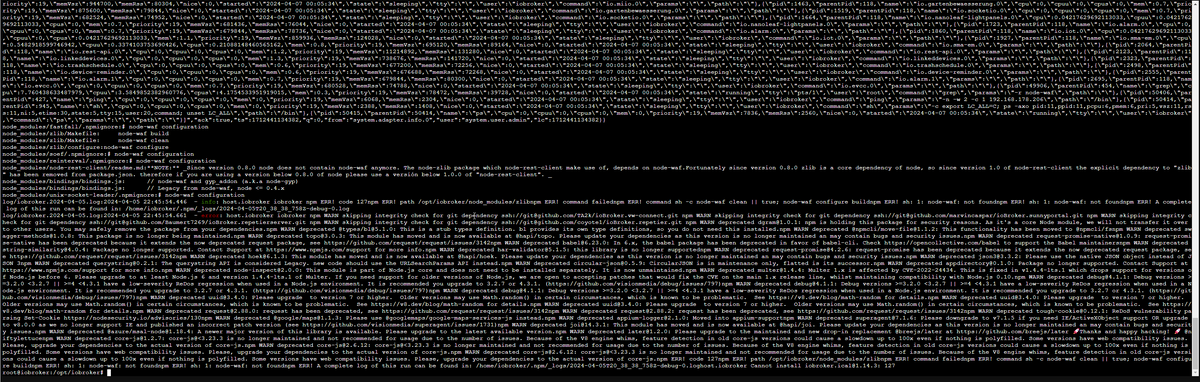
      b2324ad4-5fff-4550-a76e-147ef920af2f-image.png

      1 Reply Last reply
      0
      • Z ZeroQool

        @siggi0904 said in iobroker exit 25 bei Adapter-Update:

        npm ls zlib

        root@iobroker:/opt/iobroker# npm ls zlib
        iobroker.inst@2.0.2 /opt/iobroker
        -- iobroker.mihome-vacuum@4.1.1 -- zlib@1.0.5

        root@iobroker:/opt/iobroker#

        Thomas BraunT Online
        Thomas BraunT Online
        Thomas Braun
        Most Active
        wrote on last edited by
        #97

        @zeroqool sagte in iobroker exit 25 bei Adapter-Update:

        root@iobroker:/opt/iobroker# npm ls zlib

        NICHT als root herum hampeln. Und schon gar nicht im Verzeichnis von iobroker mit npm...
        Logs auch nicht als Screenshot sonder als Text in CodeTags.

        Als USER!

        iob stop 
        iob fix
        iob update
        

        Linux-Werkzeugkasten:
        https://forum.iobroker.net/topic/42952/der-kleine-iobroker-linux-werkzeugkasten
        NodeJS Fixer Skript:
        https://forum.iobroker.net/topic/68035/iob-node-fix-skript
        iob_diag: curl -sLf -o diag.sh https://iobroker.net/diag.sh && bash diag.sh

        Z 1 Reply Last reply
        0
        • Thomas BraunT Thomas Braun

          @zeroqool sagte in iobroker exit 25 bei Adapter-Update:

          root@iobroker:/opt/iobroker# npm ls zlib

          NICHT als root herum hampeln. Und schon gar nicht im Verzeichnis von iobroker mit npm...
          Logs auch nicht als Screenshot sonder als Text in CodeTags.

          Als USER!

          iob stop 
          iob fix
          iob update
          
          Z Offline
          Z Offline
          ZeroQool
          wrote on last edited by ZeroQool
          #98

          @thomas-braun OK, aber muss zugeben, dass ich den Proxmox Container seit mehreren Jahren so laufen habe.

          iob stop && iob update && iob fix && iob upgrade self && iob start

          Habe ich auch schon ausgeführt. aber keine Verbesserung. hatte vorher node 14 oder so u nun 18.20.1

          Thomas BraunT 1 Reply Last reply
          0
          • Z ZeroQool

            @thomas-braun OK, aber muss zugeben, dass ich den Proxmox Container seit mehreren Jahren so laufen habe.

            iob stop && iob update && iob fix && iob upgrade self && iob start

            Habe ich auch schon ausgeführt. aber keine Verbesserung. hatte vorher node 14 oder so u nun 18.20.1

            Thomas BraunT Online
            Thomas BraunT Online
            Thomas Braun
            Most Active
            wrote on last edited by
            #99

            @zeroqool sagte in iobroker exit 25 bei Adapter-Update:

            dass ich den Proxmox Container seit mehreren Jahren so laufen habe.

            Das heißt ja nix. Nur das du es dann halt seit Jahren falsch machst.

            Habe ich auch schon ausgeführt. aber keine Verbesserung. hatte vorher node 14 oder so u nun 16

            Zeigen. Und aktuell ist nodejs@18...
            Zeig am besten mal den ganzen Quark...

            iob stop 
            iob fix 
            iob diag
            

            Linux-Werkzeugkasten:
            https://forum.iobroker.net/topic/42952/der-kleine-iobroker-linux-werkzeugkasten
            NodeJS Fixer Skript:
            https://forum.iobroker.net/topic/68035/iob-node-fix-skript
            iob_diag: curl -sLf -o diag.sh https://iobroker.net/diag.sh && bash diag.sh

            Z 1 Reply Last reply
            0
            • Thomas BraunT Thomas Braun

              @zeroqool sagte in iobroker exit 25 bei Adapter-Update:

              dass ich den Proxmox Container seit mehreren Jahren so laufen habe.

              Das heißt ja nix. Nur das du es dann halt seit Jahren falsch machst.

              Habe ich auch schon ausgeführt. aber keine Verbesserung. hatte vorher node 14 oder so u nun 16

              Zeigen. Und aktuell ist nodejs@18...
              Zeig am besten mal den ganzen Quark...

              iob stop 
              iob fix 
              iob diag
              
              Z Offline
              Z Offline
              ZeroQool
              wrote on last edited by
              #100

              @thomas-braun said in iobroker exit 25 bei Adapter-Update:

              Das heißt ja nix. Nur das du es dann halt seit Jahren falsch machst.

              library: loaded
              Library version=2024-01-04

              ==========================================================================

              Welcome to the ioBroker installation fixer!
              Script version: 2024-01-04
              

              ==========================================================================

              ==========================================================================
              Installing prerequisites (1/5)

              Hit:1 http://ftp.debian.org/debian bookworm InRelease
              Hit:2 http://security.debian.org bookworm-security InRelease
              Hit:3 http://ftp.debian.org/debian bookworm-updates InRelease
              Hit:4 https://deb.nodesource.com/node_18.x nodistro InRelease
              Reading package lists... Done

              ==========================================================================
              Checking ioBroker user and directory permissions (2/5)

              Created /etc/sudoers.d/iobroker
              Fixing directory permissions...

              ==========================================================================
              Check and cleanup npm temporary directories (3/5)

              Done.

              ==========================================================================
              Database maintenance (4/5)

              Checking for uncompressed JSONL databases... This might take a while!

              Compressing /opt/iobroker/iobroker-data/states.jsonl
              Compressing /opt/iobroker/iobroker-data/objects.jsonl
              Compressed 2 JSONL files. Done

              ==========================================================================
              Checking autostart (5/5)

              Enabling autostart...
              Autostart enabled!

              ==========================================================================

              Your installation was fixed successfully
              Run iobroker start to start ioBroker again!
              

              ==========================================================================

              This script must not be run as root!
              Please use your standard user!

              Thomas BraunT 1 Reply Last reply
              0
              • Z ZeroQool

                @thomas-braun said in iobroker exit 25 bei Adapter-Update:

                Das heißt ja nix. Nur das du es dann halt seit Jahren falsch machst.

                library: loaded
                Library version=2024-01-04

                ==========================================================================

                Welcome to the ioBroker installation fixer!
                Script version: 2024-01-04
                

                ==========================================================================

                ==========================================================================
                Installing prerequisites (1/5)

                Hit:1 http://ftp.debian.org/debian bookworm InRelease
                Hit:2 http://security.debian.org bookworm-security InRelease
                Hit:3 http://ftp.debian.org/debian bookworm-updates InRelease
                Hit:4 https://deb.nodesource.com/node_18.x nodistro InRelease
                Reading package lists... Done

                ==========================================================================
                Checking ioBroker user and directory permissions (2/5)

                Created /etc/sudoers.d/iobroker
                Fixing directory permissions...

                ==========================================================================
                Check and cleanup npm temporary directories (3/5)

                Done.

                ==========================================================================
                Database maintenance (4/5)

                Checking for uncompressed JSONL databases... This might take a while!

                Compressing /opt/iobroker/iobroker-data/states.jsonl
                Compressing /opt/iobroker/iobroker-data/objects.jsonl
                Compressed 2 JSONL files. Done

                ==========================================================================
                Checking autostart (5/5)

                Enabling autostart...
                Autostart enabled!

                ==========================================================================

                Your installation was fixed successfully
                Run iobroker start to start ioBroker again!
                

                ==========================================================================

                This script must not be run as root!
                Please use your standard user!

                Thomas BraunT Online
                Thomas BraunT Online
                Thomas Braun
                Most Active
                wrote on last edited by
                #101

                @zeroqool sagte in iobroker exit 25 bei Adapter-Update:

                This script must not be run as root!
                Please use your standard user!

                Auch da...
                ALS USER ARBEITEN!!!!!!!!!

                Linux-Werkzeugkasten:
                https://forum.iobroker.net/topic/42952/der-kleine-iobroker-linux-werkzeugkasten
                NodeJS Fixer Skript:
                https://forum.iobroker.net/topic/68035/iob-node-fix-skript
                iob_diag: curl -sLf -o diag.sh https://iobroker.net/diag.sh && bash diag.sh

                Z 1 Reply Last reply
                0
                • Thomas BraunT Thomas Braun

                  @zeroqool sagte in iobroker exit 25 bei Adapter-Update:

                  This script must not be run as root!
                  Please use your standard user!

                  Auch da...
                  ALS USER ARBEITEN!!!!!!!!!

                  Z Offline
                  Z Offline
                  ZeroQool
                  wrote on last edited by
                  #102

                  @thomas-braun said in iobroker exit 25 bei Adapter-Update:

                  ALS USER ARBEITEN!!!!!!!!!

                  OK, erstelle mir einen neuen User. Würde es etwas bringen auf eine andere NodeJS zu aktualisieren?

                  Thomas BraunT 1 Reply Last reply
                  0
                  • Z ZeroQool

                    @thomas-braun said in iobroker exit 25 bei Adapter-Update:

                    ALS USER ARBEITEN!!!!!!!!!

                    OK, erstelle mir einen neuen User. Würde es etwas bringen auf eine andere NodeJS zu aktualisieren?

                    Thomas BraunT Online
                    Thomas BraunT Online
                    Thomas Braun
                    Most Active
                    wrote on last edited by
                    #103

                    @zeroqool sagte in iobroker exit 25 bei Adapter-Update:

                    OK, erstelle mir einen neuen User.

                    In der Doku zum ioBroker steht wie es gemacht wird.

                    Würde es etwas bringen auf eine andere NodeJS zu aktualisieren?

                    Du bist doch (vermutlich) auf nodejs18. Das passt also.

                    Linux-Werkzeugkasten:
                    https://forum.iobroker.net/topic/42952/der-kleine-iobroker-linux-werkzeugkasten
                    NodeJS Fixer Skript:
                    https://forum.iobroker.net/topic/68035/iob-node-fix-skript
                    iob_diag: curl -sLf -o diag.sh https://iobroker.net/diag.sh && bash diag.sh

                    Z 1 Reply Last reply
                    0
                    • Thomas BraunT Thomas Braun

                      @zeroqool sagte in iobroker exit 25 bei Adapter-Update:

                      OK, erstelle mir einen neuen User.

                      In der Doku zum ioBroker steht wie es gemacht wird.

                      Würde es etwas bringen auf eine andere NodeJS zu aktualisieren?

                      Du bist doch (vermutlich) auf nodejs18. Das passt also.

                      Z Offline
                      Z Offline
                      ZeroQool
                      wrote on last edited by
                      #104

                      @thomas-braun Sorry hatte mich verschrieben, bin auf 18

                      Z 1 Reply Last reply
                      0
                      • Z ZeroQool

                        @thomas-braun Sorry hatte mich verschrieben, bin auf 18

                        Z Offline
                        Z Offline
                        ZeroQool
                        wrote on last edited by
                        #105

                        @zeroqool Habe es gelöst. Manuell NodeJS installiert und dann lief alles

                        Thomas BraunT 1 Reply Last reply
                        0
                        • Z ZeroQool

                          @zeroqool Habe es gelöst. Manuell NodeJS installiert und dann lief alles

                          Thomas BraunT Online
                          Thomas BraunT Online
                          Thomas Braun
                          Most Active
                          wrote on last edited by
                          #106

                          @zeroqool

                          Zeig den Output von

                          iob diag
                          

                          her. Deine Installation ist vermutlich jetzt krumm und schief...

                          Linux-Werkzeugkasten:
                          https://forum.iobroker.net/topic/42952/der-kleine-iobroker-linux-werkzeugkasten
                          NodeJS Fixer Skript:
                          https://forum.iobroker.net/topic/68035/iob-node-fix-skript
                          iob_diag: curl -sLf -o diag.sh https://iobroker.net/diag.sh && bash diag.sh

                          1 Reply Last reply
                          0
                          • Z Offline
                            Z Offline
                            ZeroQool
                            wrote on last edited by
                            #107

                            @thomas-braun Hast Recht:

                            Copy text starting here:

                            ======================= SUMMARY =======================
                                                    v.2023-10-10
                            
                            
                             Static hostname: iobroker
                                   Icon name: computer-container
                                     Chassis: container ☐
                              Virtualization: lxc
                            Operating System: Debian GNU/Linux 12 (bookworm)
                                      Kernel: Linux 6.5.13-3-pve
                                Architecture: x86-64
                            
                            Installation:           lxc
                            Kernel:                 x86_64
                            Userland:               amd64
                            Timezone:               Europe/Berlin (CEST, +0200)
                            User-ID:                1000
                            X-Server:               false
                            Boot Target:            graphical.target
                            
                            Pending OS-Updates:     0
                            Pending iob updates:    2
                            
                            Nodejs-Installation:    /usr/bin/nodejs         v18.20.1
                                                    /usr/local/bin/node             v18.0.0
                                                    /usr/local/bin/npm              8.6.0
                                                    /usr/local/bin/npx              8.6.0
                                                    /usr/local/bin/corepack         0.10.0
                            
                            Recommended versions are nodejs 18.20.1 and npm 10.5.0
                            *** nodejs is NOT correctly installed ***
                            Wrong installation path detected. This needs to be fixed.
                            
                            Please check
                            https://forum.iobroker.net/topic/35090/howto-nodejs-installation-und-upgrades-unter-debian
                            for more information on how to fix these errors.
                            
                            MEMORY:
                                           total        used        free      shared  buff/cache   available
                            Mem:             10G        5.5G        2.2G        1.5M        3.1G        5.3G
                            Swap:           8.6G        624M        8.0G
                            Total:           19G        6.1G         10G
                            
                            Active iob-Instances:   55
                            Active repo(s): Beta (latest)
                            
                            ioBroker Core:          js-controller           5.0.19
                                                    admin                   6.13.16
                            
                            ioBroker Status:        iobroker is running on this host.
                            
                            
                            Objects type: jsonl
                            States  type: jsonl
                            
                            Status admin and web instance:
                            + system.adapter.admin.0                  : admin                 : iobroker                                 -  enabled, port: 8081, bind: 192.168.178.83 (SSL), run as: admin
                            + system.adapter.web.0                    : web                   : iobroker                                 -  enabled, port: 8082, bind: 0.0.0.0 (SSL), run as: admin
                            
                            Objects:                97434
                            States:                 59358
                            
                            Size of iob-Database:
                            
                            91M     /opt/iobroker/iobroker-data/objects.jsonl
                            37M     /opt/iobroker/iobroker-data/objects.json.migrated
                            37M     /opt/iobroker/iobroker-data/objects.json.bak.migrated
                            69M     /opt/iobroker/iobroker-data/states.jsonl
                            5.9M    /opt/iobroker/iobroker-data/states.json.migrated
                            5.9M    /opt/iobroker/iobroker-data/states.json.bak.migrated


                            =================== END OF SUMMARY ====================
                            

                            === Mark text until here for copying ===
                            iobroker@iobroker:/opt/iobroker$

                            Thomas BraunT 1 Reply Last reply
                            0
                            • Z ZeroQool

                              @thomas-braun Hast Recht:

                              Copy text starting here:

                              ======================= SUMMARY =======================
                                                      v.2023-10-10
                              
                              
                               Static hostname: iobroker
                                     Icon name: computer-container
                                       Chassis: container ☐
                                Virtualization: lxc
                              Operating System: Debian GNU/Linux 12 (bookworm)
                                        Kernel: Linux 6.5.13-3-pve
                                  Architecture: x86-64
                              
                              Installation:           lxc
                              Kernel:                 x86_64
                              Userland:               amd64
                              Timezone:               Europe/Berlin (CEST, +0200)
                              User-ID:                1000
                              X-Server:               false
                              Boot Target:            graphical.target
                              
                              Pending OS-Updates:     0
                              Pending iob updates:    2
                              
                              Nodejs-Installation:    /usr/bin/nodejs         v18.20.1
                                                      /usr/local/bin/node             v18.0.0
                                                      /usr/local/bin/npm              8.6.0
                                                      /usr/local/bin/npx              8.6.0
                                                      /usr/local/bin/corepack         0.10.0
                              
                              Recommended versions are nodejs 18.20.1 and npm 10.5.0
                              *** nodejs is NOT correctly installed ***
                              Wrong installation path detected. This needs to be fixed.
                              
                              Please check
                              https://forum.iobroker.net/topic/35090/howto-nodejs-installation-und-upgrades-unter-debian
                              for more information on how to fix these errors.
                              
                              MEMORY:
                                             total        used        free      shared  buff/cache   available
                              Mem:             10G        5.5G        2.2G        1.5M        3.1G        5.3G
                              Swap:           8.6G        624M        8.0G
                              Total:           19G        6.1G         10G
                              
                              Active iob-Instances:   55
                              Active repo(s): Beta (latest)
                              
                              ioBroker Core:          js-controller           5.0.19
                                                      admin                   6.13.16
                              
                              ioBroker Status:        iobroker is running on this host.
                              
                              
                              Objects type: jsonl
                              States  type: jsonl
                              
                              Status admin and web instance:
                              + system.adapter.admin.0                  : admin                 : iobroker                                 -  enabled, port: 8081, bind: 192.168.178.83 (SSL), run as: admin
                              + system.adapter.web.0                    : web                   : iobroker                                 -  enabled, port: 8082, bind: 0.0.0.0 (SSL), run as: admin
                              
                              Objects:                97434
                              States:                 59358
                              
                              Size of iob-Database:
                              
                              91M     /opt/iobroker/iobroker-data/objects.jsonl
                              37M     /opt/iobroker/iobroker-data/objects.json.migrated
                              37M     /opt/iobroker/iobroker-data/objects.json.bak.migrated
                              69M     /opt/iobroker/iobroker-data/states.jsonl
                              5.9M    /opt/iobroker/iobroker-data/states.json.migrated
                              5.9M    /opt/iobroker/iobroker-data/states.json.bak.migrated


                              =================== END OF SUMMARY ====================
                              

                              === Mark text until here for copying ===
                              iobroker@iobroker:/opt/iobroker$

                              Thomas BraunT Online
                              Thomas BraunT Online
                              Thomas Braun
                              Most Active
                              wrote on last edited by
                              #108

                              @zeroqool

                              War mir klar...

                              iob nodejs-update 18
                              

                              ausführen und den Kram korrigieren lassen.

                              Linux-Werkzeugkasten:
                              https://forum.iobroker.net/topic/42952/der-kleine-iobroker-linux-werkzeugkasten
                              NodeJS Fixer Skript:
                              https://forum.iobroker.net/topic/68035/iob-node-fix-skript
                              iob_diag: curl -sLf -o diag.sh https://iobroker.net/diag.sh && bash diag.sh

                              1 Reply Last reply
                              0
                              • mcm1957M mcm1957

                                @thomas-braun
                                OK - na dann halt nochmal instzallieren.

                                Im ioBroker Adapter seh ich wenig Chancen da was zu machen. Außer jemand hat Zeit und Lust den Basiscode (externe lib) zu froken, zu aktualisisern und zu testen - oder neu zu schreiben. Aber mal sehen.

                                Siggi0904S Offline
                                Siggi0904S Offline
                                Siggi0904
                                wrote on last edited by
                                #109

                                @mcm57 Ich habe heute die Version 1.17.0 vom hm-rpc Adapter erhalten.
                                Leider bleibt die invalid-Meldung bestehen.

                                mcm1957M 1 Reply Last reply
                                0
                                • Siggi0904S Siggi0904

                                  @mcm57 Ich habe heute die Version 1.17.0 vom hm-rpc Adapter erhalten.
                                  Leider bleibt die invalid-Meldung bestehen.

                                  mcm1957M Online
                                  mcm1957M Online
                                  mcm1957
                                  wrote on last edited by mcm1957
                                  #110

                                  @siggi0904 said in iobroker exit 25 bei Adapter-Update:

                                  @mcm57 Ich habe heute die Version 1.17.0 vom hm-rpc Adapter erhalten.
                                  Leider bleibt die invalid-Meldung bestehen.

                                  Welche Meldung?
                                  Gibts ein Issue dazu?

                                  Entwicklung u Betreuung: envertech-pv, hoymiles-ms, ns-client, pid, snmp Adapter;
                                  Support Repositoryverwaltung.

                                  Wer Danke sagen will, kann nen Kaffee spendieren: https://paypal.me/mcm1957atiobroker

                                  LESEN - gute Forenbeitrage

                                  Siggi0904S 1 Reply Last reply
                                  0
                                  • mcm1957M mcm1957

                                    @siggi0904 said in iobroker exit 25 bei Adapter-Update:

                                    @mcm57 Ich habe heute die Version 1.17.0 vom hm-rpc Adapter erhalten.
                                    Leider bleibt die invalid-Meldung bestehen.

                                    Welche Meldung?
                                    Gibts ein Issue dazu?

                                    Siggi0904S Offline
                                    Siggi0904S Offline
                                    Siggi0904
                                    wrote on last edited by
                                    #111

                                    @mcm57 den da:

                                    https://forum.iobroker.net/post/1146867 - also die invalid-Meldung.
                                    Ich hatte per feature request die Aktualisierung angefragt.

                                    Danke.

                                    mcm1957M 1 Reply Last reply
                                    0
                                    • Siggi0904S Siggi0904

                                      @mcm57 den da:

                                      https://forum.iobroker.net/post/1146867 - also die invalid-Meldung.
                                      Ich hatte per feature request die Aktualisierung angefragt.

                                      Danke.

                                      mcm1957M Online
                                      mcm1957M Online
                                      mcm1957
                                      wrote on last edited by
                                      #112

                                      @siggi0904
                                      Ok
                                      Issue: https://github.com/ioBroker/ioBroker.hm-rpc/issues/1198

                                      Das issue ist nach wie vor offen wie auf Guthub zu sehen.

                                      Prinzipiell dürfte aber ein Problem mit deinem System vorliegen. Die Installation von 1.17.0 ist bei diversen Usern problemlos möglich. package-lock wird nebenbei gar nicht ausgeliefert (d.h. bei der Installation nicht downgeloaded sondern neu auf deinem System erstellt), eine Änderung der Datei ist daher für deine Installation irrelevant. Siehe auch Kommentar von Foxriver76 im Issue.

                                      Entwicklung u Betreuung: envertech-pv, hoymiles-ms, ns-client, pid, snmp Adapter;
                                      Support Repositoryverwaltung.

                                      Wer Danke sagen will, kann nen Kaffee spendieren: https://paypal.me/mcm1957atiobroker

                                      LESEN - gute Forenbeitrage

                                      Siggi0904S 1 Reply Last reply
                                      0
                                      • mcm1957M mcm1957

                                        @siggi0904
                                        Ok
                                        Issue: https://github.com/ioBroker/ioBroker.hm-rpc/issues/1198

                                        Das issue ist nach wie vor offen wie auf Guthub zu sehen.

                                        Prinzipiell dürfte aber ein Problem mit deinem System vorliegen. Die Installation von 1.17.0 ist bei diversen Usern problemlos möglich. package-lock wird nebenbei gar nicht ausgeliefert (d.h. bei der Installation nicht downgeloaded sondern neu auf deinem System erstellt), eine Änderung der Datei ist daher für deine Installation irrelevant. Siehe auch Kommentar von Foxriver76 im Issue.

                                        Siggi0904S Offline
                                        Siggi0904S Offline
                                        Siggi0904
                                        wrote on last edited by
                                        #113

                                        @mcm57 wenn du mir sagst, wie ich das beheben kann, gern.

                                        Ansonsten Adapter-Updates laufen normal durch und hm-rpc läuft auch.

                                        1 Reply Last reply
                                        0
                                        Reply
                                        • Reply as topic
                                        Log in to reply
                                        • Oldest to Newest
                                        • Newest to Oldest
                                        • Most Votes


                                        Support us

                                        ioBroker
                                        Community Adapters
                                        Donate

                                        826

                                        Online

                                        32.4k

                                        Users

                                        81.5k

                                        Topics

                                        1.3m

                                        Posts
                                        Community
                                        Impressum | Datenschutz-Bestimmungen | Nutzungsbedingungen | Einwilligungseinstellungen
                                        ioBroker Community 2014-2025
                                        logo
                                        • Login

                                        • Don't have an account? Register

                                        • Login or register to search.
                                        • First post
                                          Last post
                                        0
                                        • Home
                                        • Recent
                                        • Tags
                                        • Unread 0
                                        • Categories
                                        • Unreplied
                                        • Popular
                                        • GitHub
                                        • Docu
                                        • Hilfe