




iobroker exit 25 bei Adapter-Update
-
@thomas-braun sollst du bekommen:
Skript v.2023-10-10 *** BASE SYSTEM *** Static hostname: iobroker Icon name: computer-vm Chassis: vm 🖴 Virtualization: kvm Operating System: Debian GNU/Linux 12 (bookworm) Kernel: Linux 6.1.0-18-amd64 Architecture: x86-64 Hardware Vendor: QEMU Hardware Model: Standard PC _i440FX + PIIX, 1996_ Firmware Version: rel-1.16.2-0-gea1b7a073390-prebuilt.qemu.org model name : Common KVM processor Docker : false Virtualization : kvm Kernel : x86_64 Userland : amd64 Systemuptime and Load: 21:21:58 up 34 min, 2 users, load average: 0.18, 0.30, 0.43 CPU threads: 2 *** Time and Time Zones *** Local time: Wed 2024-04-03 21:21:58 CEST Universal time: Wed 2024-04-03 19:21:58 UTC RTC time: Wed 2024-04-03 19:21:58 Time zone: Europe/Berlin (CEST, +0200) System clock synchronized: yes NTP service: active RTC in local TZ: no *** User and Groups *** mario /home/mario mario adm sudo iobroker *** X-Server-Setup *** X-Server: false Desktop: Terminal: tty Boot Target: graphical.target *** MEMORY *** total used free shared buff/cache available Mem: 4.1G 2.8G 607M 499K 960M 1.3G Swap: 4.3G 59M 4.2G Total: 8.4G 2.9G 4.8G 3915 M total memory 2664 M used memory 480 M active memory 2539 M inactive memory 579 M free memory 91 M buffer memory 824 M swap cache 4092 M total swap 56 M used swap 4036 M free swap *** FAILED SERVICES *** UNIT LOAD ACTIVE SUB DESCRIPTION 0 loaded units listed. *** FILESYSTEM *** Filesystem Type Size Used Avail Use% Mounted on udev devtmpfs 1.9G 0 1.9G 0% /dev tmpfs tmpfs 392M 552K 392M 1% /run /dev/sda1 ext4 45G 9.7G 34G 23% / tmpfs tmpfs 2.0G 0 2.0G 0% /dev/shm tmpfs tmpfs 5.0M 0 5.0M 0% /run/lock tmpfs tmpfs 392M 0 392M 0% /run/user/1001 Messages concerning ext4 filesystem in dmesg: [Wed Apr 3 20:47:27 2024] EXT4-fs (sda1): mounted filesystem with ordered data mode. Quota mode: none. [Wed Apr 3 20:47:28 2024] EXT4-fs (sda1): re-mounted. Quota mode: none. Show mounted filesystems \(real ones only\): TARGET SOURCE FSTYPE OPTIONS / /dev/sda1 ext4 rw,relatime,errors=remount-ro Files in neuralgic directories: /var: 3.7G /var/ 3.5G /var/log 3.4G /var/log/journal/06882d2afcc64e848dd2d19ddcda7ca8 3.4G /var/log/journal 192M /var/lib Archived and active journals take up 3.3G in the file system. /opt/iobroker/backups: 1.4M /opt/iobroker/backups/ /opt/iobroker/iobroker-data: 435M /opt/iobroker/iobroker-data/ 253M /opt/iobroker/iobroker-data/files 121M /opt/iobroker/iobroker-data/backup-objects 58M /opt/iobroker/iobroker-data/files/scenes.admin/static/js 58M /opt/iobroker/iobroker-data/files/scenes.admin/static The five largest files in iobroker-data are: 33M /opt/iobroker/iobroker-data/files/iot.admin/static/js/main.1797d034.js.map 30M /opt/iobroker/iobroker-data/objects.jsonl 22M /opt/iobroker/iobroker-data/files/web.admin/static/js/main.c05ba1d3.js.map 9.7M /opt/iobroker/iobroker-data/states.jsonl 9.6M /opt/iobroker/iobroker-data/objects.json.migrated USB-Devices by-id: USB-Sticks - Avoid direct links to /dev/* in your adapter setups, please always prefer the links 'by-id': /dev/serial/by-id/usb-dresden_elektronik_ingenieurtechnik_GmbH_ConBee_II_DE2139836-if00 *** NodeJS-Installation *** /usr/bin/nodejs v18.20.1 /usr/bin/node v18.20.1 /usr/bin/npm 10.5.0 /usr/bin/npx 10.5.0 /usr/bin/corepack 0.25.2 nodejs: Installed: 18.20.1-1nodesource1 Candidate: 18.20.1-1nodesource1 Version table: *** 18.20.1-1nodesource1 1001 500 https://deb.nodesource.com/node_18.x nodistro/main amd64 Packages 100 /var/lib/dpkg/status 18.20.0-1nodesource1 1001 500 https://deb.nodesource.com/node_18.x nodistro/main amd64 Packages 18.19.1-1nodesource1 1001 500 https://deb.nodesource.com/node_18.x nodistro/main amd64 Packages 18.19.0+dfsg-6~deb12u1 500 500 https://deb.debian.org/debian-security bookworm-security/main amd64 Packages 18.19.0-1nodesource1 1001 500 https://deb.nodesource.com/node_18.x nodistro/main amd64 Packages 18.18.2-1nodesource1 1001 500 https://deb.nodesource.com/node_18.x nodistro/main amd64 Packages 18.18.1-1nodesource1 1001 500 https://deb.nodesource.com/node_18.x nodistro/main amd64 Packages 18.18.0-1nodesource1 1001 500 https://deb.nodesource.com/node_18.x nodistro/main amd64 Packages 18.17.1-1nodesource1 1001 500 https://deb.nodesource.com/node_18.x nodistro/main amd64 Packages 18.17.0-1nodesource1 1001 500 https://deb.nodesource.com/node_18.x nodistro/main amd64 Packages 18.16.1-1nodesource1 1001 500 https://deb.nodesource.com/node_18.x nodistro/main amd64 Packages 18.16.0-1nodesource1 1001 500 https://deb.nodesource.com/node_18.x nodistro/main amd64 Packages 18.15.0-1nodesource1 1001 500 https://deb.nodesource.com/node_18.x nodistro/main amd64 Packages 18.14.2-1nodesource1 1001 500 https://deb.nodesource.com/node_18.x nodistro/main amd64 Packages 18.14.1-1nodesource1 1001 500 https://deb.nodesource.com/node_18.x nodistro/main amd64 Packages 18.14.0-1nodesource1 1001 500 https://deb.nodesource.com/node_18.x nodistro/main amd64 Packages 18.13.0+dfsg1-1 500 500 http://deb.debian.org/debian bookworm/main amd64 Packages 18.13.0-1nodesource1 1001 500 https://deb.nodesource.com/node_18.x nodistro/main amd64 Packages 18.12.0-1nodesource1 1001 500 https://deb.nodesource.com/node_18.x nodistro/main amd64 Packages 18.11.0-1nodesource1 1001 500 https://deb.nodesource.com/node_18.x nodistro/main amd64 Packages 18.10.0-1nodesource1 1001 500 https://deb.nodesource.com/node_18.x nodistro/main amd64 Packages 18.9.1-1nodesource1 1001 500 https://deb.nodesource.com/node_18.x nodistro/main amd64 Packages 18.9.0-1nodesource1 1001 500 https://deb.nodesource.com/node_18.x nodistro/main amd64 Packages 18.8.0-1nodesource1 1001 500 https://deb.nodesource.com/node_18.x nodistro/main amd64 Packages 18.7.0-1nodesource1 1001 500 https://deb.nodesource.com/node_18.x nodistro/main amd64 Packages 18.6.0-1nodesource1 1001 500 https://deb.nodesource.com/node_18.x nodistro/main amd64 Packages 18.5.0-1nodesource1 1001 500 https://deb.nodesource.com/node_18.x nodistro/main amd64 Packages 18.4.0-1nodesource1 1001 500 https://deb.nodesource.com/node_18.x nodistro/main amd64 Packages 18.3.0-1nodesource1 1001 500 https://deb.nodesource.com/node_18.x nodistro/main amd64 Packages 18.2.0-1nodesource1 1001 500 https://deb.nodesource.com/node_18.x nodistro/main amd64 Packages 18.1.0-1nodesource1 1001 500 https://deb.nodesource.com/node_18.x nodistro/main amd64 Packages 18.0.0-1nodesource1 1001 500 https://deb.nodesource.com/node_18.x nodistro/main amd64 Packages Temp directories causing npm8 problem: 0 No problems detected Errors in npm tree: npm ERR! code ELSPROBLEMS npm ERR! extraneous: @types/caseless@0.12.5 /opt/iobroker/node_modules/@types/caseless npm ERR! extraneous: @types/request@2.48.12 /opt/iobroker/node_modules/@types/request npm ERR! extraneous: @types/tough-cookie@4.0.5 /opt/iobroker/node_modules/@types/tough-cookie npm ERR! extraneous: coffeescript@2.7.0 /opt/iobroker/node_modules/coffeescript npm ERR! extraneous: jsonata@2.0.4 /opt/iobroker/node_modules/jsonata npm ERR! extraneous: node-inspect@2.0.0 /opt/iobroker/node_modules/node-inspect npm ERR! extraneous: picocolors@1.0.0 /opt/iobroker/node_modules/picocolors npm ERR! extraneous: typescript@5.3.3 /opt/iobroker/node_modules/typescript npm ERR! extraneous: virtual-tsc@0.6.2 /opt/iobroker/node_modules/virtual-tsc npm ERR! extraneous: wake_on_lan@1.0.0 /opt/iobroker/node_modules/wake_on_lan npm ERR! extraneous: form-data@2.5.1 /opt/iobroker/node_modules/@types/request/node_modules/form-data npm ERR! extraneous: debug@4.3.4 /opt/iobroker/node_modules/virtual-tsc/node_modules/debug npm ERR! extraneous: ms@2.1.2 /opt/iobroker/node_modules/virtual-tsc/node_modules/ms npm ERR! invalid: xmlbuilder@0.4.2 /opt/iobroker/node_modules/xmlbuilder npm ERR! A complete log of this run can be found in: /home/mario/.npm/_logs/2024-04-03T19_22_04_172Z-debug-0.log *** ioBroker-Installation *** ioBroker Status iobroker is running on this host. Objects type: jsonl States type: jsonl Core adapters versions js-controller: 5.0.19 admin: 6.13.16 javascript: 7.8.0 Adapters from github: 0 Adapter State + system.adapter.admin.0 : admin : iobroker - enabled, port: 8081, bind: 0.0.0.0, run as: admin + system.adapter.alarm.0 : alarm : iobroker - enabled + system.adapter.alexa-timer-vis.0 : alexa-timer-vis : iobroker - enabled + system.adapter.alexa2.0 : alexa2 : iobroker - enabled + system.adapter.awtrix-light.0 : awtrix-light : iobroker - enabled + system.adapter.awtrix-light.1 : awtrix-light : iobroker - enabled + system.adapter.backitup.0 : backitup : iobroker - enabled + system.adapter.cloud.0 : cloud : iobroker - enabled system.adapter.daswetter.0 : daswetter : iobroker - enabled + system.adapter.deconz.0 : deconz : iobroker - enabled + system.adapter.discovery.0 : discovery : iobroker - enabled system.adapter.dwd.0 : dwd : iobroker - enabled + system.adapter.email.0 : email : iobroker - enabled system.adapter.feiertage.0 : feiertage : iobroker - enabled system.adapter.flot.0 : flot : iobroker - enabled + system.adapter.heatingcontrol.0 : heatingcontrol : iobroker - enabled + system.adapter.hm-rega.0 : hm-rega : iobroker - enabled + system.adapter.hm-rpc.0 : hm-rpc : iobroker - enabled, port: 0 + system.adapter.hm-rpc.1 : hm-rpc : iobroker - enabled, port: 0 system.adapter.ical.0 : ical : iobroker - enabled system.adapter.icons-mfd-svg.0 : icons-mfd-svg : iobroker - enabled + system.adapter.iot.0 : iot : iobroker - enabled + system.adapter.javascript.0 : javascript : iobroker - enabled + system.adapter.mihome-vacuum.0 : mihome-vacuum : iobroker - enabled, port: 54321 system.adapter.openweathermap.0 : openweathermap : iobroker - enabled + system.adapter.ping.0 : ping : iobroker - enabled + system.adapter.scenes.0 : scenes : iobroker - enabled + system.adapter.shelly.0 : shelly : iobroker - enabled, port: 1882, bind: 0.0.0.0 + system.adapter.sonoff.0 : sonoff : iobroker - enabled, port: 1883, bind: 0.0.0.0 + system.adapter.sql.0 : sql : iobroker - enabled, port: 3307 + system.adapter.tankerkoenig.0 : tankerkoenig : iobroker - enabled + system.adapter.tr-064.0 : tr-064 : iobroker - enabled + system.adapter.tr-064.1 : tr-064 : iobroker - enabled + system.adapter.trashschedule.0 : trashschedule : iobroker - enabled system.adapter.vis.0 : vis : iobroker - enabled + system.adapter.web.0 : web : iobroker - enabled, port: 8082, bind: 0.0.0.0, run as: admin + instance is alive Enabled adapters with bindings + system.adapter.admin.0 : admin : iobroker - enabled, port: 8081, bind: 0.0.0.0, run as: admin + system.adapter.hm-rpc.0 : hm-rpc : iobroker - enabled, port: 0 + system.adapter.hm-rpc.1 : hm-rpc : iobroker - enabled, port: 0 + system.adapter.mihome-vacuum.0 : mihome-vacuum : iobroker - enabled, port: 54321 + system.adapter.shelly.0 : shelly : iobroker - enabled, port: 1882, bind: 0.0.0.0 + system.adapter.sonoff.0 : sonoff : iobroker - enabled, port: 1883, bind: 0.0.0.0 + system.adapter.sql.0 : sql : iobroker - enabled, port: 3307 + system.adapter.web.0 : web : iobroker - enabled, port: 8082, bind: 0.0.0.0, run as: admin ioBroker-Repositories stable : http://download.iobroker.net/sources-dist.json beta : http://download.iobroker.net/sources-dist-latest.json Active repo(s): stable Installed ioBroker-Instances Used repository: stable Adapter "admin" : 6.13.16 , installed 6.13.16 Adapter "alarm" : 3.6.0 , installed 3.6.0 Adapter "alexa-timer-vis": 0.3.0 , installed 0.3.0 Adapter "alexa2" : 3.26.4 , installed 3.26.4 Adapter "awtrix-light" : 0.16.0 , installed 0.16.0 Adapter "backitup" : 2.10.11 , installed 2.10.11 Adapter "cloud" : 5.0.1 , installed 5.0.1 Adapter "daswetter" : 3.1.13 , installed 3.1.13 Adapter "deconz" : 1.4.0 , installed 1.4.0 Adapter "discovery" : 4.4.0 , installed 4.4.0 Adapter "dwd" : 2.8.5 , installed 2.8.5 Adapter "email" : 1.2.2 , installed 1.2.2 Adapter "feiertage" : 1.1.4 , installed 1.1.4 Adapter "flot" : 1.12.0 , installed 1.12.0 Adapter "heatingcontrol": 2.12.5 , installed 2.12.5 Adapter "hm-rega" : 4.0.0 , installed 4.0.0 Adapter "hm-rpc" : 1.16.0 , installed 1.16.0 Adapter "ical" : 1.14.3 , installed 1.14.3 Adapter "icons-mfd-svg": 1.2.0 , installed 1.2.0 Adapter "iot" : 2.0.11 , installed 2.0.11 Adapter "javascript" : 7.8.0 , installed 7.8.0 Controller "js-controller": 5.0.19 , installed 5.0.19 Adapter "mihome-vacuum": 4.1.1 , installed 4.2.0 Adapter "openweathermap": 1.0.4 , installed 1.0.4 Adapter "ping" : 1.6.2 , installed 1.6.2 Adapter "scenes" : 2.3.9 , installed 2.3.9 Adapter "shelly" : 6.8.0 , installed 6.8.0 Adapter "simple-api" : 2.7.2 , installed 2.7.2 Adapter "socketio" : 6.6.1 , installed 6.6.1 Adapter "sonoff" : 3.0.3 , installed 3.0.3 Adapter "sql" : 2.2.0 , installed 2.2.0 Adapter "tankerkoenig" : 3.3.7 , installed 3.3.7 Adapter "tr-064" : 4.2.18 , installed 4.2.18 Adapter "trashschedule": 3.2.0 , installed 3.2.0 Adapter "vis" : 1.5.4 , installed 1.5.4 Adapter "web" : 6.2.3 , installed 6.2.3 Adapter "ws" : 2.5.11 , installed 2.5.11 Objects and States Please stand by - This may take a while Objects: 11202 States: 9365 *** OS-Repositories and Updates *** Hit:1 http://phoscon.de/apt/deconz bookworm InRelease Hit:2 https://deb.debian.org/debian-security bookworm-security InRelease Hit:3 http://deb.debian.org/debian bookworm InRelease Hit:4 http://deb.debian.org/debian bookworm-updates InRelease Hit:5 https://deb.nodesource.com/node_18.x nodistro InRelease Reading package lists... Pending Updates: 0 *** Listening Ports *** Active Internet connections (only servers) Proto Recv-Q Send-Q Local Address Foreign Address State User Inode PID/Program name tcp 0 0 127.0.0.1:9001 0.0.0.0:* LISTEN 1000 16341 443/iobroker.js-con tcp 0 0 127.0.0.1:9000 0.0.0.0:* LISTEN 1000 16349 443/iobroker.js-con tcp 0 0 0.0.0.0:22 0.0.0.0:* LISTEN 0 15846 475/sshd: /usr/sbin tcp 0 0 0.0.0.0:111 0.0.0.0:* LISTEN 0 13256 1/init tcp 0 0 0.0.0.0:80 0.0.0.0:* LISTEN 1000 16050 437/deCONZ tcp 0 0 0.0.0.0:443 0.0.0.0:* LISTEN 1000 16294 437/deCONZ tcp 0 0 127.0.0.1:25 0.0.0.0:* LISTEN 0 16268 770/exim4 tcp 0 0 192.168.178.64:2001 0.0.0.0:* LISTEN 1000 16918 908/io.hm-rpc.1 tcp 0 0 192.168.178.64:2010 0.0.0.0:* LISTEN 1000 16864 893/io.hm-rpc.0 tcp 0 0 0.0.0.0:1883 0.0.0.0:* LISTEN 1000 18353 1026/io.sonoff.0 tcp6 0 0 :::22 :::* LISTEN 0 15863 475/sshd: /usr/sbin tcp6 0 0 :::111 :::* LISTEN 0 13262 1/init tcp6 0 0 ::1:25 :::* LISTEN 0 16269 770/exim4 tcp6 0 0 :::8082 :::* LISTEN 1000 19722 1191/io.web.0 tcp6 0 0 :::8081 :::* LISTEN 1000 16491 797/io.admin.0 udp 0 0 192.168.178.64:5353 0.0.0.0:* 1000 18887 1057/io.tr-064.0 udp 0 0 0.0.0.0:5353 0.0.0.0:* 107 15766 430/avahi-daemon: r udp 0 0 0.0.0.0:5683 0.0.0.0:* 1000 19228 1107/io.shelly.0 udp 0 0 0.0.0.0:1900 0.0.0.0:* 1000 19979 1243/io.deconz.0 udp 0 0 0.0.0.0:1900 0.0.0.0:* 1000 16330 437/deCONZ udp 0 0 0.0.0.0:68 0.0.0.0:* 0 15482 405/dhclient udp 0 0 0.0.0.0:111 0.0.0.0:* 0 13259 1/init udp 0 0 0.0.0.0:53421 0.0.0.0:* 1000 19325 1139/io.mihome-vacu udp 0 0 0.0.0.0:59854 0.0.0.0:* 107 15768 430/avahi-daemon: r udp 0 0 0.0.0.0:47686 0.0.0.0:* 1000 41292 2805/io.javascript. udp6 0 0 :::5353 :::* 107 15767 430/avahi-daemon: r udp6 0 0 :::38572 :::* 107 15769 430/avahi-daemon: r udp6 0 0 :::1900 :::* 1000 19981 1243/io.deconz.0 udp6 0 0 :::1900 :::* 1000 19980 1243/io.deconz.0 udp6 0 0 :::111 :::* 0 13265 1/init *** Log File - Last 25 Lines *** 2024-04-03 21:10:00.036 - info: host.iobroker instance system.adapter.dwd.0 started with pid 2901 2024-04-03 21:10:02.750 - info: dwd.0 (2901) starting. Version 2.8.5 in /opt/iobroker/node_modules/iobroker.dwd, node: v18.20.1, js-controller: 5.0.19 2024-04-03 21:10:05.230 - info: dwd.0 (2901) Terminated (ADAPTER_REQUESTED_TERMINATION): Without reason 2024-04-03 21:10:05.756 - info: host.iobroker instance system.adapter.dwd.0 terminated with code 11 (ADAPTER_REQUESTED_TERMINATION) 2024-04-03 21:13:35.422 - info: admin.0 (797) ==> Connected system.user.admin from ::ffff:192.168.178.41 2024-04-03 21:15:00.038 - info: javascript.0 (2805) script.js.Skripte.Wohnung.VerbrauchTasmota: Tasmota Verbrauch: Verbrauchswerte aktualisiert: 0 | Reboots korrigiert: 0 | Unveränderte Werte: 6 2024-04-03 21:15:00.100 - info: host.iobroker instance system.adapter.dwd.0 started with pid 3532 2024-04-03 21:15:00.109 - info: javascript.0 (2805) script.js.Skripte.Wohnung.VerbrauchShelly: Shelly Verbrauch: Verbrauchswerte aktualisiert: 1 | Reboots korrigiert: 0 | Unveränderte Werte: 0 2024-04-03 21:15:00.150 - info: javascript.0 (2805) script.js.Skripte.Wohnzimmer.Luftqualität: Daten des Alexa-Luftqualitätsmonitors aktualisiert. 2024-04-03 21:15:02.595 - info: dwd.0 (3532) starting. Version 2.8.5 in /opt/iobroker/node_modules/iobroker.dwd, node: v18.20.1, js-controller: 5.0.19 2024-04-03 21:15:04.109 - info: host.iobroker instance system.adapter.daswetter.0 started with pid 3548 2024-04-03 21:15:05.029 - info: dwd.0 (3532) Terminated (ADAPTER_REQUESTED_TERMINATION): Without reason 2024-04-03 21:15:05.673 - info: host.iobroker instance system.adapter.dwd.0 terminated with code 11 (ADAPTER_REQUESTED_TERMINATION) 2024-04-03 21:15:08.349 - info: daswetter.0 (3548) starting. Version 3.1.13 in /opt/iobroker/node_modules/iobroker.daswetter, node: v18.20.1, js-controller: 5.0.19 2024-04-03 21:15:14.554 - info: daswetter.0 (3548) Terminated (ADAPTER_REQUESTED_TERMINATION): All data handled, adapter stopped until next scheduled moment 2024-04-03 21:15:15.073 - info: daswetter.0 (3548) cleaned everything up... 2024-04-03 21:15:15.086 - info: host.iobroker instance system.adapter.daswetter.0 terminated with code 11 (ADAPTER_REQUESTED_TERMINATION) 2024-04-03 21:16:13.897 - info: javascript.0 (2805) Stop script script.js.Skripte.Außen.CarportLichtMorgensEin 2024-04-03 21:16:13.921 - info: javascript.0 (2805) Start javascript script.js.Skripte.Außen.CarportLichtMorgensEin 2024-04-03 21:16:13.936 - info: javascript.0 (2805) script.js.Skripte.Außen.CarportLichtMorgensEin: registered 0 subscriptions, 2 schedules, 0 messages, 0 logs and 0 file subscriptions 2024-04-03 21:16:33.064 - info: admin.0 (797) <== Disconnect system.user.admin from ::ffff:192.168.178.41 javascript 2024-04-03 21:20:00.019 - info: host.iobroker instance system.adapter.dwd.0 started with pid 3775 2024-04-03 21:20:02.273 - info: dwd.0 (3775) starting. Version 2.8.5 in /opt/iobroker/node_modules/iobroker.dwd, node: v18.20.1, js-controller: 5.0.19 2024-04-03 21:20:04.491 - info: dwd.0 (3775) Terminated (ADAPTER_REQUESTED_TERMINATION): Without reason 2024-04-03 21:20:05.019 - info: host.iobroker instance system.adapter.dwd.0 terminated with code 11 (ADAPTER_REQUESTED_TERMINATION)Der xmlbuilder Error sieht so aus:
mario@iobroker:/opt/iobroker$ npm ls xmlbuilder
npm ERR! code ELSPROBLEMS
npm ERR! invalid: xmlbuilder@0.4.2 /opt/iobroker/node_modules/xmlbuilder
iobroker.inst@2.0.3 /opt/iobroker
├─┬ iobroker.hm-rega@4.0.0
│ └─┬ xml2js@0.6.2
│   └── xmlbuilder@11.0.1
├─┬ iobroker.hm-rpc@1.16.0
│ └─┬ homematic-xmlrpc@1.0.2
│   └── xmlbuilder@0.4.2 invalid: "https://github.com/hobbyquaker/xmlbuilder-js/tarball/29fe5030dc6852007dc8d1bfd5109d75f8da58d5" from node_modules/homematic-xmlrpc
├─┬ iobroker.shelly@6.8.0
│ └── xmlbuilder@15.1.1
└─┬ iobroker.tr-064@4.2.18
  └─┬ xml2js@0.4.23
    └── xmlbuilder@11.0.1
Das ist aber auch noch im aktuellen Code so alt.
Da gibt es evtl. schon eine Klärung.Ansonsten nochmal großes Danke.
-
@thomas-braun sollst du bekommen:
Skript v.2023-10-10 *** BASE SYSTEM *** Static hostname: iobroker Icon name: computer-vm Chassis: vm 🖴 Virtualization: kvm Operating System: Debian GNU/Linux 12 (bookworm) Kernel: Linux 6.1.0-18-amd64 Architecture: x86-64 Hardware Vendor: QEMU Hardware Model: Standard PC _i440FX + PIIX, 1996_ Firmware Version: rel-1.16.2-0-gea1b7a073390-prebuilt.qemu.org model name : Common KVM processor Docker : false Virtualization : kvm Kernel : x86_64 Userland : amd64 Systemuptime and Load: 21:21:58 up 34 min, 2 users, load average: 0.18, 0.30, 0.43 CPU threads: 2 *** Time and Time Zones *** Local time: Wed 2024-04-03 21:21:58 CEST Universal time: Wed 2024-04-03 19:21:58 UTC RTC time: Wed 2024-04-03 19:21:58 Time zone: Europe/Berlin (CEST, +0200) System clock synchronized: yes NTP service: active RTC in local TZ: no *** User and Groups *** mario /home/mario mario adm sudo iobroker *** X-Server-Setup *** X-Server: false Desktop: Terminal: tty Boot Target: graphical.target *** MEMORY *** total used free shared buff/cache available Mem: 4.1G 2.8G 607M 499K 960M 1.3G Swap: 4.3G 59M 4.2G Total: 8.4G 2.9G 4.8G 3915 M total memory 2664 M used memory 480 M active memory 2539 M inactive memory 579 M free memory 91 M buffer memory 824 M swap cache 4092 M total swap 56 M used swap 4036 M free swap *** FAILED SERVICES *** UNIT LOAD ACTIVE SUB DESCRIPTION 0 loaded units listed. *** FILESYSTEM *** Filesystem Type Size Used Avail Use% Mounted on udev devtmpfs 1.9G 0 1.9G 0% /dev tmpfs tmpfs 392M 552K 392M 1% /run /dev/sda1 ext4 45G 9.7G 34G 23% / tmpfs tmpfs 2.0G 0 2.0G 0% /dev/shm tmpfs tmpfs 5.0M 0 5.0M 0% /run/lock tmpfs tmpfs 392M 0 392M 0% /run/user/1001 Messages concerning ext4 filesystem in dmesg: [Wed Apr 3 20:47:27 2024] EXT4-fs (sda1): mounted filesystem with ordered data mode. Quota mode: none. [Wed Apr 3 20:47:28 2024] EXT4-fs (sda1): re-mounted. Quota mode: none. Show mounted filesystems \(real ones only\): TARGET SOURCE FSTYPE OPTIONS / /dev/sda1 ext4 rw,relatime,errors=remount-ro Files in neuralgic directories: /var: 3.7G /var/ 3.5G /var/log 3.4G /var/log/journal/06882d2afcc64e848dd2d19ddcda7ca8 3.4G /var/log/journal 192M /var/lib Archived and active journals take up 3.3G in the file system. /opt/iobroker/backups: 1.4M /opt/iobroker/backups/ /opt/iobroker/iobroker-data: 435M /opt/iobroker/iobroker-data/ 253M /opt/iobroker/iobroker-data/files 121M /opt/iobroker/iobroker-data/backup-objects 58M /opt/iobroker/iobroker-data/files/scenes.admin/static/js 58M /opt/iobroker/iobroker-data/files/scenes.admin/static The five largest files in iobroker-data are: 33M /opt/iobroker/iobroker-data/files/iot.admin/static/js/main.1797d034.js.map 30M /opt/iobroker/iobroker-data/objects.jsonl 22M /opt/iobroker/iobroker-data/files/web.admin/static/js/main.c05ba1d3.js.map 9.7M /opt/iobroker/iobroker-data/states.jsonl 9.6M /opt/iobroker/iobroker-data/objects.json.migrated USB-Devices by-id: USB-Sticks - Avoid direct links to /dev/* in your adapter setups, please always prefer the links 'by-id': /dev/serial/by-id/usb-dresden_elektronik_ingenieurtechnik_GmbH_ConBee_II_DE2139836-if00 *** NodeJS-Installation *** /usr/bin/nodejs v18.20.1 /usr/bin/node v18.20.1 /usr/bin/npm 10.5.0 /usr/bin/npx 10.5.0 /usr/bin/corepack 0.25.2 nodejs: Installed: 18.20.1-1nodesource1 Candidate: 18.20.1-1nodesource1 Version table: *** 18.20.1-1nodesource1 1001 500 https://deb.nodesource.com/node_18.x nodistro/main amd64 Packages 100 /var/lib/dpkg/status 18.20.0-1nodesource1 1001 500 https://deb.nodesource.com/node_18.x nodistro/main amd64 Packages 18.19.1-1nodesource1 1001 500 https://deb.nodesource.com/node_18.x nodistro/main amd64 Packages 18.19.0+dfsg-6~deb12u1 500 500 https://deb.debian.org/debian-security bookworm-security/main amd64 Packages 18.19.0-1nodesource1 1001 500 https://deb.nodesource.com/node_18.x nodistro/main amd64 Packages 18.18.2-1nodesource1 1001 500 https://deb.nodesource.com/node_18.x nodistro/main amd64 Packages 18.18.1-1nodesource1 1001 500 https://deb.nodesource.com/node_18.x nodistro/main amd64 Packages 18.18.0-1nodesource1 1001 500 https://deb.nodesource.com/node_18.x nodistro/main amd64 Packages 18.17.1-1nodesource1 1001 500 https://deb.nodesource.com/node_18.x nodistro/main amd64 Packages 18.17.0-1nodesource1 1001 500 https://deb.nodesource.com/node_18.x nodistro/main amd64 Packages 18.16.1-1nodesource1 1001 500 https://deb.nodesource.com/node_18.x nodistro/main amd64 Packages 18.16.0-1nodesource1 1001 500 https://deb.nodesource.com/node_18.x nodistro/main amd64 Packages 18.15.0-1nodesource1 1001 500 https://deb.nodesource.com/node_18.x nodistro/main amd64 Packages 18.14.2-1nodesource1 1001 500 https://deb.nodesource.com/node_18.x nodistro/main amd64 Packages 18.14.1-1nodesource1 1001 500 https://deb.nodesource.com/node_18.x nodistro/main amd64 Packages 18.14.0-1nodesource1 1001 500 https://deb.nodesource.com/node_18.x nodistro/main amd64 Packages 18.13.0+dfsg1-1 500 500 http://deb.debian.org/debian bookworm/main amd64 Packages 18.13.0-1nodesource1 1001 500 https://deb.nodesource.com/node_18.x nodistro/main amd64 Packages 18.12.0-1nodesource1 1001 500 https://deb.nodesource.com/node_18.x nodistro/main amd64 Packages 18.11.0-1nodesource1 1001 500 https://deb.nodesource.com/node_18.x nodistro/main amd64 Packages 18.10.0-1nodesource1 1001 500 https://deb.nodesource.com/node_18.x nodistro/main amd64 Packages 18.9.1-1nodesource1 1001 500 https://deb.nodesource.com/node_18.x nodistro/main amd64 Packages 18.9.0-1nodesource1 1001 500 https://deb.nodesource.com/node_18.x nodistro/main amd64 Packages 18.8.0-1nodesource1 1001 500 https://deb.nodesource.com/node_18.x nodistro/main amd64 Packages 18.7.0-1nodesource1 1001 500 https://deb.nodesource.com/node_18.x nodistro/main amd64 Packages 18.6.0-1nodesource1 1001 500 https://deb.nodesource.com/node_18.x nodistro/main amd64 Packages 18.5.0-1nodesource1 1001 500 https://deb.nodesource.com/node_18.x nodistro/main amd64 Packages 18.4.0-1nodesource1 1001 500 https://deb.nodesource.com/node_18.x nodistro/main amd64 Packages 18.3.0-1nodesource1 1001 500 https://deb.nodesource.com/node_18.x nodistro/main amd64 Packages 18.2.0-1nodesource1 1001 500 https://deb.nodesource.com/node_18.x nodistro/main amd64 Packages 18.1.0-1nodesource1 1001 500 https://deb.nodesource.com/node_18.x nodistro/main amd64 Packages 18.0.0-1nodesource1 1001 500 https://deb.nodesource.com/node_18.x nodistro/main amd64 Packages Temp directories causing npm8 problem: 0 No problems detected Errors in npm tree: npm ERR! code ELSPROBLEMS npm ERR! extraneous: @types/caseless@0.12.5 /opt/iobroker/node_modules/@types/caseless npm ERR! extraneous: @types/request@2.48.12 /opt/iobroker/node_modules/@types/request npm ERR! extraneous: @types/tough-cookie@4.0.5 /opt/iobroker/node_modules/@types/tough-cookie npm ERR! extraneous: coffeescript@2.7.0 /opt/iobroker/node_modules/coffeescript npm ERR! extraneous: jsonata@2.0.4 /opt/iobroker/node_modules/jsonata npm ERR! extraneous: node-inspect@2.0.0 /opt/iobroker/node_modules/node-inspect npm ERR! extraneous: picocolors@1.0.0 /opt/iobroker/node_modules/picocolors npm ERR! extraneous: typescript@5.3.3 /opt/iobroker/node_modules/typescript npm ERR! extraneous: virtual-tsc@0.6.2 /opt/iobroker/node_modules/virtual-tsc npm ERR! extraneous: wake_on_lan@1.0.0 /opt/iobroker/node_modules/wake_on_lan npm ERR! extraneous: form-data@2.5.1 /opt/iobroker/node_modules/@types/request/node_modules/form-data npm ERR! extraneous: debug@4.3.4 /opt/iobroker/node_modules/virtual-tsc/node_modules/debug npm ERR! extraneous: ms@2.1.2 /opt/iobroker/node_modules/virtual-tsc/node_modules/ms npm ERR! invalid: xmlbuilder@0.4.2 /opt/iobroker/node_modules/xmlbuilder npm ERR! A complete log of this run can be found in: /home/mario/.npm/_logs/2024-04-03T19_22_04_172Z-debug-0.log *** ioBroker-Installation *** ioBroker Status iobroker is running on this host. Objects type: jsonl States type: jsonl Core adapters versions js-controller: 5.0.19 admin: 6.13.16 javascript: 7.8.0 Adapters from github: 0 Adapter State + system.adapter.admin.0 : admin : iobroker - enabled, port: 8081, bind: 0.0.0.0, run as: admin + system.adapter.alarm.0 : alarm : iobroker - enabled + system.adapter.alexa-timer-vis.0 : alexa-timer-vis : iobroker - enabled + system.adapter.alexa2.0 : alexa2 : iobroker - enabled + system.adapter.awtrix-light.0 : awtrix-light : iobroker - enabled + system.adapter.awtrix-light.1 : awtrix-light : iobroker - enabled + system.adapter.backitup.0 : backitup : iobroker - enabled + system.adapter.cloud.0 : cloud : iobroker - enabled system.adapter.daswetter.0 : daswetter : iobroker - enabled + system.adapter.deconz.0 : deconz : iobroker - enabled + system.adapter.discovery.0 : discovery : iobroker - enabled system.adapter.dwd.0 : dwd : iobroker - enabled + system.adapter.email.0 : email : iobroker - enabled system.adapter.feiertage.0 : feiertage : iobroker - enabled system.adapter.flot.0 : flot : iobroker - enabled + system.adapter.heatingcontrol.0 : heatingcontrol : iobroker - enabled + system.adapter.hm-rega.0 : hm-rega : iobroker - enabled + system.adapter.hm-rpc.0 : hm-rpc : iobroker - enabled, port: 0 + system.adapter.hm-rpc.1 : hm-rpc : iobroker - enabled, port: 0 system.adapter.ical.0 : ical : iobroker - enabled system.adapter.icons-mfd-svg.0 : icons-mfd-svg : iobroker - enabled + system.adapter.iot.0 : iot : iobroker - enabled + system.adapter.javascript.0 : javascript : iobroker - enabled + system.adapter.mihome-vacuum.0 : mihome-vacuum : iobroker - enabled, port: 54321 system.adapter.openweathermap.0 : openweathermap : iobroker - enabled + system.adapter.ping.0 : ping : iobroker - enabled + system.adapter.scenes.0 : scenes : iobroker - enabled + system.adapter.shelly.0 : shelly : iobroker - enabled, port: 1882, bind: 0.0.0.0 + system.adapter.sonoff.0 : sonoff : iobroker - enabled, port: 1883, bind: 0.0.0.0 + system.adapter.sql.0 : sql : iobroker - enabled, port: 3307 + system.adapter.tankerkoenig.0 : tankerkoenig : iobroker - enabled + system.adapter.tr-064.0 : tr-064 : iobroker - enabled + system.adapter.tr-064.1 : tr-064 : iobroker - enabled + system.adapter.trashschedule.0 : trashschedule : iobroker - enabled system.adapter.vis.0 : vis : iobroker - enabled + system.adapter.web.0 : web : iobroker - enabled, port: 8082, bind: 0.0.0.0, run as: admin + instance is alive Enabled adapters with bindings + system.adapter.admin.0 : admin : iobroker - enabled, port: 8081, bind: 0.0.0.0, run as: admin + system.adapter.hm-rpc.0 : hm-rpc : iobroker - enabled, port: 0 + system.adapter.hm-rpc.1 : hm-rpc : iobroker - enabled, port: 0 + system.adapter.mihome-vacuum.0 : mihome-vacuum : iobroker - enabled, port: 54321 + system.adapter.shelly.0 : shelly : iobroker - enabled, port: 1882, bind: 0.0.0.0 + system.adapter.sonoff.0 : sonoff : iobroker - enabled, port: 1883, bind: 0.0.0.0 + system.adapter.sql.0 : sql : iobroker - enabled, port: 3307 + system.adapter.web.0 : web : iobroker - enabled, port: 8082, bind: 0.0.0.0, run as: admin ioBroker-Repositories stable : http://download.iobroker.net/sources-dist.json beta : http://download.iobroker.net/sources-dist-latest.json Active repo(s): stable Installed ioBroker-Instances Used repository: stable Adapter "admin" : 6.13.16 , installed 6.13.16 Adapter "alarm" : 3.6.0 , installed 3.6.0 Adapter "alexa-timer-vis": 0.3.0 , installed 0.3.0 Adapter "alexa2" : 3.26.4 , installed 3.26.4 Adapter "awtrix-light" : 0.16.0 , installed 0.16.0 Adapter "backitup" : 2.10.11 , installed 2.10.11 Adapter "cloud" : 5.0.1 , installed 5.0.1 Adapter "daswetter" : 3.1.13 , installed 3.1.13 Adapter "deconz" : 1.4.0 , installed 1.4.0 Adapter "discovery" : 4.4.0 , installed 4.4.0 Adapter "dwd" : 2.8.5 , installed 2.8.5 Adapter "email" : 1.2.2 , installed 1.2.2 Adapter "feiertage" : 1.1.4 , installed 1.1.4 Adapter "flot" : 1.12.0 , installed 1.12.0 Adapter "heatingcontrol": 2.12.5 , installed 2.12.5 Adapter "hm-rega" : 4.0.0 , installed 4.0.0 Adapter "hm-rpc" : 1.16.0 , installed 1.16.0 Adapter "ical" : 1.14.3 , installed 1.14.3 Adapter "icons-mfd-svg": 1.2.0 , installed 1.2.0 Adapter "iot" : 2.0.11 , installed 2.0.11 Adapter "javascript" : 7.8.0 , installed 7.8.0 Controller "js-controller": 5.0.19 , installed 5.0.19 Adapter "mihome-vacuum": 4.1.1 , installed 4.2.0 Adapter "openweathermap": 1.0.4 , installed 1.0.4 Adapter "ping" : 1.6.2 , installed 1.6.2 Adapter "scenes" : 2.3.9 , installed 2.3.9 Adapter "shelly" : 6.8.0 , installed 6.8.0 Adapter "simple-api" : 2.7.2 , installed 2.7.2 Adapter "socketio" : 6.6.1 , installed 6.6.1 Adapter "sonoff" : 3.0.3 , installed 3.0.3 Adapter "sql" : 2.2.0 , installed 2.2.0 Adapter "tankerkoenig" : 3.3.7 , installed 3.3.7 Adapter "tr-064" : 4.2.18 , installed 4.2.18 Adapter "trashschedule": 3.2.0 , installed 3.2.0 Adapter "vis" : 1.5.4 , installed 1.5.4 Adapter "web" : 6.2.3 , installed 6.2.3 Adapter "ws" : 2.5.11 , installed 2.5.11 Objects and States Please stand by - This may take a while Objects: 11202 States: 9365 *** OS-Repositories and Updates *** Hit:1 http://phoscon.de/apt/deconz bookworm InRelease Hit:2 https://deb.debian.org/debian-security bookworm-security InRelease Hit:3 http://deb.debian.org/debian bookworm InRelease Hit:4 http://deb.debian.org/debian bookworm-updates InRelease Hit:5 https://deb.nodesource.com/node_18.x nodistro InRelease Reading package lists... Pending Updates: 0 *** Listening Ports *** Active Internet connections (only servers) Proto Recv-Q Send-Q Local Address Foreign Address State User Inode PID/Program name tcp 0 0 127.0.0.1:9001 0.0.0.0:* LISTEN 1000 16341 443/iobroker.js-con tcp 0 0 127.0.0.1:9000 0.0.0.0:* LISTEN 1000 16349 443/iobroker.js-con tcp 0 0 0.0.0.0:22 0.0.0.0:* LISTEN 0 15846 475/sshd: /usr/sbin tcp 0 0 0.0.0.0:111 0.0.0.0:* LISTEN 0 13256 1/init tcp 0 0 0.0.0.0:80 0.0.0.0:* LISTEN 1000 16050 437/deCONZ tcp 0 0 0.0.0.0:443 0.0.0.0:* LISTEN 1000 16294 437/deCONZ tcp 0 0 127.0.0.1:25 0.0.0.0:* LISTEN 0 16268 770/exim4 tcp 0 0 192.168.178.64:2001 0.0.0.0:* LISTEN 1000 16918 908/io.hm-rpc.1 tcp 0 0 192.168.178.64:2010 0.0.0.0:* LISTEN 1000 16864 893/io.hm-rpc.0 tcp 0 0 0.0.0.0:1883 0.0.0.0:* LISTEN 1000 18353 1026/io.sonoff.0 tcp6 0 0 :::22 :::* LISTEN 0 15863 475/sshd: /usr/sbin tcp6 0 0 :::111 :::* LISTEN 0 13262 1/init tcp6 0 0 ::1:25 :::* LISTEN 0 16269 770/exim4 tcp6 0 0 :::8082 :::* LISTEN 1000 19722 1191/io.web.0 tcp6 0 0 :::8081 :::* LISTEN 1000 16491 797/io.admin.0 udp 0 0 192.168.178.64:5353 0.0.0.0:* 1000 18887 1057/io.tr-064.0 udp 0 0 0.0.0.0:5353 0.0.0.0:* 107 15766 430/avahi-daemon: r udp 0 0 0.0.0.0:5683 0.0.0.0:* 1000 19228 1107/io.shelly.0 udp 0 0 0.0.0.0:1900 0.0.0.0:* 1000 19979 1243/io.deconz.0 udp 0 0 0.0.0.0:1900 0.0.0.0:* 1000 16330 437/deCONZ udp 0 0 0.0.0.0:68 0.0.0.0:* 0 15482 405/dhclient udp 0 0 0.0.0.0:111 0.0.0.0:* 0 13259 1/init udp 0 0 0.0.0.0:53421 0.0.0.0:* 1000 19325 1139/io.mihome-vacu udp 0 0 0.0.0.0:59854 0.0.0.0:* 107 15768 430/avahi-daemon: r udp 0 0 0.0.0.0:47686 0.0.0.0:* 1000 41292 2805/io.javascript. udp6 0 0 :::5353 :::* 107 15767 430/avahi-daemon: r udp6 0 0 :::38572 :::* 107 15769 430/avahi-daemon: r udp6 0 0 :::1900 :::* 1000 19981 1243/io.deconz.0 udp6 0 0 :::1900 :::* 1000 19980 1243/io.deconz.0 udp6 0 0 :::111 :::* 0 13265 1/init *** Log File - Last 25 Lines *** 2024-04-03 21:10:00.036 - info: host.iobroker instance system.adapter.dwd.0 started with pid 2901 2024-04-03 21:10:02.750 - info: dwd.0 (2901) starting. Version 2.8.5 in /opt/iobroker/node_modules/iobroker.dwd, node: v18.20.1, js-controller: 5.0.19 2024-04-03 21:10:05.230 - info: dwd.0 (2901) Terminated (ADAPTER_REQUESTED_TERMINATION): Without reason 2024-04-03 21:10:05.756 - info: host.iobroker instance system.adapter.dwd.0 terminated with code 11 (ADAPTER_REQUESTED_TERMINATION) 2024-04-03 21:13:35.422 - info: admin.0 (797) ==> Connected system.user.admin from ::ffff:192.168.178.41 2024-04-03 21:15:00.038 - info: javascript.0 (2805) script.js.Skripte.Wohnung.VerbrauchTasmota: Tasmota Verbrauch: Verbrauchswerte aktualisiert: 0 | Reboots korrigiert: 0 | Unveränderte Werte: 6 2024-04-03 21:15:00.100 - info: host.iobroker instance system.adapter.dwd.0 started with pid 3532 2024-04-03 21:15:00.109 - info: javascript.0 (2805) script.js.Skripte.Wohnung.VerbrauchShelly: Shelly Verbrauch: Verbrauchswerte aktualisiert: 1 | Reboots korrigiert: 0 | Unveränderte Werte: 0 2024-04-03 21:15:00.150 - info: javascript.0 (2805) script.js.Skripte.Wohnzimmer.Luftqualität: Daten des Alexa-Luftqualitätsmonitors aktualisiert. 2024-04-03 21:15:02.595 - info: dwd.0 (3532) starting. Version 2.8.5 in /opt/iobroker/node_modules/iobroker.dwd, node: v18.20.1, js-controller: 5.0.19 2024-04-03 21:15:04.109 - info: host.iobroker instance system.adapter.daswetter.0 started with pid 3548 2024-04-03 21:15:05.029 - info: dwd.0 (3532) Terminated (ADAPTER_REQUESTED_TERMINATION): Without reason 2024-04-03 21:15:05.673 - info: host.iobroker instance system.adapter.dwd.0 terminated with code 11 (ADAPTER_REQUESTED_TERMINATION) 2024-04-03 21:15:08.349 - info: daswetter.0 (3548) starting. Version 3.1.13 in /opt/iobroker/node_modules/iobroker.daswetter, node: v18.20.1, js-controller: 5.0.19 2024-04-03 21:15:14.554 - info: daswetter.0 (3548) Terminated (ADAPTER_REQUESTED_TERMINATION): All data handled, adapter stopped until next scheduled moment 2024-04-03 21:15:15.073 - info: daswetter.0 (3548) cleaned everything up... 2024-04-03 21:15:15.086 - info: host.iobroker instance system.adapter.daswetter.0 terminated with code 11 (ADAPTER_REQUESTED_TERMINATION) 2024-04-03 21:16:13.897 - info: javascript.0 (2805) Stop script script.js.Skripte.Außen.CarportLichtMorgensEin 2024-04-03 21:16:13.921 - info: javascript.0 (2805) Start javascript script.js.Skripte.Außen.CarportLichtMorgensEin 2024-04-03 21:16:13.936 - info: javascript.0 (2805) script.js.Skripte.Außen.CarportLichtMorgensEin: registered 0 subscriptions, 2 schedules, 0 messages, 0 logs and 0 file subscriptions 2024-04-03 21:16:33.064 - info: admin.0 (797) <== Disconnect system.user.admin from ::ffff:192.168.178.41 javascript 2024-04-03 21:20:00.019 - info: host.iobroker instance system.adapter.dwd.0 started with pid 3775 2024-04-03 21:20:02.273 - info: dwd.0 (3775) starting. Version 2.8.5 in /opt/iobroker/node_modules/iobroker.dwd, node: v18.20.1, js-controller: 5.0.19 2024-04-03 21:20:04.491 - info: dwd.0 (3775) Terminated (ADAPTER_REQUESTED_TERMINATION): Without reason 2024-04-03 21:20:05.019 - info: host.iobroker instance system.adapter.dwd.0 terminated with code 11 (ADAPTER_REQUESTED_TERMINATION)Der xmlbuilder Error sieht so aus:
mario@iobroker:/opt/iobroker$ npm ls xmlbuilder
npm ERR! code ELSPROBLEMS
npm ERR! invalid: xmlbuilder@0.4.2 /opt/iobroker/node_modules/xmlbuilder
iobroker.inst@2.0.3 /opt/iobroker
├─┬ iobroker.hm-rega@4.0.0
│ └─┬ xml2js@0.6.2
│   └── xmlbuilder@11.0.1
├─┬ iobroker.hm-rpc@1.16.0
│ └─┬ homematic-xmlrpc@1.0.2
│   └── xmlbuilder@0.4.2 invalid: "https://github.com/hobbyquaker/xmlbuilder-js/tarball/29fe5030dc6852007dc8d1bfd5109d75f8da58d5" from node_modules/homematic-xmlrpc
├─┬ iobroker.shelly@6.8.0
│ └── xmlbuilder@15.1.1
└─┬ iobroker.tr-064@4.2.18
  └─┬ xml2js@0.4.23
    └── xmlbuilder@11.0.1
Das ist aber auch noch im aktuellen Code so alt.
Da gibt es evtl. schon eine Klärung.Ansonsten nochmal großes Danke.
@siggi0904 sagte in iobroker exit 25 bei Adapter-Update:
iob update
iob upgrade hm-rpc@1.16.0
Denn eigentlich will der
"homematic-xmlrpc": "^1.0.2"haben und nicht den alten Kram.Edit: Falsch geschaut...
-
@siggi0904 sagte in iobroker exit 25 bei Adapter-Update:
iob update
iob upgrade hm-rpc@1.16.0
Denn eigentlich will der
"homematic-xmlrpc": "^1.0.2"haben und nicht den alten Kram.Edit: Falsch geschaut...
@thomas-braun ne, der will die alte Version. Steht in der https://github.com/ioBroker/ioBroker.hm-rpc/blob/master/package-lock.json ab Zeile 3761.
Beim Fritzox-Adapter tr-061 ist das auch so alt.
-
@thomas-braun ne, der will die alte Version. Steht in der https://github.com/ioBroker/ioBroker.hm-rpc/blob/master/package-lock.json ab Zeile 3761.
Beim Fritzox-Adapter tr-061 ist das auch so alt.
Das muss geändert werden. Der Verweis geht ins Leere.
-
Das muss geändert werden. Der Verweis geht ins Leere.
@thomas-braun Jo, liegt schon per Feature Request im Repo.
-
Das muss geändert werden. Der Verweis geht ins Leere.
@thomas-braun
Wieso geht der Verweis ins Leere?
Ich kann https://github.com/hobbyquaker/xmlbuilder-js/tarball/29fe5030dc6852007dc8d1bfd5109d75f8da58d5 einwandfrei downloaden.Abgesehen davon dass wir keine Kontrolle übder diese sub sub Abhängigkeit haben...
Das müsste in homematic-xmlrpc geändert werden. Nur das ist auch schon ewig in der Geriatrie ...Entwicklung u Betreuung: envertech-pv, hoymiles-ms, ns-client, pid, snmp Adapter;
Support Repositoryverwaltung.Wer 'nen Kaffee spendieren will: https://paypal.me
-
@thomas-braun
Wieso geht der Verweis ins Leere?
Ich kann https://github.com/hobbyquaker/xmlbuilder-js/tarball/29fe5030dc6852007dc8d1bfd5109d75f8da58d5 einwandfrei downloaden.Abgesehen davon dass wir keine Kontrolle übder diese sub sub Abhängigkeit haben...
Das müsste in homematic-xmlrpc geändert werden. Nur das ist auch schon ewig in der Geriatrie ...@mcm57
Weil der invalid ist:
│ └── xmlbuilder@0.4.2 invalid: "https://github.com/hobbyquaker/xmlbuilder-js/tarball/29fe5030dc6852007dc8d1bfd5109d75f8da58d5" from node_modules/homematic-xmlrpc -
@mcm57
Weil der invalid ist:
│ └── xmlbuilder@0.4.2 invalid: "https://github.com/hobbyquaker/xmlbuilder-js/tarball/29fe5030dc6852007dc8d1bfd5109d75f8da58d5" from node_modules/homematic-xmlrpc@thomas-braun
Ja aber WARUM ist der invalid?Wobei es eigentlich egal ist - der Adapter lebt von homematic-xmlrpc und da ist 1.0.2 die neueste Version un die verlangt xmlbuilder@0.4.2.
Und bei mir läßt sich der Adapter problemlos installieren:
pi@pi4:~ $ iob add iobroker.hm-rpc
NPM version: 10.2.4
Installing iobroker.hm-rpc@1.16.0... (System call)

added 12 packages in 17s

154 packages are looking for funding
  run `npm fund` for details
host.pi4 install adapter hm-rpc
upload [281] hm-rpc.admin /opt/iobroker/node_modules/iobroker.hm-rpc/admin/homematic.png homematic.png image/png
upload [250] hm-rpc.admin /opt/iobroker/node_modules/iobroker.hm-rpc/admin/icons/113_hmip-psm_thumb.png icons/113_hmip-psm_thumb.png image/png
upload [200] hm-rpc.admin /opt/iobroker/node_modules/iobroker.hm-rpc/admin/icons/159_hmip-mod-rc8_thumb.png icons/159_hmip-mod-rc8_thumb.png image/png
upload [150] hm-rpc.admin /opt/iobroker/node_modules/iobroker.hm-rpc/admin/icons/204_hmip-drdi3_thumb.png icons/204_hmip-drdi3_thumb.png image/png
upload [100] hm-rpc.admin /opt/iobroker/node_modules/iobroker.hm-rpc/admin/icons/43_hm-cc-vd_thumb.png icons/43_hm-cc-vd_thumb.png image/png
upload [90] hm-rpc.admin /opt/iobroker/node_modules/iobroker.hm-rpc/admin/icons/52_hm-sec-sd-team_thumb.png icons/52_hm-sec-sd-team_thumb.png image/png
upload [80] hm-rpc.admin /opt/iobroker/node_modules/iobroker.hm-rpc/admin/icons/5_hm-lc-sw2-fm_thumb.png icons/5_hm-lc-sw2-fm_thumb.png image/png
upload [70] hm-rpc.admin /opt/iobroker/node_modules/iobroker.hm-rpc/admin/icons/6_hm-lc-bl1-sm_thumb.png icons/6_hm-lc-bl1-sm_thumb.png image/png
upload [60] hm-rpc.admin /opt/iobroker/node_modules/iobroker.hm-rpc/admin/icons/80_hm-sen-mdir-o_thumb.png icons/80_hm-sen-mdir-o_thumb.png image/png
upload [50] hm-rpc.admin /opt/iobroker/node_modules/iobroker.hm-rpc/admin/icons/88_hm-lc-sw4-ba-pcb_thumb.png icons/88_hm-lc-sw4-ba-pcb_thumb.png image/png
upload [40] hm-rpc.admin /opt/iobroker/node_modules/iobroker.hm-rpc/admin/icons/9_hm-ws550-us_thumb.png icons/9_hm-ws550-us_thumb.png image/png
upload [30] hm-rpc.admin /opt/iobroker/node_modules/iobroker.hm-rpc/admin/icons/OM55_DimmerSwitch_thumb.png icons/OM55_DimmerSwitch_thumb.png image/png
upload [20] hm-rpc.admin /opt/iobroker/node_modules/iobroker.hm-rpc/admin/icons/hb-uni-sen-temp-ds18b20_thumb.png icons/hb-uni-sen-temp-ds18b20_thumb.png image/png
upload [19] hm-rpc.admin /opt/iobroker/node_modules/iobroker.hm-rpc/admin/icons/hm-coupling-dim.png icons/hm-coupling-dim.png image/png
upload [18] hm-rpc.admin /opt/iobroker/node_modules/iobroker.hm-rpc/admin/icons/hm-coupling-group.png icons/hm-coupling-group.png image/png
upload [17] hm-rpc.admin /opt/iobroker/node_modules/iobroker.hm-rpc/admin/icons/hm-coupling-onoff.png icons/hm-coupling-onoff.png image/png
upload [16] hm-rpc.admin /opt/iobroker/node_modules/iobroker.hm-rpc/admin/icons/hm-coupling-rgb-dim.png icons/hm-coupling-rgb-dim.png image/png
upload [15] hm-rpc.admin /opt/iobroker/node_modules/iobroker.hm-rpc/admin/icons/hm-coupling-rgb.png icons/hm-coupling-rgb.png image/png
upload [14] hm-rpc.admin /opt/iobroker/node_modules/iobroker.hm-rpc/admin/icons/hm-coupling-rgbw-dim.png icons/hm-coupling-rgbw-dim.png image/png
upload [13] hm-rpc.admin /opt/iobroker/node_modules/iobroker.hm-rpc/admin/icons/hm-coupling-rgbw.png icons/hm-coupling-rgbw.png image/png
upload [12] hm-rpc.admin /opt/iobroker/node_modules/iobroker.hm-rpc/admin/icons/hm-coupling-white-dim.png icons/hm-coupling-white-dim.png image/png
upload [11] hm-rpc.admin /opt/iobroker/node_modules/iobroker.hm-rpc/admin/icons/hm-coupling-white.png icons/hm-coupling-white.png image/png
upload [10] hm-rpc.admin /opt/iobroker/node_modules/iobroker.hm-rpc/admin/icons/hm-hue_gateway.png icons/hm-hue_gateway.png image/png
upload [9] hm-rpc.admin /opt/iobroker/node_modules/iobroker.hm-rpc/admin/icons/hm-lightify_gateway.png icons/hm-lightify_gateway.png image/png
upload [8] hm-rpc.admin /opt/iobroker/node_modules/iobroker.hm-rpc/admin/icons/hm_resc-win-pcb-sc_thumb.png icons/hm_resc-win-pcb-sc_thumb.png image/png
upload [7] hm-rpc.admin /opt/iobroker/node_modules/iobroker.hm-rpc/admin/icons/hmip_brc2.png icons/hmip_brc2.png image/png
upload [6] hm-rpc.admin /opt/iobroker/node_modules/iobroker.hm-rpc/admin/icons/pc.png icons/pc.png image/png
upload [5] hm-rpc.admin /opt/iobroker/node_modules/iobroker.hm-rpc/admin/icons/sonos.png icons/sonos.png image/png
upload [4] hm-rpc.admin /opt/iobroker/node_modules/iobroker.hm-rpc/admin/icons/unknown_device_thumb.png icons/unknown_device_thumb.png image/png
upload [3] hm-rpc.admin /opt/iobroker/node_modules/iobroker.hm-rpc/admin/index.html index.html text/html
upload [2] hm-rpc.admin /opt/iobroker/node_modules/iobroker.hm-rpc/admin/index_m.html index_m.html text/html
upload [1] hm-rpc.admin /opt/iobroker/node_modules/iobroker.hm-rpc/admin/jsonConfig.json jsonConfig.json application/json
upload [0] hm-rpc.admin /opt/iobroker/node_modules/iobroker.hm-rpc/admin/words.js words.js application/javascript
host.pi4 object _design/hm-rpc created/updated
host.pi4 object system.adapter.hm-rpc created/updated
host.pi4 create instance hm-rpc
host.pi4 object system.adapter.hm-rpc.0.alive created
host.pi4 object system.adapter.hm-rpc.0.connected created
host.pi4 object system.adapter.hm-rpc.0.compactMode created
host.pi4 object system.adapter.hm-rpc.0.cpu created
host.pi4 object system.adapter.hm-rpc.0.cputime created
host.pi4 object system.adapter.hm-rpc.0.memHeapUsed created
host.pi4 object system.adapter.hm-rpc.0.memHeapTotal created
host.pi4 object system.adapter.hm-rpc.0.memRss created
host.pi4 object system.adapter.hm-rpc.0.uptime created
host.pi4 object system.adapter.hm-rpc.0.inputCount created
host.pi4 object system.adapter.hm-rpc.0.outputCount created
host.pi4 object system.adapter.hm-rpc.0.eventLoopLag created
host.pi4 object system.adapter.hm-rpc.0.sigKill created
host.pi4 object system.adapter.hm-rpc.0.logLevel created
host.pi4 object hm-rpc.0.updated created
host.pi4 object hm-rpc.0.info created
host.pi4 object hm-rpc.0.info.connection created
host.pi4 Set default value of hm-rpc.0.info.connection: false
host.pi4 object system.adapter.hm-rpc.0 created
pi@pi4:/opt/iobroker $ npm ls xmlbuilder iobroker.inst@3.0.0 /opt/iobroker ├─┬ iobroker.hm-rpc@1.16.0 │ └─┬ homematic-xmlrpc@1.0.2 │ └── xmlbuilder@0.4.2 ├─┬ iobroker.shelly@6.6.1 │ ├─┬ xml2js@0.6.2 │ │ └── xmlbuilder@11.0.1 │ └── xmlbuilder@15.1.1 ├─┬ iobroker.systeminfo@1.1.0 │ └─┬ xml2js@0.6.2 │ └── xmlbuilder@11.0.1 └─┬ iobroker.tr-064@4.2.18 └─┬ xml2js@0.4.23 └── xmlbuilder@11.0.1 pi@pi4:/opt/iobroker $OK node v18.19.1
Check mal ob du https://github.com/hobbyquaker/xmlbuilder-js/tarball/29fe5030dc6852007dc8d1bfd5109d75f8da58d5 vom ioBroker hist aus erreichen kannst. NIcht dass da new Firewall o.ä. Zugriffe auf Github blocket. Alles schon dagewesen...
Entwicklung u Betreuung: envertech-pv, hoymiles-ms, ns-client, pid, snmp Adapter;
Support Repositoryverwaltung.Wer 'nen Kaffee spendieren will: https://paypal.me
-
@thomas-braun
Ja aber WARUM ist der invalid?Wobei es eigentlich egal ist - der Adapter lebt von homematic-xmlrpc und da ist 1.0.2 die neueste Version un die verlangt xmlbuilder@0.4.2.
Und bei mir läßt sich der Adapter problemlos installieren:
pi@pi4:~ $ iob add iobroker.hm-rpc
NPM version: 10.2.4
Installing iobroker.hm-rpc@1.16.0... (System call)

added 12 packages in 17s

154 packages are looking for funding
  run `npm fund` for details
host.pi4 install adapter hm-rpc
upload [281] hm-rpc.admin /opt/iobroker/node_modules/iobroker.hm-rpc/admin/homematic.png homematic.png image/png
upload [250] hm-rpc.admin /opt/iobroker/node_modules/iobroker.hm-rpc/admin/icons/113_hmip-psm_thumb.png icons/113_hmip-psm_thumb.png image/png
upload [200] hm-rpc.admin /opt/iobroker/node_modules/iobroker.hm-rpc/admin/icons/159_hmip-mod-rc8_thumb.png icons/159_hmip-mod-rc8_thumb.png image/png
upload [150] hm-rpc.admin /opt/iobroker/node_modules/iobroker.hm-rpc/admin/icons/204_hmip-drdi3_thumb.png icons/204_hmip-drdi3_thumb.png image/png
upload [100] hm-rpc.admin /opt/iobroker/node_modules/iobroker.hm-rpc/admin/icons/43_hm-cc-vd_thumb.png icons/43_hm-cc-vd_thumb.png image/png
upload [90] hm-rpc.admin /opt/iobroker/node_modules/iobroker.hm-rpc/admin/icons/52_hm-sec-sd-team_thumb.png icons/52_hm-sec-sd-team_thumb.png image/png
upload [80] hm-rpc.admin /opt/iobroker/node_modules/iobroker.hm-rpc/admin/icons/5_hm-lc-sw2-fm_thumb.png icons/5_hm-lc-sw2-fm_thumb.png image/png
upload [70] hm-rpc.admin /opt/iobroker/node_modules/iobroker.hm-rpc/admin/icons/6_hm-lc-bl1-sm_thumb.png icons/6_hm-lc-bl1-sm_thumb.png image/png
upload [60] hm-rpc.admin /opt/iobroker/node_modules/iobroker.hm-rpc/admin/icons/80_hm-sen-mdir-o_thumb.png icons/80_hm-sen-mdir-o_thumb.png image/png
upload [50] hm-rpc.admin /opt/iobroker/node_modules/iobroker.hm-rpc/admin/icons/88_hm-lc-sw4-ba-pcb_thumb.png icons/88_hm-lc-sw4-ba-pcb_thumb.png image/png
upload [40] hm-rpc.admin /opt/iobroker/node_modules/iobroker.hm-rpc/admin/icons/9_hm-ws550-us_thumb.png icons/9_hm-ws550-us_thumb.png image/png
upload [30] hm-rpc.admin /opt/iobroker/node_modules/iobroker.hm-rpc/admin/icons/OM55_DimmerSwitch_thumb.png icons/OM55_DimmerSwitch_thumb.png image/png
upload [20] hm-rpc.admin /opt/iobroker/node_modules/iobroker.hm-rpc/admin/icons/hb-uni-sen-temp-ds18b20_thumb.png icons/hb-uni-sen-temp-ds18b20_thumb.png image/png
upload [19] hm-rpc.admin /opt/iobroker/node_modules/iobroker.hm-rpc/admin/icons/hm-coupling-dim.png icons/hm-coupling-dim.png image/png
upload [18] hm-rpc.admin /opt/iobroker/node_modules/iobroker.hm-rpc/admin/icons/hm-coupling-group.png icons/hm-coupling-group.png image/png
upload [17] hm-rpc.admin /opt/iobroker/node_modules/iobroker.hm-rpc/admin/icons/hm-coupling-onoff.png icons/hm-coupling-onoff.png image/png
upload [16] hm-rpc.admin /opt/iobroker/node_modules/iobroker.hm-rpc/admin/icons/hm-coupling-rgb-dim.png icons/hm-coupling-rgb-dim.png image/png
upload [15] hm-rpc.admin /opt/iobroker/node_modules/iobroker.hm-rpc/admin/icons/hm-coupling-rgb.png icons/hm-coupling-rgb.png image/png
upload [14] hm-rpc.admin /opt/iobroker/node_modules/iobroker.hm-rpc/admin/icons/hm-coupling-rgbw-dim.png icons/hm-coupling-rgbw-dim.png image/png
upload [13] hm-rpc.admin /opt/iobroker/node_modules/iobroker.hm-rpc/admin/icons/hm-coupling-rgbw.png icons/hm-coupling-rgbw.png image/png
upload [12] hm-rpc.admin /opt/iobroker/node_modules/iobroker.hm-rpc/admin/icons/hm-coupling-white-dim.png icons/hm-coupling-white-dim.png image/png
upload [11] hm-rpc.admin /opt/iobroker/node_modules/iobroker.hm-rpc/admin/icons/hm-coupling-white.png icons/hm-coupling-white.png image/png
upload [10] hm-rpc.admin /opt/iobroker/node_modules/iobroker.hm-rpc/admin/icons/hm-hue_gateway.png icons/hm-hue_gateway.png image/png
upload [9] hm-rpc.admin /opt/iobroker/node_modules/iobroker.hm-rpc/admin/icons/hm-lightify_gateway.png icons/hm-lightify_gateway.png image/png
upload [8] hm-rpc.admin /opt/iobroker/node_modules/iobroker.hm-rpc/admin/icons/hm_resc-win-pcb-sc_thumb.png icons/hm_resc-win-pcb-sc_thumb.png image/png
upload [7] hm-rpc.admin /opt/iobroker/node_modules/iobroker.hm-rpc/admin/icons/hmip_brc2.png icons/hmip_brc2.png image/png
upload [6] hm-rpc.admin /opt/iobroker/node_modules/iobroker.hm-rpc/admin/icons/pc.png icons/pc.png image/png
upload [5] hm-rpc.admin /opt/iobroker/node_modules/iobroker.hm-rpc/admin/icons/sonos.png icons/sonos.png image/png
upload [4] hm-rpc.admin /opt/iobroker/node_modules/iobroker.hm-rpc/admin/icons/unknown_device_thumb.png icons/unknown_device_thumb.png image/png
upload [3] hm-rpc.admin /opt/iobroker/node_modules/iobroker.hm-rpc/admin/index.html index.html text/html
upload [2] hm-rpc.admin /opt/iobroker/node_modules/iobroker.hm-rpc/admin/index_m.html index_m.html text/html
upload [1] hm-rpc.admin /opt/iobroker/node_modules/iobroker.hm-rpc/admin/jsonConfig.json jsonConfig.json application/json
upload [0] hm-rpc.admin /opt/iobroker/node_modules/iobroker.hm-rpc/admin/words.js words.js application/javascript
host.pi4 object _design/hm-rpc created/updated
host.pi4 object system.adapter.hm-rpc created/updated
host.pi4 create instance hm-rpc
host.pi4 object system.adapter.hm-rpc.0.alive created
host.pi4 object system.adapter.hm-rpc.0.connected created
host.pi4 object system.adapter.hm-rpc.0.compactMode created
host.pi4 object system.adapter.hm-rpc.0.cpu created
host.pi4 object system.adapter.hm-rpc.0.cputime created
host.pi4 object system.adapter.hm-rpc.0.memHeapUsed created
host.pi4 object system.adapter.hm-rpc.0.memHeapTotal created
host.pi4 object system.adapter.hm-rpc.0.memRss created
host.pi4 object system.adapter.hm-rpc.0.uptime created
host.pi4 object system.adapter.hm-rpc.0.inputCount created
host.pi4 object system.adapter.hm-rpc.0.outputCount created
host.pi4 object system.adapter.hm-rpc.0.eventLoopLag created
host.pi4 object system.adapter.hm-rpc.0.sigKill created
host.pi4 object system.adapter.hm-rpc.0.logLevel created
host.pi4 object hm-rpc.0.updated created
host.pi4 object hm-rpc.0.info created
host.pi4 object hm-rpc.0.info.connection created
host.pi4 Set default value of hm-rpc.0.info.connection: false
host.pi4 object system.adapter.hm-rpc.0 created
pi@pi4:/opt/iobroker $ npm ls xmlbuilder iobroker.inst@3.0.0 /opt/iobroker ├─┬ iobroker.hm-rpc@1.16.0 │ └─┬ homematic-xmlrpc@1.0.2 │ └── xmlbuilder@0.4.2 ├─┬ iobroker.shelly@6.6.1 │ ├─┬ xml2js@0.6.2 │ │ └── xmlbuilder@11.0.1 │ └── xmlbuilder@15.1.1 ├─┬ iobroker.systeminfo@1.1.0 │ └─┬ xml2js@0.6.2 │ └── xmlbuilder@11.0.1 └─┬ iobroker.tr-064@4.2.18 └─┬ xml2js@0.4.23 └── xmlbuilder@11.0.1 pi@pi4:/opt/iobroker $OK node v18.19.1
Check mal ob du https://github.com/hobbyquaker/xmlbuilder-js/tarball/29fe5030dc6852007dc8d1bfd5109d75f8da58d5 vom ioBroker hist aus erreichen kannst. NIcht dass da new Firewall o.ä. Zugriffe auf Github blocket. Alles schon dagewesen...
@mcm57 sagte in iobroker exit 25 bei Adapter-Update:
Ja aber WARUM ist der invalid?
Keine Ahnung. Ich sowas schon mal bei Adaptern aus dem github. Die werden dann auch als invalid angezeigt.
Wenn dann irgendeiner der Adapter nochmal reingezogen wird sind auch die anderen Verweise wieder valide. -
@mcm57 sagte in iobroker exit 25 bei Adapter-Update:
Ja aber WARUM ist der invalid?
Keine Ahnung. Ich sowas schon mal bei Adaptern aus dem github. Die werden dann auch als invalid angezeigt.
Wenn dann irgendeiner der Adapter nochmal reingezogen wird sind auch die anderen Verweise wieder valide.@thomas-braun
OK - na dann halt nochmal instzallieren.Im ioBroker Adapter seh ich wenig Chancen da was zu machen. Außer jemand hat Zeit und Lust den Basiscode (externe lib) zu froken, zu aktualisisern und zu testen - oder neu zu schreiben. Aber mal sehen.
Entwicklung u Betreuung: envertech-pv, hoymiles-ms, ns-client, pid, snmp Adapter;
Support Repositoryverwaltung.Wer 'nen Kaffee spendieren will: https://paypal.me
-
Hallo zusammen,
ich bekomme seit dem heutigen Update auf node-js Version 18.20.0 folgenden Fehler,
wenn ich versuche Adapter zu aktualisieren.Was kann ich tun?
2024-03-29 19:09:10.732 - error: host.iobroker iobroker npm ERR! code 127npm ERR! path /opt/iobroker/node_modules/zlibnpm ERR! command failednpm ERR! command sh -c node-waf clean || true; node-waf configure buildnpm ERR! sh: 1: node-waf: not foundnpm ERR! sh: 1: node-waf: not foundnpm ERR! A complete log of this run can be found in: /home/iobroker/.npm/_logs/2024-03-29T18_03_29_073Z-debug-0.log
2024-03-29 19:09:10.735 - error: host.iobroker iobroker host.iobroker Cannot install iobroker.cloud@5.0.1: 127
2024-03-29 19:09:11.756 - info: host.iobroker iobroker exit 25
Danke im Voraus.
@siggi0904
Ich habe seit kurzem das gleiche Problem. Ich bekomme 5 Adapter Updates angezeigt und bei jedem kommt die gleiche Fehlermeldung.$ iobroker upgrade socketio@6.6.1 Update socketio from @6.6.0 to @6.6.1 host.iobroker Adapter "system.adapter.socketio.0" is stopped. NPM version: 10.5.0 Installing iobroker.socketio@6.6.1... (System call) npm ERR! code 127npm ERR! path /opt/iobroker/node_modules/zlibnpm ERR! command failednpm ERR! command sh -c node-waf clean || true; node-waf configure buildnpm ERR! sh: 1: node-waf: not foundnpm ERR! sh: 1: node-waf: not foundnpm ERR! A complete log of this run can be found in: /home/iobroker/.npm/_logs/2024-04-06T09_30_24_064Z-debug-0.loghost.iobroker Cannot install iobroker.socketio@6.6.1: 127 ERROR: Process exited with code 25iob nodejs-updateHabe ich bereits gemacht. Keine Veränderung. Da muss doch allgemein etwas passiert sein.
-
@siggi0904
Ich habe seit kurzem das gleiche Problem. Ich bekomme 5 Adapter Updates angezeigt und bei jedem kommt die gleiche Fehlermeldung.$ iobroker upgrade socketio@6.6.1 Update socketio from @6.6.0 to @6.6.1 host.iobroker Adapter "system.adapter.socketio.0" is stopped. NPM version: 10.5.0 Installing iobroker.socketio@6.6.1... (System call) npm ERR! code 127npm ERR! path /opt/iobroker/node_modules/zlibnpm ERR! command failednpm ERR! command sh -c node-waf clean || true; node-waf configure buildnpm ERR! sh: 1: node-waf: not foundnpm ERR! sh: 1: node-waf: not foundnpm ERR! A complete log of this run can be found in: /home/iobroker/.npm/_logs/2024-04-06T09_30_24_064Z-debug-0.loghost.iobroker Cannot install iobroker.socketio@6.6.1: 127 ERROR: Process exited with code 25iob nodejs-updateHabe ich bereits gemacht. Keine Veränderung. Da muss doch allgemein etwas passiert sein.
@zeroqool hast du denn den mihome-vacuum Adapter installiert?
Der war, ich hoffe es, bei mir das Problem.
Wenn du davon die Beta installierst, oder auf die stable 4.2.0 wartest behebt es das zlib Problem.Denn dann dürfte
grep -r node-wafkein zlib mehr anzeigen.
Ansonsten zeig mal, was beinpm ls zlibrauskommt. -
@siggi0904 Glaube habe ein allg. Problem. Es läßt sich kein Adapter mehr installieren, die gleiche Fehlermeldung wie beim Update. Habe letztens alles mit iob nodejs-update aktualisiert. Sieht auch von den Versionen sauber aus.
-
@zeroqool hast du denn den mihome-vacuum Adapter installiert?
Der war, ich hoffe es, bei mir das Problem.
Wenn du davon die Beta installierst, oder auf die stable 4.2.0 wartest behebt es das zlib Problem.Denn dann dürfte
grep -r node-wafkein zlib mehr anzeigen.
Ansonsten zeig mal, was beinpm ls zlibrauskommt.@siggi0904 said in iobroker exit 25 bei Adapter-Update:
npm ls zlib
root@iobroker:/opt/iobroker# npm ls zlib
iobroker.inst@2.0.2 /opt/iobroker
-- iobroker.mihome-vacuum@4.1.1-- zlib@1.0.5root@iobroker:/opt/iobroker#
-
@zeroqool hast du denn den mihome-vacuum Adapter installiert?
Der war, ich hoffe es, bei mir das Problem.
Wenn du davon die Beta installierst, oder auf die stable 4.2.0 wartest behebt es das zlib Problem.Denn dann dürfte
grep -r node-wafkein zlib mehr anzeigen.
Ansonsten zeig mal, was beinpm ls zlibrauskommt.@siggi0904 said in iobroker exit 25 bei Adapter-Update:
grep -r node-waf
ist ein riesen Log aber mit Fehler:
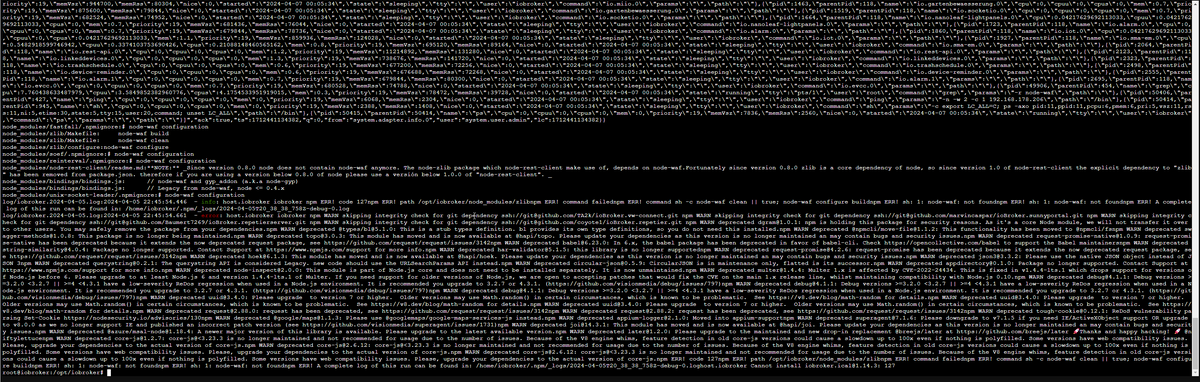
-
@siggi0904 said in iobroker exit 25 bei Adapter-Update:
npm ls zlib
root@iobroker:/opt/iobroker# npm ls zlib
iobroker.inst@2.0.2 /opt/iobroker
-- iobroker.mihome-vacuum@4.1.1-- zlib@1.0.5root@iobroker:/opt/iobroker#
@zeroqool sagte in iobroker exit 25 bei Adapter-Update:
root@iobroker:/opt/iobroker# npm ls zlib
NICHT als root herum hampeln. Und schon gar nicht im Verzeichnis von iobroker mit npm...
Logs auch nicht als Screenshot sonder als Text in CodeTags.Als USER!
iob stop iob fix iob update -
@zeroqool sagte in iobroker exit 25 bei Adapter-Update:
root@iobroker:/opt/iobroker# npm ls zlib
NICHT als root herum hampeln. Und schon gar nicht im Verzeichnis von iobroker mit npm...
Logs auch nicht als Screenshot sonder als Text in CodeTags.Als USER!
iob stop iob fix iob update@thomas-braun OK, aber muss zugeben, dass ich den Proxmox Container seit mehreren Jahren so laufen habe.
iob stop && iob update && iob fix && iob upgrade self && iob start
Habe ich auch schon ausgeführt. aber keine Verbesserung. hatte vorher node 14 oder so u nun 18.20.1
-
@thomas-braun OK, aber muss zugeben, dass ich den Proxmox Container seit mehreren Jahren so laufen habe.
iob stop && iob update && iob fix && iob upgrade self && iob start
Habe ich auch schon ausgeführt. aber keine Verbesserung. hatte vorher node 14 oder so u nun 18.20.1
@zeroqool sagte in iobroker exit 25 bei Adapter-Update:
dass ich den Proxmox Container seit mehreren Jahren so laufen habe.
Das heißt ja nix. Nur das du es dann halt seit Jahren falsch machst.
Habe ich auch schon ausgeführt. aber keine Verbesserung. hatte vorher node 14 oder so u nun 16
Zeigen. Und aktuell ist nodejs@18...
Zeig am besten mal den ganzen Quark...iob stop iob fix iob diag -
@zeroqool sagte in iobroker exit 25 bei Adapter-Update:
dass ich den Proxmox Container seit mehreren Jahren so laufen habe.
Das heißt ja nix. Nur das du es dann halt seit Jahren falsch machst.
Habe ich auch schon ausgeführt. aber keine Verbesserung. hatte vorher node 14 oder so u nun 16
Zeigen. Und aktuell ist nodejs@18...
Zeig am besten mal den ganzen Quark...iob stop iob fix iob diag@thomas-braun said in iobroker exit 25 bei Adapter-Update:
Das heißt ja nix. Nur das du es dann halt seit Jahren falsch machst.
library: loaded
Library version=2024-01-04==========================================================================
Welcome to the ioBroker installation fixer!
Script version: 2024-01-04
==========================================================================
==========================================================================
Installing prerequisites (1/5)Hit:1 http://ftp.debian.org/debian bookworm InRelease
Hit:2 http://security.debian.org bookworm-security InRelease
Hit:3 http://ftp.debian.org/debian bookworm-updates InRelease
Hit:4 https://deb.nodesource.com/node_18.x nodistro InRelease
Reading package lists... Done==========================================================================
Checking ioBroker user and directory permissions (2/5)Created /etc/sudoers.d/iobroker
Fixing directory permissions...==========================================================================
Check and cleanup npm temporary directories (3/5)Done.
==========================================================================
Database maintenance (4/5)Checking for uncompressed JSONL databases... This might take a while!
Compressing /opt/iobroker/iobroker-data/states.jsonl
Compressing /opt/iobroker/iobroker-data/objects.jsonl
Compressed 2 JSONL files. Done==========================================================================
Checking autostart (5/5)Enabling autostart...
Autostart enabled!==========================================================================
Your installation was fixed successfully
Run iobroker start to start ioBroker again!
==========================================================================
This script must not be run as root!
Please use your standard user! -
@thomas-braun said in iobroker exit 25 bei Adapter-Update:
Das heißt ja nix. Nur das du es dann halt seit Jahren falsch machst.
library: loaded
Library version=2024-01-04==========================================================================
Welcome to the ioBroker installation fixer!
Script version: 2024-01-04
==========================================================================
==========================================================================
Installing prerequisites (1/5)Hit:1 http://ftp.debian.org/debian bookworm InRelease
Hit:2 http://security.debian.org bookworm-security InRelease
Hit:3 http://ftp.debian.org/debian bookworm-updates InRelease
Hit:4 https://deb.nodesource.com/node_18.x nodistro InRelease
Reading package lists... Done==========================================================================
Checking ioBroker user and directory permissions (2/5)Created /etc/sudoers.d/iobroker
Fixing directory permissions...==========================================================================
Check and cleanup npm temporary directories (3/5)Done.
==========================================================================
Database maintenance (4/5)Checking for uncompressed JSONL databases... This might take a while!
Compressing /opt/iobroker/iobroker-data/states.jsonl
Compressing /opt/iobroker/iobroker-data/objects.jsonl
Compressed 2 JSONL files. Done==========================================================================
Checking autostart (5/5)Enabling autostart...
Autostart enabled!==========================================================================
Your installation was fixed successfully
Run iobroker start to start ioBroker again!
==========================================================================
This script must not be run as root!
Please use your standard user!@zeroqool sagte in iobroker exit 25 bei Adapter-Update:
This script must not be run as root!
Please use your standard user!Auch da...
ALS USER ARBEITEN!!!!!!!!!



Hey! Du scheinst an dieser Unterhaltung interessiert zu sein, hast aber noch kein Konto.
Hast du es satt, bei jedem Besuch durch die gleichen Beiträge zu scrollen? Wenn du dich für ein Konto anmeldest, kommst du immer genau dorthin zurück, wo du zuvor warst, und kannst dich über neue Antworten benachrichtigen lassen (entweder per E-Mail oder Push-Benachrichtigung). Du kannst auch Lesezeichen speichern und Beiträge positiv bewerten, um anderen Community-Mitgliedern deine Wertschätzung zu zeigen.
Mit deinem Input könnte dieser Beitrag noch besser werden 💗
Registrieren AnmeldenSupport us
447
Online33.0k
Benutzer83.6k
Themen1.3m
Beiträge