




apt full-upgrade installiert nodejs 18.19.0-1
-
Heute morgen ergab "sudo apt full-upgrade" folgendes Ergebnis:
Reading changelogs... Done
(Reading database ... 76630 files and directories currently installed.)
Preparing to unpack .../nodejs_18.19.0-1nodesource1_amd64.deb ...
Könnte es da Probleme mit ioBroker geben?
EDIT: Jetzt dreht es sich gerade. Iobroker hat das noch nicht mitbekommen ...
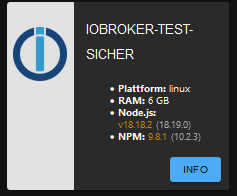
Intel(R) Celeron(R) CPU N3000 @1.04GHz 8G RAM 480G SSD * Virtualization : unprivileged lxc container on Proxmox * 6 GByte RAM für den iobroker Container * Remote-Access über Wireguard meiner Fritzbox
-
Heute morgen ergab "sudo apt full-upgrade" folgendes Ergebnis:
Reading changelogs... Done
(Reading database ... 76630 files and directories currently installed.)
Preparing to unpack .../nodejs_18.19.0-1nodesource1_amd64.deb ...
Könnte es da Probleme mit ioBroker geben?
EDIT: Jetzt dreht es sich gerade. Iobroker hat das noch nicht mitbekommen ...
-
Heute morgen ergab "sudo apt full-upgrade" folgendes Ergebnis:
Reading changelogs... Done
(Reading database ... 76630 files and directories currently installed.)
Preparing to unpack .../nodejs_18.19.0-1nodesource1_amd64.deb ...
Könnte es da Probleme mit ioBroker geben?
EDIT: Jetzt dreht es sich gerade. Iobroker hat das noch nicht mitbekommen ...
@martinp sagte in apt full-upgrade installiert nodejs 18.19.0-1:
Könnte es da Probleme mit ioBroker geben?
Wieso, es ist das Update aus dem aktuellen Repository, hab ich vorhin auch installiert.
@martinp sagte in apt full-upgrade installiert nodejs 18.19.0-1:
EDIT: Jetzt dreht es sich gerade. Iobroker hat das noch nicht mitbekommen ...
Die GUI lügt gerne. Per ssh
nodejs -veingeben, und du siehst die Wahrheit. -
@arteck Alles Grün
Skript v.2023-10-10 *** BASE SYSTEM *** Static hostname: iobroker-test-sicher Icon name: computer-container Chassis: container ☐ Virtualization: lxc Operating System: Debian GNU/Linux 12 (bookworm) Kernel: Linux 6.5.11-4-pve Architecture: x86-64 model name : Intel(R) Celeron(R) CPU N3000 @ 1.04GHz Docker : false Virtualization : lxc Kernel : x86_64 Userland : amd64 Systemuptime and Load: 10:02:06 up 4 days, 10:59, 2 users, load average: 0.67, 0.79, 0.56 CPU threads: 2 *** Time and Time Zones *** Local time: Thu 2023-11-30 10:02:06 CET Universal time: Thu 2023-11-30 09:02:06 UTC RTC time: n/a Time zone: Europe/Berlin (CET, +0100) System clock synchronized: yes NTP service: inactive RTC in local TZ: no *** User and Groups *** martin /home/martin martin sudo iobroker *** X-Server-Setup *** X-Server: false Desktop: Terminal: Boot Target: graphical.target *** MEMORY *** total used free shared buff/cache available Mem: 6.4G 2.0G 3.1G 53K 1.4G 4.5G Swap: 536M 94K 536M Total: 7.0G 2.0G 3.6G 6144 M total memory 1898 M used memory 2039 M active memory 1036 M inactive memory 2935 M free memory 0 M buffer memory 1310 M swap cache 512 M total swap 0 M used swap 511 M free swap *** FAILED SERVICES *** UNIT LOAD ACTIVE SUB DESCRIPTION * mnt-backup.mount loaded failed failed /mnt/backup * mnt-data.mount loaded failed failed /mnt/data * mnt-unterhaltung.mount loaded failed failed /mnt/unterhaltung * run-rpc_pipefs.mount loaded failed failed RPC Pipe File System * sys-kernel-config.mount loaded failed failed Kernel Configuration File System * systemd-networkd-wait-online.service loaded failed failed Wait for Network to be Configured LOAD = Reflects whether the unit definition was properly loaded. ACTIVE = The high-level unit activation state, i.e. generalization of SUB. SUB = The low-level unit activation state, values depend on unit type. 6 loaded units listed. *** FILESYSTEM *** Filesystem Type Size Used Avail Use% Mounted on /dev/mapper/pve-vm--101--disk--0 ext4 63G 7.5G 52G 13% / none tmpfs 492K 4.0K 488K 1% /dev udev devtmpfs 3.8G 0 3.8G 0% /dev/tty tmpfs tmpfs 3.8G 0 3.8G 0% /dev/shm tmpfs tmpfs 1.6G 124K 1.6G 1% /run tmpfs tmpfs 5.0M 0 5.0M 0% /run/lock Messages concerning ext4 filesystem in dmesg: dmesg: read kernel buffer failed: Operation not permitted Show mounted filesystems \(real ones only\): TARGET SOURCE FSTYPE OPTIONS / /dev/mapper/pve-vm--101--disk--0 ext4 rw,relatime,stripe=16 Files in neuralgic directories: /var: 1.2G /var/ 444M /var/log 436M /var/log/journal 429M /var/log/journal/d439bcaaab604c09ae284e4b626b2033 415M /var/cache Hint: You are currently not seeing messages from other users and the system. Users in groups 'adm', 'systemd-journal' can see all messages. Pass -q to turn off this notice. Archived and active journals take up 75.5M in the file system. /opt/iobroker/backups: 612M /opt/iobroker/backups/ /opt/iobroker/iobroker-data: 960M /opt/iobroker/iobroker-data/ 911M /opt/iobroker/iobroker-data/files 771M /opt/iobroker/iobroker-data/files/vis-2-beta 738M /opt/iobroker/iobroker-data/files/vis-2-beta/static 736M /opt/iobroker/iobroker-data/files/vis-2-beta/static/js The five largest files in iobroker-data are: 21M /opt/iobroker/iobroker-data/files/web.admin/static/js/main.aaea95f8.js.map 9.7M /opt/iobroker/iobroker-data/files/vis-2-beta/material-icons/knx-uf.json 9.1M /opt/iobroker/iobroker-data/objects.jsonl 8.3M /opt/iobroker/iobroker-data/files/web.admin/static/js/main.aaea95f8.js 8.3M /opt/iobroker/iobroker-data/files/vis-2-beta/static/js/main.a81e98bd.js USB-Devices by-id: USB-Sticks - Avoid direct links to /dev/* in your adapter setups, please always prefer the links 'by-id': find: '/dev/serial/by-id/': No such file or directory *** NodeJS-Installation *** /usr/bin/nodejs v18.19.0 /usr/bin/node v18.19.0 /usr/bin/npm 10.2.3 /usr/bin/npx 10.2.3 /usr/bin/corepack 0.22.0 nodejs: Installed: 18.19.0-1nodesource1 Candidate: 18.19.0-1nodesource1 Version table: *** 18.19.0-1nodesource1 1001 500 https://deb.nodesource.com/node_18.x nodistro/main amd64 Packages 100 /var/lib/dpkg/status 18.18.2-1nodesource1 1001 500 https://deb.nodesource.com/node_18.x nodistro/main amd64 Packages 18.18.1-1nodesource1 1001 500 https://deb.nodesource.com/node_18.x nodistro/main amd64 Packages 18.18.0-1nodesource1 1001 500 https://deb.nodesource.com/node_18.x nodistro/main amd64 Packages 18.17.1-1nodesource1 1001 500 https://deb.nodesource.com/node_18.x nodistro/main amd64 Packages 18.17.0-1nodesource1 1001 500 https://deb.nodesource.com/node_18.x nodistro/main amd64 Packages 18.16.1-1nodesource1 1001 500 https://deb.nodesource.com/node_18.x nodistro/main amd64 Packages 18.16.0-1nodesource1 1001 500 https://deb.nodesource.com/node_18.x nodistro/main amd64 Packages 18.15.0-1nodesource1 1001 500 https://deb.nodesource.com/node_18.x nodistro/main amd64 Packages 18.14.2-1nodesource1 1001 500 https://deb.nodesource.com/node_18.x nodistro/main amd64 Packages 18.14.1-1nodesource1 1001 500 https://deb.nodesource.com/node_18.x nodistro/main amd64 Packages 18.14.0-1nodesource1 1001 500 https://deb.nodesource.com/node_18.x nodistro/main amd64 Packages 18.13.0+dfsg1-1 500 500 http://ftp.debian.org/debian bookworm/main amd64 Packages 18.13.0-1nodesource1 1001 500 https://deb.nodesource.com/node_18.x nodistro/main amd64 Packages 18.12.0-1nodesource1 1001 500 https://deb.nodesource.com/node_18.x nodistro/main amd64 Packages 18.11.0-1nodesource1 1001 500 https://deb.nodesource.com/node_18.x nodistro/main amd64 Packages 18.10.0-1nodesource1 1001 500 https://deb.nodesource.com/node_18.x nodistro/main amd64 Packages 18.9.1-1nodesource1 1001 500 https://deb.nodesource.com/node_18.x nodistro/main amd64 Packages 18.9.0-1nodesource1 1001 500 https://deb.nodesource.com/node_18.x nodistro/main amd64 Packages 18.8.0-1nodesource1 1001 500 https://deb.nodesource.com/node_18.x nodistro/main amd64 Packages 18.7.0-1nodesource1 1001 500 https://deb.nodesource.com/node_18.x nodistro/main amd64 Packages 18.6.0-1nodesource1 1001 500 https://deb.nodesource.com/node_18.x nodistro/main amd64 Packages 18.5.0-1nodesource1 1001 500 https://deb.nodesource.com/node_18.x nodistro/main amd64 Packages 18.4.0-1nodesource1 1001 500 https://deb.nodesource.com/node_18.x nodistro/main amd64 Packages 18.3.0-1nodesource1 1001 500 https://deb.nodesource.com/node_18.x nodistro/main amd64 Packages 18.2.0-1nodesource1 1001 500 https://deb.nodesource.com/node_18.x nodistro/main amd64 Packages 18.1.0-1nodesource1 1001 500 https://deb.nodesource.com/node_18.x nodistro/main amd64 Packages 18.0.0-1nodesource1 1001 500 https://deb.nodesource.com/node_18.x nodistro/main amd64 Packages Temp directories causing npm8 problem: 0 No problems detected Errors in npm tree: *** ioBroker-Installation *** ioBroker Status iobroker is running on this host. Objects type: jsonl States type: jsonl Core adapters versions js-controller: 5.0.16 admin: 6.12.0 javascript: 7.1.6 Adapters from github: 0 Adapter State + system.adapter.admin.0 : admin : iobroker-test-sicher - enabled, port: 8081, bind: 0.0.0.0, run as: admin system.adapter.alias-manager.0 : alias-manager : iobroker-test-sicher - enabled + system.adapter.backitup.0 : backitup : iobroker-test-sicher - enabled + system.adapter.discovery.0 : discovery : iobroker-test-sicher - enabled + system.adapter.email.0 : email : iobroker-test-sicher - enabled + system.adapter.fritzdect.0 : fritzdect : iobroker-test-sicher - enabled system.adapter.ical.0 : ical : iobroker-test-sicher - enabled + system.adapter.influxdb.0 : influxdb : iobroker-test-sicher - enabled, port: 8086 system.adapter.jarvis.0 : jarvis : iobroker-test-sicher - disabled + system.adapter.javascript.0 : javascript : iobroker-test-sicher - enabled + system.adapter.mqtt-client.0 : mqtt-client : iobroker-test-sicher - enabled, port: 1888 + system.adapter.mqtt.0 : mqtt : iobroker-test-sicher - enabled, port: 1888, bind: 0.0.0.0 + system.adapter.operating-hours.0 : operating-hours : iobroker-test-sicher - enabled + system.adapter.ping.0 : ping : iobroker-test-sicher - enabled + system.adapter.simple-api.0 : simple-api : iobroker-test-sicher - enabled, port: 8087, bind: 0.0.0.0, run as: admin system.adapter.smartmeter.0 : smartmeter : iobroker-test-sicher - disabled + system.adapter.sonoff.0 : sonoff : iobroker-test-sicher - enabled, port: 1892, bind: 0.0.0.0 system.adapter.tr-064.0 : tr-064 : iobroker-test-sicher - disabled + system.adapter.tradfri.0 : tradfri : iobroker-test-sicher - enabled system.adapter.vis.0 : vis : iobroker-test-sicher - enabled + system.adapter.web.0 : web : iobroker-test-sicher - enabled, port: 8082, bind: 0.0.0.0, run as: admin + instance is alive Enabled adapters with bindings + system.adapter.admin.0 : admin : iobroker-test-sicher - enabled, port: 8081, bind: 0.0.0.0, run as: admin + system.adapter.influxdb.0 : influxdb : iobroker-test-sicher - enabled, port: 8086 + system.adapter.mqtt-client.0 : mqtt-client : iobroker-test-sicher - enabled, port: 1888 + system.adapter.mqtt.0 : mqtt : iobroker-test-sicher - enabled, port: 1888, bind: 0.0.0.0 + system.adapter.simple-api.0 : simple-api : iobroker-test-sicher - enabled, port: 8087, bind: 0.0.0.0, run as: admin + system.adapter.sonoff.0 : sonoff : iobroker-test-sicher - enabled, port: 1892, bind: 0.0.0.0 + system.adapter.web.0 : web : iobroker-test-sicher - enabled, port: 8082, bind: 0.0.0.0, run as: admin ioBroker-Repositories stable : http://download.iobroker.net/sources-dist.json beta : http://download.iobroker.net/sources-dist-latest.json Active repo(s): stable Installed ioBroker-Instances Used repository: stable Adapter "admin" : 6.12.0 , installed 6.12.0 Adapter "alias-manager": 1.2.6 , installed 1.2.6 Adapter "backitup" : 2.8.7 , installed 2.8.7 Adapter "benchmark" : 1.1.4 , installed 1.1.4 Adapter "discovery" : 4.2.0 , installed 4.2.0 Adapter "email" : 1.2.0 , installed 1.2.0 Adapter "fritzdect" : 2.3.1 , installed 2.3.1 Adapter "ical" : 1.13.3 , installed 1.13.3 Adapter "influxdb" : 3.2.0 , installed 3.2.0 Adapter "jarvis" : 3.1.8 , installed 3.1.8 Adapter "javascript" : 7.1.6 , installed 7.1.6 Controller "js-controller": 5.0.16 , installed 5.0.16 Adapter "mqtt" : 5.1.0 , installed 5.1.0 Adapter "mqtt-client" : 1.6.5 , installed 1.6.5 Adapter "operating-hours": 1.0.6 , installed 1.0.6 Adapter "ping" : 1.6.2 , installed 1.6.2 Adapter "simple-api" : 2.7.2 , installed 2.7.2 Adapter "smartmeter" : 3.3.4 , installed 3.3.4 Adapter "socketio" : 6.6.0 , installed 6.6.0 Adapter "sonoff" : 3.0.3 , installed 3.0.3 Adapter "tr-064" : 4.2.18 , installed 4.2.18 Adapter "tradfri" : 3.1.3 , installed 3.1.3 Adapter "vis" : 1.4.16 , installed 1.4.16 Adapter "web" : 6.1.10 , installed 6.1.10 Adapter "ws" : 2.5.8 , installed 2.5.8 Objects and States Please stand by - This may take a while Objects: 1436 States: 1144 *** OS-Repositories and Updates *** Hit:1 http://security.debian.org bookworm-security InRelease Hit:2 http://ftp.debian.org/debian bookworm InRelease Hit:3 http://ftp.debian.org/debian bookworm-updates InRelease Hit:4 https://repos.influxdata.com/debian stable InRelease Hit:5 https://deb.nodesource.com/node_18.x nodistro InRelease Hit:6 https://apt.grafana.com stable InRelease Reading package lists... Pending Updates: 0 *** Listening Ports *** Active Internet connections (only servers) Proto Recv-Q Send-Q Local Address Foreign Address State User Inode PID/Program name tcp 0 0 127.0.0.1:25 0.0.0.0:* LISTEN 0 190363 348/master tcp 0 0 127.0.0.1:9000 0.0.0.0:* LISTEN 1001 190675 358/iobroker.js-con tcp 0 0 127.0.0.1:9001 0.0.0.0:* LISTEN 1001 190665 358/iobroker.js-con tcp 0 0 0.0.0.0:1888 0.0.0.0:* LISTEN 1001 193949 483/io.mqtt.0 tcp 0 0 0.0.0.0:1892 0.0.0.0:* LISTEN 1001 192776 502/io.sonoff.0 tcp 0 0 0.0.0.0:111 0.0.0.0:* LISTEN 0 185726 1/init tcp6 0 0 ::1:25 :::* LISTEN 0 190364 348/master tcp6 0 0 :::8081 :::* LISTEN 1001 191936 384/io.admin.0 tcp6 0 0 :::8082 :::* LISTEN 1001 336674 1276/io.web.0 tcp6 0 0 :::8087 :::* LISTEN 1001 197113 994/io.simple-api.0 tcp6 0 0 :::8086 :::* LISTEN 998 191577 171/influxd tcp6 0 0 :::3000 :::* LISTEN 109 192011 357/grafana tcp6 0 0 :::111 :::* LISTEN 0 185728 1/init tcp6 0 0 :::22 :::* LISTEN 0 184828 1/init udp 0 0 0.0.0.0:56852 0.0.0.0:* 1001 196883 979/io.tradfri.0 udp 0 0 0.0.0.0:111 0.0.0.0:* 0 185727 1/init udp6 0 0 :::111 :::* 0 185729 1/init *** Log File - Last 25 Lines *** 2023-11-30 08:30:11.820 - info: host.iobroker-test-sicher instance system.adapter.ical.0 terminated with code 0 (NO_ERROR) 2023-11-30 09:00:00.069 - info: host.iobroker-test-sicher instance system.adapter.ical.0 started with pid 27520 2023-11-30 09:00:03.425 - info: ical.0 (27520) starting. Version 1.13.3 in /opt/iobroker/node_modules/iobroker.ical, node: v18.18.2, js-controller: 5.0.16 2023-11-30 09:00:05.765 - info: ical.0 (27520) processing URL: Martin_docker http://192.168.2.146:5232/martin/e4c584bc-2ea6-bae6-1d4e-debe6a702f21/ 2023-11-30 09:00:11.275 - info: ical.0 (27520) Terminated (NO_ERROR): Without reason 2023-11-30 09:00:11.826 - info: host.iobroker-test-sicher instance system.adapter.ical.0 terminated with code 0 (NO_ERROR) 2023-11-30 09:30:00.096 - info: host.iobroker-test-sicher instance system.adapter.ical.0 started with pid 27628 2023-11-30 09:30:04.638 - info: ical.0 (27628) starting. Version 1.13.3 in /opt/iobroker/node_modules/iobroker.ical, node: v18.18.2, js-controller: 5.0.16 2023-11-30 09:30:07.518 - info: ical.0 (27628) processing URL: Martin_docker http://192.168.2.146:5232/martin/e4c584bc-2ea6-bae6-1d4e-debe6a702f21/ 2023-11-30 09:30:13.048 - info: ical.0 (27628) Terminated (NO_ERROR): Without reason 2023-11-30 09:30:13.618 - info: host.iobroker-test-sicher instance system.adapter.ical.0 terminated with code 0 (NO_ERROR) 2023-11-30 09:43:23.651 - info: admin.0 (384) ==> Connected system.user.admin from ::ffff:192.168.2.53 2023-11-30 09:43:46.151 - info: admin.0 (384) <== Disconnect system.user.admin from ::ffff:192.168.2.53 admin 2023-11-30 09:43:46.635 - info: admin.0 (384) ==> Connected system.user.admin from ::ffff:192.168.2.53 2023-11-30 09:43:46.681 - info: admin.0 (384) <== Disconnect system.user.admin from ::ffff:192.168.2.53 admin 2023-11-30 09:43:48.335 - info: admin.0 (384) ==> Connected system.user.admin from ::ffff:192.168.2.53 2023-11-30 09:51:17.370 - info: admin.0 (384) <== Disconnect system.user.admin from ::ffff:192.168.2.53 admin 2023-11-30 09:51:17.935 - info: admin.0 (384) ==> Connected system.user.admin from ::ffff:192.168.2.53 2023-11-30 09:51:18.018 - info: admin.0 (384) <== Disconnect system.user.admin from ::ffff:192.168.2.53 admin 2023-11-30 09:51:19.832 - info: admin.0 (384) ==> Connected system.user.admin from ::ffff:192.168.2.53 2023-11-30 10:00:00.070 - info: host.iobroker-test-sicher instance system.adapter.ical.0 started with pid 28163 2023-11-30 10:00:04.339 - info: ical.0 (28163) starting. Version 1.13.3 in /opt/iobroker/node_modules/iobroker.ical, node: v18.19.0, js-controller: 5.0.16 2023-11-30 10:00:06.620 - info: ical.0 (28163) processing URL: Martin_docker http://192.168.2.146:5232/martin/e4c584bc-2ea6-bae6-1d4e-debe6a702f21/ 2023-11-30 10:00:12.152 - info: ical.0 (28163) Terminated (NO_ERROR): Without reason 2023-11-30 10:00:12.714 - info: host.iobroker-test-sicher instance system.adapter.ical.0 terminated with code 0 (NO_ERROR) -
Heute morgen ergab "sudo apt full-upgrade" folgendes Ergebnis:
Reading changelogs... Done
(Reading database ... 76630 files and directories currently installed.)
Preparing to unpack .../nodejs_18.19.0-1nodesource1_amd64.deb ...
Könnte es da Probleme mit ioBroker geben?
EDIT: Jetzt dreht es sich gerade. Iobroker hat das noch nicht mitbekommen ...
@martinp sagte in apt full-upgrade installiert nodejs 18.19.0-1:
Könnte es da Probleme mit ioBroker geben?
Nein, das ist ein ganz normale Update von nodejs (und Co.)
Warum sollte es da besondere Probleme geben? -
@thomas-braun said in apt full-upgrade installiert nodejs 18.19.0-1:
@martinp sagte in apt full-upgrade installiert nodejs 18.19.0-1:
Könnte es da Probleme mit ioBroker geben?
Nein, das ist ein ganz normale Update von nodejs (und Co.)
Warum sollte es da besondere Probleme geben?In irgendeinem Thread hieß es, dass man die "ungeraden" Versionen meiden sollte - da geht es aber wohl eher um die Zahl vor dem ersten Punkt. Da war ich wohl zu schnell getriggert - wahrscheinlich dadurch, dass bei der Vorversion zweimal 18 vorkam ;-)
"18.19.0-1" nach 18.18.xx.yy-zz ist ok, aber 19.xx.yy-zz sollte man meiden, und auf 20.xx.yy-zz warten.
Intel(R) Celeron(R) CPU N3000 @1.04GHz 8G RAM 480G SSD * Virtualization : unprivileged lxc container on Proxmox * 6 GByte RAM für den iobroker Container * Remote-Access über Wireguard meiner Fritzbox
-
@thomas-braun said in apt full-upgrade installiert nodejs 18.19.0-1:
@martinp sagte in apt full-upgrade installiert nodejs 18.19.0-1:
Könnte es da Probleme mit ioBroker geben?
Nein, das ist ein ganz normale Update von nodejs (und Co.)
Warum sollte es da besondere Probleme geben?In irgendeinem Thread hieß es, dass man die "ungeraden" Versionen meiden sollte - da geht es aber wohl eher um die Zahl vor dem ersten Punkt. Da war ich wohl zu schnell getriggert - wahrscheinlich dadurch, dass bei der Vorversion zweimal 18 vorkam ;-)
"18.19.0-1" nach 18.18.xx.yy-zz ist ok, aber 19.xx.yy-zz sollte man meiden, und auf 20.xx.yy-zz warten.
@martinp sagte in apt full-upgrade installiert nodejs 18.19.0-1:
In irgendeinem Thread hieß es, dass man die "ungeraden" Versionen meiden sollte
Da geht es um die Majorversionen. Hier also der 18er-Zweig.
(Und auch nur vom Paket 'nodejs', das kann durchaus eine ungerade Version von 'Zubehörpaketen' wie z. B. npm enthalten).




Hey! Du scheinst an dieser Unterhaltung interessiert zu sein, hast aber noch kein Konto.
Hast du es satt, bei jedem Besuch durch die gleichen Beiträge zu scrollen? Wenn du dich für ein Konto anmeldest, kommst du immer genau dorthin zurück, wo du zuvor warst, und kannst dich über neue Antworten benachrichtigen lassen (entweder per E-Mail oder Push-Benachrichtigung). Du kannst auch Lesezeichen speichern und Beiträge positiv bewerten, um anderen Community-Mitgliedern deine Wertschätzung zu zeigen.
Mit deinem Input könnte dieser Beitrag noch besser werden 💗
Registrieren Anmelden261
Online33.0k
Benutzende83.7k
Themen1.3m
Beiträge