




webinterface nicht mehr erreichbar
-
host.docker check instance "system.adapter.hm-rpc.0" for host "docker" host.docker check instance "system.adapter.deconz.0" for host "docker" host.docker check instance "system.adapter.iot.0" for host "docker" host.docker check instance "system.adapter.cloud.0" for host "docker" Send diag info: {"uuid":"d1d07007-5fe1-4cd5-a7af-5050fc699b45","language":"de","country":"Germany","hosts":[{"version":"4.0.24","platform":"Javascript/Node.js","type":"linux"}],"node":"v18.16.0","arch":"arm","docker":true,"adapters":{"admin":{"version":"6.3.5","platform":"Javascript/Node.js"},"discovery":{"version":"3.1.0","platform":"Javascript/Node.js"},"backitup":{"version":"2.6.19","platform":"Javascript/Node.js"},"javascript":{"version":"6.1.4","platform":"Javascript/Node.js"},"deconz":{"version":"1.3.21","platform":"Javascript/Node.js"},"alexa2":{"version":"3.23.2","platform":"Javascript/Node.js"},"telegram":{"version":"1.15.2","platform":"Javascript/Node.js"},"sonoff":{"version":"2.5.1","platform":"Javascript/Node.js"},"iot":{"version":"1.14.2","platform":"Javascript/Node.js"},"hm-rpc":{"version":"1.15.16","platform":"Javascript/Node.js"},"cloud":{"version":"4.3.0","platform":"Javascript/Node.js"}},"statesType":"jsonl","objectsType":"jsonl","noInstances":10,"compactMode":false,"noCompactInstances":0,"model":"unknown","cpus":4,"mem":3926323200,"ostype":"Linux","city":""} ================================== > LOG REDIRECT system.adapter.admin.0 => false [Process stopped] ================================== > LOG REDIRECT system.adapter.admin.0 => false [system.adapter.admin.0.logging] Recived termination signal (SIGTERM). Shutting down ioBroker... .================================== > LOG REDIRECT system.adapter.javascript.0 => false [Process stopped] ================================== > LOG REDIRECT system.adapter.javascript.0 => false [system.adapter.javascript.0.logging] .. Done. Have a nice day! -------------------------------------------------------------------------------- ------------------------- 2023-05-13 21:01:28 ------------------------- -------------------------------------------------------------------------------- ----- ----- ----- ██╗ ██████╗ ██████╗ ██████╗ ██████╗ ██╗ ██╗ ███████╗ ██████╗ ----- ----- ██║ ██╔═══██╗ ██╔══██╗ ██╔══██╗ ██╔═══██╗ ██║ ██╔╝ ██╔════╝ ██╔══██╗ ----- ----- ██║ ██║ ██║ ██████╔╝ ██████╔╝ ██║ ██║ █████╔╝ █████╗ ██████╔╝ ----- ----- ██║ ██║ ██║ ██╔══██╗ ██╔══██╗ ██║ ██║ ██╔═██╗ ██╔══╝ ██╔══██╗ ----- ----- ██║ ╚██████╔╝ ██████╔╝ ██║ ██║ ╚██████╔╝ ██║ ██╗ ███████╗ ██║ ██║ ----- ----- ╚═╝ ╚═════╝ ╚═════╝ ╚═╝ ╚═╝ ╚═════╝ ╚═╝ ╚═╝ ╚══════╝ ╚═╝ ╚═╝ ----- ----- ----- ----- Welcome to your ioBroker Docker container! ----- ----- Startupscript is now running! ----- ----- Please be patient! ----- -------------------------------------------------------------------------------- -------------------------------------------------------------------------------- ----- System Information ----- ----- arch: aarch64 ----- ----- hostname: docker ----- ----- ----- ----- Version Information ----- ----- image: v8.0.1 ----- ----- build: 2023-04-26T23:45:40+00:00 ----- ----- node: v18.16.0 ----- ----- npm: 9.5.1 ----- ----- ----- ----- Environment Variables ----- ----- SETGID: 1000 ----- ----- SETUID: 1000 ----- -------------------------------------------------------------------------------- -------------------------------------------------------------------------------- ----- Step 1 of 5: Preparing container ----- -------------------------------------------------------------------------------- This is not the first run of this container. Skipping first run preparation. -------------------------------------------------------------------------------- ----- Step 2 of 5: Detecting ioBroker installation ----- -------------------------------------------------------------------------------- Existing installation of ioBroker detected in "/opt/iobroker". -------------------------------------------------------------------------------- ----- Step 3 of 5: Checking ioBroker installation ----- -------------------------------------------------------------------------------- (Re)setting permissions (This might take a while! Please be patient!)... Done. Fixing "sudo-bug" by replacing sudo with gosu... Done. Checking Database connection... Done. Hostname in ioBroker matches the hostname of this container. No action required. -------------------------------------------------------------------------------- ----- Step 4 of 5: Applying special settings ----- -------------------------------------------------------------------------------- Some adapters have special requirements/ settings which can be activated by the use of environment variables. For more information see ioBroker Docker Image Docs (https://docs.buanet.de/iobroker-docker-image/docs/). -------------------------------------------------------------------------------- ----- Step 5 of 5: ioBroker startup ----- -------------------------------------------------------------------------------- Starting ioBroker... ##### #### ### ## # iobroker.js-controller log output # ## ### #### ##### host.docker check instance "system.adapter.admin.0" for host "docker" host.docker check instance "system.adapter.javascript.0" for host "docker" host.docker check instance "system.adapter.telegram.0" for host "docker" host.docker check instance "system.adapter.alexa2.0" for host "docker" host.docker check instance "system.adapter.sonoff.0" for host "docker" host.docker check instance "system.adapter.sonoff.1" for host "docker" host.docker check instance "system.adapter.hm-rpc.0" for host "docker" host.docker check instance "system.adapter.deconz.0" for host "docker" host.docker check instance "system.adapter.iot.0" for host "docker" host.docker check instance "system.adapter.cloud.0" for host "docker" Send diag info: {"uuid":"d1d07007-5fe1-4cd5-a7af-5050fc699b45","language":"de","country":"Germany","hosts":[{"version":"4.0.24","platform":"Javascript/Node.js","type":"linux"}],"node":"v18.16.0","arch":"arm","docker":true,"adapters":{"admin":{"version":"6.3.5","platform":"Javascript/Node.js"},"discovery":{"version":"3.1.0","platform":"Javascript/Node.js"},"backitup":{"version":"2.6.19","platform":"Javascript/Node.js"},"javascript":{"version":"6.1.4","platform":"Javascript/Node.js"},"deconz":{"version":"1.3.21","platform":"Javascript/Node.js"},"alexa2":{"version":"3.23.2","platform":"Javascript/Node.js"},"telegram":{"version":"1.15.2","platform":"Javascript/Node.js"},"sonoff":{"version":"2.5.1","platform":"Javascript/Node.js"},"iot":{"version":"1.14.2","platform":"Javascript/Node.js"},"hm-rpc":{"version":"1.15.16","platform":"Javascript/Node.js"},"cloud":{"version":"4.3.0","platform":"Javascript/Node.js"}},"statesType":"jsonl","objectsType":"jsonl","noInstances":10,"compactMode":false,"noCompactInstances":0,"model":"unknown","cpus":4,"mem":3926323200,"ostype":"Linux","city":""} ================================== > LOG REDIRECT system.adapter.admin.0 => false [Process stopped] ================================== > LOG REDIRECT system.adapter.admin.0 => false [system.adapter.admin.0.logging] -
@glasfaser ja hab ich dachte ich hatte das geschrieben sorry
-
dachte ich hatte das geschrieben
Nein ... keine Angabe !
Gehe in die Konsole
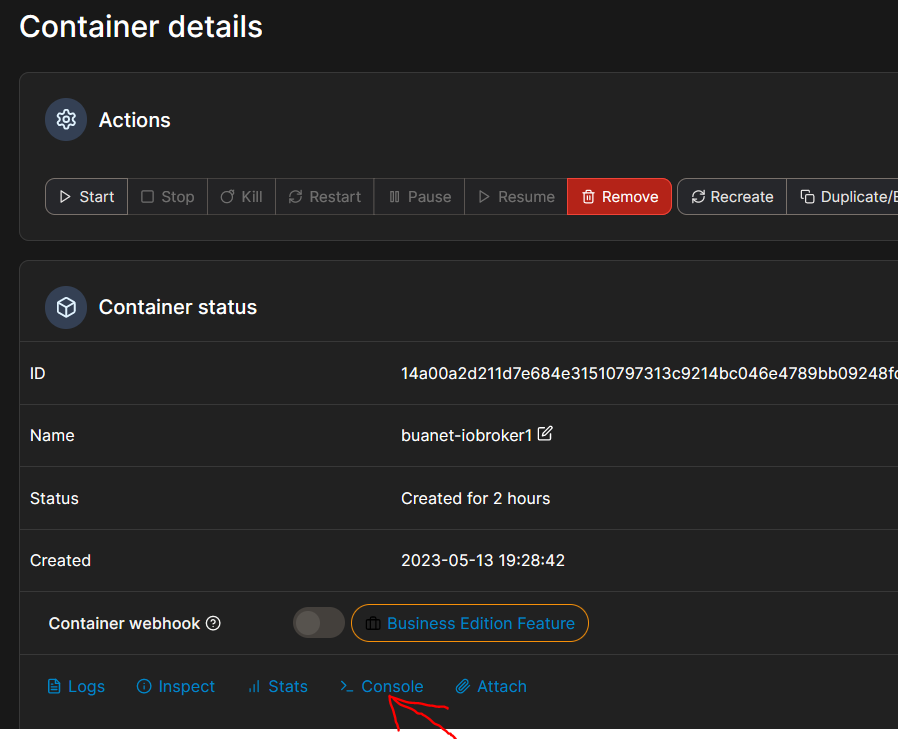
dann in der Konsole erstmal
iobroker list instanceshier zeigen
dann geht es weiter
root@docker:/opt/iobroker# iobroker list instances system.adapter.admin.0 : admin : docker - enabled, port: 8081, bind: 0.0.0.0 (SSL), run as: admin + system.adapter.alexa2.0 : alexa2 : docker - enabled system.adapter.cloud.0 : cloud : docker - disabled + system.adapter.deconz.0 : deconz : docker - enabled system.adapter.hm-rpc.0 : hm-rpc : docker - disabled, port: 0 system.adapter.iot.0 : iot : docker - disabled + system.adapter.javascript.0 : javascript : docker - enabled + system.adapter.sonoff.0 : sonoff : docker - enabled, port: 1883, bind: 0.0.0.0 + system.adapter.sonoff.1 : sonoff : docker - enabled, port: 1884, bind: 0.0.0.0 + system.adapter.telegram.0 : telegram : docker - enabled, port: 8443, bind: 0.0.0.0 + instance is alive root@docker:/opt/iobroker# ^C root@docker:/opt/iobroker# -
root@docker:/opt/iobroker# iobroker list instances system.adapter.admin.0 : admin : docker - enabled, port: 8081, bind: 0.0.0.0 (SSL), run as: admin + system.adapter.alexa2.0 : alexa2 : docker - enabled system.adapter.cloud.0 : cloud : docker - disabled + system.adapter.deconz.0 : deconz : docker - enabled system.adapter.hm-rpc.0 : hm-rpc : docker - disabled, port: 0 system.adapter.iot.0 : iot : docker - disabled + system.adapter.javascript.0 : javascript : docker - enabled + system.adapter.sonoff.0 : sonoff : docker - enabled, port: 1883, bind: 0.0.0.0 + system.adapter.sonoff.1 : sonoff : docker - enabled, port: 1884, bind: 0.0.0.0 + system.adapter.telegram.0 : telegram : docker - enabled, port: 8443, bind: 0.0.0.0 + instance is alive root@docker:/opt/iobroker# ^C root@docker:/opt/iobroker# -
@glasfaser komm wieder auf die Oberfäche vielen vielen dank wahnsinn dass ihr die Befehle alle kennt.
Super
@neuzeit sagte in webinterface nicht mehr erreichbar:
@glasfaser komm wieder auf die Oberfäche vielen vielen dank wahnsinn dass ihr die Befehle alle kennt.
Super
Wenn du am Anfang des Thread alle erfolderlichen Info´s angegeben hättest , wäre es viel schneller gelaufen !
siehen hier :
@glasfaser sagte in webinterface nicht mehr erreichbar:
@neuzeit
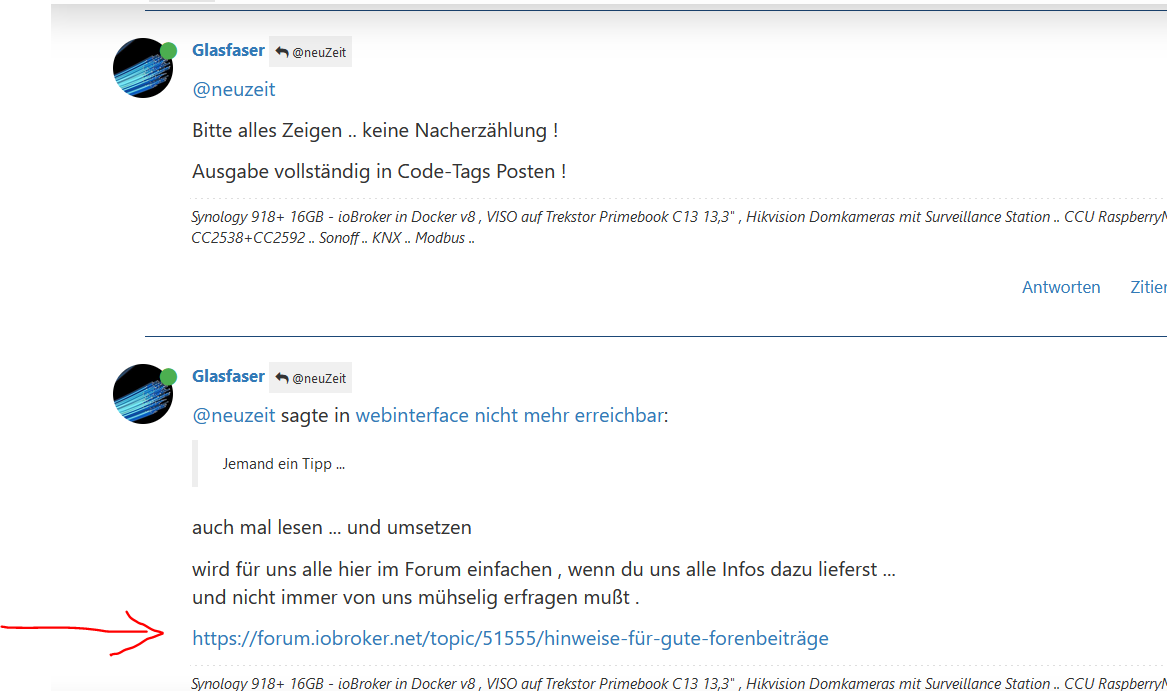
Bitte alles Zeigen .. keine Nacherzählung !
Ausgabe vollständig in Code-Tags Posten !@glasfaser sagte in webinterface nicht mehr erreichbar:
@neuzeit sagte in webinterface nicht mehr erreichbar:Jemand ein Tipp ...
auch mal lesen ... und umsetzen
wird für uns alle hier im Forum einfachen , wenn du uns alle Infos dazu lieferst ...
und nicht immer von uns mühselig erfragen mußt .https://forum.iobroker.net/topic/51555/hinweise-für-gute-forenbeiträge
@glasfaser sagte in webinterface nicht mehr erreichbar:
@neuzeitWie soll man dir helfen ... wenn du hier nichts dazu zeigst ..!
dann bin ich hier mal raus ....
@glasfaser sagte in webinterface nicht mehr erreichbar:
@neuzeit.... Frage ... da keine Info !?
Hast du Portainer installiert .
-
@neuzeit sagte in webinterface nicht mehr erreichbar:
@glasfaser komm wieder auf die Oberfäche vielen vielen dank wahnsinn dass ihr die Befehle alle kennt.
Super
Wenn du am Anfang des Thread alle erfolderlichen Info´s angegeben hättest , wäre es viel schneller gelaufen !
siehen hier :
@glasfaser sagte in webinterface nicht mehr erreichbar:
@neuzeit
Bitte alles Zeigen .. keine Nacherzählung !
Ausgabe vollständig in Code-Tags Posten !@glasfaser sagte in webinterface nicht mehr erreichbar:
@neuzeit sagte in webinterface nicht mehr erreichbar:Jemand ein Tipp ...
auch mal lesen ... und umsetzen
wird für uns alle hier im Forum einfachen , wenn du uns alle Infos dazu lieferst ...
und nicht immer von uns mühselig erfragen mußt .https://forum.iobroker.net/topic/51555/hinweise-für-gute-forenbeiträge
@glasfaser sagte in webinterface nicht mehr erreichbar:
@neuzeitWie soll man dir helfen ... wenn du hier nichts dazu zeigst ..!
dann bin ich hier mal raus ....
@glasfaser sagte in webinterface nicht mehr erreichbar:
@neuzeit.... Frage ... da keine Info !?
Hast du Portainer installiert .
@glasfaser sagte in webinterface nicht mehr erreichbar:
Code-Tags Posten !
ja das ist möglich es wissen nicht alle Menschen was ein Code-Tags ist und dass ich Docker installiert habe hatte ich geschrieben das nächste mal weiß ich das also bitte Nachsicht.
Ich bedanke mich bei allen ihr habt mir viel Arbeit durch eine Neuinstallation erspart vielen Dank. -
@glasfaser sagte in webinterface nicht mehr erreichbar:
Code-Tags Posten !
ja das ist möglich es wissen nicht alle Menschen was ein Code-Tags ist und dass ich Docker installiert habe hatte ich geschrieben das nächste mal weiß ich das also bitte Nachsicht.
Ich bedanke mich bei allen ihr habt mir viel Arbeit durch eine Neuinstallation erspart vielen Dank.@neuzeit sagte in webinterface nicht mehr erreichbar:
es wissen nicht alle Menschen was ein Code-Tags ist
dafür gibt es
https://forum.iobroker.net/topic/51555/hinweise-für-gute-forenbeiträge/1 -
@glasfaser sagte in webinterface nicht mehr erreichbar:
Code-Tags Posten !
ja das ist möglich es wissen nicht alle Menschen was ein Code-Tags ist und dass ich Docker installiert habe hatte ich geschrieben das nächste mal weiß ich das also bitte Nachsicht.
Ich bedanke mich bei allen ihr habt mir viel Arbeit durch eine Neuinstallation erspart vielen Dank.


570
Online32.7k
Users82.6k
Topics1.3m
Posts