Skip to content
  • Home
  • Recent
  • Tags
  • 0 Unread 0
  • Categories
  • Unreplied
  • Popular
  • GitHub
  • Docu
  • Hilfe
Skins
  • Light
  • Brite
  • Cerulean
  • Cosmo
  • Flatly
  • Journal
  • Litera
  • Lumen
  • Lux
  • Materia
  • Minty
  • Morph
  • Pulse
  • Sandstone
  • Simplex
  • Sketchy
  • Spacelab
  • United
  • Yeti
  • Zephyr
  • Dark
  • Cyborg
  • Darkly
  • Quartz
  • Slate
  • Solar
  • Superhero
  • Vapor

  • Default (No Skin)
  • No Skin
Collapse
ioBroker Logo

Community Forum

donate donate
  1. ioBroker Community Home
  2. Deutsch
  3. Einsteigerfragen
  4. Einbindung von Geräten
  5. Hichi IR Lesekopf verbindet sich nicht mit Smartmeter
NEWS

  • Monatsrückblick Januar/Februar 2026 ist online!
    BluefoxB
    Bluefox
    17
    1
    506

  • Jahresrückblick 2025 – unser neuer Blogbeitrag ist online! ✨
    BluefoxB
    Bluefox
    17
    1
    5.3k

  • Neuer Blogbeitrag: Monatsrückblick - Dezember 2025 🎄
    BluefoxB
    Bluefox
    13
    1
    1.4k

Hichi IR Lesekopf verbindet sich nicht mit Smartmeter
Scheduled Pinned Locked Moved Einbindung von Geräten
134 Posts 17 Posters 28.2k Views 15 Watching
  • Oldest to Newest
  • Newest to Oldest
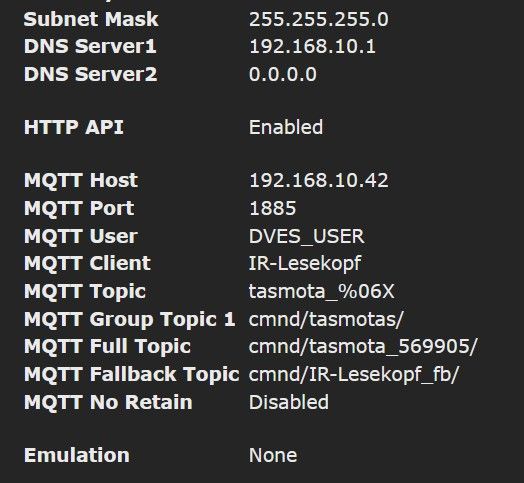
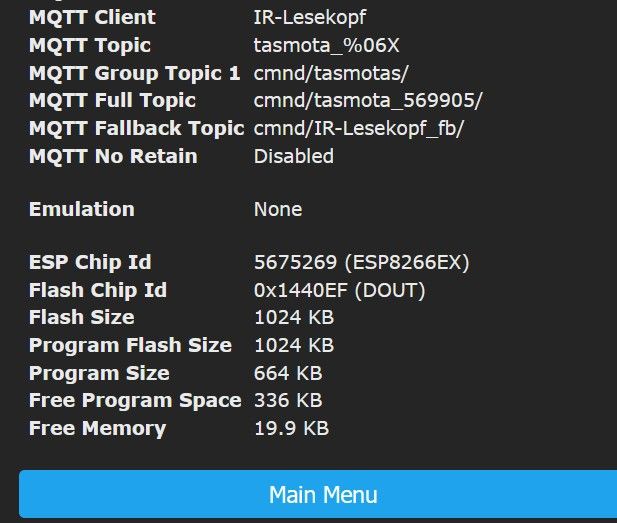
  • Most Votes
Reply
  • Reply as topic
Log in to reply
This topic has been deleted. Only users with topic management privileges can see it.
  • H HeleneLo

    Meine sieht fast genauso aus, bis auf Häckchen in Pkt 1 = Nur bei Änderungen publizieren.
    Habe aber im Protokoll einen Fehler endeckt:

    T Offline
    T Offline
    TT-Tom
    wrote on last edited by TT-Tom
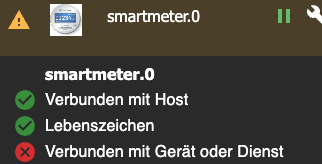
    #68

    @helenelo

    Haken muss raus und sieht nach falschen Port aus.

    Gruß Tom
    https://github.com/tt-tom17
    Wenn meine Hilfe erfolgreich war, benutze bitte das Voting unten rechts im Beitrag

    NSPanel Script Wiki
    https://github.com/joBr99/nspanel-lovelace-ui/wiki

    NSPanel Adapter Wiki
    https://github.com/ticaki/ioBroker.nspanel-lovelace-ui/wiki

    1 Reply Last reply
    0
    • H Offline
      H Offline
      HeleneLo
      wrote on last edited by
      #69

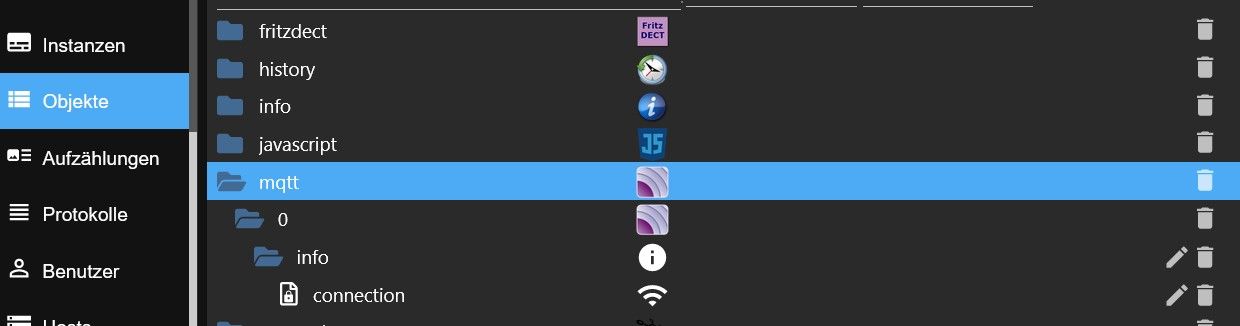
      Objekte-1.jpg Objekte-2.jpg

      T 1 Reply Last reply
      0
      • H HeleneLo

        Objekte-1.jpg Objekte-2.jpg

        T Offline
        T Offline
        TT-Tom
        wrote on last edited by TT-Tom
        #70

        @helenelo
        die Bilder sagen gar nichts aus. du musst schon den mqtt Baum öffnen.

        Gruß Tom
        https://github.com/tt-tom17
        Wenn meine Hilfe erfolgreich war, benutze bitte das Voting unten rechts im Beitrag

        NSPanel Script Wiki
        https://github.com/joBr99/nspanel-lovelace-ui/wiki

        NSPanel Adapter Wiki
        https://github.com/ticaki/ioBroker.nspanel-lovelace-ui/wiki

        1 Reply Last reply
        0
        • H HeleneLo

          @helenelo ADAPTER_REQUESTED_TERMINATION.jpg

          H Offline
          H Offline
          HeleneLo
          wrote on last edited by
          #71

          @helenelo Da ich absoluter Novize in der ganzen Sache bin, muss ich leider fragen, wie öffne ich den?

          HomoranH T 2 Replies Last reply
          0
          • H HeleneLo

            @helenelo Da ich absoluter Novize in der ganzen Sache bin, muss ich leider fragen, wie öffne ich den?

            HomoranH Do not disturb
            HomoranH Do not disturb
            Homoran
            Global Moderator Administrators
            wrote on last edited by
            #72

            @helenelo sagte in Hichi IR Lesekopf verbindet sich nicht mit Smartmeter:

            @helenelo Da ich absoluter Novize in der ganzen Sache bin, muss ich leider fragen, wie öffne ich den?

            den Ordner anklicken

            kein Support per PN! - Fragen im Forum stellen -
            Benutzt das Voting rechts unten im Beitrag wenn er euch geholfen hat.
            Das Forum freut sich über eine Spende. Benutzt dazu den Spendenbutton im Header. Danke!
            der Installationsfixer: curl -fsL https://iobroker.net/fix.sh | bash -

            1 Reply Last reply
            0
            • H HeleneLo

              @helenelo Da ich absoluter Novize in der ganzen Sache bin, muss ich leider fragen, wie öffne ich den?

              T Offline
              T Offline
              TT-Tom
              wrote on last edited by
              #73

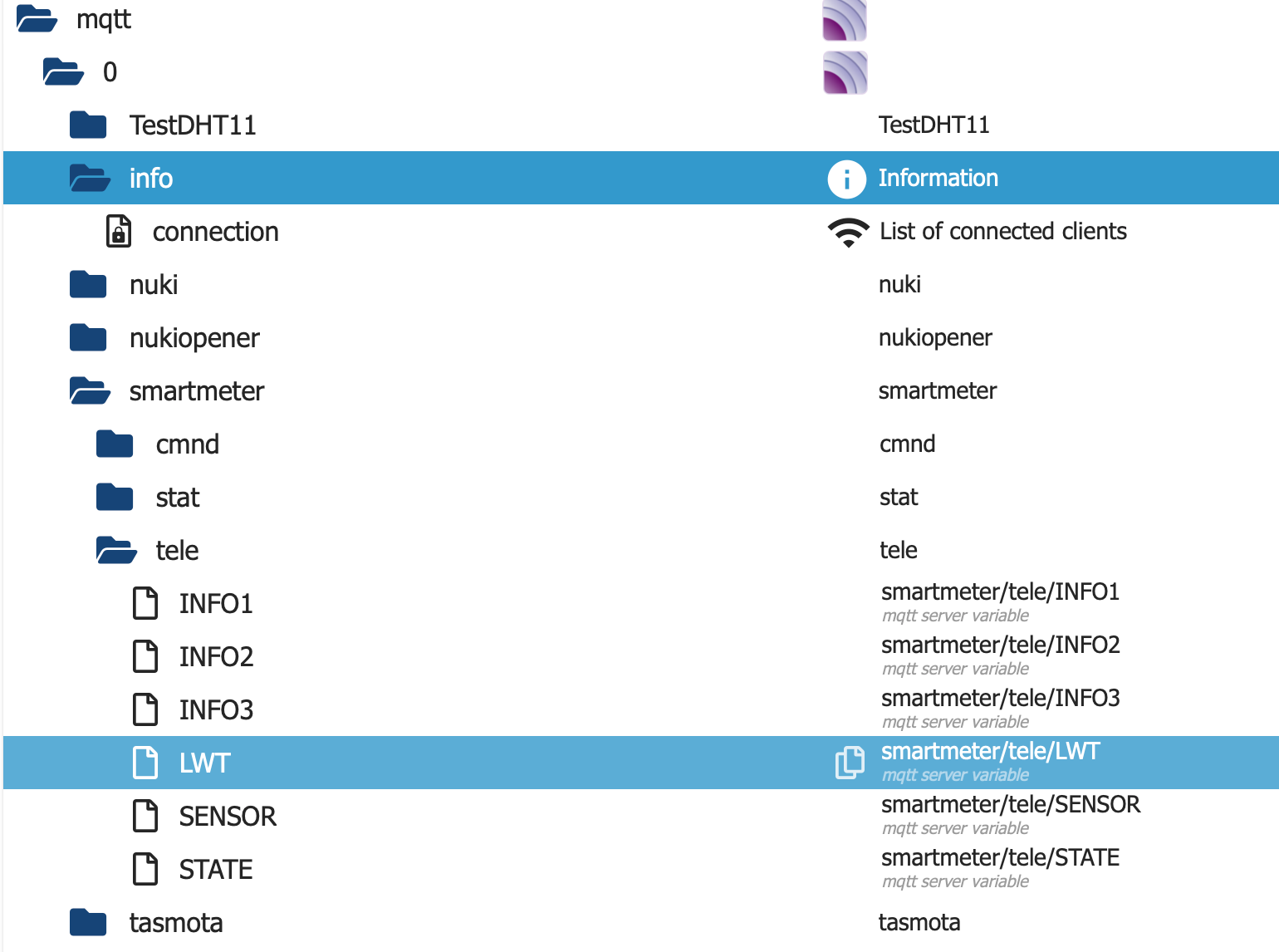
              @helenelo klick mal auf den Ordner mqtt, dann auf die 0 und so weiter
              bei mir sieht das so aus

              Bildschirmfoto 2023-08-28 um 18.21.03.png

              hast du den Port nochmal geprüft

              Gruß Tom
              https://github.com/tt-tom17
              Wenn meine Hilfe erfolgreich war, benutze bitte das Voting unten rechts im Beitrag

              NSPanel Script Wiki
              https://github.com/joBr99/nspanel-lovelace-ui/wiki

              NSPanel Adapter Wiki
              https://github.com/ticaki/ioBroker.nspanel-lovelace-ui/wiki

              1 Reply Last reply
              0
              • H Offline
                H Offline
                HeleneLo
                wrote on last edited by
                #74

                mqtt-baum.jpg

                T 1 Reply Last reply
                0
                • H HeleneLo

                  mqtt-baum.jpg

                  T Offline
                  T Offline
                  TT-Tom
                  wrote on last edited by
                  #75

                  @helenelo okay, da ist wirklich noch nichts eingelaufen.

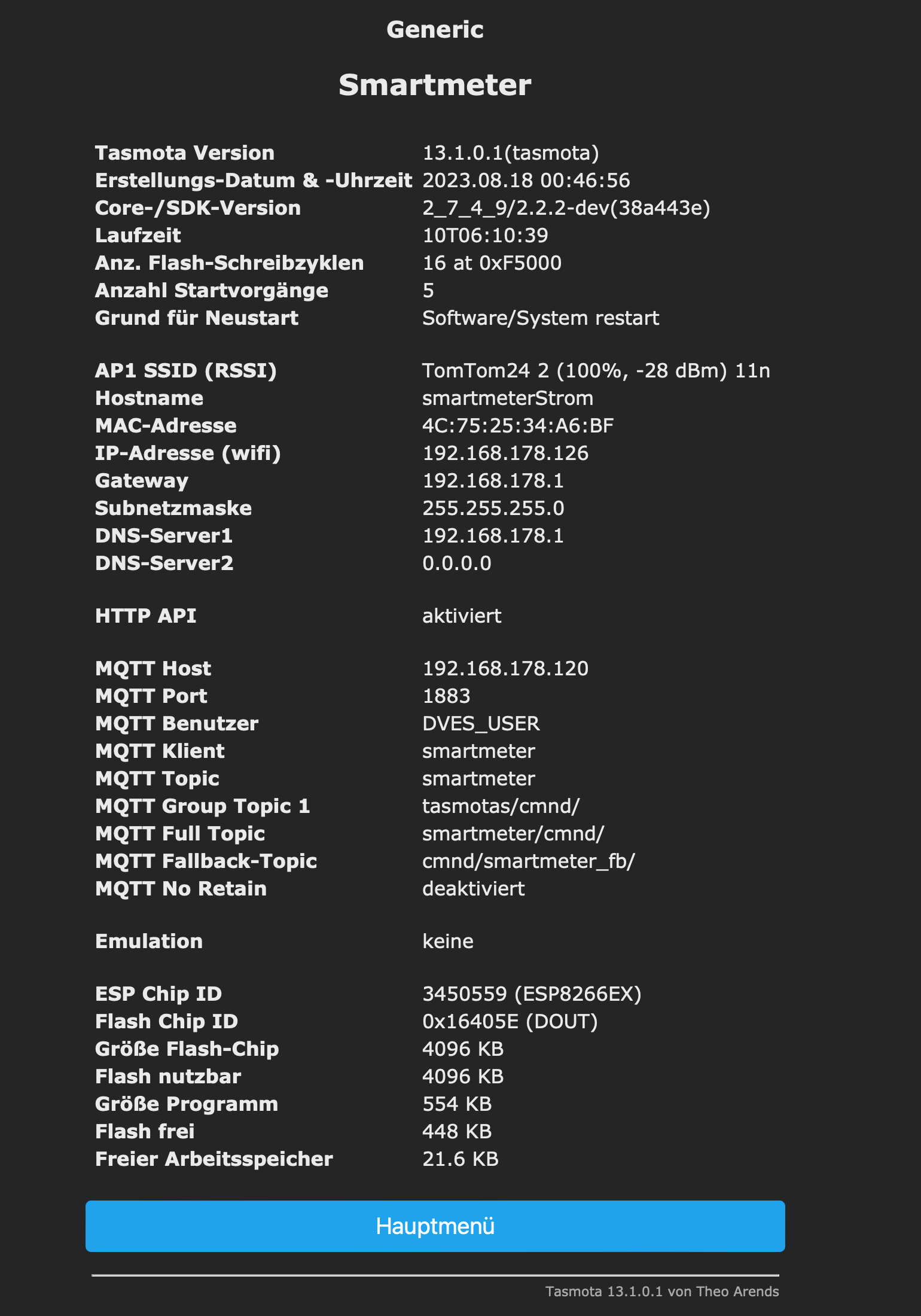
                  gehe bitte noch mal auf den Kopf und zeigen mal den Inhalt von der infoseite von Tasmota
                  diese hier

                  Bildschirmfoto 2023-08-28 um 18.26.34.png

                  Gruß Tom
                  https://github.com/tt-tom17
                  Wenn meine Hilfe erfolgreich war, benutze bitte das Voting unten rechts im Beitrag

                  NSPanel Script Wiki
                  https://github.com/joBr99/nspanel-lovelace-ui/wiki

                  NSPanel Adapter Wiki
                  https://github.com/ticaki/ioBroker.nspanel-lovelace-ui/wiki

                  1 Reply Last reply
                  0
                  • H Offline
                    H Offline
                    HeleneLo
                    wrote on last edited by
                    #76

                    Port ist immer noch 1885

                    H T 2 Replies Last reply
                    0
                    • H HeleneLo

                      Port ist immer noch 1885

                      H Offline
                      H Offline
                      HeleneLo
                      wrote on last edited by
                      #77

                      @helenelo wie kann ich ein Bild machen von der ganzen Seite?

                      T 1 Reply Last reply
                      0
                      • H HeleneLo

                        Port ist immer noch 1885

                        T Offline
                        T Offline
                        TT-Tom
                        wrote on last edited by
                        #78

                        @helenelo erst Port ändern im Adapter.

                        wie kann ich ein Bild machen von der ganzen Seite?

                        was nutzt du den für ein System

                        Gruß Tom
                        https://github.com/tt-tom17
                        Wenn meine Hilfe erfolgreich war, benutze bitte das Voting unten rechts im Beitrag

                        NSPanel Script Wiki
                        https://github.com/joBr99/nspanel-lovelace-ui/wiki

                        NSPanel Adapter Wiki
                        https://github.com/ticaki/ioBroker.nspanel-lovelace-ui/wiki

                        H 1 Reply Last reply
                        0
                        • T TT-Tom

                          @helenelo erst Port ändern im Adapter.

                          wie kann ich ein Bild machen von der ganzen Seite?

                          was nutzt du den für ein System

                          H Offline
                          H Offline
                          HeleneLo
                          wrote on last edited by
                          #79

                          @tt-tom win 10

                          H 1 Reply Last reply
                          0
                          • H HeleneLo

                            @tt-tom win 10

                            H Offline
                            H Offline
                            HeleneLo
                            wrote on last edited by
                            #80

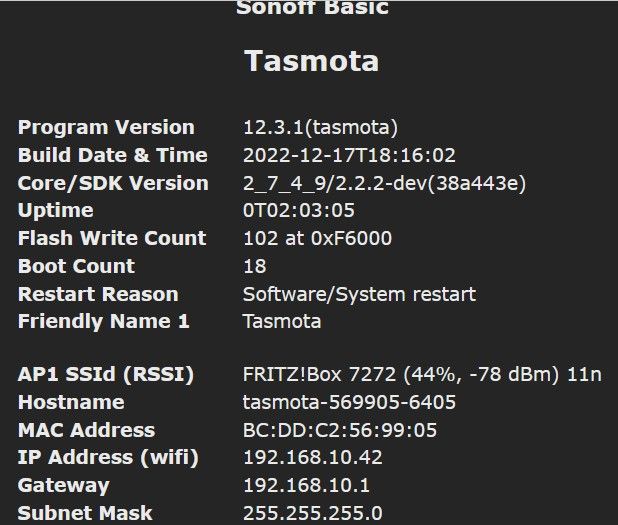
                            @helenelo Sonoff-Basic 1.jpg

                            H 2 Replies Last reply
                            0
                            • H HeleneLo

                              @helenelo Sonoff-Basic 1.jpg

                              H Offline
                              H Offline
                              HeleneLo
                              wrote on last edited by
                              #81

                              @helenelo Sonoff-Basic 2.jpg

                              1 Reply Last reply
                              0
                              • H HeleneLo

                                @helenelo Sonoff-Basic 1.jpg

                                H Offline
                                H Offline
                                HeleneLo
                                wrote on last edited by
                                #82

                                @helenelo Sonoff-Basic 3.jpg

                                T 1 Reply Last reply
                                0
                                • H HeleneLo

                                  @helenelo Sonoff-Basic 3.jpg

                                  T Offline
                                  T Offline
                                  TT-Tom
                                  wrote on last edited by
                                  #83

                                  @helenelo

                                  dein Iobroker hat diese IP Adresse 192.168.10.42 ?
                                  in Tasmota ist ja auch Port 1885 eingetragen, ist der jetzt auch im Adapter?

                                  Gruß Tom
                                  https://github.com/tt-tom17
                                  Wenn meine Hilfe erfolgreich war, benutze bitte das Voting unten rechts im Beitrag

                                  NSPanel Script Wiki
                                  https://github.com/joBr99/nspanel-lovelace-ui/wiki

                                  NSPanel Adapter Wiki
                                  https://github.com/ticaki/ioBroker.nspanel-lovelace-ui/wiki

                                  H 1 Reply Last reply
                                  0
                                  • H HeleneLo

                                    @helenelo wie kann ich ein Bild machen von der ganzen Seite?

                                    T Offline
                                    T Offline
                                    TT-Tom
                                    wrote on last edited by
                                    #84

                                    @helenelo bei WIN gibt es doch dieses "Snipping Tool" oder so ähnlich. Nutze hier nur Mac und kann dir da nicht genau das sagen, frag mal google

                                    Gruß Tom
                                    https://github.com/tt-tom17
                                    Wenn meine Hilfe erfolgreich war, benutze bitte das Voting unten rechts im Beitrag

                                    NSPanel Script Wiki
                                    https://github.com/joBr99/nspanel-lovelace-ui/wiki

                                    NSPanel Adapter Wiki
                                    https://github.com/ticaki/ioBroker.nspanel-lovelace-ui/wiki

                                    1 Reply Last reply
                                    0
                                    • T TT-Tom

                                      @helenelo

                                      dein Iobroker hat diese IP Adresse 192.168.10.42 ?
                                      in Tasmota ist ja auch Port 1885 eingetragen, ist der jetzt auch im Adapter?

                                      H Offline
                                      H Offline
                                      HeleneLo
                                      wrote on last edited by
                                      #85

                                      @tt-tom Leider Nein. Habe gerade nochmal in den Netzwerkeinstellungen des Routers nachgeschaut. Der Tasmota hat die 42 und iobroker die 31 und Port ist immer noch 1885

                                      T 1 Reply Last reply
                                      0
                                      • H HeleneLo

                                        @tt-tom Leider Nein. Habe gerade nochmal in den Netzwerkeinstellungen des Routers nachgeschaut. Der Tasmota hat die 42 und iobroker die 31 und Port ist immer noch 1885

                                        T Offline
                                        T Offline
                                        TT-Tom
                                        wrote on last edited by TT-Tom
                                        #86

                                        @helenelo

                                        also bei Host(Tasmota) muss die vom iobroker rein und stell bei beiden den Port auf 1884 (Tasmota und MQTT Adapter)
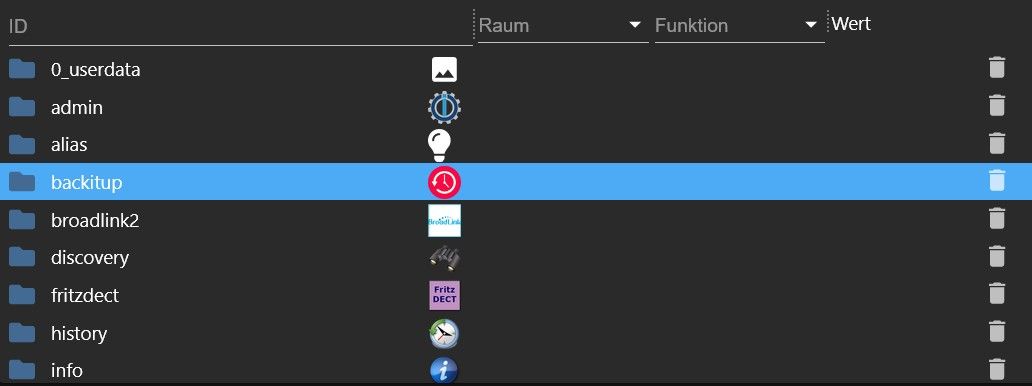
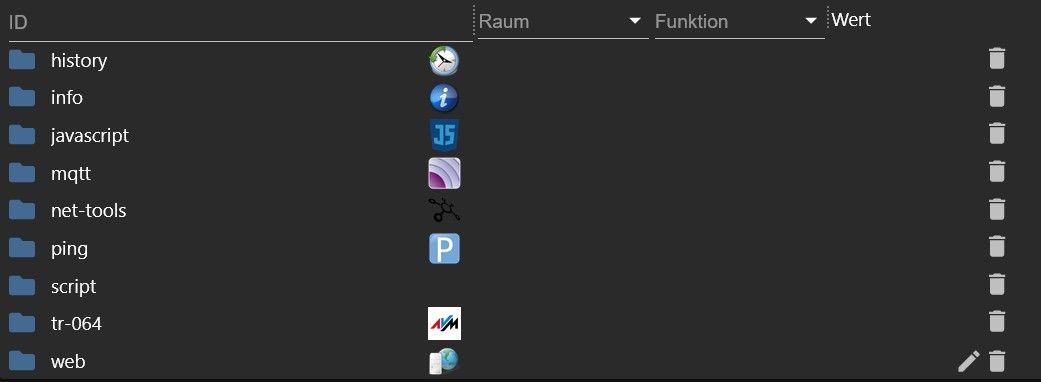
                                        Gruß Tom
                                        https://github.com/tt-tom17
                                        Wenn meine Hilfe erfolgreich war, benutze bitte das Voting unten rechts im Beitrag

                                        NSPanel Script Wiki
                                        https://github.com/joBr99/nspanel-lovelace-ui/wiki

                                        NSPanel Adapter Wiki
                                        https://github.com/ticaki/ioBroker.nspanel-lovelace-ui/wiki

                                        H 1 Reply Last reply
                                        0
                                        • T TT-Tom

                                          @helenelo

                                          also bei Host(Tasmota) muss die vom iobroker rein und stell bei beiden den Port auf 1884 (Tasmota und MQTT Adapter)
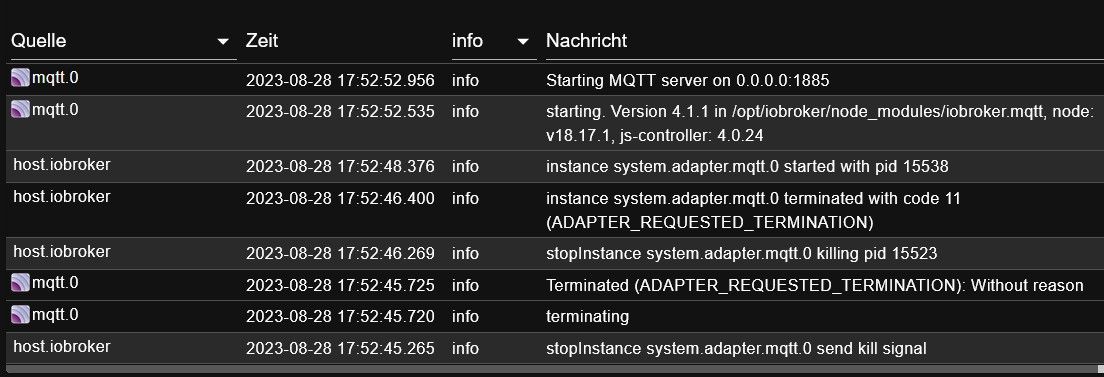
                                          H Offline
                                          H Offline
                                          HeleneLo
                                          wrote on last edited by
                                          #87

                                          @tt-tom Das war's wohl. Nachdem ich die IP im Tasmota auf die IP des iobrokers sowie den Port auf 1884 geändert habe, ist das gelbe Dreieck, am Anfang des Verzeichnisbaums auf grün gesprungen. Danke für die Hilfe.

                                          H 1 Reply Last reply
                                          0
                                          Reply
                                          • Reply as topic
                                          Log in to reply
                                          • Oldest to Newest
                                          • Newest to Oldest
                                          • Most Votes


                                          Support us

                                          ioBroker
                                          Community Adapters
                                          Donate

                                          329

                                          Online

                                          32.7k

                                          Users

                                          82.5k

                                          Topics

                                          1.3m

                                          Posts
                                          Community
                                          Impressum | Datenschutz-Bestimmungen | Nutzungsbedingungen | Einwilligungseinstellungen
                                          ioBroker Community 2014-2025
                                          logo
                                          • Login

                                          • Don't have an account? Register

                                          • Login or register to search.
                                          • First post
                                            Last post
                                          0
                                          • Home
                                          • Recent
                                          • Tags
                                          • Unread 0
                                          • Categories
                                          • Unreplied
                                          • Popular
                                          • GitHub
                                          • Docu
                                          • Hilfe