Skip to content
  • Home
  • Recent
  • Tags
  • 0 Unread 0
  • Categories
  • Unreplied
  • Popular
  • GitHub
  • Docu
  • Hilfe
Skins
  • Light
  • Brite
  • Cerulean
  • Cosmo
  • Flatly
  • Journal
  • Litera
  • Lumen
  • Lux
  • Materia
  • Minty
  • Morph
  • Pulse
  • Sandstone
  • Simplex
  • Sketchy
  • Spacelab
  • United
  • Yeti
  • Zephyr
  • Dark
  • Cyborg
  • Darkly
  • Quartz
  • Slate
  • Solar
  • Superhero
  • Vapor

  • Default (No Skin)
  • No Skin
Collapse
ioBroker Logo

Community Forum

donate donate
  1. ioBroker Community Home
  2. Deutsch
  3. Entwicklung
  4. Xiaomi Mi Pflanzensensor

NEWS

  • Jahresrückblick 2025 – unser neuer Blogbeitrag ist online! ✨
    BluefoxB
    Bluefox
    17
    1
    4.1k

  • Neuer Blogbeitrag: Monatsrückblick - Dezember 2025 🎄
    BluefoxB
    Bluefox
    13
    1
    1.2k

  • Weihnachtsangebot 2025! 🎄
    BluefoxB
    Bluefox
    25
    1
    2.6k

Xiaomi Mi Pflanzensensor

Scheduled Pinned Locked Moved Entwicklung
261 Posts 35 Posters 62.8k Views 2 Watching
  • Oldest to Newest
  • Newest to Oldest
  • Most Votes
Reply
  • Reply as topic
Log in to reply
This topic has been deleted. Only users with topic management privileges can see it.
  • J Offline
    J Offline
    Jan1
    wrote on last edited by
    #205

    OK, dann warte ich mal ein paar Minuten. Am Handy ist die APP beendet und BT aus. Auch alle anderen BT Geräte sind deaktiviert. Ich bin gespannt :D

    1 Reply Last reply
    0
    • J Offline
      J Offline
      Jan1
      wrote on last edited by
      #206

      18 Minuten später immer noch keine DPs da :?:

      1 Reply Last reply
      0
      • J Offline
        J Offline
        Jan1
        wrote on last edited by
        #207

        Wenn ich den Adapter auf debug stelle, bekomme das im Log:

        le.0	2018-10-29 17:47:43.702	debug	has serviceData: true
        ble.0	2018-10-29 17:47:43.702	debug	has advertisement: true
        ble.0	2018-10-29 17:47:43.701	debug	discovered peripheral c4:7c:8d:67:4c:a9
        ble.0	2018-10-29 17:47:42.719	debug	xiaomi >> Use its app to complete the initialization.
        ble.0	2018-10-29 17:47:42.718	debug	xiaomi >> The device is not fully initialized.
        ble.0	2018-10-29 17:47:42.717	debug	xiaomi >> got data: 3102980000a94c678d7cc40d
        ble.0	2018-10-29 17:47:42.700	debug	plugin mi-flora is handling c4:7c:8d:67:4c:a9
        ble.0	2018-10-29 17:47:42.700	debug	serviceData = [{"uuid":"fe95","data":{"type":"Buffer","data":[49,2,152,0,0,169,76,103,141,124,196,13]}}]
        
        1 Reply Last reply
        0
        • B Offline
          B Offline
          badsnoopy667
          wrote on last edited by
          #208

          Hallo,

          ich habe dasselbe Problem. Habe den Sensor gerade erhalten und an die App angelernt. Funktioniert mit der App auch ohne Probleme, zeigt alle Werte an.

          Habe jetzt BLE installiert, die BT-Verbindung zur App getrennt und den Sensor mit dem BLE verbunden. Er findet ihn auch, erstellt aber keine Datenpunkte außer "signal strength (RSSI)". Dieser enthält auch einen Wert der sich ändert (ca. -70)

          Im Log steht ähnliches wie bei Jan1. Den Fehler mit dem fehlenden Namen bekomme ich aber nicht, siehe Code.

          Software-Version des Sensors ist laut App: v2.7.0

          Ist das eventuell eine neue Version die nicht unterstützt wird? Danke für die Hilfe!

          ble.0	2018-10-29 17:58:50.008	debug	xiaomi >> Use its app to complete the initialization.
          ble.0	2018-10-29 17:58:50.007	debug	xiaomi >> The device is not fully initialized.
          ble.0	2018-10-29 17:58:49.999	debug	xiaomi >> got data: 31029800013748678d7cc40d
          ble.0	2018-10-29 17:58:49.967	debug	updating rssi state for c4:7c:8d:67:48:37
          ble.0	2018-10-29 17:58:49.943	debug	creating state object c4:7c:8d:67:48:37.rssi
          ble.0	2018-10-29 17:58:49.943	debug	plugin mi-flora is handling c4:7c:8d:67:48:37
          ble.0	2018-10-29 17:58:49.943	debug	serviceData = [{"uuid":"fe95","data":{"type":"Buffer","data":[49,2,152,0,1,55,72,103,141,124,196,13]}}]
          ble.0	2018-10-29 17:58:49.943	debug	has serviceData: true
          ble.0	2018-10-29 17:58:49.942	debug	has advertisement: true
          ble.0	2018-10-29 17:58:49.941	debug	discovered peripheral c4:7c:8d:67:48:37
          ble.0	2018-10-29 17:58:19.822	debug	system.adapter.admin.0: logging true
          ble.0	2018-10-29 17:58:12.702	debug	sendTo "getHCIPorts" to system.adapter.admin.0 from system.adapter.ble.0
          ble.0	2018-10-29 17:58:12.700	info	{"index":0,"bus":"UART"}
          ble.0	2018-10-29 17:57:31.966	info	starting scan for services ["fe95"]
          ble.0	2018-10-29 17:57:31.871	info	monitored services: fe95
          ble.0	2018-10-29 17:57:31.869	info	enabled plugins: mi-flora, _default
          ble.0	2018-10-29 17:57:31.867	info	loaded plugins: Xiaomi, mi-flora, ruuvi-tag, _default
          ble.0	2018-10-29 17:57:31.761	info	starting. Version 0.5.2 in /opt/iobroker/node_modules/iobroker.ble, node: v8.11.3
          
          
          1 Reply Last reply
          0
          • J Offline
            J Offline
            Jan1
            wrote on last edited by
            #209

            Also eins habe ich jetzt schon raus gefunden, nachdem ich das gemacht habe:

            sudo apt-get install bluetooth bluez libbluetooth-dev libudev-dev
            

            Steht hinter der BT MAC des Sensors nicht mehr "flora care". DPs gab's da aber auch nicht.

            OK, das steht nun auch wieder da und 2 weiter BT Geräte von denen ich kein Plan habe wo die sein sollen.

            1 Reply Last reply
            0
            • eierfeileE Offline
              eierfeileE Offline
              eierfeile
              wrote on last edited by
              #210

              bei klappts auch nicht. bekomme keine Datenpunkte. beim ble hab ich jetzt verschiede konfigs gesehn. ist das richtig?

              1 Reply Last reply
              0
              • AlCalzoneA Offline
                AlCalzoneA Offline
                AlCalzone
                Developer
                wrote on last edited by
                #211

                @Jan1:

                Wenn ich den Adapter auf debug stelle, bekomme das im Log:

                ble.0	2018-10-29 17:47:42.719	debug	xiaomi >> Use its app to complete the initialization.
                ble.0	2018-10-29 17:47:42.718	debug	xiaomi >> The device is not fully initialized.
                ble.0	2018-10-29 17:47:42.717	debug	xiaomi >> got data: 3102980000a94c678d7cc40d
                ```` `  
                

                Siehe log.

                Du musst das Gerät mit der Flower-Care-App einrichten und möglicherweise ein Firmware-Update aufspielen.

                "mi-flora" und "xiaomi" sind gleichbedeutend, was die Plugins angeht.

                Warum `sudo` böse ist: https://forum.iobroker.net/post/17109

                1 Reply Last reply
                0
                • J Offline
                  J Offline
                  Jan1
                  wrote on last edited by
                  #212

                  In der APP ist alles eingerichtet und ein Update steht nicht an. Ich bekomme die Werte im APP angezeigt, oder muss da noch was anderes gemacht werden?

                  1 Reply Last reply
                  0
                  • B Offline
                    B Offline
                    badsnoopy667
                    wrote on last edited by
                    #213

                    Hab jetzt nochmal versucht die Firmware zu updaten, aber ich bekomme kein Update angezeigt. Habe jetzt schon mehrere Apps, sowohl auf iOS als auch auf Android probiert… v2.7.0 wird als aktuelle Version angezeigt... v3.18 soll es ja wohl auch geben. Wie initiiert man das Update wenn keins angezeigt wird in der App? Hat da jemand eine Idee?

                    1 Reply Last reply
                    0
                    • AlCalzoneA Offline
                      AlCalzoneA Offline
                      AlCalzone
                      Developer
                      wrote on last edited by
                      #214

                      @Jan1:

                      In der APP ist alles eingerichtet und ein Update steht nicht an. Ich bekomme die Werte im APP angezeigt, oder muss da noch was anderes gemacht werden? `

                      Die App und der Adapter nutzen unterschiedliche Methoden, um an die Daten zu kommen.

                      Die App ist dauerhaft verbunden (was auch ordentlich Batterie kostet), während der Adapter nur lauscht, was der Sensor von selbst sendet.

                      Kann sein, dass unterschiedliche Versionen des Sensors gibt - da kenne ich mich leider nicht aus. Habe nur einen und der funktioniert.

                      Warum `sudo` böse ist: https://forum.iobroker.net/post/17109

                      1 Reply Last reply
                      0
                      • J Offline
                        J Offline
                        Jan1
                        wrote on last edited by
                        #215

                        Ich habe mir extra den original bei Amazon bestellt https://www.amazon.de/gp/product/B078VQ … UTF8&psc=1

                        Was hast Du denn für einen, dann bestell ich mir den gleichen, da ich eh noch einen brauche und deshalb erst mal einen zum Testen bestellt habe.

                        1 Reply Last reply
                        0
                        • C Offline
                          C Offline
                          chris
                          wrote on last edited by
                          #216

                          Ich habe genau den aus deinem Link und der geht bei mir.

                          Allerdings muss er schon recht nahe sein, sonst ist die Verbindung gleich weg.

                          1 Reply Last reply
                          0
                          • J Offline
                            J Offline
                            Jan1
                            wrote on last edited by
                            #217

                            @chris

                            und was machst Du anders als ich?

                            Ich habe den Adapter jetzt noch mal runter geschmissen und frisch installiert, den Sensor in der APP entfernt und noch mal frisch verbunden. Der Sensor wird in der APP mit allen Daten angezeigt, ein Update steht nicht zur Verfügung. FW 2.7.0 ist gleich mit neuster angezeigter Version.

                            bei der Installation des Adapter kamen ein paar Warnungen:

                            $ ./iobroker add ble  --host raspberrypi
                            NPM version: 4.6.1
                            npm install iobroker.ble --production --save --prefix "/opt/iobroker" (System call)
                            node-pre-gyp
                             WARN Using request for node-pre-gyp https download 
                            node-pre-gyp
                             WARN Tried to download(404): https://github.com/tessel/node-usb/releases/download/1.3.3/usb_bindings-v1.3.3-node-v57-linux-arm.tar.gz node-pre-gyp WARN Pre-built binaries not found for usb@1.3.3 and node@8.12.0 (node-v57 ABI, glibc) (falling back to source compile with node-gyp) 
                            
                            ../src/node_usb.cc: In function ‘void handleHotplug(std::pair<libusb_device*, libusb_hotplug_event="">)’:../src/node_usb.cc:151:58: warning: ‘v8::Local <v8::value>Nan::MakeCallback(v8::Local<v8::object>, const char*, int, v8::Local<v8::value>*)’ is deprecated [-Wdeprecated-declarations]
                              Nan::MakeCallback(Nan::New(hotplugThis), "emit", 2, argv);
                                                                                      ^
                            
                            In file included from ../src/helpers.h:3:0,                 from ../src/node_usb.h:21,
                                             from ../src/node_usb.cc:1:
                            ../../nan/nan.h:1000:46: note: declared here
                               NAN_DEPRECATED inline v8::Local <v8::value>MakeCallback(
                                                                          ^~~~~~~~~~~~
                            
                            ../src/device.cc: In static member function ‘static void Req::default_after(uv_work_t*)’:../src/device.cc:237:64: warning: ‘v8::Local <v8::value>Nan::MakeCallback(v8::Local<v8::object>, v8::Local<v8::function>, int, v8::Local<v8::value>*)’ is deprecated [-Wdeprecated-declarations]
                                Nan::MakeCallback(device, Nan::New(baton->callback), 1, argv);
                                                                                            ^
                            
                            In file included from ../src/helpers.h:3:0,                 from ../src/node_usb.h:21,
                                             from ../src/device.cc:1:
                            ../../nan/nan.h:958:46: note: declared here
                               NAN_DEPRECATED inline v8::Local <v8::value>MakeCallback(
                                                                          ^~~~~~~~~~~~
                            
                            ../src/transfer.cc: In function ‘void handleCompletion(Transfer*)’:../src/transfer.cc:126:72: warning: ‘v8::Local <v8::value>Nan::MakeCallback(v8::Local<v8::object>, v8::Local<v8::function>, int, v8::Local<v8::value>*)’ is deprecated [-Wdeprecated-declarations]
                               Nan::MakeCallback(self->handle(), Nan::New(self->v8callback), 3, argv);
                                                                                                    ^
                            
                            In file included from ../src/helpers.h:3:0,                 from ../src/node_usb.h:21,
                                             from ../src/transfer.cc:1:
                            ../../nan/nan.h:958:46: note: declared here
                               NAN_DEPRECATED inline v8::Local <v8::value>MakeCallback(
                                                                          ^~~~~~~~~~~~
                            
                            ../src/BluetoothHciSocket.cpp: In member function ‘void BluetoothHciSocket::poll()’:../src/BluetoothHciSocket.cpp:251:95: warning: ‘v8::Local <v8::value>Nan::MakeCallback(v8::Local<v8::object>, v8::Local<v8::string>, int, v8::Local<v8::value>*)’ is deprecated [-Wdeprecated-declarations]
                                 Nan::MakeCallback(Nan::New<object>(this->This), Nan::New("emit").ToLocalChecked(), 2, argv);
                                                                                                                           ^
                            
                            In file included from ../src/BluetoothHciSocket.cpp:8:0:../../nan/nan.h:979:46: note: declared here
                               NAN_DEPRECATED inline v8::Local <v8::value>MakeCallback(
                                                                          ^~~~~~~~~~~~
                            
                            ../src/BluetoothHciSocket.cpp: In member function ‘void BluetoothHciSocket::emitErrnoError()’:../src/BluetoothHciSocket.cpp:275:72: warning: ‘v8::Local <v8::object>v8::Function::NewInstance(int, v8::Local<v8::value>*) const’ is deprecated: Use maybe version [-Wdeprecated-declarations]
                               Local <value>error = errorConstructor->NewInstance(1, constructorArgs);
                                                                                                    ^
                            In file included from /root/.node-gyp/8.12.0/include/node/v8.h:26:0,
                                             from /root/.node-gyp/8.12.0/include/node/node.h:63,
                                             from /root/.node-gyp/8.12.0/include/node/node_buffer.h:25,
                                             from ../src/BluetoothHciSocket.cpp:7:
                            /root/.node-gyp/8.12.0/include/node/v8.h:3897:31: note: declared here
                                             Local <object>NewInstance(int argc, Local <value>argv[]) const);
                                                           ^
                            /root/.node-gyp/8.12.0/include/node/v8config.h:318:3: note: in definition of macro ‘V8_DEPRECATED’
                               declarator __attribute__((deprecated(message)))
                               ^~~~~~~~~~
                            
                            ../src/BluetoothHciSocket.cpp:282:93: warning: ‘v8::Local <v8::value>Nan::MakeCallback(v8::Local<v8::object>, v8::Local<v8::string>, int, v8::Local<v8::value>*)’ is deprecated [-Wdeprecated-declarations]   Nan::MakeCallback(Nan::New<object>(this->This), Nan::New("emit").ToLocalChecked(), 2, argv);
                                                                                                                         ^
                            
                            In file included from ../src/BluetoothHciSocket.cpp:8:0:../../nan/nan.h:979:46: note: declared here
                               NAN_DEPRECATED inline v8::Local <v8::value>MakeCallback(
                                                                          ^~~~~~~~~~~~
                            
                            npm
                             WARN
                             optional
                             SKIPPING OPTIONAL DEPENDENCY: xpc-connection@~0.1.4 (node_modules/noble/node_modules/xpc-connection):npm WARN
                             notsup SKIPPING OPTIONAL DEPENDENCY: Unsupported platform for xpc-connection@0.1.4: wanted {"os":"darwin","arch":"any"} (current: {"os":"linux","arch":"arm"})
                            host.raspberrypi install adapter ble
                            got /opt/iobroker/node_modules/iobroker.ble/admin
                            upload [2] ble.admin /opt/iobroker/node_modules/iobroker.ble/admin/words.js words.js application/javascript
                            upload [1] ble.admin /opt/iobroker/node_modules/iobroker.ble/admin/index.html index.html text/html
                            upload [0] ble.admin /opt/iobroker/node_modules/iobroker.ble/admin/ble.png ble.png image/png
                            host.raspberrypi object system.adapter.ble created
                            host.raspberrypi create instance ble
                            host.raspberrypi object ble.0.info.driverState created
                            host.raspberrypi object ble.0.info.connection created
                            host.raspberrypi object ble.0.info created
                            host.raspberrypi object system.adapter.ble.0.outputCount created
                            host.raspberrypi object system.adapter.ble.0.inputCount created
                            host.raspberrypi object system.adapter.ble.0.uptime created
                            host.raspberrypi object system.adapter.ble.0.memRss created
                            host.raspberrypi object system.adapter.ble.0.memHeapTotal created
                            host.raspberrypi object system.adapter.ble.0.memHeapUsed created
                            host.raspberrypi object system.adapter.ble.0.connected created
                            host.raspberrypi object system.adapter.ble.0.alive created
                            host.raspberrypi object system.adapter.ble.0 created
                            process exited with code 0
                            
                            und ich habe immer noch die Aufforderung im debug log:
                            

                            ble.0 2018-10-30 17:59:09.232 debug xiaomi >> Use its app to complete the initialization.
                            ble.0 2018-10-30 17:59:09.231 debug xiaomi >> The device is not fully initialized.

                            
                            Was soll ich denn noch initialisieren in der APP? Der Sensor übermittelt alle Daten und die Pflanze ist hinterlegt.
                            
                            Den Sensor habe ich jetzt auf den Pi gelegt, also an der Entfernung kanns wirklich nicht liegen :lol:</v8::value></object></v8::value></v8::string></v8::object></v8::value></value></object></value></v8::value></v8::object></v8::value></object></v8::value></v8::string></v8::object></v8::value></v8::value></v8::value></v8::function></v8::object></v8::value></v8::value></v8::value></v8::function></v8::object></v8::value></v8::value></v8::value></v8::object></v8::value></libusb_device*,>
                            
                            1 Reply Last reply
                            0
                            • AlCalzoneA Offline
                              AlCalzoneA Offline
                              AlCalzone
                              Developer
                              wrote on last edited by
                              #218

                              @Jan1:

                              ble.0	2018-10-30 17:59:09.232	debug	xiaomi >> Use its app to complete the initialization.
                              ble.0	2018-10-30 17:59:09.231	debug	xiaomi >> The device is not fully initialized.
                              ```` `  
                              

                              Wenn das kommt, liegt es weder an einer fehlerhaften Installation, noch an Empfangsstörungen. Der Adapter empfängt Daten, nur steht da nix drin außer "Hallo, ich bin hier".

                              Warum `sudo` böse ist: https://forum.iobroker.net/post/17109

                              1 Reply Last reply
                              0
                              • J Offline
                                J Offline
                                Jan1
                                wrote on last edited by
                                #219

                                Ja nur warum? Der Sensor ist der gleiche der von Chris und bei ihm läuft er. Also was mach ich falsch?

                                1 Reply Last reply
                                0
                                • AlCalzoneA Offline
                                  AlCalzoneA Offline
                                  AlCalzone
                                  Developer
                                  wrote on last edited by
                                  #220

                                  @Jan1:

                                  Der Sensor wird in der APP mit allen Daten angezeigt, ein Update steht nicht zur Verfügung. FW 2.7.0 ist gleich mit neuster angezeigter Version. `

                                  Gerade mal nachgeschaut… meiner hat v3.1.8. Ich glaube, der wurde mit 2.x ausgeliefert und hat bis zum Update auch nicht funktioniert. Nur um sicher zu gehen, du verwendest schon die "FlowerCare"-App und nicht die "MiHome"?

                                  Warum `sudo` böse ist: https://forum.iobroker.net/post/17109

                                  1 Reply Last reply
                                  0
                                  • J Offline
                                    J Offline
                                    Jan1
                                    wrote on last edited by
                                    #221

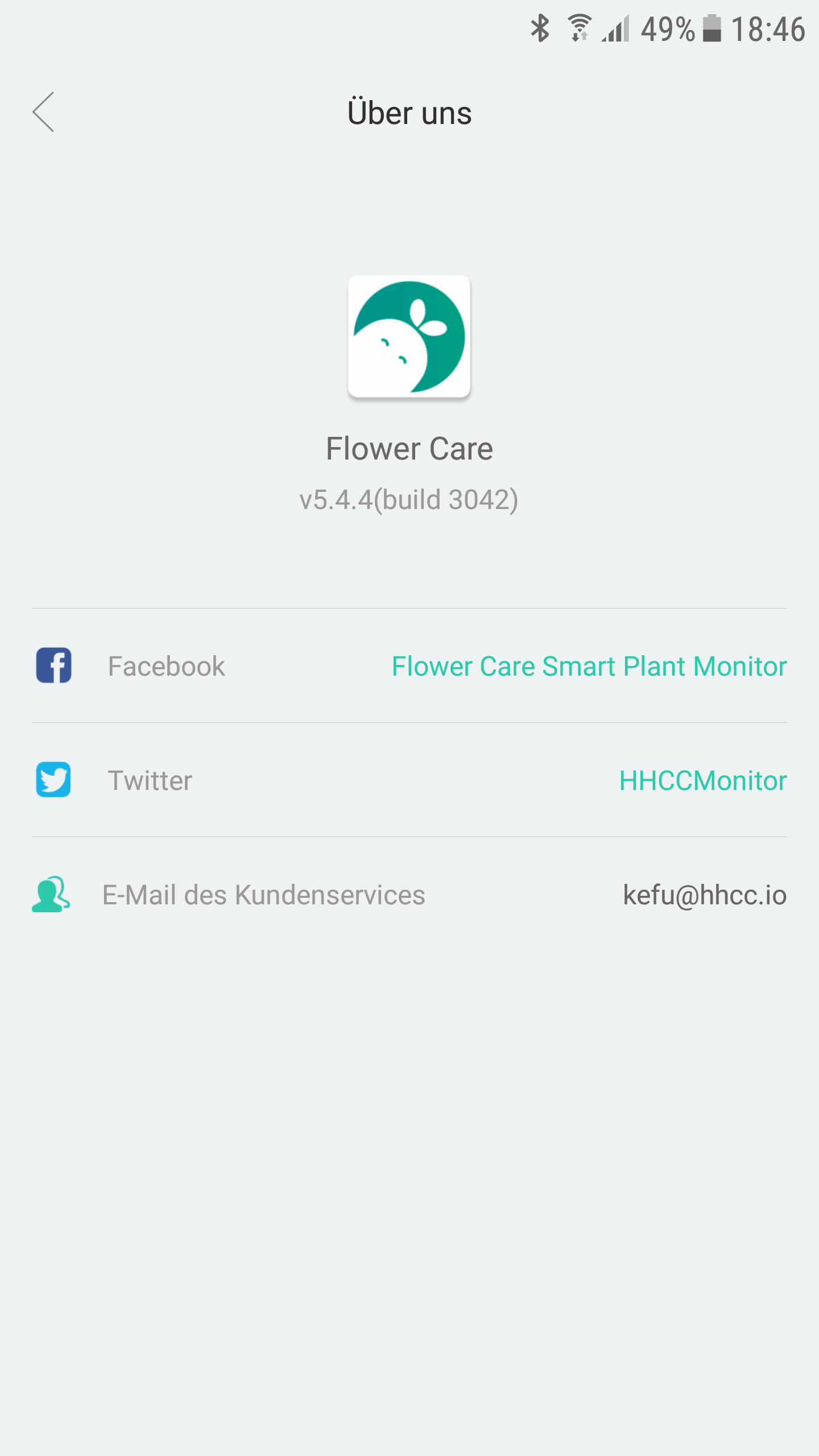
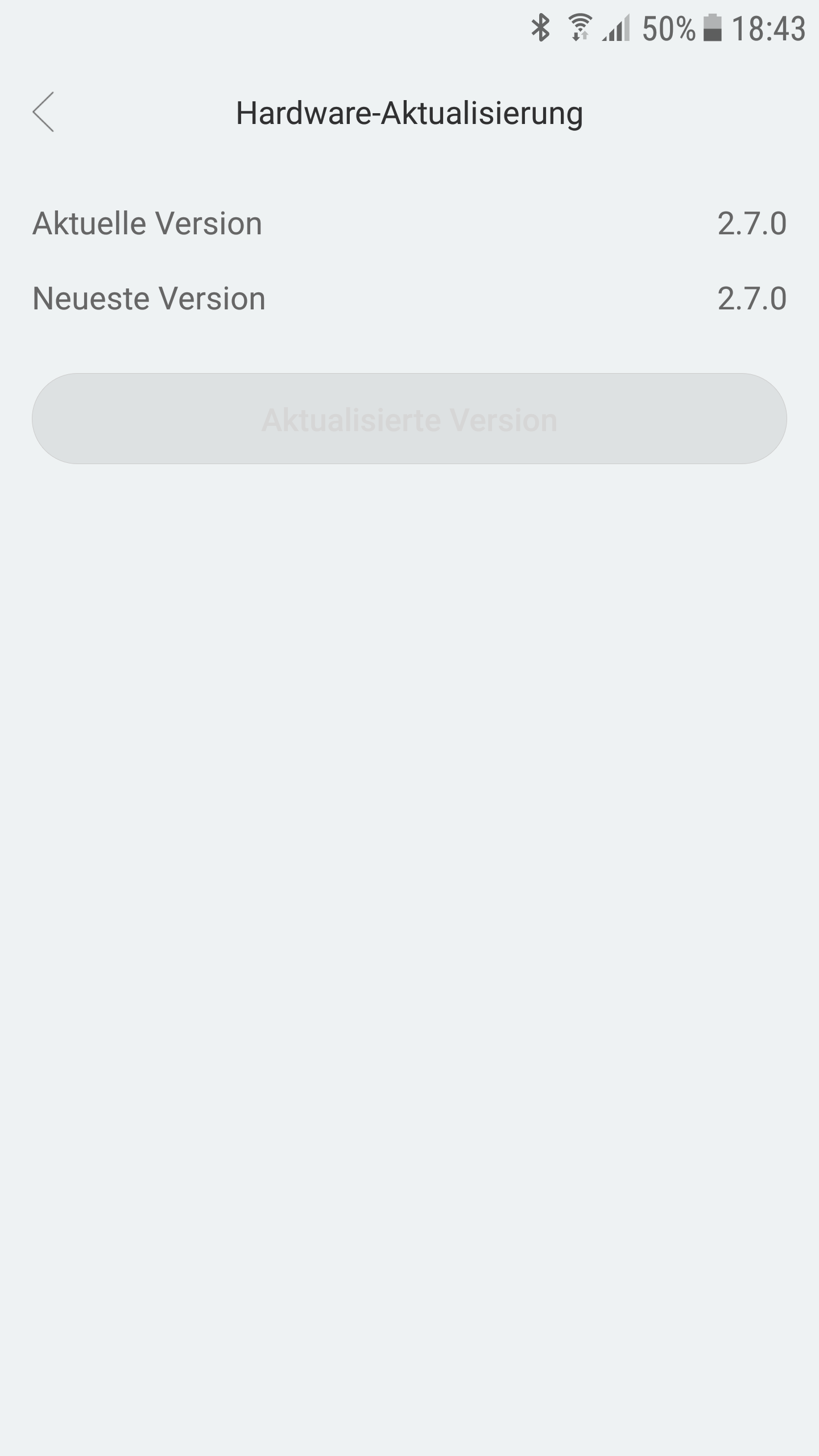
                                    Ja die Flower Care APP und da steht die aktuelle Version auf 2.7.0.
                                    5076_screenshot_20181030-184639.png 5076_screenshot_20181030-184342.png

                                    1 Reply Last reply
                                    0
                                    • AlCalzoneA Offline
                                      AlCalzoneA Offline
                                      AlCalzone
                                      Developer
                                      wrote on last edited by
                                      #222

                                      Hattest du die Möglichkeit, beim Einloggen eine bestimmte Region auszuwählen? Evtl muss da eine andere ausgewählt werden

                                      Warum `sudo` böse ist: https://forum.iobroker.net/post/17109

                                      1 Reply Last reply
                                      0
                                      • J Offline
                                        J Offline
                                        Jan1
                                        wrote on last edited by
                                        #223

                                        ich habe EU gewählt. Was hast Du denn da ausgewählt?

                                        1 Reply Last reply
                                        0
                                        • B Offline
                                          B Offline
                                          BeautyBoyBob
                                          wrote on last edited by
                                          #224

                                          Das liegt definitiv daran, dass der Sensor noch 2.7 und nicht 3.18 hat. Ich hatte auch das Problem, dass ich nur 2 von 6 Sensoren über die FlowerCare App aktuallisieren konnte. Bei den anderen 4 Stand genau wie bei dir, 2.7 sei aktuell.

                                          Die 4 Sensoren konnte ich dann aber mit der MiHome App aktualisieren. (Ich habe allerdings auch die chinesische Version (war wesentlich günstiger) und musste vorher in der FlowerCare App zusätzlich mit VPN und einem GPS Faker arbeiten, ich weiß nicht ob man die EU Version da auch einbinden kann.)

                                          Mit 3.18 wurden dann bei mir Werte in ioBroker angezeigt.

                                          1 Reply Last reply
                                          0
                                          Reply
                                          • Reply as topic
                                          Log in to reply
                                          • Oldest to Newest
                                          • Newest to Oldest
                                          • Most Votes


                                          Support us

                                          ioBroker
                                          Community Adapters
                                          Donate

                                          274

                                          Online

                                          32.7k

                                          Users

                                          82.4k

                                          Topics

                                          1.3m

                                          Posts
                                          Community
                                          Impressum | Datenschutz-Bestimmungen | Nutzungsbedingungen | Einwilligungseinstellungen
                                          ioBroker Community 2014-2025
                                          logo
                                          • Login

                                          • Don't have an account? Register

                                          • Login or register to search.
                                          • First post
                                            Last post
                                          0
                                          • Home
                                          • Recent
                                          • Tags
                                          • Unread 0
                                          • Categories
                                          • Unreplied
                                          • Popular
                                          • GitHub
                                          • Docu
                                          • Hilfe