Skip to content
  • Home
  • Recent
  • Tags
  • 0 Unread 0
  • Categories
  • Unreplied
  • Popular
  • GitHub
  • Docu
  • Hilfe
Skins
  • Light
  • Brite
  • Cerulean
  • Cosmo
  • Flatly
  • Journal
  • Litera
  • Lumen
  • Lux
  • Materia
  • Minty
  • Morph
  • Pulse
  • Sandstone
  • Simplex
  • Sketchy
  • Spacelab
  • United
  • Yeti
  • Zephyr
  • Dark
  • Cyborg
  • Darkly
  • Quartz
  • Slate
  • Solar
  • Superhero
  • Vapor

  • Default (No Skin)
  • No Skin
Collapse
ioBroker Logo

Community Forum

donate donate
  1. ioBroker Community Home
  2. Deutsch
  3. Tester
  4. Puppeteer: Screenshots PhantomJS Alternative

NEWS

  • Jahresrückblick 2025 – unser neuer Blogbeitrag ist online! ✨
    BluefoxB
    Bluefox
    17
    1
    3.4k

  • Neuer Blogbeitrag: Monatsrückblick - Dezember 2025 🎄
    BluefoxB
    Bluefox
    13
    1
    1.1k

  • Weihnachtsangebot 2025! 🎄
    BluefoxB
    Bluefox
    25
    1
    2.5k

Puppeteer: Screenshots PhantomJS Alternative

Scheduled Pinned Locked Moved Tester
screenshotsheadlessbrowserpuppeteerphantomjsscreenshotwebsite
247 Posts 24 Posters 47.9k Views 18 Watching
  • Oldest to Newest
  • Newest to Oldest
  • Most Votes
Reply
  • Reply as topic
Log in to reply
This topic has been deleted. Only users with topic management privileges can see it.
  • foxriver76F foxriver76

    @negalein Und nach wie vor der Fehler beim Start?

    NegaleinN Offline
    NegaleinN Offline
    Negalein
    Global Moderator
    wrote on last edited by
    #54

    @foxriver76 sagte in Puppeteer: Screenshots PhantomJS Alternative:

    Und nach wie vor der Fehler beim Start?

    Sorry, oben vergessen.
    Ja, wieder die Fehler.

    puppeteer.0 2022-08-12 11:05:59.293	warn	Terminated (UNCAUGHT_EXCEPTION): Without reason
    puppeteer.0 2022-08-12 11:05:59.292	info	terminating
    puppeteer.0 2022-08-12 11:05:59.287	error	Failed to launch the browser process!TROUBLESHOOTING: https://github.com/puppeteer/puppeteer/blob/main/docs/troubleshooting.md
    puppeteer.0 2022-08-12 11:05:59.286	error	Error: Failed to launch the browser process!TROUBLESHOOTING: https://github.com/puppeteer/puppeteer/blob/main/docs/troubleshooting.md at onClose (/opt/iobroker/node_modules/puppeteer/lib/cjs/puppeteer/node/BrowserRunner.js:241:20) at ChildProcess.<anonymous> (/opt/iobroker/node_modules/puppeteer/lib/cjs/puppeteer/node/BrowserRunner.js:232:79) at ChildProcess.emit (node:events:539:35) at Process.ChildProcess._handle.onexit (node:internal/child_process:291:12)
    puppeteer.0 2022-08-12 11:05:59.284	error	unhandled promise rejection: Failed to launch the browser process!TROUBLESHOOTING: https://github.com/puppeteer/puppeteer/blob/main/docs/troubleshooting.md
    puppeteer.0 2022-08-12 11:05:59.284	error	Unhandled promise rejection. This error originated either by throwing inside of an async function without a catch block, or by rejecting a promise which was not handled with .catch().
    puppeteer.0 2022-08-12 11:05:59.250	info	starting. Version 0.2.1 in /opt/iobroker/node_modules/iobroker.puppeteer, node: v16.15.1, js-controller: 4.0.23
    

    ° Node.js & System Update ---> sudo apt update, iob stop, sudo apt full-upgrade
    ° Node.js Fixer ---> iob nodejs-update
    ° Fixer ---> iob fix

    foxriver76F 1 Reply Last reply
    0
    • NegaleinN Negalein

      @foxriver76 sagte in Puppeteer: Screenshots PhantomJS Alternative:

      Und nach wie vor der Fehler beim Start?

      Sorry, oben vergessen.
      Ja, wieder die Fehler.

      puppeteer.0 2022-08-12 11:05:59.293	warn	Terminated (UNCAUGHT_EXCEPTION): Without reason
      puppeteer.0 2022-08-12 11:05:59.292	info	terminating
      puppeteer.0 2022-08-12 11:05:59.287	error	Failed to launch the browser process!TROUBLESHOOTING: https://github.com/puppeteer/puppeteer/blob/main/docs/troubleshooting.md
      puppeteer.0 2022-08-12 11:05:59.286	error	Error: Failed to launch the browser process!TROUBLESHOOTING: https://github.com/puppeteer/puppeteer/blob/main/docs/troubleshooting.md at onClose (/opt/iobroker/node_modules/puppeteer/lib/cjs/puppeteer/node/BrowserRunner.js:241:20) at ChildProcess.<anonymous> (/opt/iobroker/node_modules/puppeteer/lib/cjs/puppeteer/node/BrowserRunner.js:232:79) at ChildProcess.emit (node:events:539:35) at Process.ChildProcess._handle.onexit (node:internal/child_process:291:12)
      puppeteer.0 2022-08-12 11:05:59.284	error	unhandled promise rejection: Failed to launch the browser process!TROUBLESHOOTING: https://github.com/puppeteer/puppeteer/blob/main/docs/troubleshooting.md
      puppeteer.0 2022-08-12 11:05:59.284	error	Unhandled promise rejection. This error originated either by throwing inside of an async function without a catch block, or by rejecting a promise which was not handled with .catch().
      puppeteer.0 2022-08-12 11:05:59.250	info	starting. Version 0.2.1 in /opt/iobroker/node_modules/iobroker.puppeteer, node: v16.15.1, js-controller: 4.0.23
      
      foxriver76F Offline
      foxriver76F Offline
      foxriver76
      Developer
      wrote on last edited by
      #55

      @negalein Zeig mal bitte Output von ldd /opt/iobroker/node_modules/puppeteer/.local-chromium/linux-982053/chrome-linux/chrome | grep not

      Videotutorials & mehr

      Hier könnt ihr mich unterstützen.

      NegaleinN 1 Reply Last reply
      0
      • foxriver76F foxriver76

        @negalein Zeig mal bitte Output von ldd /opt/iobroker/node_modules/puppeteer/.local-chromium/linux-982053/chrome-linux/chrome | grep not

        NegaleinN Offline
        NegaleinN Offline
        Negalein
        Global Moderator
        wrote on last edited by
        #56

        @foxriver76 sagte in Puppeteer: Screenshots PhantomJS Alternative:

        Zeig mal bitte Output von

        nega@ioBroker:~$ ldd /opt/iobroker/node_modules/puppeteer/.local-chromium/linux-982053/chrome-linux/chrome | grep not
                libnss3.so => not found
                libnssutil3.so => not found
                libsmime3.so => not found
        nega@ioBroker:~$
        

        ° Node.js & System Update ---> sudo apt update, iob stop, sudo apt full-upgrade
        ° Node.js Fixer ---> iob nodejs-update
        ° Fixer ---> iob fix

        foxriver76F 1 Reply Last reply
        0
        • NegaleinN Negalein

          @foxriver76 sagte in Puppeteer: Screenshots PhantomJS Alternative:

          Zeig mal bitte Output von

          nega@ioBroker:~$ ldd /opt/iobroker/node_modules/puppeteer/.local-chromium/linux-982053/chrome-linux/chrome | grep not
                  libnss3.so => not found
                  libnssutil3.so => not found
                  libsmime3.so => not found
          nega@ioBroker:~$
          
          foxriver76F Offline
          foxriver76F Offline
          foxriver76
          Developer
          wrote on last edited by
          #57

          @negalein sudo apt update && sudo apt install libnss3 installiert er es da. Beim install Log hat er schon gesagt, dass er es nicht findet.. mal sehen woran das liegt

          Videotutorials & mehr

          Hier könnt ihr mich unterstützen.

          NegaleinN 1 Reply Last reply
          0
          • foxriver76F foxriver76

            @negalein sudo apt update && sudo apt install libnss3 installiert er es da. Beim install Log hat er schon gesagt, dass er es nicht findet.. mal sehen woran das liegt

            NegaleinN Offline
            NegaleinN Offline
            Negalein
            Global Moderator
            wrote on last edited by
            #58

            @foxriver76 sagte in Puppeteer: Screenshots PhantomJS Alternative:

            mal sehen woran das liegt

            Danke, ist jetzt grün. :)

            Screenshot wird nicht erstellt und DP sind leer.
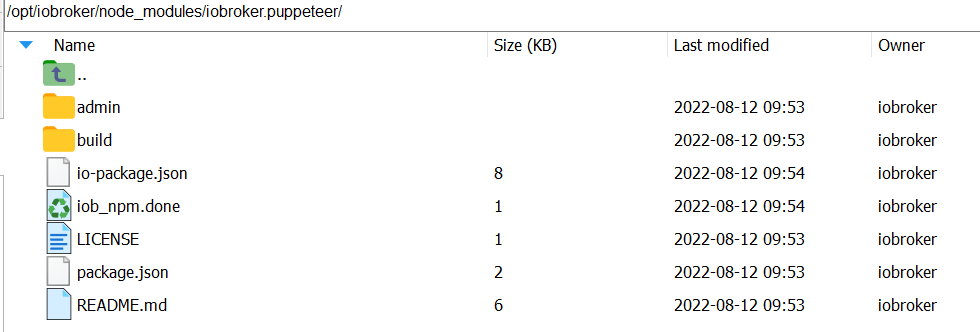
            43c01f17-a841-49e6-9d52-3db01e899cc8-image.png

            acf69e89-0981-43d9-93c2-b7d998bc21e2-image.png

            ° Node.js & System Update ---> sudo apt update, iob stop, sudo apt full-upgrade
            ° Node.js Fixer ---> iob nodejs-update
            ° Fixer ---> iob fix

            foxriver76F 1 Reply Last reply
            0
            • NegaleinN Negalein

              @foxriver76 sagte in Puppeteer: Screenshots PhantomJS Alternative:

              mal sehen woran das liegt

              Danke, ist jetzt grün. :)

              Screenshot wird nicht erstellt und DP sind leer.

              43c01f17-a841-49e6-9d52-3db01e899cc8-image.png

              acf69e89-0981-43d9-93c2-b7d998bc21e2-image.png

              foxriver76F Offline
              foxriver76F Offline
              foxriver76
              Developer
              wrote on last edited by
              #59

              @negalein DPs sind nur zur Konfiguration. Schreibt er was im Log? Evtl. auf Debug wenn du sendTo ausführst?

              Videotutorials & mehr

              Hier könnt ihr mich unterstützen.

              NegaleinN 1 Reply Last reply
              0
              • foxriver76F foxriver76

                @negalein DPs sind nur zur Konfiguration. Schreibt er was im Log? Evtl. auf Debug wenn du sendTo ausführst?

                NegaleinN Offline
                NegaleinN Offline
                Negalein
                Global Moderator
                wrote on last edited by
                #60

                @foxriver76 sagte in Puppeteer: Screenshots PhantomJS Alternative:

                Schreibt er was im Log? Evtl. auf Debug wenn du sendTo ausführst?

                puppeteer.0 2022-08-12 11:33:32.075	debug	Checking path "../wetterstation.png"
                puppeteer.0 2022-08-12 11:33:32.075	debug	Message: {"command":"screenshot","message":{"url":"http://10.0.1.203:3000/d/14q2Khmnz/wetterstation-copy?orgId=1&refresh=1m&kiosk","clip":{"x":0,"y":0,"width":1920,"height":757},"path":"../wetterstation.png"},"from":"system.adapter.javascript.0","_id":48278577}
                puppeteer.0 2022-08-12 11:33:19.946	debug	Checking path "../wetterstation.png"
                puppeteer.0 2022-08-12 11:33:19.946	debug	Message: {"command":"screenshot","message":{"url":"http://10.0.1.203:3000/d/14q2Khmnz/wetterstation-copy?orgId=1&refresh=1m&kiosk","clip":{"x":0,"y":0,"width":1920,"height":757},"path":"../wetterstation.png"},"from":"system.adapter.javascript.0","_id":48278576}
                puppeteer.0 2022-08-12 11:32:57.012	info	Ready to take screenshots
                puppeteer.0 2022-08-12 11:32:56.815	info	starting. Version 0.2.1 in /opt/iobroker/node_modules/iobroker.puppeteer, node: v16.15.1, js-controller: 4.0.23
                

                ° Node.js & System Update ---> sudo apt update, iob stop, sudo apt full-upgrade
                ° Node.js Fixer ---> iob nodejs-update
                ° Fixer ---> iob fix

                foxriver76F 1 Reply Last reply
                0
                • NegaleinN Negalein

                  @foxriver76 sagte in Puppeteer: Screenshots PhantomJS Alternative:

                  Schreibt er was im Log? Evtl. auf Debug wenn du sendTo ausführst?

                  puppeteer.0 2022-08-12 11:33:32.075	debug	Checking path "../wetterstation.png"
                  puppeteer.0 2022-08-12 11:33:32.075	debug	Message: {"command":"screenshot","message":{"url":"http://10.0.1.203:3000/d/14q2Khmnz/wetterstation-copy?orgId=1&refresh=1m&kiosk","clip":{"x":0,"y":0,"width":1920,"height":757},"path":"../wetterstation.png"},"from":"system.adapter.javascript.0","_id":48278577}
                  puppeteer.0 2022-08-12 11:33:19.946	debug	Checking path "../wetterstation.png"
                  puppeteer.0 2022-08-12 11:33:19.946	debug	Message: {"command":"screenshot","message":{"url":"http://10.0.1.203:3000/d/14q2Khmnz/wetterstation-copy?orgId=1&refresh=1m&kiosk","clip":{"x":0,"y":0,"width":1920,"height":757},"path":"../wetterstation.png"},"from":"system.adapter.javascript.0","_id":48278576}
                  puppeteer.0 2022-08-12 11:32:57.012	info	Ready to take screenshots
                  puppeteer.0 2022-08-12 11:32:56.815	info	starting. Version 0.2.1 in /opt/iobroker/node_modules/iobroker.puppeteer, node: v16.15.1, js-controller: 4.0.23
                  
                  foxriver76F Offline
                  foxriver76F Offline
                  foxriver76
                  Developer
                  wrote on last edited by
                  #61

                  @negalein sagte in Puppeteer: Screenshots PhantomJS Alternative:

                  "../wetterstation.png"

                  hm gib mal als path im Skript /opt/iobroker/node_modules/iobroker.puppeteer/wetterstation.png an

                  Videotutorials & mehr

                  Hier könnt ihr mich unterstützen.

                  NegaleinN 1 Reply Last reply
                  0
                  • foxriver76F foxriver76

                    @negalein sagte in Puppeteer: Screenshots PhantomJS Alternative:

                    "../wetterstation.png"

                    hm gib mal als path im Skript /opt/iobroker/node_modules/iobroker.puppeteer/wetterstation.png an

                    NegaleinN Offline
                    NegaleinN Offline
                    Negalein
                    Global Moderator
                    wrote on last edited by
                    #62

                    @foxriver76 sagte in Puppeteer: Screenshots PhantomJS Alternative:

                    hm gib mal als path im Skript /opt/iobroker/node_modules/iobroker.puppeteer/wetterstation.png an

                    puppeteer.0 2022-08-12 11:38:01.009	error	Could not take screenshot of "http://10.0.1.203:3000/d/14q2Khmnz/wetterstation-copy?orgId=1&refresh=1m&kiosk": Screenshots cannot be stored inside a node_modules folder
                    puppeteer.0 2022-08-12 11:38:01.009	debug	Checking path "/opt/iobroker/node_modules/iobroker.puppeteer/wetterstation.png"
                    puppeteer.0 2022-08-12 11:38:01.008	debug	Message: {"command":"screenshot","message":{"url":"http://10.0.1.203:3000/d/14q2Khmnz/wetterstation-copy?orgId=1&refresh=1m&kiosk","clip":{"x":0,"y":0,"width":1920,"height":757},"path":"/opt/iobroker/node_modules/iobroker.puppeteer/wetterstation.png"},"from":"system.adapter.javascript.0","_id":48278587}
                    

                    hmmm, muss es woanders speichern. Was würdest du empfehlen?

                    ° Node.js & System Update ---> sudo apt update, iob stop, sudo apt full-upgrade
                    ° Node.js Fixer ---> iob nodejs-update
                    ° Fixer ---> iob fix

                    foxriver76F 1 Reply Last reply
                    0
                    • NegaleinN Negalein

                      @foxriver76 sagte in Puppeteer: Screenshots PhantomJS Alternative:

                      hm gib mal als path im Skript /opt/iobroker/node_modules/iobroker.puppeteer/wetterstation.png an

                      puppeteer.0 2022-08-12 11:38:01.009	error	Could not take screenshot of "http://10.0.1.203:3000/d/14q2Khmnz/wetterstation-copy?orgId=1&refresh=1m&kiosk": Screenshots cannot be stored inside a node_modules folder
                      puppeteer.0 2022-08-12 11:38:01.009	debug	Checking path "/opt/iobroker/node_modules/iobroker.puppeteer/wetterstation.png"
                      puppeteer.0 2022-08-12 11:38:01.008	debug	Message: {"command":"screenshot","message":{"url":"http://10.0.1.203:3000/d/14q2Khmnz/wetterstation-copy?orgId=1&refresh=1m&kiosk","clip":{"x":0,"y":0,"width":1920,"height":757},"path":"/opt/iobroker/node_modules/iobroker.puppeteer/wetterstation.png"},"from":"system.adapter.javascript.0","_id":48278587}
                      

                      hmmm, muss es woanders speichern. Was würdest du empfehlen?

                      foxriver76F Offline
                      foxriver76F Offline
                      foxriver76
                      Developer
                      wrote on last edited by
                      #63

                      @negalein Stimmt ja, schlechter Stil wird ja vom Adapter verhindert :D

                      Sauber ist es im ioBroker storage, mach path weg und dafür das rein:

                            ioBrokerOptions: {
                              storagePath: 'wetterstation.png';
                            }
                      

                      Videotutorials & mehr

                      Hier könnt ihr mich unterstützen.

                      NegaleinN 1 Reply Last reply
                      0
                      • foxriver76F foxriver76

                        @negalein Stimmt ja, schlechter Stil wird ja vom Adapter verhindert :D

                        Sauber ist es im ioBroker storage, mach path weg und dafür das rein:

                              ioBrokerOptions: {
                                storagePath: 'wetterstation.png';
                              }
                        
                        NegaleinN Offline
                        NegaleinN Offline
                        Negalein
                        Global Moderator
                        wrote on last edited by Negalein
                        #64

                        @foxriver76 sagte in Puppeteer: Screenshots PhantomJS Alternative:

                        path weg und dafür das rein:

                        was brauch ich da wieder nach }

                        sendTo('puppeteer.0', 'screenshot', { 
                            url: 'http://10.0.1.203:3000/d/14q2Khmnz/wetterstation-copy?orgId=1&refresh=1m&kiosk',
                            clip: {
                                x: 0,
                                y: 0,
                                width: 1920,
                                height: 757
                            },
                            ioBrokerOptions: {
                                storagePath: 'wetterstation.png';
                              },
                        });
                        

                        Edit:
                        so gehts :)

                        sendTo('puppeteer.0', 'screenshot', { 
                            url: 'http://10.0.1.203:3000/d/14q2Khmnz/wetterstation-copy?orgId=1&refresh=1m&kiosk',
                            clip: {
                                x: 0,
                                y: 0,
                                width: 1920,
                                height: 757
                            },
                            ioBrokerOptions: {
                                storagePath: 'wetterstation.png',
                              },
                        });
                        

                        Edith 2:
                        hmmm, wo speichert er jetzt?

                        ° Node.js & System Update ---> sudo apt update, iob stop, sudo apt full-upgrade
                        ° Node.js Fixer ---> iob nodejs-update
                        ° Fixer ---> iob fix

                        foxriver76F 1 Reply Last reply
                        0
                        • NegaleinN Negalein

                          @foxriver76 sagte in Puppeteer: Screenshots PhantomJS Alternative:

                          path weg und dafür das rein:

                          was brauch ich da wieder nach }

                          sendTo('puppeteer.0', 'screenshot', { 
                              url: 'http://10.0.1.203:3000/d/14q2Khmnz/wetterstation-copy?orgId=1&refresh=1m&kiosk',
                              clip: {
                                  x: 0,
                                  y: 0,
                                  width: 1920,
                                  height: 757
                              },
                              ioBrokerOptions: {
                                  storagePath: 'wetterstation.png';
                                },
                          });
                          

                          Edit:
                          so gehts :)

                          sendTo('puppeteer.0', 'screenshot', { 
                              url: 'http://10.0.1.203:3000/d/14q2Khmnz/wetterstation-copy?orgId=1&refresh=1m&kiosk',
                              clip: {
                                  x: 0,
                                  y: 0,
                                  width: 1920,
                                  height: 757
                              },
                              ioBrokerOptions: {
                                  storagePath: 'wetterstation.png',
                                },
                          });
                          

                          Edith 2:
                          hmmm, wo speichert er jetzt?

                          foxriver76F Offline
                          foxriver76F Offline
                          foxriver76
                          Developer
                          wrote on last edited by foxriver76
                          #65

                          @negalein geh mal im admin auf Dateien und dann Benutzerdaten

                          Auf dem Filessystem ist das defaultmäßig /opt/iobroker/iobroker-data/files/0_userdata.0/

                          Videotutorials & mehr

                          Hier könnt ihr mich unterstützen.

                          NegaleinN 1 Reply Last reply
                          1
                          • foxriver76F foxriver76

                            @negalein geh mal im admin auf Dateien und dann Benutzerdaten

                            Auf dem Filessystem ist das defaultmäßig /opt/iobroker/iobroker-data/files/0_userdata.0/

                            NegaleinN Offline
                            NegaleinN Offline
                            Negalein
                            Global Moderator
                            wrote on last edited by Negalein
                            #66

                            @foxriver76 sagte in Puppeteer: Screenshots PhantomJS Alternative:

                            geh mal im admin auf Dateien und dann Benutzerdaten

                            gefunden in /opt/iobroker/iobroker-data/files/0_userdata.0/ :)

                            Jetzt muss ich noch an der Auflösung basteln
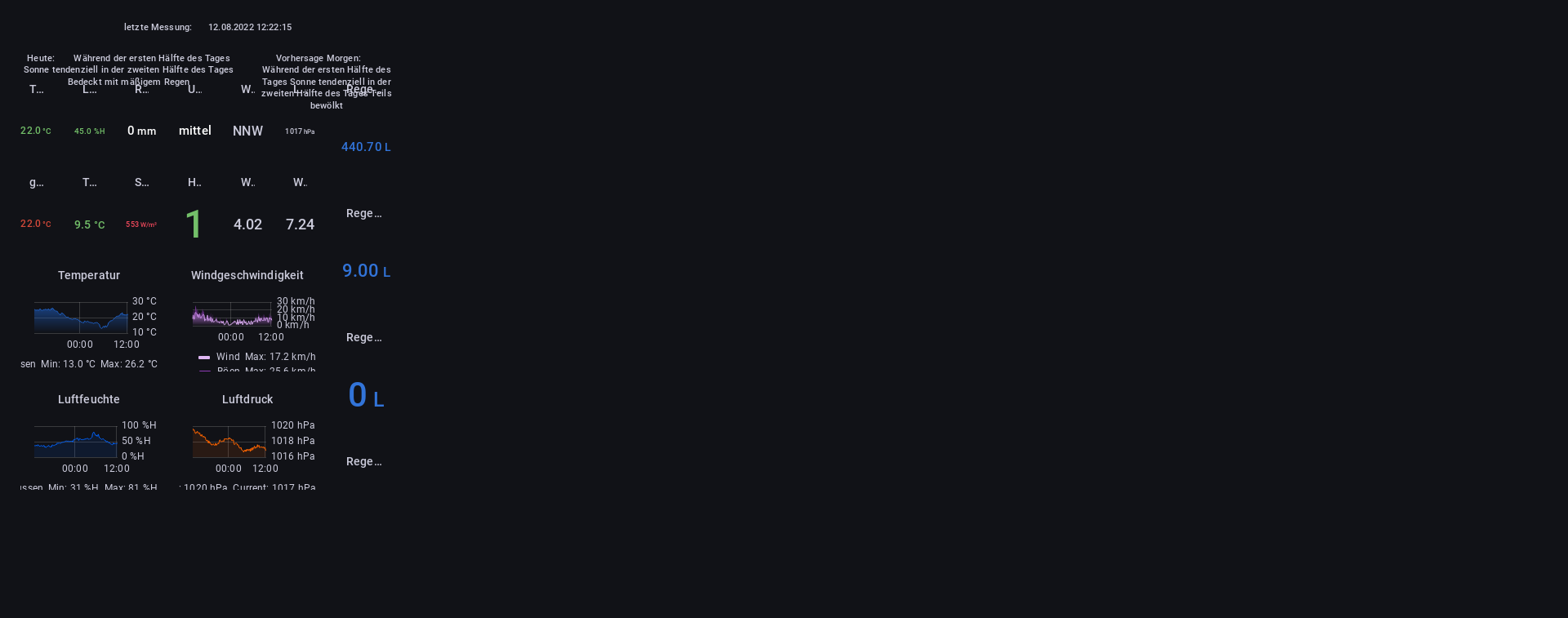
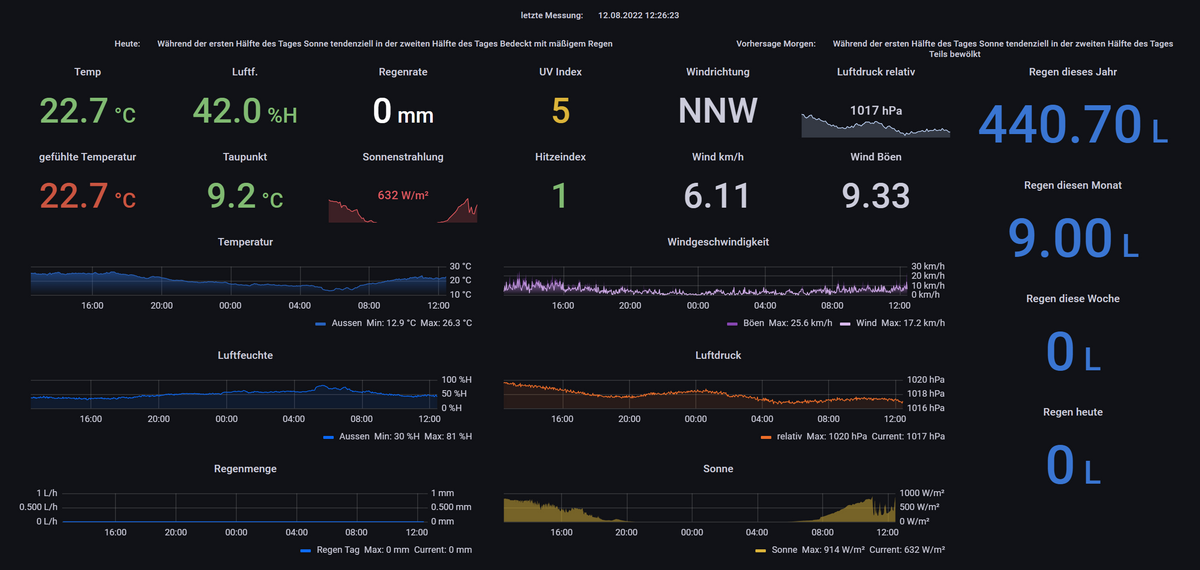
                            wetterstation.png

                            So ist es original.
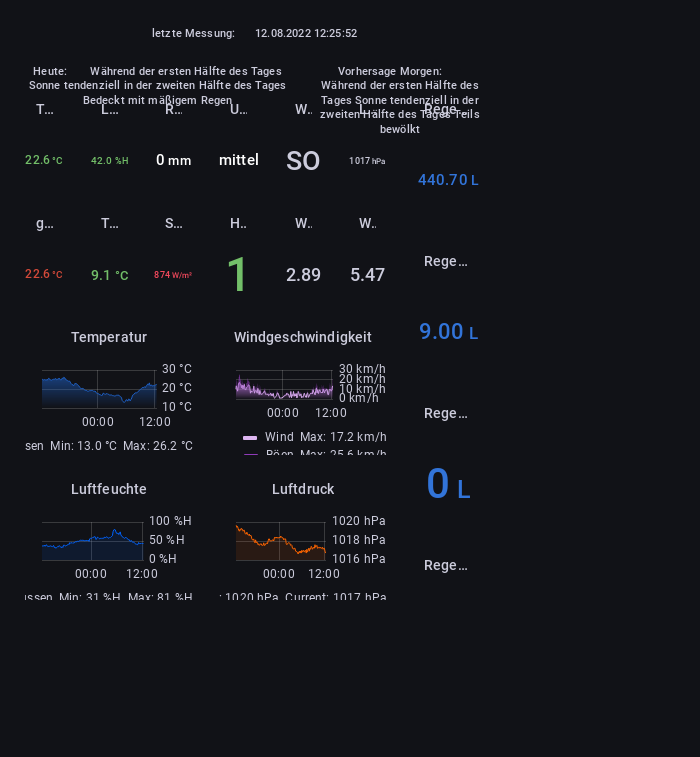
                            b6c35708-effe-4c76-872d-c946ebbb450b-image.png

                            Puppeteer quetscht es irgendwie.

                            wetterstation.png

                            ° Node.js & System Update ---> sudo apt update, iob stop, sudo apt full-upgrade
                            ° Node.js Fixer ---> iob nodejs-update
                            ° Fixer ---> iob fix

                            foxriver76F 1 Reply Last reply
                            0
                            • NegaleinN Negalein

                              @foxriver76 sagte in Puppeteer: Screenshots PhantomJS Alternative:

                              geh mal im admin auf Dateien und dann Benutzerdaten

                              gefunden in /opt/iobroker/iobroker-data/files/0_userdata.0/ :)

                              Jetzt muss ich noch an der Auflösung basteln

                              wetterstation.png

                              So ist es original.
                              b6c35708-effe-4c76-872d-c946ebbb450b-image.png

                              Puppeteer quetscht es irgendwie.

                              wetterstation.png

                              foxriver76F Offline
                              foxriver76F Offline
                              foxriver76
                              Developer
                              wrote on last edited by foxriver76
                              #67

                              @negalein Mom.. ich bastel kurz was. Defaultmäßig macht Puppeteer Browser 800x600 Auflösung statt die maximal Mögliche.

                              Videotutorials & mehr

                              Hier könnt ihr mich unterstützen.

                              1 Reply Last reply
                              1
                              • foxriver76F Offline
                                foxriver76F Offline
                                foxriver76
                                Developer
                                wrote on last edited by
                                #68

                                Bitte mal 0.2.4 probieren, ist in 5 Minuten auf npm

                                Videotutorials & mehr

                                Hier könnt ihr mich unterstützen.

                                NegaleinN 1 Reply Last reply
                                0
                                • foxriver76F foxriver76

                                  Bitte mal 0.2.4 probieren, ist in 5 Minuten auf npm

                                  NegaleinN Offline
                                  NegaleinN Offline
                                  Negalein
                                  Global Moderator
                                  wrote on last edited by
                                  #69

                                  @foxriver76 sagte in Puppeteer: Screenshots PhantomJS Alternative:

                                  Bitte mal 0.2.4 probieren

                                  eingestellt auf 1600x800
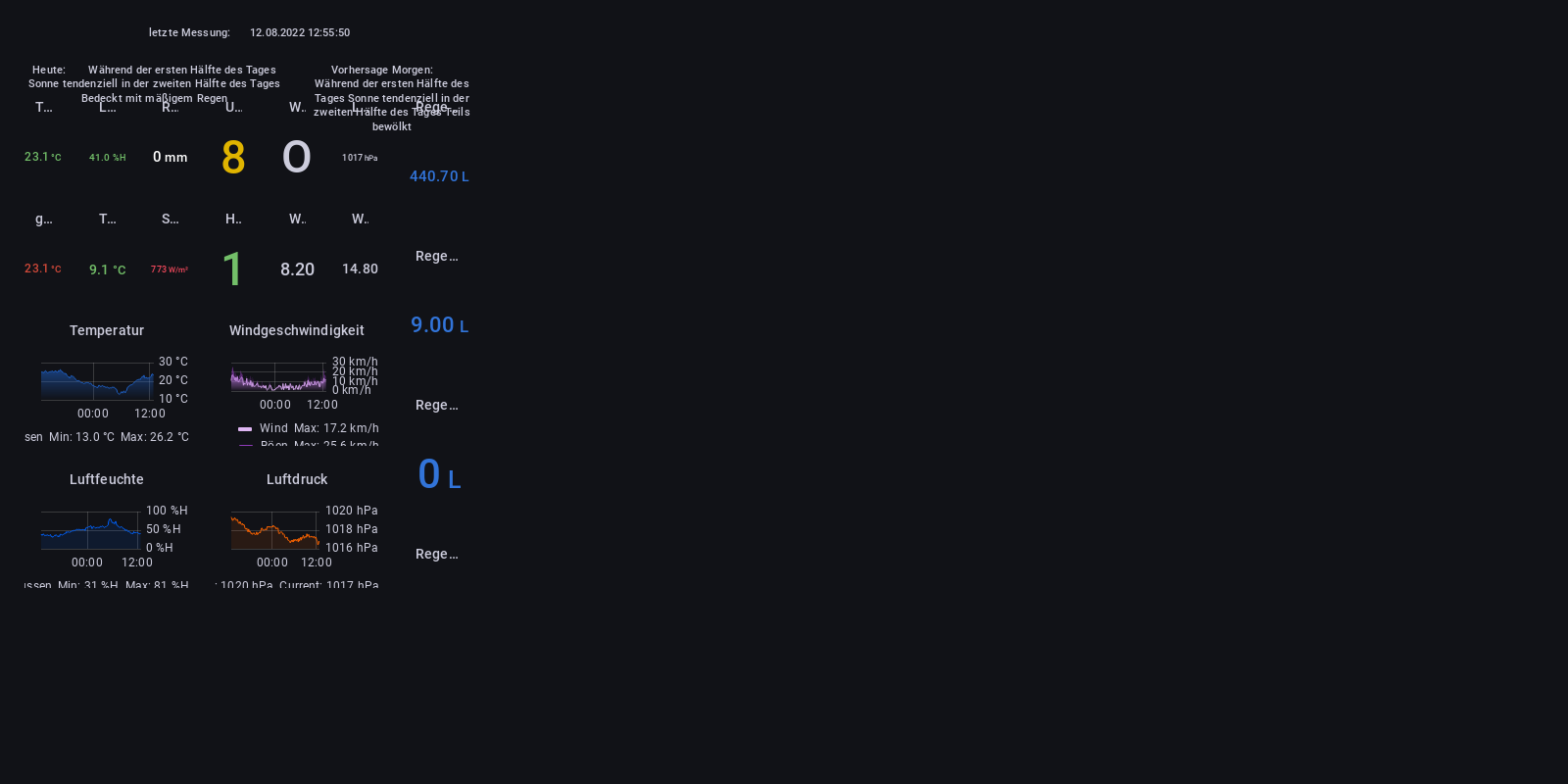
                                  wetterstation.png

                                  ° Node.js & System Update ---> sudo apt update, iob stop, sudo apt full-upgrade
                                  ° Node.js Fixer ---> iob nodejs-update
                                  ° Fixer ---> iob fix

                                  foxriver76F 1 Reply Last reply
                                  0
                                  • NegaleinN Negalein

                                    @foxriver76 sagte in Puppeteer: Screenshots PhantomJS Alternative:

                                    Bitte mal 0.2.4 probieren

                                    eingestellt auf 1600x800

                                    wetterstation.png

                                    foxriver76F Offline
                                    foxriver76F Offline
                                    foxriver76
                                    Developer
                                    wrote on last edited by
                                    #70

                                    @negalein Schade, dann mach mal zusätzlich mit in die Message

                                    viewportOptions: {
                                     width: 1600,
                                    height: 1000
                                    }
                                    

                                    Entsprechen angepasst, bin nur am Handy.

                                    Videotutorials & mehr

                                    Hier könnt ihr mich unterstützen.

                                    NegaleinN 1 Reply Last reply
                                    0
                                    • foxriver76F foxriver76

                                      @negalein Schade, dann mach mal zusätzlich mit in die Message

                                      viewportOptions: {
                                       width: 1600,
                                      height: 1000
                                      }
                                      

                                      Entsprechen angepasst, bin nur am Handy.

                                      NegaleinN Offline
                                      NegaleinN Offline
                                      Negalein
                                      Global Moderator
                                      wrote on last edited by
                                      #71

                                      @foxriver76 sagte in Puppeteer: Screenshots PhantomJS Alternative:

                                      Entsprechen angepasst, bin nur am Handy.

                                      schon viel besser. :)

                                      Jetzt muss ich nur noch den rechten schwarzen Rand weg bekommen.
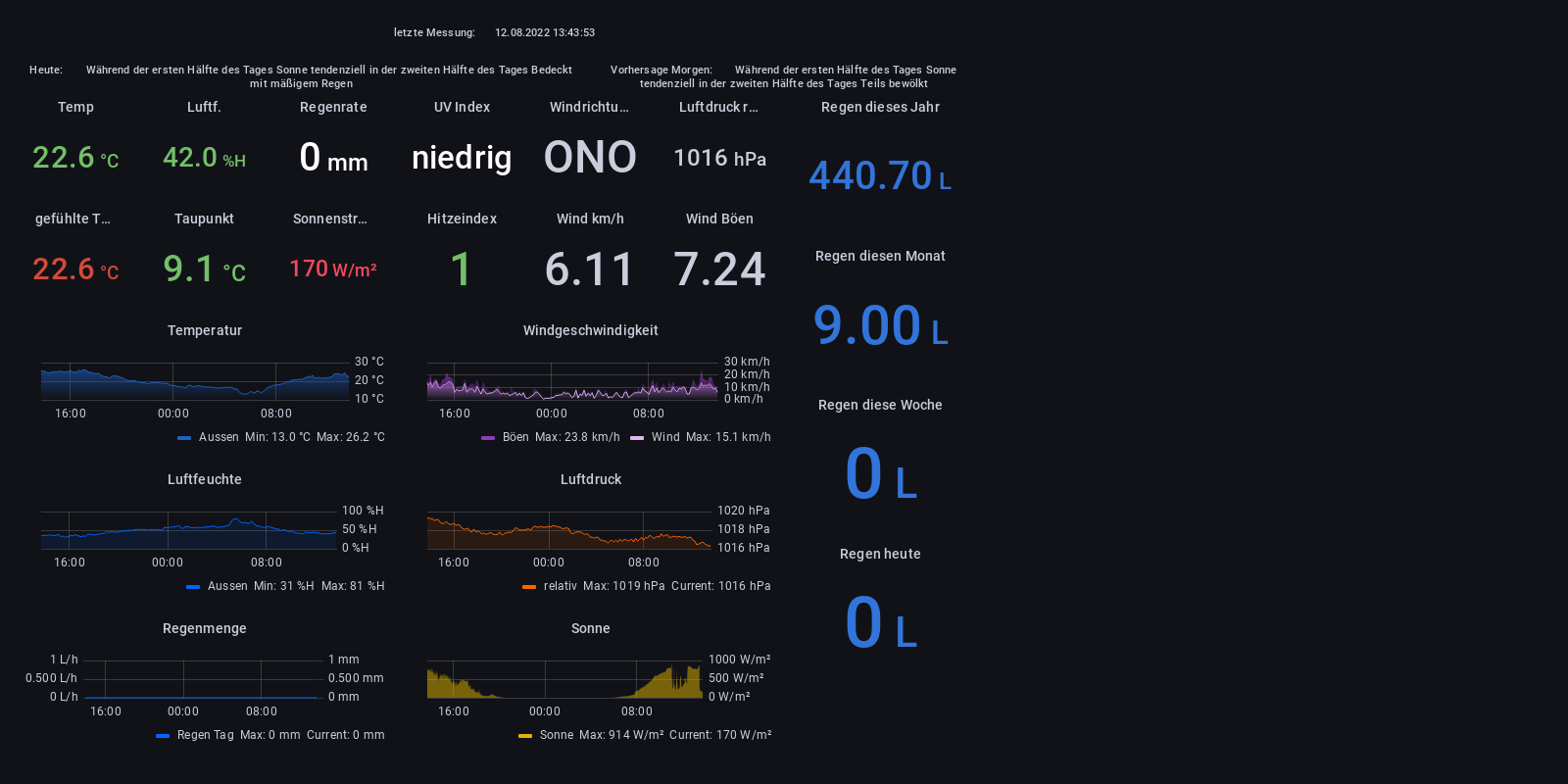
                                      wetterstation.png

                                      ° Node.js & System Update ---> sudo apt update, iob stop, sudo apt full-upgrade
                                      ° Node.js Fixer ---> iob nodejs-update
                                      ° Fixer ---> iob fix

                                      foxriver76F 1 Reply Last reply
                                      0
                                      • NegaleinN Negalein

                                        @foxriver76 sagte in Puppeteer: Screenshots PhantomJS Alternative:

                                        Entsprechen angepasst, bin nur am Handy.

                                        schon viel besser. :)

                                        Jetzt muss ich nur noch den rechten schwarzen Rand weg bekommen.

                                        wetterstation.png

                                        foxriver76F Offline
                                        foxriver76F Offline
                                        foxriver76
                                        Developer
                                        wrote on last edited by
                                        #72

                                        @negalein das sollte mit den Clip Optionen gehen.

                                        Videotutorials & mehr

                                        Hier könnt ihr mich unterstützen.

                                        NegaleinN 1 Reply Last reply
                                        0
                                        • foxriver76F foxriver76

                                          @negalein das sollte mit den Clip Optionen gehen.

                                          NegaleinN Offline
                                          NegaleinN Offline
                                          Negalein
                                          Global Moderator
                                          wrote on last edited by
                                          #73

                                          @foxriver76 sagte in Puppeteer: Screenshots PhantomJS Alternative:

                                          das sollte mit den Clip Optionen gehen.

                                          muss das später in Ruhe testen.
                                          Umso mehr ich mit Clip probiere, umso komischer wird es.

                                          So wie oben (trotz identen Settings) bekomm ich es nicht mehr hin.
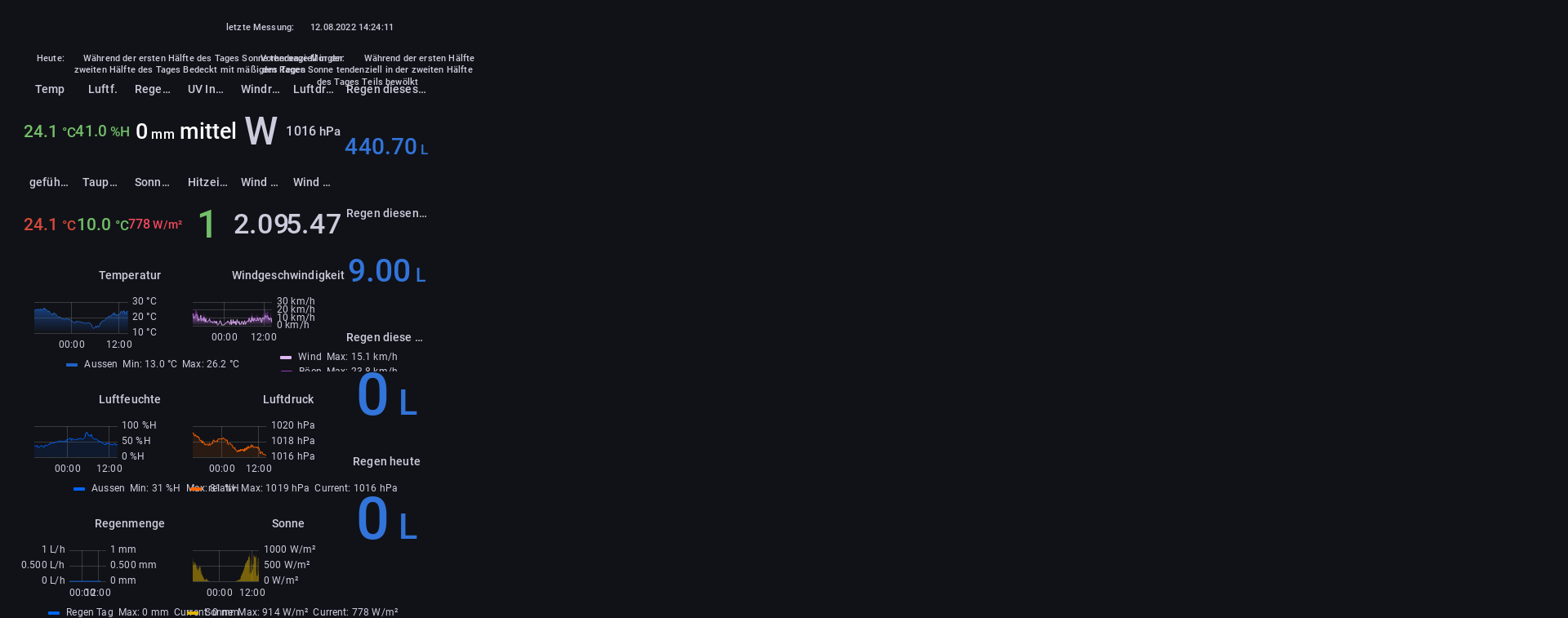
                                          wetterstation.png

                                          ° Node.js & System Update ---> sudo apt update, iob stop, sudo apt full-upgrade
                                          ° Node.js Fixer ---> iob nodejs-update
                                          ° Fixer ---> iob fix

                                          foxriver76F 1 Reply Last reply
                                          0
                                          Reply
                                          • Reply as topic
                                          Log in to reply
                                          • Oldest to Newest
                                          • Newest to Oldest
                                          • Most Votes


                                          Support us

                                          ioBroker
                                          Community Adapters
                                          Donate

                                          276

                                          Online

                                          32.7k

                                          Users

                                          82.4k

                                          Topics

                                          1.3m

                                          Posts
                                          Community
                                          Impressum | Datenschutz-Bestimmungen | Nutzungsbedingungen | Einwilligungseinstellungen
                                          ioBroker Community 2014-2025
                                          logo
                                          • Login

                                          • Don't have an account? Register

                                          • Login or register to search.
                                          • First post
                                            Last post
                                          0
                                          • Home
                                          • Recent
                                          • Tags
                                          • Unread 0
                                          • Categories
                                          • Unreplied
                                          • Popular
                                          • GitHub
                                          • Docu
                                          • Hilfe