
NEWS




[HowTo] ioBroker unter Docker auf Synology DiskStation
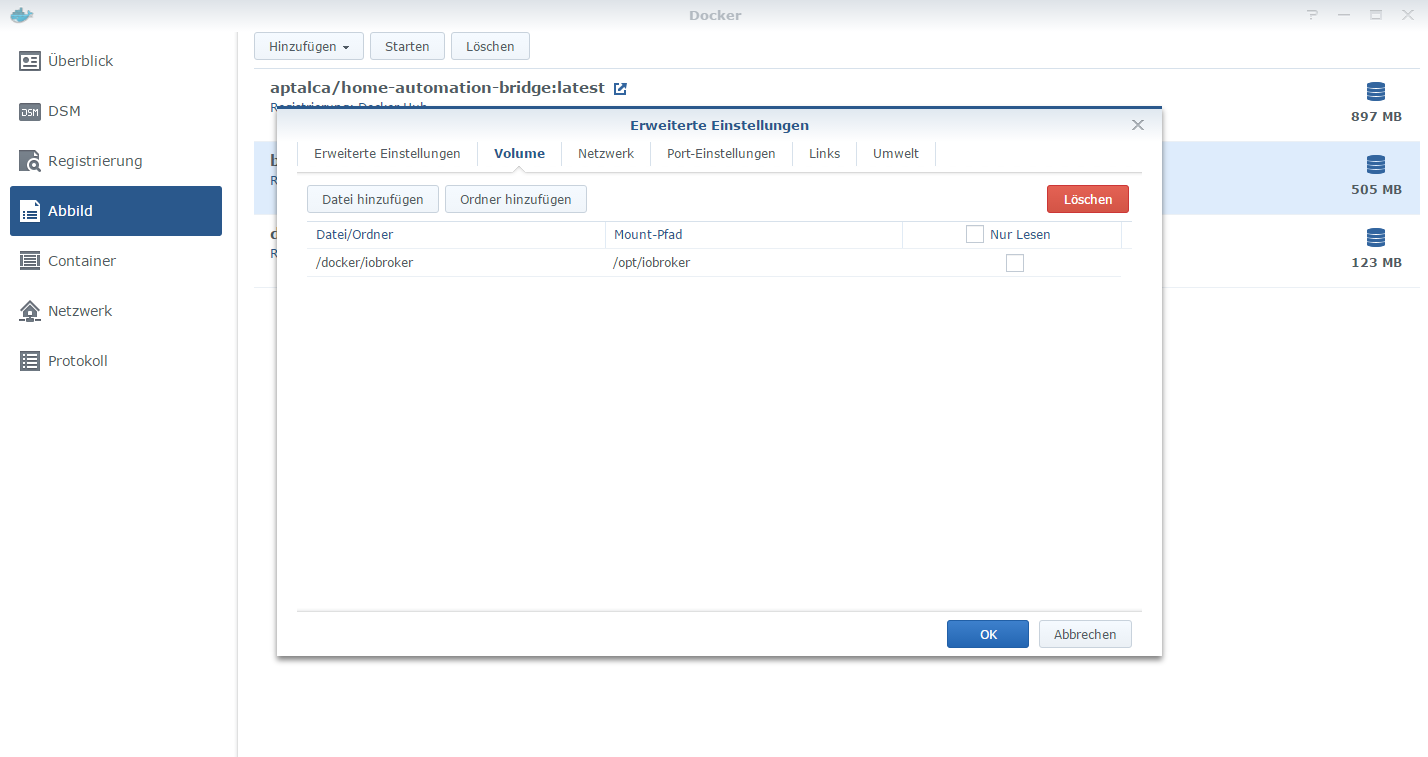
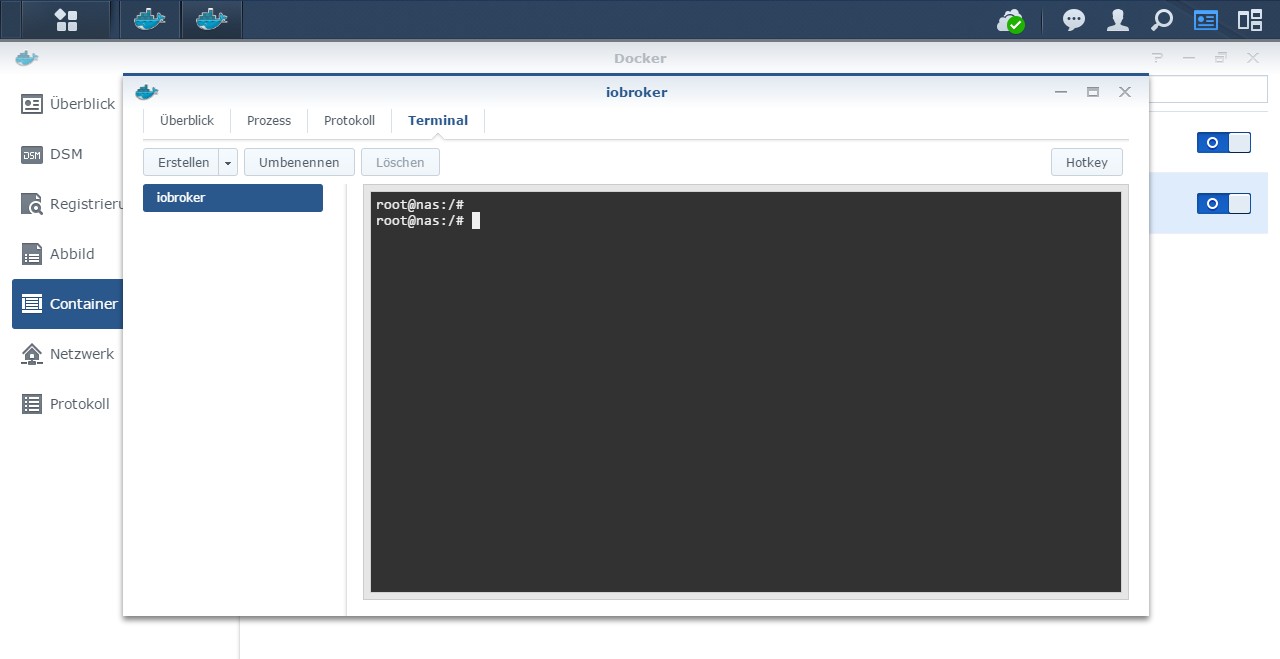
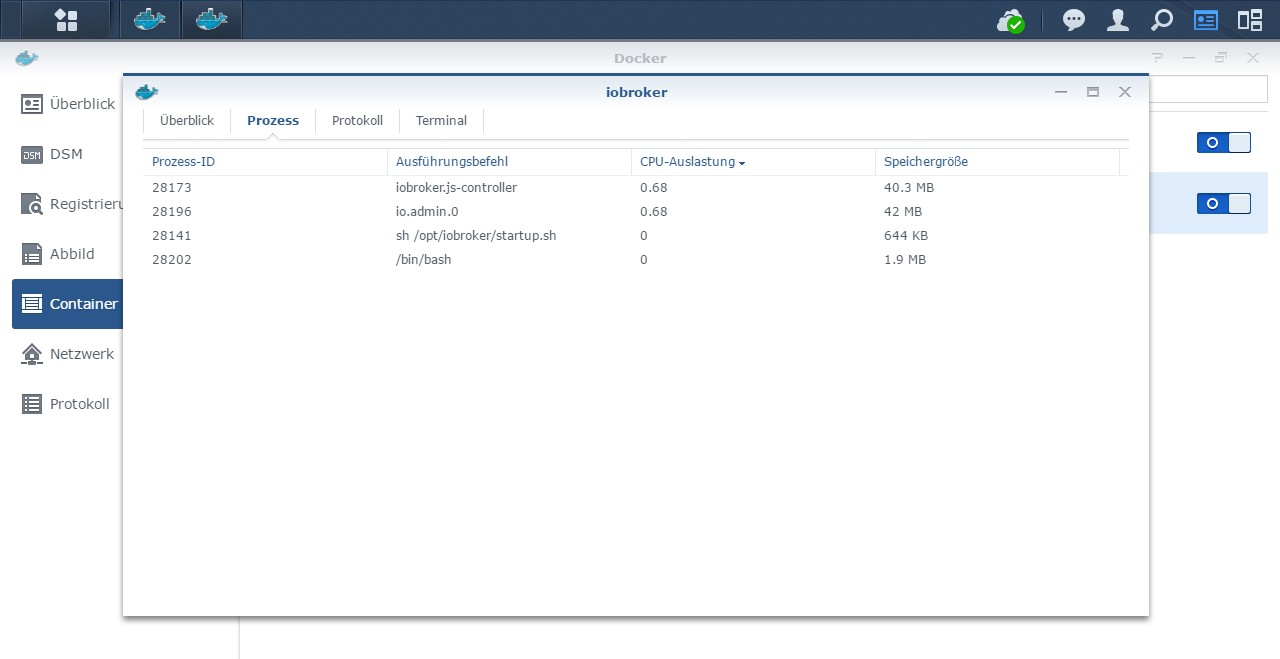
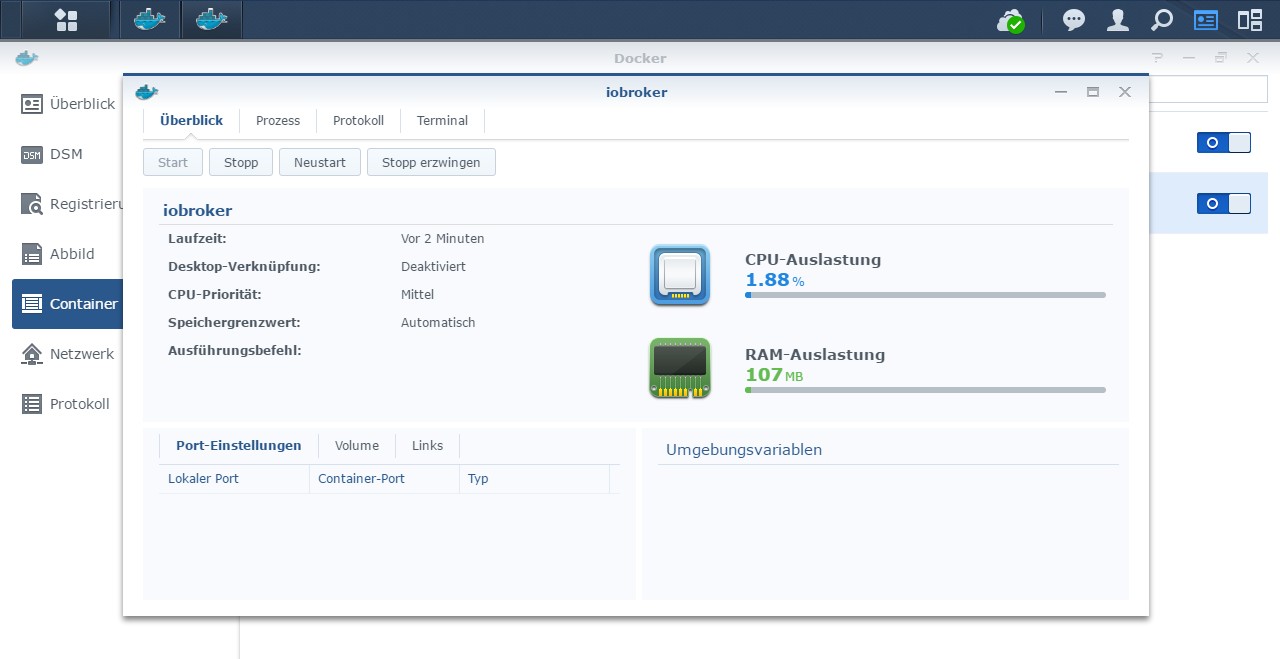
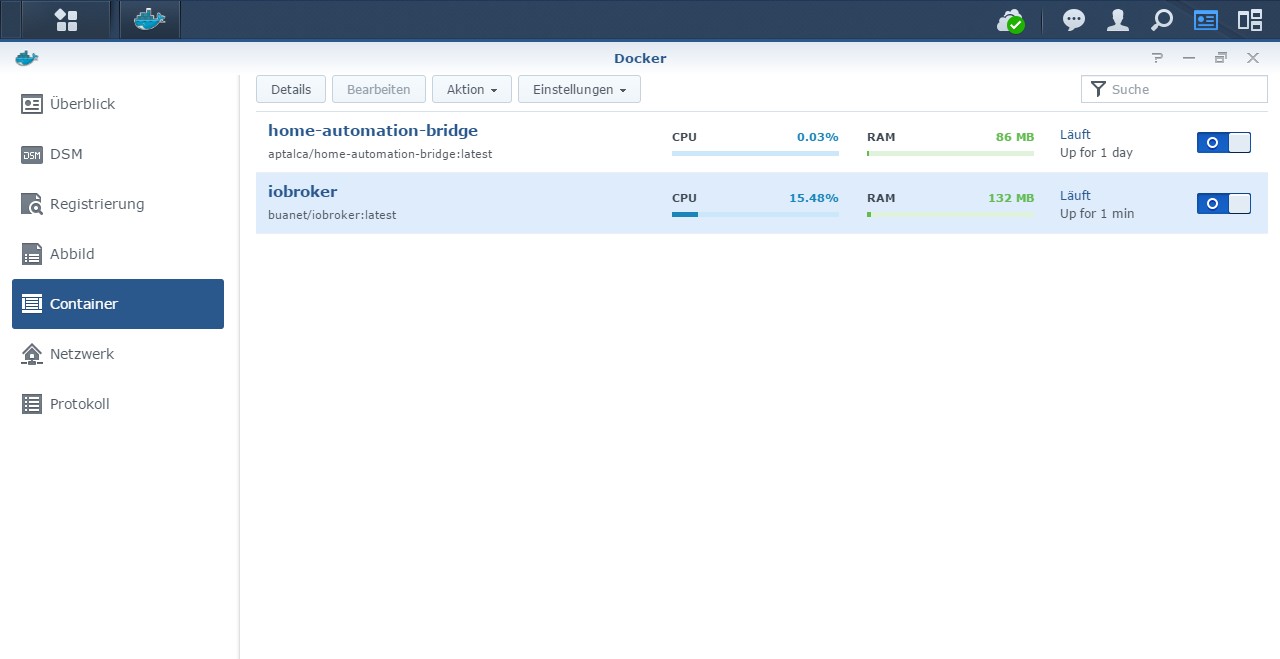
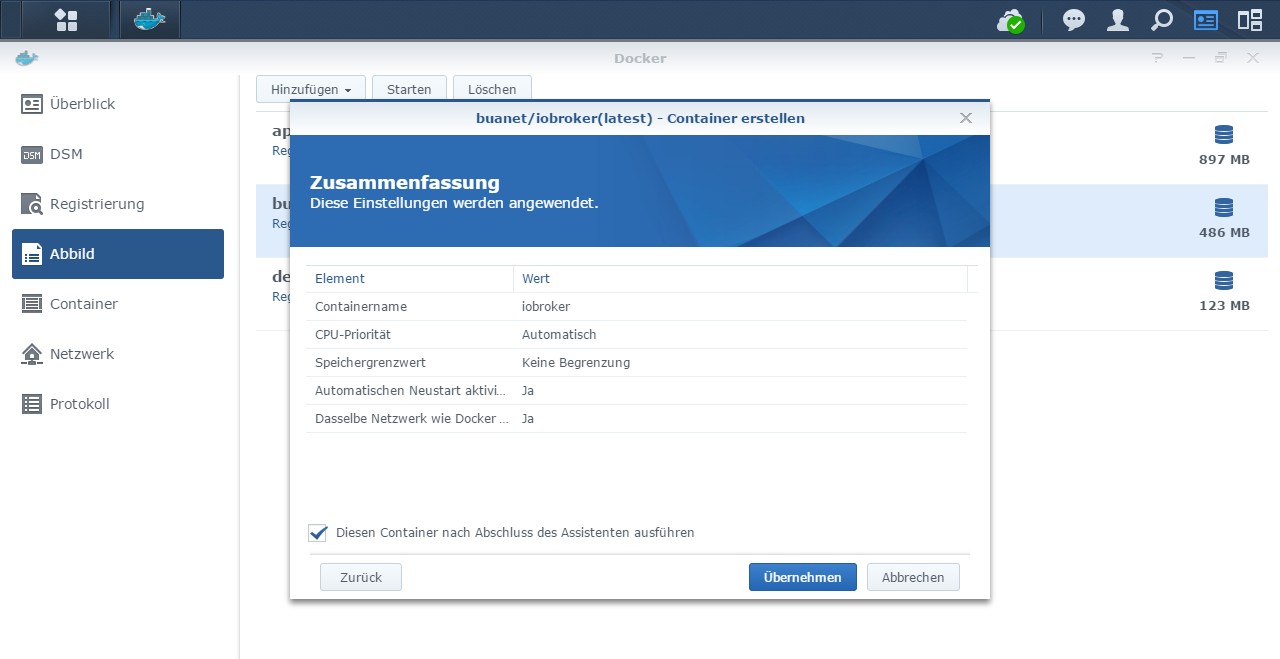
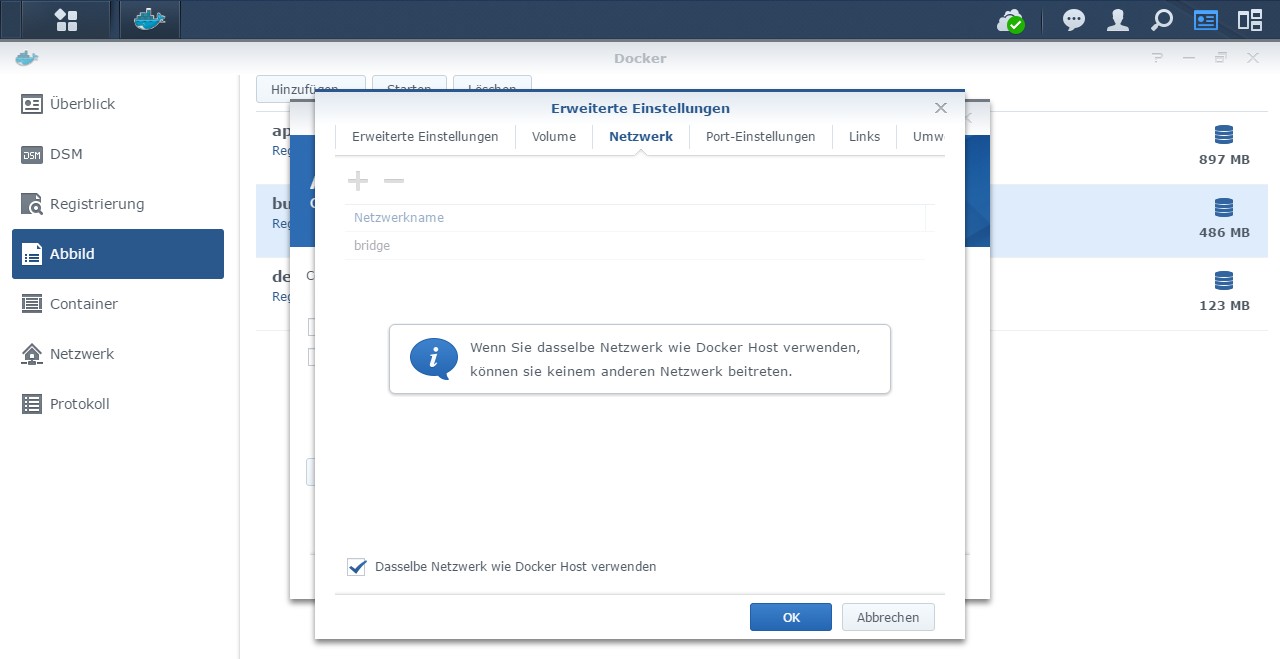
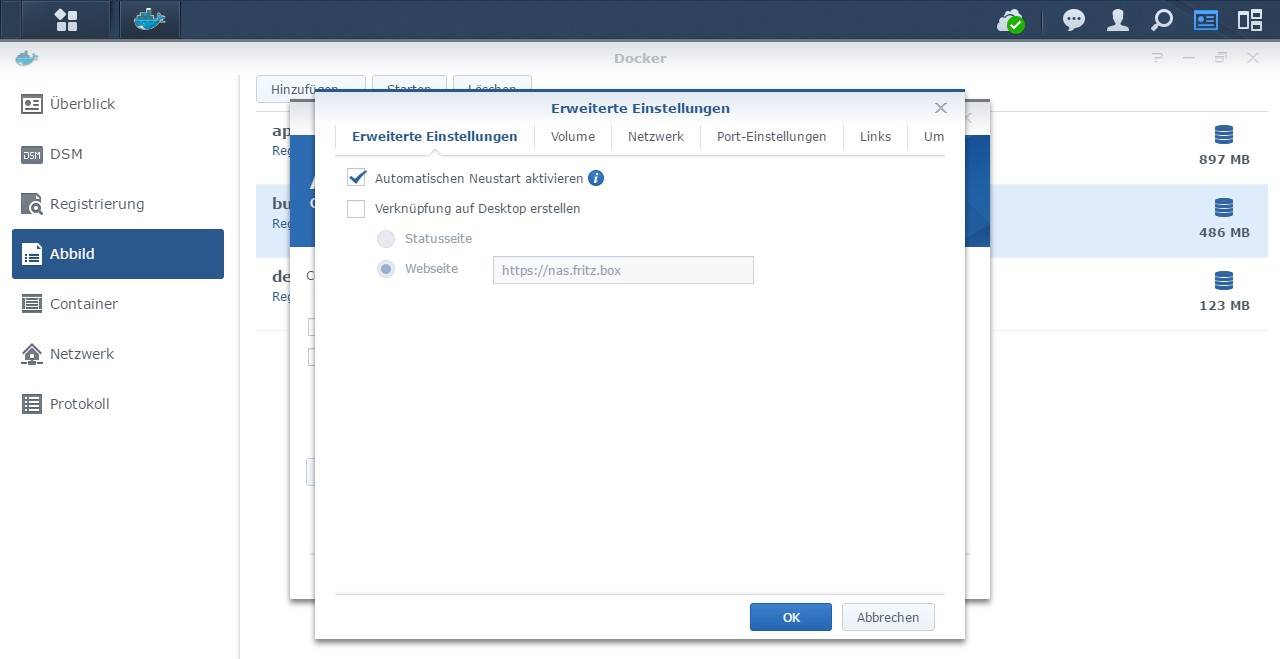
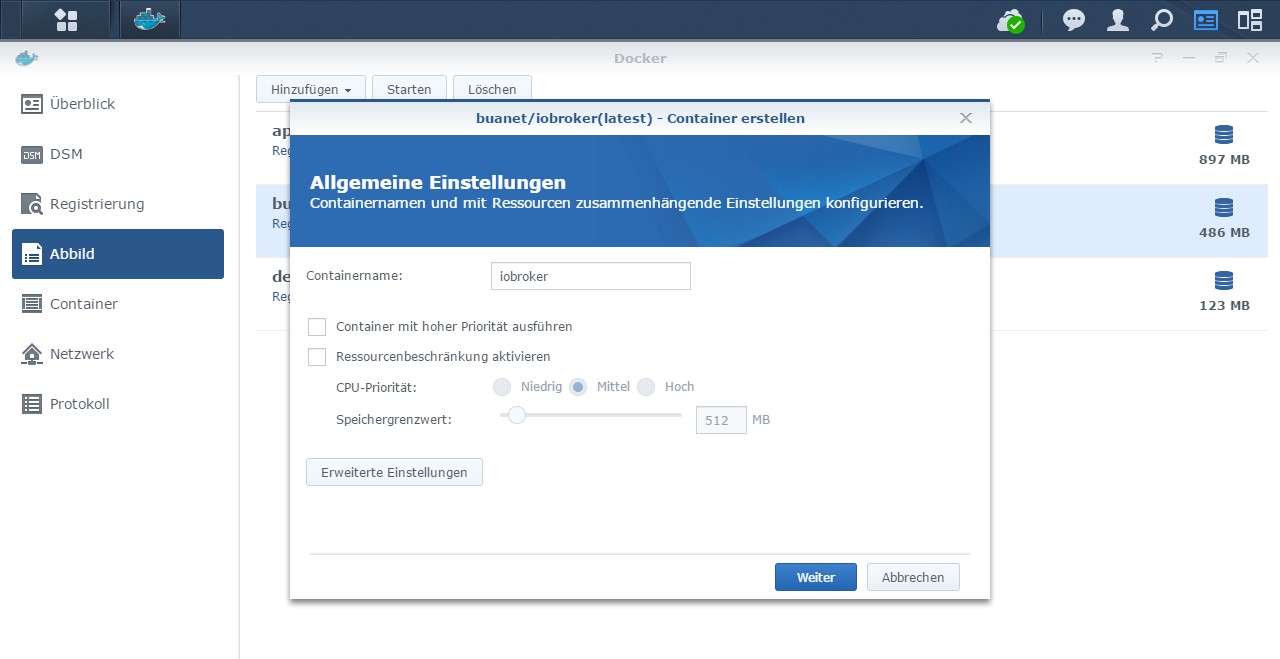
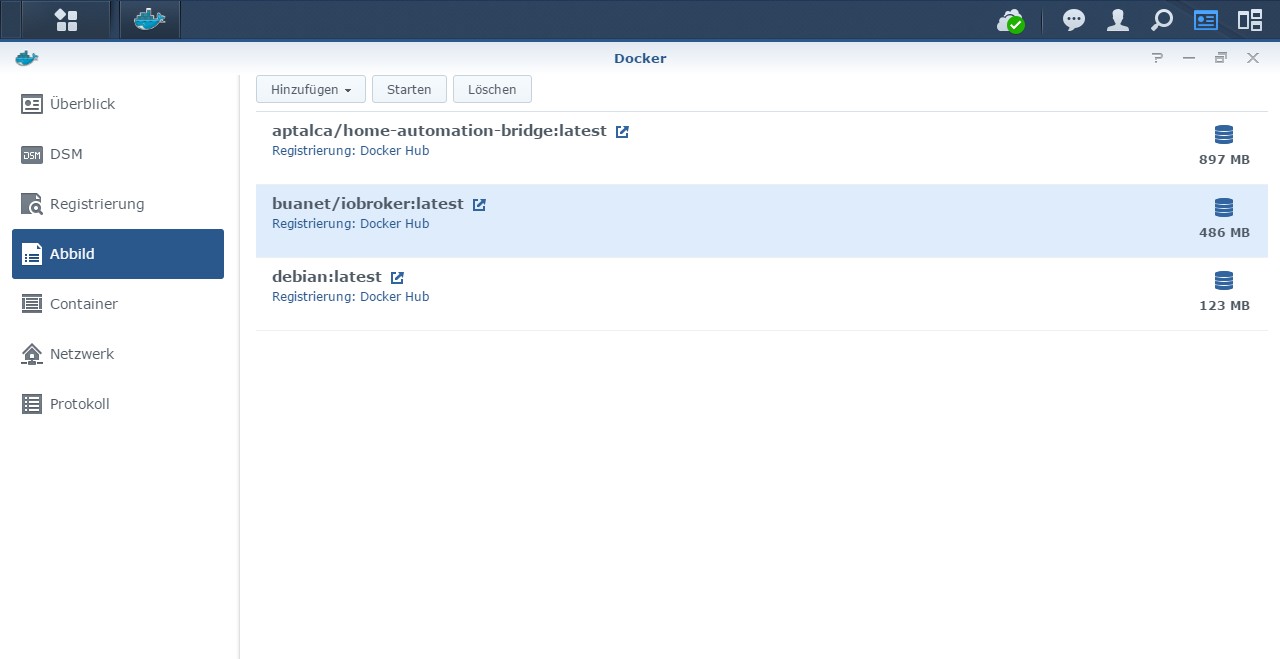
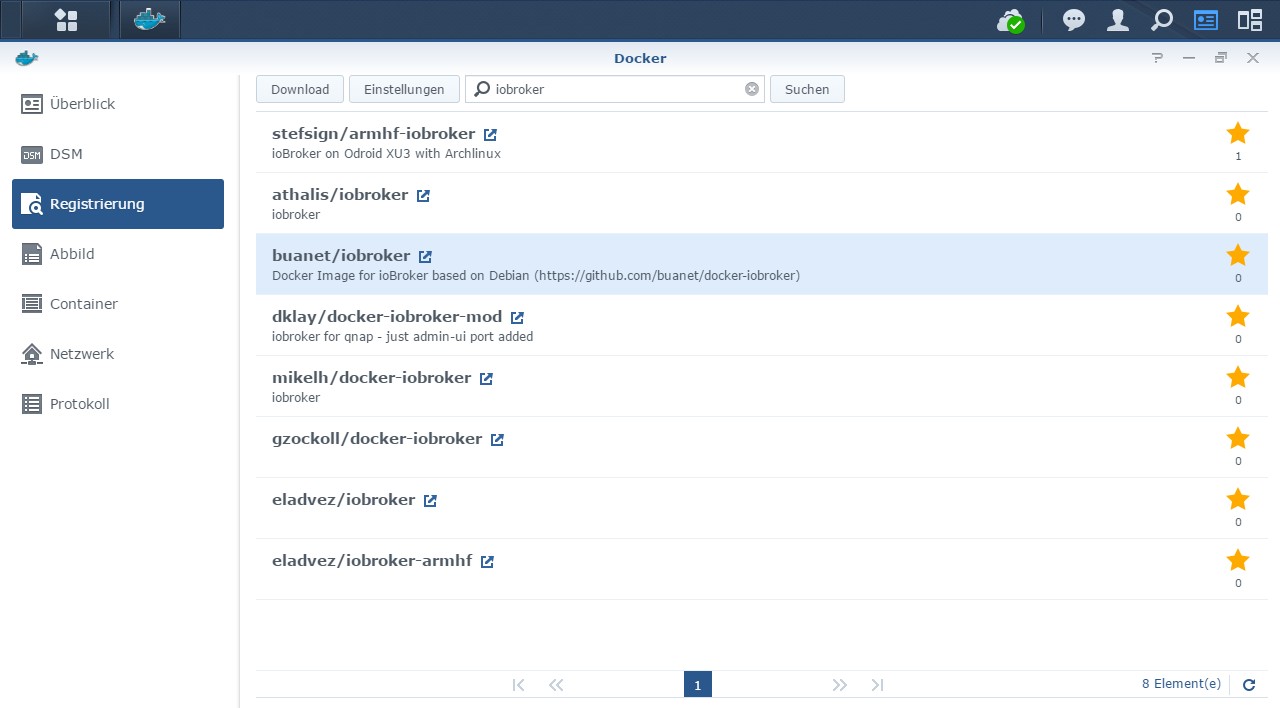

-
Hallo, ich habe gestern zum ersten mal auf meiner Synology iobroker mit portainer installiert. Es hat auch alles geklappt, bis auf den letzten Schritt. Ich kann iobroker nicht öffnen und in der log Datei im Container steht zum Schluss seit Stunden folgendes:
----- Step 5 of 5: ioBroker startup -----
Starting ioBroker...
#### ### ## # iobroker.js-controller log output # ## ### ####
host.iobroker check instance "system.adapter.admin.0" for host "iobroker"
host.iobroker check instance "system.adapter.discovery.0" for host "iobroker"
host.iobroker check instance "system.adapter.backitup.0" for host "iobroker"Was mache ich falsch?
@johanneslisa Was hast du denn erwartet? Ich sehe keine Fehlermeldung in deinem Log-Schnipsel.
Laut Log startet dein ioBroker und es kommt die typische Logausgabe. Sieht für mich jetzt erstmal so aus, als ob dein ioBroker läuft.
Leider postest du nur die letzten Zeilen vom Log, und keine Details zu deinem Setup (z.B. welche Netzwerkoption du verwendest!) und sagst auch nicht wie du versuchst auf den ioBroker zuzugreifen. ioBroker über Portainer auf Synology ist da leider nicht aussagegräftig genug.MfG,
André -
Hallo, ich habe gestern zum ersten mal auf meiner Synology iobroker mit portainer installiert. Es hat auch alles geklappt, bis auf den letzten Schritt. Ich kann iobroker nicht öffnen und in der log Datei im Container steht zum Schluss seit Stunden folgendes:
----- Step 5 of 5: ioBroker startup -----
Starting ioBroker...
#### ### ## # iobroker.js-controller log output # ## ### ####
host.iobroker check instance "system.adapter.admin.0" for host "iobroker"
host.iobroker check instance "system.adapter.discovery.0" for host "iobroker"
host.iobroker check instance "system.adapter.backitup.0" for host "iobroker"Was mache ich falsch?
@johanneslisa sagte in [HowTo] ioBroker unter Docker auf Synology DiskStation:
Ich kann iobroker nicht öffnen
Soll heißen?
Kannst Du den ioBroker nicht über das Frontend erreichen?
Betreibst Du den Container im Bridge-Mode? Dann hast Du hoffentlich den benötigten Port (8081) auch durchgereicht? -
@johanneslisa Was hast du denn erwartet? Ich sehe keine Fehlermeldung in deinem Log-Schnipsel.
Laut Log startet dein ioBroker und es kommt die typische Logausgabe. Sieht für mich jetzt erstmal so aus, als ob dein ioBroker läuft.
Leider postest du nur die letzten Zeilen vom Log, und keine Details zu deinem Setup (z.B. welche Netzwerkoption du verwendest!) und sagst auch nicht wie du versuchst auf den ioBroker zuzugreifen. ioBroker über Portainer auf Synology ist da leider nicht aussagegräftig genug.MfG,
André
----- Step 5 of 5: ioBroker startup -----
Starting ioBroker...
#### ### ## # iobroker.js-controller log output # ## ### ####
host.iobroker check instance "system.adapter.admin.0" for host "iobroker"
host.iobroker check instance "system.adapter.discovery.0" for host "iobroker"
host.iobroker check instance "system.adapter.backitup.0" for host "iobroker"Recived termination signal (SIGTERM).
Shutting down ioBroker...
.================================== > LOG REDIRECT system.adapter.admin.0 => false [Process stopped]
================================== > LOG REDIRECT system.adapter.admin.0 => false [system.adapter.admin.0.logging]
.
Done. Have a nice day!
------------------------- 2023-04-02 11:56:50 -------------------------
----- ██╗ ██████╗ ██████╗ ██████╗ ██████╗ ██╗ ██╗ ███████╗ ██████╗ -----
----- ██║ ██╔═══██╗ ██╔══██╗ ██╔══██╗ ██╔═══██╗ ██║ ██╔╝ ██╔════╝ ██╔══██╗ -----
----- ██║ ██║ ██║ ██████╔╝ ██████╔╝ ██║ ██║ █████╔╝ █████╗ ██████╔╝ -----
----- ██║ ██║ ██║ ██╔══██╗ ██╔══██╗ ██║ ██║ ██╔═██╗ ██╔══╝ ██╔══██╗ -----
----- ██║ ╚██████╔╝ ██████╔╝ ██║ ██║ ╚██████╔╝ ██║ ██╗ ███████╗ ██║ ██║ -----
----- ╚═╝ ╚═════╝ ╚═════╝ ╚═╝ ╚═╝ ╚═════╝ ╚═╝ ╚═╝ ╚══════╝ ╚═╝ ╚═╝ -----
----- Welcome to your ioBroker Docker container! -----
----- Startupscript is now running! -----
----- Please be patient! -----
----- System Information -----
----- arch: x86_64 -----
----- hostname: iobroker -----
----- Version Information -----
----- image: v8.0.0 -----
----- build: 2023-03-20T21:14:35+00:00 -----
----- node: v18.15.0 -----
----- npm: 9.5.0 -----
----- Environment Variables -----
----- AVAHI: false -----
----- PACKAGES: nano -----
----- SETGID: 1000 -----
----- SETUID: 1000 -----
----- Step 1 of 5: Preparing container -----
This is not the first run of this container. Skipping first run preparation.
----- Step 2 of 5: Detecting ioBroker installation -----
There is no data detected in /opt/iobroker.
Restoring initial ioBroker installation... Done.
----- Step 3 of 5: Checking ioBroker installation -----
(Re)setting permissions (This might take a while! Please be patient!)... Done.
Fixing "sudo-bug" by replacing sudo with gosu... Done.
Initializing a fresh installation of ioBroker... Done.
Hostname in ioBroker does not match the hostname of this container.
Updating hostname to "iobroker"... The host for instance "system.adapter.admin.0" was changed from "buildkitsandbox" to "iobroker".
The host for instance "system.adapter.discovery.0" was changed from "buildkitsandbox" to "iobroker".
The host for instance "system.adapter.backitup.0" was changed from "buildkitsandbox" to "iobroker".
Done.
----- Step 4 of 5: Applying special settings -----
Some adapters have special requirements/ settings which can be activated by the use of environment variables.
For more information see ioBroker Docker Image Docs (https://docs.buanet.de/iobroker-docker-image/docs/).
----- Step 5 of 5: ioBroker startup -----
Starting ioBroker...
#### ### ## # iobroker.js-controller log output # ## ### ####
host.iobroker check instance "system.adapter.admin.0" for host "iobroker"
host.iobroker check instance "system.adapter.discovery.0" for host "iobroker"
host.iobroker check instance "system.adapter.backitup.0" for host "iobroker" -
----- Step 5 of 5: ioBroker startup -----
Starting ioBroker...
#### ### ## # iobroker.js-controller log output # ## ### ####
host.iobroker check instance "system.adapter.admin.0" for host "iobroker"
host.iobroker check instance "system.adapter.discovery.0" for host "iobroker"
host.iobroker check instance "system.adapter.backitup.0" for host "iobroker"Recived termination signal (SIGTERM).
Shutting down ioBroker...
.================================== > LOG REDIRECT system.adapter.admin.0 => false [Process stopped]
================================== > LOG REDIRECT system.adapter.admin.0 => false [system.adapter.admin.0.logging]
.
Done. Have a nice day!
------------------------- 2023-04-02 11:56:50 -------------------------
----- ██╗ ██████╗ ██████╗ ██████╗ ██████╗ ██╗ ██╗ ███████╗ ██████╗ -----
----- ██║ ██╔═══██╗ ██╔══██╗ ██╔══██╗ ██╔═══██╗ ██║ ██╔╝ ██╔════╝ ██╔══██╗ -----
----- ██║ ██║ ██║ ██████╔╝ ██████╔╝ ██║ ██║ █████╔╝ █████╗ ██████╔╝ -----
----- ██║ ██║ ██║ ██╔══██╗ ██╔══██╗ ██║ ██║ ██╔═██╗ ██╔══╝ ██╔══██╗ -----
----- ██║ ╚██████╔╝ ██████╔╝ ██║ ██║ ╚██████╔╝ ██║ ██╗ ███████╗ ██║ ██║ -----
----- ╚═╝ ╚═════╝ ╚═════╝ ╚═╝ ╚═╝ ╚═════╝ ╚═╝ ╚═╝ ╚══════╝ ╚═╝ ╚═╝ -----
----- Welcome to your ioBroker Docker container! -----
----- Startupscript is now running! -----
----- Please be patient! -----
----- System Information -----
----- arch: x86_64 -----
----- hostname: iobroker -----
----- Version Information -----
----- image: v8.0.0 -----
----- build: 2023-03-20T21:14:35+00:00 -----
----- node: v18.15.0 -----
----- npm: 9.5.0 -----
----- Environment Variables -----
----- AVAHI: false -----
----- PACKAGES: nano -----
----- SETGID: 1000 -----
----- SETUID: 1000 -----
----- Step 1 of 5: Preparing container -----
This is not the first run of this container. Skipping first run preparation.
----- Step 2 of 5: Detecting ioBroker installation -----
There is no data detected in /opt/iobroker.
Restoring initial ioBroker installation... Done.
----- Step 3 of 5: Checking ioBroker installation -----
(Re)setting permissions (This might take a while! Please be patient!)... Done.
Fixing "sudo-bug" by replacing sudo with gosu... Done.
Initializing a fresh installation of ioBroker... Done.
Hostname in ioBroker does not match the hostname of this container.
Updating hostname to "iobroker"... The host for instance "system.adapter.admin.0" was changed from "buildkitsandbox" to "iobroker".
The host for instance "system.adapter.discovery.0" was changed from "buildkitsandbox" to "iobroker".
The host for instance "system.adapter.backitup.0" was changed from "buildkitsandbox" to "iobroker".
Done.
----- Step 4 of 5: Applying special settings -----
Some adapters have special requirements/ settings which can be activated by the use of environment variables.
For more information see ioBroker Docker Image Docs (https://docs.buanet.de/iobroker-docker-image/docs/).
----- Step 5 of 5: ioBroker startup -----
Starting ioBroker...
#### ### ## # iobroker.js-controller log output # ## ### ####
host.iobroker check instance "system.adapter.admin.0" for host "iobroker"
host.iobroker check instance "system.adapter.discovery.0" for host "iobroker"
host.iobroker check instance "system.adapter.backitup.0" for host "iobroker"Dieser Schritt funktioniert bei mir nicht:
dann hat wahrscheinlich alles geklappt und ihr könnt den ioBroker-Admin über den bekannten Weg „http://[name_des_hosts]:8081“ oder „http://[IP-Adresse]:8081“ aufrufen.
-
----- Step 5 of 5: ioBroker startup -----
Starting ioBroker...
#### ### ## # iobroker.js-controller log output # ## ### ####
host.iobroker check instance "system.adapter.admin.0" for host "iobroker"
host.iobroker check instance "system.adapter.discovery.0" for host "iobroker"
host.iobroker check instance "system.adapter.backitup.0" for host "iobroker"Recived termination signal (SIGTERM).
Shutting down ioBroker...
.================================== > LOG REDIRECT system.adapter.admin.0 => false [Process stopped]
================================== > LOG REDIRECT system.adapter.admin.0 => false [system.adapter.admin.0.logging]
.
Done. Have a nice day!
------------------------- 2023-04-02 11:56:50 -------------------------
----- ██╗ ██████╗ ██████╗ ██████╗ ██████╗ ██╗ ██╗ ███████╗ ██████╗ -----
----- ██║ ██╔═══██╗ ██╔══██╗ ██╔══██╗ ██╔═══██╗ ██║ ██╔╝ ██╔════╝ ██╔══██╗ -----
----- ██║ ██║ ██║ ██████╔╝ ██████╔╝ ██║ ██║ █████╔╝ █████╗ ██████╔╝ -----
----- ██║ ██║ ██║ ██╔══██╗ ██╔══██╗ ██║ ██║ ██╔═██╗ ██╔══╝ ██╔══██╗ -----
----- ██║ ╚██████╔╝ ██████╔╝ ██║ ██║ ╚██████╔╝ ██║ ██╗ ███████╗ ██║ ██║ -----
----- ╚═╝ ╚═════╝ ╚═════╝ ╚═╝ ╚═╝ ╚═════╝ ╚═╝ ╚═╝ ╚══════╝ ╚═╝ ╚═╝ -----
----- Welcome to your ioBroker Docker container! -----
----- Startupscript is now running! -----
----- Please be patient! -----
----- System Information -----
----- arch: x86_64 -----
----- hostname: iobroker -----
----- Version Information -----
----- image: v8.0.0 -----
----- build: 2023-03-20T21:14:35+00:00 -----
----- node: v18.15.0 -----
----- npm: 9.5.0 -----
----- Environment Variables -----
----- AVAHI: false -----
----- PACKAGES: nano -----
----- SETGID: 1000 -----
----- SETUID: 1000 -----
----- Step 1 of 5: Preparing container -----
This is not the first run of this container. Skipping first run preparation.
----- Step 2 of 5: Detecting ioBroker installation -----
There is no data detected in /opt/iobroker.
Restoring initial ioBroker installation... Done.
----- Step 3 of 5: Checking ioBroker installation -----
(Re)setting permissions (This might take a while! Please be patient!)... Done.
Fixing "sudo-bug" by replacing sudo with gosu... Done.
Initializing a fresh installation of ioBroker... Done.
Hostname in ioBroker does not match the hostname of this container.
Updating hostname to "iobroker"... The host for instance "system.adapter.admin.0" was changed from "buildkitsandbox" to "iobroker".
The host for instance "system.adapter.discovery.0" was changed from "buildkitsandbox" to "iobroker".
The host for instance "system.adapter.backitup.0" was changed from "buildkitsandbox" to "iobroker".
Done.
----- Step 4 of 5: Applying special settings -----
Some adapters have special requirements/ settings which can be activated by the use of environment variables.
For more information see ioBroker Docker Image Docs (https://docs.buanet.de/iobroker-docker-image/docs/).
----- Step 5 of 5: ioBroker startup -----
Starting ioBroker...
#### ### ## # iobroker.js-controller log output # ## ### ####
host.iobroker check instance "system.adapter.admin.0" for host "iobroker"
host.iobroker check instance "system.adapter.discovery.0" for host "iobroker"
host.iobroker check instance "system.adapter.backitup.0" for host "iobroker" -
@johanneslisa Ja, so sieht ein erfolgreicher Start aus. Bitte Logs immer in Code-Tags!
Was ist mit den anderen Fragen? Netzwerkoption?MfG,
André -
Was möchtest du wissen? Ich kenne mich noch nicht so gut aus. Ich komme nicht in den iobroker, bzw. ich kann ihn nicht öffnen.
@johanneslisa Ist das dein erster Docker Container? Falls ja, wirst du nicht umhin kommen dich ein wenig mit Docker zu beschäftigen. Du hast dieses Tutorial gemacht? https://smarthome.buanet.de/2019/05/iobroker-unter-docker-auf-der-synology-diskstation-v3/
Dann hast du einen Bereich mit der Überschrift "Netzwerk" gelesen. Wofür hast du dich entschieden? Host? MACVLAN? Bridge?
Alles Andere hast du 1:1 genauso gemacht? Was (exakt) rufst du auf um auf die Weboberfläche zuzugreifen? Ich behaupte jetzt mal, dass der ioBroker nicht das Problem ist, sondern das Netzwerk oder der Weg wie du darauf zugreifst.
Was bekommst du für eine Fehlermeldung im Browser? Screenshot?MfG,
AndréPS: An deinem Logfile sehe ich, dass du schon mal NICHT das Host Netzwerk (einfachste Option) verwendest. Korrekt? Nutzt du Bridge musst du mindestens den Port 8081 durch reichen. MACVLAN? Besser nicht, wenn du nicht sicher weißt was du tust...
-
@johanneslisa Ist das dein erster Docker Container? Falls ja, wirst du nicht umhin kommen dich ein wenig mit Docker zu beschäftigen. Du hast dieses Tutorial gemacht? https://smarthome.buanet.de/2019/05/iobroker-unter-docker-auf-der-synology-diskstation-v3/
Dann hast du einen Bereich mit der Überschrift "Netzwerk" gelesen. Wofür hast du dich entschieden? Host? MACVLAN? Bridge?
Alles Andere hast du 1:1 genauso gemacht? Was (exakt) rufst du auf um auf die Weboberfläche zuzugreifen? Ich behaupte jetzt mal, dass der ioBroker nicht das Problem ist, sondern das Netzwerk oder der Weg wie du darauf zugreifst.
Was bekommst du für eine Fehlermeldung im Browser? Screenshot?MfG,
AndréPS: An deinem Logfile sehe ich, dass du schon mal NICHT das Host Netzwerk (einfachste Option) verwendest. Korrekt? Nutzt du Bridge musst du mindestens den Port 8081 durch reichen. MACVLAN? Besser nicht, wenn du nicht sicher weißt was du tust...
Diese Anleitung habe ich verwendet. Ich habe jetzt die Bridge verwendet, so wie ich es verstehe ist das am einfachsten und für mich ausreichend. Zumindest jetzt am Anfang. Ja ist mein erster Container. Ich gebe ein: http://iobroker:8081 und da kommt nichts.
Was ist durchreichen? Ich finde dazu nichts per google.
Wenn Host leichter ist und keine großen Nachteile hat dann steige ich gerne um.
-
Diese Anleitung habe ich verwendet. Ich habe jetzt die Bridge verwendet, so wie ich es verstehe ist das am einfachsten und für mich ausreichend. Zumindest jetzt am Anfang. Ja ist mein erster Container. Ich gebe ein: http://iobroker:8081 und da kommt nichts.
Was ist durchreichen? Ich finde dazu nichts per google.
Wenn Host leichter ist und keine großen Nachteile hat dann steige ich gerne um.
@johanneslisa sagte in [HowTo] ioBroker unter Docker auf Synology DiskStation:
Was ist durchreichen?
siehe hier z.B :
https://forum.iobroker.net/post/887191
Ich finde dazu nichts per google.
Nix google ,
sondern hier im Forum oder auf Andre´s Homepage suchen -
Diese Anleitung habe ich verwendet. Ich habe jetzt die Bridge verwendet, so wie ich es verstehe ist das am einfachsten und für mich ausreichend. Zumindest jetzt am Anfang. Ja ist mein erster Container. Ich gebe ein: http://iobroker:8081 und da kommt nichts.
Was ist durchreichen? Ich finde dazu nichts per google.
Wenn Host leichter ist und keine großen Nachteile hat dann steige ich gerne um.
@johanneslisa Jo, da haben wir das Problem. Das wird nicht gehen:
http://iobroker:8081es heißt ja auch:
@johanneslisa sagte in [HowTo] ioBroker unter Docker auf Synology DiskStation:
dann hat wahrscheinlich alles geklappt und ihr könnt den ioBroker-Admin über den bekannten Weg „http://[name_des_hosts]:8081“ oder „http://[IP-Adresse]:8081“ aufrufen.
Name oder IP des HOSTS! Der Host ist deine DiskStation.
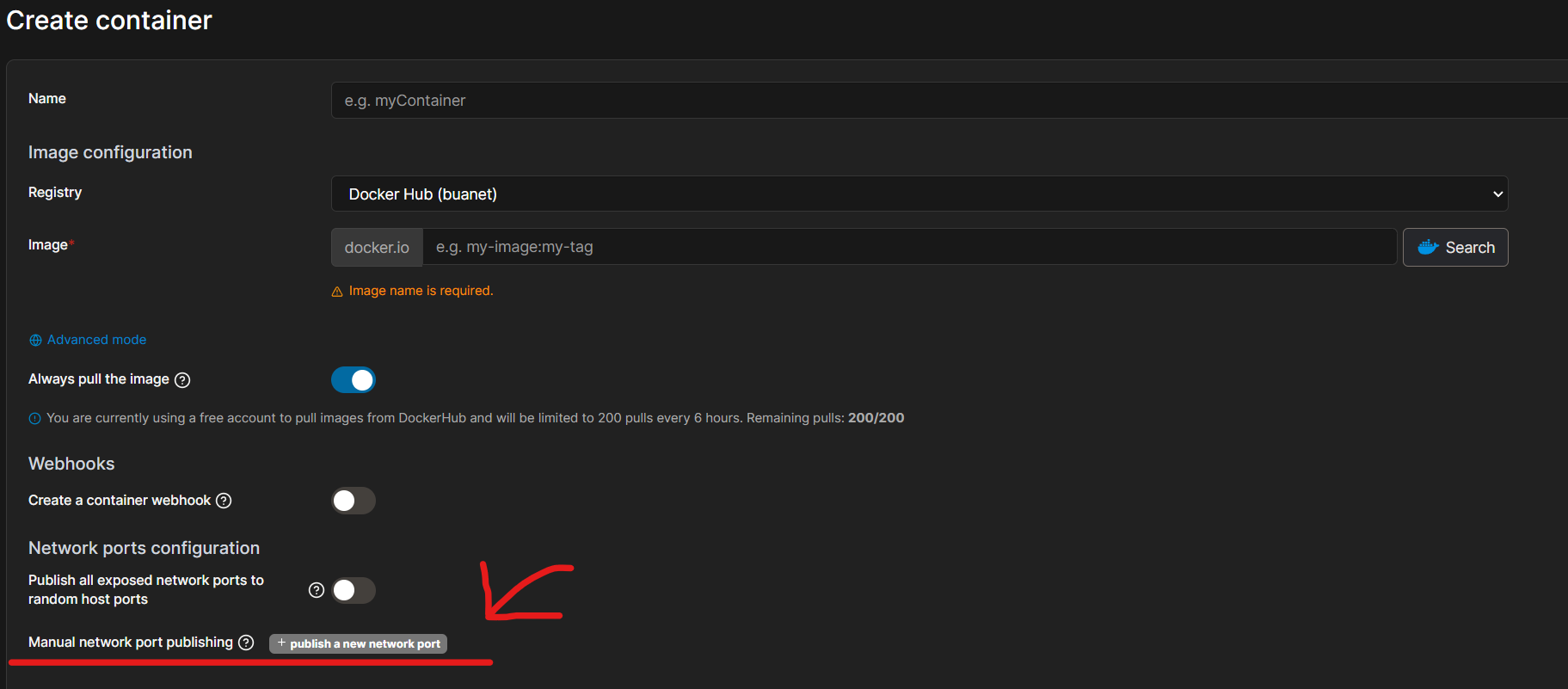
Port durchreichen hier:
@johanneslisa sagte in [HowTo] ioBroker unter Docker auf Synology DiskStation:
Wenn Host leichter ist und keine großen Nachteile hat dann steige ich gerne um.
Ist glaub ich besser wenn du es mit Host versuchst... es sei denn du hast Portainer auf port 9000... ein Hinweis dazu steht aber auch im entsprechenden Tutorial.
MfG,
André -
@johanneslisa Jo, da haben wir das Problem. Das wird nicht gehen:
http://iobroker:8081es heißt ja auch:
@johanneslisa sagte in [HowTo] ioBroker unter Docker auf Synology DiskStation:
dann hat wahrscheinlich alles geklappt und ihr könnt den ioBroker-Admin über den bekannten Weg „http://[name_des_hosts]:8081“ oder „http://[IP-Adresse]:8081“ aufrufen.
Name oder IP des HOSTS! Der Host ist deine DiskStation.
Port durchreichen hier:
@johanneslisa sagte in [HowTo] ioBroker unter Docker auf Synology DiskStation:
Wenn Host leichter ist und keine großen Nachteile hat dann steige ich gerne um.
Ist glaub ich besser wenn du es mit Host versuchst... es sei denn du hast Portainer auf port 9000... ein Hinweis dazu steht aber auch im entsprechenden Tutorial.
MfG,
André -
Ah ok.
Was muss ich da beim durchreichen eingeben? Ich kann den container so nicht deployen. Ich habe im ersten feld die ip der syonology und im zweiten 8081
@johanneslisa sagte in [HowTo] ioBroker unter Docker auf Synology DiskStation:
Was muss ich da beim durchreichen eingeben?
Hast du nicht mein Link gesehn , es geht auch mit Bordmittel !
8081 : 8081
.
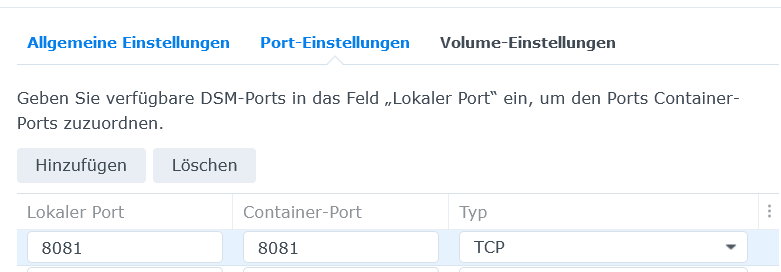
Hinweis , Lokal 8081 funktioniert nur , wenn er nicht schon von deiner Synology belegt ist !
-
@johanneslisa sagte in [HowTo] ioBroker unter Docker auf Synology DiskStation:
Was muss ich da beim durchreichen eingeben?
Hast du nicht mein Link gesehn , es geht auch mit Bordmittel !
8081 : 8081
.
Hinweis , Lokal 8081 funktioniert nur , wenn er nicht schon von deiner Synology belegt ist !
Iobroker lässt sich immer noch nicht öffnen.
Wo sehe ich ob dieser port schon vergeben ist?
-
Iobroker lässt sich immer noch nicht öffnen.
Wo sehe ich ob dieser port schon vergeben ist?
@johanneslisa sagte in [HowTo] ioBroker unter Docker auf Synology DiskStation:
Wo sehe ich ob dieser port schon vergeben ist?
Dann würdest du , in der gezeigten Oberfläche einen Hinweis bekommen !
-
Iobroker lässt sich immer noch nicht öffnen.
Wo sehe ich ob dieser port schon vergeben ist?
@johanneslisa sagte in [HowTo] ioBroker unter Docker auf Synology DiskStation:
Iobroker lässt sich immer noch nicht öffnen.
Nutze bitte einen anderen Browser !
http://IPvondeinerSynology:8081 -
@johanneslisa sagte in [HowTo] ioBroker unter Docker auf Synology DiskStation:
Iobroker lässt sich immer noch nicht öffnen.
Nutze bitte einen anderen Browser !
http://IPvondeinerSynology:8081Geht weder in Safari noch in Firefox
-
Geht weder in Safari noch in Firefox
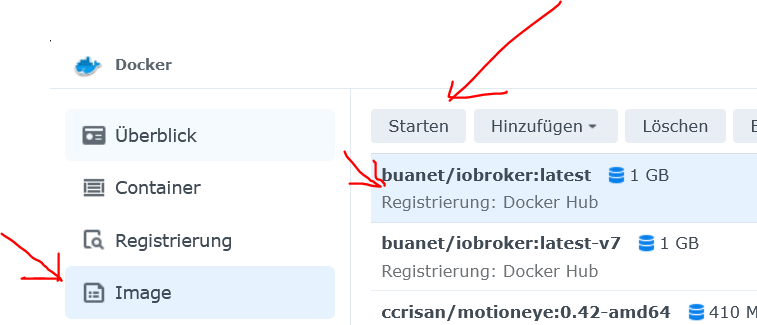
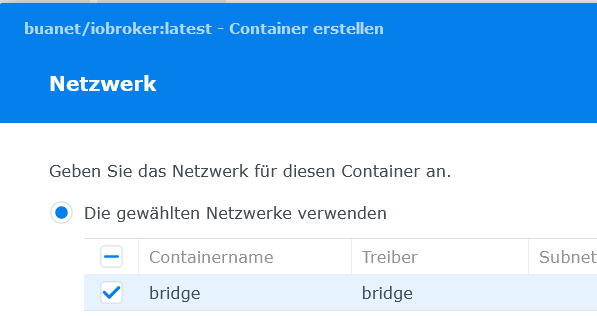
Lösche den Container und starte von neuen und gebe die Ports dann auch bei der Konfig ein .
Aber alles ohne Portainer !
Ist mit Bordmitteln selbsterklärend.
.
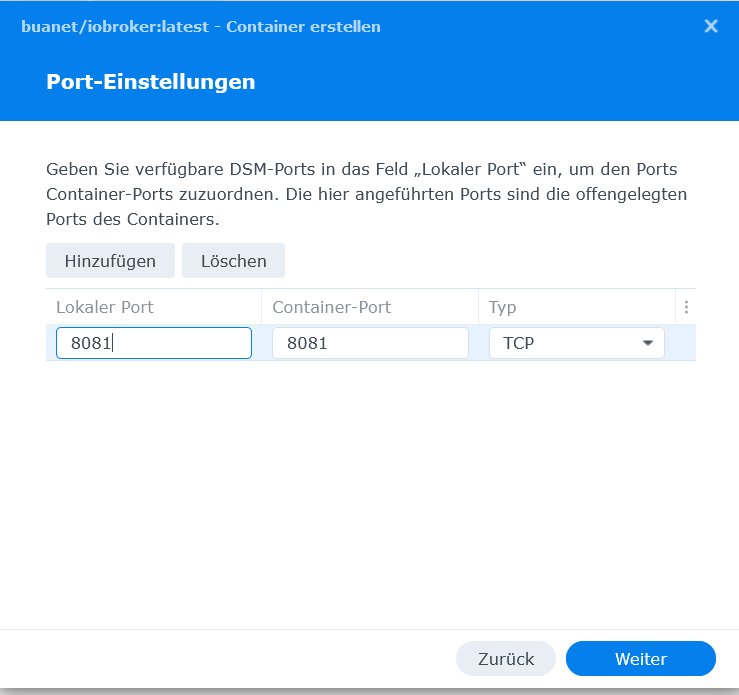
usw,
-
Hallo,
ich versuche gerade einen Container unter IPv6 erreicbar zu machen.
Hat das schon jemand hinbekommen?muss man dazu den Deamon.json noch modifizieren, habe irgendwo gelesen mit MCVLAN benötigt man das nicht mehr, finde es aber gerade nicht...
im MCVLAN Script habe ich die ip -6 Zeile ergänzt - läuft auch ohne Fehler...
# MACVLAN für VLAN 1 - IP Adresse 192.168.10.30/32
ip link del mac1
ip link add mac1 link bond0.1 type macvlan mode bridge
ip addr add 192.168.10.30/32 dev mac1
ip -6 addr add fd00:100::211:32ff:feca:a7e1/64 dev mac1
ip link set mac1 up
ich habe es auch mit eienm 64er Segment versucht: ip -6 addr add fd00:100::/64 dev mac1
Größer machtr wohl keinen Sinn...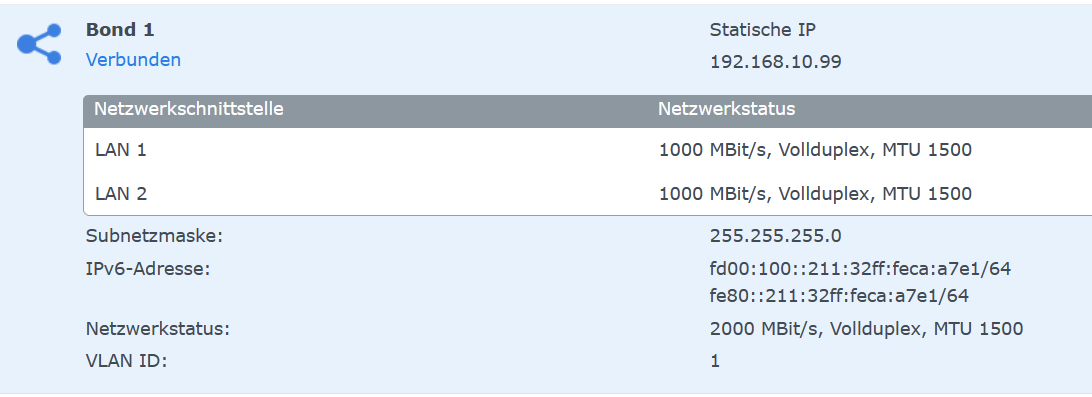
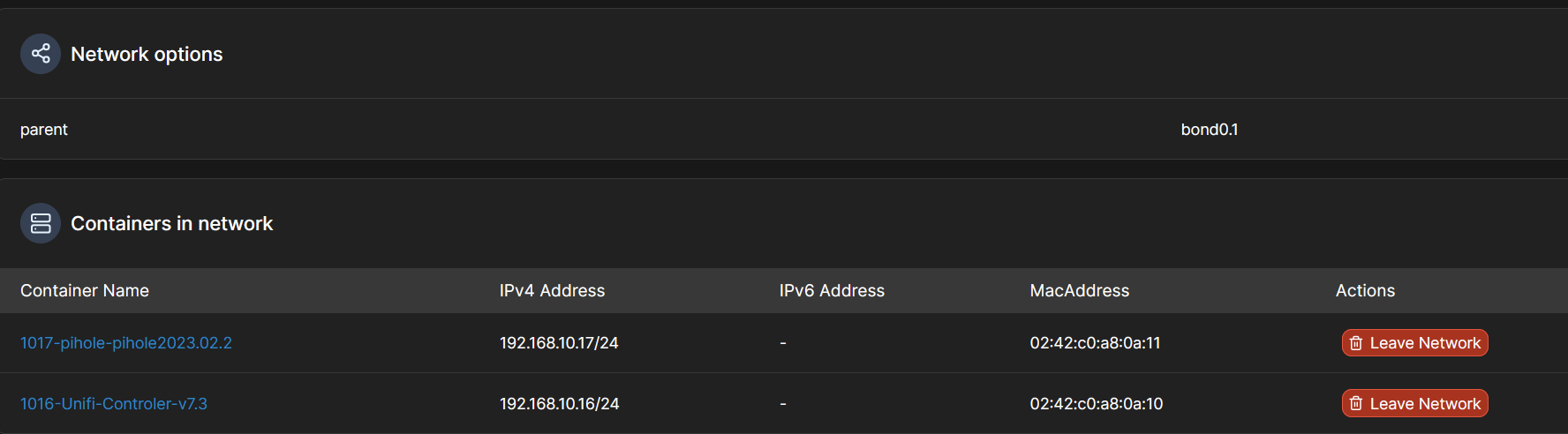
Hat das schon jemand am laufen?
Wo ist mein Denkfehler, was mache ich falsch?
Hat jemand ein Beispiel dasa geht? -
Ich nutze Docker nativ + Docker Compose, insofern ist es nicht vergleichbar, aber vielleicht kannst du daraus was ableiten:
Inhalt der daemon.json:
{
"experimental": true,
"ip6tables": true
}
Docker compose:
networks: mvl1: driver: macvlan enable_ipv6: true driver_opts: parent: eno1 ipam: config: - subnet: "fd00:1000:ffff::/64" gateway: "fd00:1000:ffff::3ea6:2fef:fe85:4dcf" - subnet: 192.168.1.0/24 gateway: 192.168.1.1 ip_range: 192.168.1.32/27 -
Hi, Danke, ist für IPv6 vielleicht auch geschickter es so zu machen... ich probiere das mal auf diesem weg...
was auffällt, du hast macvlan + Anpassung der json, dann mach ich das doch erst mal...Neues Problem: Durch mein Rumspieln hab ich mir irgendwas an der Netzwerkconfig ? zerschossen, seit heute geht mein FTP Server nicht mehr über IPv6, auch nicht lokal... IPV4 geht noch... hat jemand ne Idee was da nun schief ist? leider sieht man ja niocht was die Firewall so macht.... es gibt keien Rückmeldung, nur Timeout...





708
Online32.6k
Users82.2k
Topics1.3m
Posts