Skip to content
  • Home
  • Recent
  • Tags
  • 0 Unread 0
  • Categories
  • Unreplied
  • Popular
  • GitHub
  • Docu
  • Hilfe
Skins
  • Light
  • Brite
  • Cerulean
  • Cosmo
  • Flatly
  • Journal
  • Litera
  • Lumen
  • Lux
  • Materia
  • Minty
  • Morph
  • Pulse
  • Sandstone
  • Simplex
  • Sketchy
  • Spacelab
  • United
  • Yeti
  • Zephyr
  • Dark
  • Cyborg
  • Darkly
  • Quartz
  • Slate
  • Solar
  • Superhero
  • Vapor

  • Default (No Skin)
  • No Skin
Collapse
ioBroker Logo

Community Forum

donate donate
  1. ioBroker Community Home
  2. Deutsch
  3. ioBroker Allgemein
  4. [HowTo] ioBroker unter Docker auf Synology DiskStation
NEWS

  • Jahresrückblick 2025 – unser neuer Blogbeitrag ist online! ✨
    BluefoxB
    Bluefox
    17
    1
    2.1k

  • Neuer Blogbeitrag: Monatsrückblick - Dezember 2025 🎄
    BluefoxB
    Bluefox
    13
    1
    932

  • Weihnachtsangebot 2025! 🎄
    BluefoxB
    Bluefox
    25
    1
    2.2k

[HowTo] ioBroker unter Docker auf Synology DiskStation
Scheduled Pinned Locked Moved ioBroker Allgemein
iobrokerdockerbuanetsynologydiskstation
2.9k Posts 248 Posters 1.6m Views 123 Watching
  • Oldest to Newest
  • Newest to Oldest
  • Most Votes
Reply
  • Reply as topic
Log in to reply
This topic has been deleted. Only users with topic management privileges can see it.
  • StM47S StM47

    Hallo all,

    ich habe aktuell Andres Image in Version 4.0 auf meiner Syno mit Portainer installiert. Läuft soweit ganz gut.
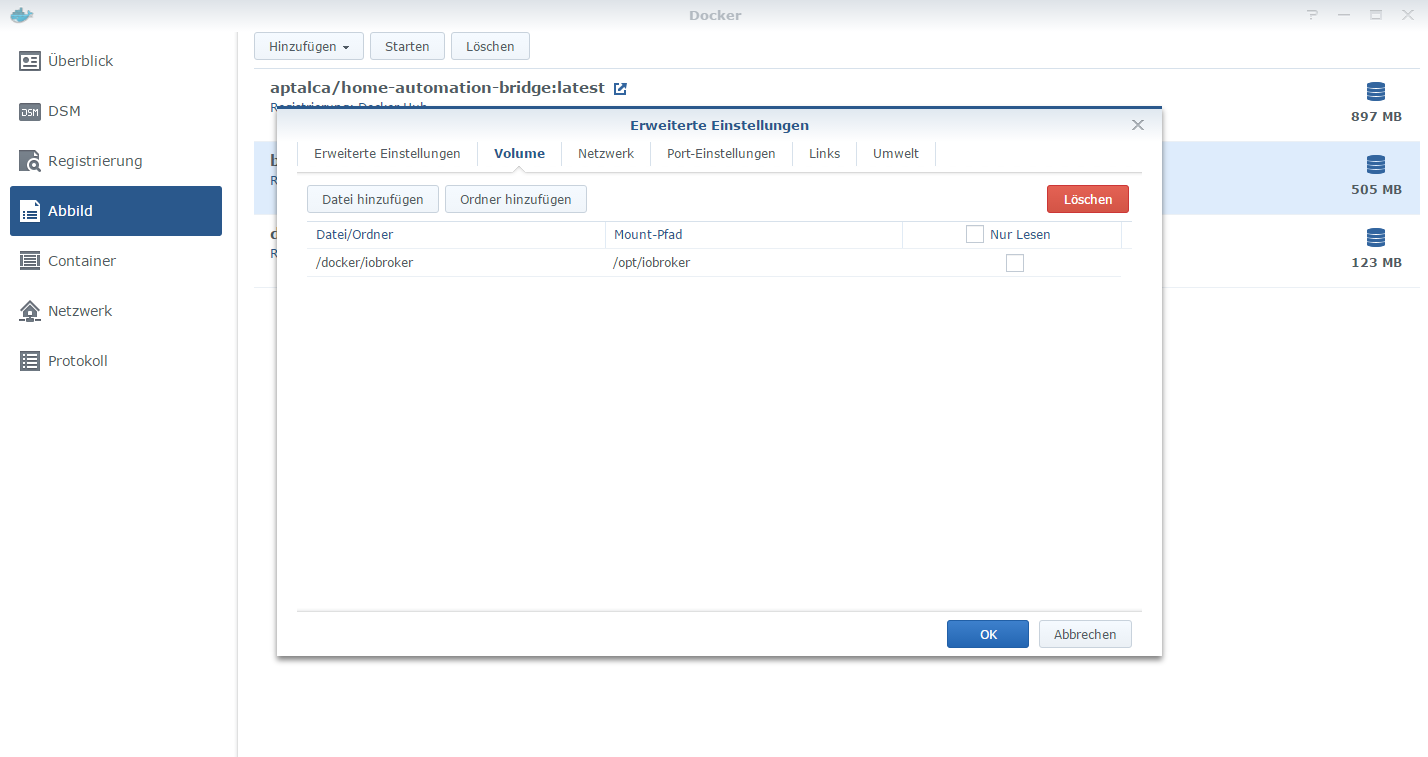
    Allerdings konnte ich die Instalation nur ohne Volume mapping, also ohne automatische Sicherung der Daten von /opt/iobroker in ein lokales Verzeichnis erstellen.
    Habe alles so gemacht, wie von Andre beschrieben.
    container: /opt/iobroker
    host: /volume1/docker/iobroker_data
    Das Verzeichnis habe ich natürlich vorher angelegt.
    Nach der Installation mit Volume mapping, ist ioBroker beim Start, bei Punkt 2 stehen geblieben und hat sich anschließend immer wieder selber neu gestertet. Man kann den Start im Portainer unter Logs live mitverfolgen.
    Ohne Volume mapping läuft der Start problemlos.
    Woran kann das liegen, dass Volume mapping bei mitr nicht funktioniert?

    GlasfaserG Offline
    GlasfaserG Offline
    Glasfaser
    wrote on last edited by
    #1211

    @StM47 sagte in [HowTo][Anleitung] Installation ioBroker in Docker auf Synology DiskStation:

    Hallo all,

    Das Verzeichnis habe ich natürlich vorher angelegt.

    Vielleicht liegt es am Besitzer/Rechte , so ist es bei mir ,

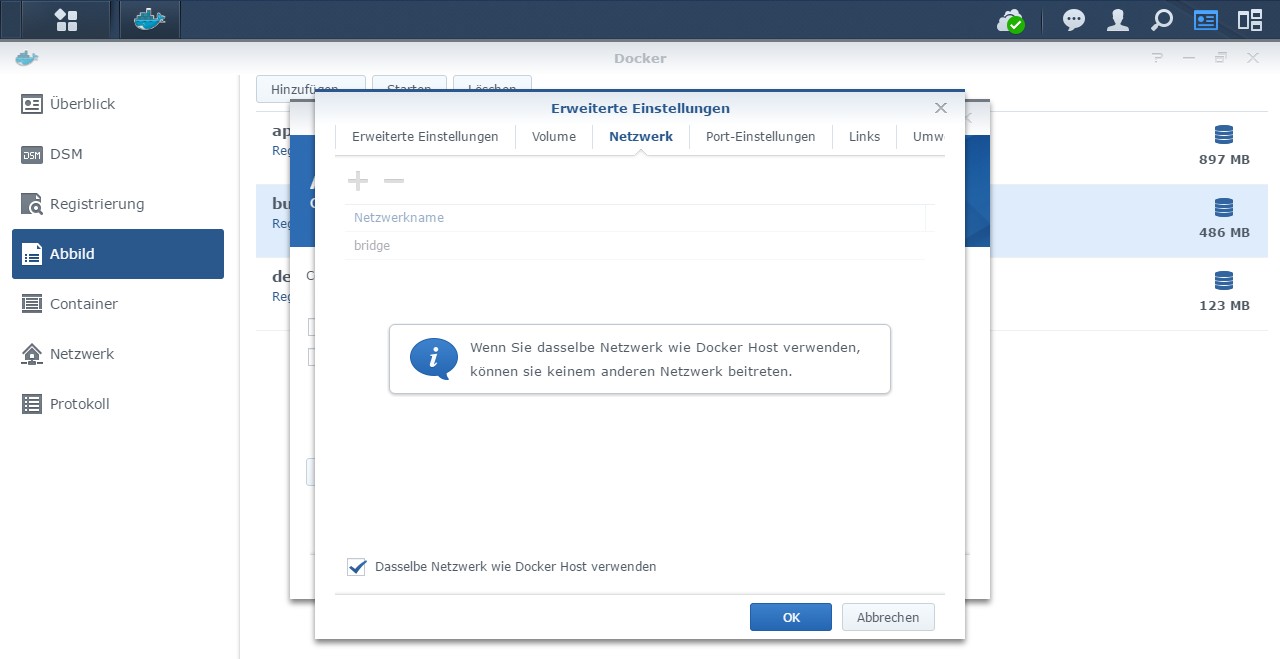
    1.JPG

    Synology 918+ 16GB - ioBroker in Docker v9 , VISO auf Trekstor Primebook C13 13,3" , Hikvision Domkameras mit Surveillance Station .. CCU RaspberryMatic in Synology VM .. Zigbee CC2538+CC2592 .. Sonoff .. KNX .. Modbus ..

    1 Reply Last reply
    0
    • StM47S Offline
      StM47S Offline
      StM47
      wrote on last edited by StM47
      #1212

      @Glasfaser sagte in [HowTo][Anleitung] Installation ioBroker in Docker auf Synology DiskStation:

      ,

      Ich denke auch, dass es an den Rechten liegt.
      Ich habe das Verzeichnis mit meienm Admin angelegt und dem Verzeichnis Lese- und Schreibrechte gegeben.

      ioBroker im Docker auf Synology DiskStation DS 716+II mit DSM 6.2.1
      • Lightmanager Air / Lupusec XT2 Plus mit div. Fenster- u. Türkontakten, Rauch- u. Bewegungsmelder / Harmony Hub / Fritzbox 7590 OS7
      • schaltbare Steckdosen / Alexa Echo Dot 3 / Zigbee USB Stick / diverse Xiaomi Produkte / Xiaomi Yeelight Birnen
      GlasfaserG 1 Reply Last reply
      0
      • StM47S StM47

        @Glasfaser sagte in [HowTo][Anleitung] Installation ioBroker in Docker auf Synology DiskStation:

        ,

        Ich denke auch, dass es an den Rechten liegt.
        Ich habe das Verzeichnis mit meienm Admin angelegt und dem Verzeichnis Lese- und Schreibrechte gegeben.

        GlasfaserG Offline
        GlasfaserG Offline
        Glasfaser
        wrote on last edited by
        #1213

        @StM47

        1.JPG

        Synology 918+ 16GB - ioBroker in Docker v9 , VISO auf Trekstor Primebook C13 13,3" , Hikvision Domkameras mit Surveillance Station .. CCU RaspberryMatic in Synology VM .. Zigbee CC2538+CC2592 .. Sonoff .. KNX .. Modbus ..

        NegaleinN 1 Reply Last reply
        0
        • StM47S Offline
          StM47S Offline
          StM47
          wrote on last edited by
          #1214

          Ich danke dir.
          Das Verzeichnis hatte tatsächlich nur Leserechte.
          Habe es abgeändert und iobroker neu installiert.
          Jetzt Läft auch Volume mapping.

          Sehr geil.

          ioBroker im Docker auf Synology DiskStation DS 716+II mit DSM 6.2.1
          • Lightmanager Air / Lupusec XT2 Plus mit div. Fenster- u. Türkontakten, Rauch- u. Bewegungsmelder / Harmony Hub / Fritzbox 7590 OS7
          • schaltbare Steckdosen / Alexa Echo Dot 3 / Zigbee USB Stick / diverse Xiaomi Produkte / Xiaomi Yeelight Birnen
          GlasfaserG 1 Reply Last reply
          0
          • StM47S StM47

            Ich danke dir.
            Das Verzeichnis hatte tatsächlich nur Leserechte.
            Habe es abgeändert und iobroker neu installiert.
            Jetzt Läft auch Volume mapping.

            Sehr geil.

            GlasfaserG Offline
            GlasfaserG Offline
            Glasfaser
            wrote on last edited by
            #1215

            @StM47

            Freut mich das es daran lag …… und es jetzt funktioniert.

            Synology 918+ 16GB - ioBroker in Docker v9 , VISO auf Trekstor Primebook C13 13,3" , Hikvision Domkameras mit Surveillance Station .. CCU RaspberryMatic in Synology VM .. Zigbee CC2538+CC2592 .. Sonoff .. KNX .. Modbus ..

            1 Reply Last reply
            1
            • StM47S Offline
              StM47S Offline
              StM47
              wrote on last edited by
              #1216

              @dslraser sagte in [HowTo][Anleitung] Installation ioBroker in Docker auf Synology DiskStation:

              npm install ioBroker/ioBroker.js-controller

              Ja, mich auch.
              Ich habe noch ein Backitup Backup tar.gz
              Kann ich das jetzt in das Verzeichnis Backup legen und wiederherstellen?

              ioBroker im Docker auf Synology DiskStation DS 716+II mit DSM 6.2.1
              • Lightmanager Air / Lupusec XT2 Plus mit div. Fenster- u. Türkontakten, Rauch- u. Bewegungsmelder / Harmony Hub / Fritzbox 7590 OS7
              • schaltbare Steckdosen / Alexa Echo Dot 3 / Zigbee USB Stick / diverse Xiaomi Produkte / Xiaomi Yeelight Birnen
              GlasfaserG 1 Reply Last reply
              0
              • StM47S StM47

                @dslraser sagte in [HowTo][Anleitung] Installation ioBroker in Docker auf Synology DiskStation:

                npm install ioBroker/ioBroker.js-controller

                Ja, mich auch.
                Ich habe noch ein Backitup Backup tar.gz
                Kann ich das jetzt in das Verzeichnis Backup legen und wiederherstellen?

                GlasfaserG Offline
                GlasfaserG Offline
                Glasfaser
                wrote on last edited by
                #1217

                @StM47

                Ja, aber dann ein Minimal-Backup

                Synology 918+ 16GB - ioBroker in Docker v9 , VISO auf Trekstor Primebook C13 13,3" , Hikvision Domkameras mit Surveillance Station .. CCU RaspberryMatic in Synology VM .. Zigbee CC2538+CC2592 .. Sonoff .. KNX .. Modbus ..

                StM47S 1 Reply Last reply
                0
                • StM47S Offline
                  StM47S Offline
                  StM47
                  wrote on last edited by StM47
                  #1218

                  Ja, ein Minimal- Backup
                  minimal_2019_10_24-02_00_11_Backup iobroker Standard_backupiobroker.tar.gz

                  Kannst du mir kurz erklären, wie ich das Backup wiederherstelle?
                  Möchte keine Fehler mehr machen.

                  ioBroker im Docker auf Synology DiskStation DS 716+II mit DSM 6.2.1
                  • Lightmanager Air / Lupusec XT2 Plus mit div. Fenster- u. Türkontakten, Rauch- u. Bewegungsmelder / Harmony Hub / Fritzbox 7590 OS7
                  • schaltbare Steckdosen / Alexa Echo Dot 3 / Zigbee USB Stick / diverse Xiaomi Produkte / Xiaomi Yeelight Birnen
                  GlasfaserG 1 Reply Last reply
                  0
                  • StM47S StM47

                    Ja, ein Minimal- Backup
                    minimal_2019_10_24-02_00_11_Backup iobroker Standard_backupiobroker.tar.gz

                    Kannst du mir kurz erklären, wie ich das Backup wiederherstelle?
                    Möchte keine Fehler mehr machen.

                    GlasfaserG Offline
                    GlasfaserG Offline
                    Glasfaser
                    wrote on last edited by
                    #1219

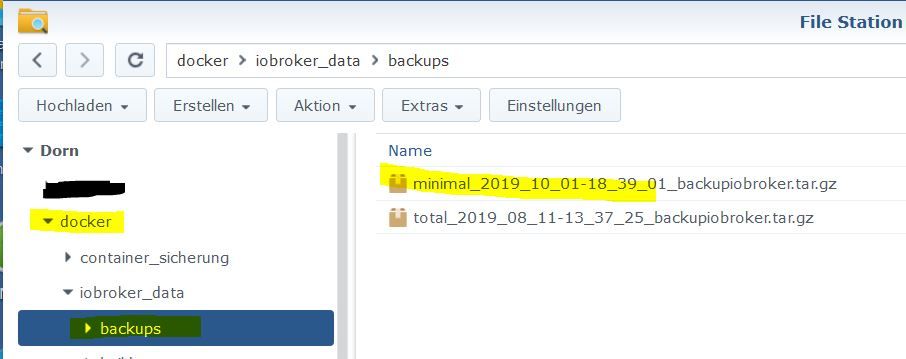
                    @StM47

                    hier in den Ordner legen :

                    2.JPG

                    Weiteres vorgehen hier :
                    Link Text

                    Synology 918+ 16GB - ioBroker in Docker v9 , VISO auf Trekstor Primebook C13 13,3" , Hikvision Domkameras mit Surveillance Station .. CCU RaspberryMatic in Synology VM .. Zigbee CC2538+CC2592 .. Sonoff .. KNX .. Modbus ..

                    1 Reply Last reply
                    0
                    • StM47S Offline
                      StM47S Offline
                      StM47
                      wrote on last edited by
                      #1220

                      Und dann?

                      Mit Backitup local wiederherstellen oder über die Konsole?

                      ioBroker im Docker auf Synology DiskStation DS 716+II mit DSM 6.2.1

                      • Lightmanager Air / Lupusec XT2 Plus mit div. Fenster- u. Türkontakten, Rauch- u. Bewegungsmelder / Harmony Hub / Fritzbox 7590 OS7
                      • schaltbare Steckdosen / Alexa Echo Dot 3 / Zigbee USB Stick / diverse Xiaomi Produkte / Xiaomi Yeelight Birnen
                      GlasfaserG 1 Reply Last reply
                      0
                      • StM47S StM47

                        Und dann?

                        Mit Backitup local wiederherstellen oder über die Konsole?

                        GlasfaserG Offline
                        GlasfaserG Offline
                        Glasfaser
                        wrote on last edited by
                        #1221

                        @StM47

                        Mit dem Adapter backitup wiederherstellen ,
                        nicht über die Konsole!

                        Synology 918+ 16GB - ioBroker in Docker v9 , VISO auf Trekstor Primebook C13 13,3" , Hikvision Domkameras mit Surveillance Station .. CCU RaspberryMatic in Synology VM .. Zigbee CC2538+CC2592 .. Sonoff .. KNX .. Modbus ..

                        1 Reply Last reply
                        1
                        • StM47S Offline
                          StM47S Offline
                          StM47
                          wrote on last edited by
                          #1222

                          Probiere ich aus.
                          Danke dir errst mal!

                          ioBroker im Docker auf Synology DiskStation DS 716+II mit DSM 6.2.1
                          • Lightmanager Air / Lupusec XT2 Plus mit div. Fenster- u. Türkontakten, Rauch- u. Bewegungsmelder / Harmony Hub / Fritzbox 7590 OS7
                          • schaltbare Steckdosen / Alexa Echo Dot 3 / Zigbee USB Stick / diverse Xiaomi Produkte / Xiaomi Yeelight Birnen
                          1 Reply Last reply
                          0
                          • GlasfaserG Glasfaser

                            @StM47

                            1.JPG

                            NegaleinN Offline
                            NegaleinN Offline
                            Negalein
                            Global Moderator
                            wrote on last edited by
                            #1223

                            @Glasfaser sagte in [HowTo][Anleitung] Installation ioBroker in Docker auf Synology DiskStation:

                            @StM47

                            1.JPG

                            Ist das direkt auf der Synology?
                            Oder greifst du da mit einem anderen Tool darauf zu um die Rechte zu ändern?

                            Hatte seit V4 auch schon bei 2 Ordnern das Problem.

                            ° Node.js & System Update ---> sudo apt update, iob stop, sudo apt full-upgrade
                            ° Node.js Fixer ---> iob nodejs-update
                            ° Fixer ---> iob fix

                            GlasfaserG 1 Reply Last reply
                            0
                            • NegaleinN Negalein

                              @Glasfaser sagte in [HowTo][Anleitung] Installation ioBroker in Docker auf Synology DiskStation:

                              @StM47

                              1.JPG

                              Ist das direkt auf der Synology?
                              Oder greifst du da mit einem anderen Tool darauf zu um die Rechte zu ändern?

                              Hatte seit V4 auch schon bei 2 Ordnern das Problem.

                              GlasfaserG Offline
                              GlasfaserG Offline
                              Glasfaser
                              wrote on last edited by
                              #1224

                              @Negalein sagte in [HowTo][Anleitung] Installation ioBroker in Docker auf Synology DiskStation:

                              @Glasfaser sagte in [HowTo][Anleitung] Installation ioBroker in Docker auf Synology DiskStation:
                              Oder greifst du da mit einem anderen Tool darauf zu um die Rechte zu ändern?

                              Ich nutze schon seit Jahren das Programm WinSCP um auf allen Ordner der Synology zuzugreifen.

                              Synology 918+ 16GB - ioBroker in Docker v9 , VISO auf Trekstor Primebook C13 13,3" , Hikvision Domkameras mit Surveillance Station .. CCU RaspberryMatic in Synology VM .. Zigbee CC2538+CC2592 .. Sonoff .. KNX .. Modbus ..

                              NegaleinN 1 Reply Last reply
                              0
                              • GlasfaserG Glasfaser

                                @Negalein sagte in [HowTo][Anleitung] Installation ioBroker in Docker auf Synology DiskStation:

                                @Glasfaser sagte in [HowTo][Anleitung] Installation ioBroker in Docker auf Synology DiskStation:
                                Oder greifst du da mit einem anderen Tool darauf zu um die Rechte zu ändern?

                                Ich nutze schon seit Jahren das Programm WinSCP um auf allen Ordner der Synology zuzugreifen.

                                NegaleinN Offline
                                NegaleinN Offline
                                Negalein
                                Global Moderator
                                wrote on last edited by
                                #1225

                                @Glasfaser sagte in [HowTo][Anleitung] Installation ioBroker in Docker auf Synology DiskStation:

                                Ich nutze schon seit Jahren das Programm WinSCP um auf allen Ordner der Synology zuzugreifen.

                                Danke

                                Muss ich mir anschauen.

                                ° Node.js & System Update ---> sudo apt update, iob stop, sudo apt full-upgrade
                                ° Node.js Fixer ---> iob nodejs-update
                                ° Fixer ---> iob fix

                                GlasfaserG 1 Reply Last reply
                                0
                                • NegaleinN Negalein

                                  @Glasfaser sagte in [HowTo][Anleitung] Installation ioBroker in Docker auf Synology DiskStation:

                                  Ich nutze schon seit Jahren das Programm WinSCP um auf allen Ordner der Synology zuzugreifen.

                                  Danke

                                  Muss ich mir anschauen.

                                  GlasfaserG Offline
                                  GlasfaserG Offline
                                  Glasfaser
                                  wrote on last edited by
                                  #1226

                                  @Negalein

                                  Hier die Doku zum Einstellen / Einrichten .
                                  Link Text

                                  Synology 918+ 16GB - ioBroker in Docker v9 , VISO auf Trekstor Primebook C13 13,3" , Hikvision Domkameras mit Surveillance Station .. CCU RaspberryMatic in Synology VM .. Zigbee CC2538+CC2592 .. Sonoff .. KNX .. Modbus ..

                                  NegaleinN 1 Reply Last reply
                                  0
                                  • GlasfaserG Glasfaser

                                    @Negalein

                                    Hier die Doku zum Einstellen / Einrichten .
                                    Link Text

                                    NegaleinN Offline
                                    NegaleinN Offline
                                    Negalein
                                    Global Moderator
                                    wrote on last edited by
                                    #1227

                                    @Glasfaser sagte in [HowTo][Anleitung] Installation ioBroker in Docker auf Synology DiskStation:

                                    @Negalein

                                    Hier die Doku zum Einstellen / Einrichten .
                                    Link Text

                                    Bin schon auf der Syno.
                                    An den Rechten passt alles.

                                    ° Node.js & System Update ---> sudo apt update, iob stop, sudo apt full-upgrade
                                    ° Node.js Fixer ---> iob nodejs-update
                                    ° Fixer ---> iob fix

                                    1 Reply Last reply
                                    0
                                    • Thomas WT Offline
                                      Thomas WT Offline
                                      Thomas W
                                      wrote on last edited by Thomas W
                                      #1228

                                      Hallo,

                                      habe auch (aus versehen) auf 4.0 upgedatet. Nun startet iobroker nicht mehr. Gibt es eine "schnelle" Anleitung, wie ich Iobroker neu installieren kann, wobe ich meine daten (alte Logs, Konfig, etc.) behalten kann?

                                      Aktuell ist es so, dass ich iobroker nicht mehr zum Starten bekomme:

                                      Cannot find module '/opt/iobroker/node_modules/iobroker.js-controller/controller.js

                                      npm rebuild

                                      > node lib/preinstallCheck.js
                                      
                                      
                                      ┌───────────────────────────────────────────────────┐
                                      │              npm update check failed              │
                                      │        Try running with sudo or get access        │
                                      │       to the local update config store via        │
                                      │ sudo chown -R $USER:$(id -gn $USER) /root/.config │
                                      └───────────────────────────────────────────────────┘
                                      NPM version: 5.6.0
                                      !!!!!!!!!!!!!!!!!!!!!!!!!!!!!!!!!!!!!!!!!!!!!!!!!!!!!!!!!!!!!!!!!!!!!!!!!
                                      WARNING:
                                      You are using an unsupported npm version!
                                      This can lead to problems when installing further packages
                                      
                                      Please use "npm install -g npm@4" to downgrade npm to 4.x or
                                      use "npm install -g npm@latest" to install a supported version of npm!
                                      You need to make sure to repeat this step after installing an update to NodeJS and/or npm.
                                      !!!!!!!!!!!!!!!!!!!!!!!!!!!!!!!!!!!!!!!!!!!!!!!!!!!!!!!!!!!!!!!!!!!!!!!!!
                                      npm version >= 5: disabling package-lock
                                      Could not check npm version: Error: EACCES: permission denied, open '/volume1/docker/iobroker_data/.npmrc'
                                      Assuming that correct version is installed.
                                      
                                      > iobroker.js-controller@1.5.14 install /volume1/docker/iobroker_data/node_modules/iobroker.js-controller
                                      > node iobroker.js setup first
                                      
                                      Cannot write file. Not critical: Error: ENOENT: no such file or directory, open '/volume1/docker/iobroker_data/node_modules/iobroker.js-controller/lib/setup/../../../../iob'
                                      Cannot delete file. Not critical: Error: EACCES: permission denied, unlink '/volume1/docker/iobroker_data/node_modules/iobroker.js-controller/lib/setup/../../_service_iobroker.bat'
                                      Cannot delete file. Not critical: Error: EACCES: permission denied, unlink '/volume1/docker/iobroker_data/node_modules/iobroker.js-controller/lib/setup/../../iobroker.bat'
                                      fs.js:885
                                        return binding.mkdir(pathModule._makeLong(path),
                                                       ^
                                      
                                      Error: EACCES: permission denied, mkdir '/volume1/docker/iobroker_data/node_modules/iobroker.js-controller/lib/setup/../../tmp'
                                          at Object.fs.mkdirSync (fs.js:885:18)
                                          at Setup.setup (/volume1/docker/iobroker_data/node_modules/iobroker.js-controller/lib/setup/setupSetup.js:189:58)
                                          at /volume1/docker/iobroker_data/node_modules/iobroker.js-controller/lib/setup.js:653:27
                                          at processCommand (/volume1/docker/iobroker_data/node_modules/iobroker.js-controller/lib/setup.js:691:15)
                                          at Object.module.exports.execute (/volume1/docker/iobroker_data/node_modules/iobroker.js-controller/lib/setup.js:3193:5)
                                          at Object.<anonymous> (/volume1/docker/iobroker_data/node_modules/iobroker.js-controller/iobroker.js:1:100)
                                          at Module._compile (module.js:643:30)
                                          at Object.Module._extensions..js (module.js:654:10)
                                          at Module.load (module.js:556:32)
                                          at tryModuleLoad (module.js:499:12)
                                      npm ERR! code ELIFECYCLE
                                      npm ERR! errno 1
                                      npm ERR! iobroker.js-controller@1.5.14 install: `node iobroker.js setup first`
                                      npm ERR! Exit status 1
                                      npm ERR!
                                      npm ERR! Failed at the iobroker.js-controller@1.5.14 install script.
                                      npm ERR! This is probably not a problem with npm. There is likely additional logging output above.
                                      
                                      npm ERR! A complete log of this run can be found in:
                                      npm ERR!     /root/.npm/_logs/2019-10-31T14_52_46_785Z-debug.log
                                      

                                      sudo npm install iobroker.js-controller --production

                                      npm WARN deprecated json3@3.3.2: Please use the native JSON object instead of JSON 3
                                      npm WARN notice [SECURITY] parsejson has the following vulnerability: 1 high. Go here for more details: https://www.npmjs.com/advisories?search=parsejson&version=0.0.3 - Run `npm i npm@latest -g` to upgrade your npm version, and then `npm audit` to get more info.
                                      
                                      > iobroker.js-controller@1.5.14 preinstall /volume1/docker/iobroker_data/node_modules/iobroker.js-controller
                                      > node lib/preinstallCheck.js
                                      
                                      
                                      ┌───────────────────────────────────────────────────┐
                                      │              npm update check failed              │
                                      │        Try running with sudo or get access        │
                                      │       to the local update config store via        │
                                      │ sudo chown -R $USER:$(id -gn $USER) /root/.config │
                                      └───────────────────────────────────────────────────┘
                                      NPM version: 5.6.0
                                      !!!!!!!!!!!!!!!!!!!!!!!!!!!!!!!!!!!!!!!!!!!!!!!!!!!!!!!!!!!!!!!!!!!!!!!!!
                                      WARNING:
                                      You are using an unsupported npm version!
                                      This can lead to problems when installing further packages
                                      
                                      Please use "npm install -g npm@4" to downgrade npm to 4.x or
                                      use "npm install -g npm@latest" to install a supported version of npm!
                                      You need to make sure to repeat this step after installing an update to NodeJS and/or npm.
                                      !!!!!!!!!!!!!!!!!!!!!!!!!!!!!!!!!!!!!!!!!!!!!!!!!!!!!!!!!!!!!!!!!!!!!!!!!
                                      npm version >= 5: disabling package-lock
                                      Could not check npm version: Error: EACCES: permission denied, open '/volume1/docker/iobroker_data/.npmrc'
                                      Assuming that correct version is installed.
                                      
                                      > ursa-optional@0.9.10 install /volume1/docker/iobroker_data/node_modules/ursa-optional
                                      > node rebuild.js
                                      
                                      ^C
                                      
                                      
                                      Thomas WT 1 Reply Last reply
                                      0
                                      • Thomas WT Thomas W

                                        Hallo,

                                        habe auch (aus versehen) auf 4.0 upgedatet. Nun startet iobroker nicht mehr. Gibt es eine "schnelle" Anleitung, wie ich Iobroker neu installieren kann, wobe ich meine daten (alte Logs, Konfig, etc.) behalten kann?

                                        Aktuell ist es so, dass ich iobroker nicht mehr zum Starten bekomme:

                                        Cannot find module '/opt/iobroker/node_modules/iobroker.js-controller/controller.js

                                        npm rebuild

                                        > node lib/preinstallCheck.js
                                        
                                        
                                        ┌───────────────────────────────────────────────────┐
                                        │              npm update check failed              │
                                        │        Try running with sudo or get access        │
                                        │       to the local update config store via        │
                                        │ sudo chown -R $USER:$(id -gn $USER) /root/.config │
                                        └───────────────────────────────────────────────────┘
                                        NPM version: 5.6.0
                                        !!!!!!!!!!!!!!!!!!!!!!!!!!!!!!!!!!!!!!!!!!!!!!!!!!!!!!!!!!!!!!!!!!!!!!!!!
                                        WARNING:
                                        You are using an unsupported npm version!
                                        This can lead to problems when installing further packages
                                        
                                        Please use "npm install -g npm@4" to downgrade npm to 4.x or
                                        use "npm install -g npm@latest" to install a supported version of npm!
                                        You need to make sure to repeat this step after installing an update to NodeJS and/or npm.
                                        !!!!!!!!!!!!!!!!!!!!!!!!!!!!!!!!!!!!!!!!!!!!!!!!!!!!!!!!!!!!!!!!!!!!!!!!!
                                        npm version >= 5: disabling package-lock
                                        Could not check npm version: Error: EACCES: permission denied, open '/volume1/docker/iobroker_data/.npmrc'
                                        Assuming that correct version is installed.
                                        
                                        > iobroker.js-controller@1.5.14 install /volume1/docker/iobroker_data/node_modules/iobroker.js-controller
                                        > node iobroker.js setup first
                                        
                                        Cannot write file. Not critical: Error: ENOENT: no such file or directory, open '/volume1/docker/iobroker_data/node_modules/iobroker.js-controller/lib/setup/../../../../iob'
                                        Cannot delete file. Not critical: Error: EACCES: permission denied, unlink '/volume1/docker/iobroker_data/node_modules/iobroker.js-controller/lib/setup/../../_service_iobroker.bat'
                                        Cannot delete file. Not critical: Error: EACCES: permission denied, unlink '/volume1/docker/iobroker_data/node_modules/iobroker.js-controller/lib/setup/../../iobroker.bat'
                                        fs.js:885
                                          return binding.mkdir(pathModule._makeLong(path),
                                                         ^
                                        
                                        Error: EACCES: permission denied, mkdir '/volume1/docker/iobroker_data/node_modules/iobroker.js-controller/lib/setup/../../tmp'
                                            at Object.fs.mkdirSync (fs.js:885:18)
                                            at Setup.setup (/volume1/docker/iobroker_data/node_modules/iobroker.js-controller/lib/setup/setupSetup.js:189:58)
                                            at /volume1/docker/iobroker_data/node_modules/iobroker.js-controller/lib/setup.js:653:27
                                            at processCommand (/volume1/docker/iobroker_data/node_modules/iobroker.js-controller/lib/setup.js:691:15)
                                            at Object.module.exports.execute (/volume1/docker/iobroker_data/node_modules/iobroker.js-controller/lib/setup.js:3193:5)
                                            at Object.<anonymous> (/volume1/docker/iobroker_data/node_modules/iobroker.js-controller/iobroker.js:1:100)
                                            at Module._compile (module.js:643:30)
                                            at Object.Module._extensions..js (module.js:654:10)
                                            at Module.load (module.js:556:32)
                                            at tryModuleLoad (module.js:499:12)
                                        npm ERR! code ELIFECYCLE
                                        npm ERR! errno 1
                                        npm ERR! iobroker.js-controller@1.5.14 install: `node iobroker.js setup first`
                                        npm ERR! Exit status 1
                                        npm ERR!
                                        npm ERR! Failed at the iobroker.js-controller@1.5.14 install script.
                                        npm ERR! This is probably not a problem with npm. There is likely additional logging output above.
                                        
                                        npm ERR! A complete log of this run can be found in:
                                        npm ERR!     /root/.npm/_logs/2019-10-31T14_52_46_785Z-debug.log
                                        

                                        sudo npm install iobroker.js-controller --production

                                        npm WARN deprecated json3@3.3.2: Please use the native JSON object instead of JSON 3
                                        npm WARN notice [SECURITY] parsejson has the following vulnerability: 1 high. Go here for more details: https://www.npmjs.com/advisories?search=parsejson&version=0.0.3 - Run `npm i npm@latest -g` to upgrade your npm version, and then `npm audit` to get more info.
                                        
                                        > iobroker.js-controller@1.5.14 preinstall /volume1/docker/iobroker_data/node_modules/iobroker.js-controller
                                        > node lib/preinstallCheck.js
                                        
                                        
                                        ┌───────────────────────────────────────────────────┐
                                        │              npm update check failed              │
                                        │        Try running with sudo or get access        │
                                        │       to the local update config store via        │
                                        │ sudo chown -R $USER:$(id -gn $USER) /root/.config │
                                        └───────────────────────────────────────────────────┘
                                        NPM version: 5.6.0
                                        !!!!!!!!!!!!!!!!!!!!!!!!!!!!!!!!!!!!!!!!!!!!!!!!!!!!!!!!!!!!!!!!!!!!!!!!!
                                        WARNING:
                                        You are using an unsupported npm version!
                                        This can lead to problems when installing further packages
                                        
                                        Please use "npm install -g npm@4" to downgrade npm to 4.x or
                                        use "npm install -g npm@latest" to install a supported version of npm!
                                        You need to make sure to repeat this step after installing an update to NodeJS and/or npm.
                                        !!!!!!!!!!!!!!!!!!!!!!!!!!!!!!!!!!!!!!!!!!!!!!!!!!!!!!!!!!!!!!!!!!!!!!!!!
                                        npm version >= 5: disabling package-lock
                                        Could not check npm version: Error: EACCES: permission denied, open '/volume1/docker/iobroker_data/.npmrc'
                                        Assuming that correct version is installed.
                                        
                                        > ursa-optional@0.9.10 install /volume1/docker/iobroker_data/node_modules/ursa-optional
                                        > node rebuild.js
                                        
                                        ^C
                                        
                                        
                                        Thomas WT Offline
                                        Thomas WT Offline
                                        Thomas W
                                        wrote on last edited by
                                        #1229

                                        @Thomas-W said in [HowTo][Anleitung] Installation ioBroker in Docker auf Synology DiskStation:

                                        Hallo,

                                        habe auch (aus versehen) auf 4.0 upgedatet. Nun startet iobroker nicht mehr. Gibt es eine "schnelle" Anleitung, wie ich Iobroker neu installieren kann, wobe ich meine daten (alte Logs, Konfig, etc.) behalten kann?

                                        Aktuell ist es so, dass ich iobroker nicht mehr zum Starten bekomme:

                                        Cannot find module '/opt/iobroker/node_modules/iobroker.js-controller/controller.js

                                        npm rebuild

                                        > node lib/preinstallCheck.js
                                        
                                        
                                        ┌───────────────────────────────────────────────────┐
                                        │              npm update check failed              │
                                        │        Try running with sudo or get access        │
                                        │       to the local update config store via        │
                                        │ sudo chown -R $USER:$(id -gn $USER) /root/.config │
                                        └───────────────────────────────────────────────────┘
                                        NPM version: 5.6.0
                                        !!!!!!!!!!!!!!!!!!!!!!!!!!!!!!!!!!!!!!!!!!!!!!!!!!!!!!!!!!!!!!!!!!!!!!!!!
                                        WARNING:
                                        You are using an unsupported npm version!
                                        This can lead to problems when installing further packages
                                        
                                        Please use "npm install -g npm@4" to downgrade npm to 4.x or
                                        use "npm install -g npm@latest" to install a supported version of npm!
                                        You need to make sure to repeat this step after installing an update to NodeJS and/or npm.
                                        !!!!!!!!!!!!!!!!!!!!!!!!!!!!!!!!!!!!!!!!!!!!!!!!!!!!!!!!!!!!!!!!!!!!!!!!!
                                        npm version >= 5: disabling package-lock
                                        Could not check npm version: Error: EACCES: permission denied, open '/volume1/docker/iobroker_data/.npmrc'
                                        Assuming that correct version is installed.
                                        
                                        > iobroker.js-controller@1.5.14 install /volume1/docker/iobroker_data/node_modules/iobroker.js-controller
                                        > node iobroker.js setup first
                                        
                                        Cannot write file. Not critical: Error: ENOENT: no such file or directory, open '/volume1/docker/iobroker_data/node_modules/iobroker.js-controller/lib/setup/../../../../iob'
                                        Cannot delete file. Not critical: Error: EACCES: permission denied, unlink '/volume1/docker/iobroker_data/node_modules/iobroker.js-controller/lib/setup/../../_service_iobroker.bat'
                                        Cannot delete file. Not critical: Error: EACCES: permission denied, unlink '/volume1/docker/iobroker_data/node_modules/iobroker.js-controller/lib/setup/../../iobroker.bat'
                                        fs.js:885
                                          return binding.mkdir(pathModule._makeLong(path),
                                                         ^
                                        
                                        Error: EACCES: permission denied, mkdir '/volume1/docker/iobroker_data/node_modules/iobroker.js-controller/lib/setup/../../tmp'
                                            at Object.fs.mkdirSync (fs.js:885:18)
                                            at Setup.setup (/volume1/docker/iobroker_data/node_modules/iobroker.js-controller/lib/setup/setupSetup.js:189:58)
                                            at /volume1/docker/iobroker_data/node_modules/iobroker.js-controller/lib/setup.js:653:27
                                            at processCommand (/volume1/docker/iobroker_data/node_modules/iobroker.js-controller/lib/setup.js:691:15)
                                            at Object.module.exports.execute (/volume1/docker/iobroker_data/node_modules/iobroker.js-controller/lib/setup.js:3193:5)
                                            at Object.<anonymous> (/volume1/docker/iobroker_data/node_modules/iobroker.js-controller/iobroker.js:1:100)
                                            at Module._compile (module.js:643:30)
                                            at Object.Module._extensions..js (module.js:654:10)
                                            at Module.load (module.js:556:32)
                                            at tryModuleLoad (module.js:499:12)
                                        npm ERR! code ELIFECYCLE
                                        npm ERR! errno 1
                                        npm ERR! iobroker.js-controller@1.5.14 install: `node iobroker.js setup first`
                                        npm ERR! Exit status 1
                                        npm ERR!
                                        npm ERR! Failed at the iobroker.js-controller@1.5.14 install script.
                                        npm ERR! This is probably not a problem with npm. There is likely additional logging output above.
                                        
                                        npm ERR! A complete log of this run can be found in:
                                        npm ERR!     /root/.npm/_logs/2019-10-31T14_52_46_785Z-debug.log
                                        

                                        sudo npm install iobroker.js-controller --production

                                        npm WARN deprecated json3@3.3.2: Please use the native JSON object instead of JSON 3
                                        npm WARN notice [SECURITY] parsejson has the following vulnerability: 1 high. Go here for more details: https://www.npmjs.com/advisories?search=parsejson&version=0.0.3 - Run `npm i npm@latest -g` to upgrade your npm version, and then `npm audit` to get more info.
                                        
                                        > iobroker.js-controller@1.5.14 preinstall /volume1/docker/iobroker_data/node_modules/iobroker.js-controller
                                        > node lib/preinstallCheck.js
                                        
                                        
                                        ┌───────────────────────────────────────────────────┐
                                        │              npm update check failed              │
                                        │        Try running with sudo or get access        │
                                        │       to the local update config store via        │
                                        │ sudo chown -R $USER:$(id -gn $USER) /root/.config │
                                        └───────────────────────────────────────────────────┘
                                        NPM version: 5.6.0
                                        !!!!!!!!!!!!!!!!!!!!!!!!!!!!!!!!!!!!!!!!!!!!!!!!!!!!!!!!!!!!!!!!!!!!!!!!!
                                        WARNING:
                                        You are using an unsupported npm version!
                                        This can lead to problems when installing further packages
                                        
                                        Please use "npm install -g npm@4" to downgrade npm to 4.x or
                                        use "npm install -g npm@latest" to install a supported version of npm!
                                        You need to make sure to repeat this step after installing an update to NodeJS and/or npm.
                                        !!!!!!!!!!!!!!!!!!!!!!!!!!!!!!!!!!!!!!!!!!!!!!!!!!!!!!!!!!!!!!!!!!!!!!!!!
                                        npm version >= 5: disabling package-lock
                                        Could not check npm version: Error: EACCES: permission denied, open '/volume1/docker/iobroker_data/.npmrc'
                                        Assuming that correct version is installed.
                                        
                                        > ursa-optional@0.9.10 install /volume1/docker/iobroker_data/node_modules/ursa-optional
                                        > node rebuild.js
                                        
                                        ^C


                                        nu komme ich endlich wieder auf die Oberfläche. Hatte die ganzen Befehle via root auf der Synology ausgeführt. Wenn ich die Befehle im Container via Portainer-Console ausführe, kommen keine Exceptions mehr :)


                                        GlasfaserG 1 Reply Last reply
                                        0
                                        • Thomas WT Thomas W

                                          @Thomas-W said in [HowTo][Anleitung] Installation ioBroker in Docker auf Synology DiskStation:

                                          Hallo,

                                          habe auch (aus versehen) auf 4.0 upgedatet. Nun startet iobroker nicht mehr. Gibt es eine "schnelle" Anleitung, wie ich Iobroker neu installieren kann, wobe ich meine daten (alte Logs, Konfig, etc.) behalten kann?

                                          Aktuell ist es so, dass ich iobroker nicht mehr zum Starten bekomme:

                                          Cannot find module '/opt/iobroker/node_modules/iobroker.js-controller/controller.js

                                          npm rebuild

                                          > node lib/preinstallCheck.js
                                          
                                          
                                          ┌───────────────────────────────────────────────────┐
                                          │              npm update check failed              │
                                          │        Try running with sudo or get access        │
                                          │       to the local update config store via        │
                                          │ sudo chown -R $USER:$(id -gn $USER) /root/.config │
                                          └───────────────────────────────────────────────────┘
                                          NPM version: 5.6.0
                                          !!!!!!!!!!!!!!!!!!!!!!!!!!!!!!!!!!!!!!!!!!!!!!!!!!!!!!!!!!!!!!!!!!!!!!!!!
                                          WARNING:
                                          You are using an unsupported npm version!
                                          This can lead to problems when installing further packages
                                          
                                          Please use "npm install -g npm@4" to downgrade npm to 4.x or
                                          use "npm install -g npm@latest" to install a supported version of npm!
                                          You need to make sure to repeat this step after installing an update to NodeJS and/or npm.
                                          !!!!!!!!!!!!!!!!!!!!!!!!!!!!!!!!!!!!!!!!!!!!!!!!!!!!!!!!!!!!!!!!!!!!!!!!!
                                          npm version >= 5: disabling package-lock
                                          Could not check npm version: Error: EACCES: permission denied, open '/volume1/docker/iobroker_data/.npmrc'
                                          Assuming that correct version is installed.
                                          
                                          > iobroker.js-controller@1.5.14 install /volume1/docker/iobroker_data/node_modules/iobroker.js-controller
                                          > node iobroker.js setup first
                                          
                                          Cannot write file. Not critical: Error: ENOENT: no such file or directory, open '/volume1/docker/iobroker_data/node_modules/iobroker.js-controller/lib/setup/../../../../iob'
                                          Cannot delete file. Not critical: Error: EACCES: permission denied, unlink '/volume1/docker/iobroker_data/node_modules/iobroker.js-controller/lib/setup/../../_service_iobroker.bat'
                                          Cannot delete file. Not critical: Error: EACCES: permission denied, unlink '/volume1/docker/iobroker_data/node_modules/iobroker.js-controller/lib/setup/../../iobroker.bat'
                                          fs.js:885
                                            return binding.mkdir(pathModule._makeLong(path),
                                                           ^
                                          
                                          Error: EACCES: permission denied, mkdir '/volume1/docker/iobroker_data/node_modules/iobroker.js-controller/lib/setup/../../tmp'
                                              at Object.fs.mkdirSync (fs.js:885:18)
                                              at Setup.setup (/volume1/docker/iobroker_data/node_modules/iobroker.js-controller/lib/setup/setupSetup.js:189:58)
                                              at /volume1/docker/iobroker_data/node_modules/iobroker.js-controller/lib/setup.js:653:27
                                              at processCommand (/volume1/docker/iobroker_data/node_modules/iobroker.js-controller/lib/setup.js:691:15)
                                              at Object.module.exports.execute (/volume1/docker/iobroker_data/node_modules/iobroker.js-controller/lib/setup.js:3193:5)
                                              at Object.<anonymous> (/volume1/docker/iobroker_data/node_modules/iobroker.js-controller/iobroker.js:1:100)
                                              at Module._compile (module.js:643:30)
                                              at Object.Module._extensions..js (module.js:654:10)
                                              at Module.load (module.js:556:32)
                                              at tryModuleLoad (module.js:499:12)
                                          npm ERR! code ELIFECYCLE
                                          npm ERR! errno 1
                                          npm ERR! iobroker.js-controller@1.5.14 install: `node iobroker.js setup first`
                                          npm ERR! Exit status 1
                                          npm ERR!
                                          npm ERR! Failed at the iobroker.js-controller@1.5.14 install script.
                                          npm ERR! This is probably not a problem with npm. There is likely additional logging output above.
                                          
                                          npm ERR! A complete log of this run can be found in:
                                          npm ERR!     /root/.npm/_logs/2019-10-31T14_52_46_785Z-debug.log
                                          

                                          sudo npm install iobroker.js-controller --production

                                          npm WARN deprecated json3@3.3.2: Please use the native JSON object instead of JSON 3
                                          npm WARN notice [SECURITY] parsejson has the following vulnerability: 1 high. Go here for more details: https://www.npmjs.com/advisories?search=parsejson&version=0.0.3 - Run `npm i npm@latest -g` to upgrade your npm version, and then `npm audit` to get more info.
                                          
                                          > iobroker.js-controller@1.5.14 preinstall /volume1/docker/iobroker_data/node_modules/iobroker.js-controller
                                          > node lib/preinstallCheck.js
                                          
                                          
                                          ┌───────────────────────────────────────────────────┐
                                          │              npm update check failed              │
                                          │        Try running with sudo or get access        │
                                          │       to the local update config store via        │
                                          │ sudo chown -R $USER:$(id -gn $USER) /root/.config │
                                          └───────────────────────────────────────────────────┘
                                          NPM version: 5.6.0
                                          !!!!!!!!!!!!!!!!!!!!!!!!!!!!!!!!!!!!!!!!!!!!!!!!!!!!!!!!!!!!!!!!!!!!!!!!!
                                          WARNING:
                                          You are using an unsupported npm version!
                                          This can lead to problems when installing further packages
                                          
                                          Please use "npm install -g npm@4" to downgrade npm to 4.x or
                                          use "npm install -g npm@latest" to install a supported version of npm!
                                          You need to make sure to repeat this step after installing an update to NodeJS and/or npm.
                                          !!!!!!!!!!!!!!!!!!!!!!!!!!!!!!!!!!!!!!!!!!!!!!!!!!!!!!!!!!!!!!!!!!!!!!!!!
                                          npm version >= 5: disabling package-lock
                                          Could not check npm version: Error: EACCES: permission denied, open '/volume1/docker/iobroker_data/.npmrc'
                                          Assuming that correct version is installed.
                                          
                                          > ursa-optional@0.9.10 install /volume1/docker/iobroker_data/node_modules/ursa-optional
                                          > node rebuild.js
                                          
                                          ^C


                                          nu komme ich endlich wieder auf die Oberfläche. Hatte die ganzen Befehle via root auf der Synology ausgeführt. Wenn ich die Befehle im Container via Portainer-Console ausführe, kommen keine Exceptions mehr :)

                                          GlasfaserG Offline
                                          GlasfaserG Offline
                                          Glasfaser
                                          wrote on last edited by Glasfaser
                                          #1230

                                          @Thomas-W

                                          Da stimmt was nicht ... Version 5.6.0 !!!????

                                          1.JPG

                                          Schau mal nach mit :

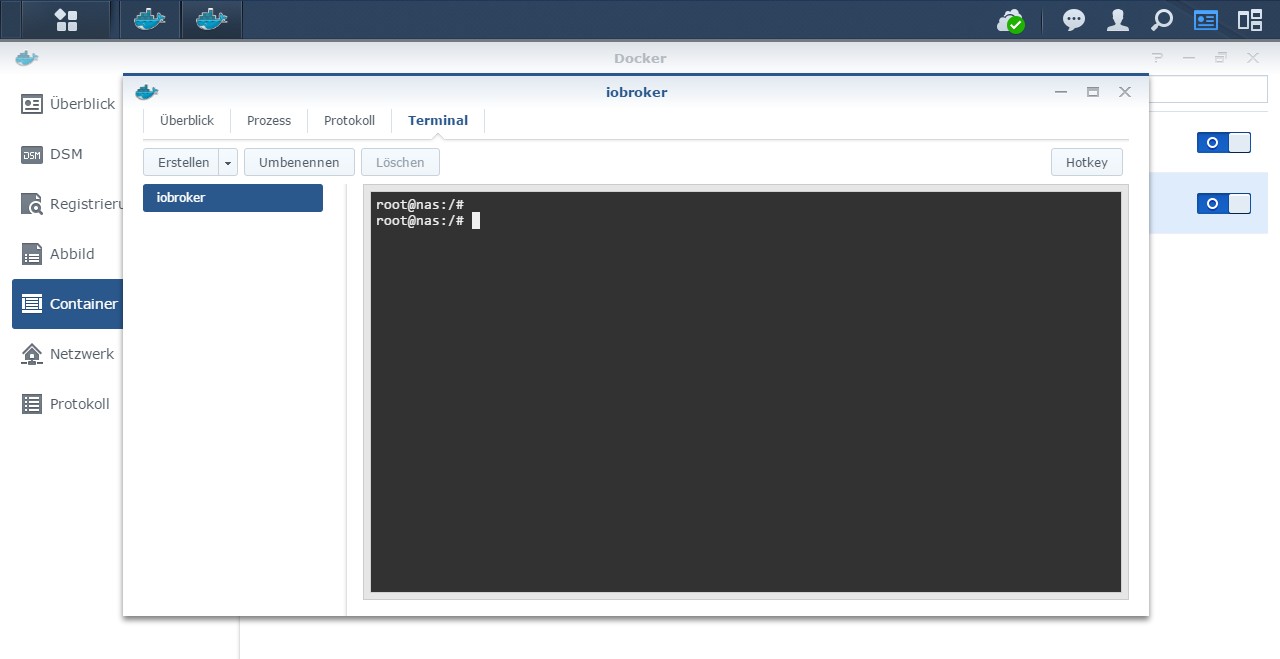
                                          cd /opt/iobroker
                                          
                                          npm -v 
                                          nodejs -v
                                          node -v
                                          

                                          Synology 918+ 16GB - ioBroker in Docker v9 , VISO auf Trekstor Primebook C13 13,3" , Hikvision Domkameras mit Surveillance Station .. CCU RaspberryMatic in Synology VM .. Zigbee CC2538+CC2592 .. Sonoff .. KNX .. Modbus ..

                                          1 Reply Last reply
                                          0
                                          Reply
                                          • Reply as topic
                                          Log in to reply
                                          • Oldest to Newest
                                          • Newest to Oldest
                                          • Most Votes


                                          Support us

                                          ioBroker
                                          Community Adapters
                                          Donate
                                          FAQ Cloud / IOT
                                          HowTo: Node.js-Update
                                          HowTo: Backup/Restore
                                          Downloads
                                          BLOG

                                          755

                                          Online

                                          32.6k

                                          Users

                                          82.2k

                                          Topics

                                          1.3m

                                          Posts
                                          Community
                                          Impressum | Datenschutz-Bestimmungen | Nutzungsbedingungen | Einwilligungseinstellungen
                                          ioBroker Community 2014-2025
                                          logo
                                          • Login

                                          • Don't have an account? Register

                                          • Login or register to search.
                                          • First post
                                            Last post
                                          0
                                          • Home
                                          • Recent
                                          • Tags
                                          • Unread 0
                                          • Categories
                                          • Unreplied
                                          • Popular
                                          • GitHub
                                          • Docu
                                          • Hilfe