Skip to content
  • Home
  • Recent
  • Tags
  • 0 Unread 0
  • Categories
  • Unreplied
  • Popular
  • GitHub
  • Docu
  • Hilfe
Skins
  • Light
  • Brite
  • Cerulean
  • Cosmo
  • Flatly
  • Journal
  • Litera
  • Lumen
  • Lux
  • Materia
  • Minty
  • Morph
  • Pulse
  • Sandstone
  • Simplex
  • Sketchy
  • Spacelab
  • United
  • Yeti
  • Zephyr
  • Dark
  • Cyborg
  • Darkly
  • Quartz
  • Slate
  • Solar
  • Superhero
  • Vapor

  • Default (No Skin)
  • No Skin
Collapse
ioBroker Logo

Community Forum

donate donate
  1. ioBroker Community Home
  2. Deutsch
  3. ioBroker Allgemein
  4. Admin V5 unter Windows startet nicht

NEWS

  • Jahresrückblick 2025 – unser neuer Blogbeitrag ist online! ✨
    BluefoxB
    Bluefox
    17
    1
    3.7k

  • Neuer Blogbeitrag: Monatsrückblick - Dezember 2025 🎄
    BluefoxB
    Bluefox
    13
    1
    1.2k

  • Weihnachtsangebot 2025! 🎄
    BluefoxB
    Bluefox
    25
    1
    2.5k

Admin V5 unter Windows startet nicht

Scheduled Pinned Locked Moved ioBroker Allgemein
15 Posts 4 Posters 1.3k Views 3 Watching
  • Oldest to Newest
  • Newest to Oldest
  • Most Votes
Reply
  • Reply as topic
Log in to reply
This topic has been deleted. Only users with topic management privileges can see it.
  • sigi234S sigi234

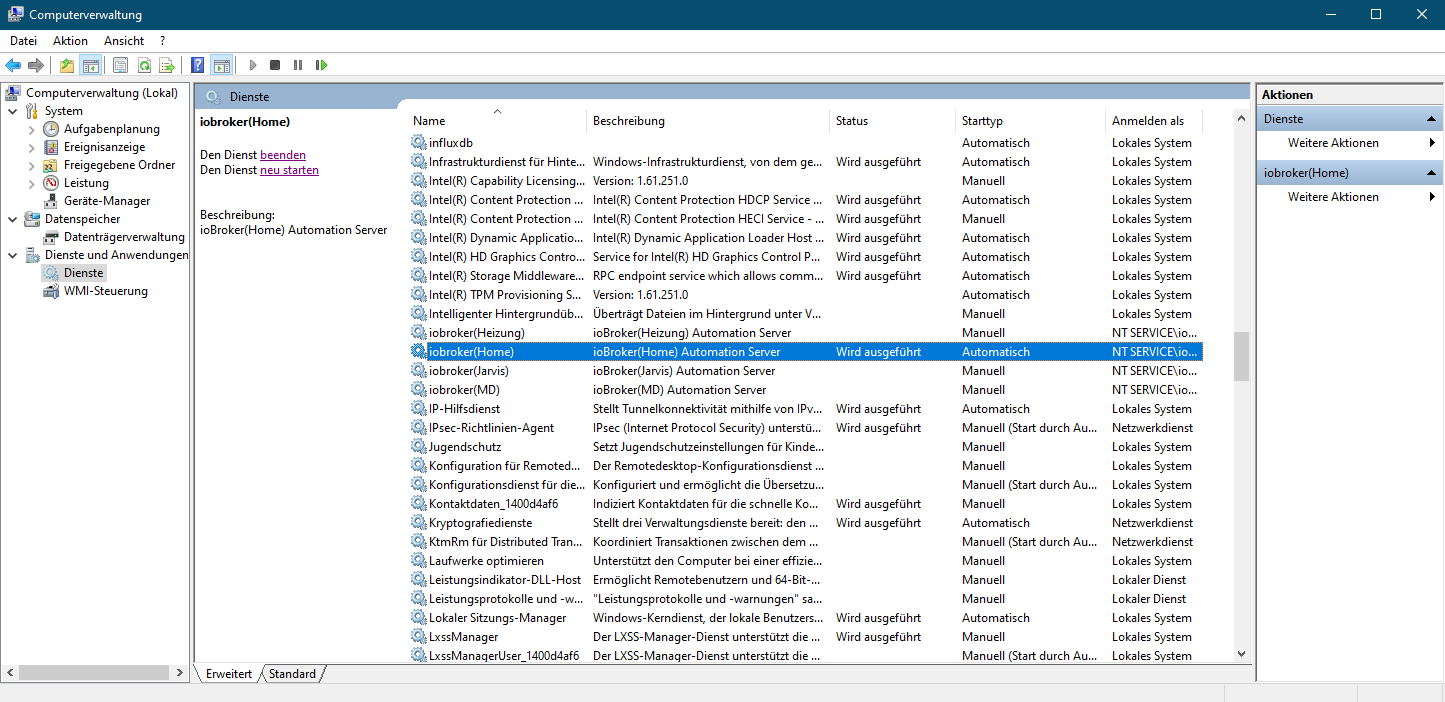
    @proper0912

    Läuft der Service?

    Screenshot (4182).png

    Proper0912P Offline
    Proper0912P Offline
    Proper0912
    wrote on last edited by
    #3

    @sigi234 Ja der Service läuft! habe auch schon den Server neu gestartet! Hat nichts gebracht!

    Gruß
    Florian

    System:
    Windows 10
    Admin: 6.3.5
    js-controller: 4.0.23
    Node-js: 16.0.0
    NPM 7.10.0
    repository: lates

    sigi234S 1 Reply Last reply
    0
    • Proper0912P Proper0912

      @sigi234 Ja der Service läuft! habe auch schon den Server neu gestartet! Hat nichts gebracht!

      sigi234S Online
      sigi234S Online
      sigi234
      Forum Testing Most Active
      wrote on last edited by sigi234
      #4

      @proper0912 sagte in Admin V5 unter Windows startet nicht:

      @sigi234 Ja der Service läuft! habe auch schon den Server neu gestartet! Hat nichts gebracht!

      Mal den Browser Cache komplett geleert?

      Wichtig
      Admin5 benötigt mindestens den js-controller 3.2.16.
      Nach der Installation von Admin v5 bitte in Jedem Fall den Browser mit "Shift-Reload" neu laden, da sich sehr viel geändert hat. Es kann sonst zu Fehler kommen.

      Bitte benutzt das Voting rechts unten im Beitrag wenn er euch geholfen hat.
      Immer Daten sichern!

      1 Reply Last reply
      0
      • Proper0912P Offline
        Proper0912P Offline
        Proper0912
        wrote on last edited by
        #5

        @sigi234 habe ich alles gemacht!

        aber da komme ich hin:
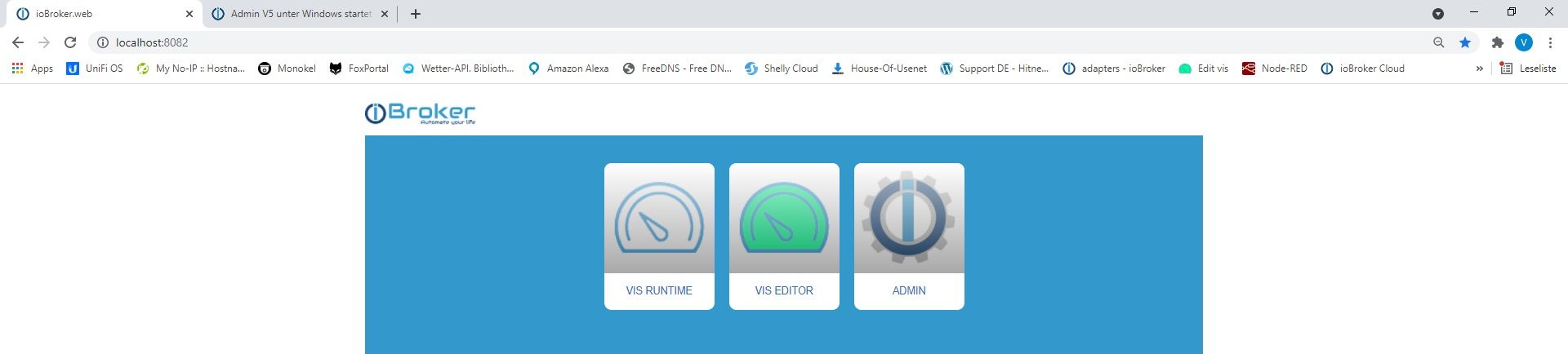
        Neue Bitmap.jpg
        wenn ich dann auf admin drücke kommt: Die Website ist nicht erreichbar.

        Was kann ich noch tun?

        Gruß
        Florian

        System:
        Windows 10
        Admin: 6.3.5
        js-controller: 4.0.23
        Node-js: 16.0.0
        NPM 7.10.0
        repository: lates

        1 Reply Last reply
        0
        • E Offline
          E Offline
          ente34
          wrote on last edited by ente34
          #6

          @proper0912 sagte in Admin V5 unter Windows startet nicht:

          iobroker status

          Ich verstehe nicht,
          warum kannst Du keine Befehle wie diese ausführen?

          cd /d "C:\Program Files\iobroker\SmartHome"
          C:\WINDOWS\system32\cmd.exe /K "C:\Program Files\iobroker\SmartHome\nodejs\nodevars.bat"
          
          Proper0912P 1 Reply Last reply
          0
          • E ente34

            @proper0912 sagte in Admin V5 unter Windows startet nicht:

            iobroker status

            Ich verstehe nicht,
            warum kannst Du keine Befehle wie diese ausführen?

            cd /d "C:\Program Files\iobroker\SmartHome"
            C:\WINDOWS\system32\cmd.exe /K "C:\Program Files\iobroker\SmartHome\nodejs\nodevars.bat"
            
            Proper0912P Offline
            Proper0912P Offline
            Proper0912
            wrote on last edited by
            #7

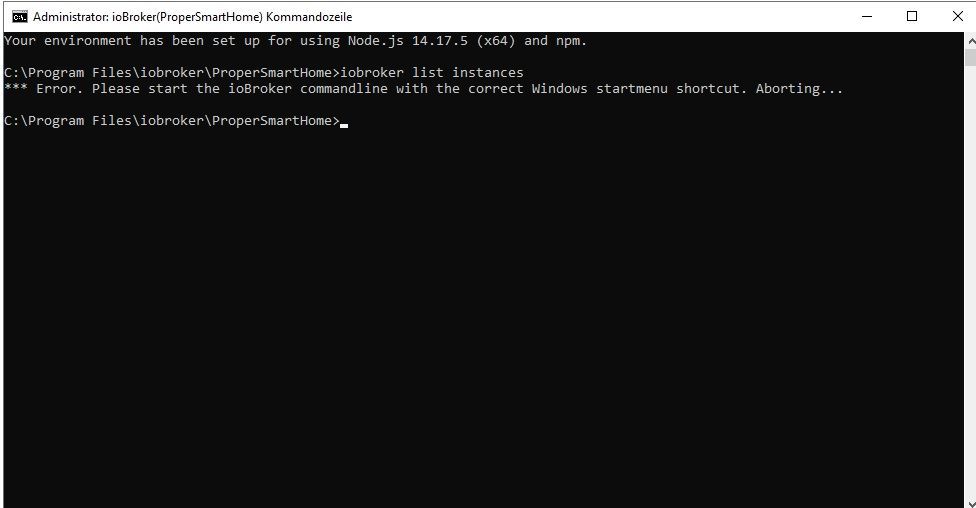
            @ente34 hi und anke für den Code. Habe ihn aus geführt und es kamm dies:

            "Your environment has been set up for using Node.js 14.17.5 (x64) and npm."

            und dann habe ich das gemacht:

            C:\Program Files\iobroker\ProperSmartHome>iobroker status
            *** Error. Please start the ioBroker commandline with the correct Windows startmenu shortcut. Aborting...
            

            wie du siehst ein Error.

            bin schon am verzweifeln!

            Gruß
            Florian

            System:
            Windows 10
            Admin: 6.3.5
            js-controller: 4.0.23
            Node-js: 16.0.0
            NPM 7.10.0
            repository: lates

            Thomas BraunT sigi234S 2 Replies Last reply
            0
            • Proper0912P Proper0912

              @ente34 hi und anke für den Code. Habe ihn aus geführt und es kamm dies:

              "Your environment has been set up for using Node.js 14.17.5 (x64) and npm."

              und dann habe ich das gemacht:

              C:\Program Files\iobroker\ProperSmartHome>iobroker status
              *** Error. Please start the ioBroker commandline with the correct Windows startmenu shortcut. Aborting...
              

              wie du siehst ein Error.

              bin schon am verzweifeln!

              Thomas BraunT Online
              Thomas BraunT Online
              Thomas Braun
              Most Active
              wrote on last edited by
              #8

              @proper0912
              Es muss die richtige Kommandozeile aufgerufen werden.

              Linux-Werkzeugkasten:
              https://forum.iobroker.net/topic/42952/der-kleine-iobroker-linux-werkzeugkasten
              NodeJS Fixer Skript:
              https://forum.iobroker.net/topic/68035/iob-node-fix-skript
              iob_diag: curl -sLf -o diag.sh https://iobroker.net/diag.sh && bash diag.sh

              1 Reply Last reply
              0
              • Proper0912P Proper0912

                @ente34 hi und anke für den Code. Habe ihn aus geführt und es kamm dies:

                "Your environment has been set up for using Node.js 14.17.5 (x64) and npm."

                und dann habe ich das gemacht:

                C:\Program Files\iobroker\ProperSmartHome>iobroker status
                *** Error. Please start the ioBroker commandline with the correct Windows startmenu shortcut. Aborting...
                

                wie du siehst ein Error.

                bin schon am verzweifeln!

                sigi234S Online
                sigi234S Online
                sigi234
                Forum Testing Most Active
                wrote on last edited by
                #9

                @proper0912

                Gehst du so rein?

                Wie komme ich in die ioBroker-Konsole:
                • In der Taskleiste auf das Windows Symbol links klicken
                • Zu ioBroker scrollen, anklicken, dann ioBroker(dein Hostname) Kommandozeile klicken.
                571ce76f-4de2-49a9-9b6a-f8cdf799cf95-image.png

                Bitte benutzt das Voting rechts unten im Beitrag wenn er euch geholfen hat.
                Immer Daten sichern!

                Proper0912P 1 Reply Last reply
                0
                • sigi234S sigi234

                  @proper0912

                  Gehst du so rein?

                  Wie komme ich in die ioBroker-Konsole:
                  • In der Taskleiste auf das Windows Symbol links klicken
                  • Zu ioBroker scrollen, anklicken, dann ioBroker(dein Hostname) Kommandozeile klicken.

                  571ce76f-4de2-49a9-9b6a-f8cdf799cf95-image.png

                  Proper0912P Offline
                  Proper0912P Offline
                  Proper0912
                  wrote on last edited by
                  #10

                  @sigi234

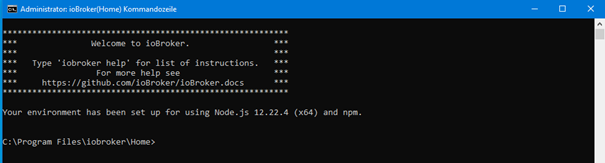
                  Ja gehe ich aber bei mir sieht das so aus:
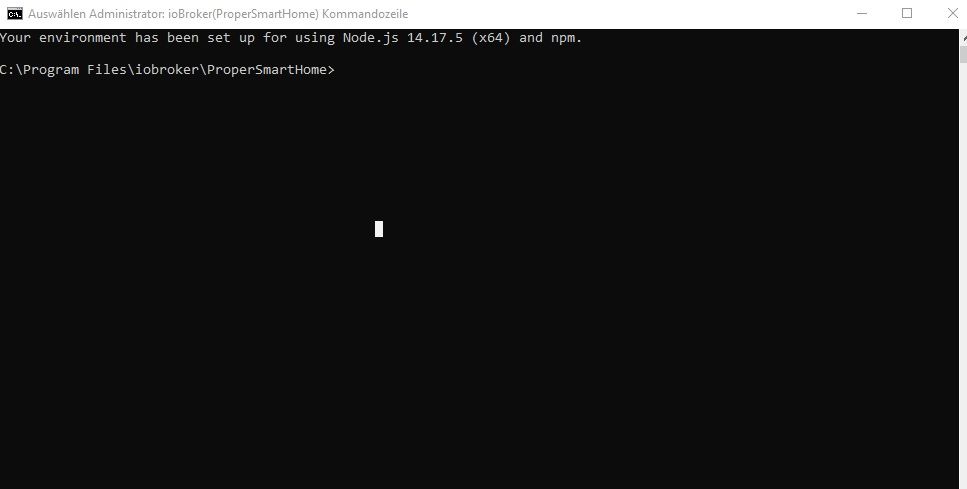
                  2c988e75-0548-4dd6-a8e9-687fd22c02b3-Neue Bitmap (2).jpg

                  und wenn ich was aus probiere geht nur

                  iobroker stop
                  iobroker start
                  

                  Gruß
                  Florian

                  System:
                  Windows 10
                  Admin: 6.3.5
                  js-controller: 4.0.23
                  Node-js: 16.0.0
                  NPM 7.10.0
                  repository: lates

                  1 Reply Last reply
                  0
                  • E Offline
                    E Offline
                    ente34
                    wrote on last edited by
                    #11

                    @proper0912
                    Was sagt

                    iobroker list instances
                    
                    Proper0912P 1 Reply Last reply
                    0
                    • E ente34

                      @proper0912
                      Was sagt

                      iobroker list instances
                      
                      Proper0912P Offline
                      Proper0912P Offline
                      Proper0912
                      wrote on last edited by
                      #12

                      @ente34
                      hi dann passiert das hier
                      b6f3447a-e674-4cff-93b9-ec974ae47eb0-Neue Bitmap (3).jpg

                      also auch nicht irgend etwas ist im argen mit meinem System!

                      Gruß
                      Florian

                      System:
                      Windows 10
                      Admin: 6.3.5
                      js-controller: 4.0.23
                      Node-js: 16.0.0
                      NPM 7.10.0
                      repository: lates

                      E 1 Reply Last reply
                      0
                      • Proper0912P Proper0912

                        @ente34
                        hi dann passiert das hier
                        b6f3447a-e674-4cff-93b9-ec974ae47eb0-Neue Bitmap (3).jpg

                        also auch nicht irgend etwas ist im argen mit meinem System!

                        E Offline
                        E Offline
                        ente34
                        wrote on last edited by
                        #13

                        @proper0912

                        Kannst Du die Zeilen in iobroker.bat auskommentieren (mit REM, siehe unten)

                        rem Direct iobroker.js invocation
                        :node
                        REM   IF NOT DEFINED iob_node_marker (
                        REM      echo *** Error. Please start the ioBroker commandline with the correct Windows startmenu shortcut. Aborting...
                        REM      goto :eof
                        REM   )
                        
                        
                        Proper0912P 1 Reply Last reply
                        0
                        • E ente34

                          @proper0912

                          Kannst Du die Zeilen in iobroker.bat auskommentieren (mit REM, siehe unten)

                          rem Direct iobroker.js invocation
                          :node
                          REM   IF NOT DEFINED iob_node_marker (
                          REM      echo *** Error. Please start the ioBroker commandline with the correct Windows startmenu shortcut. Aborting...
                          REM      goto :eof
                          REM   )
                          
                          
                          Proper0912P Offline
                          Proper0912P Offline
                          Proper0912
                          wrote on last edited by
                          #14

                          @ente34
                          Danke das hat geholfen jetzt konnte ich den Admin wieder starten.
                          Aber es ist immer noch V4.4 und nicht V5.2.23

                          Wie kann ich das mit den befehlen machen da es über die Oberfläche nicht geht?

                          Gruß
                          Florian

                          System:
                          Windows 10
                          Admin: 6.3.5
                          js-controller: 4.0.23
                          Node-js: 16.0.0
                          NPM 7.10.0
                          repository: lates

                          E 1 Reply Last reply
                          0
                          • Proper0912P Proper0912

                            @ente34
                            Danke das hat geholfen jetzt konnte ich den Admin wieder starten.
                            Aber es ist immer noch V4.4 und nicht V5.2.23

                            Wie kann ich das mit den befehlen machen da es über die Oberfläche nicht geht?

                            E Offline
                            E Offline
                            ente34
                            wrote on last edited by
                            #15

                            @proper0912

                            iobroker update
                            iobroker upgrade
                            
                            1 Reply Last reply
                            0
                            Reply
                            • Reply as topic
                            Log in to reply
                            • Oldest to Newest
                            • Newest to Oldest
                            • Most Votes


                            Support us

                            ioBroker
                            Community Adapters
                            Donate
                            FAQ Cloud / IOT
                            HowTo: Node.js-Update
                            HowTo: Backup/Restore
                            Downloads
                            BLOG

                            698

                            Online

                            32.7k

                            Users

                            82.4k

                            Topics

                            1.3m

                            Posts
                            Community
                            Impressum | Datenschutz-Bestimmungen | Nutzungsbedingungen | Einwilligungseinstellungen
                            ioBroker Community 2014-2025
                            logo
                            • Login

                            • Don't have an account? Register

                            • Login or register to search.
                            • First post
                              Last post
                            0
                            • Home
                            • Recent
                            • Tags
                            • Unread 0
                            • Categories
                            • Unreplied
                            • Popular
                            • GitHub
                            • Docu
                            • Hilfe