
NEWS




Test Adapter Vaillant multiMatic/senso und myVaillant
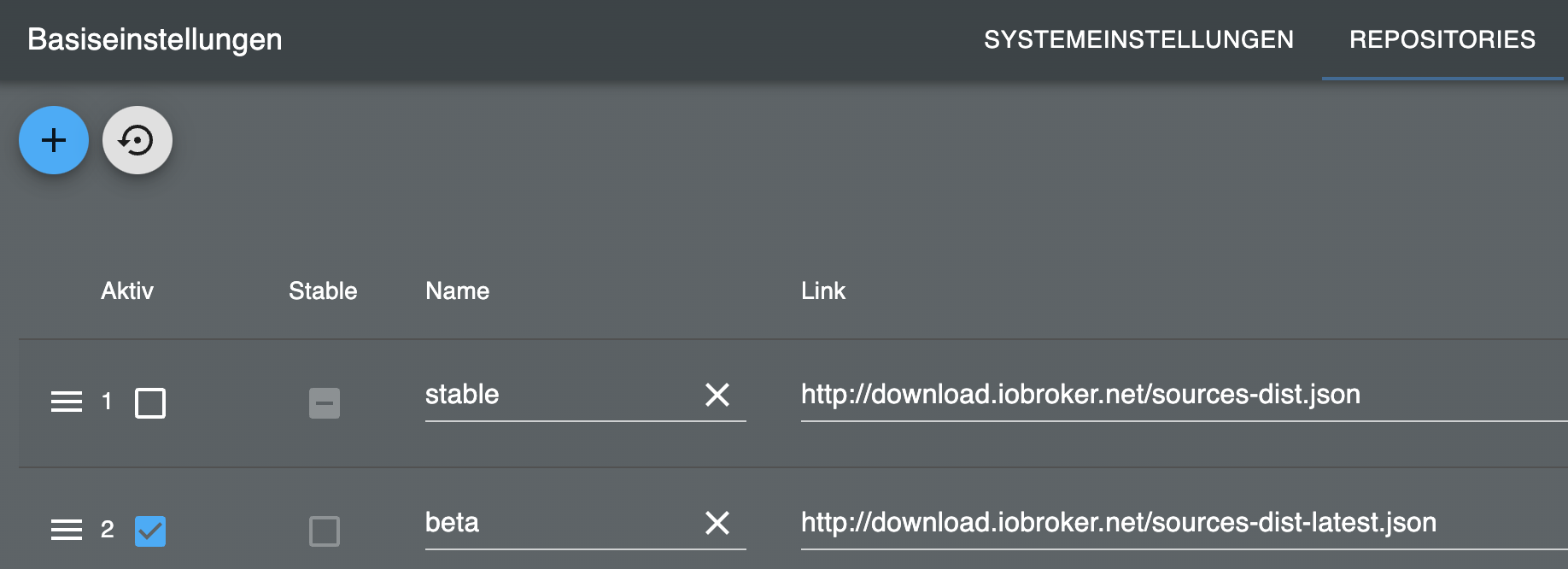
-
Hi, hier das debug log
private Daten entfernt!!! vaillant.0 2024-01-06 13:17:19.304 info Generate new Id vaillant.0 2024-01-06 13:17:19.286 info starting. Version 0.2.1 in /opt/iobroker/node_modules/iobroker.vaillant, node: v18.19.0, js-controller: 5.0.17 vaillant.0 2024-01-06 13:17:15.288 info Terminated (ADAPTER_REQUESTED_TERMINATION): Without reason vaillant.0 2024-01-06 13:17:15.288 info terminating vaillant.0 2024-01-06 13:17:15.288 info cleaned everything up... vaillant.0 2024-01-06 13:17:15.287 info Got terminate signal TERMINATE_YOURSELF -
Hi, hier das debug log
private Daten entfernt!!! vaillant.0 2024-01-06 13:17:19.304 info Generate new Id vaillant.0 2024-01-06 13:17:19.286 info starting. Version 0.2.1 in /opt/iobroker/node_modules/iobroker.vaillant, node: v18.19.0, js-controller: 5.0.17 vaillant.0 2024-01-06 13:17:15.288 info Terminated (ADAPTER_REQUESTED_TERMINATION): Without reason vaillant.0 2024-01-06 13:17:15.288 info terminating vaillant.0 2024-01-06 13:17:15.288 info cleaned everything up... vaillant.0 2024-01-06 13:17:15.287 info Got terminate signal TERMINATE_YOURSELF -
@trapper Bitte den log wieder löschen
Aber das liegt nicht am Adapter irgendwas anderes sorgt für ein restart vielleicht ein cron Neustart Einstellung der Instanz
-
Also ich denk, ich hab jedenfalls ein ähnliches Problem:
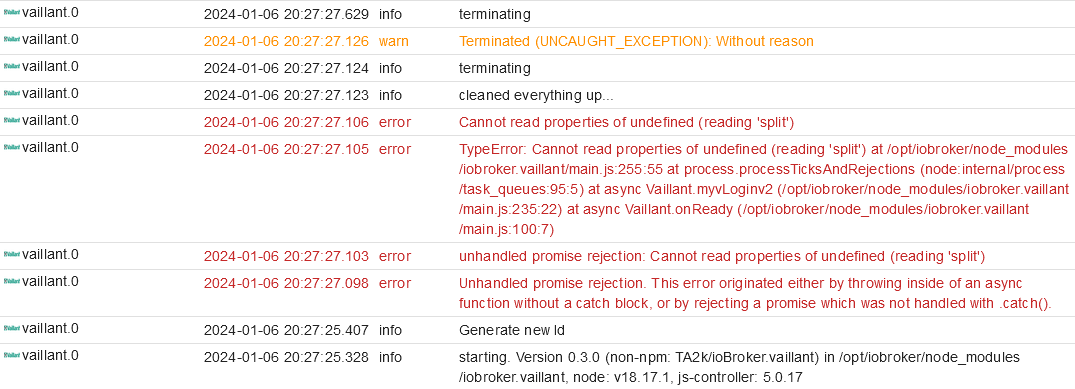
Hab jetzt nach den letzten Beiträgen hier den Adapter komplett deinstalliert, über githup die neuste Version installiert - jetzt könnt ich theoretisch auch austria eintragen (wäre der korrekte Wohnort): dann kommt das - wenn ich germany eintrag, kann ich nicht einloggen (weil angeblich falsche Logindaten).
-
Also ich denk, ich hab jedenfalls ein ähnliches Problem:
Hab jetzt nach den letzten Beiträgen hier den Adapter komplett deinstalliert, über githup die neuste Version installiert - jetzt könnt ich theoretisch auch austria eintragen (wäre der korrekte Wohnort): dann kommt das - wenn ich germany eintrag, kann ich nicht einloggen (weil angeblich falsche Logindaten).
-
Also ich denk, ich hab jedenfalls ein ähnliches Problem:
Hab jetzt nach den letzten Beiträgen hier den Adapter komplett deinstalliert, über githup die neuste Version installiert - jetzt könnt ich theoretisch auch austria eintragen (wäre der korrekte Wohnort): dann kommt das - wenn ich germany eintrag, kann ich nicht einloggen (weil angeblich falsche Logindaten).
-
Also ich denk, ich hab jedenfalls ein ähnliches Problem:
Hab jetzt nach den letzten Beiträgen hier den Adapter komplett deinstalliert, über githup die neuste Version installiert - jetzt könnt ich theoretisch auch austria eintragen (wäre der korrekte Wohnort): dann kommt das - wenn ich germany eintrag, kann ich nicht einloggen (weil angeblich falsche Logindaten).
@thuata Ich habe seit gestern Abend das gleiche Problem mit den gleichen Meldungen. Ich habe den JS Controller von 4 auf 5 geupdated und nach dem Neustart kamen die Fehlermeldungen und der Adapter startet immer wieder durch.
Ein downgrade auf den js-controller 4 hat nicht geholfen.
Die Anmeldung an der SensoApp (hatte ich vorher) funktioniert noch, dann startet der Adapter.
Wenn ich wieder umstelle auf myVaillant, bekomme ich die Fehlermeldungen
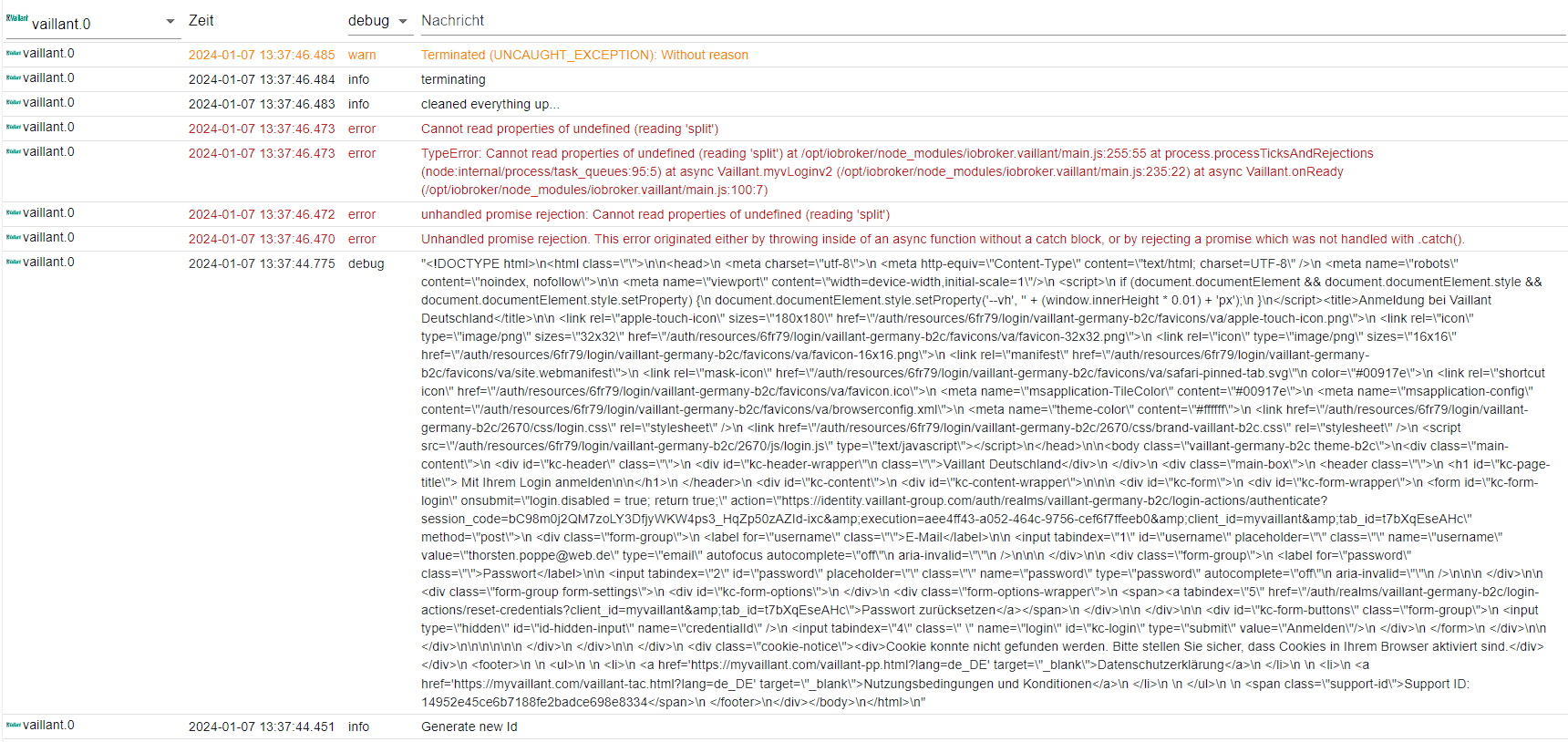
Kann jemand helfen? Ich war froh, das sich nun endlich die Reports abrufen und in der influxdb speichern kann.
Die Ratschläge von Thomas habe ich bereits ausgeführt, node.js ist nun auf Version 18 (vorher 16). -
@thuata Ich habe seit gestern Abend das gleiche Problem mit den gleichen Meldungen. Ich habe den JS Controller von 4 auf 5 geupdated und nach dem Neustart kamen die Fehlermeldungen und der Adapter startet immer wieder durch.
Ein downgrade auf den js-controller 4 hat nicht geholfen.
Die Anmeldung an der SensoApp (hatte ich vorher) funktioniert noch, dann startet der Adapter.
Wenn ich wieder umstelle auf myVaillant, bekomme ich die Fehlermeldungen
Kann jemand helfen? Ich war froh, das sich nun endlich die Reports abrufen und in der influxdb speichern kann.
Die Ratschläge von Thomas habe ich bereits ausgeführt, node.js ist nun auf Version 18 (vorher 16).nodejs upgedated. Adapter deinstalliert und neu über GitHup installiert (0.3.0)
gehen tuts leider immer noch nicht:
2024-01-07 12:47:58.702 - info: host.raspberrypi "system.adapter.vaillant.0" enabled 2024-01-07 12:47:58.853 - info: host.raspberrypi instance system.adapter.vaillant.0 started with pid 171020 2024-01-07 12:48:01.091 - debug: vaillant.0 (171020) Redis Objects: Use Redis connection: 127.0.0.1:9001 2024-01-07 12:48:01.130 - debug: vaillant.0 (171020) Objects client ready ... initialize now 2024-01-07 12:48:01.133 - debug: vaillant.0 (171020) Objects create System PubSub Client 2024-01-07 12:48:01.134 - debug: vaillant.0 (171020) Objects create User PubSub Client 2024-01-07 12:48:01.176 - debug: vaillant.0 (171020) Objects client initialize lua scripts 2024-01-07 12:48:01.184 - debug: vaillant.0 (171020) Objects connected to redis: 127.0.0.1:9001 2024-01-07 12:48:01.218 - debug: vaillant.0 (171020) Redis States: Use Redis connection: 127.0.0.1:9000 2024-01-07 12:48:01.233 - debug: vaillant.0 (171020) States create System PubSub Client 2024-01-07 12:48:01.234 - debug: vaillant.0 (171020) States create User PubSub Client 2024-01-07 12:48:01.297 - debug: vaillant.0 (171020) States connected to redis: 127.0.0.1:9000 2024-01-07 12:48:01.454 - info: vaillant.0 (171020) starting. Version 0.3.0 (non-npm: TA2k/ioBroker.vaillant) in /opt/iobroker/node_modules/iobroker.vaillant, node: v18.19.0, js-controller: 5.0.17 2024-01-07 12:48:01.515 - info: vaillant.0 (171020) Generate new Id 2024-01-07 12:48:01.937 - debug: vaillant.0 (171020) "\n\n\n\n \n \n \n\n \n \n\n \n \n \n \n \n \n \n \n \n \n \n \n\n\n\n \n \n Vaillant Österreich \n \n \n \n Mit Ihrem Login anmelden\n\n \n \n \n \n\n\n \n \n \n \n E-Mail\n\n \n\n\n \n\n \n Passwort\n\n \n\n\n \n\n \n \n \n \n Passwort zurücksetzen\n \n\n \n\n \n \n \n \n \n \n\n \n\n\n\n\n\n \n \n\n \n Cookie konnte nicht gefunden werden. Bitte stellen Sie sicher, dass Cookies in Ihrem Browser aktiviert sind. \n \n \n \n \n \n Datenschutzerklärung\n \n \n \n Nutzungsbedingungen und Konditionen\n \n \n \n \n Support ID: 9f49c682da2803cb252691495032c761\n \n \n\n" 2024-01-07 12:48:03.168 - debug: vaillant.0 (171020) "Redirected request failed: Unsupported protocol enduservaillant.page.link:" 2024-01-07 12:48:03.174 - error: vaillant.0 (171020) Unhandled promise rejection. This error originated either by throwing inside of an async function without a catch block, or by rejecting a promise which was not handled with .catch(). 2024-01-07 12:48:03.174 - error: vaillant.0 (171020) unhandled promise rejection: Converting circular structure to JSON --> starting at object with constructor 'TLSSocket' | property '_httpMessage' -> object with constructor 'ClientRequest' --- property 'socket' closes the circle 2024-01-07 12:48:03.175 - error: vaillant.0 (171020) TypeError: Converting circular structure to JSON --> starting at object with constructor 'TLSSocket' | property '_httpMessage' -> object with constructor 'ClientRequest' --- property 'socket' closes the circle at JSON.stringify () at /opt/iobroker/node_modules/iobroker.vaillant/main.js:256:31 at process.processTicksAndRejections (node:internal/process/task_queues:95:5) at async Vaillant.myvLoginv2 (/opt/iobroker/node_modules/iobroker.vaillant/main.js:235:22) at async Vaillant.onReady (/opt/iobroker/node_modules/iobroker.vaillant/main.js:100:7) 2024-01-07 12:48:03.176 - error: vaillant.0 (171020) Converting circular structure to JSON --> starting at object with constructor 'TLSSocket' | property '_httpMessage' -> object with constructor 'ClientRequest' --- property 'socket' closes the circle 2024-01-07 12:48:03.186 - info: vaillant.0 (171020) cleaned everything up... 2024-01-07 12:48:03.188 - info: vaillant.0 (171020) terminating 2024-01-07 12:48:03.190 - warn: vaillant.0 (171020) Terminated (UNCAUGHT_EXCEPTION): Without reason 2024-01-07 12:48:03.691 - info: vaillant.0 (171020) terminating 2024-01-07 12:48:03.754 - error: host.raspberrypi instance system.adapter.vaillant.0 terminated with code 6 (UNCAUGHT_EXCEPTION) 2024-01-07 12:48:03.755 - info: host.raspberrypi Restart adapter system.adapter.vaillant.0 because enabled 2024-01-07 12:48:13.881 - info: host.raspberrypi "system.adapter.vaillant.0" disabled -
nodejs upgedated. Adapter deinstalliert und neu über GitHup installiert (0.3.0)
gehen tuts leider immer noch nicht:
2024-01-07 12:47:58.702 - info: host.raspberrypi "system.adapter.vaillant.0" enabled 2024-01-07 12:47:58.853 - info: host.raspberrypi instance system.adapter.vaillant.0 started with pid 171020 2024-01-07 12:48:01.091 - debug: vaillant.0 (171020) Redis Objects: Use Redis connection: 127.0.0.1:9001 2024-01-07 12:48:01.130 - debug: vaillant.0 (171020) Objects client ready ... initialize now 2024-01-07 12:48:01.133 - debug: vaillant.0 (171020) Objects create System PubSub Client 2024-01-07 12:48:01.134 - debug: vaillant.0 (171020) Objects create User PubSub Client 2024-01-07 12:48:01.176 - debug: vaillant.0 (171020) Objects client initialize lua scripts 2024-01-07 12:48:01.184 - debug: vaillant.0 (171020) Objects connected to redis: 127.0.0.1:9001 2024-01-07 12:48:01.218 - debug: vaillant.0 (171020) Redis States: Use Redis connection: 127.0.0.1:9000 2024-01-07 12:48:01.233 - debug: vaillant.0 (171020) States create System PubSub Client 2024-01-07 12:48:01.234 - debug: vaillant.0 (171020) States create User PubSub Client 2024-01-07 12:48:01.297 - debug: vaillant.0 (171020) States connected to redis: 127.0.0.1:9000 2024-01-07 12:48:01.454 - info: vaillant.0 (171020) starting. Version 0.3.0 (non-npm: TA2k/ioBroker.vaillant) in /opt/iobroker/node_modules/iobroker.vaillant, node: v18.19.0, js-controller: 5.0.17 2024-01-07 12:48:01.515 - info: vaillant.0 (171020) Generate new Id 2024-01-07 12:48:01.937 - debug: vaillant.0 (171020) "\n\n\n\n \n \n \n\n \n \n\n \n \n \n \n \n \n \n \n \n \n \n \n\n\n\n \n \n Vaillant Österreich \n \n \n \n Mit Ihrem Login anmelden\n\n \n \n \n \n\n\n \n \n \n \n E-Mail\n\n \n\n\n \n\n \n Passwort\n\n \n\n\n \n\n \n \n \n \n Passwort zurücksetzen\n \n\n \n\n \n \n \n \n \n \n\n \n\n\n\n\n\n \n \n\n \n Cookie konnte nicht gefunden werden. Bitte stellen Sie sicher, dass Cookies in Ihrem Browser aktiviert sind. \n \n \n \n \n \n Datenschutzerklärung\n \n \n \n Nutzungsbedingungen und Konditionen\n \n \n \n \n Support ID: 9f49c682da2803cb252691495032c761\n \n \n\n" 2024-01-07 12:48:03.168 - debug: vaillant.0 (171020) "Redirected request failed: Unsupported protocol enduservaillant.page.link:" 2024-01-07 12:48:03.174 - error: vaillant.0 (171020) Unhandled promise rejection. This error originated either by throwing inside of an async function without a catch block, or by rejecting a promise which was not handled with .catch(). 2024-01-07 12:48:03.174 - error: vaillant.0 (171020) unhandled promise rejection: Converting circular structure to JSON --> starting at object with constructor 'TLSSocket' | property '_httpMessage' -> object with constructor 'ClientRequest' --- property 'socket' closes the circle 2024-01-07 12:48:03.175 - error: vaillant.0 (171020) TypeError: Converting circular structure to JSON --> starting at object with constructor 'TLSSocket' | property '_httpMessage' -> object with constructor 'ClientRequest' --- property 'socket' closes the circle at JSON.stringify () at /opt/iobroker/node_modules/iobroker.vaillant/main.js:256:31 at process.processTicksAndRejections (node:internal/process/task_queues:95:5) at async Vaillant.myvLoginv2 (/opt/iobroker/node_modules/iobroker.vaillant/main.js:235:22) at async Vaillant.onReady (/opt/iobroker/node_modules/iobroker.vaillant/main.js:100:7) 2024-01-07 12:48:03.176 - error: vaillant.0 (171020) Converting circular structure to JSON --> starting at object with constructor 'TLSSocket' | property '_httpMessage' -> object with constructor 'ClientRequest' --- property 'socket' closes the circle 2024-01-07 12:48:03.186 - info: vaillant.0 (171020) cleaned everything up... 2024-01-07 12:48:03.188 - info: vaillant.0 (171020) terminating 2024-01-07 12:48:03.190 - warn: vaillant.0 (171020) Terminated (UNCAUGHT_EXCEPTION): Without reason 2024-01-07 12:48:03.691 - info: vaillant.0 (171020) terminating 2024-01-07 12:48:03.754 - error: host.raspberrypi instance system.adapter.vaillant.0 terminated with code 6 (UNCAUGHT_EXCEPTION) 2024-01-07 12:48:03.755 - info: host.raspberrypi Restart adapter system.adapter.vaillant.0 because enabled 2024-01-07 12:48:13.881 - info: host.raspberrypi "system.adapter.vaillant.0" disabled -
@thuata ich habe nochmal was angepasst fürs logging aber ich denke ich brauch kurz die Zugangsdaten um das zu fixen
@tombox Ich habe den aktualisierten Adapter getestet und das hier steht nun im Log
vaillant.0 2024-01-07 16:26:04.668 warn Terminated (NO_ADAPTER_CONFIG_FOUND): Without reason vaillant.0 2024-01-07 16:26:04.618 error adapter disabled vaillant.0 2024-01-07 16:25:33.434 info terminating vaillant.0 2024-01-07 16:25:32.931 warn Terminated (UNCAUGHT_EXCEPTION): Without reason vaillant.0 2024-01-07 16:25:32.930 info terminating vaillant.0 2024-01-07 16:25:32.928 info cleaned everything up... vaillant.0 2024-01-07 16:25:32.922 error Cannot read properties of undefined (reading 'split') vaillant.0 2024-01-07 16:25:32.922 error TypeError: Cannot read properties of undefined (reading 'split') at /opt/iobroker/node_modules/iobroker.vaillant/main.js:257:55 at process.processTicksAndRejections (node:internal/process/task_queues:95:5) at async Vaillant.myvLoginv2 (/opt/iobroker/node_modules/iobroker.vaillant/main.js:235:22) at async Vaillant.onReady (/opt/iobroker/node_modules/iobroker.vaillant/main.js:100:7) vaillant.0 2024-01-07 16:25:32.921 error unhandled promise rejection: Cannot read properties of undefined (reading 'split') vaillant.0 2024-01-07 16:25:32.920 error Unhandled promise rejection. This error originated either by throwing inside of an async function without a catch block, or by rejecting a promise which was not handled with .catch(). vaillant.0 2024-01-07 16:25:32.918 debug "enduservaillant.page.link://login#session_state=1dbcf7d5-aea1-4704-a709-66399ac480df&code=2f754737-a5a5-430f-84b2-8a30ec710a57.1dbcf7d5-aea1-4704-a709-66399ac480df.b29f95a6-2177-492a-b160-a9aa8d3defac" vaillant.0 2024-01-07 16:25:32.917 debug "Redirected request failed: Unsupported protocol enduservaillant.page.link:" vaillant.0 2024-01-07 16:25:29.636 debug "<!DOCTYPE html>\n<html class=\"\">\n\n<head>\n <meta charset=\"utf-8\">\n <meta http-equiv=\"Content-Type\" content=\"text/html; charset=UTF-8\" />\n <meta name=\"robots\" content=\"noindex, nofollow\">\n\n <meta name=\"viewport\" content=\"width=device-width,initial-scale=1\"/>\n <script>\n if (document.documentElement && document.documentElement.style && document.documentElement.style.setProperty) {\n document.documentElement.style.setProperty('--vh', '' + (window.innerHeight * 0.01) + 'px');\n }\n</script><title>Anmeldung bei Vaillant Deutschland</title>\n\n <link rel=\"apple-touch-icon\" sizes=\"180x180\" href=\"/auth/resources/6fr79/login/vaillant-germany-b2c/favicons/va/apple-touch-icon.png\">\n <link rel=\"icon\" type=\"image/png\" sizes=\"32x32\" href=\"/auth/resources/6fr79/login/vaillant-germany-b2c/favicons/va/favicon-32x32.png\">\n <link rel=\"icon\" type=\"image/png\" sizes=\"16x16\" href=\"/auth/resources/6fr79/login/vaillant-germany-b2c/favicons/va/favicon-16x16.png\">\n <link rel=\"manifest\" href=\"/auth/resources/6fr79/login/vaillant-germany-b2c/favicons/va/site.webmanifest\">\n <link rel=\"mask-icon\" href=\"/auth/resources/6fr79/login/vaillant-germany-b2c/favicons/va/safari-pinned-tab.svg\"\n color=\"#00917e\">\n <link rel=\"shortcut icon\" href=\"/auth/resources/6fr79/login/vaillant-germany-b2c/favicons/va/favicon.ico\">\n <meta name=\"msapplication-TileColor\" content=\"#00917e\">\n <meta name=\"msapplication-config\" content=\"/auth/resources/6fr79/login/vaillant-germany-b2c/favicons/va/browserconfig.xml\">\n <meta name=\"theme-color\" content=\"#ffffff\">\n <link href=\"/auth/resources/6fr79/login/vaillant-germany-b2c/2670/css/login.css\" rel=\"stylesheet\" />\n <link href=\"/auth/resources/6fr79/login/vaillant-germany-b2c/2670/css/brand-vaillant-b2c.css\" rel=\"stylesheet\" />\n <script src=\"/auth/resources/6fr79/login/vaillant-germany-b2c/2670/js/login.js\" type=\"text/javascript\"></script>\n</head>\n\n<body class=\"vaillant-germany-b2c theme-b2c\">\n<div class=\"main-content\">\n <div id=\"kc-header\" class=\"\">\n <div id=\"kc-header-wrapper\"\n class=\"\">Vaillant Deutschland</div>\n </div>\n <div class=\"main-box\">\n <header class=\"\">\n <h1 id=\"kc-page-title\"> Mit Ihrem Login anmelden\n\n</h1>\n </header>\n <div id=\"kc-content\">\n <div id=\"kc-content-wrapper\">\n\n\n <div id=\"kc-form\">\n <div id=\"kc-form-wrapper\">\n <form id=\"kc-form-login\" onsubmit=\"login.disabled = true; return true;\" action=\"https://identity.vaillant-group.com/auth/realms/vaillant-germany-b2c/login-actions/authenticate?session_code=SRu4uQNxPMMbpcaT1n1qo0uVQ7umOin4l-Q4RWjh5gE&execution=aee4ff43-a052-464c-9756-cef6f7ffeeb0&client_id=myvaillant&tab_id=77TtqhVcqQU\" method=\"post\">\n <div class=\"form-group\">\n <label for=\"username\" class=\"\">E-Mail</label>\n\n <input tabindex=\"1\" id=\"username\" placeholder=\"\" class=\"\" name=\"username\" value=\"thorsten.poppe@web.de\" type=\"email\" autofocus autocomplete=\"off\"\n aria-invalid=\"\"\n />\n\n\n </div>\n\n <div class=\"form-group\">\n <label for=\"password\" class=\"\">Passwort</label>\n\n <input tabindex=\"2\" id=\"password\" placeholder=\"\" class=\"\" name=\"password\" type=\"password\" autocomplete=\"off\"\n aria-invalid=\"\"\n />\n\n\n </div>\n\n <div class=\"form-group form-settings\">\n <div id=\"kc-form-options\">\n </div>\n <div class=\"form-options-wrapper\">\n <span><a tabindex=\"5\" href=\"/auth/realms/vaillant-germany-b2c/login-actions/reset-credentials?client_id=myvaillant&tab_id=77TtqhVcqQU\">Passwort zurücksetzen</a></span>\n </div>\n\n </div>\n\n <div id=\"kc-form-buttons\" class=\"form-group\">\n <input type=\"hidden\" id=\"id-hidden-input\" name=\"credentialId\" />\n <input tabindex=\"4\" class=\" \" name=\"login\" id=\"kc-login\" type=\"submit\" value=\"Anmelden\"/>\n </div>\n </form>\n </div>\n\n </div>\n\n\n\n\n\n </div>\n </div>\n\n </div>\n <div class=\"cookie-notice\"><div>Cookie konnte nicht gefunden werden. Bitte stellen Sie sicher, dass Cookies in Ihrem Browser aktiviert sind.</div></div>\n <footer>\n \n <ul>\n \n <li>\n <a href='https://myvaillant.com/vaillant-pp.html?lang=de_DE' target=\"_blank\">Datenschutzerklärung</a>\n </li>\n \n <li>\n <a href='https://myvaillant.com/vaillant-tac.html?lang=de_DE' target=\"_blank\">Nutzungsbedingungen und Konditionen</a>\n </li>\n \n </ul>\n \n <span class=\"support-id\">Support ID: 7c5f3e8f699f62d398663cf8194dce95</span>\n </footer>\n</div></body>\n</html>\n" vaillant.0 2024-01-07 16:25:29.279 info Generate new Id vaillant.0 2024-01-07 16:25:29.238 info starting. Version 0.3.0 (non-npm: TA2k/ioBroker.vaillant) in /opt/iobroker/node_modules/iobroker.vaillant, node: v18.19.0, js-controller: 5.0.17 vaillant.0 2024-01-07 16:25:29.103 debug States connected to redis: 127.0.0.1:9000 vaillant.0 2024-01-07 16:25:29.027 debug States create User PubSub Client vaillant.0 2024-01-07 16:25:29.026 debug States create System PubSub Client vaillant.0 2024-01-07 16:25:29.007 debug Redis States: Use Redis connection: 127.0.0.1:9000 vaillant.0 2024-01-07 16:25:28.968 debug Objects connected to redis: 127.0.0.1:9001 vaillant.0 2024-01-07 16:25:28.963 debug Objects client initialize lua scripts vaillant.0 2024-01-07 16:25:28.898 debug Objects create User PubSub Client vaillant.0 2024-01-07 16:25:28.897 debug Objects create System PubSub Client vaillant.0 2024-01-07 16:25:28.896 debug Objects client ready ... initialize now vaillant.0 2024-01-07 16:25:28.858 debug Redis Objects: Use Redis connection: 127.0.0.1:9001Kannst du damit was anfangen?
Ich kann dir sonst gerne die Zugangsdaten schicken. -
@tombox Ich habe den aktualisierten Adapter getestet und das hier steht nun im Log
vaillant.0 2024-01-07 16:26:04.668 warn Terminated (NO_ADAPTER_CONFIG_FOUND): Without reason vaillant.0 2024-01-07 16:26:04.618 error adapter disabled vaillant.0 2024-01-07 16:25:33.434 info terminating vaillant.0 2024-01-07 16:25:32.931 warn Terminated (UNCAUGHT_EXCEPTION): Without reason vaillant.0 2024-01-07 16:25:32.930 info terminating vaillant.0 2024-01-07 16:25:32.928 info cleaned everything up... vaillant.0 2024-01-07 16:25:32.922 error Cannot read properties of undefined (reading 'split') vaillant.0 2024-01-07 16:25:32.922 error TypeError: Cannot read properties of undefined (reading 'split') at /opt/iobroker/node_modules/iobroker.vaillant/main.js:257:55 at process.processTicksAndRejections (node:internal/process/task_queues:95:5) at async Vaillant.myvLoginv2 (/opt/iobroker/node_modules/iobroker.vaillant/main.js:235:22) at async Vaillant.onReady (/opt/iobroker/node_modules/iobroker.vaillant/main.js:100:7) vaillant.0 2024-01-07 16:25:32.921 error unhandled promise rejection: Cannot read properties of undefined (reading 'split') vaillant.0 2024-01-07 16:25:32.920 error Unhandled promise rejection. This error originated either by throwing inside of an async function without a catch block, or by rejecting a promise which was not handled with .catch(). vaillant.0 2024-01-07 16:25:32.918 debug "enduservaillant.page.link://login#session_state=1dbcf7d5-aea1-4704-a709-66399ac480df&code=2f754737-a5a5-430f-84b2-8a30ec710a57.1dbcf7d5-aea1-4704-a709-66399ac480df.b29f95a6-2177-492a-b160-a9aa8d3defac" vaillant.0 2024-01-07 16:25:32.917 debug "Redirected request failed: Unsupported protocol enduservaillant.page.link:" vaillant.0 2024-01-07 16:25:29.636 debug "<!DOCTYPE html>\n<html class=\"\">\n\n<head>\n <meta charset=\"utf-8\">\n <meta http-equiv=\"Content-Type\" content=\"text/html; charset=UTF-8\" />\n <meta name=\"robots\" content=\"noindex, nofollow\">\n\n <meta name=\"viewport\" content=\"width=device-width,initial-scale=1\"/>\n <script>\n if (document.documentElement && document.documentElement.style && document.documentElement.style.setProperty) {\n document.documentElement.style.setProperty('--vh', '' + (window.innerHeight * 0.01) + 'px');\n }\n</script><title>Anmeldung bei Vaillant Deutschland</title>\n\n <link rel=\"apple-touch-icon\" sizes=\"180x180\" href=\"/auth/resources/6fr79/login/vaillant-germany-b2c/favicons/va/apple-touch-icon.png\">\n <link rel=\"icon\" type=\"image/png\" sizes=\"32x32\" href=\"/auth/resources/6fr79/login/vaillant-germany-b2c/favicons/va/favicon-32x32.png\">\n <link rel=\"icon\" type=\"image/png\" sizes=\"16x16\" href=\"/auth/resources/6fr79/login/vaillant-germany-b2c/favicons/va/favicon-16x16.png\">\n <link rel=\"manifest\" href=\"/auth/resources/6fr79/login/vaillant-germany-b2c/favicons/va/site.webmanifest\">\n <link rel=\"mask-icon\" href=\"/auth/resources/6fr79/login/vaillant-germany-b2c/favicons/va/safari-pinned-tab.svg\"\n color=\"#00917e\">\n <link rel=\"shortcut icon\" href=\"/auth/resources/6fr79/login/vaillant-germany-b2c/favicons/va/favicon.ico\">\n <meta name=\"msapplication-TileColor\" content=\"#00917e\">\n <meta name=\"msapplication-config\" content=\"/auth/resources/6fr79/login/vaillant-germany-b2c/favicons/va/browserconfig.xml\">\n <meta name=\"theme-color\" content=\"#ffffff\">\n <link href=\"/auth/resources/6fr79/login/vaillant-germany-b2c/2670/css/login.css\" rel=\"stylesheet\" />\n <link href=\"/auth/resources/6fr79/login/vaillant-germany-b2c/2670/css/brand-vaillant-b2c.css\" rel=\"stylesheet\" />\n <script src=\"/auth/resources/6fr79/login/vaillant-germany-b2c/2670/js/login.js\" type=\"text/javascript\"></script>\n</head>\n\n<body class=\"vaillant-germany-b2c theme-b2c\">\n<div class=\"main-content\">\n <div id=\"kc-header\" class=\"\">\n <div id=\"kc-header-wrapper\"\n class=\"\">Vaillant Deutschland</div>\n </div>\n <div class=\"main-box\">\n <header class=\"\">\n <h1 id=\"kc-page-title\"> Mit Ihrem Login anmelden\n\n</h1>\n </header>\n <div id=\"kc-content\">\n <div id=\"kc-content-wrapper\">\n\n\n <div id=\"kc-form\">\n <div id=\"kc-form-wrapper\">\n <form id=\"kc-form-login\" onsubmit=\"login.disabled = true; return true;\" action=\"https://identity.vaillant-group.com/auth/realms/vaillant-germany-b2c/login-actions/authenticate?session_code=SRu4uQNxPMMbpcaT1n1qo0uVQ7umOin4l-Q4RWjh5gE&execution=aee4ff43-a052-464c-9756-cef6f7ffeeb0&client_id=myvaillant&tab_id=77TtqhVcqQU\" method=\"post\">\n <div class=\"form-group\">\n <label for=\"username\" class=\"\">E-Mail</label>\n\n <input tabindex=\"1\" id=\"username\" placeholder=\"\" class=\"\" name=\"username\" value=\"thorsten.poppe@web.de\" type=\"email\" autofocus autocomplete=\"off\"\n aria-invalid=\"\"\n />\n\n\n </div>\n\n <div class=\"form-group\">\n <label for=\"password\" class=\"\">Passwort</label>\n\n <input tabindex=\"2\" id=\"password\" placeholder=\"\" class=\"\" name=\"password\" type=\"password\" autocomplete=\"off\"\n aria-invalid=\"\"\n />\n\n\n </div>\n\n <div class=\"form-group form-settings\">\n <div id=\"kc-form-options\">\n </div>\n <div class=\"form-options-wrapper\">\n <span><a tabindex=\"5\" href=\"/auth/realms/vaillant-germany-b2c/login-actions/reset-credentials?client_id=myvaillant&tab_id=77TtqhVcqQU\">Passwort zurücksetzen</a></span>\n </div>\n\n </div>\n\n <div id=\"kc-form-buttons\" class=\"form-group\">\n <input type=\"hidden\" id=\"id-hidden-input\" name=\"credentialId\" />\n <input tabindex=\"4\" class=\" \" name=\"login\" id=\"kc-login\" type=\"submit\" value=\"Anmelden\"/>\n </div>\n </form>\n </div>\n\n </div>\n\n\n\n\n\n </div>\n </div>\n\n </div>\n <div class=\"cookie-notice\"><div>Cookie konnte nicht gefunden werden. Bitte stellen Sie sicher, dass Cookies in Ihrem Browser aktiviert sind.</div></div>\n <footer>\n \n <ul>\n \n <li>\n <a href='https://myvaillant.com/vaillant-pp.html?lang=de_DE' target=\"_blank\">Datenschutzerklärung</a>\n </li>\n \n <li>\n <a href='https://myvaillant.com/vaillant-tac.html?lang=de_DE' target=\"_blank\">Nutzungsbedingungen und Konditionen</a>\n </li>\n \n </ul>\n \n <span class=\"support-id\">Support ID: 7c5f3e8f699f62d398663cf8194dce95</span>\n </footer>\n</div></body>\n</html>\n" vaillant.0 2024-01-07 16:25:29.279 info Generate new Id vaillant.0 2024-01-07 16:25:29.238 info starting. Version 0.3.0 (non-npm: TA2k/ioBroker.vaillant) in /opt/iobroker/node_modules/iobroker.vaillant, node: v18.19.0, js-controller: 5.0.17 vaillant.0 2024-01-07 16:25:29.103 debug States connected to redis: 127.0.0.1:9000 vaillant.0 2024-01-07 16:25:29.027 debug States create User PubSub Client vaillant.0 2024-01-07 16:25:29.026 debug States create System PubSub Client vaillant.0 2024-01-07 16:25:29.007 debug Redis States: Use Redis connection: 127.0.0.1:9000 vaillant.0 2024-01-07 16:25:28.968 debug Objects connected to redis: 127.0.0.1:9001 vaillant.0 2024-01-07 16:25:28.963 debug Objects client initialize lua scripts vaillant.0 2024-01-07 16:25:28.898 debug Objects create User PubSub Client vaillant.0 2024-01-07 16:25:28.897 debug Objects create System PubSub Client vaillant.0 2024-01-07 16:25:28.896 debug Objects client ready ... initialize now vaillant.0 2024-01-07 16:25:28.858 debug Redis Objects: Use Redis connection: 127.0.0.1:9001Kannst du damit was anfangen?
Ich kann dir sonst gerne die Zugangsdaten schicken. -
Guten Tag zusammen
Ich habe den Adapter längere Zeit installiert gehabt mit mäßigem Erfolg.
Jetzt mit 0.3 über github scheint es zu laufen.
Dankeschön!!Hier trotzdem offene Fragen:
- Ein Wechsel von Manuel auf zb. zeitgesteuert scheint zu funktionieren, wenn auch nicht sofort?! Gibt es eine ausführliche Anleitung dazu. Ggf. Mache ich ja auch was falsch?!
(Ich finde immer nur die kurzbeschreibung, welche nicht alles beschreibt?) - Ist es möglich den Status „Abwesenheit“ zu setzen, wenn ja wie / wo?!
Gruss Bastian
- Ein Wechsel von Manuel auf zb. zeitgesteuert scheint zu funktionieren, wenn auch nicht sofort?! Gibt es eine ausführliche Anleitung dazu. Ggf. Mache ich ja auch was falsch?!
-
Leider funktioniert der Adapter bei mir nicht mehr nach dem Wechsel auf die neue App.
Die Instanz wird zwar mit alle 3 Punkte grün angezeigt, aber ich bekommen keine Werte unter den Objekten. Was bedeutet bei den Einstellungen eigentlich der Haken bei my VaiillantApp verwenden? Wenn ich diesen raus lasse bekomme ich keine Verbindung mit dem Gerät/Dienst, ist der Haken dran, dann ist zwar die Verbindung zum Gerät/Dienst grün, aber ich finde keine Werte unter den Objekten, was kann ich tun. Vielen Dank schon mal.VG
SadirGrüße aus dem Taunus
Raspi 4 mit 4GB RAM
-
Leider funktioniert der Adapter bei mir nicht mehr nach dem Wechsel auf die neue App.
Die Instanz wird zwar mit alle 3 Punkte grün angezeigt, aber ich bekommen keine Werte unter den Objekten. Was bedeutet bei den Einstellungen eigentlich der Haken bei my VaiillantApp verwenden? Wenn ich diesen raus lasse bekomme ich keine Verbindung mit dem Gerät/Dienst, ist der Haken dran, dann ist zwar die Verbindung zum Gerät/Dienst grün, aber ich finde keine Werte unter den Objekten, was kann ich tun. Vielen Dank schon mal.VG
Sadir@sadir sagte in Test Adapter Vaillant multiMatic/senso und myVaillant:
Was bedeutet bei den Einstellungen eigentlich der Haken bei my VaiillantApp verwenden?
- Na ja, wenn du auf die neue App umgestellt hast, muss der Haken gesetzt werden.
- Weiterhin hast du eventuell beim App-Wechsel den Benutzernamen und/oder das Passwort geändert. Das muss dann auch in der Instanz geändert werden.
Ich habe die Instanz komplett gelöscht, von Github die v0.4.0 installiert, eine neue Instanz erstellt, Benutzer und Kennwort neu eingegeben und den Haken bei myVaillant gesetzt.
Dann wurde wieder beständig aktualisiert.
-
@sadir sagte in Test Adapter Vaillant multiMatic/senso und myVaillant:
Was bedeutet bei den Einstellungen eigentlich der Haken bei my VaiillantApp verwenden?
- Na ja, wenn du auf die neue App umgestellt hast, muss der Haken gesetzt werden.
- Weiterhin hast du eventuell beim App-Wechsel den Benutzernamen und/oder das Passwort geändert. Das muss dann auch in der Instanz geändert werden.
Ich habe die Instanz komplett gelöscht, von Github die v0.4.0 installiert, eine neue Instanz erstellt, Benutzer und Kennwort neu eingegeben und den Haken bei myVaillant gesetzt.
Dann wurde wieder beständig aktualisiert.
@meister-mopper danke, werde es mal so testen.
-
@sadir sagte in Test Adapter Vaillant multiMatic/senso und myVaillant:
Was bedeutet bei den Einstellungen eigentlich der Haken bei my VaiillantApp verwenden?
- Na ja, wenn du auf die neue App umgestellt hast, muss der Haken gesetzt werden.
- Weiterhin hast du eventuell beim App-Wechsel den Benutzernamen und/oder das Passwort geändert. Das muss dann auch in der Instanz geändert werden.
Ich habe die Instanz komplett gelöscht, von Github die v0.4.0 installiert, eine neue Instanz erstellt, Benutzer und Kennwort neu eingegeben und den Haken bei myVaillant gesetzt.
Dann wurde wieder beständig aktualisiert.
@meister-mopper hat funktioniert mit der Version 4.0, danke noch mal 👍
-
Ich wurde gestern von der Multimatic zu myVaillant migriert. Mit der v0.4.0 von GitHub bekomme ich nun auch alle Werte und der Adapter läuft bisher stabil. Leider kann ich, anders als bisher unter Multimatic, jetzt mit myVaillant in den Objekten keine Werte mehr ändern. Wenn ich das tue, werden sie in der App nicht übernommen und mit der nächsten Aktualisierung überschrieben. Auch im remote Ordner geht nix. Mach ich was falsch? Bisher konnte ich Temperaturen von Heizung und Warmwasser, sowie Betriebszustand usw. ohne Probleme ändern.
-
Hallo zusammen habe heute von der Multimatic zu myVaillant gewechelt.
Leider kann ich auch keine Werte mehr ändern :face_with_rolling_eyes: was zimmlich doff ist da meine Heizung über die PV, Aussentempertur... gesteuert wird. Mittels eines Blockly-Scripts
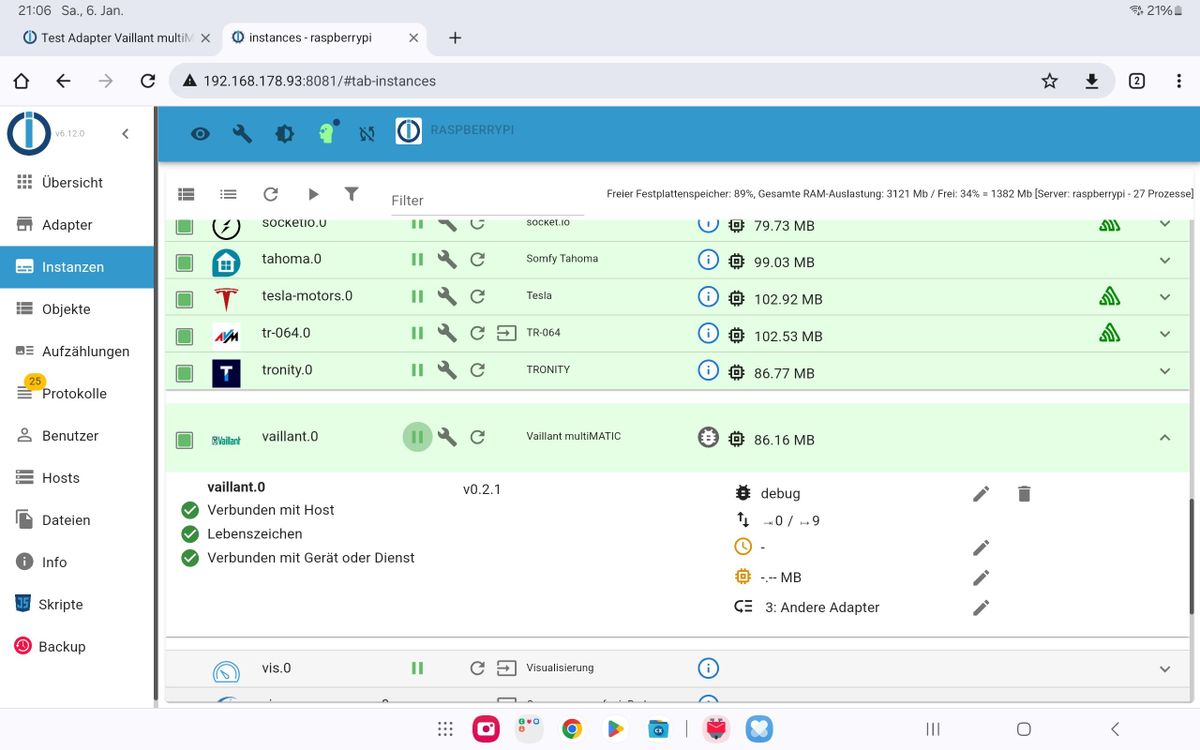
Habe auch den Adapter v0.4.0. Jedes mal wenn ich eine Wert ändere bricht die verbindung zum Host ab und es gibt kein Lebenszeichen mehr nach ca. 20sek. ist alles wieder Grün.Bitte um Hilfe
Vielen Dank an alle euch einen Schönen Abend:hugging_face:


Support us
312
Online32.6k
Users82.3k
Topics1.3m
Posts