
NEWS




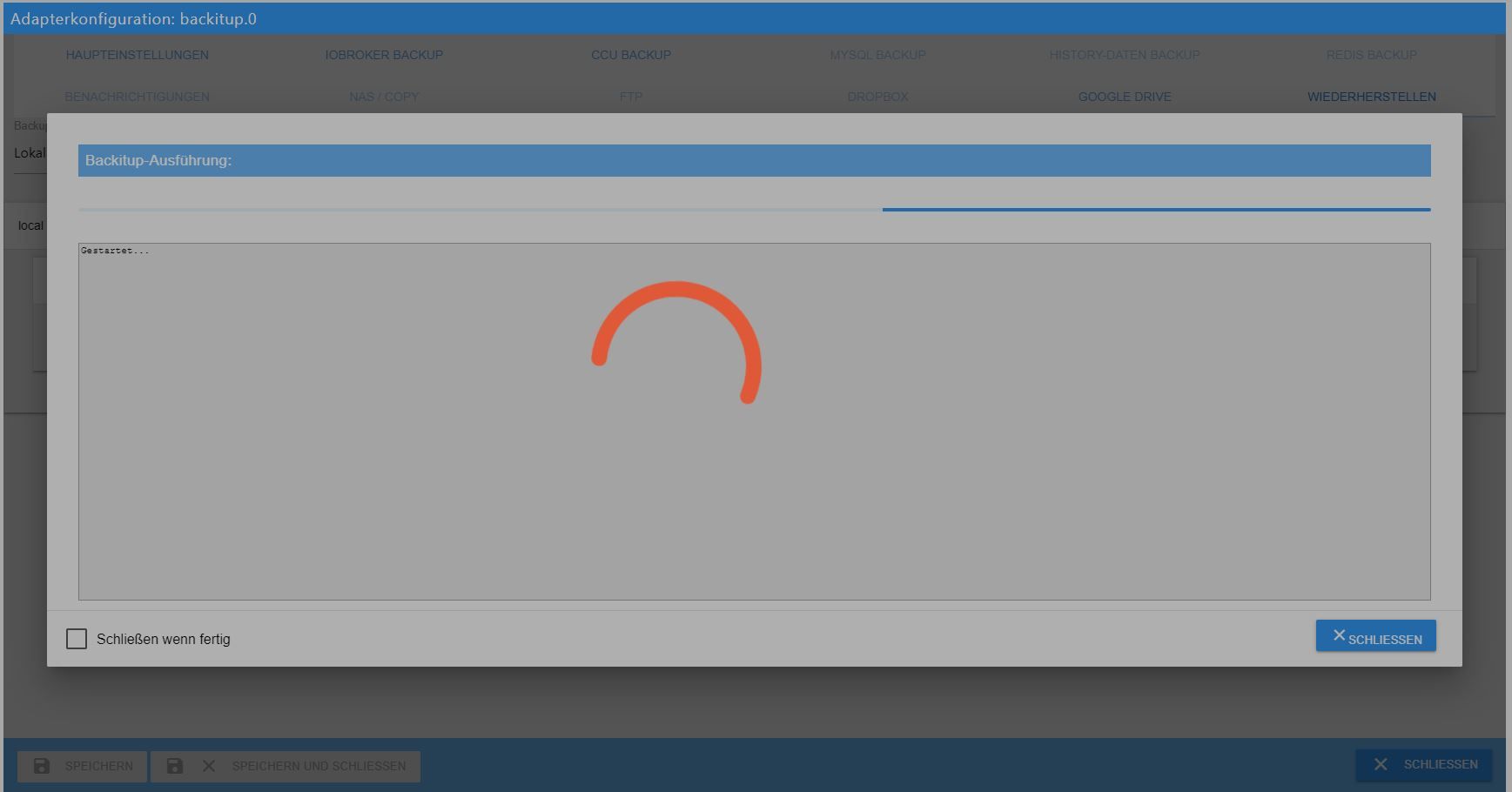
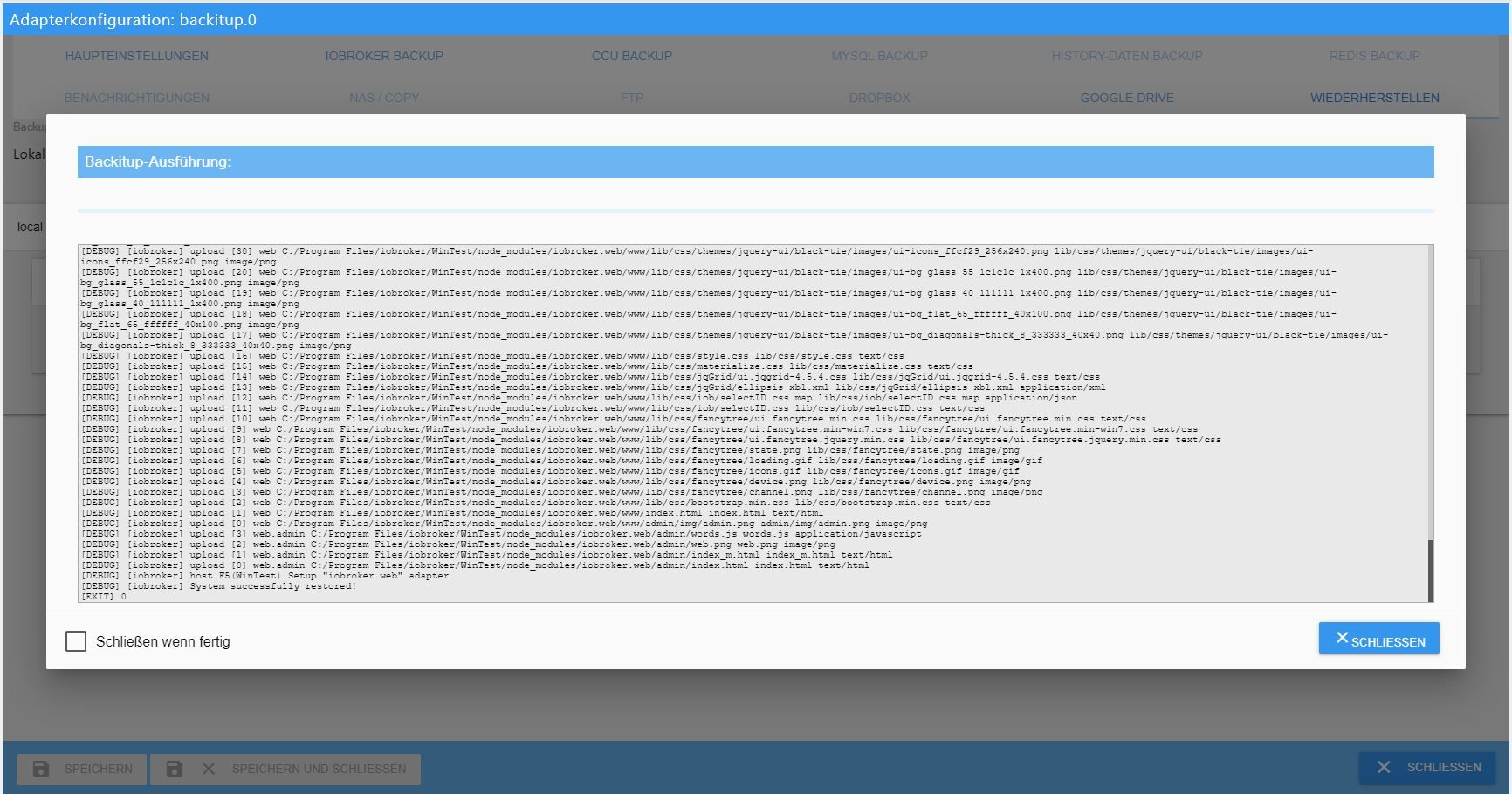
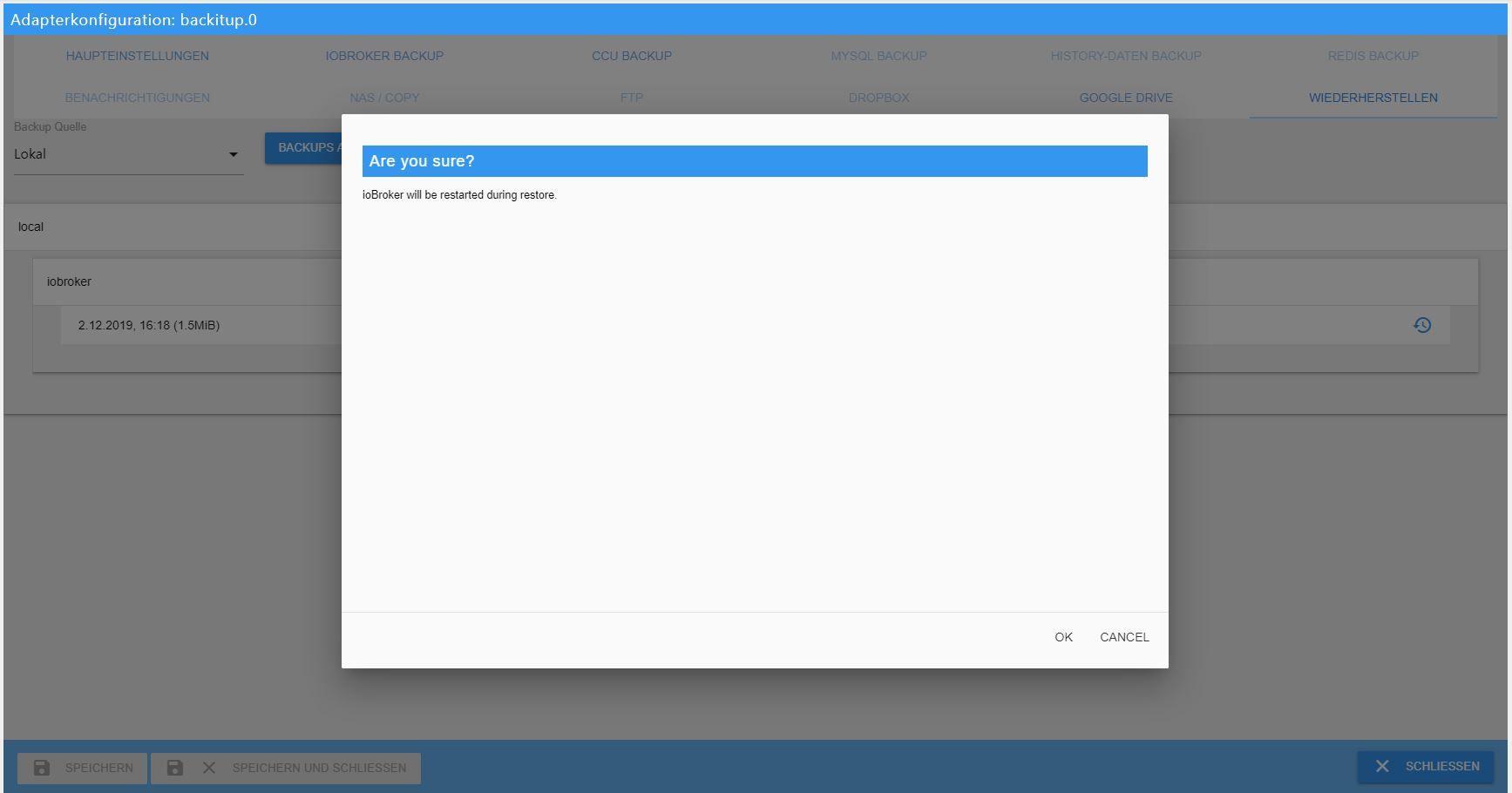
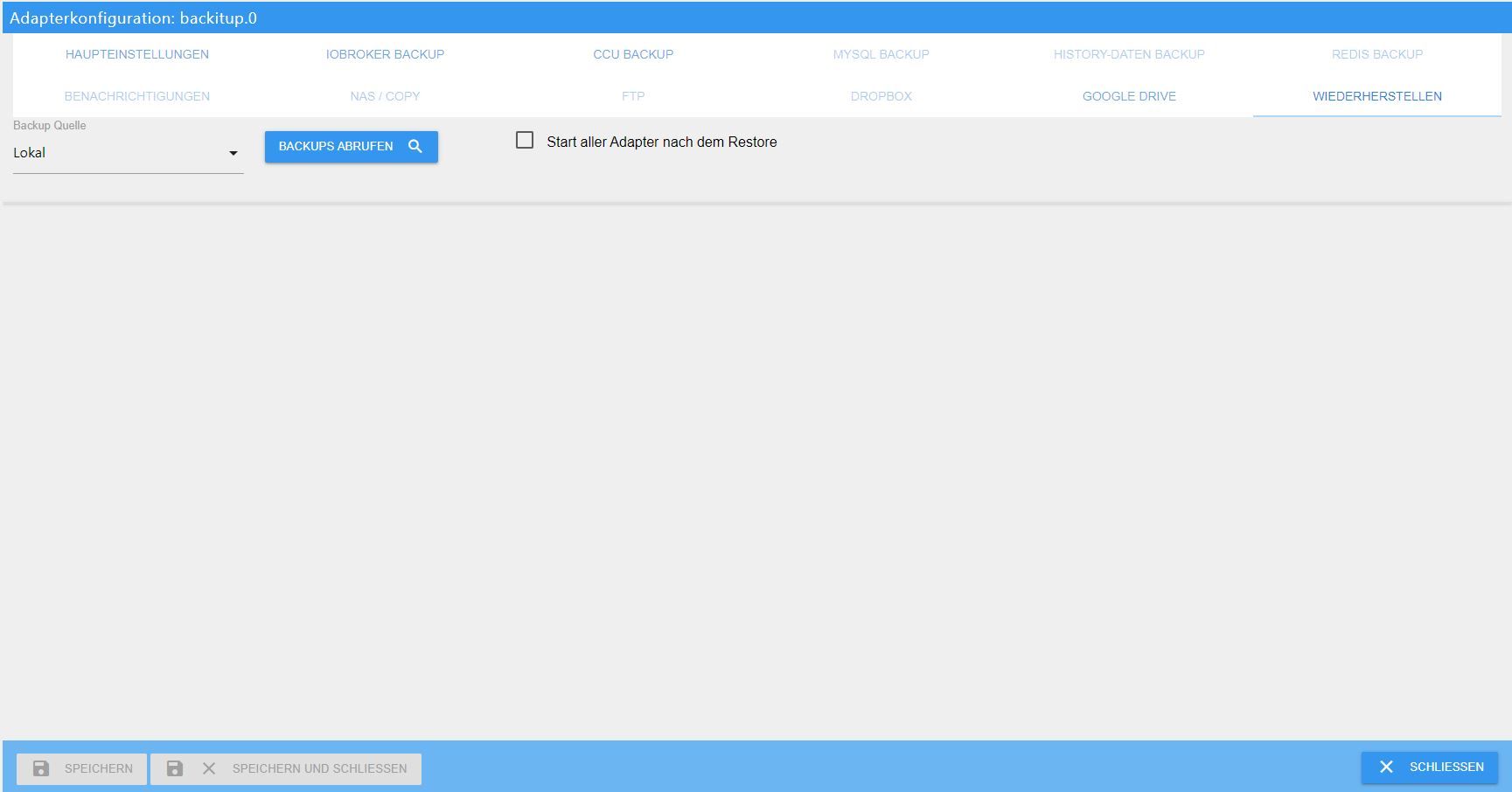
[HowTo] ioBroker Restore unter Linux durchführen
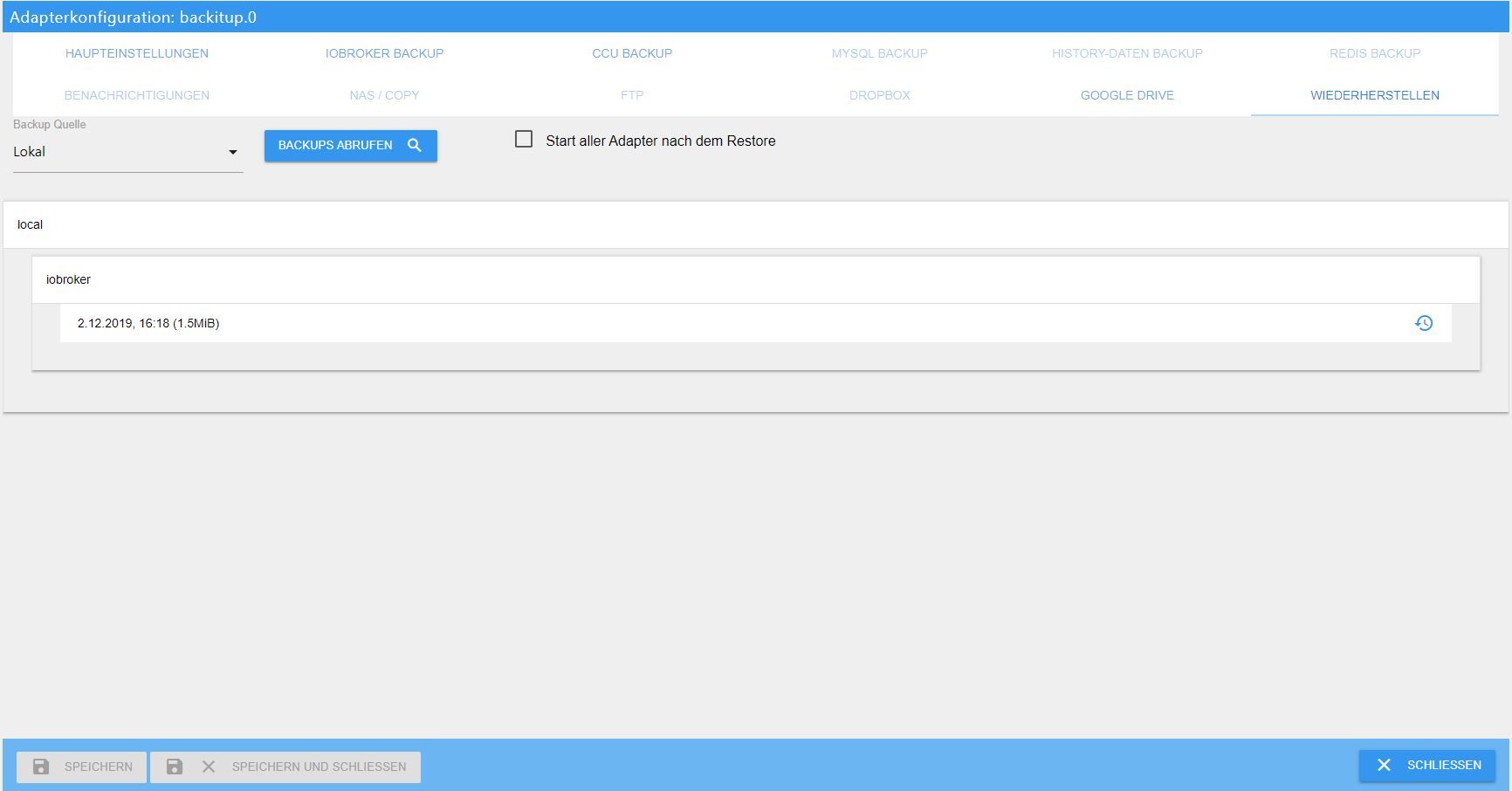
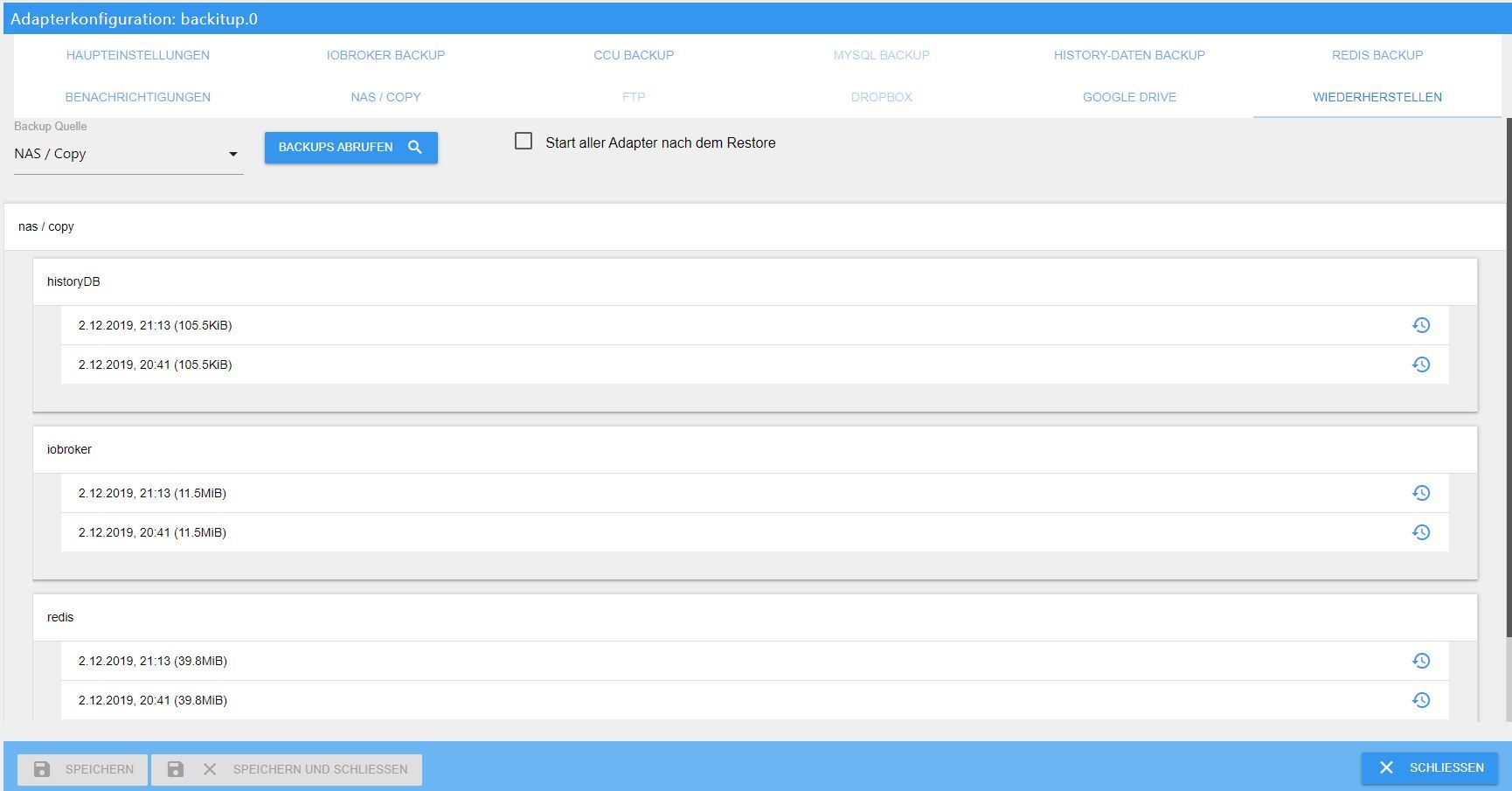
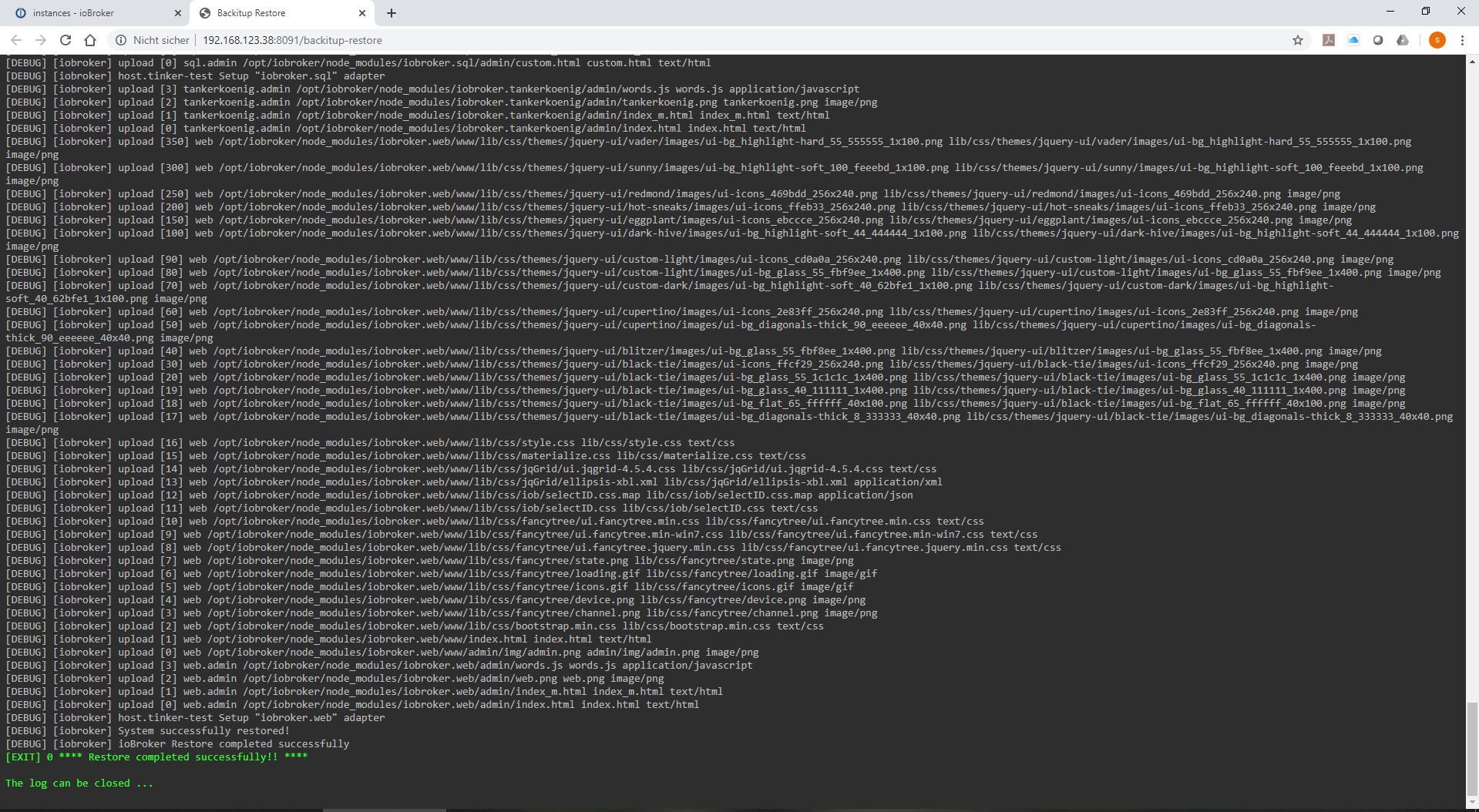
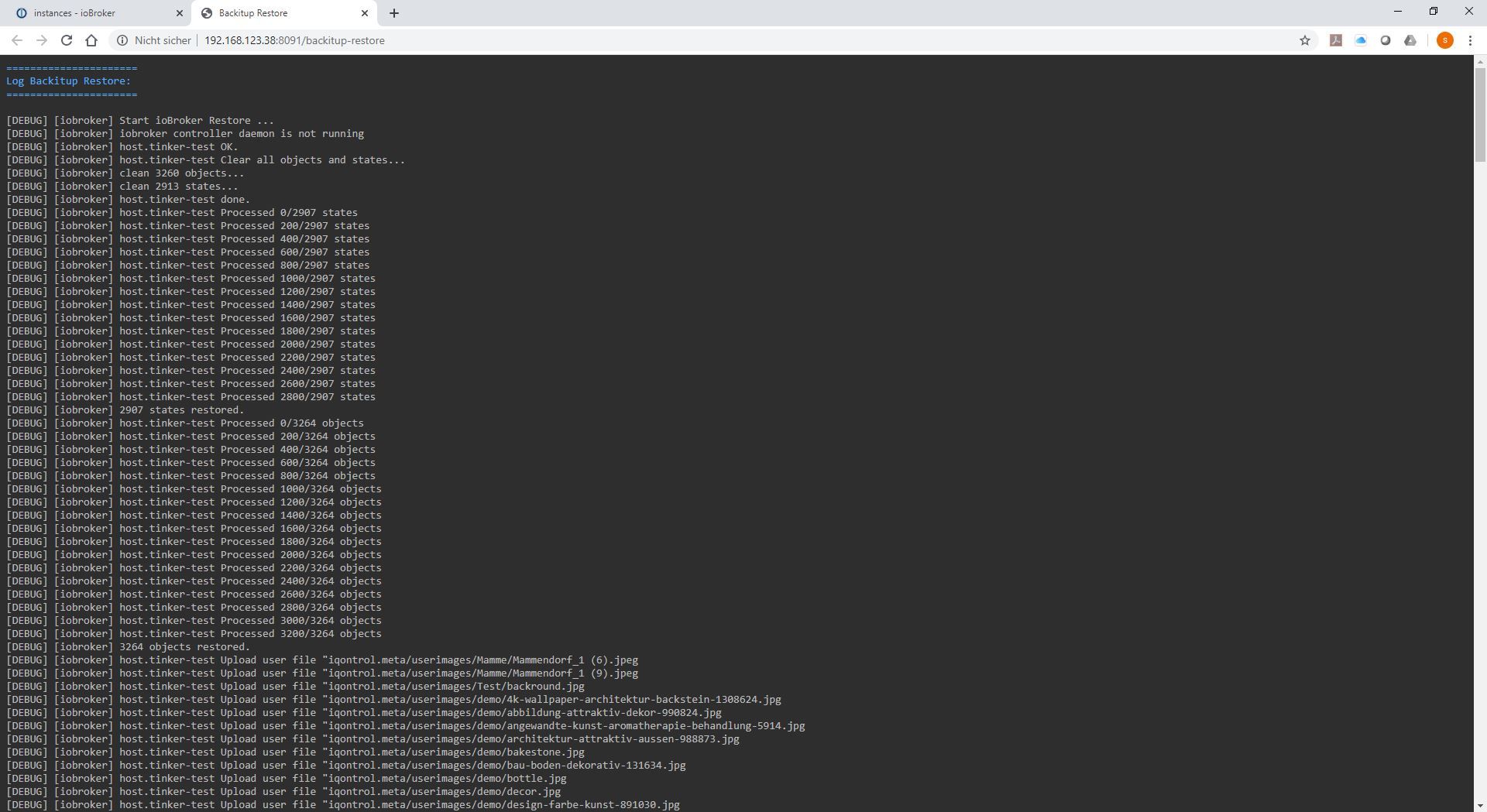
-
Hallo zusammen,
habe die Tage auch mein Backup neu eingespielt und hab etwas Probleme...Los gings hiermit:
No connection to states 127.0.0.1:6379Hab dann redis neu installiert. Soweit so gut...
Nun wie folgt probiert bzw. Fehlermeldung erhalten:
nulu@raspberrypi:~ $ iobroker stop
iobroker host this
iobroker start
A host with the name "raspberrypi" already exists!
Scheint aktiv zu sein, kann aber nicht darauf zugreifen:
nulu@raspberrypi:~ $ iobroker list instances
  system.adapter.admin.0                  : admin                 : raspberrypi                              -  enabled, port: 8081, bind: 0.0.0.0, run as: admin
  system.adapter.awattar.0                : awattar               : raspberrypi                              - disabled
  system.adapter.backitup.0               : backitup              : raspberrypi                              -  enabled
  system.adapter.broadlink2.0             : broadlink2            : raspberrypi                              - disabled
  system.adapter.cloud.0                  : cloud                 : raspberrypi                              - disabled
  system.adapter.daswetter.0              : daswetter             : raspberrypi                              - disabled
  system.adapter.discovergy.0             : discovergy            : raspberrypi                              - disabled
  system.adapter.discovery.0              : discovery             : raspberrypi                              - disabled
  system.adapter.easee.0                  : easee                 : raspberrypi                              - disabled
  system.adapter.flot.0                   : flot                  : raspberrypi                              - disabled
  system.adapter.history.0                : history               : raspberrypi                              - disabled
  system.adapter.hm-rega.0                : hm-rega               : raspberrypi                              - disabled
  system.adapter.hm-rpc.0                 : hm-rpc                : raspberrypi                              - disabled, port: 0
  system.adapter.info.0                   : info                  : raspberrypi                              - disabled
  system.adapter.javascript.0             : javascript            : raspberrypi                              - disabled
  system.adapter.mobile.0                 : mobile                : raspberrypi                              - disabled
  system.adapter.modbus.3                 : modbus                : raspberrypi                              - disabled
  system.adapter.modbus.4                 : modbus                : raspberrypi                              - disabled
  system.adapter.mqtt.0                   : mqtt                  : raspberrypi                              - disabled, port: 1883, bind: 0.0.0.0
  system.adapter.rpi2.0                   : rpi2                  : raspberrypi                              - disabled
  system.adapter.socketio.0               : socketio              : raspberrypi                              - disabled, port: 8084, bind: 0.0.0.0, run as: admin
  system.adapter.solarwetter.0            : solarwetter           : raspberrypi                              - disabled
  system.adapter.sonoff.0                 : sonoff                : raspberrypi                              - disabled, port: 1884, bind: 0.0.0.0
  system.adapter.sprinklecontrol.0        : sprinklecontrol       : raspberrypi                              - disabled
  system.adapter.sql.0                    : sql                   : raspberrypi                              - disabled, port: 3306
  system.adapter.statistics.0             : statistics            : raspberrypi                              - disabled
  system.adapter.telegram.0               : telegram              : raspberrypi                              - disabled, port: 8443, bind: 0.0.0.0
  system.adapter.vis-history.0            : vis-history           : raspberrypi                              - disabled
  system.adapter.vis.0                    : vis                   : raspberrypi                              - disabled
  system.adapter.web.0                    : web                   : raspberrypi                              - disabled, port: 8082, bind: 0.0.0.0, run as: admin
  system.adapter.worx.0                   : worx                  : raspberrypi                              - disabled
  system.adapter.yamaha.0                 : yamaha                : raspberrypi                              - disabled
  system.adapter.zigbee.0                 : zigbee                : raspberrypi                              - disabled, port: /dev/ttyUSB0

+ instance is alive
Jemand einen Tipp wo ich ansezten kann?
PS: hier noch der vollständige Diag
Skript v.2023-04-16 *** BASE SYSTEM *** Model : Raspberry Pi 3 Model B Rev 1.2 Architecture : aarch64 Docker : false Virtualization : none Distributor ID: Debian Description: Debian GNU/Linux 11 (bullseye) Release: 11 Codename: bullseye PRETTY_NAME="Debian GNU/Linux 11 (bullseye)" NAME="Debian GNU/Linux" VERSION_ID="11" VERSION="11 (bullseye)" VERSION_CODENAME=bullseye ID=debian HOME_URL="https://www.debian.org/" SUPPORT_URL="https://www.debian.org/support" BUG_REPORT_URL="https://bugs.debian.org/" Systemuptime and Load: 16:57:57 up 7 min, 1 user, load average: 0.39, 0.39, 0.22 CPU threads: 4 Raspberry only: throttled=0x0 Other values than 0x0 hint to temperature/voltage problems temp=55.3'C volt=1.3000V *** Time and Time Zones *** Local time: Tue 2023-04-25 16:57:58 CEST Universal time: Tue 2023-04-25 14:57:58 UTC RTC time: n/a Time zone: Europe/Berlin (CEST, +0200) System clock synchronized: yes NTP service: active RTC in local TZ: no *** User and Groups *** nulu /home/nulu nulu adm dialout cdrom sudo audio video plugdev games users input render netdev gpio i2c spi iobroker *** X-Server-Setup *** X-Server: false Desktop: Terminal: tty Boot Target: multi-user.target *** MEMORY *** total used free shared buff/cache available Mem: 909M 150M 540M 1.0M 218M 702M Swap: 99M 0B 99M Total: 1.0G 150M 640M 909 M total memory 150 M used memory 233 M active memory 62 M inactive memory 540 M free memory 18 M buffer memory 199 M swap cache 99 M total swap 0 M used swap 99 M free swap Raspberry only: oom events: 0 lifetime oom required: 0 Mbytes total time in oom handler: 0 ms max time spent in oom handler: 0 ms *** FILESYSTEM *** Filesystem Type Size Used Avail Use% Mounted on /dev/root ext4 110G 2.8G 103G 3% / devtmpfs devtmpfs 325M 0 325M 0% /dev tmpfs tmpfs 455M 0 455M 0% /dev/shm tmpfs tmpfs 182M 1.1M 181M 1% /run tmpfs tmpfs 5.0M 4.0K 5.0M 1% /run/lock /dev/sda1 vfat 255M 31M 225M 13% /boot tmpfs tmpfs 91M 0 91M 0% /run/user/1000 Messages concerning ext4 filesystem in dmesg: [Tue Apr 25 16:50:07 2023] Kernel command line: coherent_pool=1M 8250.nr_uarts=0 snd_bcm2835.enable_headphones=0 snd_bcm2835.enable_headphones=1 snd_bcm2835.enable_hdmi=1 snd_bcm2835.enable_hdmi=0 video=HDMI-A-1:1920x1080M@60i vc_mem.mem_base=0x3ec00000 vc_mem.mem_size=0x40000000 console=ttyS0,115200 console=tty1 root=PARTUUID=e2d113b0-02 rootfstype=ext4 fsck.repair=yes rootwait [Tue Apr 25 16:50:13 2023] EXT4-fs (sda2): mounted filesystem with ordered data mode. Quota mode: none. [Tue Apr 25 16:50:13 2023] VFS: Mounted root (ext4 filesystem) readonly on device 8:2. [Tue Apr 25 16:50:17 2023] EXT4-fs (sda2): re-mounted. Quota mode: none. Show mounted filesystems (real ones only): TARGET SOURCE FSTYPE OPTIONS / /dev/sda2 ext4 rw,noatime `-/boot /dev/sda1 vfat rw,relatime,fmask=0022,dmask=0022,codepage=437,iocharset=ascii,shortname=mixed,errors=remount-ro Files in neuralgic directories: /var: 644M /var/ 271M /var/lib 196M /var/cache 191M /var/cache/apt 124M /var/lib/mysql Archived and active journals take up 72.0M in the file system. /opt/iobroker/backups: 4.0K /opt/iobroker/backups/ /opt/iobroker/iobroker-data: 47M /opt/iobroker/iobroker-data/ 16M /opt/iobroker/iobroker-data/files 13M /opt/iobroker/iobroker-data/files/admin.admin/custom/static/js 13M /opt/iobroker/iobroker-data/files/admin.admin/custom/static 13M /opt/iobroker/iobroker-data/files/admin.admin/custom The five largest files in iobroker-data are: 14M /opt/iobroker/iobroker-data/objects.jsonl 6.3M /opt/iobroker/iobroker-data/files/admin.admin/custom/static/js/vendors-node_modules_iobroker_adapter-react-v5_assets_devices_parseNames_js-node_modules_iobr-99c23e.847b8ad9.chunk.js.map 5.2M /opt/iobroker/iobroker-data/states.jsonl 2.8M /opt/iobroker/iobroker-data/files/admin.admin/custom/static/js/vendors-node_modules_iobroker_adapter-react-v5_assets_devices_parseNames_js-node_modules_iobr-99c23e.847b8ad9.chunk.js 1.6M /opt/iobroker/iobroker-data/files/admin.admin/custom/static/js/vendors-node_modules_mui_material_Accordion_index_js-node_modules_mui_material_AccordionDetai-57e02d.0886b730.chunk.js.map *** NodeJS-Installation *** /usr/bin/nodejs v18.16.0 /usr/bin/node v18.16.0 /usr/bin/npm 9.5.1 /usr/bin/npx 9.5.1 nodejs: Installed: 18.16.0-deb-1nodesource1 Candidate: 18.16.0-deb-1nodesource1 Version table: *** 18.16.0-deb-1nodesource1 500 500 https://deb.nodesource.com/node_18.x bullseye/main arm64 Packages 100 /var/lib/dpkg/status 12.22.12~dfsg-1~deb11u3 500 500 http://security.debian.org/debian-security bullseye-security/main arm64 Packages 12.22.5~dfsg-2~11u1 500 500 http://deb.debian.org/debian bullseye/main arm64 Packages Temp directories causing npm8 problem: 0 No problems detected *** ioBroker-Installation *** ioBroker Status iobroker is not running on this host. Objects type: jsonl States type: jsonl MULTIHOSTSERVICE/enabled: false Core adapters versions js-controller: 4.0.24 admin: 6.3.5 javascript: "javascript" not found Adapters from github: 0 Adapter State system.adapter.admin.0 : admin : raspberrypi - enabled, port: 8081, bind: 0.0.0.0, run as: admin system.adapter.awattar.0 : awattar : raspberrypi - disabled system.adapter.backitup.0 : backitup : raspberrypi - enabled system.adapter.broadlink2.0 : broadlink2 : raspberrypi - disabled system.adapter.cloud.0 : cloud : raspberrypi - disabled system.adapter.daswetter.0 : daswetter : raspberrypi - disabled system.adapter.discovergy.0 : discovergy : raspberrypi - disabled system.adapter.discovery.0 : discovery : raspberrypi - disabled system.adapter.easee.0 : easee : raspberrypi - disabled system.adapter.flot.0 : flot : raspberrypi - disabled system.adapter.history.0 : history : raspberrypi - disabled system.adapter.hm-rega.0 : hm-rega : raspberrypi - disabled system.adapter.hm-rpc.0 : hm-rpc : raspberrypi - disabled, port: 0 system.adapter.info.0 : info : raspberrypi - disabled system.adapter.javascript.0 : javascript : raspberrypi - disabled system.adapter.mobile.0 : mobile : raspberrypi - disabled system.adapter.modbus.3 : modbus : raspberrypi - disabled system.adapter.modbus.4 : modbus : raspberrypi - disabled system.adapter.mqtt.0 : mqtt : raspberrypi - disabled, port: 1883, bind: 0.0.0.0 system.adapter.rpi2.0 : rpi2 : raspberrypi - disabled system.adapter.socketio.0 : socketio : raspberrypi - disabled, port: 8084, bind: 0.0.0.0, run as: admin system.adapter.solarwetter.0 : solarwetter : raspberrypi - disabled system.adapter.sonoff.0 : sonoff : raspberrypi - disabled, port: 1884, bind: 0.0.0.0 system.adapter.sprinklecontrol.0 : sprinklecontrol : raspberrypi - disabled system.adapter.sql.0 : sql : raspberrypi - disabled, port: 3306 system.adapter.statistics.0 : statistics : raspberrypi - disabled system.adapter.telegram.0 : telegram : raspberrypi - disabled, port: 8443, bind: 0.0.0.0 system.adapter.vis-history.0 : vis-history : raspberrypi - disabled system.adapter.vis.0 : vis : raspberrypi - disabled system.adapter.web.0 : web : raspberrypi - disabled, port: 8082, bind: 0.0.0.0, run as: admin system.adapter.worx.0 : worx : raspberrypi - disabled system.adapter.yamaha.0 : yamaha : raspberrypi - disabled system.adapter.zigbee.0 : zigbee : raspberrypi - disabled, port: /dev/ttyUSB0 + instance is alive Enabled adapters with bindings system.adapter.admin.0 : admin : raspberrypi - enabled, port: 8081, bind: 0.0.0.0, run as: admin ioBroker-Repositories stable : http://download.iobroker.net/sources-dist.json beta : http://download.iobroker.net/sources-dist-latest.json Active repo(s): stable Installed ioBroker-Instances Used repository: stable Adapter "admin" : 6.3.5 , installed 6.3.5 Adapter "backitup" : 2.6.16 , installed 2.5.9 [Updatable] Adapter "flot" : 1.11.0 , installed 1.11.0 Adapter "history" : 2.2.4 , installed 2.2.4 Controller "js-controller": 4.0.24 , installed 4.0.24 Objects and States Please stand by - This may take a while Objects: 9496 States: 83 *** OS-Repositories and Updates *** Hit:1 http://security.debian.org/debian-security bullseye-security InRelease Hit:2 http://deb.debian.org/debian bullseye InRelease Hit:3 http://deb.debian.org/debian bullseye-updates InRelease Hit:4 http://archive.raspberrypi.org/debian bullseye InRelease Hit:5 https://deb.nodesource.com/node_18.x bullseye InRelease Reading package lists... Pending Updates: 0 *** Listening Ports *** Active Internet connections (only servers) Proto Recv-Q Send-Q Local Address Foreign Address State User Inode PID/Program name tcp 0 0 0.0.0.0:22 0.0.0.0:* LISTEN 0 14720 558/sshd: /usr/sbin tcp 0 0 127.0.0.1:3306 0.0.0.0:* LISTEN 110 12805 612/mariadbd tcp 0 0 127.0.0.1:6379 0.0.0.0:* LISTEN 111 13827 544/redis-server 12 tcp6 0 0 :::22 :::* LISTEN 0 14722 558/sshd: /usr/sbin tcp6 0 0 ::1:6379 :::* LISTEN 111 13828 544/redis-server 12 udp 0 0 0.0.0.0:68 0.0.0.0:* 0 12790 779/dhcpcd udp 0 0 0.0.0.0:5353 0.0.0.0:* 108 14624 432/avahi-daemon: r udp 0 0 0.0.0.0:44832 0.0.0.0:* 108 14626 432/avahi-daemon: r udp6 0 0 :::60532 :::* 108 14627 432/avahi-daemon: r udp6 0 0 :::5353 :::* 108 14625 432/avahi-daemon: r *** Log File - Last 25 Lines *** 2023-04-25 16:58:01.301 - info: host.raspberrypi iobroker.js-controller version 4.0.24 js-controller starting 2023-04-25 16:58:01.327 - info: host.raspberrypi Copyright (c) 2014-2022 bluefox, 2014 hobbyquaker 2023-04-25 16:58:01.331 - info: host.raspberrypi hostname: raspberrypi, node: v18.16.0 2023-04-25 16:58:01.332 - info: host.raspberrypi ip addresses: 192.168.178.3 fdc8:6d06:a691:4a6d:84c6:b886:6e48:f44e fe80::d47e:3b7d:8adc:4dd3 2023-04-25 16:58:05.120 - info: host.raspberrypi-Server Error inMem-objects listening on port 6379: Error: listen EADDRINUSE: address already in use 127.0.0.1:6379 2023-04-25 16:58:31.388 - error: host.raspberrypi No connection to databases possible, restart 2023-04-25 16:58:31.401 - info: host.raspberrypi iobroker _restart 2023-04-25 16:58:39.163 - info: host.raspberrypi iobroker.js-controller version 4.0.24 js-controller starting 2023-04-25 16:58:39.176 - info: host.raspberrypi Copyright (c) 2014-2022 bluefox, 2014 hobbyquaker 2023-04-25 16:58:39.179 - info: host.raspberrypi hostname: raspberrypi, node: v18.16.0 2023-04-25 16:58:39.180 - info: host.raspberrypi ip addresses: 192.168.178.3 fdc8:6d06:a691:4a6d:84c6:b886:6e48:f44e fe80::d47e:3b7d:8adc:4dd3 2023-04-25 16:58:43.156 - info: host.raspberrypi-Server Error inMem-objects listening on port 6379: Error: listen EADDRINUSE: address already in use 127.0.0.1:6379 2023-04-25 16:59:09.234 - error: host.raspberrypi No connection to databases possible, restart 2023-04-25 16:59:09.245 - info: host.raspberrypi iobroker _restart 2023-04-25 16:59:16.522 - info: host.raspberrypi iobroker.js-controller version 4.0.24 js-controller starting 2023-04-25 16:59:16.536 - info: host.raspberrypi Copyright (c) 2014-2022 bluefox, 2014 hobbyquaker 2023-04-25 16:59:16.539 - info: host.raspberrypi hostname: raspberrypi, node: v18.16.0 2023-04-25 16:59:16.541 - info: host.raspberrypi ip addresses: 192.168.178.3 fdc8:6d06:a691:4a6d:84c6:b886:6e48:f44e fe80::d47e:3b7d:8adc:4dd3 2023-04-25 16:59:20.553 - info: host.raspberrypi-Server Error inMem-objects listening on port 6379: Error: listen EADDRINUSE: address already in use 127.0.0.1:6379 2023-04-25 16:59:46.590 - error: host.raspberrypi No connection to databases possible, restart 2023-04-25 16:59:46.602 - info: host.raspberrypi iobroker _restart 2023-04-25 16:59:54.337 - info: host.raspberrypi iobroker.js-controller version 4.0.24 js-controller starting 2023-04-25 16:59:54.353 - info: host.raspberrypi Copyright (c) 2014-2022 bluefox, 2014 hobbyquaker 2023-04-25 16:59:54.356 - info: host.raspberrypi hostname: raspberrypi, node: v18.16.0 2023-04-25 16:59:54.357 - info: host.raspberrypi ip addresses: 192.168.178.3 fdc8:6d06:a691:4a6d:84c6:b886:6e48:f44e fe80::d47e:3b7d:8adc:4dd3 -
Hallo zusammen,
habe die Tage auch mein Backup neu eingespielt und hab etwas Probleme...Los gings hiermit:
No connection to states 127.0.0.1:6379Hab dann redis neu installiert. Soweit so gut...
Nun wie folgt probiert bzw. Fehlermeldung erhalten:
nulu@raspberrypi:~ $ iobroker stop
iobroker host this
iobroker start
A host with the name "raspberrypi" already exists!
Scheint aktiv zu sein, kann aber nicht darauf zugreifen:
nulu@raspberrypi:~ $ iobroker list instances
  system.adapter.admin.0                  : admin                 : raspberrypi                              -  enabled, port: 8081, bind: 0.0.0.0, run as: admin
  system.adapter.awattar.0                : awattar               : raspberrypi                              - disabled
  system.adapter.backitup.0               : backitup              : raspberrypi                              -  enabled
  system.adapter.broadlink2.0             : broadlink2            : raspberrypi                              - disabled
  system.adapter.cloud.0                  : cloud                 : raspberrypi                              - disabled
  system.adapter.daswetter.0              : daswetter             : raspberrypi                              - disabled
  system.adapter.discovergy.0             : discovergy            : raspberrypi                              - disabled
  system.adapter.discovery.0              : discovery             : raspberrypi                              - disabled
  system.adapter.easee.0                  : easee                 : raspberrypi                              - disabled
  system.adapter.flot.0                   : flot                  : raspberrypi                              - disabled
  system.adapter.history.0                : history               : raspberrypi                              - disabled
  system.adapter.hm-rega.0                : hm-rega               : raspberrypi                              - disabled
  system.adapter.hm-rpc.0                 : hm-rpc                : raspberrypi                              - disabled, port: 0
  system.adapter.info.0                   : info                  : raspberrypi                              - disabled
  system.adapter.javascript.0             : javascript            : raspberrypi                              - disabled
  system.adapter.mobile.0                 : mobile                : raspberrypi                              - disabled
  system.adapter.modbus.3                 : modbus                : raspberrypi                              - disabled
  system.adapter.modbus.4                 : modbus                : raspberrypi                              - disabled
  system.adapter.mqtt.0                   : mqtt                  : raspberrypi                              - disabled, port: 1883, bind: 0.0.0.0
  system.adapter.rpi2.0                   : rpi2                  : raspberrypi                              - disabled
  system.adapter.socketio.0               : socketio              : raspberrypi                              - disabled, port: 8084, bind: 0.0.0.0, run as: admin
  system.adapter.solarwetter.0            : solarwetter           : raspberrypi                              - disabled
  system.adapter.sonoff.0                 : sonoff                : raspberrypi                              - disabled, port: 1884, bind: 0.0.0.0
  system.adapter.sprinklecontrol.0        : sprinklecontrol       : raspberrypi                              - disabled
  system.adapter.sql.0                    : sql                   : raspberrypi                              - disabled, port: 3306
  system.adapter.statistics.0             : statistics            : raspberrypi                              - disabled
  system.adapter.telegram.0               : telegram              : raspberrypi                              - disabled, port: 8443, bind: 0.0.0.0
  system.adapter.vis-history.0            : vis-history           : raspberrypi                              - disabled
  system.adapter.vis.0                    : vis                   : raspberrypi                              - disabled
  system.adapter.web.0                    : web                   : raspberrypi                              - disabled, port: 8082, bind: 0.0.0.0, run as: admin
  system.adapter.worx.0                   : worx                  : raspberrypi                              - disabled
  system.adapter.yamaha.0                 : yamaha                : raspberrypi                              - disabled
  system.adapter.zigbee.0                 : zigbee                : raspberrypi                              - disabled, port: /dev/ttyUSB0

+ instance is alive
Jemand einen Tipp wo ich ansezten kann?
PS: hier noch der vollständige Diag
Skript v.2023-04-16 *** BASE SYSTEM *** Model : Raspberry Pi 3 Model B Rev 1.2 Architecture : aarch64 Docker : false Virtualization : none Distributor ID: Debian Description: Debian GNU/Linux 11 (bullseye) Release: 11 Codename: bullseye PRETTY_NAME="Debian GNU/Linux 11 (bullseye)" NAME="Debian GNU/Linux" VERSION_ID="11" VERSION="11 (bullseye)" VERSION_CODENAME=bullseye ID=debian HOME_URL="https://www.debian.org/" SUPPORT_URL="https://www.debian.org/support" BUG_REPORT_URL="https://bugs.debian.org/" Systemuptime and Load: 16:57:57 up 7 min, 1 user, load average: 0.39, 0.39, 0.22 CPU threads: 4 Raspberry only: throttled=0x0 Other values than 0x0 hint to temperature/voltage problems temp=55.3'C volt=1.3000V *** Time and Time Zones *** Local time: Tue 2023-04-25 16:57:58 CEST Universal time: Tue 2023-04-25 14:57:58 UTC RTC time: n/a Time zone: Europe/Berlin (CEST, +0200) System clock synchronized: yes NTP service: active RTC in local TZ: no *** User and Groups *** nulu /home/nulu nulu adm dialout cdrom sudo audio video plugdev games users input render netdev gpio i2c spi iobroker *** X-Server-Setup *** X-Server: false Desktop: Terminal: tty Boot Target: multi-user.target *** MEMORY *** total used free shared buff/cache available Mem: 909M 150M 540M 1.0M 218M 702M Swap: 99M 0B 99M Total: 1.0G 150M 640M 909 M total memory 150 M used memory 233 M active memory 62 M inactive memory 540 M free memory 18 M buffer memory 199 M swap cache 99 M total swap 0 M used swap 99 M free swap Raspberry only: oom events: 0 lifetime oom required: 0 Mbytes total time in oom handler: 0 ms max time spent in oom handler: 0 ms *** FILESYSTEM *** Filesystem Type Size Used Avail Use% Mounted on /dev/root ext4 110G 2.8G 103G 3% / devtmpfs devtmpfs 325M 0 325M 0% /dev tmpfs tmpfs 455M 0 455M 0% /dev/shm tmpfs tmpfs 182M 1.1M 181M 1% /run tmpfs tmpfs 5.0M 4.0K 5.0M 1% /run/lock /dev/sda1 vfat 255M 31M 225M 13% /boot tmpfs tmpfs 91M 0 91M 0% /run/user/1000 Messages concerning ext4 filesystem in dmesg: [Tue Apr 25 16:50:07 2023] Kernel command line: coherent_pool=1M 8250.nr_uarts=0 snd_bcm2835.enable_headphones=0 snd_bcm2835.enable_headphones=1 snd_bcm2835.enable_hdmi=1 snd_bcm2835.enable_hdmi=0 video=HDMI-A-1:1920x1080M@60i vc_mem.mem_base=0x3ec00000 vc_mem.mem_size=0x40000000 console=ttyS0,115200 console=tty1 root=PARTUUID=e2d113b0-02 rootfstype=ext4 fsck.repair=yes rootwait [Tue Apr 25 16:50:13 2023] EXT4-fs (sda2): mounted filesystem with ordered data mode. Quota mode: none. [Tue Apr 25 16:50:13 2023] VFS: Mounted root (ext4 filesystem) readonly on device 8:2. [Tue Apr 25 16:50:17 2023] EXT4-fs (sda2): re-mounted. Quota mode: none. Show mounted filesystems (real ones only): TARGET SOURCE FSTYPE OPTIONS / /dev/sda2 ext4 rw,noatime `-/boot /dev/sda1 vfat rw,relatime,fmask=0022,dmask=0022,codepage=437,iocharset=ascii,shortname=mixed,errors=remount-ro Files in neuralgic directories: /var: 644M /var/ 271M /var/lib 196M /var/cache 191M /var/cache/apt 124M /var/lib/mysql Archived and active journals take up 72.0M in the file system. /opt/iobroker/backups: 4.0K /opt/iobroker/backups/ /opt/iobroker/iobroker-data: 47M /opt/iobroker/iobroker-data/ 16M /opt/iobroker/iobroker-data/files 13M /opt/iobroker/iobroker-data/files/admin.admin/custom/static/js 13M /opt/iobroker/iobroker-data/files/admin.admin/custom/static 13M /opt/iobroker/iobroker-data/files/admin.admin/custom The five largest files in iobroker-data are: 14M /opt/iobroker/iobroker-data/objects.jsonl 6.3M /opt/iobroker/iobroker-data/files/admin.admin/custom/static/js/vendors-node_modules_iobroker_adapter-react-v5_assets_devices_parseNames_js-node_modules_iobr-99c23e.847b8ad9.chunk.js.map 5.2M /opt/iobroker/iobroker-data/states.jsonl 2.8M /opt/iobroker/iobroker-data/files/admin.admin/custom/static/js/vendors-node_modules_iobroker_adapter-react-v5_assets_devices_parseNames_js-node_modules_iobr-99c23e.847b8ad9.chunk.js 1.6M /opt/iobroker/iobroker-data/files/admin.admin/custom/static/js/vendors-node_modules_mui_material_Accordion_index_js-node_modules_mui_material_AccordionDetai-57e02d.0886b730.chunk.js.map *** NodeJS-Installation *** /usr/bin/nodejs v18.16.0 /usr/bin/node v18.16.0 /usr/bin/npm 9.5.1 /usr/bin/npx 9.5.1 nodejs: Installed: 18.16.0-deb-1nodesource1 Candidate: 18.16.0-deb-1nodesource1 Version table: *** 18.16.0-deb-1nodesource1 500 500 https://deb.nodesource.com/node_18.x bullseye/main arm64 Packages 100 /var/lib/dpkg/status 12.22.12~dfsg-1~deb11u3 500 500 http://security.debian.org/debian-security bullseye-security/main arm64 Packages 12.22.5~dfsg-2~11u1 500 500 http://deb.debian.org/debian bullseye/main arm64 Packages Temp directories causing npm8 problem: 0 No problems detected *** ioBroker-Installation *** ioBroker Status iobroker is not running on this host. Objects type: jsonl States type: jsonl MULTIHOSTSERVICE/enabled: false Core adapters versions js-controller: 4.0.24 admin: 6.3.5 javascript: "javascript" not found Adapters from github: 0 Adapter State system.adapter.admin.0 : admin : raspberrypi - enabled, port: 8081, bind: 0.0.0.0, run as: admin system.adapter.awattar.0 : awattar : raspberrypi - disabled system.adapter.backitup.0 : backitup : raspberrypi - enabled system.adapter.broadlink2.0 : broadlink2 : raspberrypi - disabled system.adapter.cloud.0 : cloud : raspberrypi - disabled system.adapter.daswetter.0 : daswetter : raspberrypi - disabled system.adapter.discovergy.0 : discovergy : raspberrypi - disabled system.adapter.discovery.0 : discovery : raspberrypi - disabled system.adapter.easee.0 : easee : raspberrypi - disabled system.adapter.flot.0 : flot : raspberrypi - disabled system.adapter.history.0 : history : raspberrypi - disabled system.adapter.hm-rega.0 : hm-rega : raspberrypi - disabled system.adapter.hm-rpc.0 : hm-rpc : raspberrypi - disabled, port: 0 system.adapter.info.0 : info : raspberrypi - disabled system.adapter.javascript.0 : javascript : raspberrypi - disabled system.adapter.mobile.0 : mobile : raspberrypi - disabled system.adapter.modbus.3 : modbus : raspberrypi - disabled system.adapter.modbus.4 : modbus : raspberrypi - disabled system.adapter.mqtt.0 : mqtt : raspberrypi - disabled, port: 1883, bind: 0.0.0.0 system.adapter.rpi2.0 : rpi2 : raspberrypi - disabled system.adapter.socketio.0 : socketio : raspberrypi - disabled, port: 8084, bind: 0.0.0.0, run as: admin system.adapter.solarwetter.0 : solarwetter : raspberrypi - disabled system.adapter.sonoff.0 : sonoff : raspberrypi - disabled, port: 1884, bind: 0.0.0.0 system.adapter.sprinklecontrol.0 : sprinklecontrol : raspberrypi - disabled system.adapter.sql.0 : sql : raspberrypi - disabled, port: 3306 system.adapter.statistics.0 : statistics : raspberrypi - disabled system.adapter.telegram.0 : telegram : raspberrypi - disabled, port: 8443, bind: 0.0.0.0 system.adapter.vis-history.0 : vis-history : raspberrypi - disabled system.adapter.vis.0 : vis : raspberrypi - disabled system.adapter.web.0 : web : raspberrypi - disabled, port: 8082, bind: 0.0.0.0, run as: admin system.adapter.worx.0 : worx : raspberrypi - disabled system.adapter.yamaha.0 : yamaha : raspberrypi - disabled system.adapter.zigbee.0 : zigbee : raspberrypi - disabled, port: /dev/ttyUSB0 + instance is alive Enabled adapters with bindings system.adapter.admin.0 : admin : raspberrypi - enabled, port: 8081, bind: 0.0.0.0, run as: admin ioBroker-Repositories stable : http://download.iobroker.net/sources-dist.json beta : http://download.iobroker.net/sources-dist-latest.json Active repo(s): stable Installed ioBroker-Instances Used repository: stable Adapter "admin" : 6.3.5 , installed 6.3.5 Adapter "backitup" : 2.6.16 , installed 2.5.9 [Updatable] Adapter "flot" : 1.11.0 , installed 1.11.0 Adapter "history" : 2.2.4 , installed 2.2.4 Controller "js-controller": 4.0.24 , installed 4.0.24 Objects and States Please stand by - This may take a while Objects: 9496 States: 83 *** OS-Repositories and Updates *** Hit:1 http://security.debian.org/debian-security bullseye-security InRelease Hit:2 http://deb.debian.org/debian bullseye InRelease Hit:3 http://deb.debian.org/debian bullseye-updates InRelease Hit:4 http://archive.raspberrypi.org/debian bullseye InRelease Hit:5 https://deb.nodesource.com/node_18.x bullseye InRelease Reading package lists... Pending Updates: 0 *** Listening Ports *** Active Internet connections (only servers) Proto Recv-Q Send-Q Local Address Foreign Address State User Inode PID/Program name tcp 0 0 0.0.0.0:22 0.0.0.0:* LISTEN 0 14720 558/sshd: /usr/sbin tcp 0 0 127.0.0.1:3306 0.0.0.0:* LISTEN 110 12805 612/mariadbd tcp 0 0 127.0.0.1:6379 0.0.0.0:* LISTEN 111 13827 544/redis-server 12 tcp6 0 0 :::22 :::* LISTEN 0 14722 558/sshd: /usr/sbin tcp6 0 0 ::1:6379 :::* LISTEN 111 13828 544/redis-server 12 udp 0 0 0.0.0.0:68 0.0.0.0:* 0 12790 779/dhcpcd udp 0 0 0.0.0.0:5353 0.0.0.0:* 108 14624 432/avahi-daemon: r udp 0 0 0.0.0.0:44832 0.0.0.0:* 108 14626 432/avahi-daemon: r udp6 0 0 :::60532 :::* 108 14627 432/avahi-daemon: r udp6 0 0 :::5353 :::* 108 14625 432/avahi-daemon: r *** Log File - Last 25 Lines *** 2023-04-25 16:58:01.301 - info: host.raspberrypi iobroker.js-controller version 4.0.24 js-controller starting 2023-04-25 16:58:01.327 - info: host.raspberrypi Copyright (c) 2014-2022 bluefox, 2014 hobbyquaker 2023-04-25 16:58:01.331 - info: host.raspberrypi hostname: raspberrypi, node: v18.16.0 2023-04-25 16:58:01.332 - info: host.raspberrypi ip addresses: 192.168.178.3 fdc8:6d06:a691:4a6d:84c6:b886:6e48:f44e fe80::d47e:3b7d:8adc:4dd3 2023-04-25 16:58:05.120 - info: host.raspberrypi-Server Error inMem-objects listening on port 6379: Error: listen EADDRINUSE: address already in use 127.0.0.1:6379 2023-04-25 16:58:31.388 - error: host.raspberrypi No connection to databases possible, restart 2023-04-25 16:58:31.401 - info: host.raspberrypi iobroker _restart 2023-04-25 16:58:39.163 - info: host.raspberrypi iobroker.js-controller version 4.0.24 js-controller starting 2023-04-25 16:58:39.176 - info: host.raspberrypi Copyright (c) 2014-2022 bluefox, 2014 hobbyquaker 2023-04-25 16:58:39.179 - info: host.raspberrypi hostname: raspberrypi, node: v18.16.0 2023-04-25 16:58:39.180 - info: host.raspberrypi ip addresses: 192.168.178.3 fdc8:6d06:a691:4a6d:84c6:b886:6e48:f44e fe80::d47e:3b7d:8adc:4dd3 2023-04-25 16:58:43.156 - info: host.raspberrypi-Server Error inMem-objects listening on port 6379: Error: listen EADDRINUSE: address already in use 127.0.0.1:6379 2023-04-25 16:59:09.234 - error: host.raspberrypi No connection to databases possible, restart 2023-04-25 16:59:09.245 - info: host.raspberrypi iobroker _restart 2023-04-25 16:59:16.522 - info: host.raspberrypi iobroker.js-controller version 4.0.24 js-controller starting 2023-04-25 16:59:16.536 - info: host.raspberrypi Copyright (c) 2014-2022 bluefox, 2014 hobbyquaker 2023-04-25 16:59:16.539 - info: host.raspberrypi hostname: raspberrypi, node: v18.16.0 2023-04-25 16:59:16.541 - info: host.raspberrypi ip addresses: 192.168.178.3 fdc8:6d06:a691:4a6d:84c6:b886:6e48:f44e fe80::d47e:3b7d:8adc:4dd3 2023-04-25 16:59:20.553 - info: host.raspberrypi-Server Error inMem-objects listening on port 6379: Error: listen EADDRINUSE: address already in use 127.0.0.1:6379 2023-04-25 16:59:46.590 - error: host.raspberrypi No connection to databases possible, restart 2023-04-25 16:59:46.602 - info: host.raspberrypi iobroker _restart 2023-04-25 16:59:54.337 - info: host.raspberrypi iobroker.js-controller version 4.0.24 js-controller starting 2023-04-25 16:59:54.353 - info: host.raspberrypi Copyright (c) 2014-2022 bluefox, 2014 hobbyquaker 2023-04-25 16:59:54.356 - info: host.raspberrypi hostname: raspberrypi, node: v18.16.0 2023-04-25 16:59:54.357 - info: host.raspberrypi ip addresses: 192.168.178.3 fdc8:6d06:a691:4a6d:84c6:b886:6e48:f44e fe80::d47e:3b7d:8adc:4dd3 -
-
Starte die Kiste komplett durch.
-
Starte die Kiste komplett durch.
@thomas-braun
Reboot mehrmals durchgeführt - keine Reaktion auf den Befehl -
Hallo zusammen,
habe die Tage auch mein Backup neu eingespielt und hab etwas Probleme...Los gings hiermit:
No connection to states 127.0.0.1:6379Hab dann redis neu installiert. Soweit so gut...
Nun wie folgt probiert bzw. Fehlermeldung erhalten:
nulu@raspberrypi:~ $ iobroker stop
iobroker host this
iobroker start
A host with the name "raspberrypi" already exists!
Scheint aktiv zu sein, kann aber nicht darauf zugreifen:
nulu@raspberrypi:~ $ iobroker list instances
  system.adapter.admin.0                  : admin                 : raspberrypi                              -  enabled, port: 8081, bind: 0.0.0.0, run as: admin
  system.adapter.awattar.0                : awattar               : raspberrypi                              - disabled
  system.adapter.backitup.0               : backitup              : raspberrypi                              -  enabled
  system.adapter.broadlink2.0             : broadlink2            : raspberrypi                              - disabled
  system.adapter.cloud.0                  : cloud                 : raspberrypi                              - disabled
  system.adapter.daswetter.0              : daswetter             : raspberrypi                              - disabled
  system.adapter.discovergy.0             : discovergy            : raspberrypi                              - disabled
  system.adapter.discovery.0              : discovery             : raspberrypi                              - disabled
  system.adapter.easee.0                  : easee                 : raspberrypi                              - disabled
  system.adapter.flot.0                   : flot                  : raspberrypi                              - disabled
  system.adapter.history.0                : history               : raspberrypi                              - disabled
  system.adapter.hm-rega.0                : hm-rega               : raspberrypi                              - disabled
  system.adapter.hm-rpc.0                 : hm-rpc                : raspberrypi                              - disabled, port: 0
  system.adapter.info.0                   : info                  : raspberrypi                              - disabled
  system.adapter.javascript.0             : javascript            : raspberrypi                              - disabled
  system.adapter.mobile.0                 : mobile                : raspberrypi                              - disabled
  system.adapter.modbus.3                 : modbus                : raspberrypi                              - disabled
  system.adapter.modbus.4                 : modbus                : raspberrypi                              - disabled
  system.adapter.mqtt.0                   : mqtt                  : raspberrypi                              - disabled, port: 1883, bind: 0.0.0.0
  system.adapter.rpi2.0                   : rpi2                  : raspberrypi                              - disabled
  system.adapter.socketio.0               : socketio              : raspberrypi                              - disabled, port: 8084, bind: 0.0.0.0, run as: admin
  system.adapter.solarwetter.0            : solarwetter           : raspberrypi                              - disabled
  system.adapter.sonoff.0                 : sonoff                : raspberrypi                              - disabled, port: 1884, bind: 0.0.0.0
  system.adapter.sprinklecontrol.0        : sprinklecontrol       : raspberrypi                              - disabled
  system.adapter.sql.0                    : sql                   : raspberrypi                              - disabled, port: 3306
  system.adapter.statistics.0             : statistics            : raspberrypi                              - disabled
  system.adapter.telegram.0               : telegram              : raspberrypi                              - disabled, port: 8443, bind: 0.0.0.0
  system.adapter.vis-history.0            : vis-history           : raspberrypi                              - disabled
  system.adapter.vis.0                    : vis                   : raspberrypi                              - disabled
  system.adapter.web.0                    : web                   : raspberrypi                              - disabled, port: 8082, bind: 0.0.0.0, run as: admin
  system.adapter.worx.0                   : worx                  : raspberrypi                              - disabled
  system.adapter.yamaha.0                 : yamaha                : raspberrypi                              - disabled
  system.adapter.zigbee.0                 : zigbee                : raspberrypi                              - disabled, port: /dev/ttyUSB0

+ instance is alive
Jemand einen Tipp wo ich ansezten kann?
PS: hier noch der vollständige Diag
Skript v.2023-04-16 *** BASE SYSTEM *** Model : Raspberry Pi 3 Model B Rev 1.2 Architecture : aarch64 Docker : false Virtualization : none Distributor ID: Debian Description: Debian GNU/Linux 11 (bullseye) Release: 11 Codename: bullseye PRETTY_NAME="Debian GNU/Linux 11 (bullseye)" NAME="Debian GNU/Linux" VERSION_ID="11" VERSION="11 (bullseye)" VERSION_CODENAME=bullseye ID=debian HOME_URL="https://www.debian.org/" SUPPORT_URL="https://www.debian.org/support" BUG_REPORT_URL="https://bugs.debian.org/" Systemuptime and Load: 16:57:57 up 7 min, 1 user, load average: 0.39, 0.39, 0.22 CPU threads: 4 Raspberry only: throttled=0x0 Other values than 0x0 hint to temperature/voltage problems temp=55.3'C volt=1.3000V *** Time and Time Zones *** Local time: Tue 2023-04-25 16:57:58 CEST Universal time: Tue 2023-04-25 14:57:58 UTC RTC time: n/a Time zone: Europe/Berlin (CEST, +0200) System clock synchronized: yes NTP service: active RTC in local TZ: no *** User and Groups *** nulu /home/nulu nulu adm dialout cdrom sudo audio video plugdev games users input render netdev gpio i2c spi iobroker *** X-Server-Setup *** X-Server: false Desktop: Terminal: tty Boot Target: multi-user.target *** MEMORY *** total used free shared buff/cache available Mem: 909M 150M 540M 1.0M 218M 702M Swap: 99M 0B 99M Total: 1.0G 150M 640M 909 M total memory 150 M used memory 233 M active memory 62 M inactive memory 540 M free memory 18 M buffer memory 199 M swap cache 99 M total swap 0 M used swap 99 M free swap Raspberry only: oom events: 0 lifetime oom required: 0 Mbytes total time in oom handler: 0 ms max time spent in oom handler: 0 ms *** FILESYSTEM *** Filesystem Type Size Used Avail Use% Mounted on /dev/root ext4 110G 2.8G 103G 3% / devtmpfs devtmpfs 325M 0 325M 0% /dev tmpfs tmpfs 455M 0 455M 0% /dev/shm tmpfs tmpfs 182M 1.1M 181M 1% /run tmpfs tmpfs 5.0M 4.0K 5.0M 1% /run/lock /dev/sda1 vfat 255M 31M 225M 13% /boot tmpfs tmpfs 91M 0 91M 0% /run/user/1000 Messages concerning ext4 filesystem in dmesg: [Tue Apr 25 16:50:07 2023] Kernel command line: coherent_pool=1M 8250.nr_uarts=0 snd_bcm2835.enable_headphones=0 snd_bcm2835.enable_headphones=1 snd_bcm2835.enable_hdmi=1 snd_bcm2835.enable_hdmi=0 video=HDMI-A-1:1920x1080M@60i vc_mem.mem_base=0x3ec00000 vc_mem.mem_size=0x40000000 console=ttyS0,115200 console=tty1 root=PARTUUID=e2d113b0-02 rootfstype=ext4 fsck.repair=yes rootwait [Tue Apr 25 16:50:13 2023] EXT4-fs (sda2): mounted filesystem with ordered data mode. Quota mode: none. [Tue Apr 25 16:50:13 2023] VFS: Mounted root (ext4 filesystem) readonly on device 8:2. [Tue Apr 25 16:50:17 2023] EXT4-fs (sda2): re-mounted. Quota mode: none. Show mounted filesystems (real ones only): TARGET SOURCE FSTYPE OPTIONS / /dev/sda2 ext4 rw,noatime `-/boot /dev/sda1 vfat rw,relatime,fmask=0022,dmask=0022,codepage=437,iocharset=ascii,shortname=mixed,errors=remount-ro Files in neuralgic directories: /var: 644M /var/ 271M /var/lib 196M /var/cache 191M /var/cache/apt 124M /var/lib/mysql Archived and active journals take up 72.0M in the file system. /opt/iobroker/backups: 4.0K /opt/iobroker/backups/ /opt/iobroker/iobroker-data: 47M /opt/iobroker/iobroker-data/ 16M /opt/iobroker/iobroker-data/files 13M /opt/iobroker/iobroker-data/files/admin.admin/custom/static/js 13M /opt/iobroker/iobroker-data/files/admin.admin/custom/static 13M /opt/iobroker/iobroker-data/files/admin.admin/custom The five largest files in iobroker-data are: 14M /opt/iobroker/iobroker-data/objects.jsonl 6.3M /opt/iobroker/iobroker-data/files/admin.admin/custom/static/js/vendors-node_modules_iobroker_adapter-react-v5_assets_devices_parseNames_js-node_modules_iobr-99c23e.847b8ad9.chunk.js.map 5.2M /opt/iobroker/iobroker-data/states.jsonl 2.8M /opt/iobroker/iobroker-data/files/admin.admin/custom/static/js/vendors-node_modules_iobroker_adapter-react-v5_assets_devices_parseNames_js-node_modules_iobr-99c23e.847b8ad9.chunk.js 1.6M /opt/iobroker/iobroker-data/files/admin.admin/custom/static/js/vendors-node_modules_mui_material_Accordion_index_js-node_modules_mui_material_AccordionDetai-57e02d.0886b730.chunk.js.map *** NodeJS-Installation *** /usr/bin/nodejs v18.16.0 /usr/bin/node v18.16.0 /usr/bin/npm 9.5.1 /usr/bin/npx 9.5.1 nodejs: Installed: 18.16.0-deb-1nodesource1 Candidate: 18.16.0-deb-1nodesource1 Version table: *** 18.16.0-deb-1nodesource1 500 500 https://deb.nodesource.com/node_18.x bullseye/main arm64 Packages 100 /var/lib/dpkg/status 12.22.12~dfsg-1~deb11u3 500 500 http://security.debian.org/debian-security bullseye-security/main arm64 Packages 12.22.5~dfsg-2~11u1 500 500 http://deb.debian.org/debian bullseye/main arm64 Packages Temp directories causing npm8 problem: 0 No problems detected *** ioBroker-Installation *** ioBroker Status iobroker is not running on this host. Objects type: jsonl States type: jsonl MULTIHOSTSERVICE/enabled: false Core adapters versions js-controller: 4.0.24 admin: 6.3.5 javascript: "javascript" not found Adapters from github: 0 Adapter State system.adapter.admin.0 : admin : raspberrypi - enabled, port: 8081, bind: 0.0.0.0, run as: admin system.adapter.awattar.0 : awattar : raspberrypi - disabled system.adapter.backitup.0 : backitup : raspberrypi - enabled system.adapter.broadlink2.0 : broadlink2 : raspberrypi - disabled system.adapter.cloud.0 : cloud : raspberrypi - disabled system.adapter.daswetter.0 : daswetter : raspberrypi - disabled system.adapter.discovergy.0 : discovergy : raspberrypi - disabled system.adapter.discovery.0 : discovery : raspberrypi - disabled system.adapter.easee.0 : easee : raspberrypi - disabled system.adapter.flot.0 : flot : raspberrypi - disabled system.adapter.history.0 : history : raspberrypi - disabled system.adapter.hm-rega.0 : hm-rega : raspberrypi - disabled system.adapter.hm-rpc.0 : hm-rpc : raspberrypi - disabled, port: 0 system.adapter.info.0 : info : raspberrypi - disabled system.adapter.javascript.0 : javascript : raspberrypi - disabled system.adapter.mobile.0 : mobile : raspberrypi - disabled system.adapter.modbus.3 : modbus : raspberrypi - disabled system.adapter.modbus.4 : modbus : raspberrypi - disabled system.adapter.mqtt.0 : mqtt : raspberrypi - disabled, port: 1883, bind: 0.0.0.0 system.adapter.rpi2.0 : rpi2 : raspberrypi - disabled system.adapter.socketio.0 : socketio : raspberrypi - disabled, port: 8084, bind: 0.0.0.0, run as: admin system.adapter.solarwetter.0 : solarwetter : raspberrypi - disabled system.adapter.sonoff.0 : sonoff : raspberrypi - disabled, port: 1884, bind: 0.0.0.0 system.adapter.sprinklecontrol.0 : sprinklecontrol : raspberrypi - disabled system.adapter.sql.0 : sql : raspberrypi - disabled, port: 3306 system.adapter.statistics.0 : statistics : raspberrypi - disabled system.adapter.telegram.0 : telegram : raspberrypi - disabled, port: 8443, bind: 0.0.0.0 system.adapter.vis-history.0 : vis-history : raspberrypi - disabled system.adapter.vis.0 : vis : raspberrypi - disabled system.adapter.web.0 : web : raspberrypi - disabled, port: 8082, bind: 0.0.0.0, run as: admin system.adapter.worx.0 : worx : raspberrypi - disabled system.adapter.yamaha.0 : yamaha : raspberrypi - disabled system.adapter.zigbee.0 : zigbee : raspberrypi - disabled, port: /dev/ttyUSB0 + instance is alive Enabled adapters with bindings system.adapter.admin.0 : admin : raspberrypi - enabled, port: 8081, bind: 0.0.0.0, run as: admin ioBroker-Repositories stable : http://download.iobroker.net/sources-dist.json beta : http://download.iobroker.net/sources-dist-latest.json Active repo(s): stable Installed ioBroker-Instances Used repository: stable Adapter "admin" : 6.3.5 , installed 6.3.5 Adapter "backitup" : 2.6.16 , installed 2.5.9 [Updatable] Adapter "flot" : 1.11.0 , installed 1.11.0 Adapter "history" : 2.2.4 , installed 2.2.4 Controller "js-controller": 4.0.24 , installed 4.0.24 Objects and States Please stand by - This may take a while Objects: 9496 States: 83 *** OS-Repositories and Updates *** Hit:1 http://security.debian.org/debian-security bullseye-security InRelease Hit:2 http://deb.debian.org/debian bullseye InRelease Hit:3 http://deb.debian.org/debian bullseye-updates InRelease Hit:4 http://archive.raspberrypi.org/debian bullseye InRelease Hit:5 https://deb.nodesource.com/node_18.x bullseye InRelease Reading package lists... Pending Updates: 0 *** Listening Ports *** Active Internet connections (only servers) Proto Recv-Q Send-Q Local Address Foreign Address State User Inode PID/Program name tcp 0 0 0.0.0.0:22 0.0.0.0:* LISTEN 0 14720 558/sshd: /usr/sbin tcp 0 0 127.0.0.1:3306 0.0.0.0:* LISTEN 110 12805 612/mariadbd tcp 0 0 127.0.0.1:6379 0.0.0.0:* LISTEN 111 13827 544/redis-server 12 tcp6 0 0 :::22 :::* LISTEN 0 14722 558/sshd: /usr/sbin tcp6 0 0 ::1:6379 :::* LISTEN 111 13828 544/redis-server 12 udp 0 0 0.0.0.0:68 0.0.0.0:* 0 12790 779/dhcpcd udp 0 0 0.0.0.0:5353 0.0.0.0:* 108 14624 432/avahi-daemon: r udp 0 0 0.0.0.0:44832 0.0.0.0:* 108 14626 432/avahi-daemon: r udp6 0 0 :::60532 :::* 108 14627 432/avahi-daemon: r udp6 0 0 :::5353 :::* 108 14625 432/avahi-daemon: r *** Log File - Last 25 Lines *** 2023-04-25 16:58:01.301 - info: host.raspberrypi iobroker.js-controller version 4.0.24 js-controller starting 2023-04-25 16:58:01.327 - info: host.raspberrypi Copyright (c) 2014-2022 bluefox, 2014 hobbyquaker 2023-04-25 16:58:01.331 - info: host.raspberrypi hostname: raspberrypi, node: v18.16.0 2023-04-25 16:58:01.332 - info: host.raspberrypi ip addresses: 192.168.178.3 fdc8:6d06:a691:4a6d:84c6:b886:6e48:f44e fe80::d47e:3b7d:8adc:4dd3 2023-04-25 16:58:05.120 - info: host.raspberrypi-Server Error inMem-objects listening on port 6379: Error: listen EADDRINUSE: address already in use 127.0.0.1:6379 2023-04-25 16:58:31.388 - error: host.raspberrypi No connection to databases possible, restart 2023-04-25 16:58:31.401 - info: host.raspberrypi iobroker _restart 2023-04-25 16:58:39.163 - info: host.raspberrypi iobroker.js-controller version 4.0.24 js-controller starting 2023-04-25 16:58:39.176 - info: host.raspberrypi Copyright (c) 2014-2022 bluefox, 2014 hobbyquaker 2023-04-25 16:58:39.179 - info: host.raspberrypi hostname: raspberrypi, node: v18.16.0 2023-04-25 16:58:39.180 - info: host.raspberrypi ip addresses: 192.168.178.3 fdc8:6d06:a691:4a6d:84c6:b886:6e48:f44e fe80::d47e:3b7d:8adc:4dd3 2023-04-25 16:58:43.156 - info: host.raspberrypi-Server Error inMem-objects listening on port 6379: Error: listen EADDRINUSE: address already in use 127.0.0.1:6379 2023-04-25 16:59:09.234 - error: host.raspberrypi No connection to databases possible, restart 2023-04-25 16:59:09.245 - info: host.raspberrypi iobroker _restart 2023-04-25 16:59:16.522 - info: host.raspberrypi iobroker.js-controller version 4.0.24 js-controller starting 2023-04-25 16:59:16.536 - info: host.raspberrypi Copyright (c) 2014-2022 bluefox, 2014 hobbyquaker 2023-04-25 16:59:16.539 - info: host.raspberrypi hostname: raspberrypi, node: v18.16.0 2023-04-25 16:59:16.541 - info: host.raspberrypi ip addresses: 192.168.178.3 fdc8:6d06:a691:4a6d:84c6:b886:6e48:f44e fe80::d47e:3b7d:8adc:4dd3 2023-04-25 16:59:20.553 - info: host.raspberrypi-Server Error inMem-objects listening on port 6379: Error: listen EADDRINUSE: address already in use 127.0.0.1:6379 2023-04-25 16:59:46.590 - error: host.raspberrypi No connection to databases possible, restart 2023-04-25 16:59:46.602 - info: host.raspberrypi iobroker _restart 2023-04-25 16:59:54.337 - info: host.raspberrypi iobroker.js-controller version 4.0.24 js-controller starting 2023-04-25 16:59:54.353 - info: host.raspberrypi Copyright (c) 2014-2022 bluefox, 2014 hobbyquaker 2023-04-25 16:59:54.356 - info: host.raspberrypi hostname: raspberrypi, node: v18.16.0 2023-04-25 16:59:54.357 - info: host.raspberrypi ip addresses: 192.168.178.3 fdc8:6d06:a691:4a6d:84c6:b886:6e48:f44e fe80::d47e:3b7d:8adc:4dd3@habedere sagte in [HowTo] ioBroker Restore unter Linux durchführen:
Hab dann redis neu installiert. Soweit so gut...
@habedere sagte in [HowTo] ioBroker Restore unter Linux durchführen:
Objects type: jsonl States type: jsonl
https://www.iobroker.net/#de/documentation/config/redis.md
@habedere sagte in [HowTo] ioBroker Restore unter Linux durchführen:
system.adapter.admin.0 : admin : raspberrypi - enabled
ist zwar eingeschaltet aber läuft nicht
-
@habedere sagte in [HowTo] ioBroker Restore unter Linux durchführen:
Hab dann redis neu installiert. Soweit so gut...
@habedere sagte in [HowTo] ioBroker Restore unter Linux durchführen:
Objects type: jsonl States type: jsonl
https://www.iobroker.net/#de/documentation/config/redis.md
@habedere sagte in [HowTo] ioBroker Restore unter Linux durchführen:
system.adapter.admin.0 : admin : raspberrypi - enabled
ist zwar eingeschaltet aber läuft nicht
@crunchip
Du meinst redis?Dachte schon:
nulu@raspberrypi:~ $ sudo systemctl status redis-server
sudo systemctl enable redis-server
● redis-server.service - Advanced key-value store
     Loaded: loaded (/lib/systemd/system/redis-server.service; enabled; vendor >
     Active: active (running) since Tue 2023-04-25 17:06:50 CEST; 12min ago
       Docs: http://redis.io/documentation,
             man:redis-server(1)
   Main PID: 544 (redis-server)
     Status: "Ready to accept connections"
      Tasks: 5 (limit: 779)
        CPU: 3.902s
     CGroup: /system.slice/redis-server.service
             └─544 /usr/bin/redis-server 127.0.0.1:6379

Apr 25 17:06:49 raspberrypi systemd[1]: Starting Advanced key-value store...
Apr 25 17:06:50 raspberrypi systemd[1]: Started Advanced key-value store.
lines 1-14/14 (END)...skipping...
● redis-server.service - Advanced key-value store
     Loaded: loaded (/lib/systemd/system/redis-server.service; enabled; vendor preset: enabled)
     Active: active (running) since Tue 2023-04-25 17:06:50 CEST; 12min ago
       Docs: http://redis.io/documentation,
             man:redis-server(1)
   Main PID: 544 (redis-server)
     Status: "Ready to accept connections"
      Tasks: 5 (limit: 779)
        CPU: 3.902s
     CGroup: /system.slice/redis-server.service
             └─544 /usr/bin/redis-server 127.0.0.1:6379

Apr 25 17:06:49 raspberrypi systemd[1]: Starting Advanced key-value store...
Apr 25 17:06:50 raspberrypi systemd[1]: Started Advanced key-value store.
Irgendwas passt da nicht - läuft ioBroker nun oder nicht?
nulu@raspberrypi:~ $ iobroker status iobroker is not running on this host. Objects type: jsonl States type: jsonl -
@crunchip
Du meinst redis?Dachte schon:
nulu@raspberrypi:~ $ sudo systemctl status redis-server
sudo systemctl enable redis-server
● redis-server.service - Advanced key-value store
     Loaded: loaded (/lib/systemd/system/redis-server.service; enabled; vendor >
     Active: active (running) since Tue 2023-04-25 17:06:50 CEST; 12min ago
       Docs: http://redis.io/documentation,
             man:redis-server(1)
   Main PID: 544 (redis-server)
     Status: "Ready to accept connections"
      Tasks: 5 (limit: 779)
        CPU: 3.902s
     CGroup: /system.slice/redis-server.service
             └─544 /usr/bin/redis-server 127.0.0.1:6379

Apr 25 17:06:49 raspberrypi systemd[1]: Starting Advanced key-value store...
Apr 25 17:06:50 raspberrypi systemd[1]: Started Advanced key-value store.
lines 1-14/14 (END)...skipping...
● redis-server.service - Advanced key-value store
     Loaded: loaded (/lib/systemd/system/redis-server.service; enabled; vendor preset: enabled)
     Active: active (running) since Tue 2023-04-25 17:06:50 CEST; 12min ago
       Docs: http://redis.io/documentation,
             man:redis-server(1)
   Main PID: 544 (redis-server)
     Status: "Ready to accept connections"
      Tasks: 5 (limit: 779)
        CPU: 3.902s
     CGroup: /system.slice/redis-server.service
             └─544 /usr/bin/redis-server 127.0.0.1:6379

Apr 25 17:06:49 raspberrypi systemd[1]: Starting Advanced key-value store...
Apr 25 17:06:50 raspberrypi systemd[1]: Started Advanced key-value store.
Irgendwas passt da nicht - läuft ioBroker nun oder nicht?
nulu@raspberrypi:~ $ iobroker status iobroker is not running on this host. Objects type: jsonl States type: jsonl@habedere ja dein iobroker läuft, aus deinem Beitrag weiter oben aber der admin nicht
redis ist zwar installiert aber nicht in Benutzung, da du aktuell jsonl verwendest, wenn du vorher redis verwendet hast musst du auch wieder umstellen auf redis@habedere sagte in [HowTo] ioBroker Restore unter Linux durchführen:
Error: listen EADDRINUSE: address already in use 127.0.0.1:6379
da laufen scheinbar mehrere Prozesse
-
@habedere sagte in [HowTo] ioBroker Restore unter Linux durchführen:
Hab dann redis neu installiert. Soweit so gut...
@habedere sagte in [HowTo] ioBroker Restore unter Linux durchführen:
Objects type: jsonl States type: jsonl
https://www.iobroker.net/#de/documentation/config/redis.md
@habedere sagte in [HowTo] ioBroker Restore unter Linux durchführen:
system.adapter.admin.0 : admin : raspberrypi - enabled
ist zwar eingeschaltet aber läuft nicht
Denke dein Zitat der Objects und States sollte eine Anspielung sein?
nulu@raspberrypi:~ $ iobroker status
iobroker is running on this host.


Objects type: file
States  type: redis
Hab nochmal vorsichtshalber "iob start admin" durchgeführt und jetzt kann ich wieder darauf zugreifen :)
Kann/soll ich irgendwie noch checken ob alls ordentlich drauf ist und nichts doppelt oder so?
Soll ich im nächsten Schritt erst Datenbanken wie Zigbee etc. einlesen oder erst alle Adapter updaten? -
@habedere ja dein iobroker läuft, aus deinem Beitrag weiter oben aber der admin nicht
redis ist zwar installiert aber nicht in Benutzung, da du aktuell jsonl verwendest, wenn du vorher redis verwendet hast musst du auch wieder umstellen auf redis@habedere sagte in [HowTo] ioBroker Restore unter Linux durchführen:
Error: listen EADDRINUSE: address already in use 127.0.0.1:6379
da laufen scheinbar mehrere Prozesse
-
hat sich überschnitten... Ich habe nie etwas mit redis eingestellt - scheint aber zu funktionieren :)
Wie kann ich prüfen ob mehere Prozesse laufen bzw. was tue ich dagegen?
@habedere sagte in [HowTo] ioBroker Restore unter Linux durchführen:
Ich habe nie etwas mit redis eingestellt - scheint aber zu funktionieren
warum hast du dann redis installiert?
@habedere sagte in [HowTo] ioBroker Restore unter Linux durchführen:
Wie kann ich prüfen ob mehere Prozesse laufen bzw. was tue ich dagegen?
ps -ef |grep redis@habedere sagte in [HowTo] ioBroker Restore unter Linux durchführen:
Soll ich im nächsten Schritt erst Datenbanken wie Zigbee etc. einlesen oder erst alle Adapter updaten?
mach deine updates und danach spielst du deine backups rein
-
@habedere sagte in [HowTo] ioBroker Restore unter Linux durchführen:
Ich habe nie etwas mit redis eingestellt - scheint aber zu funktionieren
warum hast du dann redis installiert?
@habedere sagte in [HowTo] ioBroker Restore unter Linux durchführen:
Wie kann ich prüfen ob mehere Prozesse laufen bzw. was tue ich dagegen?
ps -ef |grep redis@habedere sagte in [HowTo] ioBroker Restore unter Linux durchführen:
Soll ich im nächsten Schritt erst Datenbanken wie Zigbee etc. einlesen oder erst alle Adapter updaten?
mach deine updates und danach spielst du deine backups rein
@crunchip sagte in [HowTo] ioBroker Restore unter Linux durchführen:
warum hast du dann redis installiert?
Weil "google" meinte das wäre die Lösung auf mein Problem der "no Connection"
nulu@raspberrypi:~ $ ps -ef |grep redis
redis        544       1  0 17:07 ?        00:00:11 /usr/bin/redis-server 127.0.0.1:6379
nulu        1996     814  0 17:37 pts/0    00:00:00 grep --color=auto redis
Erst Updates - geht klar...
-
@crunchip sagte in [HowTo] ioBroker Restore unter Linux durchführen:
warum hast du dann redis installiert?
Weil "google" meinte das wäre die Lösung auf mein Problem der "no Connection"
nulu@raspberrypi:~ $ ps -ef |grep redis
redis        544       1  0 17:07 ?        00:00:11 /usr/bin/redis-server 127.0.0.1:6379
nulu        1996     814  0 17:37 pts/0    00:00:00 grep --color=auto redis
Erst Updates - geht klar...
@habedere sagte in [HowTo] ioBroker Restore unter Linux durchführen:
Weil "google" meinte das wäre die Lösung auf mein Problem der "no Connection"
No connection to states 127.0.0.1:6379kann aber erst kommen, wenn du redis angefasst hast, denn Port 6379 ist redis, wenn du zuvor nie was mit redis gemacht hast, würde diese Meldung erst gar nicht auftreten
-
@habedere sagte in [HowTo] ioBroker Restore unter Linux durchführen:
Weil "google" meinte das wäre die Lösung auf mein Problem der "no Connection"
No connection to states 127.0.0.1:6379kann aber erst kommen, wenn du redis angefasst hast, denn Port 6379 ist redis, wenn du zuvor nie was mit redis gemacht hast, würde diese Meldung erst gar nicht auftreten
@crunchip sagte in [HowTo] ioBroker Restore unter Linux durchführen:
@habedere sagte in [HowTo] ioBroker Restore unter Linux durchführen:
Weil "google" meinte das wäre die Lösung auf mein Problem der "no Connection"
No connection to states 127.0.0.1:6379kann aber erst kommen, wenn du redis angefasst hast, denn Port 6379 ist redis, wenn du zuvor nie was mit redis gemacht hast, würde diese Meldung erst gar nicht auftreten
Ich habe ehrlich gesagt keine Ahnung was redis überhaupt ist :) also wenn dann muss es Zufall gewesen sein...
Soweit alles wieder zurück gespielt. Habe sogar ein Backup von Redis! Hier hat das Backup aber nicht geklappt glaube ich. Hat erst fehlgeschlagen geschrieben und dann restore erfolgreich. Mal sehen ob mir noch was einfällt...
Einzig was aktuell nicht klappt ist seltsamerweise der Flot-Adapter:
URIError: Failed to decode param '%web_protocol%://192.168.178.3:%web_port%/flot/edit.html'
at decodeURIComponent (<anonymous>)
at decode_param (/opt/iobroker/node_modules/express/lib/router/layer.js:172:12)
at Layer.match (/opt/iobroker/node_modules/express/lib/router/layer.js:148:15)
at matchLayer (/opt/iobroker/node_modules/express/lib/router/index.js:585:18)
at next (/opt/iobroker/node_modules/express/lib/router/index.js:226:15)
at compression (/opt/iobroker/node_modules/compression/index.js:220:5)
at Layer.handle [as handle_request] (/opt/iobroker/node_modules/express/lib/router/layer.js:95:5)
at trim_prefix (/opt/iobroker/node_modules/express/lib/router/index.js:328:13)
at /opt/iobroker/node_modules/express/lib/router/index.js:286:9
at Function.process_params (/opt/iobroker/node_modules/express/lib/router/index.js:346:12)Mal sehen ob ich das noch hin bekomme...
-
@crunchip sagte in [HowTo] ioBroker Restore unter Linux durchführen:
@habedere sagte in [HowTo] ioBroker Restore unter Linux durchführen:
Weil "google" meinte das wäre die Lösung auf mein Problem der "no Connection"
No connection to states 127.0.0.1:6379kann aber erst kommen, wenn du redis angefasst hast, denn Port 6379 ist redis, wenn du zuvor nie was mit redis gemacht hast, würde diese Meldung erst gar nicht auftreten
Ich habe ehrlich gesagt keine Ahnung was redis überhaupt ist :) also wenn dann muss es Zufall gewesen sein...
Soweit alles wieder zurück gespielt. Habe sogar ein Backup von Redis! Hier hat das Backup aber nicht geklappt glaube ich. Hat erst fehlgeschlagen geschrieben und dann restore erfolgreich. Mal sehen ob mir noch was einfällt...
Einzig was aktuell nicht klappt ist seltsamerweise der Flot-Adapter:
URIError: Failed to decode param '%web_protocol%://192.168.178.3:%web_port%/flot/edit.html'
at decodeURIComponent (<anonymous>)
at decode_param (/opt/iobroker/node_modules/express/lib/router/layer.js:172:12)
at Layer.match (/opt/iobroker/node_modules/express/lib/router/layer.js:148:15)
at matchLayer (/opt/iobroker/node_modules/express/lib/router/index.js:585:18)
at next (/opt/iobroker/node_modules/express/lib/router/index.js:226:15)
at compression (/opt/iobroker/node_modules/compression/index.js:220:5)
at Layer.handle [as handle_request] (/opt/iobroker/node_modules/express/lib/router/layer.js:95:5)
at trim_prefix (/opt/iobroker/node_modules/express/lib/router/index.js:328:13)
at /opt/iobroker/node_modules/express/lib/router/index.js:286:9
at Function.process_params (/opt/iobroker/node_modules/express/lib/router/index.js:346:12)Mal sehen ob ich das noch hin bekomme...
@habedere sagte in [HowTo] ioBroker Restore unter Linux durchführen:
Ich habe ehrlich gesagt keine Ahnung was redis überhaupt ist also wenn dann muss es Zufall gewesen sein...
@habedere sagte in [HowTo] ioBroker Restore unter Linux durchführen:
Habe sogar ein Backup von Redis!
dass passt aber irgendwie gar nicht zusammen deine Aussage
@habedere sagte in [HowTo] ioBroker Restore unter Linux durchführen:
192.168.178.3
war auch vorher deine IP?
-
@habedere sagte in [HowTo] ioBroker Restore unter Linux durchführen:
Ich habe ehrlich gesagt keine Ahnung was redis überhaupt ist also wenn dann muss es Zufall gewesen sein...
@habedere sagte in [HowTo] ioBroker Restore unter Linux durchführen:
Habe sogar ein Backup von Redis!
dass passt aber irgendwie gar nicht zusammen deine Aussage
@habedere sagte in [HowTo] ioBroker Restore unter Linux durchführen:
192.168.178.3
war auch vorher deine IP?
-
@crunchip
Ich weiß - wundert mich selber :) Scheinbar war Redis standardmäßig angehakt im Adapter? keine Ahnung. Hauptsache es läuft! Welche ein Kampf wenn man keinen Plan hat...Danke dir vielmals!
@habedere sagte in [HowTo] ioBroker Restore unter Linux durchführen:
cheinbar war Redis standardmäßig angehakt im Adapter?
nö, man muss das explizit installieren und einrichten, ist kein default und auch kein Standard
-
@habedere sagte in [HowTo] ioBroker Restore unter Linux durchführen:
cheinbar war Redis standardmäßig angehakt im Adapter?
nö, man muss das explizit installieren und einrichten, ist kein default und auch kein Standard
@crunchip
Ok danke - dann muss ich nochmal prüfen ob das Redis Backup sicher eingespielt wurde, nicht dass mir irgendwelche Datenpunkte etc. fehlen würden, was ich evtl. erst in Wochen merken würde. Das hat schließlich auch 438kb.
Zumindest das aktuell log wirft keine Fehler aus. -
Hab jetzt VIS & HabPanel als Instanz und Objekt entfernt und auch die Reste in den Ordnern files und node_modules gelöscht. Habe dann VIS neu installiert.
und wieder...
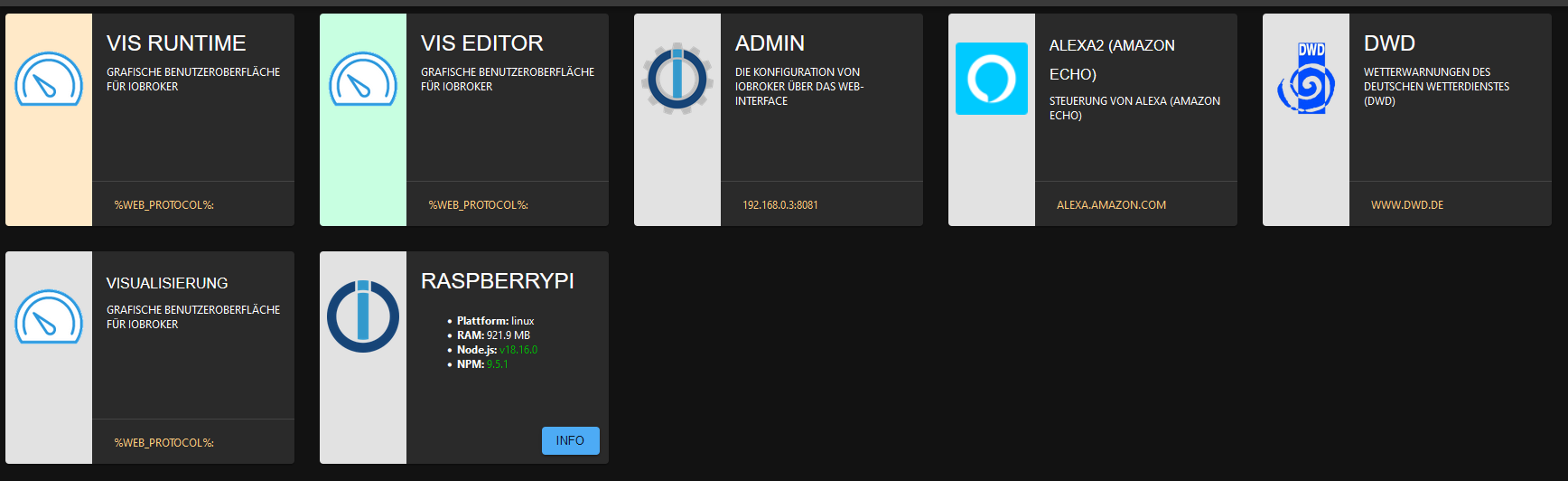
Click ich drauf.
URIError: Failed to decode param '%web_protocol%://%web_bind%:%web_port%/vis/index.html' at decodeURIComponent (<anonymous>) at decode_param (/opt/iobroker/node_modules/express/lib/router/layer.js:172:12) at Layer.match (/opt/iobroker/node_modules/express/lib/router/layer.js:148:15) at matchLayer (/opt/iobroker/node_modules/express/lib/router/index.js:585:18) at next (/opt/iobroker/node_modules/express/lib/router/index.js:226:15) at compression (/opt/iobroker/node_modules/compression/index.js:220:5) at Layer.handle [as handle_request] (/opt/iobroker/node_modules/express/lib/router/layer.js:95:5) at trim_prefix (/opt/iobroker/node_modules/express/lib/router/index.js:328:13) at /opt/iobroker/node_modules/express/lib/router/index.js:286:9 at Function.process_params (/opt/iobroker/node_modules/express/lib/router/index.js:346:12) -
Hab jetzt VIS & HabPanel als Instanz und Objekt entfernt und auch die Reste in den Ordnern files und node_modules gelöscht. Habe dann VIS neu installiert.
und wieder...
Click ich drauf.
URIError: Failed to decode param '%web_protocol%://%web_bind%:%web_port%/vis/index.html' at decodeURIComponent (<anonymous>) at decode_param (/opt/iobroker/node_modules/express/lib/router/layer.js:172:12) at Layer.match (/opt/iobroker/node_modules/express/lib/router/layer.js:148:15) at matchLayer (/opt/iobroker/node_modules/express/lib/router/index.js:585:18) at next (/opt/iobroker/node_modules/express/lib/router/index.js:226:15) at compression (/opt/iobroker/node_modules/compression/index.js:220:5) at Layer.handle [as handle_request] (/opt/iobroker/node_modules/express/lib/router/layer.js:95:5) at trim_prefix (/opt/iobroker/node_modules/express/lib/router/index.js:328:13) at /opt/iobroker/node_modules/express/lib/router/index.js:286:9 at Function.process_params (/opt/iobroker/node_modules/express/lib/router/index.js:346:12)@sebi_7_6 Einstellung deines web Adapters?


845
Online32.6k
Users82.2k
Topics1.3m
Posts