
NEWS




[Vorstellung] Meine zweite Visualisierung
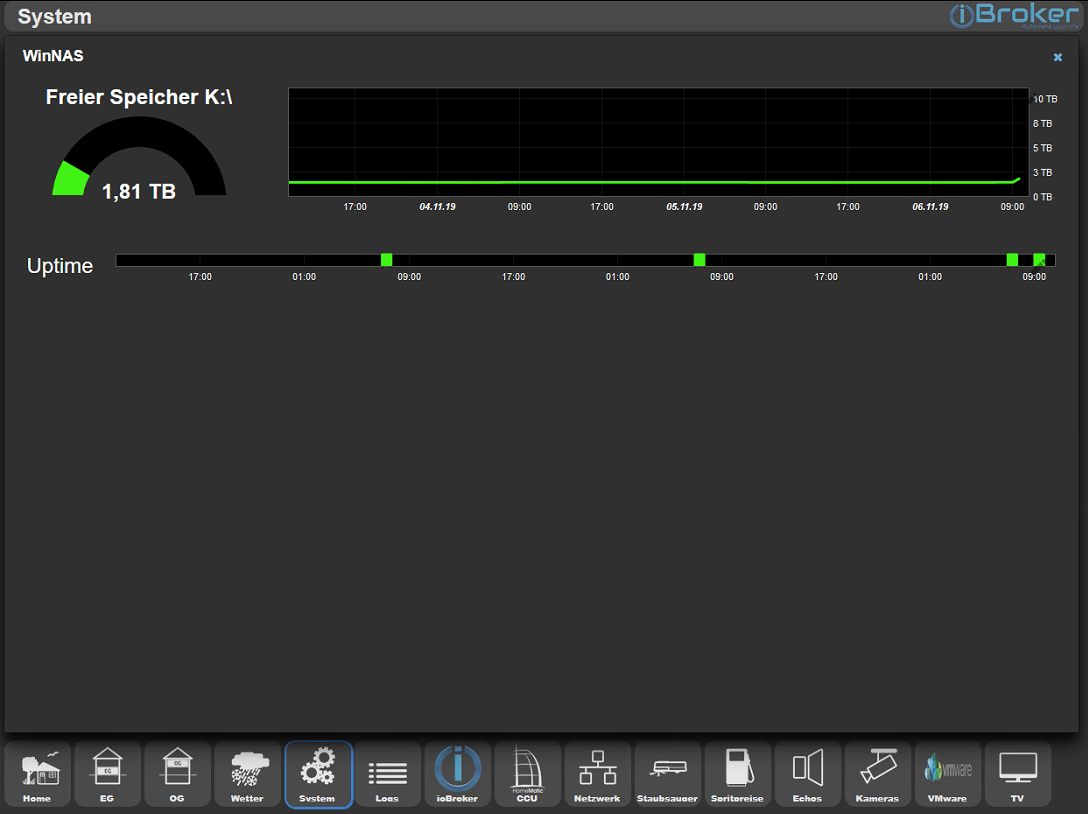
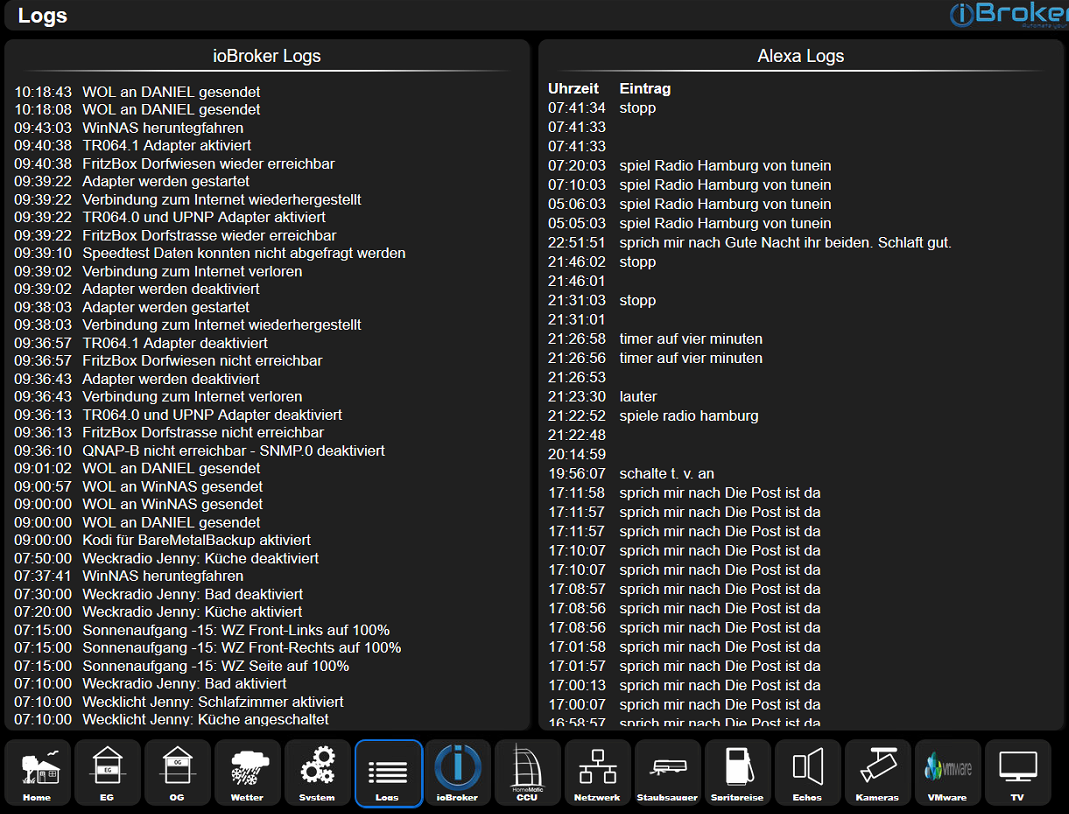
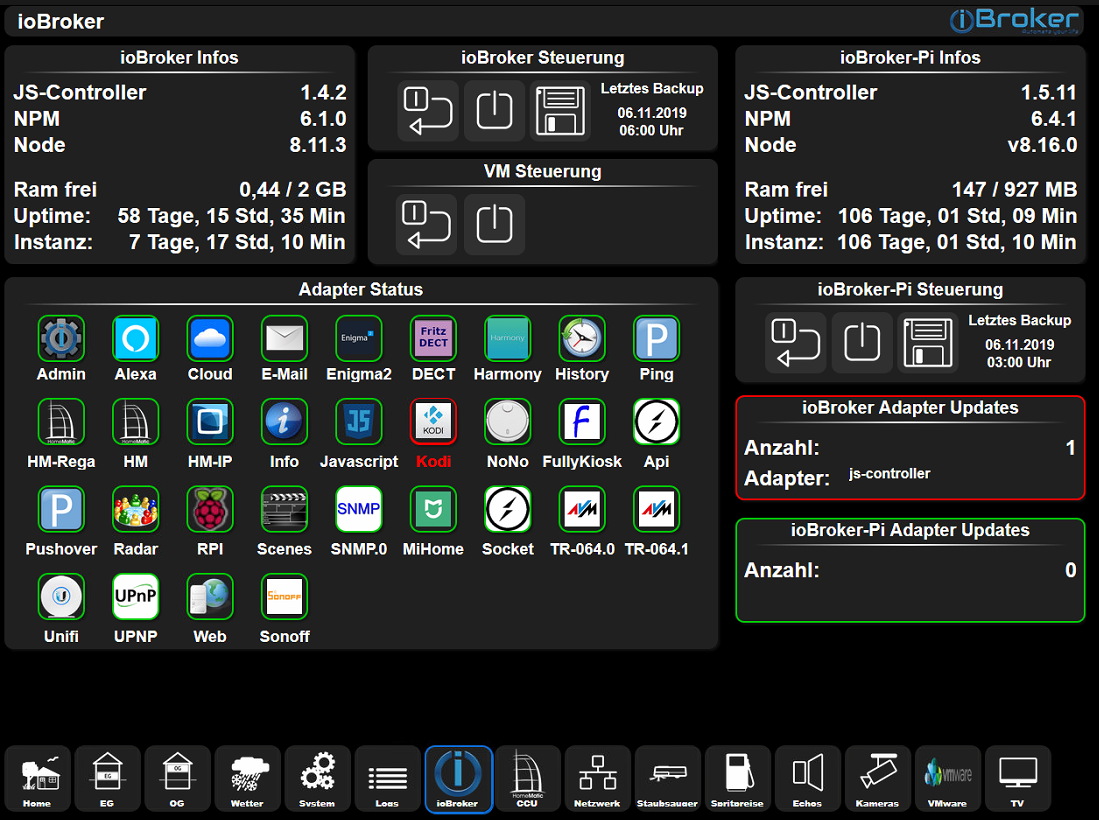
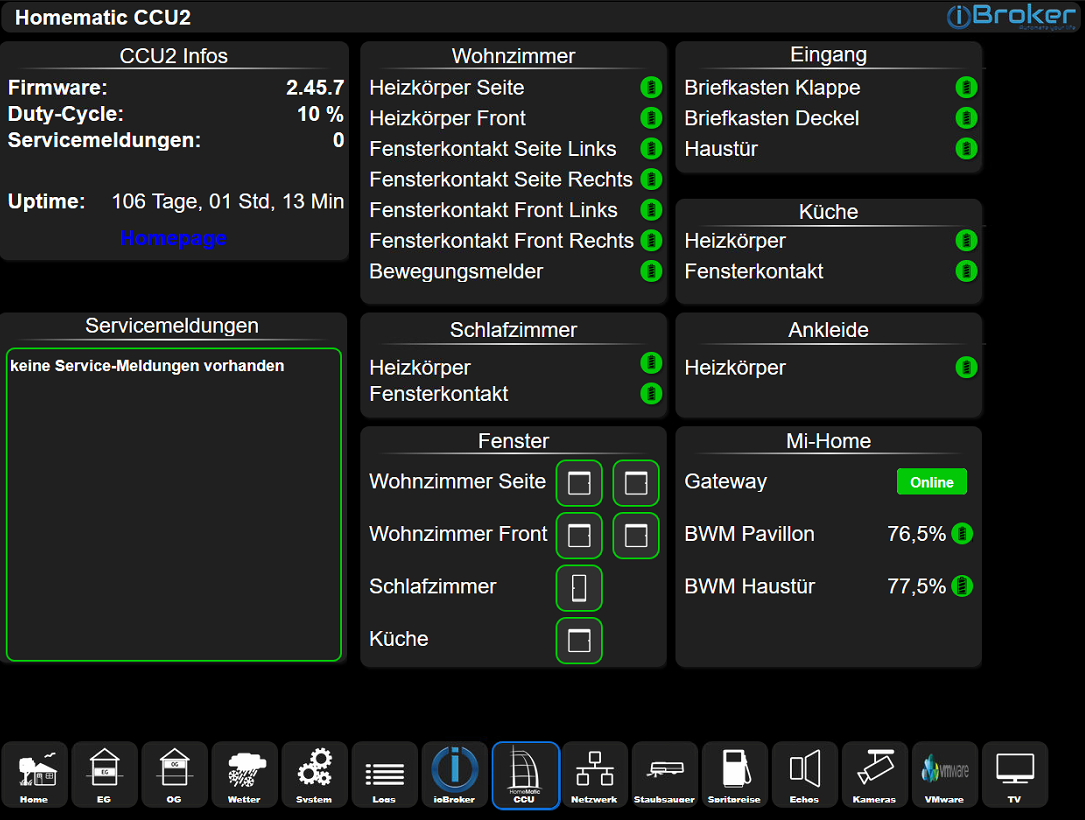
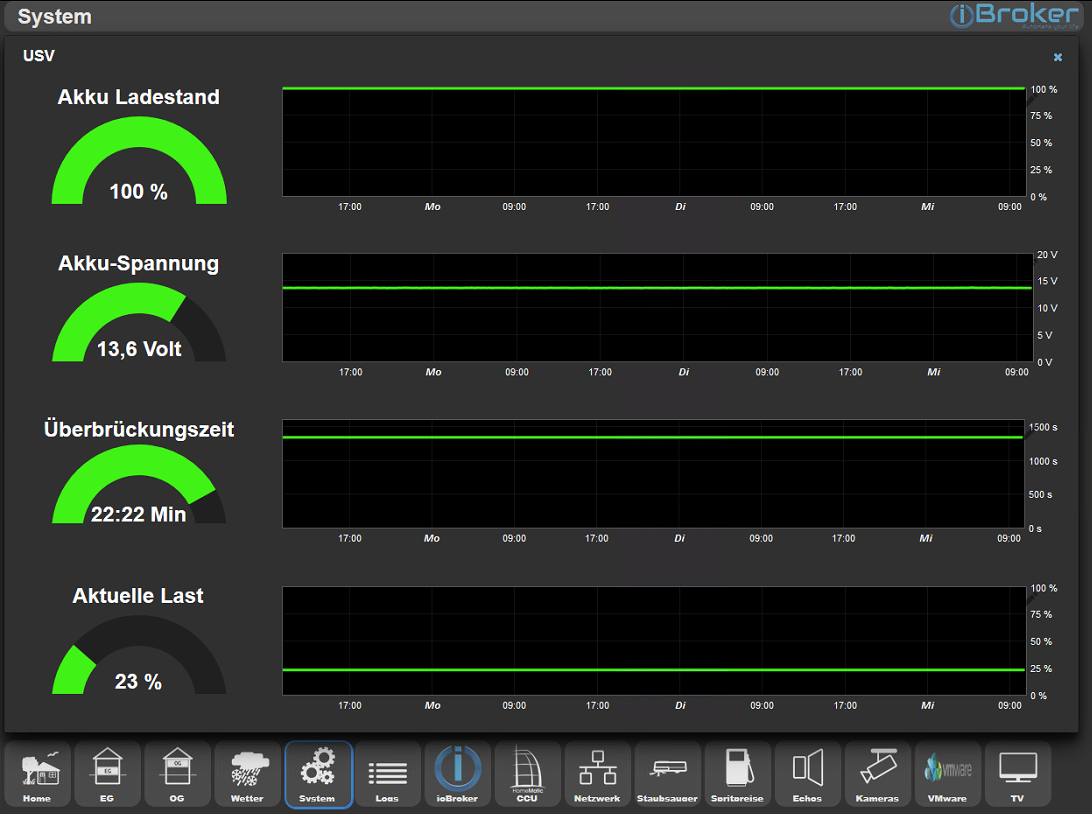
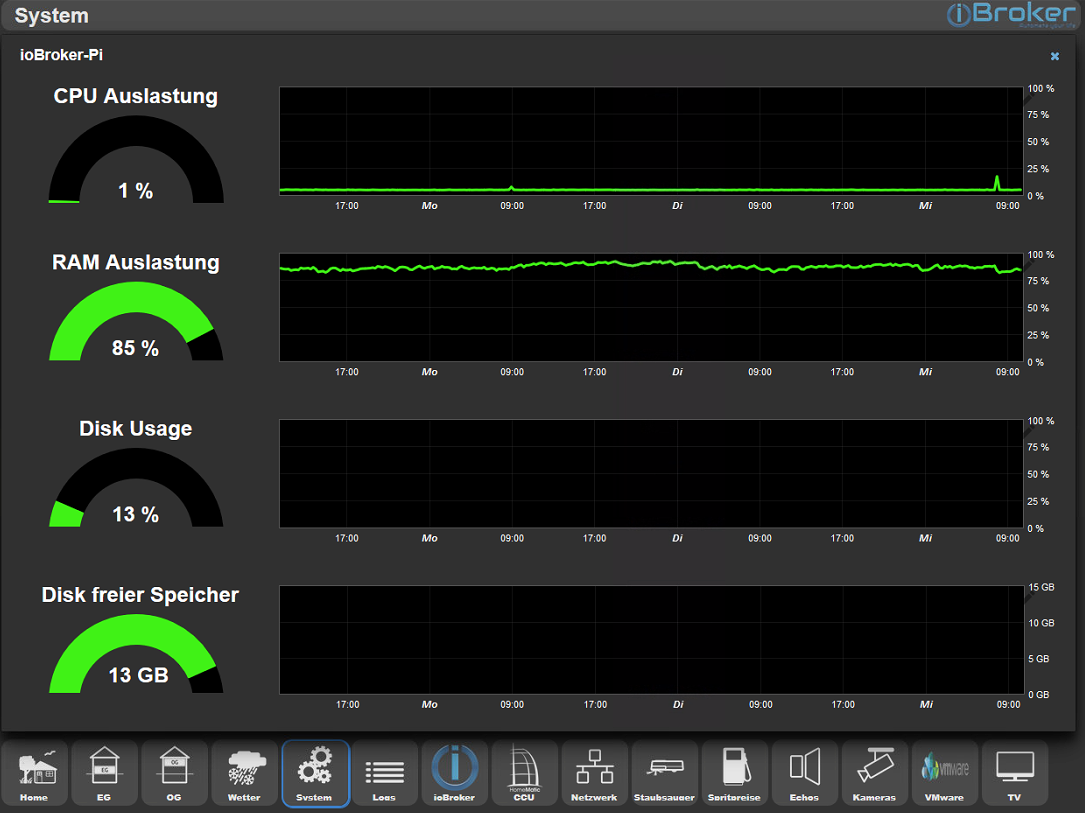
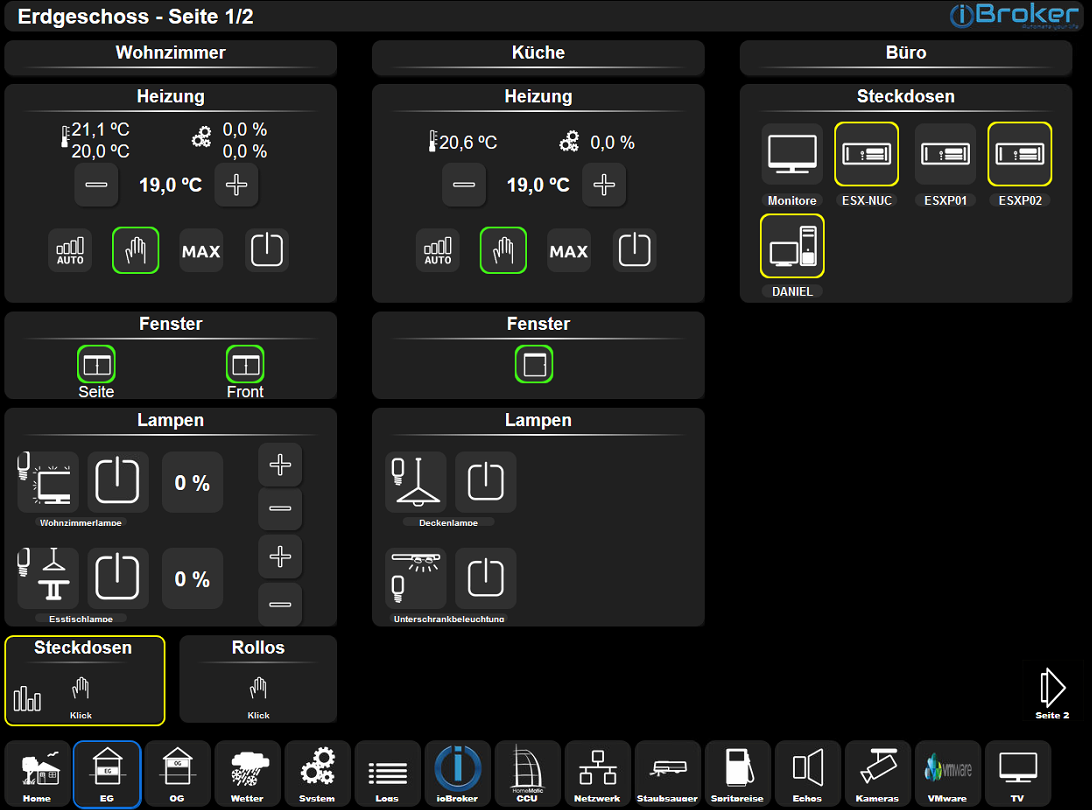
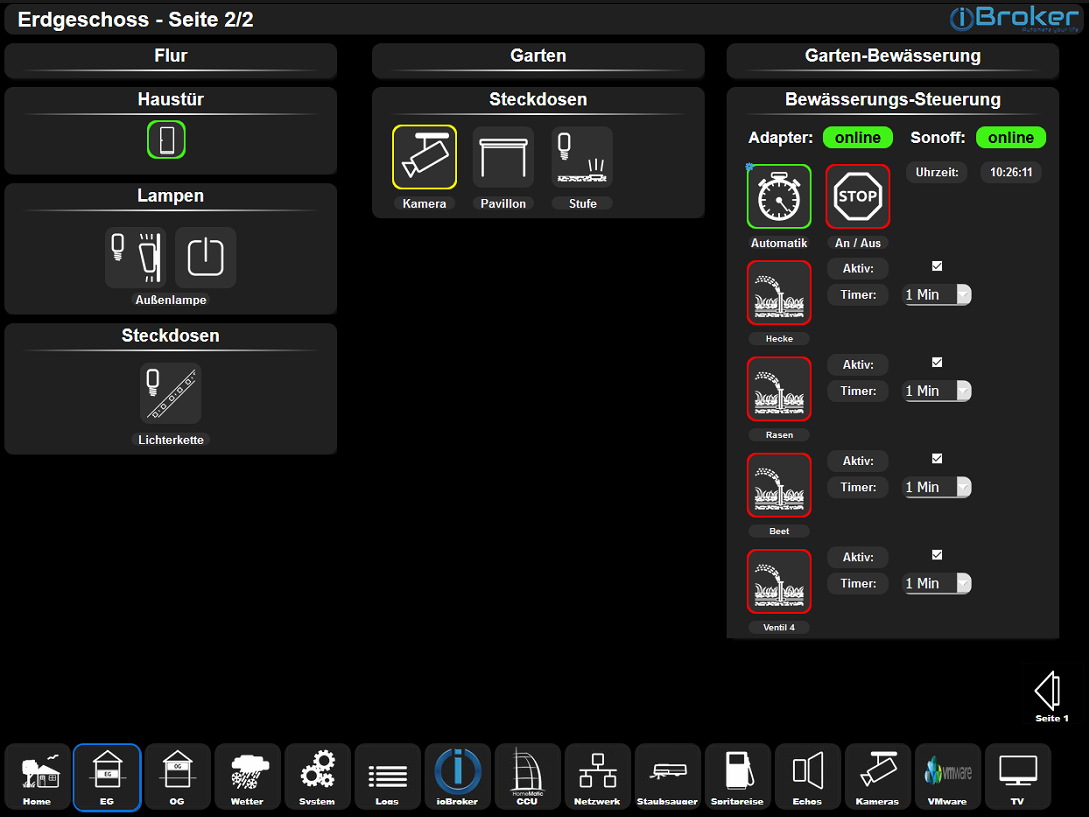
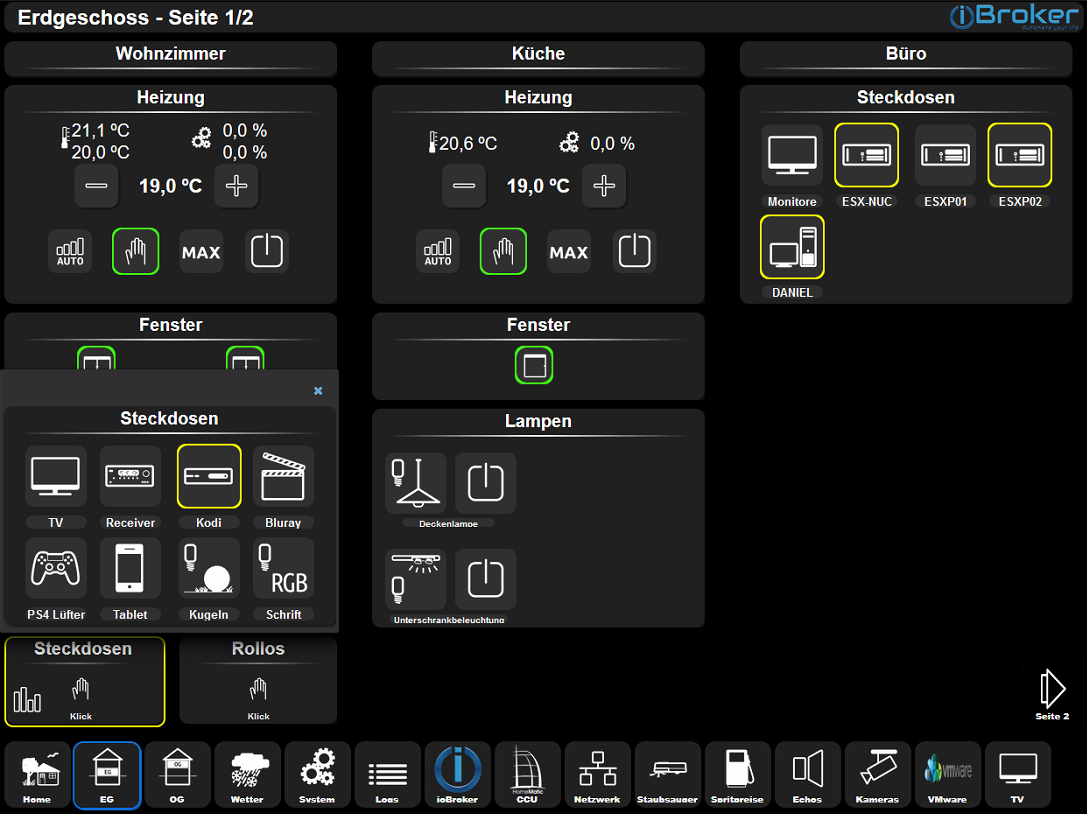
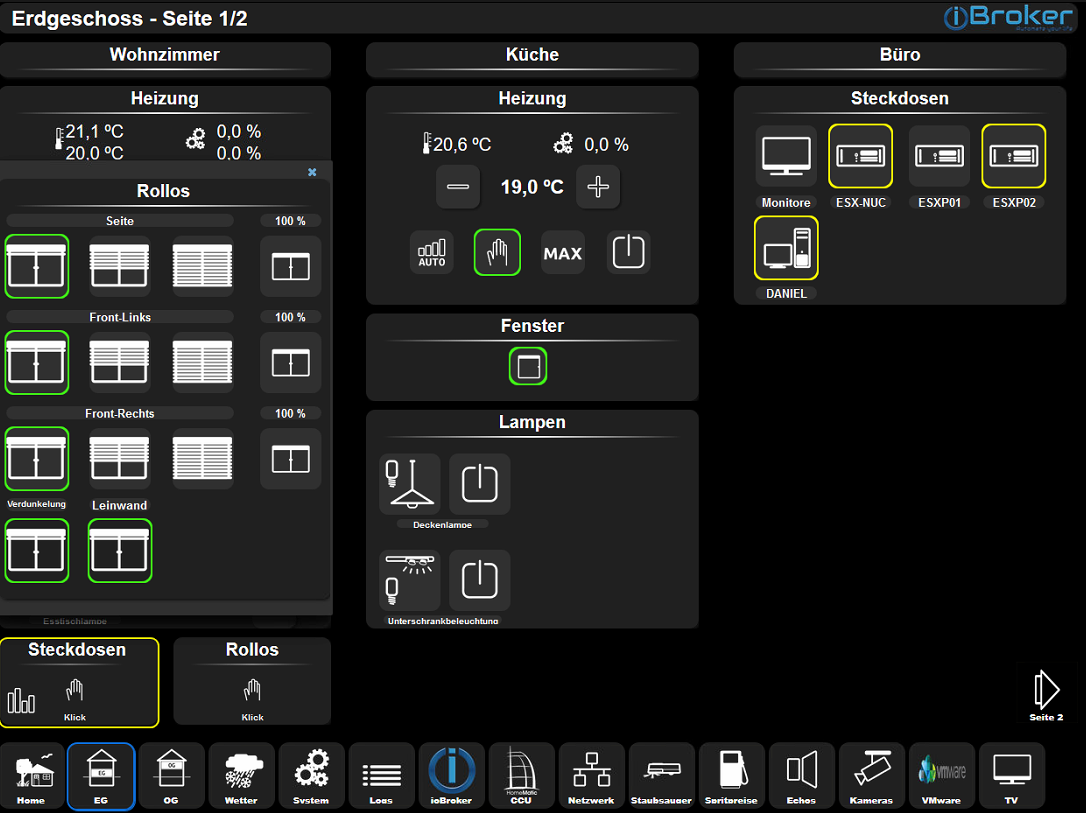
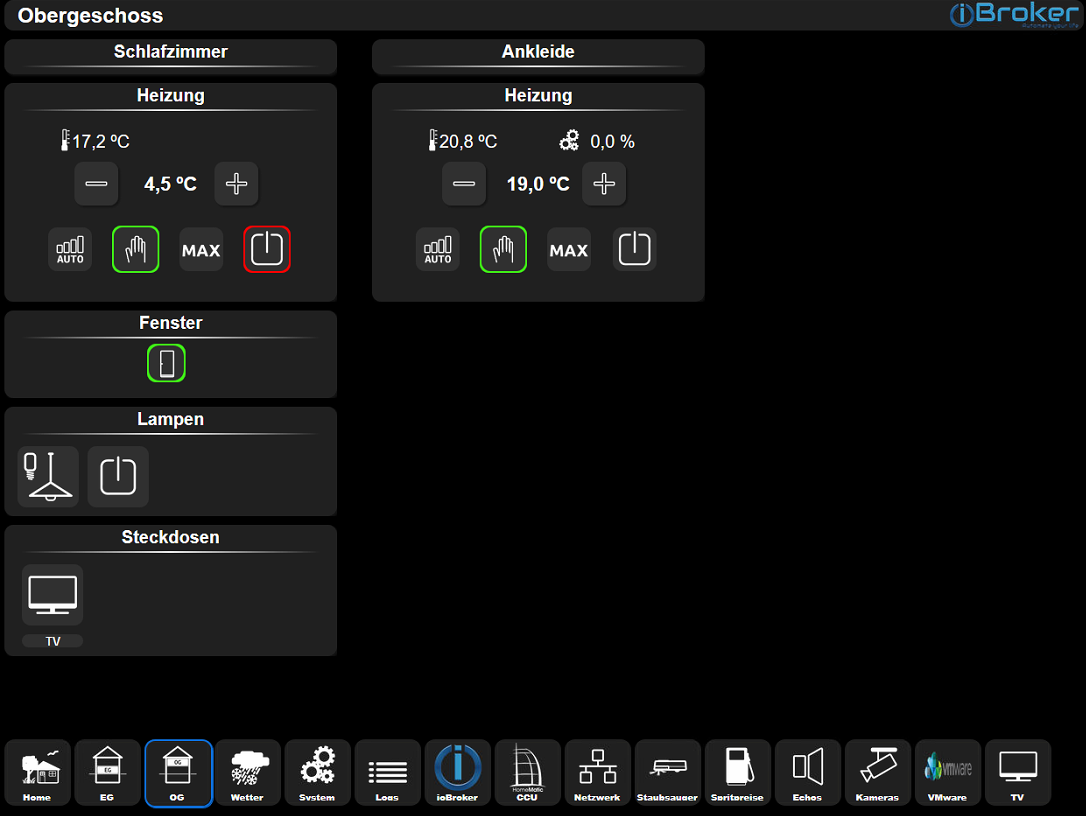
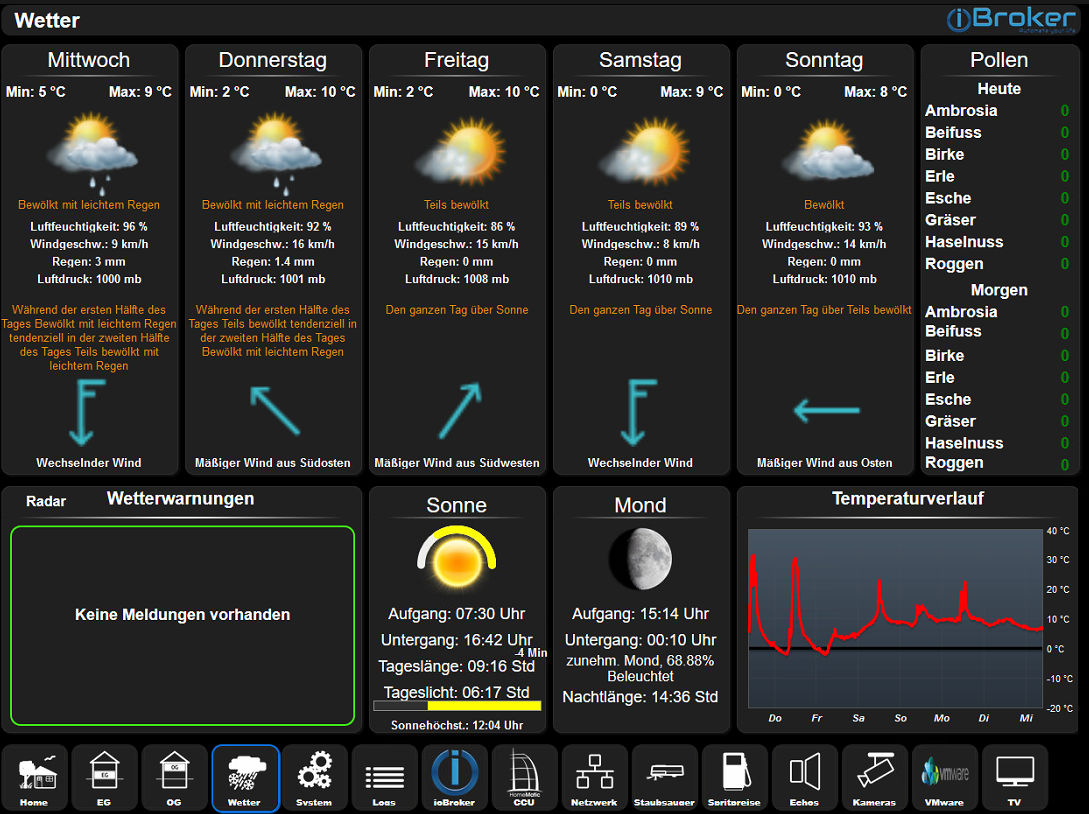
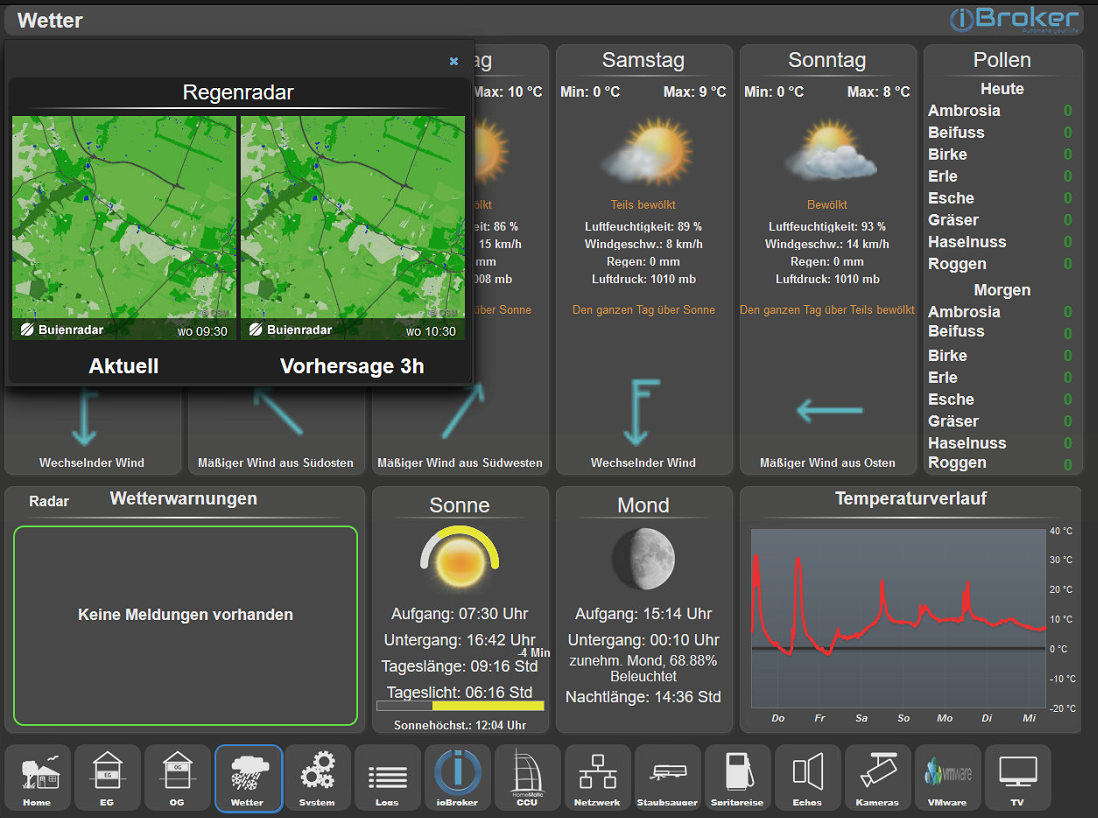
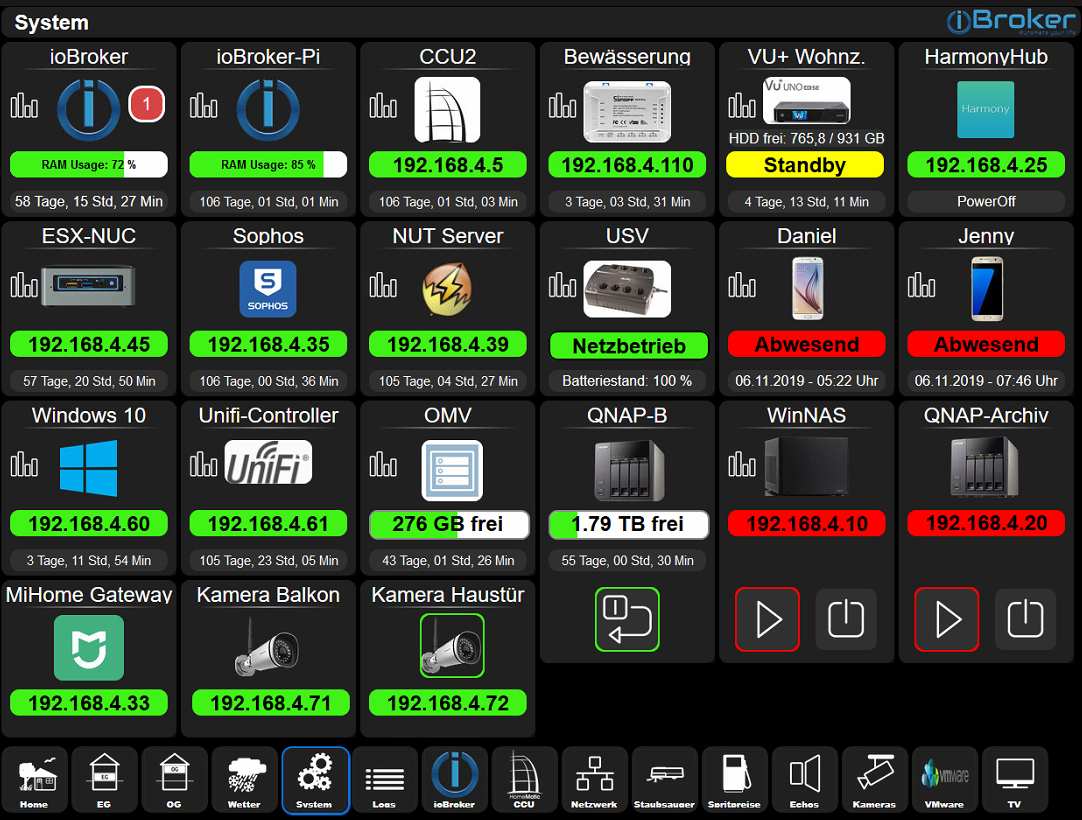
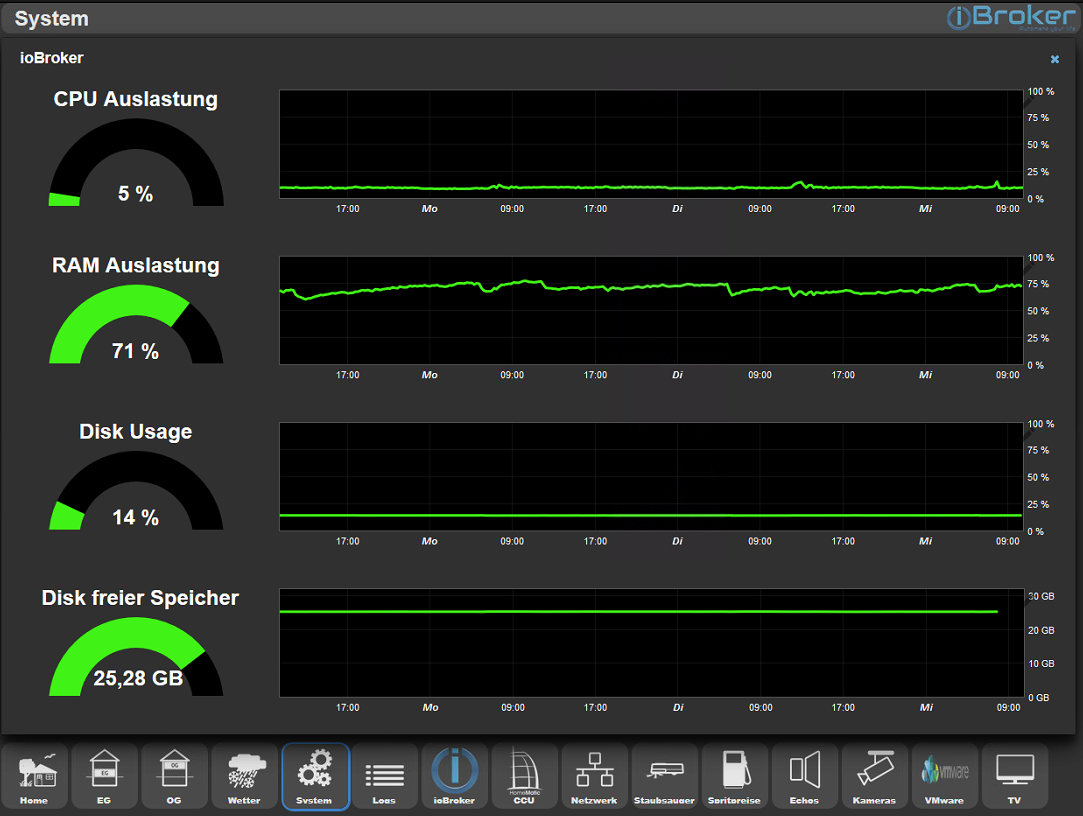
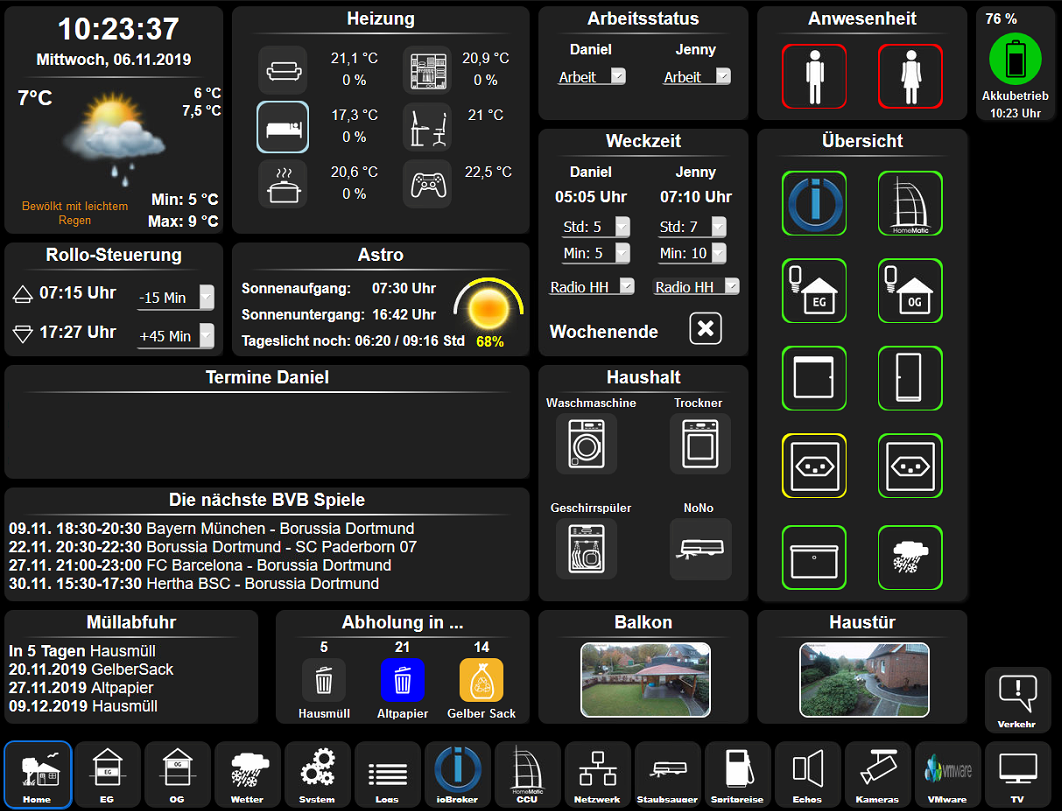
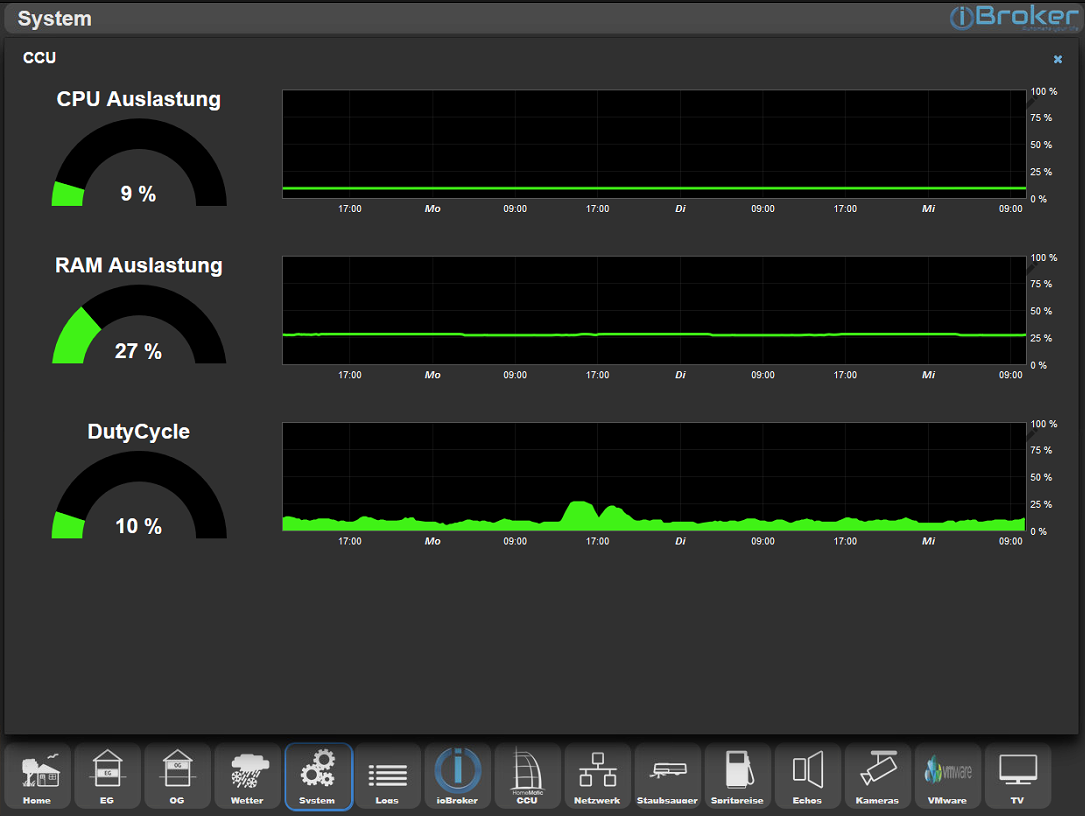
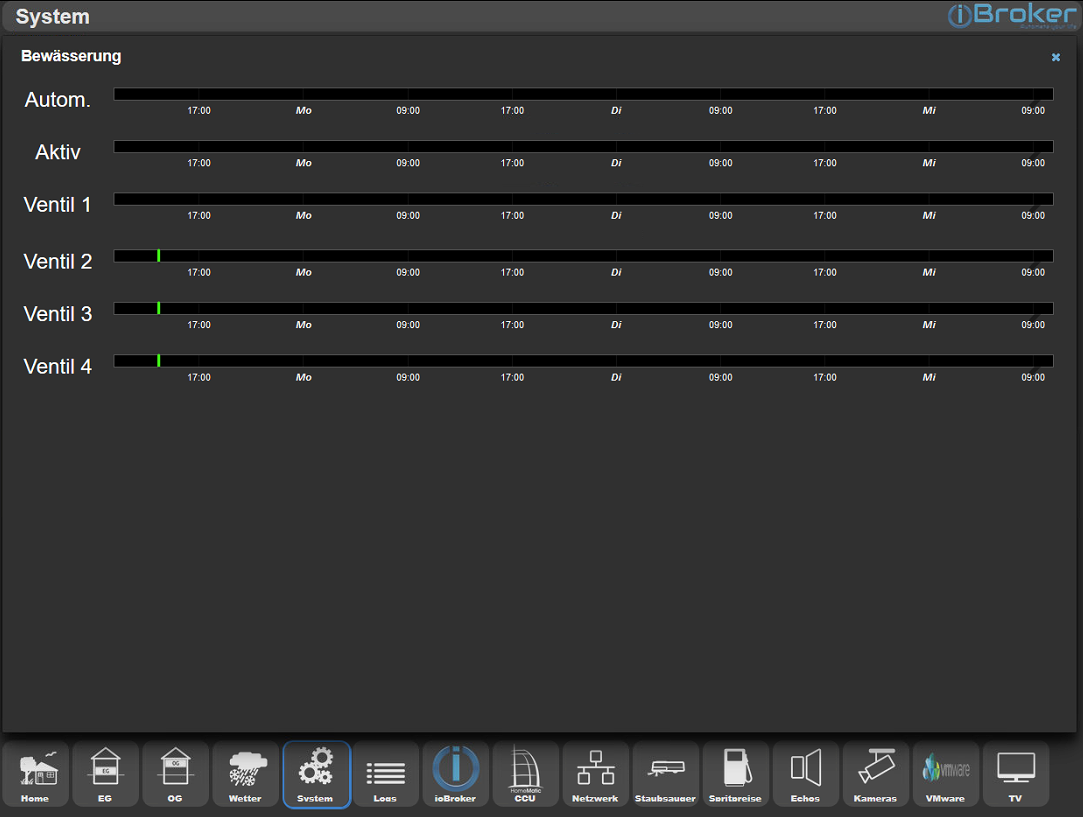
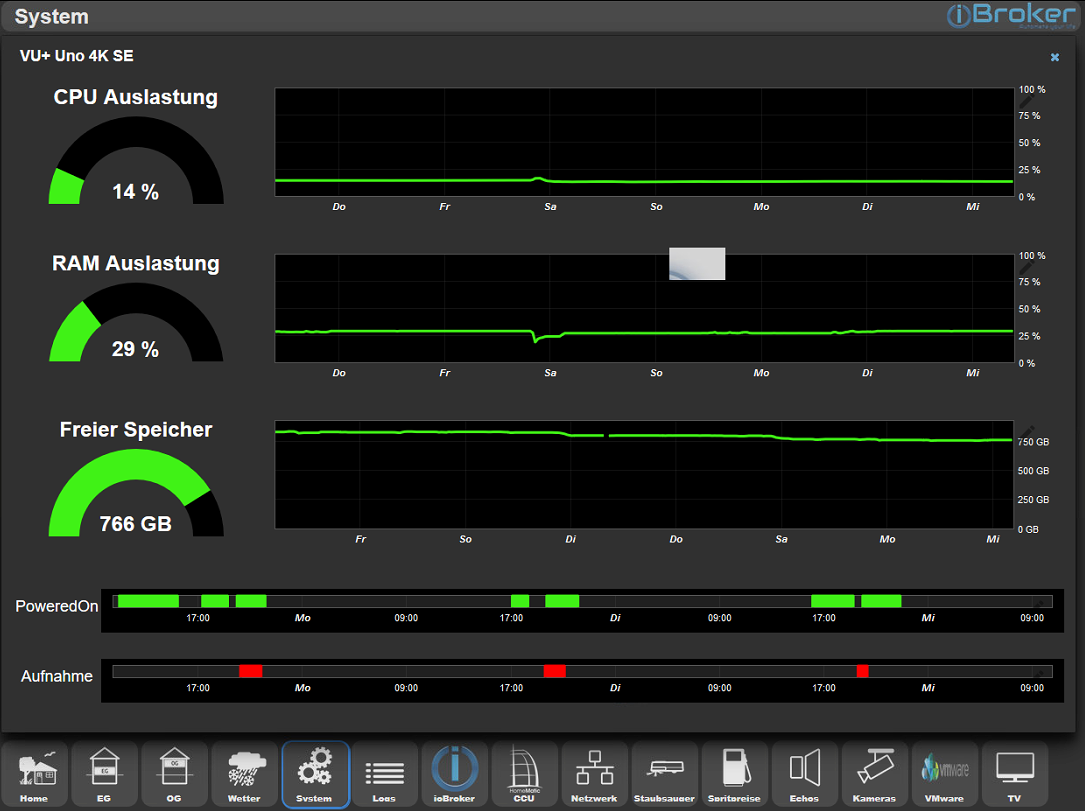
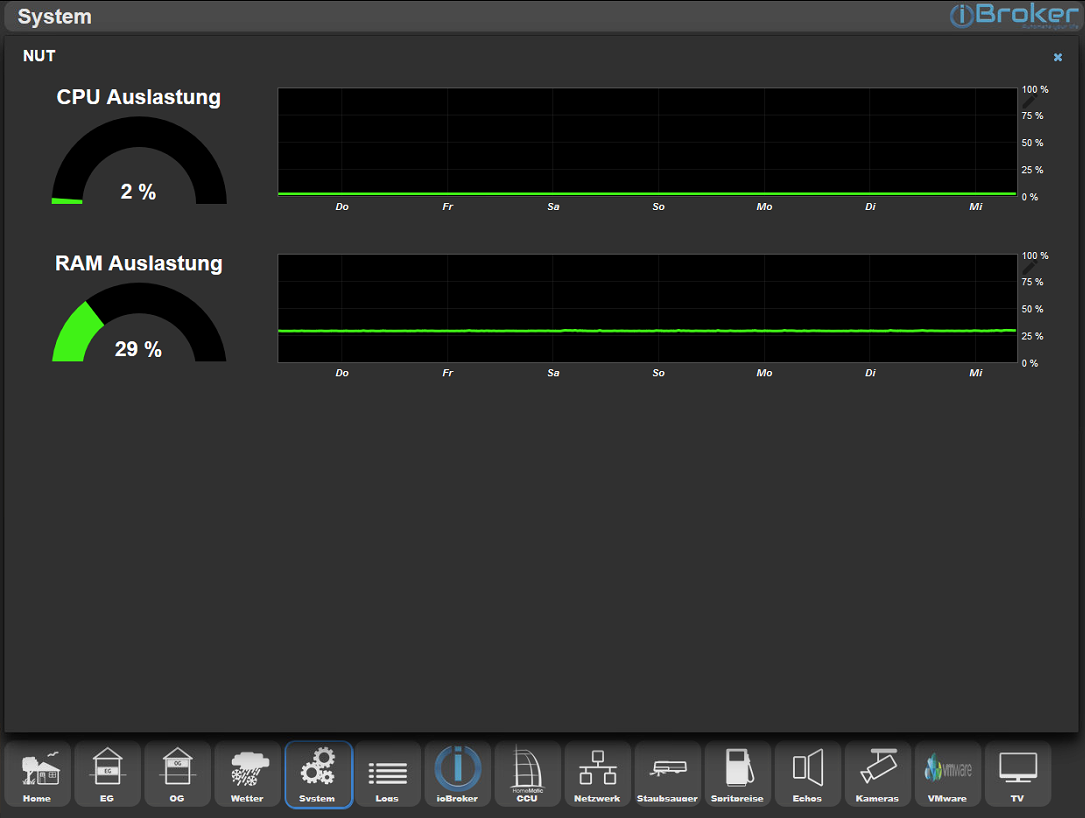
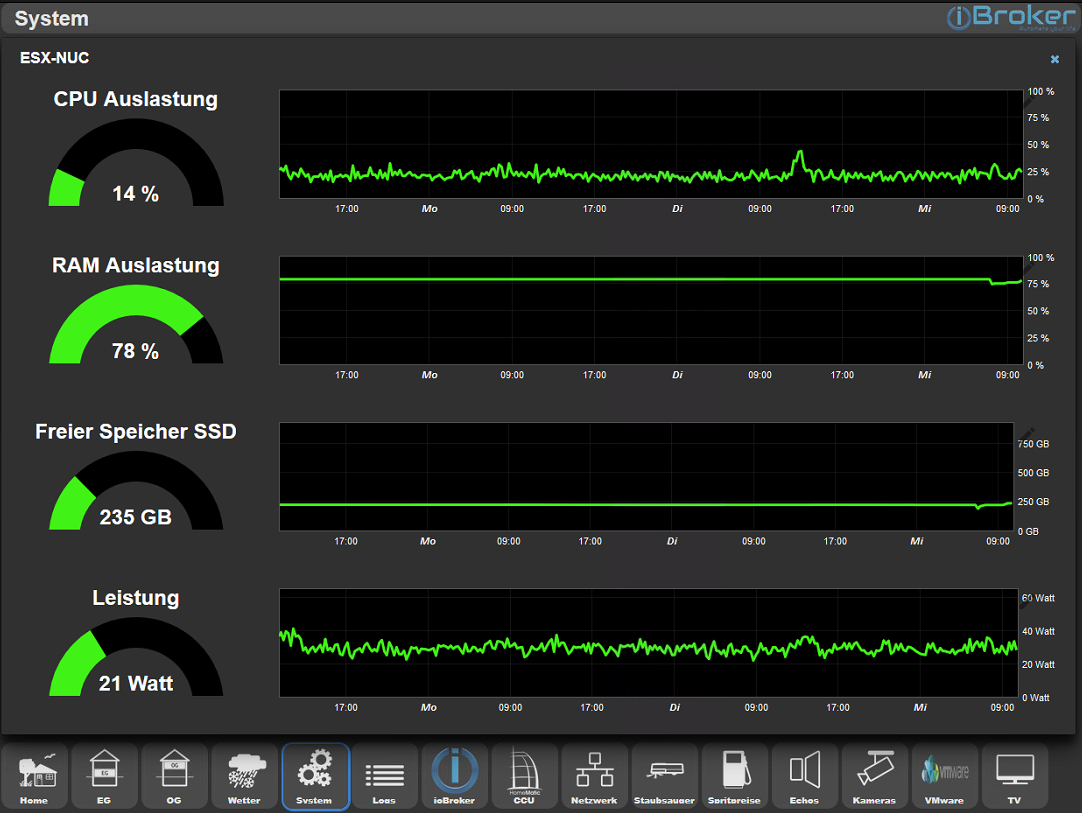
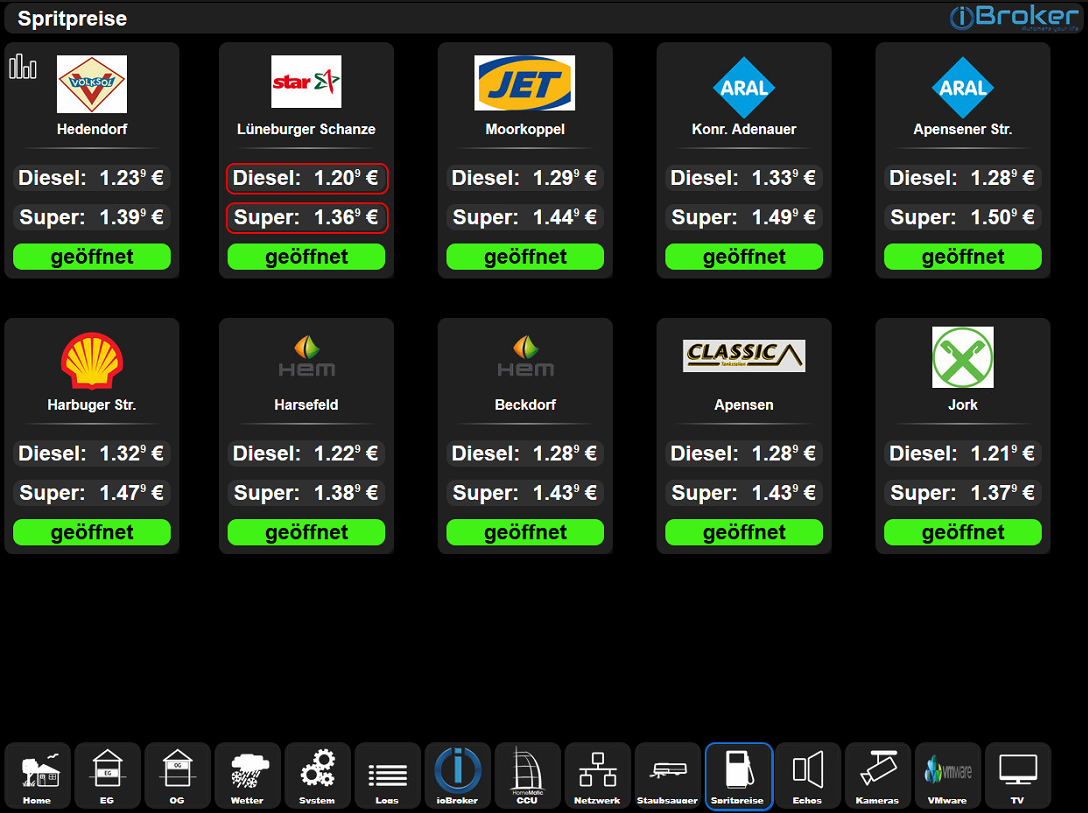
-
@Glasfaser hierzu habe ich auch eine Frage. Wenn ich Simple-SSH zum JavaScript hinzufüge, gibt es Fehler und es kann nicht installiert werden. Was kann ich hier noch machen?
-
@cTech sagte in [Vorstellung] Meine zweite Visualisierung:
Was kann ich hier noch machen?
Das Log davon hier posten !
javascript.0 2020-04-10 16:20:04.151 info (32676) received all objects javascript.0 2020-04-10 16:20:02.829 info (32676) received all states host.ioBroker 2020-04-10 16:20:01.872 info instance system.adapter.dwd.0 started with pid 626 javascript.0 2020-04-10 16:19:58.028 info (32676) requesting all objects javascript.0 2020-04-10 16:19:58.024 info (32676) requesting all states javascript.0 2020-04-10 16:19:57.952 error (32676) Cannot install npm packet: Simple-ssh javascript.0 2020-04-10 16:19:57.951 error (32676) Cannot install Simple-ssh: 1 javascript.0 2020-04-10 16:19:57.935 error (32676) npm ERR! A complete log of this run can be found in: npm ERR! /home/iobroker/.npm/_logs/2020-04-10T14_19_57_533Z-debug.log javascript.0 2020-04-10 16:19:57.933 error (32676) javascript.0 2020-04-10 16:19:57.530 error (32676) 404 Note that you can also install from a npm ERR! 404 tarball, folder, http url, or git url. javascript.0 2020-04-10 16:19:57.528 error (32676) npm ERR! 404 Your package name is not valid, because npm ERR! 404 1. name can no longer contain capital letters npm ERR! 404 npm ERR! javascript.0 2020-04-10 16:19:57.526 error (32676) 404 Not Found - GET https://registry.npmjs.org/Simple-ssh - Not found npm ERR! 404 npm ERR! 404 'Simple-ssh@latest' is not in the npm registry. javascript.0 2020-04-10 16:19:57.524 error (32676) npm ERR! javascript.0 2020-04-10 16:19:57.516 error (32676) ERR! code E404 javascript.0 2020-04-10 16:19:57.514 error (32676) npm javascript.0 2020-04-10 16:19:54.780 info (32676) npm install Simple-ssh --production --prefix "/opt/iobroker/node_modules/iobroker.javascript" (System call) javascript.0 2020-04-10 16:19:54.780 error (32676) Cannot install Simple-ssh: 1 javascript.0 2020-04-10 16:19:54.770 error (32676) npm ERR! A complete log of this run can be found in: npm ERR! /home/iobroker/.npm/_logs/2020-04-10T14_19_54_381Z-debug.log javascript.0 2020-04-10 16:19:54.378 error (32676) Your package name is not valid, because npm ERR! 404 1. name can no longer contain capital letters npm ERR! 404 npm ERR! 404 Note that you can also install from a npm ERR! 404 tarball, fol javascript.0 2020-04-10 16:19:54.375 error (32676) Not Found - GET https://registry.npmjs.org/Simple-ssh - Not found npm ERR! 404 npm ERR! 404 'Simple-ssh@latest' is not in the npm registry. npm ERR! 404 javascript.0 2020-04-10 16:19:54.373 error (32676) npm ERR! 404 javascript.0 2020-04-10 16:19:54.367 error (32676) ERR! code E404 javascript.0 2020-04-10 16:19:54.365 error (32676) npm javascript.0 2020-04-10 16:19:49.391 info (32676) npm install Simple-ssh --production --prefix "/opt/iobroker/node_modules/iobroker.javascript" (System call) javascript.0 2020-04-10 16:19:49.390 error (32676) Cannot install Simple-ssh: 1 javascript.0 2020-04-10 16:19:49.381 error (32676) npm ERR! A complete log of this run can be found in: npm ERR! /home/iobroker/.npm/_logs/2020-04-10T14_19_49_369Z-debug.log javascript.0 2020-04-10 16:19:49.379 error (32676) javascript.0 2020-04-10 16:19:49.367 error (32676) 404 Your package name is not valid, because npm ERR! 404 1. name can no longer contain capital letters npm ERR! 404 npm ERR! 404 Note that you can also install from a npm ERR! 404 tarball, javascript.0 2020-04-10 16:19:49.366 error (32676) ERR! 404 Not Found - GET https://registry.npmjs.org/Simple-ssh - Not found npm ERR! 404 npm ERR! 404 'Simple-ssh@latest' is not in the npm registry. npm ERR! javascript.0 2020-04-10 16:19:49.364 error (32676) npm javascript.0 2020-04-10 16:19:49.362 error (32676) npm ERR! code E404 host.ioBroker 2020-04-10 16:19:38.680 info instance system.adapter.javascript.0 started with pid 32676 host.ioBroker 2020-04-10 16:19:36.793 info instance system.adapter.javascript.0 terminated with code 156 (156) -
javascript.0 2020-04-10 16:20:04.151 info (32676) received all objects javascript.0 2020-04-10 16:20:02.829 info (32676) received all states host.ioBroker 2020-04-10 16:20:01.872 info instance system.adapter.dwd.0 started with pid 626 javascript.0 2020-04-10 16:19:58.028 info (32676) requesting all objects javascript.0 2020-04-10 16:19:58.024 info (32676) requesting all states javascript.0 2020-04-10 16:19:57.952 error (32676) Cannot install npm packet: Simple-ssh javascript.0 2020-04-10 16:19:57.951 error (32676) Cannot install Simple-ssh: 1 javascript.0 2020-04-10 16:19:57.935 error (32676) npm ERR! A complete log of this run can be found in: npm ERR! /home/iobroker/.npm/_logs/2020-04-10T14_19_57_533Z-debug.log javascript.0 2020-04-10 16:19:57.933 error (32676) javascript.0 2020-04-10 16:19:57.530 error (32676) 404 Note that you can also install from a npm ERR! 404 tarball, folder, http url, or git url. javascript.0 2020-04-10 16:19:57.528 error (32676) npm ERR! 404 Your package name is not valid, because npm ERR! 404 1. name can no longer contain capital letters npm ERR! 404 npm ERR! javascript.0 2020-04-10 16:19:57.526 error (32676) 404 Not Found - GET https://registry.npmjs.org/Simple-ssh - Not found npm ERR! 404 npm ERR! 404 'Simple-ssh@latest' is not in the npm registry. javascript.0 2020-04-10 16:19:57.524 error (32676) npm ERR! javascript.0 2020-04-10 16:19:57.516 error (32676) ERR! code E404 javascript.0 2020-04-10 16:19:57.514 error (32676) npm javascript.0 2020-04-10 16:19:54.780 info (32676) npm install Simple-ssh --production --prefix "/opt/iobroker/node_modules/iobroker.javascript" (System call) javascript.0 2020-04-10 16:19:54.780 error (32676) Cannot install Simple-ssh: 1 javascript.0 2020-04-10 16:19:54.770 error (32676) npm ERR! A complete log of this run can be found in: npm ERR! /home/iobroker/.npm/_logs/2020-04-10T14_19_54_381Z-debug.log javascript.0 2020-04-10 16:19:54.378 error (32676) Your package name is not valid, because npm ERR! 404 1. name can no longer contain capital letters npm ERR! 404 npm ERR! 404 Note that you can also install from a npm ERR! 404 tarball, fol javascript.0 2020-04-10 16:19:54.375 error (32676) Not Found - GET https://registry.npmjs.org/Simple-ssh - Not found npm ERR! 404 npm ERR! 404 'Simple-ssh@latest' is not in the npm registry. npm ERR! 404 javascript.0 2020-04-10 16:19:54.373 error (32676) npm ERR! 404 javascript.0 2020-04-10 16:19:54.367 error (32676) ERR! code E404 javascript.0 2020-04-10 16:19:54.365 error (32676) npm javascript.0 2020-04-10 16:19:49.391 info (32676) npm install Simple-ssh --production --prefix "/opt/iobroker/node_modules/iobroker.javascript" (System call) javascript.0 2020-04-10 16:19:49.390 error (32676) Cannot install Simple-ssh: 1 javascript.0 2020-04-10 16:19:49.381 error (32676) npm ERR! A complete log of this run can be found in: npm ERR! /home/iobroker/.npm/_logs/2020-04-10T14_19_49_369Z-debug.log javascript.0 2020-04-10 16:19:49.379 error (32676) javascript.0 2020-04-10 16:19:49.367 error (32676) 404 Your package name is not valid, because npm ERR! 404 1. name can no longer contain capital letters npm ERR! 404 npm ERR! 404 Note that you can also install from a npm ERR! 404 tarball, javascript.0 2020-04-10 16:19:49.366 error (32676) ERR! 404 Not Found - GET https://registry.npmjs.org/Simple-ssh - Not found npm ERR! 404 npm ERR! 404 'Simple-ssh@latest' is not in the npm registry. npm ERR! javascript.0 2020-04-10 16:19:49.364 error (32676) npm javascript.0 2020-04-10 16:19:49.362 error (32676) npm ERR! code E404 host.ioBroker 2020-04-10 16:19:38.680 info instance system.adapter.javascript.0 started with pid 32676 host.ioBroker 2020-04-10 16:19:36.793 info instance system.adapter.javascript.0 terminated with code 156 (156) -
Laut Log erreicht er die URL nicht ( error 404 )!!!
Gehen sonst alle Update´s ??
Text Edit:
Error bezog sich auf URL https://registry.npmjs.org ....@Glasfaser jetzt geht es. Habe neu gestartet und nochmal ein paar sachen probiert.
Beim Script für die Abfragen geht es auch alles soweit aber ich bekomme jetzt diese Fehler...
javascript.0 2020-04-11 14:41:46.605 warn (2639) at Timer.processTimers (timers.js:223:10) javascript.0 2020-04-11 14:41:46.605 warn (2639) at listOnTimeout (timers.js:263:5) javascript.0 2020-04-11 14:41:46.604 warn (2639) at tryOnTimeout (timers.js:300:5) javascript.0 2020-04-11 14:41:46.604 warn (2639) at ontimeout (timers.js:438:13) javascript.0 2020-04-11 14:41:46.603 warn (2639) at Timeout._onTimeout (/opt/iobroker/node_modules/iobroker.javascript/lib/sandbox.js:1460:29) javascript.0 2020-04-11 14:41:46.603 warn (2639) at Object.setState (/opt/iobroker/node_modules/iobroker.javascript/lib/sandbox.js:1404:20) javascript.0 2020-04-11 14:41:46.601 warn (2639) You are assigning a object to the state "javascript.0.Adapter.Adapter1.Connected" which expects a number. Please fix your code to use a number or change the state type to object. This warning m javascript.0 2020-04-11 14:41:46.589 warn (2639) at Timer.processTimers (timers.js:223:10) javascript.0 2020-04-11 14:41:46.589 warn (2639) at listOnTimeout (timers.js:263:5) javascript.0 2020-04-11 14:41:46.589 warn (2639) at tryOnTimeout (timers.js:300:5) javascript.0 2020-04-11 14:41:46.588 warn (2639) at ontimeout (timers.js:438:13) javascript.0 2020-04-11 14:41:46.588 warn (2639) at Timeout._onTimeout (/opt/iobroker/node_modules/iobroker.javascript/lib/sandbox.js:1460:29) javascript.0 2020-04-11 14:41:46.588 warn (2639) at Object.setState (/opt/iobroker/node_modules/iobroker.javascript/lib/sandbox.js:1404:20) javascript.0 2020-04-11 14:41:46.579 warn (2639) You are assigning a object to the state "javascript.0.Adapter.Adapter1.Uptime" which expects a string. Please fix your code to use a string or change the state type to object. This warning migh javascript.0 2020-04-11 14:41:38.136 info (2639) script.js.java.abfragen.adapter_infos: registered 2 subscriptions and 0 schedules -
@Glasfaser jetzt geht es. Habe neu gestartet und nochmal ein paar sachen probiert.
Beim Script für die Abfragen geht es auch alles soweit aber ich bekomme jetzt diese Fehler...
javascript.0 2020-04-11 14:41:46.605 warn (2639) at Timer.processTimers (timers.js:223:10) javascript.0 2020-04-11 14:41:46.605 warn (2639) at listOnTimeout (timers.js:263:5) javascript.0 2020-04-11 14:41:46.604 warn (2639) at tryOnTimeout (timers.js:300:5) javascript.0 2020-04-11 14:41:46.604 warn (2639) at ontimeout (timers.js:438:13) javascript.0 2020-04-11 14:41:46.603 warn (2639) at Timeout._onTimeout (/opt/iobroker/node_modules/iobroker.javascript/lib/sandbox.js:1460:29) javascript.0 2020-04-11 14:41:46.603 warn (2639) at Object.setState (/opt/iobroker/node_modules/iobroker.javascript/lib/sandbox.js:1404:20) javascript.0 2020-04-11 14:41:46.601 warn (2639) You are assigning a object to the state "javascript.0.Adapter.Adapter1.Connected" which expects a number. Please fix your code to use a number or change the state type to object. This warning m javascript.0 2020-04-11 14:41:46.589 warn (2639) at Timer.processTimers (timers.js:223:10) javascript.0 2020-04-11 14:41:46.589 warn (2639) at listOnTimeout (timers.js:263:5) javascript.0 2020-04-11 14:41:46.589 warn (2639) at tryOnTimeout (timers.js:300:5) javascript.0 2020-04-11 14:41:46.588 warn (2639) at ontimeout (timers.js:438:13) javascript.0 2020-04-11 14:41:46.588 warn (2639) at Timeout._onTimeout (/opt/iobroker/node_modules/iobroker.javascript/lib/sandbox.js:1460:29) javascript.0 2020-04-11 14:41:46.588 warn (2639) at Object.setState (/opt/iobroker/node_modules/iobroker.javascript/lib/sandbox.js:1404:20) javascript.0 2020-04-11 14:41:46.579 warn (2639) You are assigning a object to the state "javascript.0.Adapter.Adapter1.Uptime" which expects a string. Please fix your code to use a string or change the state type to object. This warning migh javascript.0 2020-04-11 14:41:38.136 info (2639) script.js.java.abfragen.adapter_infos: registered 2 subscriptions and 0 schedulesSteht doch alles drin ... was du machen sollst !!
javascript.0 2020-04-11 14:41:46.601 warn (2639) You are assigning a object to the state "javascript.0.Adapter.Adapter1.Connected" which expects a number. Please fix your code to use a number or change the state type to object. This warning m javascript.0 2020-04-11 14:41:46.579 warn (2639) You are assigning a object to the state "javascript.0.Adapter.Adapter1.Uptime" which expects a string. Please fix your code to use a string or change the state type to object. This warning migh -
Steht doch alles drin ... was du machen sollst !!
javascript.0 2020-04-11 14:41:46.601 warn (2639) You are assigning a object to the state "javascript.0.Adapter.Adapter1.Connected" which expects a number. Please fix your code to use a number or change the state type to object. This warning m javascript.0 2020-04-11 14:41:46.579 warn (2639) You are assigning a object to the state "javascript.0.Adapter.Adapter1.Uptime" which expects a string. Please fix your code to use a string or change the state type to object. This warning migh -
@Glasfaser
Ich werde aber nicht schlau draus was ich machen soll. Ich finde im Code nichts mit Adapter1. Daher die Frage ;) Hast du noch einen Tip? ;)@cTech sagte in [Vorstellung] Meine zweite Visualisierung:
Ich finde im Code nichts mit Adapter1.
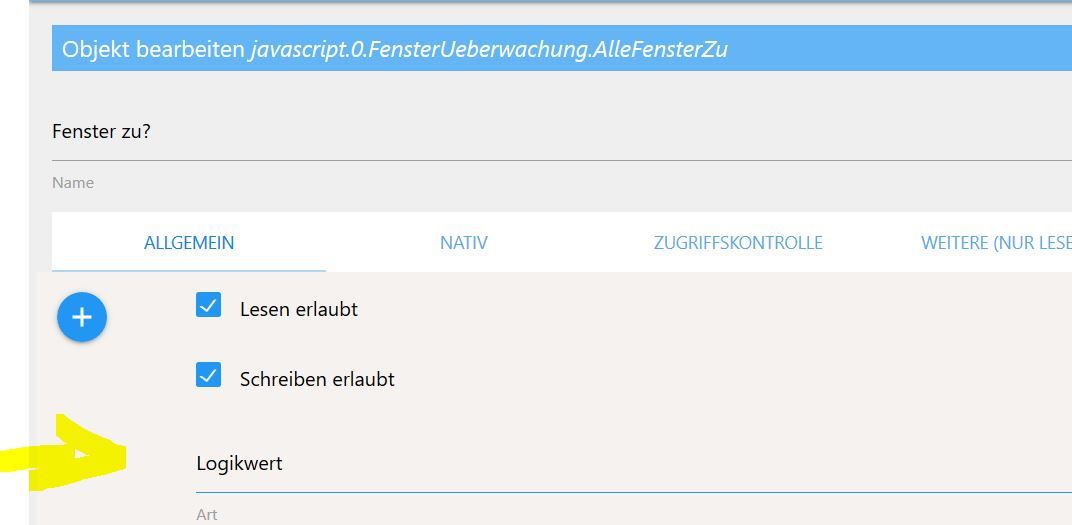
Nee .. nicht im Skript ... der Datenpunkt selber ist gemeint ...z.b . javascript.0.Adapter.Adapter1.Connected, den sollst du umstellen ..
hier dieser Punkt ist gemeint..
Beispiel :
-
@cTech sagte in [Vorstellung] Meine zweite Visualisierung:
Ich finde im Code nichts mit Adapter1.
Nee .. nicht im Skript ... der Datenpunkt selber ist gemeint ...z.b . javascript.0.Adapter.Adapter1.Connected, den sollst du umstellen ..
hier dieser Punkt ist gemeint..
Beispiel :
-
@Glasfaser
Das ist es nicht gewesen. Die sind so eingestellt wie die anderen Adapter Ordner. Dann kann wohl nur Kuddel als Skriptersteller weiterhelfen. Bei mir klappt das zumindest nicht.Die sind so eingestellt wie die anderen Adapter Ordner.
Die beiden Datenpunkt sind aber nicht von Kuddel , die dort als warn erscheinen !!!
Das Script selber ist im Ordner "abfragen" und das Script heißt : adapter_infos und das ist von Kuddel und das stellt fest ... das die Datenpunkte geändert werden sollen
Hast du es jetzt die beiden Datenpunkten geändert/angepasst , laut dem Log !?
-
Die sind so eingestellt wie die anderen Adapter Ordner.
Die beiden Datenpunkt sind aber nicht von Kuddel , die dort als warn erscheinen !!!
Das Script selber ist im Ordner "abfragen" und das Script heißt : adapter_infos und das ist von Kuddel und das stellt fest ... das die Datenpunkte geändert werden sollen
Hast du es jetzt die beiden Datenpunkten geändert/angepasst , laut dem Log !?
@Glasfaser
Ja auf object. Funktioniert nicht.Zeichenkette habe ich auch probiert.
-
@Glasfaser
Ja auf object. Funktioniert nicht.Zeichenkette habe ich auch probiert.
-
@cTech am besten mal alle objekte unter javascript.0.Adapter löschen, Skrippt stoppen, Javascript-Instanz stoppen und neustarten und das Skript auch wieder starten
Hmm ich geb es auf ;)
Ih versuche die Adapter anderweitig zu überwachen.Eine andere Frage...
Ich bekomme die DWD Warnungen in so einer komischen Uhrzeit; 1505156151855
Was kann man dagegen machen?
Auch bekomme ich öfters mal folgende Fehlermeldung:
no connection to objects DB
no connection to states DB
Kommt immer mal von unterschiedlichen Adaptern -
Hmm ich geb es auf ;)
Ih versuche die Adapter anderweitig zu überwachen.Eine andere Frage...
Ich bekomme die DWD Warnungen in so einer komischen Uhrzeit; 1505156151855
Was kann man dagegen machen?
Auch bekomme ich öfters mal folgende Fehlermeldung:
no connection to objects DB
no connection to states DB
Kommt immer mal von unterschiedlichen Adaptern@cTech sagte in [Vorstellung] Meine zweite Visualisierung:
Ich bekomme die DWD Warnungen in so einer komischen Uhrzeit; 1505156151855
für die VIs einfach das Widget "TimeValue" nehmen und entsprechend Konvertieren
@cTech sagte in [Vorstellung] Meine zweite Visualisierung:
no connection to objects DB
no connection to states DBhabe ich auch ab und zu. kümmere ich mich nicht weiter drum
-
@cTech sagte in [Vorstellung] Meine zweite Visualisierung:
Ich bekomme die DWD Warnungen in so einer komischen Uhrzeit; 1505156151855
für die VIs einfach das Widget "TimeValue" nehmen und entsprechend Konvertieren
@cTech sagte in [Vorstellung] Meine zweite Visualisierung:
no connection to objects DB
no connection to states DBhabe ich auch ab und zu. kümmere ich mich nicht weiter drum
-
@Kuddel
so habe ich es auch gelöst. Das Widget funktioniert. Ich bekomme zudem noch eine Message per Telegram. Da habe ich den Code etwas verändert. Läuft.@cTech
Und was genau hast du im Script geändert? Habe das gleiche Problem. -
@cTech
Und was genau hast du im Script geändert? Habe das gleiche Problem.function convertTimestamp(timestamp) { // Unix in Milliseconds! var d = new Date(timestamp), yyyy = d.getFullYear(), mm = ('0' + (d.getMonth() + 1)).slice(-2), // Months are zero based. Add leading 0. dd = ('0' + d.getDate()).slice(-2), // Add leading 0 hh = ('0' + d.getHours()).slice(-2), // Add leading 0 min = ('0' + d.getMinutes()).slice(-2), // Add leading 0 sec = ('0' + d.getSeconds()).slice(-2), // Add leading 0 day = d.getDay(), // Wochentag days = ['Sonntag', 'Montag', 'Dienstag', 'Mittwoch', 'Donnerstag', 'Freitag', 'Samstag'], time; time = days[d.getDay()] + ' ' + dd + '.' + mm + '.' + yyyy + ' ' + hh + ':' + min; return time; } function SendDWDWarning() { //var Begin = getState("dwd.0.warning.begin").val; //var End = getState("dwd.0.warning.end").val; var Begin = convertTimestamp(getState("dwd.0.warning.begin").val); var End = convertTimestamp(getState("dwd.0.warning.end").val); var text = getState("dwd.0.warning.text").val; var Headline = getState("dwd.0.warning.headline").val; var Description = getState("dwd.0.warning.description").val; var DWD_telegramm = "Achtung Wetterwarnungen: " + Headline + " gültig vom " + Begin + "Uhr bis " + End + "Uhr: " + Description ; sendTo ("telegram.0", DWD_telegramm); } on("dwd.0.warning.severity", function (obj) { if (obj.newState.val !==0) { setTimeout(SendDWDWarning, 30 * 1000); } if (obj.newState.val === 0) { sendTo ("telegram.0", "Alle Wetterwarnungen des Deutschen Wetterdienstes wurden aufgehoben.") ; } }); -
Hallo,
das VIS gefällt mir echt sehr gut.
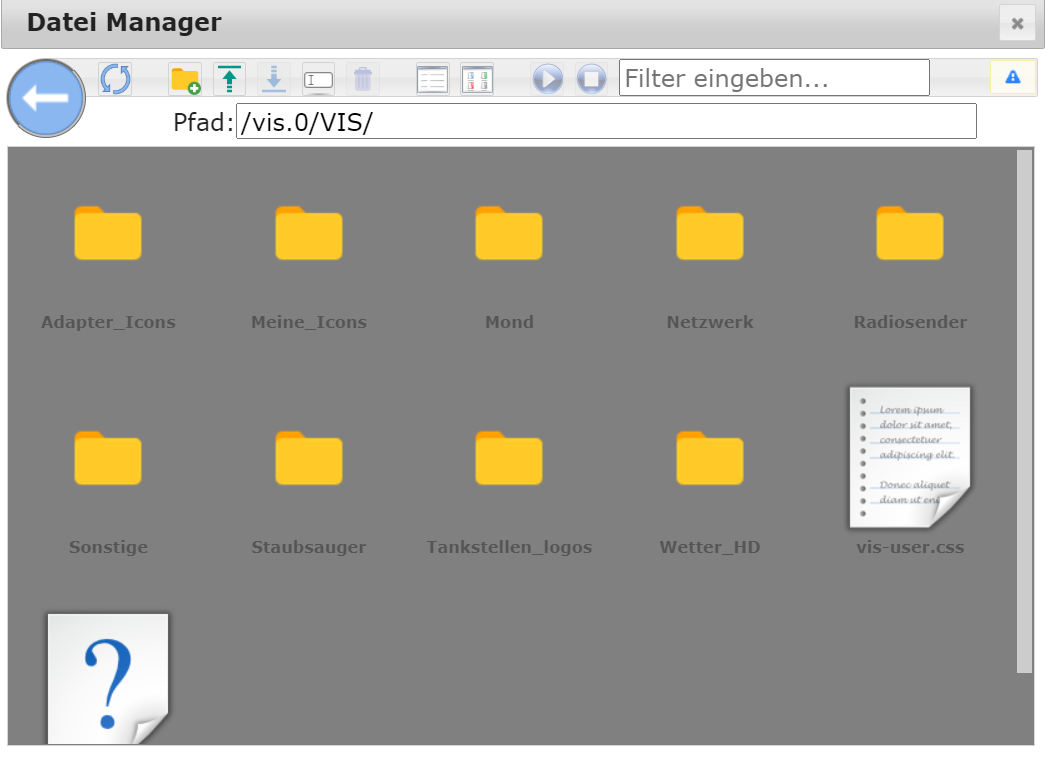
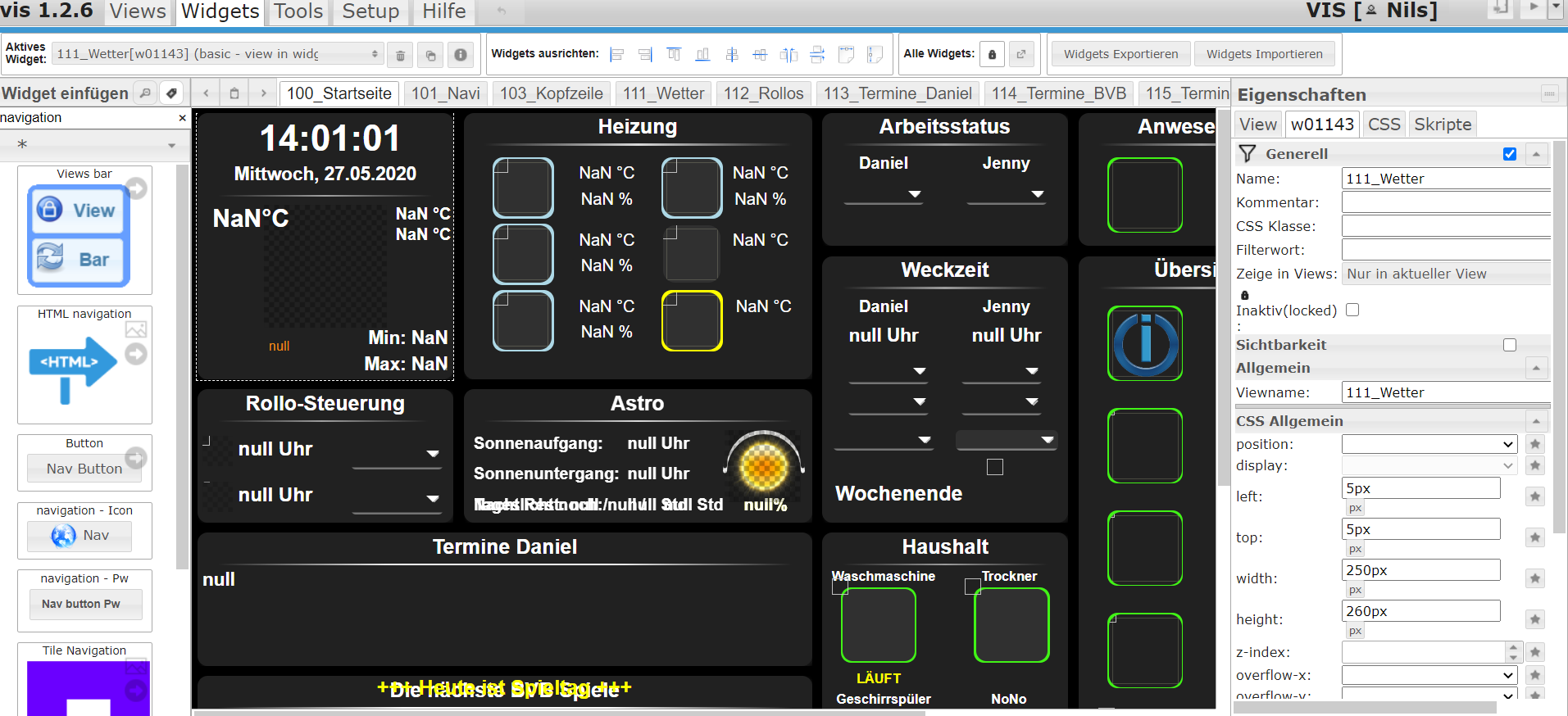
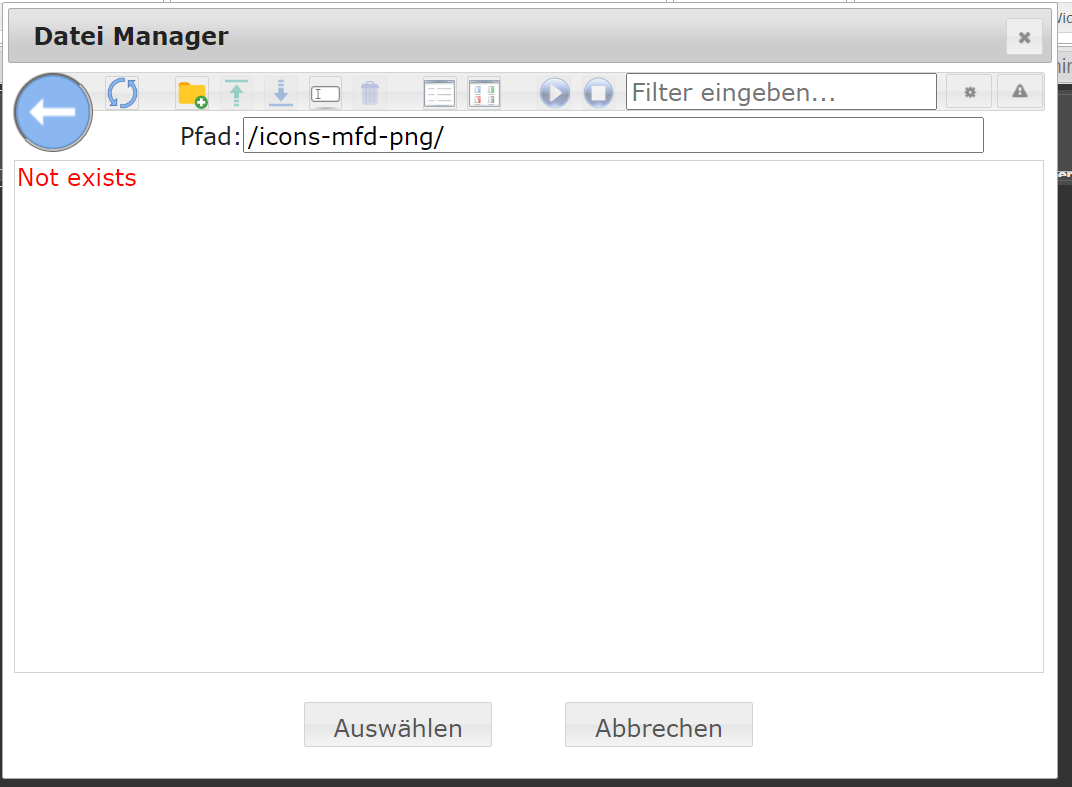
Ich habe das gesamte Projekt importiert. Die Views sind vorhanden, allerdings sind sämtliche Icons nicht vorhanden, obwohl diese im Datei-Manager angezeigt werden.
- Passt hier eventuell die Ordnerstruktur nicht?
Am Beispiel der View "101_Navi". Hinterlegt sind die Pfade: "/icons-mfd-png/xxxpng".
Ich finde allerdings nur "/icons-mfd-png.admin/" und hier ist leider auch nur ein einziges .png drin.
Installiert habe ich den Adapter von "https://github.com/ioBroker/ioBroker.icons-mfd-png" und auch eine Instanz hiervon angelegt. Dabei gab es keine Fehler.Hat jemand eine Idee?
-
Hallo,
das VIS gefällt mir echt sehr gut.
Ich habe das gesamte Projekt importiert. Die Views sind vorhanden, allerdings sind sämtliche Icons nicht vorhanden, obwohl diese im Datei-Manager angezeigt werden.
- Passt hier eventuell die Ordnerstruktur nicht?
Am Beispiel der View "101_Navi". Hinterlegt sind die Pfade: "/icons-mfd-png/xxxpng".
Ich finde allerdings nur "/icons-mfd-png.admin/" und hier ist leider auch nur ein einziges .png drin.
Installiert habe ich den Adapter von "https://github.com/ioBroker/ioBroker.icons-mfd-png" und auch eine Instanz hiervon angelegt. Dabei gab es keine Fehler.Hat jemand eine Idee?
@nils50122 sieht so aus, als wenn der Icon-Adapter nicht korrekt installiert wurde.
Einfach mal löschen und neu installieren
-
@nils50122 sieht so aus, als wenn der Icon-Adapter nicht korrekt installiert wurde.
Einfach mal löschen und neu installieren
-
@nils50122 sieht so aus, als wenn der Icon-Adapter nicht korrekt installiert wurde.
Einfach mal löschen und neu installieren
Läuft nun, habe den kompletten IOBroker neu aufgesetzt.
Eine Anfängerfrage:
Ich habe nun dein Projekt importiert und sehe die Icons. Logischerweise stehen z.B. alle Temperaturen und Co. auf NaN xx.
Wie verlinke ich diese nun mit meinen Theromstaten aus dem HomeMatic? Ich hatte mir vorgestellt, dass ich doppelt auf z.B. NaN °C klicke und dort dann unter Eigenschaften das Objekt verlinke. Leider öffnet sich z.B. bei Heizung nur "121_Heizung".Inwiefern werden die Skripts benötigt?
Wie integriere ich die IP-Kameras und die Müllabholung?


Support us
713
Online32.6k
Users82.3k
Topics1.3m
Posts