Skip to content
  • Home
  • Recent
  • Tags
  • 0 Unread 0
  • Categories
  • Unreplied
  • Popular
  • GitHub
  • Docu
  • Hilfe
Skins
  • Light
  • Brite
  • Cerulean
  • Cosmo
  • Flatly
  • Journal
  • Litera
  • Lumen
  • Lux
  • Materia
  • Minty
  • Morph
  • Pulse
  • Sandstone
  • Simplex
  • Sketchy
  • Spacelab
  • United
  • Yeti
  • Zephyr
  • Dark
  • Cyborg
  • Darkly
  • Quartz
  • Slate
  • Solar
  • Superhero
  • Vapor

  • Default (No Skin)
  • No Skin
Collapse
ioBroker Logo

Community Forum

donate donate
  1. ioBroker Community Home
  2. Deutsch
  3. Skripten / Logik
  4. [Vorlage] Backitup nun in der 3ten Version

NEWS

  • Monatsrückblick Januar/Februar 2026 ist online!
    BluefoxB
    Bluefox
    18
    1
    668

  • Jahresrückblick 2025 – unser neuer Blogbeitrag ist online! ✨
    BluefoxB
    Bluefox
    18
    1
    5.7k

  • Neuer Blogbeitrag: Monatsrückblick - Dezember 2025 🎄
    BluefoxB
    Bluefox
    13
    1
    1.5k

[Vorlage] Backitup nun in der 3ten Version

Scheduled Pinned Locked Moved Skripten / Logik
124 Posts 20 Posters 18.9k Views 4 Watching
  • Oldest to Newest
  • Newest to Oldest
  • Most Votes
Reply
  • Reply as topic
Log in to reply
This topic has been deleted. Only users with topic management privileges can see it.
  • ChaotC Offline
    ChaotC Offline
    Chaot
    wrote on last edited by
    #70

    Ok, das habe ich jetzt versucht und das Full Backup läuft durch.

    ftp funktioniert zwar nicht, aber das ist vermutlich nur eine Frage der Rechte, da ja das "minimal" auf dem ftpServer korrekt hochgespielt wird.

    Wenn ich diese Woche mal Zeit habe versuche ich mal zu ergründen warum der ioBroker nicht neu startet. Das müsste ja irgendwo in einem Log stehen.

    ioBroker auf NUC unter Proxmox; VIS: 12" Touchscreen und 17" Touch; Lichtsteuerung, Thermometer und Sensoren: Tasmota (39); Ambiente Beleuchtung: WLED (9); Heizung: DECT Thermostate (9) an Fritz 6690; EMS-ESP; 1 Echo V2; 3 Echo DOT; 1 Echo Connect; 2 Echo Show 5; Unifi Ap-Ac Lite.

    1 Reply Last reply
    0
    • S Offline
      S Offline
      Superdad
      wrote on last edited by
      #71

      So, habe es jetzt mit der Console gestartet.

      Hoffe, dass es so richtig war?!

      Fehlermeldung:
      ` > root@iobroker:/opt/iobroker# bash opt/iobroker/backitup.sh "ccu||14|||||192.168.1.40|Admin|XXXXXX||false|||||14"

      ccu||14|||||192.168.1.40|Admin|XXXXX||false|||||14

      opt/iobroker/backitup.sh: Zeile 88: [: ==: Einstelliger (unärer) Operator erwartet.

      –- Es wurde ein Homematic CCU Backup gestartet ---

      error --- Login Homematic-CCU nicht erfolgreich ---

      cat: hm.login.response: Datei oder Verzeichnis nicht gefunden

      Fehler beim Homematic-Login !

      cat: hm.login.response: Datei oder Verzeichnis nicht gefunden

      --- Fehler beim Homematic-Login!! Details unter: opt/iobroker/backitup.sh.lastrun ---

      root@iobroker:/opt/iobroker# `

      Login nicht erfolgreich!

      Es ist aber definitiv das richtige Passwort.

      Habe es sogar geändert und dann nochmal probiert.

      Und in der backitup.sh.lastrun steht:
      ` > opt/iobroker/backitup.sh: Zeile 170: wget: Kommando nicht gefunden.

      Fehler beim Homematic-Login ! `

      CCU3

      iOBroker auf IntelNUC Proxmox

      1 Reply Last reply
      0
      • simatecS Offline
        simatecS Offline
        simatec
        Developer Most Active
        wrote on last edited by
        #72

        Was nutzt du für eine Plattform?

        Sowie es aussieht, könnte dir das Paket für wget fehlen.

        Gesendet von iPhone mit Tapatalk

        • Besuche meine Github Seite
        • Beitrag hat geholfen oder willst du mich unterstützen
        • HowTo Restore ioBroker
        1 Reply Last reply
        0
        • S Offline
          S Offline
          Superdad
          wrote on last edited by
          #73

          Docker Container auf der Synology.

          CCU3

          iOBroker auf IntelNUC Proxmox

          1 Reply Last reply
          0
          • simatecS Offline
            simatecS Offline
            simatec
            Developer Most Active
            wrote on last edited by
            #74

            Kannst du mal bitte prüfen, ob das Paket existiert?

            Gesendet von iPhone mit Tapatalk

            • Besuche meine Github Seite
            • Beitrag hat geholfen oder willst du mich unterstützen
            • HowTo Restore ioBroker
            1 Reply Last reply
            0
            • S Offline
              S Offline
              Superdad
              wrote on last edited by
              #75

              Da ich mich nicht mit Linux auskenne und den Befehl zum nachschauen nicht gefunden habe,

              hab ich es einfach mal installiert.

              Den Befehl habe ich gefunden.

              Jetzt funktioniert es!

              Habe gleich ein Backup von der CCU angelegt.

              Vielen Dank für die Hilfe!!!!!!!

              CCU3

              iOBroker auf IntelNUC Proxmox

              1 Reply Last reply
              0
              • PeoplesP Offline
                PeoplesP Offline
                Peoples
                wrote on last edited by
                #76

                Dann wird es wahrscheinlich gefehlt haben :mrgreen:

                Ich beantworte keine Fragen zu Themen via PN

                1 Reply Last reply
                0
                • S Offline
                  S Offline
                  Superdad
                  wrote on last edited by
                  #77

                  Das denke ich auch!

                  CCU3

                  iOBroker auf IntelNUC Proxmox

                  1 Reply Last reply
                  0
                  • simatecS Offline
                    simatecS Offline
                    simatec
                    Developer Most Active
                    wrote on last edited by
                    #78

                    Perfekt … viel Spaß mit den Script ;)

                    • Besuche meine Github Seite
                    • Beitrag hat geholfen oder willst du mich unterstützen
                    • HowTo Restore ioBroker
                    1 Reply Last reply
                    0
                    • sigi234S Online
                      sigi234S Online
                      sigi234
                      Forum Testing Most Active
                      wrote on last edited by
                      #79

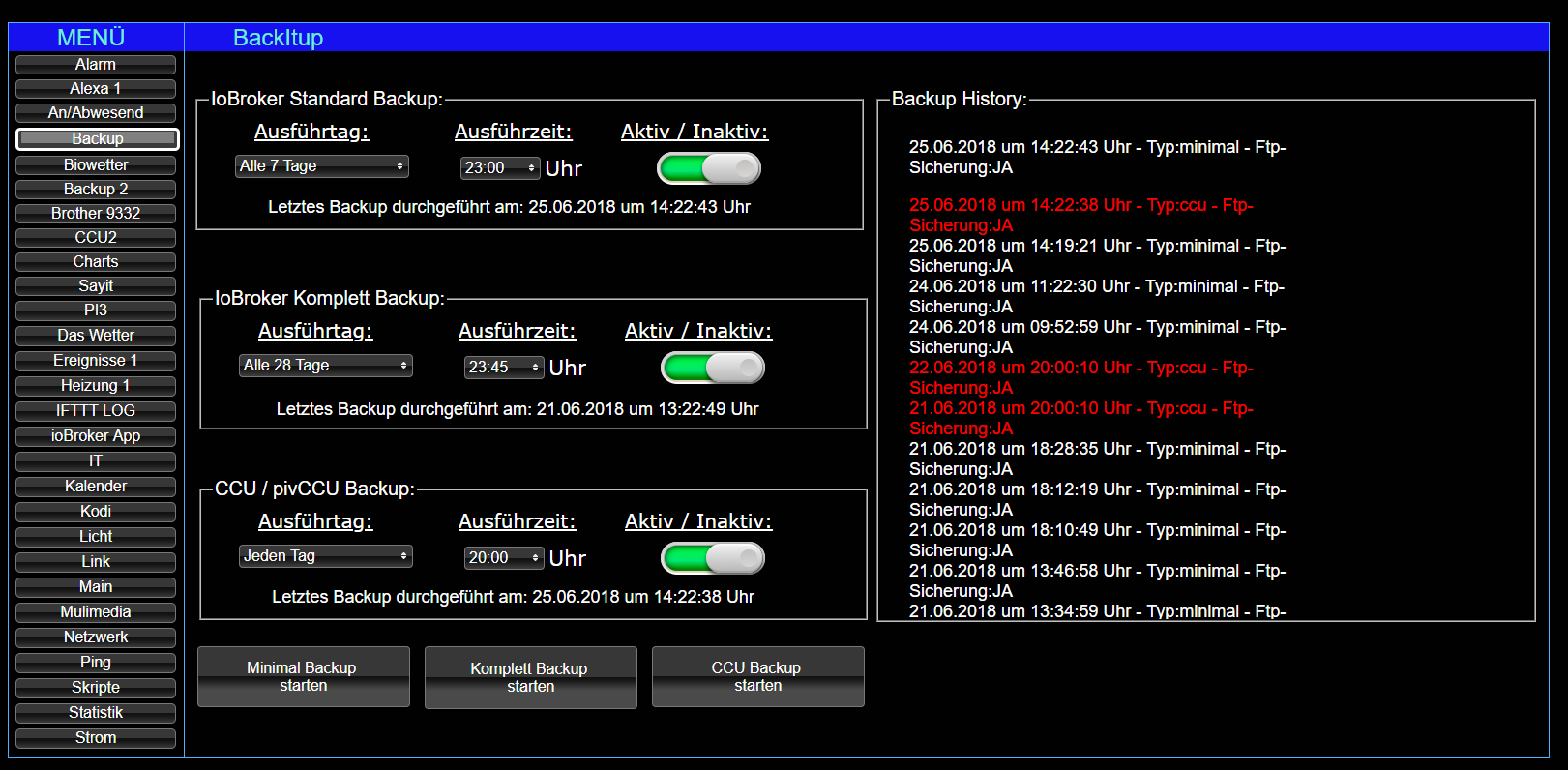
                      aber bei Windows wird der Befehl ( noch) nicht ausgeführt….....
                      2858_screenshot__93_.png

                      javascript.0	2018-06-25 14:19:21.522	info	script.js.Sigi.BackitUp_V3: exec:
                      javascript.0	2018-06-25 14:19:21.381	info	script.js.Sigi.BackitUp_V3: backup_erstellen(minimal,backup_minimal,5,192.168.178.23,/iobroker/,xxx,xxxxx,,,,false,,,,,5)
                      javascript.0	2018-06-25 14:19:21.371	info	script.js.Sigi.BackitUp_V3: C:/iobroker/backitup.sh "minimal|backup_minimal|5|192.168.178.23|/iobroker/|xxxx|xxxxx||||false|||||5"
                      javascript.0	2018-06-25 14:19:21.371	info	script.js.Sigi.BackitUp_V3: OneClick Minimal Backup gestartet
                      javascript.0	2018-06-25 14:19:16.134	info	script.js.Sigi.BackitUp_V3: registered 38 subscriptions and 0 schedules
                      javascript.0	2018-06-25 14:19:16.134	info	script.js.Sigi.BackitUp_V3: Das ccu Backup wurde deaktiviert
                      javascript.0	2018-06-25 14:19:16.134	info	script.js.Sigi.BackitUp_V3: Das komplett Backup wurde deaktiviert
                      javascript.0	2018-06-25 14:19:16.134	info	script.js.Sigi.BackitUp_V3: Das minimal Backup wurde deaktiviert
                      javascript.0	2018-06-25 14:19:16.051	info	Start javascript script.js.Sigi.BackitUp_V3
                      

                      Bitte benutzt das Voting rechts unten im Beitrag wenn er euch geholfen hat.
                      Immer Daten sichern!

                      1 Reply Last reply
                      0
                      • PeoplesP Offline
                        PeoplesP Offline
                        Peoples
                        wrote on last edited by
                        #80

                        Wobei er die states, subscribtions und den Befehlsaufruf richtig macht. Die Frage ist ob man in Windows beim Aufruf eines Shell-Scripts die Variablen mitgeben kann

                        Ich beantworte keine Fragen zu Themen via PN

                        1 Reply Last reply
                        0
                        • A Offline
                          A Offline
                          adarof
                          wrote on last edited by
                          #81

                          @peoples:

                          @adarof:

                          Hallo

                          Ich bekomme, wenn ich aus dem GitHub den View im RAW mode Copy&Paste in den "Import view" vom ioBroker-Vis-Editor die Meldung

                          "Cannot render view BackItUpConfig. Invalid settings"

                          …die Configuration an den Datenpunkten habe ich aber nach README.md vorgenommen - was könnte das wohl noch sein?

                          Gruss - `

                          Das kommt daher, weil das kein View Export sondern ein Widget Export ist `

                          Da liest man einmal Doku im Leben - auch schon wieder falsch ;-)

                          "Für die spätere Konfiguration durch VIS muss nun noch der View-Export in euer Projekt importiert werden."

                          …mag das jemand korrigieren?

                          Gruss

                          1 Reply Last reply
                          0
                          • PeoplesP Offline
                            PeoplesP Offline
                            Peoples
                            wrote on last edited by
                            #82

                            Glückwunsch, du bist der Erste der offensichtlich die Doku gelesen hat, das war ein Test! :lol:

                            Spaß bei Seite ich ändere das gleich danke für den Hinweis.

                            Ich beantworte keine Fragen zu Themen via PN

                            1 Reply Last reply
                            0
                            • 0 Offline
                              0 Offline
                              0018
                              wrote on last edited by
                              #83

                              Hallo zusammen,

                              beschäftige mich gerade mit der Einbindung der Scripte.

                              Kann mir jemand sagen wo ich die Zugang und Verzeichnis für CIFS eintragen muss?

                              Mfg
                              0018

                              1 Reply Last reply
                              0
                              • PeoplesP Offline
                                PeoplesP Offline
                                Peoples
                                wrote on last edited by
                                #84

                                In den Datenpunkten unter Konfiguration

                                Ich beantworte keine Fragen zu Themen via PN

                                1 Reply Last reply
                                0
                                • 0 Offline
                                  0 Offline
                                  0018
                                  wrote on last edited by
                                  #85

                                  @peoples:

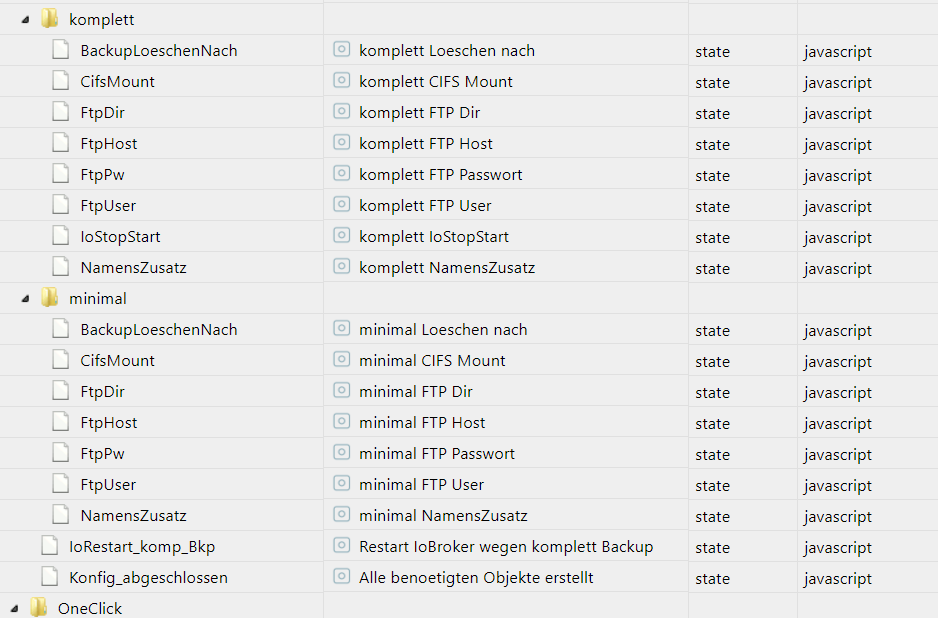
                                  In den Datenpunkten unter Konfiguration `

                                  Kannst du mir sagen um welche Datenpunkte es sich handelt? Kann bei mir keinen finden der was mit CIFS User oder Passwort zu tun hätte.
                                  1620_cifs.png

                                  Mfg
                                  0018

                                  1 Reply Last reply
                                  0
                                  • simatecS Offline
                                    simatecS Offline
                                    simatec
                                    Developer Most Active
                                    wrote on last edited by
                                    #86

                                    Alle Datenpunkte mit FTP und dann cifsmount auf true

                                    Gesendet von iPhone mit Tapatalk

                                    • Besuche meine Github Seite
                                    • Beitrag hat geholfen oder willst du mich unterstützen
                                    • HowTo Restore ioBroker
                                    1 Reply Last reply
                                    0
                                    • 0 Offline
                                      0 Offline
                                      0018
                                      wrote on last edited by
                                      #87

                                      Danke. Kannst du vielleicht das mit in die Anleitung aufnehmen und die Datenpunktbeschreibung ggf umbenennen auf FTP/ CIFS User etc… Dann ist es gleich für jeden verständlich [emoji3]

                                      Gesendet von meinem SM-G920F mit Tapatalk

                                      Mfg
                                      0018

                                      1 Reply Last reply
                                      0
                                      • PeoplesP Offline
                                        PeoplesP Offline
                                        Peoples
                                        wrote on last edited by
                                        #88

                                        Die Idee ist gut!

                                        Die Frage ist nur ob sich das noch rentiert, da wir haben den Adapter fast fertig haben, das macht es dann auch viel einfacher und übersichtlicher.

                                        Sind nur noch paar Kleinigkeiten die noch fehlen.

                                        Ich beantworte keine Fragen zu Themen via PN

                                        1 Reply Last reply
                                        0
                                        • A Offline
                                          A Offline
                                          adarof
                                          wrote on last edited by
                                          #89

                                          Hallo

                                          Wenn ich das CCU-Backup nachts fahre, beendet sich ioBroker dabei. Das backup scheint aber geklappt zu haben:

                                          -rw-rw-rw- 1 root root 6396416 Jul  4 02:03 Homematic-Backup-2.35.15-2018_07_04-02_00_10.tar.sbk


                                          Hier der Log dazu - irgendwo kommt ein SIGTERM her - aber woher?

                                          Hat da jemand eine Idee?

                                          Gruss -

                                          2018-07-04 02:00:21.714  - ESC[32minfoESC[39m: host.raspberrypi3 received SIGTERM
                                          2018-07-04 02:00:21.721  - ESC[32minfoESC[39m: host.raspberrypi3 stopInstance system.adapter.admin.0
                                          2018-07-04 02:00:21.721  - ESC[32minfoESC[39m: host.raspberrypi3 stopInstance system.adapter.admin.0 killing pid 3399
                                          2018-07-04 02:00:21.723  - ESC[32minfoESC[39m: host.raspberrypi3 stopInstance system.adapter.discovery.0
                                          2018-07-04 02:00:21.723  - ESC[32minfoESC[39m: host.raspberrypi3 stopInstance system.adapter.discovery.0 killing pid 3412
                                          2018-07-04 02:00:21.724  - ESC[32minfoESC[39m: host.raspberrypi3 stopInstance system.adapter.tr-064.0
                                          2018-07-04 02:00:21.725  - ESC[32minfoESC[39m: host.raspberrypi3 stopInstance system.adapter.tr-064.0 killing pid 3422
                                          2018-07-04 02:00:21.725  - ESC[32minfoESC[39m: host.raspberrypi3 stopInstance system.adapter.hm-rpc.0
                                          2018-07-04 02:00:21.729  - ESC[32minfoESC[39m: host.raspberrypi3 stopInstance system.adapter.hm-rpc.1
                                          2018-07-04 02:00:21.732  - ESC[32minfoESC[39m: host.raspberrypi3 stopInstance system.adapter.hm-rega.0
                                          2018-07-04 02:00:21.733  - ESC[32minfoESC[39m: host.raspberrypi3 stopInstance system.adapter.hm-rega.0 killing pid 3460
                                          2018-07-04 02:00:21.734  - ESC[32minfoESC[39m: host.raspberrypi3 stopInstance system.adapter.web.0
                                          2018-07-04 02:00:21.735  - ESC[32minfoESC[39m: host.raspberrypi3 stopInstance system.adapter.web.0 killing pid 3472
                                          2018-07-04 02:00:21.735  - ESC[32minfoESC[39m: host.raspberrypi3 stopInstance system.adapter.history.0
                                          2018-07-04 02:00:21.738  - ESC[32minfoESC[39m: host.raspberrypi3 stopInstance system.adapter.javascript.0
                                          2018-07-04 02:00:21.739  - ESC[32minfoESC[39m: host.raspberrypi3 stopInstance system.adapter.javascript.0 killing pid 3512
                                          2018-07-04 02:00:21.740  - ESC[32minfoESC[39m: host.raspberrypi3 stopInstance system.adapter.mobile.0
                                          2018-07-04 02:00:21.748  - ESC[32minfoESC[39m: host.raspberrypi3 stopInstance system.adapter.vis.0
                                          2018-07-04 02:00:21.749  - ESC[32minfoESC[39m: host.raspberrypi3 stopInstance system.adapter.dwd.0
                                          2018-07-04 02:00:21.751  - ESC[32minfoESC[39m: host.raspberrypi3 stopInstance canceled schedule system.adapter.dwd.0
                                          2018-07-04 02:00:21.753  - ESC[32minfoESC[39m: host.raspberrypi3 stopInstance system.adapter.vis-timeandweather.0
                                          2018-07-04 02:00:21.754  - ESC[32minfoESC[39m: host.raspberrypi3 stopInstance system.adapter.vis-fancyswitch.0
                                          2018-07-04 02:00:21.756  - ESC[32minfoESC[39m: host.raspberrypi3 stopInstance system.adapter.vis-hqwidgets.0
                                          2018-07-04 02:00:21.758  - ESC[32minfoESC[39m: host.raspberrypi3 stopInstance system.adapter.vis-metro.0
                                          2018-07-04 02:00:21.759  - ESC[32minfoESC[39m: host.raspberrypi3 stopInstance system.adapter.vis-colorpicker.0
                                          2018-07-04 02:00:21.760  - ESC[32minfoESC[39m: host.raspberrypi3 stopInstance system.adapter.amazon-dash.0
                                          2018-07-04 02:00:21.760  - ESC[32minfoESC[39m: host.raspberrypi3 stopInstance system.adapter.amazon-dash.0 killing pid 3542
                                          2018-07-04 02:00:21.761  - ESC[32minfoESC[39m: host.raspberrypi3 stopInstance system.adapter.vis-jqui-mfd.0
                                          2018-07-04 02:00:21.761  - ESC[32minfoESC[39m: host.raspberrypi3 stopInstance system.adapter.email.0
                                          2018-07-04 02:00:21.762  - ESC[32minfoESC[39m: host.raspberrypi3 stopInstance system.adapter.email.0 killing pid 3556
                                          2018-07-04 02:00:21.766  - ESC[32minfoESC[39m: host.raspberrypi3 stopInstance system.adapter.vis-history.0
                                          2018-07-04 02:00:21.767  - ESC[32minfoESC[39m: host.raspberrypi3 stopInstance system.adapter.sql.0
                                          2018-07-04 02:00:21.769  - ESC[32minfoESC[39m: host.raspberrypi3 stopInstance system.adapter.rpi2.0
                                          2018-07-04 02:00:21.770  - ESC[32minfoESC[39m: host.raspberrypi3 stopInstance system.adapter.rpi2.0 killing pid 3575
                                          2018-07-04 02:00:21.770  - ESC[32minfoESC[39m: host.raspberrypi3 stopInstance system.adapter.i2c.0
                                          2018-07-04 02:00:21.771  - ESC[32minfoESC[39m: host.raspberrypi3 stopInstance system.adapter.i2c.0 killing pid 3581
                                          2018-07-04 02:00:21.772  - ESC[32minfoESC[39m: host.raspberrypi3 stopInstance system.adapter.ical.0
                                          2018-07-04 02:00:21.773  - ESC[32minfoESC[39m: host.raspberrypi3 stopInstance canceled schedule system.adapter.ical.0
                                          2018-07-04 02:00:21.774  - ESC[32minfoESC[39m: host.raspberrypi3 stopInstance system.adapter.ble.0
                                          2018-07-04 02:00:21.775  - ESC[32minfoESC[39m: host.raspberrypi3 stopInstance system.adapter.ble.0 killing pid 5997
                                          2018-07-04 02:00:21.775  - ESC[32minfoESC[39m: host.raspberrypi3 stopInstance system.adapter.vis-bars.0
                                          2018-07-04 02:00:21.776  - ESC[32minfoESC[39m: host.raspberrypi3 stopInstance system.adapter.unifi.0
                                          2018-07-04 02:00:21.777  - ESC[32minfoESC[39m: host.raspberrypi3 stopInstance system.adapter.unifi.0 killing pid 3613
                                          2018-07-04 02:00:21.778  - ESC[32minfoESC[39m: host.raspberrypi3 stopInstance system.adapter.telegram.0
                                          2018-07-04 02:00:21.779  - ESC[32minfoESC[39m: host.raspberrypi3 stopInstance system.adapter.telegram.0 killing pid 32020
                                          2018-07-04 02:00:21.815  - ESC[32minfoESC[39m: javascript.0 terminating
                                          2018-07-04 02:00:21.755  - ESC[32minfoESC[39m: admin.0 terminating http server on port 8081
                                          2018-07-04 02:00:21.749  - ESC[32minfoESC[39m: web.0 terminating http server on port 8082
                                          2018-07-04 02:00:21.801  - ESC[32minfoESC[39m: web.0 terminated http server on port 8082
                                          2018-07-04 02:00:21.856  - ESC[32minfoESC[39m: admin.0 terminating
                                          2018-07-04 02:00:21.815  - ESC[32minfoESC[39m: ble.0 stopping scan
                                          2018-07-04 02:00:21.975  - ESC[32minfoESC[39m: web.0 terminating
                                          2018-07-04 02:00:21.990  - ESC[32minfoESC[39m: ble.0 terminating
                                          2018-07-04 02:00:22.179  - ESC[32minfoESC[39m: host.raspberrypi3 instance system.adapter.admin.0 terminated with code 0 (OK)
                                          2018-07-04 02:00:22.187  - ESC[32minfoESC[39m: telegram.0 system.adapter.admin.0: logging false
                                          2018-07-04 02:00:22.209  - ESC[32minfoESC[39m: hm-rpc.0 system.adapter.admin.0: logging false
                                          2018-07-04 02:00:22.214  - ESC[32minfoESC[39m: sql.0 system.adapter.admin.0: logging false
                                          2018-07-04 02:00:22.589  - ESC[32minfoESC[39m: telegram.0 terminating
                                          2018-07-04 02:00:22.245  - ESC[32minfoESC[39m: hm-rpc.1 system.adapter.admin.0: logging false
                                          2018-07-04 02:00:22.215  - ESC[32minfoESC[39m: host.raspberrypi3 instance system.adapter.tr-064.0 terminated with code 0 (OK)
                                          2018-07-04 02:00:22.245  - ESC[32minfoESC[39m: host.raspberrypi3 instance system.adapter.hm-rega.0 terminated with code 0 (OK)
                                          2018-07-04 02:00:22.275  - ESC[32minfoESC[39m: host.raspberrypi3 instance system.adapter.web.0 terminated with code 0 (OK)
                                          2018-07-04 02:00:22.309  - ESC[32minfoESC[39m: host.raspberrypi3 instance system.adapter.javascript.0 terminated with code 0 (OK)
                                          2018-07-04 02:00:22.344  - ESC[32minfoESC[39m: host.raspberrypi3 instance system.adapter.unifi.0 terminated with code 0 (OK)
                                          2018-07-04 02:00:22.380  - ESC[32minfoESC[39m: host.raspberrypi3 instance system.adapter.ble.0 terminated with code 0 (OK)
                                          2018-07-04 02:00:22.419  - ESC[32minfoESC[39m: host.raspberrypi3 instance system.adapter.rpi2.0 terminated with code 0 (OK)
                                          2018-07-04 02:00:22.655  - ESC[32minfoESC[39m: host.raspberrypi3 instance system.adapter.telegram.0 terminated with code 0 (OK)
                                          2018-07-04 02:00:22.729  - ESC[32minfoESC[39m: host.raspberrypi3 stopInstance timeout "1000 system.adapter.hm-rpc.0 killing pid  3429
                                          2018-07-04 02:00:22.733  - ESC[32minfoESC[39m: host.raspberrypi3 stopInstance timeout "1000 system.adapter.hm-rpc.1 killing pid  3443
                                          2018-07-04 02:00:22.755  - ESC[32minfoESC[39m: hm-rpc.1 binrpc -> 192.168.66.111:2001 init ["xmlrpc_bin://192.168.66.47:12001",""]
                                          2018-07-04 02:00:22.773  - ESC[32minfoESC[39m: hm-rpc.1 Disconnected
                                          2018-07-04 02:00:22.780  - ESC[32minfoESC[39m: hm-rpc.0 binrpc -> 192.168.66.111:8701 init ["xmlrpc_bin://192.168.66.47:18701",""]
                                          2018-07-04 02:00:22.797  - ESC[32minfoESC[39m: hm-rpc.1 terminating
                                          2018-07-04 02:00:22.808  - ESC[32minfoESC[39m: hm-rpc.0 Disconnected
                                          2018-07-04 02:00:22.824  - ESC[32minfoESC[39m: hm-rpc.0 terminating
                                          2018-07-04 02:00:22.980  - ESC[32minfoESC[39m: host.raspberrypi3 instance system.adapter.hm-rpc.1 terminated with code 0 (OK)
                                          2018-07-04 02:00:23.039  - ESC[32minfoESC[39m: host.raspberrypi3 instance system.adapter.hm-rpc.0 terminated with code 0 (OK)
                                          2018-07-04 02:00:23.115  - ESC[32minfoESC[39m: host.raspberrypi3 instance system.adapter.history.0 terminated with code 0 (OK)
                                          2018-07-04 02:00:23.547  - ESC[32minfoESC[39m: host.raspberrypi3 instance system.adapter.discovery.0 terminated with code 0 (OK)
                                          2018-07-04 02:00:23.647  - ESC[32minfoESC[39m: host.raspberrypi3 instance system.adapter.amazon-dash.0 terminated with code 0 (OK)
                                          2018-07-04 02:00:23.130  - ESC[32minfoESC[39m: email.0 system.adapter.admin.0: logging false
                                          2018-07-04 02:00:22.771  - ESC[34mdebugESC[39m: i2c.0 MCP23017 32: Stopping
                                          2018-07-04 02:00:23.513  - ESC[34mdebugESC[39m: i2c.0 PCF8574 36: Stopping
                                          2018-07-04 02:00:23.526  - ESC[34mdebugESC[39m: i2c.0 PCF8574 60: Stopping
                                          2018-07-04 02:00:23.667  - ESC[32minfoESC[39m: i2c.0 system.adapter.admin.0: logging false
                                          2018-07-04 02:00:23.774  - ESC[32minfoESC[39m: host.raspberrypi3 instance system.adapter.email.0 terminated with code 0 (OK)
                                          2018-07-04 02:00:23.775  - ESC[32minfoESC[39m: host.raspberrypi3 stopInstance timeout "2000 system.adapter.sql.0 killing pid  3568
                                          2018-07-04 02:00:23.782  - ESC[32minfoESC[39m: i2c.0 terminating
                                          2018-07-04 02:00:23.837  - ESC[32minfoESC[39m: host.raspberrypi3 instance system.adapter.i2c.0 terminated with code 0 (OK)
                                          2018-07-04 02:00:23.838  - ESC[32minfoESC[39m: host.raspberrypi3 All instances are stopped.
                                          2018-07-04 02:00:23.985  - ESC[32minfoESC[39m: host.raspberrypi3 terminated
                                          2018-07-04 02:00:25.375  - ESC[32minfoESC[39m: sql.0 terminating with timeout

                                          
                                          
                                          1 Reply Last reply
                                          0

                                          Hello! It looks like you're interested in this conversation, but you don't have an account yet.

                                          Getting fed up of having to scroll through the same posts each visit? When you register for an account, you'll always come back to exactly where you were before, and choose to be notified of new replies (either via email, or push notification). You'll also be able to save bookmarks and upvote posts to show your appreciation to other community members.

                                          With your input, this post could be even better 💗

                                          Register Login
                                          Reply
                                          • Reply as topic
                                          Log in to reply
                                          • Oldest to Newest
                                          • Newest to Oldest
                                          • Most Votes


                                          Support us

                                          ioBroker
                                          Community Adapters
                                          Donate

                                          575

                                          Online

                                          32.7k

                                          Users

                                          82.6k

                                          Topics

                                          1.3m

                                          Posts
                                          Community
                                          Impressum | Datenschutz-Bestimmungen | Nutzungsbedingungen | Einwilligungseinstellungen
                                          ioBroker Community 2014-2025
                                          logo
                                          • Login

                                          • Don't have an account? Register

                                          • Login or register to search.
                                          • First post
                                            Last post
                                          0
                                          • Home
                                          • Recent
                                          • Tags
                                          • Unread 0
                                          • Categories
                                          • Unreplied
                                          • Popular
                                          • GitHub
                                          • Docu
                                          • Hilfe