




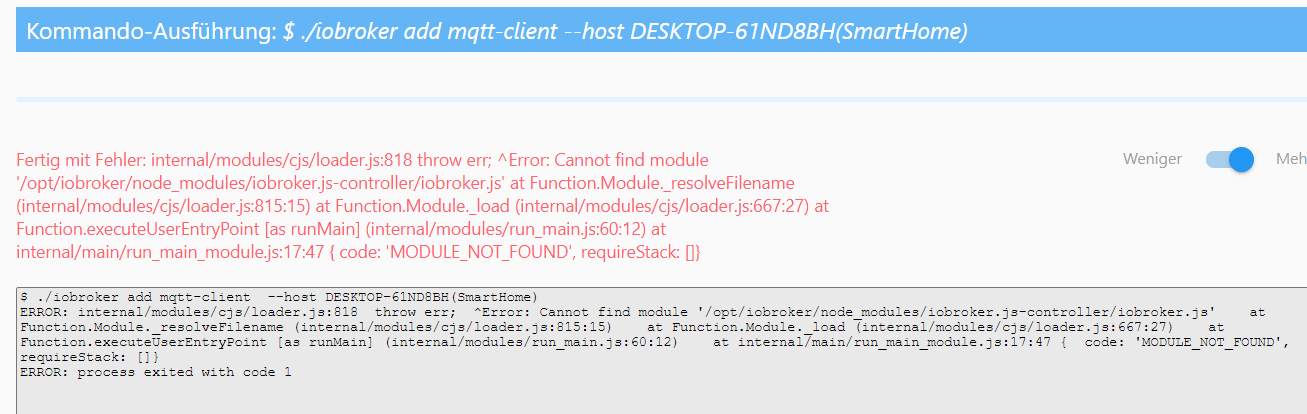
Probleme beim Installieren von MQTT-Client
-
@thomas-braun said in Probleme beim Installieren von MQTT-Client:
@berges01
Quark.iobroker logs --watchfunktioniert immer.
2021-05-17 07:52:44.299  - info: info.0 (9571) Terminated (START_IMMEDIATELY_AFTER_STOP): Without reason
2021-05-17 07:52:44.303  - info: backitup.0 (10999) Terminated (START_IMMEDIATELY_AFTER_STOP): Without reason
2021-05-17 07:52:44.781  - info: host.Strommix-Smart instance system.adapter.admin.0 terminated with code 156 (START_IMMEDIATELY_AFTER_STOP)
2021-05-17 07:52:44.781  - info: host.Strommix-Smart instance system.adapter.discovery.0 terminated with code 156 (START_IMMEDIATELY_AFTER_STOP)
2021-05-17 07:52:44.821  - info: host.Strommix-Smart instance system.adapter.info.0 terminated with code 156 (START_IMMEDIATELY_AFTER_STOP)
2021-05-17 07:52:44.826  - info: host.Strommix-Smart instance system.adapter.backitup.0 terminated with code 156 (START_IMMEDIATELY_AFTER_STOP)
2021-05-17 07:52:44.827  - info: host.Strommix-Smart All instances are stopped.
2021-05-17 07:52:44.898  - info: host.Strommix-Smart terminated
2021-05-17 07:53:02.319  - info: host.DESKTOP-61ND8BH(SmartHome) iobroker.js-controller version 3.2.16 js-controller starting
2021-05-17 07:53:02.320  - info: host.DESKTOP-61ND8BH(SmartHome) Copyright (c) 2014-2021 bluefox, 2014 hobbyquaker
2021-05-17 07:53:02.321  - info: host.DESKTOP-61ND8BH(SmartHome) hostname: DESKTOP-61ND8BH(SmartHome), node: v12.22.1
2021-05-17 07:53:02.321  - info: host.DESKTOP-61ND8BH(SmartHome) ip addresses: 192.168.2.50 2003:f0:3f44:2700:c600:adff:fe01:e510 fe80::c600:adff:fe01:e510
2021-05-17 07:53:02.623  - info: host.DESKTOP-61ND8BH(SmartHome) connected to Objects and States
2021-05-17 07:53:02.658  - info: host.DESKTOP-61ND8BH(SmartHome) added notifications configuration of host
2021-05-17 07:53:02.861  - info: host.DESKTOP-61ND8BH(SmartHome) Delete host system.host.Strommix-Smart
2021-05-17 07:53:02.901  - info: host.DESKTOP-61ND8BH(SmartHome) 17 instances found
2021-05-17 07:53:02.905  - warn: host.DESKTOP-61ND8BH(SmartHome) does not start any instances on this host
F.B.
-
@thomas-braun said in Probleme beim Installieren von MQTT-Client:
@berges01
Quark.iobroker logs --watchfunktioniert immer.
2021-05-17 07:52:44.299 - info: info.0 (9571) Terminated (START_IMMEDIATELY_AFTER_STOP): Without reason 2021-05-17 07:52:44.303 - info: backitup.0 (10999) Terminated (START_IMMEDIATELY_AFTER_STOP): Without reason 2021-05-17 07:52:44.781 - info: host.Strommix-Smart instance system.adapter.admin.0 terminated with code 156 (START_IMMEDIATELY_AFTER_STOP) 2021-05-17 07:52:44.781 - info: host.Strommix-Smart instance system.adapter.discovery.0 terminated with code 156 (START_IMMEDIATELY_AFTER_STOP) 2021-05-17 07:52:44.821 - info: host.Strommix-Smart instance system.adapter.info.0 terminated with code 156 (START_IMMEDIATELY_AFTER_STOP) 2021-05-17 07:52:44.826 - info: host.Strommix-Smart instance system.adapter.backitup.0 terminated with code 156 (START_IMMEDIATELY_AFTER_STOP) 2021-05-17 07:52:44.827 - info: host.Strommix-Smart All instances are stopped. 2021-05-17 07:52:44.898 - info: host.Strommix-Smart terminated 2021-05-17 07:53:02.319 - info: host.DESKTOP-61ND8BH(SmartHome) iobroker.js-controller version 3.2.16 js-controller starting 2021-05-17 07:53:02.320 - info: host.DESKTOP-61ND8BH(SmartHome) Copyright (c) 2014-2021 bluefox, 2014 hobbyquaker 2021-05-17 07:53:02.321 - info: host.DESKTOP-61ND8BH(SmartHome) hostname: DESKTOP-61ND8BH(SmartHome), node: v12.22.1 2021-05-17 07:53:02.321 - info: host.DESKTOP-61ND8BH(SmartHome) ip addresses: 192.168.2.50 2003:f0:3f44:2700:c600:adff:fe01:e510 fe80::c600:adff:fe01:e510 2021-05-17 07:53:02.623 - info: host.DESKTOP-61ND8BH(SmartHome) connected to Objects and States 2021-05-17 07:53:02.658 - info: host.DESKTOP-61ND8BH(SmartHome) added notifications configuration of host 2021-05-17 07:53:02.861 - info: host.DESKTOP-61ND8BH(SmartHome) Delete host system.host.Strommix-Smart 2021-05-17 07:53:02.901 - info: host.DESKTOP-61ND8BH(SmartHome) 17 instances found 2021-05-17 07:53:02.905 - warn: host.DESKTOP-61ND8BH(SmartHome) does not start any instances on this host@berges01
Mehr nicht?iobroker status iobroker list adapters iobroker list instances -
@berges01
Mehr nicht?iobroker status iobroker list adapters iobroker list instances@thomas-braun said in Probleme beim Installieren von MQTT-Client:
@berges01
Mehr nicht?iobroker status iobroker list adapters iobroker list instancesberges01@Strommix-Smart:~$ iobroker status iobroker is running on this host. Objects type: file States type: file berges01@Strommix-Smart:~$ iobroker list adapters system.adapter.admin : admin - v4.2.1 system.adapter.alexa2 : alexa2 - v3.8.1 system.adapter.alias-manager : alias-manager - v1.2.1 system.adapter.backitup : backitup - v2.1.6 system.adapter.cloud : cloud - v4.0.10 system.adapter.devices : devices - v0.3.16 system.adapter.discovery : discovery - v2.6.1 system.adapter.info : info - v1.7.14 system.adapter.iot : iot - v1.8.16 system.adapter.javascript : javascript - v5.1.3 system.adapter.mqtt : mqtt - v2.3.5 system.adapter.netatmo : netatmo - v1.3.3 system.adapter.ping : ping - v1.4.12 system.adapter.shuttercontrol : shuttercontrol - v1.1.5 system.adapter.socketio : socketio - v3.1.4 system.adapter.tr-064 : tr-064 - v4.2.12 system.adapter.vis : vis - v1.3.8 system.adapter.web : web - v3.4.0 system.adapter.whatsapp-cmb : whatsapp-cmb - v0.1.6 system.adapter.zwave2 : zwave2 - v1.9.3 berges01@Strommix-Smart:~$ iobroker instances iobroker [command] Commands: iobroker setup Setup ioBroker iobroker start Starts the js-controller iobroker stop stops the js-controller iobroker restart Restarts js-controller iobroker debug <adapter>[.<instance>] Starts a Node.js debugging session for the adapter instance iobroker info Shows the host info iobroker logs [<adapter>] Monitor log iobroker add <adapter> [desiredNumber] Add instance of adapter iobroker install <adapter> Installs a specified adapter iobroker rebuild <adapter>|self Rebuilds a specified adapter iobroker url <url> [<name>] Install adapter from specified url, e.g. GitHub iobroker del <adapter> Remove adapter from system iobroker del <adapter>.<instance> Remove adapter instance iobroker update [<repositoryUrl>] Update repository and list adapters iobroker upgrade Upgrade management iobroker upload Upload management iobroker object Object management iobroker state State management iobroker message <adapter>[.instance] <command> [<message>] Send message to adapter instance/s iobroker list <type> [<filter>] List all entries, like objects iobroker chmod <mode> <file> Change file rights iobroker chown <user> <group> <file> Change file ownership iobroker touch <file> Touch file iobroker rm <file> Remove file iobroker file File management iobroker user User commands iobroker group group management iobroker host <hostname> Set host to given hostname iobroker set <adapter>.<instance> Change settings of adapter config iobroker license <license.file or license.text> Update license by given file iobroker cert Certificate management iobroker clean <yes> Clears all objects and states iobroker backup Create backup iobroker restore <backup name or path> Restore a specified backup iobroker validate <backup name or path> Validate a specified backup iobroker status [all|<adapter>.<instance>] Status of ioBroker or adapter instance iobroker repo [<name>] Show repo information iobroker uuid Show uuid of the installation iobroker unsetup Reset license, installation secret and language iobroker fix Execute the installation fixer script, this updates your ioBroker installation iobroker multihost Multihost management iobroker compact compact group management iobroker plugin Plugin management iobroker version [<adapter>] Show version of js-controller or specified adapter Options: --help Show help [boolean] -v, --version Show version [boolean] berges01@Strommix-Smart:~$berges01@Strommix-Smart:~$ iobroker list instances system.adapter.admin.0 : admin : Strommix-Smart - enabled, port: 8081, bind: 192.168.2.50, run as: admin system.adapter.alexa2.0 : alexa2 : Strommix-Smart - disabled system.adapter.backitup.0 : backitup : Strommix-Smart - enabled system.adapter.cloud.0 : cloud : Strommix-Smart - disabled system.adapter.devices.0 : devices : Strommix-Smart - disabled system.adapter.info.0 : info : Strommix-Smart - disabled system.adapter.iot.0 : iot : Strommix-Smart - disabled system.adapter.javascript.0 : javascript : Strommix-Smart - disabled system.adapter.mqtt.0 : mqtt : Strommix-Smart - disabled, port: 1883, bind: 0.0.0.0 system.adapter.netatmo.0 : netatmo : Strommix-Smart - disabled system.adapter.ping.0 : ping : Strommix-Smart - disabled system.adapter.socketio.0 : socketio : Strommix-Smart - disabled, port: 8084, bind: 0.0.0.0, run as: admin system.adapter.tr-064.0 : tr-064 : Strommix-Smart - disabled system.adapter.vis.0 : vis : Strommix-Smart - disabled system.adapter.web.0 : web : Strommix-Smart - disabled, port: 8082, bind: 0.0.0.0, run as: admin system.adapter.whatsapp-cmb.0 : whatsapp-cmb : Strommix-Smart - disabled system.adapter.zwave2.0 : zwave2 : Strommix-Smart - disabled + instance is alive berges01@Strommix-Smart:~$ berges01@Strommix-Smart:~$ berges01@Strommix-Smart:~$ iobroker list instances system.adapter.devices.0 : devices : Strommix-Smart - disabled system.adapter.info.0 : info : Strommix-Smart - disabled -bash: berges01@Strommix-Smart:~$: Kommando nicht gefunden. berges01@Strommix-Smart:~$ system.adapter.admin.0 : admin : Strommix-Smart - enabled, port: 8081, bind: 192.168.2.50, run as: admin -bash: system.adapter.admin.0: Kommando nicht gefunden. berges01@Strommix-Smart:~$ system.adapter.alexa2.0 : alexa2 : Strommix-Smart - disabled -bash: system.adapter.alexa2.0: Kommando nicht gefunden. berges01@Strommix-Smart:~$ system.adapter.backitup.0 : backitup : Strommix-Smart - enabled -bash: system.adapter.backitup.0: Kommando nicht gefunden. system.adapter.iot.0 : iot : Strommix-Smart - disabled system.adapter.javascript.0 : javascript : Strommix-Smart - disabled system.adapter.mqtt.0 : mqtt : Strommix-Smart - disabled, port: 1883, bind: 0.0.0.0 berges01@Strommix-Smart:~$ system.adapter.cloud.0 : cloud : Strommix-Smart - disabled system.adapter.netatmo.0 : netatmo : Strommix-Smart - disabled system.adapter.ping.0 : ping : Strommix-Smart - disabled -bash: system.adapter.cloud.0: Kommando nicht gefunden. system.adapter.socketio.0 : socketio : Strommix-Smart - disabled, port: 8084, bind: 0.0.0.0, run as: admin berges01@Strommix-Smart:~$ system.adapter.devices.0 : devices : Strommix-Smart - disabled system.adapter.tr-064.0 : tr-064 : Strommix-Smart - disabled system.adapter.vis.0 : vis : Strommix-Smart - disabled system.adapter.web.0 : web : Strommix-Smart - disabled, port: 8082, bind: 0.0.0.0, run as: admin -bash: system.adapter.devices.0: Kommando nicht gefunden. berges01@Strommix-Smart:~$ system.adapter.info.0 : info : Strommix-Smart - disabled -bash: system.adapter.info.0: Kommando nicht gefunden. + instance is alive berges01@Strommix-Smart:~$ berges01@Strommix-Smart:~$ system.adapter.iot.0 : iot : Strommix-Smart - disabled -bash: system.adapter.iot.0: Kommando nicht gefunden. berges01@Strommix-Smart:~$ system.adapter.javascript.0 : javascript : Strommix-Smart - disabled -bash: system.adapter.javascript.0: Kommando nicht gefunden. berges01@Strommix-Smart:~$ system.adapter.mqtt.0 : mqtt : Strommix-Smart - disabled, port: 1883, bind: 0.0.0.0 -bash: system.adapter.mqtt.0: Kommando nicht gefunden. berges01@Strommix-Smart:~$ system.adapter.netatmo.0 : netatmo : Strommix-Smart - disabled -bash: system.adapter.netatmo.0: Kommando nicht gefunden. berges01@Strommix-Smart:~$ system.adapter.ping.0 : ping : Strommix-Smart - disabled -bash: system.adapter.ping.0: Kommando nicht gefunden. berges01@Strommix-Smart:~$ system.adapter.socketio.0 : socketio : Strommix-Smart - disabled, port: 8084, bind: 0.0.0.0, run as: admin -bash: system.adapter.socketio.0: Kommando nicht gefunden. berges01@Strommix-Smart:~$ system.adapter.tr-064.0 : tr-064 : Strommix-Smart - disabled -bash: system.adapter.tr-064.0: Kommando nicht gefunden. berges01@Strommix-Smart:~$ system.adapter.vis.0 : vis : Strommix-Smart - disabled -bash: system.adapter.vis.0: Kommando nicht gefunden. berges01@Strommix-Smart:~$ system.adapter.web.0 : web : Strommix-Smart - disabled, port: 8082, bind: 0.0.0.0, run as: admin -bash: system.adapter.web.0: Kommando nicht gefunden. berges01@Strommix-Smart:~$ system.adapter.whatsapp-cmb.0 : whatsapp-cmb : Strommix-Smart - disabled -bash: system.adapter.whatsapp-cmb.0: Kommando nicht gefunden. berges01@Strommix-Smart:~$ system.adapter.zwave2.0 : zwave2 : Strommix-Smart - disabled -bash: system.adapter.zwave2.0: Kommando nicht gefunden. berges01@Strommix-Smart:~$ berges01@Strommix-Smart:~$ + instance is alive -bash: +: Kommando nicht gefunden. berges01@Strommix-Smart:~$ berges01@Strommix-Smart:~$ -bash: berges01@Strommix-Smart:~$: Kommando nicht gefunden. berges01@Strommix-Smart:~$F.B.
-
@thomas-braun said in Probleme beim Installieren von MQTT-Client:
@berges01
Mehr nicht?iobroker status iobroker list adapters iobroker list instancesberges01@Strommix-Smart:~$ iobroker status iobroker is running on this host. Objects type: file States type: file berges01@Strommix-Smart:~$ iobroker list adapters system.adapter.admin : admin - v4.2.1 system.adapter.alexa2 : alexa2 - v3.8.1 system.adapter.alias-manager : alias-manager - v1.2.1 system.adapter.backitup : backitup - v2.1.6 system.adapter.cloud : cloud - v4.0.10 system.adapter.devices : devices - v0.3.16 system.adapter.discovery : discovery - v2.6.1 system.adapter.info : info - v1.7.14 system.adapter.iot : iot - v1.8.16 system.adapter.javascript : javascript - v5.1.3 system.adapter.mqtt : mqtt - v2.3.5 system.adapter.netatmo : netatmo - v1.3.3 system.adapter.ping : ping - v1.4.12 system.adapter.shuttercontrol : shuttercontrol - v1.1.5 system.adapter.socketio : socketio - v3.1.4 system.adapter.tr-064 : tr-064 - v4.2.12 system.adapter.vis : vis - v1.3.8 system.adapter.web : web - v3.4.0 system.adapter.whatsapp-cmb : whatsapp-cmb - v0.1.6 system.adapter.zwave2 : zwave2 - v1.9.3 berges01@Strommix-Smart:~$ iobroker instances iobroker [command] Commands: iobroker setup Setup ioBroker iobroker start Starts the js-controller iobroker stop stops the js-controller iobroker restart Restarts js-controller iobroker debug <adapter>[.<instance>] Starts a Node.js debugging session for the adapter instance iobroker info Shows the host info iobroker logs [<adapter>] Monitor log iobroker add <adapter> [desiredNumber] Add instance of adapter iobroker install <adapter> Installs a specified adapter iobroker rebuild <adapter>|self Rebuilds a specified adapter iobroker url <url> [<name>] Install adapter from specified url, e.g. GitHub iobroker del <adapter> Remove adapter from system iobroker del <adapter>.<instance> Remove adapter instance iobroker update [<repositoryUrl>] Update repository and list adapters iobroker upgrade Upgrade management iobroker upload Upload management iobroker object Object management iobroker state State management iobroker message <adapter>[.instance] <command> [<message>] Send message to adapter instance/s iobroker list <type> [<filter>] List all entries, like objects iobroker chmod <mode> <file> Change file rights iobroker chown <user> <group> <file> Change file ownership iobroker touch <file> Touch file iobroker rm <file> Remove file iobroker file File management iobroker user User commands iobroker group group management iobroker host <hostname> Set host to given hostname iobroker set <adapter>.<instance> Change settings of adapter config iobroker license <license.file or license.text> Update license by given file iobroker cert Certificate management iobroker clean <yes> Clears all objects and states iobroker backup Create backup iobroker restore <backup name or path> Restore a specified backup iobroker validate <backup name or path> Validate a specified backup iobroker status [all|<adapter>.<instance>] Status of ioBroker or adapter instance iobroker repo [<name>] Show repo information iobroker uuid Show uuid of the installation iobroker unsetup Reset license, installation secret and language iobroker fix Execute the installation fixer script, this updates your ioBroker installation iobroker multihost Multihost management iobroker compact compact group management iobroker plugin Plugin management iobroker version [<adapter>] Show version of js-controller or specified adapter Options: --help Show help [boolean] -v, --version Show version [boolean] berges01@Strommix-Smart:~$berges01@Strommix-Smart:~$ iobroker list instances system.adapter.admin.0 : admin : Strommix-Smart - enabled, port: 8081, bind: 192.168.2.50, run as: admin system.adapter.alexa2.0 : alexa2 : Strommix-Smart - disabled system.adapter.backitup.0 : backitup : Strommix-Smart - enabled system.adapter.cloud.0 : cloud : Strommix-Smart - disabled system.adapter.devices.0 : devices : Strommix-Smart - disabled system.adapter.info.0 : info : Strommix-Smart - disabled system.adapter.iot.0 : iot : Strommix-Smart - disabled system.adapter.javascript.0 : javascript : Strommix-Smart - disabled system.adapter.mqtt.0 : mqtt : Strommix-Smart - disabled, port: 1883, bind: 0.0.0.0 system.adapter.netatmo.0 : netatmo : Strommix-Smart - disabled system.adapter.ping.0 : ping : Strommix-Smart - disabled system.adapter.socketio.0 : socketio : Strommix-Smart - disabled, port: 8084, bind: 0.0.0.0, run as: admin system.adapter.tr-064.0 : tr-064 : Strommix-Smart - disabled system.adapter.vis.0 : vis : Strommix-Smart - disabled system.adapter.web.0 : web : Strommix-Smart - disabled, port: 8082, bind: 0.0.0.0, run as: admin system.adapter.whatsapp-cmb.0 : whatsapp-cmb : Strommix-Smart - disabled system.adapter.zwave2.0 : zwave2 : Strommix-Smart - disabled + instance is alive berges01@Strommix-Smart:~$ berges01@Strommix-Smart:~$ berges01@Strommix-Smart:~$ iobroker list instances system.adapter.devices.0 : devices : Strommix-Smart - disabled system.adapter.info.0 : info : Strommix-Smart - disabled -bash: berges01@Strommix-Smart:~$: Kommando nicht gefunden. berges01@Strommix-Smart:~$ system.adapter.admin.0 : admin : Strommix-Smart - enabled, port: 8081, bind: 192.168.2.50, run as: admin -bash: system.adapter.admin.0: Kommando nicht gefunden. berges01@Strommix-Smart:~$ system.adapter.alexa2.0 : alexa2 : Strommix-Smart - disabled -bash: system.adapter.alexa2.0: Kommando nicht gefunden. berges01@Strommix-Smart:~$ system.adapter.backitup.0 : backitup : Strommix-Smart - enabled -bash: system.adapter.backitup.0: Kommando nicht gefunden. system.adapter.iot.0 : iot : Strommix-Smart - disabled system.adapter.javascript.0 : javascript : Strommix-Smart - disabled system.adapter.mqtt.0 : mqtt : Strommix-Smart - disabled, port: 1883, bind: 0.0.0.0 berges01@Strommix-Smart:~$ system.adapter.cloud.0 : cloud : Strommix-Smart - disabled system.adapter.netatmo.0 : netatmo : Strommix-Smart - disabled system.adapter.ping.0 : ping : Strommix-Smart - disabled -bash: system.adapter.cloud.0: Kommando nicht gefunden. system.adapter.socketio.0 : socketio : Strommix-Smart - disabled, port: 8084, bind: 0.0.0.0, run as: admin berges01@Strommix-Smart:~$ system.adapter.devices.0 : devices : Strommix-Smart - disabled system.adapter.tr-064.0 : tr-064 : Strommix-Smart - disabled system.adapter.vis.0 : vis : Strommix-Smart - disabled system.adapter.web.0 : web : Strommix-Smart - disabled, port: 8082, bind: 0.0.0.0, run as: admin -bash: system.adapter.devices.0: Kommando nicht gefunden. berges01@Strommix-Smart:~$ system.adapter.info.0 : info : Strommix-Smart - disabled -bash: system.adapter.info.0: Kommando nicht gefunden. + instance is alive berges01@Strommix-Smart:~$ berges01@Strommix-Smart:~$ system.adapter.iot.0 : iot : Strommix-Smart - disabled -bash: system.adapter.iot.0: Kommando nicht gefunden. berges01@Strommix-Smart:~$ system.adapter.javascript.0 : javascript : Strommix-Smart - disabled -bash: system.adapter.javascript.0: Kommando nicht gefunden. berges01@Strommix-Smart:~$ system.adapter.mqtt.0 : mqtt : Strommix-Smart - disabled, port: 1883, bind: 0.0.0.0 -bash: system.adapter.mqtt.0: Kommando nicht gefunden. berges01@Strommix-Smart:~$ system.adapter.netatmo.0 : netatmo : Strommix-Smart - disabled -bash: system.adapter.netatmo.0: Kommando nicht gefunden. berges01@Strommix-Smart:~$ system.adapter.ping.0 : ping : Strommix-Smart - disabled -bash: system.adapter.ping.0: Kommando nicht gefunden. berges01@Strommix-Smart:~$ system.adapter.socketio.0 : socketio : Strommix-Smart - disabled, port: 8084, bind: 0.0.0.0, run as: admin -bash: system.adapter.socketio.0: Kommando nicht gefunden. berges01@Strommix-Smart:~$ system.adapter.tr-064.0 : tr-064 : Strommix-Smart - disabled -bash: system.adapter.tr-064.0: Kommando nicht gefunden. berges01@Strommix-Smart:~$ system.adapter.vis.0 : vis : Strommix-Smart - disabled -bash: system.adapter.vis.0: Kommando nicht gefunden. berges01@Strommix-Smart:~$ system.adapter.web.0 : web : Strommix-Smart - disabled, port: 8082, bind: 0.0.0.0, run as: admin -bash: system.adapter.web.0: Kommando nicht gefunden. berges01@Strommix-Smart:~$ system.adapter.whatsapp-cmb.0 : whatsapp-cmb : Strommix-Smart - disabled -bash: system.adapter.whatsapp-cmb.0: Kommando nicht gefunden. berges01@Strommix-Smart:~$ system.adapter.zwave2.0 : zwave2 : Strommix-Smart - disabled -bash: system.adapter.zwave2.0: Kommando nicht gefunden. berges01@Strommix-Smart:~$ berges01@Strommix-Smart:~$ + instance is alive -bash: +: Kommando nicht gefunden. berges01@Strommix-Smart:~$ berges01@Strommix-Smart:~$ -bash: berges01@Strommix-Smart:~$: Kommando nicht gefunden. berges01@Strommix-Smart:~$iobroker start adminUnd beim kopieren in die Konsole vorsichtig sein!
Jeder Quatsch wird sofort ausgeführt, das kann zu fiesem Bauchweh führen. -
iobroker start adminUnd beim kopieren in die Konsole vorsichtig sein!
Jeder Quatsch wird sofort ausgeführt, das kann zu fiesem Bauchweh führen.@thomas-braun said in Probleme beim Installieren von MQTT-Client:
iobroker start admin
berges01@Strommix-Smart:~$ iobroker start admin
berges01@Strommix-Smart:~$
Das habe ich schon gemerkt, das wird ohne Nachfrage sofort ausgeführt !
Sehr ungewöhnlich und gefährlich !!!F.B.
-
@thomas-braun said in Probleme beim Installieren von MQTT-Client:
iobroker start admin
berges01@Strommix-Smart:~$ iobroker start admin
berges01@Strommix-Smart:~$
Das habe ich schon gemerkt, das wird ohne Nachfrage sofort ausgeführt !
Sehr ungewöhnlich und gefährlich !!!@berges01 Jetzt sollte der admin über das Webfrontend erreichbar sein.
-
@thomas-braun said in Probleme beim Installieren von MQTT-Client:
iobroker start admin
berges01@Strommix-Smart:~$ iobroker start admin
berges01@Strommix-Smart:~$
Das habe ich schon gemerkt, das wird ohne Nachfrage sofort ausgeführt !
Sehr ungewöhnlich und gefährlich !!!@berges01 sagte in Probleme beim Installieren von MQTT-Client:
Sehr ungewöhnlich und gefährlich !!!
Die Gefahr gut erkannt...
Also nicht planlos alles da rein kübeln. -
@berges01 Jetzt sollte der admin über das Webfrontend erreichbar sein.
@thomas-braun said in Probleme beim Installieren von MQTT-Client:
@berges01 Jetzt sollte der admin über das Webfrontend erreichbar sein.
Keine Verbindung über http://192.168.2.50:8081/
F.B.
-
@thomas-braun said in Probleme beim Installieren von MQTT-Client:
@berges01 Jetzt sollte der admin über das Webfrontend erreichbar sein.
Keine Verbindung über http://192.168.2.50:8081/
iobroker list instances -
iobroker list instances@thomas-braun said in Probleme beim Installieren von MQTT-Client:
iobroker list instances
berges01@Strommix-Smart:~$ iobroker list instances
  system.adapter.admin.0                  : admin                 : Strommix-Smart                           -  enabled, port: 8081, bind: 192.168.2.50, run as: admin
  system.adapter.alexa2.0                 : alexa2                : Strommix-Smart                           - disabled
  system.adapter.backitup.0               : backitup              : Strommix-Smart                           -  enabled
  system.adapter.cloud.0                  : cloud                 : Strommix-Smart                           - disabled
  system.adapter.devices.0                : devices               : Strommix-Smart                           - disabled
  system.adapter.info.0                   : info                  : Strommix-Smart                           - disabled
  system.adapter.iot.0                    : iot                   : Strommix-Smart                           - disabled
  system.adapter.javascript.0             : javascript            : Strommix-Smart                           - disabled
  system.adapter.mqtt.0                   : mqtt                  : Strommix-Smart                           - disabled, port: 1883, bind: 0.0.0.0
  system.adapter.netatmo.0                : netatmo               : Strommix-Smart                           - disabled
  system.adapter.ping.0                   : ping                  : Strommix-Smart                           - disabled
  system.adapter.socketio.0               : socketio              : Strommix-Smart                           - disabled, port: 8084, bind: 0.0.0.0, run as: admin
  system.adapter.tr-064.0                 : tr-064                : Strommix-Smart                           - disabled
  system.adapter.vis.0                    : vis                   : Strommix-Smart                           - disabled
  system.adapter.web.0                    : web                   : Strommix-Smart                           - disabled, port: 8082, bind: 0.0.0.0, run as: admin
  system.adapter.whatsapp-cmb.0           : whatsapp-cmb          : Strommix-Smart                           - disabled
  system.adapter.zwave2.0                 : zwave2                : Strommix-Smart                           - disabled

+ instance is alive
berges01@Strommix-Smart:~$
F.B.
-
@thomas-braun said in Probleme beim Installieren von MQTT-Client:
iobroker list instances
berges01@Strommix-Smart:~$ iobroker list instances system.adapter.admin.0 : admin : Strommix-Smart - enabled, port: 8081, bind: 192.168.2.50, run as: admin system.adapter.alexa2.0 : alexa2 : Strommix-Smart - disabled system.adapter.backitup.0 : backitup : Strommix-Smart - enabled system.adapter.cloud.0 : cloud : Strommix-Smart - disabled system.adapter.devices.0 : devices : Strommix-Smart - disabled system.adapter.info.0 : info : Strommix-Smart - disabled system.adapter.iot.0 : iot : Strommix-Smart - disabled system.adapter.javascript.0 : javascript : Strommix-Smart - disabled system.adapter.mqtt.0 : mqtt : Strommix-Smart - disabled, port: 1883, bind: 0.0.0.0 system.adapter.netatmo.0 : netatmo : Strommix-Smart - disabled system.adapter.ping.0 : ping : Strommix-Smart - disabled system.adapter.socketio.0 : socketio : Strommix-Smart - disabled, port: 8084, bind: 0.0.0.0, run as: admin system.adapter.tr-064.0 : tr-064 : Strommix-Smart - disabled system.adapter.vis.0 : vis : Strommix-Smart - disabled system.adapter.web.0 : web : Strommix-Smart - disabled, port: 8082, bind: 0.0.0.0, run as: admin system.adapter.whatsapp-cmb.0 : whatsapp-cmb : Strommix-Smart - disabled system.adapter.zwave2.0 : zwave2 : Strommix-Smart - disabled + instance is alive berges01@Strommix-Smart:~$iobroker start admin iobroker start web -
iobroker start admin iobroker start web@thomas-braun said in Probleme beim Installieren von MQTT-Client:
iobroker start admin iobroker start webberges01@Strommix-Smart:~$ iobroker start admin berges01@Strommix-Smart:~$ iobroker start web The adapter "web.0" was started. berges01@Strommix-Smart:~$und nix
berges01@Strommix-Smart:~$ ^C berges01@Strommix-Smart:~$ iobroker start admin berges01@Strommix-Smart:~$ iobroker start web The adapter "web.0" was started. berges01@Strommix-Smart:~$ ^C berges01@Strommix-Smart:~$ iobroker list instances system.adapter.admin.0 : admin : Strommix-Smart - enabled, port: 8081, bind: 192.168.2.50, run as: admin system.adapter.alexa2.0 : alexa2 : Strommix-Smart - disabled system.adapter.backitup.0 : backitup : Strommix-Smart - enabled system.adapter.cloud.0 : cloud : Strommix-Smart - disabled system.adapter.devices.0 : devices : Strommix-Smart - disabled system.adapter.info.0 : info : Strommix-Smart - disabled system.adapter.iot.0 : iot : Strommix-Smart - disabled system.adapter.javascript.0 : javascript : Strommix-Smart - disabled system.adapter.mqtt.0 : mqtt : Strommix-Smart - disabled, port: 1883, bind: 0.0.0.0 system.adapter.netatmo.0 : netatmo : Strommix-Smart - disabled system.adapter.ping.0 : ping : Strommix-Smart - disabled system.adapter.socketio.0 : socketio : Strommix-Smart - disabled, port: 8084, bind: 0.0.0.0, run as: admin system.adapter.tr-064.0 : tr-064 : Strommix-Smart - disabled system.adapter.vis.0 : vis : Strommix-Smart - disabled system.adapter.web.0 : web : Strommix-Smart - enabled, port: 8082, bind: 0.0.0.0, run as: admin system.adapter.whatsapp-cmb.0 : whatsapp-cmb : Strommix-Smart - disabled system.adapter.zwave2.0 : zwave2 : Strommix-Smart - disabled + instance is alive bergeF.B.
-
@thomas-braun said in Probleme beim Installieren von MQTT-Client:
iobroker start admin
iobroker start web
berges01@Strommix-Smart:~$ iobroker start admin berges01@Strommix-Smart:~$ iobroker start web The adapter "web.0" was started. berges01@Strommix-Smart:~$und nix
berges01@Strommix-Smart:~$ ^C berges01@Strommix-Smart:~$ iobroker start admin berges01@Strommix-Smart:~$ iobroker start web The adapter "web.0" was started. berges01@Strommix-Smart:~$ ^C berges01@Strommix-Smart:~$ iobroker list instances system.adapter.admin.0 : admin : Strommix-Smart - enabled, port: 8081, bind: 192.168.2.50, run as: admin system.adapter.alexa2.0 : alexa2 : Strommix-Smart - disabled system.adapter.backitup.0 : backitup : Strommix-Smart - enabled system.adapter.cloud.0 : cloud : Strommix-Smart - disabled system.adapter.devices.0 : devices : Strommix-Smart - disabled system.adapter.info.0 : info : Strommix-Smart - disabled system.adapter.iot.0 : iot : Strommix-Smart - disabled system.adapter.javascript.0 : javascript : Strommix-Smart - disabled system.adapter.mqtt.0 : mqtt : Strommix-Smart - disabled, port: 1883, bind: 0.0.0.0 system.adapter.netatmo.0 : netatmo : Strommix-Smart - disabled system.adapter.ping.0 : ping : Strommix-Smart - disabled system.adapter.socketio.0 : socketio : Strommix-Smart - disabled, port: 8084, bind: 0.0.0.0, run as: admin system.adapter.tr-064.0 : tr-064 : Strommix-Smart - disabled system.adapter.vis.0 : vis : Strommix-Smart - disabled system.adapter.web.0 : web : Strommix-Smart - enabled, port: 8082, bind: 0.0.0.0, run as: admin system.adapter.whatsapp-cmb.0 : whatsapp-cmb : Strommix-Smart - disabled system.adapter.zwave2.0 : zwave2 : Strommix-Smart - disabled + instance is alive bergesudo netstat -tulpen -
sudo netstat -tulpen@thomas-braun said in Probleme beim Installieren von MQTT-Client:
sudo netstat -tulpen
berges01@Strommix-Smart:~$ sudo netstat -tulpen
[sudo] Passwort für berges01:
Aktive Internetverbindungen (Nur Server)
Proto Recv-Q Send-Q Local Address           Foreign Address         State       Benutzer   Inode      PID/Program name
tcp        0      0 0.0.0.0:111             0.0.0.0:*               LISTEN      0          37257      1/init
tcp        0      0 0.0.0.0:22              0.0.0.0:*               LISTEN      0          16735      514/sshd
tcp        0      0 127.0.0.1:9000          0.0.0.0:*               LISTEN      1001       39687      11060/iobroker.js-c
tcp        0      0 127.0.0.1:9001          0.0.0.0:*               LISTEN      1001       39680      11060/iobroker.js-c
tcp6       0      0 :::111                  :::*                    LISTEN      0          37263      1/init
tcp6       0      0 :::22                   :::*                    LISTEN      0          16737      514/sshd
udp        0      0 0.0.0.0:68              0.0.0.0:*                           0          16104      474/dhclient
udp        0      0 0.0.0.0:111             0.0.0.0:*                           0          37259      1/init
udp6       0      0 :::111                  :::*                                0          37267      1/init
berges01@Strommix-Smart:~$
immer noch nix !
tulpen sind wir in Oranje ? :-)
F.B.
-
@thomas-braun said in Probleme beim Installieren von MQTT-Client:
sudo netstat -tulpen
berges01@Strommix-Smart:~$ sudo netstat -tulpen
[sudo] Passwort für berges01:
Aktive Internetverbindungen (Nur Server)
Proto Recv-Q Send-Q Local Address           Foreign Address         State       Benutzer   Inode      PID/Program name
tcp        0      0 0.0.0.0:111             0.0.0.0:*               LISTEN      0          37257      1/init
tcp        0      0 0.0.0.0:22              0.0.0.0:*               LISTEN      0          16735      514/sshd
tcp        0      0 127.0.0.1:9000          0.0.0.0:*               LISTEN      1001       39687      11060/iobroker.js-c
tcp        0      0 127.0.0.1:9001          0.0.0.0:*               LISTEN      1001       39680      11060/iobroker.js-c
tcp6       0      0 :::111                  :::*                    LISTEN      0          37263      1/init
tcp6       0      0 :::22                   :::*                    LISTEN      0          16737      514/sshd
udp        0      0 0.0.0.0:68              0.0.0.0:*                           0          16104      474/dhclient
udp        0      0 0.0.0.0:111             0.0.0.0:*                           0          37259      1/init
udp6       0      0 :::111                  :::*                                0          37267      1/init
berges01@Strommix-Smart:~$
immer noch nix !
tulpen sind wir in Oranje ? :-)
-
@thomas-braun said in Probleme beim Installieren von MQTT-Client:
Keine Ahnung.
iobroker stop
iobroker fix
Ich muss jetzt aber weg. Viel Erfolg noch.
berges01@Strommix-Smart:~$ sudo netstat -tulpen
Aktive Internetverbindungen (Nur Server)
Proto Recv-Q Send-Q Local Address           Foreign Address         State       Benutzer   Inode      PID/Program name
tcp        0      0 0.0.0.0:22              0.0.0.0:*               LISTEN      0          17500      520/sshd
tcp        0      0 0.0.0.0:111             0.0.0.0:*               LISTEN      0          2597       1/init
tcp6       0      0 :::22                   :::*                    LISTEN      0          17502      520/sshd
tcp6       0      0 :::111                  :::*                    LISTEN      0          2601       1/init
udp        0      0 0.0.0.0:68              0.0.0.0:*                           0          17507      476/dhclient
udp        0      0 0.0.0.0:111             0.0.0.0:*                           0          2598       1/init
udp6       0      0 :::111                  :::*                                0          12782      1/init
berges01@Strommix-Smart:~$
Anpingen über 192.168.2.50 geht !
keinen Zugang über 192.168.2.50:8081!Tja das zurückspielen des Backups scheint wohl schief gegangen zu sein obwohl in den Obrigen Listen meine Adapter wieder da wahren.
??
Der Web hat seine Adresse verloren oder interpretiere ich das Falsch ?
Wie bringt man Ihm das bei worauf er hören soll IP und Port ?! -
@thomas-braun said in Probleme beim Installieren von MQTT-Client:
@berges01
Quark.iobroker logs --watchfunktioniert immer.
2021-05-17 07:52:44.299 - info: info.0 (9571) Terminated (START_IMMEDIATELY_AFTER_STOP): Without reason 2021-05-17 07:52:44.303 - info: backitup.0 (10999) Terminated (START_IMMEDIATELY_AFTER_STOP): Without reason 2021-05-17 07:52:44.781 - info: host.Strommix-Smart instance system.adapter.admin.0 terminated with code 156 (START_IMMEDIATELY_AFTER_STOP) 2021-05-17 07:52:44.781 - info: host.Strommix-Smart instance system.adapter.discovery.0 terminated with code 156 (START_IMMEDIATELY_AFTER_STOP) 2021-05-17 07:52:44.821 - info: host.Strommix-Smart instance system.adapter.info.0 terminated with code 156 (START_IMMEDIATELY_AFTER_STOP) 2021-05-17 07:52:44.826 - info: host.Strommix-Smart instance system.adapter.backitup.0 terminated with code 156 (START_IMMEDIATELY_AFTER_STOP) 2021-05-17 07:52:44.827 - info: host.Strommix-Smart All instances are stopped. 2021-05-17 07:52:44.898 - info: host.Strommix-Smart terminated 2021-05-17 07:53:02.319 - info: host.DESKTOP-61ND8BH(SmartHome) iobroker.js-controller version 3.2.16 js-controller starting 2021-05-17 07:53:02.320 - info: host.DESKTOP-61ND8BH(SmartHome) Copyright (c) 2014-2021 bluefox, 2014 hobbyquaker 2021-05-17 07:53:02.321 - info: host.DESKTOP-61ND8BH(SmartHome) hostname: DESKTOP-61ND8BH(SmartHome), node: v12.22.1 2021-05-17 07:53:02.321 - info: host.DESKTOP-61ND8BH(SmartHome) ip addresses: 192.168.2.50 2003:f0:3f44:2700:c600:adff:fe01:e510 fe80::c600:adff:fe01:e510 2021-05-17 07:53:02.623 - info: host.DESKTOP-61ND8BH(SmartHome) connected to Objects and States 2021-05-17 07:53:02.658 - info: host.DESKTOP-61ND8BH(SmartHome) added notifications configuration of host 2021-05-17 07:53:02.861 - info: host.DESKTOP-61ND8BH(SmartHome) Delete host system.host.Strommix-Smart 2021-05-17 07:53:02.901 - info: host.DESKTOP-61ND8BH(SmartHome) 17 instances found 2021-05-17 07:53:02.905 - warn: host.DESKTOP-61ND8BH(SmartHome) does not start any instances on this host@berges01 sagte in Probleme beim Installieren von MQTT-Client:
does not start any instances on this host
Der Hostname hat sich geändert und die Instanzen sind noch dem alten Hostnamen zugeordnet. Daher wird nichts gestartet.
@apollon77 @Homoran ich bin hier grad ein bisschen eingerostet - habt ihr ggf. das richtige Kommando parat? War das
iobroker host this?Warum `sudo` böse ist: https://forum.iobroker.net/post/17109
-
@berges01 sagte in Probleme beim Installieren von MQTT-Client:
does not start any instances on this host
Der Hostname hat sich geändert und die Instanzen sind noch dem alten Hostnamen zugeordnet. Daher wird nichts gestartet.
@apollon77 @Homoran ich bin hier grad ein bisschen eingerostet - habt ihr ggf. das richtige Kommando parat? War das
iobroker host this?@alcalzone said in Probleme beim Installieren von MQTT-Client:
@berges01 sagte in Probleme beim Installieren von MQTT-Client:
does not start any instances on this host
Der Hostname hat sich geändert und die Instanzen sind noch dem alten Hostnamen zugeordnet. Daher wird nichts gestartet.
@apollon77 @Homoran ich bin hier grad ein bisschen eingerostet - habt ihr ggf. das richtige Kommando parat? War das
iobroker host this?laut Hilfe müsste es so aussehen :
iobroker host <hostname> Set host to given hostname
"hostnahme = Neuer Name", meine Vermutung.
Dann währe der Befehl :
iobroker host Strommix-SmartDas tippe ich aber erst nach OK ein !
F.B.
-
@alcalzone said in Probleme beim Installieren von MQTT-Client:
@berges01 sagte in Probleme beim Installieren von MQTT-Client:
does not start any instances on this host
Der Hostname hat sich geändert und die Instanzen sind noch dem alten Hostnamen zugeordnet. Daher wird nichts gestartet.
@apollon77 @Homoran ich bin hier grad ein bisschen eingerostet - habt ihr ggf. das richtige Kommando parat? War das
iobroker host this?laut Hilfe müsste es so aussehen :
iobroker host <hostname> Set host to given hostname
"hostnahme = Neuer Name", meine Vermutung.
Dann währe der Befehl :
iobroker host Strommix-SmartDas tippe ich aber erst nach OK ein !
iobroker host this -
iobroker host this@thomas-braun said in Probleme beim Installieren von MQTT-Client:
iobroker host this
berges01@Strommix-Smart:~$ iobroker host this
Host "DESKTOP-61ND8BH(SmartHome)" successfully renamed to "Strommix-Smart".
The host for instance "system.adapter.admin.0" was changed from "Strommix-Smart" to "Strommix-Smart".
The host for instance "system.adapter.alexa2.0" was changed from "Strommix-Smart" to "Strommix-Smart".
The host for instance "system.adapter.backitup.0" was changed from "Strommix-Smart" to "Strommix-Smart".
The host for instance "system.adapter.cloud.0" was changed from "Strommix-Smart" to "Strommix-Smart".
The host for instance "system.adapter.devices.0" was changed from "Strommix-Smart" to "Strommix-Smart".
The host for instance "system.adapter.info.0" was changed from "Strommix-Smart" to "Strommix-Smart".
The host for instance "system.adapter.iot.0" was changed from "Strommix-Smart" to "Strommix-Smart".
The host for instance "system.adapter.javascript.0" was changed from "Strommix-Smart" to "Strommix-Smart".
The host for instance "system.adapter.mqtt.0" was changed from "Strommix-Smart" to "Strommix-Smart".
The host for instance "system.adapter.netatmo.0" was changed from "Strommix-Smart" to "Strommix-Smart".
The host for instance "system.adapter.ping.0" was changed from "Strommix-Smart" to "Strommix-Smart".
The host for instance "system.adapter.socketio.0" was changed from "Strommix-Smart" to "Strommix-Smart".
The host for instance "system.adapter.tr-064.0" was changed from "Strommix-Smart" to "Strommix-Smart".
The host for instance "system.adapter.vis.0" was changed from "Strommix-Smart" to "Strommix-Smart".
The host for instance "system.adapter.web.0" was changed from "Strommix-Smart" to "Strommix-Smart".
The host for instance "system.adapter.whatsapp-cmb.0" was changed from "Strommix-Smart" to "Strommix-Smart".
The host for instance "system.adapter.zwave2.0" was changed from "Strommix-Smart" to "Strommix-Smart".
berges01@Strommix-Smart:~$
F.B.



Hey! Du scheinst an dieser Unterhaltung interessiert zu sein, hast aber noch kein Konto.
Hast du es satt, bei jedem Besuch durch die gleichen Beiträge zu scrollen? Wenn du dich für ein Konto anmeldest, kommst du immer genau dorthin zurück, wo du zuvor warst, und kannst dich über neue Antworten benachrichtigen lassen (entweder per E-Mail oder Push-Benachrichtigung). Du kannst auch Lesezeichen speichern und Beiträge positiv bewerten, um anderen Community-Mitgliedern deine Wertschätzung zu zeigen.
Mit deinem Input könnte dieser Beitrag noch besser werden 💗
Registrieren Anmelden443
Online33.0k
Benutzer83.7k
Themen1.3m
Beiträge