




Iobroker - Wifilight - Instanz startet nicht
-
Ja, die Instanz habe ich angelegt.
host.iobroker 2019-06-16 15:25:22.462 error startInstance wifilight-community.0: cannot find start file!Sieht man ja auch in der Fehlermeldung. Das Instanz 0 nicht gestartet werden kann, habe auch mal zum testen eine weitere angelegt. Diese startet aber auch nicht.
-
@sigi234 said in Iobroker - Wifilight - Instanz startet nicht:
npm install iobroker.wifilight
Hm das wird irgendwie merkwürdig. Jetzt habe ich den Adapter via npm install iobroker.wifilight install und bekomme eine andere Fehlermeldung:
host.iobroker	2019-06-16 15:44:22.864	error	instance system.adapter.wifilight.0 terminated with code 1 ()
Caught	2019-06-16 15:44:22.864	error	by controller[0]: at bootstrap_node.js:625:3
Caught	2019-06-16 15:44:22.864	error	by controller[0]: at startup (bootstrap_node.js:204:16)
Caught	2019-06-16 15:44:22.864	error	by controller[0]: at Function.Module.runMain (module.js:694:10)
Caught	2019-06-16 15:44:22.864	error	by controller[0]: at Function.Module._load (module.js:498:3)
Caught	2019-06-16 15:44:22.864	error	by controller[0]: at tryModuleLoad (module.js:506:12)
Caught	2019-06-16 15:44:22.864	error	by controller[0]: at Module.load (module.js:566:32)
Caught	2019-06-16 15:44:22.864	error	by controller[0]: at Object.Module._extensions..js (module.js:664:10)
Caught	2019-06-16 15:44:22.863	error	by controller[0]: at Module._compile (module.js:653:30)
Caught	2019-06-16 15:44:22.863	error	by controller[0]: at Object.<anonymous> (/opt/iobroker/node_modules/iobroker.wifilight/wifilight.js:20:20)
Caught	2019-06-16 15:44:22.863	error	by controller[0]: at Object.exports.Adapter (/opt/iobroker/node_modules/soef/soef.js:1148:23)
Caught	2019-06-16 15:44:22.863	error	by controller[0]: TypeError: fns.adapter is not a function
Caught	2019-06-16 15:44:22.863	error	by controller[0]: ^
Caught	2019-06-16 15:44:22.863	error	by controller[0]: fns.adapter = fns.adapter(options);
Caught	2019-06-16 15:44:22.863	error	by controller[0]: /opt/iobroker/node_modules/soef/soef.js:1148
Ich versuche es nun noch einmal über die Adapter Seite.
Dort wird mit 0.20 und 0.21 angeboten, ich denke die 0.21 ist dann die neue Community version?
-
@sigi234 said in Iobroker - Wifilight - Instanz startet nicht:
npm install iobroker.wifilight
Hm das wird irgendwie merkwürdig. Jetzt habe ich den Adapter via npm install iobroker.wifilight install und bekomme eine andere Fehlermeldung:
host.iobroker	2019-06-16 15:44:22.864	error	instance system.adapter.wifilight.0 terminated with code 1 ()
Caught	2019-06-16 15:44:22.864	error	by controller[0]: at bootstrap_node.js:625:3
Caught	2019-06-16 15:44:22.864	error	by controller[0]: at startup (bootstrap_node.js:204:16)
Caught	2019-06-16 15:44:22.864	error	by controller[0]: at Function.Module.runMain (module.js:694:10)
Caught	2019-06-16 15:44:22.864	error	by controller[0]: at Function.Module._load (module.js:498:3)
Caught	2019-06-16 15:44:22.864	error	by controller[0]: at tryModuleLoad (module.js:506:12)
Caught	2019-06-16 15:44:22.864	error	by controller[0]: at Module.load (module.js:566:32)
Caught	2019-06-16 15:44:22.864	error	by controller[0]: at Object.Module._extensions..js (module.js:664:10)
Caught	2019-06-16 15:44:22.863	error	by controller[0]: at Module._compile (module.js:653:30)
Caught	2019-06-16 15:44:22.863	error	by controller[0]: at Object.<anonymous> (/opt/iobroker/node_modules/iobroker.wifilight/wifilight.js:20:20)
Caught	2019-06-16 15:44:22.863	error	by controller[0]: at Object.exports.Adapter (/opt/iobroker/node_modules/soef/soef.js:1148:23)
Caught	2019-06-16 15:44:22.863	error	by controller[0]: TypeError: fns.adapter is not a function
Caught	2019-06-16 15:44:22.863	error	by controller[0]: ^
Caught	2019-06-16 15:44:22.863	error	by controller[0]: fns.adapter = fns.adapter(options);
Caught	2019-06-16 15:44:22.863	error	by controller[0]: /opt/iobroker/node_modules/soef/soef.js:1148
Ich versuche es nun noch einmal über die Adapter Seite.
Dort wird mit 0.20 und 0.21 angeboten, ich denke die 0.21 ist dann die neue Community version?
-
@sigi234 said in Iobroker - Wifilight - Instanz startet nicht:
npm install iobroker.wifilight
Hm das wird irgendwie merkwürdig. Jetzt habe ich den Adapter via npm install iobroker.wifilight install und bekomme eine andere Fehlermeldung:
host.iobroker	2019-06-16 15:44:22.864	error	instance system.adapter.wifilight.0 terminated with code 1 ()
Caught	2019-06-16 15:44:22.864	error	by controller[0]: at bootstrap_node.js:625:3
Caught	2019-06-16 15:44:22.864	error	by controller[0]: at startup (bootstrap_node.js:204:16)
Caught	2019-06-16 15:44:22.864	error	by controller[0]: at Function.Module.runMain (module.js:694:10)
Caught	2019-06-16 15:44:22.864	error	by controller[0]: at Function.Module._load (module.js:498:3)
Caught	2019-06-16 15:44:22.864	error	by controller[0]: at tryModuleLoad (module.js:506:12)
Caught	2019-06-16 15:44:22.864	error	by controller[0]: at Module.load (module.js:566:32)
Caught	2019-06-16 15:44:22.864	error	by controller[0]: at Object.Module._extensions..js (module.js:664:10)
Caught	2019-06-16 15:44:22.863	error	by controller[0]: at Module._compile (module.js:653:30)
Caught	2019-06-16 15:44:22.863	error	by controller[0]: at Object.<anonymous> (/opt/iobroker/node_modules/iobroker.wifilight/wifilight.js:20:20)
Caught	2019-06-16 15:44:22.863	error	by controller[0]: at Object.exports.Adapter (/opt/iobroker/node_modules/soef/soef.js:1148:23)
Caught	2019-06-16 15:44:22.863	error	by controller[0]: TypeError: fns.adapter is not a function
Caught	2019-06-16 15:44:22.863	error	by controller[0]: ^
Caught	2019-06-16 15:44:22.863	error	by controller[0]: fns.adapter = fns.adapter(options);
Caught	2019-06-16 15:44:22.863	error	by controller[0]: /opt/iobroker/node_modules/soef/soef.js:1148
Ich versuche es nun noch einmal über die Adapter Seite.
Dort wird mit 0.20 und 0.21 angeboten, ich denke die 0.21 ist dann die neue Community version?
@mech sagte in Iobroker - Wifilight - Instanz startet nicht:
@sigi234 said in Iobroker - Wifilight - Instanz startet nicht:
npm install iobroker.wifilight
Hm das wird irgendwie merkwürdig. Jetzt habe ich den Adapter via npm install iobroker.wifilight install und bekomme eine andere Fehlermeldung:
host.iobroker	2019-06-16 15:44:22.864	error	instance system.adapter.wifilight.0 terminated with code 1 ()
Caught	2019-06-16 15:44:22.864	error	by controller[0]: at bootstrap_node.js:625:3
Caught	2019-06-16 15:44:22.864	error	by controller[0]: at startup (bootstrap_node.js:204:16)
Caught	2019-06-16 15:44:22.864	error	by controller[0]: at Function.Module.runMain (module.js:694:10)
Caught	2019-06-16 15:44:22.864	error	by controller[0]: at Function.Module._load (module.js:498:3)
Caught	2019-06-16 15:44:22.864	error	by controller[0]: at tryModuleLoad (module.js:506:12)
Caught	2019-06-16 15:44:22.864	error	by controller[0]: at Module.load (module.js:566:32)
Caught	2019-06-16 15:44:22.864	error	by controller[0]: at Object.Module._extensions..js (module.js:664:10)
Caught	2019-06-16 15:44:22.863	error	by controller[0]: at Module._compile (module.js:653:30)
Caught	2019-06-16 15:44:22.863	error	by controller[0]: at Object.<anonymous> (/opt/iobroker/node_modules/iobroker.wifilight/wifilight.js:20:20)
Caught	2019-06-16 15:44:22.863	error	by controller[0]: at Object.exports.Adapter (/opt/iobroker/node_modules/soef/soef.js:1148:23)
Caught	2019-06-16 15:44:22.863	error	by controller[0]: TypeError: fns.adapter is not a function
Caught	2019-06-16 15:44:22.863	error	by controller[0]: ^
Caught	2019-06-16 15:44:22.863	error	by controller[0]: fns.adapter = fns.adapter(options);
Caught	2019-06-16 15:44:22.863	error	by controller[0]: /opt/iobroker/node_modules/soef/soef.js:1148
Ich versuche es nun noch einmal über die Adapter Seite.
Dort wird mit 0.20 und 0.21 angeboten, ich denke die 0.21 ist dann die neue Community version?
https://forum.iobroker.net/topic/22919/gelöst-wifi-light-funktioniert-nicht-mehr
-
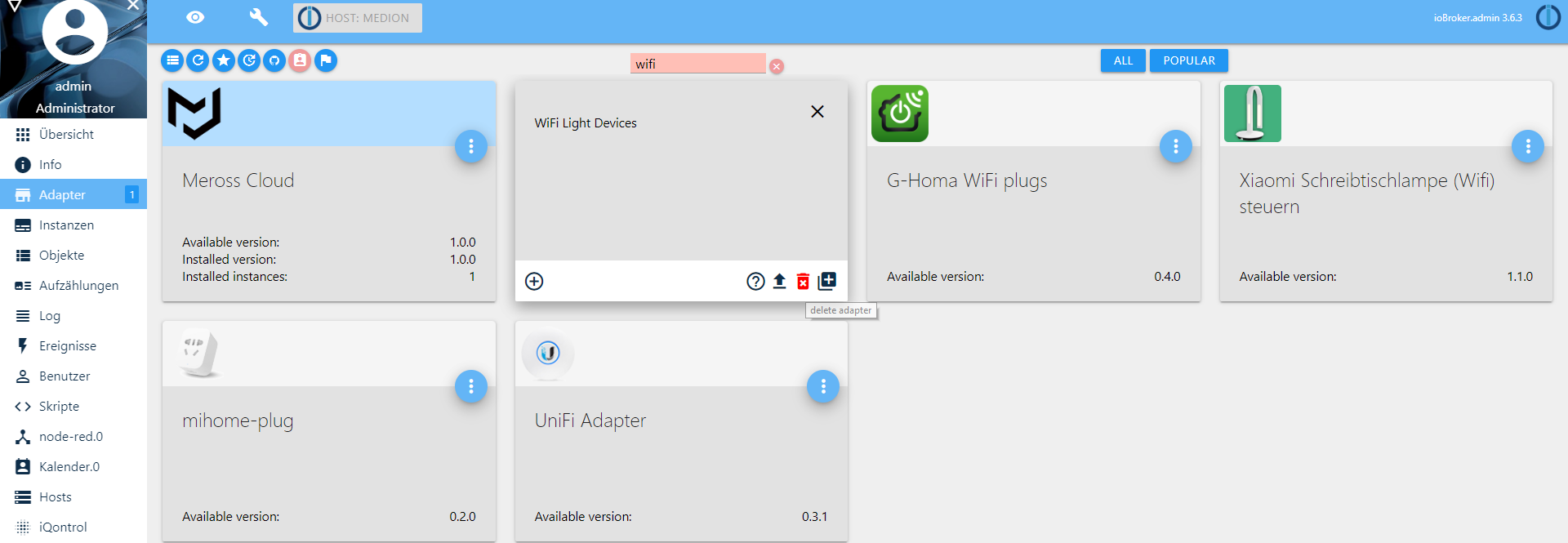
Irgendwie scheint es als wenn die Adapter wohl nicht richtig deinstalliert wurden, hab es nun mehrfach versucht diese zu löschen.
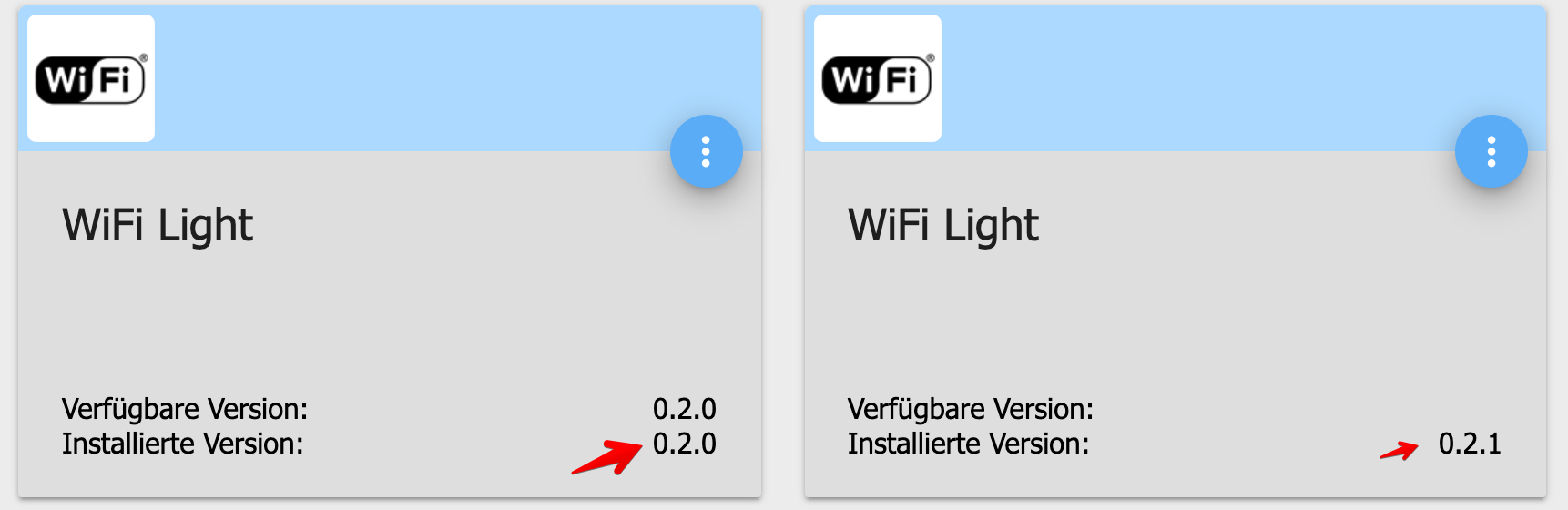
Kann ich diese irgendwie über die Shell entfernen?
-
Hab die Adapter über die Shell deinstalliert, dann selbst die Ordner in node_modules entfernt und neu Installiert.
Jetzt bekomme ich wieder diese Fehlermeldung:
host.iobroker	2019-06-16 16:03:15.923	info	instance system.adapter.ham.0 started with pid 15609
host.iobroker	2019-06-16 16:03:13.095	info	Restart adapter system.adapter.wifilight.0 because enabled
host.iobroker	2019-06-16 16:03:13.095	error	instance system.adapter.wifilight.0 terminated with code 1 ()
Caught	2019-06-16 16:03:13.095	error	by controller[0]: at bootstrap_node.js:625:3
Caught	2019-06-16 16:03:13.095	error	by controller[0]: at startup (bootstrap_node.js:204:16)
Caught	2019-06-16 16:03:13.095	error	by controller[0]: at Function.Module.runMain (module.js:694:10)
Caught	2019-06-16 16:03:13.095	error	by controller[0]: at Function.Module._load (module.js:498:3)
Caught	2019-06-16 16:03:13.095	error	by controller[0]: at tryModuleLoad (module.js:506:12)
Caught	2019-06-16 16:03:13.095	error	by controller[0]: at Module.load (module.js:566:32)
Caught	2019-06-16 16:03:13.095	error	by controller[0]: at Object.Module._extensions..js (module.js:664:10)
Caught	2019-06-16 16:03:13.095	error	by controller[0]: at Module._compile (module.js:653:30)
Caught	2019-06-16 16:03:13.095	error	by controller[0]: at Object.<anonymous> (/opt/iobroker/node_modules/iobroker.wifilight/wifilight.js:20:20)
Caught	2019-06-16 16:03:13.095	error	by controller[0]: at Object.exports.Adapter (/opt/iobroker/node_modules/soef/soef.js:1148:23)
Caught	2019-06-16 16:03:13.095	error	by controller[0]: TypeError: fns.adapter is not a function
Caught	2019-06-16 16:03:13.095	error	by controller[0]: ^
Caught	2019-06-16 16:03:13.095	error	by controller[0]: fns.adapter = fns.adapter(options);
Caught	2019-06-16 16:03:13.095	error	by controller[0]: /opt/iobroker/node_modules/soef/soef.js:1148
Du hast ja gerade geschrieben, das "soef" Problem. Kann ich das irgendwie fixen?
-
Hab die Adapter über die Shell deinstalliert, dann selbst die Ordner in node_modules entfernt und neu Installiert.
Jetzt bekomme ich wieder diese Fehlermeldung:
host.iobroker	2019-06-16 16:03:15.923	info	instance system.adapter.ham.0 started with pid 15609
host.iobroker	2019-06-16 16:03:13.095	info	Restart adapter system.adapter.wifilight.0 because enabled
host.iobroker	2019-06-16 16:03:13.095	error	instance system.adapter.wifilight.0 terminated with code 1 ()
Caught	2019-06-16 16:03:13.095	error	by controller[0]: at bootstrap_node.js:625:3
Caught	2019-06-16 16:03:13.095	error	by controller[0]: at startup (bootstrap_node.js:204:16)
Caught	2019-06-16 16:03:13.095	error	by controller[0]: at Function.Module.runMain (module.js:694:10)
Caught	2019-06-16 16:03:13.095	error	by controller[0]: at Function.Module._load (module.js:498:3)
Caught	2019-06-16 16:03:13.095	error	by controller[0]: at tryModuleLoad (module.js:506:12)
Caught	2019-06-16 16:03:13.095	error	by controller[0]: at Module.load (module.js:566:32)
Caught	2019-06-16 16:03:13.095	error	by controller[0]: at Object.Module._extensions..js (module.js:664:10)
Caught	2019-06-16 16:03:13.095	error	by controller[0]: at Module._compile (module.js:653:30)
Caught	2019-06-16 16:03:13.095	error	by controller[0]: at Object.<anonymous> (/opt/iobroker/node_modules/iobroker.wifilight/wifilight.js:20:20)
Caught	2019-06-16 16:03:13.095	error	by controller[0]: at Object.exports.Adapter (/opt/iobroker/node_modules/soef/soef.js:1148:23)
Caught	2019-06-16 16:03:13.095	error	by controller[0]: TypeError: fns.adapter is not a function
Caught	2019-06-16 16:03:13.095	error	by controller[0]: ^
Caught	2019-06-16 16:03:13.095	error	by controller[0]: fns.adapter = fns.adapter(options);
Caught	2019-06-16 16:03:13.095	error	by controller[0]: /opt/iobroker/node_modules/soef/soef.js:1148
Du hast ja gerade geschrieben, das "soef" Problem. Kann ich das irgendwie fixen?
@mech sagte in Iobroker - Wifilight - Instanz startet nicht:
Hab die Adapter über die Shell deinstalliert, dann selbst die Ordner in node_modules entfernt und neu Installiert.
Jetzt bekomme ich wieder diese Fehlermeldung:
Du hast ja gerade geschrieben, das "soef" Problem. Kann ich das irgendwie fixen?LÖSUNG: zum Ordner /opt/iobroker/node_modules/iobroker.wifilight gehen und sudo npm install soef eingeben. Jetzt klappt alles!
-
Hallo Sigi234,
danke das war die Lösung.
Vielleicht hilft dieser Beitrag ja auch noch anderen ;)
-
@mech sagte in Iobroker - Wifilight - Instanz startet nicht:
Hab die Adapter über die Shell deinstalliert, dann selbst die Ordner in node_modules entfernt und neu Installiert.
Jetzt bekomme ich wieder diese Fehlermeldung:
Du hast ja gerade geschrieben, das "soef" Problem. Kann ich das irgendwie fixen?LÖSUNG: zum Ordner /opt/iobroker/node_modules/iobroker.wifilight gehen und sudo npm install soef eingeben. Jetzt klappt alles!
@mech sagte in Iobroker - Wifilight - Instanz startet nicht:
Hallo Sigi234,
danke das war die Lösung.
Vielleicht hilft dieser Beitrag ja auch noch anderen ;)
Das hat es. Danke, danke, danke!
Nach vielen vielen Stunden suche endlich diesen Thread gefunden. Danach ist man immer klüger, wonach man hätte gleich suchen sollen.Fitti


Hey! Du scheinst an dieser Unterhaltung interessiert zu sein, hast aber noch kein Konto.
Hast du es satt, bei jedem Besuch durch die gleichen Beiträge zu scrollen? Wenn du dich für ein Konto anmeldest, kommst du immer genau dorthin zurück, wo du zuvor warst, und kannst dich über neue Antworten benachrichtigen lassen (entweder per E-Mail oder Push-Benachrichtigung). Du kannst auch Lesezeichen speichern und Beiträge positiv bewerten, um anderen Community-Mitgliedern deine Wertschätzung zu zeigen.
Mit deinem Input könnte dieser Beitrag noch besser werden 💗
Registrieren AnmeldenSupport us
378
Online33.0k
Benutzende83.7k
Themen1.3m
Beiträge