Skip to content
  • Home
  • Aktuell
  • Tags
  • 0 Ungelesen 0
  • Kategorien
  • Unreplied
  • Beliebt
  • GitHub
  • Docu
  • Hilfe
Skins
  • Light
  • Brite
  • Cerulean
  • Cosmo
  • Flatly
  • Journal
  • Litera
  • Lumen
  • Lux
  • Materia
  • Minty
  • Morph
  • Pulse
  • Sandstone
  • Simplex
  • Sketchy
  • Spacelab
  • United
  • Yeti
  • Zephyr
  • Dark
  • Cyborg
  • Darkly
  • Quartz
  • Slate
  • Solar
  • Superhero
  • Vapor

  • Standard: (Kein Skin)
  • Kein Skin
Einklappen
ioBroker Logo

Community Forum

donate donate
  1. ioBroker Community Home
  2. Deutsch
  3. Praktische Anwendungen (Showcase)
  4. Material Design Widgets: Wetter View

NEWS

  • Jahresrückblick 2025 – unser neuer Blogbeitrag ist online! ✨
    BluefoxB
    Bluefox
    17
    1
    2.5k

  • Neuer Blogbeitrag: Monatsrückblick - Dezember 2025 🎄
    BluefoxB
    Bluefox
    13
    1
    991

  • Weihnachtsangebot 2025! 🎄
    BluefoxB
    Bluefox
    25
    1
    2.3k

Material Design Widgets: Wetter View

Geplant Angeheftet Gesperrt Verschoben Praktische Anwendungen (Showcase)
material design widgetsviswetterdaswetterweatherundergroundpollenflugstatusanzeigejavascript
707 Beiträge 80 Kommentatoren 182.0k Aufrufe 89 Watching
  • Älteste zuerst
  • Neuste zuerst
  • Meiste Stimmen
Antworten
  • In einem neuen Thema antworten
Anmelden zum Antworten
Dieses Thema wurde gelöscht. Nur Nutzer mit entsprechenden Rechten können es sehen.
  • JoJo58J JoJo58

    Ich habe das Script nochmal angepasst, so das man jetzt angeben kann, ob man eigene Sensoren verwenden möchte, oder keine hat. Bisher war es so, das man angeben musste, oder es kamen Fehler.

    Das ist die aktuelle Version 2.0.1

    /************************************************************************************************************************************************************************
    Version: 1.0.5
    created by Scrounger
    Dieses Skript erzeugt json strings um Wetter Informationen im VIS mit den Material Design Widgets darzustellen
    =========================================================================================================================================================================
    !!! Voraussetzungen !!!
    * Material Design Widgets               >= 0.3.6
    * DasWetter                             >= 3.0.1
    * weatherunderground                    >= 3.2.1
    * Pollenflug                            >= 1.0.4        (optional in Skript Einstellung de- / aktivierbar)
    * Javascript Adapter                    >= 4.6.1
    * Javascript Adapter NPM Module:        moment, moment-timezone, moment-duration-format, chroma-js
    =========================================================================================================================================================================
    --- Links ---
    * Support:          https://forum.iobroker.net/topic/32232/material-design-widgets-wetter-view
    * Github:           https://github.com/Scrounger/ioBroker.vis-materialdesign/tree/master/examples/Weather
    =========================================================================================================================================================================
    --- Changelog ---
    * 1.0.0:            Initial release
    * 1.0.1:            Trigger bug fixes
    * 1.0.2:            enable / disable option for Pollenflug Adapter added
    * 1.0.3:            new feature of Material Design Widgets 0.3.6 added: auto show data labels on chart
    * 1.0.4:            bug fix graphs y-Axis range, Javascript Adapter >= 4.6.1 needed, DasWetter >= 3.0.1 needed
    * 1.0.5:            bug fix Windrichtung
    ************************************************************************************************************************************************************************/
    /************************************************************************************************************************************************************************
    * 2.0.0
    Patched for DasWetter v4+ structure (ForecastDaily + ForecastHourly)
    Based on Scrounger Script 1.0.5 (Material Design Widgets Wetter View)
    JoJo-Patch 2026-01-26: Works with:
    - daswetter.0.location_1.ForecastDaily.Day_1..Day_5.*
    - daswetter.0.location_1.ForecastHourly.Current.*
    - daswetter.0.location_1.ForecastHourly.Hour_1..Hour_24.*
    
    Notes:
    - No dependency on weatherunderground for core functionality anymore.
    - 24h Chart uses ForecastHourly.Hour_1..Hour_24 (next 24 hours).
    - Daily cards use ForecastDaily fields you posted.
    * 2.0.1 
    JoJo 2026-01-27 Jetzt kann man angeben, ob man eigene Sensoren nutzen möchte, oder nicht.
    ************************************************************************************************************************************************************************/
    
    // ===================== Script Settings =====================
    let dasWetter_Tage = 5;
    
    let idDatenpunktPrefix = '0_userdata.0';                           // '0_userdata.0' or 'javascript.x'
    let idDatenPunktStrukturPrefix = 'vis.MaterialDesignWidgets.Wetter';
    
    // own sensor (optional)
    const enableOwnSensors = true;  // <-- auf false setzen, wenn keine eigenen Sensoren genutzt werden
    
    let idSensor_Temperatur = 'hm-rpc.1.000EDF29AF0CB5.1.ACTUAL_TEMPERATURE';
    let idSensor_Luftfeuchtigkeit = 'hm-rpc.1.000EDF29AF0CB5.1.HUMIDITY';
    
    // chart colors
    let color_graph_temperatur_verlauf = [
       { value: -20, color: '#5b2c6f' },
       { value: 0, color: '#2874a6' },
       { value: 14, color: '#73c6b6' },
       { value: 22, color: '#008000' },
       { value: 27, color: '#FFA500' },
       { value: 35, color: '#FF0000' }
    ];
    // let color_graph_regenwahrscheinlichkeit = '#0d47a1';
    let color_graph_regenwahrscheinlichkeit = '#8ae8f9';
    let color_graph_niederschlag = '#6dd600';
    
    // Pollen (optional)
    let enablePollenFlug = true;
    let idPollenFlugRegion = 'pollenflug.0.region#41.summary';
    let pollenFlugFarben = ['#57bb8a', '#94bd77', '#d4c86a', '#e9b861', '#e79a69', '#dd776e', 'red'];
    let pollenFlugText = ['keine', 'kaum', 'gering', 'mäßig', 'mittel', 'hoch', 'stark'];
    
    // ===================== Derived IDs =====================
    let idIconList_Vorschau = `${idDatenpunktPrefix}.${idDatenPunktStrukturPrefix}.Vorschau.IconList`;
    let idIconList_Vorschau_Chart = `${idDatenpunktPrefix}.${idDatenPunktStrukturPrefix}.Vorschau.Chart`;
    
    let idDialogSchalter = `${idDatenpunktPrefix}.${idDatenPunktStrukturPrefix}.Dialog.Day_`;
    
    let idDatum = `${idDatenpunktPrefix}.${idDatenPunktStrukturPrefix}.DatumFormat.Day_`;
    let idTemperatur = `${idDatenpunktPrefix}.${idDatenPunktStrukturPrefix}.Temperatur.Day_`;
    let idNiederschlag = `${idDatenpunktPrefix}.${idDatenPunktStrukturPrefix}.Niederschlag.Day_`;
    let idLuftfeuchtigkeit = `${idDatenpunktPrefix}.${idDatenPunktStrukturPrefix}.Luftfeuchtigkeit.Day_`;
    let idWindgeschwindigkeit = `${idDatenpunktPrefix}.${idDatenPunktStrukturPrefix}.Windgeschwindigkeit.Day_`;
    let idWindrichtung = `${idDatenpunktPrefix}.${idDatenPunktStrukturPrefix}.Windrichtung.Day_`;
    let idLuftdruck = `${idDatenpunktPrefix}.${idDatenPunktStrukturPrefix}.Luftdruck.Day_`;
    let idSchneefallgrenze = `${idDatenpunktPrefix}.${idDatenPunktStrukturPrefix}.Schneefallgrenze.Day_`;
    let idSonne = `${idDatenpunktPrefix}.${idDatenPunktStrukturPrefix}.Sonne.Day_`;
    let idMond = `${idDatenpunktPrefix}.${idDatenPunktStrukturPrefix}.Mond.Day_`;
    
    let idBewolkung = `${idDatenpunktPrefix}.${idDatenPunktStrukturPrefix}.Aktuell.Bewolkung`;
    let idUvIndex = `${idDatenpunktPrefix}.${idDatenPunktStrukturPrefix}.Aktuell.UV-Index`;
    let idSonneneinstrahlung = `${idDatenpunktPrefix}.${idDatenPunktStrukturPrefix}.Aktuell.Sonneneinstrahlung`;
    let idMeineSensoren = `${idDatenpunktPrefix}.${idDatenPunktStrukturPrefix}.Aktuell.MeineSensoren`;
    
    let idChart = `${idDatenpunktPrefix}.${idDatenPunktStrukturPrefix}.Chart.Day_`;
    
    let idVisibiltyPollenFlug = `${idDatenpunktPrefix}.${idDatenPunktStrukturPrefix}.Pollenflug.visible`;
    let idPollenflug = `${idDatenpunktPrefix}.${idDatenPunktStrukturPrefix}.Pollenflug.Day_`;
    
    // ===================== DasWetter paths =====================
    const DW_DAILY = 'daswetter.0.location_1.ForecastDaily.Day_';
    const DW_HOURLY = 'daswetter.0.location_1.ForecastHourly';
    const DW_CUR = `${DW_HOURLY}.Current`;
    
    function dwDay(day, key) { return `${DW_DAILY}${day}.${key}`; }
    function dwHour(h, key) { return `${DW_HOURLY}.Hour_${h}.${key}`; }
    
    // ===================== imports =====================
    const chromaJs = require("chroma-js");
    const moment = require("moment");
    moment.locale("de");
    
    let temperaturGradientColors = getGradientColors(-20, 40, color_graph_temperatur_verlauf);
    
    // ===================== triggers =====================
    on({ id: "system.adapter.daswetter.0.alive", val: false }, createData);
    
    if (enableOwnSensors && idSensor_Temperatur && idSensor_Temperatur.trim() !== '' && existsState(idSensor_Temperatur)) {
       on({ id: idSensor_Temperatur }, createData);
    }
    
    
    // ===================== main =====================
    function createData(obj) {
       try {
           if (obj) console.log(`Material Design Widgets: Wetter Skript triggered by '${obj.id}'`);
           else console.log(`Material Design Widgets: Wetter Skript gestartet`);
    
           // sanity check
           if (!existsState(dwDay(1, 'NameOfDay')) || !existsState(`${DW_CUR}.time`)) {
               console.warn(`DasWetter Datenpunkte nicht vollständig gefunden. Prüfe location_1 / ForecastDaily / ForecastHourly.`);
           }
    
           let vorschauIconList = [];
    
           for (let i = 1; i <= dasWetter_Tage; i++) {
               if (existsState(dwDay(i, 'NameOfDay'))) {
                   vorschauIconList.push(createVorschauIconListItem(i));
    
                   createDatumFormatierung(i);
                   createNiederschlag(i);
                   createLuftfeuchtigkeit(i);
                   createTemperatur(i);
                   createWindgeschwindigkeit(i);
                   createWindrichtung(i);
                   createLuftdruck(i);
                   createSchneefallgrenze(i);
                   createSonne(i);
                   createMond(i);
    
                   createPollenFlug(i);
    
                   // 24h Verlauf: aus ForecastHourly.Hour_1..24 (nur sinnvoll für "Tag 1 / nächste 24h")
                   createCharts(i);
    
                   mySetState(`${idDialogSchalter}${i}`, false, 'boolean', `Schalter um Dialog für Tag ${i} anzuzeigen`, true);
               } else {
                   console.warn(`Keine Daten für Tag ${i} vorhanden! (DP: ${dwDay(i, 'NameOfDay')})`);
               }
           }
    
           // Aktuellwerte aus ForecastHourly.Current
           createBewolkung();
           createUvIndex();
           createSonneneinstrahlung();      // DasWetter liefert hier keinen solarRadiation-DP in Current (bei dir nicht gelistet) -> bleibt Platzhalter
           
    function createEigeneSensoren() {
       let listForWidget = [];
    
       const hasTemp = enableOwnSensors
           && idSensor_Temperatur && idSensor_Temperatur.trim() !== ''
           && existsState(idSensor_Temperatur);
    
       const hasHum = enableOwnSensors
           && idSensor_Luftfeuchtigkeit && idSensor_Luftfeuchtigkeit.trim() !== ''
           && existsState(idSensor_Luftfeuchtigkeit);
    
       if (hasTemp && hasHum) {
           listForWidget.push({
               rightText: getRightText(
                   formatValue(getVal(idSensor_Temperatur, 0), 1), ' °C',
                   formatValue(getVal(idSensor_Luftfeuchtigkeit, 0), 0), ' %'
               )
           });
       } else {
           // Wenn du lieber "nichts" anzeigen willst: so lassen.
           // Wenn du lieber Platzhalter willst, dann Zeile unten aktivieren:
           // listForWidget.push({ rightText: getRightText('-', '', '-', '') });
       }
    
       mySetState(`${idMeineSensoren}`, JSON.stringify(listForWidget), 'string', `Werte eigener Sensoren aktuell für List Widget`);
    }
    
           // Wochen Vorschau Graph (Daily)
           createVorschauGraph(dasWetter_Tage);
    
           // IconList Widget Vorschau
           mySetState(idIconList_Vorschau, JSON.stringify(vorschauIconList), 'string', 'Vorschau Wetter für IconList Widget');
    
       } catch (err) {
           console.error(`[createData] error: ${err.message}`);
           console.error(`[createData] stack: ${err.stack}`);
       }
    }
    
    // ===================== helpers (safe read) =====================
    function getVal(id, def = null) {
       if (!existsState(id)) return def;
       const s = getState(id);
       return (s && s.val !== undefined && s.val !== null) ? s.val : def;
    }
    
    function numVal(id, def = 0) {
       const v = getVal(id, def);
       const n = parseFloat(v);
       return isNaN(n) ? def : n;
    }
    
    // formatValue as in original script expectations
    function formatValue(val, digits) {
       if (val === null || val === undefined || val === '-') return '-';
       const n = parseFloat(val);
       if (isNaN(n)) return '-';
       return n.toFixed(digits).toString().replace('.', ',');
    }
    
    function getRightText(val1, unitVal1, val2 = undefined, unitVal2 = undefined) {
       return `
           <div style="display: flex; align-items: flex-end; justify-content: flex-end;">
               <div style="color: #44739e; font-size: 30px; font-family: RobotoCondensed-Regular;">${val1}</div>
               <div style="color: #44739e; font-size: 16px; font-family: RobotoCondensed-Regular; margin-left: 2px; margin-bottom: 4px;">${unitVal1}</div>
           </div>
           ${(val2 !== undefined) ? `<div style="color: gray; height: 13px; font-size: 12px; font-family: RobotoCondensed-Light; margin-top: 2px;">${val2}${unitVal2}</div>` : ''}`
    }
    
    // ===================== widgets: own sensors =====================
    function createEigeneSensoren() {
       let listForWidget = [];
       if (existsState(idSensor_Temperatur)) {
           listForWidget.push({
               rightText: getRightText(
                   formatValue(getVal(idSensor_Temperatur, 0), 1), ' °C',
                   formatValue(getVal(idSensor_Luftfeuchtigkeit, 0), 0), ' %'
               )
           });
       }
       mySetState(`${idMeineSensoren}`, JSON.stringify(listForWidget), 'string', `Werte eigener Sensoren aktuell für List Widget`);
    }
    
    // ===================== widgets: Current =====================
    function createBewolkung() {
       const clouds = numVal(`${DW_CUR}.clouds`, null);
       let listForWidget = [{
           rightText: getRightText(
               (clouds === null ? '-' : formatValue(clouds, 0)), (clouds === null ? '' : ' %')
           )
       }];
       mySetState(`${idBewolkung}`, JSON.stringify(listForWidget), 'string', `Bewölkung aktuell für List Widget`);
    }
    
    function createUvIndex() {
       const uv = getVal(`${DW_CUR}.uv_index_max`, null);
       let listForWidget = [{
           rightText: getRightText(
               (uv === null ? '-' : uv), ''
           )
       }];
       mySetState(`${idUvIndex}`, JSON.stringify(listForWidget), 'string', `UV-Index aktuell für List Widget`);
    }
    
    function createSonneneinstrahlung() {
       // In deiner Current-Liste gibt es keinen SolarRadiation-DP. Daher Platzhalter.
       let listForWidget = [{
           rightText: getRightText('-', '')
       }];
       mySetState(`${idSonneneinstrahlung}`, JSON.stringify(listForWidget), 'string', `Sonneneinstrahlung aktuell für List Widget (nicht verfügbar)`);
    }
    
    // ===================== widgets: Daily =====================
    function createDatumFormatierung(day) {
       const idDasWetter = `daswetter.0.location_1.ForecastDaily.Day_${day}`;
    
       // robust: erst date_full, fallback date
       const rawDate =
           getVal(`${idDasWetter}.date_full`, null) ||
           getVal(`${idDasWetter}.date`, null);
    
       const formatiertesDatum = rawDate
           ? moment(new Date(rawDate)).format("dddd, D. MMMM YYYY")
           : '-';
    
       mySetState(
           `${idDatum}${day}`,
           formatiertesDatum,
           'string',
           `Formatiertes Datum Tag ${day}`
       );
    }
    
    
    function createTemperatur(day) {
       let listForWidget = [];
    
       if (day === 1) {
           // aktuelle Temp aus Current
           const temp = numVal(`${DW_CUR}.temperature`, null);
           const felt = numVal(`${DW_CUR}.temperature_feels_like`, null);
    
           listForWidget.push({
               rightText: getRightText(
                   (temp === null ? '-' : formatValue(temp, 1)), '°C',
                   (temp !== null && felt !== null && temp !== felt) ? `gefühlt ${formatValue(felt, 1)}` : undefined, '°C'
               )
           });
       } else {
           const tMax = numVal(dwDay(day, 'Temperature_Max'), null);
           const tMin = numVal(dwDay(day, 'Temperature_Min'), null);
    
           listForWidget.push({
               rightText: getRightText(
                   (tMax === null ? '-' : formatValue(tMax, 1)), '°C',
                   `Nachts ${(tMin === null ? '-' : formatValue(tMin, 1))}`, '°C'
               )
           });
       }
    
       mySetState(`${idTemperatur}${day}`, JSON.stringify(listForWidget), 'string', `Temperatur Tag ${day} für List Widget`);
    }
    
    function createLuftfeuchtigkeit(day) {
       let listForWidget = [];
    
       if (day === 1) {
           const hum = numVal(`${DW_CUR}.humidity`, null);
           listForWidget.push({
               rightText: getRightText(
                   (hum === null ? '-' : formatValue(hum, 0)), (hum === null ? '' : ' %')
               )
           });
       } else {
           const hum = numVal(dwDay(day, 'Humidity'), null);
           listForWidget.push({
               rightText: getRightText(
                   (hum === null ? '-' : formatValue(hum, 0)), (hum === null ? '' : ' %')
               )
           });
       }
    
       mySetState(`${idLuftfeuchtigkeit}${day}`, JSON.stringify(listForWidget), 'string', `Luftfeuchtigkeit Tag ${day} für List Widget`);
    }
    
    function createNiederschlag(day) {
       let listForWidget = [];
    
       if (day === 1) {
           const prob = numVal(`${DW_CUR}.rain_probability`, null);
           const rain = numVal(`${DW_CUR}.rain`, null);
    
           listForWidget.push({
               rightText: getRightText(
                   (prob === null ? '-' : formatValue(prob, 0)), (prob === null ? '' : ' %'),
                   (rain === null ? '-' : formatValue(rain, 1)), (rain === null ? '' : ' mm')
               )
           });
       } else {
           const prob = numVal(dwDay(day, 'Rain_Probability'), null);
           const rain = numVal(dwDay(day, 'Rain'), null);
    
           listForWidget.push({
               rightText: getRightText(
                   (prob === null ? '-' : formatValue(prob, 0)), (prob === null ? '' : ' %'),
                   (rain === null ? '-' : formatValue(rain, 1)), (rain === null ? '' : ' mm')
               )
           });
       }
    
       mySetState(`${idNiederschlag}${day}`, JSON.stringify(listForWidget), 'string', `Niederschlag Tag ${day} für List Widget`);
    }
    
    function createWindgeschwindigkeit(day) {
       let listForWidget = [];
    
       if (day === 1) {
           const wind = numVal(`${DW_CUR}.wind_speed`, null);
           const gust = numVal(`${DW_CUR}.wind_gust`, null);
    
           listForWidget.push({
               rightText: getRightText(
                   (wind === null ? '-' : formatValue(wind, 0)), (wind === null ? '' : ' km/h'),
                   (gust === null ? undefined : `Böen ${formatValue(gust, 0)}`), (gust === null ? '' : ' km/h')
               )
           });
       } else {
           const wind = numVal(dwDay(day, 'Wind_Speed'), null);
           const gust = numVal(dwDay(day, 'Wind_Gust'), null);
    
           listForWidget.push({
               rightText: getRightText(
                   (wind === null ? '-' : formatValue(wind, 0)), (wind === null ? '' : ' km/h'),
                   (gust === null ? undefined : `Böen ${formatValue(gust, 0)}`), (gust === null ? '' : ' km/h')
               )
           });
       }
    
       mySetState(`${idWindgeschwindigkeit}${day}`, JSON.stringify(listForWidget), 'string', `Windgeschwindigkeit Tag ${day} für List Widget`);
    }
    
    function createWindrichtung(day) {
       let listForWidget = [];
    
       if (day === 1) {
           const dir = getVal(`${DW_CUR}.wind_direction`, '-');
           listForWidget.push({ rightText: getRightText(dir, '') });
       } else {
           const dir = getVal(dwDay(day, 'Wind_Direction'), '-');
           listForWidget.push({ rightText: getRightText(dir, '') });
       }
    
       mySetState(`${idWindrichtung}${day}`, JSON.stringify(listForWidget), 'string', `Windrichtung Tag ${day} für List Widget`);
    }
    
    function createLuftdruck(day) {
       let listForWidget = [];
    
       if (day === 1) {
           const p = numVal(`${DW_CUR}.pressure`, null);
           listForWidget.push({
               rightText: getRightText(
                   (p === null ? '-' : formatValue(p, 0)), (p === null ? '' : ' mbar')
               )
           });
       } else {
           const p = numVal(dwDay(day, 'Pressure'), null);
           listForWidget.push({
               rightText: getRightText(
                   (p === null ? '-' : formatValue(p, 0)), (p === null ? '' : ' mbar')
               )
           });
       }
    
       mySetState(`${idLuftdruck}${day}`, JSON.stringify(listForWidget), 'string', `Luftdruck Tag ${day} für List Widget`);
    }
    
    function createSchneefallgrenze(day) {
       let listForWidget = [];
    
       const grenze = (day === 1) ? numVal(`${DW_CUR}.snowline`, null) : numVal(dwDay(day, 'Snowline'), null);
    
       listForWidget.push({
           rightText: getRightText(
               (grenze === null || grenze <= 0) ? '-' : formatValue(grenze, 0),
               (grenze === null || grenze <= 0) ? '' : ' m'
           )
       });
    
       mySetState(`${idSchneefallgrenze}${day}`, JSON.stringify(listForWidget), 'string', `Schneefallgrenze Tag ${day} für List Widget`);
    }
    
    function createSonne(day) {
       let listForWidget = [];
    
       const sunIn = getVal(dwDay(day, 'Sun_in'), '-');
       const sunOut = getVal(dwDay(day, 'Sun_out'), '-');
    
       listForWidget.push({
           rightText: `
               <div style="color: gray; height: 13px; font-size: 10px; font-family: RobotoCondensed-Light; margin-top: 2px;">Aufgang</div>
               <div style="display: flex; align-items: flex-end; justify-content: flex-end;">
                   <div style="color: #44739e; font-size: 24px; font-family: RobotoCondensed-Regular;">${sunIn}</div>
               </div>`
       });
    
       listForWidget.push({
           rightText: `
               <div style="color: gray; height: 13px; font-size: 10px; font-family: RobotoCondensed-Light; margin-top: 2px;">Untergang</div>
               <div style="display: flex; align-items: flex-end; justify-content: flex-end;">
                   <div style="color: #44739e; font-size: 24px; font-family: RobotoCondensed-Regular;">${sunOut}</div>
               </div>`
       });
    
       mySetState(`${idSonne}${day}`, JSON.stringify(listForWidget), 'string', `Sonne Infos Tag ${day} für List Widget`);
    }
    
    function createMond(day) {
       let listForWidget = [];
    
       const moonIn = getVal(dwDay(day, 'Moon_in'), '-');
       const moonOut = getVal(dwDay(day, 'Moon_out'), '-');
       const illum = numVal(dwDay(day, 'Moon_illumination'), null);
    
       listForWidget.push({
           rightText: `
               <div style="color: gray; height: 13px; font-size: 10px; font-family: RobotoCondensed-Light; margin-top: 2px;">Aufgang</div>
               <div style="display: flex; align-items: flex-end; justify-content: flex-end;">
                   <div style="color: #44739e; font-size: 24px; font-family: RobotoCondensed-Regular;">${moonIn}</div>
               </div>`
       });
    
       listForWidget.push({
           rightText: `
               <div style="color: gray; height: 13px; font-size: 10px; font-family: RobotoCondensed-Light; margin-top: 2px;">Untergang</div>
               <div style="display: flex; align-items: flex-end; justify-content: flex-end;">
                   <div style="color: #44739e; font-size: 24px; font-family: RobotoCondensed-Regular;">${moonOut}</div>
               </div>`
       });
    
       mySetState(`${idMond}${day}`, JSON.stringify(listForWidget), 'string', `Mond Infos Tag ${day} für List Widget`);
    
       const moonHtml = (illum !== null)
           ? `<div><span class="mdi mdi-moon-waxing-crescent materialdesign-icon-image"></span> ${formatValue(illum, 0)} %</div>`
           : `<div>-</div>`;
    
       mySetState(`${idMond}${day}_lumi`, moonHtml, 'string', `Mond Beleuchtung Tag ${day} für Html Widget`);
    }
    
    // ===================== Pollen =====================
    function createPollenFlug(day) {
       let barData = [];
    
       if (enablePollenFlug) {
           mySetState(`${idVisibiltyPollenFlug}`, true, 'boolean', `Pollenflug Widgets anzeigen / ausblenden`);
    
           if (day === 1) generateData(`${idPollenFlugRegion}.json_index_today`);
           if (day === 2) generateData(`${idPollenFlugRegion}.json_index_tomorrow`);
    
           function generateData(idDp) {
               if (!existsState(idDp)) return;
    
               let raw = getVal(idDp, null);
               if (!raw) return;
    
               let data;
               try { data = JSON.parse(raw); } catch (e) { data = null; }
    
               if (data && data.length > 0) {
                   for (const pollenInfo of data) {
                       barData.push({
                           label: pollenInfo.Pollen,
                           value: pollenInfo.Riskindex + 1,
                           dataColor: pollenFlugFarben[pollenInfo.Riskindex],
                           valueText: pollenFlugText[pollenInfo.Riskindex]
                       });
                   }
               }
               mySetState(`${idPollenflug}${day}`, JSON.stringify(barData), 'string', `Pollenflug Tag ${day} für Bar Chart Widget`);
           }
       } else {
           mySetState(`${idVisibiltyPollenFlug}`, false, 'boolean', `Pollenflug Widgets anzeigen / ausblenden`);
       }
    }
    
    // ===================== Charts =====================
    // Build a single 24h chart from ForecastHourly.Hour_1..Hour_24 (next 24 hours).
    // To keep your existing VIS bindings (Chart.Day_1..Day_5), we write the same chart for every day,
    // but it represents "next 24h". If you want only Day_1 chart, we can do that too.
    function createCharts(day) {
    
       let axisLabels = [];
       let temperatur = [];
       let temperaturColors = [];
       let regenWahrscheinlichkeit = [];
       let niederschlag = [];
    
       let temperaturAxisMax = -100;
       let temperaturAxisMin = 100;
       let niederschlagMaxVal = 0;
    
       for (let i = 1; i <= 24; i++) {
    
           // time label
           let t = getVal(dwHour(i, 'time'), null);
           if (t !== null) {
               let h = String(t).replace(':00', '');
               axisLabels.push(`${h}h`);
           } else {
               axisLabels.push('');
           }
    
           // temperature
           let temp = numVal(dwHour(i, 'temperature'), null);
           if (temp === null) {
               temperatur.push(null);
               temperaturColors.push('#888888');
           } else {
               if (temp > temperaturAxisMax) temperaturAxisMax = temp;
               if (temp < temperaturAxisMin) temperaturAxisMin = temp;
               temperatur.push(temp);
               temperaturColors.push(temperaturGradientColors.getColorByValue(temp));
           }
    
           // rain probability
           let prob = numVal(dwHour(i, 'rain_probability'), null);
           regenWahrscheinlichkeit.push(prob === null ? null : prob);
    
           // rain amount
           let rain = numVal(dwHour(i, 'rain'), 0);
           if (rain > niederschlagMaxVal) niederschlagMaxVal = rain;
           niederschlag.push(rain);
       }
    
       let graphs = [];
    
       graphs.push({
           data: temperatur,
           type: 'line',
           color: 'gray',
           legendText: 'Temperatur',
           line_pointSizeHover: 5,
           line_pointSize: 0,
           line_Tension: 0.3,
           yAxis_show: false,
           yAxis_gridLines_show: false,
           yAxis_gridLines_ticks_length: 5,
           yAxis_min: (temperaturAxisMin < 5) ? Math.ceil((temperaturAxisMin - 5) / 5) * 5 : 0,
           yAxis_max: Math.ceil((temperaturAxisMax + 5) / 5) * 5,
           yAxis_step: 5,
           yAxis_position: 'left',
           yAxis_appendix: ' °C',
           yAxis_zeroLineWidth: 0.1,
           yAxis_zeroLineColor: 'black',
           displayOrder: 0,
           tooltip_AppendText: ' °C',
           datalabel_backgroundColor: temperaturColors,
           datalabel_color: 'white',
           datalabel_offset: -10,
           datalabel_fontFamily: 'RobotoCondensed-Light',
           datalabel_fontSize: 12,
           datalabel_borderRadius: 6,
           datalabel_show: 'auto',
           line_PointColor: temperaturColors,
           line_PointColorBorder: temperaturColors,
           line_PointColorHover: temperaturColors,
           line_PointColorBorderHover: temperaturColors,
           use_gradient_color: true,
           gradient_color: color_graph_temperatur_verlauf,
           use_line_gradient_fill_color: true,
           line_gradient_fill_color: temperaturGradientColors.getGradientWithOpacity(40)
       });
    
       if (regenWahrscheinlichkeit.some(v => v !== null)) {
           graphs.push({
               data: regenWahrscheinlichkeit,
               type: 'line',
               color: color_graph_regenwahrscheinlichkeit,
               legendText: 'Regenwahrscheinlichkeit',
               line_UseFillColor: true,
               line_pointSize: 0,
               line_pointSizeHover: 5,
               yAxis_min: 0,
               yAxis_max: 100,
               yAxis_maxSteps: 10,
               yAxis_position: 'left',
               yAxis_gridLines_show: false,
               yAxis_gridLines_border_show: false,
               yAxis_zeroLineWidth: 0.1,
               yAxis_zeroLineColor: 'black',
               yAxis_appendix: ' %',
               displayOrder: 1,
               tooltip_AppendText: ' %',
               datalabel_show: false,
           });
       }
    
       if (niederschlagMaxVal > 0) {
           graphs.push({
               data: niederschlag,
               type: 'bar',
               color: color_graph_niederschlag,
               legendText: 'Niederschlag',
               yAxis_min: 0,
               yAxis_max: Math.ceil((niederschlagMaxVal + 5) / 5) * 5,
               yAxis_maxSteps: 10,
               yAxis_position: 'right',
               yAxis_gridLines_show: false,
               yAxis_appendix: ' mm',
               yAxis_gridLines_border_show: false,
               yAxis_zeroLineWidth: 0.1,
               yAxis_zeroLineColor: 'black',
               displayOrder: 1,
               tooltip_AppendText: ' mm',
               datalabel_show: false,
           });
       }
    
       const chart = { axisLabels, graphs };
       mySetState(`${idChart}${day}`, JSON.stringify(chart), 'string', `Tag ${day} für Chart Widget (nächste 24h)`);
    }
    
    // ===================== Weekly preview graph (Daily) =====================
    function createVorschauGraph(maxDays) {
       let axisLabels = [];
    
       let temperaturMax = [];
       let temperaturMin = [];
       let temperaturMaxColors = [];
       let temperaturMinColors = [];
    
       let temperaturAxisMax = -100;
       let temperaturAxisMin = 100;
    
       let regenWahrscheinlichkeit = [];
       let niederschlag = [];
       let niederschlagMaxVal = 0;
    
       for (let day = 1; day <= maxDays; day++) {
    
           if (!existsState(dwDay(day, 'NameOfDay'))) continue;
    
           axisLabels.push((day === 1) ? 'Heute' : getVal(dwDay(day, 'NameOfDay'), `Tag ${day}`));
    
           const tMax = numVal(dwDay(day, 'Temperature_Max'), null);
           const tMin = numVal(dwDay(day, 'Temperature_Min'), null);
    
           if (tMax !== null) {
               if (tMax > temperaturAxisMax) temperaturAxisMax = tMax;
               if (tMax < temperaturAxisMin) temperaturAxisMin = tMax;
               temperaturMax.push(tMax);
               temperaturMaxColors.push(temperaturGradientColors.getColorByValue(tMax));
           } else { temperaturMax.push(null); temperaturMaxColors.push('#888888'); }
    
           if (tMin !== null) {
               if (tMin > temperaturAxisMax) temperaturAxisMax = tMin;
               if (tMin < temperaturAxisMin) temperaturAxisMin = tMin;
               temperaturMin.push(tMin);
               temperaturMinColors.push(temperaturGradientColors.getColorByValue(tMin));
           } else { temperaturMin.push(null); temperaturMinColors.push('#888888'); }
    
           const rain = numVal(dwDay(day, 'Rain'), 0);
           if (rain > niederschlagMaxVal) niederschlagMaxVal = rain;
           niederschlag.push(rain);
    
           const prob = numVal(dwDay(day, 'Rain_Probability'), 0);
           regenWahrscheinlichkeit.push(prob);
       }
    
       let graphs = [];
    
       graphs.push({
           data: temperaturMax,
           type: 'line',
           legendText: 'max. Temperatur',
           line_pointSizeHover: 5,
           line_pointSize: 0,
           line_Tension: 0.3,
           yAxis_id: 0,
           yAxis_show: false,
           yAxis_gridLines_show: false,
           yAxis_gridLines_ticks_length: 5,
           yAxis_min: (temperaturAxisMin < 5) ? Math.ceil((temperaturAxisMin - 5) / 5) * 5 : 0,
           yAxis_max: Math.ceil((temperaturAxisMax + 5) / 5) * 5,
           yAxis_step: 5,
           yAxis_position: 'left',
           yAxis_appendix: ' °C',
           yAxis_zeroLineWidth: 0.1,
           yAxis_zeroLineColor: 'black',
           displayOrder: 0,
           tooltip_AppendText: ' °C',
           datalabel_backgroundColor: temperaturMaxColors,
           datalabel_color: 'white',
           datalabel_offset: -10,
           datalabel_fontFamily: 'RobotoCondensed-Light',
           datalabel_fontSize: 12,
           datalabel_borderRadius: 6,
           line_PointColor: temperaturMaxColors,
           line_PointColorBorder: temperaturMaxColors,
           line_PointColorHover: temperaturMaxColors,
           line_PointColorBorderHover: temperaturMaxColors,
           use_gradient_color: true,
           line_FillBetweenLines: '+1',
           gradient_color: color_graph_temperatur_verlauf,
           use_line_gradient_fill_color: true,
           line_gradient_fill_color: temperaturGradientColors.getGradientWithOpacity(40)
       });
    
       graphs.push({
           data: temperaturMin,
           type: 'line',
           legendText: 'min. Temperatur',
           line_pointSizeHover: 5,
           line_pointSize: 0,
           line_Tension: 0.3,
           yAxis_id: 0,
           yAxis_show: false,
           yAxis_gridLines_show: false,
           yAxis_gridLines_ticks_length: 5,
           yAxis_min: (temperaturAxisMin < 5) ? Math.ceil((temperaturAxisMin - 5) / 5) * 5 : 0,
           yAxis_max: Math.ceil((temperaturAxisMax + 5) / 5) * 5,
           yAxis_step: 5,
           yAxis_position: 'left',
           yAxis_appendix: ' °C',
           yAxis_zeroLineWidth: 0.1,
           yAxis_zeroLineColor: 'black',
           displayOrder: 0,
           tooltip_AppendText: ' °C',
           datalabel_backgroundColor: temperaturMinColors,
           datalabel_color: 'white',
           datalabel_offset: -10,
           datalabel_fontFamily: 'RobotoCondensed-Light',
           datalabel_fontSize: 12,
           datalabel_borderRadius: 6,
           line_PointColor: temperaturMinColors,
           line_PointColorBorder: temperaturMinColors,
           line_PointColorHover: temperaturMinColors,
           line_PointColorBorderHover: temperaturMinColors,
           use_gradient_color: true,
           gradient_color: color_graph_temperatur_verlauf
       });
    
       graphs.push({
           data: regenWahrscheinlichkeit,
           type: 'line',
           color: color_graph_regenwahrscheinlichkeit,
           legendText: 'Regenwahrscheinlichkeit',
           line_UseFillColor: true,
           line_pointSize: 0,
           line_pointSizeHover: 5,
           yAxis_min: 0,
           yAxis_max: 100,
           yAxis_maxSteps: 10,
           yAxis_position: 'left',
           yAxis_gridLines_show: false,
           yAxis_gridLines_border_show: true,
           yAxis_distance: 10,
           yAxis_zeroLineWidth: 0.1,
           yAxis_zeroLineColor: 'black',
           yAxis_appendix: ' %',
           displayOrder: 1,
           tooltip_AppendText: ' %',
           datalabel_show: false,
       });
    
       if (niederschlagMaxVal > 0) {
           graphs.push({
               data: niederschlag,
               type: 'bar',
               color: color_graph_niederschlag,
               legendText: 'Niederschlag',
               yAxis_min: 0,
               yAxis_max: Math.ceil((niederschlagMaxVal + 5) / 5) * 5,
               yAxis_maxSteps: 10,
               yAxis_position: 'right',
               yAxis_gridLines_show: false,
               yAxis_appendix: ' mm',
               yAxis_gridLines_border_show: false,
               yAxis_distance: 10,
               yAxis_zeroLineWidth: 0.1,
               yAxis_zeroLineColor: 'black',
               displayOrder: 1,
               tooltip_AppendText: ' mm',
               datalabel_show: false,
           });
       }
    
       const chart = { axisLabels, graphs };
       mySetState(`${idIconList_Vorschau_Chart}`, JSON.stringify(chart), 'string', `Vorschau Chart`);
    }
    
    // ===================== IconList item (Daily) =====================
    function createVorschauIconListItem(day) {
    
       const title = (day === 1) ? 'Heute' : getVal(dwDay(day, 'NameOfDay'), `Tag ${day}`);
    
       const regenWahrscheinlichkeit = `${formatValue(getVal(dwDay(day, 'Rain_Probability'), 0), 0)} %`;
       const niederschlag = `${formatValue(getVal(dwDay(day, 'Rain'), 0), 1)} mm`;
    
       return {
           text: `
               <div style="margin: 0 4px; text-align: center;">${title}
                   <div style="height: 1px; background: #44739e;"></div>
                   <div style="color: grey; font-size: 11px; font-family: RobotoCondensed-Light; white-space: break-spaces; margin-top: 5px; text-align: center;">
                       ${getVal(dwDay(day, 'symbol_description'), '')}
                   </div>
                   <div style="color: #44739e; font-family: RobotoCondensed-Regular; font-size: 16px; margin-top: 5px; text-align: center;">
                       ${formatValue(getVal(dwDay(day, 'Temperature_Max'), '-'), 1)}°C &nbsp; | &nbsp; ${formatValue(getVal(dwDay(day, 'Temperature_Min'), '-'), 1)}°C
                   </div>
                   <div style="color: grey; font-size: 11px; font-family: RobotoCondensed-Light; white-space: break-spaces; margin-top: 5px; text-align: center;">
                       ${regenWahrscheinlichkeit}
                   </div>
               </div>`,
           image: getVal(dwDay(day, 'symbol_URL'), ''),
           subText: `
               <div style="display: flex; align-items: center; margin: 0 4px;">
                   <div style="flex: 1;text-align: left;font-family: RobotoCondensed-Light; font-size: 11px;">Luftfeuchtigkeit</div>
                   <div style="color: gray; font-family: RobotoCondensed-LightItalic; font-size: 10px;">${formatValue(getVal(dwDay(day, 'Humidity'), '-'), 0)} %</div>
               </div>                 
               <div style="display: flex; align-items: flex-start; margin: 0 4px;">
                   <div style="flex: 1;text-align: left;font-family: RobotoCondensed-Light; font-size: 11px;">Regen</div>
                   <div style="color: gray; font-family: RobotoCondensed-LightItalic; font-size: 10px;">${niederschlag}</div>
               </div>
               <div style="display: flex; align-items: center; margin: 0 4px;">
                   <div style="flex: 1;text-align: left;font-family: RobotoCondensed-Light; font-size: 11px;">Wind</div>
                   <div style="color: gray; font-family: RobotoCondensed-LightItalic; font-size: 10px;">${formatValue(getVal(dwDay(day, 'Wind_Speed'), '-'), 0)} km/h</div>
               </div>
               <div style="display: flex; align-items: center; margin: 0 4px;">
                   <div style="flex: 1;text-align: left;font-family: RobotoCondensed-Light; font-size: 11px;">Luftdruck</div>
                   <div style="color: gray; font-family: RobotoCondensed-LightItalic; font-size: 10px;">${formatValue(getVal(dwDay(day, 'Pressure'), '-'), 0)} hPa</div>
               </div>
               <div style="display: flex; align-items: center; margin: 0 4px;">
                   <div style="flex: 1;text-align: left;font-family: RobotoCondensed-Light; font-size: 11px;">Schneefall</div>
                   <div style="color: gray; font-family: RobotoCondensed-LightItalic; font-size: 10px;">${formatValue(getVal(dwDay(day, 'Snowline'), '-'), 0)} m</div>
               </div>
               <div style="display: flex; align-items: center; margin: 0 4px;">
                   <div style="flex: 1;text-align: left;font-family: RobotoCondensed-Light; font-size: 11px;">Sonnenaufgang</div>
                   <div style="color: gray; font-family: RobotoCondensed-LightItalic; font-size: 10px;">${getVal(dwDay(day, 'Sun_in'), '-')}</div>
               </div>
               <div style="display: flex; align-items: center; margin: 0 4px;">
                   <div style="flex: 1;text-align: left;font-family: RobotoCondensed-Light; font-size: 11px;">Sonnenuntergang</div>
                   <div style="color: gray; font-family: RobotoCondensed-LightItalic; font-size: 10px;">${getVal(dwDay(day, 'Sun_out'), '-')}</div>
               </div>                        
           `,
           listType: (day === 1) ? "text" : "buttonState",
           objectId: `${idDialogSchalter}${day}`,
           buttonStateValue: "true",
           "showValueLabel": "false"
       };
    }
    
    // ===================== startup =====================
    createData();
    
    // ===================== original helper functions =====================
    function getGradientColors(min, max, colorValArray) {
       let delta = max - min;
    
       let chromaColors = [];
       let chromaDomains = [];
    
       for (const item of colorValArray) {
           chromaColors.push(item.color);
           chromaDomains.push(item.value / delta);
       }
       let chroma = chromaJs.scale(chromaColors).domain(chromaDomains);
    
       return {
           getColorByValue: function (val) {
               if (val > max) return chroma(1).hex();
               if (val < min) return chroma(0).hex();
               return chroma(val / delta).hex();
           },
           getGradientWithOpacity: function (opacity) {
               colorValArray.forEach(item => {
                   item.color = chromaJs(item.color).alpha(opacity / 100).hex();
               });
               return colorValArray;
           }
       };
    }
    
    function mySetState(id, val, type, name, write = false) {
       if (existsState(id)) {
           setState(id, val, true);
       } else {
           createState(id, {
               name: name,
               type: type,
               read: true,
               write: write
           }, function () {
               setState(id, val, true);
           });
       }
    }
    

    Gruß, Johannes

    M Offline
    M Offline
    MartyBr
    schrieb am zuletzt editiert von
    #687

    @JoJo58
    Ich habe zwei weitere eigene Sensoren hinzugefügt: Sonneneinstrahlung und UV.

    Hier das angepasste Script:

    /************************************************************************************************************************************************************************
    Version: 1.0.5
    created by Scrounger
    Dieses Skript erzeugt json strings um Wetter Informationen im VIS mit den Material Design Widgets darzustellen
    =========================================================================================================================================================================
    !!! Voraussetzungen !!!
    * Material Design Widgets               >= 0.3.6
    * DasWetter                             >= 3.0.1
    * weatherunderground                    >= 3.2.1
    * Pollenflug                            >= 1.0.4        (optional in Skript Einstellung de- / aktivierbar)
    * Javascript Adapter                    >= 4.6.1
    * Javascript Adapter NPM Module:        moment, moment-timezone, moment-duration-format, chroma-js
    =========================================================================================================================================================================
    --- Links ---
    * Support:          https://forum.iobroker.net/topic/32232/material-design-widgets-wetter-view
    * Github:           https://github.com/Scrounger/ioBroker.vis-materialdesign/tree/master/examples/Weather
    =========================================================================================================================================================================
    --- Changelog ---
    * 1.0.0:            Initial release
    * 1.0.1:            Trigger bug fixes
    * 1.0.2:            enable / disable option for Pollenflug Adapter added
    * 1.0.3:            new feature of Material Design Widgets 0.3.6 added: auto show data labels on chart
    * 1.0.4:            bug fix graphs y-Axis range, Javascript Adapter >= 4.6.1 needed, DasWetter >= 3.0.1 needed
    * 1.0.5:            bug fix Windrichtung
    ************************************************************************************************************************************************************************/
    /************************************************************************************************************************************************************************
    * 2.0.0
    Patched for DasWetter v4+ structure (ForecastDaily + ForecastHourly)
    Based on Scrounger Script 1.0.5 (Material Design Widgets Wetter View)
    JoJo-Patch 2026-01-26: Works with:
    - daswetter.0.location_1.ForecastDaily.Day_1..Day_5.*
    - daswetter.0.location_1.ForecastHourly.Current.*
    - daswetter.0.location_1.ForecastHourly.Hour_1..Hour_24.*
     
    Notes:
    - No dependency on weatherunderground for core functionality anymore.
    - 24h Chart uses ForecastHourly.Hour_1..Hour_24 (next 24 hours).
    - Daily cards use ForecastDaily fields you posted.
    * 2.0.1 
    JoJo 2026-01-27 Jetzt kann man angeben, ob man eigene Sensoren nutzen möchte, oder nicht.
    ************************************************************************************************************************************************************************/
     
    // ===================== Script Settings =====================
    let dasWetter_Tage = 5;
     
    let idDatenpunktPrefix = '0_userdata.0';                           // '0_userdata.0' or 'javascript.x'
    let idDatenPunktStrukturPrefix = 'vis.MaterialDesignWidgets.Wetter';
     
    // own sensor (optional)
    const enableOwnSensors = true;  // <-- auf false setzen, wenn keine eigenen Sensoren genutzt werden
     
    let idSensor_Temperatur = '0_userdata.0.Wetterstation.Aussentemperatur';
    let idSensor_Luftfeuchtigkeit = '0_userdata.0.Wetterstation.Aussenfeuchtigkeit';
    let idSensor_Sonnenstrahlung = '0_userdata.0.Wetterstation.Sonnenstrahlung';
    let idSensor_UV = '0_userdata.0.Wetterstation.UV_Index';
    
    // chart colors
    let color_graph_temperatur_verlauf = [
       { value: -20, color: '#5b2c6f' },
       { value: 0, color: '#2874a6' },
       { value: 14, color: '#73c6b6' },
       { value: 22, color: '#008000' },
       { value: 27, color: '#FFA500' },
       { value: 35, color: '#FF0000' }
    ];
    // let color_graph_regenwahrscheinlichkeit = '#0d47a1';
    let color_graph_regenwahrscheinlichkeit = '#8ae8f9';
    let color_graph_niederschlag = '#6dd600';
     
    // Pollen (optional)
    let enablePollenFlug = true;
    let idPollenFlugRegion = 'pollenflug.0.region#41.summary';
    let pollenFlugFarben = ['#57bb8a', '#94bd77', '#d4c86a', '#e9b861', '#e79a69', '#dd776e', 'red'];
    let pollenFlugText = ['keine', 'kaum', 'gering', 'mäßig', 'mittel', 'hoch', 'stark'];
     
    // ===================== Derived IDs =====================
    let idIconList_Vorschau = `${idDatenpunktPrefix}.${idDatenPunktStrukturPrefix}.Vorschau.IconList`;
    let idIconList_Vorschau_Chart = `${idDatenpunktPrefix}.${idDatenPunktStrukturPrefix}.Vorschau.Chart`;
     
    let idDialogSchalter = `${idDatenpunktPrefix}.${idDatenPunktStrukturPrefix}.Dialog.Day_`;
     
    let idDatum = `${idDatenpunktPrefix}.${idDatenPunktStrukturPrefix}.DatumFormat.Day_`;
    let idTemperatur = `${idDatenpunktPrefix}.${idDatenPunktStrukturPrefix}.Temperatur.Day_`;
    let idNiederschlag = `${idDatenpunktPrefix}.${idDatenPunktStrukturPrefix}.Niederschlag.Day_`;
    let idLuftfeuchtigkeit = `${idDatenpunktPrefix}.${idDatenPunktStrukturPrefix}.Luftfeuchtigkeit.Day_`;
    let idWindgeschwindigkeit = `${idDatenpunktPrefix}.${idDatenPunktStrukturPrefix}.Windgeschwindigkeit.Day_`;
    let idWindrichtung = `${idDatenpunktPrefix}.${idDatenPunktStrukturPrefix}.Windrichtung.Day_`;
    let idLuftdruck = `${idDatenpunktPrefix}.${idDatenPunktStrukturPrefix}.Luftdruck.Day_`;
    let idSchneefallgrenze = `${idDatenpunktPrefix}.${idDatenPunktStrukturPrefix}.Schneefallgrenze.Day_`;
    let idSonne = `${idDatenpunktPrefix}.${idDatenPunktStrukturPrefix}.Sonne.Day_`;
    let idMond = `${idDatenpunktPrefix}.${idDatenPunktStrukturPrefix}.Mond.Day_`;
     
    let idBewolkung = `${idDatenpunktPrefix}.${idDatenPunktStrukturPrefix}.Aktuell.Bewolkung`;
    let idUvIndex = `${idDatenpunktPrefix}.${idDatenPunktStrukturPrefix}.Aktuell.UV-Index`;
    let idSonneneinstrahlung = `${idDatenpunktPrefix}.${idDatenPunktStrukturPrefix}.Aktuell.Sonneneinstrahlung`;
    let idMeineSensoren = `${idDatenpunktPrefix}.${idDatenPunktStrukturPrefix}.Aktuell.MeineSensoren`;
     
    let idChart = `${idDatenpunktPrefix}.${idDatenPunktStrukturPrefix}.Chart.Day_`;
     
    let idVisibiltyPollenFlug = `${idDatenpunktPrefix}.${idDatenPunktStrukturPrefix}.Pollenflug.visible`;
    let idPollenflug = `${idDatenpunktPrefix}.${idDatenPunktStrukturPrefix}.Pollenflug.Day_`;
     
    // ===================== DasWetter paths =====================
    const DW_DAILY = 'daswetter.0.location_1.ForecastDaily.Day_';
    const DW_HOURLY = 'daswetter.0.location_1.ForecastHourly';
    const DW_CUR = `${DW_HOURLY}.Current`;
     
    function dwDay(day, key) { return `${DW_DAILY}${day}.${key}`; }
    function dwHour(h, key) { return `${DW_HOURLY}.Hour_${h}.${key}`; }
     
    // ===================== imports =====================
    const chromaJs = require("chroma-js");
    const moment = require("moment");
    moment.locale("de");
     
    let temperaturGradientColors = getGradientColors(-20, 40, color_graph_temperatur_verlauf);
     
    // ===================== triggers =====================
    on({ id: "system.adapter.daswetter.0.alive", val: false }, createData);
     
    if (enableOwnSensors && idSensor_Temperatur && idSensor_Temperatur.trim() !== '' && existsState(idSensor_Temperatur)) {
       on({ id: idSensor_Temperatur }, createData);
    }
     
     
    // ===================== main =====================
    function createData(obj) {
       try {
           if (obj) console.log(`Material Design Widgets: Wetter Skript triggered by '${obj.id}'`);
           else console.log(`Material Design Widgets: Wetter Skript gestartet`);
     
           // sanity check
           if (!existsState(dwDay(1, 'NameOfDay')) || !existsState(`${DW_CUR}.time`)) {
               console.warn(`DasWetter Datenpunkte nicht vollständig gefunden. Prüfe location_1 / ForecastDaily / ForecastHourly.`);
           }
     
           let vorschauIconList = [];
     
           for (let i = 1; i <= dasWetter_Tage; i++) {
               if (existsState(dwDay(i, 'NameOfDay'))) {
                   vorschauIconList.push(createVorschauIconListItem(i));
     
                   createDatumFormatierung(i);
                   createNiederschlag(i);
                   createLuftfeuchtigkeit(i);
                   createTemperatur(i);
                   createWindgeschwindigkeit(i);
                   createWindrichtung(i);
                   createLuftdruck(i);
                   createSchneefallgrenze(i);
                   createSonne(i);
                   createMond(i);
     
                   createPollenFlug(i);
     
                   // 24h Verlauf: aus ForecastHourly.Hour_1..24 (nur sinnvoll für "Tag 1 / nächste 24h")
                   createCharts(i);
     
                   mySetState(`${idDialogSchalter}${i}`, false, 'boolean', `Schalter um Dialog für Tag ${i} anzuzeigen`, true);
               } else {
                   console.warn(`Keine Daten für Tag ${i} vorhanden! (DP: ${dwDay(i, 'NameOfDay')})`);
               }
           }
     
           // Aktuellwerte aus ForecastHourly.Current
           createBewolkung();
           createUvIndex();
           createSonneneinstrahlung();      // DasWetter liefert hier keinen solarRadiation-DP in Current (bei dir nicht gelistet) -> bleibt Platzhalter
           
    function createEigeneSensoren() {
       let listForWidget = [];
     
       const hasTemp = enableOwnSensors
           && idSensor_Temperatur && idSensor_Temperatur.trim() !== ''
           && existsState(idSensor_Temperatur);
     
       const hasHum = enableOwnSensors
           && idSensor_Luftfeuchtigkeit && idSensor_Luftfeuchtigkeit.trim() !== ''
           && existsState(idSensor_Luftfeuchtigkeit);
     
       if (hasTemp && hasHum) {
           listForWidget.push({
               rightText: getRightText(
                   formatValue(getVal(idSensor_Temperatur, 0), 1), ' °C',
                   formatValue(getVal(idSensor_Luftfeuchtigkeit, 0), 0), ' %',
                   formatValue(getVal(idSensor_Sonnenstrahlung, 0), 0), ' w/m²',
                   formatValue(getVal(idSensor_UV, 0), 0), ''
               )
           });
       } else {
           // Wenn du lieber "nichts" anzeigen willst: so lassen.
           // Wenn du lieber Platzhalter willst, dann Zeile unten aktivieren:
           // listForWidget.push({ rightText: getRightText('-', '', '-', '') });
       }
     
       mySetState(`${idMeineSensoren}`, JSON.stringify(listForWidget), 'string', `Werte eigener Sensoren aktuell für List Widget`);
    }
     
           // Wochen Vorschau Graph (Daily)
           createVorschauGraph(dasWetter_Tage);
     
           // IconList Widget Vorschau
           mySetState(idIconList_Vorschau, JSON.stringify(vorschauIconList), 'string', 'Vorschau Wetter für IconList Widget');
     
       } catch (err) {
           console.error(`[createData] error: ${err.message}`);
           console.error(`[createData] stack: ${err.stack}`);
       }
    }
     
    // ===================== helpers (safe read) =====================
    function getVal(id, def = null) {
       if (!existsState(id)) return def;
       const s = getState(id);
       return (s && s.val !== undefined && s.val !== null) ? s.val : def;
    }
     
    function numVal(id, def = 0) {
       const v = getVal(id, def);
       const n = parseFloat(v);
       return isNaN(n) ? def : n;
    }
     
    // formatValue as in original script expectations
    function formatValue(val, digits) {
       if (val === null || val === undefined || val === '-') return '-';
       const n = parseFloat(val);
       if (isNaN(n)) return '-';
       return n.toFixed(digits).toString().replace('.', ',');
    }
     
    function getRightText(val1, unitVal1, val2 = undefined, unitVal2 = undefined) {
       return `
           <div style="display: flex; align-items: flex-end; justify-content: flex-end;">
               <div style="color: #44739e; font-size: 30px; font-family: RobotoCondensed-Regular;">${val1}</div>
               <div style="color: #44739e; font-size: 16px; font-family: RobotoCondensed-Regular; margin-left: 2px; margin-bottom: 4px;">${unitVal1}</div>
           </div>
           ${(val2 !== undefined) ? `<div style="color: gray; height: 13px; font-size: 12px; font-family: RobotoCondensed-Light; margin-top: 2px;">${val2}${unitVal2}</div>` : ''}`
    }
     
    // ===================== widgets: own sensors =====================
    function createEigeneSensoren() {
       let listForWidget = [];
       if (existsState(idSensor_Temperatur)) {
           listForWidget.push({
               rightText: getRightText(
                   formatValue(getVal(idSensor_Temperatur, 0), 1), ' °C',
                   formatValue(getVal(idSensor_Luftfeuchtigkeit, 0), 0), ' %',
                   formatValue(getVal(idSensor_Sonnenstrahlung, 0), 0), ' w/m²',
                   formatValue(getVal(idSensor_UV, 0), 0), ''
               )
           });
       }
       mySetState(`${idMeineSensoren}`, JSON.stringify(listForWidget), 'string', `Werte eigener Sensoren aktuell für List Widget`);
    }
     
    // ===================== widgets: Current =====================
    function createBewolkung() {
       const clouds = numVal(`${DW_CUR}.clouds`, null);
       let listForWidget = [{
           rightText: getRightText(
               (clouds === null ? '-' : formatValue(clouds, 0)), (clouds === null ? '' : ' %')
           )
       }];
       mySetState(`${idBewolkung}`, JSON.stringify(listForWidget), 'string', `Bewölkung aktuell für List Widget`);
    }
     
     
    function createUvIndex() {
        let listForWidget = [];
    
        listForWidget.push({
            rightText: getRightText(
                formatValue(getState(`0_userdata.0.Wetterstation.UV_Index`).val, 0), ''
            )
        })
    
        mySetState(`${idUvIndex}`, JSON.stringify(listForWidget), 'string', `UV-Index aktuell für List Widget`);
    }
    
    function createSonneneinstrahlung() {
        let listForWidget = [];
    
        listForWidget.push({
            rightText: getRightText(
                formatValue(getState(`0_userdata.0.Wetterstation.Sonnenstrahlung`).val, 0), ' w/m²',
            )
        })
    
        mySetState(`${idSonneneinstrahlung}`, JSON.stringify(listForWidget), 'string', `Sonneneinstrahlung aktuell für List Widget`);
    }
    
    // ===================== widgets: Daily =====================
    function createDatumFormatierung(day) {
       const idDasWetter = `daswetter.0.location_1.ForecastDaily.Day_${day}`;
     
       // robust: erst date_full, fallback date
       const rawDate =
           getVal(`${idDasWetter}.date_full`, null) ||
           getVal(`${idDasWetter}.date`, null);
     
       const formatiertesDatum = rawDate
           ? moment(new Date(rawDate)).format("dddd, D. MMMM YYYY")
           : '-';
     
       mySetState(
           `${idDatum}${day}`,
           formatiertesDatum,
           'string',
           `Formatiertes Datum Tag ${day}`
       );
    }
     
     
    function createTemperatur(day) {
       let listForWidget = [];
     
       if (day === 1) {
           // aktuelle Temp aus Current
           const temp = numVal(`${DW_CUR}.temperature`, null);
           const felt = numVal(`${DW_CUR}.temperature_feels_like`, null);
     
           listForWidget.push({
               rightText: getRightText(
                   (temp === null ? '-' : formatValue(temp, 1)), '°C',
                   (temp !== null && felt !== null && temp !== felt) ? `gefühlt ${formatValue(felt, 1)}` : undefined, '°C'
               )
           });
       } else {
           const tMax = numVal(dwDay(day, 'Temperature_Max'), null);
           const tMin = numVal(dwDay(day, 'Temperature_Min'), null);
     
           listForWidget.push({
               rightText: getRightText(
                   (tMax === null ? '-' : formatValue(tMax, 1)), '°C',
                   `Nachts ${(tMin === null ? '-' : formatValue(tMin, 1))}`, '°C'
               )
           });
       }
     
       mySetState(`${idTemperatur}${day}`, JSON.stringify(listForWidget), 'string', `Temperatur Tag ${day} für List Widget`);
    }
     
    function createLuftfeuchtigkeit(day) {
       let listForWidget = [];
     
       if (day === 1) {
           const hum = numVal(`${DW_CUR}.humidity`, null);
           listForWidget.push({
               rightText: getRightText(
                   (hum === null ? '-' : formatValue(hum, 0)), (hum === null ? '' : ' %')
               )
           });
       } else {
           const hum = numVal(dwDay(day, 'Humidity'), null);
           listForWidget.push({
               rightText: getRightText(
                   (hum === null ? '-' : formatValue(hum, 0)), (hum === null ? '' : ' %')
               )
           });
       }
     
       mySetState(`${idLuftfeuchtigkeit}${day}`, JSON.stringify(listForWidget), 'string', `Luftfeuchtigkeit Tag ${day} für List Widget`);
    }
     
    function createNiederschlag(day) {
       let listForWidget = [];
     
       if (day === 1) {
           const prob = numVal(`${DW_CUR}.rain_probability`, null);
           const rain = numVal(`${DW_CUR}.rain`, null);
     
           listForWidget.push({
               rightText: getRightText(
                   (prob === null ? '-' : formatValue(prob, 0)), (prob === null ? '' : ' %'),
                   (rain === null ? '-' : formatValue(rain, 1)), (rain === null ? '' : ' mm')
               )
           });
       } else {
           const prob = numVal(dwDay(day, 'Rain_Probability'), null);
           const rain = numVal(dwDay(day, 'Rain'), null);
     
           listForWidget.push({
               rightText: getRightText(
                   (prob === null ? '-' : formatValue(prob, 0)), (prob === null ? '' : ' %'),
                   (rain === null ? '-' : formatValue(rain, 1)), (rain === null ? '' : ' mm')
               )
           });
       }
     
       mySetState(`${idNiederschlag}${day}`, JSON.stringify(listForWidget), 'string', `Niederschlag Tag ${day} für List Widget`);
    }
     
    function createWindgeschwindigkeit(day) {
       let listForWidget = [];
     
       if (day === 1) {
           const wind = numVal(`${DW_CUR}.wind_speed`, null);
           const gust = numVal(`${DW_CUR}.wind_gust`, null);
     
           listForWidget.push({
               rightText: getRightText(
                   (wind === null ? '-' : formatValue(wind, 0)), (wind === null ? '' : ' km/h'),
                   (gust === null ? undefined : `Böen ${formatValue(gust, 0)}`), (gust === null ? '' : ' km/h')
               )
           });
       } else {
           const wind = numVal(dwDay(day, 'Wind_Speed'), null);
           const gust = numVal(dwDay(day, 'Wind_Gust'), null);
     
           listForWidget.push({
               rightText: getRightText(
                   (wind === null ? '-' : formatValue(wind, 0)), (wind === null ? '' : ' km/h'),
                   (gust === null ? undefined : `Böen ${formatValue(gust, 0)}`), (gust === null ? '' : ' km/h')
               )
           });
       }
     
       mySetState(`${idWindgeschwindigkeit}${day}`, JSON.stringify(listForWidget), 'string', `Windgeschwindigkeit Tag ${day} für List Widget`);
    }
     
    function createWindrichtung(day) {
       let listForWidget = [];
     
       if (day === 1) {
           const dir = getVal(`${DW_CUR}.wind_direction`, '-');
           listForWidget.push({ rightText: getRightText(dir, '') });
       } else {
           const dir = getVal(dwDay(day, 'Wind_Direction'), '-');
           listForWidget.push({ rightText: getRightText(dir, '') });
       }
     
       mySetState(`${idWindrichtung}${day}`, JSON.stringify(listForWidget), 'string', `Windrichtung Tag ${day} für List Widget`);
    }
     
    function createLuftdruck(day) {
       let listForWidget = [];
     
       if (day === 1) {
           const p = numVal(`${DW_CUR}.pressure`, null);
           listForWidget.push({
               rightText: getRightText(
                   (p === null ? '-' : formatValue(p, 0)), (p === null ? '' : ' mbar')
               )
           });
       } else {
           const p = numVal(dwDay(day, 'Pressure'), null);
           listForWidget.push({
               rightText: getRightText(
                   (p === null ? '-' : formatValue(p, 0)), (p === null ? '' : ' mbar')
               )
           });
       }
     
       mySetState(`${idLuftdruck}${day}`, JSON.stringify(listForWidget), 'string', `Luftdruck Tag ${day} für List Widget`);
    }
     
    function createSchneefallgrenze(day) {
       let listForWidget = [];
     
       const grenze = (day === 1) ? numVal(`${DW_CUR}.snowline`, null) : numVal(dwDay(day, 'Snowline'), null);
     
       listForWidget.push({
           rightText: getRightText(
               (grenze === null || grenze <= 0) ? '-' : formatValue(grenze, 0),
               (grenze === null || grenze <= 0) ? '' : ' m'
           )
       });
     
       mySetState(`${idSchneefallgrenze}${day}`, JSON.stringify(listForWidget), 'string', `Schneefallgrenze Tag ${day} für List Widget`);
    }
     
    function createSonne(day) {
       let listForWidget = [];
     
       const sunIn = getVal(dwDay(day, 'Sun_in'), '-');
       const sunOut = getVal(dwDay(day, 'Sun_out'), '-');
     
       listForWidget.push({
           rightText: `
               <div style="color: gray; height: 13px; font-size: 10px; font-family: RobotoCondensed-Light; margin-top: 2px;">Aufgang</div>
               <div style="display: flex; align-items: flex-end; justify-content: flex-end;">
                   <div style="color: #44739e; font-size: 24px; font-family: RobotoCondensed-Regular;">${sunIn}</div>
               </div>`
       });
     
       listForWidget.push({
           rightText: `
               <div style="color: gray; height: 13px; font-size: 10px; font-family: RobotoCondensed-Light; margin-top: 2px;">Untergang</div>
               <div style="display: flex; align-items: flex-end; justify-content: flex-end;">
                   <div style="color: #44739e; font-size: 24px; font-family: RobotoCondensed-Regular;">${sunOut}</div>
               </div>`
       });
     
       mySetState(`${idSonne}${day}`, JSON.stringify(listForWidget), 'string', `Sonne Infos Tag ${day} für List Widget`);
    }
     
    function createMond(day) {
       let listForWidget = [];
     
       const moonIn = getVal(dwDay(day, 'Moon_in'), '-');
       const moonOut = getVal(dwDay(day, 'Moon_out'), '-');
       const illum = numVal(dwDay(day, 'Moon_illumination'), null);
     
       listForWidget.push({
           rightText: `
               <div style="color: gray; height: 13px; font-size: 10px; font-family: RobotoCondensed-Light; margin-top: 2px;">Aufgang</div>
               <div style="display: flex; align-items: flex-end; justify-content: flex-end;">
                   <div style="color: #44739e; font-size: 24px; font-family: RobotoCondensed-Regular;">${moonIn}</div>
               </div>`
       });
     
       listForWidget.push({
           rightText: `
               <div style="color: gray; height: 13px; font-size: 10px; font-family: RobotoCondensed-Light; margin-top: 2px;">Untergang</div>
               <div style="display: flex; align-items: flex-end; justify-content: flex-end;">
                   <div style="color: #44739e; font-size: 24px; font-family: RobotoCondensed-Regular;">${moonOut}</div>
               </div>`
       });
     
       mySetState(`${idMond}${day}`, JSON.stringify(listForWidget), 'string', `Mond Infos Tag ${day} für List Widget`);
     
       const moonHtml = (illum !== null)
           ? `<div><span class="mdi mdi-moon-waxing-crescent materialdesign-icon-image"></span> ${formatValue(illum, 0)} %</div>`
           : `<div>-</div>`;
     
       mySetState(`${idMond}${day}_lumi`, moonHtml, 'string', `Mond Beleuchtung Tag ${day} für Html Widget`);
    }
     
    // ===================== Pollen =====================
    function createPollenFlug(day) {
       let barData = [];
     
       if (enablePollenFlug) {
           mySetState(`${idVisibiltyPollenFlug}`, true, 'boolean', `Pollenflug Widgets anzeigen / ausblenden`);
     
           if (day === 1) generateData(`${idPollenFlugRegion}.json_index_today`);
           if (day === 2) generateData(`${idPollenFlugRegion}.json_index_tomorrow`);
     
           function generateData(idDp) {
               if (!existsState(idDp)) return;
     
               let raw = getVal(idDp, null);
               if (!raw) return;
     
               let data;
               try { data = JSON.parse(raw); } catch (e) { data = null; }
     
               if (data && data.length > 0) {
                   for (const pollenInfo of data) {
                       barData.push({
                           label: pollenInfo.Pollen,
                           value: pollenInfo.Riskindex + 1,
                           dataColor: pollenFlugFarben[pollenInfo.Riskindex],
                           valueText: pollenFlugText[pollenInfo.Riskindex]
                       });
                   }
               }
               mySetState(`${idPollenflug}${day}`, JSON.stringify(barData), 'string', `Pollenflug Tag ${day} für Bar Chart Widget`);
           }
       } else {
           mySetState(`${idVisibiltyPollenFlug}`, false, 'boolean', `Pollenflug Widgets anzeigen / ausblenden`);
       }
    }
     
    // ===================== Charts =====================
    // Build a single 24h chart from ForecastHourly.Hour_1..Hour_24 (next 24 hours).
    // To keep your existing VIS bindings (Chart.Day_1..Day_5), we write the same chart for every day,
    // but it represents "next 24h". If you want only Day_1 chart, we can do that too.
    function createCharts(day) {
     
       let axisLabels = [];
       let temperatur = [];
       let temperaturColors = [];
       let regenWahrscheinlichkeit = [];
       let niederschlag = [];
     
       let temperaturAxisMax = -100;
       let temperaturAxisMin = 100;
       let niederschlagMaxVal = 0;
     
       for (let i = 1; i <= 24; i++) {
     
           // time label
           let t = getVal(dwHour(i, 'time'), null);
           if (t !== null) {
               let h = String(t).replace(':00', '');
               axisLabels.push(`${h}h`);
           } else {
               axisLabels.push('');
           }
     
           // temperature
           let temp = numVal(dwHour(i, 'temperature'), null);
           if (temp === null) {
               temperatur.push(null);
               temperaturColors.push('#888888');
           } else {
               if (temp > temperaturAxisMax) temperaturAxisMax = temp;
               if (temp < temperaturAxisMin) temperaturAxisMin = temp;
               temperatur.push(temp);
               temperaturColors.push(temperaturGradientColors.getColorByValue(temp));
           }
     
           // rain probability
           let prob = numVal(dwHour(i, 'rain_probability'), null);
           regenWahrscheinlichkeit.push(prob === null ? null : prob);
     
           // rain amount
           let rain = numVal(dwHour(i, 'rain'), 0);
           if (rain > niederschlagMaxVal) niederschlagMaxVal = rain;
           niederschlag.push(rain);
       }
     
       let graphs = [];
     
       graphs.push({
           data: temperatur,
           type: 'line',
           color: 'gray',
           legendText: 'Temperatur',
           line_pointSizeHover: 5,
           line_pointSize: 0,
           line_Tension: 0.3,
           yAxis_show: false,
           yAxis_gridLines_show: false,
           yAxis_gridLines_ticks_length: 5,
           yAxis_min: (temperaturAxisMin < 5) ? Math.ceil((temperaturAxisMin - 5) / 5) * 5 : 0,
           yAxis_max: Math.ceil((temperaturAxisMax + 5) / 5) * 5,
           yAxis_step: 5,
           yAxis_position: 'left',
           yAxis_appendix: ' °C',
           yAxis_zeroLineWidth: 0.1,
           yAxis_zeroLineColor: 'black',
           displayOrder: 0,
           tooltip_AppendText: ' °C',
           datalabel_backgroundColor: temperaturColors,
           datalabel_color: 'white',
           datalabel_offset: -10,
           datalabel_fontFamily: 'RobotoCondensed-Light',
           datalabel_fontSize: 12,
           datalabel_borderRadius: 6,
           datalabel_show: 'auto',
           line_PointColor: temperaturColors,
           line_PointColorBorder: temperaturColors,
           line_PointColorHover: temperaturColors,
           line_PointColorBorderHover: temperaturColors,
           use_gradient_color: true,
           gradient_color: color_graph_temperatur_verlauf,
           use_line_gradient_fill_color: true,
           line_gradient_fill_color: temperaturGradientColors.getGradientWithOpacity(40)
       });
     
       if (regenWahrscheinlichkeit.some(v => v !== null)) {
           graphs.push({
               data: regenWahrscheinlichkeit,
               type: 'line',
               color: color_graph_regenwahrscheinlichkeit,
               legendText: 'Regenwahrscheinlichkeit',
               line_UseFillColor: true,
               line_pointSize: 0,
               line_pointSizeHover: 5,
               yAxis_min: 0,
               yAxis_max: 100,
               yAxis_maxSteps: 10,
               yAxis_position: 'left',
               yAxis_gridLines_show: false,
               yAxis_gridLines_border_show: false,
               yAxis_zeroLineWidth: 0.1,
               yAxis_zeroLineColor: 'black',
               yAxis_appendix: ' %',
               displayOrder: 1,
               tooltip_AppendText: ' %',
               datalabel_show: false,
           });
       }
     
       if (niederschlagMaxVal > 0) {
           graphs.push({
               data: niederschlag,
               type: 'bar',
               color: color_graph_niederschlag,
               legendText: 'Niederschlag',
               yAxis_min: 0,
               yAxis_max: Math.ceil((niederschlagMaxVal + 5) / 5) * 5,
               yAxis_maxSteps: 10,
               yAxis_position: 'right',
               yAxis_gridLines_show: false,
               yAxis_appendix: ' mm',
               yAxis_gridLines_border_show: false,
               yAxis_zeroLineWidth: 0.1,
               yAxis_zeroLineColor: 'black',
               displayOrder: 1,
               tooltip_AppendText: ' mm',
               datalabel_show: false,
           });
       }
     
       const chart = { axisLabels, graphs };
       mySetState(`${idChart}${day}`, JSON.stringify(chart), 'string', `Tag ${day} für Chart Widget (nächste 24h)`);
    }
     
    // ===================== Weekly preview graph (Daily) =====================
    function createVorschauGraph(maxDays) {
       let axisLabels = [];
     
       let temperaturMax = [];
       let temperaturMin = [];
       let temperaturMaxColors = [];
       let temperaturMinColors = [];
     
       let temperaturAxisMax = -100;
       let temperaturAxisMin = 100;
     
       let regenWahrscheinlichkeit = [];
       let niederschlag = [];
       let niederschlagMaxVal = 0;
     
       for (let day = 1; day <= maxDays; day++) {
     
           if (!existsState(dwDay(day, 'NameOfDay'))) continue;
     
           axisLabels.push((day === 1) ? 'Heute' : getVal(dwDay(day, 'NameOfDay'), `Tag ${day}`));
     
           const tMax = numVal(dwDay(day, 'Temperature_Max'), null);
           const tMin = numVal(dwDay(day, 'Temperature_Min'), null);
     
           if (tMax !== null) {
               if (tMax > temperaturAxisMax) temperaturAxisMax = tMax;
               if (tMax < temperaturAxisMin) temperaturAxisMin = tMax;
               temperaturMax.push(tMax);
               temperaturMaxColors.push(temperaturGradientColors.getColorByValue(tMax));
           } else { temperaturMax.push(null); temperaturMaxColors.push('#888888'); }
     
           if (tMin !== null) {
               if (tMin > temperaturAxisMax) temperaturAxisMax = tMin;
               if (tMin < temperaturAxisMin) temperaturAxisMin = tMin;
               temperaturMin.push(tMin);
               temperaturMinColors.push(temperaturGradientColors.getColorByValue(tMin));
           } else { temperaturMin.push(null); temperaturMinColors.push('#888888'); }
     
           const rain = numVal(dwDay(day, 'Rain'), 0);
           if (rain > niederschlagMaxVal) niederschlagMaxVal = rain;
           niederschlag.push(rain);
     
           const prob = numVal(dwDay(day, 'Rain_Probability'), 0);
           regenWahrscheinlichkeit.push(prob);
       }
     
       let graphs = [];
     
       graphs.push({
           data: temperaturMax,
           type: 'line',
           legendText: 'max. Temperatur',
           line_pointSizeHover: 5,
           line_pointSize: 0,
           line_Tension: 0.3,
           yAxis_id: 0,
           yAxis_show: false,
           yAxis_gridLines_show: false,
           yAxis_gridLines_ticks_length: 5,
           yAxis_min: (temperaturAxisMin < 5) ? Math.ceil((temperaturAxisMin - 5) / 5) * 5 : 0,
           yAxis_max: Math.ceil((temperaturAxisMax + 5) / 5) * 5,
           yAxis_step: 5,
           yAxis_position: 'left',
           yAxis_appendix: ' °C',
           yAxis_zeroLineWidth: 0.1,
           yAxis_zeroLineColor: 'black',
           displayOrder: 0,
           tooltip_AppendText: ' °C',
           datalabel_backgroundColor: temperaturMaxColors,
           datalabel_color: 'white',
           datalabel_offset: -10,
           datalabel_fontFamily: 'RobotoCondensed-Light',
           datalabel_fontSize: 12,
           datalabel_borderRadius: 6,
           line_PointColor: temperaturMaxColors,
           line_PointColorBorder: temperaturMaxColors,
           line_PointColorHover: temperaturMaxColors,
           line_PointColorBorderHover: temperaturMaxColors,
           use_gradient_color: true,
           line_FillBetweenLines: '+1',
           gradient_color: color_graph_temperatur_verlauf,
           use_line_gradient_fill_color: true,
           line_gradient_fill_color: temperaturGradientColors.getGradientWithOpacity(40)
       });
     
       graphs.push({
           data: temperaturMin,
           type: 'line',
           legendText: 'min. Temperatur',
           line_pointSizeHover: 5,
           line_pointSize: 0,
           line_Tension: 0.3,
           yAxis_id: 0,
           yAxis_show: false,
           yAxis_gridLines_show: false,
           yAxis_gridLines_ticks_length: 5,
           yAxis_min: (temperaturAxisMin < 5) ? Math.ceil((temperaturAxisMin - 5) / 5) * 5 : 0,
           yAxis_max: Math.ceil((temperaturAxisMax + 5) / 5) * 5,
           yAxis_step: 5,
           yAxis_position: 'left',
           yAxis_appendix: ' °C',
           yAxis_zeroLineWidth: 0.1,
           yAxis_zeroLineColor: 'black',
           displayOrder: 0,
           tooltip_AppendText: ' °C',
           datalabel_backgroundColor: temperaturMinColors,
           datalabel_color: 'white',
           datalabel_offset: -10,
           datalabel_fontFamily: 'RobotoCondensed-Light',
           datalabel_fontSize: 12,
           datalabel_borderRadius: 6,
           line_PointColor: temperaturMinColors,
           line_PointColorBorder: temperaturMinColors,
           line_PointColorHover: temperaturMinColors,
           line_PointColorBorderHover: temperaturMinColors,
           use_gradient_color: true,
           gradient_color: color_graph_temperatur_verlauf
       });
     
       graphs.push({
           data: regenWahrscheinlichkeit,
           type: 'line',
           color: color_graph_regenwahrscheinlichkeit,
           legendText: 'Regenwahrscheinlichkeit',
           line_UseFillColor: true,
           line_pointSize: 0,
           line_pointSizeHover: 5,
           yAxis_min: 0,
           yAxis_max: 100,
           yAxis_maxSteps: 10,
           yAxis_position: 'left',
           yAxis_gridLines_show: false,
           yAxis_gridLines_border_show: true,
           yAxis_distance: 10,
           yAxis_zeroLineWidth: 0.1,
           yAxis_zeroLineColor: 'black',
           yAxis_appendix: ' %',
           displayOrder: 1,
           tooltip_AppendText: ' %',
           datalabel_show: false,
       });
     
       if (niederschlagMaxVal > 0) {
           graphs.push({
               data: niederschlag,
               type: 'bar',
               color: color_graph_niederschlag,
               legendText: 'Niederschlag',
               yAxis_min: 0,
               yAxis_max: Math.ceil((niederschlagMaxVal + 5) / 5) * 5,
               yAxis_maxSteps: 10,
               yAxis_position: 'right',
               yAxis_gridLines_show: false,
               yAxis_appendix: ' mm',
               yAxis_gridLines_border_show: false,
               yAxis_distance: 10,
               yAxis_zeroLineWidth: 0.1,
               yAxis_zeroLineColor: 'black',
               displayOrder: 1,
               tooltip_AppendText: ' mm',
               datalabel_show: false,
           });
       }
     
       const chart = { axisLabels, graphs };
       mySetState(`${idIconList_Vorschau_Chart}`, JSON.stringify(chart), 'string', `Vorschau Chart`);
    }
     
    // ===================== IconList item (Daily) =====================
    function createVorschauIconListItem(day) {
     
       const title = (day === 1) ? 'Heute' : getVal(dwDay(day, 'NameOfDay'), `Tag ${day}`);
     
       const regenWahrscheinlichkeit = `${formatValue(getVal(dwDay(day, 'Rain_Probability'), 0), 0)} %`;
       const niederschlag = `${formatValue(getVal(dwDay(day, 'Rain'), 0), 1)} mm`;
     
       return {
           text: `
               <div style="margin: 0 4px; text-align: center;">${title}
                   <div style="height: 1px; background: #44739e;"></div>
                   <div style="color: grey; font-size: 11px; font-family: RobotoCondensed-Light; white-space: break-spaces; margin-top: 5px; text-align: center;">
                       ${getVal(dwDay(day, 'symbol_description'), '')}
                   </div>
                   <div style="color: #44739e; font-family: RobotoCondensed-Regular; font-size: 16px; margin-top: 5px; text-align: center;">
                       ${formatValue(getVal(dwDay(day, 'Temperature_Max'), '-'), 1)}°C &nbsp; | &nbsp; ${formatValue(getVal(dwDay(day, 'Temperature_Min'), '-'), 1)}°C
                   </div>
                   <div style="color: grey; font-size: 11px; font-family: RobotoCondensed-Light; white-space: break-spaces; margin-top: 5px; text-align: center;">
                       ${regenWahrscheinlichkeit}
                   </div>
               </div>`,
           image: getVal(dwDay(day, 'symbol_URL'), ''),
           subText: `
               <div style="display: flex; align-items: center; margin: 0 4px;">
                   <div style="flex: 1;text-align: left;font-family: RobotoCondensed-Light; font-size: 11px;">Luftfeuchtigkeit</div>
                   <div style="color: gray; font-family: RobotoCondensed-LightItalic; font-size: 10px;">${formatValue(getVal(dwDay(day, 'Humidity'), '-'), 0)} %</div>
               </div>                 
               <div style="display: flex; align-items: flex-start; margin: 0 4px;">
                   <div style="flex: 1;text-align: left;font-family: RobotoCondensed-Light; font-size: 11px;">Regen</div>
                   <div style="color: gray; font-family: RobotoCondensed-LightItalic; font-size: 10px;">${niederschlag}</div>
               </div>
               <div style="display: flex; align-items: center; margin: 0 4px;">
                   <div style="flex: 1;text-align: left;font-family: RobotoCondensed-Light; font-size: 11px;">Wind</div>
                   <div style="color: gray; font-family: RobotoCondensed-LightItalic; font-size: 10px;">${formatValue(getVal(dwDay(day, 'Wind_Speed'), '-'), 0)} km/h</div>
               </div>
               <div style="display: flex; align-items: center; margin: 0 4px;">
                   <div style="flex: 1;text-align: left;font-family: RobotoCondensed-Light; font-size: 11px;">Luftdruck</div>
                   <div style="color: gray; font-family: RobotoCondensed-LightItalic; font-size: 10px;">${formatValue(getVal(dwDay(day, 'Pressure'), '-'), 0)} hPa</div>
               </div>
               <div style="display: flex; align-items: center; margin: 0 4px;">
                   <div style="flex: 1;text-align: left;font-family: RobotoCondensed-Light; font-size: 11px;">Schneefall</div>
                   <div style="color: gray; font-family: RobotoCondensed-LightItalic; font-size: 10px;">${formatValue(getVal(dwDay(day, 'Snowline'), '-'), 0)} m</div>
               </div>
               <div style="display: flex; align-items: center; margin: 0 4px;">
                   <div style="flex: 1;text-align: left;font-family: RobotoCondensed-Light; font-size: 11px;">Sonnenaufgang</div>
                   <div style="color: gray; font-family: RobotoCondensed-LightItalic; font-size: 10px;">${getVal(dwDay(day, 'Sun_in'), '-')}</div>
               </div>
               <div style="display: flex; align-items: center; margin: 0 4px;">
                   <div style="flex: 1;text-align: left;font-family: RobotoCondensed-Light; font-size: 11px;">Sonnenuntergang</div>
                   <div style="color: gray; font-family: RobotoCondensed-LightItalic; font-size: 10px;">${getVal(dwDay(day, 'Sun_out'), '-')}</div>
               </div>                        
           `,
           listType: (day === 1) ? "text" : "buttonState",
           objectId: `${idDialogSchalter}${day}`,
           buttonStateValue: "true",
           "showValueLabel": "false"
       };
    }
     
    // ===================== startup =====================
    createData();
     
    // ===================== original helper functions =====================
    function getGradientColors(min, max, colorValArray) {
       let delta = max - min;
     
       let chromaColors = [];
       let chromaDomains = [];
     
       for (const item of colorValArray) {
           chromaColors.push(item.color);
           chromaDomains.push(item.value / delta);
       }
       let chroma = chromaJs.scale(chromaColors).domain(chromaDomains);
     
       return {
           getColorByValue: function (val) {
               if (val > max) return chroma(1).hex();
               if (val < min) return chroma(0).hex();
               return chroma(val / delta).hex();
           },
           getGradientWithOpacity: function (opacity) {
               colorValArray.forEach(item => {
                   item.color = chromaJs(item.color).alpha(opacity / 100).hex();
               });
               return colorValArray;
           }
       };
    }
     
    function mySetState(id, val, type, name, write = false) {
       if (existsState(id)) {
           setState(id, val, true);
       } else {
           createState(id, {
               name: name,
               type: type,
               read: true,
               write: write
           }, function () {
               setState(id, val, true);
           });
       }
    }


    Gruß
    Martin


    Intel NUCs mit Proxmox / Iobroker als VM unter Debian
    Raspeberry mit USB Leseköpfen für Smartmeter
    Homematic und Homematic IP

    1 Antwort Letzte Antwort
    1
    • B Offline
      B Offline
      Bongo
      schrieb am zuletzt editiert von
      #688

      Danke für die angepassten Scripte.
      Bei mir fehlen in der Vis einige Symbole:
      ab9c391d-7674-4db9-b16d-82674240e9fc-grafik.png
      Ich hab das allerdings schon Jahre lang am Laufen. Könnt ihr mir sagen wo es ein aktuelles Vis-Projekt zum runter laden gibt?

      Gruß
      Bongo

      Script - Die sprechende Kaffeemaschine – Home Connect
      Script - JUDO Wasserenthärtung - Connectivity-Modul API

      1 Antwort Letzte Antwort
      0
      • B Offline
        B Offline
        Bongo
        schrieb am zuletzt editiert von Bongo
        #689

        Ich sehe gerade, bei mir fehlen die Icons. Zum Beispiel:
        /daswetter.admin/icons/weather/gallery1/svg/4.svg

        Im Dateimanager habe ich nur das:

        grafik.png
        Wo bekomme ich die fehlenden Icons her?

        Edit:
        Ich habe natürlich die aktuelle Version des Adapters installiert. Und da scheint sich was an Filestruktur getan zu haben:
        72fa6e17-8e8e-415e-a2b0-75a601625cc5-grafik.png

        Das scheint bei euch noch gar nicht aufgeschlagen zu sein.
        Puh, was muss jetzt geändert werden?

        Gruß
        Bongo

        Script - Die sprechende Kaffeemaschine – Home Connect
        Script - JUDO Wasserenthärtung - Connectivity-Modul API

        JoJo58J 1 Antwort Letzte Antwort
        0
        • B Bongo

          Ich sehe gerade, bei mir fehlen die Icons. Zum Beispiel:
          /daswetter.admin/icons/weather/gallery1/svg/4.svg

          Im Dateimanager habe ich nur das:

          grafik.png
          Wo bekomme ich die fehlenden Icons her?

          Edit:
          Ich habe natürlich die aktuelle Version des Adapters installiert. Und da scheint sich was an Filestruktur getan zu haben:
          72fa6e17-8e8e-415e-a2b0-75a601625cc5-grafik.png

          Das scheint bei euch noch gar nicht aufgeschlagen zu sein.
          Puh, was muss jetzt geändert werden?

          JoJo58J Online
          JoJo58J Online
          JoJo58
          schrieb am zuletzt editiert von
          #690

          @Bongo

          Keine Ahnung ob es schon ein aktuelles VIS Projekt gibt, glaube aber mal eher nicht.

          Ich musste im VIS Editor auch die Pfade für die Symbole ändern, z.B. für heute auf:

          daswetter.0.location_1.ForecastDaily.Day_1.symbol_URL

          Das hieß ja vorher alles anders. Im Bild musste ich für jeden Tag das Symbol anpassen und das holt der sich ja von DasWetter und nicht von lokalen Dateien. Wenn du lokale nimmst, dann kann ich dir leider nicht helfen. Ich habe auch nur "gallery7" und "gallery8".
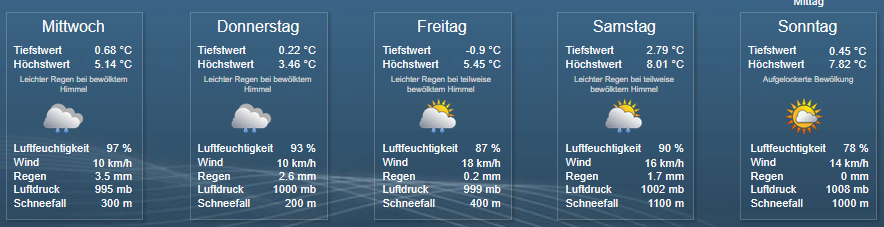
          b42f3550-b499-416b-9590-0a3d52ade99d-image.png

          Intel NUC i7 64GB 1TB SSD - Proxmox - Raspi 4 8GB 500 GB SSD - Raspi 4 4GB 500GB SSD - Qnap 16TB - CCU3 - Fritz 6591 Cable - Green Cell USV 1500VA
          Sonoff CC2652P - HUE Bridge - Broadlink RM4 pro u. RM3 mini - 5 x Echo - 1 x Samsung STab 8 - 54 x HM und HMIP - 32 x Zigbee - 2 x Shelly 3EM.
          Einfach ein tolles Hobby :-)

          B 1 Antwort Letzte Antwort
          0
          • JoJo58J JoJo58

            @Bongo

            Keine Ahnung ob es schon ein aktuelles VIS Projekt gibt, glaube aber mal eher nicht.

            Ich musste im VIS Editor auch die Pfade für die Symbole ändern, z.B. für heute auf:

            daswetter.0.location_1.ForecastDaily.Day_1.symbol_URL

            Das hieß ja vorher alles anders. Im Bild musste ich für jeden Tag das Symbol anpassen und das holt der sich ja von DasWetter und nicht von lokalen Dateien. Wenn du lokale nimmst, dann kann ich dir leider nicht helfen. Ich habe auch nur "gallery7" und "gallery8".

            b42f3550-b499-416b-9590-0a3d52ade99d-image.png

            B Offline
            B Offline
            Bongo
            schrieb am zuletzt editiert von
            #691

            @JoJo58
            Danke für deine Antwort.
            Hmm, warum im Vis Editor ändern. Da sind doch nur die Datenpunkte mit Json vom 0_userdata.

            6fe63092-12f6-4337-88ca-6dd536cfd89b-grafik.png
            f00feffc-ccfb-463f-a88b-6bd632e30902-grafik.png

            Und die Datenpunkte um 0_Userdata werden doch vom Script gefüllt. Also müsste diese gallery1 vom Skript kommen. Aber im ganzen Script steht nichts von gallery1.
            Ah, ich sehe gerade, das Script holt sich das Icon aus den Datenpunkt:
            daswetter.0.location_1.ForecastDaily.Day_1.symbol_URL

            Ich habe jetzt im Adapter die gallery7 eingestellt und nach Script Neustart steht es auch richtig in symbol_URL.
            86347b33-11fe-431e-87f5-a09a3d65e334-grafik.png

            Jetzt sieht es besser aus:
            8b2f8c3f-cf19-4213-a2d3-dc818d5526ef-grafik.png

            Es fehlt noch die Uhrzeit und noch ein Symbol. Das muss ich mir noch ansehen.

            Jedenfalls sieht es bei dir noch ganz anders aus. Hast du das noch angepasst? Oder hab ich oder du ein anderes Vis Projekt?

            Gruß
            Bongo

            Script - Die sprechende Kaffeemaschine – Home Connect
            Script - JUDO Wasserenthärtung - Connectivity-Modul API

            JoJo58J 1 Antwort Letzte Antwort
            0
            • B Bongo

              @JoJo58
              Danke für deine Antwort.
              Hmm, warum im Vis Editor ändern. Da sind doch nur die Datenpunkte mit Json vom 0_userdata.
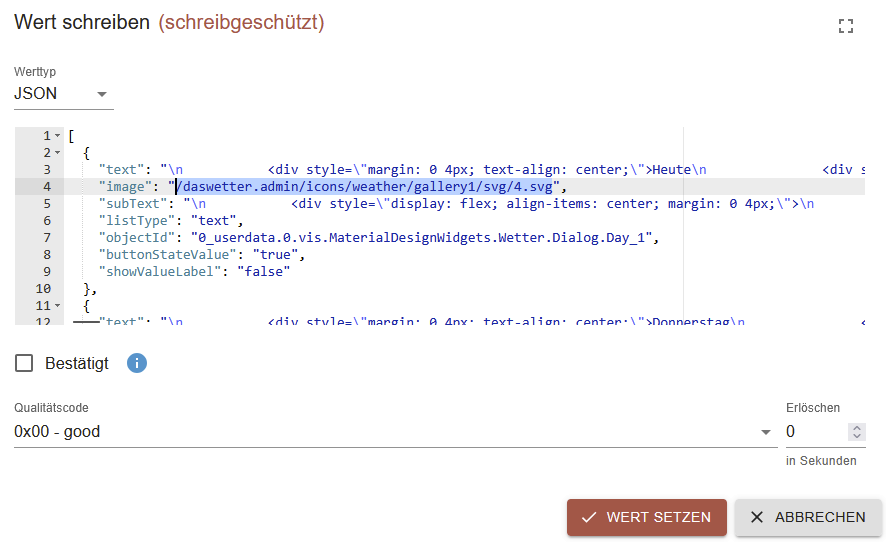
              6fe63092-12f6-4337-88ca-6dd536cfd89b-grafik.png
              f00feffc-ccfb-463f-a88b-6bd632e30902-grafik.png

              Und die Datenpunkte um 0_Userdata werden doch vom Script gefüllt. Also müsste diese gallery1 vom Skript kommen. Aber im ganzen Script steht nichts von gallery1.
              Ah, ich sehe gerade, das Script holt sich das Icon aus den Datenpunkt:
              daswetter.0.location_1.ForecastDaily.Day_1.symbol_URL

              Ich habe jetzt im Adapter die gallery7 eingestellt und nach Script Neustart steht es auch richtig in symbol_URL.
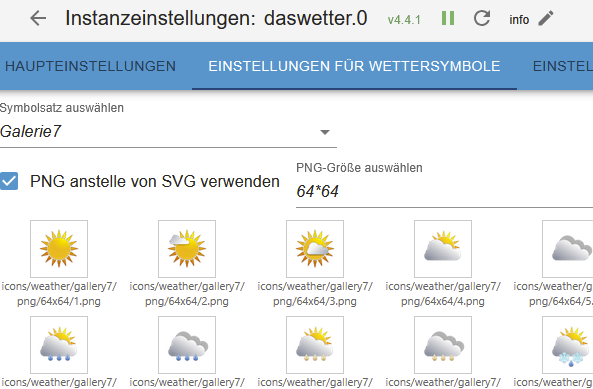
              86347b33-11fe-431e-87f5-a09a3d65e334-grafik.png

              Jetzt sieht es besser aus:
              8b2f8c3f-cf19-4213-a2d3-dc818d5526ef-grafik.png

              Es fehlt noch die Uhrzeit und noch ein Symbol. Das muss ich mir noch ansehen.

              Jedenfalls sieht es bei dir noch ganz anders aus. Hast du das noch angepasst? Oder hab ich oder du ein anderes Vis Projekt?

              JoJo58J Online
              JoJo58J Online
              JoJo58
              schrieb am zuletzt editiert von
              #692

              @Bongo

              Moin, ich habe vor 2,5 Jahren eine View von @sigi234 https://forum.iobroker.net/topic/28717/vis-von-sigi234 übernommen und diese dann noch etwas angepasst.

              Intel NUC i7 64GB 1TB SSD - Proxmox - Raspi 4 8GB 500 GB SSD - Raspi 4 4GB 500GB SSD - Qnap 16TB - CCU3 - Fritz 6591 Cable - Green Cell USV 1500VA
              Sonoff CC2652P - HUE Bridge - Broadlink RM4 pro u. RM3 mini - 5 x Echo - 1 x Samsung STab 8 - 54 x HM und HMIP - 32 x Zigbee - 2 x Shelly 3EM.
              Einfach ein tolles Hobby :-)

              B 1 Antwort Letzte Antwort
              0
              • JoJo58J JoJo58

                @Bongo

                Moin, ich habe vor 2,5 Jahren eine View von @sigi234 https://forum.iobroker.net/topic/28717/vis-von-sigi234 übernommen und diese dann noch etwas angepasst.

                B Offline
                B Offline
                Bongo
                schrieb am zuletzt editiert von
                #693

                @JoJo58 sagte in Material Design Widgets: Wetter View:

                @Bongo

                Moin, ich habe vor 2,5 Jahren eine View von @sigi234 https://forum.iobroker.net/topic/28717/vis-von-sigi234 übernommen und diese dann noch etwas angepasst.

                Ok, das ist nicht das Script und View vom ersten Beitrag in diesem Thread. Dein Script kann mit meiner View nicht 100% funktionieren.

                Ich hab jetzt mein altes Script auf die neue Struktur zum größten Teil angepasst.

                Gruß
                Bongo

                Script - Die sprechende Kaffeemaschine – Home Connect
                Script - JUDO Wasserenthärtung - Connectivity-Modul API

                1 Antwort Letzte Antwort
                0
                • L Online
                  L Online
                  leonundjulie
                  schrieb am zuletzt editiert von
                  #694

                  @jojo58 , Danke Dir und der KI …. das Skript funktioniert soweit. Ich verwende den DASWETTER Adapter in der Version 4.5.1

                  Aber in der VIS zickt noch etwas- wähle ich die Details für einen der Folgetage, dann bekomme ich folgende Fehlermeldung:
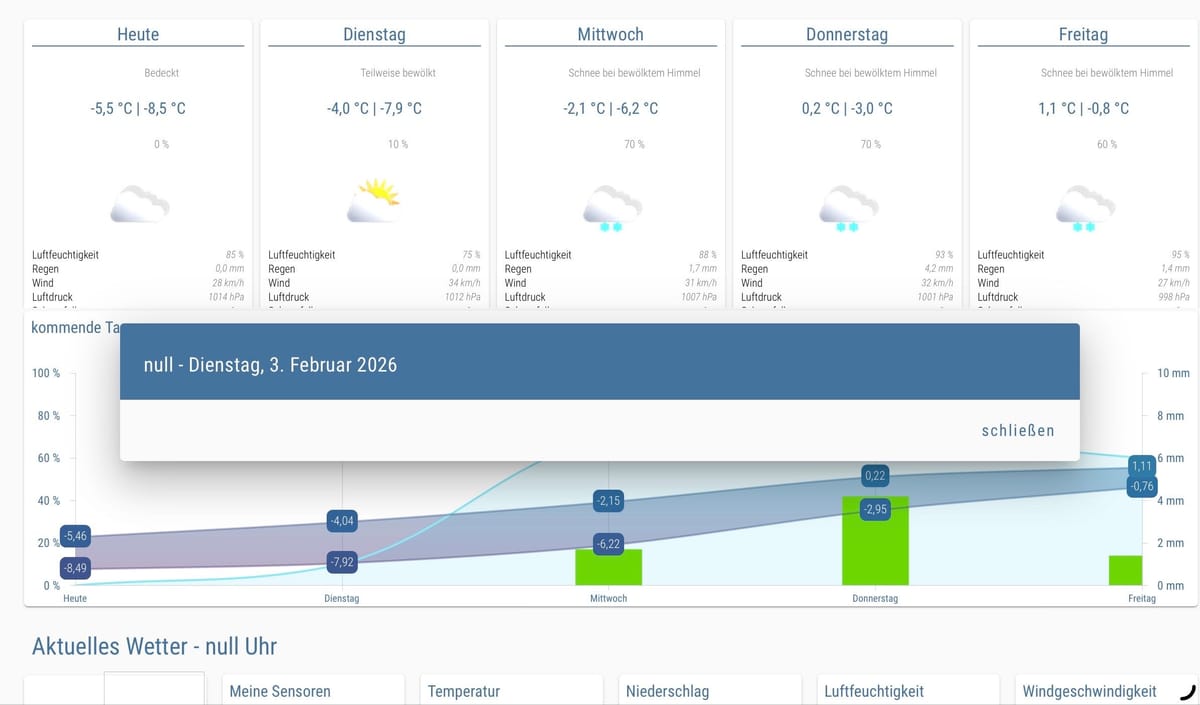
                  image.jpeg

                  10x JA-Solar (380Wp) unter 15° gen Süden und 12x JA-Solar (385Wp) unter 10° gen Westen auf Carport, HUAWEI SUN2000 WR

                  Daran HUAWEI LUNA2000, 10kWh

                  Und via Kaskade 8x JA-Solar (385Wp) unter 45° gen Osten und 14x JA-Solar (385Wp) unter 23° gen Westen am 2. HUAWEI SUN2000 WR.

                  SMARTFOX PRO als EMS, KEBA P30-X Wallbox

                  1 Antwort Letzte Antwort
                  0
                  • L Online
                    L Online
                    leonundjulie
                    schrieb am zuletzt editiert von
                    #695

                    Hallo. Kann es sein, dass das bei GitHub hinterlegte Musterprojekt und die aktuelle DasWetter App Version 4..5.1respektive das Skript nicht zusammen passen?

                    Daher die Bitte, dass jemand mal sein VIS-Projekt zum Download zur Verfügung stellen?

                    10x JA-Solar (380Wp) unter 15° gen Süden und 12x JA-Solar (385Wp) unter 10° gen Westen auf Carport, HUAWEI SUN2000 WR

                    Daran HUAWEI LUNA2000, 10kWh

                    Und via Kaskade 8x JA-Solar (385Wp) unter 45° gen Osten und 14x JA-Solar (385Wp) unter 23° gen Westen am 2. HUAWEI SUN2000 WR.

                    SMARTFOX PRO als EMS, KEBA P30-X Wallbox

                    1 Antwort Letzte Antwort
                    0
                    • L Online
                      L Online
                      leonundjulie
                      schrieb am zuletzt editiert von
                      #696

                      @bongo , welche Version des Skriptes verwendest Du?

                      10x JA-Solar (380Wp) unter 15° gen Süden und 12x JA-Solar (385Wp) unter 10° gen Westen auf Carport, HUAWEI SUN2000 WR

                      Daran HUAWEI LUNA2000, 10kWh

                      Und via Kaskade 8x JA-Solar (385Wp) unter 45° gen Osten und 14x JA-Solar (385Wp) unter 23° gen Westen am 2. HUAWEI SUN2000 WR.

                      SMARTFOX PRO als EMS, KEBA P30-X Wallbox

                      B 1 Antwort Letzte Antwort
                      0
                      • L leonundjulie

                        @bongo , welche Version des Skriptes verwendest Du?

                        B Offline
                        B Offline
                        Bongo
                        schrieb am zuletzt editiert von Bongo
                        #697

                        @leonundjulie
                        Ich denke das Ursprungsscript von diesem Thread.
                        Das korrigierte Vis-Projekt ist von hier:
                        https://forum.iobroker.net/topic/32232/material-design-widgets-wetter-view/506

                        Ich habe Script und Vis-Projekt angepasst. Aber die Details für einen der Folgetage funktioniert auch nicht. Das hat vorher auch nicht funktioniert. Die Views für die Details sind ja vorhanden. Aber da checke ich nicht wie die Views im Fenster angezeigt werden sollen. Vielleicht hat das Jemand wo es funktioniert und kann es zur Verfügung stellen.

                        Es scheint einen Bedarf für Script und Vis-Projekt zu geben. Deshalb stelle ich es hier bereit:
                        2026-02-05-Wetter2.zip
                        DasWetter.js

                        Gruß
                        Bongo

                        Script - Die sprechende Kaffeemaschine – Home Connect
                        Script - JUDO Wasserenthärtung - Connectivity-Modul API

                        1 Antwort Letzte Antwort
                        0
                        • L Online
                          L Online
                          leonundjulie
                          schrieb am zuletzt editiert von
                          #698

                          Wo legt Ihr das Skript hin - unter GLOAL oder unter COMMON?
                          image.png

                          10x JA-Solar (380Wp) unter 15° gen Süden und 12x JA-Solar (385Wp) unter 10° gen Westen auf Carport, HUAWEI SUN2000 WR

                          Daran HUAWEI LUNA2000, 10kWh

                          Und via Kaskade 8x JA-Solar (385Wp) unter 45° gen Osten und 14x JA-Solar (385Wp) unter 23° gen Westen am 2. HUAWEI SUN2000 WR.

                          SMARTFOX PRO als EMS, KEBA P30-X Wallbox

                          B 1 Antwort Letzte Antwort
                          0
                          • L leonundjulie

                            Wo legt Ihr das Skript hin - unter GLOAL oder unter COMMON?

                            image.png

                            B Offline
                            B Offline
                            Bongo
                            schrieb am zuletzt editiert von
                            #699

                            @leonundjulie common.

                            Gruß
                            Bongo

                            Script - Die sprechende Kaffeemaschine – Home Connect
                            Script - JUDO Wasserenthärtung - Connectivity-Modul API

                            1 Antwort Letzte Antwort
                            0
                            • L Online
                              L Online
                              leonundjulie
                              schrieb am zuletzt editiert von
                              #700

                              Danke @bongo , das hat viele Fehler rausgekickt. Jetzt sehe ich alle Werte HURA!
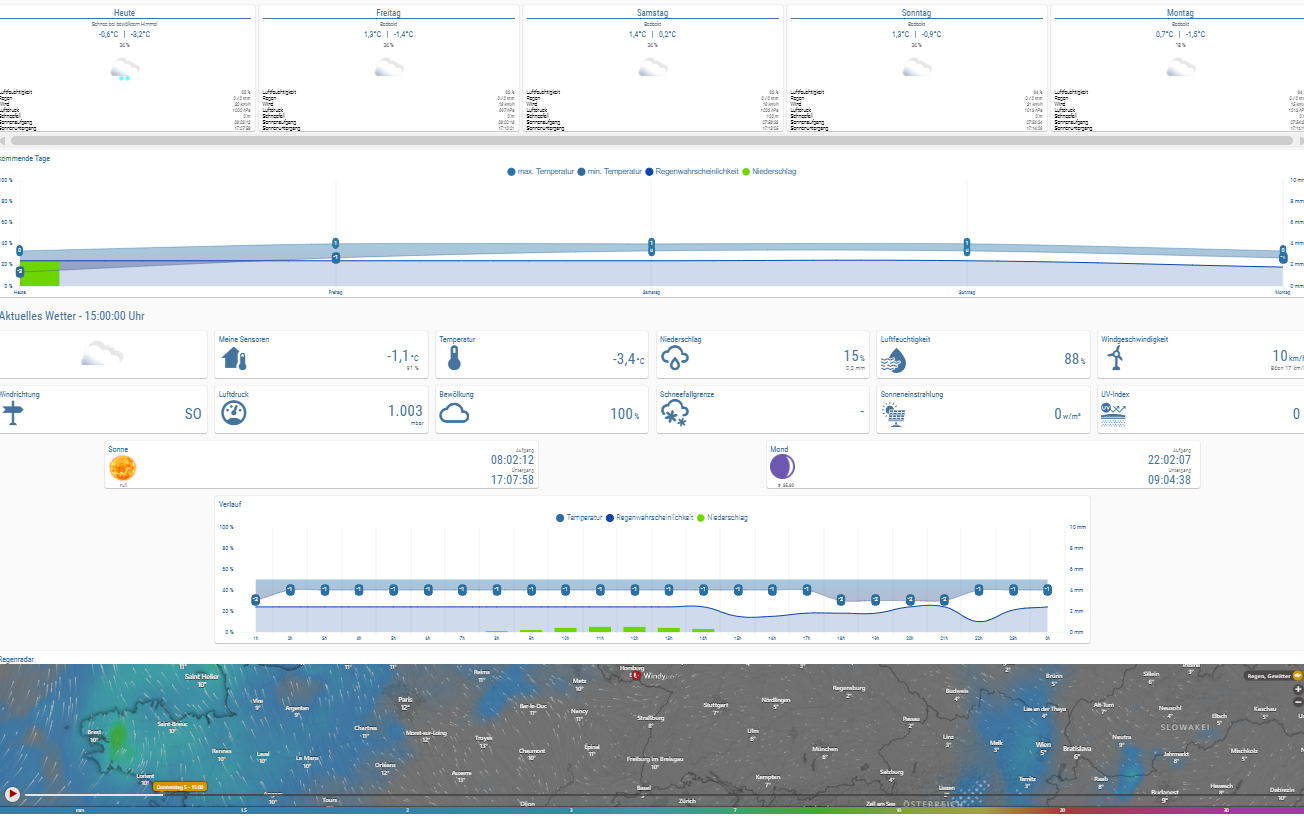
                              image.png

                              10x JA-Solar (380Wp) unter 15° gen Süden und 12x JA-Solar (385Wp) unter 10° gen Westen auf Carport, HUAWEI SUN2000 WR

                              Daran HUAWEI LUNA2000, 10kWh

                              Und via Kaskade 8x JA-Solar (385Wp) unter 45° gen Osten und 14x JA-Solar (385Wp) unter 23° gen Westen am 2. HUAWEI SUN2000 WR.

                              SMARTFOX PRO als EMS, KEBA P30-X Wallbox

                              1 Antwort Letzte Antwort
                              0
                              • L Online
                                L Online
                                leonundjulie
                                schrieb am zuletzt editiert von leonundjulie
                                #701

                                Mal schauen, ob ich die PopUp-Anzeige für die einzelnen Tage hinbekomme. Die Fenster/Views selber funktionieren.
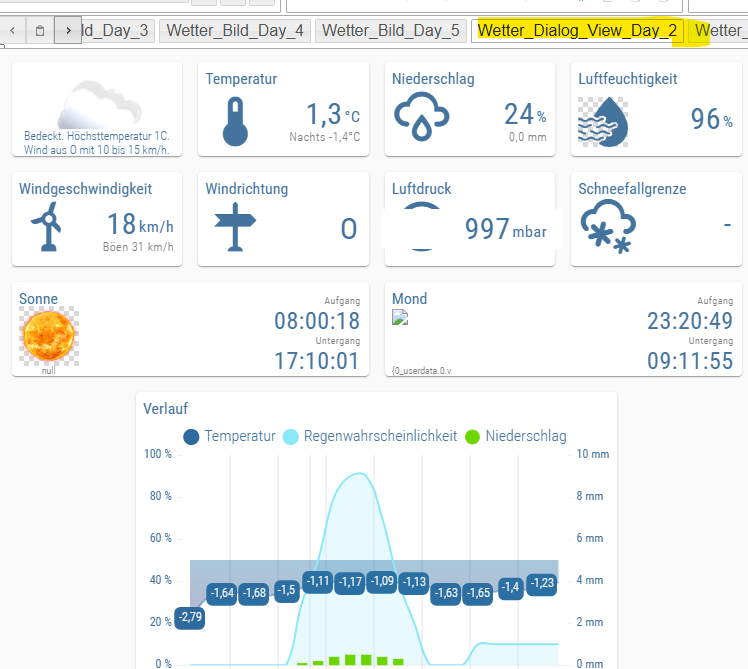
                                image.png

                                Nur deren Aufruf aus der Mainview nicht:
                                image.png
                                Villeicht kann @scrounger hier ja noch einen Tip geben.

                                In dem Zusammenhang:
                                klicke ich auf Freitag, dann wird folgendes angezeigt.

                                bde13fed-392a-4eb5-badd-8c701af5ff59-image.png

                                Klicke ich auf Montag, dann wird folgendes angezeigt
                                9ddbf0a0-a815-4355-bc82-dee9fa746d97-image.png.

                                Wahrscheinlich hierfür der Fehler im Skript. Während der Fehler für den Aufruf wahrscheinlich in der View zu suchen ist, oder?

                                10x JA-Solar (380Wp) unter 15° gen Süden und 12x JA-Solar (385Wp) unter 10° gen Westen auf Carport, HUAWEI SUN2000 WR

                                Daran HUAWEI LUNA2000, 10kWh

                                Und via Kaskade 8x JA-Solar (385Wp) unter 45° gen Osten und 14x JA-Solar (385Wp) unter 23° gen Westen am 2. HUAWEI SUN2000 WR.

                                SMARTFOX PRO als EMS, KEBA P30-X Wallbox

                                1 Antwort Letzte Antwort
                                0
                                • L Online
                                  L Online
                                  leonundjulie
                                  schrieb am zuletzt editiert von leonundjulie
                                  #702

                                  Nachbrenner: wie sage ich dem Regenradar wo ich wohne?
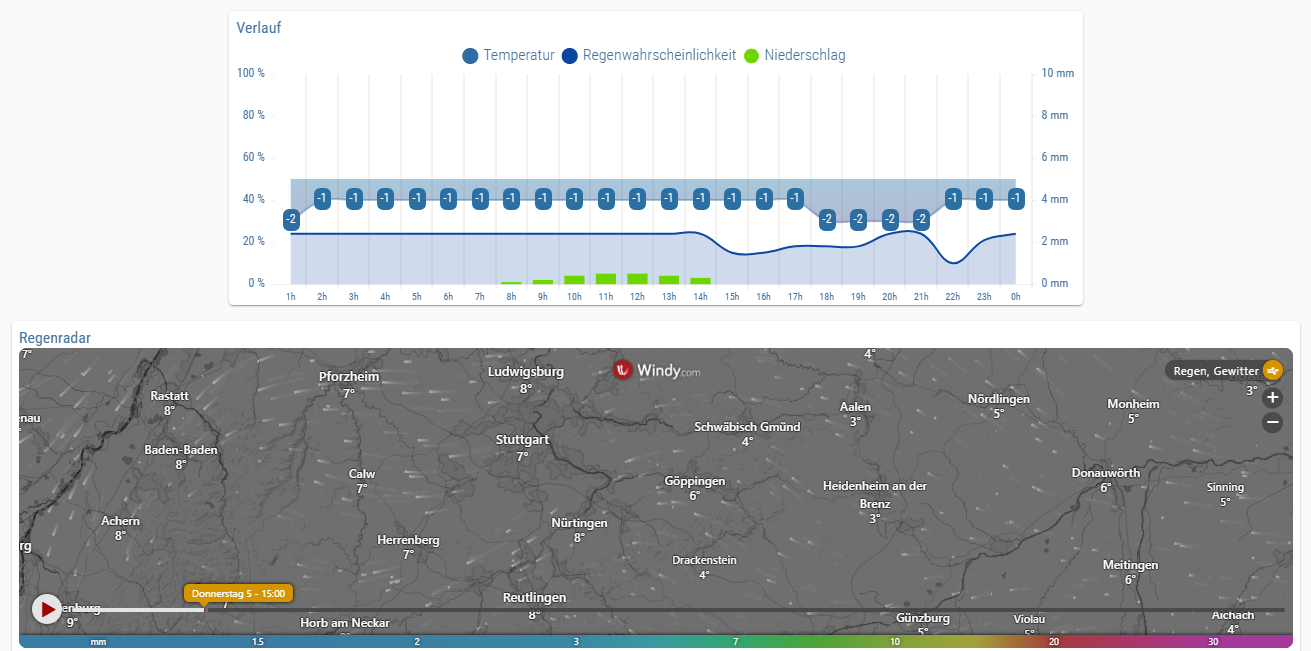
                                  image.png

                                  10x JA-Solar (380Wp) unter 15° gen Süden und 12x JA-Solar (385Wp) unter 10° gen Westen auf Carport, HUAWEI SUN2000 WR

                                  Daran HUAWEI LUNA2000, 10kWh

                                  Und via Kaskade 8x JA-Solar (385Wp) unter 45° gen Osten und 14x JA-Solar (385Wp) unter 23° gen Westen am 2. HUAWEI SUN2000 WR.

                                  SMARTFOX PRO als EMS, KEBA P30-X Wallbox

                                  B 1 Antwort Letzte Antwort
                                  0
                                  • L leonundjulie

                                    Nachbrenner: wie sage ich dem Regenradar wo ich wohne?
                                    image.png

                                    B Offline
                                    B Offline
                                    Bongo
                                    schrieb am zuletzt editiert von
                                    #703

                                    @leonundjulie
                                    Das mit den Wochentagen war noch ein Fehler im Vis Projekt. Ich habe es korrigiert und die Projektdatei ausgetauscht:
                                    https://forum.iobroker.net/topic/32232/material-design-widgets-wetter-view/697?_=1770299827824

                                    In der View Wetter_Regenradar kannst du im iFrame den Link anpassen:
                                    https://embed.windy.com/embed2.html?lat=48.765&lon=11.424&zoom=9&level=surface&overlay=rain&menu=&message=true&marker=&calendar=&pressure=&type=map&location=coordinates&detail=&detailLat=48.737&detailLon=9.317&metricWind=default&metricTemp=default&radarRange=-1

                                    &detailLat=48.737&detailLon=9.317 tauscht du mit deinen Koordinaten.

                                    Gruß
                                    Bongo

                                    Script - Die sprechende Kaffeemaschine – Home Connect
                                    Script - JUDO Wasserenthärtung - Connectivity-Modul API

                                    L 1 Antwort Letzte Antwort
                                    0
                                    • B Bongo

                                      @leonundjulie
                                      Das mit den Wochentagen war noch ein Fehler im Vis Projekt. Ich habe es korrigiert und die Projektdatei ausgetauscht:
                                      https://forum.iobroker.net/topic/32232/material-design-widgets-wetter-view/697?_=1770299827824

                                      In der View Wetter_Regenradar kannst du im iFrame den Link anpassen:
                                      https://embed.windy.com/embed2.html?lat=48.765&lon=11.424&zoom=9&level=surface&overlay=rain&menu=&message=true&marker=&calendar=&pressure=&type=map&location=coordinates&detail=&detailLat=48.737&detailLon=9.317&metricWind=default&metricTemp=default&radarRange=-1

                                      &detailLat=48.737&detailLon=9.317 tauscht du mit deinen Koordinaten.

                                      L Online
                                      L Online
                                      leonundjulie
                                      schrieb am zuletzt editiert von leonundjulie
                                      #704

                                      @Bongo habe das Update gezogen und eingespielt ... jetzt sind das Regenradar und auch die MOND-ICONs verschwunden :-(

                                      Das mit dem Ort für das REGENRADAr hae ich gefunden :-) (die view an sich zeigt jetzt meinen Wohnort an)

                                      10x JA-Solar (380Wp) unter 15° gen Süden und 12x JA-Solar (385Wp) unter 10° gen Westen auf Carport, HUAWEI SUN2000 WR

                                      Daran HUAWEI LUNA2000, 10kWh

                                      Und via Kaskade 8x JA-Solar (385Wp) unter 45° gen Osten und 14x JA-Solar (385Wp) unter 23° gen Westen am 2. HUAWEI SUN2000 WR.

                                      SMARTFOX PRO als EMS, KEBA P30-X Wallbox

                                      B 1 Antwort Letzte Antwort
                                      0
                                      • L leonundjulie

                                        @Bongo habe das Update gezogen und eingespielt ... jetzt sind das Regenradar und auch die MOND-ICONs verschwunden :-(

                                        Das mit dem Ort für das REGENRADAr hae ich gefunden :-) (die view an sich zeigt jetzt meinen Wohnort an)

                                        B Offline
                                        B Offline
                                        Bongo
                                        schrieb am zuletzt editiert von
                                        #705

                                        @leonundjulie
                                        Ich habe das Projekt nochmal runter geladen und importiert. Bei mir ist noch alles da.

                                        Gruß
                                        Bongo

                                        Script - Die sprechende Kaffeemaschine – Home Connect
                                        Script - JUDO Wasserenthärtung - Connectivity-Modul API

                                        L 1 Antwort Letzte Antwort
                                        0
                                        • B Bongo

                                          @leonundjulie
                                          Ich habe das Projekt nochmal runter geladen und importiert. Bei mir ist noch alles da.

                                          L Online
                                          L Online
                                          leonundjulie
                                          schrieb am zuletzt editiert von leonundjulie
                                          #706

                                          @Bongo einfach nochmal alles gelöscht und wieder importiert (dabei festgestellt, dass vermeiintlich gleiche Dateien einen Größenunterschied haben -> korupt) und siehe da, alles läuft .... bis auf die PopUp mit den Details je Tag - aber da habe ich ja oben schon in Richtung @scrounger gefragt: wie funktioniert der Mechanismus?

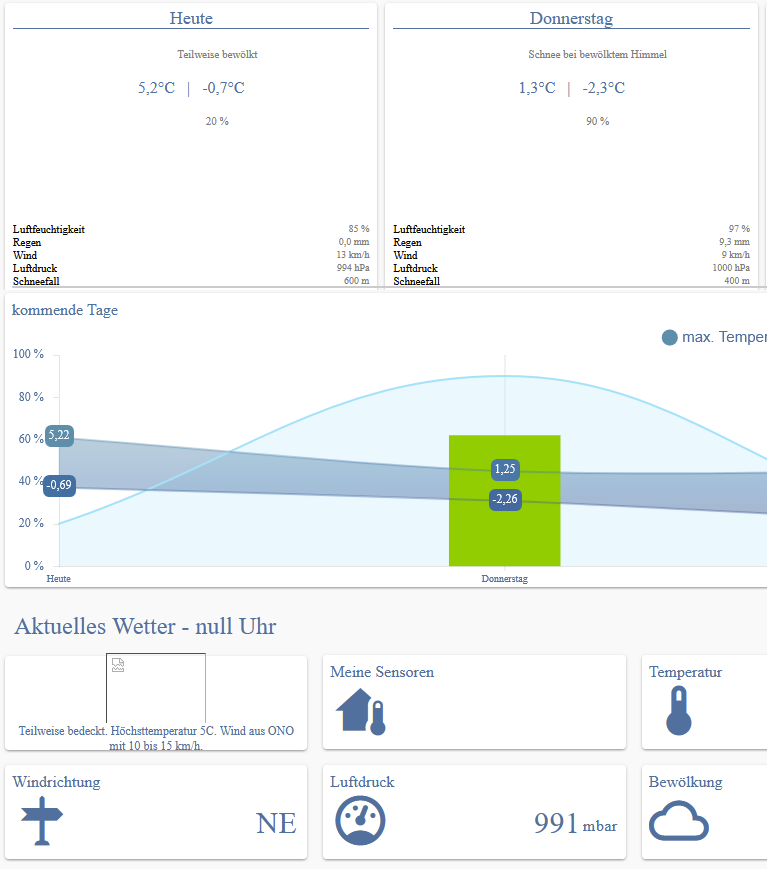
                                          10x JA-Solar (380Wp) unter 15° gen Süden und 12x JA-Solar (385Wp) unter 10° gen Westen auf Carport, HUAWEI SUN2000 WR

                                          Daran HUAWEI LUNA2000, 10kWh

                                          Und via Kaskade 8x JA-Solar (385Wp) unter 45° gen Osten und 14x JA-Solar (385Wp) unter 23° gen Westen am 2. HUAWEI SUN2000 WR.

                                          SMARTFOX PRO als EMS, KEBA P30-X Wallbox

                                          1 Antwort Letzte Antwort
                                          1
                                          Antworten
                                          • In einem neuen Thema antworten
                                          Anmelden zum Antworten
                                          • Älteste zuerst
                                          • Neuste zuerst
                                          • Meiste Stimmen


                                          Support us

                                          ioBroker
                                          Community Adapters
                                          Donate

                                          677

                                          Online

                                          32.6k

                                          Benutzer

                                          82.3k

                                          Themen

                                          1.3m

                                          Beiträge
                                          Community
                                          Impressum | Datenschutz-Bestimmungen | Nutzungsbedingungen | Einwilligungseinstellungen
                                          ioBroker Community 2014-2025
                                          logo
                                          • Anmelden

                                          • Du hast noch kein Konto? Registrieren

                                          • Anmelden oder registrieren, um zu suchen
                                          • Erster Beitrag
                                            Letzter Beitrag
                                          0
                                          • Home
                                          • Aktuell
                                          • Tags
                                          • Ungelesen 0
                                          • Kategorien
                                          • Unreplied
                                          • Beliebt
                                          • GitHub
                                          • Docu
                                          • Hilfe