




RPI2 Adapter kann nicht installiert werden
-
@Gonzokalle sagte in RPI2 Adapter kann nicht installiert werden:
Bitte mal etwas genauer über welchen Weg ich die 3.0.2 ranziehe.
Wenn ich es wüsste, hätte ich mir die Frage gerne gespart.was ist hier noch inverständlich?
@Homoran
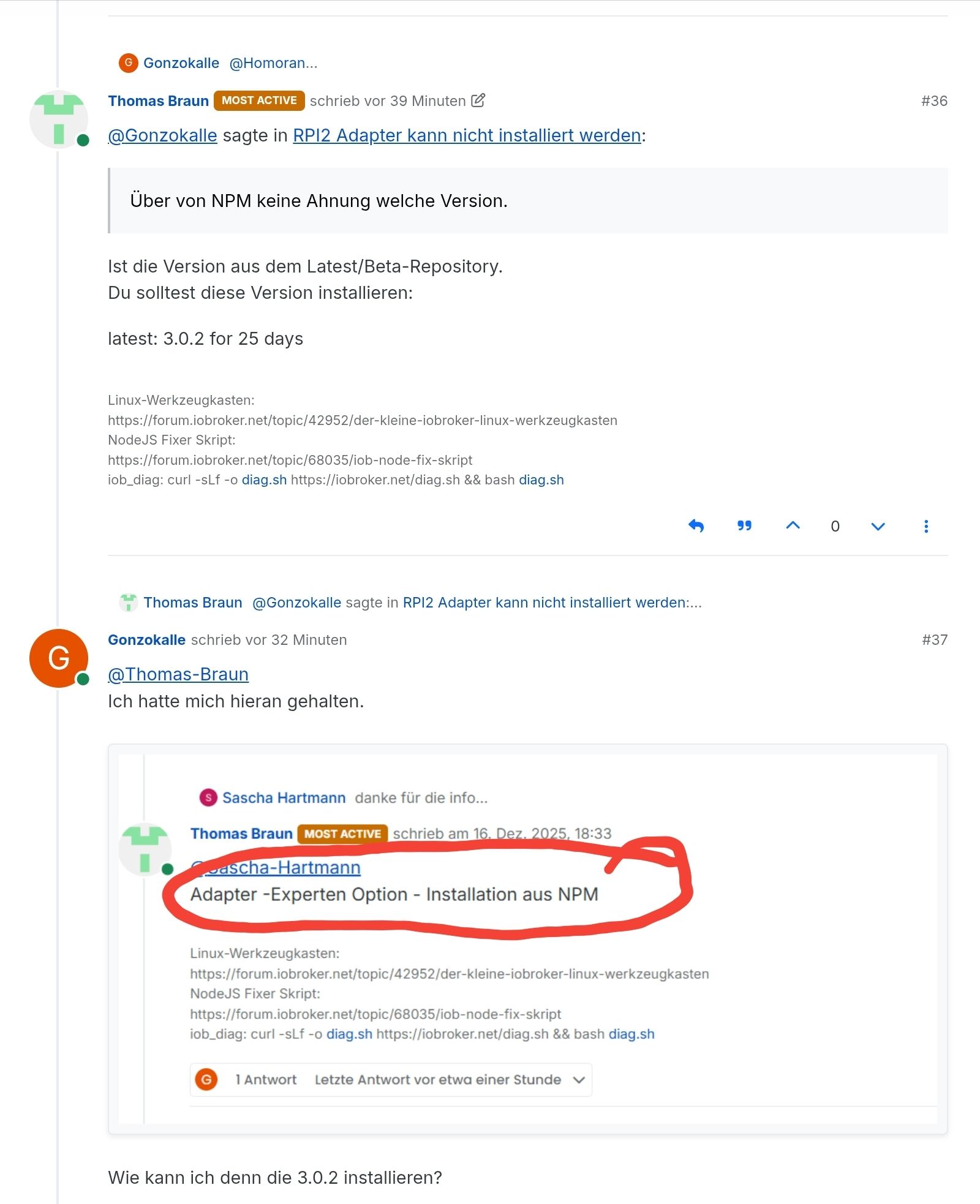
Hatte dir ja schon geschrieben, dass ich es über NPM versucht habe. -
So hatte ich es schon gemacht.
Dachte nur, es währe falsch von mir, weil hier auch der Fehler auftritt wie mit der 2.4.02025-12-26 17:49:33.255 - info: host.RaspberryPi-Iobroker iobroker url iobroker.rpi2@latest --host RaspberryPi-Iobroker --debug 2025-12-26 17:49:34.066 - info: host.RaspberryPi-Iobroker iobroker install iobroker.rpi2@latest 2025-12-26 17:49:34.180 - info: host.RaspberryPi-Iobroker iobroker NPM version: 10.9.4 2025-12-26 17:49:34.182 - info: host.RaspberryPi-Iobroker iobroker Installing iobroker.rpi2@latest... (System call) 2025-12-26 17:49:36.779 - info: host.RaspberryPi-Iobroker iobroker npm warn deprecated npmlog@4.1.2: This package is no longer supported.npm warn deprecated rimraf@3.0.2: Rimraf versions prior to v4 are no longer supported 2025-12-26 17:49:36.781 - info: host.RaspberryPi-Iobroker iobroker npm warn deprecated are-we-there-yet@1.1.7: This package is no longer supported. 2025-12-26 17:49:36.783 - info: host.RaspberryPi-Iobroker iobroker npm warn deprecated glob@7.2.3: Glob versions prior to v9 are no longer supported 2025-12-26 17:49:36.800 - info: host.RaspberryPi-Iobroker iobroker npm warn deprecated gauge@2.7.4: This package is no longer supported. 2025-12-26 17:49:36.919 - info: host.RaspberryPi-Iobroker iobroker > iobroker.rpi2@3.0.2 preinstall 2025-12-26 17:49:36.920 - info: host.RaspberryPi-Iobroker iobroker > bash ./preinstall-check.sh 2025-12-26 17:49:36.927 - info: host.RaspberryPi-Iobroker iobroker Checking package: libgpiod-dev >= 2.2 2025-12-26 17:49:36.944 - info: host.RaspberryPi-Iobroker iobroker libgpiod-dev version OK: 2.2.1-2+deb13u1 2025-12-26 17:49:36.950 - info: host.RaspberryPi-Iobroker iobroker > @stoprocent/noble@1.19.1 install> node-gyp-build 2025-12-26 17:49:37.094 - info: host.RaspberryPi-Iobroker iobroker gyp info it worked if it ends with ok 2025-12-26 17:49:37.095 - info: host.RaspberryPi-Iobroker iobroker gyp info using node-gyp@7.1.2 2025-12-26 17:49:37.096 - info: host.RaspberryPi-Iobroker iobroker gyp info using node@22.21.0 | linux | arm64 2025-12-26 17:49:37.141 - info: host.RaspberryPi-Iobroker iobroker (node:19334) [DEP0060] DeprecationWarning: The `util._extend` API is deprecated. Please use Object.assign() instead.(Use `node --trace-deprecation ...` to show where the warning was created) 2025-12-26 17:49:37.182 - info: host.RaspberryPi-Iobroker iobroker gyp info find Python using Python version 3.13.5 found at "/usr/bin/python3" 2025-12-26 17:49:37.358 - info: host.RaspberryPi-Iobroker iobroker gyp ERR! UNCAUGHT EXCEPTION gyp ERR! stack TypeError: Cannot assign to read only property 'cflags' of object '#'gyp ERR! stack at createConfigFile (/opt/iobroker/node_modules/node-gyp/lib/configure.js:117:21)gyp ERR! stack at /opt/iobroker/node_modules/node-gyp/lib/configure.js:84:9gyp ERR! stack at FSReqCallback.oncomplete (node:fs:187:23)gyp ERR! System Linux 6.12.47+rpt-rpi-2712gyp ERR! command "/usr/bin/node" "/opt/iobroker/node_modules/node-gyp/bin/node-gyp.js" "rebuild"gyp ERR! cwd /opt/iobroker/node_modules/@stoprocent/noblegyp ERR! node -v v22.21.0gyp ERR! node-gyp -v v7.1.2gyp ERR! Node-gyp failed to build your package.gyp ERR! Try to update npm and/or node-gyp and if it does not help file an issue with the package author. 2025-12-26 17:49:37.363 - info: host.RaspberryPi-Iobroker iobroker 2025-12-26 17:49:37.364 - info: host.RaspberryPi-Iobroker iobroker > authenticate-pam@1.0.5 install> node-gyp rebuild 2025-12-26 17:49:37.432 - info: host.RaspberryPi-Iobroker iobroker gyp info it worked if it ends with ok 2025-12-26 17:49:37.433 - info: host.RaspberryPi-Iobroker iobroker gyp info using node-gyp@7.1.2gyp info using node@22.21.0 | linux | arm64 2025-12-26 17:49:37.477 - info: host.RaspberryPi-Iobroker iobroker (node:19348) [DEP0060] DeprecationWarning: The `util._extend` API is deprecated. Please use Object.assign() instead.(Use `node --trace-deprecation ...` to show where the warning was created) 2025-12-26 17:49:37.561 - info: host.RaspberryPi-Iobroker iobroker gyp info find Python using Python version 3.13.5 found at "/usr/bin/python3" 2025-12-26 17:49:37.723 - info: host.RaspberryPi-Iobroker iobroker gyp ERR! UNCAUGHT EXCEPTION 2025-12-26 17:49:37.723 - info: host.RaspberryPi-Iobroker iobroker gyp ERR! stack TypeError: Cannot assign to read only property 'cflags' of object '#'gyp ERR! stack at createConfigFile (/opt/iobroker/node_modules/node-gyp/lib/configure.js:117:21)gyp ERR! stack at /opt/iobroker/node_modules/node-gyp/lib/configure.js:84:9gyp ERR! stack at FSReqCallback.oncomplete (node:fs:187:23) 2025-12-26 17:49:37.724 - info: host.RaspberryPi-Iobroker iobroker gyp ERR! System Linux 6.12.47+rpt-rpi-2712gyp ERR! command "/usr/bin/node" "/opt/iobroker/node_modules/.bin/node-gyp" "rebuild"gyp ERR! cwd /opt/iobroker/node_modules/authenticate-pamgyp ERR! node -v v22.21.0gyp ERR! node-gyp -v v7.1.2gyp ERR! Node-gyp failed to build your package.gyp ERR! Try to update npm and/or node-gyp and if it does not help file an issue with the package author. 2025-12-26 17:49:37.728 - info: host.RaspberryPi-Iobroker iobroker > node-dht-sensor@0.4.5 install 2025-12-26 17:49:37.728 - info: host.RaspberryPi-Iobroker iobroker > node-gyp configure 2025-12-26 17:49:37.790 - info: host.RaspberryPi-Iobroker iobroker gyp info it worked if it ends with ok 2025-12-26 17:49:37.791 - info: host.RaspberryPi-Iobroker iobroker gyp info using node-gyp@7.1.2 2025-12-26 17:49:37.793 - info: host.RaspberryPi-Iobroker iobroker gyp info using node@22.21.0 | linux | arm64 2025-12-26 17:49:37.824 - info: host.RaspberryPi-Iobroker iobroker (node:19363) [DEP0060] DeprecationWarning: The `util._extend` API is deprecated. Please use Object.assign() instead.(Use `node --trace-deprecation ...` to show where the warning was created) 2025-12-26 17:49:37.863 - info: host.RaspberryPi-Iobroker iobroker gyp info find Python using Python version 3.13.5 found at "/usr/bin/python3" 2025-12-26 17:49:38.035 - info: host.RaspberryPi-Iobroker iobroker gyp ERR! UNCAUGHT EXCEPTION 2025-12-26 17:49:38.035 - info: host.RaspberryPi-Iobroker iobroker gyp ERR! stack TypeError: Cannot assign to read only property 'cflags' of object '#'gyp ERR! stack at createConfigFile (/opt/iobroker/node_modules/node-gyp/lib/configure.js:117:21)gyp ERR! stack at /opt/iobroker/node_modules/node-gyp/lib/configure.js:84:9gyp ERR! stack at FSReqCallback.oncomplete (node:fs:187:23) 2025-12-26 17:49:38.036 - info: host.RaspberryPi-Iobroker iobroker gyp ERR! System Linux 6.12.47+rpt-rpi-2712gyp ERR! command "/usr/bin/node" "/opt/iobroker/node_modules/.bin/node-gyp" "configure"gyp ERR! cwd /opt/iobroker/node_modules/node-dht-sensorgyp ERR! node -v v22.21.0gyp ERR! node-gyp -v v7.1.2gyp ERR! Node-gyp failed to build your package.gyp ERR! Try to update npm and/or node-gyp and if it does not help file an issue with the package author. 2025-12-26 17:49:38.041 - info: host.RaspberryPi-Iobroker iobroker > opengpio@2.0.2 install 2025-12-26 17:49:38.042 - info: host.RaspberryPi-Iobroker iobroker > node-gyp rebuild 2025-12-26 17:49:38.103 - info: host.RaspberryPi-Iobroker iobroker gyp info it worked if it ends with ok 2025-12-26 17:49:38.104 - info: host.RaspberryPi-Iobroker iobroker gyp info using node-gyp@7.1.2 2025-12-26 17:49:38.104 - info: host.RaspberryPi-Iobroker iobroker gyp info using node@22.21.0 | linux | arm64 2025-12-26 17:49:38.143 - info: host.RaspberryPi-Iobroker iobroker (node:19377) [DEP0060] DeprecationWarning: The `util._extend` API is deprecated. Please use Object.assign() instead.(Use `node --trace-deprecation ...` to show where the warning was created) 2025-12-26 17:49:38.183 - info: host.RaspberryPi-Iobroker iobroker gyp info find Python using Python version 3.13.5 found at "/usr/bin/python3" 2025-12-26 17:49:38.356 - info: host.RaspberryPi-Iobroker iobroker gyp ERR! UNCAUGHT EXCEPTION gyp ERR! stack TypeError: Cannot assign to read only property 'cflags' of object '#'gyp ERR! stack at createConfigFile (/opt/iobroker/node_modules/node-gyp/lib/configure.js:117:21) 2025-12-26 17:49:38.357 - info: host.RaspberryPi-Iobroker iobroker gyp ERR! stack at /opt/iobroker/node_modules/node-gyp/lib/configure.js:84:9gyp ERR! stack at FSReqCallback.oncomplete (node:fs:187:23)gyp ERR! System Linux 6.12.47+rpt-rpi-2712gyp ERR! command "/usr/bin/node" "/opt/iobroker/node_modules/.bin/node-gyp" "rebuild"gyp ERR! cwd /opt/iobroker/node_modules/opengpiogyp ERR! node -v v22.21.0gyp ERR! node-gyp -v v7.1.2gyp ERR! Node-gyp failed to build your package.gyp ERR! Try to update npm and/or node-gyp and if it does not help file an issue with the package author. 2025-12-26 17:49:38.390 - info: host.RaspberryPi-Iobroker iobroker npm error code 7npm error path /opt/iobroker/node_modules/opengpionpm error command failednpm error command sh -c node-gyp rebuild 2025-12-26 17:49:38.392 - info: host.RaspberryPi-Iobroker iobroker npm error A complete log of this run can be found in: /home/iobroker/.npm/_logs/2025-12-26T16_49_34_254Z-debug-0.log 2025-12-26 17:49:38.401 - error: host.RaspberryPi-Iobroker iobroker npm warn deprecated npmlog@4.1.2: This package is no longer supported.npm warn deprecated rimraf@3.0.2: Rimraf versions prior to v4 are no longer supportednpm warn deprecated are-we-there-yet@1.1.7: This package is no longer supported.npm warn deprecated glob@7.2.3: Glob versions prior to v9 are no longer supportednpm warn deprecated gauge@2.7.4: This package is no longer supported.gyp info it worked if it ends with okgyp info using node-gyp@7.1.2gyp info using node@22.21.0 | linux | arm64(node:19334) [DEP0060] DeprecationWarning: The `util._extend` API is deprecated. Please use Object.assign() instead.(Use `node --trace-deprecation ...` to show where the warning was created)gyp info find Python using Python version 3.13.5 found at "/usr/bin/python3"gyp ERR! UNCAUGHT EXCEPTION gyp ERR! stack TypeError: Cannot assign to read only property 'cflags' of object '#'gyp ERR! stack at createConfigFile (/opt/iobroker/node_modules/node-gyp/lib/configure.js:117:21)gyp ERR! stack at /opt/iobroker/node_modules/node-gyp/lib/configure.js:84:9gyp ERR! stack at FSReqCallback.oncomplete (node:fs:187:23)gyp ERR! System Linux 6.12.47+rpt-rpi-2712gyp ERR! command "/usr/bin/node" "/opt/iobroker/node_modules/node-gyp/bin/node-gyp.js" "rebuild"gyp ERR! cwd /opt/iobroker/node_modules/@stoprocent/noblegyp ERR! node -v v22.21.0gyp ERR! node-gyp -v v7.1.2gyp ERR! Node-gyp failed to build your package.gyp ERR! Try to update npm and/or node-gyp and if it does not help file an issue with the package author.gyp info it worked if it ends with okgyp info using node-gyp@7.1.2gyp info using node@22.21.0 | linux | arm64(node:19348) [DEP0060] DeprecationWarning: The `util._extend` API is deprecated. Please use Object.assign() instead.(Use `node --trace-deprecation ...` to show where the warning was created)gyp info find Python using Python version 3.13.5 found at "/usr/bin/python3"gyp ERR! UNCAUGHT EXCEPTION gyp ERR! stack TypeError: Cannot assign to read only property 'cflags' of object '#'gyp ERR! stack at createConfigFile (/opt/iobroker/node_modules/node-gyp/lib/configure.js:117:21)gyp ERR! stack at /opt/iobroker/node_modules/node-gyp/lib/configure.js:84:9gyp ERR! stack at FSReqCallback.oncomplete (node:fs:187:23)gyp ERR! System Linux 6.12.47+rpt-rpi-2712gyp ERR! command "/usr/bin/node" "/opt/iobroker/node_modules/.bin/node-gyp" "rebuild"gyp ERR! cwd /opt/iobroker/node_modules/authenticate-pamgyp ERR! node -v v22.21.0gyp ERR! node-gyp -v v7.1.2gyp ERR! Node-gyp failed to build your package.gyp ERR! Try to update npm and/or node-gyp and if it does not help file an issue with the package author.gyp info it worked if it ends with okgyp info using node-gyp@7.1.2gyp info using node@22.21.0 | linux | arm64(node:19363) [DEP0060] DeprecationWarning: The `util._extend` API is deprecated. Please use Object.assign() instead.(Use `node --trace-deprecation ...` to show where the warning was created)gyp info find Python using Python version 3.13.5 found at "/usr/bin/python3"gyp ERR! UNCAUGHT EXCEPTION gyp ERR! stack TypeError: Cannot assign to read only property 'cflags' of object '#'gyp ERR! stack at createConfigFile (/opt/iobroker/node_modules/node-gyp/lib/configure.js:117:21)gyp ERR! stack at /opt/iobroker/node_modules/node-gyp/lib/configure.js:84:9gyp ERR! stack at FSReqCallback.oncomplete (node:fs:187:23)gyp ERR! System Linux 6.12.47+rpt-rpi-2712gyp ERR! command "/usr/bin/node" "/opt/iobroker/node_modules/.bin/node-gyp" "configure"gyp ERR! cwd /opt/iobroker/node_modules/node-dht-sensorgyp ERR! node -v v22.21.0gyp ERR! node-gyp -v v7.1.2gyp ERR! Node-gyp failed to build your package.gyp ERR! Try to update npm and/or node-gyp and if it does not help file an issue with the package author.gyp info it worked if it ends with okgyp info using node-gyp@7.1.2gyp info using node@22.21.0 | linux | arm64(node:19377) [DEP0060] DeprecationWarning: The `util._extend` API is deprecated. Please use Object.assign() instead.(Use `node --trace-deprecation ...` to show where the warning was created)gyp info find Python using Python version 3.13.5 found at "/usr/bin/python3"gyp ERR! UNCAUGHT EXCEPTION gyp ERR! stack TypeError: Cannot assign to read only property 'cflags' of object '#'gyp ERR! stack at createConfigFile (/opt/iobroker/node_modules/node-gyp/lib/configure.js:117:21)gyp ERR! stack at /opt/iobroker/node_modules/node-gyp/lib/configure.js:84:9gyp ERR! stack at FSReqCallback.oncomplete (node:fs:187:23)gyp ERR! System Linux 6.12.47+rpt-rpi-2712gyp ERR! command "/usr/bin/node" "/opt/iobroker/node_modules/.bin/node-gyp" "rebuild"gyp ERR! cwd /opt/iobroker/node_modules/opengpiogyp ERR! node -v v22.21.0gyp ERR! node-gyp -v v7.1.2gyp ERR! Node-gyp failed to build your package.gyp ERR! Try to update npm and/or node-gyp and if it does not help file an issue with the package author.npm error code 7npm error path /opt/iobroker/node_modules/opengpionpm error command failednpm error command sh -c node-gyp rebuildnpm error A complete log of this run can be found in: /home/iobroker/.npm/_logs/2025-12-26T16_49_34_254Z-debug-0.log 2025-12-26 17:49:38.402 - error: host.RaspberryPi-Iobroker iobroker host.RaspberryPi-Iobroker Cannot install iobroker.rpi2@latest: 7 2025-12-26 17:49:39.415 - info: host.RaspberryPi-Iobroker iobroker exit 25 2025-12-26 17:49:39.603 - info: host.RaspberryPi-Iobroker iobroker upload rpi2 --debug 2025-12-26 17:49:40.414 - error: host.RaspberryPi-Iobroker iobroker No alive host found which has the adapter rpi2 installed! No upload possible. Skipped. 2025-12-26 17:49:41.327 - info: javascript.0 (10154) script.js.FBH_Steuerung: 388 2025-12-26 17:49:41.427 - info: host.RaspberryPi-Iobroker iobroker exit 0@Gonzokalle sagte in RPI2 Adapter kann nicht installiert werden:
Die Fehlermeldungen kommen aus einer anderen Ecke.
Was sagtiob diag -
@Gonzokalle sagte in RPI2 Adapter kann nicht installiert werden:
Die Fehlermeldungen kommen aus einer anderen Ecke.
Was sagtiob diag========== Start marking the full check here =========== ```bash Script v.2025-08-09 *** BASE SYSTEM *** Operating System: Debian GNU/Linux 13 (trixie) ************************************************************************** Press any key to continue Static hostname: RaspberryPi-Iobroker Icon name: computer Kernel: Linux 6.12.47+rpt-rpi-2712 Architecture: arm64 OS is similar to: Model : Raspberry Pi 5 Model B Rev 1.0 Docker : false Virtualization : none Kernel : aarch64 Userland : 64 bit Systemuptime and Load: 18:06:55 up 3:48, 3 users, load average: 0.60, 0.50, 0.51 CPU threads: 4 *** LIFE CYCLE STATUS *** Operating System is the current Debian stable version codenamed 'trixie'! *** RASPBERRY THROTTLING *** Current issues: No throttling issues detected. Previously detected issues: No throttling issues detected. *** TIME AND TIMEZONES *** Local time: Fri 2025-12-26 18:06:55 CET Universal time: Fri 2025-12-26 17:06:55 UTC RTC time: Fri 2025-12-26 17:06:55 Time zone: Europe/Berlin (CET, +0100) System clock synchronized: yes NTP service: active RTC in local TZ: no *** Users and Groups *** User that called 'iob diag': martin HOME=/home/martin GROUPS=martin adm dialout cdrom sudo audio video plugdev games users netdev gpio i2c spi render input iobroker User that is running 'js-controller': iobroker HOME=/home/iobroker SUDO_HOME=/home/martin GROUPS=iobroker tty dialout audio video plugdev bluetooth gpio i2c *** DISPLAY-SERVER SETUP *** Display-Server: true Display-Manager: * lightdm.service - Light Display Manager Desktop: Session: tty System is booting into 'graphical.target'. Usually a server is running in 'multi-user.target'. Please set BootTarget to 'multi-user.target' or run 'iobroker fix' *** MEMORY *** total used free shared buff/cache available Mem: 8.5G 3.9G 1.5G 98M 3.5G 4.6G Swap: 2.1G 0B 2.1G Total: 10G 3.9G 3.6G Active iob-Instances: 30 8063 M total memory 3690 M used memory 3556 M active memory 2322 M inactive memory 1387 M free memory 231 M buffer memory 3062 M swap cache 2047 M total swap 0 M used swap 2047 M free swap *** top - Table Of Processes *** top - 18:06:56 up 3:48, 3 users, load average: 0.60, 0.50, 0.51 Tasks: 272 total, 1 running, 271 sleeping, 0 stopped, 0 zombie %Cpu(s): 9.3 us, 2.3 sy, 0.0 ni, 88.4 id, 0.0 wa, 0.0 hi, 0.0 si, 0.0 st MiB Mem : 8063.0 total, 1383.8 free, 3693.1 used, 3295.0 buff/cache MiB Swap: 2048.0 total, 2048.0 free, 0.0 used. 4369.9 avail Mem *** FAILED SERVICES *** UNIT LOAD ACTIVE SUB DESCRIPTION 0 loaded units listed. *** DMESG CRITICAL ERRORS *** No critical errors detected *** FILESYSTEM *** Filesystem Type Size Used Avail Use% Mounted on udev devtmpfs 3.9G 0 3.9G 0% /dev tmpfs tmpfs 1.6G 15M 1.6G 1% /run /dev/nvme0n1p2 ext4 917G 9.9G 870G 2% / tmpfs tmpfs 4.0G 432K 4.0G 1% /dev/shm tmpfs tmpfs 5.0M 48K 5.0M 1% /run/lock tmpfs tmpfs 1.0M 0 1.0M 0% /run/credentials/systemd-journald.service /dev/nvme0n1p1 vfat 510M 86M 425M 17% /boot/firmware tmpfs tmpfs 4.0G 9.5M 4.0G 1% /tmp tmpfs tmpfs 807M 256K 807M 1% /run/user/1000 tmpfs tmpfs 1.0M 0 1.0M 0% /run/credentials/getty@tty1.service tmpfs tmpfs 1.0M 0 1.0M 0% /run/credentials/serial-getty@ttyAMA10.service Messages concerning ext4 filesystem in dmesg: [Fri Dec 26 14:18:18 2025] Kernel command line: reboot=w coherent_pool=1M 8250.nr_uarts=1 pci=pcie_bus_safe cgroup_disable=memory numa_policy=interleave nvme.max_host_mem_size_mb=0 numa=fake=8 system_heap.max_order=0 iommu_dma_numa_policy=interleave smsc95xx.macaddr=2C:CF:67:82:17:A3 vc_mem.mem_base=0x3fc00000 vc_mem.mem_size=0x40000000 console=ttyAMA10,115200 console=tty1 root=PARTUUID=e4c2f3ef-02 rootfstype=ext4 fsck.repair=yes rootwait quiet splash plymouth.ignore-serial-consoles cfg80211.ieee80211_regdom=DE [Fri Dec 26 14:18:19 2025] EXT4-fs (nvme0n1p2): orphan cleanup on readonly fs [Fri Dec 26 14:18:19 2025] EXT4-fs (nvme0n1p2): mounted filesystem d6944274-f2f7-4644-96a4-213c3b367f5c ro with ordered data mode. Quota mode: none. [Fri Dec 26 14:18:19 2025] EXT4-fs (nvme0n1p2): re-mounted d6944274-f2f7-4644-96a4-213c3b367f5c r/w. Show mounted filesystems: TARGET SOURCE FSTYPE OPTIONS / /dev/nvme0n1p2 ext4 rw,noatime `-/boot/firmware /dev/nvme0n1p1 vfat rw,relatime,fmask=0022,dmask=0022,codepage=437,iocharset=ascii,shortname=mixed,errors=remount-ro Files in neuralgic directories: /var: 2.5G /var/ 221M /var/lib 216M /var/cache 203M /var/cache/apt 154M /var/lib/apt Archived and active journals take up 8M in the file system. /opt/iobroker/backups: 33M /opt/iobroker/backups/ /opt/iobroker/iobroker-data: 883M /opt/iobroker/iobroker-data/ 497M /opt/iobroker/iobroker-data/history 319M /opt/iobroker/iobroker-data/files 67M /opt/iobroker/iobroker-data/files/echarts.admin 61M /opt/iobroker/iobroker-data/files/echarts The five largest files in iobroker-data are: 58M /opt/iobroker/iobroker-data/objects.jsonl 26M /opt/iobroker/iobroker-data/files/echarts/static/js/main.41cee985.js.map 26M /opt/iobroker/iobroker-data/files/echarts.admin/chart/static/js/main.41cee985.js.map 24M /opt/iobroker/iobroker-data/files/echarts.admin/static/js/main.70a15e1f.js.map 18M /opt/iobroker/iobroker-data/files/echarts/preview/static/js/main.5fe9c7da.js.map USB-Devices by-id: USB-Sticks - Avoid direct links to /dev/tty* in your adapter setups, please always prefer the links 'by-id': /dev/serial/by-id/usb-SHK_JeeLink_LaCrosse-if00-port0 /dev/serial/by-id/usb-dresden_elektronik_ingenieurtechnik_GmbH_ConBee_II_DE2469419-if00 *** ZigBee Settings *** HINT: Your zigbee.0 COM-Port is NOT matching 'by-id'. Please check your setting: /dev/serial/by-id/usb-dresden_elektronik_ingenieurtechnik_GmbH_ConBee_II_DE2469419-if00 Zigbee Network Settings on your coordinator/in nvbackup are: zigbee.X Extended Pan ID: *** MASKED *** Pan ID: *** MASKED *** Channel: *** MASKED *** Network Key: *** MASKED *** To unmask the settings run 'iob diag --unmask' *** NodeJS-Installation *** /usr/bin/nodejs v22.21.0 /usr/bin/node v22.21.0 /usr/bin/npm 10.9.4 /usr/bin/npx 10.9.4 /usr/bin/corepack 0.34.0 nodejs: Installed: 22.21.0-1nodesource1 Candidate: 22.21.0-1nodesource1 Version table: *** 22.21.0-1nodesource1 1001 500 https://deb.nodesource.com/node_22.x nodistro/main arm64 Packages 100 /var/lib/dpkg/status 22.20.0-1nodesource1 1001 500 https://deb.nodesource.com/node_22.x nodistro/main arm64 Packages 22.19.0-1nodesource1 1001 500 https://deb.nodesource.com/node_22.x nodistro/main arm64 Packages 22.18.0-1nodesource1 1001 500 https://deb.nodesource.com/node_22.x nodistro/main arm64 Packages 22.17.1-1nodesource1 1001 500 https://deb.nodesource.com/node_22.x nodistro/main arm64 Packages 22.17.0-1nodesource1 1001 500 https://deb.nodesource.com/node_22.x nodistro/main arm64 Packages 22.16.0-1nodesource1 1001 500 https://deb.nodesource.com/node_22.x nodistro/main arm64 Packages 22.15.1-1nodesource1 1001 500 https://deb.nodesource.com/node_22.x nodistro/main arm64 Packages 22.15.0-1nodesource1 1001 500 https://deb.nodesource.com/node_22.x nodistro/main arm64 Packages 22.14.0-1nodesource1 1001 500 https://deb.nodesource.com/node_22.x nodistro/main arm64 Packages 22.13.1-1nodesource1 1001 500 https://deb.nodesource.com/node_22.x nodistro/main arm64 Packages 22.13.0-1nodesource1 1001 500 https://deb.nodesource.com/node_22.x nodistro/main arm64 Packages 22.12.0-1nodesource1 1001 500 https://deb.nodesource.com/node_22.x nodistro/main arm64 Packages 22.11.0-1nodesource1 1001 500 https://deb.nodesource.com/node_22.x nodistro/main arm64 Packages 22.10.0-1nodesource1 1001 500 https://deb.nodesource.com/node_22.x nodistro/main arm64 Packages 22.9.0-1nodesource1 1001 500 https://deb.nodesource.com/node_22.x nodistro/main arm64 Packages 22.8.0-1nodesource1 1001 500 https://deb.nodesource.com/node_22.x nodistro/main arm64 Packages 22.7.0-1nodesource1 1001 500 https://deb.nodesource.com/node_22.x nodistro/main arm64 Packages 22.6.0-1nodesource1 1001 500 https://deb.nodesource.com/node_22.x nodistro/main arm64 Packages 22.5.1-1nodesource1 1001 500 https://deb.nodesource.com/node_22.x nodistro/main arm64 Packages 22.5.0-1nodesource1 1001 500 https://deb.nodesource.com/node_22.x nodistro/main arm64 Packages 22.4.1-1nodesource1 1001 500 https://deb.nodesource.com/node_22.x nodistro/main arm64 Packages 22.4.0-1nodesource1 1001 500 https://deb.nodesource.com/node_22.x nodistro/main arm64 Packages 22.3.0-1nodesource1 1001 500 https://deb.nodesource.com/node_22.x nodistro/main arm64 Packages 22.2.0-1nodesource1 1001 500 https://deb.nodesource.com/node_22.x nodistro/main arm64 Packages 22.1.0-1nodesource1 1001 500 https://deb.nodesource.com/node_22.x nodistro/main arm64 Packages 22.0.0-1nodesource1 1001 500 https://deb.nodesource.com/node_22.x nodistro/main arm64 Packages 20.19.2+dfsg-1 500 500 http://deb.debian.org/debian trixie/main arm64 Packages Temp directories causing deletion problem: 0 No problems detected Errors in npm tree: 0 No problems detected Checking for nodejs vulnerability: █████ ██ ██ ██████ ██████ ██████ ██████ ██ ██ ██ ██ ██ ██ ██ ██ ██ ██ ██ ██ ██ ██ ███████ ██ ██ ██ ███ ██ ██ ██ ██ ██ ██ ██ ██ ██ ██ ██ ██ ██ ██ ██ ██ ██ ██ ██ ██ ██ ██ ██ ███████ ███████ ██████ ██████ ██████ ██████ ██ *** ioBroker-Installation *** ioBroker Status iobroker is running on this host. Objects type: jsonl States type: jsonl Hosts: RaspberryPi-Iobroker RaspberryPi-Iobroker (version: 7.0.7, hostname: RaspberryPi-Iobroker, alive, uptime: 12512) Core adapters versions js-controller: 7.0.7 admin: 7.7.19 javascript: 9.0.11 nodejs modules from github: 1 +-- iobroker.eusec@2.0.3 (git+ssh://git@github.com/iobroker-community-adapters/ioBroker.eusec.git#f625cbb12aea40dcf6faf11a17d93328f069b753) Adapter State + system.adapter.admin.0 : admin : RaspberryPi-Iobroker - enabled, port: 8081, bind: 0.0.0.0, run as: admin + system.adapter.alexa2.0 : alexa2 : RaspberryPi-Iobroker - enabled + system.adapter.backitup.0 : backitup : RaspberryPi-Iobroker - enabled + system.adapter.device-watcher.0 : device-watcher : RaspberryPi-Iobroker - enabled system.adapter.devices.0 : devices : RaspberryPi-Iobroker - disabled + system.adapter.echarts.0 : echarts : RaspberryPi-Iobroker - enabled + system.adapter.energiefluss.0 : energiefluss : RaspberryPi-Iobroker - enabled + system.adapter.eusec.0 : eusec : RaspberryPi-Iobroker - enabled system.adapter.flot.0 : flot : RaspberryPi-Iobroker - disabled + system.adapter.fullybrowser.0 : fullybrowser : RaspberryPi-Iobroker - enabled + system.adapter.history.0 : history : RaspberryPi-Iobroker - enabled system.adapter.icons-icons8.0 : icons-icons8 : RaspberryPi-Iobroker - disabled + system.adapter.iot.0 : iot : RaspberryPi-Iobroker - enabled + system.adapter.iqontrol.0 : iqontrol : RaspberryPi-Iobroker - enabled + system.adapter.iqontrol.1 : iqontrol : RaspberryPi-Iobroker - enabled + system.adapter.javascript.0 : javascript : RaspberryPi-Iobroker - enabled + system.adapter.jeelink.0 : jeelink : RaspberryPi-Iobroker - enabled + system.adapter.mqtt.0 : mqtt : RaspberryPi-Iobroker - enabled, port: 1884, bind: 0.0.0.0 system.adapter.netatmo-crawler.0 : netatmo-crawler : RaspberryPi-Iobroker - enabled + system.adapter.opendtu.0 : opendtu : RaspberryPi-Iobroker - enabled + system.adapter.opendtu.1 : opendtu : RaspberryPi-Iobroker - enabled + system.adapter.radar2.0 : radar2 : RaspberryPi-Iobroker - enabled + system.adapter.reolink.0 : reolink : RaspberryPi-Iobroker - enabled + system.adapter.reolink.1 : reolink : RaspberryPi-Iobroker - enabled system.adapter.reolink.2 : reolink : RaspberryPi-Iobroker - disabled + system.adapter.reolink.3 : reolink : RaspberryPi-Iobroker - enabled + system.adapter.shelly.0 : shelly : RaspberryPi-Iobroker - enabled, port: 1882, bind: 0.0.0.0 + system.adapter.smartgarden.0 : smartgarden : RaspberryPi-Iobroker - enabled + system.adapter.sonoff.0 : sonoff : RaspberryPi-Iobroker - enabled, port: 1883, bind: 0.0.0.0 + system.adapter.telegram.0 : telegram : RaspberryPi-Iobroker - enabled, port: 8443, bind: 0.0.0.0 + system.adapter.terminal.0 : terminal : RaspberryPi-Iobroker - enabled, port: 8088, bind: 0.0.0.0, run as: admin + system.adapter.web.0 : web : RaspberryPi-Iobroker - enabled, port: 8082, bind: 0.0.0.0, run as: admin + system.adapter.wled.0 : wled : RaspberryPi-Iobroker - enabled + system.adapter.zigbee.0 : zigbee : RaspberryPi-Iobroker - enabled, port: /dev/serial/by-id/usb-dresden_elektronik_ingenieurtechnik_GmbH_ConBee_II_DE2469419-if00 + instance is alive Enabled adapters with bindings + system.adapter.admin.0 : admin : RaspberryPi-Iobroker - enabled, port: 8081, bind: 0.0.0.0, run as: admin + system.adapter.mqtt.0 : mqtt : RaspberryPi-Iobroker - enabled, port: 1884, bind: 0.0.0.0 + system.adapter.shelly.0 : shelly : RaspberryPi-Iobroker - enabled, port: 1882, bind: 0.0.0.0 + system.adapter.sonoff.0 : sonoff : RaspberryPi-Iobroker - enabled, port: 1883, bind: 0.0.0.0 + system.adapter.telegram.0 : telegram : RaspberryPi-Iobroker - enabled, port: 8443, bind: 0.0.0.0 + system.adapter.terminal.0 : terminal : RaspberryPi-Iobroker - enabled, port: 8088, bind: 0.0.0.0, run as: admin + system.adapter.web.0 : web : RaspberryPi-Iobroker - enabled, port: 8082, bind: 0.0.0.0, run as: admin + system.adapter.zigbee.0 : zigbee : RaspberryPi-Iobroker - enabled, port: /dev/serial/by-id/usb-dresden_elektronik_ingenieurtechnik_GmbH_ConBee_II_DE2469419-if00 ioBroker-Repositories ┌─────────┬──────────┬─────────────────────────────────────────────────────────┬──────────────┐ │ (index) │ name │ url │ auto upgrade │ ├─────────┼──────────┼─────────────────────────────────────────────────────────┼──────────────┤ │ 0 │ 'stable' │ 'http://download.iobroker.net/sources-dist.json' │ false │ │ 1 │ 'beta' │ 'http://download.iobroker.net/sources-dist-latest.json' │ false │ └─────────┴──────────┴─────────────────────────────────────────────────────────┴──────────────┘ Active repo(s): stable Upgrade policy: none Installed ioBroker-Adapters Used repository: stable Adapter "admin" : 7.7.19 , installed 7.7.19 Adapter "alexa2" : 3.27.4 , installed 3.27.4 Adapter "backitup" : 3.3.10 , installed 3.3.10 Adapter "device-watcher": 2.13.1 , installed 2.13.1 Adapter "devices" : 1.2.8 , installed 1.2.8 Adapter "echarts" : 1.9.2 , installed 1.9.2 Adapter "energiefluss" : 3.6.2 , installed 3.6.2 Adapter "eusec" : 2.0.3 , installed 2.0.3 Adapter "flot" : 1.12.0 , installed 1.12.0 Adapter "fullybrowser" : 3.1.2 , installed 3.1.2 Adapter "history" : 3.0.1 , installed 3.0.1 Adapter "icons-icons8" : 0.0.1 , installed 0.0.1 Adapter "iot" : 5.0.7 , installed 5.0.7 Adapter "iqontrol" : 3.0.0 , installed 3.0.0 Adapter "javascript" : 9.0.11 , installed 9.0.11 Adapter "jeelink" : 1.2.5 , installed 1.2.5 Controller "js-controller": 7.0.7 , installed 7.0.7 Adapter "mqtt" : 6.1.4 , installed 6.1.4 Adapter "netatmo-crawler": 1.1.0 , installed 1.1.0 Adapter "opendtu" : 3.1.0 , installed 3.1.0 Adapter "radar2" : 2.4.0 , installed 2.4.0 Adapter "reolink" : 1.2.3 , installed 1.2.3 Adapter "shelly" : 10.4.1 , installed 10.4.1 Adapter "smartgarden" : 2.0.1 , installed 2.0.1 Adapter "socketio" : 6.7.1 , installed 7.0.8 Adapter "sonoff" : 3.2.1 , installed 3.2.1 Adapter "telegram" : 4.1.0 , installed 4.1.0 Adapter "terminal" : 1.0.0 , installed 1.0.0 Adapter "web" : 7.0.8 , installed 7.0.8 Adapter "wled" : 0.7.2 , installed 0.7.2 Adapter "ws" : 2.6.2 , installed 3.0.19 Adapter "zigbee" : 3.1.5 , installed 3.2.5 Objects and States Please stand by - This may take a while Objects: 6937 States: 5878 *** OS-Repositories and Updates *** lease stretch the window of your terminal programm (puTTY) as wide as possible or switch to full screen The following checks may give hints to potential malconfigurations or errors, please post them in our forum: https://forum.iobroker.net Just copy and paste the Summary Page, including the ``` characters at start and end. It helps us to help you! ************************************************************************** * Some output is masked. For full results please use 'iob diag --unmask' * ************************************************************************** Press any key to continue W: https://deb.nodesource.com/node_22.x/dists/nodistro/InRelease: Policy will reject signature within a year, see --audit for details Hit:1 http://deb.debian.org/debian trixie InRelease Hit:2 http://deb.debian.org/debian trixie-updates InRelease Hit:3 http://archive.raspberrypi.com/debian trixie InRelease Hit:4 http://deb.debian.org/debian-security trixie-security InRelease Hit:5 https://deb.nodesource.com/node_22.x nodistro InRelease Reading package lists... W: https://deb.nodesource.com/node_22.x/dists/nodistro/InRelease: Policy will reject signature within a year, see --audit for details Pending Updates: 0 *** Listening Ports *** Active Internet connections (only servers) Proto Recv-Q Send-Q Local Address Foreign Address State User Inode PID/Program name tcp 0 0 0.0.0.0:111 0.0.0.0:* LISTEN 0 5984 1/init tcp 0 0 0.0.0.0:22 0.0.0.0:* LISTEN 0 11320 981/sshd: /usr/sbin tcp 0 0 0.0.0.0:1884 0.0.0.0:* LISTEN 1001 46426 10527/io.mqtt.0 tcp 0 0 0.0.0.0:1882 0.0.0.0:* LISTEN 1001 47256 10689/io.shelly.0 tcp 0 0 0.0.0.0:1883 0.0.0.0:* LISTEN 1001 46720 10707/io.sonoff.0 tcp 0 0 127.0.0.1:9000 0.0.0.0:* LISTEN 1001 35794 7194/iobroker.js-co tcp 0 0 127.0.0.1:9001 0.0.0.0:* LISTEN 1001 38181 7194/iobroker.js-co tcp 0 0 127.0.0.1:631 0.0.0.0:* LISTEN 0 11273 955/cupsd tcp6 0 0 :::111 :::* LISTEN 0 2197 1/init tcp6 0 0 :::22 :::* LISTEN 0 11322 981/sshd: /usr/sbin tcp6 0 0 :::21 :::* LISTEN 0 137963 14164/vsftpd tcp6 0 0 :::8554 :::* LISTEN 1001 45422 10444/go2rtc tcp6 0 0 :::8555 :::* LISTEN 1001 45424 10444/go2rtc tcp6 0 0 :::1984 :::* LISTEN 1001 45430 10444/go2rtc tcp6 0 0 :::5900 :::* LISTEN 985 11334 986/wayvnc tcp6 0 0 :::3000 :::* LISTEN 1001 44932 10450/io.fullybrows tcp6 0 0 :::8088 :::* LISTEN 1001 47309 10734/io.terminal.0 tcp6 0 0 :::8082 :::* LISTEN 1001 46779 10749/io.web.0 tcp6 0 0 :::8081 :::* LISTEN 1001 37290 7220/io.admin.0 tcp6 0 0 ::1:631 :::* LISTEN 0 11272 955/cupsd udp 0 0 0.0.0.0:58196 0.0.0.0:* 101 888 696/avahi-daemon: r udp 0 0 0.0.0.0:5353 0.0.0.0:* 1001 47310 10768/io.wled.0 udp 0 0 0.0.0.0:5353 0.0.0.0:* 101 886 696/avahi-daemon: r udp 0 0 0.0.0.0:67 0.0.0.0:* 1001 48164 10587/io.radar2.0 udp 0 0 0.0.0.0:36940 0.0.0.0:* 1001 44911 10429/io.eusec.0 udp 0 0 0.0.0.0:111 0.0.0.0:* 0 2196 1/init udp6 0 0 :::5353 :::* 101 887 696/avahi-daemon: r udp6 0 0 :::45056 :::* 101 889 696/avahi-daemon: r udp6 0 0 :::111 :::* 0 461 1/init udp6 0 0 :::8555 :::* 1001 45425 10444/go2rtc *** Log File - Last 25 Lines *** 2025-12-26 18:04:11.412 - info: javascript.0 (10154) script.js.FBH_Steuerung: 581 2025-12-26 18:04:21.346 - info: javascript.0 (10154) script.js.FBH_Steuerung: 591 2025-12-26 18:04:29.182 - info: javascript.0 (10154) script.js.Cam_Reo_Alle_Trigger: Datei überschrieben: Terrasse.mp4 2025-12-26 18:04:31.291 - info: javascript.0 (10154) script.js.FBH_Steuerung: 584 2025-12-26 18:04:33.183 - info: javascript.0 (10154) script.js.Cam_Reo_Alle_Trigger: Datei überschrieben: Terrasse.jpg 2025-12-26 18:04:41.424 - info: javascript.0 (10154) script.js.FBH_Steuerung: 574 2025-12-26 18:04:51.367 - info: javascript.0 (10154) script.js.FBH_Steuerung: 572 2025-12-26 18:05:01.185 - info: javascript.0 (10154) script.js.Cam_Reo_Alle_Trigger: Datei überschrieben: Terrasse.mp4 2025-12-26 18:05:01.341 - info: javascript.0 (10154) script.js.FBH_Steuerung: 863 2025-12-26 18:05:11.365 - info: javascript.0 (10154) script.js.FBH_Steuerung: 820 2025-12-26 18:05:21.387 - info: javascript.0 (10154) script.js.FBH_Steuerung: 622 2025-12-26 18:05:31.307 - info: javascript.0 (10154) script.js.FBH_Steuerung: 484 2025-12-26 18:05:41.462 - info: javascript.0 (10154) script.js.FBH_Steuerung: 500 2025-12-26 18:05:50.011 - info: host.RaspberryPi-Iobroker instance system.adapter.netatmo-crawler.0 in version "1.1.0" started with pid 21134 2025-12-26 18:05:51.264 - info: javascript.0 (10154) script.js.FBH_Steuerung: 482 2025-12-26 18:05:54.244 - info: host.RaspberryPi-Iobroker instance system.adapter.netatmo-crawler.0 having pid 21134 terminated with code 0 (NO_ERROR) 2025-12-26 18:06:01.344 - info: javascript.0 (10154) script.js.FBH_Steuerung: 453 2025-12-26 18:06:11.384 - info: javascript.0 (10154) script.js.FBH_Steuerung: 446 2025-12-26 18:06:21.322 - info: javascript.0 (10154) script.js.FBH_Steuerung: 437 2025-12-26 18:06:31.313 - info: javascript.0 (10154) script.js.FBH_Steuerung: 441 2025-12-26 18:06:41.436 - info: javascript.0 (10154) script.js.FBH_Steuerung: 442 2025-12-26 18:06:51.339 - info: javascript.0 (10154) script.js.FBH_Steuerung: 438 2025-12-26 18:07:01.364 - info: javascript.0 (10154) script.js.FBH_Steuerung: 441 2025-12-26 18:07:11.454 - info: javascript.0 (10154) script.js.FBH_Steuerung: 450 2025-12-26 18:07:21.287 - info: javascript.0 (10154) script.js.FBH_Steuerung: 457============ Mark until here for C&P =============
iob diag has finished.
-
========== Start marking the full check here =========== ```bash Script v.2025-08-09 *** BASE SYSTEM *** Operating System: Debian GNU/Linux 13 (trixie) ************************************************************************** Press any key to continue Static hostname: RaspberryPi-Iobroker Icon name: computer Kernel: Linux 6.12.47+rpt-rpi-2712 Architecture: arm64 OS is similar to: Model : Raspberry Pi 5 Model B Rev 1.0 Docker : false Virtualization : none Kernel : aarch64 Userland : 64 bit Systemuptime and Load: 18:06:55 up 3:48, 3 users, load average: 0.60, 0.50, 0.51 CPU threads: 4 *** LIFE CYCLE STATUS *** Operating System is the current Debian stable version codenamed 'trixie'! *** RASPBERRY THROTTLING *** Current issues: No throttling issues detected. Previously detected issues: No throttling issues detected. *** TIME AND TIMEZONES *** Local time: Fri 2025-12-26 18:06:55 CET Universal time: Fri 2025-12-26 17:06:55 UTC RTC time: Fri 2025-12-26 17:06:55 Time zone: Europe/Berlin (CET, +0100) System clock synchronized: yes NTP service: active RTC in local TZ: no *** Users and Groups *** User that called 'iob diag': martin HOME=/home/martin GROUPS=martin adm dialout cdrom sudo audio video plugdev games users netdev gpio i2c spi render input iobroker User that is running 'js-controller': iobroker HOME=/home/iobroker SUDO_HOME=/home/martin GROUPS=iobroker tty dialout audio video plugdev bluetooth gpio i2c *** DISPLAY-SERVER SETUP *** Display-Server: true Display-Manager: * lightdm.service - Light Display Manager Desktop: Session: tty System is booting into 'graphical.target'. Usually a server is running in 'multi-user.target'. Please set BootTarget to 'multi-user.target' or run 'iobroker fix' *** MEMORY *** total used free shared buff/cache available Mem: 8.5G 3.9G 1.5G 98M 3.5G 4.6G Swap: 2.1G 0B 2.1G Total: 10G 3.9G 3.6G Active iob-Instances: 30 8063 M total memory 3690 M used memory 3556 M active memory 2322 M inactive memory 1387 M free memory 231 M buffer memory 3062 M swap cache 2047 M total swap 0 M used swap 2047 M free swap *** top - Table Of Processes *** top - 18:06:56 up 3:48, 3 users, load average: 0.60, 0.50, 0.51 Tasks: 272 total, 1 running, 271 sleeping, 0 stopped, 0 zombie %Cpu(s): 9.3 us, 2.3 sy, 0.0 ni, 88.4 id, 0.0 wa, 0.0 hi, 0.0 si, 0.0 st MiB Mem : 8063.0 total, 1383.8 free, 3693.1 used, 3295.0 buff/cache MiB Swap: 2048.0 total, 2048.0 free, 0.0 used. 4369.9 avail Mem *** FAILED SERVICES *** UNIT LOAD ACTIVE SUB DESCRIPTION 0 loaded units listed. *** DMESG CRITICAL ERRORS *** No critical errors detected *** FILESYSTEM *** Filesystem Type Size Used Avail Use% Mounted on udev devtmpfs 3.9G 0 3.9G 0% /dev tmpfs tmpfs 1.6G 15M 1.6G 1% /run /dev/nvme0n1p2 ext4 917G 9.9G 870G 2% / tmpfs tmpfs 4.0G 432K 4.0G 1% /dev/shm tmpfs tmpfs 5.0M 48K 5.0M 1% /run/lock tmpfs tmpfs 1.0M 0 1.0M 0% /run/credentials/systemd-journald.service /dev/nvme0n1p1 vfat 510M 86M 425M 17% /boot/firmware tmpfs tmpfs 4.0G 9.5M 4.0G 1% /tmp tmpfs tmpfs 807M 256K 807M 1% /run/user/1000 tmpfs tmpfs 1.0M 0 1.0M 0% /run/credentials/getty@tty1.service tmpfs tmpfs 1.0M 0 1.0M 0% /run/credentials/serial-getty@ttyAMA10.service Messages concerning ext4 filesystem in dmesg: [Fri Dec 26 14:18:18 2025] Kernel command line: reboot=w coherent_pool=1M 8250.nr_uarts=1 pci=pcie_bus_safe cgroup_disable=memory numa_policy=interleave nvme.max_host_mem_size_mb=0 numa=fake=8 system_heap.max_order=0 iommu_dma_numa_policy=interleave smsc95xx.macaddr=2C:CF:67:82:17:A3 vc_mem.mem_base=0x3fc00000 vc_mem.mem_size=0x40000000 console=ttyAMA10,115200 console=tty1 root=PARTUUID=e4c2f3ef-02 rootfstype=ext4 fsck.repair=yes rootwait quiet splash plymouth.ignore-serial-consoles cfg80211.ieee80211_regdom=DE [Fri Dec 26 14:18:19 2025] EXT4-fs (nvme0n1p2): orphan cleanup on readonly fs [Fri Dec 26 14:18:19 2025] EXT4-fs (nvme0n1p2): mounted filesystem d6944274-f2f7-4644-96a4-213c3b367f5c ro with ordered data mode. Quota mode: none. [Fri Dec 26 14:18:19 2025] EXT4-fs (nvme0n1p2): re-mounted d6944274-f2f7-4644-96a4-213c3b367f5c r/w. Show mounted filesystems: TARGET SOURCE FSTYPE OPTIONS / /dev/nvme0n1p2 ext4 rw,noatime `-/boot/firmware /dev/nvme0n1p1 vfat rw,relatime,fmask=0022,dmask=0022,codepage=437,iocharset=ascii,shortname=mixed,errors=remount-ro Files in neuralgic directories: /var: 2.5G /var/ 221M /var/lib 216M /var/cache 203M /var/cache/apt 154M /var/lib/apt Archived and active journals take up 8M in the file system. /opt/iobroker/backups: 33M /opt/iobroker/backups/ /opt/iobroker/iobroker-data: 883M /opt/iobroker/iobroker-data/ 497M /opt/iobroker/iobroker-data/history 319M /opt/iobroker/iobroker-data/files 67M /opt/iobroker/iobroker-data/files/echarts.admin 61M /opt/iobroker/iobroker-data/files/echarts The five largest files in iobroker-data are: 58M /opt/iobroker/iobroker-data/objects.jsonl 26M /opt/iobroker/iobroker-data/files/echarts/static/js/main.41cee985.js.map 26M /opt/iobroker/iobroker-data/files/echarts.admin/chart/static/js/main.41cee985.js.map 24M /opt/iobroker/iobroker-data/files/echarts.admin/static/js/main.70a15e1f.js.map 18M /opt/iobroker/iobroker-data/files/echarts/preview/static/js/main.5fe9c7da.js.map USB-Devices by-id: USB-Sticks - Avoid direct links to /dev/tty* in your adapter setups, please always prefer the links 'by-id': /dev/serial/by-id/usb-SHK_JeeLink_LaCrosse-if00-port0 /dev/serial/by-id/usb-dresden_elektronik_ingenieurtechnik_GmbH_ConBee_II_DE2469419-if00 *** ZigBee Settings *** HINT: Your zigbee.0 COM-Port is NOT matching 'by-id'. Please check your setting: /dev/serial/by-id/usb-dresden_elektronik_ingenieurtechnik_GmbH_ConBee_II_DE2469419-if00 Zigbee Network Settings on your coordinator/in nvbackup are: zigbee.X Extended Pan ID: *** MASKED *** Pan ID: *** MASKED *** Channel: *** MASKED *** Network Key: *** MASKED *** To unmask the settings run 'iob diag --unmask' *** NodeJS-Installation *** /usr/bin/nodejs v22.21.0 /usr/bin/node v22.21.0 /usr/bin/npm 10.9.4 /usr/bin/npx 10.9.4 /usr/bin/corepack 0.34.0 nodejs: Installed: 22.21.0-1nodesource1 Candidate: 22.21.0-1nodesource1 Version table: *** 22.21.0-1nodesource1 1001 500 https://deb.nodesource.com/node_22.x nodistro/main arm64 Packages 100 /var/lib/dpkg/status 22.20.0-1nodesource1 1001 500 https://deb.nodesource.com/node_22.x nodistro/main arm64 Packages 22.19.0-1nodesource1 1001 500 https://deb.nodesource.com/node_22.x nodistro/main arm64 Packages 22.18.0-1nodesource1 1001 500 https://deb.nodesource.com/node_22.x nodistro/main arm64 Packages 22.17.1-1nodesource1 1001 500 https://deb.nodesource.com/node_22.x nodistro/main arm64 Packages 22.17.0-1nodesource1 1001 500 https://deb.nodesource.com/node_22.x nodistro/main arm64 Packages 22.16.0-1nodesource1 1001 500 https://deb.nodesource.com/node_22.x nodistro/main arm64 Packages 22.15.1-1nodesource1 1001 500 https://deb.nodesource.com/node_22.x nodistro/main arm64 Packages 22.15.0-1nodesource1 1001 500 https://deb.nodesource.com/node_22.x nodistro/main arm64 Packages 22.14.0-1nodesource1 1001 500 https://deb.nodesource.com/node_22.x nodistro/main arm64 Packages 22.13.1-1nodesource1 1001 500 https://deb.nodesource.com/node_22.x nodistro/main arm64 Packages 22.13.0-1nodesource1 1001 500 https://deb.nodesource.com/node_22.x nodistro/main arm64 Packages 22.12.0-1nodesource1 1001 500 https://deb.nodesource.com/node_22.x nodistro/main arm64 Packages 22.11.0-1nodesource1 1001 500 https://deb.nodesource.com/node_22.x nodistro/main arm64 Packages 22.10.0-1nodesource1 1001 500 https://deb.nodesource.com/node_22.x nodistro/main arm64 Packages 22.9.0-1nodesource1 1001 500 https://deb.nodesource.com/node_22.x nodistro/main arm64 Packages 22.8.0-1nodesource1 1001 500 https://deb.nodesource.com/node_22.x nodistro/main arm64 Packages 22.7.0-1nodesource1 1001 500 https://deb.nodesource.com/node_22.x nodistro/main arm64 Packages 22.6.0-1nodesource1 1001 500 https://deb.nodesource.com/node_22.x nodistro/main arm64 Packages 22.5.1-1nodesource1 1001 500 https://deb.nodesource.com/node_22.x nodistro/main arm64 Packages 22.5.0-1nodesource1 1001 500 https://deb.nodesource.com/node_22.x nodistro/main arm64 Packages 22.4.1-1nodesource1 1001 500 https://deb.nodesource.com/node_22.x nodistro/main arm64 Packages 22.4.0-1nodesource1 1001 500 https://deb.nodesource.com/node_22.x nodistro/main arm64 Packages 22.3.0-1nodesource1 1001 500 https://deb.nodesource.com/node_22.x nodistro/main arm64 Packages 22.2.0-1nodesource1 1001 500 https://deb.nodesource.com/node_22.x nodistro/main arm64 Packages 22.1.0-1nodesource1 1001 500 https://deb.nodesource.com/node_22.x nodistro/main arm64 Packages 22.0.0-1nodesource1 1001 500 https://deb.nodesource.com/node_22.x nodistro/main arm64 Packages 20.19.2+dfsg-1 500 500 http://deb.debian.org/debian trixie/main arm64 Packages Temp directories causing deletion problem: 0 No problems detected Errors in npm tree: 0 No problems detected Checking for nodejs vulnerability: █████ ██ ██ ██████ ██████ ██████ ██████ ██ ██ ██ ██ ██ ██ ██ ██ ██ ██ ██ ██ ██ ██ ███████ ██ ██ ██ ███ ██ ██ ██ ██ ██ ██ ██ ██ ██ ██ ██ ██ ██ ██ ██ ██ ██ ██ ██ ██ ██ ██ ██ ███████ ███████ ██████ ██████ ██████ ██████ ██ *** ioBroker-Installation *** ioBroker Status iobroker is running on this host. Objects type: jsonl States type: jsonl Hosts: RaspberryPi-Iobroker RaspberryPi-Iobroker (version: 7.0.7, hostname: RaspberryPi-Iobroker, alive, uptime: 12512) Core adapters versions js-controller: 7.0.7 admin: 7.7.19 javascript: 9.0.11 nodejs modules from github: 1 +-- iobroker.eusec@2.0.3 (git+ssh://git@github.com/iobroker-community-adapters/ioBroker.eusec.git#f625cbb12aea40dcf6faf11a17d93328f069b753) Adapter State + system.adapter.admin.0 : admin : RaspberryPi-Iobroker - enabled, port: 8081, bind: 0.0.0.0, run as: admin + system.adapter.alexa2.0 : alexa2 : RaspberryPi-Iobroker - enabled + system.adapter.backitup.0 : backitup : RaspberryPi-Iobroker - enabled + system.adapter.device-watcher.0 : device-watcher : RaspberryPi-Iobroker - enabled system.adapter.devices.0 : devices : RaspberryPi-Iobroker - disabled + system.adapter.echarts.0 : echarts : RaspberryPi-Iobroker - enabled + system.adapter.energiefluss.0 : energiefluss : RaspberryPi-Iobroker - enabled + system.adapter.eusec.0 : eusec : RaspberryPi-Iobroker - enabled system.adapter.flot.0 : flot : RaspberryPi-Iobroker - disabled + system.adapter.fullybrowser.0 : fullybrowser : RaspberryPi-Iobroker - enabled + system.adapter.history.0 : history : RaspberryPi-Iobroker - enabled system.adapter.icons-icons8.0 : icons-icons8 : RaspberryPi-Iobroker - disabled + system.adapter.iot.0 : iot : RaspberryPi-Iobroker - enabled + system.adapter.iqontrol.0 : iqontrol : RaspberryPi-Iobroker - enabled + system.adapter.iqontrol.1 : iqontrol : RaspberryPi-Iobroker - enabled + system.adapter.javascript.0 : javascript : RaspberryPi-Iobroker - enabled + system.adapter.jeelink.0 : jeelink : RaspberryPi-Iobroker - enabled + system.adapter.mqtt.0 : mqtt : RaspberryPi-Iobroker - enabled, port: 1884, bind: 0.0.0.0 system.adapter.netatmo-crawler.0 : netatmo-crawler : RaspberryPi-Iobroker - enabled + system.adapter.opendtu.0 : opendtu : RaspberryPi-Iobroker - enabled + system.adapter.opendtu.1 : opendtu : RaspberryPi-Iobroker - enabled + system.adapter.radar2.0 : radar2 : RaspberryPi-Iobroker - enabled + system.adapter.reolink.0 : reolink : RaspberryPi-Iobroker - enabled + system.adapter.reolink.1 : reolink : RaspberryPi-Iobroker - enabled system.adapter.reolink.2 : reolink : RaspberryPi-Iobroker - disabled + system.adapter.reolink.3 : reolink : RaspberryPi-Iobroker - enabled + system.adapter.shelly.0 : shelly : RaspberryPi-Iobroker - enabled, port: 1882, bind: 0.0.0.0 + system.adapter.smartgarden.0 : smartgarden : RaspberryPi-Iobroker - enabled + system.adapter.sonoff.0 : sonoff : RaspberryPi-Iobroker - enabled, port: 1883, bind: 0.0.0.0 + system.adapter.telegram.0 : telegram : RaspberryPi-Iobroker - enabled, port: 8443, bind: 0.0.0.0 + system.adapter.terminal.0 : terminal : RaspberryPi-Iobroker - enabled, port: 8088, bind: 0.0.0.0, run as: admin + system.adapter.web.0 : web : RaspberryPi-Iobroker - enabled, port: 8082, bind: 0.0.0.0, run as: admin + system.adapter.wled.0 : wled : RaspberryPi-Iobroker - enabled + system.adapter.zigbee.0 : zigbee : RaspberryPi-Iobroker - enabled, port: /dev/serial/by-id/usb-dresden_elektronik_ingenieurtechnik_GmbH_ConBee_II_DE2469419-if00 + instance is alive Enabled adapters with bindings + system.adapter.admin.0 : admin : RaspberryPi-Iobroker - enabled, port: 8081, bind: 0.0.0.0, run as: admin + system.adapter.mqtt.0 : mqtt : RaspberryPi-Iobroker - enabled, port: 1884, bind: 0.0.0.0 + system.adapter.shelly.0 : shelly : RaspberryPi-Iobroker - enabled, port: 1882, bind: 0.0.0.0 + system.adapter.sonoff.0 : sonoff : RaspberryPi-Iobroker - enabled, port: 1883, bind: 0.0.0.0 + system.adapter.telegram.0 : telegram : RaspberryPi-Iobroker - enabled, port: 8443, bind: 0.0.0.0 + system.adapter.terminal.0 : terminal : RaspberryPi-Iobroker - enabled, port: 8088, bind: 0.0.0.0, run as: admin + system.adapter.web.0 : web : RaspberryPi-Iobroker - enabled, port: 8082, bind: 0.0.0.0, run as: admin + system.adapter.zigbee.0 : zigbee : RaspberryPi-Iobroker - enabled, port: /dev/serial/by-id/usb-dresden_elektronik_ingenieurtechnik_GmbH_ConBee_II_DE2469419-if00 ioBroker-Repositories ┌─────────┬──────────┬─────────────────────────────────────────────────────────┬──────────────┐ │ (index) │ name │ url │ auto upgrade │ ├─────────┼──────────┼─────────────────────────────────────────────────────────┼──────────────┤ │ 0 │ 'stable' │ 'http://download.iobroker.net/sources-dist.json' │ false │ │ 1 │ 'beta' │ 'http://download.iobroker.net/sources-dist-latest.json' │ false │ └─────────┴──────────┴─────────────────────────────────────────────────────────┴──────────────┘ Active repo(s): stable Upgrade policy: none Installed ioBroker-Adapters Used repository: stable Adapter "admin" : 7.7.19 , installed 7.7.19 Adapter "alexa2" : 3.27.4 , installed 3.27.4 Adapter "backitup" : 3.3.10 , installed 3.3.10 Adapter "device-watcher": 2.13.1 , installed 2.13.1 Adapter "devices" : 1.2.8 , installed 1.2.8 Adapter "echarts" : 1.9.2 , installed 1.9.2 Adapter "energiefluss" : 3.6.2 , installed 3.6.2 Adapter "eusec" : 2.0.3 , installed 2.0.3 Adapter "flot" : 1.12.0 , installed 1.12.0 Adapter "fullybrowser" : 3.1.2 , installed 3.1.2 Adapter "history" : 3.0.1 , installed 3.0.1 Adapter "icons-icons8" : 0.0.1 , installed 0.0.1 Adapter "iot" : 5.0.7 , installed 5.0.7 Adapter "iqontrol" : 3.0.0 , installed 3.0.0 Adapter "javascript" : 9.0.11 , installed 9.0.11 Adapter "jeelink" : 1.2.5 , installed 1.2.5 Controller "js-controller": 7.0.7 , installed 7.0.7 Adapter "mqtt" : 6.1.4 , installed 6.1.4 Adapter "netatmo-crawler": 1.1.0 , installed 1.1.0 Adapter "opendtu" : 3.1.0 , installed 3.1.0 Adapter "radar2" : 2.4.0 , installed 2.4.0 Adapter "reolink" : 1.2.3 , installed 1.2.3 Adapter "shelly" : 10.4.1 , installed 10.4.1 Adapter "smartgarden" : 2.0.1 , installed 2.0.1 Adapter "socketio" : 6.7.1 , installed 7.0.8 Adapter "sonoff" : 3.2.1 , installed 3.2.1 Adapter "telegram" : 4.1.0 , installed 4.1.0 Adapter "terminal" : 1.0.0 , installed 1.0.0 Adapter "web" : 7.0.8 , installed 7.0.8 Adapter "wled" : 0.7.2 , installed 0.7.2 Adapter "ws" : 2.6.2 , installed 3.0.19 Adapter "zigbee" : 3.1.5 , installed 3.2.5 Objects and States Please stand by - This may take a while Objects: 6937 States: 5878 *** OS-Repositories and Updates *** lease stretch the window of your terminal programm (puTTY) as wide as possible or switch to full screen The following checks may give hints to potential malconfigurations or errors, please post them in our forum: https://forum.iobroker.net Just copy and paste the Summary Page, including the ``` characters at start and end. It helps us to help you! ************************************************************************** * Some output is masked. For full results please use 'iob diag --unmask' * ************************************************************************** Press any key to continue W: https://deb.nodesource.com/node_22.x/dists/nodistro/InRelease: Policy will reject signature within a year, see --audit for details Hit:1 http://deb.debian.org/debian trixie InRelease Hit:2 http://deb.debian.org/debian trixie-updates InRelease Hit:3 http://archive.raspberrypi.com/debian trixie InRelease Hit:4 http://deb.debian.org/debian-security trixie-security InRelease Hit:5 https://deb.nodesource.com/node_22.x nodistro InRelease Reading package lists... W: https://deb.nodesource.com/node_22.x/dists/nodistro/InRelease: Policy will reject signature within a year, see --audit for details Pending Updates: 0 *** Listening Ports *** Active Internet connections (only servers) Proto Recv-Q Send-Q Local Address Foreign Address State User Inode PID/Program name tcp 0 0 0.0.0.0:111 0.0.0.0:* LISTEN 0 5984 1/init tcp 0 0 0.0.0.0:22 0.0.0.0:* LISTEN 0 11320 981/sshd: /usr/sbin tcp 0 0 0.0.0.0:1884 0.0.0.0:* LISTEN 1001 46426 10527/io.mqtt.0 tcp 0 0 0.0.0.0:1882 0.0.0.0:* LISTEN 1001 47256 10689/io.shelly.0 tcp 0 0 0.0.0.0:1883 0.0.0.0:* LISTEN 1001 46720 10707/io.sonoff.0 tcp 0 0 127.0.0.1:9000 0.0.0.0:* LISTEN 1001 35794 7194/iobroker.js-co tcp 0 0 127.0.0.1:9001 0.0.0.0:* LISTEN 1001 38181 7194/iobroker.js-co tcp 0 0 127.0.0.1:631 0.0.0.0:* LISTEN 0 11273 955/cupsd tcp6 0 0 :::111 :::* LISTEN 0 2197 1/init tcp6 0 0 :::22 :::* LISTEN 0 11322 981/sshd: /usr/sbin tcp6 0 0 :::21 :::* LISTEN 0 137963 14164/vsftpd tcp6 0 0 :::8554 :::* LISTEN 1001 45422 10444/go2rtc tcp6 0 0 :::8555 :::* LISTEN 1001 45424 10444/go2rtc tcp6 0 0 :::1984 :::* LISTEN 1001 45430 10444/go2rtc tcp6 0 0 :::5900 :::* LISTEN 985 11334 986/wayvnc tcp6 0 0 :::3000 :::* LISTEN 1001 44932 10450/io.fullybrows tcp6 0 0 :::8088 :::* LISTEN 1001 47309 10734/io.terminal.0 tcp6 0 0 :::8082 :::* LISTEN 1001 46779 10749/io.web.0 tcp6 0 0 :::8081 :::* LISTEN 1001 37290 7220/io.admin.0 tcp6 0 0 ::1:631 :::* LISTEN 0 11272 955/cupsd udp 0 0 0.0.0.0:58196 0.0.0.0:* 101 888 696/avahi-daemon: r udp 0 0 0.0.0.0:5353 0.0.0.0:* 1001 47310 10768/io.wled.0 udp 0 0 0.0.0.0:5353 0.0.0.0:* 101 886 696/avahi-daemon: r udp 0 0 0.0.0.0:67 0.0.0.0:* 1001 48164 10587/io.radar2.0 udp 0 0 0.0.0.0:36940 0.0.0.0:* 1001 44911 10429/io.eusec.0 udp 0 0 0.0.0.0:111 0.0.0.0:* 0 2196 1/init udp6 0 0 :::5353 :::* 101 887 696/avahi-daemon: r udp6 0 0 :::45056 :::* 101 889 696/avahi-daemon: r udp6 0 0 :::111 :::* 0 461 1/init udp6 0 0 :::8555 :::* 1001 45425 10444/go2rtc *** Log File - Last 25 Lines *** 2025-12-26 18:04:11.412 - info: javascript.0 (10154) script.js.FBH_Steuerung: 581 2025-12-26 18:04:21.346 - info: javascript.0 (10154) script.js.FBH_Steuerung: 591 2025-12-26 18:04:29.182 - info: javascript.0 (10154) script.js.Cam_Reo_Alle_Trigger: Datei überschrieben: Terrasse.mp4 2025-12-26 18:04:31.291 - info: javascript.0 (10154) script.js.FBH_Steuerung: 584 2025-12-26 18:04:33.183 - info: javascript.0 (10154) script.js.Cam_Reo_Alle_Trigger: Datei überschrieben: Terrasse.jpg 2025-12-26 18:04:41.424 - info: javascript.0 (10154) script.js.FBH_Steuerung: 574 2025-12-26 18:04:51.367 - info: javascript.0 (10154) script.js.FBH_Steuerung: 572 2025-12-26 18:05:01.185 - info: javascript.0 (10154) script.js.Cam_Reo_Alle_Trigger: Datei überschrieben: Terrasse.mp4 2025-12-26 18:05:01.341 - info: javascript.0 (10154) script.js.FBH_Steuerung: 863 2025-12-26 18:05:11.365 - info: javascript.0 (10154) script.js.FBH_Steuerung: 820 2025-12-26 18:05:21.387 - info: javascript.0 (10154) script.js.FBH_Steuerung: 622 2025-12-26 18:05:31.307 - info: javascript.0 (10154) script.js.FBH_Steuerung: 484 2025-12-26 18:05:41.462 - info: javascript.0 (10154) script.js.FBH_Steuerung: 500 2025-12-26 18:05:50.011 - info: host.RaspberryPi-Iobroker instance system.adapter.netatmo-crawler.0 in version "1.1.0" started with pid 21134 2025-12-26 18:05:51.264 - info: javascript.0 (10154) script.js.FBH_Steuerung: 482 2025-12-26 18:05:54.244 - info: host.RaspberryPi-Iobroker instance system.adapter.netatmo-crawler.0 having pid 21134 terminated with code 0 (NO_ERROR) 2025-12-26 18:06:01.344 - info: javascript.0 (10154) script.js.FBH_Steuerung: 453 2025-12-26 18:06:11.384 - info: javascript.0 (10154) script.js.FBH_Steuerung: 446 2025-12-26 18:06:21.322 - info: javascript.0 (10154) script.js.FBH_Steuerung: 437 2025-12-26 18:06:31.313 - info: javascript.0 (10154) script.js.FBH_Steuerung: 441 2025-12-26 18:06:41.436 - info: javascript.0 (10154) script.js.FBH_Steuerung: 442 2025-12-26 18:06:51.339 - info: javascript.0 (10154) script.js.FBH_Steuerung: 438 2025-12-26 18:07:01.364 - info: javascript.0 (10154) script.js.FBH_Steuerung: 441 2025-12-26 18:07:11.454 - info: javascript.0 (10154) script.js.FBH_Steuerung: 450 2025-12-26 18:07:21.287 - info: javascript.0 (10154) script.js.FBH_Steuerung: 457============ Mark until here for C&P =============
iob diag has finished.
@Gonzokalle sagte in RPI2 Adapter kann nicht installiert werden:
Display-Server: true
Ausschalten.
Dann schau dir
cd /opt/iobroker && npm lsan.
-
@Gonzokalle sagte in RPI2 Adapter kann nicht installiert werden:
Display-Server: true
Ausschalten.
Dann schau dir
cd /opt/iobroker && npm lsan.
martin@RaspberryPi-Iobroker:~ $ cd /opt/iobroker && npm ls iobroker.inst@3.0.0 /opt/iobroker ├── @iobroker-javascript.0/node-wol@npm:node-wol@0.1.1 ├── @iobroker-javascript.0/wake_on_lan@npm:wake_on_lan@1.0.0 ├── @stoprocent/bluetooth-hci-socket@1.5.2 extraneous ├── @types/w3c-web-usb@1.0.13 extraneous ├── @yarnpkg/lockfile@1.1.0 extraneous ├── chalk@4.1.2 extraneous ├── find-yarn-workspace-root@2.0.0 extraneous ├── has-flag@4.0.0 extraneous ├── iobroker.admin@7.7.19 ├── iobroker.alexa2@3.27.4 ├── iobroker.backitup@3.3.10 ├── iobroker.device-watcher@2.13.1 ├── iobroker.devices@1.2.8 ├── iobroker.echarts@1.9.2 ├── iobroker.energiefluss@3.6.2 ├── iobroker.eusec@2.0.3 (git+ssh://git@github.com/iobroker-community-adapters/ioBroker.eusec.git#f625cbb12aea40dcf6faf11a17d93328f069b753) ├── iobroker.flot@1.12.0 ├── iobroker.fullybrowser@3.1.2 ├── iobroker.history@3.0.1 ├── iobroker.icons-icons8@0.0.1 ├── iobroker.iot@5.0.7 ├── iobroker.iqontrol@3.0.0 ├── iobroker.javascript@9.0.11 ├── iobroker.jeelink@1.2.5 ├── iobroker.js-controller@7.0.7 ├── iobroker.mqtt@6.1.4 ├── iobroker.netatmo-crawler@1.1.0 ├── iobroker.opendtu@3.1.0 ├── iobroker.radar2@2.4.0 ├── iobroker.reolink@1.2.3 ├── iobroker.shelly@10.4.1 ├── iobroker.smartgarden@2.0.1 ├── iobroker.sonoff@3.2.1 ├── iobroker.telegram@4.1.0 ├── iobroker.terminal@1.0.0 ├── iobroker.web@7.0.8 ├── iobroker.wled@0.7.2 ├── iobroker.zigbee@3.2.5 ├── is-docker@2.2.1 extraneous ├── is-wsl@2.2.0 extraneous ├── json-stable-stringify@1.3.0 extraneous ├── jsonify@0.0.1 extraneous ├── klaw-sync@6.0.0 extraneous ├── node-addon-api@8.5.0 extraneous ├── open@7.4.2 extraneous ├── patch-package@8.0.1 extraneous ├── slash@2.0.0 extraneous ├── supports-color@7.2.0 extraneous ├── tmp@0.2.5 extraneous ├── usb@2.16.0 extraneous └── yaml@2.8.2 extraneous -
martin@RaspberryPi-Iobroker:~ $ cd /opt/iobroker && npm ls iobroker.inst@3.0.0 /opt/iobroker ├── @iobroker-javascript.0/node-wol@npm:node-wol@0.1.1 ├── @iobroker-javascript.0/wake_on_lan@npm:wake_on_lan@1.0.0 ├── @stoprocent/bluetooth-hci-socket@1.5.2 extraneous ├── @types/w3c-web-usb@1.0.13 extraneous ├── @yarnpkg/lockfile@1.1.0 extraneous ├── chalk@4.1.2 extraneous ├── find-yarn-workspace-root@2.0.0 extraneous ├── has-flag@4.0.0 extraneous ├── iobroker.admin@7.7.19 ├── iobroker.alexa2@3.27.4 ├── iobroker.backitup@3.3.10 ├── iobroker.device-watcher@2.13.1 ├── iobroker.devices@1.2.8 ├── iobroker.echarts@1.9.2 ├── iobroker.energiefluss@3.6.2 ├── iobroker.eusec@2.0.3 (git+ssh://git@github.com/iobroker-community-adapters/ioBroker.eusec.git#f625cbb12aea40dcf6faf11a17d93328f069b753) ├── iobroker.flot@1.12.0 ├── iobroker.fullybrowser@3.1.2 ├── iobroker.history@3.0.1 ├── iobroker.icons-icons8@0.0.1 ├── iobroker.iot@5.0.7 ├── iobroker.iqontrol@3.0.0 ├── iobroker.javascript@9.0.11 ├── iobroker.jeelink@1.2.5 ├── iobroker.js-controller@7.0.7 ├── iobroker.mqtt@6.1.4 ├── iobroker.netatmo-crawler@1.1.0 ├── iobroker.opendtu@3.1.0 ├── iobroker.radar2@2.4.0 ├── iobroker.reolink@1.2.3 ├── iobroker.shelly@10.4.1 ├── iobroker.smartgarden@2.0.1 ├── iobroker.sonoff@3.2.1 ├── iobroker.telegram@4.1.0 ├── iobroker.terminal@1.0.0 ├── iobroker.web@7.0.8 ├── iobroker.wled@0.7.2 ├── iobroker.zigbee@3.2.5 ├── is-docker@2.2.1 extraneous ├── is-wsl@2.2.0 extraneous ├── json-stable-stringify@1.3.0 extraneous ├── jsonify@0.0.1 extraneous ├── klaw-sync@6.0.0 extraneous ├── node-addon-api@8.5.0 extraneous ├── open@7.4.2 extraneous ├── patch-package@8.0.1 extraneous ├── slash@2.0.0 extraneous ├── supports-color@7.2.0 extraneous ├── tmp@0.2.5 extraneous ├── usb@2.16.0 extraneous └── yaml@2.8.2 extraneousDa geht der Build von (mehreren) Paketen in die Hose.
stoprocent/noble:
gyp ERR! UNCAUGHT EXCEPTION
gyp ERR! stack TypeError: Cannot assign to read only property 'cflags' of object '#'
gyp ERR! stack at createConfigFile (/opt/iobroker/node_modules/node-gyp/lib/configure.js:117:21)
gyp ERR! stack at /opt/iobroker/node_modules/node-gyp/lib/configure.js:84:9
gyp ERR! stack at FSReqCallback.oncomplete (node:fs:187:23)
gyp ERR! System Linux 6.12.47+rpt-rpi-2712
gyp ERR! command "/usr/bin/node" "/opt/iobroker/node_modules/node-gyp/bin/node-gyp.js" "rebuild"
gyp ERR! cwd /opt/iobroker/node_modules/@stoprocent/noble
gyp ERR! node -v v22.21.0
gyp ERR! node-gyp -v v7.1.2
gyp ERR! Node-gyp failed to build your package.
gyp ERR! Try to update npm and/or node-gyp and if it does not help file an issue with the package author.
Ich meine mich erinnern zu können das es damit unlängst auch bei anderen zu Problemen kam. Finde den Thread aber jetzt nicht.
Nächster Build-Error ist bei node-dht-sensor:
gyp ERR! stack TypeError: Cannot assign to read only property 'cflags' of object '#' gyp ERR! stack at createConfigFile (/opt/iobroker/node_modules/node-gyp/lib/configure.js:117:21) gyp ERR! stack at /opt/iobroker/node_modules/node-gyp/lib/configure.js:84:9 gyp ERR! stack at FSReqCallback.oncomplete (node:fs:187:23) gyp ERR! System Linux 6.12.47+rpt-rpi-2712 gyp ERR! command "/usr/bin/node" "/opt/iobroker/node_modules/.bin/node-gyp" "configure" gyp ERR! cwd /opt/iobroker/node_modules/node-dht-sensor gyp ERR! node -v v22.21.0 gyp ERR! node-gyp -v v7.1.2 gyp ERR! Node-gyp failed to build your package. gyp ERR! Try to update npm and/or node-gyp and if it does not help file an issue with the package author.- Build-Error:
gyp ERR! UNCAUGHT EXCEPTION
gyp ERR! stack TypeError: Cannot assign to read only property 'cflags' of object '#'
gyp ERR! stack at createConfigFile (/opt/iobroker/node_modules/node-gyp/lib/configure.js:117:21)
gyp ERR! stack at /opt/iobroker/node_modules/node-gyp/lib/configure.js:84:9
gyp ERR! stack at FSReqCallback.oncomplete (node:fs:187:23)
gyp ERR! System Linux 6.12.47+rpt-rpi-2712
gyp ERR! command "/usr/bin/node" "/opt/iobroker/node_modules/.bin/node-gyp" "rebuild"
gyp ERR! cwd /opt/iobroker/node_modules/opengpio
gyp ERR! node -v v22.21.0
gyp ERR! node-gyp -v v7.1.2
gyp ERR! Node-gyp failed to build your package.gyp ERR! Try to update npm and/or node-gyp and if it does not help file an issue with the package author.
npm error code 7
npm error path /opt/iobroker/node_modules/opengpio
npm error command failednpm error command sh -c node-gyp rebuild
npm error A complete log of this run can be found in: /home/iobroker/.npm/_logs/2025-12-26T16_49_34_254Z-debug-0.log
Musste mal schauen, wo diese Module verwendet werden. Den enstprechenden Adapter dann reinstallieren oder neubauen.
-
noble, dht und opengpio klingen verdächtig nach Raspi
-
Da geht der Build von (mehreren) Paketen in die Hose.
stoprocent/noble:
gyp ERR! UNCAUGHT EXCEPTION
gyp ERR! stack TypeError: Cannot assign to read only property 'cflags' of object '#'
gyp ERR! stack at createConfigFile (/opt/iobroker/node_modules/node-gyp/lib/configure.js:117:21)
gyp ERR! stack at /opt/iobroker/node_modules/node-gyp/lib/configure.js:84:9
gyp ERR! stack at FSReqCallback.oncomplete (node:fs:187:23)
gyp ERR! System Linux 6.12.47+rpt-rpi-2712
gyp ERR! command "/usr/bin/node" "/opt/iobroker/node_modules/node-gyp/bin/node-gyp.js" "rebuild"
gyp ERR! cwd /opt/iobroker/node_modules/@stoprocent/noble
gyp ERR! node -v v22.21.0
gyp ERR! node-gyp -v v7.1.2
gyp ERR! Node-gyp failed to build your package.
gyp ERR! Try to update npm and/or node-gyp and if it does not help file an issue with the package author.
Ich meine mich erinnern zu können das es damit unlängst auch bei anderen zu Problemen kam. Finde den Thread aber jetzt nicht.
Nächster Build-Error ist bei node-dht-sensor:
gyp ERR! stack TypeError: Cannot assign to read only property 'cflags' of object '#' gyp ERR! stack at createConfigFile (/opt/iobroker/node_modules/node-gyp/lib/configure.js:117:21) gyp ERR! stack at /opt/iobroker/node_modules/node-gyp/lib/configure.js:84:9 gyp ERR! stack at FSReqCallback.oncomplete (node:fs:187:23) gyp ERR! System Linux 6.12.47+rpt-rpi-2712 gyp ERR! command "/usr/bin/node" "/opt/iobroker/node_modules/.bin/node-gyp" "configure" gyp ERR! cwd /opt/iobroker/node_modules/node-dht-sensor gyp ERR! node -v v22.21.0 gyp ERR! node-gyp -v v7.1.2 gyp ERR! Node-gyp failed to build your package. gyp ERR! Try to update npm and/or node-gyp and if it does not help file an issue with the package author.- Build-Error:
gyp ERR! UNCAUGHT EXCEPTION
gyp ERR! stack TypeError: Cannot assign to read only property 'cflags' of object '#'
gyp ERR! stack at createConfigFile (/opt/iobroker/node_modules/node-gyp/lib/configure.js:117:21)
gyp ERR! stack at /opt/iobroker/node_modules/node-gyp/lib/configure.js:84:9
gyp ERR! stack at FSReqCallback.oncomplete (node:fs:187:23)
gyp ERR! System Linux 6.12.47+rpt-rpi-2712
gyp ERR! command "/usr/bin/node" "/opt/iobroker/node_modules/.bin/node-gyp" "rebuild"
gyp ERR! cwd /opt/iobroker/node_modules/opengpio
gyp ERR! node -v v22.21.0
gyp ERR! node-gyp -v v7.1.2
gyp ERR! Node-gyp failed to build your package.gyp ERR! Try to update npm and/or node-gyp and if it does not help file an issue with the package author.
npm error code 7
npm error path /opt/iobroker/node_modules/opengpio
npm error command failednpm error command sh -c node-gyp rebuild
npm error A complete log of this run can be found in: /home/iobroker/.npm/_logs/2025-12-26T16_49_34_254Z-debug-0.log
Musste mal schauen, wo diese Module verwendet werden. Den enstprechenden Adapter dann reinstallieren oder neubauen.
@Thomas-Braun
Erstmal Danke für deine Hilfe.
Bin verwundert, dass so viel nicht passt.
Wie kann das kommen?
Ich habe heute Mittag Trixie neu aufgespielt und danach mit dem Backup alle Adapter neu erstellen lassen.
Bis auf dem PRI2 habe null Probleme im Log. -
@Homoran
Meinst du durch den RPI2 Adapter oder das der Raspi einen weg hat?@Gonzokalle sagte in RPI2 Adapter kann nicht installiert werden:
@Homoran
Meinst du durch den RPI2 Adapter oder das der Raspi einen weg hat?ob alle 3 im RPI2 verwendet werden weiss ich nicht!
- noBLE sollte beim BLE Adapter verwendet werden
- openGPIO wird vom RPI2 verwendet
- DHT möglicherweise auch
kein Support per PN! - Fragen im Forum stellen - Benutzt das Voting rechts unten im Beitrag wenn er euch geholfen hat.
Das Forum freut sich über eine Spende. Benutzt dazu den Spendenbutton oben rechts. Danke!
der Installationsfixer: curl -fsL https://iobroker.net/fix.sh | bash - -
@Thomas-Braun
Erstmal Danke für deine Hilfe.
Bin verwundert, dass so viel nicht passt.
Wie kann das kommen?
Ich habe heute Mittag Trixie neu aufgespielt und danach mit dem Backup alle Adapter neu erstellen lassen.
Bis auf dem PRI2 habe null Probleme im Log.@Gonzokalle sagte in RPI2 Adapter kann nicht installiert werden:
danach mit dem Backup alle Adapter neu erstellen lassen.
Vermutlich war der Ursprung des Backups nicht auf Stand.
-
@Gonzokalle sagte in RPI2 Adapter kann nicht installiert werden:
@Homoran
Meinst du durch den RPI2 Adapter oder das der Raspi einen weg hat?ob alle 3 im RPI2 verwendet werden weiss ich nicht!
- noBLE sollte beim BLE Adapter verwendet werden
- openGPIO wird vom RPI2 verwendet
- DHT möglicherweise auch
echad@chet:/opt/iobroker $ cd /opt/iobroker/ && npm ls @stoprocent/noble node-dht-sensor opengpio
iobroker.inst@3.0.0 /opt/iobroker
├─┬ iobroker.ble@0.14.1
│ └── @stoprocent/noble@1.19.1
└─┬ iobroker.rpi2@3.0.2
  ├── node-dht-sensor@0.4.5
  └── opengpio@2.0.2
echad@chet:/opt/iobroker $
Edit: Vollständige Abfrage der Module.
Also rpi2 und ggfls. ble nochmal komplett neu installieren.
-
@Gonzokalle sagte in RPI2 Adapter kann nicht installiert werden:
danach mit dem Backup alle Adapter neu erstellen lassen.
Vermutlich war der Ursprung des Backups nicht auf Stand.
@Thomas-Braun
Da hatte ich eigentlich alles auf dem neuesten Stand.
Node.js 22.21.0
js-controller 7.0.7
Erst heute ein neues Backup gemacht. -
echad@chet:/opt/iobroker $ cd /opt/iobroker/ && npm ls @stoprocent/noble node-dht-sensor opengpio
iobroker.inst@3.0.0 /opt/iobroker
├─┬ iobroker.ble@0.14.1
│ └── @stoprocent/noble@1.19.1
└─┬ iobroker.rpi2@3.0.2
  ├── node-dht-sensor@0.4.5
  └── opengpio@2.0.2
echad@chet:/opt/iobroker $
Edit: Vollständige Abfrage der Module.
Also rpi2 und ggfls. ble nochmal komplett neu installieren.
@Thomas-Braun
rpi2 Adapter lässt sich ja nicht installieren.
Mit Modulen habe ich mich noch nie beschäftigt.
ble was ist das?
dth hört sich nach einem Temperatursensor an? -
@Thomas-Braun
rpi2 Adapter lässt sich ja nicht installieren.
Mit Modulen habe ich mich noch nie beschäftigt.
ble was ist das?
dth hört sich nach einem Temperatursensor an?@Gonzokalle sagte in RPI2 Adapter kann nicht installiert werden:
ble was ist das?
bei dir wahrscheinlich im radar2 drin.
aber warum müssen wir raten?mach doch einfach eine
@Thomas-Braun sagte in RPI2 Adapter kann nicht installiert werden:
Vollständige Abfrage der Module.
-
@Thomas-Braun
rpi2 Adapter lässt sich ja nicht installieren.
Mit Modulen habe ich mich noch nie beschäftigt.
ble was ist das?
dth hört sich nach einem Temperatursensor an?Zunächst musst du mal schauen wo @stoprocent/noble in deinem npm-Tree hängt (bzw. hängen sollte).
Die build errors musst du einen nach dem anderen herausbekommen. -
@Gonzokalle sagte in RPI2 Adapter kann nicht installiert werden:
ble was ist das?
bei dir wahrscheinlich im radar2 drin.
aber warum müssen wir raten?mach doch einfach eine
@Thomas-Braun sagte in RPI2 Adapter kann nicht installiert werden:
Vollständige Abfrage der Module.
-
@Homoran
Ich habe ja schon geschrieben, dass ich mich noch nie mit Modulen beschäftigt habe.
Geschweigen denn eine Abfrage der Module.
Das geht jetzt schon tief rein in das System.Schau es dir oben ab.
-
Zunächst musst du mal schauen wo @stoprocent/noble in deinem npm-Tree hängt (bzw. hängen sollte).
Die build errors musst du einen nach dem anderen herausbekommen.@Thomas-Braun
Sorry, aber das sind alles böhmische Dörfer.
Damit kann doch ein nicht ITler etwas anfangen.
@stoprocent/noble in deinem npm-Tree hängt (bzw. hängen sollte) -
@Thomas-Braun
Sorry, aber das sind alles böhmische Dörfer.
Damit kann doch ein nicht ITler etwas anfangen.
@stoprocent/noble in deinem npm-Tree hängt (bzw. hängen sollte)Abschreiben / kopieren kannste die böhmischen Dörfer aber?
cd /opt/iobroker/ && npm ls @stoprocent/noble node-dht-sensor opengpioBtw: Ich bin auch kein 'ITler'...

Hey! Du scheinst an dieser Unterhaltung interessiert zu sein, hast aber noch kein Konto.
Hast du es satt, bei jedem Besuch durch die gleichen Beiträge zu scrollen? Wenn du dich für ein Konto anmeldest, kommst du immer genau dorthin zurück, wo du zuvor warst, und kannst dich über neue Antworten benachrichtigen lassen (entweder per E-Mail oder Push-Benachrichtigung). Du kannst auch Lesezeichen speichern und Beiträge positiv bewerten, um anderen Community-Mitgliedern deine Wertschätzung zu zeigen.
Mit deinem Input könnte dieser Beitrag noch besser werden 💗
Registrieren Anmelden361
Online33.0k
Benutzer83.6k
Themen1.3m
Beiträge