




Test Adapter Unifi Network
-
Ja, Glückwunsch!
Bei mir klappt irgendetwas nicht und ich wollte wissen ob mir hier im Forum jemand helfen kann.Install Log:
$ iobroker add unifi-network --host Smartazamba

NPM version: 10.9.4Installing iobroker.unifi-network@1.3.1... (System call)

added 5 packages in 12s

201 packages are looking for funding run `npm fund` for details

host.Smartazamba install adapter unifi-network

upload [19] unifi-network.admin /opt/iobroker/node_modules/iobroker.unifi-network/admin/clients.jsonConfig.json clients.jsonConfig.json application/json

upload [18] unifi-network.admin /opt/iobroker/node_modules/iobroker.unifi-network/admin/devices.jsonConfig.json devices.jsonConfig.json application/json

upload [17] unifi-network.admin /opt/iobroker/node_modules/iobroker.unifi-network/admin/expert.jsonConfig.json expert.jsonConfig.json application/json

upload [16] unifi-network.admin /opt/iobroker/node_modules/iobroker.unifi-network/admin/firewall.jsonConfig.json firewall.jsonConfig.json application/json

upload [15] unifi-network.admin /opt/iobroker/node_modules/iobroker.unifi-network/admin/general.jsonConfig.json general.jsonConfig.json application/json

upload [14] unifi-network.admin /opt/iobroker/node_modules/iobroker.unifi-network/admin/i18n/de.json i18n/de.json application/json

upload [13] unifi-network.admin /opt/iobroker/node_modules/iobroker.unifi-network/admin/i18n/en.json i18n/en.json application/json

upload [12] unifi-network.admin /opt/iobroker/node_modules/iobroker.unifi-network/admin/i18n/es.json i18n/es.json application/json

upload [11] unifi-network.admin /opt/iobroker/node_modules/iobroker.unifi-network/admin/i18n/fr.json i18n/fr.json application/json

upload [10] unifi-network.admin /opt/iobroker/node_modules/iobroker.unifi-network/admin/i18n/it.json i18n/it.json application/json

upload [9] unifi-network.admin /opt/iobroker/node_modules/iobroker.unifi-network/admin/i18n/nl.json i18n/nl.json application/json

upload [8] unifi-network.admin /opt/iobroker/node_modules/iobroker.unifi-network/admin/i18n/pl.json i18n/pl.json application/json

upload [7] unifi-network.admin /opt/iobroker/node_modules/iobroker.unifi-network/admin/i18n/pt.json i18n/pt.json application/json

upload [6] unifi-network.admin /opt/iobroker/node_modules/iobroker.unifi-network/admin/i18n/ru.json i18n/ru.json application/json

upload [5] unifi-network.admin /opt/iobroker/node_modules/iobroker.unifi-network/admin/i18n/uk.json i18n/uk.json application/json

upload [4] unifi-network.admin /opt/iobroker/node_modules/iobroker.unifi-network/admin/i18n/zh-cn.json i18n/zh-cn.json application/json

upload [3] unifi-network.admin /opt/iobroker/node_modules/iobroker.unifi-network/admin/jsonConfig.json jsonConfig.json application/json

upload [2] unifi-network.admin /opt/iobroker/node_modules/iobroker.unifi-network/admin/lan.jsonConfig.json lan.jsonConfig.json application/json

upload [1] unifi-network.admin /opt/iobroker/node_modules/iobroker.unifi-network/admin/unifi-network.png unifi-network.png image/png

upload [0] unifi-network.admin /opt/iobroker/node_modules/iobroker.unifi-network/admin/wlan.jsonConfig.json wlan.jsonConfig.json application/json

host.Smartazamba object system.adapter.unifi-network created/updated

Updating objects from io-package.json for adapter "unifi-network" with version "1.3.1"

host.Smartazamba create instance unifi-network

host.Smartazamba object system.adapter.unifi-network.0.alive created

host.Smartazamba object system.adapter.unifi-network.0.connected created

host.Smartazamba object system.adapter.unifi-network.0.compactMode created

host.Smartazamba object system.adapter.unifi-network.0.cpu created

host.Smartazamba object system.adapter.unifi-network.0.cputime created

host.Smartazamba object system.adapter.unifi-network.0.memHeapUsed created

host.Smartazamba object system.adapter.unifi-network.0.memHeapTotal created

host.Smartazamba object system.adapter.unifi-network.0.memRss created

host.Smartazamba object system.adapter.unifi-network.0.uptime created

host.Smartazamba object system.adapter.unifi-network.0.inputCount created

host.Smartazamba object system.adapter.unifi-network.0.outputCount created

host.Smartazamba object system.adapter.unifi-network.0.eventLoopLag created

host.Smartazamba object system.adapter.unifi-network.0.sigKill created

host.Smartazamba object system.adapter.unifi-network.0.logLevel created

host.Smartazamba object unifi-network.0.info created

host.Smartazamba object unifi-network.0.info.connection created

host.Smartazamba object unifi-network.0.info.lastRealTimeData created

host.Smartazamba Set default value of unifi-network.0.info.connection: false

host.Smartazamba object system.adapter.unifi-network.0 created

Process exited with code 0
Hab jetzt nochmal neu installiert.
LOG:
2025-12-21 00:11:10.354 - info: host.Smartazamba iobroker 201 packages are looking for funding run `npm fund` for details 2025-12-21 00:11:10.412 - info: host.Smartazamba iobroker host.Smartazamba install adapter unifi-network 2025-12-21 00:11:10.555 - info: host.Smartazamba iobroker upload [19] unifi-network.admin /opt/iobroker/node_modules/iobroker.unifi-network/admin/clients.jsonConfig.json clients.jsonConfig.json application/json 2025-12-21 00:11:10.568 - info: host.Smartazamba iobroker upload [18] unifi-network.admin /opt/iobroker/node_modules/iobroker.unifi-network/admin/devices.jsonConfig.json devices.jsonConfig.json application/json 2025-12-21 00:11:10.580 - info: host.Smartazamba iobroker upload [17] unifi-network.admin /opt/iobroker/node_modules/iobroker.unifi-network/admin/expert.jsonConfig.json expert.jsonConfig.json application/json 2025-12-21 00:11:10.591 - info: host.Smartazamba iobroker upload [16] unifi-network.admin /opt/iobroker/node_modules/iobroker.unifi-network/admin/firewall.jsonConfig.json firewall.jsonConfig.json application/json 2025-12-21 00:11:10.602 - info: host.Smartazamba iobroker upload [15] unifi-network.admin /opt/iobroker/node_modules/iobroker.unifi-network/admin/general.jsonConfig.json general.jsonConfig.json application/json 2025-12-21 00:11:10.613 - info: host.Smartazamba iobroker upload [14] unifi-network.admin /opt/iobroker/node_modules/iobroker.unifi-network/admin/i18n/de.json i18n/de.json application/json 2025-12-21 00:11:10.624 - info: host.Smartazamba iobroker upload [13] unifi-network.admin /opt/iobroker/node_modules/iobroker.unifi-network/admin/i18n/en.json i18n/en.json application/json 2025-12-21 00:11:10.634 - info: host.Smartazamba iobroker upload [12] unifi-network.admin /opt/iobroker/node_modules/iobroker.unifi-network/admin/i18n/es.json i18n/es.json application/json 2025-12-21 00:11:10.648 - info: host.Smartazamba iobroker upload [11] unifi-network.admin /opt/iobroker/node_modules/iobroker.unifi-network/admin/i18n/fr.json i18n/fr.json application/json 2025-12-21 00:11:10.707 - info: host.Smartazamba iobroker upload [10] unifi-network.admin /opt/iobroker/node_modules/iobroker.unifi-network/admin/i18n/it.json i18n/it.json application/json 2025-12-21 00:11:10.719 - info: host.Smartazamba iobroker upload [9] unifi-network.admin /opt/iobroker/node_modules/iobroker.unifi-network/admin/i18n/nl.json i18n/nl.json application/json 2025-12-21 00:11:10.734 - info: host.Smartazamba iobroker upload [8] unifi-network.admin /opt/iobroker/node_modules/iobroker.unifi-network/admin/i18n/pl.json i18n/pl.json application/json 2025-12-21 00:11:10.742 - info: host.Smartazamba iobroker upload [7] unifi-network.admin /opt/iobroker/node_modules/iobroker.unifi-network/admin/i18n/pt.json i18n/pt.json application/json 2025-12-21 00:11:10.752 - info: host.Smartazamba iobroker upload [6] unifi-network.admin /opt/iobroker/node_modules/iobroker.unifi-network/admin/i18n/ru.json i18n/ru.json application/json 2025-12-21 00:11:10.761 - info: host.Smartazamba iobroker upload [5] unifi-network.admin /opt/iobroker/node_modules/iobroker.unifi-network/admin/i18n/uk.json i18n/uk.json application/json 2025-12-21 00:11:10.778 - info: host.Smartazamba iobroker upload [4] unifi-network.admin /opt/iobroker/node_modules/iobroker.unifi-network/admin/i18n/zh-cn.json i18n/zh-cn.json application/json 2025-12-21 00:11:10.788 - info: host.Smartazamba iobroker upload [3] unifi-network.admin /opt/iobroker/node_modules/iobroker.unifi-network/admin/jsonConfig.json jsonConfig.json application/json 2025-12-21 00:11:10.803 - info: host.Smartazamba iobroker upload [2] unifi-network.admin /opt/iobroker/node_modules/iobroker.unifi-network/admin/lan.jsonConfig.json lan.jsonConfig.json application/json 2025-12-21 00:11:10.820 - info: host.Smartazamba iobroker upload [1] unifi-network.admin /opt/iobroker/node_modules/iobroker.unifi-network/admin/unifi-network.png unifi-network.png image/png 2025-12-21 00:11:10.835 - info: host.Smartazamba iobroker upload [0] unifi-network.admin /opt/iobroker/node_modules/iobroker.unifi-network/admin/wlan.jsonConfig.json wlan.jsonConfig.json application/json 2025-12-21 00:11:11.060 - info: host.Smartazamba iobroker host.Smartazamba object system.adapter.unifi-network created/updated 2025-12-21 00:11:11.064 - info: host.Smartazamba iobroker Updating objects from io-package.json for adapter "unifi-network" with version "1.3.1" 2025-12-21 00:11:11.471 - info: host.Smartazamba iobroker host.Smartazamba create instance unifi-network 2025-12-21 00:11:11.486 - info: host.Smartazamba iobroker host.Smartazamba object system.adapter.unifi-network.0.alive created 2025-12-21 00:11:11.567 - info: host.Smartazamba iobroker host.Smartazamba object system.adapter.unifi-network.0.connected created 2025-12-21 00:11:11.691 - info: host.Smartazamba iobroker host.Smartazamba object system.adapter.unifi-network.0.compactMode created 2025-12-21 00:11:11.814 - info: host.Smartazamba iobroker host.Smartazamba object system.adapter.unifi-network.0.cpu created 2025-12-21 00:11:12.034 - info: host.Smartazamba iobroker host.Smartazamba object system.adapter.unifi-network.0.cputime created 2025-12-21 00:11:12.263 - info: host.Smartazamba iobroker host.Smartazamba object system.adapter.unifi-network.0.memHeapUsed created 2025-12-21 00:11:12.440 - info: host.Smartazamba iobroker host.Smartazamba object system.adapter.unifi-network.0.memHeapTotal created 2025-12-21 00:11:12.520 - info: host.Smartazamba iobroker host.Smartazamba object system.adapter.unifi-network.0.memRss created 2025-12-21 00:11:12.691 - info: host.Smartazamba iobroker host.Smartazamba object system.adapter.unifi-network.0.uptime created 2025-12-21 00:11:12.779 - info: host.Smartazamba iobroker host.Smartazamba object system.adapter.unifi-network.0.inputCount created 2025-12-21 00:11:12.901 - info: host.Smartazamba iobroker host.Smartazamba object system.adapter.unifi-network.0.outputCount created 2025-12-21 00:11:13.077 - info: host.Smartazamba iobroker host.Smartazamba object system.adapter.unifi-network.0.eventLoopLag created 2025-12-21 00:11:13.169 - info: host.Smartazamba iobroker host.Smartazamba object system.adapter.unifi-network.0.sigKill created 2025-12-21 00:11:13.341 - info: host.Smartazamba iobroker host.Smartazamba object system.adapter.unifi-network.0.logLevel created 2025-12-21 00:11:13.562 - info: host.Smartazamba iobroker host.Smartazamba object unifi-network.0.info created 2025-12-21 00:11:13.622 - info: host.Smartazamba iobroker host.Smartazamba object unifi-network.0.info.connection created 2025-12-21 00:11:13.649 - info: host.Smartazamba iobroker host.Smartazamba object unifi-network.0.info.lastRealTimeData created 2025-12-21 00:11:13.672 - info: host.Smartazamba iobroker host.Smartazamba Set default value of unifi-network.0.info.connection: false 2025-12-21 00:11:13.742 - info: host.Smartazamba iobroker host.Smartazamba object system.adapter.unifi-network.0 created 2025-12-21 00:11:15.211 - info: host.Smartazamba iobroker exit 0 2025-12-21 00:11:19.475 - info: host.Smartazamba instance system.adapter.unifi-network.0 in version "1.3.1" started with pid 1080585 2025-12-21 00:11:20.517 - error: host.Smartazamba Caught by controller[0]: node:internal/modules/esm/resolve:274 2025-12-21 00:11:20.518 - error: host.Smartazamba Caught by controller[0]: throw new ERR_MODULE_NOT_FOUND( 2025-12-21 00:11:20.518 - error: host.Smartazamba Caught by controller[0]: ^ 2025-12-21 00:11:20.518 - error: host.Smartazamba Caught by controller[0]: Error [ERR_MODULE_NOT_FOUND]: Cannot find module '/opt/iobroker/node_modules/@iobroker/adapter-core/build/esm/TokenRefresher' imported from /opt/iobroker/node_modules/@iobroker/adapter-core/build/esm/index.js 2025-12-21 00:11:20.519 - error: host.Smartazamba Caught by controller[0]: at finalizeResolution (node:internal/modules/esm/resolve:274:11) 2025-12-21 00:11:20.519 - error: host.Smartazamba Caught by controller[0]: at moduleResolve (node:internal/modules/esm/resolve:859:10) 2025-12-21 00:11:20.519 - error: host.Smartazamba Caught by controller[0]: at defaultResolve (node:internal/modules/esm/resolve:983:11) 2025-12-21 00:11:20.520 - error: host.Smartazamba Caught by controller[0]: at #cachedDefaultResolve (node:internal/modules/esm/loader:731:20) 2025-12-21 00:11:20.520 - error: host.Smartazamba Caught by controller[0]: at ModuleLoader.resolve (node:internal/modules/esm/loader:708:38) 2025-12-21 00:11:20.520 - error: host.Smartazamba Caught by controller[0]: at ModuleLoader.getModuleJobForImport (node:internal/modules/esm/loader:310:38) 2025-12-21 00:11:20.520 - error: host.Smartazamba Caught by controller[0]: at ModuleJob._link (node:internal/modules/esm/module_job:182:49) 2025-12-21 00:11:20.521 - error: host.Smartazamba Caught by controller[0]: at process.processTicksAndRejections (node:internal/process/task_queues:105:5) { 2025-12-21 00:11:20.521 - error: host.Smartazamba Caught by controller[0]: code: 'ERR_MODULE_NOT_FOUND', 2025-12-21 00:11:20.521 - error: host.Smartazamba Caught by controller[0]: url: 'file:///opt/iobroker/node_modules/@iobroker/adapter-core/build/esm/TokenRefresher' 2025-12-21 00:11:20.521 - error: host.Smartazamba Caught by controller[0]: } 2025-12-21 00:11:20.522 - error: host.Smartazamba Caught by controller[0]: Node.js v22.21.0 2025-12-21 00:11:20.522 - error: host.Smartazamba instance system.adapter.unifi-network.0 terminated with code 1 (JS_CONTROLLER_STOPPED) 2025-12-21 00:11:20.522 - info: host.Smartazamba Adapter system.adapter.unifi-network.0 needs rebuild and will be restarted afterwards. 2025-12-21 00:11:20.523 - info: host.Smartazamba system.adapter.unifi-network.0 will be rebuilt 2025-12-21 00:11:20.525 - warn: host.Smartazamba adapter "unifi-network" seems to be installed for a different version of Node.js. Trying to rebuild it... 1 attempt 2025-12-21 00:11:20.526 - info: host.Smartazamba iobroker rebuild 2025-12-21 00:11:23.508 - info: host.Smartazamba iobroker npm-rebuild: Rebuilding native modules ... 2025-12-21 00:12:06.732 - info: sonoff.0 (1067208) Client [WiFi-Plug13] reconnected. Old secret 1766271468696_4722 ==> New secret 1766272326730_9538 2025-12-21 00:12:22.098 - info: host.Smartazamba iobroker npm-rebuild: rebuilt dependencies successfully 2025-12-21 00:12:22.178 - info: host.Smartazamba iobroker npm-rebuild: Rebuilding native modules done 2025-12-21 00:12:23.189 - info: host.Smartazamba iobroker npm-rebuild: exit 0 2025-12-21 00:12:25.002 - info: host.Smartazamba instance system.adapter.unifi-network.0 in version "1.3.1" started with pid 1082402 2025-12-21 00:12:26.125 - error: host.Smartazamba Caught by controller[0]: node:internal/modules/esm/resolve:274 2025-12-21 00:12:26.125 - error: host.Smartazamba Caught by controller[0]: throw new ERR_MODULE_NOT_FOUND( 2025-12-21 00:12:26.126 - error: host.Smartazamba Caught by controller[0]: ^ 2025-12-21 00:12:26.126 - error: host.Smartazamba Caught by controller[0]: Error [ERR_MODULE_NOT_FOUND]: Cannot find module '/opt/iobroker/node_modules/@iobroker/adapter-core/build/esm/TokenRefresher' imported from /opt/iobroker/node_modules/@iobroker/adapter-core/build/esm/index.js 2025-12-21 00:12:26.126 - error: host.Smartazamba Caught by controller[0]: at finalizeResolution (node:internal/modules/esm/resolve:274:11) 2025-12-21 00:12:26.126 - error: host.Smartazamba Caught by controller[0]: at moduleResolve (node:internal/modules/esm/resolve:859:10) 2025-12-21 00:12:26.127 - error: host.Smartazamba Caught by controller[0]: at defaultResolve (node:internal/modules/esm/resolve:983:11) 2025-12-21 00:12:26.127 - error: host.Smartazamba Caught by controller[0]: at #cachedDefaultResolve (node:internal/modules/esm/loader:731:20) 2025-12-21 00:12:26.127 - error: host.Smartazamba Caught by controller[0]: at ModuleLoader.resolve (node:internal/modules/esm/loader:708:38) 2025-12-21 00:12:26.127 - error: host.Smartazamba Caught by controller[0]: at ModuleLoader.getModuleJobForImport (node:internal/modules/esm/loader:310:38) 2025-12-21 00:12:26.127 - error: host.Smartazamba Caught by controller[0]: at ModuleJob._link (node:internal/modules/esm/module_job:182:49) 2025-12-21 00:12:26.127 - error: host.Smartazamba Caught by controller[0]: at process.processTicksAndRejections (node:internal/process/task_queues:105:5) { 2025-12-21 00:12:26.127 - error: host.Smartazamba Caught by controller[0]: code: 'ERR_MODULE_NOT_FOUND', 2025-12-21 00:12:26.127 - error: host.Smartazamba Caught by controller[0]: url: 'file:///opt/iobroker/node_modules/@iobroker/adapter-core/build/esm/TokenRefresher' 2025-12-21 00:12:26.128 - error: host.Smartazamba Caught by controller[0]: } 2025-12-21 00:12:26.128 - error: host.Smartazamba Caught by controller[0]: Node.js v22.21.0 2025-12-21 00:12:26.128 - error: host.Smartazamba instance system.adapter.unifi-network.0 terminated with code 1 (JS_CONTROLLER_STOPPED) 2025-12-21 00:12:26.128 - info: host.Smartazamba Adapter system.adapter.unifi-network.0 needs rebuild of undefined and will be restarted afterwards. 2025-12-21 00:12:26.128 - info: host.Smartazamba system.adapter.unifi-network.0 will be rebuilt (Args: {"path":"/opt/iobroker/node_modules/@iobroker/adapter-core/build"}) 2025-12-21 00:12:26.129 - warn: host.Smartazamba adapter "unifi-network" seems to be installed for a different version of Node.js. Trying to rebuild it... 2 attempt 2025-12-21 00:12:26.130 - info: host.Smartazamba iobroker rebuild undefined@undefined --path /opt/iobroker/node_modules/@iobroker/adapter-core/build 2025-12-21 00:12:28.076 - info: host.Smartazamba iobroker npm-rebuild: Rebuilding native module "undefined@undefined" in /opt/iobroker/node_modules/@iobroker/adapter-core/build ... 2025-12-21 00:12:29.352 - error: host.Smartazamba iobroker npm-rebuild: Rebuilding native modules failed 2025-12-21 00:12:30.369 - info: host.Smartazamba iobroker npm-rebuild: exit 1 2025-12-21 00:12:31.757 - info: host.Smartazamba instance system.adapter.unifi-network.0 in version "1.3.1" started with pid 1082457 2025-12-21 00:12:32.680 - error: host.Smartazamba Caught by controller[0]: node:internal/modules/esm/resolve:274 2025-12-21 00:12:32.680 - error: host.Smartazamba Caught by controller[0]: throw new ERR_MODULE_NOT_FOUND( 2025-12-21 00:12:32.681 - error: host.Smartazamba Caught by controller[0]: ^ 2025-12-21 00:12:32.681 - error: host.Smartazamba Caught by controller[0]: Error [ERR_MODULE_NOT_FOUND]: Cannot find module '/opt/iobroker/node_modules/@iobroker/adapter-core/build/esm/TokenRefresher' imported from /opt/iobroker/node_modules/@iobroker/adapter-core/build/esm/index.js 2025-12-21 00:12:32.681 - error: host.Smartazamba Caught by controller[0]: at finalizeResolution (node:internal/modules/esm/resolve:274:11) 2025-12-21 00:12:32.681 - error: host.Smartazamba Caught by controller[0]: at moduleResolve (node:internal/modules/esm/resolve:859:10) 2025-12-21 00:12:32.681 - error: host.Smartazamba Caught by controller[0]: at defaultResolve (node:internal/modules/esm/resolve:983:11) 2025-12-21 00:12:32.681 - error: host.Smartazamba Caught by controller[0]: at #cachedDefaultResolve (node:internal/modules/esm/loader:731:20) 2025-12-21 00:12:32.681 - error: host.Smartazamba Caught by controller[0]: at ModuleLoader.resolve (node:internal/modules/esm/loader:708:38) 2025-12-21 00:12:32.681 - error: host.Smartazamba Caught by controller[0]: at ModuleLoader.getModuleJobForImport (node:internal/modules/esm/loader:310:38) 2025-12-21 00:12:32.682 - error: host.Smartazamba Caught by controller[0]: at ModuleJob._link (node:internal/modules/esm/module_job:182:49) 2025-12-21 00:12:32.682 - error: host.Smartazamba Caught by controller[0]: at process.processTicksAndRejections (node:internal/process/task_queues:105:5) { 2025-12-21 00:12:32.682 - error: host.Smartazamba Caught by controller[0]: code: 'ERR_MODULE_NOT_FOUND', 2025-12-21 00:12:32.682 - error: host.Smartazamba Caught by controller[0]: url: 'file:///opt/iobroker/node_modules/@iobroker/adapter-core/build/esm/TokenRefresher' 2025-12-21 00:12:32.682 - error: host.Smartazamba Caught by controller[0]: } 2025-12-21 00:12:32.682 - error: host.Smartazamba Caught by controller[0]: Node.js v22.21.0 2025-12-21 00:12:32.682 - error: host.Smartazamba instance system.adapter.unifi-network.0 terminated with code 1 (JS_CONTROLLER_STOPPED)@Rushmed sagte in Test Adapter Unifi Network:
Hattest du kürzlich nodejs upgegraded?
Wie sieht das System insgesamt aus?iob diaganschauen.
-
@Rushmed sagte in Test Adapter Unifi Network:
Hattest du kürzlich nodejs upgegraded?
Wie sieht das System insgesamt aus?iob diaganschauen.
@Thomas-Braun
Das Node Update auf 22.21.1 funzt ja irgendwie nicht. Ansonsten glaube ich auf Stand zu sein.iob Diag:
Script v.2025-08-09 *** BASE SYSTEM *** Operating System: Debian GNU/Linux 13 (trixie) Static hostname: Smartazamba Icon name: computer Kernel: Linux 6.12.47+rpt-rpi-v8 Architecture: arm64 OS is similar to: Model : Raspberry Pi 4 Model B Rev 1.4 Docker : false Virtualization : none Kernel : aarch64 Userland : 64 bit Systemuptime and Load: 00:33:25 up 19:31, 2 users, load average: 2.23, 1.67, 1.86 CPU threads: 4 *** LIFE CYCLE STATUS *** Operating System is the current Debian stable version codenamed 'trixie'! *** RASPBERRY THROTTLING *** Current issues: No throttling issues detected. Previously detected issues: No throttling issues detected. *** TIME AND TIMEZONES *** Local time: Sun 2025-12-21 00:33:25 CET Universal time: Sat 2025-12-20 23:33:25 UTC RTC time: n/a Time zone: Europe/Berlin (CET, +0100) System clock synchronized: yes NTP service: active RTC in local TZ: no *** Users and Groups *** User that called 'iob diag': pi HOME=/home/pi GROUPS=pi adm dialout cdrom sudo audio video plugdev games users input render netdev gpio i2c spi iobroker User that is running 'js-controller': iobroker HOME=/home/iobroker SUDO_HOME=/home/pi GROUPS=iobroker tty dialout audio video plugdev bluetooth gpio i2c *** DISPLAY-SERVER SETUP *** Display-Server: false Unit display-manager.service could not be found. Display-Manager: Desktop: Session: tty *** MEMORY *** total used free shared buff/cache available Mem: 8.2G 4.7G 960M 101M 2.7G 3.5G Swap: 2.1G 108M 2.0G Total: 10G 4.8G 3.0G Active iob-Instances: 38 7819 M total memory 4494 M used memory 3790 M active memory 2673 M inactive memory 915 M free memory 110 M buffer memory 2495 M swap cache 2047 M total swap 103 M used swap 1944 M free swap *** top - Table Of Processes *** top - 00:33:26 up 19:31, 2 users, load average: 2.23, 1.67, 1.86 Tasks: 251 total, 1 running, 250 sleeping, 0 stopped, 0 zombie %Cpu(s): 2.1 us, 2.1 sy, 0.0 ni, 95.7 id, 0.0 wa, 0.0 hi, 0.0 si, 0.0 st MiB Mem : 7819.7 total, 913.7 free, 4495.6 used, 2606.3 buff/cache MiB Swap: 2048.0 total, 1944.5 free, 103.5 used. 3324.1 avail Mem *** FAILED SERVICES *** UNIT LOAD ACTIVE SUB DESCRIPTION * media-HDD3\x40NAS.mount loaded failed failed /media/HDD3@NAS Legend: LOAD -> Reflects whether the unit definition was properly loaded. ACTIVE -> The high-level unit activation state, i.e. generalization of SUB. SUB -> The low-level unit activation state, values depend on unit type. 1 loaded units listed. *** DMESG CRITICAL ERRORS *** No critical errors detected *** FILESYSTEM *** Filesystem Type Size Used Avail Use% Mounted on /dev/root ext4 110G 17G 91G 16% / devtmpfs devtmpfs 3.6G 0 3.6G 0% /dev tmpfs tmpfs 3.9G 0 3.9G 0% /dev/shm tmpfs tmpfs 1.6G 140M 1.4G 9% /run tmpfs tmpfs 5.0M 16K 5.0M 1% /run/lock tmpfs tmpfs 3.9G 6.8M 3.9G 1% /tmp tmpfs tmpfs 1.0M 0 1.0M 0% /run/credentials/systemd-journald.service /dev/sdc ext4 5.5T 3.2T 2.0T 62% /media/HDD2 /dev/sda1 vfat 253M 49M 204M 20% /boot/firmware /dev/sdb1 ext4 4.6T 3.2T 1.2T 74% /media/HDD1 tmpfs tmpfs 1.0M 0 1.0M 0% /run/credentials/getty@tty1.service tmpfs tmpfs 1.0M 0 1.0M 0% /run/credentials/serial-getty@ttyAMA0.service tmpfs tmpfs 782M 8.0K 782M 1% /run/user/1000 Messages concerning ext4 filesystem in dmesg: [Sat Dec 20 05:01:51 2025] Kernel command line: coherent_pool=1M 8250.nr_uarts=1 snd_bcm2835.enable_headphones=0 cgroup_disable=memory numa_policy=interleave nvme.max_host_mem_size_mb=0 snd_bcm2835.enable_headphones=1 snd_bcm2835.enable_hdmi=1 snd_bcm2835.enable_hdmi=0 numa=fake=2 system_heap.max_order=0 smsc95xx.macaddr=DC:A6:32:E2:C4:A5 vc_mem.mem_base=0x3eb00000 vc_mem.mem_size=0x3ff00000 console=ttyAMA0,115200 console=tty1 root=PARTUUID=5bc7cbe7-02 rootfstype=ext4 fsck.repair=yes rootwait [Sat Dec 20 05:01:54 2025] EXT4-fs (sda2): mounted filesystem 1943b829-a99b-45b8-9fe5-7136dbea4c4a ro with ordered data mode. Quota mode: none. [Sat Dec 20 05:01:54 2025] VFS: Mounted root (ext4 filesystem) readonly on device 8:2. [Sat Dec 20 05:01:58 2025] EXT4-fs (sda2): re-mounted 1943b829-a99b-45b8-9fe5-7136dbea4c4a r/w. [Sat Dec 20 05:01:59 2025] EXT4-fs (sdc): mounted filesystem b85c7b90-8154-43e5-bcae-a07f1c446bec r/w with ordered data mode. Quota mode: none. [Sat Dec 20 05:01:59 2025] EXT4-fs (sdb1): mounted filesystem f79cb025-aab2-4bd5-bd49-84de9b0f60b4 r/w with ordered data mode. Quota mode: none. Show mounted filesystems: TARGET SOURCE FSTYPE OPTIONS / /dev/sda2 ext4 rw,noatime |-/media/HDD2 /dev/sdc ext4 rw,nosuid,nodev,noexec,relatime |-/boot/firmware /dev/sda1 vfat rw,relatime,fmask=0022,dmask=0022,codepage=437,iocharset=ascii,shortname=mixed,flush,errors=remount-ro `-/media/HDD1 /dev/sdb1 ext4 rw,nosuid,nodev,noexec,relatime Files in neuralgic directories: /var: 4.7G /var/ 1.2G /var/log 786M /var/cache 770M /var/cache/apt 637M /var/cache/apt/archives Archived and active journals take up 160.5M in the file system. /opt/iobroker/backups: 1.8G /opt/iobroker/backups/ /opt/iobroker/iobroker-data: 447M /opt/iobroker/iobroker-data/ 186M /opt/iobroker/iobroker-data/backup-objects 181M /opt/iobroker/iobroker-data/files 47M /opt/iobroker/iobroker-data/files/admin.admin 46M /opt/iobroker/iobroker-data/files/admin.admin/custom/assets The five largest files in iobroker-data are: 65M /opt/iobroker/iobroker-data/objects.jsonl 18M /opt/iobroker/iobroker-data/files/matter.admin/assets/index-Rz8ETF2t.js 15M /opt/iobroker/iobroker-data/states.jsonl 8.1M /opt/iobroker/iobroker-data/files/backitup.admin/assets/index-C_W7K-9p.js 6.9M /opt/iobroker/iobroker-data/backup-objects/2025-12-20_23-02_objects.jsonl.gz USB-Devices by-id: USB-Sticks - Avoid direct links to /dev/tty* in your adapter setups, please always prefer the links 'by-id': /dev/serial/by-id/usb-ITead_Sonoff_Zigbee_3.0_USB_Dongle_Plus_b875aef9f419ec118e7074e5f01c6278-if00-port0 /dev/serial/by-id/usb-Silicon_Labs_CP2102_USB_to_UART_Bridge_Controller_0052-if00-port0 /dev/serial/by-id/usb-Silicon_Labs_CP2102_USB_to_UART_Bridge_Controller_0063-if00-port0 *** ZigBee Settings *** HINT: Your zigbee.0 COM-Port is NOT matching 'by-id'. Please check your setting: /dev/serial/by-id/usb-ITead_Sonoff_Zigbee_3.0_USB_Dongle_Plus_b875aef9f419ec118e7074e5f01c6278-if00-port0 HINT: Your zigbee.1 COM-Port is NOT matching 'by-id'. Please check your setting: tcp Zigbee Network Settings on your coordinator/in nvbackup are: zigbee.X Extended Pan ID: *** MASKED *** Pan ID: *** MASKED *** Channel: *** MASKED *** Network Key: *** MASKED *** To unmask the settings run 'iob diag --unmask' *** NodeJS-Installation *** /usr/bin/nodejs v22.21.0 /usr/bin/node v22.21.0 /usr/bin/npm 10.9.4 /usr/bin/npx 10.9.4 /usr/bin/corepack 0.34.0 nodejs: Installed: 22.21.0-1nodesource1 Candidate: 22.21.0-1nodesource1 Version table: *** 22.21.0-1nodesource1 1001 500 https://deb.nodesource.com/node_22.x nodistro/main arm64 Packages 100 /var/lib/dpkg/status 22.20.0-1nodesource1 1001 500 https://deb.nodesource.com/node_22.x nodistro/main arm64 Packages 22.19.0-1nodesource1 1001 500 https://deb.nodesource.com/node_22.x nodistro/main arm64 Packages 22.18.0-1nodesource1 1001 500 https://deb.nodesource.com/node_22.x nodistro/main arm64 Packages 22.17.1-1nodesource1 1001 500 https://deb.nodesource.com/node_22.x nodistro/main arm64 Packages 22.17.0-1nodesource1 1001 500 https://deb.nodesource.com/node_22.x nodistro/main arm64 Packages 22.16.0-1nodesource1 1001 500 https://deb.nodesource.com/node_22.x nodistro/main arm64 Packages 22.15.1-1nodesource1 1001 500 https://deb.nodesource.com/node_22.x nodistro/main arm64 Packages 22.15.0-1nodesource1 1001 500 https://deb.nodesource.com/node_22.x nodistro/main arm64 Packages 22.14.0-1nodesource1 1001 500 https://deb.nodesource.com/node_22.x nodistro/main arm64 Packages 22.13.1-1nodesource1 1001 500 https://deb.nodesource.com/node_22.x nodistro/main arm64 Packages 22.13.0-1nodesource1 1001 500 https://deb.nodesource.com/node_22.x nodistro/main arm64 Packages 22.12.0-1nodesource1 1001 500 https://deb.nodesource.com/node_22.x nodistro/main arm64 Packages 22.11.0-1nodesource1 1001 500 https://deb.nodesource.com/node_22.x nodistro/main arm64 Packages 22.10.0-1nodesource1 1001 500 https://deb.nodesource.com/node_22.x nodistro/main arm64 Packages 22.9.0-1nodesource1 1001 500 https://deb.nodesource.com/node_22.x nodistro/main arm64 Packages 22.8.0-1nodesource1 1001 500 https://deb.nodesource.com/node_22.x nodistro/main arm64 Packages 22.7.0-1nodesource1 1001 500 https://deb.nodesource.com/node_22.x nodistro/main arm64 Packages 22.6.0-1nodesource1 1001 500 https://deb.nodesource.com/node_22.x nodistro/main arm64 Packages 22.5.1-1nodesource1 1001 500 https://deb.nodesource.com/node_22.x nodistro/main arm64 Packages 22.5.0-1nodesource1 1001 500 https://deb.nodesource.com/node_22.x nodistro/main arm64 Packages 22.4.1-1nodesource1 1001 500 https://deb.nodesource.com/node_22.x nodistro/main arm64 Packages 22.4.0-1nodesource1 1001 500 https://deb.nodesource.com/node_22.x nodistro/main arm64 Packages 22.3.0-1nodesource1 1001 500 https://deb.nodesource.com/node_22.x nodistro/main arm64 Packages 22.2.0-1nodesource1 1001 500 https://deb.nodesource.com/node_22.x nodistro/main arm64 Packages 22.1.0-1nodesource1 1001 500 https://deb.nodesource.com/node_22.x nodistro/main arm64 Packages 22.0.0-1nodesource1 1001 500 https://deb.nodesource.com/node_22.x nodistro/main arm64 Packages 20.19.2+dfsg-1 500 500 http://deb.debian.org/debian trixie/main arm64 Packages Temp directories causing deletion problem: 0 No problems detected Errors in npm tree: 0 No problems detected Checking for nodejs vulnerability: █████ ██ ██ ██████ ██████ ██████ ██████ ██ ██ ██ ██ ██ ██ ██ ██ ██ ██ ██ ██ ██ ██ ███████ ██ ██ ██ ███ ██ ██ ██ ██ ██ ██ ██ ██ ██ ██ ██ ██ ██ ██ ██ ██ ██ ██ ██ ██ ██ ██ ██ ███████ ███████ ██████ ██████ ██████ ██████ ██ *** ioBroker-Installation *** ioBroker Status iobroker is running on this host. Objects type: jsonl States type: jsonl Hosts: Smartazamba Smartazamba (version: 7.0.7, hostname: Smartazamba , alive, uptime: 70288) Core adapters versions js-controller: 7.0.7 admin: 7.7.19 javascript: 9.0.11 nodejs modules from github: 1 | `-- kodi-ws@2.4.4 (git+https://git@github.com/iobroker-community-adapters/kodi-ws.git#ad5a1fdc5cd0a282e6818ff152594b5d32535103) Adapter State + system.adapter.admin.0 : admin : Smartazamba - enabled, port: 8081, bind: 0.0.0.0, run as: admin + system.adapter.alexa2.0 : alexa2 : Smartazamba - enabled system.adapter.artnet.0 : artnet : Smartazamba - disabled, port: 6454 + system.adapter.awtrix-light.0 : awtrix-light : Smartazamba - enabled + system.adapter.awtrix-light.1 : awtrix-light : Smartazamba - enabled + system.adapter.backitup.0 : backitup : Smartazamba - enabled system.adapter.denon.0 : denon : Smartazamba - disabled + system.adapter.device-watcher.0 : device-watcher : Smartazamba - enabled + system.adapter.deyeidc.0 : deyeidc : Smartazamba - enabled, port: 8899 system.adapter.habpanel.0 : habpanel : Smartazamba - disabled system.adapter.hass.0 : hass : Smartazamba - disabled, port: 8123 + system.adapter.hue.0 : hue : Smartazamba - enabled, port: 443 system.adapter.ical.0 : ical : Smartazamba - enabled + system.adapter.influxdb.0 : influxdb : Smartazamba - enabled, port: 8086 + system.adapter.iot.0 : iot : Smartazamba - enabled + system.adapter.javascript.0 : javascript : Smartazamba - enabled system.adapter.kodi.0 : kodi : Smartazamba - disabled, port: 9090 + system.adapter.logparser.0 : logparser : Smartazamba - enabled + system.adapter.matter.0 : matter : Smartazamba - enabled + system.adapter.mihome-vacuum.0 : mihome-vacuum : Smartazamba - enabled, port: 54321 + system.adapter.mihome-vacuum.1 : mihome-vacuum : Smartazamba - enabled, port: 54321 + system.adapter.mqtt.0 : mqtt : Smartazamba - enabled, port: 1883, bind: 0.0.0.0 + system.adapter.philips-tv.0 : philips-tv : Smartazamba - enabled + system.adapter.ping.0 : ping : Smartazamba - enabled + system.adapter.pixelit.0 : pixelit : Smartazamba - enabled system.adapter.pixelit.1 : pixelit : Smartazamba - disabled system.adapter.pixelit.2 : pixelit : Smartazamba - disabled system.adapter.proxmox.0 : proxmox : Smartazamba - disabled, port: 8006 + system.adapter.reolink.0 : reolink : Smartazamba - enabled + system.adapter.reolink.1 : reolink : Smartazamba - enabled + system.adapter.rest-api.0 : rest-api : Smartazamba - enabled, port: 8093, bind: 0.0.0.0, run as: admin + system.adapter.shelly.0 : shelly : Smartazamba - enabled, port: 1882, bind: 0.0.0.0 + system.adapter.shuttercontrol.0 : shuttercontrol : Smartazamba - enabled + system.adapter.simple-api.0 : simple-api : Smartazamba - enabled, port: 8087, bind: 0.0.0.0, run as: admin + system.adapter.smartmeter.0 : smartmeter : Smartazamba - enabled + system.adapter.smartmeter.1 : smartmeter : Smartazamba - enabled + system.adapter.sonoff.0 : sonoff : Smartazamba - enabled, port: 1884, bind: 0.0.0.0 + system.adapter.sourceanalytix.0 : sourceanalytix : Smartazamba - enabled + system.adapter.telegram.0 : telegram : Smartazamba - enabled, port: 8443, bind: 0.0.0.0 + system.adapter.telegram.1 : telegram : Smartazamba - enabled, port: 8443, bind: 0.0.0.0 system.adapter.unifi-network.0 : unifi-network : Smartazamba - enabled, port: 8443 + system.adapter.unifi.0 : unifi : Smartazamba - enabled system.adapter.weatherunderground.0 : weatherunderground : Smartazamba - enabled + system.adapter.web.0 : web : Smartazamba - enabled, port: 8082, bind: 0.0.0.0, run as: admin + system.adapter.wiobrowser.0 : wiobrowser : Smartazamba - enabled, port: 5000 + system.adapter.wled.0 : wled : Smartazamba - enabled + system.adapter.zigbee.0 : zigbee : Smartazamba - enabled, port: /dev/serial/by-id/usb-ITead_Sonoff_Zigbee_3.0_USB_Dongle_Plus_b875aef9f419ec118e7074e5f01c6278-if00-port0 + system.adapter.zigbee.1 : zigbee : Smartazamba - enabled, port: tcp://192.168.178.42:6638 + instance is alive Enabled adapters with bindings + system.adapter.admin.0 : admin : Smartazamba - enabled, port: 8081, bind: 0.0.0.0, run as: admin + system.adapter.deyeidc.0 : deyeidc : Smartazamba - enabled, port: 8899 + system.adapter.hue.0 : hue : Smartazamba - enabled, port: 443 + system.adapter.influxdb.0 : influxdb : Smartazamba - enabled, port: 8086 + system.adapter.mihome-vacuum.0 : mihome-vacuum : Smartazamba - enabled, port: 54321 + system.adapter.mihome-vacuum.1 : mihome-vacuum : Smartazamba - enabled, port: 54321 + system.adapter.mqtt.0 : mqtt : Smartazamba - enabled, port: 1883, bind: 0.0.0.0 + system.adapter.rest-api.0 : rest-api : Smartazamba - enabled, port: 8093, bind: 0.0.0.0, run as: admin + system.adapter.shelly.0 : shelly : Smartazamba - enabled, port: 1882, bind: 0.0.0.0 + system.adapter.simple-api.0 : simple-api : Smartazamba - enabled, port: 8087, bind: 0.0.0.0, run as: admin + system.adapter.sonoff.0 : sonoff : Smartazamba - enabled, port: 1884, bind: 0.0.0.0 + system.adapter.telegram.0 : telegram : Smartazamba - enabled, port: 8443, bind: 0.0.0.0 + system.adapter.telegram.1 : telegram : Smartazamba - enabled, port: 8443, bind: 0.0.0.0 system.adapter.unifi-network.0 : unifi-network : Smartazamba - enabled, port: 8443 + system.adapter.web.0 : web : Smartazamba - enabled, port: 8082, bind: 0.0.0.0, run as: admin + system.adapter.wiobrowser.0 : wiobrowser : Smartazamba - enabled, port: 5000 + system.adapter.zigbee.0 : zigbee : Smartazamba - enabled, port: /dev/serial/by-id/usb-ITead_Sonoff_Zigbee_3.0_USB_Dongle_Plus_b875aef9f419ec118e7074e5f01c6278-if00-port0 + system.adapter.zigbee.1 : zigbee : Smartazamba - enabled, port: tcp://192.168.178.42:6638 ioBroker-Repositories ┌─────────┬────────────────────┬─────────────────────────────────────────────────────────┬──────────────┐ │ (index) │ name │ url │ auto upgrade │ ├─────────┼────────────────────┼─────────────────────────────────────────────────────────┼──────────────┤ │ 0 │ 'Stable (default)' │ 'http://download.iobroker.net/sources-dist.json' │ true │ │ 1 │ 'Beta (latest)' │ 'http://download.iobroker.net/sources-dist-latest.json' │ false │ │ 2 │ 'latest live' │ 'http://iobroker.live/repo/sources-dist-latest.json' │ false │ └─────────┴────────────────────┴─────────────────────────────────────────────────────────┴──────────────┘ Active repo(s): Stable (default) Upgrade policy: minor Installed ioBroker-Adapters Used repository: Stable (default) Adapter "admin" : 7.7.19 , installed 7.7.19 Adapter "alexa2" : 3.27.4 , installed 3.27.4 Adapter "artnet" : 1.2.2 , installed 1.2.2 Adapter "awtrix-light" : 3.0.0 , installed 3.0.0 Adapter "backitup" : 3.3.10 , installed 3.3.10 Adapter "denon" : 1.15.12 , installed 1.15.12 Adapter "device-watcher": 2.13.1 , installed 2.13.1 Adapter "deyeidc" : 0.3.1 , installed 0.3.1 Adapter "habpanel" : 0.5.0 , installed 0.5.0 Adapter "hass" : 1.4.0 , installed 1.4.0 Adapter "hue" : 3.16.2 , installed 3.16.2 Adapter "ical" : 1.18.1 , installed 1.18.1 Adapter "influxdb" : 4.0.2 , installed 4.0.2 Adapter "iot" : 5.0.7 , installed 5.0.7 Adapter "javascript" : 9.0.11 , installed 9.0.11 Controller "js-controller": 7.0.7 , installed 7.0.7 Adapter "kodi" : 3.1.0 , installed 3.1.0 Adapter "logparser" : 2.4.0 , installed 2.4.0 Adapter "matter" : 0.5.5 , installed 0.5.6 Adapter "mihome-vacuum": 5.2.0 , installed 5.2.0 Adapter "mqtt" : 6.1.4 , installed 6.1.4 Adapter "philips-tv" : 0.5.4 , installed 0.5.4 Adapter "ping" : 1.7.9 , installed 1.7.9 Adapter "pixelit" : 1.1.4 , installed 1.1.4 Adapter "proxmox" : 2.4.0 , installed 2.4.0 Adapter "reolink" : 1.2.3 , installed 1.2.3 Adapter "rest-api" : 3.0.1 , installed 3.0.1 Adapter "shelly" : 10.4.1 , installed 10.4.1 Adapter "shuttercontrol": 2.0.7 , installed 2.0.7 Adapter "simple-api" : 2.8.0 , installed 2.8.0 Adapter "smartmeter" : 3.4.0 , installed 3.4.0 Adapter "socketio" : 6.7.1 , installed 7.0.8 Adapter "sonoff" : 3.2.1 , installed 3.2.1 Adapter "telegram" : 4.1.0 , installed 4.1.0 Adapter "unifi" : 0.7.0 , installed 0.7.0 Adapter "unifi-network": 1.3.1 , installed 1.3.1 Adapter "weatherunderground": 3.7.0, installed 3.7.0 Adapter "web" : 7.0.8 , installed 7.0.8 Adapter "wiobrowser" : 2.0.2 , installed 2.0.2 Adapter "wled" : 0.7.2 , installed 0.7.2 Adapter "ws" : 2.6.2 , installed 3.0.19 Adapter "zigbee" : 3.1.5 , installed 3.1.5 Objects and States Please stand by - This may take a while Objects: 19422 States: 18567 *** OS-Repositories and Updates *** W: https://deb.nodesource.com/node_22.x/dists/nodistro/InRelease: Policy will reject signature within a year, see --audit for details Hit:1 http://deb.debian.org/debian trixie InRelease Hit:2 http://deb.debian.org/debian trixie-updates InRelease Hit:3 http://security.debian.org/debian-security trixie-security InRelease Hit:4 http://archive.raspberrypi.org/debian trixie InRelease Hit:5 https://repos.influxdata.com/debian stable InRelease Hit:6 https://apt.grafana.com stable InRelease Hit:7 https://deb.nodesource.com/node_22.x nodistro InRelease Reading package lists... W: https://deb.nodesource.com/node_22.x/dists/nodistro/InRelease: Policy will reject signature within a year, see --audit for details Pending Updates: 0 *** Listening Ports *** Active Internet connections (only servers) Proto Recv-Q Send-Q Local Address Foreign Address State User Inode PID/Program name tcp 0 0 0.0.0.0:445 0.0.0.0:* LISTEN 0 3316433 842565/smbd tcp 0 0 0.0.0.0:139 0.0.0.0:* LISTEN 0 3316434 842565/smbd tcp 0 0 0.0.0.0:22 0.0.0.0:* LISTEN 0 9311 923/sshd: /usr/sbin tcp 0 0 0.0.0.0:9000 0.0.0.0:* LISTEN 1002 8878 1361/iobroker.js-co tcp 0 0 0.0.0.0:9001 0.0.0.0:* LISTEN 1002 7730 1361/iobroker.js-co tcp 0 0 0.0.0.0:9999 0.0.0.0:* LISTEN 1000 4413735 1103371/nc tcp 0 0 0.0.0.0:1882 0.0.0.0:* LISTEN 1002 13588 1808/io.shelly.0 tcp 0 0 0.0.0.0:1883 0.0.0.0:* LISTEN 1002 13425 1766/io.mqtt.0 tcp 0 0 0.0.0.0:1884 0.0.0.0:* LISTEN 1002 4262790 1067208/io.sonoff.0 tcp 0 0 127.0.0.1:25 0.0.0.0:* LISTEN 0 7525 1242/exim4 tcp6 0 0 :::445 :::* LISTEN 0 3316431 842565/smbd tcp6 0 0 :::139 :::* LISTEN 0 3316432 842565/smbd tcp6 0 0 :::22 :::* LISTEN 0 9321 923/sshd: /usr/sbin tcp6 0 0 :::21 :::* LISTEN 0 9266 887/vsftpd tcp6 0 0 ::1:25 :::* LISTEN 0 7526 1242/exim4 tcp6 0 0 :::3000 :::* LISTEN 109 10314 1360/grafana tcp6 0 0 :::8093 :::* LISTEN 1002 14080 2196/io.rest-api.0 tcp6 0 0 :::8082 :::* LISTEN 1002 14062 2176/io.web.0 tcp6 0 0 :::8081 :::* LISTEN 1002 8974 1459/io.admin.0 tcp6 0 0 :::8086 :::* LISTEN 999 7578 879/influxd tcp6 0 0 :::8087 :::* LISTEN 1002 14010 2147/io.simple-api. udp 0 0 0.0.0.0:5540 0.0.0.0:* 1002 15206 2065/io.matter.0 udp 0 0 0.0.0.0:44195 0.0.0.0:* 1002 17655 2065/io.matter.0 udp 0 0 0.0.0.0:68 0.0.0.0:* 0 6179 616/dhcpcd: [networ udp 0 0 192.168.178.255:137 0.0.0.0:* 0 3321162 843109/nmbd udp 0 0 192.168.178.20:137 0.0.0.0:* 0 3321161 843109/nmbd udp 0 0 0.0.0.0:137 0.0.0.0:* 0 3321143 843109/nmbd udp 0 0 192.168.178.255:138 0.0.0.0:* 0 3321164 843109/nmbd udp 0 0 192.168.178.20:138 0.0.0.0:* 0 3321163 843109/nmbd udp 0 0 0.0.0.0:138 0.0.0.0:* 0 3321144 843109/nmbd udp 0 0 0.0.0.0:53421 0.0.0.0:* 1002 12481 1725/io.mihome-vacu udp 0 0 0.0.0.0:53422 0.0.0.0:* 1002 12483 1744/io.mihome-vacu udp 0 0 0.0.0.0:50049 0.0.0.0:* 108 680 541/avahi-daemon: r udp 0 0 0.0.0.0:5353 0.0.0.0:* 1002 15212 2065/io.matter.0 udp 0 0 0.0.0.0:5353 0.0.0.0:* 1002 15197 2065/io.matter.0 udp 0 0 0.0.0.0:5353 0.0.0.0:* 1002 16556 2065/io.matter.0 udp 0 0 0.0.0.0:5353 0.0.0.0:* 1002 13014 2184/io.wled.0 udp 0 0 0.0.0.0:5353 0.0.0.0:* 108 678 541/avahi-daemon: r udp6 0 0 :::5540 :::* 1002 15205 2065/io.matter.0 udp6 0 0 :::47178 :::* 108 681 541/avahi-daemon: r udp6 0 0 :::44195 :::* 1002 17654 2065/io.matter.0 udp6 0 0 :::546 :::* 0 6181 616/dhcpcd: [networ udp6 0 0 :::5353 :::* 1002 15213 2065/io.matter.0 udp6 0 0 :::5353 :::* 1002 15200 2065/io.matter.0 udp6 0 0 :::5353 :::* 1002 15192 2065/io.matter.0 udp6 0 0 :::5353 :::* 108 679 541/avahi-daemon: r *** Log File - Last 25 Lines *** 2025-12-21 00:22:46.633 - info: host.Smartazamba stopInstance system.adapter.proxmox.0 (force=false, process=true) 2025-12-21 00:22:46.829 - info: javascript.0 (1518) script.js.Proxmox_Server: Proxmox Server nicht erreichbar, Instanz deaktiviert. 2025-12-21 00:22:47.131 - info: proxmox.0 (1069537) Got terminate signal TERMINATE_YOURSELF 2025-12-21 00:22:47.135 - info: proxmox.0 (1069537) terminating 2025-12-21 00:22:47.137 - info: proxmox.0 (1069537) Terminated (ADAPTER_REQUESTED_TERMINATION): Without reason 2025-12-21 00:22:47.152 - info: host.Smartazamba stopInstance system.adapter.proxmox.0 send kill signal 2025-12-21 00:22:47.640 - info: proxmox.0 (1069537) terminating 2025-12-21 00:22:48.635 - info: host.Smartazamba stopInstance timeout system.adapter.proxmox.0 killing pid 1069537 2025-12-21 00:22:49.065 - warn: host.Smartazamba instance system.adapter.proxmox.0 terminated due to SIGKILL 2025-12-21 00:22:49.066 - info: host.Smartazamba instance system.adapter.proxmox.0 terminated with code null () 2025-12-21 00:22:49.332 - warn: javascript.0 (1518) script.js.Proxmox_Server: Proxmox Server wurde ausgeschaltet nach 1 min 2025-12-21 00:24:52.823 - info: web.0 (2176) ==> Connected system.user.admin from ::ffff:192.168.178.38 2025-12-21 00:25:30.047 - info: host.Smartazamba instance system.adapter.weatherunderground.0 in version "3.7.0" started with pid 1094835 2025-12-21 00:25:36.017 - info: weatherunderground.0 (1094835) starting. Version 3.7.0 in /opt/iobroker/node_modules/iobroker.weatherunderground, node: v22.21.0, js-controller: 7.0.7 2025-12-21 00:25:42.855 - info: weatherunderground.0 (1094835) Terminated (NO_ERROR): Without reason 2025-12-21 00:25:43.401 - info: host.Smartazamba instance system.adapter.weatherunderground.0 having pid 1094835 terminated with code 0 (NO_ERROR) 2025-12-21 00:25:57.854 - info: sonoff.0 (1067208) Client [WiFi-Plug12] connection closed: timeout 2025-12-21 00:26:12.343 - info: sonoff.0 (1067208) Client [WiFi-Plug12] connected with secret 1766273172342_5873 2025-12-21 00:27:17.547 - info: web.0 (2176) <== Disconnect system.user.admin from ::ffff:192.168.178.38 habpanel.0 2025-12-21 00:28:48.346 - info: sonoff.0 (1067208) Client [WiFi-Plug12] reconnected. Old secret 1766273172342_5873 ==> New secret 1766273328339_2452 2025-12-21 00:30:30.042 - info: host.Smartazamba instance system.adapter.weatherunderground.0 in version "3.7.0" started with pid 1099380 2025-12-21 00:30:35.631 - info: weatherunderground.0 (1099380) starting. Version 3.7.0 in /opt/iobroker/node_modules/iobroker.weatherunderground, node: v22.21.0, js-controller: 7.0.7 2025-12-21 00:30:44.423 - info: weatherunderground.0 (1099380) Terminated (NO_ERROR): Without reason 2025-12-21 00:30:45.003 - info: host.Smartazamba instance system.adapter.weatherunderground.0 having pid 1099380 terminated with code 0 (NO_ERROR) 2025-12-21 00:34:25.154 - info: javascript.0 (1518) script.js.Lampen_Displays._Switch_Status_Synch_: alias.0.Lampe_Bad_switch_State = wahrIch freue mich auf deine Prüfung!
-
@Thomas-Braun
Das Node Update auf 22.21.1 funzt ja irgendwie nicht. Ansonsten glaube ich auf Stand zu sein.iob Diag:
Script v.2025-08-09 *** BASE SYSTEM *** Operating System: Debian GNU/Linux 13 (trixie) Static hostname: Smartazamba Icon name: computer Kernel: Linux 6.12.47+rpt-rpi-v8 Architecture: arm64 OS is similar to: Model : Raspberry Pi 4 Model B Rev 1.4 Docker : false Virtualization : none Kernel : aarch64 Userland : 64 bit Systemuptime and Load: 00:33:25 up 19:31, 2 users, load average: 2.23, 1.67, 1.86 CPU threads: 4 *** LIFE CYCLE STATUS *** Operating System is the current Debian stable version codenamed 'trixie'! *** RASPBERRY THROTTLING *** Current issues: No throttling issues detected. Previously detected issues: No throttling issues detected. *** TIME AND TIMEZONES *** Local time: Sun 2025-12-21 00:33:25 CET Universal time: Sat 2025-12-20 23:33:25 UTC RTC time: n/a Time zone: Europe/Berlin (CET, +0100) System clock synchronized: yes NTP service: active RTC in local TZ: no *** Users and Groups *** User that called 'iob diag': pi HOME=/home/pi GROUPS=pi adm dialout cdrom sudo audio video plugdev games users input render netdev gpio i2c spi iobroker User that is running 'js-controller': iobroker HOME=/home/iobroker SUDO_HOME=/home/pi GROUPS=iobroker tty dialout audio video plugdev bluetooth gpio i2c *** DISPLAY-SERVER SETUP *** Display-Server: false Unit display-manager.service could not be found. Display-Manager: Desktop: Session: tty *** MEMORY *** total used free shared buff/cache available Mem: 8.2G 4.7G 960M 101M 2.7G 3.5G Swap: 2.1G 108M 2.0G Total: 10G 4.8G 3.0G Active iob-Instances: 38 7819 M total memory 4494 M used memory 3790 M active memory 2673 M inactive memory 915 M free memory 110 M buffer memory 2495 M swap cache 2047 M total swap 103 M used swap 1944 M free swap *** top - Table Of Processes *** top - 00:33:26 up 19:31, 2 users, load average: 2.23, 1.67, 1.86 Tasks: 251 total, 1 running, 250 sleeping, 0 stopped, 0 zombie %Cpu(s): 2.1 us, 2.1 sy, 0.0 ni, 95.7 id, 0.0 wa, 0.0 hi, 0.0 si, 0.0 st MiB Mem : 7819.7 total, 913.7 free, 4495.6 used, 2606.3 buff/cache MiB Swap: 2048.0 total, 1944.5 free, 103.5 used. 3324.1 avail Mem *** FAILED SERVICES *** UNIT LOAD ACTIVE SUB DESCRIPTION * media-HDD3\x40NAS.mount loaded failed failed /media/HDD3@NAS Legend: LOAD -> Reflects whether the unit definition was properly loaded. ACTIVE -> The high-level unit activation state, i.e. generalization of SUB. SUB -> The low-level unit activation state, values depend on unit type. 1 loaded units listed. *** DMESG CRITICAL ERRORS *** No critical errors detected *** FILESYSTEM *** Filesystem Type Size Used Avail Use% Mounted on /dev/root ext4 110G 17G 91G 16% / devtmpfs devtmpfs 3.6G 0 3.6G 0% /dev tmpfs tmpfs 3.9G 0 3.9G 0% /dev/shm tmpfs tmpfs 1.6G 140M 1.4G 9% /run tmpfs tmpfs 5.0M 16K 5.0M 1% /run/lock tmpfs tmpfs 3.9G 6.8M 3.9G 1% /tmp tmpfs tmpfs 1.0M 0 1.0M 0% /run/credentials/systemd-journald.service /dev/sdc ext4 5.5T 3.2T 2.0T 62% /media/HDD2 /dev/sda1 vfat 253M 49M 204M 20% /boot/firmware /dev/sdb1 ext4 4.6T 3.2T 1.2T 74% /media/HDD1 tmpfs tmpfs 1.0M 0 1.0M 0% /run/credentials/getty@tty1.service tmpfs tmpfs 1.0M 0 1.0M 0% /run/credentials/serial-getty@ttyAMA0.service tmpfs tmpfs 782M 8.0K 782M 1% /run/user/1000 Messages concerning ext4 filesystem in dmesg: [Sat Dec 20 05:01:51 2025] Kernel command line: coherent_pool=1M 8250.nr_uarts=1 snd_bcm2835.enable_headphones=0 cgroup_disable=memory numa_policy=interleave nvme.max_host_mem_size_mb=0 snd_bcm2835.enable_headphones=1 snd_bcm2835.enable_hdmi=1 snd_bcm2835.enable_hdmi=0 numa=fake=2 system_heap.max_order=0 smsc95xx.macaddr=DC:A6:32:E2:C4:A5 vc_mem.mem_base=0x3eb00000 vc_mem.mem_size=0x3ff00000 console=ttyAMA0,115200 console=tty1 root=PARTUUID=5bc7cbe7-02 rootfstype=ext4 fsck.repair=yes rootwait [Sat Dec 20 05:01:54 2025] EXT4-fs (sda2): mounted filesystem 1943b829-a99b-45b8-9fe5-7136dbea4c4a ro with ordered data mode. Quota mode: none. [Sat Dec 20 05:01:54 2025] VFS: Mounted root (ext4 filesystem) readonly on device 8:2. [Sat Dec 20 05:01:58 2025] EXT4-fs (sda2): re-mounted 1943b829-a99b-45b8-9fe5-7136dbea4c4a r/w. [Sat Dec 20 05:01:59 2025] EXT4-fs (sdc): mounted filesystem b85c7b90-8154-43e5-bcae-a07f1c446bec r/w with ordered data mode. Quota mode: none. [Sat Dec 20 05:01:59 2025] EXT4-fs (sdb1): mounted filesystem f79cb025-aab2-4bd5-bd49-84de9b0f60b4 r/w with ordered data mode. Quota mode: none. Show mounted filesystems: TARGET SOURCE FSTYPE OPTIONS / /dev/sda2 ext4 rw,noatime |-/media/HDD2 /dev/sdc ext4 rw,nosuid,nodev,noexec,relatime |-/boot/firmware /dev/sda1 vfat rw,relatime,fmask=0022,dmask=0022,codepage=437,iocharset=ascii,shortname=mixed,flush,errors=remount-ro `-/media/HDD1 /dev/sdb1 ext4 rw,nosuid,nodev,noexec,relatime Files in neuralgic directories: /var: 4.7G /var/ 1.2G /var/log 786M /var/cache 770M /var/cache/apt 637M /var/cache/apt/archives Archived and active journals take up 160.5M in the file system. /opt/iobroker/backups: 1.8G /opt/iobroker/backups/ /opt/iobroker/iobroker-data: 447M /opt/iobroker/iobroker-data/ 186M /opt/iobroker/iobroker-data/backup-objects 181M /opt/iobroker/iobroker-data/files 47M /opt/iobroker/iobroker-data/files/admin.admin 46M /opt/iobroker/iobroker-data/files/admin.admin/custom/assets The five largest files in iobroker-data are: 65M /opt/iobroker/iobroker-data/objects.jsonl 18M /opt/iobroker/iobroker-data/files/matter.admin/assets/index-Rz8ETF2t.js 15M /opt/iobroker/iobroker-data/states.jsonl 8.1M /opt/iobroker/iobroker-data/files/backitup.admin/assets/index-C_W7K-9p.js 6.9M /opt/iobroker/iobroker-data/backup-objects/2025-12-20_23-02_objects.jsonl.gz USB-Devices by-id: USB-Sticks - Avoid direct links to /dev/tty* in your adapter setups, please always prefer the links 'by-id': /dev/serial/by-id/usb-ITead_Sonoff_Zigbee_3.0_USB_Dongle_Plus_b875aef9f419ec118e7074e5f01c6278-if00-port0 /dev/serial/by-id/usb-Silicon_Labs_CP2102_USB_to_UART_Bridge_Controller_0052-if00-port0 /dev/serial/by-id/usb-Silicon_Labs_CP2102_USB_to_UART_Bridge_Controller_0063-if00-port0 *** ZigBee Settings *** HINT: Your zigbee.0 COM-Port is NOT matching 'by-id'. Please check your setting: /dev/serial/by-id/usb-ITead_Sonoff_Zigbee_3.0_USB_Dongle_Plus_b875aef9f419ec118e7074e5f01c6278-if00-port0 HINT: Your zigbee.1 COM-Port is NOT matching 'by-id'. Please check your setting: tcp Zigbee Network Settings on your coordinator/in nvbackup are: zigbee.X Extended Pan ID: *** MASKED *** Pan ID: *** MASKED *** Channel: *** MASKED *** Network Key: *** MASKED *** To unmask the settings run 'iob diag --unmask' *** NodeJS-Installation *** /usr/bin/nodejs v22.21.0 /usr/bin/node v22.21.0 /usr/bin/npm 10.9.4 /usr/bin/npx 10.9.4 /usr/bin/corepack 0.34.0 nodejs: Installed: 22.21.0-1nodesource1 Candidate: 22.21.0-1nodesource1 Version table: *** 22.21.0-1nodesource1 1001 500 https://deb.nodesource.com/node_22.x nodistro/main arm64 Packages 100 /var/lib/dpkg/status 22.20.0-1nodesource1 1001 500 https://deb.nodesource.com/node_22.x nodistro/main arm64 Packages 22.19.0-1nodesource1 1001 500 https://deb.nodesource.com/node_22.x nodistro/main arm64 Packages 22.18.0-1nodesource1 1001 500 https://deb.nodesource.com/node_22.x nodistro/main arm64 Packages 22.17.1-1nodesource1 1001 500 https://deb.nodesource.com/node_22.x nodistro/main arm64 Packages 22.17.0-1nodesource1 1001 500 https://deb.nodesource.com/node_22.x nodistro/main arm64 Packages 22.16.0-1nodesource1 1001 500 https://deb.nodesource.com/node_22.x nodistro/main arm64 Packages 22.15.1-1nodesource1 1001 500 https://deb.nodesource.com/node_22.x nodistro/main arm64 Packages 22.15.0-1nodesource1 1001 500 https://deb.nodesource.com/node_22.x nodistro/main arm64 Packages 22.14.0-1nodesource1 1001 500 https://deb.nodesource.com/node_22.x nodistro/main arm64 Packages 22.13.1-1nodesource1 1001 500 https://deb.nodesource.com/node_22.x nodistro/main arm64 Packages 22.13.0-1nodesource1 1001 500 https://deb.nodesource.com/node_22.x nodistro/main arm64 Packages 22.12.0-1nodesource1 1001 500 https://deb.nodesource.com/node_22.x nodistro/main arm64 Packages 22.11.0-1nodesource1 1001 500 https://deb.nodesource.com/node_22.x nodistro/main arm64 Packages 22.10.0-1nodesource1 1001 500 https://deb.nodesource.com/node_22.x nodistro/main arm64 Packages 22.9.0-1nodesource1 1001 500 https://deb.nodesource.com/node_22.x nodistro/main arm64 Packages 22.8.0-1nodesource1 1001 500 https://deb.nodesource.com/node_22.x nodistro/main arm64 Packages 22.7.0-1nodesource1 1001 500 https://deb.nodesource.com/node_22.x nodistro/main arm64 Packages 22.6.0-1nodesource1 1001 500 https://deb.nodesource.com/node_22.x nodistro/main arm64 Packages 22.5.1-1nodesource1 1001 500 https://deb.nodesource.com/node_22.x nodistro/main arm64 Packages 22.5.0-1nodesource1 1001 500 https://deb.nodesource.com/node_22.x nodistro/main arm64 Packages 22.4.1-1nodesource1 1001 500 https://deb.nodesource.com/node_22.x nodistro/main arm64 Packages 22.4.0-1nodesource1 1001 500 https://deb.nodesource.com/node_22.x nodistro/main arm64 Packages 22.3.0-1nodesource1 1001 500 https://deb.nodesource.com/node_22.x nodistro/main arm64 Packages 22.2.0-1nodesource1 1001 500 https://deb.nodesource.com/node_22.x nodistro/main arm64 Packages 22.1.0-1nodesource1 1001 500 https://deb.nodesource.com/node_22.x nodistro/main arm64 Packages 22.0.0-1nodesource1 1001 500 https://deb.nodesource.com/node_22.x nodistro/main arm64 Packages 20.19.2+dfsg-1 500 500 http://deb.debian.org/debian trixie/main arm64 Packages Temp directories causing deletion problem: 0 No problems detected Errors in npm tree: 0 No problems detected Checking for nodejs vulnerability: █████ ██ ██ ██████ ██████ ██████ ██████ ██ ██ ██ ██ ██ ██ ██ ██ ██ ██ ██ ██ ██ ██ ███████ ██ ██ ██ ███ ██ ██ ██ ██ ██ ██ ██ ██ ██ ██ ██ ██ ██ ██ ██ ██ ██ ██ ██ ██ ██ ██ ██ ███████ ███████ ██████ ██████ ██████ ██████ ██ *** ioBroker-Installation *** ioBroker Status iobroker is running on this host. Objects type: jsonl States type: jsonl Hosts: Smartazamba Smartazamba (version: 7.0.7, hostname: Smartazamba , alive, uptime: 70288) Core adapters versions js-controller: 7.0.7 admin: 7.7.19 javascript: 9.0.11 nodejs modules from github: 1 | `-- kodi-ws@2.4.4 (git+https://git@github.com/iobroker-community-adapters/kodi-ws.git#ad5a1fdc5cd0a282e6818ff152594b5d32535103) Adapter State + system.adapter.admin.0 : admin : Smartazamba - enabled, port: 8081, bind: 0.0.0.0, run as: admin + system.adapter.alexa2.0 : alexa2 : Smartazamba - enabled system.adapter.artnet.0 : artnet : Smartazamba - disabled, port: 6454 + system.adapter.awtrix-light.0 : awtrix-light : Smartazamba - enabled + system.adapter.awtrix-light.1 : awtrix-light : Smartazamba - enabled + system.adapter.backitup.0 : backitup : Smartazamba - enabled system.adapter.denon.0 : denon : Smartazamba - disabled + system.adapter.device-watcher.0 : device-watcher : Smartazamba - enabled + system.adapter.deyeidc.0 : deyeidc : Smartazamba - enabled, port: 8899 system.adapter.habpanel.0 : habpanel : Smartazamba - disabled system.adapter.hass.0 : hass : Smartazamba - disabled, port: 8123 + system.adapter.hue.0 : hue : Smartazamba - enabled, port: 443 system.adapter.ical.0 : ical : Smartazamba - enabled + system.adapter.influxdb.0 : influxdb : Smartazamba - enabled, port: 8086 + system.adapter.iot.0 : iot : Smartazamba - enabled + system.adapter.javascript.0 : javascript : Smartazamba - enabled system.adapter.kodi.0 : kodi : Smartazamba - disabled, port: 9090 + system.adapter.logparser.0 : logparser : Smartazamba - enabled + system.adapter.matter.0 : matter : Smartazamba - enabled + system.adapter.mihome-vacuum.0 : mihome-vacuum : Smartazamba - enabled, port: 54321 + system.adapter.mihome-vacuum.1 : mihome-vacuum : Smartazamba - enabled, port: 54321 + system.adapter.mqtt.0 : mqtt : Smartazamba - enabled, port: 1883, bind: 0.0.0.0 + system.adapter.philips-tv.0 : philips-tv : Smartazamba - enabled + system.adapter.ping.0 : ping : Smartazamba - enabled + system.adapter.pixelit.0 : pixelit : Smartazamba - enabled system.adapter.pixelit.1 : pixelit : Smartazamba - disabled system.adapter.pixelit.2 : pixelit : Smartazamba - disabled system.adapter.proxmox.0 : proxmox : Smartazamba - disabled, port: 8006 + system.adapter.reolink.0 : reolink : Smartazamba - enabled + system.adapter.reolink.1 : reolink : Smartazamba - enabled + system.adapter.rest-api.0 : rest-api : Smartazamba - enabled, port: 8093, bind: 0.0.0.0, run as: admin + system.adapter.shelly.0 : shelly : Smartazamba - enabled, port: 1882, bind: 0.0.0.0 + system.adapter.shuttercontrol.0 : shuttercontrol : Smartazamba - enabled + system.adapter.simple-api.0 : simple-api : Smartazamba - enabled, port: 8087, bind: 0.0.0.0, run as: admin + system.adapter.smartmeter.0 : smartmeter : Smartazamba - enabled + system.adapter.smartmeter.1 : smartmeter : Smartazamba - enabled + system.adapter.sonoff.0 : sonoff : Smartazamba - enabled, port: 1884, bind: 0.0.0.0 + system.adapter.sourceanalytix.0 : sourceanalytix : Smartazamba - enabled + system.adapter.telegram.0 : telegram : Smartazamba - enabled, port: 8443, bind: 0.0.0.0 + system.adapter.telegram.1 : telegram : Smartazamba - enabled, port: 8443, bind: 0.0.0.0 system.adapter.unifi-network.0 : unifi-network : Smartazamba - enabled, port: 8443 + system.adapter.unifi.0 : unifi : Smartazamba - enabled system.adapter.weatherunderground.0 : weatherunderground : Smartazamba - enabled + system.adapter.web.0 : web : Smartazamba - enabled, port: 8082, bind: 0.0.0.0, run as: admin + system.adapter.wiobrowser.0 : wiobrowser : Smartazamba - enabled, port: 5000 + system.adapter.wled.0 : wled : Smartazamba - enabled + system.adapter.zigbee.0 : zigbee : Smartazamba - enabled, port: /dev/serial/by-id/usb-ITead_Sonoff_Zigbee_3.0_USB_Dongle_Plus_b875aef9f419ec118e7074e5f01c6278-if00-port0 + system.adapter.zigbee.1 : zigbee : Smartazamba - enabled, port: tcp://192.168.178.42:6638 + instance is alive Enabled adapters with bindings + system.adapter.admin.0 : admin : Smartazamba - enabled, port: 8081, bind: 0.0.0.0, run as: admin + system.adapter.deyeidc.0 : deyeidc : Smartazamba - enabled, port: 8899 + system.adapter.hue.0 : hue : Smartazamba - enabled, port: 443 + system.adapter.influxdb.0 : influxdb : Smartazamba - enabled, port: 8086 + system.adapter.mihome-vacuum.0 : mihome-vacuum : Smartazamba - enabled, port: 54321 + system.adapter.mihome-vacuum.1 : mihome-vacuum : Smartazamba - enabled, port: 54321 + system.adapter.mqtt.0 : mqtt : Smartazamba - enabled, port: 1883, bind: 0.0.0.0 + system.adapter.rest-api.0 : rest-api : Smartazamba - enabled, port: 8093, bind: 0.0.0.0, run as: admin + system.adapter.shelly.0 : shelly : Smartazamba - enabled, port: 1882, bind: 0.0.0.0 + system.adapter.simple-api.0 : simple-api : Smartazamba - enabled, port: 8087, bind: 0.0.0.0, run as: admin + system.adapter.sonoff.0 : sonoff : Smartazamba - enabled, port: 1884, bind: 0.0.0.0 + system.adapter.telegram.0 : telegram : Smartazamba - enabled, port: 8443, bind: 0.0.0.0 + system.adapter.telegram.1 : telegram : Smartazamba - enabled, port: 8443, bind: 0.0.0.0 system.adapter.unifi-network.0 : unifi-network : Smartazamba - enabled, port: 8443 + system.adapter.web.0 : web : Smartazamba - enabled, port: 8082, bind: 0.0.0.0, run as: admin + system.adapter.wiobrowser.0 : wiobrowser : Smartazamba - enabled, port: 5000 + system.adapter.zigbee.0 : zigbee : Smartazamba - enabled, port: /dev/serial/by-id/usb-ITead_Sonoff_Zigbee_3.0_USB_Dongle_Plus_b875aef9f419ec118e7074e5f01c6278-if00-port0 + system.adapter.zigbee.1 : zigbee : Smartazamba - enabled, port: tcp://192.168.178.42:6638 ioBroker-Repositories ┌─────────┬────────────────────┬─────────────────────────────────────────────────────────┬──────────────┐ │ (index) │ name │ url │ auto upgrade │ ├─────────┼────────────────────┼─────────────────────────────────────────────────────────┼──────────────┤ │ 0 │ 'Stable (default)' │ 'http://download.iobroker.net/sources-dist.json' │ true │ │ 1 │ 'Beta (latest)' │ 'http://download.iobroker.net/sources-dist-latest.json' │ false │ │ 2 │ 'latest live' │ 'http://iobroker.live/repo/sources-dist-latest.json' │ false │ └─────────┴────────────────────┴─────────────────────────────────────────────────────────┴──────────────┘ Active repo(s): Stable (default) Upgrade policy: minor Installed ioBroker-Adapters Used repository: Stable (default) Adapter "admin" : 7.7.19 , installed 7.7.19 Adapter "alexa2" : 3.27.4 , installed 3.27.4 Adapter "artnet" : 1.2.2 , installed 1.2.2 Adapter "awtrix-light" : 3.0.0 , installed 3.0.0 Adapter "backitup" : 3.3.10 , installed 3.3.10 Adapter "denon" : 1.15.12 , installed 1.15.12 Adapter "device-watcher": 2.13.1 , installed 2.13.1 Adapter "deyeidc" : 0.3.1 , installed 0.3.1 Adapter "habpanel" : 0.5.0 , installed 0.5.0 Adapter "hass" : 1.4.0 , installed 1.4.0 Adapter "hue" : 3.16.2 , installed 3.16.2 Adapter "ical" : 1.18.1 , installed 1.18.1 Adapter "influxdb" : 4.0.2 , installed 4.0.2 Adapter "iot" : 5.0.7 , installed 5.0.7 Adapter "javascript" : 9.0.11 , installed 9.0.11 Controller "js-controller": 7.0.7 , installed 7.0.7 Adapter "kodi" : 3.1.0 , installed 3.1.0 Adapter "logparser" : 2.4.0 , installed 2.4.0 Adapter "matter" : 0.5.5 , installed 0.5.6 Adapter "mihome-vacuum": 5.2.0 , installed 5.2.0 Adapter "mqtt" : 6.1.4 , installed 6.1.4 Adapter "philips-tv" : 0.5.4 , installed 0.5.4 Adapter "ping" : 1.7.9 , installed 1.7.9 Adapter "pixelit" : 1.1.4 , installed 1.1.4 Adapter "proxmox" : 2.4.0 , installed 2.4.0 Adapter "reolink" : 1.2.3 , installed 1.2.3 Adapter "rest-api" : 3.0.1 , installed 3.0.1 Adapter "shelly" : 10.4.1 , installed 10.4.1 Adapter "shuttercontrol": 2.0.7 , installed 2.0.7 Adapter "simple-api" : 2.8.0 , installed 2.8.0 Adapter "smartmeter" : 3.4.0 , installed 3.4.0 Adapter "socketio" : 6.7.1 , installed 7.0.8 Adapter "sonoff" : 3.2.1 , installed 3.2.1 Adapter "telegram" : 4.1.0 , installed 4.1.0 Adapter "unifi" : 0.7.0 , installed 0.7.0 Adapter "unifi-network": 1.3.1 , installed 1.3.1 Adapter "weatherunderground": 3.7.0, installed 3.7.0 Adapter "web" : 7.0.8 , installed 7.0.8 Adapter "wiobrowser" : 2.0.2 , installed 2.0.2 Adapter "wled" : 0.7.2 , installed 0.7.2 Adapter "ws" : 2.6.2 , installed 3.0.19 Adapter "zigbee" : 3.1.5 , installed 3.1.5 Objects and States Please stand by - This may take a while Objects: 19422 States: 18567 *** OS-Repositories and Updates *** W: https://deb.nodesource.com/node_22.x/dists/nodistro/InRelease: Policy will reject signature within a year, see --audit for details Hit:1 http://deb.debian.org/debian trixie InRelease Hit:2 http://deb.debian.org/debian trixie-updates InRelease Hit:3 http://security.debian.org/debian-security trixie-security InRelease Hit:4 http://archive.raspberrypi.org/debian trixie InRelease Hit:5 https://repos.influxdata.com/debian stable InRelease Hit:6 https://apt.grafana.com stable InRelease Hit:7 https://deb.nodesource.com/node_22.x nodistro InRelease Reading package lists... W: https://deb.nodesource.com/node_22.x/dists/nodistro/InRelease: Policy will reject signature within a year, see --audit for details Pending Updates: 0 *** Listening Ports *** Active Internet connections (only servers) Proto Recv-Q Send-Q Local Address Foreign Address State User Inode PID/Program name tcp 0 0 0.0.0.0:445 0.0.0.0:* LISTEN 0 3316433 842565/smbd tcp 0 0 0.0.0.0:139 0.0.0.0:* LISTEN 0 3316434 842565/smbd tcp 0 0 0.0.0.0:22 0.0.0.0:* LISTEN 0 9311 923/sshd: /usr/sbin tcp 0 0 0.0.0.0:9000 0.0.0.0:* LISTEN 1002 8878 1361/iobroker.js-co tcp 0 0 0.0.0.0:9001 0.0.0.0:* LISTEN 1002 7730 1361/iobroker.js-co tcp 0 0 0.0.0.0:9999 0.0.0.0:* LISTEN 1000 4413735 1103371/nc tcp 0 0 0.0.0.0:1882 0.0.0.0:* LISTEN 1002 13588 1808/io.shelly.0 tcp 0 0 0.0.0.0:1883 0.0.0.0:* LISTEN 1002 13425 1766/io.mqtt.0 tcp 0 0 0.0.0.0:1884 0.0.0.0:* LISTEN 1002 4262790 1067208/io.sonoff.0 tcp 0 0 127.0.0.1:25 0.0.0.0:* LISTEN 0 7525 1242/exim4 tcp6 0 0 :::445 :::* LISTEN 0 3316431 842565/smbd tcp6 0 0 :::139 :::* LISTEN 0 3316432 842565/smbd tcp6 0 0 :::22 :::* LISTEN 0 9321 923/sshd: /usr/sbin tcp6 0 0 :::21 :::* LISTEN 0 9266 887/vsftpd tcp6 0 0 ::1:25 :::* LISTEN 0 7526 1242/exim4 tcp6 0 0 :::3000 :::* LISTEN 109 10314 1360/grafana tcp6 0 0 :::8093 :::* LISTEN 1002 14080 2196/io.rest-api.0 tcp6 0 0 :::8082 :::* LISTEN 1002 14062 2176/io.web.0 tcp6 0 0 :::8081 :::* LISTEN 1002 8974 1459/io.admin.0 tcp6 0 0 :::8086 :::* LISTEN 999 7578 879/influxd tcp6 0 0 :::8087 :::* LISTEN 1002 14010 2147/io.simple-api. udp 0 0 0.0.0.0:5540 0.0.0.0:* 1002 15206 2065/io.matter.0 udp 0 0 0.0.0.0:44195 0.0.0.0:* 1002 17655 2065/io.matter.0 udp 0 0 0.0.0.0:68 0.0.0.0:* 0 6179 616/dhcpcd: [networ udp 0 0 192.168.178.255:137 0.0.0.0:* 0 3321162 843109/nmbd udp 0 0 192.168.178.20:137 0.0.0.0:* 0 3321161 843109/nmbd udp 0 0 0.0.0.0:137 0.0.0.0:* 0 3321143 843109/nmbd udp 0 0 192.168.178.255:138 0.0.0.0:* 0 3321164 843109/nmbd udp 0 0 192.168.178.20:138 0.0.0.0:* 0 3321163 843109/nmbd udp 0 0 0.0.0.0:138 0.0.0.0:* 0 3321144 843109/nmbd udp 0 0 0.0.0.0:53421 0.0.0.0:* 1002 12481 1725/io.mihome-vacu udp 0 0 0.0.0.0:53422 0.0.0.0:* 1002 12483 1744/io.mihome-vacu udp 0 0 0.0.0.0:50049 0.0.0.0:* 108 680 541/avahi-daemon: r udp 0 0 0.0.0.0:5353 0.0.0.0:* 1002 15212 2065/io.matter.0 udp 0 0 0.0.0.0:5353 0.0.0.0:* 1002 15197 2065/io.matter.0 udp 0 0 0.0.0.0:5353 0.0.0.0:* 1002 16556 2065/io.matter.0 udp 0 0 0.0.0.0:5353 0.0.0.0:* 1002 13014 2184/io.wled.0 udp 0 0 0.0.0.0:5353 0.0.0.0:* 108 678 541/avahi-daemon: r udp6 0 0 :::5540 :::* 1002 15205 2065/io.matter.0 udp6 0 0 :::47178 :::* 108 681 541/avahi-daemon: r udp6 0 0 :::44195 :::* 1002 17654 2065/io.matter.0 udp6 0 0 :::546 :::* 0 6181 616/dhcpcd: [networ udp6 0 0 :::5353 :::* 1002 15213 2065/io.matter.0 udp6 0 0 :::5353 :::* 1002 15200 2065/io.matter.0 udp6 0 0 :::5353 :::* 1002 15192 2065/io.matter.0 udp6 0 0 :::5353 :::* 108 679 541/avahi-daemon: r *** Log File - Last 25 Lines *** 2025-12-21 00:22:46.633 - info: host.Smartazamba stopInstance system.adapter.proxmox.0 (force=false, process=true) 2025-12-21 00:22:46.829 - info: javascript.0 (1518) script.js.Proxmox_Server: Proxmox Server nicht erreichbar, Instanz deaktiviert. 2025-12-21 00:22:47.131 - info: proxmox.0 (1069537) Got terminate signal TERMINATE_YOURSELF 2025-12-21 00:22:47.135 - info: proxmox.0 (1069537) terminating 2025-12-21 00:22:47.137 - info: proxmox.0 (1069537) Terminated (ADAPTER_REQUESTED_TERMINATION): Without reason 2025-12-21 00:22:47.152 - info: host.Smartazamba stopInstance system.adapter.proxmox.0 send kill signal 2025-12-21 00:22:47.640 - info: proxmox.0 (1069537) terminating 2025-12-21 00:22:48.635 - info: host.Smartazamba stopInstance timeout system.adapter.proxmox.0 killing pid 1069537 2025-12-21 00:22:49.065 - warn: host.Smartazamba instance system.adapter.proxmox.0 terminated due to SIGKILL 2025-12-21 00:22:49.066 - info: host.Smartazamba instance system.adapter.proxmox.0 terminated with code null () 2025-12-21 00:22:49.332 - warn: javascript.0 (1518) script.js.Proxmox_Server: Proxmox Server wurde ausgeschaltet nach 1 min 2025-12-21 00:24:52.823 - info: web.0 (2176) ==> Connected system.user.admin from ::ffff:192.168.178.38 2025-12-21 00:25:30.047 - info: host.Smartazamba instance system.adapter.weatherunderground.0 in version "3.7.0" started with pid 1094835 2025-12-21 00:25:36.017 - info: weatherunderground.0 (1094835) starting. Version 3.7.0 in /opt/iobroker/node_modules/iobroker.weatherunderground, node: v22.21.0, js-controller: 7.0.7 2025-12-21 00:25:42.855 - info: weatherunderground.0 (1094835) Terminated (NO_ERROR): Without reason 2025-12-21 00:25:43.401 - info: host.Smartazamba instance system.adapter.weatherunderground.0 having pid 1094835 terminated with code 0 (NO_ERROR) 2025-12-21 00:25:57.854 - info: sonoff.0 (1067208) Client [WiFi-Plug12] connection closed: timeout 2025-12-21 00:26:12.343 - info: sonoff.0 (1067208) Client [WiFi-Plug12] connected with secret 1766273172342_5873 2025-12-21 00:27:17.547 - info: web.0 (2176) <== Disconnect system.user.admin from ::ffff:192.168.178.38 habpanel.0 2025-12-21 00:28:48.346 - info: sonoff.0 (1067208) Client [WiFi-Plug12] reconnected. Old secret 1766273172342_5873 ==> New secret 1766273328339_2452 2025-12-21 00:30:30.042 - info: host.Smartazamba instance system.adapter.weatherunderground.0 in version "3.7.0" started with pid 1099380 2025-12-21 00:30:35.631 - info: weatherunderground.0 (1099380) starting. Version 3.7.0 in /opt/iobroker/node_modules/iobroker.weatherunderground, node: v22.21.0, js-controller: 7.0.7 2025-12-21 00:30:44.423 - info: weatherunderground.0 (1099380) Terminated (NO_ERROR): Without reason 2025-12-21 00:30:45.003 - info: host.Smartazamba instance system.adapter.weatherunderground.0 having pid 1099380 terminated with code 0 (NO_ERROR) 2025-12-21 00:34:25.154 - info: javascript.0 (1518) script.js.Lampen_Displays._Switch_Status_Synch_: alias.0.Lampe_Bad_switch_State = wahrIch freue mich auf deine Prüfung!
@Rushmed sagte in Test Adapter Unifi Network:
Das Node Update auf 22.21.1 funzt ja irgendwie nicht.
Ja, die Version findet sich noch nicht im nodesource-Repo.
Ansonsten schaut das System (bis auf Kleingkeiten) i.O. aus.
Die Meldungen haben auch nicht direkt mit dem unifi-network-Adapter zu tun, die kommen vom controller, würde ich sagen. Da weiß ich abber nicht wo und wie man da ansetzen müsste.
-
Ja, Glückwunsch!
Bei mir klappt irgendetwas nicht und ich wollte wissen ob mir hier im Forum jemand helfen kann.Install Log:
$ iobroker add unifi-network --host Smartazamba

NPM version: 10.9.4Installing iobroker.unifi-network@1.3.1... (System call)

added 5 packages in 12s

201 packages are looking for funding run `npm fund` for details

host.Smartazamba install adapter unifi-network

upload [19] unifi-network.admin /opt/iobroker/node_modules/iobroker.unifi-network/admin/clients.jsonConfig.json clients.jsonConfig.json application/json

upload [18] unifi-network.admin /opt/iobroker/node_modules/iobroker.unifi-network/admin/devices.jsonConfig.json devices.jsonConfig.json application/json

upload [17] unifi-network.admin /opt/iobroker/node_modules/iobroker.unifi-network/admin/expert.jsonConfig.json expert.jsonConfig.json application/json

upload [16] unifi-network.admin /opt/iobroker/node_modules/iobroker.unifi-network/admin/firewall.jsonConfig.json firewall.jsonConfig.json application/json

upload [15] unifi-network.admin /opt/iobroker/node_modules/iobroker.unifi-network/admin/general.jsonConfig.json general.jsonConfig.json application/json

upload [14] unifi-network.admin /opt/iobroker/node_modules/iobroker.unifi-network/admin/i18n/de.json i18n/de.json application/json

upload [13] unifi-network.admin /opt/iobroker/node_modules/iobroker.unifi-network/admin/i18n/en.json i18n/en.json application/json

upload [12] unifi-network.admin /opt/iobroker/node_modules/iobroker.unifi-network/admin/i18n/es.json i18n/es.json application/json

upload [11] unifi-network.admin /opt/iobroker/node_modules/iobroker.unifi-network/admin/i18n/fr.json i18n/fr.json application/json

upload [10] unifi-network.admin /opt/iobroker/node_modules/iobroker.unifi-network/admin/i18n/it.json i18n/it.json application/json

upload [9] unifi-network.admin /opt/iobroker/node_modules/iobroker.unifi-network/admin/i18n/nl.json i18n/nl.json application/json

upload [8] unifi-network.admin /opt/iobroker/node_modules/iobroker.unifi-network/admin/i18n/pl.json i18n/pl.json application/json

upload [7] unifi-network.admin /opt/iobroker/node_modules/iobroker.unifi-network/admin/i18n/pt.json i18n/pt.json application/json

upload [6] unifi-network.admin /opt/iobroker/node_modules/iobroker.unifi-network/admin/i18n/ru.json i18n/ru.json application/json

upload [5] unifi-network.admin /opt/iobroker/node_modules/iobroker.unifi-network/admin/i18n/uk.json i18n/uk.json application/json

upload [4] unifi-network.admin /opt/iobroker/node_modules/iobroker.unifi-network/admin/i18n/zh-cn.json i18n/zh-cn.json application/json

upload [3] unifi-network.admin /opt/iobroker/node_modules/iobroker.unifi-network/admin/jsonConfig.json jsonConfig.json application/json

upload [2] unifi-network.admin /opt/iobroker/node_modules/iobroker.unifi-network/admin/lan.jsonConfig.json lan.jsonConfig.json application/json

upload [1] unifi-network.admin /opt/iobroker/node_modules/iobroker.unifi-network/admin/unifi-network.png unifi-network.png image/png

upload [0] unifi-network.admin /opt/iobroker/node_modules/iobroker.unifi-network/admin/wlan.jsonConfig.json wlan.jsonConfig.json application/json

host.Smartazamba object system.adapter.unifi-network created/updated

Updating objects from io-package.json for adapter "unifi-network" with version "1.3.1"

host.Smartazamba create instance unifi-network

host.Smartazamba object system.adapter.unifi-network.0.alive created

host.Smartazamba object system.adapter.unifi-network.0.connected created

host.Smartazamba object system.adapter.unifi-network.0.compactMode created

host.Smartazamba object system.adapter.unifi-network.0.cpu created

host.Smartazamba object system.adapter.unifi-network.0.cputime created

host.Smartazamba object system.adapter.unifi-network.0.memHeapUsed created

host.Smartazamba object system.adapter.unifi-network.0.memHeapTotal created

host.Smartazamba object system.adapter.unifi-network.0.memRss created

host.Smartazamba object system.adapter.unifi-network.0.uptime created

host.Smartazamba object system.adapter.unifi-network.0.inputCount created

host.Smartazamba object system.adapter.unifi-network.0.outputCount created

host.Smartazamba object system.adapter.unifi-network.0.eventLoopLag created

host.Smartazamba object system.adapter.unifi-network.0.sigKill created

host.Smartazamba object system.adapter.unifi-network.0.logLevel created

host.Smartazamba object unifi-network.0.info created

host.Smartazamba object unifi-network.0.info.connection created

host.Smartazamba object unifi-network.0.info.lastRealTimeData created

host.Smartazamba Set default value of unifi-network.0.info.connection: false

host.Smartazamba object system.adapter.unifi-network.0 created

Process exited with code 0
Hab jetzt nochmal neu installiert.
LOG:
2025-12-21 00:11:10.354 - info: host.Smartazamba iobroker 201 packages are looking for funding run `npm fund` for details 2025-12-21 00:11:10.412 - info: host.Smartazamba iobroker host.Smartazamba install adapter unifi-network 2025-12-21 00:11:10.555 - info: host.Smartazamba iobroker upload [19] unifi-network.admin /opt/iobroker/node_modules/iobroker.unifi-network/admin/clients.jsonConfig.json clients.jsonConfig.json application/json 2025-12-21 00:11:10.568 - info: host.Smartazamba iobroker upload [18] unifi-network.admin /opt/iobroker/node_modules/iobroker.unifi-network/admin/devices.jsonConfig.json devices.jsonConfig.json application/json 2025-12-21 00:11:10.580 - info: host.Smartazamba iobroker upload [17] unifi-network.admin /opt/iobroker/node_modules/iobroker.unifi-network/admin/expert.jsonConfig.json expert.jsonConfig.json application/json 2025-12-21 00:11:10.591 - info: host.Smartazamba iobroker upload [16] unifi-network.admin /opt/iobroker/node_modules/iobroker.unifi-network/admin/firewall.jsonConfig.json firewall.jsonConfig.json application/json 2025-12-21 00:11:10.602 - info: host.Smartazamba iobroker upload [15] unifi-network.admin /opt/iobroker/node_modules/iobroker.unifi-network/admin/general.jsonConfig.json general.jsonConfig.json application/json 2025-12-21 00:11:10.613 - info: host.Smartazamba iobroker upload [14] unifi-network.admin /opt/iobroker/node_modules/iobroker.unifi-network/admin/i18n/de.json i18n/de.json application/json 2025-12-21 00:11:10.624 - info: host.Smartazamba iobroker upload [13] unifi-network.admin /opt/iobroker/node_modules/iobroker.unifi-network/admin/i18n/en.json i18n/en.json application/json 2025-12-21 00:11:10.634 - info: host.Smartazamba iobroker upload [12] unifi-network.admin /opt/iobroker/node_modules/iobroker.unifi-network/admin/i18n/es.json i18n/es.json application/json 2025-12-21 00:11:10.648 - info: host.Smartazamba iobroker upload [11] unifi-network.admin /opt/iobroker/node_modules/iobroker.unifi-network/admin/i18n/fr.json i18n/fr.json application/json 2025-12-21 00:11:10.707 - info: host.Smartazamba iobroker upload [10] unifi-network.admin /opt/iobroker/node_modules/iobroker.unifi-network/admin/i18n/it.json i18n/it.json application/json 2025-12-21 00:11:10.719 - info: host.Smartazamba iobroker upload [9] unifi-network.admin /opt/iobroker/node_modules/iobroker.unifi-network/admin/i18n/nl.json i18n/nl.json application/json 2025-12-21 00:11:10.734 - info: host.Smartazamba iobroker upload [8] unifi-network.admin /opt/iobroker/node_modules/iobroker.unifi-network/admin/i18n/pl.json i18n/pl.json application/json 2025-12-21 00:11:10.742 - info: host.Smartazamba iobroker upload [7] unifi-network.admin /opt/iobroker/node_modules/iobroker.unifi-network/admin/i18n/pt.json i18n/pt.json application/json 2025-12-21 00:11:10.752 - info: host.Smartazamba iobroker upload [6] unifi-network.admin /opt/iobroker/node_modules/iobroker.unifi-network/admin/i18n/ru.json i18n/ru.json application/json 2025-12-21 00:11:10.761 - info: host.Smartazamba iobroker upload [5] unifi-network.admin /opt/iobroker/node_modules/iobroker.unifi-network/admin/i18n/uk.json i18n/uk.json application/json 2025-12-21 00:11:10.778 - info: host.Smartazamba iobroker upload [4] unifi-network.admin /opt/iobroker/node_modules/iobroker.unifi-network/admin/i18n/zh-cn.json i18n/zh-cn.json application/json 2025-12-21 00:11:10.788 - info: host.Smartazamba iobroker upload [3] unifi-network.admin /opt/iobroker/node_modules/iobroker.unifi-network/admin/jsonConfig.json jsonConfig.json application/json 2025-12-21 00:11:10.803 - info: host.Smartazamba iobroker upload [2] unifi-network.admin /opt/iobroker/node_modules/iobroker.unifi-network/admin/lan.jsonConfig.json lan.jsonConfig.json application/json 2025-12-21 00:11:10.820 - info: host.Smartazamba iobroker upload [1] unifi-network.admin /opt/iobroker/node_modules/iobroker.unifi-network/admin/unifi-network.png unifi-network.png image/png 2025-12-21 00:11:10.835 - info: host.Smartazamba iobroker upload [0] unifi-network.admin /opt/iobroker/node_modules/iobroker.unifi-network/admin/wlan.jsonConfig.json wlan.jsonConfig.json application/json 2025-12-21 00:11:11.060 - info: host.Smartazamba iobroker host.Smartazamba object system.adapter.unifi-network created/updated 2025-12-21 00:11:11.064 - info: host.Smartazamba iobroker Updating objects from io-package.json for adapter "unifi-network" with version "1.3.1" 2025-12-21 00:11:11.471 - info: host.Smartazamba iobroker host.Smartazamba create instance unifi-network 2025-12-21 00:11:11.486 - info: host.Smartazamba iobroker host.Smartazamba object system.adapter.unifi-network.0.alive created 2025-12-21 00:11:11.567 - info: host.Smartazamba iobroker host.Smartazamba object system.adapter.unifi-network.0.connected created 2025-12-21 00:11:11.691 - info: host.Smartazamba iobroker host.Smartazamba object system.adapter.unifi-network.0.compactMode created 2025-12-21 00:11:11.814 - info: host.Smartazamba iobroker host.Smartazamba object system.adapter.unifi-network.0.cpu created 2025-12-21 00:11:12.034 - info: host.Smartazamba iobroker host.Smartazamba object system.adapter.unifi-network.0.cputime created 2025-12-21 00:11:12.263 - info: host.Smartazamba iobroker host.Smartazamba object system.adapter.unifi-network.0.memHeapUsed created 2025-12-21 00:11:12.440 - info: host.Smartazamba iobroker host.Smartazamba object system.adapter.unifi-network.0.memHeapTotal created 2025-12-21 00:11:12.520 - info: host.Smartazamba iobroker host.Smartazamba object system.adapter.unifi-network.0.memRss created 2025-12-21 00:11:12.691 - info: host.Smartazamba iobroker host.Smartazamba object system.adapter.unifi-network.0.uptime created 2025-12-21 00:11:12.779 - info: host.Smartazamba iobroker host.Smartazamba object system.adapter.unifi-network.0.inputCount created 2025-12-21 00:11:12.901 - info: host.Smartazamba iobroker host.Smartazamba object system.adapter.unifi-network.0.outputCount created 2025-12-21 00:11:13.077 - info: host.Smartazamba iobroker host.Smartazamba object system.adapter.unifi-network.0.eventLoopLag created 2025-12-21 00:11:13.169 - info: host.Smartazamba iobroker host.Smartazamba object system.adapter.unifi-network.0.sigKill created 2025-12-21 00:11:13.341 - info: host.Smartazamba iobroker host.Smartazamba object system.adapter.unifi-network.0.logLevel created 2025-12-21 00:11:13.562 - info: host.Smartazamba iobroker host.Smartazamba object unifi-network.0.info created 2025-12-21 00:11:13.622 - info: host.Smartazamba iobroker host.Smartazamba object unifi-network.0.info.connection created 2025-12-21 00:11:13.649 - info: host.Smartazamba iobroker host.Smartazamba object unifi-network.0.info.lastRealTimeData created 2025-12-21 00:11:13.672 - info: host.Smartazamba iobroker host.Smartazamba Set default value of unifi-network.0.info.connection: false 2025-12-21 00:11:13.742 - info: host.Smartazamba iobroker host.Smartazamba object system.adapter.unifi-network.0 created 2025-12-21 00:11:15.211 - info: host.Smartazamba iobroker exit 0 2025-12-21 00:11:19.475 - info: host.Smartazamba instance system.adapter.unifi-network.0 in version "1.3.1" started with pid 1080585 2025-12-21 00:11:20.517 - error: host.Smartazamba Caught by controller[0]: node:internal/modules/esm/resolve:274 2025-12-21 00:11:20.518 - error: host.Smartazamba Caught by controller[0]: throw new ERR_MODULE_NOT_FOUND( 2025-12-21 00:11:20.518 - error: host.Smartazamba Caught by controller[0]: ^ 2025-12-21 00:11:20.518 - error: host.Smartazamba Caught by controller[0]: Error [ERR_MODULE_NOT_FOUND]: Cannot find module '/opt/iobroker/node_modules/@iobroker/adapter-core/build/esm/TokenRefresher' imported from /opt/iobroker/node_modules/@iobroker/adapter-core/build/esm/index.js 2025-12-21 00:11:20.519 - error: host.Smartazamba Caught by controller[0]: at finalizeResolution (node:internal/modules/esm/resolve:274:11) 2025-12-21 00:11:20.519 - error: host.Smartazamba Caught by controller[0]: at moduleResolve (node:internal/modules/esm/resolve:859:10) 2025-12-21 00:11:20.519 - error: host.Smartazamba Caught by controller[0]: at defaultResolve (node:internal/modules/esm/resolve:983:11) 2025-12-21 00:11:20.520 - error: host.Smartazamba Caught by controller[0]: at #cachedDefaultResolve (node:internal/modules/esm/loader:731:20) 2025-12-21 00:11:20.520 - error: host.Smartazamba Caught by controller[0]: at ModuleLoader.resolve (node:internal/modules/esm/loader:708:38) 2025-12-21 00:11:20.520 - error: host.Smartazamba Caught by controller[0]: at ModuleLoader.getModuleJobForImport (node:internal/modules/esm/loader:310:38) 2025-12-21 00:11:20.520 - error: host.Smartazamba Caught by controller[0]: at ModuleJob._link (node:internal/modules/esm/module_job:182:49) 2025-12-21 00:11:20.521 - error: host.Smartazamba Caught by controller[0]: at process.processTicksAndRejections (node:internal/process/task_queues:105:5) { 2025-12-21 00:11:20.521 - error: host.Smartazamba Caught by controller[0]: code: 'ERR_MODULE_NOT_FOUND', 2025-12-21 00:11:20.521 - error: host.Smartazamba Caught by controller[0]: url: 'file:///opt/iobroker/node_modules/@iobroker/adapter-core/build/esm/TokenRefresher' 2025-12-21 00:11:20.521 - error: host.Smartazamba Caught by controller[0]: } 2025-12-21 00:11:20.522 - error: host.Smartazamba Caught by controller[0]: Node.js v22.21.0 2025-12-21 00:11:20.522 - error: host.Smartazamba instance system.adapter.unifi-network.0 terminated with code 1 (JS_CONTROLLER_STOPPED) 2025-12-21 00:11:20.522 - info: host.Smartazamba Adapter system.adapter.unifi-network.0 needs rebuild and will be restarted afterwards. 2025-12-21 00:11:20.523 - info: host.Smartazamba system.adapter.unifi-network.0 will be rebuilt 2025-12-21 00:11:20.525 - warn: host.Smartazamba adapter "unifi-network" seems to be installed for a different version of Node.js. Trying to rebuild it... 1 attempt 2025-12-21 00:11:20.526 - info: host.Smartazamba iobroker rebuild 2025-12-21 00:11:23.508 - info: host.Smartazamba iobroker npm-rebuild: Rebuilding native modules ... 2025-12-21 00:12:06.732 - info: sonoff.0 (1067208) Client [WiFi-Plug13] reconnected. Old secret 1766271468696_4722 ==> New secret 1766272326730_9538 2025-12-21 00:12:22.098 - info: host.Smartazamba iobroker npm-rebuild: rebuilt dependencies successfully 2025-12-21 00:12:22.178 - info: host.Smartazamba iobroker npm-rebuild: Rebuilding native modules done 2025-12-21 00:12:23.189 - info: host.Smartazamba iobroker npm-rebuild: exit 0 2025-12-21 00:12:25.002 - info: host.Smartazamba instance system.adapter.unifi-network.0 in version "1.3.1" started with pid 1082402 2025-12-21 00:12:26.125 - error: host.Smartazamba Caught by controller[0]: node:internal/modules/esm/resolve:274 2025-12-21 00:12:26.125 - error: host.Smartazamba Caught by controller[0]: throw new ERR_MODULE_NOT_FOUND( 2025-12-21 00:12:26.126 - error: host.Smartazamba Caught by controller[0]: ^ 2025-12-21 00:12:26.126 - error: host.Smartazamba Caught by controller[0]: Error [ERR_MODULE_NOT_FOUND]: Cannot find module '/opt/iobroker/node_modules/@iobroker/adapter-core/build/esm/TokenRefresher' imported from /opt/iobroker/node_modules/@iobroker/adapter-core/build/esm/index.js 2025-12-21 00:12:26.126 - error: host.Smartazamba Caught by controller[0]: at finalizeResolution (node:internal/modules/esm/resolve:274:11) 2025-12-21 00:12:26.126 - error: host.Smartazamba Caught by controller[0]: at moduleResolve (node:internal/modules/esm/resolve:859:10) 2025-12-21 00:12:26.127 - error: host.Smartazamba Caught by controller[0]: at defaultResolve (node:internal/modules/esm/resolve:983:11) 2025-12-21 00:12:26.127 - error: host.Smartazamba Caught by controller[0]: at #cachedDefaultResolve (node:internal/modules/esm/loader:731:20) 2025-12-21 00:12:26.127 - error: host.Smartazamba Caught by controller[0]: at ModuleLoader.resolve (node:internal/modules/esm/loader:708:38) 2025-12-21 00:12:26.127 - error: host.Smartazamba Caught by controller[0]: at ModuleLoader.getModuleJobForImport (node:internal/modules/esm/loader:310:38) 2025-12-21 00:12:26.127 - error: host.Smartazamba Caught by controller[0]: at ModuleJob._link (node:internal/modules/esm/module_job:182:49) 2025-12-21 00:12:26.127 - error: host.Smartazamba Caught by controller[0]: at process.processTicksAndRejections (node:internal/process/task_queues:105:5) { 2025-12-21 00:12:26.127 - error: host.Smartazamba Caught by controller[0]: code: 'ERR_MODULE_NOT_FOUND', 2025-12-21 00:12:26.127 - error: host.Smartazamba Caught by controller[0]: url: 'file:///opt/iobroker/node_modules/@iobroker/adapter-core/build/esm/TokenRefresher' 2025-12-21 00:12:26.128 - error: host.Smartazamba Caught by controller[0]: } 2025-12-21 00:12:26.128 - error: host.Smartazamba Caught by controller[0]: Node.js v22.21.0 2025-12-21 00:12:26.128 - error: host.Smartazamba instance system.adapter.unifi-network.0 terminated with code 1 (JS_CONTROLLER_STOPPED) 2025-12-21 00:12:26.128 - info: host.Smartazamba Adapter system.adapter.unifi-network.0 needs rebuild of undefined and will be restarted afterwards. 2025-12-21 00:12:26.128 - info: host.Smartazamba system.adapter.unifi-network.0 will be rebuilt (Args: {"path":"/opt/iobroker/node_modules/@iobroker/adapter-core/build"}) 2025-12-21 00:12:26.129 - warn: host.Smartazamba adapter "unifi-network" seems to be installed for a different version of Node.js. Trying to rebuild it... 2 attempt 2025-12-21 00:12:26.130 - info: host.Smartazamba iobroker rebuild undefined@undefined --path /opt/iobroker/node_modules/@iobroker/adapter-core/build 2025-12-21 00:12:28.076 - info: host.Smartazamba iobroker npm-rebuild: Rebuilding native module "undefined@undefined" in /opt/iobroker/node_modules/@iobroker/adapter-core/build ... 2025-12-21 00:12:29.352 - error: host.Smartazamba iobroker npm-rebuild: Rebuilding native modules failed 2025-12-21 00:12:30.369 - info: host.Smartazamba iobroker npm-rebuild: exit 1 2025-12-21 00:12:31.757 - info: host.Smartazamba instance system.adapter.unifi-network.0 in version "1.3.1" started with pid 1082457 2025-12-21 00:12:32.680 - error: host.Smartazamba Caught by controller[0]: node:internal/modules/esm/resolve:274 2025-12-21 00:12:32.680 - error: host.Smartazamba Caught by controller[0]: throw new ERR_MODULE_NOT_FOUND( 2025-12-21 00:12:32.681 - error: host.Smartazamba Caught by controller[0]: ^ 2025-12-21 00:12:32.681 - error: host.Smartazamba Caught by controller[0]: Error [ERR_MODULE_NOT_FOUND]: Cannot find module '/opt/iobroker/node_modules/@iobroker/adapter-core/build/esm/TokenRefresher' imported from /opt/iobroker/node_modules/@iobroker/adapter-core/build/esm/index.js 2025-12-21 00:12:32.681 - error: host.Smartazamba Caught by controller[0]: at finalizeResolution (node:internal/modules/esm/resolve:274:11) 2025-12-21 00:12:32.681 - error: host.Smartazamba Caught by controller[0]: at moduleResolve (node:internal/modules/esm/resolve:859:10) 2025-12-21 00:12:32.681 - error: host.Smartazamba Caught by controller[0]: at defaultResolve (node:internal/modules/esm/resolve:983:11) 2025-12-21 00:12:32.681 - error: host.Smartazamba Caught by controller[0]: at #cachedDefaultResolve (node:internal/modules/esm/loader:731:20) 2025-12-21 00:12:32.681 - error: host.Smartazamba Caught by controller[0]: at ModuleLoader.resolve (node:internal/modules/esm/loader:708:38) 2025-12-21 00:12:32.681 - error: host.Smartazamba Caught by controller[0]: at ModuleLoader.getModuleJobForImport (node:internal/modules/esm/loader:310:38) 2025-12-21 00:12:32.682 - error: host.Smartazamba Caught by controller[0]: at ModuleJob._link (node:internal/modules/esm/module_job:182:49) 2025-12-21 00:12:32.682 - error: host.Smartazamba Caught by controller[0]: at process.processTicksAndRejections (node:internal/process/task_queues:105:5) { 2025-12-21 00:12:32.682 - error: host.Smartazamba Caught by controller[0]: code: 'ERR_MODULE_NOT_FOUND', 2025-12-21 00:12:32.682 - error: host.Smartazamba Caught by controller[0]: url: 'file:///opt/iobroker/node_modules/@iobroker/adapter-core/build/esm/TokenRefresher' 2025-12-21 00:12:32.682 - error: host.Smartazamba Caught by controller[0]: } 2025-12-21 00:12:32.682 - error: host.Smartazamba Caught by controller[0]: Node.js v22.21.0 2025-12-21 00:12:32.682 - error: host.Smartazamba instance system.adapter.unifi-network.0 terminated with code 1 (JS_CONTROLLER_STOPPED)@Rushmed sagte in Test Adapter Unifi Network:
2025-12-21 00:12:26.126 - error: host.Smartazamba Caught by controller[0]: Error [ERR_MODULE_NOT_FOUND]: Cannot find module '/opt/iobroker/node_modules/@iobroker/adapter-core/build/esm/TokenRefresher' imported from /opt/iobroker/node_modules/@iobroker/adapter-core/build/esm/index.jsDas hatten wir schon mal:
https://github.com/Scrounger/ioBroker.unifi-network/issues/33 -
@scrounger Vielen Dank.
Eine Lösung dafür konnte ich aber weder auf Github noch hier
https://forum.iobroker.net/topic/82486/adapter-core-unterschiedlich-3-3-1-3-3-2/18
finden. -
Hat hier jemand ein Blockly Beispiel für mich, zwecks Anwesenheitserkennung mit dem neuen Adapter hier ? Wie verarbeitet ihr den "last seen" Datenpunkt ? Was sagt der Wert genau aus ? Sind das Sekunden? Im alten Adapter hatte ich genau das Datum + Uhrzeit was selbst erklärend ist...
Danke und beste Grüße
-
Hat hier jemand ein Blockly Beispiel für mich, zwecks Anwesenheitserkennung mit dem neuen Adapter hier ? Wie verarbeitet ihr den "last seen" Datenpunkt ? Was sagt der Wert genau aus ? Sind das Sekunden? Im alten Adapter hatte ich genau das Datum + Uhrzeit was selbst erklärend ist...
Danke und beste Grüße
-
Kann sein hab das nicht im Detail verfolgt, da es kein Problem vom Adapter ist. Ggf. Das fehlerhafte Paket halt manuell installieren.
@Scrounger sagte in Test Adapter Unifi Network:
Kann sein hab das nicht im Detail verfolgt, da es kein Problem vom Adapter ist. Ggf. Das fehlerhafte Paket halt manuell installieren.
Fehlende npm Pakete sollten eigentlich nie manuel installiert werden. Es ist eigentlich Aufgabe des Adapters der diese benötigt sicherzustellen dass diese Pakete installiert werden. Als NOT-Lösung mag es in Einzelfällen notwendig sein.
Wenn dieses Problem mit der zu alten adapter-core Version zusammenhängt, dann sollte js-controller 7.1.0 (derzeit im Beta) das Problem beheben, da diese Release adapeter-core 3.2.2 (aktuelle Version) installiert. Damit diese js-controlelr Version jedenfalls installiert ist sollte der Adapter (in Zukunft) seine Requirements anpassen wenn er Module oder Funktionen benötigt die erst mit adapter-core 3.2.2 verfügabr sind. (Nur damiots nicht falsch rüberkommt: Das ist KEINE Kritik an der Adapterentwicklung, zur Zeit der Erstellung des Adapters war die js-controlelr Version 7.1.0 noch nicht mal existent und das Problem ist auch erst durch diesen Adapetr aufgefallen.)
Entwicklung u Betreuung: envertech-pv, hoymiles-ms, ns-client, pid, snmp Adapter;
Support Repositoryverwaltung.Wer 'nen Kaffee spendieren will: https://paypal.me
-
@Scrounger sagte in Test Adapter Unifi Network:
Kann sein hab das nicht im Detail verfolgt, da es kein Problem vom Adapter ist. Ggf. Das fehlerhafte Paket halt manuell installieren.
Fehlende npm Pakete sollten eigentlich nie manuel installiert werden. Es ist eigentlich Aufgabe des Adapters der diese benötigt sicherzustellen dass diese Pakete installiert werden. Als NOT-Lösung mag es in Einzelfällen notwendig sein.
Wenn dieses Problem mit der zu alten adapter-core Version zusammenhängt, dann sollte js-controller 7.1.0 (derzeit im Beta) das Problem beheben, da diese Release adapeter-core 3.2.2 (aktuelle Version) installiert. Damit diese js-controlelr Version jedenfalls installiert ist sollte der Adapter (in Zukunft) seine Requirements anpassen wenn er Module oder Funktionen benötigt die erst mit adapter-core 3.2.2 verfügabr sind. (Nur damiots nicht falsch rüberkommt: Das ist KEINE Kritik an der Adapterentwicklung, zur Zeit der Erstellung des Adapters war die js-controlelr Version 7.1.0 noch nicht mal existent und das Problem ist auch erst durch diesen Adapetr aufgefallen.)
@mcm1957
Mir war nicht bewusst das die 3.2.2. wohl nicht mit dem aktuellen js-controller kompatibel sein soll. Warum wird die dann den Entwicklern per bot überhaupt vorgeschlagen?
Und warum haben manche Probleme - bis jetzt sind mir 2 bekannt - und andere nicht?
Ich betreue 7 Systemen mit aktuellem stable js-controller und bei keinem tritt das Problem auf.
Was muss man denn implementieren das die Installation der 3.2.2. garantiert wird, dachte das läuft automatisch? -
Hat hier jemand ein Blockly Beispiel für mich, zwecks Anwesenheitserkennung mit dem neuen Adapter hier ? Wie verarbeitet ihr den "last seen" Datenpunkt ? Was sagt der Wert genau aus ? Sind das Sekunden? Im alten Adapter hatte ich genau das Datum + Uhrzeit was selbst erklärend ist...
Danke und beste Grüße
@Qlink sagte in Test Adapter Unifi Network:
Hat hier jemand ein Blockly Beispiel für mich, zwecks Anwesenheitserkennung mit dem neuen Adapter hier ?
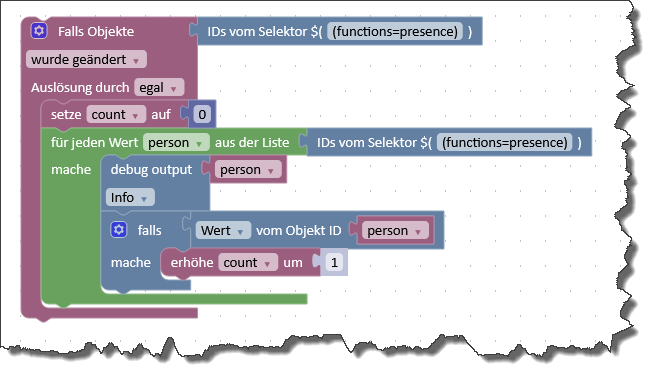
Du benötigst dazu eine passende Aufzählung (Kategorie), in die Du alle relevanten
isOnlineDatenpunkte packst. -
@Rushmed sagte in Test Adapter Unifi Network:
@mcm1957 Danke mit js-controller 7.1.0 bekomm ich den Adapter gestartet.
Super - danke fürs Feedback.
Ev. ergänze deine Erfahrungen im Issue https://github.com/Scrounger/ioBroker.unifi-network/issues/56 damit scrounger dort Feedback bekommt ob bzw. dass ein Update der Dependency Requirement sinnvoll ist.Und ja - js-controller 7.1.0 ist noch im BETA Channel. Da dieser die Basis für ioBroker ist geht der nicht zwischen Tür und Angel ins STABLE. Bisher kenne ich allerdings keine (neuen) Probleme mit js-controller 7.1.0
-
@mcm1957
Mir war nicht bewusst das die 3.2.2. wohl nicht mit dem aktuellen js-controller kompatibel sein soll. Warum wird die dann den Entwicklern per bot überhaupt vorgeschlagen?
Und warum haben manche Probleme - bis jetzt sind mir 2 bekannt - und andere nicht?
Ich betreue 7 Systemen mit aktuellem stable js-controller und bei keinem tritt das Problem auf.
Was muss man denn implementieren das die Installation der 3.2.2. garantiert wird, dachte das läuft automatisch?@Scrounger sagte in Test Adapter Unifi Network:
@mcm1957
Mir war nicht bewusst das die 3.2.2. wohl nicht mit dem aktuellen js-controller kompatibel sein soll. Warum wird die dann den Entwicklern per bot überhaupt vorgeschlagen?
Und warum haben manche Probleme - bis jetzt sind mir 2 bekannt - und andere nicht?
Ich betreue 7 Systemen mit aktuellem stable js-controller und bei keinem tritt das Problem auf.
Was muss man denn implementieren das die Installation der 3.2.2. garantiert wird, dachte das läuft automatisch?Völlig klar dass dir das nicht bewusst war.
Die Antwort ist ein wenig länger :-).
Als reiner User kann das Nachfolgende gerne übersprungen werden - ist aber kein Geheimnis.Es gibt im js-controller einen override für adapter-core der bis 7.0.x mindesten adapter-core 3.1.x verlangt. Dieser wurde mit js-controller 6 eingeführt da es zahlreiche schlecht gewartete Adapter gab (und noch immer einige gibt) die nur adapter-core 2.x.x verlangen und mit js-controller 6 schlagartig nicht mehr funktioniert hätten. Leider blockiert der Override auch die aktuelleren Angaben in Adaptern. Dieser Effekt war bis vor Kurzem nicht bekannt. Dadurch wurde und wird auch bei Angabe von adapter-core 3.2.2 kein Update des cores installiert. Mit js-controller 7.1.0 wird nun der core auf mindestens 3.2.2 gehoben. Mit js-controller 8 ist es wahrscheinlich, dass der override ganz entfällt und die dann noch nicht komptiblen Adapter je nach "Gesamtzustand" deprecated werden oder per override eine Aktualisiserung bekommen. Das ist aber ein Thema für das core-Team und js-controller 8.
adapter-core 3.2.2 is voll kompatibel mit js-controller 6 und 7. Probleme gibt es nur, wenn ein Adapter Funktionalität verwendet die erst mit adapter-core 3.2.x implementiert wurde und in älteren Versionen nicht verfügbar ist. Das ist nur bei ganz wenigen Adaptern der Fall. Kann es sein, dass der unifi irgendwas im Bereich oauth verwendet? Der Bot reklamiert eine aktuelle adapter-core Version auch aus dem Grund weiterhin da diese Dependency mit Wegfall des Overrides wieder wichtig wird.
Hoffe ich ich konnte mehr erklären denn verwirren.
mcm1957Entwicklung u Betreuung: envertech-pv, hoymiles-ms, ns-client, pid, snmp Adapter;
Support Repositoryverwaltung.Wer 'nen Kaffee spendieren will: https://paypal.me
-
@michmein sagte in Test Adapter Unifi Network:
Ich hätte da allerdings ne Frage zu den Einstellungen der Firewall, ich denke es so konfiguriert zu haben das alle Infos aus meinem UCG-max ausgelesen werden sollten. Ich kann in den Objekten aber nur zwei Gruppen sehen und keine einzelnen Regeln. Habe ich etwas falsch gemacht oder ist es gar nicht implementiert?
Das ist gar nicht implementiert. Sorry hatte damit mal angefangen, aber da ich es dann doch nicht gebraucht habe, hab ich es nicht zu Ende implementiert.
Wenn du es brauchst, erstell bitte nen Feature Request auf GitHub.Zusätzlich habe ich auch ein Unifi UNAS in meiner Sammlung, weisst du ob es die Möglichkeit gibt dies ebenfalls unter "devices" aufzuführen? Im Webinterface des UCG wird es auch unter Devices ausfgelistet.
Es werden nur die Network relevanten Devices angezeigt. Devices von anderen Unifi Applications wie Protect, Talk, Drive, etc. werden nicht angezeigt. Ich weiß auch gar nicht ob die API das mitliefert.
Mach hierzu am besten auch mal ein Feature Request auf GitHub auf. Brauch ggf. dann unterstützung von Dir weil ich keine NAS / Unifi Drive habe.Die bessere Lösung wäre, wenn es einen eigenen Adapter für Unifi Drive geben würde ;-)
@Scrounger sagte in Test Adapter Unifi Network:
Scrounger Offline
Scrounger
Developer
schrieb am 15. Nov. 2025, 19:01
zuletzt editiert von Scrounger
#55@michmein sagte in Test Adapter Unifi Network:
Ich hätte da allerdings ne Frage zu den Einstellungen der Firewall, ich denke es so konfiguriert zu haben das alle Infos aus meinem UCG-max ausgelesen werden sollten. Ich kann in den Objekten aber nur zwei Gruppen sehen und keine einzelnen Regeln. Habe ich etwas falsch gemacht oder ist es gar nicht implementiert?Das ist gar nicht implementiert. Sorry hatte damit mal angefangen, aber da ich es dann doch nicht gebraucht habe, hab ich es nicht zu Ende implementiert.
Wenn du es brauchst, erstell bitte nen Feature Request auf GitHub.Ich hatte die naive Hoffnung mit dem Adapter Zugriff auf meine Firewall regeln zu bekommen.
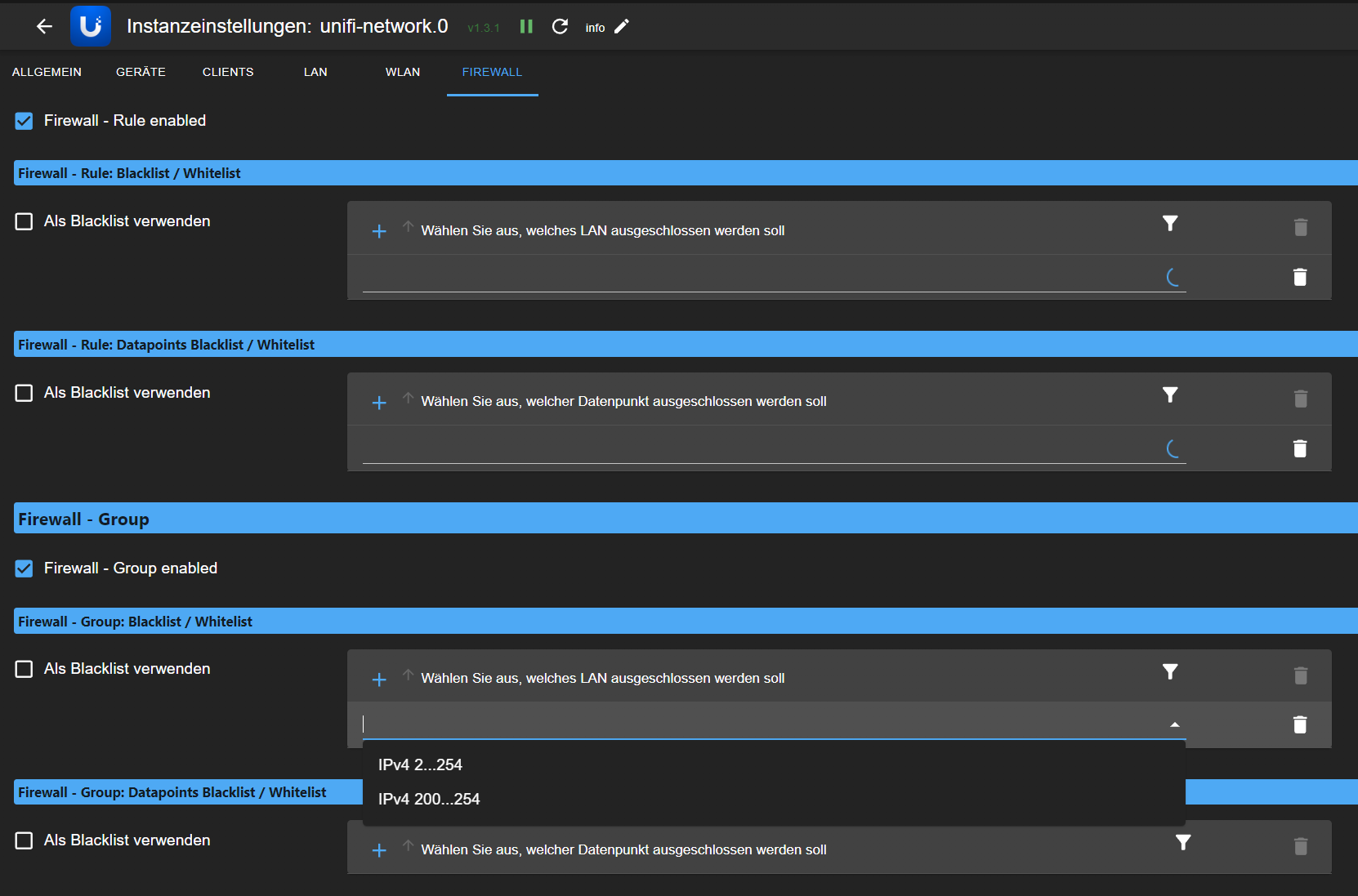
Bei den beiden Optinonen von "Firewall - Rule enabled" bleibt das Pulldown mit Ladekreiseln hängen und ich kann nichts auswählen.Ist das nicht implementiert?
-
@Scrounger sagte in Test Adapter Unifi Network:
@mcm1957
Mir war nicht bewusst das die 3.2.2. wohl nicht mit dem aktuellen js-controller kompatibel sein soll. Warum wird die dann den Entwicklern per bot überhaupt vorgeschlagen?
Und warum haben manche Probleme - bis jetzt sind mir 2 bekannt - und andere nicht?
Ich betreue 7 Systemen mit aktuellem stable js-controller und bei keinem tritt das Problem auf.
Was muss man denn implementieren das die Installation der 3.2.2. garantiert wird, dachte das läuft automatisch?Völlig klar dass dir das nicht bewusst war.
Die Antwort ist ein wenig länger :-).
Als reiner User kann das Nachfolgende gerne übersprungen werden - ist aber kein Geheimnis.Es gibt im js-controller einen override für adapter-core der bis 7.0.x mindesten adapter-core 3.1.x verlangt. Dieser wurde mit js-controller 6 eingeführt da es zahlreiche schlecht gewartete Adapter gab (und noch immer einige gibt) die nur adapter-core 2.x.x verlangen und mit js-controller 6 schlagartig nicht mehr funktioniert hätten. Leider blockiert der Override auch die aktuelleren Angaben in Adaptern. Dieser Effekt war bis vor Kurzem nicht bekannt. Dadurch wurde und wird auch bei Angabe von adapter-core 3.2.2 kein Update des cores installiert. Mit js-controller 7.1.0 wird nun der core auf mindestens 3.2.2 gehoben. Mit js-controller 8 ist es wahrscheinlich, dass der override ganz entfällt und die dann noch nicht komptiblen Adapter je nach "Gesamtzustand" deprecated werden oder per override eine Aktualisiserung bekommen. Das ist aber ein Thema für das core-Team und js-controller 8.
adapter-core 3.2.2 is voll kompatibel mit js-controller 6 und 7. Probleme gibt es nur, wenn ein Adapter Funktionalität verwendet die erst mit adapter-core 3.2.x implementiert wurde und in älteren Versionen nicht verfügbar ist. Das ist nur bei ganz wenigen Adaptern der Fall. Kann es sein, dass der unifi irgendwas im Bereich oauth verwendet? Der Bot reklamiert eine aktuelle adapter-core Version auch aus dem Grund weiterhin da diese Dependency mit Wegfall des Overrides wieder wichtig wird.
Hoffe ich ich konnte mehr erklären denn verwirren.
mcm1957@mcm1957 sagte in Test Adapter Unifi Network:
Kann es sein, dass der unifi irgendwas im Bereich oauth verwendet?
Nö der verwendet nix spezielles, läuft auch mit 3.2.1, hab das nur aktualisiert weil der bot es angemerkt hat.
@Rushmed sagte in Test Adapter Unifi Network:
Ist das nicht implementiert?
Ist noch nicht implemnetiert:
https://github.com/Scrounger/ioBroker.unifi-network/issues/44 -
Hab gerade folgende warning im log erhalten:
[onNetworkEvent]: not implemented event (key: EVT_DM_Connected) - Please report this to the developer and creating an issue on github! (meta: {"rc":"ok","message":"events"}, data: {"key":"EVT_DM_Connected","dm":"0c:ea:14:8a:5f:2f","gw":"0c:ea:14:8a:5f:2f","dm_name":"MMB UCG Max","dm_model":"UCGMAX","dm_displayName":"MMB UCG Max","gw_displayName":"MMB UCG Max","subsystem":"lan","is_negative":false,"site_id":"61ebfad7c4598a55bd60c03c","time":1767040236649,"datetime":"2025-12-29T20:30:36Z","msg":"0c:ea:14:8a:5f:2f was connected"}) -
Hab gerade folgende warning im log erhalten:
[onNetworkEvent]: not implemented event (key: EVT_DM_Connected) - Please report this to the developer and creating an issue on github! (meta: {"rc":"ok","message":"events"}, data: {"key":"EVT_DM_Connected","dm":"0c:ea:14:8a:5f:2f","gw":"0c:ea:14:8a:5f:2f","dm_name":"MMB UCG Max","dm_model":"UCGMAX","dm_displayName":"MMB UCG Max","gw_displayName":"MMB UCG Max","subsystem":"lan","is_negative":false,"site_id":"61ebfad7c4598a55bd60c03c","time":1767040236649,"datetime":"2025-12-29T20:30:36Z","msg":"0c:ea:14:8a:5f:2f was connected"})@Qlink sagte in Test Adapter Unifi Network:
Hab gerade folgende warning im log erhalten:
[onNetworkEvent]: not implemented event (key: EVT_DM_Connected) -
Please report this to the developer and creating an issue on github!
(meta: {"rc":"ok","message":"events"}, data: {"key":"EVT_DM_Connected","dm":"0c:ea:14:8a:5f:2f","gw":"0c:ea:14:8a:5f:2f","dm_name":"MMB UCG Max","dm_model":"UCGMAX","dm_displayName":"MMB UCG Max","gw_displayName":"MMB UCG Max","subsystem":"lan","is_negative":false,"site_id":"61ebfad7c4598a55bd60c03c","time":1767040236649,"datetime":"2025-12-29T20:30:36Z","msg":"0c:ea:14:8a:5f:2f was connected"})
Dann mach doch, was da steht:
@Qlink sagte in Test Adapter Unifi Network:
Please report this to the developer and creating an issue on github!
--> https://github.com/Scrounger/ioBroker.unifi-network/issues
-
Besteht die Möglichkeit Log Einträge zu reconnects von Geräten einzuschränken? Ich hab einen Switchbot HUB der bewusst vom Internet geblockt wurde. Laut deren Support ist in dem Fall ein frequentes WiFi reconnect "gewollt", was mich schon im Unify Log nervt. Mit dem neuen iobroker Adapter (Der echt super ist bisher) zieht das nun 1:1 ins iobroker Log. Ich dachte zuerst wenn ich einen debounce einstelle, löst das auch die Log Problematik, was leider nicht so ist.
* * unifi-network.0 30.12.2025 18:22 info [eventHandler.client.connected]: client 'SwitchBot-HubMiniMatter' disconnected (mac: 9c:9e:6e:xx:xx:xx, ip: 192.168.1.66) from 'iot' on 'U6+ EG Wohnzimmer' -> debounce disconnection for 180s (client specific) * unifi-network.0 30.12.2025 18:22 info [eventHandler.client.connected]: client 'SwitchBot-HubMiniMatter' connected (mac: 9c:9e:6e:xx:xx:xx, ip: 192.168.1.66) to 'iot' on 'U6+ EG Wohnzimmer' * unifi-network.0 30.12.2025 18:25 info [eventHandler.client.connected]: client 'SwitchBot-HubMiniMatter' disconnected (mac: 9c:9e:6e:xx:xx:xx, ip: 192.168.1.66) from 'iot' on 'U6+ EG Wohnzimmer' -> debounce disconnection for 180s (client specific) * unifi-network.0 30.12.2025 18:25 info [eventHandler.client.connected]: client 'SwitchBot-HubMiniMatter' connected (mac: 9c:9e:6e:xx:xx:xx, ip: 192.168.1.66) to 'iot' on 'U6+ EG Wohnzimmer' * unifi-network.0 30.12.2025 18:27 info [eventHandler.client.connected]: client 'SwitchBot-HubMiniMatter' disconnected (mac: 9c:9e:6e:xx:xx:xx, ip: 192.168.1.66) from 'iot' on 'U6+ EG Wohnzimmer' -> debounce disconnection for 180s (client specific) * unifi-network.0 30.12.2025 18:27 info [eventHandler.client.connected]: client 'SwitchBot-HubMiniMatter' connected (mac: 9c:9e:6e:xx:xx:xx, ip: 192.168.1.66) to 'iot' on 'U6+ EG Wohnzimmer' * unifi-network.0 30.12.2025 18:29 info [eventHandler.client.connected]: client 'SwitchBot-HubMiniMatter' disconnected (mac: 9c:9e:6e:xx:xx:xx, ip: 192.168.1.66) from 'iot' on 'U6+ EG Wohnzimmer' -> debounce disconnection for 180s (client specific) * unifi-network.0 30.12.2025 18:29 info [eventHandler.client.connected]: client 'SwitchBot-HubMiniMatter' connected (mac: 9c:9e:6e:xx:xx:xx, ip: 192.168.1.66) to 'iot' on 'U6+ EG Wohnzimmer' * unifi-network.0 30.12.2025 18:32 info [eventHandler.client.connected]: client 'SwitchBot-HubMiniMatter' disconnected (mac: 9c:9e:6e:xx:xx:xx, ip: 192.168.1.66) from 'iot' on 'U6+ EG Wohnzimmer' -> debounce disconnection for 180s (client specific) * unifi-network.0 30.12.2025 18:32 info [eventHandler.client.connected]: client 'SwitchBot-HubMiniMatter' connected (mac: 9c:9e:6e:xx:xx:xx, ip: 192.168.1.66) to 'iot' on 'U6+ EG Wohnzimmer' * unifi-network.0 30.12.2025 18:39 info [eventHandler.client.connected]: client 'SwitchBot-HubMiniMatter' disconnected (mac: 9c:9e:6e:xx:xx:xx, ip: 192.168.1.66) from 'iot' on 'U6+ EG Wohnzimmer' -> debounce disconnection for 180s (client specific) * unifi-network.0 30.12.2025 18:39 info [eventHandler.client.connected]: client 'SwitchBot-HubMiniMatter' connected (mac: 9c:9e:6e:xx:xx:xx, ip: 192.168.1.66) to 'iot' on 'U6+ EG Wohnzimmer' * unifi-network.0 30.12.2025 18:46 info [eventHandler.client.connected]: client 'SwitchBot-HubMiniMatter' disconnected (mac: 9c:9e:6e:xx:xx:xx, ip: 192.168.1.66) from 'iot' on 'U6+ EG Wohnzimmer' -> debounce disconnection for 180s (client specific) * unifi-network.0 30.12.2025 18:46 info [eventHandler.client.connected]: client 'SwitchBot-HubMiniMatter' connected (mac: 9c:9e:6e:xx:xx:xx, ip: 192.168.1.66) to 'iot' on 'U6+ EG Wohnzimmer' * unifi-network.0 30.12.2025 18:48 info [eventHandler.client.connected]: client 'SwitchBot-HubMiniMatter' disconnected (mac: 9c:9e:6e:xx:xx:xx, ip: 192.168.1.66) from 'iot' on 'U6+ EG Wohnzimmer' -> debounce disconnection for 180s (client specific) * unifi-network.0 30.12.2025 18:49 info [eventHandler.client.connected]: client 'SwitchBot-HubMiniMatter' connected (mac: 9c:9e:6e:xx:xx:xx, ip: 192.168.1.66) to 'iot' on 'U6+ EG Wohnzimmer' * unifi-network.0 30.12.2025 18:50 info [eventHandler.client.connected]: client 'SwitchBot-HubMiniMatter' disconnected (mac: 9c:9e:6e:xx:xx:xx, ip: 192.168.1.66) from 'iot' on 'U6+ EG Wohnzimmer' -> debounce disconnection for 180s (client specific) * unifi-network.0 30.12.2025 18:51 info [eventHandler.client.connected]: client 'SwitchBot-HubMiniMatter' connected (mac: 9c:9e:6e:xx:xx:xx, ip: 192.168.1.66) to 'iot' on 'U6+ EG Wohnzimmer' * unifi-network.0 30.12.2025 18:53 info [eventHandler.client.connected]: client 'SwitchBot-HubMiniMatter' disconnected (mac: 9c:9e:6e:xx:xx:xx, ip: 192.168.1.66) from 'iot' on 'U6+ EG Wohnzimmer' -> debounce disconnection for 180s (client specific) * unifi-network.0 30.12.2025 18:53 info [eventHandler.client.connected]: client 'SwitchBot-HubMiniMatter' connected (mac: 9c:9e:6e:xx:xx:xx, ip: 192.168.1.66) to 'iot' on 'U6+ EG Wohnzimmer' * unifi-network.0 30.12.2025 18:55 info [eventHandler.client.connected]: client 'SwitchBot-HubMiniMatter' disconnected (mac: 9c:9e:6e:xx:xx:xx, ip: 192.168.1.66) from 'iot' on 'U6+ EG Wohnzimmer' -> debounce disconnection for 180s (client specific) * unifi-network.0 30.12.2025 18:56 info [eventHandler.client.connected]: client 'SwitchBot-HubMiniMatter' connected (mac: 9c:9e:6e:xx:xx:xx, ip: 192.168.1.66) to 'iot' on 'U6+ EG Wohnzimmer' * unifi-network.0 30.12.2025 18:57 info [eventHandler.client.connected]: client 'SwitchBot-HubMiniMatter' disconnected (mac: 9c:9e:6e:xx:xx:xx, ip: 192.168.1.66) from 'iot' on 'U6+ EG Wohnzimmer' -> debounce disconnection for 180s (client specific) * unifi-network.0 30.12.2025 18:58 info [eventHandler.client.connected]: client 'SwitchBot-HubMiniMatter' connected (mac: 9c:9e:6e:xx:xx:xx, ip: 192.168.1.66) to 'iot' on 'U6+ EG Wohnzimmer' -
Besteht die Möglichkeit Log Einträge zu reconnects von Geräten einzuschränken? Ich hab einen Switchbot HUB der bewusst vom Internet geblockt wurde. Laut deren Support ist in dem Fall ein frequentes WiFi reconnect "gewollt", was mich schon im Unify Log nervt. Mit dem neuen iobroker Adapter (Der echt super ist bisher) zieht das nun 1:1 ins iobroker Log. Ich dachte zuerst wenn ich einen debounce einstelle, löst das auch die Log Problematik, was leider nicht so ist.
*
* unifi-network.0	30.12.2025 18:22	info	[eventHandler.client.connected]: client 'SwitchBot-HubMiniMatter' disconnected (mac: 9c:9e:6e:xx:xx:xx, ip: 192.168.1.66) from 'iot' on 'U6+ EG Wohnzimmer' -> debounce disconnection for 180s (client specific)
* unifi-network.0	30.12.2025 18:22	info	[eventHandler.client.connected]: client 'SwitchBot-HubMiniMatter' connected (mac: 9c:9e:6e:xx:xx:xx, ip: 192.168.1.66) to 'iot' on 'U6+ EG Wohnzimmer'
* unifi-network.0	30.12.2025 18:25	info	[eventHandler.client.connected]: client 'SwitchBot-HubMiniMatter' disconnected (mac: 9c:9e:6e:xx:xx:xx, ip: 192.168.1.66) from 'iot' on 'U6+ EG Wohnzimmer' -> debounce disconnection for 180s (client specific)
* unifi-network.0	30.12.2025 18:25	info	[eventHandler.client.connected]: client 'SwitchBot-HubMiniMatter' connected (mac: 9c:9e:6e:xx:xx:xx, ip: 192.168.1.66) to 'iot' on 'U6+ EG Wohnzimmer'
* unifi-network.0	30.12.2025 18:27	info	[eventHandler.client.connected]: client 'SwitchBot-HubMiniMatter' disconnected (mac: 9c:9e:6e:xx:xx:xx, ip: 192.168.1.66) from 'iot' on 'U6+ EG Wohnzimmer' -> debounce disconnection for 180s (client specific)
* unifi-network.0	30.12.2025 18:27	info	[eventHandler.client.connected]: client 'SwitchBot-HubMiniMatter' connected (mac: 9c:9e:6e:xx:xx:xx, ip: 192.168.1.66) to 'iot' on 'U6+ EG Wohnzimmer'
* unifi-network.0	30.12.2025 18:29	info	[eventHandler.client.connected]: client 'SwitchBot-HubMiniMatter' disconnected (mac: 9c:9e:6e:xx:xx:xx, ip: 192.168.1.66) from 'iot' on 'U6+ EG Wohnzimmer' -> debounce disconnection for 180s (client specific)
* unifi-network.0	30.12.2025 18:29	info	[eventHandler.client.connected]: client 'SwitchBot-HubMiniMatter' connected (mac: 9c:9e:6e:xx:xx:xx, ip: 192.168.1.66) to 'iot' on 'U6+ EG Wohnzimmer'
* unifi-network.0	30.12.2025 18:32	info	[eventHandler.client.connected]: client 'SwitchBot-HubMiniMatter' disconnected (mac: 9c:9e:6e:xx:xx:xx, ip: 192.168.1.66) from 'iot' on 'U6+ EG Wohnzimmer' -> debounce disconnection for 180s (client specific)
* unifi-network.0	30.12.2025 18:32	info	[eventHandler.client.connected]: client 'SwitchBot-HubMiniMatter' connected (mac: 9c:9e:6e:xx:xx:xx, ip: 192.168.1.66) to 'iot' on 'U6+ EG Wohnzimmer'
* unifi-network.0	30.12.2025 18:39	info	[eventHandler.client.connected]: client 'SwitchBot-HubMiniMatter' disconnected (mac: 9c:9e:6e:xx:xx:xx, ip: 192.168.1.66) from 'iot' on 'U6+ EG Wohnzimmer' -> debounce disconnection for 180s (client specific)
* unifi-network.0	30.12.2025 18:39	info	[eventHandler.client.connected]: client 'SwitchBot-HubMiniMatter' connected (mac: 9c:9e:6e:xx:xx:xx, ip: 192.168.1.66) to 'iot' on 'U6+ EG Wohnzimmer'
* unifi-network.0	30.12.2025 18:46	info	[eventHandler.client.connected]: client 'SwitchBot-HubMiniMatter' disconnected (mac: 9c:9e:6e:xx:xx:xx, ip: 192.168.1.66) from 'iot' on 'U6+ EG Wohnzimmer' -> debounce disconnection for 180s (client specific)
* unifi-network.0	30.12.2025 18:46	info	[eventHandler.client.connected]: client 'SwitchBot-HubMiniMatter' connected (mac: 9c:9e:6e:xx:xx:xx, ip: 192.168.1.66) to 'iot' on 'U6+ EG Wohnzimmer'
* unifi-network.0	30.12.2025 18:48	info	[eventHandler.client.connected]: client 'SwitchBot-HubMiniMatter' disconnected (mac: 9c:9e:6e:xx:xx:xx, ip: 192.168.1.66) from 'iot' on 'U6+ EG Wohnzimmer' -> debounce disconnection for 180s (client specific)
* unifi-network.0	30.12.2025 18:49	info	[eventHandler.client.connected]: client 'SwitchBot-HubMiniMatter' connected (mac: 9c:9e:6e:xx:xx:xx, ip: 192.168.1.66) to 'iot' on 'U6+ EG Wohnzimmer'
* unifi-network.0	30.12.2025 18:50	info	[eventHandler.client.connected]: client 'SwitchBot-HubMiniMatter' disconnected (mac: 9c:9e:6e:xx:xx:xx, ip: 192.168.1.66) from 'iot' on 'U6+ EG Wohnzimmer' -> debounce disconnection for 180s (client specific)
* unifi-network.0	30.12.2025 18:51	info	[eventHandler.client.connected]: client 'SwitchBot-HubMiniMatter' connected (mac: 9c:9e:6e:xx:xx:xx, ip: 192.168.1.66) to 'iot' on 'U6+ EG Wohnzimmer'
* unifi-network.0	30.12.2025 18:53	info	[eventHandler.client.connected]: client 'SwitchBot-HubMiniMatter' disconnected (mac: 9c:9e:6e:xx:xx:xx, ip: 192.168.1.66) from 'iot' on 'U6+ EG Wohnzimmer' -> debounce disconnection for 180s (client specific)
* unifi-network.0	30.12.2025 18:53	info	[eventHandler.client.connected]: client 'SwitchBot-HubMiniMatter' connected (mac: 9c:9e:6e:xx:xx:xx, ip: 192.168.1.66) to 'iot' on 'U6+ EG Wohnzimmer'
* unifi-network.0	30.12.2025 18:55	info	[eventHandler.client.connected]: client 'SwitchBot-HubMiniMatter' disconnected (mac: 9c:9e:6e:xx:xx:xx, ip: 192.168.1.66) from 'iot' on 'U6+ EG Wohnzimmer' -> debounce disconnection for 180s (client specific)
* unifi-network.0	30.12.2025 18:56	info	[eventHandler.client.connected]: client 'SwitchBot-HubMiniMatter' connected (mac: 9c:9e:6e:xx:xx:xx, ip: 192.168.1.66) to 'iot' on 'U6+ EG Wohnzimmer'
* unifi-network.0	30.12.2025 18:57	info	[eventHandler.client.connected]: client 'SwitchBot-HubMiniMatter' disconnected (mac: 9c:9e:6e:xx:xx:xx, ip: 192.168.1.66) from 'iot' on 'U6+ EG Wohnzimmer' -> debounce disconnection for 180s (client specific)
* unifi-network.0	30.12.2025 18:58	info	[eventHandler.client.connected]: client 'SwitchBot-HubMiniMatter' connected (mac: 9c:9e:6e:xx:xx:xx, ip: 192.168.1.66) to 'iot' on 'U6+ EG Wohnzimmer'





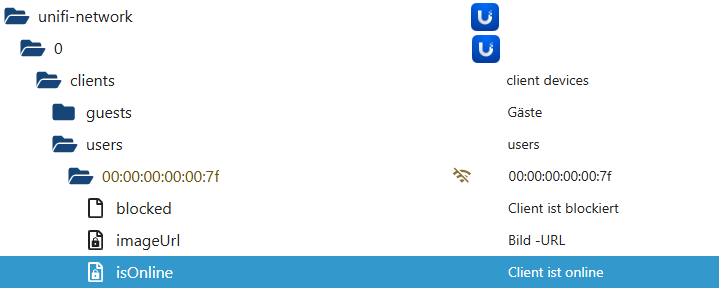
Hey! Du scheinst an dieser Unterhaltung interessiert zu sein, hast aber noch kein Konto.
Hast du es satt, bei jedem Besuch durch die gleichen Beiträge zu scrollen? Wenn du dich für ein Konto anmeldest, kommst du immer genau dorthin zurück, wo du zuvor warst, und kannst dich über neue Antworten benachrichtigen lassen (entweder per E-Mail oder Push-Benachrichtigung). Du kannst auch Lesezeichen speichern und Beiträge positiv bewerten, um anderen Community-Mitgliedern deine Wertschätzung zu zeigen.
Mit deinem Input könnte dieser Beitrag noch besser werden 💗
Registrieren AnmeldenSupport us
220
Online33.0k
Benutzer83.6k
Themen1.3m
Beiträge