




Growatt Adapter wird nicht grün
-
@karl-heinz1 sagte in Kein Zugriff auf Admin von iobroker mit Pro:
Die beiden oben habe ich nicht gefunden.
Soll ich alle Adapter Updaten ?Ja, man updated seine Kiste. Immer. Insbesondere wenn z.B. nodejs abgekündigt ist und die Empfehlung schon lange nodejs@18 ist.
Was habe ich dann für Probleme.
Weniger, weil da Fehler behoben und Sicherheitslücken beseitigt wurden. Und auch für immer mehr Adapter nodejs18 zur Mindestvoraussetzung wird. Du kommst also nicht umhin, regelmäßig System-Pflege zu betreiben. Dein Betriebssystem ist mit Sicherheit dann auch noch nie angepackt worden.
'Never touch a running system' ist jedenfalls keine Option. Je länger du da nix machst desto komplexer wird auch das Auflösen des Updatestaus.iob stop iob fix iob startUnd dann die Ausgabe von
iob diaganschauen.
Ich bin da jetzt nicht weiter gekommen, aber der Cloud Adapter bleibt jetzt grün.
Ich habe dann, weil ich nachsehen wollte, was denn da bei Einstellungen in den Adaptern steht, mal auf den Growatt Adapter geklickt. Jetzt ist der Growatt zwar grün, aber vorne ist jetzt auch ein Ausrufungszeichen. Die Programme und Vis laufen aber. -
@karl-heinz1 sagte in Kein Zugriff auf Admin von iobroker mit Pro:
Die beiden oben habe ich nicht gefunden.
Soll ich alle Adapter Updaten ?Ja, man updated seine Kiste. Immer. Insbesondere wenn z.B. nodejs abgekündigt ist und die Empfehlung schon lange nodejs@18 ist.
Was habe ich dann für Probleme.
Weniger, weil da Fehler behoben und Sicherheitslücken beseitigt wurden. Und auch für immer mehr Adapter nodejs18 zur Mindestvoraussetzung wird. Du kommst also nicht umhin, regelmäßig System-Pflege zu betreiben. Dein Betriebssystem ist mit Sicherheit dann auch noch nie angepackt worden.
'Never touch a running system' ist jedenfalls keine Option. Je länger du da nix machst desto komplexer wird auch das Auflösen des Updatestaus.iob stop iob fix iob startUnd dann die Ausgabe von
iob diaganschauen.
jetzt läuft meine IOBroker Vis nicht mehr. Die aktualisiert sich nicht mehr.
Hilfe, was kann ich tun ??
-
@sigi234 sagte in Kein Zugriff auf Admin von iobroker mit Pro:
Das aktiviert?
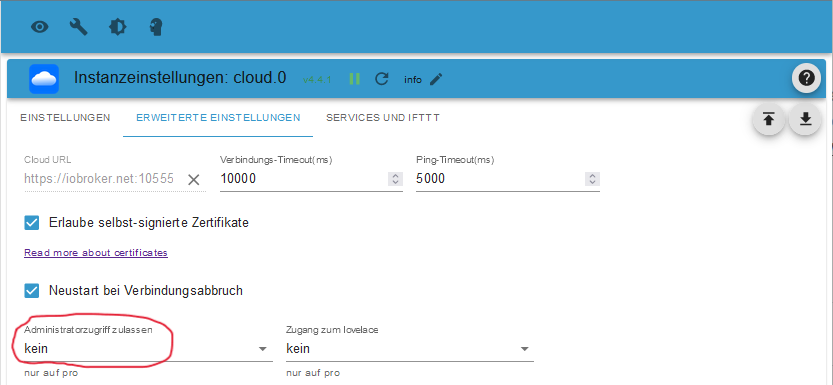
Mein Growattadapter läuft jetzt nicht mehr, Ist aber grün mit ! vorne.
wie bekomme ich den jetzt erst mal wieder dahin, das die Dstenpunkte aktualisiert werden ?? -
@sigi234 sagte in Kein Zugriff auf Admin von iobroker mit Pro:
Das aktiviert?
Mein Growattadapter läuft jetzt nicht mehr, Ist aber grün mit ! vorne.
wie bekomme ich den jetzt erst mal wieder dahin, das die Dstenpunkte aktualisiert werden ??Logs...
-
@karl-heinz1 sagte in Kein Zugriff auf Admin von iobroker mit Pro:
Die beiden oben habe ich nicht gefunden.
Soll ich alle Adapter Updaten ?Ja, man updated seine Kiste. Immer. Insbesondere wenn z.B. nodejs abgekündigt ist und die Empfehlung schon lange nodejs@18 ist.
Was habe ich dann für Probleme.
Weniger, weil da Fehler behoben und Sicherheitslücken beseitigt wurden. Und auch für immer mehr Adapter nodejs18 zur Mindestvoraussetzung wird. Du kommst also nicht umhin, regelmäßig System-Pflege zu betreiben. Dein Betriebssystem ist mit Sicherheit dann auch noch nie angepackt worden.
'Never touch a running system' ist jedenfalls keine Option. Je länger du da nix machst desto komplexer wird auch das Auflösen des Updatestaus.iob stop iob fix iob startUnd dann die Ausgabe von
iob diaganschauen.
@thomas-braun sagte in Kein Zugriff auf Admin von iobroker mit Pro:
nidejs@18 ist.
nidejsAT18 finde ich in den Adaptern nicht.iob stop, iob fix und iob start habe ich gemacht, dann iob diag, unten die Ausgabe.
======================= SUMMARY =======================
			v.2023-10-10


   Static hostname: raspberrypi
         Icon name: computer
  Operating System: Debian GNU/Linux 11 (bullseye)
            Kernel: Linux 5.15.61-v8+
      Architecture: arm64

Installation: 		native
Kernel: 		aarch64
Userland: 		arm64
Timezone: 		Europe/Berlin (CEST, +0200)
User-ID: 		1000
X-Server: 		true
Boot Target: 		graphical.target

Pending OS-Updates: 	271
Pending iob updates: 	19

/home/iobroker/.diag.sh: line 486: nodejs: command not found
Nodejs-Installation:
			/usr/bin/node 		v16.18.0
			/usr/bin/npm 		8.19.2
			/usr/bin/npx 		8.19.2
			/usr/bin/corepack 	0.14.1

Recommended versions are nodejs 16.20.2 and npm 8.19.4
*** nodejs is NOT correctly installed ***
Wrong installation path detected. This needs to be fixed.

Please check
https://forum.iobroker.net/topic/35090/howto-nodejs-installation-und-upgrades-unter-debian
for more information on how to fix these errors.

MEMORY:
               total        used        free      shared  buff/cache   available
Mem:            3.8G        907M        1.7G         20M        1.2G        2.8G
Swap:            99M         35M         64M
Total:          3.9G        943M        1.8G

Active iob-Instances: 	11
Active repo(s): beta

ioBroker Core: 		js-controller 		4.0.23
			admin 			6.2.23

ioBroker Status: 	iobroker is running on this host.


Objects type: jsonl
States  type: jsonl

Status admin and web instance:
+ system.adapter.admin.0                  : admin                 : raspberrypi                              -  enabled, port: 8081, bind: 0.0.0.0, run as: admin
+ system.adapter.web.0                    : web                   : raspberrypi                              -  enabled, port: 8082, bind: 0.0.0.0, run as: admin

Objects: 		2360
States: 		2174

Size of iob-Database:

20M	/opt/iobroker/iobroker-data/objects.jsonl
556K	/opt/iobroker/iobroker-data/states.jsonl


=================== END OF SUMMARY ====================
=== Mark text until here for copying ===
pi@raspberrypi:~ $ -
@thomas-braun sagte in Kein Zugriff auf Admin von iobroker mit Pro:
nidejs@18 ist.
nidejsAT18 finde ich in den Adaptern nicht.iob stop, iob fix und iob start habe ich gemacht, dann iob diag, unten die Ausgabe.
======================= SUMMARY =======================
			v.2023-10-10


   Static hostname: raspberrypi
         Icon name: computer
  Operating System: Debian GNU/Linux 11 (bullseye)
            Kernel: Linux 5.15.61-v8+
      Architecture: arm64

Installation: 		native
Kernel: 		aarch64
Userland: 		arm64
Timezone: 		Europe/Berlin (CEST, +0200)
User-ID: 		1000
X-Server: 		true
Boot Target: 		graphical.target

Pending OS-Updates: 	271
Pending iob updates: 	19

/home/iobroker/.diag.sh: line 486: nodejs: command not found
Nodejs-Installation:
			/usr/bin/node 		v16.18.0
			/usr/bin/npm 		8.19.2
			/usr/bin/npx 		8.19.2
			/usr/bin/corepack 	0.14.1

Recommended versions are nodejs 16.20.2 and npm 8.19.4
*** nodejs is NOT correctly installed ***
Wrong installation path detected. This needs to be fixed.

Please check
https://forum.iobroker.net/topic/35090/howto-nodejs-installation-und-upgrades-unter-debian
for more information on how to fix these errors.

MEMORY:
               total        used        free      shared  buff/cache   available
Mem:            3.8G        907M        1.7G         20M        1.2G        2.8G
Swap:            99M         35M         64M
Total:          3.9G        943M        1.8G

Active iob-Instances: 	11
Active repo(s): beta

ioBroker Core: 		js-controller 		4.0.23
			admin 			6.2.23

ioBroker Status: 	iobroker is running on this host.


Objects type: jsonl
States  type: jsonl

Status admin and web instance:
+ system.adapter.admin.0                  : admin                 : raspberrypi                              -  enabled, port: 8081, bind: 0.0.0.0, run as: admin
+ system.adapter.web.0                    : web                   : raspberrypi                              -  enabled, port: 8082, bind: 0.0.0.0, run as: admin

Objects: 		2360
States: 		2174

Size of iob-Database:

20M	/opt/iobroker/iobroker-data/objects.jsonl
556K	/opt/iobroker/iobroker-data/states.jsonl


=================== END OF SUMMARY ====================
=== Mark text until here for copying ===
pi@raspberrypi:~ $@karl-heinz1 sagte in Kein Zugriff auf Admin von iobroker mit Pro:
X-Server: true
Ausschalten. Server immer ohne Display-Server.
sudo systemctl set-default multi-host.targetPending OS-Updates: 271
Pending iob updates: 19Und das ist genau der Punkt. Massiver Update-Stau.
iob stop
iob nodejs-update
sudo reboot
Und dann den ioBroker auf Stand bringen:
iob update
iob upgrade all
iob stop
iob upgrade self
iob start
Künfig das System in Gänze regelmäßig pflegen.
-
@karl-heinz1 sagte in Kein Zugriff auf Admin von iobroker mit Pro:
X-Server: true
Ausschalten. Server immer ohne Display-Server.
sudo systemctl set-default multi-host.targetPending OS-Updates: 271
Pending iob updates: 19Und das ist genau der Punkt. Massiver Update-Stau.
iob stop
iob nodejs-update
sudo reboot
Und dann den ioBroker auf Stand bringen:
iob update
iob upgrade all
iob stop
iob upgrade self
iob start
Künfig das System in Gänze regelmäßig pflegen.
@thomas-braun sagte in Kein Zugriff auf Admin von iobroker mit Pro:
sudo systemctl set-default multi-host.target
Bei dem ersten Schritt kommt die Meldung
codpi@raspberrypi:~ $ sudo systemctl set-default multi-host.target Failed to set default target: Unit file multi-host.target does e_text -
@karl-heinz1 sagte in Kein Zugriff auf Admin von iobroker mit Pro:
X-Server: true
Ausschalten. Server immer ohne Display-Server.
sudo systemctl set-default multi-host.targetPending OS-Updates: 271
Pending iob updates: 19Und das ist genau der Punkt. Massiver Update-Stau.
iob stop
iob nodejs-update
sudo reboot
Und dann den ioBroker auf Stand bringen:
iob update
iob upgrade all
iob stop
iob upgrade self
iob start
Künfig das System in Gänze regelmäßig pflegen.
@thomas-braun sagte in Kein Zugriff auf Admin von iobroker mit Pro:
@karl-heinz1 sagte in Kein Zugriff auf Admin von iobroker mit Pro:
X-Server: true
Ausschalten. Server immer ohne Display-Server.
sudo systemctl set-default multi-host.targetPending OS-Updates: 271
Pending iob updates: 19Und das ist genau der Punkt. Massiver Update-Stau.
iob stop
iob nodejs-update
sudo reboot
Und dann den ioBroker auf Stand bringen:
iob update
iob upgrade all
iob stop
iob upgrade self
iob start
Künfig das System in Gänze regelmäßig pflegen.
Ich habe die Schritte alle durchgeführt, die Datenpunkte sind aber noch auf Datum von gestern.
Log von Growatt:code_t Zeit Nachricht growatt.0 2024-04-17 11:04:15.143 info not connected growatt.0 2024-04-17 11:04:15.142 warn Login:{}extund das log von javascript
code_t 2024-04-17 11:08:19.976 info script.js.Zählerstand_Anzeige_Netzbezug_Original: 8997.197 javascript.0 2024-04-17 11:08:19.975 info script.js.Zählerstand_Anzeige_Netzbezug_Original: 1764.6689999999999 javascript.0 2024-04-17 11:08:19.975 info script.js.Zählerstand_Anzeige_Netzbezug_Original: Jahr javascript.0 2024-04-17 11:08:19.974 info script.js.Zählerstand_Anzeige_Netzbezug_Original: 71.28399999999965 javascript.0 2024-04-17 11:08:19.974 info script.js.Zählerstand_Anzeige_Netzbezug_Original: Monat javascript.0 2024-04-17 11:08:19.973 info script.js.Zählerstand_Anzeige_Netzbezug_Original: 3.938000000000102 javascript.0 2024-04-17 11:08:19.973 info script.js.Zählerstand_Anzeige_Netzbezug_Original: Woche javascript.0 2024-04-17 11:08:19.973 info script.js.Zählerstand_Anzeige_Netzbezug_Original: 0.7109999999993306 javascript.0 2024-04-17 11:08:19.972 info script.js.Zählerstand_Anzeige_Netzbezug_Original: Tag javascript.0 2024-04-17 ext -
@thomas-braun sagte in Kein Zugriff auf Admin von iobroker mit Pro:
@karl-heinz1 sagte in Kein Zugriff auf Admin von iobroker mit Pro:
X-Server: true
Ausschalten. Server immer ohne Display-Server.
sudo systemctl set-default multi-host.targetPending OS-Updates: 271
Pending iob updates: 19Und das ist genau der Punkt. Massiver Update-Stau.
iob stop
iob nodejs-update
sudo reboot
Und dann den ioBroker auf Stand bringen:
iob update
iob upgrade all
iob stop
iob upgrade self
iob start
Künfig das System in Gänze regelmäßig pflegen.
Ich habe die Schritte alle durchgeführt, die Datenpunkte sind aber noch auf Datum von gestern.
Log von Growatt:code_t Zeit Nachricht growatt.0 2024-04-17 11:04:15.143 info not connected growatt.0 2024-04-17 11:04:15.142 warn Login:{}extund das log von javascript
code_t 2024-04-17 11:08:19.976 info script.js.Zählerstand_Anzeige_Netzbezug_Original: 8997.197 javascript.0 2024-04-17 11:08:19.975 info script.js.Zählerstand_Anzeige_Netzbezug_Original: 1764.6689999999999 javascript.0 2024-04-17 11:08:19.975 info script.js.Zählerstand_Anzeige_Netzbezug_Original: Jahr javascript.0 2024-04-17 11:08:19.974 info script.js.Zählerstand_Anzeige_Netzbezug_Original: 71.28399999999965 javascript.0 2024-04-17 11:08:19.974 info script.js.Zählerstand_Anzeige_Netzbezug_Original: Monat javascript.0 2024-04-17 11:08:19.973 info script.js.Zählerstand_Anzeige_Netzbezug_Original: 3.938000000000102 javascript.0 2024-04-17 11:08:19.973 info script.js.Zählerstand_Anzeige_Netzbezug_Original: Woche javascript.0 2024-04-17 11:08:19.973 info script.js.Zählerstand_Anzeige_Netzbezug_Original: 0.7109999999993306 javascript.0 2024-04-17 11:08:19.972 info script.js.Zählerstand_Anzeige_Netzbezug_Original: Tag javascript.0 2024-04-17 ext@karl-heinz1 sagte in Kein Zugriff auf Admin von iobroker mit Pro:
Ich habe die Schritte alle durchgeführt
Dann zeig jetzt erst mal bitte die Langfassung von
iob diag -
@karl-heinz1 sagte in Kein Zugriff auf Admin von iobroker mit Pro:
Ich habe die Schritte alle durchgeführt
Dann zeig jetzt erst mal bitte die Langfassung von
iob diag@djmarc75 sagte in Kein Zugriff auf Admin von iobroker mit Pro:
@karl-heinz1 sagte in Kein Zugriff auf Admin von iobroker mit Pro:
Ich habe die Schritte alle durchgeführt
Dann zeig jetzt erst mal bitte die Langfassung von
iob diaghier ist die Langfassung:
code_======================= SUMMARY =======================
			v.2023-10-10


   Static hostname: raspberrypi
         Icon name: computer
  Operating System: Debian GNU/Linux 11 (bullseye)
            Kernel: Linux 6.1.21-v8+
      Architecture: arm64

Installation: 		native
Kernel: 		aarch64
Userland: 		arm64
Timezone: 		Europe/Berlin (CEST, +0200)
User-ID: 		1000
X-Server: 		true
Boot Target: 		graphical.target

Pending OS-Updates: 	0
Pending iob updates: 	4

Nodejs-Installation: 	/usr/bin/nodejs 	v18.20.2
			/usr/bin/node 		v18.20.2
			/usr/bin/npm 		10.5.0
			/usr/bin/npx 		10.5.0
			/usr/bin/corepack 	0.25.2

Recommended versions are nodejs 18.20.2 and npm 10.5.0
Your nodejs installation is correct

MEMORY:
               total        used        free      shared  buff/cache   available
Mem:            3.8G        1.3G        1.5G         21M        1.1G        2.4G
Swap:            99M          0B         99M
Total:          3.9G        1.3G        1.6G

Active iob-Instances: 	13
Active repo(s): beta

ioBroker Core: 		js-controller 		5.0.19
			admin 			6.17.3

ioBroker Status: 	iobroker is running on this host.


Objects type: jsonl
States  type: jsonl

Status admin and web instance:
+ system.adapter.admin.0                  : admin                 : raspberrypi                              -  enabled, port: 8081, bind: 0.0.0.0, run as: admin
+ system.adapter.web.0                    : web                   : raspberrypi                              -  enabled, port: 8082, bind: 0.0.0.0, run as: admin

Objects: 		2370
States: 		2156

Size of iob-Database:

22M	/opt/iobroker/iobroker-data/objects.jsonl
4.9M	/opt/iobroker/iobroker-data/states.jsonl


=================== END OF SUMMARY ====================
=== Mark text until here for copying ===
pi@raspberrypi:~ $
text -
@djmarc75 sagte in Kein Zugriff auf Admin von iobroker mit Pro:
@karl-heinz1 sagte in Kein Zugriff auf Admin von iobroker mit Pro:
Ich habe die Schritte alle durchgeführt
Dann zeig jetzt erst mal bitte die Langfassung von
iob diaghier ist die Langfassung:
code_======================= SUMMARY =======================
			v.2023-10-10


   Static hostname: raspberrypi
         Icon name: computer
  Operating System: Debian GNU/Linux 11 (bullseye)
            Kernel: Linux 6.1.21-v8+
      Architecture: arm64

Installation: 		native
Kernel: 		aarch64
Userland: 		arm64
Timezone: 		Europe/Berlin (CEST, +0200)
User-ID: 		1000
X-Server: 		true
Boot Target: 		graphical.target

Pending OS-Updates: 	0
Pending iob updates: 	4

Nodejs-Installation: 	/usr/bin/nodejs 	v18.20.2
			/usr/bin/node 		v18.20.2
			/usr/bin/npm 		10.5.0
			/usr/bin/npx 		10.5.0
			/usr/bin/corepack 	0.25.2

Recommended versions are nodejs 18.20.2 and npm 10.5.0
Your nodejs installation is correct

MEMORY:
               total        used        free      shared  buff/cache   available
Mem:            3.8G        1.3G        1.5G         21M        1.1G        2.4G
Swap:            99M          0B         99M
Total:          3.9G        1.3G        1.6G

Active iob-Instances: 	13
Active repo(s): beta

ioBroker Core: 		js-controller 		5.0.19
			admin 			6.17.3

ioBroker Status: 	iobroker is running on this host.


Objects type: jsonl
States  type: jsonl

Status admin and web instance:
+ system.adapter.admin.0                  : admin                 : raspberrypi                              -  enabled, port: 8081, bind: 0.0.0.0, run as: admin
+ system.adapter.web.0                    : web                   : raspberrypi                              -  enabled, port: 8082, bind: 0.0.0.0, run as: admin

Objects: 		2370
States: 		2156

Size of iob-Database:

22M	/opt/iobroker/iobroker-data/objects.jsonl
4.9M	/opt/iobroker/iobroker-data/states.jsonl


=================== END OF SUMMARY ====================
=== Mark text until here for copying ===
pi@raspberrypi:~ $
text@karl-heinz1 sagte in Kein Zugriff auf Admin von iobroker mit Pro:
hier ist die Langfassung
nein, das ist die Zusammenfassung ;)
-
@thomas-braun sagte in Kein Zugriff auf Admin von iobroker mit Pro:
sudo systemctl set-default multi-host.target
Bei dem ersten Schritt kommt die Meldung
codpi@raspberrypi:~ $ sudo systemctl set-default multi-host.target Failed to set default target: Unit file multi-host.target does e_text@karl-heinz1 sagte in Kein Zugriff auf Admin von iobroker mit Pro:
Bei dem ersten Schritt kommt die Meldung
Sorry, vertan.
sudo systemctl set-default multi-user.target -
@karl-heinz1 sagte in Kein Zugriff auf Admin von iobroker mit Pro:
Bei dem ersten Schritt kommt die Meldung
Sorry, vertan.
sudo systemctl set-default multi-user.target@thomas-braun sagte in Kein Zugriff auf Admin von iobroker mit Pro:
@karl-heinz1 sagte in Kein Zugriff auf Admin von iobroker mit Pro:
Bei dem ersten Schritt kommt die Meldung
Sorry, vertan.
sudo systemctl set-default multi-user.targetmuss ich das jetzt noch mal machen. alles andere hat ja geklappt.
-
@karl-heinz1 sagte in Kein Zugriff auf Admin von iobroker mit Pro:
hier ist die Langfassung
nein, das ist die Zusammenfassung ;)
@djmarc75 sagte in Kein Zugriff auf Admin von iobroker mit Pro:
@karl-heinz1 sagte in Kein Zugriff auf Admin von iobroker mit Pro:
hier ist die Langfassung
nein, das ist die Zusammenfassung ;)
Hier nochmal
codeSkript v.2023-10-10

*** BASE SYSTEM ***
   Static hostname: raspberrypi
         Icon name: computer
  Operating System: Debian GNU/Linux 11 (bullseye)
            Kernel: Linux 6.1.21-v8+
      Architecture: arm64

Model		: Raspberry Pi 400 Rev 1.1
Docker          : false
Virtualization  : none
Kernel          : aarch64
Userland        : arm64

Systemuptime and Load:
 12:33:29 up  1:48,  3 users,  load average: 0.15, 0.53, 0.43
CPU threads: 4


*** RASPBERRY THROTTLING ***
Current issues:
No throttling issues detected.

Previously detected issues:
No throttling issues detected.

*** Time and Time Zones ***
               Local time: Wed 2024-04-17 12:33:29 CEST
           Universal time: Wed 2024-04-17 10:33:29 UTC
                 RTC time: n/a
                Time zone: Europe/Berlin (CEST, +0200)
System clock synchronized: yes
              NTP service: active
          RTC in local TZ: no

*** User and Groups ***
pi
/home/pi
pi adm dialout cdrom sudo audio video plugdev games users input render netdev lpadmin gpio i2c spi iobroker

*** X-Server-Setup ***
X-Server: 	true
Desktop:
Terminal: 	tty
Boot Target: 	graphical.target

*** MEMORY ***
               total        used        free      shared  buff/cache   available
Mem:            3.8G        1.1G        1.6G         21M        1.2G        2.6G
Swap:            99M          0B         99M
Total:          3.9G        1.1G        1.7G

         3794 M total memory
         1063 M used memory
         1301 M active memory
          654 M inactive memory
         1574 M free memory
          110 M buffer memory
         1046 M swap cache
           99 M total swap
            0 M used swap
           99 M free swap

Raspberry only:
oom events: 0
lifetime oom required: 0 Mbytes
total time in oom handler: 0 ms
max time spent in oom handler: 0 ms

*** FAILED SERVICES ***

  UNIT LOAD ACTIVE SUB DESCRIPTION
0 loaded units listed.

*** FILESYSTEM ***
Filesystem     Type      Size  Used Avail Use% Mounted on
/dev/root      ext4       29G  7.4G   21G  27% /
devtmpfs       devtmpfs  1.7G     0  1.7G   0% /dev
tmpfs          tmpfs     1.9G     0  1.9G   0% /dev/shm
tmpfs          tmpfs     759M  1.3M  758M   1% /run
tmpfs          tmpfs     5.0M  4.0K  5.0M   1% /run/lock
/dev/mmcblk0p1 vfat      255M   32M  224M  13% /boot
tmpfs          tmpfs     380M   20K  380M   1% /run/user/1000

Messages concerning ext4 filesystem in dmesg:
[Wed Apr 17 10:44:38 2024] Kernel command line: coherent_pool=1M 8250.nr_uarts=0 snd_bcm2835.enable_headphones=0 snd_bcm2835.enable_hdmi=1 snd_bcm2835.enable_hdmi=0  smsc95xx.macaddr=E4:5F:01:A3:92:69 vc_mem.mem_base=0x3ec00000 vc_mem.mem_size=0x40000000  console=ttyS0,115200 console=tty1 root=PARTUUID=5c17a45f-02 rootfstype=ext4 fsck.repair=yes rootwait quiet splash plymouth.ignore-serial-consoles
[Wed Apr 17 10:44:39 2024] EXT4-fs (mmcblk0p2): mounted filesystem with ordered data mode. Quota mode: none.
[Wed Apr 17 10:44:39 2024] VFS: Mounted root (ext4 filesystem) readonly on device 179:2.
[Wed Apr 17 10:44:42 2024] EXT4-fs (mmcblk0p2): re-mounted. Quota mode: none.

Show mounted filesystems \(real ones only\):
TARGET  SOURCE         FSTYPE OPTIONS
/       /dev/mmcblk0p2 ext4   rw,noatime,commit=600
`-/boot /dev/mmcblk0p1 vfat   rw,relatime,fmask=0022,dmask=0022,codepage=437,iocharset=ascii,shortname=mixed,errors=remount-ro

Files in neuralgic directories:

/var:
1.7G	/var/
844M	/var/log
841M	/var/log/journal/79e438becaf044e4ab8664814f73dec8
841M	/var/log/journal
606M	/var/cache

Archived and active journals take up 840.1M in the file system.

/opt/iobroker/backups:
115M	/opt/iobroker/backups/

/opt/iobroker/iobroker-data:
592M	/opt/iobroker/iobroker-data/
294M	/opt/iobroker/iobroker-data/files
215M	/opt/iobroker/iobroker-data/history
78M	/opt/iobroker/iobroker-data/files/icons-open-icon-library-png
71M	/opt/iobroker/iobroker-data/backup-objects

The five largest files in iobroker-data are:
38M	/opt/iobroker/iobroker-data/files/iot.admin/static/js/main.3d563dc9.js.map
24M	/opt/iobroker/iobroker-data/files/web.admin/static/js/main.135279a0.js.map
12M	/opt/iobroker/iobroker-data/objects.jsonl
8.8M	/opt/iobroker/iobroker-data/files/iot.admin/static/js/main.3d563dc9.js
8.5M	/opt/iobroker/iobroker-data/files/web.admin/static/js/main.135279a0.js

USB-Devices by-id:
USB-Sticks -  Avoid direct links to /dev/* in your adapter setups, please always prefer the links 'by-id':

find: '/dev/serial/by-id/': No such file or directory

*** NodeJS-Installation ***

/usr/bin/nodejs 	v18.20.2
/usr/bin/node 		v18.20.2
/usr/bin/npm 		10.5.0
/usr/bin/npx 		10.5.0
/usr/bin/corepack 	0.25.2


nodejs:
  Installed: 18.20.2-1nodesource1
  Candidate: 18.20.2-1nodesource1
  Version table:
 *** 18.20.2-1nodesource1 1001
        500 https://deb.nodesource.com/node_18.x nodistro/main arm64 Packages
        100 /var/lib/dpkg/status
     18.20.1-1nodesource1 1001
        500 https://deb.nodesource.com/node_18.x nodistro/main arm64 Packages
     18.20.0-1nodesource1 1001
        500 https://deb.nodesource.com/node_18.x nodistro/main arm64 Packages
     18.19.1-1nodesource1 1001
        500 https://deb.nodesource.com/node_18.x nodistro/main arm64 Packages
     18.19.0-1nodesource1 1001
        500 https://deb.nodesource.com/node_18.x nodistro/main arm64 Packages
     18.18.2-1nodesource1 1001
        500 https://deb.nodesource.com/node_18.x nodistro/main arm64 Packages
     18.18.1-1nodesource1 1001
        500 https://deb.nodesource.com/node_18.x nodistro/main arm64 Packages
     18.18.0-1nodesource1 1001
        500 https://deb.nodesource.com/node_18.x nodistro/main arm64 Packages
     18.17.1-1nodesource1 1001
        500 https://deb.nodesource.com/node_18.x nodistro/main arm64 Packages
     18.17.0-1nodesource1 1001
        500 https://deb.nodesource.com/node_18.x nodistro/main arm64 Packages
     18.16.1-1nodesource1 1001
        500 https://deb.nodesource.com/node_18.x nodistro/main arm64 Packages
     18.16.0-1nodesource1 1001
        500 https://deb.nodesource.com/node_18.x nodistro/main arm64 Packages
     18.15.0-1nodesource1 1001
        500 https://deb.nodesource.com/node_18.x nodistro/main arm64 Packages
     18.14.2-1nodesource1 1001
        500 https://deb.nodesource.com/node_18.x nodistro/main arm64 Packages
     18.14.1-1nodesource1 1001
        500 https://deb.nodesource.com/node_18.x nodistro/main arm64 Packages
     18.14.0-1nodesource1 1001
        500 https://deb.nodesource.com/node_18.x nodistro/main arm64 Packages
     18.13.0-1nodesource1 1001
        500 https://deb.nodesource.com/node_18.x nodistro/main arm64 Packages
     18.12.0-1nodesource1 1001
        500 https://deb.nodesource.com/node_18.x nodistro/main arm64 Packages
     18.11.0-1nodesource1 1001
        500 https://deb.nodesource.com/node_18.x nodistro/main arm64 Packages
     18.10.0-1nodesource1 1001
        500 https://deb.nodesource.com/node_18.x nodistro/main arm64 Packages
     18.9.1-1nodesource1 1001
        500 https://deb.nodesource.com/node_18.x nodistro/main arm64 Packages
     18.9.0-1nodesource1 1001
        500 https://deb.nodesource.com/node_18.x nodistro/main arm64 Packages
     18.8.0-1nodesource1 1001
        500 https://deb.nodesource.com/node_18.x nodistro/main arm64 Packages
     18.7.0-1nodesource1 1001
        500 https://deb.nodesource.com/node_18.x nodistro/main arm64 Packages
     18.6.0-1nodesource1 1001
        500 https://deb.nodesource.com/node_18.x nodistro/main arm64 Packages
     18.5.0-1nodesource1 1001
        500 https://deb.nodesource.com/node_18.x nodistro/main arm64 Packages
     18.4.0-1nodesource1 1001
        500 https://deb.nodesource.com/node_18.x nodistro/main arm64 Packages
     18.3.0-1nodesource1 1001
        500 https://deb.nodesource.com/node_18.x nodistro/main arm64 Packages
     18.2.0-1nodesource1 1001
        500 https://deb.nodesource.com/node_18.x nodistro/main arm64 Packages
     18.1.0-1nodesource1 1001
        500 https://deb.nodesource.com/node_18.x nodistro/main arm64 Packages
     18.0.0-1nodesource1 1001
        500 https://deb.nodesource.com/node_18.x nodistro/main arm64 Packages
     12.22.12~dfsg-1~deb11u4 500
        500 http://deb.debian.org/debian bullseye/main arm64 Packages
        500 http://security.debian.org/debian-security bullseye-security/main arm64 Packages

Temp directories causing npm8 problem: 0
No problems detected

Errors in npm tree:
npm ERR! code ELSPROBLEMS
npm ERR! invalid: @types/node@14.18.33 /opt/iobroker/node_modules/iobroker.javascript/node_modules/@types/node

npm ERR! A complete log of this run can be found in: /home/pi/.npm/_logs/2024-04-17T10_33_35_585Z-debug-0.log

*** ioBroker-Installation ***

ioBroker Status
iobroker is running on this host.


Objects type: jsonl
States  type: jsonl

Core adapters versions
js-controller: 	5.0.19
admin: 		6.17.3
javascript: 	6.1.4

Adapters from github: 	0

Adapter State
+ system.adapter.admin.0                  : admin                 : raspberrypi                              -  enabled, port: 8081, bind: 0.0.0.0, run as: admin
  system.adapter.backitup.0               : backitup              : raspberrypi                              - disabled
  system.adapter.chromecast.0             : chromecast            : raspberrypi                              - disabled
+ system.adapter.cloud.0                  : cloud                 : raspberrypi                              -  enabled
+ system.adapter.discovery.0              : discovery             : raspberrypi                              -  enabled
+ system.adapter.ds18b20.0                : ds18b20               : raspberrypi                              -  enabled
  system.adapter.flot.0                   : flot                  : raspberrypi                              -  enabled
+ system.adapter.growatt.0                : growatt               : raspberrypi                              -  enabled
  system.adapter.history.0                : history               : raspberrypi                              - disabled
  system.adapter.icons-material-png.0     : icons-material-png    : raspberrypi                              -  enabled
  system.adapter.icons-mfd-svg.0          : icons-mfd-svg         : raspberrypi                              -  enabled
  system.adapter.icons-open-icon-library-png.0: icons-open-icon-library-png: raspberrypi                              -  enabled
  system.adapter.icons-ultimate-png.0     : icons-ultimate-png    : raspberrypi                              -  enabled
+ system.adapter.iot.0                    : iot                   : raspberrypi                              -  enabled
+ system.adapter.jarvis.0                 : jarvis                : raspberrypi                              -  enabled
+ system.adapter.javascript.0             : javascript            : raspberrypi                              -  enabled
  system.adapter.net-tools.0              : net-tools             : raspberrypi                              - disabled
  system.adapter.pushover.0               : pushover              : raspberrypi                              - disabled
  system.adapter.pushover.1               : pushover              : raspberrypi                              - disabled
+ system.adapter.shelly.0                 : shelly                : raspberrypi                              -  enabled, port: 1882, bind: 0.0.0.0
+ system.adapter.shelly.1                 : shelly                : raspberrypi                              -  enabled, port: 1882, bind: 0.0.0.0
+ system.adapter.sonoff.0                 : sonoff                : raspberrypi                              -  enabled, port: 1883, bind: 0.0.0.0
  system.adapter.vis-material-advanced.0  : vis-material-advanced : raspberrypi                              -  enabled
  system.adapter.vis-materialdesign.0     : vis-materialdesign    : raspberrypi                              -  enabled
  system.adapter.vis-rgraph.0             : vis-rgraph            : raspberrypi                              -  enabled
  system.adapter.vis.0                    : vis                   : raspberrypi                              -  enabled
+ system.adapter.web.0                    : web                   : raspberrypi                              -  enabled, port: 8082, bind: 0.0.0.0, run as: admin

+ instance is alive

Enabled adapters with bindings
+ system.adapter.admin.0                  : admin                 : raspberrypi                              -  enabled, port: 8081, bind: 0.0.0.0, run as: admin
+ system.adapter.shelly.0                 : shelly                : raspberrypi                              -  enabled, port: 1882, bind: 0.0.0.0
+ system.adapter.shelly.1                 : shelly                : raspberrypi                              -  enabled, port: 1882, bind: 0.0.0.0
+ system.adapter.sonoff.0                 : sonoff                : raspberrypi                              -  enabled, port: 1883, bind: 0.0.0.0
+ system.adapter.web.0                    : web                   : raspberrypi                              -  enabled, port: 8082, bind: 0.0.0.0, run as: admin

ioBroker-Repositories
stable        : http://download.iobroker.net/sources-dist.json
beta          : http://download.iobroker.net/sources-dist-latest.json

Active repo(s): beta

Installed ioBroker-Instances
Used repository: beta
Adapter    "admin"        : 6.17.3   , installed 6.17.3
Adapter    "backitup"     : 2.11.0   , installed 2.11.0
Adapter    "chromecast"   : 3.4.0    , installed 2.3.1  [Updatable]
Adapter    "cloud"        : 5.0.1    , installed 5.0.1
Adapter    "discovery"    : 4.4.0    , installed 4.4.0
Adapter    "ds18b20"      : 2.0.5    , installed 2.0.5
Adapter    "flot"         : 1.12.0   , installed 1.12.0
Adapter    "growatt"      : 3.2.3    , installed 3.2.3
Adapter    "history"      : 3.0.1    , installed 3.0.1
Adapter    "icons-material-png": 0.1.0, installed 0.1.0
Adapter    "icons-mfd-svg": 1.2.0    , installed 1.2.0
Adapter    "icons-open-icon-library-png": 0.1.2, installed 0.1.3
Adapter    "icons-ultimate-png": 1.0.1, installed 1.0.1
Adapter    "iot"          : 3.2.2    , installed 3.2.2
Adapter    "jarvis"       : 3.1.8    , installed 3.1.8
Adapter    "javascript"   : 8.0.3    , installed 6.1.4  [Updatable]
Controller "js-controller": 5.0.19   , installed 5.0.19
Adapter    "net-tools"    : 1.0.11   , installed 0.2.0  [Updatable]
Adapter    "pushover"     : 3.0.6    , installed 3.0.6
Adapter    "shelly"       : 6.9.0    , installed 6.4.1  [Updatable]
Adapter    "simple-api"   : 2.7.2    , installed 2.7.2
Adapter    "socketio"     : 6.6.1    , installed 6.6.1
Adapter    "sonoff"       : 3.0.3    , installed 3.0.3
Adapter    "vis"          : 1.5.5    , installed 1.5.5
Adapter    "vis-material-advanced": 1.7.4, installed 1.7.4
Adapter    "vis-materialdesign": 0.5.9, installed 0.5.9
Adapter    "vis-rgraph"   : 0.0.2    , installed 0.0.2
Adapter    "web"          : 6.2.5    , installed 6.2.5
Adapter    "ws"           : 2.5.11   , installed 2.5.11

Objects and States
Please stand by - This may take a while
Objects: 	2370
States: 	2170

*** OS-Repositories and Updates ***
Hit:1 http://security.debian.org/debian-security bullseye-security InRelease
Hit:2 http://deb.debian.org/debian bullseye InRelease
Hit:3 http://archive.raspberrypi.org/debian bullseye InRelease
Hit:4 http://deb.debian.org/debian bullseye-updates InRelease
Hit:5 https://deb.nodesource.com/node_18.x nodistro InRelease
Reading package lists...
Pending Updates: 0

*** Listening Ports ***
Active Internet connections (only servers)
Proto Recv-Q Send-Q Local Address           Foreign Address         State       User       Inode      PID/Program name
tcp        0      0 0.0.0.0:22              0.0.0.0:*               LISTEN      0          14812      588/sshd: /usr/sbin
tcp        0      0 0.0.0.0:8400            0.0.0.0:*               LISTEN      1001       58394      6370/io.jarvis.0
tcp        0      0 127.0.0.1:631           0.0.0.0:*               LISTEN      0          14882      551/cupsd
tcp        0      0 0.0.0.0:1883            0.0.0.0:*               LISTEN      1001       57498      6294/io.sonoff.0
tcp        0      0 0.0.0.0:1882            0.0.0.0:*               LISTEN      1001       56184      6259/io.shelly.0
tcp        0      0 0.0.0.0:5900            0.0.0.0:*               LISTEN      0          12805      570/vncserver-x11-c
tcp        0      0 127.0.0.1:9000          0.0.0.0:*               LISTEN      1001       52971      6182/iobroker.js-co
tcp        0      0 127.0.0.1:9001          0.0.0.0:*               LISTEN      1001       52963      6182/iobroker.js-co
tcp6       0      0 ::1:631                 :::*                    LISTEN      0          14881      551/cupsd
tcp6       0      0 :::22                   :::*                    LISTEN      0          14814      588/sshd: /usr/sbin
tcp6       0      0 :::5900                 :::*                    LISTEN      0          12804      570/vncserver-x11-c
tcp6       0      0 :::8082                 :::*                    LISTEN      1001       58369      6346/io.web.0
tcp6       0      0 :::8081                 :::*                    LISTEN      1001       56135      6200/io.admin.0
udp        0      0 0.0.0.0:5683            0.0.0.0:*                           1001       53090      6279/io.shelly.1
udp        0      0 0.0.0.0:68              0.0.0.0:*                           0          14902      483/dhcpcd
udp        0      0 0.0.0.0:631             0.0.0.0:*                           0          16484      611/cups-browsed
udp        0      0 0.0.0.0:48276           0.0.0.0:*                           108        12671      405/avahi-daemon: r
udp        0      0 0.0.0.0:5353            0.0.0.0:*                           108        12669      405/avahi-daemon: r
udp6       0      0 :::546                  :::*                                0          14913      483/dhcpcd
udp6       0      0 :::58410                :::*                                108        12672      405/avahi-daemon: r
udp6       0      0 :::5353                 :::*                                108        12670      405/avahi-daemon: r

*** Log File - Last 25 Lines ***

2024-04-17 12:34:28.858  - debug: sonoff.0 (6294) updateState sonoff.0.DVES_571961.SENSOR.SML.Curr_p2 - 28
2024-04-17 12:34:28.860  - debug: sonoff.0 (6294) updateState sonoff.0.DVES_571961.SENSOR.SML.Curr_p3 - 29
2024-04-17 12:34:28.861  - debug: sonoff.0 (6294) updateState sonoff.0.DVES_571961.SENSOR.SML.Volt_p1 - 30
2024-04-17 12:34:28.862  - debug: sonoff.0 (6294) updateState sonoff.0.DVES_571961.SENSOR.SML.Volt_p2 - 31
2024-04-17 12:34:28.862  - debug: sonoff.0 (6294) updateState sonoff.0.DVES_571961.SENSOR.SML.Volt_p3 - 32
2024-04-17 12:34:28.997  - debug: sonoff.0 (6294) stateChange sonoff.0.DVES_571961.STATE.Time: {"val":"2024-04-17T11:34:28","ack":true,"ts":1713350068995,"q":0,"from":"system.adapter.sonoff.0","user":"system.user.admin","lc":1713350068995}
2024-04-17 12:34:29.043  - debug: sonoff.0 (6294) process task: {"type":"addObject","id":"sonoff.0.DVES_571961.STATE.Uptime","data":{"_id":"sonoff.0.DVES_571961.STATE.Uptime","common":{"type":"mixed","role":"state","read":true,"write":false,"name":"DVES_571961 STATE  Uptime"},"native":{},"type":"state"},"cbArg":"26T12:51:04"}
2024-04-17 12:34:29.044  - debug: sonoff.0 (6294) Set State after task: sonoff.0.DVES_571961.STATE.Uptime
2024-04-17 12:34:29.117  - debug: sonoff.0 (6294) stateChange sonoff.0.DVES_571961.STATE.Uptime: {"val":"26T12:51:04","ack":true,"ts":1713350069115,"q":0,"from":"system.adapter.sonoff.0","user":"system.user.admin","lc":1713350069115}
2024-04-17 12:34:29.138  - warn: shelly.0 (6259) [authEnabled] 192.168.178.130 (shellyplusplugs / shellyplusplugs-b48a0a1cc8cc / shellyplusplugs#b48a0a1cc8cc#1): This device is not protected via restricted login (see adapter documentation for details)
2024-04-17 12:34:29.163  - debug: sonoff.0 (6294) process task: {"type":"addObject","id":"sonoff.0.DVES_571961.STATE.UptimeSec","data":{"_id":"sonoff.0.DVES_571961.STATE.UptimeSec","common":{"role":"value","read":true,"write":false,"type":"number","name":"DVES_571961 STATE  UptimeSec"},"native":{},"type":"state"},"cbArg":2292664}
2024-04-17 12:34:29.164  - debug: sonoff.0 (6294) Set State after task: sonoff.0.DVES_571961.STATE.UptimeSec
2024-04-17 12:34:29.213  - debug: sonoff.0 (6294) stateChange sonoff.0.DVES_571961.STATE.UptimeSec: {"val":2292664,"ack":true,"ts":1713350069211,"q":0,"from":"system.adapter.sonoff.0","user":"system.user.admin","lc":1713350069211}
2024-04-17 12:34:29.259  - debug: sonoff.0 (6294) process task: {"type":"addObject","id":"sonoff.0.DVES_571961.STATE.Heap","data":{"_id":"sonoff.0.DVES_571961.STATE.Heap","common":{"role":"value","read":true,"write":false,"type":"number","name":"DVES_571961 STATE  Heap"},"native":{},"type":"state"},"cbArg":19}
2024-04-17 12:34:29.259  - debug: sonoff.0 (6294) Set State after task: sonoff.0.DVES_571961.STATE.Heap
2024-04-17 12:34:29.309  - debug: sonoff.0 (6294) stateChange sonoff.0.DVES_571961.STATE.Heap: {"val":19,"ack":true,"ts":1713350069307,"q":0,"from":"system.adapter.sonoff.0","user":"system.user.admin","lc":1713344319423}
2024-04-17 12:34:29.355  - debug: sonoff.0 (6294) process task: {"type":"addObject","id":"sonoff.0.DVES_571961.STATE.SleepMode","data":{"_id":"sonoff.0.DVES_571961.STATE.SleepMode","common":{"type":"string","role":"state","read":true,"write":false,"name":"DVES_571961 STATE  SleepMode"},"native":{},"type":"state"},"cbArg":"Dynamic"}
2024-04-17 12:34:29.355  - debug: sonoff.0 (6294) Set State after task: sonoff.0.DVES_571961.STATE.SleepMode
2024-04-17 12:34:29.405  - debug: sonoff.0 (6294) stateChange sonoff.0.DVES_571961.STATE.SleepMode: {"val":"Dynamic","ack":true,"ts":1713350069403,"q":0,"from":"system.adapter.sonoff.0","user":"system.user.admin","lc":1690477215787}
2024-04-17 12:34:29.451  - debug: sonoff.0 (6294) process task: {"type":"addObject","id":"sonoff.0.DVES_571961.STATE.Sleep","data":{"_id":"sonoff.0.DVES_571961.STATE.Sleep","common":{"role":"value","read":true,"write":false,"type":"number","name":"DVES_571961 STATE  Sleep"},"native":{},"type":"state"},"cbArg":50}
2024-04-17 12:34:29.452  - debug: sonoff.0 (6294) Set State after task: sonoff.0.DVES_571961.STATE.Sleep
2024-04-17 12:34:29.503  - debug: sonoff.0 (6294) stateChange sonoff.0.DVES_571961.STATE.Sleep: {"val":50,"ack":true,"ts":1713350069499,"q":0,"from":"system.adapter.sonoff.0","user":"system.user.admin","lc":1690477215843}
2024-04-17 12:34:29.551  - debug: sonoff.0 (6294) process task: {"type":"addObject","id":"sonoff.0.DVES_571961.STATE.LoadAvg","data":{"_id":"sonoff.0.DVES_571961.STATE.LoadAvg","common":{"role":"value","read":true,"write":false,"type":"number","name":"DVES_571961 STATE  LoadAvg"},"native":{},"type":"state"},"cbArg":19}
2024-04-17 12:34:29.551  - debug: sonoff.0 (6294) Set State after task: sonoff.0.DVES_571961.STATE.LoadAvg
2024-04-17 12:34:29.605  - debug: sonoff.0 (6294) stateChange sonoff.0.DVES_571961.STATE.LoadAvg: {"val":19,"ack":true,"ts":1713350069603,"q":0,"from":"system.adapter.sonoff.0","user":"system.user.admin","lc":1712742187355}
============ Mark until here for C&P =============
iob diag has finished.
_text
-
@djmarc75 sagte in Kein Zugriff auf Admin von iobroker mit Pro:
@karl-heinz1 sagte in Kein Zugriff auf Admin von iobroker mit Pro:
hier ist die Langfassung
nein, das ist die Zusammenfassung ;)
Hier nochmal
codeSkript v.2023-10-10

*** BASE SYSTEM ***
   Static hostname: raspberrypi
         Icon name: computer
  Operating System: Debian GNU/Linux 11 (bullseye)
            Kernel: Linux 6.1.21-v8+
      Architecture: arm64

Model		: Raspberry Pi 400 Rev 1.1
Docker          : false
Virtualization  : none
Kernel          : aarch64
Userland        : arm64

Systemuptime and Load:
 12:33:29 up  1:48,  3 users,  load average: 0.15, 0.53, 0.43
CPU threads: 4


*** RASPBERRY THROTTLING ***
Current issues:
No throttling issues detected.

Previously detected issues:
No throttling issues detected.

*** Time and Time Zones ***
               Local time: Wed 2024-04-17 12:33:29 CEST
           Universal time: Wed 2024-04-17 10:33:29 UTC
                 RTC time: n/a
                Time zone: Europe/Berlin (CEST, +0200)
System clock synchronized: yes
              NTP service: active
          RTC in local TZ: no

*** User and Groups ***
pi
/home/pi
pi adm dialout cdrom sudo audio video plugdev games users input render netdev lpadmin gpio i2c spi iobroker

*** X-Server-Setup ***
X-Server: 	true
Desktop:
Terminal: 	tty
Boot Target: 	graphical.target

*** MEMORY ***
               total        used        free      shared  buff/cache   available
Mem:            3.8G        1.1G        1.6G         21M        1.2G        2.6G
Swap:            99M          0B         99M
Total:          3.9G        1.1G        1.7G

         3794 M total memory
         1063 M used memory
         1301 M active memory
          654 M inactive memory
         1574 M free memory
          110 M buffer memory
         1046 M swap cache
           99 M total swap
            0 M used swap
           99 M free swap

Raspberry only:
oom events: 0
lifetime oom required: 0 Mbytes
total time in oom handler: 0 ms
max time spent in oom handler: 0 ms

*** FAILED SERVICES ***

  UNIT LOAD ACTIVE SUB DESCRIPTION
0 loaded units listed.

*** FILESYSTEM ***
Filesystem     Type      Size  Used Avail Use% Mounted on
/dev/root      ext4       29G  7.4G   21G  27% /
devtmpfs       devtmpfs  1.7G     0  1.7G   0% /dev
tmpfs          tmpfs     1.9G     0  1.9G   0% /dev/shm
tmpfs          tmpfs     759M  1.3M  758M   1% /run
tmpfs          tmpfs     5.0M  4.0K  5.0M   1% /run/lock
/dev/mmcblk0p1 vfat      255M   32M  224M  13% /boot
tmpfs          tmpfs     380M   20K  380M   1% /run/user/1000

Messages concerning ext4 filesystem in dmesg:
[Wed Apr 17 10:44:38 2024] Kernel command line: coherent_pool=1M 8250.nr_uarts=0 snd_bcm2835.enable_headphones=0 snd_bcm2835.enable_hdmi=1 snd_bcm2835.enable_hdmi=0  smsc95xx.macaddr=E4:5F:01:A3:92:69 vc_mem.mem_base=0x3ec00000 vc_mem.mem_size=0x40000000  console=ttyS0,115200 console=tty1 root=PARTUUID=5c17a45f-02 rootfstype=ext4 fsck.repair=yes rootwait quiet splash plymouth.ignore-serial-consoles
[Wed Apr 17 10:44:39 2024] EXT4-fs (mmcblk0p2): mounted filesystem with ordered data mode. Quota mode: none.
[Wed Apr 17 10:44:39 2024] VFS: Mounted root (ext4 filesystem) readonly on device 179:2.
[Wed Apr 17 10:44:42 2024] EXT4-fs (mmcblk0p2): re-mounted. Quota mode: none.

Show mounted filesystems \(real ones only\):
TARGET  SOURCE         FSTYPE OPTIONS
/       /dev/mmcblk0p2 ext4   rw,noatime,commit=600
`-/boot /dev/mmcblk0p1 vfat   rw,relatime,fmask=0022,dmask=0022,codepage=437,iocharset=ascii,shortname=mixed,errors=remount-ro

Files in neuralgic directories:

/var:
1.7G	/var/
844M	/var/log
841M	/var/log/journal/79e438becaf044e4ab8664814f73dec8
841M	/var/log/journal
606M	/var/cache

Archived and active journals take up 840.1M in the file system.

/opt/iobroker/backups:
115M	/opt/iobroker/backups/

/opt/iobroker/iobroker-data:
592M	/opt/iobroker/iobroker-data/
294M	/opt/iobroker/iobroker-data/files
215M	/opt/iobroker/iobroker-data/history
78M	/opt/iobroker/iobroker-data/files/icons-open-icon-library-png
71M	/opt/iobroker/iobroker-data/backup-objects

The five largest files in iobroker-data are:
38M	/opt/iobroker/iobroker-data/files/iot.admin/static/js/main.3d563dc9.js.map
24M	/opt/iobroker/iobroker-data/files/web.admin/static/js/main.135279a0.js.map
12M	/opt/iobroker/iobroker-data/objects.jsonl
8.8M	/opt/iobroker/iobroker-data/files/iot.admin/static/js/main.3d563dc9.js
8.5M	/opt/iobroker/iobroker-data/files/web.admin/static/js/main.135279a0.js

USB-Devices by-id:
USB-Sticks -  Avoid direct links to /dev/* in your adapter setups, please always prefer the links 'by-id':

find: '/dev/serial/by-id/': No such file or directory

*** NodeJS-Installation ***

/usr/bin/nodejs 	v18.20.2
/usr/bin/node 		v18.20.2
/usr/bin/npm 		10.5.0
/usr/bin/npx 		10.5.0
/usr/bin/corepack 	0.25.2


nodejs:
  Installed: 18.20.2-1nodesource1
  Candidate: 18.20.2-1nodesource1
  Version table:
 *** 18.20.2-1nodesource1 1001
        500 https://deb.nodesource.com/node_18.x nodistro/main arm64 Packages
        100 /var/lib/dpkg/status
     18.20.1-1nodesource1 1001
        500 https://deb.nodesource.com/node_18.x nodistro/main arm64 Packages
     18.20.0-1nodesource1 1001
        500 https://deb.nodesource.com/node_18.x nodistro/main arm64 Packages
     18.19.1-1nodesource1 1001
        500 https://deb.nodesource.com/node_18.x nodistro/main arm64 Packages
     18.19.0-1nodesource1 1001
        500 https://deb.nodesource.com/node_18.x nodistro/main arm64 Packages
     18.18.2-1nodesource1 1001
        500 https://deb.nodesource.com/node_18.x nodistro/main arm64 Packages
     18.18.1-1nodesource1 1001
        500 https://deb.nodesource.com/node_18.x nodistro/main arm64 Packages
     18.18.0-1nodesource1 1001
        500 https://deb.nodesource.com/node_18.x nodistro/main arm64 Packages
     18.17.1-1nodesource1 1001
        500 https://deb.nodesource.com/node_18.x nodistro/main arm64 Packages
     18.17.0-1nodesource1 1001
        500 https://deb.nodesource.com/node_18.x nodistro/main arm64 Packages
     18.16.1-1nodesource1 1001
        500 https://deb.nodesource.com/node_18.x nodistro/main arm64 Packages
     18.16.0-1nodesource1 1001
        500 https://deb.nodesource.com/node_18.x nodistro/main arm64 Packages
     18.15.0-1nodesource1 1001
        500 https://deb.nodesource.com/node_18.x nodistro/main arm64 Packages
     18.14.2-1nodesource1 1001
        500 https://deb.nodesource.com/node_18.x nodistro/main arm64 Packages
     18.14.1-1nodesource1 1001
        500 https://deb.nodesource.com/node_18.x nodistro/main arm64 Packages
     18.14.0-1nodesource1 1001
        500 https://deb.nodesource.com/node_18.x nodistro/main arm64 Packages
     18.13.0-1nodesource1 1001
        500 https://deb.nodesource.com/node_18.x nodistro/main arm64 Packages
     18.12.0-1nodesource1 1001
        500 https://deb.nodesource.com/node_18.x nodistro/main arm64 Packages
     18.11.0-1nodesource1 1001
        500 https://deb.nodesource.com/node_18.x nodistro/main arm64 Packages
     18.10.0-1nodesource1 1001
        500 https://deb.nodesource.com/node_18.x nodistro/main arm64 Packages
     18.9.1-1nodesource1 1001
        500 https://deb.nodesource.com/node_18.x nodistro/main arm64 Packages
     18.9.0-1nodesource1 1001
        500 https://deb.nodesource.com/node_18.x nodistro/main arm64 Packages
     18.8.0-1nodesource1 1001
        500 https://deb.nodesource.com/node_18.x nodistro/main arm64 Packages
     18.7.0-1nodesource1 1001
        500 https://deb.nodesource.com/node_18.x nodistro/main arm64 Packages
     18.6.0-1nodesource1 1001
        500 https://deb.nodesource.com/node_18.x nodistro/main arm64 Packages
     18.5.0-1nodesource1 1001
        500 https://deb.nodesource.com/node_18.x nodistro/main arm64 Packages
     18.4.0-1nodesource1 1001
        500 https://deb.nodesource.com/node_18.x nodistro/main arm64 Packages
     18.3.0-1nodesource1 1001
        500 https://deb.nodesource.com/node_18.x nodistro/main arm64 Packages
     18.2.0-1nodesource1 1001
        500 https://deb.nodesource.com/node_18.x nodistro/main arm64 Packages
     18.1.0-1nodesource1 1001
        500 https://deb.nodesource.com/node_18.x nodistro/main arm64 Packages
     18.0.0-1nodesource1 1001
        500 https://deb.nodesource.com/node_18.x nodistro/main arm64 Packages
     12.22.12~dfsg-1~deb11u4 500
        500 http://deb.debian.org/debian bullseye/main arm64 Packages
        500 http://security.debian.org/debian-security bullseye-security/main arm64 Packages

Temp directories causing npm8 problem: 0
No problems detected

Errors in npm tree:
npm ERR! code ELSPROBLEMS
npm ERR! invalid: @types/node@14.18.33 /opt/iobroker/node_modules/iobroker.javascript/node_modules/@types/node

npm ERR! A complete log of this run can be found in: /home/pi/.npm/_logs/2024-04-17T10_33_35_585Z-debug-0.log

*** ioBroker-Installation ***

ioBroker Status
iobroker is running on this host.


Objects type: jsonl
States  type: jsonl

Core adapters versions
js-controller: 	5.0.19
admin: 		6.17.3
javascript: 	6.1.4

Adapters from github: 	0

Adapter State
+ system.adapter.admin.0                  : admin                 : raspberrypi                              -  enabled, port: 8081, bind: 0.0.0.0, run as: admin
  system.adapter.backitup.0               : backitup              : raspberrypi                              - disabled
  system.adapter.chromecast.0             : chromecast            : raspberrypi                              - disabled
+ system.adapter.cloud.0                  : cloud                 : raspberrypi                              -  enabled
+ system.adapter.discovery.0              : discovery             : raspberrypi                              -  enabled
+ system.adapter.ds18b20.0                : ds18b20               : raspberrypi                              -  enabled
  system.adapter.flot.0                   : flot                  : raspberrypi                              -  enabled
+ system.adapter.growatt.0                : growatt               : raspberrypi                              -  enabled
  system.adapter.history.0                : history               : raspberrypi                              - disabled
  system.adapter.icons-material-png.0     : icons-material-png    : raspberrypi                              -  enabled
  system.adapter.icons-mfd-svg.0          : icons-mfd-svg         : raspberrypi                              -  enabled
  system.adapter.icons-open-icon-library-png.0: icons-open-icon-library-png: raspberrypi                              -  enabled
  system.adapter.icons-ultimate-png.0     : icons-ultimate-png    : raspberrypi                              -  enabled
+ system.adapter.iot.0                    : iot                   : raspberrypi                              -  enabled
+ system.adapter.jarvis.0                 : jarvis                : raspberrypi                              -  enabled
+ system.adapter.javascript.0             : javascript            : raspberrypi                              -  enabled
  system.adapter.net-tools.0              : net-tools             : raspberrypi                              - disabled
  system.adapter.pushover.0               : pushover              : raspberrypi                              - disabled
  system.adapter.pushover.1               : pushover              : raspberrypi                              - disabled
+ system.adapter.shelly.0                 : shelly                : raspberrypi                              -  enabled, port: 1882, bind: 0.0.0.0
+ system.adapter.shelly.1                 : shelly                : raspberrypi                              -  enabled, port: 1882, bind: 0.0.0.0
+ system.adapter.sonoff.0                 : sonoff                : raspberrypi                              -  enabled, port: 1883, bind: 0.0.0.0
  system.adapter.vis-material-advanced.0  : vis-material-advanced : raspberrypi                              -  enabled
  system.adapter.vis-materialdesign.0     : vis-materialdesign    : raspberrypi                              -  enabled
  system.adapter.vis-rgraph.0             : vis-rgraph            : raspberrypi                              -  enabled
  system.adapter.vis.0                    : vis                   : raspberrypi                              -  enabled
+ system.adapter.web.0                    : web                   : raspberrypi                              -  enabled, port: 8082, bind: 0.0.0.0, run as: admin

+ instance is alive

Enabled adapters with bindings
+ system.adapter.admin.0                  : admin                 : raspberrypi                              -  enabled, port: 8081, bind: 0.0.0.0, run as: admin
+ system.adapter.shelly.0                 : shelly                : raspberrypi                              -  enabled, port: 1882, bind: 0.0.0.0
+ system.adapter.shelly.1                 : shelly                : raspberrypi                              -  enabled, port: 1882, bind: 0.0.0.0
+ system.adapter.sonoff.0                 : sonoff                : raspberrypi                              -  enabled, port: 1883, bind: 0.0.0.0
+ system.adapter.web.0                    : web                   : raspberrypi                              -  enabled, port: 8082, bind: 0.0.0.0, run as: admin

ioBroker-Repositories
stable        : http://download.iobroker.net/sources-dist.json
beta          : http://download.iobroker.net/sources-dist-latest.json

Active repo(s): beta

Installed ioBroker-Instances
Used repository: beta
Adapter    "admin"        : 6.17.3   , installed 6.17.3
Adapter    "backitup"     : 2.11.0   , installed 2.11.0
Adapter    "chromecast"   : 3.4.0    , installed 2.3.1  [Updatable]
Adapter    "cloud"        : 5.0.1    , installed 5.0.1
Adapter    "discovery"    : 4.4.0    , installed 4.4.0
Adapter    "ds18b20"      : 2.0.5    , installed 2.0.5
Adapter    "flot"         : 1.12.0   , installed 1.12.0
Adapter    "growatt"      : 3.2.3    , installed 3.2.3
Adapter    "history"      : 3.0.1    , installed 3.0.1
Adapter    "icons-material-png": 0.1.0, installed 0.1.0
Adapter    "icons-mfd-svg": 1.2.0    , installed 1.2.0
Adapter    "icons-open-icon-library-png": 0.1.2, installed 0.1.3
Adapter    "icons-ultimate-png": 1.0.1, installed 1.0.1
Adapter    "iot"          : 3.2.2    , installed 3.2.2
Adapter    "jarvis"       : 3.1.8    , installed 3.1.8
Adapter    "javascript"   : 8.0.3    , installed 6.1.4  [Updatable]
Controller "js-controller": 5.0.19   , installed 5.0.19
Adapter    "net-tools"    : 1.0.11   , installed 0.2.0  [Updatable]
Adapter    "pushover"     : 3.0.6    , installed 3.0.6
Adapter    "shelly"       : 6.9.0    , installed 6.4.1  [Updatable]
Adapter    "simple-api"   : 2.7.2    , installed 2.7.2
Adapter    "socketio"     : 6.6.1    , installed 6.6.1
Adapter    "sonoff"       : 3.0.3    , installed 3.0.3
Adapter    "vis"          : 1.5.5    , installed 1.5.5
Adapter    "vis-material-advanced": 1.7.4, installed 1.7.4
Adapter    "vis-materialdesign": 0.5.9, installed 0.5.9
Adapter    "vis-rgraph"   : 0.0.2    , installed 0.0.2
Adapter    "web"          : 6.2.5    , installed 6.2.5
Adapter    "ws"           : 2.5.11   , installed 2.5.11

Objects and States
Please stand by - This may take a while
Objects: 	2370
States: 	2170

*** OS-Repositories and Updates ***
Hit:1 http://security.debian.org/debian-security bullseye-security InRelease
Hit:2 http://deb.debian.org/debian bullseye InRelease
Hit:3 http://archive.raspberrypi.org/debian bullseye InRelease
Hit:4 http://deb.debian.org/debian bullseye-updates InRelease
Hit:5 https://deb.nodesource.com/node_18.x nodistro InRelease
Reading package lists...
Pending Updates: 0

*** Listening Ports ***
Active Internet connections (only servers)
Proto Recv-Q Send-Q Local Address           Foreign Address         State       User       Inode      PID/Program name
tcp        0      0 0.0.0.0:22              0.0.0.0:*               LISTEN      0          14812      588/sshd: /usr/sbin
tcp        0      0 0.0.0.0:8400            0.0.0.0:*               LISTEN      1001       58394      6370/io.jarvis.0
tcp        0      0 127.0.0.1:631           0.0.0.0:*               LISTEN      0          14882      551/cupsd
tcp        0      0 0.0.0.0:1883            0.0.0.0:*               LISTEN      1001       57498      6294/io.sonoff.0
tcp        0      0 0.0.0.0:1882            0.0.0.0:*               LISTEN      1001       56184      6259/io.shelly.0
tcp        0      0 0.0.0.0:5900            0.0.0.0:*               LISTEN      0          12805      570/vncserver-x11-c
tcp        0      0 127.0.0.1:9000          0.0.0.0:*               LISTEN      1001       52971      6182/iobroker.js-co
tcp        0      0 127.0.0.1:9001          0.0.0.0:*               LISTEN      1001       52963      6182/iobroker.js-co
tcp6       0      0 ::1:631                 :::*                    LISTEN      0          14881      551/cupsd
tcp6       0      0 :::22                   :::*                    LISTEN      0          14814      588/sshd: /usr/sbin
tcp6       0      0 :::5900                 :::*                    LISTEN      0          12804      570/vncserver-x11-c
tcp6       0      0 :::8082                 :::*                    LISTEN      1001       58369      6346/io.web.0
tcp6       0      0 :::8081                 :::*                    LISTEN      1001       56135      6200/io.admin.0
udp        0      0 0.0.0.0:5683            0.0.0.0:*                           1001       53090      6279/io.shelly.1
udp        0      0 0.0.0.0:68              0.0.0.0:*                           0          14902      483/dhcpcd
udp        0      0 0.0.0.0:631             0.0.0.0:*                           0          16484      611/cups-browsed
udp        0      0 0.0.0.0:48276           0.0.0.0:*                           108        12671      405/avahi-daemon: r
udp        0      0 0.0.0.0:5353            0.0.0.0:*                           108        12669      405/avahi-daemon: r
udp6       0      0 :::546                  :::*                                0          14913      483/dhcpcd
udp6       0      0 :::58410                :::*                                108        12672      405/avahi-daemon: r
udp6       0      0 :::5353                 :::*                                108        12670      405/avahi-daemon: r

*** Log File - Last 25 Lines ***

2024-04-17 12:34:28.858  - debug: sonoff.0 (6294) updateState sonoff.0.DVES_571961.SENSOR.SML.Curr_p2 - 28
2024-04-17 12:34:28.860  - debug: sonoff.0 (6294) updateState sonoff.0.DVES_571961.SENSOR.SML.Curr_p3 - 29
2024-04-17 12:34:28.861  - debug: sonoff.0 (6294) updateState sonoff.0.DVES_571961.SENSOR.SML.Volt_p1 - 30
2024-04-17 12:34:28.862  - debug: sonoff.0 (6294) updateState sonoff.0.DVES_571961.SENSOR.SML.Volt_p2 - 31
2024-04-17 12:34:28.862  - debug: sonoff.0 (6294) updateState sonoff.0.DVES_571961.SENSOR.SML.Volt_p3 - 32
2024-04-17 12:34:28.997  - debug: sonoff.0 (6294) stateChange sonoff.0.DVES_571961.STATE.Time: {"val":"2024-04-17T11:34:28","ack":true,"ts":1713350068995,"q":0,"from":"system.adapter.sonoff.0","user":"system.user.admin","lc":1713350068995}
2024-04-17 12:34:29.043  - debug: sonoff.0 (6294) process task: {"type":"addObject","id":"sonoff.0.DVES_571961.STATE.Uptime","data":{"_id":"sonoff.0.DVES_571961.STATE.Uptime","common":{"type":"mixed","role":"state","read":true,"write":false,"name":"DVES_571961 STATE  Uptime"},"native":{},"type":"state"},"cbArg":"26T12:51:04"}
2024-04-17 12:34:29.044  - debug: sonoff.0 (6294) Set State after task: sonoff.0.DVES_571961.STATE.Uptime
2024-04-17 12:34:29.117  - debug: sonoff.0 (6294) stateChange sonoff.0.DVES_571961.STATE.Uptime: {"val":"26T12:51:04","ack":true,"ts":1713350069115,"q":0,"from":"system.adapter.sonoff.0","user":"system.user.admin","lc":1713350069115}
2024-04-17 12:34:29.138  - warn: shelly.0 (6259) [authEnabled] 192.168.178.130 (shellyplusplugs / shellyplusplugs-b48a0a1cc8cc / shellyplusplugs#b48a0a1cc8cc#1): This device is not protected via restricted login (see adapter documentation for details)
2024-04-17 12:34:29.163  - debug: sonoff.0 (6294) process task: {"type":"addObject","id":"sonoff.0.DVES_571961.STATE.UptimeSec","data":{"_id":"sonoff.0.DVES_571961.STATE.UptimeSec","common":{"role":"value","read":true,"write":false,"type":"number","name":"DVES_571961 STATE  UptimeSec"},"native":{},"type":"state"},"cbArg":2292664}
2024-04-17 12:34:29.164  - debug: sonoff.0 (6294) Set State after task: sonoff.0.DVES_571961.STATE.UptimeSec
2024-04-17 12:34:29.213  - debug: sonoff.0 (6294) stateChange sonoff.0.DVES_571961.STATE.UptimeSec: {"val":2292664,"ack":true,"ts":1713350069211,"q":0,"from":"system.adapter.sonoff.0","user":"system.user.admin","lc":1713350069211}
2024-04-17 12:34:29.259  - debug: sonoff.0 (6294) process task: {"type":"addObject","id":"sonoff.0.DVES_571961.STATE.Heap","data":{"_id":"sonoff.0.DVES_571961.STATE.Heap","common":{"role":"value","read":true,"write":false,"type":"number","name":"DVES_571961 STATE  Heap"},"native":{},"type":"state"},"cbArg":19}
2024-04-17 12:34:29.259  - debug: sonoff.0 (6294) Set State after task: sonoff.0.DVES_571961.STATE.Heap
2024-04-17 12:34:29.309  - debug: sonoff.0 (6294) stateChange sonoff.0.DVES_571961.STATE.Heap: {"val":19,"ack":true,"ts":1713350069307,"q":0,"from":"system.adapter.sonoff.0","user":"system.user.admin","lc":1713344319423}
2024-04-17 12:34:29.355  - debug: sonoff.0 (6294) process task: {"type":"addObject","id":"sonoff.0.DVES_571961.STATE.SleepMode","data":{"_id":"sonoff.0.DVES_571961.STATE.SleepMode","common":{"type":"string","role":"state","read":true,"write":false,"name":"DVES_571961 STATE  SleepMode"},"native":{},"type":"state"},"cbArg":"Dynamic"}
2024-04-17 12:34:29.355  - debug: sonoff.0 (6294) Set State after task: sonoff.0.DVES_571961.STATE.SleepMode
2024-04-17 12:34:29.405  - debug: sonoff.0 (6294) stateChange sonoff.0.DVES_571961.STATE.SleepMode: {"val":"Dynamic","ack":true,"ts":1713350069403,"q":0,"from":"system.adapter.sonoff.0","user":"system.user.admin","lc":1690477215787}
2024-04-17 12:34:29.451  - debug: sonoff.0 (6294) process task: {"type":"addObject","id":"sonoff.0.DVES_571961.STATE.Sleep","data":{"_id":"sonoff.0.DVES_571961.STATE.Sleep","common":{"role":"value","read":true,"write":false,"type":"number","name":"DVES_571961 STATE  Sleep"},"native":{},"type":"state"},"cbArg":50}
2024-04-17 12:34:29.452  - debug: sonoff.0 (6294) Set State after task: sonoff.0.DVES_571961.STATE.Sleep
2024-04-17 12:34:29.503  - debug: sonoff.0 (6294) stateChange sonoff.0.DVES_571961.STATE.Sleep: {"val":50,"ack":true,"ts":1713350069499,"q":0,"from":"system.adapter.sonoff.0","user":"system.user.admin","lc":1690477215843}
2024-04-17 12:34:29.551  - debug: sonoff.0 (6294) process task: {"type":"addObject","id":"sonoff.0.DVES_571961.STATE.LoadAvg","data":{"_id":"sonoff.0.DVES_571961.STATE.LoadAvg","common":{"role":"value","read":true,"write":false,"type":"number","name":"DVES_571961 STATE  LoadAvg"},"native":{},"type":"state"},"cbArg":19}
2024-04-17 12:34:29.551  - debug: sonoff.0 (6294) Set State after task: sonoff.0.DVES_571961.STATE.LoadAvg
2024-04-17 12:34:29.605  - debug: sonoff.0 (6294) stateChange sonoff.0.DVES_571961.STATE.LoadAvg: {"val":19,"ack":true,"ts":1713350069603,"q":0,"from":"system.adapter.sonoff.0","user":"system.user.admin","lc":1712742187355}
============ Mark until here for C&P =============
iob diag has finished.
_text
@karl-heinz1 Stell mal das LOG vom Sonoff auf was Vernünftiges um (info, warn, error) weil Dir Dein LOG im DEBUG im ms-Takt zugeballert wird
-
@karl-heinz1 Stell mal das LOG vom Sonoff auf was Vernünftiges um (info, warn, error) weil Dir Dein LOG im DEBUG im ms-Takt zugeballert wird
Da kommen aber schon immer Meldungen auch von den Shelly`s, ich weiss aber nicht, wie ich die ganz raus bekomme.
Ich denke an den Einstellungen im Growatt Adapter ist was nicht richtig, oder hast Die was anderes gesehen ?
-
Da kommen aber schon immer Meldungen auch von den Shelly`s, ich weiss aber nicht, wie ich die ganz raus bekomme.
Ich denke an den Einstellungen im Growatt Adapter ist was nicht richtig, oder hast Die was anderes gesehen ?
@karl-heinz1 sagte in Kein Zugriff auf Admin von iobroker mit Pro:
Einstellungen im Growatt Adapter
? Kenn den Adapter nicht - geht auch am Beitragstitel vorbei
-
@karl-heinz1 sagte in Kein Zugriff auf Admin von iobroker mit Pro:
Einstellungen im Growatt Adapter
? Kenn den Adapter nicht - geht auch am Beitragstitel vorbei
@djmarc75 sagte in Kein Zugriff auf Admin von iobroker mit Pro:
@karl-heinz1 sagte in Kein Zugriff auf Admin von iobroker mit Pro:
Einstellungen im Growatt Adapter
? Kenn den Adapter nicht - geht auch am Beitragstitel vorbei
Ich habe den Adapter neu gestartet und hier ist das Log. Vielleicht kannst du da noch was sagen. Kann das am Node Adapter liegen, ich habe keinen, der Node ??? heisst.
code 2024-04-17 14:36:39.883 info not connected growatt.0 2024-04-17 14:36:39.880 warn Login:{} growatt.0 2024-04-17 14:36:39.343 info starting. Version 3.2.3 in /opt/iobroker/node_modules/iobroker.growatt, node: v18.20.2, js-controller: 5.0.19 growatt.0 2024-04-17 14:36:33.685 info terminating growatt.0 2024-04-17 14:36:33.182 info Terminated (ADAPTER_REQUESTED_TERMINATION): Without reason growatt.0 2024-04-17 14:36:33.180 info terminating growatt.0 2024-04-17 14:36:33.177 info Got terminate signal TERMINATE_YOURSELF _text -
@djmarc75 sagte in Kein Zugriff auf Admin von iobroker mit Pro:
@karl-heinz1 sagte in Kein Zugriff auf Admin von iobroker mit Pro:
Einstellungen im Growatt Adapter
? Kenn den Adapter nicht - geht auch am Beitragstitel vorbei
Ich habe den Adapter neu gestartet und hier ist das Log. Vielleicht kannst du da noch was sagen. Kann das am Node Adapter liegen, ich habe keinen, der Node ??? heisst.
code 2024-04-17 14:36:39.883 info not connected growatt.0 2024-04-17 14:36:39.880 warn Login:{} growatt.0 2024-04-17 14:36:39.343 info starting. Version 3.2.3 in /opt/iobroker/node_modules/iobroker.growatt, node: v18.20.2, js-controller: 5.0.19 growatt.0 2024-04-17 14:36:33.685 info terminating growatt.0 2024-04-17 14:36:33.182 info Terminated (ADAPTER_REQUESTED_TERMINATION): Without reason growatt.0 2024-04-17 14:36:33.180 info terminating growatt.0 2024-04-17 14:36:33.177 info Got terminate signal TERMINATE_YOURSELF _text@karl-heinz1 sagte in Kein Zugriff auf Admin von iobroker mit Pro:
Kann das am Node Adapter liegen, ich habe keinen, der Node ??? heisst.
Wenn du damit nodejs meinst: Es gibt keinen nodejs-Adapter, weil das die sog. Laufzeitumgebung (sowas wie das Betriebssystem) für den ioBroker ist.
Und diese Laufzeitumgebung soll im Moment in Version 18.20.2 für den ioBroker verwendet werden.Ist aber nun bei dir der Fall. Siehe:
*** NodeJS-Installation *** /usr/bin/nodejs v18.20.2 /usr/bin/node v18.20.2 /usr/bin/npm 10.5.0 /usr/bin/npx 10.5.0 /usr/bin/corepack 0.25.2 -
@karl-heinz1 sagte in Kein Zugriff auf Admin von iobroker mit Pro:
Kann das am Node Adapter liegen, ich habe keinen, der Node ??? heisst.
Wenn du damit nodejs meinst: Es gibt keinen nodejs-Adapter, weil das die sog. Laufzeitumgebung (sowas wie das Betriebssystem) für den ioBroker ist.
Und diese Laufzeitumgebung soll im Moment in Version 18.20.2 für den ioBroker verwendet werden.Ist aber nun bei dir der Fall. Siehe:
*** NodeJS-Installation *** /usr/bin/nodejs v18.20.2 /usr/bin/node v18.20.2 /usr/bin/npm 10.5.0 /usr/bin/npx 10.5.0 /usr/bin/corepack 0.25.2warum sagt das log nicht verbunden ?



Hey! Du scheinst an dieser Unterhaltung interessiert zu sein, hast aber noch kein Konto.
Hast du es satt, bei jedem Besuch durch die gleichen Beiträge zu scrollen? Wenn du dich für ein Konto anmeldest, kommst du immer genau dorthin zurück, wo du zuvor warst, und kannst dich über neue Antworten benachrichtigen lassen (entweder per E-Mail oder Push-Benachrichtigung). Du kannst auch Lesezeichen speichern und Beiträge positiv bewerten, um anderen Community-Mitgliedern deine Wertschätzung zu zeigen.
Mit deinem Input könnte dieser Beitrag noch besser werden 💗
Registrieren Anmelden449
Online33.0k
Benutzende83.7k
Themen1.3m
Beiträge