




Backup Größe ioBroker
-
@iced112 sagte in Backup Größe ioBroker:
2GB Ram
und dann
@iced112 sagte in Backup Größe ioBroker:
42 Installierten Adaptern
?? sportlich und eher nicht funktionell ;)
-
@iced112 sagte in Backup Größe ioBroker:
Ist es plausibel, dass die Sicherung, bei 42 Installierten Adaptern nur 35,38 kb hat?
Nein. Könnte ein Bug in nodejs/CIFS sein.
Du sicherst auf eine SMB/CIFS-Freigabe auf einem FritzNAS.
Welche nodejs-Version am Start?
Am besten maliob diaganschauen.
@thomas-braun
kommt sofort. Der Pi schmiert mir jetzt alle 10 Minuten ab. muss ihn immer wieder physisch neu starten -
@iced112 sagte in Backup Größe ioBroker:
2GB Ram
und dann
@iced112 sagte in Backup Größe ioBroker:
42 Installierten Adaptern
?? sportlich und eher nicht funktionell ;)
-
@marc-berg said in Backup Größe ioBroker:
@iced112 sagte in Backup Größe ioBroker:
Bei der Sicherung des ioBrokers, ist da die VIS mit dabei?
Ja, aber wegen eines Bugs VOR dem Restore VIS manuell installieren.
was genau meinst du damit?
Nein, ist es nicht, aber du zeigst da auch nicht die ioBroker-, sondern die Javascript-Sicherung.
Weil oben doch steht
[DEBUG] [iobroker] - host.ioBroker 28978 states saved [DEBUG] [iobroker] - host.ioBroker 33970 objects saved@iced112 sagte in Backup Größe ioBroker:
was genau meinst du damit?
Wenn du das Restore auf der neuen Hardware machst, OHNE vorher den VIS-Adapter installiert zu haben, ist VIS nicht nutzbar.
Nein, ist es nicht, aber du zeigst da auch nicht die ioBroker-, sondern die Javascript-Sicherung.
Weil oben doch steht
Ja, aber die Datei für die ioBroker-Sicherung fängt nicht mit "javascript..." an, sondern mit "iobroker.." und müsste so um die 2-5 MB groß sein.
-
@thomas-braun
kommt sofort. Der Pi schmiert mir jetzt alle 10 Minuten ab. muss ihn immer wieder physisch neu starten@iced112 sagte in Backup Größe ioBroker:
muss ihn immer wieder physisch neu starten
Na hoffentlich nicht als Elektrokution (auch bekannt als: Plötzlich vom Strom trennen).
-
@iced112 sagte in Backup Größe ioBroker:
muss ihn immer wieder physisch neu starten
Na hoffentlich nicht als Elektrokution (auch bekannt als: Plötzlich vom Strom trennen).
@thomas-braun
Ich komm über PuTTY nicht mehr drauf nach paar Minuten. mir bleibt nichts anderes übrig außer den Stromschalter zu betätigen -
@thomas-braun
Ich komm über PuTTY nicht mehr drauf nach paar Minuten. mir bleibt nichts anderes übrig außer den Stromschalter zu betätigen@iced112 sagte in Backup Größe ioBroker:
@thomas-braun
Ich komm über PuTTY nicht mehr drauf nach paar Minuten. mir bleibt nichts anderes übrig außer den Stromschalter zu betätigenhatten wir das nicht schon besprochen?
ggf. in einem anderen Thread? -
@thomas-braun
Ich komm über PuTTY nicht mehr drauf nach paar Minuten. mir bleibt nichts anderes übrig außer den Stromschalter zu betätigen@iced112 sagte in Backup Größe ioBroker:
mir bleibt nichts anderes übrig außer den Stromschalter zu betätigen
Dann läuft das Ding auch noch. Wart ab.
-
@iced112 sagte in Backup Größe ioBroker:
mir bleibt nichts anderes übrig außer den Stromschalter zu betätigen
Dann läuft das Ding auch noch. Wart ab.
Über einen Tipp zum fixen wäre ich dankbar.
Copy text starting here: ======================= SUMMARY ======================= v.2023-10-10 ======== Start marking the full check here ========= Skript v.2023-10-10 *** BASE SYSTEM *** Static hostname: ioBroker Icon name: computer Operating System: Raspbian GNU/Linux 11 (bullseye) Kernel: Linux 6.1.21-v8+ Architecture: arm64 Model : Raspberry Pi 4 Model B Rev 1.4 Docker : false Virtualization : none Kernel : aarch64 Userland : armhf Systemuptime and Load: 16:07:48 up 3 min, 2 users, load average: 4.44, 1.95, 0.75 CPU threads: 4 *** RASPBERRY THROTTLING *** Current issues: No throttling issues detected. Previously detected issues: No throttling issues detected. *** Time and Time Zones *** Local time: Fri 2023-11-24 16:07:48 CET Universal time: Fri 2023-11-24 15:07:48 UTC RTC time: n/a Time zone: Europe/Berlin (CET, +0100) System clock synchronized: yes NTP service: active RTC in local TZ: no *** User and Groups *** pi /home/pi pi adm dialout cdrom sudo audio video plugdev games users input render netdev gpio i2c spi iobroker *** X-Server-Setup *** X-Server: false Desktop: Terminal: tty Boot Target: multi-user.target *** MEMORY *** total used free shared buff/cache available Mem: 1.8G 1.5G 142M 0.0K 199M 275M Swap: 99M 0B 99M Total: 1.9G 1.5G 242M 1849 M total memory 1507 M used memory 1513 M active memory 62 M inactive memory 142 M free memory 21 M buffer memory 177 M swap cache 99 M total swap 0 M used swap 99 M free swap Raspberry only: oom events: 0 lifetime oom required: 0 Mbytes total time in oom handler: 0 ms max time spent in oom handler: 0 ms *** FAILED SERVICES *** UNIT LOAD ACTIVE SUB DESCRIPTION 0 loaded units listed. *** FILESYSTEM *** Filesystem Type Size Used Avail Use% Mounted on /dev/root ext4 29G 7.6G 21G 28% / devtmpfs devtmpfs 667M 0 667M 0% /dev tmpfs tmpfs 925M 0 925M 0% /dev/shm tmpfs tmpfs 370M 828K 370M 1% /run tmpfs tmpfs 5.0M 4.0K 5.0M 1% /run/lock /dev/mmcblk0p1 vfat 253M 51M 202M 20% /boot tmpfs tmpfs 185M 0 185M 0% /run/user/1000 Messages concerning ext4 filesystem in dmesg: [Fri Nov 24 16:04:31 2023] Kernel command line: coherent_pool=1M 8250.nr_uarts=0 snd_bcm2835.enable_headphones=0 snd_bcm2835.enable_headphones=1 snd_bcm2835.enable_hdmi=1 snd_bcm2835.enable_hdmi=0 smsc95xx.macaddr=DC:A6:32:CF:73:10 vc_mem.mem_base=0x3ec00000 vc_mem.mem_size=0x40000000 console=ttyS0,115200 console=tty1 root=PARTUUID=f85227ed-02 rootfstype=ext4 fsck.repair=yes rootwait [Fri Nov 24 16:04:32 2023] EXT4-fs (mmcblk0p2): INFO: recovery required on readonly filesystem [Fri Nov 24 16:04:32 2023] EXT4-fs (mmcblk0p2): write access will be enabled during recovery [Fri Nov 24 16:04:33 2023] EXT4-fs (mmcblk0p2): recovery complete [Fri Nov 24 16:04:33 2023] EXT4-fs (mmcblk0p2): mounted filesystem with ordered data mode. Quota mode: none. [Fri Nov 24 16:04:33 2023] VFS: Mounted root (ext4 filesystem) readonly on device 179:2. [Fri Nov 24 16:04:35 2023] EXT4-fs (mmcblk0p2): re-mounted. Quota mode: none. Show mounted filesystems \(real ones only\): TARGET SOURCE FSTYPE OPTIONS / /dev/mmcblk0p2 ext4 rw,noatime `-/boot /dev/mmcblk0p1 vfat rw,relatime,fmask=0022,dmask=0022,codepage=437,iocharset=ascii,shortname=mixed,flush,errors=remount-ro Files in neuralgic directories: /var: 3.5G /var/ 2.9G /var/log/journal/25070aeb79f44c94a7f7bcc85e4ba968 2.9G /var/log/journal 2.9G /var/log 387M /var/cache Archived and active journals take up 2.8G in the file system. /opt/iobroker/backups: 74M /opt/iobroker/backups/ /opt/iobroker/iobroker-data: 684M /opt/iobroker/iobroker-data/ 316M /opt/iobroker/iobroker-data/files 274M /opt/iobroker Static hostname: ioBroker Icon name: computer Operating System: Raspbian GNU/Linux 11 (bullseye) Kernel: Linux 6.1.21-v8+ Architecture: arm64 Installation: native Kernel: aarch64 Userland: armhf Timezone: Europe/Berlin (CET, +0100) User-ID: 1000 X-Server: false Boot Target: multi-user.target Pending OS-Updates: 0 Pending iob updates: 2 Nodejs-Installation: /usr/bin/nodejs v18.18.2 /usr/bin/node v18.18.2 /usr/bin/npm 9.8.1 /usr/bin/npx 9.8.1 /usr/bin/corepack 0.19.0 Recommended versions are nodejs 18.18.2 and npm 9.8.1 Your nodejs installation is correct MEMORY: total used free shared buff/cache available Mem: 1.8G 1.4G 236M 0.0K 169M 341M Swap: 99M 99M 0.0K Total: 1.9G 1.5G 237M Active iob-Instances: 29 Active repo(s): beta ioBroker Core: js-controller 5.0.16 admin 6.12.4 ioBroker Status: iobroker is running on this host. Objects type: jsonl States type: jsonl Status admin and web instance: + system.adapter.admin.0 : admin : ioBroker - enabled, port: 8081, bind: 0.0.0.0, run as: admin + system.adapter.web.0 : web : ioBroker - enabled, port: 8082, bind: 0.0.0.0, run as: admin Objects: 34709 States: 28970 Size of iob-Database: 46M /opt/iobroker/iobroker-data/objects.jsonl 76M /opt/iobroker/iobroker-data/states.jsonl =================== END OF SUMMARY ==================== === Mark text until here for copying === pi@ioBroker:~ $ ======== Start marking the full check here ========= -bash: ========: command not found pi@ioBroker:~ $ pi@ioBroker:~ $ ``` > Skript v.2023-10-10 > > *** BASE SYSTEM *** > Static hostname: ioBroker > Icon name: computer > Operating System: Raspbian GNU/Linux 11 (bullseye) > Kernel: Linux 6.1.21-v8+ > Architecture: arm64 > > Model : Raspberry Pi 4 Model B Rev 1.4 > Docker : false > Virtualization : none > Kernel : aarch64 > Userland : armhf > > Systemuptime and Load: > 16:07:48 up 3 min, 2 users, load average: 4.44, 1.95, 0.75 > CPU threads: 4 > > > *** RASPBERRY THROTTLING *** > Current issues: > No throttling issues detected. > > Previously detected issues: > No throttling issues detected. > > *** Time and Time Zones *** > Local time: Fri 2023-11-24 16:07:48 CET > Universal time: Fri 2023-11-24 15:07:48 UTC > RTC time: n/a > Time zone: Europe/Berlin (CET, +0100) > System clock synchronized: yes > NTP service: active > RTC in local TZ: no > > *** User and Groups *** > pi > /home/pi > pi adm dialout cdrom sudo audio video plugdev games users input render netdev gpio i2c spi iobroker > > *** X-Server-Setup *** > X-Server: false > Desktop: > Terminal: tty > Boot Target: multi-user.target > > *** MEMORY *** > total used free shared buff/cache available > Mem: 1.8G 1.5G 142M 0.0K 199M 275M > Swap: 99M 0B 99M > Total: 1.9G 1.5G 242M > > 1849 M total memory > 1507 M used memory > 1513 M active memory > 62 M inactive memory > 142 M free memory > 21 M buffer memory > 177 M swap cache > 99 M total swap > 0 M used swap > 99 M free swap > > Raspberry only: > oom events: 0 > lifetime oom required: 0 Mbytes > total time in oom handler: 0 ms > max time spent in oom handler: 0 ms > > *** FAILED SERVICES *** > > UNIT LOAD ACTIVE SUB DESCRIPTION > 0 loaded units listed. > > *** FILESYSTEM *** > Filesystem Type Size Used Avail Use% Mounted on > /dev/root ext4 29G 7.6G 21G 28% / > devtmpfs devtmpfs 667M 0 667M 0% /dev > tmpfs tmpfs 925M 0 925M 0% /dev/shm > tmpfs tmpfs 370M 828K 370M 1% /run > tmpfs tmpfs 5.0M 4.0K 5.0M 1% /run/lock > /dev/mmcblk0p1 vfat 253M 51M 202M 20% /boot > tmpfs tmpfs 185M 0 185M 0% /run/user/1000 > > Messages concerning ext4 filesystem in dmesg: > [Fri Nov 24 16:04:31 2023] Kernel command line: coherent_pool=1M 8250.nr_uarts=0 snd_bcm2835.enable_headphones=0 snd_bcm2835.enable_headphones=1 snd_bcm2835.enable_hdmi=1 snd_bcm2835.enable_hdmi=0 smsc95xx.macaddr=DC:A6:32:CF:73:10 vc_mem.mem_base=0x3ec00000 vc_mem.mem_size=0x40000000 console=ttyS0,115200 console=tty1 root=PARTUUID=f85227ed-02 rootfstype=ext4 fsck.repair=yes rootwait > [Fri Nov 24 16:04:32 2023] EXT4-fs (mmcblk0p2): INFO: recovery required on readonly filesystem > [Fri Nov 24 16:04:32 2023] EXT4-fs (mmcblk0p2): write access will be enabled during recovery > [Fri Nov 24 16:04:33 2023] EXT4-fs (mmcblk0p2): recovery complete > [Fri Nov 24 16:04:33 2023] EXT4-fs (mmcblk0p2): mounted filesystem with ordered data mode. Quota mode: none. > [Fri Nov 24 16:04:33 2023] VFS: Mounted root (ext4 filesystem) readonly on device 179:2. > [Fri Nov 24 16:04:35 2023] EXT4-fs (mmcblk0p2): re-mounted. Quota mode: none. > > Show mounted filesystems \(real ones only\): > TARGET SOURCE FSTYPE OPTIONS > / /dev/mmcblk0p2 ext4 rw,noatime > `-/boot /dev/mmcblk0p1 vfat rw,relatime,fmask=0022,dmask=0022,codepage=437,iocharset=ascii,shortname=mixed,flush,errors=remount-ro -bash: Skript: command not found -bash: ***: command not found -bash: Static: command not found -bash: Icon: command not found -bash: command substitution: line 7: syntax error near unexpected token `(' -bash: command substitution: line 7: ` Operating System: Raspbian GNU/Linux 11 (bullseye)' -bash: -/boot: No such file or directory pi@ioBroker:~ $ pi@ioBroker:~ $ Files in neuralgic directories: 500 https://deb.nodesource.com/n-bash: Files: command not found pi@ioBroker:~ $ opi@ioBroker:~ $ /var: -bash: /var:: No such file or directory pi@ioBroker:~ $ 3.5G /var/ -bash: 3.5G: command not found pi@ioBroker:~ $ 2.9G /var/log/journal/25070aeb79f44c94a7f7bcc85e4ba968 -bash: 2.9G: command not found pi@ioBroker:~ $ 2.9G /var/log/journal -bash: 2.9G: command not found pi@ioBroker:~ $ 2.9G /var/log -bash: 2.9G: command not found pi@ioBroker:~ $ 387M /var/cache -bash: 387M: command not found pi@ioBroker:~ $ pi@ioBroker:~ $ Archived and active journals take up 2.8G in the file system. -bash: Archived: command not found pi@ioBroker:~ $ pi@ioBroker:~ $ /opt/iobroker/backups: -bash: /opt/iobroker/backups:: No such file or directory pi@ioBroker:~ $ 74M /opt/iobroker/backups/ -bash: 74M: command not found pi@ioBroker:~ $ pi@ioBroker:~ $ /opt/iobroker/iobroker-data: -bash: /opt/iobroker/iobroker-data:: No such file or directory pi@ioBroker:~ $ 684M /opt/iobroker/iobroker-data/ -bash: 684M: command not found pi@ioBroker:~ $ 316M /opt/iobroker/iobroker-data/files -bash: 316M: command not found pi@ioBroker:~ $ 274M /opt/iobroker/iobroker-data/backup-objects -bash: 274M: command not found pi@ioBroker:~ $ 74M /opt/iobroker/iobroker-data/files/vis.0 -bash: 74M: command not found pi@ioBroker:~ $ 67M /opt/iobroker/iobroker-data/files/javascript.admin -bash: 67M: command not found pi@ioBroker:~ $ pi@ioBroker:~ $ The five largest files in iobroker-data are: -bash: The: command not found pi@ioBroker:~ $ 60M /opt/iobroker/iobroker-data/states.jsonl -bash: 60M: command not found pi@ioBroker:~ $ 34M /opt/iobroker/iobroker-data/objects.jsonl -bash: 34M: command not found pi@ioBroker:~ $ 21M /opt/iobroker/iobroker-data/files/web.admin/static/js/main.aaea95f8.js.map -bash: 21M: command not found pi@ioBroker:~ $ 8.9M /opt/iobroker/iobroker-data/files/scenes.admin/static/js/2.7de3299d.chunk.js.map -bash: 8.9M: command not found pi@ioBroker:~ $ 8.3M /opt/iobroker/iobroker-data/files/web.admin/static/js/main.aaea95f8.js -bash: 8.3M: command not found pi@ioBroker:~ $ pi@ioBroker:~ $ USB-Devices by-id: -bash: USB-Devices: command not found pi@ioBroker:~ $ USB-Sticks - Avoid direct links to /dev/* in your adapter setups, please always prefer the links 'by-id': -bash: USB-Sticks: command not found pi@ioBroker:~ $ pi@ioBroker:~ $ find: '/dev/serial/by-id/': No such file or directory -bash: find:: command not found pi@ioBroker:~ $ pi@ioBroker:~ $ *** NodeJS-Installation *** -bash: ***: command not found pi@ioBroker:~ $ pi@ioBroker:~ $ /usr/bin/nodejs v18.18.2 node:internal/modules/cjs/loader:1080 throw err; ^ Error: Cannot find module '/home/pi/v18.18.2' at Module._resolveFilename (node:internal/modules/cjs/loader:1077:15) at Module._load (node:internal/modules/cjs/loader:922:27) at Function.executeUserEntryPoint [as runMain] (node:internal/modules/run_main:86:12) at node:internal/main/run_main_module:23:47 { code: 'MODULE_NOT_FOUND', requireStack: [] } Node.js v18.18.2 pi@ioBroker:~ $ /usr/bin/node v18.18.2 node:internal/modules/cjs/loader:1080 throw err; ^ Error: Cannot find module '/home/pi/v18.18.2' at Module._resolveFilename (node:internal/modules/cjs/loader:1077:15) at Module._load (node:internal/modules/cjs/loader:922:27) at Function.executeUserEntryPoint [as runMain] (node:internal/modules/run_main:86:12) at node:internal/main/run_main_module:23:47 { code: 'MODULE_NOT_FOUND', requireStack: [] } Node.js v18.18.2 pi@ioBroker:~ $ /usr/bin/npm 9.8.1 er Unknown command: "9.8.1" To see a list of supported npm commands, run: npm help pi@ioBroker:~ $ /usr/bin/npx 9.8.1 npm notice npm notice New major version of npm available! 9.8.1 -> 10.2.4 npm notice Changelog: https://github.com/npm/cli/releases/tag/v10.2.4 npm notice Run npm install -g npm@10.2.4 to update! npm notice npm ERR! code E404 npm ERR! 404 Not Found - GET https://registry.npmjs.org/9.8.1 - Not found npm ERR! 404 npm ERR! 404 '9.8.1@*' is not in this registry. npm ERR! 404 npm ERR! 404 Note that you can also install from a npm ERR! 404 tarball, folder, http url, or git url. npm ERR! A complete log of this run can be found in: /home/pi/.npm/_logs/2023-11-24T15_11_42_113Z-debug-0.log pi@ioBroker:~ $ /usr/bin/corepack 0.19.0 Unknown Syntax Error: Command not found; did you mean one of: 0. corepack -h 1. corepack -v 2. corepack enable [--install-directory #0] ... 3. corepack disable [--install-directory #0] ... 4. corepack hydrate [--activate] <fileName> 5. corepack prepare [--activate] [--all] [--json] [-o,--output] ... While running 0.19.0 pi@ioBroker:~ $ pi@ioBroker:~ $ pi@ioBroker:~ $ nodejs: -bash: nodejs:: command not found pi@ioBroker:~ $ Installed: 18.18.2-1nodesource1 : ioBroker -bash: Installed:: command not found pi@ioBroker:~ $ Candidate: 18.18.2-1nodesource1 -bash: Candidate:: command not found pi@ioBroker:~ $ Version table: -bash: Version: command not found pi@ioBroker:~ $ *** 18.18.2-1nodesource1 1001 -bash: ***: command not found pi@ioBroker:~ $ 500 https://deb.nodesource.com/node_18.x nodistro/main armhf Packages -bash: 500: command not found pi@ioBroker:~ $ 100 /var/lib/dpkg/status -bash: 100: command not found pi@ioBroker:~ $ 18.18.1-1nodesource1 1001 -bash: 18.18.1-1nodesource1: command not found pi@ioBroker:~ $ 500 https://deb.nodesource.com/node_18.x nodistro/main armhf Packages -bash: 500: command not found pi@ioBroker:~ $ 18.18.0-1nodesource1 1001 -bash: 18.18.0-1nodesource1: command not found pi@ioBroker:~ $ 500 https://deb.nodesource.com/node_18.x nodistro/main armhf Packages -bash: 500: command not found pi@ioBroker:~ $ 18.17.1-1nodesource1 1001 -bash: 18.17.1-1nodesource1: command not found pi@ioBroker:~ $ 500 https://deb.nodesource.com/node_18.x nodistro/main armhf Packages -bash: 500: command not found pi@ioBroker:~ $ 18.17.0-1nodesource1 1001 -bash: 18.17.0-1nodesource1: command not found pi@ioBroker:~ $ 500 https://deb.nodesource.com/node_18.x nodistro/main armhf Packages -bash: 500: command not found pi@ioBroker:~ $ 18.16.1-1nodesource1 1001 -bash: 18.16.1-1nodesource1: command not found pi@ioBroker:~ $ 500 https://deb.nodesource.com/node_18.x nodistro/main armhf Packages -bash: 500: command not found pi@ioBroker:~ $ 18.16.0-1nodesource1 1001 -bash: 18.16.0-1nodesource1: command not found pi@ioBroker:~ $ 500 https://deb.nodesource.com/node_18.x nodistro/main armhf Packages -bash: 500: command not found pi@ioBroker:~ $ 18.15.0-1nodesource1 1001 -bash: 18.15.0-1nodesource1: command not found pi@ioBroker:~ $ 500 https://deb.nodesource.com/node_18.x nodistro/main armhf Packages -bash: 500: command not found pi@ioBroker:~ $ 18.14.2-1nodesource1 1001 -bash: 18.14.2-1nodesource1: command not found pi@ioBroker:~ $ 500 https://deb.nodesource.com/node_18.x nodistro/main armhf Packages -bash: 500: command not found pi@ioBroker:~ $ 18.14.1-1nodesource1 1001 -bash: 18.14.1-1nodesource1: command not found pi@ioBroker:~ $ 500 https://deb.nodesource.com/node_18.x nodistro/main armhf Packages -bash: 500: command not found pi@ioBroker:~ $ 18.14.0-1nodesource1 1001 -bash: 18.14.0-1nodesource1: command not found pi@ioBroker:~ $ 500 https://deb.nodesource.com/node_18.x nodistro/main armhf Packages -bash: 500: command not found pi@ioBroker:~ $ 18.13.0-1nodesource1 1001 -bash: 18.13.0-1nodesource1: command not found pi@ioBroker:~ $ 500 https://deb.nodesource.com/node_18.x nodistro/main armhf Packages -bash: 500: command not found pi@ioBroker:~ $ 18.12.0-1nodesource1 1001 -bash: 18.12.0-1nodesource1: command not found pi@ioBroker:~ $ 500 https://deb.nodesource.com/node_18.x nodistro/main armhf Packages -bash: 500: command not found pi@ioBroker:~ $ 18.11.0-1nodesource1 1001 -bash: 18.11.0-1nodesource1: command not found pi@ioBroker:~ $ 500 https://deb.nodesource.com/node_18.x nodistro/main armhf Packages -bash: 500: command not found pi@ioBroker:~ $ 18.10.0-1nodesource1 1001 -bash: 18.10.0-1nodesource1: command not found pi@ioBroker:~ $ 500 https://deb.nodesource.com/node_18.x nodistro/main armhf Packages -bash: 500: command not found pi@ioBroker:~ $ 18.9.1-1nodesource1 1001 -bash: 18.9.1-1nodesource1: command not found pi@ioBroker:~ $ 500 https://deb.nodesource.com/node_18.x nodistro/main armhf Packages png.0 : icons-mfd-png : ioBroker -bash: 500: command not found pi@ioBroker:~ $ 18.9.0-1nodesource1 1001 -bash: 18.9.0-1nodesource1: command not found pi@ioBroker:~ $ 500 https://deb.nodesource.com/node_18.x nodistro/main armhf Packages -bash: 500: command not found pi@ioBroker:~ $ 18.8.0-1nodesource1 1001 -bash: 18.8.0-1nodesource1: command not found pi@ioBroker:~ $ 500 https://deb.nodesource.com/node_18.x nodistro/main armhf Packages -bash: 500: command not found pi@ioBroker:~ $ 18.7.0-1nodesource1 1001 -bash: 18.7.0-1nodesource1: command not found pi@ioBroker:~ $ 500 https://deb.nodesource.com/node_18.x nodistro/main armhf Packages -bash: 500: command not found pi@ioBroker:~ $ 18.6.0-1nodesource1 1001 -bash: 18.6.0-1nodesource1: command not found pi@ioBroker:~ $ 500 https://deb.nodesource.com/node_18.x nodistro/main armhf Packages -bash: 500: command not found pi@ioBroker:~ $ 18.5.0-1nodesource1 1001 -bash: 18.5.0-1nodesource1: command not found pi@ioBroker:~ $ 500 https://deb.nodesource.com/node_18.x nodistro/main armhf Packages -bash: 500: command not found pi@ioBroker:~ $ 18.4.0-1nodesource1 1001 -bash: 18.4.0-1nodesource1: command not found pi@ioBroker:~ $ 500 https://deb.nodesource.com/node_18.x nodistro/main armhf Packages -bash: 500: command not found pi@ioBroker:~ $ 18.3.0-1nodesource1 1001 -bash: 18.3.0-1nodesource1: command not found pi@ioBroker:~ $ 500 https://deb.nodesource.com/node_18.x nodistro/main armhf Packages -bash: 500: command not found pi@ioBroker:~ $ 18.2.0-1nodesource1 1001 -bash: 18.2.0-1nodesource1: command not found pi@ioBroker:~ $ 500 https://deb.nodesource.com/node_18.x nodistro/main armhf Packages -bash: 500: command not found pi@ioBroker:~ $ 18.1.0-1nodesource1 1001 -bash: 18.1.0-1nodesource1: command not found pi@ioBroker:~ $ 500 https://deb.nodesource.com/node_18.x nodistro/main armhf Packages -bash: 500: command not found pi@ioBroker:~ $ 18.0.0-1nodesource1 1001 -bash: 18.0.0-1nodesource1: command not found pi@ioBroker:~ $ 500 https://deb.nodesource.com/node_18.x nodistro/main armhf Packages -bash: 500: command not found pi@ioBroker:~ $ 12.22.12~dfsg-1~deb11u4 500 -bash: 12.22.12~dfsg-1~deb11u4: command not found pi@ioBroker:~ $ 500 http://raspbian.raspberrypi.org/raspbian bullseye/main armhf Packages -bash: 500: command not found pi@ioBroker:~ $ pi@ioBroker:~ $ Temp directories causing npm8 problem: 0 -bash: Temp: command not found pi@ioBroker:~ $ No problems detected -bash: No: command not found pi@ioBroker:~ $ pi@ioBroker:~ $ Errors in npm tree: -bash: Errors: command not found pi@ioBroker:~ $ pi@ioBroker:~ $ *** ioBroker-Installation *** -bash: ***: command not found pi@ioBroker:~ $ pi@ioBroker:~ $ ioBroker Status -bash: ioBroker: command not found pi@ioBroker:~ $ iobroker is running on this host. iobroker [command] Commands: iobroker setup Setup ioBroker iobroker start [all|<adapter>.<instance>|<adapter>] Starts the js-controller or a specified adapter instance or all instances of an adapter iobroker stop [<adapter>.<instance>|<adapter>] stops the js-controller or a specified adapter instance or all instances of an adapter iobroker restart [<adapter>.<instance>|<adapter>] Restarts js-controller or a specified adapter instance or all instances of an adapter [aliases: r] iobroker debug <adapter>[.<instance>] Starts a Node.js debugging session for the adapter instance iobroker info Shows the host info iobroker logs [<adapter>] Monitor log iobroker add <adapter> [desiredNumber] Add instance of adapter [aliases: a] iobroker install <adapter> Installs a specified adapter [aliases: i] iobroker rebuild [<module>] Rebuild all native modules or path iobroker url <url> [<name>] Install adapter from specified url, e.g. GitHub iobroker del <adapter> Remove adapter and all instances from this host [aliases: delete] iobroker del <adapter>.<instance> Remove adapter instance [aliases: delete] iobroker update [<repositoryUrl>] Update repository and list adapters iobroker upgrade Upgrade management iobroker upload [all|<adapter>] Upload management [aliases: u] iobroker object Object management [aliases: o] iobroker state State management [aliases: s] iobroker message <adapter>[.instance] <command> [<message>] Send message to adapter instance/s iobroker list <type> [<filter>] List all entries, like objects iobroker chmod <mode> <file> Change file rights iobroker chown <user> <group> <file> Change file ownership iobroker touch <file> Touch file iobroker rm <file> Remove file iobroker file File management iobroker user User commands iobroker group group management iobroker host <hostname> Set host to given hostname iobroker set <adapter>.<instance> Change settings of adapter config iobroker license <license.file or license.text> Update license by given file iobroker cert Certificate management iobroker clean <yes> Clears all objects and states iobroker backup Create backup iobroker restore <backup name or path> Restore a specified backup iobroker validate <backup name or path> Validate a specified backup iobroker status [all|<adapter>.<instance>] Status of ioBroker or adapter instance [aliases: isrun] iobroker repo [<name>] Show repo information iobroker uuid Show uuid of the installation [aliases: id] iobroker unsetup Reset license, installation secret and language iobroker fix Execute the installation fixer script, this updates your ioBroker installation iobroker nodejs-update [<major-version>] Upgrade the Node.JS installation to the current LTS iobroker multihost Multihost management iobroker compact compact group management iobroker plugin Plugin management iobroker vendor <passphrase> [<vendor.json>] Update the vendor information using given passphrase iobroker version [<adapter>] Show version of js-controller or specified adapter [aliases: v] Options: --help Show help [boolean] pi@ioBroker:~ $ pi@ioBroker:~ $ pi@ioBroker:~ $ Objects type: jsonl -bash: Objects: command not found pi@ioBroker:~ $ States type: jsonl -bash: States: command not found pi@ioBroker:~ $ pi@ioBroker:~ $ Core adapters versions -bash: Core: command not found pi@ioBroker:~ $ js-controller: 5.0.16 -bash: js-controller:: command not found pi@ioBroker:~ $ admin: 6.12.4 -bash: admin:: command not found pi@ioBroker:~ $ javascript: 7.1.6 -bash: javascript:: command not found pi@ioBroker:~ $ pi@ioBroker:~ $ Adapters from github: 1 -bash: Adapters: command not found pi@ioBroker:~ $ pi@ioBroker:~ $ Adapter State -bash: Adapter: command not found pi@ioBroker:~ $ + system.adapter.accuweather.0 : accuweather : ioBroker - enabled -bash: +: command not found pi@ioBroker:~ $ + system.adapter.admin.0 : admin : ioBroker - enabled, port: 8081, bind: 0.0.0.0, run as: admin -bash: +: command not found pi@ioBroker:~ $ + system.adapter.alexa2.0 : alexa2 : ioBroker - enabled -bash: +: command not found pi@ioBroker:~ $ + system.adapter.backitup.0 : backitup : ioBroker - enabled -bash: +: command not found pi@ioBroker:~ $ + system.adapter.bring.0 : bring : ioBroker - enabled -bash: +: command not found pi@ioBroker:~ $ system.adapter.daswetter.0 : daswetter : ioBroker - enabled -bash: system.adapter.daswetter.0: command not found pi@ioBroker:~ $ + system.adapter.denon.0 : denon : ioBroker - enabled -bash: +: command not found pi@ioBroker:~ $ system.adapter.dwd.0 : dwd : ioBroker - enabled -bash: system.adapter.dwd.0: command not found pi@ioBroker:~ $ + system.adapter.energiefluss.1 : energiefluss : ioBroker - enabled -bash: +: command not found pi@ioBroker:~ $ + system.adapter.fb-checkpresence.0 : fb-checkpresence : ioBroker - enabled -bash: +: command not found pi@ioBroker:~ $ + system.adapter.followthesun.0 : followthesun : ioBroker - enabled -bash: +: command not found pi@ioBroker:~ $ + system.adapter.fronius-solarweb.0 : fronius-solarweb : ioBroker - enabled -bash: +: command not found pi@ioBroker:~ $ + system.adapter.ham.0 : ham : ioBroker - enabled -bash: +: command not found pi@ioBroker:~ $ + system.adapter.harmony.0 : harmony : ioBroker - enabled -bash: +: command not found pi@ioBroker:~ $ + system.adapter.heos.0 : heos : ioBroker - enabled -bash: +: command not found pi@ioBroker:~ $ + system.adapter.hue-extended.0 : hue-extended : ioBroker - enabled -bash: +: command not found pi@ioBroker:~ $ + system.adapter.hue.0 : hue : ioBroker - enabled, port: 443 -bash: +: command not found pi@ioBroker:~ $ system.adapter.ical.0 : ical : ioBroker - enabled -bash: system.adapter.ical.0: command not found pi@ioBroker:~ $ system.adapter.icons-icons8.0 : icons-icons8 : ioBroker - disabled -bash: system.adapter.icons-icons8.0: command not found pi@ioBroker:~ $ system.adapter.icons-material-png.0 : icons-material-png : ioBroker - disabled -bash: system.adapter.icons-material-png.0: command not found pi@ioBroker:~ $ system.adapter.icons-mfd-png.0 : icons-mfd-png : ioBroker - disabled -bash: system.adapter.icons-mfd-png.0: command not found pi@ioBroker:~ $ system.adapter.icons-ultimate-png.0 : icons-ultimate-png : ioBroker - disabled -bash: system.adapter.icons-ultimate-png.0: command not found pi@ioBroker:~ $ + system.adapter.javascript.0 : javascript : ioBroker - enabled -bash: +: command not found pi@ioBroker:~ $ + system.adapter.lgtv11.0 : lgtv11 : ioBroker - enabled, port: 8080 -bash: +: command not found pi@ioBroker:~ $ + system.adapter.meross.0 : meross : ioBroker - enabled -bash: +: command not found pi@ioBroker:~ $ + system.adapter.panasonic-viera.0 : panasonic-viera : ioBroker - enabled -bash: +: command not found pi@ioBroker:~ $ + system.adapter.ping.0 : ping : ioBroker - enabled -bash: +: command not found pi@ioBroker:~ $ + system.adapter.scenes.0 : scenes : ioBroker - enabled -bash: +: command not found pi@ioBroker:~ $ + system.adapter.shelly.0 : shelly : ioBroker - enabled, port: 1882, bind: 0.0.0.0 -bash: +: command not found pi@ioBroker:~ $ + system.adapter.spotify-premium.0 : spotify-premium : ioBroker - enabled -bash: +: command not found pi@ioBroker:~ $ + system.adapter.telegram.0 : telegram : ioBroker - enabled, port: 8443, bind: 0.0.0.0 -bash: +: command not found pi@ioBroker:~ $ + system.adapter.tr-064.0 : tr-064 : ioBroker - enabled -bash: +: command not found pi@ioBroker:~ $ + system.adapter.trashschedule.0 : trashschedule : ioBroker - enabled -bash: +: command not found pi@ioBroker:~ $ system.adapter.vis-colorpicker.0 : vis-colorpicker : ioBroker - disabled -bash: system.adapter.vis-colorpicker.0: command not found pi@ioBroker:~ $ system.adapter.vis-hqwidgets.0 : vis-hqwidgets : ioBroker - disabled -bash: system.adapter.vis-hqwidgets.0: command not found pi@ioBroker:~ $ system.adapter.vis-icontwo.0 : vis-icontwo : ioBroker - disabled -bash: system.adapter.vis-icontwo.0: command not found pi@ioBroker:~ $ + system.adapter.vis-inventwo.0 : vis-inventwo : ioBroker - enabled -bash: +: command not found pi@ioBroker:~ $ system.adapter.vis-jqui-mfd.0 : vis-jqui-mfd : ioBroker - disabled -bash: system.adapter.vis-jqui-mfd.0: command not found pi@ioBroker:~ $ system.adapter.vis-timeandweather.0 : vis-timeandweather : ioBroker - disabled -bash: system.adapter.vis-timeandweather.0: command not found pi@ioBroker:~ $ system.adapter.vis.0 : vis : ioBroker - enabled -bash: system.adapter.vis.0: command not found pi@ioBroker:~ $ + system.adapter.web.0 : web : ioBroker - enabled, port: 8082, bind: 0.0.0.0, run as: admin -bash: +: command not found pi@ioBroker:~ $ + system.adapter.yr.0 : yr : ioBroker - enabled -bash: +: command not found pi@ioBroker:~ $ pi@ioBroker:~ $ + instance is alive -bash: +: command not found pi@ioBroker:~ $ pi@ioBroker:~ $ Enabled adapters with bindings -bash: Enabled: command not found pi@ioBroker:~ $ + system.adapter.admin.0 : admin : ioBroker - enabled, port: 8081, bind: 0.0.0.0, run as: admin -bash: +: command not found pi@ioBroker:~ $ + system.adapter.hue.0 : hue : ioBroker - enabled, port: 443 -bash: +: command not found pi@ioBroker:~ $ + system.adapter.lgtv11.0 : lgtv11 : ioBroker - enabled, port: 8080 -bash: +: command not found pi@ioBroker:~ $ + system.adapter.shelly.0 : shelly : ioBroker - enabled, port: 1882, bind: 0.0.0.0 -bash: +: command not found pi@ioBroker:~ $ + system.adapter.telegram.0 : telegram : ioBroker - enabled, port: 8443, bind: 0.0.0.0 -bash: +: command not found pi@ioBroker:~ $ + system.adapter.web.0 : web : ioBroker - enabled, port: 8082, bind: 0.0.0.0, run as: admin -bash: +: command not found pi@ioBroker:~ $ pi@ioBroker:~ $ ioBroker-Repositories -bash: ioBroker-Repositories: command not found pi@ioBroker:~ $ stable : http://download.iobroker.net/sources-dist.json -bash: stable: command not found pi@ioBroker:~ $ beta : http://download.iobroker.net/sources-dist-latest.json -bash: beta: command not found pi@ioBroker:~ $ pi@ioBroker:~ $ Active repo(s): beta -bash: syntax error near unexpected token `(' pi@ioBroker:~ $ pi@ioBroker:~ $ Installed ioBroker-Instances -bash: Installed: command not found pi@ioBroker:~ $ Used repository: beta -bash: Used: command not found pi@ioBroker:~ $ Adapter "accuweather" : 1.3.1 , installed 1.3.1 -bash: Adapter: command not found pi@ioBroker:~ $ Adapter "admin" : 6.12.5 , installed 6.12.4 [Updatable] -bash: Adapter: command not found pi@ioBroker:~ $ Adapter "alexa2" : 3.26.2 , installed 3.26.1 [Updatable] -bash: Adapter: command not found pi@ioBroker:~ $ Adapter "backitup" : 2.9.4 , installed 2.9.4 -bash: Adapter: command not found pi@ioBroker:~ $ Adapter "bring" : 1.8.4 , installed 1.8.4 -bash: Adapter: command not found pi@ioBroker:~ $ Adapter "daswetter" : 3.1.11 , installed 3.1.11 -bash: Adapter: command not found pi@ioBroker:~ $ Adapter "denon" : 1.15.4 , installed 1.15.4 -bash: Adapter: command not found pi@ioBroker:~ $ Adapter "dwd" : 2.8.5 , installed 2.8.5 -bash: Adapter: command not found pi@ioBroker:~ $ Adapter "fb-checkpresence": 1.2.2 , installed 1.2.2 -bash: Adapter: command not found pi@ioBroker:~ $ Adapter "followthesun" : 0.4.2 , installed 0.4.2 -bash: Adapter: command not found pi@ioBroker:~ $ Adapter "fronius-solarweb": 0.0.3 , installed 0.0.3 -bash: Adapter: command not found pi@ioBroker:~ $ Adapter "ham" : 5.3.1 , installed 5.3.1 -bash: Adapter: command not found pi@ioBroker:~ $ Adapter "harmony" : 1.3.0 , installed 1.3.0 -bash: Adapter: command not found pi@ioBroker:~ $ Adapter "heos" : 2.1.0 , installed 2.1.0 -bash: Adapter: command not found pi@ioBroker:~ $ Adapter "hue" : 3.10.1 , installed 3.10.1 -bash: Adapter: command not found pi@ioBroker:~ $ Adapter "hue-extended" : 2.0.0 , installed 2.0.0 -bash: Adapter: command not found pi@ioBroker:~ $ Adapter "ical" : 1.13.3 , installed 1.13.3 -bash: Adapter: command not found pi@ioBroker:~ $ Adapter "icons-icons8" : 0.0.1 , installed 0.0.1 -bash: Adapter: command not found pi@ioBroker:~ $ Adapter "icons-material-png": 0.1.0, installed 0.1.0 -bash: Adapter: command not found pi@ioBroker:~ $ Adapter "icons-mfd-png": 1.1.0 , installed 1.1.0 -bash: Adapter: command not found pi@ioBroker:~ $ Adapter "icons-ultimate-png": 1.0.1, installed 1.0.1 -bash: Adapter: command not found pi@ioBroker:~ $ Adapter "javascript" : 7.1.6 , installed 7.1.6 -bash: Adapter: command not found pi@ioBroker:~ $ Controller "js-controller": 5.0.16 , installed 5.0.16 -bash: Controller: command not found pi@ioBroker:~ $ Adapter "lgtv" : 2.1.2 , installed 2.1.2 -bash: Adapter: command not found pi@ioBroker:~ $ Adapter "lgtv11" : 1.0.5 , installed 1.0.5 -bash: Adapter: command not found pi@ioBroker:~ $ Adapter "meross" : 1.15.1 , installed 1.15.1 -bash: Adapter: command not found pi@ioBroker:~ $ Adapter "panasonic-viera": 2.0.0 , installed 2.0.0 -bash: Adapter: command not found pi@ioBroker:~ $ Adapter "ping" : 1.6.2 , installed 1.6.2 -bash: Adapter: command not found pi@ioBroker:~ $ Adapter "scenes" : 2.3.9 , installed 2.3.9 -bash: Adapter: command not found pi@ioBroker:~ $ Adapter "shelly" : 6.6.1 , installed 6.6.1 -bash: Adapter: command not found pi@ioBroker:~ $ Adapter "simple-api" : 2.7.2 , installed 2.7.2 -bash: Adapter: command not found pi@ioBroker:~ $ Adapter "socketio" : 6.6.0 , installed 6.6.0 -bash: Adapter: command not found pi@ioBroker:~ $ Adapter "spotify-premium": 1.3.1 , installed 1.3.1 -bash: Adapter: command not found pi@ioBroker:~ $ Adapter "telegram" : 3.0.0 , installed 3.0.0 -bash: Adapter: command not found pi@ioBroker:~ $ Adapter "tr-064" : 4.2.18 , installed 4.2.18 68-bash: Adapter: command not found pi@ioBroker:~ $ Adapter "trashschedule": 2.3.0 , installed 2.3.0 -bash: Adapter: command not found pi@ioBroker:~ $ Adapter "vis" : 1.5.1 , installed 1.5.1 -bash: Adapter: command not found pi@ioBroker:~ $ Adapter "vis-colorpicker": 2.0.3 , installed 2.0.3 -bash: Adapter: command not found pi@ioBroker:~ $ Adapter "vis-hqwidgets": 1.4.0 , installed 1.4.0 -bash: Adapter: command not found pi@ioBroker:~ $ Adapter "vis-icontwo" : 0.97.3 , installed 0.97.3 -bash: Adapter: command not found pi@ioBroker:~ $ Adapter "vis-inventwo" : 3.3.3 , installed 3.3.3 192.168.178.42 -bash: Adapter: command not found pi@ioBroker:~ $ Adapter "vis-jqui-mfd" : 1.0.12 , installed 1.0.12 -bash: Adapter: command not found pi@ioBroker:~ $ Adapter "vis-timeandweather": 1.2.2, installed 1.2.2 -bash: Adapter: command not found pi@ioBroker:~ $ Adapter "web" : 6.1.10 , installed 6.1.10 -bash: Adapter: command not found pi@ioBroker:~ $ Adapter "ws" : 2.5.8 , installed 2.5.8 r-bash: Adapter: command not found pi@ioBroker:~ $ Adapter "yr" : 5.3.0 , installed 5.3.0 -bash: Adapter: command not found pi@ioBroker:~ $ 0pi@ioBroker:~ $ Objects and States -bash: Objects: command not found pi@ioBroker:~ $ Please stand by - This may take a while -bash: Please: command not found pi@ioBroker:~ $ Objects: 34709 -bash: Objects:: command not found pi@ioBroker:~ $ States: 28970 -bash: States:: command not found pi@ioBroker:~ $ pi@ioBroker:~ $ *** OS-Repositories and Updates *** -bash: ***: command not found pi@ioBroker:~ $ Hit:1 http://archive.raspberrypi.org/debian bullseye InRelease -bash: Hit:1: command not found pi@ioBroker:~ $ Hit:2 http://raspbian.raspberrypi.org/raspbian bullseye InRelease -bash: Hit:2: command not found pi@ioBroker:~ $ Hit:3 https://deb.nodesource.com/node_18.x nodistro InRelease -bash: Hit:3: command not found pi@ioBroker:~ $ Reading package lists... -bash: Reading: command not found pi@ioBroker:~ $ Pending Updates: 0 -bash: Pending: command not found pi@ioBroker:~ $ pi@ioBroker:~ $ *** Listening Ports *** -bash: ***: command not found pi@ioBroker:~ $ Active Internet connections (only servers) -bash: syntax error near unexpected token `(' pi@ioBroker:~ $ Proto Recv-Q Send-Q Local Address Foreign Address State User Inode PID/Program name -bash: Proto: command not found pi@ioBroker:~ $ tcp 0 0 0.0.0.0:22 0.0.0.0:* LISTEN 0 12702 505/sshd: /usr/sbin -bash: tcp: command not found pi@ioBroker:~ $ tcp 0 0 127.0.0.1:9001 0.0.0.0:* LISTEN 1001 14868 479/iobroker.js-con -bash: tcp: command not found pi@ioBroker:~ $ tcp 0 0 127.0.0.1:9000 0.0.0.0:* LISTEN 1001 12855 479/iobroker.js-con -bash: tcp: command not found pi@ioBroker:~ $ tcp6 0 0 :::22 :::* LISTEN 0 12704 505/sshd: /usr/sbin -bash: tcp6: command not found pi@ioBroker:~ $ tcp6 0 0 :::8081 :::* LISTEN 1001 13141 917/io.admin.0 -bash: tcp6: command not found pi@ioBroker:~ $ tcp6 0 0 :::8082 :::* LISTEN 1001 20819 1695/io.web.0 -bash: tcp6: command not found pi@ioBroker:~ $ tcp6 0 0 :::61991 :::* LISTEN 1001 17355 1556/io.harmony.0 -bash: tcp6: command not found pi@ioBroker:~ $ udp 0 0 0.0.0.0:5353 0.0.0.0:* 108 12063 366/avahi-daemon: r -bash: udp: command not found pi@ioBroker:~ $ udp 0 0 0.0.0.0:58750 0.0.0.0:* 1001 19066 1582/io.heos.0 -bash: udp: command not found pi@ioBroker:~ $ udp 0 0 0.0.0.0:48670 0.0.0.0:* 108 12065 366/avahi-daemon: r -bash: udp: command not found pi@ioBroker:~ $ udp 0 0 0.0.0.0:61991 0.0.0.0:* 1001 17356 1556/io.harmony.0 -bash: udp: command not found pi@ioBroker:~ $ udp 0 0 0.0.0.0:5683 0.0.0.0:* 1001 19166 1193/io.shelly.0 -bash: udp: command not found pi@ioBroker:~ $ udp 0 0 0.0.0.0:68 0.0.0.0:* 0 15363 739/dhcpcd -bash: udp: command not found pi@ioBroker:~ $ udp6 0 0 :::5353 :::* 108 12064 366/avahi-daemon: r -bash: udp6: command not found pi@ioBroker:~ $ udp6 0 0 :::546 :::* 0 12844 739/dhcpcd -bash: udp6: command not found pi@ioBroker:~ $ udp6 0 0 :::36996 :::* 108 12066 366/avahi-daemon: r -bash: udp6: command not found pi@ioBroker:~ $ pi@ioBroker:~ $ *** Log File - Last 25 Lines *** -bash: ***: command not found pi@ioBroker:~ $ pi@ioBroker:~ $ 2023-11-24 16:08:05.736 - warn: trashschedule.0 (1648) no events matches type "gelber Sack" with match "Gelber Sack" -bash: syntax error near unexpected token `(' pi@ioBroker:~ $ 2023-11-24 16:08:06.621 - warn: trashschedule.0 (1648) (5) next has no entries. Check configuration of ical (increase preview) and trashschedule! -bash: syntax error near unexpected token `(' pi@ioBroker:~ $ 2023-11-24 16:08:07.283 - warn: trashschedule.0 (1648) (5) nextAfter has no entries. Check configuration of ical (increase preview) and trashschedule! -bash: syntax error near unexpected token `(' pi@ioBroker:~ $ 2023-11-24 16:08:08.799 - info: fb-checkpresence.0 (1496) createGlobalObjects finished successfully -bash: syntax error near unexpected token `(' pi@ioBroker:~ $ 2023-11-24 16:08:10.299 - info: fronius-solarweb.0 (1711) Disable Pro Endpoints -bash: syntax error near unexpected token `(' pi@ioBroker:~ $ 2023-11-24 16:08:10.301 - info: fronius-solarweb.0 (1711) {"responseError":3503,"responseMessage":"Not a Pro PV system."} -bash: syntax error near unexpected token `(' pi@ioBroker:~ $ 2023-11-24 16:08:17.077 - info: shelly.0 (1193) [CoAP] Device 192.168.178.83 (shellyswitch25 / shellyswitch25-40F520004BAD / SHSW-25#40F520004BAD#1) connected! Polltime set to 15 sec. -bash: syntax error near unexpected token `(' pi@ioBroker:~ $ 2023-11-24 16:08:17.157 - info: shelly.0 (1193) [CoAP] Device 192.168.178.60 (shelly1 / shelly1-3494546A77A0 / SHSW-1#3494546A77A0#1) connected! Polltime set to 15 sec. -bash: syntax error near unexpected token `(' pi@ioBroker:~ $ 2023-11-24 16:08:19.355 - info: fb-checkpresence.0 (1496) createMemberObjects: infoNoFamilyMembers no family members defined! Objects are not created! -bash: syntax error near unexpected token `(' pi@ioBroker:~ $ 2023-11-24 16:08:21.269 - info: shelly.0 (1193) [CoAP] Device 192.168.178.42 (shellyswitch25 / shellyswitch25-40F52022FBE9 / SHSW-25#40F52022FBE9#1) connected! Polltime set to 15 sec. -bash: syntax error near unexpected token `(' pi@ioBroker:~ $ 2023-11-24 16:08:23.391 - info: panasonic-viera.0 (1607) starting. Version 2.0.0 in /opt/iobroker/node_modules/iobroker.panasonic-viera, node: v18.18.2, js-controller: 5.0.16 -bash: syntax error near unexpected token `(' pi@ioBroker:~ $ 2023-11-24 16:08:24.278 - info: heos.0 (1582) [Badezimmer] connect HEOS player Badezimmer (-1927094035) -bash: syntax error near unexpected token `(' pi@ioBroker:~ $ 2023-11-24 16:08:27.536 - warn: heos.0 (1582) can't connect player Badezimmer (192.168.178.34). Skip. -bash: syntax error near unexpected token `(' pi@ioBroker:~ $ 2023-11-24 16:08:27.551 - info: heos.0 (1582) [Badezimmer] disconnect HEOS player Badezimmer (-1927094035) -bash: syntax error near unexpected token `(' pi@ioBroker:~ $ 2023-11-24 16:08:31.461 - info: heos.0 (1582) [Denon AVR] connect HEOS player Denon AVR (-141312831) -bash: syntax error near unexpected token `(' pi@ioBroker:~ $ 2023-11-24 16:08:43.470 - info: heos.0 (1582) [Badezimmer] connect HEOS player Badezimmer (-1927094035) -bash: syntax error near unexpected token `(' pi@ioBroker:~ $ 2023-11-24 16:08:46.530 - warn: heos.0 (1582) can't connect player Badezimmer (192.168.178.34). Skip. -bash: syntax error near unexpected token `(' pi@ioBroker:~ $ 2023-11-24 16:08:46.541 - info: heos.0 (1582) [Badezimmer] disconnect HEOS player Badezimmer (-1927094035) -bash: syntax error near unexpected token `(' pi@ioBroker:~ $ 2023-11-24 16:09:09.029 - info: heos.0 (1582) [Badezimmer] connect HEOS player Badezimmer (-1927094035) -bash: syntax error near unexpected token `(' pi@ioBroker:~ $ 2023-11-24 16:10:01.380 - info: host.ioBroker instance system.adapter.dwd.0 started with pid 2124 -bash: 2023-11-24: command not found pi@ioBroker:~ $ 2023-11-24 16:10:10.126 - info: dwd.0 (2124) starting. Version 2.8.5 in /opt/iobroker/node_modules/iobroker.dwd, node: v18.18.2, js-controller: 5.0.16 -bash: syntax error near unexpected token `(' pi@ioBroker:~ $ 2023-11-24 16:10:12.840 - info: yr.0 (1013) Data updated. -bash: syntax error near unexpected token `(' pi@ioBroker:~ $ 2023-11-24 16:10:12.845 - info: yr.0 (1013) Terminated (ADAPTER_REQUESTED_TERMINATION): Without reason -bash: syntax error near unexpected token `(' pi@ioBroker:~ $ 2023-11-24 16:10:13.990 - info: host.ioBroker instance system.adapter.yr.0 terminated with code 11 (ADAPTER_REQUESTED_TERMINATION) -bash: syntax error near unexpected token `(' pi@ioBroker:~ $ 2023-11-24 16:10:23.053 - info: dwd.0 (2124) Terminated (ADAPTER_REQUESTED_TERMINATION): Without reason -bash: syntax error near unexpected token `(' pi@ioBroker:~ $ pi@ioBroker:~ $ ``` > > ============ Mark until here for C&P ============= > > iob diag has finished. -
@iced112 sagte in Backup Größe ioBroker:
@thomas-braun
Ich komm über PuTTY nicht mehr drauf nach paar Minuten. mir bleibt nichts anderes übrig außer den Stromschalter zu betätigenhatten wir das nicht schon besprochen?
ggf. in einem anderen Thread? -
Über einen Tipp zum fixen wäre ich dankbar.
Copy text starting here: ======================= SUMMARY ======================= v.2023-10-10 ======== Start marking the full check here ========= Skript v.2023-10-10 *** BASE SYSTEM *** Static hostname: ioBroker Icon name: computer Operating System: Raspbian GNU/Linux 11 (bullseye) Kernel: Linux 6.1.21-v8+ Architecture: arm64 Model : Raspberry Pi 4 Model B Rev 1.4 Docker : false Virtualization : none Kernel : aarch64 Userland : armhf Systemuptime and Load: 16:07:48 up 3 min, 2 users, load average: 4.44, 1.95, 0.75 CPU threads: 4 *** RASPBERRY THROTTLING *** Current issues: No throttling issues detected. Previously detected issues: No throttling issues detected. *** Time and Time Zones *** Local time: Fri 2023-11-24 16:07:48 CET Universal time: Fri 2023-11-24 15:07:48 UTC RTC time: n/a Time zone: Europe/Berlin (CET, +0100) System clock synchronized: yes NTP service: active RTC in local TZ: no *** User and Groups *** pi /home/pi pi adm dialout cdrom sudo audio video plugdev games users input render netdev gpio i2c spi iobroker *** X-Server-Setup *** X-Server: false Desktop: Terminal: tty Boot Target: multi-user.target *** MEMORY *** total used free shared buff/cache available Mem: 1.8G 1.5G 142M 0.0K 199M 275M Swap: 99M 0B 99M Total: 1.9G 1.5G 242M 1849 M total memory 1507 M used memory 1513 M active memory 62 M inactive memory 142 M free memory 21 M buffer memory 177 M swap cache 99 M total swap 0 M used swap 99 M free swap Raspberry only: oom events: 0 lifetime oom required: 0 Mbytes total time in oom handler: 0 ms max time spent in oom handler: 0 ms *** FAILED SERVICES *** UNIT LOAD ACTIVE SUB DESCRIPTION 0 loaded units listed. *** FILESYSTEM *** Filesystem Type Size Used Avail Use% Mounted on /dev/root ext4 29G 7.6G 21G 28% / devtmpfs devtmpfs 667M 0 667M 0% /dev tmpfs tmpfs 925M 0 925M 0% /dev/shm tmpfs tmpfs 370M 828K 370M 1% /run tmpfs tmpfs 5.0M 4.0K 5.0M 1% /run/lock /dev/mmcblk0p1 vfat 253M 51M 202M 20% /boot tmpfs tmpfs 185M 0 185M 0% /run/user/1000 Messages concerning ext4 filesystem in dmesg: [Fri Nov 24 16:04:31 2023] Kernel command line: coherent_pool=1M 8250.nr_uarts=0 snd_bcm2835.enable_headphones=0 snd_bcm2835.enable_headphones=1 snd_bcm2835.enable_hdmi=1 snd_bcm2835.enable_hdmi=0 smsc95xx.macaddr=DC:A6:32:CF:73:10 vc_mem.mem_base=0x3ec00000 vc_mem.mem_size=0x40000000 console=ttyS0,115200 console=tty1 root=PARTUUID=f85227ed-02 rootfstype=ext4 fsck.repair=yes rootwait [Fri Nov 24 16:04:32 2023] EXT4-fs (mmcblk0p2): INFO: recovery required on readonly filesystem [Fri Nov 24 16:04:32 2023] EXT4-fs (mmcblk0p2): write access will be enabled during recovery [Fri Nov 24 16:04:33 2023] EXT4-fs (mmcblk0p2): recovery complete [Fri Nov 24 16:04:33 2023] EXT4-fs (mmcblk0p2): mounted filesystem with ordered data mode. Quota mode: none. [Fri Nov 24 16:04:33 2023] VFS: Mounted root (ext4 filesystem) readonly on device 179:2. [Fri Nov 24 16:04:35 2023] EXT4-fs (mmcblk0p2): re-mounted. Quota mode: none. Show mounted filesystems \(real ones only\): TARGET SOURCE FSTYPE OPTIONS / /dev/mmcblk0p2 ext4 rw,noatime `-/boot /dev/mmcblk0p1 vfat rw,relatime,fmask=0022,dmask=0022,codepage=437,iocharset=ascii,shortname=mixed,flush,errors=remount-ro Files in neuralgic directories: /var: 3.5G /var/ 2.9G /var/log/journal/25070aeb79f44c94a7f7bcc85e4ba968 2.9G /var/log/journal 2.9G /var/log 387M /var/cache Archived and active journals take up 2.8G in the file system. /opt/iobroker/backups: 74M /opt/iobroker/backups/ /opt/iobroker/iobroker-data: 684M /opt/iobroker/iobroker-data/ 316M /opt/iobroker/iobroker-data/files 274M /opt/iobroker Static hostname: ioBroker Icon name: computer Operating System: Raspbian GNU/Linux 11 (bullseye) Kernel: Linux 6.1.21-v8+ Architecture: arm64 Installation: native Kernel: aarch64 Userland: armhf Timezone: Europe/Berlin (CET, +0100) User-ID: 1000 X-Server: false Boot Target: multi-user.target Pending OS-Updates: 0 Pending iob updates: 2 Nodejs-Installation: /usr/bin/nodejs v18.18.2 /usr/bin/node v18.18.2 /usr/bin/npm 9.8.1 /usr/bin/npx 9.8.1 /usr/bin/corepack 0.19.0 Recommended versions are nodejs 18.18.2 and npm 9.8.1 Your nodejs installation is correct MEMORY: total used free shared buff/cache available Mem: 1.8G 1.4G 236M 0.0K 169M 341M Swap: 99M 99M 0.0K Total: 1.9G 1.5G 237M Active iob-Instances: 29 Active repo(s): beta ioBroker Core: js-controller 5.0.16 admin 6.12.4 ioBroker Status: iobroker is running on this host. Objects type: jsonl States type: jsonl Status admin and web instance: + system.adapter.admin.0 : admin : ioBroker - enabled, port: 8081, bind: 0.0.0.0, run as: admin + system.adapter.web.0 : web : ioBroker - enabled, port: 8082, bind: 0.0.0.0, run as: admin Objects: 34709 States: 28970 Size of iob-Database: 46M /opt/iobroker/iobroker-data/objects.jsonl 76M /opt/iobroker/iobroker-data/states.jsonl =================== END OF SUMMARY ==================== === Mark text until here for copying === pi@ioBroker:~ $ ======== Start marking the full check here ========= -bash: ========: command not found pi@ioBroker:~ $ pi@ioBroker:~ $ ``` > Skript v.2023-10-10 > > *** BASE SYSTEM *** > Static hostname: ioBroker > Icon name: computer > Operating System: Raspbian GNU/Linux 11 (bullseye) > Kernel: Linux 6.1.21-v8+ > Architecture: arm64 > > Model : Raspberry Pi 4 Model B Rev 1.4 > Docker : false > Virtualization : none > Kernel : aarch64 > Userland : armhf > > Systemuptime and Load: > 16:07:48 up 3 min, 2 users, load average: 4.44, 1.95, 0.75 > CPU threads: 4 > > > *** RASPBERRY THROTTLING *** > Current issues: > No throttling issues detected. > > Previously detected issues: > No throttling issues detected. > > *** Time and Time Zones *** > Local time: Fri 2023-11-24 16:07:48 CET > Universal time: Fri 2023-11-24 15:07:48 UTC > RTC time: n/a > Time zone: Europe/Berlin (CET, +0100) > System clock synchronized: yes > NTP service: active > RTC in local TZ: no > > *** User and Groups *** > pi > /home/pi > pi adm dialout cdrom sudo audio video plugdev games users input render netdev gpio i2c spi iobroker > > *** X-Server-Setup *** > X-Server: false > Desktop: > Terminal: tty > Boot Target: multi-user.target > > *** MEMORY *** > total used free shared buff/cache available > Mem: 1.8G 1.5G 142M 0.0K 199M 275M > Swap: 99M 0B 99M > Total: 1.9G 1.5G 242M > > 1849 M total memory > 1507 M used memory > 1513 M active memory > 62 M inactive memory > 142 M free memory > 21 M buffer memory > 177 M swap cache > 99 M total swap > 0 M used swap > 99 M free swap > > Raspberry only: > oom events: 0 > lifetime oom required: 0 Mbytes > total time in oom handler: 0 ms > max time spent in oom handler: 0 ms > > *** FAILED SERVICES *** > > UNIT LOAD ACTIVE SUB DESCRIPTION > 0 loaded units listed. > > *** FILESYSTEM *** > Filesystem Type Size Used Avail Use% Mounted on > /dev/root ext4 29G 7.6G 21G 28% / > devtmpfs devtmpfs 667M 0 667M 0% /dev > tmpfs tmpfs 925M 0 925M 0% /dev/shm > tmpfs tmpfs 370M 828K 370M 1% /run > tmpfs tmpfs 5.0M 4.0K 5.0M 1% /run/lock > /dev/mmcblk0p1 vfat 253M 51M 202M 20% /boot > tmpfs tmpfs 185M 0 185M 0% /run/user/1000 > > Messages concerning ext4 filesystem in dmesg: > [Fri Nov 24 16:04:31 2023] Kernel command line: coherent_pool=1M 8250.nr_uarts=0 snd_bcm2835.enable_headphones=0 snd_bcm2835.enable_headphones=1 snd_bcm2835.enable_hdmi=1 snd_bcm2835.enable_hdmi=0 smsc95xx.macaddr=DC:A6:32:CF:73:10 vc_mem.mem_base=0x3ec00000 vc_mem.mem_size=0x40000000 console=ttyS0,115200 console=tty1 root=PARTUUID=f85227ed-02 rootfstype=ext4 fsck.repair=yes rootwait > [Fri Nov 24 16:04:32 2023] EXT4-fs (mmcblk0p2): INFO: recovery required on readonly filesystem > [Fri Nov 24 16:04:32 2023] EXT4-fs (mmcblk0p2): write access will be enabled during recovery > [Fri Nov 24 16:04:33 2023] EXT4-fs (mmcblk0p2): recovery complete > [Fri Nov 24 16:04:33 2023] EXT4-fs (mmcblk0p2): mounted filesystem with ordered data mode. Quota mode: none. > [Fri Nov 24 16:04:33 2023] VFS: Mounted root (ext4 filesystem) readonly on device 179:2. > [Fri Nov 24 16:04:35 2023] EXT4-fs (mmcblk0p2): re-mounted. Quota mode: none. > > Show mounted filesystems \(real ones only\): > TARGET SOURCE FSTYPE OPTIONS > / /dev/mmcblk0p2 ext4 rw,noatime > `-/boot /dev/mmcblk0p1 vfat rw,relatime,fmask=0022,dmask=0022,codepage=437,iocharset=ascii,shortname=mixed,flush,errors=remount-ro -bash: Skript: command not found -bash: ***: command not found -bash: Static: command not found -bash: Icon: command not found -bash: command substitution: line 7: syntax error near unexpected token `(' -bash: command substitution: line 7: ` Operating System: Raspbian GNU/Linux 11 (bullseye)' -bash: -/boot: No such file or directory pi@ioBroker:~ $ pi@ioBroker:~ $ Files in neuralgic directories: 500 https://deb.nodesource.com/n-bash: Files: command not found pi@ioBroker:~ $ opi@ioBroker:~ $ /var: -bash: /var:: No such file or directory pi@ioBroker:~ $ 3.5G /var/ -bash: 3.5G: command not found pi@ioBroker:~ $ 2.9G /var/log/journal/25070aeb79f44c94a7f7bcc85e4ba968 -bash: 2.9G: command not found pi@ioBroker:~ $ 2.9G /var/log/journal -bash: 2.9G: command not found pi@ioBroker:~ $ 2.9G /var/log -bash: 2.9G: command not found pi@ioBroker:~ $ 387M /var/cache -bash: 387M: command not found pi@ioBroker:~ $ pi@ioBroker:~ $ Archived and active journals take up 2.8G in the file system. -bash: Archived: command not found pi@ioBroker:~ $ pi@ioBroker:~ $ /opt/iobroker/backups: -bash: /opt/iobroker/backups:: No such file or directory pi@ioBroker:~ $ 74M /opt/iobroker/backups/ -bash: 74M: command not found pi@ioBroker:~ $ pi@ioBroker:~ $ /opt/iobroker/iobroker-data: -bash: /opt/iobroker/iobroker-data:: No such file or directory pi@ioBroker:~ $ 684M /opt/iobroker/iobroker-data/ -bash: 684M: command not found pi@ioBroker:~ $ 316M /opt/iobroker/iobroker-data/files -bash: 316M: command not found pi@ioBroker:~ $ 274M /opt/iobroker/iobroker-data/backup-objects -bash: 274M: command not found pi@ioBroker:~ $ 74M /opt/iobroker/iobroker-data/files/vis.0 -bash: 74M: command not found pi@ioBroker:~ $ 67M /opt/iobroker/iobroker-data/files/javascript.admin -bash: 67M: command not found pi@ioBroker:~ $ pi@ioBroker:~ $ The five largest files in iobroker-data are: -bash: The: command not found pi@ioBroker:~ $ 60M /opt/iobroker/iobroker-data/states.jsonl -bash: 60M: command not found pi@ioBroker:~ $ 34M /opt/iobroker/iobroker-data/objects.jsonl -bash: 34M: command not found pi@ioBroker:~ $ 21M /opt/iobroker/iobroker-data/files/web.admin/static/js/main.aaea95f8.js.map -bash: 21M: command not found pi@ioBroker:~ $ 8.9M /opt/iobroker/iobroker-data/files/scenes.admin/static/js/2.7de3299d.chunk.js.map -bash: 8.9M: command not found pi@ioBroker:~ $ 8.3M /opt/iobroker/iobroker-data/files/web.admin/static/js/main.aaea95f8.js -bash: 8.3M: command not found pi@ioBroker:~ $ pi@ioBroker:~ $ USB-Devices by-id: -bash: USB-Devices: command not found pi@ioBroker:~ $ USB-Sticks - Avoid direct links to /dev/* in your adapter setups, please always prefer the links 'by-id': -bash: USB-Sticks: command not found pi@ioBroker:~ $ pi@ioBroker:~ $ find: '/dev/serial/by-id/': No such file or directory -bash: find:: command not found pi@ioBroker:~ $ pi@ioBroker:~ $ *** NodeJS-Installation *** -bash: ***: command not found pi@ioBroker:~ $ pi@ioBroker:~ $ /usr/bin/nodejs v18.18.2 node:internal/modules/cjs/loader:1080 throw err; ^ Error: Cannot find module '/home/pi/v18.18.2' at Module._resolveFilename (node:internal/modules/cjs/loader:1077:15) at Module._load (node:internal/modules/cjs/loader:922:27) at Function.executeUserEntryPoint [as runMain] (node:internal/modules/run_main:86:12) at node:internal/main/run_main_module:23:47 { code: 'MODULE_NOT_FOUND', requireStack: [] } Node.js v18.18.2 pi@ioBroker:~ $ /usr/bin/node v18.18.2 node:internal/modules/cjs/loader:1080 throw err; ^ Error: Cannot find module '/home/pi/v18.18.2' at Module._resolveFilename (node:internal/modules/cjs/loader:1077:15) at Module._load (node:internal/modules/cjs/loader:922:27) at Function.executeUserEntryPoint [as runMain] (node:internal/modules/run_main:86:12) at node:internal/main/run_main_module:23:47 { code: 'MODULE_NOT_FOUND', requireStack: [] } Node.js v18.18.2 pi@ioBroker:~ $ /usr/bin/npm 9.8.1 er Unknown command: "9.8.1" To see a list of supported npm commands, run: npm help pi@ioBroker:~ $ /usr/bin/npx 9.8.1 npm notice npm notice New major version of npm available! 9.8.1 -> 10.2.4 npm notice Changelog: https://github.com/npm/cli/releases/tag/v10.2.4 npm notice Run npm install -g npm@10.2.4 to update! npm notice npm ERR! code E404 npm ERR! 404 Not Found - GET https://registry.npmjs.org/9.8.1 - Not found npm ERR! 404 npm ERR! 404 '9.8.1@*' is not in this registry. npm ERR! 404 npm ERR! 404 Note that you can also install from a npm ERR! 404 tarball, folder, http url, or git url. npm ERR! A complete log of this run can be found in: /home/pi/.npm/_logs/2023-11-24T15_11_42_113Z-debug-0.log pi@ioBroker:~ $ /usr/bin/corepack 0.19.0 Unknown Syntax Error: Command not found; did you mean one of: 0. corepack -h 1. corepack -v 2. corepack enable [--install-directory #0] ... 3. corepack disable [--install-directory #0] ... 4. corepack hydrate [--activate] <fileName> 5. corepack prepare [--activate] [--all] [--json] [-o,--output] ... While running 0.19.0 pi@ioBroker:~ $ pi@ioBroker:~ $ pi@ioBroker:~ $ nodejs: -bash: nodejs:: command not found pi@ioBroker:~ $ Installed: 18.18.2-1nodesource1 : ioBroker -bash: Installed:: command not found pi@ioBroker:~ $ Candidate: 18.18.2-1nodesource1 -bash: Candidate:: command not found pi@ioBroker:~ $ Version table: -bash: Version: command not found pi@ioBroker:~ $ *** 18.18.2-1nodesource1 1001 -bash: ***: command not found pi@ioBroker:~ $ 500 https://deb.nodesource.com/node_18.x nodistro/main armhf Packages -bash: 500: command not found pi@ioBroker:~ $ 100 /var/lib/dpkg/status -bash: 100: command not found pi@ioBroker:~ $ 18.18.1-1nodesource1 1001 -bash: 18.18.1-1nodesource1: command not found pi@ioBroker:~ $ 500 https://deb.nodesource.com/node_18.x nodistro/main armhf Packages -bash: 500: command not found pi@ioBroker:~ $ 18.18.0-1nodesource1 1001 -bash: 18.18.0-1nodesource1: command not found pi@ioBroker:~ $ 500 https://deb.nodesource.com/node_18.x nodistro/main armhf Packages -bash: 500: command not found pi@ioBroker:~ $ 18.17.1-1nodesource1 1001 -bash: 18.17.1-1nodesource1: command not found pi@ioBroker:~ $ 500 https://deb.nodesource.com/node_18.x nodistro/main armhf Packages -bash: 500: command not found pi@ioBroker:~ $ 18.17.0-1nodesource1 1001 -bash: 18.17.0-1nodesource1: command not found pi@ioBroker:~ $ 500 https://deb.nodesource.com/node_18.x nodistro/main armhf Packages -bash: 500: command not found pi@ioBroker:~ $ 18.16.1-1nodesource1 1001 -bash: 18.16.1-1nodesource1: command not found pi@ioBroker:~ $ 500 https://deb.nodesource.com/node_18.x nodistro/main armhf Packages -bash: 500: command not found pi@ioBroker:~ $ 18.16.0-1nodesource1 1001 -bash: 18.16.0-1nodesource1: command not found pi@ioBroker:~ $ 500 https://deb.nodesource.com/node_18.x nodistro/main armhf Packages -bash: 500: command not found pi@ioBroker:~ $ 18.15.0-1nodesource1 1001 -bash: 18.15.0-1nodesource1: command not found pi@ioBroker:~ $ 500 https://deb.nodesource.com/node_18.x nodistro/main armhf Packages -bash: 500: command not found pi@ioBroker:~ $ 18.14.2-1nodesource1 1001 -bash: 18.14.2-1nodesource1: command not found pi@ioBroker:~ $ 500 https://deb.nodesource.com/node_18.x nodistro/main armhf Packages -bash: 500: command not found pi@ioBroker:~ $ 18.14.1-1nodesource1 1001 -bash: 18.14.1-1nodesource1: command not found pi@ioBroker:~ $ 500 https://deb.nodesource.com/node_18.x nodistro/main armhf Packages -bash: 500: command not found pi@ioBroker:~ $ 18.14.0-1nodesource1 1001 -bash: 18.14.0-1nodesource1: command not found pi@ioBroker:~ $ 500 https://deb.nodesource.com/node_18.x nodistro/main armhf Packages -bash: 500: command not found pi@ioBroker:~ $ 18.13.0-1nodesource1 1001 -bash: 18.13.0-1nodesource1: command not found pi@ioBroker:~ $ 500 https://deb.nodesource.com/node_18.x nodistro/main armhf Packages -bash: 500: command not found pi@ioBroker:~ $ 18.12.0-1nodesource1 1001 -bash: 18.12.0-1nodesource1: command not found pi@ioBroker:~ $ 500 https://deb.nodesource.com/node_18.x nodistro/main armhf Packages -bash: 500: command not found pi@ioBroker:~ $ 18.11.0-1nodesource1 1001 -bash: 18.11.0-1nodesource1: command not found pi@ioBroker:~ $ 500 https://deb.nodesource.com/node_18.x nodistro/main armhf Packages -bash: 500: command not found pi@ioBroker:~ $ 18.10.0-1nodesource1 1001 -bash: 18.10.0-1nodesource1: command not found pi@ioBroker:~ $ 500 https://deb.nodesource.com/node_18.x nodistro/main armhf Packages -bash: 500: command not found pi@ioBroker:~ $ 18.9.1-1nodesource1 1001 -bash: 18.9.1-1nodesource1: command not found pi@ioBroker:~ $ 500 https://deb.nodesource.com/node_18.x nodistro/main armhf Packages png.0 : icons-mfd-png : ioBroker -bash: 500: command not found pi@ioBroker:~ $ 18.9.0-1nodesource1 1001 -bash: 18.9.0-1nodesource1: command not found pi@ioBroker:~ $ 500 https://deb.nodesource.com/node_18.x nodistro/main armhf Packages -bash: 500: command not found pi@ioBroker:~ $ 18.8.0-1nodesource1 1001 -bash: 18.8.0-1nodesource1: command not found pi@ioBroker:~ $ 500 https://deb.nodesource.com/node_18.x nodistro/main armhf Packages -bash: 500: command not found pi@ioBroker:~ $ 18.7.0-1nodesource1 1001 -bash: 18.7.0-1nodesource1: command not found pi@ioBroker:~ $ 500 https://deb.nodesource.com/node_18.x nodistro/main armhf Packages -bash: 500: command not found pi@ioBroker:~ $ 18.6.0-1nodesource1 1001 -bash: 18.6.0-1nodesource1: command not found pi@ioBroker:~ $ 500 https://deb.nodesource.com/node_18.x nodistro/main armhf Packages -bash: 500: command not found pi@ioBroker:~ $ 18.5.0-1nodesource1 1001 -bash: 18.5.0-1nodesource1: command not found pi@ioBroker:~ $ 500 https://deb.nodesource.com/node_18.x nodistro/main armhf Packages -bash: 500: command not found pi@ioBroker:~ $ 18.4.0-1nodesource1 1001 -bash: 18.4.0-1nodesource1: command not found pi@ioBroker:~ $ 500 https://deb.nodesource.com/node_18.x nodistro/main armhf Packages -bash: 500: command not found pi@ioBroker:~ $ 18.3.0-1nodesource1 1001 -bash: 18.3.0-1nodesource1: command not found pi@ioBroker:~ $ 500 https://deb.nodesource.com/node_18.x nodistro/main armhf Packages -bash: 500: command not found pi@ioBroker:~ $ 18.2.0-1nodesource1 1001 -bash: 18.2.0-1nodesource1: command not found pi@ioBroker:~ $ 500 https://deb.nodesource.com/node_18.x nodistro/main armhf Packages -bash: 500: command not found pi@ioBroker:~ $ 18.1.0-1nodesource1 1001 -bash: 18.1.0-1nodesource1: command not found pi@ioBroker:~ $ 500 https://deb.nodesource.com/node_18.x nodistro/main armhf Packages -bash: 500: command not found pi@ioBroker:~ $ 18.0.0-1nodesource1 1001 -bash: 18.0.0-1nodesource1: command not found pi@ioBroker:~ $ 500 https://deb.nodesource.com/node_18.x nodistro/main armhf Packages -bash: 500: command not found pi@ioBroker:~ $ 12.22.12~dfsg-1~deb11u4 500 -bash: 12.22.12~dfsg-1~deb11u4: command not found pi@ioBroker:~ $ 500 http://raspbian.raspberrypi.org/raspbian bullseye/main armhf Packages -bash: 500: command not found pi@ioBroker:~ $ pi@ioBroker:~ $ Temp directories causing npm8 problem: 0 -bash: Temp: command not found pi@ioBroker:~ $ No problems detected -bash: No: command not found pi@ioBroker:~ $ pi@ioBroker:~ $ Errors in npm tree: -bash: Errors: command not found pi@ioBroker:~ $ pi@ioBroker:~ $ *** ioBroker-Installation *** -bash: ***: command not found pi@ioBroker:~ $ pi@ioBroker:~ $ ioBroker Status -bash: ioBroker: command not found pi@ioBroker:~ $ iobroker is running on this host. iobroker [command] Commands: iobroker setup Setup ioBroker iobroker start [all|<adapter>.<instance>|<adapter>] Starts the js-controller or a specified adapter instance or all instances of an adapter iobroker stop [<adapter>.<instance>|<adapter>] stops the js-controller or a specified adapter instance or all instances of an adapter iobroker restart [<adapter>.<instance>|<adapter>] Restarts js-controller or a specified adapter instance or all instances of an adapter [aliases: r] iobroker debug <adapter>[.<instance>] Starts a Node.js debugging session for the adapter instance iobroker info Shows the host info iobroker logs [<adapter>] Monitor log iobroker add <adapter> [desiredNumber] Add instance of adapter [aliases: a] iobroker install <adapter> Installs a specified adapter [aliases: i] iobroker rebuild [<module>] Rebuild all native modules or path iobroker url <url> [<name>] Install adapter from specified url, e.g. GitHub iobroker del <adapter> Remove adapter and all instances from this host [aliases: delete] iobroker del <adapter>.<instance> Remove adapter instance [aliases: delete] iobroker update [<repositoryUrl>] Update repository and list adapters iobroker upgrade Upgrade management iobroker upload [all|<adapter>] Upload management [aliases: u] iobroker object Object management [aliases: o] iobroker state State management [aliases: s] iobroker message <adapter>[.instance] <command> [<message>] Send message to adapter instance/s iobroker list <type> [<filter>] List all entries, like objects iobroker chmod <mode> <file> Change file rights iobroker chown <user> <group> <file> Change file ownership iobroker touch <file> Touch file iobroker rm <file> Remove file iobroker file File management iobroker user User commands iobroker group group management iobroker host <hostname> Set host to given hostname iobroker set <adapter>.<instance> Change settings of adapter config iobroker license <license.file or license.text> Update license by given file iobroker cert Certificate management iobroker clean <yes> Clears all objects and states iobroker backup Create backup iobroker restore <backup name or path> Restore a specified backup iobroker validate <backup name or path> Validate a specified backup iobroker status [all|<adapter>.<instance>] Status of ioBroker or adapter instance [aliases: isrun] iobroker repo [<name>] Show repo information iobroker uuid Show uuid of the installation [aliases: id] iobroker unsetup Reset license, installation secret and language iobroker fix Execute the installation fixer script, this updates your ioBroker installation iobroker nodejs-update [<major-version>] Upgrade the Node.JS installation to the current LTS iobroker multihost Multihost management iobroker compact compact group management iobroker plugin Plugin management iobroker vendor <passphrase> [<vendor.json>] Update the vendor information using given passphrase iobroker version [<adapter>] Show version of js-controller or specified adapter [aliases: v] Options: --help Show help [boolean] pi@ioBroker:~ $ pi@ioBroker:~ $ pi@ioBroker:~ $ Objects type: jsonl -bash: Objects: command not found pi@ioBroker:~ $ States type: jsonl -bash: States: command not found pi@ioBroker:~ $ pi@ioBroker:~ $ Core adapters versions -bash: Core: command not found pi@ioBroker:~ $ js-controller: 5.0.16 -bash: js-controller:: command not found pi@ioBroker:~ $ admin: 6.12.4 -bash: admin:: command not found pi@ioBroker:~ $ javascript: 7.1.6 -bash: javascript:: command not found pi@ioBroker:~ $ pi@ioBroker:~ $ Adapters from github: 1 -bash: Adapters: command not found pi@ioBroker:~ $ pi@ioBroker:~ $ Adapter State -bash: Adapter: command not found pi@ioBroker:~ $ + system.adapter.accuweather.0 : accuweather : ioBroker - enabled -bash: +: command not found pi@ioBroker:~ $ + system.adapter.admin.0 : admin : ioBroker - enabled, port: 8081, bind: 0.0.0.0, run as: admin -bash: +: command not found pi@ioBroker:~ $ + system.adapter.alexa2.0 : alexa2 : ioBroker - enabled -bash: +: command not found pi@ioBroker:~ $ + system.adapter.backitup.0 : backitup : ioBroker - enabled -bash: +: command not found pi@ioBroker:~ $ + system.adapter.bring.0 : bring : ioBroker - enabled -bash: +: command not found pi@ioBroker:~ $ system.adapter.daswetter.0 : daswetter : ioBroker - enabled -bash: system.adapter.daswetter.0: command not found pi@ioBroker:~ $ + system.adapter.denon.0 : denon : ioBroker - enabled -bash: +: command not found pi@ioBroker:~ $ system.adapter.dwd.0 : dwd : ioBroker - enabled -bash: system.adapter.dwd.0: command not found pi@ioBroker:~ $ + system.adapter.energiefluss.1 : energiefluss : ioBroker - enabled -bash: +: command not found pi@ioBroker:~ $ + system.adapter.fb-checkpresence.0 : fb-checkpresence : ioBroker - enabled -bash: +: command not found pi@ioBroker:~ $ + system.adapter.followthesun.0 : followthesun : ioBroker - enabled -bash: +: command not found pi@ioBroker:~ $ + system.adapter.fronius-solarweb.0 : fronius-solarweb : ioBroker - enabled -bash: +: command not found pi@ioBroker:~ $ + system.adapter.ham.0 : ham : ioBroker - enabled -bash: +: command not found pi@ioBroker:~ $ + system.adapter.harmony.0 : harmony : ioBroker - enabled -bash: +: command not found pi@ioBroker:~ $ + system.adapter.heos.0 : heos : ioBroker - enabled -bash: +: command not found pi@ioBroker:~ $ + system.adapter.hue-extended.0 : hue-extended : ioBroker - enabled -bash: +: command not found pi@ioBroker:~ $ + system.adapter.hue.0 : hue : ioBroker - enabled, port: 443 -bash: +: command not found pi@ioBroker:~ $ system.adapter.ical.0 : ical : ioBroker - enabled -bash: system.adapter.ical.0: command not found pi@ioBroker:~ $ system.adapter.icons-icons8.0 : icons-icons8 : ioBroker - disabled -bash: system.adapter.icons-icons8.0: command not found pi@ioBroker:~ $ system.adapter.icons-material-png.0 : icons-material-png : ioBroker - disabled -bash: system.adapter.icons-material-png.0: command not found pi@ioBroker:~ $ system.adapter.icons-mfd-png.0 : icons-mfd-png : ioBroker - disabled -bash: system.adapter.icons-mfd-png.0: command not found pi@ioBroker:~ $ system.adapter.icons-ultimate-png.0 : icons-ultimate-png : ioBroker - disabled -bash: system.adapter.icons-ultimate-png.0: command not found pi@ioBroker:~ $ + system.adapter.javascript.0 : javascript : ioBroker - enabled -bash: +: command not found pi@ioBroker:~ $ + system.adapter.lgtv11.0 : lgtv11 : ioBroker - enabled, port: 8080 -bash: +: command not found pi@ioBroker:~ $ + system.adapter.meross.0 : meross : ioBroker - enabled -bash: +: command not found pi@ioBroker:~ $ + system.adapter.panasonic-viera.0 : panasonic-viera : ioBroker - enabled -bash: +: command not found pi@ioBroker:~ $ + system.adapter.ping.0 : ping : ioBroker - enabled -bash: +: command not found pi@ioBroker:~ $ + system.adapter.scenes.0 : scenes : ioBroker - enabled -bash: +: command not found pi@ioBroker:~ $ + system.adapter.shelly.0 : shelly : ioBroker - enabled, port: 1882, bind: 0.0.0.0 -bash: +: command not found pi@ioBroker:~ $ + system.adapter.spotify-premium.0 : spotify-premium : ioBroker - enabled -bash: +: command not found pi@ioBroker:~ $ + system.adapter.telegram.0 : telegram : ioBroker - enabled, port: 8443, bind: 0.0.0.0 -bash: +: command not found pi@ioBroker:~ $ + system.adapter.tr-064.0 : tr-064 : ioBroker - enabled -bash: +: command not found pi@ioBroker:~ $ + system.adapter.trashschedule.0 : trashschedule : ioBroker - enabled -bash: +: command not found pi@ioBroker:~ $ system.adapter.vis-colorpicker.0 : vis-colorpicker : ioBroker - disabled -bash: system.adapter.vis-colorpicker.0: command not found pi@ioBroker:~ $ system.adapter.vis-hqwidgets.0 : vis-hqwidgets : ioBroker - disabled -bash: system.adapter.vis-hqwidgets.0: command not found pi@ioBroker:~ $ system.adapter.vis-icontwo.0 : vis-icontwo : ioBroker - disabled -bash: system.adapter.vis-icontwo.0: command not found pi@ioBroker:~ $ + system.adapter.vis-inventwo.0 : vis-inventwo : ioBroker - enabled -bash: +: command not found pi@ioBroker:~ $ system.adapter.vis-jqui-mfd.0 : vis-jqui-mfd : ioBroker - disabled -bash: system.adapter.vis-jqui-mfd.0: command not found pi@ioBroker:~ $ system.adapter.vis-timeandweather.0 : vis-timeandweather : ioBroker - disabled -bash: system.adapter.vis-timeandweather.0: command not found pi@ioBroker:~ $ system.adapter.vis.0 : vis : ioBroker - enabled -bash: system.adapter.vis.0: command not found pi@ioBroker:~ $ + system.adapter.web.0 : web : ioBroker - enabled, port: 8082, bind: 0.0.0.0, run as: admin -bash: +: command not found pi@ioBroker:~ $ + system.adapter.yr.0 : yr : ioBroker - enabled -bash: +: command not found pi@ioBroker:~ $ pi@ioBroker:~ $ + instance is alive -bash: +: command not found pi@ioBroker:~ $ pi@ioBroker:~ $ Enabled adapters with bindings -bash: Enabled: command not found pi@ioBroker:~ $ + system.adapter.admin.0 : admin : ioBroker - enabled, port: 8081, bind: 0.0.0.0, run as: admin -bash: +: command not found pi@ioBroker:~ $ + system.adapter.hue.0 : hue : ioBroker - enabled, port: 443 -bash: +: command not found pi@ioBroker:~ $ + system.adapter.lgtv11.0 : lgtv11 : ioBroker - enabled, port: 8080 -bash: +: command not found pi@ioBroker:~ $ + system.adapter.shelly.0 : shelly : ioBroker - enabled, port: 1882, bind: 0.0.0.0 -bash: +: command not found pi@ioBroker:~ $ + system.adapter.telegram.0 : telegram : ioBroker - enabled, port: 8443, bind: 0.0.0.0 -bash: +: command not found pi@ioBroker:~ $ + system.adapter.web.0 : web : ioBroker - enabled, port: 8082, bind: 0.0.0.0, run as: admin -bash: +: command not found pi@ioBroker:~ $ pi@ioBroker:~ $ ioBroker-Repositories -bash: ioBroker-Repositories: command not found pi@ioBroker:~ $ stable : http://download.iobroker.net/sources-dist.json -bash: stable: command not found pi@ioBroker:~ $ beta : http://download.iobroker.net/sources-dist-latest.json -bash: beta: command not found pi@ioBroker:~ $ pi@ioBroker:~ $ Active repo(s): beta -bash: syntax error near unexpected token `(' pi@ioBroker:~ $ pi@ioBroker:~ $ Installed ioBroker-Instances -bash: Installed: command not found pi@ioBroker:~ $ Used repository: beta -bash: Used: command not found pi@ioBroker:~ $ Adapter "accuweather" : 1.3.1 , installed 1.3.1 -bash: Adapter: command not found pi@ioBroker:~ $ Adapter "admin" : 6.12.5 , installed 6.12.4 [Updatable] -bash: Adapter: command not found pi@ioBroker:~ $ Adapter "alexa2" : 3.26.2 , installed 3.26.1 [Updatable] -bash: Adapter: command not found pi@ioBroker:~ $ Adapter "backitup" : 2.9.4 , installed 2.9.4 -bash: Adapter: command not found pi@ioBroker:~ $ Adapter "bring" : 1.8.4 , installed 1.8.4 -bash: Adapter: command not found pi@ioBroker:~ $ Adapter "daswetter" : 3.1.11 , installed 3.1.11 -bash: Adapter: command not found pi@ioBroker:~ $ Adapter "denon" : 1.15.4 , installed 1.15.4 -bash: Adapter: command not found pi@ioBroker:~ $ Adapter "dwd" : 2.8.5 , installed 2.8.5 -bash: Adapter: command not found pi@ioBroker:~ $ Adapter "fb-checkpresence": 1.2.2 , installed 1.2.2 -bash: Adapter: command not found pi@ioBroker:~ $ Adapter "followthesun" : 0.4.2 , installed 0.4.2 -bash: Adapter: command not found pi@ioBroker:~ $ Adapter "fronius-solarweb": 0.0.3 , installed 0.0.3 -bash: Adapter: command not found pi@ioBroker:~ $ Adapter "ham" : 5.3.1 , installed 5.3.1 -bash: Adapter: command not found pi@ioBroker:~ $ Adapter "harmony" : 1.3.0 , installed 1.3.0 -bash: Adapter: command not found pi@ioBroker:~ $ Adapter "heos" : 2.1.0 , installed 2.1.0 -bash: Adapter: command not found pi@ioBroker:~ $ Adapter "hue" : 3.10.1 , installed 3.10.1 -bash: Adapter: command not found pi@ioBroker:~ $ Adapter "hue-extended" : 2.0.0 , installed 2.0.0 -bash: Adapter: command not found pi@ioBroker:~ $ Adapter "ical" : 1.13.3 , installed 1.13.3 -bash: Adapter: command not found pi@ioBroker:~ $ Adapter "icons-icons8" : 0.0.1 , installed 0.0.1 -bash: Adapter: command not found pi@ioBroker:~ $ Adapter "icons-material-png": 0.1.0, installed 0.1.0 -bash: Adapter: command not found pi@ioBroker:~ $ Adapter "icons-mfd-png": 1.1.0 , installed 1.1.0 -bash: Adapter: command not found pi@ioBroker:~ $ Adapter "icons-ultimate-png": 1.0.1, installed 1.0.1 -bash: Adapter: command not found pi@ioBroker:~ $ Adapter "javascript" : 7.1.6 , installed 7.1.6 -bash: Adapter: command not found pi@ioBroker:~ $ Controller "js-controller": 5.0.16 , installed 5.0.16 -bash: Controller: command not found pi@ioBroker:~ $ Adapter "lgtv" : 2.1.2 , installed 2.1.2 -bash: Adapter: command not found pi@ioBroker:~ $ Adapter "lgtv11" : 1.0.5 , installed 1.0.5 -bash: Adapter: command not found pi@ioBroker:~ $ Adapter "meross" : 1.15.1 , installed 1.15.1 -bash: Adapter: command not found pi@ioBroker:~ $ Adapter "panasonic-viera": 2.0.0 , installed 2.0.0 -bash: Adapter: command not found pi@ioBroker:~ $ Adapter "ping" : 1.6.2 , installed 1.6.2 -bash: Adapter: command not found pi@ioBroker:~ $ Adapter "scenes" : 2.3.9 , installed 2.3.9 -bash: Adapter: command not found pi@ioBroker:~ $ Adapter "shelly" : 6.6.1 , installed 6.6.1 -bash: Adapter: command not found pi@ioBroker:~ $ Adapter "simple-api" : 2.7.2 , installed 2.7.2 -bash: Adapter: command not found pi@ioBroker:~ $ Adapter "socketio" : 6.6.0 , installed 6.6.0 -bash: Adapter: command not found pi@ioBroker:~ $ Adapter "spotify-premium": 1.3.1 , installed 1.3.1 -bash: Adapter: command not found pi@ioBroker:~ $ Adapter "telegram" : 3.0.0 , installed 3.0.0 -bash: Adapter: command not found pi@ioBroker:~ $ Adapter "tr-064" : 4.2.18 , installed 4.2.18 68-bash: Adapter: command not found pi@ioBroker:~ $ Adapter "trashschedule": 2.3.0 , installed 2.3.0 -bash: Adapter: command not found pi@ioBroker:~ $ Adapter "vis" : 1.5.1 , installed 1.5.1 -bash: Adapter: command not found pi@ioBroker:~ $ Adapter "vis-colorpicker": 2.0.3 , installed 2.0.3 -bash: Adapter: command not found pi@ioBroker:~ $ Adapter "vis-hqwidgets": 1.4.0 , installed 1.4.0 -bash: Adapter: command not found pi@ioBroker:~ $ Adapter "vis-icontwo" : 0.97.3 , installed 0.97.3 -bash: Adapter: command not found pi@ioBroker:~ $ Adapter "vis-inventwo" : 3.3.3 , installed 3.3.3 192.168.178.42 -bash: Adapter: command not found pi@ioBroker:~ $ Adapter "vis-jqui-mfd" : 1.0.12 , installed 1.0.12 -bash: Adapter: command not found pi@ioBroker:~ $ Adapter "vis-timeandweather": 1.2.2, installed 1.2.2 -bash: Adapter: command not found pi@ioBroker:~ $ Adapter "web" : 6.1.10 , installed 6.1.10 -bash: Adapter: command not found pi@ioBroker:~ $ Adapter "ws" : 2.5.8 , installed 2.5.8 r-bash: Adapter: command not found pi@ioBroker:~ $ Adapter "yr" : 5.3.0 , installed 5.3.0 -bash: Adapter: command not found pi@ioBroker:~ $ 0pi@ioBroker:~ $ Objects and States -bash: Objects: command not found pi@ioBroker:~ $ Please stand by - This may take a while -bash: Please: command not found pi@ioBroker:~ $ Objects: 34709 -bash: Objects:: command not found pi@ioBroker:~ $ States: 28970 -bash: States:: command not found pi@ioBroker:~ $ pi@ioBroker:~ $ *** OS-Repositories and Updates *** -bash: ***: command not found pi@ioBroker:~ $ Hit:1 http://archive.raspberrypi.org/debian bullseye InRelease -bash: Hit:1: command not found pi@ioBroker:~ $ Hit:2 http://raspbian.raspberrypi.org/raspbian bullseye InRelease -bash: Hit:2: command not found pi@ioBroker:~ $ Hit:3 https://deb.nodesource.com/node_18.x nodistro InRelease -bash: Hit:3: command not found pi@ioBroker:~ $ Reading package lists... -bash: Reading: command not found pi@ioBroker:~ $ Pending Updates: 0 -bash: Pending: command not found pi@ioBroker:~ $ pi@ioBroker:~ $ *** Listening Ports *** -bash: ***: command not found pi@ioBroker:~ $ Active Internet connections (only servers) -bash: syntax error near unexpected token `(' pi@ioBroker:~ $ Proto Recv-Q Send-Q Local Address Foreign Address State User Inode PID/Program name -bash: Proto: command not found pi@ioBroker:~ $ tcp 0 0 0.0.0.0:22 0.0.0.0:* LISTEN 0 12702 505/sshd: /usr/sbin -bash: tcp: command not found pi@ioBroker:~ $ tcp 0 0 127.0.0.1:9001 0.0.0.0:* LISTEN 1001 14868 479/iobroker.js-con -bash: tcp: command not found pi@ioBroker:~ $ tcp 0 0 127.0.0.1:9000 0.0.0.0:* LISTEN 1001 12855 479/iobroker.js-con -bash: tcp: command not found pi@ioBroker:~ $ tcp6 0 0 :::22 :::* LISTEN 0 12704 505/sshd: /usr/sbin -bash: tcp6: command not found pi@ioBroker:~ $ tcp6 0 0 :::8081 :::* LISTEN 1001 13141 917/io.admin.0 -bash: tcp6: command not found pi@ioBroker:~ $ tcp6 0 0 :::8082 :::* LISTEN 1001 20819 1695/io.web.0 -bash: tcp6: command not found pi@ioBroker:~ $ tcp6 0 0 :::61991 :::* LISTEN 1001 17355 1556/io.harmony.0 -bash: tcp6: command not found pi@ioBroker:~ $ udp 0 0 0.0.0.0:5353 0.0.0.0:* 108 12063 366/avahi-daemon: r -bash: udp: command not found pi@ioBroker:~ $ udp 0 0 0.0.0.0:58750 0.0.0.0:* 1001 19066 1582/io.heos.0 -bash: udp: command not found pi@ioBroker:~ $ udp 0 0 0.0.0.0:48670 0.0.0.0:* 108 12065 366/avahi-daemon: r -bash: udp: command not found pi@ioBroker:~ $ udp 0 0 0.0.0.0:61991 0.0.0.0:* 1001 17356 1556/io.harmony.0 -bash: udp: command not found pi@ioBroker:~ $ udp 0 0 0.0.0.0:5683 0.0.0.0:* 1001 19166 1193/io.shelly.0 -bash: udp: command not found pi@ioBroker:~ $ udp 0 0 0.0.0.0:68 0.0.0.0:* 0 15363 739/dhcpcd -bash: udp: command not found pi@ioBroker:~ $ udp6 0 0 :::5353 :::* 108 12064 366/avahi-daemon: r -bash: udp6: command not found pi@ioBroker:~ $ udp6 0 0 :::546 :::* 0 12844 739/dhcpcd -bash: udp6: command not found pi@ioBroker:~ $ udp6 0 0 :::36996 :::* 108 12066 366/avahi-daemon: r -bash: udp6: command not found pi@ioBroker:~ $ pi@ioBroker:~ $ *** Log File - Last 25 Lines *** -bash: ***: command not found pi@ioBroker:~ $ pi@ioBroker:~ $ 2023-11-24 16:08:05.736 - warn: trashschedule.0 (1648) no events matches type "gelber Sack" with match "Gelber Sack" -bash: syntax error near unexpected token `(' pi@ioBroker:~ $ 2023-11-24 16:08:06.621 - warn: trashschedule.0 (1648) (5) next has no entries. Check configuration of ical (increase preview) and trashschedule! -bash: syntax error near unexpected token `(' pi@ioBroker:~ $ 2023-11-24 16:08:07.283 - warn: trashschedule.0 (1648) (5) nextAfter has no entries. Check configuration of ical (increase preview) and trashschedule! -bash: syntax error near unexpected token `(' pi@ioBroker:~ $ 2023-11-24 16:08:08.799 - info: fb-checkpresence.0 (1496) createGlobalObjects finished successfully -bash: syntax error near unexpected token `(' pi@ioBroker:~ $ 2023-11-24 16:08:10.299 - info: fronius-solarweb.0 (1711) Disable Pro Endpoints -bash: syntax error near unexpected token `(' pi@ioBroker:~ $ 2023-11-24 16:08:10.301 - info: fronius-solarweb.0 (1711) {"responseError":3503,"responseMessage":"Not a Pro PV system."} -bash: syntax error near unexpected token `(' pi@ioBroker:~ $ 2023-11-24 16:08:17.077 - info: shelly.0 (1193) [CoAP] Device 192.168.178.83 (shellyswitch25 / shellyswitch25-40F520004BAD / SHSW-25#40F520004BAD#1) connected! Polltime set to 15 sec. -bash: syntax error near unexpected token `(' pi@ioBroker:~ $ 2023-11-24 16:08:17.157 - info: shelly.0 (1193) [CoAP] Device 192.168.178.60 (shelly1 / shelly1-3494546A77A0 / SHSW-1#3494546A77A0#1) connected! Polltime set to 15 sec. -bash: syntax error near unexpected token `(' pi@ioBroker:~ $ 2023-11-24 16:08:19.355 - info: fb-checkpresence.0 (1496) createMemberObjects: infoNoFamilyMembers no family members defined! Objects are not created! -bash: syntax error near unexpected token `(' pi@ioBroker:~ $ 2023-11-24 16:08:21.269 - info: shelly.0 (1193) [CoAP] Device 192.168.178.42 (shellyswitch25 / shellyswitch25-40F52022FBE9 / SHSW-25#40F52022FBE9#1) connected! Polltime set to 15 sec. -bash: syntax error near unexpected token `(' pi@ioBroker:~ $ 2023-11-24 16:08:23.391 - info: panasonic-viera.0 (1607) starting. Version 2.0.0 in /opt/iobroker/node_modules/iobroker.panasonic-viera, node: v18.18.2, js-controller: 5.0.16 -bash: syntax error near unexpected token `(' pi@ioBroker:~ $ 2023-11-24 16:08:24.278 - info: heos.0 (1582) [Badezimmer] connect HEOS player Badezimmer (-1927094035) -bash: syntax error near unexpected token `(' pi@ioBroker:~ $ 2023-11-24 16:08:27.536 - warn: heos.0 (1582) can't connect player Badezimmer (192.168.178.34). Skip. -bash: syntax error near unexpected token `(' pi@ioBroker:~ $ 2023-11-24 16:08:27.551 - info: heos.0 (1582) [Badezimmer] disconnect HEOS player Badezimmer (-1927094035) -bash: syntax error near unexpected token `(' pi@ioBroker:~ $ 2023-11-24 16:08:31.461 - info: heos.0 (1582) [Denon AVR] connect HEOS player Denon AVR (-141312831) -bash: syntax error near unexpected token `(' pi@ioBroker:~ $ 2023-11-24 16:08:43.470 - info: heos.0 (1582) [Badezimmer] connect HEOS player Badezimmer (-1927094035) -bash: syntax error near unexpected token `(' pi@ioBroker:~ $ 2023-11-24 16:08:46.530 - warn: heos.0 (1582) can't connect player Badezimmer (192.168.178.34). Skip. -bash: syntax error near unexpected token `(' pi@ioBroker:~ $ 2023-11-24 16:08:46.541 - info: heos.0 (1582) [Badezimmer] disconnect HEOS player Badezimmer (-1927094035) -bash: syntax error near unexpected token `(' pi@ioBroker:~ $ 2023-11-24 16:09:09.029 - info: heos.0 (1582) [Badezimmer] connect HEOS player Badezimmer (-1927094035) -bash: syntax error near unexpected token `(' pi@ioBroker:~ $ 2023-11-24 16:10:01.380 - info: host.ioBroker instance system.adapter.dwd.0 started with pid 2124 -bash: 2023-11-24: command not found pi@ioBroker:~ $ 2023-11-24 16:10:10.126 - info: dwd.0 (2124) starting. Version 2.8.5 in /opt/iobroker/node_modules/iobroker.dwd, node: v18.18.2, js-controller: 5.0.16 -bash: syntax error near unexpected token `(' pi@ioBroker:~ $ 2023-11-24 16:10:12.840 - info: yr.0 (1013) Data updated. -bash: syntax error near unexpected token `(' pi@ioBroker:~ $ 2023-11-24 16:10:12.845 - info: yr.0 (1013) Terminated (ADAPTER_REQUESTED_TERMINATION): Without reason -bash: syntax error near unexpected token `(' pi@ioBroker:~ $ 2023-11-24 16:10:13.990 - info: host.ioBroker instance system.adapter.yr.0 terminated with code 11 (ADAPTER_REQUESTED_TERMINATION) -bash: syntax error near unexpected token `(' pi@ioBroker:~ $ 2023-11-24 16:10:23.053 - info: dwd.0 (2124) Terminated (ADAPTER_REQUESTED_TERMINATION): Without reason -bash: syntax error near unexpected token `(' pi@ioBroker:~ $ pi@ioBroker:~ $ ``` > > ============ Mark until here for C&P ============= > > iob diag has finished.Mach das nochmal ordentlich und nicht so Kraut-und-Rüben-Durcheinander.
-
Mach das nochmal ordentlich und nicht so Kraut-und-Rüben-Durcheinander.
@thomas-braun
 Was meinst du mit ordenlich?
 -
======== Start marking the full check here ========= Skript v.2023-10-10 *** BASE SYSTEM *** Static hostname: ioBroker Icon name: computer Operating System: Raspbian GNU/Linux 11 (bullseye) Kernel: Linux 6.1.21-v8+ Architecture: arm64 Model : Raspberry Pi 4 Model B Rev 1.4 Docker : false Virtualization : none Kernel : aarch64 Userland : armhf Systemuptime and Load: 16:24:58 up 20 min, 2 users, load average: 1.68, 2.09, 1.90 CPU threads: 4 *** RASPBERRY THROTTLING *** Current issues: No throttling issues detected. Previously detected issues: No throttling issues detected. *** Time and Time Zones *** Local time: Fri 2023-11-24 16:24:59 CET Universal time: Fri 2023-11-24 15:24:59 UTC RTC time: n/a Time zone: Europe/Berlin (CET, +0100) System clock synchronized: yes NTP service: active RTC in local TZ: no *** User and Groups *** pi /home/pi pi adm dialout cdrom sudo audio video plugdev games users input render netdev gpio i2c spi iobroker *** X-Server-Setup *** X-Server: false Desktop: Terminal: tty Boot Target: multi-user.target *** MEMORY *** total used free shared buff/cache available Mem: 1.8G 1.5G 239M 0.0K 133M 307M Swap: 99M 80M 19M Total: 1.9G 1.6G 258M 1849 M total memory 1477 M used memory 533 M active memory 945 M inactive memory 238 M free memory 5 M buffer memory 127 M swap cache 99 M total swap 80 M used swap 19 M free swap Raspberry only: oom events: 0 lifetime oom required: 0 Mbytes total time in oom handler: 0 ms max time spent in oom handler: 0 ms *** FAILED SERVICES *** UNIT LOAD ACTIVE SUB DESCRIPTION 0 loaded units listed. *** FILESYSTEM *** Filesystem Type Size Used Avail Use% Mounted on /dev/root ext4 29G 7.6G 21G 28% / devtmpfs devtmpfs 667M 0 667M 0% /dev tmpfs tmpfs 925M 0 925M 0% /dev/shm tmpfs tmpfs 370M 828K 370M 1% /run tmpfs tmpfs 5.0M 4.0K 5.0M 1% /run/lock /dev/mmcblk0p1 vfat 253M 51M 202M 20% /boot tmpfs tmpfs 185M 0 185M 0% /run/user/1000 Messages concerning ext4 filesystem in dmesg: [Fri Nov 24 16:04:31 2023] Kernel command line: coherent_pool=1M 8250.nr_uarts=0 snd_bcm2835.enable_headphones=0 snd_bcm2835.enable_headphones=1 snd_bcm2835.enable_hdmi=1 snd_bcm2835.enable_hdmi=0 smsc95xx.macaddr=DC:A6:32:CF:73:10 vc_mem.mem_base=0x3ec00000 vc_mem.mem_size=0x40000000 console=ttyS0,115200 console=tty1 root=PARTUUID=f85227ed-02 rootfstype=ext4 fsck.repair=yes rootwait [Fri Nov 24 16:04:32 2023] EXT4-fs (mmcblk0p2): INFO: recovery required on readonly filesystem [Fri Nov 24 16:04:32 2023] EXT4-fs (mmcblk0p2): write access will be enabled during recovery [Fri Nov 24 16:04:33 2023] EXT4-fs (mmcblk0p2): recovery complete [Fri Nov 24 16:04:33 2023] EXT4-fs (mmcblk0p2): mounted filesystem with ordered data mode. Quota mode: none. [Fri Nov 24 16:04:33 2023] VFS: Mounted root (ext4 filesystem) readonly on device 179:2. [Fri Nov 24 16:04:35 2023] EXT4-fs (mmcblk0p2): re-mounted. Quota mode: none. Show mounted filesystems \(real ones only\): TARGET SOURCE FSTYPE OPTIONS / /dev/mmcblk0p2 ext4 rw,noatime `-/boot /dev/mmcblk0p1 vfat rw,relatime,fmask=0022,dmask=0022,codepage=437,iocharset=ascii,shortname=mixed,flush,errors=remount-ro Files in neuralgic directories: /var: 3.5G /var/ 2.9G /var/log/journal/25070aeb79f44c94a7f7bcc85e4ba968 2.9G /var/log/journal 2.9G /var/log 387M /var/cache Archived and active journals take up 2.8G in the file system. /opt/iobroker/backups: 74M /opt/iobroker/backups/ /opt/iobroker/iobroker-data: 737M /opt/iobroker/iobroker-data/ 316M /opt/iobroker/iobroker-data/files 274M /opt/iobroker/iobroker-data/backup-objects 74M /opt/iobroker/iobroker-data/files/vis.0 67M /opt/iobroker/iobroker-data/files/javascript.admin The five largest files in iobroker-data are: 119M /opt/iobroker/iobroker-data/states.jsonl 29M /opt/iobroker/iobroker-data/objects.jsonl 21M /opt/iobroker/iobroker-data/files/web.admin/static/js/main.aaea95f8.js.map 8.9M /opt/iobroker/iobroker-data/files/scenes.admin/static/js/2.7de3299d.chunk.js.map 8.3M /opt/iobroker/iobroker-data/files/web.admin/static/js/main.aaea95f8.js USB-Devices by-id: USB-Sticks - Avoid direct links to /dev/* in your adapter setups, please always prefer the links 'by-id': find: '/dev/serial/by-id/': No such file or directory *** NodeJS-Installation *** /usr/bin/nodejs v18.18.2 /usr/bin/node v18.18.2 /usr/bin/npm 9.8.1 /usr/bin/npx 9.8.1 /usr/bin/corepack 0.19.0 nodejs: Installed: 18.18.2-1nodesource1 Candidate: 18.18.2-1nodesource1 Version table: *** 18.18.2-1nodesource1 1001 500 https://deb.nodesource.com/node_18.x nodistro/main armhf Packages 100 /var/lib/dpkg/status 18.18.1-1nodesource1 1001 500 https://deb.nodesource.com/node_18.x nodistro/main armhf Packages 18.18.0-1nodesource1 1001 500 https://deb.nodesource.com/node_18.x nodistro/main armhf Packages 18.17.1-1nodesource1 1001 500 https://deb.nodesource.com/node_18.x nodistro/main armhf Packages 18.17.0-1nodesource1 1001 500 https://deb.nodesource.com/node_18.x nodistro/main armhf Packages 18.16.1-1nodesource1 1001 500 https://deb.nodesource.com/node_18.x nodistro/main armhf Packages 18.16.0-1nodesource1 1001 500 https://deb.nodesource.com/node_18.x nodistro/main armhf Packages 18.15.0-1nodesource1 1001 500 https://deb.nodesource.com/node_18.x nodistro/main armhf Packages 18.14.2-1nodesource1 1001 500 https://deb.nodesource.com/node_18.x nodistro/main armhf Packages 18.14.1-1nodesource1 1001 500 https://deb.nodesource.com/node_18.x nodistro/main armhf Packages 18.14.0-1nodesource1 1001 500 https://deb.nodesource.com/node_18.x nodistro/main armhf Packages 18.13.0-1nodesource1 1001 500 https://deb.nodesource.com/node_18.x nodistro/main armhf Packages 18.12.0-1nodesource1 1001 500 https://deb.nodesource.com/node_18.x nodistro/main armhf Packages 18.11.0-1nodesource1 1001 500 https://deb.nodesource.com/node_18.x nodistro/main armhf Packages 18.10.0-1nodesource1 1001 500 https://deb.nodesource.com/node_18.x nodistro/main armhf Packages 18.9.1-1nodesource1 1001 500 https://deb.nodesource.com/node_18.x nodistro/main armhf Packages 18.9.0-1nodesource1 1001 500 https://deb.nodesource.com/node_18.x nodistro/main armhf Packages 18.8.0-1nodesource1 1001 500 https://deb.nodesource.com/node_18.x nodistro/main armhf Packages 18.7.0-1nodesource1 1001 500 https://deb.nodesource.com/node_18.x nodistro/main armhf Packages 18.6.0-1nodesource1 1001 500 https://deb.nodesource.com/node_18.x nodistro/main armhf Packages 18.5.0-1nodesource1 1001 500 https://deb.nodesource.com/node_18.x nodistro/main armhf Packages 18.4.0-1nodesource1 1001 500 https://deb.nodesource.com/node_18.x nodistro/main armhf Packages 18.3.0-1nodesource1 1001 500 https://deb.nodesource.com/node_18.x nodistro/main armhf Packages 18.2.0-1nodesource1 1001 500 https://deb.nodesource.com/node_18.x nodistro/main armhf Packages 18.1.0-1nodesource1 1001 500 https://deb.nodesource.com/node_18.x nodistro/main armhf Packages 18.0.0-1nodesource1 1001 500 https://deb.nodesource.com/node_18.x nodistro/main armhf Packages 12.22.12~dfsg-1~deb11u4 500 500 http://raspbian.raspberrypi.org/raspbian bullseye/main armhf Packages Temp directories causing npm8 problem: 0 No problems detected Errors in npm tree: *** ioBroker-Installation *** ioBroker Status iobroker is running on this host. Objects type: jsonl States type: jsonl Core adapters versions js-controller: 5.0.16 admin: 6.12.4 javascript: 7.1.6 Adapters from github: 1 Adapter State + system.adapter.accuweather.0 : accuweather : ioBroker - enabled + system.adapter.admin.0 : admin : ioBroker - enabled, port: 8081, bind: 0.0.0.0, run as: admin + system.adapter.alexa2.0 : alexa2 : ioBroker - enabled + system.adapter.backitup.0 : backitup : ioBroker - enabled + system.adapter.bring.0 : bring : ioBroker - enabled system.adapter.daswetter.0 : daswetter : ioBroker - enabled + system.adapter.denon.0 : denon : ioBroker - enabled system.adapter.dwd.0 : dwd : ioBroker - enabled + system.adapter.energiefluss.1 : energiefluss : ioBroker - enabled + system.adapter.fb-checkpresence.0 : fb-checkpresence : ioBroker - enabled + system.adapter.followthesun.0 : followthesun : ioBroker - enabled + system.adapter.fronius-solarweb.0 : fronius-solarweb : ioBroker - enabled + system.adapter.ham.0 : ham : ioBroker - enabled + system.adapter.harmony.0 : harmony : ioBroker - enabled + system.adapter.heos.0 : heos : ioBroker - enabled + system.adapter.hue-extended.0 : hue-extended : ioBroker - enabled + system.adapter.hue.0 : hue : ioBroker - enabled, port: 443 system.adapter.ical.0 : ical : ioBroker - enabled system.adapter.icons-icons8.0 : icons-icons8 : ioBroker - disabled system.adapter.icons-material-png.0 : icons-material-png : ioBroker - disabled system.adapter.icons-mfd-png.0 : icons-mfd-png : ioBroker - disabled system.adapter.icons-ultimate-png.0 : icons-ultimate-png : ioBroker - disabled + system.adapter.javascript.0 : javascript : ioBroker - enabled + system.adapter.lgtv11.0 : lgtv11 : ioBroker - enabled, port: 8080 + system.adapter.meross.0 : meross : ioBroker - enabled + system.adapter.panasonic-viera.0 : panasonic-viera : ioBroker - enabled + system.adapter.ping.0 : ping : ioBroker - enabled + system.adapter.scenes.0 : scenes : ioBroker - enabled + system.adapter.shelly.0 : shelly : ioBroker - enabled, port: 1882, bind: 0.0.0.0 + system.adapter.spotify-premium.0 : spotify-premium : ioBroker - enabled + system.adapter.telegram.0 : telegram : ioBroker - enabled, port: 8443, bind: 0.0.0.0 + system.adapter.tr-064.0 : tr-064 : ioBroker - enabled + system.adapter.trashschedule.0 : trashschedule : ioBroker - enabled system.adapter.vis-colorpicker.0 : vis-colorpicker : ioBroker - disabled system.adapter.vis-hqwidgets.0 : vis-hqwidgets : ioBroker - disabled system.adapter.vis-icontwo.0 : vis-icontwo : ioBroker - disabled + system.adapter.vis-inventwo.0 : vis-inventwo : ioBroker - enabled system.adapter.vis-jqui-mfd.0 : vis-jqui-mfd : ioBroker - disabled system.adapter.vis-timeandweather.0 : vis-timeandweather : ioBroker - disabled system.adapter.vis.0 : vis : ioBroker - enabled + system.adapter.web.0 : web : ioBroker - enabled, port: 8082, bind: 0.0.0.0, run as: admin system.adapter.yr.0 : yr : ioBroker - enabled + instance is alive Enabled adapters with bindings + system.adapter.admin.0 : admin : ioBroker - enabled, port: 8081, bind: 0.0.0.0, run as: admin + system.adapter.hue.0 : hue : ioBroker - enabled, port: 443 + system.adapter.lgtv11.0 : lgtv11 : ioBroker - enabled, port: 8080 + system.adapter.shelly.0 : shelly : ioBroker - enabled, port: 1882, bind: 0.0.0.0 + system.adapter.telegram.0 : telegram : ioBroker - enabled, port: 8443, bind: 0.0.0.0 + system.adapter.web.0 : web : ioBroker - enabled, port: 8082, bind: 0.0.0.0, run as: admin ioBroker-Repositories stable : http://download.iobroker.net/sources-dist.json beta : http://download.iobroker.net/sources-dist-latest.json Active repo(s): beta Installed ioBroker-Instances Used repository: beta Adapter "accuweather" : 1.3.1 , installed 1.3.1 Adapter "admin" : 6.12.5 , installed 6.12.4 [Updatable] Adapter "alexa2" : 3.26.2 , installed 3.26.1 [Updatable] Adapter "backitup" : 2.9.4 , installed 2.9.4 Adapter "bring" : 1.8.4 , installed 1.8.4 Adapter "daswetter" : 3.1.11 , installed 3.1.11 Adapter "denon" : 1.15.4 , installed 1.15.4 Adapter "dwd" : 2.8.5 , installed 2.8.5 Adapter "fb-checkpresence": 1.2.2 , installed 1.2.2 Adapter "followthesun" : 0.4.2 , installed 0.4.2 Adapter "fronius-solarweb": 0.0.3 , installed 0.0.3 Adapter "ham" : 5.3.1 , installed 5.3.1 Adapter "harmony" : 1.3.0 , installed 1.3.0 Adapter "heos" : 2.1.0 , installed 2.1.0 Adapter "hue" : 3.10.1 , installed 3.10.1 Adapter "hue-extended" : 2.0.0 , installed 2.0.0 Adapter "ical" : 1.13.3 , installed 1.13.3 Adapter "icons-icons8" : 0.0.1 , installed 0.0.1 Adapter "icons-material-png": 0.1.0, installed 0.1.0 Adapter "icons-mfd-png": 1.1.0 , installed 1.1.0 Adapter "icons-ultimate-png": 1.0.1, installed 1.0.1 Adapter "javascript" : 7.1.6 , installed 7.1.6 Controller "js-controller": 5.0.16 , installed 5.0.16 Adapter "lgtv" : 2.1.2 , installed 2.1.2 Adapter "lgtv11" : 1.0.5 , installed 1.0.5 Adapter "meross" : 1.15.1 , installed 1.15.1 Adapter "panasonic-viera": 2.0.0 , installed 2.0.0 Adapter "ping" : 1.6.2 , installed 1.6.2 Adapter "scenes" : 2.3.9 , installed 2.3.9 Adapter "shelly" : 6.6.1 , installed 6.6.1 Adapter "simple-api" : 2.7.2 , installed 2.7.2 Adapter "socketio" : 6.6.0 , installed 6.6.0 Adapter "spotify-premium": 1.3.1 , installed 1.3.1 Adapter "telegram" : 3.0.0 , installed 3.0.0 Adapter "tr-064" : 4.2.18 , installed 4.2.18 Adapter "trashschedule": 2.3.0 , installed 2.3.0 Adapter "vis" : 1.5.1 , installed 1.5.1 Adapter "vis-colorpicker": 2.0.3 , installed 2.0.3 Adapter "vis-hqwidgets": 1.4.0 , installed 1.4.0 Adapter "vis-icontwo" : 0.97.3 , installed 0.97.3 Adapter "vis-inventwo" : 3.3.3 , installed 3.3.3 Adapter "vis-jqui-mfd" : 1.0.12 , installed 1.0.12 Adapter "vis-timeandweather": 1.2.2, installed 1.2.2 Adapter "web" : 6.1.10 , installed 6.1.10 Adapter "ws" : 2.5.8 , installed 2.5.8 Adapter "yr" : 5.3.0 , installed 5.3.0 Objects and States Please stand by - This may take a while Objects: 34709 States: 28960 *** OS-Repositories and Updates *** Hit:1 http://archive.raspberrypi.org/debian bullseye InRelease Hit:2 http://raspbian.raspberrypi.org/raspbian bullseye InRelease Hit:3 https://deb.nodesource.com/node_18.x nodistro InRelease Reading package lists... Pending Updates: 0 *** Listening Ports *** Active Internet connections (only servers) Proto Recv-Q Send-Q Local Address Foreign Address State User Inode PID/Program name tcp 0 0 0.0.0.0:22 0.0.0.0:* LISTEN 0 12702 505/sshd: /usr/sbin tcp 0 0 127.0.0.1:9001 0.0.0.0:* LISTEN 1001 37937 3214/iobroker.js-co tcp 0 0 127.0.0.1:9000 0.0.0.0:* LISTEN 1001 37338 3214/iobroker.js-co tcp6 0 0 :::22 :::* LISTEN 0 12704 505/sshd: /usr/sbin tcp6 0 0 :::8081 :::* LISTEN 1001 35444 3232/io.admin.0 tcp6 0 0 :::8082 :::* LISTEN 1001 39627 3782/io.web.0 tcp6 0 0 :::61991 :::* LISTEN 1001 40041 3587/io.harmony.0 udp 0 0 0.0.0.0:5353 0.0.0.0:* 108 12063 366/avahi-daemon: r udp 0 0 0.0.0.0:54738 0.0.0.0:* 1001 38702 3614/io.heos.0 udp 0 0 0.0.0.0:48670 0.0.0.0:* 108 12065 366/avahi-daemon: r udp 0 0 0.0.0.0:61991 0.0.0.0:* 1001 40042 3587/io.harmony.0 udp 0 0 0.0.0.0:5683 0.0.0.0:* 1001 37629 3400/io.shelly.0 udp 0 0 0.0.0.0:68 0.0.0.0:* 0 15363 739/dhcpcd udp6 0 0 :::5353 :::* 108 12064 366/avahi-daemon: r udp6 0 0 :::546 :::* 0 12844 739/dhcpcd udp6 0 0 :::36996 :::* 108 12066 366/avahi-daemon: r *** Log File - Last 25 Lines *** 2023-11-24 16:24:57.534 - warn: javascript.0 (3243) at Object.callback (/opt/iobroker/node_modules/iobroker.javascript/lib/sandbox.js:1266:38) 2023-11-24 16:24:57.534 - warn: javascript.0 (3243) at Object.stateChange (/opt/iobroker/node_modules/iobroker.javascript/main.js:645:29) 2023-11-24 16:24:57.534 - warn: javascript.0 (3243) at Immediate._onImmediate (/opt/iobroker/node_modules/@iobroker/js-controller-adapter/src/lib/adapter/adapter.ts:11220:62) 2023-11-24 16:24:57.535 - warn: javascript.0 (3243) at processImmediate (node:internal/timers:476:21) 2023-11-24 16:24:57.541 - info: javascript.0 (3243) State value to set for "0_userdata.0.Anwesenheit.Anwesenheit" has to be stringified but received type "boolean" 2023-11-24 16:25:00.142 - info: host.ioBroker instance system.adapter.dwd.0 started with pid 4474 2023-11-24 16:25:05.250 - info: dwd.0 (4474) starting. Version 2.8.5 in /opt/iobroker/node_modules/iobroker.dwd, node: v18.18.2, js-controller: 5.0.16 2023-11-24 16:25:09.631 - info: dwd.0 (4474) Terminated (ADAPTER_REQUESTED_TERMINATION): Without reason 2023-11-24 16:25:10.170 - info: host.ioBroker instance system.adapter.dwd.0 terminated with code 11 (ADAPTER_REQUESTED_TERMINATION) 2023-11-24 16:25:13.134 - warn: javascript.0 (3243) You are assigning a boolean to the state "0_userdata.0.Anwesenheit.Anwesenheit" which expects a object. Please fix your code to use a object or change the state type to boolean. This warning might become an error in future versions. 2023-11-24 16:25:13.137 - warn: javascript.0 (3243) at setState (/opt/iobroker/node_modules/iobroker.javascript/lib/sandbox.js:1740:20) 2023-11-24 16:25:13.138 - warn: javascript.0 (3243) at Object.<anonymous> (script.js.Anwesenheit.Anwesenheit:3:5) 2023-11-24 16:25:13.139 - warn: javascript.0 (3243) at Object.callback (/opt/iobroker/node_modules/iobroker.javascript/lib/sandbox.js:1266:38) 2023-11-24 16:25:13.140 - warn: javascript.0 (3243) at Object.stateChange (/opt/iobroker/node_modules/iobroker.javascript/main.js:645:29) 2023-11-24 16:25:13.141 - warn: javascript.0 (3243) at Immediate._onImmediate (/opt/iobroker/node_modules/@iobroker/js-controller-adapter/src/lib/adapter/adapter.ts:11220:62) 2023-11-24 16:25:13.142 - warn: javascript.0 (3243) at processImmediate (node:internal/timers:476:21) 2023-11-24 16:25:13.157 - info: javascript.0 (3243) State value to set for "0_userdata.0.Anwesenheit.Anwesenheit" has to be stringified but received type "boolean" 2023-11-24 16:25:29.674 - warn: javascript.0 (3243) You are assigning a boolean to the state "0_userdata.0.Anwesenheit.Anwesenheit" which expects a object. Please fix your code to use a object or change the state type to boolean. This warning might become an error in future versions. 2023-11-24 16:25:29.677 - warn: javascript.0 (3243) at setState (/opt/iobroker/node_modules/iobroker.javascript/lib/sandbox.js:1740:20) 2023-11-24 16:25:29.677 - warn: javascript.0 (3243) at Object.<anonymous> (script.js.Anwesenheit.Anwesenheit:5:5) 2023-11-24 16:25:29.677 - warn: javascript.0 (3243) at Object.callback (/opt/iobroker/node_modules/iobroker.javascript/lib/sandbox.js:1266:38) 2023-11-24 16:25:29.678 - warn: javascript.0 (3243) at Object.stateChange (/opt/iobroker/node_modules/iobroker.javascript/main.js:645:29) 2023-11-24 16:25:29.678 - warn: javascript.0 (3243) at Immediate._onImmediate (/opt/iobroker/node_modules/@iobroker/js-controller-adapter/src/lib/adapter/adapter.ts:11220:62) 2023-11-24 16:25:29.678 - warn: javascript.0 (3243) at processImmediate (node:internal/timers:476:21) 2023-11-24 16:25:29.770 - info: javascript.0 (3243) State value to set for "0_userdata.0.Anwesenheit.Anwesenheit" has to be stringified but received type "boolean" ============ Mark until here for C&P ============= iob diag has finished. -
======== Start marking the full check here ========= Skript v.2023-10-10 *** BASE SYSTEM *** Static hostname: ioBroker Icon name: computer Operating System: Raspbian GNU/Linux 11 (bullseye) Kernel: Linux 6.1.21-v8+ Architecture: arm64 Model : Raspberry Pi 4 Model B Rev 1.4 Docker : false Virtualization : none Kernel : aarch64 Userland : armhf Systemuptime and Load: 16:24:58 up 20 min, 2 users, load average: 1.68, 2.09, 1.90 CPU threads: 4 *** RASPBERRY THROTTLING *** Current issues: No throttling issues detected. Previously detected issues: No throttling issues detected. *** Time and Time Zones *** Local time: Fri 2023-11-24 16:24:59 CET Universal time: Fri 2023-11-24 15:24:59 UTC RTC time: n/a Time zone: Europe/Berlin (CET, +0100) System clock synchronized: yes NTP service: active RTC in local TZ: no *** User and Groups *** pi /home/pi pi adm dialout cdrom sudo audio video plugdev games users input render netdev gpio i2c spi iobroker *** X-Server-Setup *** X-Server: false Desktop: Terminal: tty Boot Target: multi-user.target *** MEMORY *** total used free shared buff/cache available Mem: 1.8G 1.5G 239M 0.0K 133M 307M Swap: 99M 80M 19M Total: 1.9G 1.6G 258M 1849 M total memory 1477 M used memory 533 M active memory 945 M inactive memory 238 M free memory 5 M buffer memory 127 M swap cache 99 M total swap 80 M used swap 19 M free swap Raspberry only: oom events: 0 lifetime oom required: 0 Mbytes total time in oom handler: 0 ms max time spent in oom handler: 0 ms *** FAILED SERVICES *** UNIT LOAD ACTIVE SUB DESCRIPTION 0 loaded units listed. *** FILESYSTEM *** Filesystem Type Size Used Avail Use% Mounted on /dev/root ext4 29G 7.6G 21G 28% / devtmpfs devtmpfs 667M 0 667M 0% /dev tmpfs tmpfs 925M 0 925M 0% /dev/shm tmpfs tmpfs 370M 828K 370M 1% /run tmpfs tmpfs 5.0M 4.0K 5.0M 1% /run/lock /dev/mmcblk0p1 vfat 253M 51M 202M 20% /boot tmpfs tmpfs 185M 0 185M 0% /run/user/1000 Messages concerning ext4 filesystem in dmesg: [Fri Nov 24 16:04:31 2023] Kernel command line: coherent_pool=1M 8250.nr_uarts=0 snd_bcm2835.enable_headphones=0 snd_bcm2835.enable_headphones=1 snd_bcm2835.enable_hdmi=1 snd_bcm2835.enable_hdmi=0 smsc95xx.macaddr=DC:A6:32:CF:73:10 vc_mem.mem_base=0x3ec00000 vc_mem.mem_size=0x40000000 console=ttyS0,115200 console=tty1 root=PARTUUID=f85227ed-02 rootfstype=ext4 fsck.repair=yes rootwait [Fri Nov 24 16:04:32 2023] EXT4-fs (mmcblk0p2): INFO: recovery required on readonly filesystem [Fri Nov 24 16:04:32 2023] EXT4-fs (mmcblk0p2): write access will be enabled during recovery [Fri Nov 24 16:04:33 2023] EXT4-fs (mmcblk0p2): recovery complete [Fri Nov 24 16:04:33 2023] EXT4-fs (mmcblk0p2): mounted filesystem with ordered data mode. Quota mode: none. [Fri Nov 24 16:04:33 2023] VFS: Mounted root (ext4 filesystem) readonly on device 179:2. [Fri Nov 24 16:04:35 2023] EXT4-fs (mmcblk0p2): re-mounted. Quota mode: none. Show mounted filesystems \(real ones only\): TARGET SOURCE FSTYPE OPTIONS / /dev/mmcblk0p2 ext4 rw,noatime `-/boot /dev/mmcblk0p1 vfat rw,relatime,fmask=0022,dmask=0022,codepage=437,iocharset=ascii,shortname=mixed,flush,errors=remount-ro Files in neuralgic directories: /var: 3.5G /var/ 2.9G /var/log/journal/25070aeb79f44c94a7f7bcc85e4ba968 2.9G /var/log/journal 2.9G /var/log 387M /var/cache Archived and active journals take up 2.8G in the file system. /opt/iobroker/backups: 74M /opt/iobroker/backups/ /opt/iobroker/iobroker-data: 737M /opt/iobroker/iobroker-data/ 316M /opt/iobroker/iobroker-data/files 274M /opt/iobroker/iobroker-data/backup-objects 74M /opt/iobroker/iobroker-data/files/vis.0 67M /opt/iobroker/iobroker-data/files/javascript.admin The five largest files in iobroker-data are: 119M /opt/iobroker/iobroker-data/states.jsonl 29M /opt/iobroker/iobroker-data/objects.jsonl 21M /opt/iobroker/iobroker-data/files/web.admin/static/js/main.aaea95f8.js.map 8.9M /opt/iobroker/iobroker-data/files/scenes.admin/static/js/2.7de3299d.chunk.js.map 8.3M /opt/iobroker/iobroker-data/files/web.admin/static/js/main.aaea95f8.js USB-Devices by-id: USB-Sticks - Avoid direct links to /dev/* in your adapter setups, please always prefer the links 'by-id': find: '/dev/serial/by-id/': No such file or directory *** NodeJS-Installation *** /usr/bin/nodejs v18.18.2 /usr/bin/node v18.18.2 /usr/bin/npm 9.8.1 /usr/bin/npx 9.8.1 /usr/bin/corepack 0.19.0 nodejs: Installed: 18.18.2-1nodesource1 Candidate: 18.18.2-1nodesource1 Version table: *** 18.18.2-1nodesource1 1001 500 https://deb.nodesource.com/node_18.x nodistro/main armhf Packages 100 /var/lib/dpkg/status 18.18.1-1nodesource1 1001 500 https://deb.nodesource.com/node_18.x nodistro/main armhf Packages 18.18.0-1nodesource1 1001 500 https://deb.nodesource.com/node_18.x nodistro/main armhf Packages 18.17.1-1nodesource1 1001 500 https://deb.nodesource.com/node_18.x nodistro/main armhf Packages 18.17.0-1nodesource1 1001 500 https://deb.nodesource.com/node_18.x nodistro/main armhf Packages 18.16.1-1nodesource1 1001 500 https://deb.nodesource.com/node_18.x nodistro/main armhf Packages 18.16.0-1nodesource1 1001 500 https://deb.nodesource.com/node_18.x nodistro/main armhf Packages 18.15.0-1nodesource1 1001 500 https://deb.nodesource.com/node_18.x nodistro/main armhf Packages 18.14.2-1nodesource1 1001 500 https://deb.nodesource.com/node_18.x nodistro/main armhf Packages 18.14.1-1nodesource1 1001 500 https://deb.nodesource.com/node_18.x nodistro/main armhf Packages 18.14.0-1nodesource1 1001 500 https://deb.nodesource.com/node_18.x nodistro/main armhf Packages 18.13.0-1nodesource1 1001 500 https://deb.nodesource.com/node_18.x nodistro/main armhf Packages 18.12.0-1nodesource1 1001 500 https://deb.nodesource.com/node_18.x nodistro/main armhf Packages 18.11.0-1nodesource1 1001 500 https://deb.nodesource.com/node_18.x nodistro/main armhf Packages 18.10.0-1nodesource1 1001 500 https://deb.nodesource.com/node_18.x nodistro/main armhf Packages 18.9.1-1nodesource1 1001 500 https://deb.nodesource.com/node_18.x nodistro/main armhf Packages 18.9.0-1nodesource1 1001 500 https://deb.nodesource.com/node_18.x nodistro/main armhf Packages 18.8.0-1nodesource1 1001 500 https://deb.nodesource.com/node_18.x nodistro/main armhf Packages 18.7.0-1nodesource1 1001 500 https://deb.nodesource.com/node_18.x nodistro/main armhf Packages 18.6.0-1nodesource1 1001 500 https://deb.nodesource.com/node_18.x nodistro/main armhf Packages 18.5.0-1nodesource1 1001 500 https://deb.nodesource.com/node_18.x nodistro/main armhf Packages 18.4.0-1nodesource1 1001 500 https://deb.nodesource.com/node_18.x nodistro/main armhf Packages 18.3.0-1nodesource1 1001 500 https://deb.nodesource.com/node_18.x nodistro/main armhf Packages 18.2.0-1nodesource1 1001 500 https://deb.nodesource.com/node_18.x nodistro/main armhf Packages 18.1.0-1nodesource1 1001 500 https://deb.nodesource.com/node_18.x nodistro/main armhf Packages 18.0.0-1nodesource1 1001 500 https://deb.nodesource.com/node_18.x nodistro/main armhf Packages 12.22.12~dfsg-1~deb11u4 500 500 http://raspbian.raspberrypi.org/raspbian bullseye/main armhf Packages Temp directories causing npm8 problem: 0 No problems detected Errors in npm tree: *** ioBroker-Installation *** ioBroker Status iobroker is running on this host. Objects type: jsonl States type: jsonl Core adapters versions js-controller: 5.0.16 admin: 6.12.4 javascript: 7.1.6 Adapters from github: 1 Adapter State + system.adapter.accuweather.0 : accuweather : ioBroker - enabled + system.adapter.admin.0 : admin : ioBroker - enabled, port: 8081, bind: 0.0.0.0, run as: admin + system.adapter.alexa2.0 : alexa2 : ioBroker - enabled + system.adapter.backitup.0 : backitup : ioBroker - enabled + system.adapter.bring.0 : bring : ioBroker - enabled system.adapter.daswetter.0 : daswetter : ioBroker - enabled + system.adapter.denon.0 : denon : ioBroker - enabled system.adapter.dwd.0 : dwd : ioBroker - enabled + system.adapter.energiefluss.1 : energiefluss : ioBroker - enabled + system.adapter.fb-checkpresence.0 : fb-checkpresence : ioBroker - enabled + system.adapter.followthesun.0 : followthesun : ioBroker - enabled + system.adapter.fronius-solarweb.0 : fronius-solarweb : ioBroker - enabled + system.adapter.ham.0 : ham : ioBroker - enabled + system.adapter.harmony.0 : harmony : ioBroker - enabled + system.adapter.heos.0 : heos : ioBroker - enabled + system.adapter.hue-extended.0 : hue-extended : ioBroker - enabled + system.adapter.hue.0 : hue : ioBroker - enabled, port: 443 system.adapter.ical.0 : ical : ioBroker - enabled system.adapter.icons-icons8.0 : icons-icons8 : ioBroker - disabled system.adapter.icons-material-png.0 : icons-material-png : ioBroker - disabled system.adapter.icons-mfd-png.0 : icons-mfd-png : ioBroker - disabled system.adapter.icons-ultimate-png.0 : icons-ultimate-png : ioBroker - disabled + system.adapter.javascript.0 : javascript : ioBroker - enabled + system.adapter.lgtv11.0 : lgtv11 : ioBroker - enabled, port: 8080 + system.adapter.meross.0 : meross : ioBroker - enabled + system.adapter.panasonic-viera.0 : panasonic-viera : ioBroker - enabled + system.adapter.ping.0 : ping : ioBroker - enabled + system.adapter.scenes.0 : scenes : ioBroker - enabled + system.adapter.shelly.0 : shelly : ioBroker - enabled, port: 1882, bind: 0.0.0.0 + system.adapter.spotify-premium.0 : spotify-premium : ioBroker - enabled + system.adapter.telegram.0 : telegram : ioBroker - enabled, port: 8443, bind: 0.0.0.0 + system.adapter.tr-064.0 : tr-064 : ioBroker - enabled + system.adapter.trashschedule.0 : trashschedule : ioBroker - enabled system.adapter.vis-colorpicker.0 : vis-colorpicker : ioBroker - disabled system.adapter.vis-hqwidgets.0 : vis-hqwidgets : ioBroker - disabled system.adapter.vis-icontwo.0 : vis-icontwo : ioBroker - disabled + system.adapter.vis-inventwo.0 : vis-inventwo : ioBroker - enabled system.adapter.vis-jqui-mfd.0 : vis-jqui-mfd : ioBroker - disabled system.adapter.vis-timeandweather.0 : vis-timeandweather : ioBroker - disabled system.adapter.vis.0 : vis : ioBroker - enabled + system.adapter.web.0 : web : ioBroker - enabled, port: 8082, bind: 0.0.0.0, run as: admin system.adapter.yr.0 : yr : ioBroker - enabled + instance is alive Enabled adapters with bindings + system.adapter.admin.0 : admin : ioBroker - enabled, port: 8081, bind: 0.0.0.0, run as: admin + system.adapter.hue.0 : hue : ioBroker - enabled, port: 443 + system.adapter.lgtv11.0 : lgtv11 : ioBroker - enabled, port: 8080 + system.adapter.shelly.0 : shelly : ioBroker - enabled, port: 1882, bind: 0.0.0.0 + system.adapter.telegram.0 : telegram : ioBroker - enabled, port: 8443, bind: 0.0.0.0 + system.adapter.web.0 : web : ioBroker - enabled, port: 8082, bind: 0.0.0.0, run as: admin ioBroker-Repositories stable : http://download.iobroker.net/sources-dist.json beta : http://download.iobroker.net/sources-dist-latest.json Active repo(s): beta Installed ioBroker-Instances Used repository: beta Adapter "accuweather" : 1.3.1 , installed 1.3.1 Adapter "admin" : 6.12.5 , installed 6.12.4 [Updatable] Adapter "alexa2" : 3.26.2 , installed 3.26.1 [Updatable] Adapter "backitup" : 2.9.4 , installed 2.9.4 Adapter "bring" : 1.8.4 , installed 1.8.4 Adapter "daswetter" : 3.1.11 , installed 3.1.11 Adapter "denon" : 1.15.4 , installed 1.15.4 Adapter "dwd" : 2.8.5 , installed 2.8.5 Adapter "fb-checkpresence": 1.2.2 , installed 1.2.2 Adapter "followthesun" : 0.4.2 , installed 0.4.2 Adapter "fronius-solarweb": 0.0.3 , installed 0.0.3 Adapter "ham" : 5.3.1 , installed 5.3.1 Adapter "harmony" : 1.3.0 , installed 1.3.0 Adapter "heos" : 2.1.0 , installed 2.1.0 Adapter "hue" : 3.10.1 , installed 3.10.1 Adapter "hue-extended" : 2.0.0 , installed 2.0.0 Adapter "ical" : 1.13.3 , installed 1.13.3 Adapter "icons-icons8" : 0.0.1 , installed 0.0.1 Adapter "icons-material-png": 0.1.0, installed 0.1.0 Adapter "icons-mfd-png": 1.1.0 , installed 1.1.0 Adapter "icons-ultimate-png": 1.0.1, installed 1.0.1 Adapter "javascript" : 7.1.6 , installed 7.1.6 Controller "js-controller": 5.0.16 , installed 5.0.16 Adapter "lgtv" : 2.1.2 , installed 2.1.2 Adapter "lgtv11" : 1.0.5 , installed 1.0.5 Adapter "meross" : 1.15.1 , installed 1.15.1 Adapter "panasonic-viera": 2.0.0 , installed 2.0.0 Adapter "ping" : 1.6.2 , installed 1.6.2 Adapter "scenes" : 2.3.9 , installed 2.3.9 Adapter "shelly" : 6.6.1 , installed 6.6.1 Adapter "simple-api" : 2.7.2 , installed 2.7.2 Adapter "socketio" : 6.6.0 , installed 6.6.0 Adapter "spotify-premium": 1.3.1 , installed 1.3.1 Adapter "telegram" : 3.0.0 , installed 3.0.0 Adapter "tr-064" : 4.2.18 , installed 4.2.18 Adapter "trashschedule": 2.3.0 , installed 2.3.0 Adapter "vis" : 1.5.1 , installed 1.5.1 Adapter "vis-colorpicker": 2.0.3 , installed 2.0.3 Adapter "vis-hqwidgets": 1.4.0 , installed 1.4.0 Adapter "vis-icontwo" : 0.97.3 , installed 0.97.3 Adapter "vis-inventwo" : 3.3.3 , installed 3.3.3 Adapter "vis-jqui-mfd" : 1.0.12 , installed 1.0.12 Adapter "vis-timeandweather": 1.2.2, installed 1.2.2 Adapter "web" : 6.1.10 , installed 6.1.10 Adapter "ws" : 2.5.8 , installed 2.5.8 Adapter "yr" : 5.3.0 , installed 5.3.0 Objects and States Please stand by - This may take a while Objects: 34709 States: 28960 *** OS-Repositories and Updates *** Hit:1 http://archive.raspberrypi.org/debian bullseye InRelease Hit:2 http://raspbian.raspberrypi.org/raspbian bullseye InRelease Hit:3 https://deb.nodesource.com/node_18.x nodistro InRelease Reading package lists... Pending Updates: 0 *** Listening Ports *** Active Internet connections (only servers) Proto Recv-Q Send-Q Local Address Foreign Address State User Inode PID/Program name tcp 0 0 0.0.0.0:22 0.0.0.0:* LISTEN 0 12702 505/sshd: /usr/sbin tcp 0 0 127.0.0.1:9001 0.0.0.0:* LISTEN 1001 37937 3214/iobroker.js-co tcp 0 0 127.0.0.1:9000 0.0.0.0:* LISTEN 1001 37338 3214/iobroker.js-co tcp6 0 0 :::22 :::* LISTEN 0 12704 505/sshd: /usr/sbin tcp6 0 0 :::8081 :::* LISTEN 1001 35444 3232/io.admin.0 tcp6 0 0 :::8082 :::* LISTEN 1001 39627 3782/io.web.0 tcp6 0 0 :::61991 :::* LISTEN 1001 40041 3587/io.harmony.0 udp 0 0 0.0.0.0:5353 0.0.0.0:* 108 12063 366/avahi-daemon: r udp 0 0 0.0.0.0:54738 0.0.0.0:* 1001 38702 3614/io.heos.0 udp 0 0 0.0.0.0:48670 0.0.0.0:* 108 12065 366/avahi-daemon: r udp 0 0 0.0.0.0:61991 0.0.0.0:* 1001 40042 3587/io.harmony.0 udp 0 0 0.0.0.0:5683 0.0.0.0:* 1001 37629 3400/io.shelly.0 udp 0 0 0.0.0.0:68 0.0.0.0:* 0 15363 739/dhcpcd udp6 0 0 :::5353 :::* 108 12064 366/avahi-daemon: r udp6 0 0 :::546 :::* 0 12844 739/dhcpcd udp6 0 0 :::36996 :::* 108 12066 366/avahi-daemon: r *** Log File - Last 25 Lines *** 2023-11-24 16:24:57.534 - warn: javascript.0 (3243) at Object.callback (/opt/iobroker/node_modules/iobroker.javascript/lib/sandbox.js:1266:38) 2023-11-24 16:24:57.534 - warn: javascript.0 (3243) at Object.stateChange (/opt/iobroker/node_modules/iobroker.javascript/main.js:645:29) 2023-11-24 16:24:57.534 - warn: javascript.0 (3243) at Immediate._onImmediate (/opt/iobroker/node_modules/@iobroker/js-controller-adapter/src/lib/adapter/adapter.ts:11220:62) 2023-11-24 16:24:57.535 - warn: javascript.0 (3243) at processImmediate (node:internal/timers:476:21) 2023-11-24 16:24:57.541 - info: javascript.0 (3243) State value to set for "0_userdata.0.Anwesenheit.Anwesenheit" has to be stringified but received type "boolean" 2023-11-24 16:25:00.142 - info: host.ioBroker instance system.adapter.dwd.0 started with pid 4474 2023-11-24 16:25:05.250 - info: dwd.0 (4474) starting. Version 2.8.5 in /opt/iobroker/node_modules/iobroker.dwd, node: v18.18.2, js-controller: 5.0.16 2023-11-24 16:25:09.631 - info: dwd.0 (4474) Terminated (ADAPTER_REQUESTED_TERMINATION): Without reason 2023-11-24 16:25:10.170 - info: host.ioBroker instance system.adapter.dwd.0 terminated with code 11 (ADAPTER_REQUESTED_TERMINATION) 2023-11-24 16:25:13.134 - warn: javascript.0 (3243) You are assigning a boolean to the state "0_userdata.0.Anwesenheit.Anwesenheit" which expects a object. Please fix your code to use a object or change the state type to boolean. This warning might become an error in future versions. 2023-11-24 16:25:13.137 - warn: javascript.0 (3243) at setState (/opt/iobroker/node_modules/iobroker.javascript/lib/sandbox.js:1740:20) 2023-11-24 16:25:13.138 - warn: javascript.0 (3243) at Object.<anonymous> (script.js.Anwesenheit.Anwesenheit:3:5) 2023-11-24 16:25:13.139 - warn: javascript.0 (3243) at Object.callback (/opt/iobroker/node_modules/iobroker.javascript/lib/sandbox.js:1266:38) 2023-11-24 16:25:13.140 - warn: javascript.0 (3243) at Object.stateChange (/opt/iobroker/node_modules/iobroker.javascript/main.js:645:29) 2023-11-24 16:25:13.141 - warn: javascript.0 (3243) at Immediate._onImmediate (/opt/iobroker/node_modules/@iobroker/js-controller-adapter/src/lib/adapter/adapter.ts:11220:62) 2023-11-24 16:25:13.142 - warn: javascript.0 (3243) at processImmediate (node:internal/timers:476:21) 2023-11-24 16:25:13.157 - info: javascript.0 (3243) State value to set for "0_userdata.0.Anwesenheit.Anwesenheit" has to be stringified but received type "boolean" 2023-11-24 16:25:29.674 - warn: javascript.0 (3243) You are assigning a boolean to the state "0_userdata.0.Anwesenheit.Anwesenheit" which expects a object. Please fix your code to use a object or change the state type to boolean. This warning might become an error in future versions. 2023-11-24 16:25:29.677 - warn: javascript.0 (3243) at setState (/opt/iobroker/node_modules/iobroker.javascript/lib/sandbox.js:1740:20) 2023-11-24 16:25:29.677 - warn: javascript.0 (3243) at Object.<anonymous> (script.js.Anwesenheit.Anwesenheit:5:5) 2023-11-24 16:25:29.677 - warn: javascript.0 (3243) at Object.callback (/opt/iobroker/node_modules/iobroker.javascript/lib/sandbox.js:1266:38) 2023-11-24 16:25:29.678 - warn: javascript.0 (3243) at Object.stateChange (/opt/iobroker/node_modules/iobroker.javascript/main.js:645:29) 2023-11-24 16:25:29.678 - warn: javascript.0 (3243) at Immediate._onImmediate (/opt/iobroker/node_modules/@iobroker/js-controller-adapter/src/lib/adapter/adapter.ts:11220:62) 2023-11-24 16:25:29.678 - warn: javascript.0 (3243) at processImmediate (node:internal/timers:476:21) 2023-11-24 16:25:29.770 - info: javascript.0 (3243) State value to set for "0_userdata.0.Anwesenheit.Anwesenheit" has to be stringified but received type "boolean" ============ Mark until here for C&P ============= iob diag has finished. -
was sagt
ls -lah /opt/iobroker/backups?
EDIT: Ach Quatsch, das Verzeichnis ist ja gemountet. Was liegt in //192.168.178.1/IceDBox/IOBROKER/ioBroker ?
-
Mounte Mal mit der Option 'Cache Loose'.
Unter Umständen erst in der Beta-Version von Backitup zu finden. -
Hallo
Nach Performance-Problemen mit meinem aktuellen Pi (2GB Ram) habe ich was stärkeres im Zulauf und möchte mein System neu aufbauen. Bzw. aus einem Backup auf dem neuen Pi wieder herstellen.
Ich sicher mir regelmäßig ein Backup mit dem Backitup Adapter den ich so konfiguriert habe
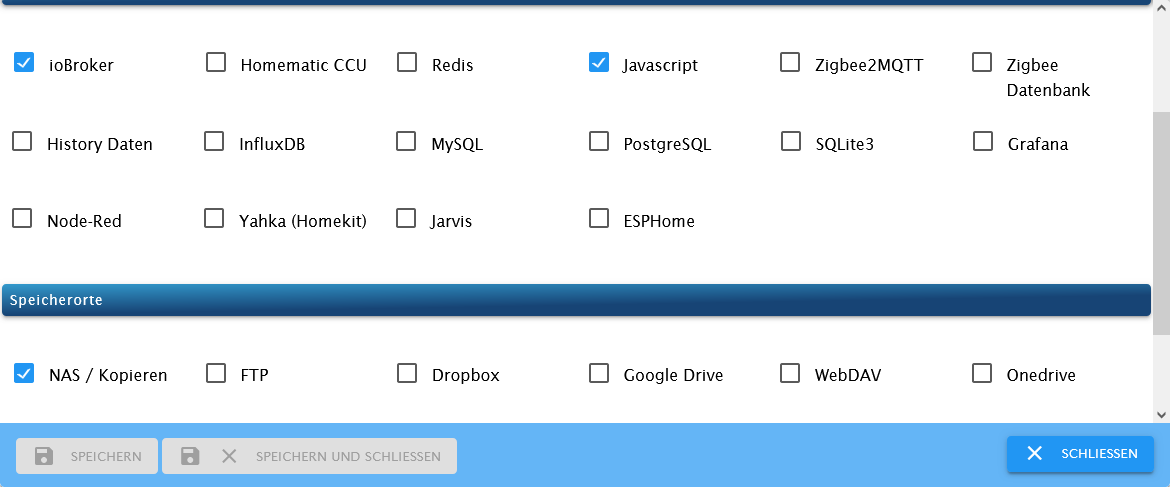
die Sicherungen gehen auf meinen FRITZ!NAS, dort habe ich einen Stick für die Sicherungen dran.
2 Fragen:-
Bei der Sicherung des ioBrokers, ist da die VIS mit dabei?
-
Ist es plausibel, dass die Sicherung, bei 42 Installierten Adaptern nur 35,38 kb hat?

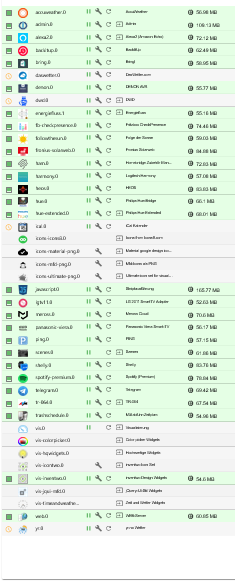
letztes Backup gerade
Started iobroker ... [DEBUG] [mount] - cifs-mount command: "sudo mount -t cifs -o username=ioB_Backup,password=****,noserverino,rw,uid=iobroker,gid=iobroker,file_mode=0777,dir_mode=0777,vers=3.1.1 //192.168.178.1/IceDBox/IOBROKER/ioBroker /opt/iobroker/backups" [DEBUG] [mount] - mount successfully completed [DEBUG] [mount] - done [DEBUG] [iobroker] - host.ioBroker 28978 states saved [DEBUG] [iobroker] - host.ioBroker 33970 objects saved [DEBUG] [iobroker] - done [DEBUG] [javascripts] - Created javascript_tmp directory: "/opt/iobroker/backups/tmpScripts" [DEBUG] [javascripts] - found Script: Anwesenheit [DEBUG] [javascripts] - found Script: Anwesenheit_Kinder [DEBUG] [javascripts] - found Script: Blink-Kamera [DEBUG] [javascripts] - found Script: Blink_Kamera [DEBUG] [javascripts] - found Script: Garagenlicht [DEBUG] [javascripts] - found Script: Licht_Esszimmer_normal [DEBUG] [javascripts] - found Script: Weihnachten [DEBUG] [javascripts] - found Script: Regenradar [DEBUG] [javascripts] - found Script: Rollo_Fenster_Warnung [DEBUG] [javascripts] - found Script: Rollo_Schlafzimmer [DEBUG] [javascripts] - found Script: Rollo_Wochenende [DEBUG] [javascripts] - found Script: Rollo_Wohnzimmer [DEBUG] [javascripts] - found Script: Batterieüberwachung [DEBUG] [javascripts] - found Script: Fenster_Bad [DEBUG] [javascripts] - found Script: Fenster_Status [DEBUG] [javascripts] - found Script: Stimmungslicht [DEBUG] [javascripts] - found Script: Subwoofer_aus [DEBUG] [javascripts] - found Script: Wecker [DEBUG] [javascripts] - found Script: Fußball [DEBUG] [javascripts] - found Script: Multiroom_starten [DEBUG] [javascripts] - found Script: Regenradar [DEBUG] [javascripts] - found Script: Telegrammbaustein [DEBUG] [javascripts] - Try deleting the Javascript tmp directory: "/opt/iobroker/backups/tmpScripts" [DEBUG] [javascripts] - Javascript tmp directory "/opt/iobroker/backups/tmpScripts" successfully deleted [DEBUG] [javascripts] - Backup created: /opt/iobroker/backups/javascripts_2023_11_24-15_57_59_backupiobroker.tar.gz [DEBUG] [javascripts] - done [DEBUG] [cifs] - used copy path: /IceDBox/IOBROKER/ioBroker [DEBUG] [cifs] - done [ERROR] [clean] - Backup files not deleted from /opt/iobroker/backups because some errors. [DEBUG] [clean] - done [DEBUG] [historyHTML] - new history html values created [DEBUG] [historyHTML] - done [DEBUG] [historyJSON] - new history json values created [DEBUG] [historyJSON] - done [DEBUG] [umount] - mount activ, umount is started ... [DEBUG] [umount] - umount successfully completed [DEBUG] [umount] - done [EXIT] 0@Marc-Berg said in Backup Größe ioBroker:
- Ist es plausibel, dass die Sicherung, bei 42 Installierten Adaptern nur 35,38 kb hat?
Da liegen die Backups
Die allermeisten sind 0 kb, also leer
weis aber nicht warum -
-
Mounte Mal mit der Option 'Cache Loose'.
Unter Umständen erst in der Beta-Version von Backitup zu finden. -
@thomas-braun
Wo Finde ich die Einstellung?
Meinst du den Verbindungstyp
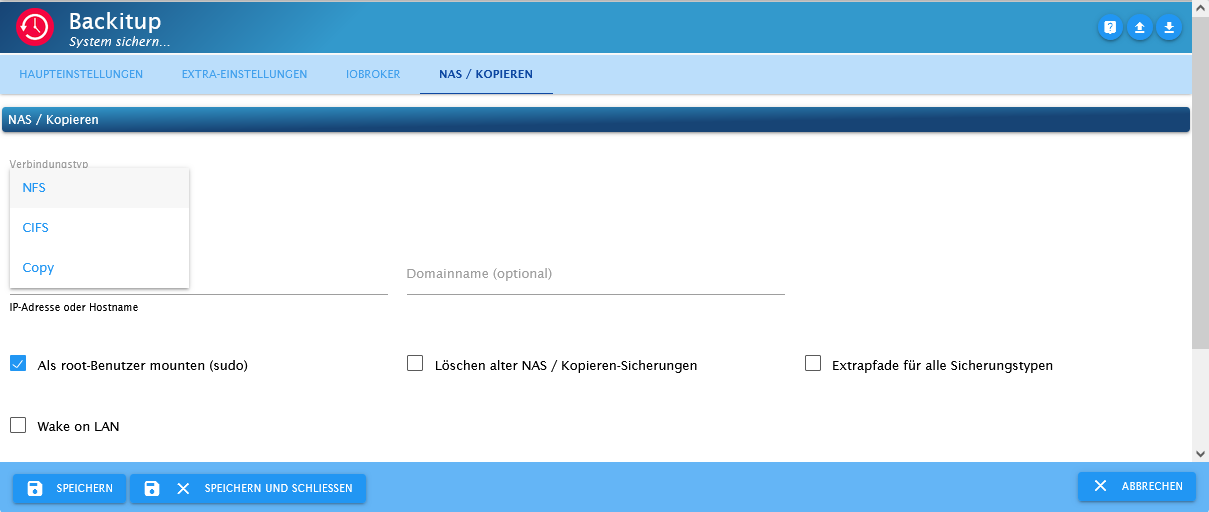
Nein, die Mountoption für ein CIFS/SMB Mount.
-
Nein, die Mountoption für ein CIFS/SMB Mount.



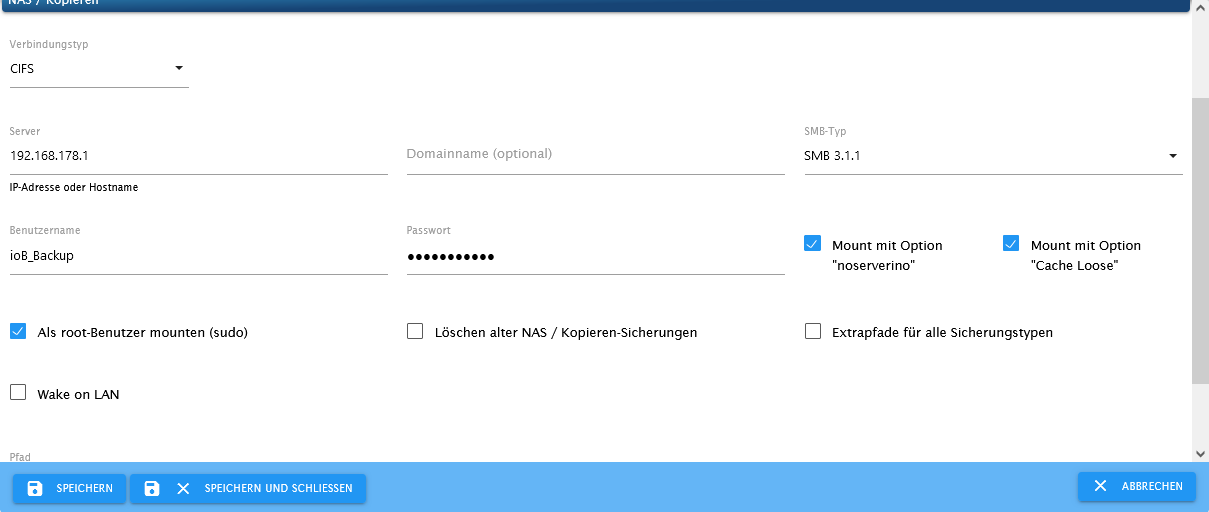
Hey! Du scheinst an dieser Unterhaltung interessiert zu sein, hast aber noch kein Konto.
Hast du es satt, bei jedem Besuch durch die gleichen Beiträge zu scrollen? Wenn du dich für ein Konto anmeldest, kommst du immer genau dorthin zurück, wo du zuvor warst, und kannst dich über neue Antworten benachrichtigen lassen (entweder per E-Mail oder Push-Benachrichtigung). Du kannst auch Lesezeichen speichern und Beiträge positiv bewerten, um anderen Community-Mitgliedern deine Wertschätzung zu zeigen.
Mit deinem Input könnte dieser Beitrag noch besser werden 💗
Registrieren Anmelden240
Online33.0k
Benutzende83.7k
Themen1.3m
Beiträge