



Skip to content
  • Home
  • Aktuell
  • Tags
  • 0 Ungelesen 0
  • Kategorien
  • Unreplied
  • Beliebt
  • GitHub
  • Docu
  • Hilfe
Skins
  • Light
  • Brite
  • Cerulean
  • Cosmo
  • Flatly
  • Journal
  • Litera
  • Lumen
  • Lux
  • Materia
  • Minty
  • Morph
  • Pulse
  • Sandstone
  • Simplex
  • Sketchy
  • Spacelab
  • United
  • Yeti
  • Zephyr
  • Dark
  • Cyborg
  • Darkly
  • Quartz
  • Slate
  • Solar
  • Superhero
  • Vapor

  • Standard: (Kein Skin)
  • Kein Skin
Einklappen
ioBroker Logo

Community Forum

donate donate
  1. ioBroker Community Home
  2. Deutsch
  3. ioBroker Allgemein
  4. iob nodejs-update"

NEWS

  • Jahresrückblick 2025 – unser neuer Blogbeitrag ist online! ✨
    BluefoxB
    Bluefox
    14
    1
    434

  • Neuer Blogbeitrag: Monatsrückblick - Dezember 2025 🎄
    BluefoxB
    Bluefox
    13
    1
    613

  • Weihnachtsangebot 2025! 🎄
    BluefoxB
    Bluefox
    25
    1
    1.8k

iob nodejs-update"

Geplant Angeheftet Gesperrt Verschoben ioBroker Allgemein
27 Beiträge 6 Kommentatoren 1.4k Aufrufe 5 Watching
  • Älteste zuerst
  • Neuste zuerst
  • Meiste Stimmen
Antworten
  • In einem neuen Thema antworten
Anmelden zum Antworten
Dieses Thema wurde gelöscht. Nur Nutzer mit entsprechenden Rechten können es sehen.
  • ThomasW 1T ThomasW 1

    @thomas-braun
    Vielen Dank für den Link. Mein System läuft wieder.

    Thomas BraunT Online
    Thomas BraunT Online
    Thomas Braun
    Most Active
    schrieb am zuletzt editiert von
    #4

    @thomasw-1

    Wie schaut denn

    iob diag
    

    nun aus?

    Linux-Werkzeugkasten:
    https://forum.iobroker.net/topic/42952/der-kleine-iobroker-linux-werkzeugkasten
    NodeJS Fixer Skript:
    https://forum.iobroker.net/topic/68035/iob-node-fix-skript
    iob_diag: curl -sLf -o diag.sh https://iobroker.net/diag.sh && bash diag.sh

    ThomasW 1T 1 Antwort Letzte Antwort
    0
    • Thomas BraunT Thomas Braun

      @thomasw-1

      Wie schaut denn

      iob diag
      

      nun aus?

      ThomasW 1T Offline
      ThomasW 1T Offline
      ThomasW 1
      schrieb am zuletzt editiert von
      #5

      @thomas-braun

      da muss ich wohl noch etwas tun.

      ======================= SUMMARY =======================
                              v.2023-10-10
      
      
         Static hostname: raspberrypi
               Icon name: computer
        Operating System: Raspbian GNU/Linux 11 (bullseye)
                  Kernel: Linux 6.1.58-v8+
            Architecture: arm64
      
      Installation:           native
      Kernel:                 aarch64
      Userland:               armhf
      Timezone:               Europe/Berlin (CET, +0100)
      User-ID:                1000
      X-Server:               false
      Boot Target:            graphical.target
      
      Pending OS-Updates:     0
      Pending iob updates:    0
      
      Nodejs-Installation:    /usr/bin/nodejs         v18.17.1
                              /usr/bin/node           v18.17.1
                              /usr/bin/npm            9.6.7
                              /usr/local/bin/npx              9.6.7
                              /usr/local/bin/corepack         0.18.0
      
      Recommended versions are nodejs 18.18.2 and npm 9.8.1
      *** nodejs is NOT correctly installed ***
      Wrong installation path detected. This needs to be fixed.
      
      Please check
      https://forum.iobroker.net/topic/35090/howto-nodejs-installation-und-upgrades-unter-debian
      for more information on how to fix these errors.
      
      MEMORY:
                     total        used        free      shared  buff/cache   available
      Mem:            3.8G        1.9G        296M        4.0M        1.6G        1.8G
      Swap:            99M         20M         79M
      Total:          3.9G        1.9G        375M
      
      Active iob-Instances:   40
      Active repo(s): stable
      
      ioBroker Core:          js-controller           5.0.15
                              admin                   6.12.0
      
      ioBroker Status:        iobroker is running on this host.
      
      
      Objects type: jsonl
      States  type: jsonl
      
      Status admin and web instance:
      + system.adapter.admin.0                  : admin                 : raspberrypi                              -  enabled, port: 8081, bind: 0.0.0.0, run as: admin
      + system.adapter.web.0                    : web                   : raspberrypi                              -  enabled, port: 8082, bind: 0.0.0.0, run as: admin
      
      Objects:                5989
      States:                 4900
      
      Size of iob-Database:
      
      35M     /opt/iobroker/iobroker-data/objects.jsonl
      17M     /opt/iobroker/iobroker-data/states.jsonl


      =================== END OF SUMMARY ====================
      
      Thomas BraunT 1 Antwort Letzte Antwort
      0
      • ThomasW 1T ThomasW 1

        @thomas-braun

        da muss ich wohl noch etwas tun.

        ======================= SUMMARY =======================
                                v.2023-10-10
        
        
           Static hostname: raspberrypi
                 Icon name: computer
          Operating System: Raspbian GNU/Linux 11 (bullseye)
                    Kernel: Linux 6.1.58-v8+
              Architecture: arm64
        
        Installation:           native
        Kernel:                 aarch64
        Userland:               armhf
        Timezone:               Europe/Berlin (CET, +0100)
        User-ID:                1000
        X-Server:               false
        Boot Target:            graphical.target
        
        Pending OS-Updates:     0
        Pending iob updates:    0
        
        Nodejs-Installation:    /usr/bin/nodejs         v18.17.1
                                /usr/bin/node           v18.17.1
                                /usr/bin/npm            9.6.7
                                /usr/local/bin/npx              9.6.7
                                /usr/local/bin/corepack         0.18.0
        
        Recommended versions are nodejs 18.18.2 and npm 9.8.1
        *** nodejs is NOT correctly installed ***
        Wrong installation path detected. This needs to be fixed.
        
        Please check
        https://forum.iobroker.net/topic/35090/howto-nodejs-installation-und-upgrades-unter-debian
        for more information on how to fix these errors.
        
        MEMORY:
                       total        used        free      shared  buff/cache   available
        Mem:            3.8G        1.9G        296M        4.0M        1.6G        1.8G
        Swap:            99M         20M         79M
        Total:          3.9G        1.9G        375M
        
        Active iob-Instances:   40
        Active repo(s): stable
        
        ioBroker Core:          js-controller           5.0.15
                                admin                   6.12.0
        
        ioBroker Status:        iobroker is running on this host.
        
        
        Objects type: jsonl
        States  type: jsonl
        
        Status admin and web instance:
        + system.adapter.admin.0                  : admin                 : raspberrypi                              -  enabled, port: 8081, bind: 0.0.0.0, run as: admin
        + system.adapter.web.0                    : web                   : raspberrypi                              -  enabled, port: 8082, bind: 0.0.0.0, run as: admin
        
        Objects:                5989
        States:                 4900
        
        Size of iob-Database:
        
        35M     /opt/iobroker/iobroker-data/objects.jsonl
        17M     /opt/iobroker/iobroker-data/states.jsonl


        =================== END OF SUMMARY ====================
        
        Thomas BraunT Online
        Thomas BraunT Online
        Thomas Braun
        Most Active
        schrieb am zuletzt editiert von Thomas Braun
        #6

        @thomasw-1

        Ja, aber das korrigiert dir

        iob nodejs-update
        

        eigentlich auch. Das hast du aber bisher nicht eingesetzt oder?

        Linux-Werkzeugkasten:
        https://forum.iobroker.net/topic/42952/der-kleine-iobroker-linux-werkzeugkasten
        NodeJS Fixer Skript:
        https://forum.iobroker.net/topic/68035/iob-node-fix-skript
        iob_diag: curl -sLf -o diag.sh https://iobroker.net/diag.sh && bash diag.sh

        1 Antwort Letzte Antwort
        0
        • ThomasW 1T Offline
          ThomasW 1T Offline
          ThomasW 1
          schrieb am zuletzt editiert von
          #7

          @thomas-braun
          Danke, jetzt passt es. Echt klasse die Unterstützung hier.

          Thomas BraunT 1 Antwort Letzte Antwort
          0
          • ThomasW 1T ThomasW 1

            @thomas-braun
            Danke, jetzt passt es. Echt klasse die Unterstützung hier.

            Thomas BraunT Online
            Thomas BraunT Online
            Thomas Braun
            Most Active
            schrieb am zuletzt editiert von
            #8

            @thomasw-1

            Dann noch mal

            iob diag
            

            Wie hattest du denn zuvor die Version 18.17.1 installiert?

            Linux-Werkzeugkasten:
            https://forum.iobroker.net/topic/42952/der-kleine-iobroker-linux-werkzeugkasten
            NodeJS Fixer Skript:
            https://forum.iobroker.net/topic/68035/iob-node-fix-skript
            iob_diag: curl -sLf -o diag.sh https://iobroker.net/diag.sh && bash diag.sh

            1 Antwort Letzte Antwort
            0
            • ThomasW 1T Offline
              ThomasW 1T Offline
              ThomasW 1
              schrieb am zuletzt editiert von
              #9

              @thomas-braun

              ======================= SUMMARY =======================
                                      v.2023-10-10
              
              
                 Static hostname: raspberrypi
                       Icon name: computer
                Operating System: Raspbian GNU/Linux 11 (bullseye)
                          Kernel: Linux 6.1.58-v8+
                    Architecture: arm64
              
              Installation:           native
              Kernel:                 aarch64
              Userland:               armhf
              Timezone:               Europe/Berlin (CET, +0100)
              User-ID:                1000
              X-Server:               false
              Boot Target:            graphical.target
              
              Pending OS-Updates:     0
              Pending iob updates:    0
              
              Nodejs-Installation:    /usr/bin/nodejs         v18.18.2
                                      /usr/bin/node           v18.18.2
                                      /usr/bin/npm            9.8.1
                                      /usr/bin/npx            9.8.1
                                      /usr/bin/corepack       0.19.0
              
              Recommended versions are nodejs 18.18.2 and npm 9.8.1
              Your nodejs installation is correct
              
              MEMORY:
                             total        used        free      shared  buff/cache   available
              Mem:            3.8G        1.6G        203M        4.0M        2.0G        2.1G
              Swap:            99M        8.0M         91M
              Total:          3.9G        1.6G        295M
              
              Active iob-Instances:   40
              Active repo(s): stable
              
              ioBroker Core:          js-controller           5.0.15
                                      admin                   6.12.0
              
              ioBroker Status:        iobroker is running on this host.
              
              
              Objects type: jsonl
              States  type: jsonl
              
              Status admin and web instance:
              + system.adapter.admin.0                  : admin                 : raspberrypi                                                                                                                                                                                                                                                                           -  enabled, port: 8081, bind: 0.0.0.0, run as: admi                                                                                                                                                                                                                                             n
              + system.adapter.web.0                    : web                   : raspberrypi                                                                                                                                                                                                                                                                           -  enabled, port: 8082, bind: 0.0.0.0, run as: admi                                                                                                                                                                                                                                             n
              
              Objects:                5989
              States:                 4909
              
              Size of iob-Database:
              
              37M     /opt/iobroker/iobroker-data/objects.jsonl
              13M     /opt/iobroker/iobroker-data/states.jsonl


              =================== END OF SUMMARY ====================
              
              
              ThomasW 1T 1 Antwort Letzte Antwort
              0
              • ThomasW 1T ThomasW 1

                @thomas-braun

                ======================= SUMMARY =======================
                                        v.2023-10-10
                
                
                   Static hostname: raspberrypi
                         Icon name: computer
                  Operating System: Raspbian GNU/Linux 11 (bullseye)
                            Kernel: Linux 6.1.58-v8+
                      Architecture: arm64
                
                Installation:           native
                Kernel:                 aarch64
                Userland:               armhf
                Timezone:               Europe/Berlin (CET, +0100)
                User-ID:                1000
                X-Server:               false
                Boot Target:            graphical.target
                
                Pending OS-Updates:     0
                Pending iob updates:    0
                
                Nodejs-Installation:    /usr/bin/nodejs         v18.18.2
                                        /usr/bin/node           v18.18.2
                                        /usr/bin/npm            9.8.1
                                        /usr/bin/npx            9.8.1
                                        /usr/bin/corepack       0.19.0
                
                Recommended versions are nodejs 18.18.2 and npm 9.8.1
                Your nodejs installation is correct
                
                MEMORY:
                               total        used        free      shared  buff/cache   available
                Mem:            3.8G        1.6G        203M        4.0M        2.0G        2.1G
                Swap:            99M        8.0M         91M
                Total:          3.9G        1.6G        295M
                
                Active iob-Instances:   40
                Active repo(s): stable
                
                ioBroker Core:          js-controller           5.0.15
                                        admin                   6.12.0
                
                ioBroker Status:        iobroker is running on this host.
                
                
                Objects type: jsonl
                States  type: jsonl
                
                Status admin and web instance:
                + system.adapter.admin.0                  : admin                 : raspberrypi                                                                                                                                                                                                                                                                           -  enabled, port: 8081, bind: 0.0.0.0, run as: admi                                                                                                                                                                                                                                             n
                + system.adapter.web.0                    : web                   : raspberrypi                                                                                                                                                                                                                                                                           -  enabled, port: 8082, bind: 0.0.0.0, run as: admi                                                                                                                                                                                                                                             n
                
                Objects:                5989
                States:                 4909
                
                Size of iob-Database:
                
                37M     /opt/iobroker/iobroker-data/objects.jsonl
                13M     /opt/iobroker/iobroker-data/states.jsonl


                =================== END OF SUMMARY ====================
                
                
                ThomasW 1T Offline
                ThomasW 1T Offline
                ThomasW 1
                schrieb am zuletzt editiert von
                #10

                @thomas-braun
                Da bin ich einer alten Beschreibung gefolgt.
                Beitrag aus dem Forum
                https://forum.iobroker.net/topic/44566/how-to-node-js-iobroker-richtig-updaten-2021-22-edition

                Thomas BraunT 1 Antwort Letzte Antwort
                0
                • ThomasW 1T ThomasW 1

                  @thomas-braun
                  Da bin ich einer alten Beschreibung gefolgt.
                  Beitrag aus dem Forum
                  https://forum.iobroker.net/topic/44566/how-to-node-js-iobroker-richtig-updaten-2021-22-edition

                  Thomas BraunT Online
                  Thomas BraunT Online
                  Thomas Braun
                  Most Active
                  schrieb am zuletzt editiert von Thomas Braun
                  #11

                  @thomasw-1

                  Die Anleitung ist mittlerweile veraltet.
                  Deswegen hatte ich auch oben was anderes verlinkt. Warum folgt man dem nicht und fummelt da irgendwas anderes rein?

                  Linux-Werkzeugkasten:
                  https://forum.iobroker.net/topic/42952/der-kleine-iobroker-linux-werkzeugkasten
                  NodeJS Fixer Skript:
                  https://forum.iobroker.net/topic/68035/iob-node-fix-skript
                  iob_diag: curl -sLf -o diag.sh https://iobroker.net/diag.sh && bash diag.sh

                  ThomasW 1T 1 Antwort Letzte Antwort
                  0
                  • Thomas BraunT Thomas Braun

                    @thomasw-1

                    Die Anleitung ist mittlerweile veraltet.
                    Deswegen hatte ich auch oben was anderes verlinkt. Warum folgt man dem nicht und fummelt da irgendwas anderes rein?

                    ThomasW 1T Offline
                    ThomasW 1T Offline
                    ThomasW 1
                    schrieb am zuletzt editiert von
                    #12

                    @thomas-braun
                    Habe eine neuere Anleitung gesucht aber scheinbar nichts aktuelleres gefunden. Ich bin nur ein Leihe und schlage mich durch.

                    Thomas BraunT 1 Antwort Letzte Antwort
                    0
                    • ThomasW 1T ThomasW 1

                      @thomas-braun
                      Habe eine neuere Anleitung gesucht aber scheinbar nichts aktuelleres gefunden. Ich bin nur ein Leihe und schlage mich durch.

                      Thomas BraunT Online
                      Thomas BraunT Online
                      Thomas Braun
                      Most Active
                      schrieb am zuletzt editiert von
                      #13

                      @thomasw-1

                      Laie hin- oder her, aber warum folgt man nicht dem verlinkten Zeug und sucht sich da dann lieber selber irgendwas?

                      Linux-Werkzeugkasten:
                      https://forum.iobroker.net/topic/42952/der-kleine-iobroker-linux-werkzeugkasten
                      NodeJS Fixer Skript:
                      https://forum.iobroker.net/topic/68035/iob-node-fix-skript
                      iob_diag: curl -sLf -o diag.sh https://iobroker.net/diag.sh && bash diag.sh

                      1 Antwort Letzte Antwort
                      0
                      • M Offline
                        M Offline
                        myssv
                        schrieb am zuletzt editiert von
                        #14

                        Wenn ich diesen Link aufrufe:

                        https://forum.iobroker.net/topic/69068/neuer-befehl-iob-nodejs-update

                        Dann bekomme ich folgende Meldung

                        4351038e-397f-4f9a-ad0b-73ef11361597-grafik.png

                        L 1 Antwort Letzte Antwort
                        0
                        • M myssv

                          Wenn ich diesen Link aufrufe:

                          https://forum.iobroker.net/topic/69068/neuer-befehl-iob-nodejs-update

                          Dann bekomme ich folgende Meldung

                          4351038e-397f-4f9a-ad0b-73ef11361597-grafik.png

                          L Offline
                          L Offline
                          Laser
                          schrieb am zuletzt editiert von Laser
                          #15

                          @Thomas-Braun
                          Ich bin scheinbar auch ein Problemfall. iob nodejs-update
                          ausgeführt, aber iob diag sagt mir:

                          
                          *** NodeJS-Installation ***
                          
                          /usr/bin/nodejs         v18.17.1
                          /usr/bin/node           v18.17.1
                          /usr/bin/npm            9.6.7
                          /usr/bin/npx            9.6.7
                          /usr/bin/corepack       0.18.0
                          

                          Wie bekomme ich denn nun die Version 18.18.2 installiert?

                          Thomas BraunT HomoranH 2 Antworten Letzte Antwort
                          0
                          • L Laser

                            @Thomas-Braun
                            Ich bin scheinbar auch ein Problemfall. iob nodejs-update
                            ausgeführt, aber iob diag sagt mir:

                            
                            *** NodeJS-Installation ***
                            
                            /usr/bin/nodejs         v18.17.1
                            /usr/bin/node           v18.17.1
                            /usr/bin/npm            9.6.7
                            /usr/bin/npx            9.6.7
                            /usr/bin/corepack       0.18.0
                            

                            Wie bekomme ich denn nun die Version 18.18.2 installiert?

                            Thomas BraunT Online
                            Thomas BraunT Online
                            Thomas Braun
                            Most Active
                            schrieb am zuletzt editiert von
                            #16

                            @laser

                            Meldungen?
                            Wie sieht das System aus?

                            iob diag
                            

                            anschauen.

                            Linux-Werkzeugkasten:
                            https://forum.iobroker.net/topic/42952/der-kleine-iobroker-linux-werkzeugkasten
                            NodeJS Fixer Skript:
                            https://forum.iobroker.net/topic/68035/iob-node-fix-skript
                            iob_diag: curl -sLf -o diag.sh https://iobroker.net/diag.sh && bash diag.sh

                            1 Antwort Letzte Antwort
                            0
                            • L Laser

                              @Thomas-Braun
                              Ich bin scheinbar auch ein Problemfall. iob nodejs-update
                              ausgeführt, aber iob diag sagt mir:

                              
                              *** NodeJS-Installation ***
                              
                              /usr/bin/nodejs         v18.17.1
                              /usr/bin/node           v18.17.1
                              /usr/bin/npm            9.6.7
                              /usr/bin/npx            9.6.7
                              /usr/bin/corepack       0.18.0
                              

                              Wie bekomme ich denn nun die Version 18.18.2 installiert?

                              HomoranH Offline
                              HomoranH Offline
                              Homoran
                              Global Moderator Administrators
                              schrieb am zuletzt editiert von
                              #17

                              @laser sagte in iob nodejs-update":

                               iob nodejs-update ... sagt mir:
                              

                              was denn?

                              kein Support per PN! - Fragen im Forum stellen - es gibt fast nichts, was nicht auch für andere interessant ist.

                              Benutzt das Voting rechts unten im Beitrag wenn er euch geholfen hat.

                              der Installationsfixer: curl -fsL https://iobroker.net/fix.sh | bash -

                              L 1 Antwort Letzte Antwort
                              0
                              • HomoranH Homoran

                                @laser sagte in iob nodejs-update":

                                 iob nodejs-update ... sagt mir:
                                

                                was denn?

                                L Offline
                                L Offline
                                Laser
                                schrieb am zuletzt editiert von Laser
                                #18

                                @homoran
                                Ich hatte hier nur einen Ausschnitt aus iob diag reingestellt- den, wo die node Version angegeben ist -soll ich Alles zeigen? Hänge ich gleich noch hier an:

                                ======== Start marking the full check here =========
                                
                                
                                Skript v.2023-10-10
                                
                                *** BASE SYSTEM ***
                                   Static hostname: raspberrypi
                                         Icon name: computer
                                  Operating System: Debian GNU/Linux 11 (bullseye)
                                            Kernel: Linux 6.1.21-v8+
                                      Architecture: arm64
                                
                                Model           : Raspberry Pi 4 Model B Rev 1.5
                                Docker          : false
                                Virtualization  : none
                                Kernel          : aarch64
                                Userland        : arm64
                                
                                Systemuptime and Load:
                                 17:04:04 up 2 days,  3:18,  1 user,  load average: 6.97, 5.63, 3.45
                                CPU threads: 4
                                
                                
                                *** RASPBERRY THROTTLING ***
                                Current issues:
                                No throttling issues detected.
                                
                                Previously detected issues:
                                No throttling issues detected.
                                
                                *** Time and Time Zones ***
                                               Local time: Sat 2023-11-18 17:04:04 CET
                                           Universal time: Sat 2023-11-18 16:04:04 UTC
                                                 RTC time: n/a
                                                Time zone: Europe/Berlin (CET, +0100)
                                System clock synchronized: yes
                                              NTP service: active
                                          RTC in local TZ: no
                                
                                *** User and Groups ***
                                otto
                                /home/otto
                                otto adm dialout cdrom sudo audio video plugdev games users input render netdev gpio i2c spi iobroker
                                
                                *** X-Server-Setup ***
                                X-Server:       false
                                Desktop:
                                Terminal:       tty
                                Boot Target:    multi-user.target
                                
                                *** MEMORY ***
                                               total        used        free      shared  buff/cache   available
                                Mem:            7.8G        1.8G        1.6G        0.0K        4.3G        5.8G
                                Swap:            99M        5.0M         94M
                                Total:          7.9G        1.9G        1.7G
                                
                                         7811 M total memory
                                         1849 M used memory
                                         3513 M active memory
                                         2353 M inactive memory
                                         1626 M free memory
                                           27 M buffer memory
                                         4307 M swap cache
                                           99 M total swap
                                            5 M used swap
                                           94 M free swap
                                
                                Raspberry only:
                                oom events: 0
                                lifetime oom required: 0 Mbytes
                                total time in oom handler: 0 ms
                                max time spent in oom handler: 0 ms
                                
                                *** FAILED SERVICES ***
                                
                                  UNIT LOAD ACTIVE SUB DESCRIPTION
                                0 loaded units listed.
                                
                                *** FILESYSTEM ***
                                Filesystem     Type      Size  Used Avail Use% Mounted on
                                /dev/root      ext4      110G   23G   83G  22% /
                                devtmpfs       devtmpfs  3.6G     0  3.6G   0% /dev
                                tmpfs          tmpfs     3.9G     0  3.9G   0% /dev/shm
                                tmpfs          tmpfs     1.6G  1.2M  1.6G   1% /run
                                tmpfs          tmpfs     5.0M  4.0K  5.0M   1% /run/lock
                                /dev/sda1      vfat      255M   31M  225M  13% /boot
                                tmpfs          tmpfs     782M     0  782M   0% /run/user/1000
                                
                                Messages concerning ext4 filesystem in dmesg:
                                [Thu Nov 16 13:45:48 2023] Kernel command line: coherent_pool=1M 8250.nr_uarts=0 snd_bcm2835.enable_headphones=0 snd_bcm2835.enable_headphones=1 snd_bcm2835.enable_hdmi=1 snd_bcm2835.enable_hdmi=0  smsc95xx.macaddr=D8:3A:DD:0D:3B:C5 vc_mem.mem_base=0x3eb00000 vc_mem.mem_size=0x3ff00000  console=ttyS0,115200 console=tty1 root=PARTUUID=b6240c98-02 rootfstype=ext4 fsck.repair=yes rootwait
                                [Thu Nov 16 13:45:50 2023] EXT4-fs (sda2): mounted filesystem with ordered data mode. Quota mode: none.
                                [Thu Nov 16 13:45:50 2023] VFS: Mounted root (ext4 filesystem) readonly on device 8:2.
                                [Thu Nov 16 13:45:53 2023] EXT4-fs (sda2): re-mounted. Quota mode: none.
                                
                                Show mounted filesystems \(real ones only\):
                                TARGET  SOURCE    FSTYPE OPTIONS
                                /       /dev/sda2 ext4   rw,noatime
                                `-/boot /dev/sda1 vfat   rw,relatime,fmask=0022,dmask=0022,codepage=437,iocharset=ascii,shortname=mixed,errors=remount-ro
                                
                                Files in neuralgic directories:
                                
                                /var:
                                16G     /var/
                                11G     /var/lib/influxdb/engine/data/640d4d21b84b77d6/autogen
                                11G     /var/lib/influxdb/engine/data/640d4d21b84b77d6
                                11G     /var/lib/influxdb/engine/data
                                11G     /var/lib/influxdb/engine
                                
                                Archived and active journals take up 4.1G in the file system.
                                
                                /opt/iobroker/backups:
                                13M     /opt/iobroker/backups/
                                
                                /opt/iobroker/iobroker-data:
                                2.8G    /opt/iobroker/iobroker-data/
                                2.3G    /opt/iobroker/iobroker-data/history
                                290M    /opt/iobroker/iobroker-data/files
                                130M    /opt/iobroker/iobroker-data/backup-objects
                                90M     /opt/iobroker/iobroker-data/files/echarts.admin
                                
                                The five largest files in iobroker-data are:
                                36M     /opt/iobroker/iobroker-data/objects.jsonl
                                24M     /opt/iobroker/iobroker-data/files/echarts/static/js/main.5f66c5d9.js.map
                                24M     /opt/iobroker/iobroker-data/files/echarts.admin/static/js/main.9f2a6569.js.map
                                24M     /opt/iobroker/iobroker-data/files/echarts.admin/chart/static/js/main.5f66c5d9.js.map
                                21M     /opt/iobroker/iobroker-data/files/web.admin/static/js/main.aaea95f8.js.map
                                
                                USB-Devices by-id:
                                USB-Sticks -  Avoid direct links to /dev/* in your adapter setups, please always prefer the links 'by-id':
                                
                                /dev/serial/by-id/usb-VictronEnergy_BV_VE_Direct_cable_VE675ZLF-if00-port0
                                /dev/serial/by-id/usb-1a86_USB2.0-Ser_-if00-port0
                                
                                *** NodeJS-Installation ***
                                
                                /usr/bin/nodejs         v18.17.1
                                /usr/bin/node           v18.17.1
                                /usr/bin/npm            9.6.7
                                /usr/bin/npx            9.6.7
                                /usr/bin/corepack       0.18.0
                                
                                
                                nodejs:
                                  Installed: 18.17.1-deb-1nodesource1
                                  Candidate: 18.18.2-1nodesource1
                                  Version table:
                                     18.18.2-1nodesource1 1001
                                        500 https://deb.nodesource.com/node_18.x nodistro/main arm64 Packages
                                     18.18.1-1nodesource1 1001
                                        500 https://deb.nodesource.com/node_18.x nodistro/main arm64 Packages
                                     18.18.0-1nodesource1 1001
                                        500 https://deb.nodesource.com/node_18.x nodistro/main arm64 Packages
                                 *** 18.17.1-deb-1nodesource1 100
                                        100 /var/lib/dpkg/status
                                     18.17.1-1nodesource1 1001
                                        500 https://deb.nodesource.com/node_18.x nodistro/main arm64 Packages
                                     18.17.0-1nodesource1 1001
                                        500 https://deb.nodesource.com/node_18.x nodistro/main arm64 Packages
                                     18.16.1-1nodesource1 1001
                                        500 https://deb.nodesource.com/node_18.x nodistro/main arm64 Packages
                                     18.16.0-1nodesource1 1001
                                        500 https://deb.nodesource.com/node_18.x nodistro/main arm64 Packages
                                     18.15.0-1nodesource1 1001
                                        500 https://deb.nodesource.com/node_18.x nodistro/main arm64 Packages
                                     18.14.2-1nodesource1 1001
                                        500 https://deb.nodesource.com/node_18.x nodistro/main arm64 Packages
                                     18.14.1-1nodesource1 1001
                                        500 https://deb.nodesource.com/node_18.x nodistro/main arm64 Packages
                                     18.14.0-1nodesource1 1001
                                        500 https://deb.nodesource.com/node_18.x nodistro/main arm64 Packages
                                     18.13.0-1nodesource1 1001
                                        500 https://deb.nodesource.com/node_18.x nodistro/main arm64 Packages
                                     18.12.0-1nodesource1 1001
                                        500 https://deb.nodesource.com/node_18.x nodistro/main arm64 Packages
                                     18.11.0-1nodesource1 1001
                                        500 https://deb.nodesource.com/node_18.x nodistro/main arm64 Packages
                                     18.10.0-1nodesource1 1001
                                        500 https://deb.nodesource.com/node_18.x nodistro/main arm64 Packages
                                     18.9.1-1nodesource1 1001
                                        500 https://deb.nodesource.com/node_18.x nodistro/main arm64 Packages
                                     18.9.0-1nodesource1 1001
                                        500 https://deb.nodesource.com/node_18.x nodistro/main arm64 Packages
                                     18.8.0-1nodesource1 1001
                                        500 https://deb.nodesource.com/node_18.x nodistro/main arm64 Packages
                                     18.7.0-1nodesource1 1001
                                        500 https://deb.nodesource.com/node_18.x nodistro/main arm64 Packages
                                     18.6.0-1nodesource1 1001
                                        500 https://deb.nodesource.com/node_18.x nodistro/main arm64 Packages
                                     18.5.0-1nodesource1 1001
                                        500 https://deb.nodesource.com/node_18.x nodistro/main arm64 Packages
                                     18.4.0-1nodesource1 1001
                                        500 https://deb.nodesource.com/node_18.x nodistro/main arm64 Packages
                                     18.3.0-1nodesource1 1001
                                        500 https://deb.nodesource.com/node_18.x nodistro/main arm64 Packages
                                     18.2.0-1nodesource1 1001
                                        500 https://deb.nodesource.com/node_18.x nodistro/main arm64 Packages
                                     18.1.0-1nodesource1 1001
                                        500 https://deb.nodesource.com/node_18.x nodistro/main arm64 Packages
                                     18.0.0-1nodesource1 1001
                                        500 https://deb.nodesource.com/node_18.x nodistro/main arm64 Packages
                                     12.22.12~dfsg-1~deb11u4 500
                                        500 http://deb.debian.org/debian bullseye/main arm64 Packages
                                        500 http://security.debian.org/debian-security bullseye-security/main arm64 Packages
                                
                                Temp directories causing npm8 problem: 0
                                No problems detected
                                
                                Errors in npm tree:
                                
                                *** ioBroker-Installation ***
                                
                                ioBroker Status
                                iobroker is running on this host.
                                
                                
                                Objects type: jsonl
                                States  type: jsonl
                                
                                Core adapters versions
                                js-controller:  5.0.16
                                admin:          6.12.0
                                javascript:     7.1.4
                                
                                Adapters from github:   3
                                
                                Adapter State
                                + system.adapter.admin.1                  : admin                 : raspberrypi                              -  enabled, port: 8081, bind: 0.0.0.0, run as: admin
                                  system.adapter.alias-manager.0          : alias-manager         : raspberrypi                              - disabled
                                + system.adapter.backitup.0               : backitup              : raspberrypi                              -  enabled
                                + system.adapter.discovery.0              : discovery             : raspberrypi                              -  enabled
                                + system.adapter.echarts.0                : echarts               : raspberrypi                              -  enabled
                                + system.adapter.email.0                  : email                 : raspberrypi                              -  enabled
                                  system.adapter.flot.0                   : flot                  : raspberrypi                              - disabled
                                + system.adapter.history.0                : history               : raspberrypi                              -  enabled
                                + system.adapter.hm-rega.0                : hm-rega               : raspberrypi                              -  enabled
                                + system.adapter.hm-rpc.0                 : hm-rpc                : raspberrypi                              -  enabled, port: 0
                                + system.adapter.hm-rpc.1                 : hm-rpc                : raspberrypi                              -  enabled, port: 0
                                  system.adapter.i2c.0                    : i2c                   : raspberrypi                              - disabled
                                + system.adapter.influxdb.0               : influxdb              : raspberrypi                              -  enabled, port: 8086
                                + system.adapter.info.0                   : info                  : raspberrypi                              -  enabled
                                + system.adapter.javascript.0             : javascript            : raspberrypi                              -  enabled
                                + system.adapter.logparser.0              : logparser             : raspberrypi                              -  enabled
                                + system.adapter.modbus.0                 : modbus                : raspberrypi                              -  enabled
                                + system.adapter.mqtt.0                   : mqtt                  : raspberrypi                              -  enabled, port: 1883, bind: 0.0.0.0
                                + system.adapter.mqtt.1                   : mqtt                  : raspberrypi                              -  enabled, port: 1886, bind: 0.0.0.0
                                + system.adapter.net-tools.0              : net-tools             : raspberrypi                              -  enabled
                                + system.adapter.opendtu.0                : opendtu               : raspberrypi                              -  enabled
                                + system.adapter.opendtu.1                : opendtu               : raspberrypi                              -  enabled
                                + system.adapter.owfs.0                   : owfs                  : raspberrypi                              -  enabled, port: 4304
                                + system.adapter.rpi2.0                   : rpi2                  : raspberrypi                              -  enabled
                                + system.adapter.shelly.0                 : shelly                : raspberrypi                              -  enabled, port: 1882, bind: 0.0.0.0
                                  system.adapter.shuttercontrol.0         : shuttercontrol        : raspberrypi                              - disabled
                                + system.adapter.simple-api.0             : simple-api            : raspberrypi                              -  enabled, port: 8087, bind: 0.0.0.0, run as: admin
                                  system.adapter.sma-em.0                 : sma-em                : raspberrypi                              - disabled
                                + system.adapter.sourceanalytix.0         : sourceanalytix        : raspberrypi                              -  enabled
                                + system.adapter.sourceanalytix.1         : sourceanalytix        : raspberrypi                              -  enabled
                                + system.adapter.vedirect.0               : vedirect              : raspberrypi                              -  enabled
                                  system.adapter.vis-hqwidgets.0          : vis-hqwidgets         : raspberrypi                              - disabled
                                  system.adapter.vis-timeandweather.0     : vis-timeandweather    : raspberrypi                              -  enabled
                                  system.adapter.vis.0                    : vis                   : raspberrypi                              -  enabled
                                + system.adapter.web.0                    : web                   : raspberrypi                              -  enabled, port: 8082, bind: 0.0.0.0, run as: admin
                                  system.adapter.zigbee.0                 : zigbee                : raspberrypi                              - disabled, port: /dev/ttyACM0
                                
                                + instance is alive
                                
                                Enabled adapters with bindings
                                + system.adapter.admin.1                  : admin                 : raspberrypi                              -  enabled, port: 8081, bind: 0.0.0.0, run as: admin
                                + system.adapter.hm-rpc.0                 : hm-rpc                : raspberrypi                              -  enabled, port: 0
                                + system.adapter.hm-rpc.1                 : hm-rpc                : raspberrypi                              -  enabled, port: 0
                                + system.adapter.influxdb.0               : influxdb              : raspberrypi                              -  enabled, port: 8086
                                + system.adapter.mqtt.0                   : mqtt                  : raspberrypi                              -  enabled, port: 1883, bind: 0.0.0.0
                                + system.adapter.mqtt.1                   : mqtt                  : raspberrypi                              -  enabled, port: 1886, bind: 0.0.0.0
                                + system.adapter.owfs.0                   : owfs                  : raspberrypi                              -  enabled, port: 4304
                                + system.adapter.shelly.0                 : shelly                : raspberrypi                              -  enabled, port: 1882, bind: 0.0.0.0
                                + system.adapter.simple-api.0             : simple-api            : raspberrypi                              -  enabled, port: 8087, bind: 0.0.0.0, run as: admin
                                + system.adapter.web.0                    : web                   : raspberrypi                              -  enabled, port: 8082, bind: 0.0.0.0, run as: admin
                                
                                ioBroker-Repositories
                                stable        : http://download.iobroker.net/sources-dist.json
                                beta          : http://download.iobroker.net/sources-dist-latest.json
                                live-stable   : http://iobroker.live/repo/sources-dist.json
                                live-beta     : http://iobroker.live/repo/sources-dist-latest.json
                                
                                Active repo(s): stable, live-stable
                                
                                Installed ioBroker-Instances
                                Used repositories: stable, live-stable
                                Adapter    "admin"        : 6.12.0   , installed 6.12.0
                                Adapter    "alias-manager": 1.2.6    , installed 1.2.6
                                Adapter    "backitup"     : 2.8.7    , installed 2.8.7
                                Adapter    "discovery"    : 4.2.0    , installed 4.2.0
                                Adapter    "echarts"      : 1.5.4    , installed 1.5.4
                                Adapter    "email"        : 1.2.0    , installed 1.2.0
                                Adapter    "flot"         : 1.12.0   , installed 1.12.0
                                Adapter    "history"      : 3.0.1    , installed 3.0.1
                                Adapter    "hm-rega"      : 4.0.0    , installed 4.0.0
                                Adapter    "hm-rpc"       : 1.15.19  , installed 1.15.19
                                Adapter    "i2c"          : 1.2.1    , installed 1.2.1
                                Adapter    "influxdb"     : 3.2.0    , installed 3.2.0
                                Adapter    "info"         : 2.0.0    , installed 2.0.0
                                Adapter    "javascript"   : 7.1.4    , installed 7.1.4
                                Controller "js-controller": 5.0.16   , installed 5.0.16
                                Adapter    "logparser"    : 2.2.0    , installed 2.2.0
                                Adapter    "modbus"       : 5.0.11   , installed 5.0.11
                                Adapter    "mqtt"         : 5.1.0    , installed 5.1.0
                                Adapter    "mqtt-client"  : 1.6.5    , installed 1.6.5
                                Adapter    "net-tools"    : 0.2.0    , installed 0.2.0
                                Adapter    "opendtu"      : 1.0.0    , installed 1.0.0
                                Adapter    "owfs"         : 0.7.0    , installed 0.7.0
                                Adapter    "rpi2"         : 1.3.2    , installed 1.3.2
                                Adapter    "shelly"       : 6.6.1    , installed 6.6.1
                                Adapter    "shuttercontrol": 1.6.2   , installed 1.6.2
                                Adapter    "simple-api"   : 2.7.2    , installed 2.7.2
                                Adapter    "sma-em"       : 1.0.0    , installed 1.0.0
                                Adapter    "socketio"     : 6.5.5    , installed 6.5.5
                                Adapter    "statistics"   : 2.3.0    , installed 2.3.0
                                Adapter    "vis"          : 1.4.16   , installed 1.5.1
                                Adapter    "vis-hqwidgets": 1.4.0    , installed 1.4.0
                                Adapter    "vis-timeandweather": 1.2.2, installed 1.2.2
                                Adapter    "web"          : 6.1.10   , installed 6.1.10
                                Adapter    "ws"           : 2.5.8    , installed 2.5.8
                                Adapter    "zigbee"       : 1.8.24   , installed 1.8.24
                                
                                Objects and States
                                Please stand by - This may take a while
                                Objects:        3832
                                States:         3160
                                
                                *** OS-Repositories and Updates ***
                                W: An error occurred during the signature verification. The repository is not updated and the previous index files will be used. GPG error: https://apt.grafana.com stable InRelease: The following signatures couldn't be verified because the public key is not available: NO_PUBKEY 963FA27710458545
                                W: Failed to fetch https://apt.grafana.com/dists/stable/InRelease  The following signatures couldn't be verified because the public key is not available: NO_PUBKEY 963FA27710458545
                                W: Some index files failed to download. They have been ignored, or old ones used instead.
                                Hit:1 http://deb.debian.org/debian bullseye InRelease
                                Hit:2 http://deb.debian.org/debian bullseye-updates InRelease
                                Hit:3 http://security.debian.org/debian-security bullseye-security InRelease
                                Hit:4 http://archive.raspberrypi.org/debian bullseye InRelease
                                Hit:5 https://repos.influxdata.com/debian stable InRelease
                                Get:6 https://apt.grafana.com stable InRelease [5984 B]
                                Hit:7 https://deb.nodesource.com/node_18.x nodistro InRelease
                                Err:6 https://apt.grafana.com stable InRelease
                                  The following signatures couldn't be verified because the public key is not available: NO_PUBKEY 963FA27710458545
                                Reading package lists...
                                W: An error occurred during the signature verification. The repository is not updated and the previous index files will be used. GPG error: https://apt.grafana.com stable InRelease: The following signatures couldn't be verified because the public key is not available: NO_PUBKEY 963FA27710458545
                                W: Failed to fetch https://apt.grafana.com/dists/stable/InRelease  The following signatures couldn't be verified because the public key is not available: NO_PUBKEY 963FA27710458545
                                W: Some index files failed to download. They have been ignored, or old ones used instead.
                                Pending Updates: 15
                                
                                *** Listening Ports ***
                                Active Internet connections (only servers)
                                Proto Recv-Q Send-Q Local Address           Foreign Address         State       User       Inode      PID/Program name
                                tcp        0      0 0.0.0.0:22              0.0.0.0:*               LISTEN      0          15059      562/sshd: /usr/sbin
                                tcp        0      0 192.168.2.54:2001       0.0.0.0:*               LISTEN      1001       2859609    480249/io.hm-rpc.1
                                tcp        0      0 192.168.2.54:2010       0.0.0.0:*               LISTEN      1001       2861251    480216/io.hm-rpc.0
                                tcp        0      0 0.0.0.0:9000            0.0.0.0:*               LISTEN      1001       2859390    480073/iobroker.js-
                                tcp        0      0 0.0.0.0:9001            0.0.0.0:*               LISTEN      1001       2859383    480073/iobroker.js-
                                tcp        0      0 0.0.0.0:1886            0.0.0.0:*               LISTEN      1001       2862220    480413/io.mqtt.1
                                tcp        0      0 0.0.0.0:1882            0.0.0.0:*               LISTEN      1001       2861050    480429/io.shelly.0
                                tcp        0      0 0.0.0.0:1883            0.0.0.0:*               LISTEN      1001       2859651    480301/io.mqtt.0
                                tcp6       0      0 :::22                   :::*                    LISTEN      0          15061      562/sshd: /usr/sbin
                                tcp6       0      0 :::3000                 :::*                    LISTEN      110        384625     68452/grafana
                                tcp6       0      0 :::8086                 :::*                    LISTEN      999        15442      723/influxd
                                tcp6       0      0 :::8087                 :::*                    LISTEN      1001       2861816    481119/io.simple-ap
                                tcp6       0      0 :::8081                 :::*                    LISTEN      1001       2860554    480102/io.admin.1
                                tcp6       0      0 :::8082                 :::*                    LISTEN      1001       2863614    481360/io.web.0
                                udp        0      0 0.0.0.0:68              0.0.0.0:*                           0          13110      718/dhcpcd
                                udp        0      0 0.0.0.0:45364           0.0.0.0:*                           108        13503      425/avahi-daemon: r
                                udp        0      0 0.0.0.0:5353            0.0.0.0:*                           108        13501      425/avahi-daemon: r
                                udp6       0      0 :::546                  :::*                                0          13540      718/dhcpcd
                                udp6       0      0 :::5353                 :::*                                108        13502      425/avahi-daemon: r
                                udp6       0      0 :::47615                :::*                                108        13504      425/avahi-daemon: r
                                
                                *** Log File - Last 25 Lines ***
                                
                                2023-11-18 17:03:20.315  - info: host.raspberrypi stopInstance system.adapter.vedirect.0 send kill signal
                                2023-11-18 17:03:20.315  - info: host.raspberrypi stopInstance system.adapter.vedirect.0 send kill signal
                                2023-11-18 17:03:20.316  - info: host.raspberrypi stopInstance system.adapter.vedirect.0 send kill signal
                                2023-11-18 17:03:20.374  - info: host.raspberrypi stopInstance system.adapter.vedirect.0 send kill signal
                                2023-11-18 17:03:20.375  - info: host.raspberrypi stopInstance system.adapter.vedirect.0 send kill signal
                                2023-11-18 17:03:20.375  - info: host.raspberrypi stopInstance system.adapter.vedirect.0 send kill signal
                                2023-11-18 17:03:20.394  - info: host.raspberrypi stopInstance system.adapter.vedirect.0 send kill signal
                                2023-11-18 17:03:20.463  - info: host.raspberrypi stopInstance system.adapter.vedirect.0 send kill signal
                                2023-11-18 17:03:21.323  - info: host.raspberrypi stopInstance system.adapter.vedirect.0 killing pid 483916
                                2023-11-18 17:03:21.538  - warn: host.raspberrypi instance system.adapter.vedirect.0 terminated due to SIGTERM
                                2023-11-18 17:03:21.539  - info: host.raspberrypi instance system.adapter.vedirect.0 terminated with code null ()
                                2023-11-18 17:03:21.539  - warn: host.raspberrypi instance system.adapter.vedirect.0 terminated due to SIGTERM
                                2023-11-18 17:03:21.540  - info: host.raspberrypi instance system.adapter.vedirect.0 terminated with code null ()
                                2023-11-18 17:03:21.540  - info: host.raspberrypi Restart adapter system.adapter.vedirect.0 because enabled
                                2023-11-18 17:03:21.540  - warn: host.raspberrypi instance system.adapter.vedirect.0 terminated due to SIGTERM
                                2023-11-18 17:03:21.541  - info: host.raspberrypi instance system.adapter.vedirect.0 terminated with code null ()
                                2023-11-18 17:03:21.541  - info: host.raspberrypi Restart adapter system.adapter.vedirect.0 because enabled
                                2023-11-18 17:03:22.622  - info: host.raspberrypi instance system.adapter.vedirect.0 started with pid 483934
                                2023-11-18 17:03:22.951  - error: sourceanalytix.0 (481247) Cannot handle calculations for 12 of 16 enabled states, check error messages
                                2023-11-18 17:03:22.953  - warn: sourceanalytix.0 (481247) Partially activated SourceAnalytix for 4 of 16 states, check error messages!
                                2023-11-18 17:03:26.697  - info: host.raspberrypi stopInstance system.adapter.vedirect.0 (force=false, process=true)
                                2023-11-18 17:03:26.749  - info: host.raspberrypi stopInstance system.adapter.vedirect.0 send kill signal
                                2023-11-18 17:03:27.751  - info: host.raspberrypi stopInstance system.adapter.vedirect.0 killing pid 483934
                                2023-11-18 17:03:27.845  - info: host.raspberrypi instance system.adapter.vedirect.0 terminated with code 11 (ADAPTER_REQUESTED_TERMINATION)
                                2023-11-18 17:03:29.822  - info: host.raspberrypi instance system.adapter.vedirect.0 started with pid 483970


                                ============ Mark until here for C&P =============
                                
                                iob diag has finished.
                                
                                
                                Press any key for a summary


                                Muß ich zwingend Debian Bookworm haben? Ich werde ein neues System installieren.

                                Thomas BraunT 1 Antwort Letzte Antwort
                                0
                                • L Laser

                                  @homoran
                                  Ich hatte hier nur einen Ausschnitt aus iob diag reingestellt- den, wo die node Version angegeben ist -soll ich Alles zeigen? Hänge ich gleich noch hier an:

                                  ======== Start marking the full check here =========
                                  
                                  
                                  Skript v.2023-10-10
                                  
                                  *** BASE SYSTEM ***
                                     Static hostname: raspberrypi
                                           Icon name: computer
                                    Operating System: Debian GNU/Linux 11 (bullseye)
                                              Kernel: Linux 6.1.21-v8+
                                        Architecture: arm64
                                  
                                  Model           : Raspberry Pi 4 Model B Rev 1.5
                                  Docker          : false
                                  Virtualization  : none
                                  Kernel          : aarch64
                                  Userland        : arm64
                                  
                                  Systemuptime and Load:
                                   17:04:04 up 2 days,  3:18,  1 user,  load average: 6.97, 5.63, 3.45
                                  CPU threads: 4
                                  
                                  
                                  *** RASPBERRY THROTTLING ***
                                  Current issues:
                                  No throttling issues detected.
                                  
                                  Previously detected issues:
                                  No throttling issues detected.
                                  
                                  *** Time and Time Zones ***
                                                 Local time: Sat 2023-11-18 17:04:04 CET
                                             Universal time: Sat 2023-11-18 16:04:04 UTC
                                                   RTC time: n/a
                                                  Time zone: Europe/Berlin (CET, +0100)
                                  System clock synchronized: yes
                                                NTP service: active
                                            RTC in local TZ: no
                                  
                                  *** User and Groups ***
                                  otto
                                  /home/otto
                                  otto adm dialout cdrom sudo audio video plugdev games users input render netdev gpio i2c spi iobroker
                                  
                                  *** X-Server-Setup ***
                                  X-Server:       false
                                  Desktop:
                                  Terminal:       tty
                                  Boot Target:    multi-user.target
                                  
                                  *** MEMORY ***
                                                 total        used        free      shared  buff/cache   available
                                  Mem:            7.8G        1.8G        1.6G        0.0K        4.3G        5.8G
                                  Swap:            99M        5.0M         94M
                                  Total:          7.9G        1.9G        1.7G
                                  
                                           7811 M total memory
                                           1849 M used memory
                                           3513 M active memory
                                           2353 M inactive memory
                                           1626 M free memory
                                             27 M buffer memory
                                           4307 M swap cache
                                             99 M total swap
                                              5 M used swap
                                             94 M free swap
                                  
                                  Raspberry only:
                                  oom events: 0
                                  lifetime oom required: 0 Mbytes
                                  total time in oom handler: 0 ms
                                  max time spent in oom handler: 0 ms
                                  
                                  *** FAILED SERVICES ***
                                  
                                    UNIT LOAD ACTIVE SUB DESCRIPTION
                                  0 loaded units listed.
                                  
                                  *** FILESYSTEM ***
                                  Filesystem     Type      Size  Used Avail Use% Mounted on
                                  /dev/root      ext4      110G   23G   83G  22% /
                                  devtmpfs       devtmpfs  3.6G     0  3.6G   0% /dev
                                  tmpfs          tmpfs     3.9G     0  3.9G   0% /dev/shm
                                  tmpfs          tmpfs     1.6G  1.2M  1.6G   1% /run
                                  tmpfs          tmpfs     5.0M  4.0K  5.0M   1% /run/lock
                                  /dev/sda1      vfat      255M   31M  225M  13% /boot
                                  tmpfs          tmpfs     782M     0  782M   0% /run/user/1000
                                  
                                  Messages concerning ext4 filesystem in dmesg:
                                  [Thu Nov 16 13:45:48 2023] Kernel command line: coherent_pool=1M 8250.nr_uarts=0 snd_bcm2835.enable_headphones=0 snd_bcm2835.enable_headphones=1 snd_bcm2835.enable_hdmi=1 snd_bcm2835.enable_hdmi=0  smsc95xx.macaddr=D8:3A:DD:0D:3B:C5 vc_mem.mem_base=0x3eb00000 vc_mem.mem_size=0x3ff00000  console=ttyS0,115200 console=tty1 root=PARTUUID=b6240c98-02 rootfstype=ext4 fsck.repair=yes rootwait
                                  [Thu Nov 16 13:45:50 2023] EXT4-fs (sda2): mounted filesystem with ordered data mode. Quota mode: none.
                                  [Thu Nov 16 13:45:50 2023] VFS: Mounted root (ext4 filesystem) readonly on device 8:2.
                                  [Thu Nov 16 13:45:53 2023] EXT4-fs (sda2): re-mounted. Quota mode: none.
                                  
                                  Show mounted filesystems \(real ones only\):
                                  TARGET  SOURCE    FSTYPE OPTIONS
                                  /       /dev/sda2 ext4   rw,noatime
                                  `-/boot /dev/sda1 vfat   rw,relatime,fmask=0022,dmask=0022,codepage=437,iocharset=ascii,shortname=mixed,errors=remount-ro
                                  
                                  Files in neuralgic directories:
                                  
                                  /var:
                                  16G     /var/
                                  11G     /var/lib/influxdb/engine/data/640d4d21b84b77d6/autogen
                                  11G     /var/lib/influxdb/engine/data/640d4d21b84b77d6
                                  11G     /var/lib/influxdb/engine/data
                                  11G     /var/lib/influxdb/engine
                                  
                                  Archived and active journals take up 4.1G in the file system.
                                  
                                  /opt/iobroker/backups:
                                  13M     /opt/iobroker/backups/
                                  
                                  /opt/iobroker/iobroker-data:
                                  2.8G    /opt/iobroker/iobroker-data/
                                  2.3G    /opt/iobroker/iobroker-data/history
                                  290M    /opt/iobroker/iobroker-data/files
                                  130M    /opt/iobroker/iobroker-data/backup-objects
                                  90M     /opt/iobroker/iobroker-data/files/echarts.admin
                                  
                                  The five largest files in iobroker-data are:
                                  36M     /opt/iobroker/iobroker-data/objects.jsonl
                                  24M     /opt/iobroker/iobroker-data/files/echarts/static/js/main.5f66c5d9.js.map
                                  24M     /opt/iobroker/iobroker-data/files/echarts.admin/static/js/main.9f2a6569.js.map
                                  24M     /opt/iobroker/iobroker-data/files/echarts.admin/chart/static/js/main.5f66c5d9.js.map
                                  21M     /opt/iobroker/iobroker-data/files/web.admin/static/js/main.aaea95f8.js.map
                                  
                                  USB-Devices by-id:
                                  USB-Sticks -  Avoid direct links to /dev/* in your adapter setups, please always prefer the links 'by-id':
                                  
                                  /dev/serial/by-id/usb-VictronEnergy_BV_VE_Direct_cable_VE675ZLF-if00-port0
                                  /dev/serial/by-id/usb-1a86_USB2.0-Ser_-if00-port0
                                  
                                  *** NodeJS-Installation ***
                                  
                                  /usr/bin/nodejs         v18.17.1
                                  /usr/bin/node           v18.17.1
                                  /usr/bin/npm            9.6.7
                                  /usr/bin/npx            9.6.7
                                  /usr/bin/corepack       0.18.0
                                  
                                  
                                  nodejs:
                                    Installed: 18.17.1-deb-1nodesource1
                                    Candidate: 18.18.2-1nodesource1
                                    Version table:
                                       18.18.2-1nodesource1 1001
                                          500 https://deb.nodesource.com/node_18.x nodistro/main arm64 Packages
                                       18.18.1-1nodesource1 1001
                                          500 https://deb.nodesource.com/node_18.x nodistro/main arm64 Packages
                                       18.18.0-1nodesource1 1001
                                          500 https://deb.nodesource.com/node_18.x nodistro/main arm64 Packages
                                   *** 18.17.1-deb-1nodesource1 100
                                          100 /var/lib/dpkg/status
                                       18.17.1-1nodesource1 1001
                                          500 https://deb.nodesource.com/node_18.x nodistro/main arm64 Packages
                                       18.17.0-1nodesource1 1001
                                          500 https://deb.nodesource.com/node_18.x nodistro/main arm64 Packages
                                       18.16.1-1nodesource1 1001
                                          500 https://deb.nodesource.com/node_18.x nodistro/main arm64 Packages
                                       18.16.0-1nodesource1 1001
                                          500 https://deb.nodesource.com/node_18.x nodistro/main arm64 Packages
                                       18.15.0-1nodesource1 1001
                                          500 https://deb.nodesource.com/node_18.x nodistro/main arm64 Packages
                                       18.14.2-1nodesource1 1001
                                          500 https://deb.nodesource.com/node_18.x nodistro/main arm64 Packages
                                       18.14.1-1nodesource1 1001
                                          500 https://deb.nodesource.com/node_18.x nodistro/main arm64 Packages
                                       18.14.0-1nodesource1 1001
                                          500 https://deb.nodesource.com/node_18.x nodistro/main arm64 Packages
                                       18.13.0-1nodesource1 1001
                                          500 https://deb.nodesource.com/node_18.x nodistro/main arm64 Packages
                                       18.12.0-1nodesource1 1001
                                          500 https://deb.nodesource.com/node_18.x nodistro/main arm64 Packages
                                       18.11.0-1nodesource1 1001
                                          500 https://deb.nodesource.com/node_18.x nodistro/main arm64 Packages
                                       18.10.0-1nodesource1 1001
                                          500 https://deb.nodesource.com/node_18.x nodistro/main arm64 Packages
                                       18.9.1-1nodesource1 1001
                                          500 https://deb.nodesource.com/node_18.x nodistro/main arm64 Packages
                                       18.9.0-1nodesource1 1001
                                          500 https://deb.nodesource.com/node_18.x nodistro/main arm64 Packages
                                       18.8.0-1nodesource1 1001
                                          500 https://deb.nodesource.com/node_18.x nodistro/main arm64 Packages
                                       18.7.0-1nodesource1 1001
                                          500 https://deb.nodesource.com/node_18.x nodistro/main arm64 Packages
                                       18.6.0-1nodesource1 1001
                                          500 https://deb.nodesource.com/node_18.x nodistro/main arm64 Packages
                                       18.5.0-1nodesource1 1001
                                          500 https://deb.nodesource.com/node_18.x nodistro/main arm64 Packages
                                       18.4.0-1nodesource1 1001
                                          500 https://deb.nodesource.com/node_18.x nodistro/main arm64 Packages
                                       18.3.0-1nodesource1 1001
                                          500 https://deb.nodesource.com/node_18.x nodistro/main arm64 Packages
                                       18.2.0-1nodesource1 1001
                                          500 https://deb.nodesource.com/node_18.x nodistro/main arm64 Packages
                                       18.1.0-1nodesource1 1001
                                          500 https://deb.nodesource.com/node_18.x nodistro/main arm64 Packages
                                       18.0.0-1nodesource1 1001
                                          500 https://deb.nodesource.com/node_18.x nodistro/main arm64 Packages
                                       12.22.12~dfsg-1~deb11u4 500
                                          500 http://deb.debian.org/debian bullseye/main arm64 Packages
                                          500 http://security.debian.org/debian-security bullseye-security/main arm64 Packages
                                  
                                  Temp directories causing npm8 problem: 0
                                  No problems detected
                                  
                                  Errors in npm tree:
                                  
                                  *** ioBroker-Installation ***
                                  
                                  ioBroker Status
                                  iobroker is running on this host.
                                  
                                  
                                  Objects type: jsonl
                                  States  type: jsonl
                                  
                                  Core adapters versions
                                  js-controller:  5.0.16
                                  admin:          6.12.0
                                  javascript:     7.1.4
                                  
                                  Adapters from github:   3
                                  
                                  Adapter State
                                  + system.adapter.admin.1                  : admin                 : raspberrypi                              -  enabled, port: 8081, bind: 0.0.0.0, run as: admin
                                    system.adapter.alias-manager.0          : alias-manager         : raspberrypi                              - disabled
                                  + system.adapter.backitup.0               : backitup              : raspberrypi                              -  enabled
                                  + system.adapter.discovery.0              : discovery             : raspberrypi                              -  enabled
                                  + system.adapter.echarts.0                : echarts               : raspberrypi                              -  enabled
                                  + system.adapter.email.0                  : email                 : raspberrypi                              -  enabled
                                    system.adapter.flot.0                   : flot                  : raspberrypi                              - disabled
                                  + system.adapter.history.0                : history               : raspberrypi                              -  enabled
                                  + system.adapter.hm-rega.0                : hm-rega               : raspberrypi                              -  enabled
                                  + system.adapter.hm-rpc.0                 : hm-rpc                : raspberrypi                              -  enabled, port: 0
                                  + system.adapter.hm-rpc.1                 : hm-rpc                : raspberrypi                              -  enabled, port: 0
                                    system.adapter.i2c.0                    : i2c                   : raspberrypi                              - disabled
                                  + system.adapter.influxdb.0               : influxdb              : raspberrypi                              -  enabled, port: 8086
                                  + system.adapter.info.0                   : info                  : raspberrypi                              -  enabled
                                  + system.adapter.javascript.0             : javascript            : raspberrypi                              -  enabled
                                  + system.adapter.logparser.0              : logparser             : raspberrypi                              -  enabled
                                  + system.adapter.modbus.0                 : modbus                : raspberrypi                              -  enabled
                                  + system.adapter.mqtt.0                   : mqtt                  : raspberrypi                              -  enabled, port: 1883, bind: 0.0.0.0
                                  + system.adapter.mqtt.1                   : mqtt                  : raspberrypi                              -  enabled, port: 1886, bind: 0.0.0.0
                                  + system.adapter.net-tools.0              : net-tools             : raspberrypi                              -  enabled
                                  + system.adapter.opendtu.0                : opendtu               : raspberrypi                              -  enabled
                                  + system.adapter.opendtu.1                : opendtu               : raspberrypi                              -  enabled
                                  + system.adapter.owfs.0                   : owfs                  : raspberrypi                              -  enabled, port: 4304
                                  + system.adapter.rpi2.0                   : rpi2                  : raspberrypi                              -  enabled
                                  + system.adapter.shelly.0                 : shelly                : raspberrypi                              -  enabled, port: 1882, bind: 0.0.0.0
                                    system.adapter.shuttercontrol.0         : shuttercontrol        : raspberrypi                              - disabled
                                  + system.adapter.simple-api.0             : simple-api            : raspberrypi                              -  enabled, port: 8087, bind: 0.0.0.0, run as: admin
                                    system.adapter.sma-em.0                 : sma-em                : raspberrypi                              - disabled
                                  + system.adapter.sourceanalytix.0         : sourceanalytix        : raspberrypi                              -  enabled
                                  + system.adapter.sourceanalytix.1         : sourceanalytix        : raspberrypi                              -  enabled
                                  + system.adapter.vedirect.0               : vedirect              : raspberrypi                              -  enabled
                                    system.adapter.vis-hqwidgets.0          : vis-hqwidgets         : raspberrypi                              - disabled
                                    system.adapter.vis-timeandweather.0     : vis-timeandweather    : raspberrypi                              -  enabled
                                    system.adapter.vis.0                    : vis                   : raspberrypi                              -  enabled
                                  + system.adapter.web.0                    : web                   : raspberrypi                              -  enabled, port: 8082, bind: 0.0.0.0, run as: admin
                                    system.adapter.zigbee.0                 : zigbee                : raspberrypi                              - disabled, port: /dev/ttyACM0
                                  
                                  + instance is alive
                                  
                                  Enabled adapters with bindings
                                  + system.adapter.admin.1                  : admin                 : raspberrypi                              -  enabled, port: 8081, bind: 0.0.0.0, run as: admin
                                  + system.adapter.hm-rpc.0                 : hm-rpc                : raspberrypi                              -  enabled, port: 0
                                  + system.adapter.hm-rpc.1                 : hm-rpc                : raspberrypi                              -  enabled, port: 0
                                  + system.adapter.influxdb.0               : influxdb              : raspberrypi                              -  enabled, port: 8086
                                  + system.adapter.mqtt.0                   : mqtt                  : raspberrypi                              -  enabled, port: 1883, bind: 0.0.0.0
                                  + system.adapter.mqtt.1                   : mqtt                  : raspberrypi                              -  enabled, port: 1886, bind: 0.0.0.0
                                  + system.adapter.owfs.0                   : owfs                  : raspberrypi                              -  enabled, port: 4304
                                  + system.adapter.shelly.0                 : shelly                : raspberrypi                              -  enabled, port: 1882, bind: 0.0.0.0
                                  + system.adapter.simple-api.0             : simple-api            : raspberrypi                              -  enabled, port: 8087, bind: 0.0.0.0, run as: admin
                                  + system.adapter.web.0                    : web                   : raspberrypi                              -  enabled, port: 8082, bind: 0.0.0.0, run as: admin
                                  
                                  ioBroker-Repositories
                                  stable        : http://download.iobroker.net/sources-dist.json
                                  beta          : http://download.iobroker.net/sources-dist-latest.json
                                  live-stable   : http://iobroker.live/repo/sources-dist.json
                                  live-beta     : http://iobroker.live/repo/sources-dist-latest.json
                                  
                                  Active repo(s): stable, live-stable
                                  
                                  Installed ioBroker-Instances
                                  Used repositories: stable, live-stable
                                  Adapter    "admin"        : 6.12.0   , installed 6.12.0
                                  Adapter    "alias-manager": 1.2.6    , installed 1.2.6
                                  Adapter    "backitup"     : 2.8.7    , installed 2.8.7
                                  Adapter    "discovery"    : 4.2.0    , installed 4.2.0
                                  Adapter    "echarts"      : 1.5.4    , installed 1.5.4
                                  Adapter    "email"        : 1.2.0    , installed 1.2.0
                                  Adapter    "flot"         : 1.12.0   , installed 1.12.0
                                  Adapter    "history"      : 3.0.1    , installed 3.0.1
                                  Adapter    "hm-rega"      : 4.0.0    , installed 4.0.0
                                  Adapter    "hm-rpc"       : 1.15.19  , installed 1.15.19
                                  Adapter    "i2c"          : 1.2.1    , installed 1.2.1
                                  Adapter    "influxdb"     : 3.2.0    , installed 3.2.0
                                  Adapter    "info"         : 2.0.0    , installed 2.0.0
                                  Adapter    "javascript"   : 7.1.4    , installed 7.1.4
                                  Controller "js-controller": 5.0.16   , installed 5.0.16
                                  Adapter    "logparser"    : 2.2.0    , installed 2.2.0
                                  Adapter    "modbus"       : 5.0.11   , installed 5.0.11
                                  Adapter    "mqtt"         : 5.1.0    , installed 5.1.0
                                  Adapter    "mqtt-client"  : 1.6.5    , installed 1.6.5
                                  Adapter    "net-tools"    : 0.2.0    , installed 0.2.0
                                  Adapter    "opendtu"      : 1.0.0    , installed 1.0.0
                                  Adapter    "owfs"         : 0.7.0    , installed 0.7.0
                                  Adapter    "rpi2"         : 1.3.2    , installed 1.3.2
                                  Adapter    "shelly"       : 6.6.1    , installed 6.6.1
                                  Adapter    "shuttercontrol": 1.6.2   , installed 1.6.2
                                  Adapter    "simple-api"   : 2.7.2    , installed 2.7.2
                                  Adapter    "sma-em"       : 1.0.0    , installed 1.0.0
                                  Adapter    "socketio"     : 6.5.5    , installed 6.5.5
                                  Adapter    "statistics"   : 2.3.0    , installed 2.3.0
                                  Adapter    "vis"          : 1.4.16   , installed 1.5.1
                                  Adapter    "vis-hqwidgets": 1.4.0    , installed 1.4.0
                                  Adapter    "vis-timeandweather": 1.2.2, installed 1.2.2
                                  Adapter    "web"          : 6.1.10   , installed 6.1.10
                                  Adapter    "ws"           : 2.5.8    , installed 2.5.8
                                  Adapter    "zigbee"       : 1.8.24   , installed 1.8.24
                                  
                                  Objects and States
                                  Please stand by - This may take a while
                                  Objects:        3832
                                  States:         3160
                                  
                                  *** OS-Repositories and Updates ***
                                  W: An error occurred during the signature verification. The repository is not updated and the previous index files will be used. GPG error: https://apt.grafana.com stable InRelease: The following signatures couldn't be verified because the public key is not available: NO_PUBKEY 963FA27710458545
                                  W: Failed to fetch https://apt.grafana.com/dists/stable/InRelease  The following signatures couldn't be verified because the public key is not available: NO_PUBKEY 963FA27710458545
                                  W: Some index files failed to download. They have been ignored, or old ones used instead.
                                  Hit:1 http://deb.debian.org/debian bullseye InRelease
                                  Hit:2 http://deb.debian.org/debian bullseye-updates InRelease
                                  Hit:3 http://security.debian.org/debian-security bullseye-security InRelease
                                  Hit:4 http://archive.raspberrypi.org/debian bullseye InRelease
                                  Hit:5 https://repos.influxdata.com/debian stable InRelease
                                  Get:6 https://apt.grafana.com stable InRelease [5984 B]
                                  Hit:7 https://deb.nodesource.com/node_18.x nodistro InRelease
                                  Err:6 https://apt.grafana.com stable InRelease
                                    The following signatures couldn't be verified because the public key is not available: NO_PUBKEY 963FA27710458545
                                  Reading package lists...
                                  W: An error occurred during the signature verification. The repository is not updated and the previous index files will be used. GPG error: https://apt.grafana.com stable InRelease: The following signatures couldn't be verified because the public key is not available: NO_PUBKEY 963FA27710458545
                                  W: Failed to fetch https://apt.grafana.com/dists/stable/InRelease  The following signatures couldn't be verified because the public key is not available: NO_PUBKEY 963FA27710458545
                                  W: Some index files failed to download. They have been ignored, or old ones used instead.
                                  Pending Updates: 15
                                  
                                  *** Listening Ports ***
                                  Active Internet connections (only servers)
                                  Proto Recv-Q Send-Q Local Address           Foreign Address         State       User       Inode      PID/Program name
                                  tcp        0      0 0.0.0.0:22              0.0.0.0:*               LISTEN      0          15059      562/sshd: /usr/sbin
                                  tcp        0      0 192.168.2.54:2001       0.0.0.0:*               LISTEN      1001       2859609    480249/io.hm-rpc.1
                                  tcp        0      0 192.168.2.54:2010       0.0.0.0:*               LISTEN      1001       2861251    480216/io.hm-rpc.0
                                  tcp        0      0 0.0.0.0:9000            0.0.0.0:*               LISTEN      1001       2859390    480073/iobroker.js-
                                  tcp        0      0 0.0.0.0:9001            0.0.0.0:*               LISTEN      1001       2859383    480073/iobroker.js-
                                  tcp        0      0 0.0.0.0:1886            0.0.0.0:*               LISTEN      1001       2862220    480413/io.mqtt.1
                                  tcp        0      0 0.0.0.0:1882            0.0.0.0:*               LISTEN      1001       2861050    480429/io.shelly.0
                                  tcp        0      0 0.0.0.0:1883            0.0.0.0:*               LISTEN      1001       2859651    480301/io.mqtt.0
                                  tcp6       0      0 :::22                   :::*                    LISTEN      0          15061      562/sshd: /usr/sbin
                                  tcp6       0      0 :::3000                 :::*                    LISTEN      110        384625     68452/grafana
                                  tcp6       0      0 :::8086                 :::*                    LISTEN      999        15442      723/influxd
                                  tcp6       0      0 :::8087                 :::*                    LISTEN      1001       2861816    481119/io.simple-ap
                                  tcp6       0      0 :::8081                 :::*                    LISTEN      1001       2860554    480102/io.admin.1
                                  tcp6       0      0 :::8082                 :::*                    LISTEN      1001       2863614    481360/io.web.0
                                  udp        0      0 0.0.0.0:68              0.0.0.0:*                           0          13110      718/dhcpcd
                                  udp        0      0 0.0.0.0:45364           0.0.0.0:*                           108        13503      425/avahi-daemon: r
                                  udp        0      0 0.0.0.0:5353            0.0.0.0:*                           108        13501      425/avahi-daemon: r
                                  udp6       0      0 :::546                  :::*                                0          13540      718/dhcpcd
                                  udp6       0      0 :::5353                 :::*                                108        13502      425/avahi-daemon: r
                                  udp6       0      0 :::47615                :::*                                108        13504      425/avahi-daemon: r
                                  
                                  *** Log File - Last 25 Lines ***
                                  
                                  2023-11-18 17:03:20.315  - info: host.raspberrypi stopInstance system.adapter.vedirect.0 send kill signal
                                  2023-11-18 17:03:20.315  - info: host.raspberrypi stopInstance system.adapter.vedirect.0 send kill signal
                                  2023-11-18 17:03:20.316  - info: host.raspberrypi stopInstance system.adapter.vedirect.0 send kill signal
                                  2023-11-18 17:03:20.374  - info: host.raspberrypi stopInstance system.adapter.vedirect.0 send kill signal
                                  2023-11-18 17:03:20.375  - info: host.raspberrypi stopInstance system.adapter.vedirect.0 send kill signal
                                  2023-11-18 17:03:20.375  - info: host.raspberrypi stopInstance system.adapter.vedirect.0 send kill signal
                                  2023-11-18 17:03:20.394  - info: host.raspberrypi stopInstance system.adapter.vedirect.0 send kill signal
                                  2023-11-18 17:03:20.463  - info: host.raspberrypi stopInstance system.adapter.vedirect.0 send kill signal
                                  2023-11-18 17:03:21.323  - info: host.raspberrypi stopInstance system.adapter.vedirect.0 killing pid 483916
                                  2023-11-18 17:03:21.538  - warn: host.raspberrypi instance system.adapter.vedirect.0 terminated due to SIGTERM
                                  2023-11-18 17:03:21.539  - info: host.raspberrypi instance system.adapter.vedirect.0 terminated with code null ()
                                  2023-11-18 17:03:21.539  - warn: host.raspberrypi instance system.adapter.vedirect.0 terminated due to SIGTERM
                                  2023-11-18 17:03:21.540  - info: host.raspberrypi instance system.adapter.vedirect.0 terminated with code null ()
                                  2023-11-18 17:03:21.540  - info: host.raspberrypi Restart adapter system.adapter.vedirect.0 because enabled
                                  2023-11-18 17:03:21.540  - warn: host.raspberrypi instance system.adapter.vedirect.0 terminated due to SIGTERM
                                  2023-11-18 17:03:21.541  - info: host.raspberrypi instance system.adapter.vedirect.0 terminated with code null ()
                                  2023-11-18 17:03:21.541  - info: host.raspberrypi Restart adapter system.adapter.vedirect.0 because enabled
                                  2023-11-18 17:03:22.622  - info: host.raspberrypi instance system.adapter.vedirect.0 started with pid 483934
                                  2023-11-18 17:03:22.951  - error: sourceanalytix.0 (481247) Cannot handle calculations for 12 of 16 enabled states, check error messages
                                  2023-11-18 17:03:22.953  - warn: sourceanalytix.0 (481247) Partially activated SourceAnalytix for 4 of 16 states, check error messages!
                                  2023-11-18 17:03:26.697  - info: host.raspberrypi stopInstance system.adapter.vedirect.0 (force=false, process=true)
                                  2023-11-18 17:03:26.749  - info: host.raspberrypi stopInstance system.adapter.vedirect.0 send kill signal
                                  2023-11-18 17:03:27.751  - info: host.raspberrypi stopInstance system.adapter.vedirect.0 killing pid 483934
                                  2023-11-18 17:03:27.845  - info: host.raspberrypi instance system.adapter.vedirect.0 terminated with code 11 (ADAPTER_REQUESTED_TERMINATION)
                                  2023-11-18 17:03:29.822  - info: host.raspberrypi instance system.adapter.vedirect.0 started with pid 483970


                                  ============ Mark until here for C&P =============
                                  
                                  iob diag has finished.
                                  
                                  
                                  Press any key for a summary


                                  Muß ich zwingend Debian Bookworm haben? Ich werde ein neues System installieren.

                                  Thomas BraunT Online
                                  Thomas BraunT Online
                                  Thomas Braun
                                  Most Active
                                  schrieb am zuletzt editiert von
                                  #19

                                  @laser

                                  Nein, aber du musst ordentliche Quellen haben.
                                  Das grafana-Repo muss neu angelegt werden.

                                  Linux-Werkzeugkasten:
                                  https://forum.iobroker.net/topic/42952/der-kleine-iobroker-linux-werkzeugkasten
                                  NodeJS Fixer Skript:
                                  https://forum.iobroker.net/topic/68035/iob-node-fix-skript
                                  iob_diag: curl -sLf -o diag.sh https://iobroker.net/diag.sh && bash diag.sh

                                  L 1 Antwort Letzte Antwort
                                  0
                                  • Thomas BraunT Thomas Braun

                                    @laser

                                    Nein, aber du musst ordentliche Quellen haben.
                                    Das grafana-Repo muss neu angelegt werden.

                                    L Offline
                                    L Offline
                                    Laser
                                    schrieb am zuletzt editiert von Laser
                                    #20

                                    @thomas-braun Das diese Quelle fehlerhaft ist, habe ich gesehen, aber finde keine richtige.
                                    suche schon hier:
                                    https://forum.iobroker.net/topic/62040/linux-debian-grafana-repo-muss-aktualisiert-werden

                                    Thomas BraunT 1 Antwort Letzte Antwort
                                    0
                                    • L Laser

                                      @thomas-braun Das diese Quelle fehlerhaft ist, habe ich gesehen, aber finde keine richtige.
                                      suche schon hier:
                                      https://forum.iobroker.net/topic/62040/linux-debian-grafana-repo-muss-aktualisiert-werden

                                      Thomas BraunT Online
                                      Thomas BraunT Online
                                      Thomas Braun
                                      Most Active
                                      schrieb am zuletzt editiert von
                                      #21

                                      @laser

                                      Schau nach meinem
                                      'Phantastische Repos'-Thread.
                                      Da steht's drin. Und auch beim Hersteller würde man fündig.

                                      Linux-Werkzeugkasten:
                                      https://forum.iobroker.net/topic/42952/der-kleine-iobroker-linux-werkzeugkasten
                                      NodeJS Fixer Skript:
                                      https://forum.iobroker.net/topic/68035/iob-node-fix-skript
                                      iob_diag: curl -sLf -o diag.sh https://iobroker.net/diag.sh && bash diag.sh

                                      1 Antwort Letzte Antwort
                                      0
                                      • L Offline
                                        L Offline
                                        Laser
                                        schrieb am zuletzt editiert von Laser
                                        #22

                                        @thomas-braun sagte in iob nodejs-update":

                                        'Phantastische Repos'-Thread.

                                        "phantastischen Repo Thread finde ich zwar nicht, aber jetzt sieht iob diag so aus: :+1:
                                        (Bookworm bekomme ich noch nicht zum Laufen)

                                        Skript v.2023-10-10
                                        
                                        *** BASE SYSTEM ***
                                           Static hostname: raspberrypi
                                                 Icon name: computer
                                          Operating System: Debian GNU/Linux 11 (bullseye)
                                                    Kernel: Linux 6.1.21-v8+
                                              Architecture: arm64
                                        
                                        Model           : Raspberry Pi 4 Model B Rev 1.5
                                        Docker          : false
                                        Virtualization  : none
                                        Kernel          : aarch64
                                        Userland        : arm64
                                        
                                        Systemuptime and Load:
                                         18:13:26 up 24 min,  1 user,  load average: 0.96, 1.27, 1.31
                                        CPU threads: 4
                                        
                                        
                                        *** RASPBERRY THROTTLING ***
                                        Current issues:
                                        No throttling issues detected.
                                        
                                        Previously detected issues:
                                        No throttling issues detected.
                                        
                                        *** Time and Time Zones ***
                                                       Local time: Sat 2023-11-18 18:13:26 CET
                                                   Universal time: Sat 2023-11-18 17:13:26 UTC
                                                         RTC time: n/a
                                                        Time zone: Europe/Berlin (CET, +0100)
                                        System clock synchronized: yes
                                                      NTP service: active
                                                  RTC in local TZ: no
                                        
                                        *** User and Groups ***
                                        otto
                                        /home/otto
                                        otto adm dialout cdrom sudo audio video plugdev games users input render netdev gpio i2c spi iobroker
                                        
                                        *** X-Server-Setup ***
                                        X-Server:       false
                                        Desktop:
                                        Terminal:       tty
                                        Boot Target:    multi-user.target
                                        
                                        *** MEMORY ***
                                                       total        used        free      shared  buff/cache   available
                                        Mem:            7.8G        2.0G        3.0G        1.0M        2.8G        5.7G
                                        Swap:            99M          0B         99M
                                        Total:          7.9G        2.0G        3.1G
                                        
                                                 7811 M total memory
                                                 2037 M used memory
                                                 3331 M active memory
                                                 1296 M inactive memory
                                                 2981 M free memory
                                                   69 M buffer memory
                                                 2722 M swap cache
                                                   99 M total swap
                                                    0 M used swap
                                                   99 M free swap
                                        
                                        Raspberry only:
                                        oom events: 0
                                        lifetime oom required: 0 Mbytes
                                        total time in oom handler: 0 ms
                                        max time spent in oom handler: 0 ms
                                        
                                        *** FAILED SERVICES ***
                                        
                                          UNIT LOAD ACTIVE SUB DESCRIPTION
                                        0 loaded units listed.
                                        
                                        *** FILESYSTEM ***
                                        Filesystem     Type      Size  Used Avail Use% Mounted on
                                        /dev/root      ext4      110G   24G   83G  22% /
                                        devtmpfs       devtmpfs  3.6G     0  3.6G   0% /dev
                                        tmpfs          tmpfs     3.9G     0  3.9G   0% /dev/shm
                                        tmpfs          tmpfs     1.6G  1.2M  1.6G   1% /run
                                        tmpfs          tmpfs     5.0M  4.0K  5.0M   1% /run/lock
                                        /dev/sda1      vfat      255M   31M  225M  13% /boot
                                        tmpfs          tmpfs     782M     0  782M   0% /run/user/1000
                                        
                                        Messages concerning ext4 filesystem in dmesg:
                                        [Sat Nov 18 17:49:09 2023] Kernel command line: coherent_pool=1M 8250.nr_uarts=0 snd_bcm2835.enable_headphones=0 snd_bcm2835.enable_headphones=1 snd_bcm2835.enable_hdmi=1 snd_bcm2835.enable_hdmi=0  smsc95xx.macaddr=D8:3A:DD:0D:3B:C5 vc_mem.mem_base=0x3eb00000 vc_mem.mem_size=0x3ff00000  console=ttyS0,115200 console=tty1 root=PARTUUID=b6240c98-02 rootfstype=ext4 fsck.repair=yes rootwait
                                        [Sat Nov 18 17:49:11 2023] EXT4-fs (sda2): INFO: recovery required on readonly filesystem
                                        [Sat Nov 18 17:49:11 2023] EXT4-fs (sda2): write access will be enabled during recovery
                                        [Sat Nov 18 17:49:11 2023] EXT4-fs (sda2): recovery complete
                                        [Sat Nov 18 17:49:11 2023] EXT4-fs (sda2): mounted filesystem with ordered data mode. Quota mode: none.
                                        [Sat Nov 18 17:49:11 2023] VFS: Mounted root (ext4 filesystem) readonly on device 8:2.
                                        [Sat Nov 18 17:49:14 2023] EXT4-fs (sda2): re-mounted. Quota mode: none.
                                        
                                        Show mounted filesystems \(real ones only\):
                                        TARGET  SOURCE    FSTYPE OPTIONS
                                        /       /dev/sda2 ext4   rw,noatime
                                        `-/boot /dev/sda1 vfat   rw,relatime,fmask=0022,dmask=0022,codepage=437,iocharset=ascii,shortname=mixed,errors=remount-ro
                                        
                                        Files in neuralgic directories:
                                        
                                        /var:
                                        16G     /var/
                                        11G     /var/lib/influxdb/engine/data/640d4d21b84b77d6/autogen
                                        11G     /var/lib/influxdb/engine/data/640d4d21b84b77d6
                                        11G     /var/lib/influxdb/engine/data
                                        11G     /var/lib/influxdb/engine
                                        
                                        Archived and active journals take up 4.0G in the file system.
                                        
                                        /opt/iobroker/backups:
                                        13M     /opt/iobroker/backups/
                                        
                                        /opt/iobroker/iobroker-data:
                                        2.8G    /opt/iobroker/iobroker-data/
                                        2.3G    /opt/iobroker/iobroker-data/history
                                        290M    /opt/iobroker/iobroker-data/files
                                        130M    /opt/iobroker/iobroker-data/backup-objects
                                        90M     /opt/iobroker/iobroker-data/files/echarts.admin
                                        
                                        The five largest files in iobroker-data are:
                                        37M     /opt/iobroker/iobroker-data/objects.jsonl
                                        24M     /opt/iobroker/iobroker-data/files/echarts/static/js/main.5f66c5d9.js.map
                                        24M     /opt/iobroker/iobroker-data/files/echarts.admin/static/js/main.9f2a6569.js.map
                                        24M     /opt/iobroker/iobroker-data/files/echarts.admin/chart/static/js/main.5f66c5d9.js.map
                                        21M     /opt/iobroker/iobroker-data/files/web.admin/static/js/main.aaea95f8.js.map
                                        
                                        USB-Devices by-id:
                                        USB-Sticks -  Avoid direct links to /dev/* in your adapter setups, please always prefer the links 'by-id':
                                        
                                        /dev/serial/by-id/usb-1a86_USB2.0-Ser_-if00-port0
                                        /dev/serial/by-id/usb-VictronEnergy_BV_VE_Direct_cable_VE675ZLF-if00-port0
                                        
                                        *** NodeJS-Installation ***
                                        
                                        /usr/bin/nodejs         v18.18.2
                                        /usr/bin/node           v18.18.2
                                        /usr/bin/npm            9.8.1
                                        /usr/bin/npx            9.8.1
                                        /usr/bin/corepack       0.19.0
                                        
                                        
                                        nodejs:
                                          Installed: 18.18.2-1nodesource1
                                          Candidate: 18.18.2-1nodesource1
                                          Version table:
                                         *** 18.18.2-1nodesource1 1001
                                                500 https://deb.nodesource.com/node_18.x nodistro/main arm64 Packages
                                                100 /var/lib/dpkg/status
                                             18.18.1-1nodesource1 1001
                                                500 https://deb.nodesource.com/node_18.x nodistro/main arm64 Packages
                                             18.18.0-1nodesource1 1001
                                                500 https://deb.nodesource.com/node_18.x nodistro/main arm64 Packages
                                             18.17.1-1nodesource1 1001
                                                500 https://deb.nodesource.com/node_18.x nodistro/main arm64 Packages
                                             18.17.0-1nodesource1 1001
                                                500 https://deb.nodesource.com/node_18.x nodistro/main arm64 Packages
                                             18.16.1-1nodesource1 1001
                                                500 https://deb.nodesource.com/node_18.x nodistro/main arm64 Packages
                                             18.16.0-1nodesource1 1001
                                                500 https://deb.nodesource.com/node_18.x nodistro/main arm64 Packages
                                             18.15.0-1nodesource1 1001
                                                500 https://deb.nodesource.com/node_18.x nodistro/main arm64 Packages
                                             18.14.2-1nodesource1 1001
                                                500 https://deb.nodesource.com/node_18.x nodistro/main arm64 Packages
                                             18.14.1-1nodesource1 1001
                                                500 https://deb.nodesource.com/node_18.x nodistro/main arm64 Packages
                                             18.14.0-1nodesource1 1001
                                                500 https://deb.nodesource.com/node_18.x nodistro/main arm64 Packages
                                             18.13.0-1nodesource1 1001
                                                500 https://deb.nodesource.com/node_18.x nodistro/main arm64 Packages
                                             18.12.0-1nodesource1 1001
                                                500 https://deb.nodesource.com/node_18.x nodistro/main arm64 Packages
                                             18.11.0-1nodesource1 1001
                                                500 https://deb.nodesource.com/node_18.x nodistro/main arm64 Packages
                                             18.10.0-1nodesource1 1001
                                                500 https://deb.nodesource.com/node_18.x nodistro/main arm64 Packages
                                             18.9.1-1nodesource1 1001
                                                500 https://deb.nodesource.com/node_18.x nodistro/main arm64 Packages
                                             18.9.0-1nodesource1 1001
                                                500 https://deb.nodesource.com/node_18.x nodistro/main arm64 Packages
                                             18.8.0-1nodesource1 1001
                                                500 https://deb.nodesource.com/node_18.x nodistro/main arm64 Packages
                                             18.7.0-1nodesource1 1001
                                                500 https://deb.nodesource.com/node_18.x nodistro/main arm64 Packages
                                             18.6.0-1nodesource1 1001
                                                500 https://deb.nodesource.com/node_18.x nodistro/main arm64 Packages
                                             18.5.0-1nodesource1 1001
                                                500 https://deb.nodesource.com/node_18.x nodistro/main arm64 Packages
                                             18.4.0-1nodesource1 1001
                                                500 https://deb.nodesource.com/node_18.x nodistro/main arm64 Packages
                                             18.3.0-1nodesource1 1001
                                                500 https://deb.nodesource.com/node_18.x nodistro/main arm64 Packages
                                             18.2.0-1nodesource1 1001
                                                500 https://deb.nodesource.com/node_18.x nodistro/main arm64 Packages
                                             18.1.0-1nodesource1 1001
                                                500 https://deb.nodesource.com/node_18.x nodistro/main arm64 Packages
                                             18.0.0-1nodesource1 1001
                                                500 https://deb.nodesource.com/node_18.x nodistro/main arm64 Packages
                                             12.22.12~dfsg-1~deb11u4 500
                                                500 http://deb.debian.org/debian bullseye/main arm64 Packages
                                                500 http://security.debian.org/debian-security bullseye-security/main arm64 Packages
                                        
                                        Temp directories causing npm8 problem: 0
                                        No problems detected
                                        
                                        Errors in npm tree:
                                        
                                        *** ioBroker-Installation ***
                                        
                                        ioBroker Status
                                        iobroker is running on this host.
                                        
                                        
                                        Objects type: jsonl
                                        States  type: jsonl
                                        
                                        Core adapters versions
                                        js-controller:  5.0.16
                                        admin:          6.12.0
                                        javascript:     7.1.4
                                        
                                        Adapters from github:   3
                                        
                                        Adapter State
                                        + system.adapter.admin.1                  : admin                 : raspberrypi                              -  enabled, port: 8081, bind: 0.0.0.0, run as: admin
                                          system.adapter.alias-manager.0          : alias-manager         : raspberrypi                              - disabled
                                        + system.adapter.backitup.0               : backitup              : raspberrypi                              -  enabled
                                        + system.adapter.discovery.0              : discovery             : raspberrypi                              -  enabled
                                        + system.adapter.echarts.0                : echarts               : raspberrypi                              -  enabled
                                        + system.adapter.email.0                  : email                 : raspberrypi                              -  enabled
                                          system.adapter.flot.0                   : flot                  : raspberrypi                              - disabled
                                        + system.adapter.history.0                : history               : raspberrypi                              -  enabled
                                        + system.adapter.hm-rega.0                : hm-rega               : raspberrypi                              -  enabled
                                        + system.adapter.hm-rpc.0                 : hm-rpc                : raspberrypi                              -  enabled, port: 0
                                        + system.adapter.hm-rpc.1                 : hm-rpc                : raspberrypi                              -  enabled, port: 0
                                          system.adapter.i2c.0                    : i2c                   : raspberrypi                              - disabled
                                        + system.adapter.influxdb.0               : influxdb              : raspberrypi                              -  enabled, port: 8086
                                        + system.adapter.info.0                   : info                  : raspberrypi                              -  enabled
                                        + system.adapter.javascript.0             : javascript            : raspberrypi                              -  enabled
                                        + system.adapter.logparser.0              : logparser             : raspberrypi                              -  enabled
                                        + system.adapter.modbus.0                 : modbus                : raspberrypi                              -  enabled
                                        + system.adapter.mqtt.0                   : mqtt                  : raspberrypi                              -  enabled, port: 1883, bind: 0.0.0.0
                                        + system.adapter.mqtt.1                   : mqtt                  : raspberrypi                              -  enabled, port: 1886, bind: 0.0.0.0
                                        + system.adapter.net-tools.0              : net-tools             : raspberrypi                              -  enabled
                                        + system.adapter.opendtu.0                : opendtu               : raspberrypi                              -  enabled
                                        + system.adapter.opendtu.1                : opendtu               : raspberrypi                              -  enabled
                                        + system.adapter.owfs.0                   : owfs                  : raspberrypi                              -  enabled, port: 4304
                                        + system.adapter.rpi2.0                   : rpi2                  : raspberrypi                              -  enabled
                                        + system.adapter.shelly.0                 : shelly                : raspberrypi                              -  enabled, port: 1882, bind: 0.0.0.0
                                          system.adapter.shuttercontrol.0         : shuttercontrol        : raspberrypi                              - disabled
                                        + system.adapter.simple-api.0             : simple-api            : raspberrypi                              -  enabled, port: 8087, bind: 0.0.0.0, run as: admin
                                          system.adapter.sma-em.0                 : sma-em                : raspberrypi                              - disabled
                                        + system.adapter.sourceanalytix.0         : sourceanalytix        : raspberrypi                              -  enabled
                                        + system.adapter.sourceanalytix.1         : sourceanalytix        : raspberrypi                              -  enabled
                                        + system.adapter.vedirect.0               : vedirect              : raspberrypi                              -  enabled
                                          system.adapter.vis-hqwidgets.0          : vis-hqwidgets         : raspberrypi                              - disabled
                                          system.adapter.vis-timeandweather.0     : vis-timeandweather    : raspberrypi                              -  enabled
                                          system.adapter.vis.0                    : vis                   : raspberrypi                              -  enabled
                                        + system.adapter.web.0                    : web                   : raspberrypi                              -  enabled, port: 8082, bind: 0.0.0.0, run as: admin
                                          system.adapter.zigbee.0                 : zigbee                : raspberrypi                              - disabled, port: /dev/ttyACM0
                                        
                                        + instance is alive
                                        
                                        Enabled adapters with bindings
                                        + system.adapter.admin.1                  : admin                 : raspberrypi                              -  enabled, port: 8081, bind: 0.0.0.0, run as: admin
                                        + system.adapter.hm-rpc.0                 : hm-rpc                : raspberrypi                              -  enabled, port: 0
                                        + system.adapter.hm-rpc.1                 : hm-rpc                : raspberrypi                              -  enabled, port: 0
                                        + system.adapter.influxdb.0               : influxdb              : raspberrypi                              -  enabled, port: 8086
                                        + system.adapter.mqtt.0                   : mqtt                  : raspberrypi                              -  enabled, port: 1883, bind: 0.0.0.0
                                        + system.adapter.mqtt.1                   : mqtt                  : raspberrypi                              -  enabled, port: 1886, bind: 0.0.0.0
                                        + system.adapter.owfs.0                   : owfs                  : raspberrypi                              -  enabled, port: 4304
                                        + system.adapter.shelly.0                 : shelly                : raspberrypi                              -  enabled, port: 1882, bind: 0.0.0.0
                                        + system.adapter.simple-api.0             : simple-api            : raspberrypi                              -  enabled, port: 8087, bind: 0.0.0.0, run as: admin
                                        + system.adapter.web.0                    : web                   : raspberrypi                              -  enabled, port: 8082, bind: 0.0.0.0, run as: admin
                                        
                                        ioBroker-Repositories
                                        stable        : http://download.iobroker.net/sources-dist.json
                                        beta          : http://download.iobroker.net/sources-dist-latest.json
                                        live-stable   : http://iobroker.live/repo/sources-dist.json
                                        live-beta     : http://iobroker.live/repo/sources-dist-latest.json
                                        
                                        Active repo(s): stable, live-stable
                                        
                                        Installed ioBroker-Instances
                                        Used repositories: stable, live-stable
                                        Adapter    "admin"        : 6.12.0   , installed 6.12.0
                                        Adapter    "alias-manager": 1.2.6    , installed 1.2.6
                                        Adapter    "backitup"     : 2.8.7    , installed 2.8.7
                                        Adapter    "discovery"    : 4.2.0    , installed 4.2.0
                                        Adapter    "echarts"      : 1.5.4    , installed 1.5.4
                                        Adapter    "email"        : 1.2.0    , installed 1.2.0
                                        Adapter    "flot"         : 1.12.0   , installed 1.12.0
                                        Adapter    "history"      : 3.0.1    , installed 3.0.1
                                        Adapter    "hm-rega"      : 4.0.0    , installed 4.0.0
                                        Adapter    "hm-rpc"       : 1.15.19  , installed 1.15.19
                                        Adapter    "i2c"          : 1.2.1    , installed 1.2.1
                                        Adapter    "influxdb"     : 3.2.0    , installed 3.2.0
                                        Adapter    "info"         : 2.0.0    , installed 2.0.0
                                        Adapter    "javascript"   : 7.1.4    , installed 7.1.4
                                        Controller "js-controller": 5.0.16   , installed 5.0.16
                                        Adapter    "logparser"    : 2.2.0    , installed 2.2.0
                                        Adapter    "modbus"       : 5.0.11   , installed 5.0.11
                                        Adapter    "mqtt"         : 5.1.0    , installed 5.1.0
                                        Adapter    "mqtt-client"  : 1.6.5    , installed 1.6.5
                                        Adapter    "net-tools"    : 0.2.0    , installed 0.2.0
                                        Adapter    "opendtu"      : 1.0.0    , installed 1.0.0
                                        Adapter    "owfs"         : 0.7.0    , installed 0.7.0
                                        Adapter    "rpi2"         : 1.3.2    , installed 1.3.2
                                        Adapter    "shelly"       : 6.6.1    , installed 6.6.1
                                        Adapter    "shuttercontrol": 1.6.2   , installed 1.6.2
                                        Adapter    "simple-api"   : 2.7.2    , installed 2.7.2
                                        Adapter    "sma-em"       : 1.0.0    , installed 1.0.0
                                        Adapter    "socketio"     : 6.5.5    , installed 6.5.5
                                        Adapter    "statistics"   : 2.3.0    , installed 2.3.0
                                        Adapter    "vis"          : 1.4.16   , installed 1.5.1
                                        Adapter    "vis-hqwidgets": 1.4.0    , installed 1.4.0
                                        Adapter    "vis-timeandweather": 1.2.2, installed 1.2.2
                                        Adapter    "web"          : 6.1.10   , installed 6.1.10
                                        Adapter    "ws"           : 2.5.8    , installed 2.5.8
                                        Adapter    "zigbee"       : 1.8.24   , installed 1.8.24
                                        
                                        Objects and States
                                        Please stand by - This may take a while
                                        Objects:        3832
                                        States:         3142
                                        
                                        *** OS-Repositories and Updates ***
                                        Hit:1 http://deb.debian.org/debian bullseye InRelease
                                        Hit:2 http://deb.debian.org/debian bullseye-updates InRelease
                                        Hit:3 http://security.debian.org/debian-security bullseye-security InRelease
                                        Hit:4 https://repos.influxdata.com/debian stable InRelease
                                        Hit:5 http://archive.raspberrypi.org/debian bullseye InRelease
                                        Hit:6 https://apt.grafana.com stable InRelease
                                        Hit:7 https://deb.nodesource.com/node_18.x nodistro InRelease
                                        Reading package lists...
                                        Pending Updates: 0
                                        
                                        *** Listening Ports ***
                                        Active Internet connections (only servers)
                                        Proto Recv-Q Send-Q Local Address           Foreign Address         State       User       Inode      PID/Program name
                                        tcp        0      0 0.0.0.0:9001            0.0.0.0:*               LISTEN      1001       15737      955/iobroker.js-con
                                        tcp        0      0 0.0.0.0:9000            0.0.0.0:*               LISTEN      1001       15739      955/iobroker.js-con
                                        tcp        0      0 0.0.0.0:22              0.0.0.0:*               LISTEN      0          12719      561/sshd: /usr/sbin
                                        tcp        0      0 0.0.0.0:1883            0.0.0.0:*               LISTEN      1001       16159      1525/io.mqtt.0
                                        tcp        0      0 0.0.0.0:1882            0.0.0.0:*               LISTEN      1001       19491      1764/io.shelly.0
                                        tcp        0      0 0.0.0.0:1886            0.0.0.0:*               LISTEN      1001       17128      1676/io.mqtt.1
                                        tcp        0      0 192.168.2.54:2001       0.0.0.0:*               LISTEN      1001       14912      1081/io.hm-rpc.1
                                        tcp        0      0 192.168.2.54:2010       0.0.0.0:*               LISTEN      1001       16453      1066/io.hm-rpc.0
                                        tcp6       0      0 :::22                   :::*                    LISTEN      0          12721      561/sshd: /usr/sbin
                                        tcp6       0      0 :::3000                 :::*                    LISTEN      110        44318      9623/grafana
                                        tcp6       0      0 :::8081                 :::*                    LISTEN      1001       16515      1107/io.admin.1
                                        tcp6       0      0 :::8082                 :::*                    LISTEN      1001       19133      1859/io.web.0
                                        tcp6       0      0 :::8087                 :::*                    LISTEN      1001       19846      2258/io.simple-api.
                                        tcp6       0      0 :::8086                 :::*                    LISTEN      999        12913      739/influxd
                                        udp        0      0 0.0.0.0:49171           0.0.0.0:*                           108        15436      427/avahi-daemon: r
                                        udp        0      0 0.0.0.0:68              0.0.0.0:*                           0          12734      734/dhcpcd
                                        udp        0      0 0.0.0.0:5353            0.0.0.0:*                           108        15434      427/avahi-daemon: r
                                        udp6       0      0 :::44309                :::*                                108        15437      427/avahi-daemon: r
                                        udp6       0      0 :::546                  :::*                                0          12744      734/dhcpcd
                                        udp6       0      0 :::5353                 :::*                                108        15435      427/avahi-daemon: r
                                        
                                        *** Log File - Last 25 Lines ***
                                        
                                        2023-11-18 17:53:36.297  - info: host.raspberrypi Do not restart adapter system.adapter.vedirect.0 because desired by instance
                                        2023-11-18 17:53:39.312  - error: vedirect.0 (3549) Sentry disabled, error catched : [onUnload] TypeError: SerialPort.close is not a function
                                        2023-11-18 17:53:39.409  - info: host.raspberrypi instance system.adapter.vedirect.0 started with pid 3636
                                        2023-11-18 17:53:39.952  - info: host.raspberrypi instance system.adapter.vedirect.0 terminated by request of the instance itself and will not be restarted, before user restarts it.
                                        2023-11-18 17:53:39.953  - info: host.raspberrypi Do not restart adapter system.adapter.vedirect.0 because desired by instance
                                        2023-11-18 17:53:42.762  - info: host.raspberrypi instance system.adapter.vedirect.0 started with pid 3705
                                        2023-11-18 17:53:43.858  - info: host.raspberrypi instance system.adapter.vedirect.0 terminated by request of the instance itself and will not be restarted, before user restarts it.
                                        2023-11-18 17:53:43.858  - info: host.raspberrypi Do not restart adapter system.adapter.vedirect.0 because desired by instance
                                        2023-11-18 17:57:38.025  - info: admin.1 (1107) <== Disconnect system.user.admin from ::ffff:192.168.2.20 admin
                                        2023-11-18 17:57:39.496  - info: mqtt.0 (1525) Client [ESP_Easy_0] connection closed: timeout
                                        2023-11-18 17:57:53.569  - warn: opendtu.1 (1972) setInverterLimit axios error: Error: connect EHOSTUNREACH 192.168.2.27:80
                                        2023-11-18 17:57:56.632  - warn: opendtu.1 (1972) setInverterLimit axios error: Error: connect EHOSTUNREACH 192.168.2.27:80
                                        2023-11-18 17:57:59.706  - warn: opendtu.1 (1972) setInverterLimit axios error: Error: connect EHOSTUNREACH 192.168.2.27:80
                                        2023-11-18 17:58:02.779  - warn: opendtu.1 (1972) setInverterLimit axios error: Error: connect EHOSTUNREACH 192.168.2.27:80
                                        2023-11-18 17:58:08.921  - warn: opendtu.1 (1972) setInverterLimit axios error: Error: connect EHOSTUNREACH 192.168.2.27:80
                                        2023-11-18 17:58:21.208  - warn: opendtu.1 (1972) setInverterLimit axios error: Error: connect EHOSTUNREACH 192.168.2.27:80
                                        2023-11-18 17:58:30.426  - warn: opendtu.1 (1972) setInverterLimit axios error: Error: connect EHOSTUNREACH 192.168.2.27:80
                                        2023-11-18 17:58:39.236  - info: mqtt.0 (1525) Client [ESP_Easy_0] connected with secret 1700326719233_2982
                                        2023-11-18 17:58:39.251  - info: mqtt.0 (1525) Client [ESP_Easy_0] subscribes on "ESP_Easy/#" with regex /^ESP_Easy\..*/
                                        2023-11-18 17:58:39.253  - info: mqtt.0 (1525) Client [ESP_Easy_0] subscribes on "ESP_Easy/#"  with regex /^mqtt\.0\.ESP_Easy\..*/
                                        2023-11-18 17:58:39.454  - info: mqtt.0 (1525) Client [ESP_Easy_0] publishOnSubscribe send all known states
                                        2023-11-18 17:59:02.343  - warn: mqtt.0 (1525) Client [ESP_Easy_0] Message 1 deleted after 11 retries
                                        2023-11-18 17:59:06.031  - info: admin.1 (1107) ==> Connected system.user.admin from ::ffff:192.168.2.20
                                        2023-11-18 18:01:01.041  - info: javascript.0 (1204) script.js.Heizung.TagNachtZeitraum: Tag:
                                        2023-11-18 18:10:01.013  - info: javascript.0 (1204) script.js.Heizung.TagNachtZeitraum: Tag:
                                        
                                        
                                        ============ Mark until here for C&P =============
                                        
                                        iob diag has finished.
                                        
                                        
                                        HomoranH 1 Antwort Letzte Antwort
                                        0
                                        • L Laser

                                          @thomas-braun sagte in iob nodejs-update":

                                          'Phantastische Repos'-Thread.

                                          "phantastischen Repo Thread finde ich zwar nicht, aber jetzt sieht iob diag so aus: :+1:
                                          (Bookworm bekomme ich noch nicht zum Laufen)

                                          Skript v.2023-10-10
                                          
                                          *** BASE SYSTEM ***
                                             Static hostname: raspberrypi
                                                   Icon name: computer
                                            Operating System: Debian GNU/Linux 11 (bullseye)
                                                      Kernel: Linux 6.1.21-v8+
                                                Architecture: arm64
                                          
                                          Model           : Raspberry Pi 4 Model B Rev 1.5
                                          Docker          : false
                                          Virtualization  : none
                                          Kernel          : aarch64
                                          Userland        : arm64
                                          
                                          Systemuptime and Load:
                                           18:13:26 up 24 min,  1 user,  load average: 0.96, 1.27, 1.31
                                          CPU threads: 4
                                          
                                          
                                          *** RASPBERRY THROTTLING ***
                                          Current issues:
                                          No throttling issues detected.
                                          
                                          Previously detected issues:
                                          No throttling issues detected.
                                          
                                          *** Time and Time Zones ***
                                                         Local time: Sat 2023-11-18 18:13:26 CET
                                                     Universal time: Sat 2023-11-18 17:13:26 UTC
                                                           RTC time: n/a
                                                          Time zone: Europe/Berlin (CET, +0100)
                                          System clock synchronized: yes
                                                        NTP service: active
                                                    RTC in local TZ: no
                                          
                                          *** User and Groups ***
                                          otto
                                          /home/otto
                                          otto adm dialout cdrom sudo audio video plugdev games users input render netdev gpio i2c spi iobroker
                                          
                                          *** X-Server-Setup ***
                                          X-Server:       false
                                          Desktop:
                                          Terminal:       tty
                                          Boot Target:    multi-user.target
                                          
                                          *** MEMORY ***
                                                         total        used        free      shared  buff/cache   available
                                          Mem:            7.8G        2.0G        3.0G        1.0M        2.8G        5.7G
                                          Swap:            99M          0B         99M
                                          Total:          7.9G        2.0G        3.1G
                                          
                                                   7811 M total memory
                                                   2037 M used memory
                                                   3331 M active memory
                                                   1296 M inactive memory
                                                   2981 M free memory
                                                     69 M buffer memory
                                                   2722 M swap cache
                                                     99 M total swap
                                                      0 M used swap
                                                     99 M free swap
                                          
                                          Raspberry only:
                                          oom events: 0
                                          lifetime oom required: 0 Mbytes
                                          total time in oom handler: 0 ms
                                          max time spent in oom handler: 0 ms
                                          
                                          *** FAILED SERVICES ***
                                          
                                            UNIT LOAD ACTIVE SUB DESCRIPTION
                                          0 loaded units listed.
                                          
                                          *** FILESYSTEM ***
                                          Filesystem     Type      Size  Used Avail Use% Mounted on
                                          /dev/root      ext4      110G   24G   83G  22% /
                                          devtmpfs       devtmpfs  3.6G     0  3.6G   0% /dev
                                          tmpfs          tmpfs     3.9G     0  3.9G   0% /dev/shm
                                          tmpfs          tmpfs     1.6G  1.2M  1.6G   1% /run
                                          tmpfs          tmpfs     5.0M  4.0K  5.0M   1% /run/lock
                                          /dev/sda1      vfat      255M   31M  225M  13% /boot
                                          tmpfs          tmpfs     782M     0  782M   0% /run/user/1000
                                          
                                          Messages concerning ext4 filesystem in dmesg:
                                          [Sat Nov 18 17:49:09 2023] Kernel command line: coherent_pool=1M 8250.nr_uarts=0 snd_bcm2835.enable_headphones=0 snd_bcm2835.enable_headphones=1 snd_bcm2835.enable_hdmi=1 snd_bcm2835.enable_hdmi=0  smsc95xx.macaddr=D8:3A:DD:0D:3B:C5 vc_mem.mem_base=0x3eb00000 vc_mem.mem_size=0x3ff00000  console=ttyS0,115200 console=tty1 root=PARTUUID=b6240c98-02 rootfstype=ext4 fsck.repair=yes rootwait
                                          [Sat Nov 18 17:49:11 2023] EXT4-fs (sda2): INFO: recovery required on readonly filesystem
                                          [Sat Nov 18 17:49:11 2023] EXT4-fs (sda2): write access will be enabled during recovery
                                          [Sat Nov 18 17:49:11 2023] EXT4-fs (sda2): recovery complete
                                          [Sat Nov 18 17:49:11 2023] EXT4-fs (sda2): mounted filesystem with ordered data mode. Quota mode: none.
                                          [Sat Nov 18 17:49:11 2023] VFS: Mounted root (ext4 filesystem) readonly on device 8:2.
                                          [Sat Nov 18 17:49:14 2023] EXT4-fs (sda2): re-mounted. Quota mode: none.
                                          
                                          Show mounted filesystems \(real ones only\):
                                          TARGET  SOURCE    FSTYPE OPTIONS
                                          /       /dev/sda2 ext4   rw,noatime
                                          `-/boot /dev/sda1 vfat   rw,relatime,fmask=0022,dmask=0022,codepage=437,iocharset=ascii,shortname=mixed,errors=remount-ro
                                          
                                          Files in neuralgic directories:
                                          
                                          /var:
                                          16G     /var/
                                          11G     /var/lib/influxdb/engine/data/640d4d21b84b77d6/autogen
                                          11G     /var/lib/influxdb/engine/data/640d4d21b84b77d6
                                          11G     /var/lib/influxdb/engine/data
                                          11G     /var/lib/influxdb/engine
                                          
                                          Archived and active journals take up 4.0G in the file system.
                                          
                                          /opt/iobroker/backups:
                                          13M     /opt/iobroker/backups/
                                          
                                          /opt/iobroker/iobroker-data:
                                          2.8G    /opt/iobroker/iobroker-data/
                                          2.3G    /opt/iobroker/iobroker-data/history
                                          290M    /opt/iobroker/iobroker-data/files
                                          130M    /opt/iobroker/iobroker-data/backup-objects
                                          90M     /opt/iobroker/iobroker-data/files/echarts.admin
                                          
                                          The five largest files in iobroker-data are:
                                          37M     /opt/iobroker/iobroker-data/objects.jsonl
                                          24M     /opt/iobroker/iobroker-data/files/echarts/static/js/main.5f66c5d9.js.map
                                          24M     /opt/iobroker/iobroker-data/files/echarts.admin/static/js/main.9f2a6569.js.map
                                          24M     /opt/iobroker/iobroker-data/files/echarts.admin/chart/static/js/main.5f66c5d9.js.map
                                          21M     /opt/iobroker/iobroker-data/files/web.admin/static/js/main.aaea95f8.js.map
                                          
                                          USB-Devices by-id:
                                          USB-Sticks -  Avoid direct links to /dev/* in your adapter setups, please always prefer the links 'by-id':
                                          
                                          /dev/serial/by-id/usb-1a86_USB2.0-Ser_-if00-port0
                                          /dev/serial/by-id/usb-VictronEnergy_BV_VE_Direct_cable_VE675ZLF-if00-port0
                                          
                                          *** NodeJS-Installation ***
                                          
                                          /usr/bin/nodejs         v18.18.2
                                          /usr/bin/node           v18.18.2
                                          /usr/bin/npm            9.8.1
                                          /usr/bin/npx            9.8.1
                                          /usr/bin/corepack       0.19.0
                                          
                                          
                                          nodejs:
                                            Installed: 18.18.2-1nodesource1
                                            Candidate: 18.18.2-1nodesource1
                                            Version table:
                                           *** 18.18.2-1nodesource1 1001
                                                  500 https://deb.nodesource.com/node_18.x nodistro/main arm64 Packages
                                                  100 /var/lib/dpkg/status
                                               18.18.1-1nodesource1 1001
                                                  500 https://deb.nodesource.com/node_18.x nodistro/main arm64 Packages
                                               18.18.0-1nodesource1 1001
                                                  500 https://deb.nodesource.com/node_18.x nodistro/main arm64 Packages
                                               18.17.1-1nodesource1 1001
                                                  500 https://deb.nodesource.com/node_18.x nodistro/main arm64 Packages
                                               18.17.0-1nodesource1 1001
                                                  500 https://deb.nodesource.com/node_18.x nodistro/main arm64 Packages
                                               18.16.1-1nodesource1 1001
                                                  500 https://deb.nodesource.com/node_18.x nodistro/main arm64 Packages
                                               18.16.0-1nodesource1 1001
                                                  500 https://deb.nodesource.com/node_18.x nodistro/main arm64 Packages
                                               18.15.0-1nodesource1 1001
                                                  500 https://deb.nodesource.com/node_18.x nodistro/main arm64 Packages
                                               18.14.2-1nodesource1 1001
                                                  500 https://deb.nodesource.com/node_18.x nodistro/main arm64 Packages
                                               18.14.1-1nodesource1 1001
                                                  500 https://deb.nodesource.com/node_18.x nodistro/main arm64 Packages
                                               18.14.0-1nodesource1 1001
                                                  500 https://deb.nodesource.com/node_18.x nodistro/main arm64 Packages
                                               18.13.0-1nodesource1 1001
                                                  500 https://deb.nodesource.com/node_18.x nodistro/main arm64 Packages
                                               18.12.0-1nodesource1 1001
                                                  500 https://deb.nodesource.com/node_18.x nodistro/main arm64 Packages
                                               18.11.0-1nodesource1 1001
                                                  500 https://deb.nodesource.com/node_18.x nodistro/main arm64 Packages
                                               18.10.0-1nodesource1 1001
                                                  500 https://deb.nodesource.com/node_18.x nodistro/main arm64 Packages
                                               18.9.1-1nodesource1 1001
                                                  500 https://deb.nodesource.com/node_18.x nodistro/main arm64 Packages
                                               18.9.0-1nodesource1 1001
                                                  500 https://deb.nodesource.com/node_18.x nodistro/main arm64 Packages
                                               18.8.0-1nodesource1 1001
                                                  500 https://deb.nodesource.com/node_18.x nodistro/main arm64 Packages
                                               18.7.0-1nodesource1 1001
                                                  500 https://deb.nodesource.com/node_18.x nodistro/main arm64 Packages
                                               18.6.0-1nodesource1 1001
                                                  500 https://deb.nodesource.com/node_18.x nodistro/main arm64 Packages
                                               18.5.0-1nodesource1 1001
                                                  500 https://deb.nodesource.com/node_18.x nodistro/main arm64 Packages
                                               18.4.0-1nodesource1 1001
                                                  500 https://deb.nodesource.com/node_18.x nodistro/main arm64 Packages
                                               18.3.0-1nodesource1 1001
                                                  500 https://deb.nodesource.com/node_18.x nodistro/main arm64 Packages
                                               18.2.0-1nodesource1 1001
                                                  500 https://deb.nodesource.com/node_18.x nodistro/main arm64 Packages
                                               18.1.0-1nodesource1 1001
                                                  500 https://deb.nodesource.com/node_18.x nodistro/main arm64 Packages
                                               18.0.0-1nodesource1 1001
                                                  500 https://deb.nodesource.com/node_18.x nodistro/main arm64 Packages
                                               12.22.12~dfsg-1~deb11u4 500
                                                  500 http://deb.debian.org/debian bullseye/main arm64 Packages
                                                  500 http://security.debian.org/debian-security bullseye-security/main arm64 Packages
                                          
                                          Temp directories causing npm8 problem: 0
                                          No problems detected
                                          
                                          Errors in npm tree:
                                          
                                          *** ioBroker-Installation ***
                                          
                                          ioBroker Status
                                          iobroker is running on this host.
                                          
                                          
                                          Objects type: jsonl
                                          States  type: jsonl
                                          
                                          Core adapters versions
                                          js-controller:  5.0.16
                                          admin:          6.12.0
                                          javascript:     7.1.4
                                          
                                          Adapters from github:   3
                                          
                                          Adapter State
                                          + system.adapter.admin.1                  : admin                 : raspberrypi                              -  enabled, port: 8081, bind: 0.0.0.0, run as: admin
                                            system.adapter.alias-manager.0          : alias-manager         : raspberrypi                              - disabled
                                          + system.adapter.backitup.0               : backitup              : raspberrypi                              -  enabled
                                          + system.adapter.discovery.0              : discovery             : raspberrypi                              -  enabled
                                          + system.adapter.echarts.0                : echarts               : raspberrypi                              -  enabled
                                          + system.adapter.email.0                  : email                 : raspberrypi                              -  enabled
                                            system.adapter.flot.0                   : flot                  : raspberrypi                              - disabled
                                          + system.adapter.history.0                : history               : raspberrypi                              -  enabled
                                          + system.adapter.hm-rega.0                : hm-rega               : raspberrypi                              -  enabled
                                          + system.adapter.hm-rpc.0                 : hm-rpc                : raspberrypi                              -  enabled, port: 0
                                          + system.adapter.hm-rpc.1                 : hm-rpc                : raspberrypi                              -  enabled, port: 0
                                            system.adapter.i2c.0                    : i2c                   : raspberrypi                              - disabled
                                          + system.adapter.influxdb.0               : influxdb              : raspberrypi                              -  enabled, port: 8086
                                          + system.adapter.info.0                   : info                  : raspberrypi                              -  enabled
                                          + system.adapter.javascript.0             : javascript            : raspberrypi                              -  enabled
                                          + system.adapter.logparser.0              : logparser             : raspberrypi                              -  enabled
                                          + system.adapter.modbus.0                 : modbus                : raspberrypi                              -  enabled
                                          + system.adapter.mqtt.0                   : mqtt                  : raspberrypi                              -  enabled, port: 1883, bind: 0.0.0.0
                                          + system.adapter.mqtt.1                   : mqtt                  : raspberrypi                              -  enabled, port: 1886, bind: 0.0.0.0
                                          + system.adapter.net-tools.0              : net-tools             : raspberrypi                              -  enabled
                                          + system.adapter.opendtu.0                : opendtu               : raspberrypi                              -  enabled
                                          + system.adapter.opendtu.1                : opendtu               : raspberrypi                              -  enabled
                                          + system.adapter.owfs.0                   : owfs                  : raspberrypi                              -  enabled, port: 4304
                                          + system.adapter.rpi2.0                   : rpi2                  : raspberrypi                              -  enabled
                                          + system.adapter.shelly.0                 : shelly                : raspberrypi                              -  enabled, port: 1882, bind: 0.0.0.0
                                            system.adapter.shuttercontrol.0         : shuttercontrol        : raspberrypi                              - disabled
                                          + system.adapter.simple-api.0             : simple-api            : raspberrypi                              -  enabled, port: 8087, bind: 0.0.0.0, run as: admin
                                            system.adapter.sma-em.0                 : sma-em                : raspberrypi                              - disabled
                                          + system.adapter.sourceanalytix.0         : sourceanalytix        : raspberrypi                              -  enabled
                                          + system.adapter.sourceanalytix.1         : sourceanalytix        : raspberrypi                              -  enabled
                                          + system.adapter.vedirect.0               : vedirect              : raspberrypi                              -  enabled
                                            system.adapter.vis-hqwidgets.0          : vis-hqwidgets         : raspberrypi                              - disabled
                                            system.adapter.vis-timeandweather.0     : vis-timeandweather    : raspberrypi                              -  enabled
                                            system.adapter.vis.0                    : vis                   : raspberrypi                              -  enabled
                                          + system.adapter.web.0                    : web                   : raspberrypi                              -  enabled, port: 8082, bind: 0.0.0.0, run as: admin
                                            system.adapter.zigbee.0                 : zigbee                : raspberrypi                              - disabled, port: /dev/ttyACM0
                                          
                                          + instance is alive
                                          
                                          Enabled adapters with bindings
                                          + system.adapter.admin.1                  : admin                 : raspberrypi                              -  enabled, port: 8081, bind: 0.0.0.0, run as: admin
                                          + system.adapter.hm-rpc.0                 : hm-rpc                : raspberrypi                              -  enabled, port: 0
                                          + system.adapter.hm-rpc.1                 : hm-rpc                : raspberrypi                              -  enabled, port: 0
                                          + system.adapter.influxdb.0               : influxdb              : raspberrypi                              -  enabled, port: 8086
                                          + system.adapter.mqtt.0                   : mqtt                  : raspberrypi                              -  enabled, port: 1883, bind: 0.0.0.0
                                          + system.adapter.mqtt.1                   : mqtt                  : raspberrypi                              -  enabled, port: 1886, bind: 0.0.0.0
                                          + system.adapter.owfs.0                   : owfs                  : raspberrypi                              -  enabled, port: 4304
                                          + system.adapter.shelly.0                 : shelly                : raspberrypi                              -  enabled, port: 1882, bind: 0.0.0.0
                                          + system.adapter.simple-api.0             : simple-api            : raspberrypi                              -  enabled, port: 8087, bind: 0.0.0.0, run as: admin
                                          + system.adapter.web.0                    : web                   : raspberrypi                              -  enabled, port: 8082, bind: 0.0.0.0, run as: admin
                                          
                                          ioBroker-Repositories
                                          stable        : http://download.iobroker.net/sources-dist.json
                                          beta          : http://download.iobroker.net/sources-dist-latest.json
                                          live-stable   : http://iobroker.live/repo/sources-dist.json
                                          live-beta     : http://iobroker.live/repo/sources-dist-latest.json
                                          
                                          Active repo(s): stable, live-stable
                                          
                                          Installed ioBroker-Instances
                                          Used repositories: stable, live-stable
                                          Adapter    "admin"        : 6.12.0   , installed 6.12.0
                                          Adapter    "alias-manager": 1.2.6    , installed 1.2.6
                                          Adapter    "backitup"     : 2.8.7    , installed 2.8.7
                                          Adapter    "discovery"    : 4.2.0    , installed 4.2.0
                                          Adapter    "echarts"      : 1.5.4    , installed 1.5.4
                                          Adapter    "email"        : 1.2.0    , installed 1.2.0
                                          Adapter    "flot"         : 1.12.0   , installed 1.12.0
                                          Adapter    "history"      : 3.0.1    , installed 3.0.1
                                          Adapter    "hm-rega"      : 4.0.0    , installed 4.0.0
                                          Adapter    "hm-rpc"       : 1.15.19  , installed 1.15.19
                                          Adapter    "i2c"          : 1.2.1    , installed 1.2.1
                                          Adapter    "influxdb"     : 3.2.0    , installed 3.2.0
                                          Adapter    "info"         : 2.0.0    , installed 2.0.0
                                          Adapter    "javascript"   : 7.1.4    , installed 7.1.4
                                          Controller "js-controller": 5.0.16   , installed 5.0.16
                                          Adapter    "logparser"    : 2.2.0    , installed 2.2.0
                                          Adapter    "modbus"       : 5.0.11   , installed 5.0.11
                                          Adapter    "mqtt"         : 5.1.0    , installed 5.1.0
                                          Adapter    "mqtt-client"  : 1.6.5    , installed 1.6.5
                                          Adapter    "net-tools"    : 0.2.0    , installed 0.2.0
                                          Adapter    "opendtu"      : 1.0.0    , installed 1.0.0
                                          Adapter    "owfs"         : 0.7.0    , installed 0.7.0
                                          Adapter    "rpi2"         : 1.3.2    , installed 1.3.2
                                          Adapter    "shelly"       : 6.6.1    , installed 6.6.1
                                          Adapter    "shuttercontrol": 1.6.2   , installed 1.6.2
                                          Adapter    "simple-api"   : 2.7.2    , installed 2.7.2
                                          Adapter    "sma-em"       : 1.0.0    , installed 1.0.0
                                          Adapter    "socketio"     : 6.5.5    , installed 6.5.5
                                          Adapter    "statistics"   : 2.3.0    , installed 2.3.0
                                          Adapter    "vis"          : 1.4.16   , installed 1.5.1
                                          Adapter    "vis-hqwidgets": 1.4.0    , installed 1.4.0
                                          Adapter    "vis-timeandweather": 1.2.2, installed 1.2.2
                                          Adapter    "web"          : 6.1.10   , installed 6.1.10
                                          Adapter    "ws"           : 2.5.8    , installed 2.5.8
                                          Adapter    "zigbee"       : 1.8.24   , installed 1.8.24
                                          
                                          Objects and States
                                          Please stand by - This may take a while
                                          Objects:        3832
                                          States:         3142
                                          
                                          *** OS-Repositories and Updates ***
                                          Hit:1 http://deb.debian.org/debian bullseye InRelease
                                          Hit:2 http://deb.debian.org/debian bullseye-updates InRelease
                                          Hit:3 http://security.debian.org/debian-security bullseye-security InRelease
                                          Hit:4 https://repos.influxdata.com/debian stable InRelease
                                          Hit:5 http://archive.raspberrypi.org/debian bullseye InRelease
                                          Hit:6 https://apt.grafana.com stable InRelease
                                          Hit:7 https://deb.nodesource.com/node_18.x nodistro InRelease
                                          Reading package lists...
                                          Pending Updates: 0
                                          
                                          *** Listening Ports ***
                                          Active Internet connections (only servers)
                                          Proto Recv-Q Send-Q Local Address           Foreign Address         State       User       Inode      PID/Program name
                                          tcp        0      0 0.0.0.0:9001            0.0.0.0:*               LISTEN      1001       15737      955/iobroker.js-con
                                          tcp        0      0 0.0.0.0:9000            0.0.0.0:*               LISTEN      1001       15739      955/iobroker.js-con
                                          tcp        0      0 0.0.0.0:22              0.0.0.0:*               LISTEN      0          12719      561/sshd: /usr/sbin
                                          tcp        0      0 0.0.0.0:1883            0.0.0.0:*               LISTEN      1001       16159      1525/io.mqtt.0
                                          tcp        0      0 0.0.0.0:1882            0.0.0.0:*               LISTEN      1001       19491      1764/io.shelly.0
                                          tcp        0      0 0.0.0.0:1886            0.0.0.0:*               LISTEN      1001       17128      1676/io.mqtt.1
                                          tcp        0      0 192.168.2.54:2001       0.0.0.0:*               LISTEN      1001       14912      1081/io.hm-rpc.1
                                          tcp        0      0 192.168.2.54:2010       0.0.0.0:*               LISTEN      1001       16453      1066/io.hm-rpc.0
                                          tcp6       0      0 :::22                   :::*                    LISTEN      0          12721      561/sshd: /usr/sbin
                                          tcp6       0      0 :::3000                 :::*                    LISTEN      110        44318      9623/grafana
                                          tcp6       0      0 :::8081                 :::*                    LISTEN      1001       16515      1107/io.admin.1
                                          tcp6       0      0 :::8082                 :::*                    LISTEN      1001       19133      1859/io.web.0
                                          tcp6       0      0 :::8087                 :::*                    LISTEN      1001       19846      2258/io.simple-api.
                                          tcp6       0      0 :::8086                 :::*                    LISTEN      999        12913      739/influxd
                                          udp        0      0 0.0.0.0:49171           0.0.0.0:*                           108        15436      427/avahi-daemon: r
                                          udp        0      0 0.0.0.0:68              0.0.0.0:*                           0          12734      734/dhcpcd
                                          udp        0      0 0.0.0.0:5353            0.0.0.0:*                           108        15434      427/avahi-daemon: r
                                          udp6       0      0 :::44309                :::*                                108        15437      427/avahi-daemon: r
                                          udp6       0      0 :::546                  :::*                                0          12744      734/dhcpcd
                                          udp6       0      0 :::5353                 :::*                                108        15435      427/avahi-daemon: r
                                          
                                          *** Log File - Last 25 Lines ***
                                          
                                          2023-11-18 17:53:36.297  - info: host.raspberrypi Do not restart adapter system.adapter.vedirect.0 because desired by instance
                                          2023-11-18 17:53:39.312  - error: vedirect.0 (3549) Sentry disabled, error catched : [onUnload] TypeError: SerialPort.close is not a function
                                          2023-11-18 17:53:39.409  - info: host.raspberrypi instance system.adapter.vedirect.0 started with pid 3636
                                          2023-11-18 17:53:39.952  - info: host.raspberrypi instance system.adapter.vedirect.0 terminated by request of the instance itself and will not be restarted, before user restarts it.
                                          2023-11-18 17:53:39.953  - info: host.raspberrypi Do not restart adapter system.adapter.vedirect.0 because desired by instance
                                          2023-11-18 17:53:42.762  - info: host.raspberrypi instance system.adapter.vedirect.0 started with pid 3705
                                          2023-11-18 17:53:43.858  - info: host.raspberrypi instance system.adapter.vedirect.0 terminated by request of the instance itself and will not be restarted, before user restarts it.
                                          2023-11-18 17:53:43.858  - info: host.raspberrypi Do not restart adapter system.adapter.vedirect.0 because desired by instance
                                          2023-11-18 17:57:38.025  - info: admin.1 (1107) <== Disconnect system.user.admin from ::ffff:192.168.2.20 admin
                                          2023-11-18 17:57:39.496  - info: mqtt.0 (1525) Client [ESP_Easy_0] connection closed: timeout
                                          2023-11-18 17:57:53.569  - warn: opendtu.1 (1972) setInverterLimit axios error: Error: connect EHOSTUNREACH 192.168.2.27:80
                                          2023-11-18 17:57:56.632  - warn: opendtu.1 (1972) setInverterLimit axios error: Error: connect EHOSTUNREACH 192.168.2.27:80
                                          2023-11-18 17:57:59.706  - warn: opendtu.1 (1972) setInverterLimit axios error: Error: connect EHOSTUNREACH 192.168.2.27:80
                                          2023-11-18 17:58:02.779  - warn: opendtu.1 (1972) setInverterLimit axios error: Error: connect EHOSTUNREACH 192.168.2.27:80
                                          2023-11-18 17:58:08.921  - warn: opendtu.1 (1972) setInverterLimit axios error: Error: connect EHOSTUNREACH 192.168.2.27:80
                                          2023-11-18 17:58:21.208  - warn: opendtu.1 (1972) setInverterLimit axios error: Error: connect EHOSTUNREACH 192.168.2.27:80
                                          2023-11-18 17:58:30.426  - warn: opendtu.1 (1972) setInverterLimit axios error: Error: connect EHOSTUNREACH 192.168.2.27:80
                                          2023-11-18 17:58:39.236  - info: mqtt.0 (1525) Client [ESP_Easy_0] connected with secret 1700326719233_2982
                                          2023-11-18 17:58:39.251  - info: mqtt.0 (1525) Client [ESP_Easy_0] subscribes on "ESP_Easy/#" with regex /^ESP_Easy\..*/
                                          2023-11-18 17:58:39.253  - info: mqtt.0 (1525) Client [ESP_Easy_0] subscribes on "ESP_Easy/#"  with regex /^mqtt\.0\.ESP_Easy\..*/
                                          2023-11-18 17:58:39.454  - info: mqtt.0 (1525) Client [ESP_Easy_0] publishOnSubscribe send all known states
                                          2023-11-18 17:59:02.343  - warn: mqtt.0 (1525) Client [ESP_Easy_0] Message 1 deleted after 11 retries
                                          2023-11-18 17:59:06.031  - info: admin.1 (1107) ==> Connected system.user.admin from ::ffff:192.168.2.20
                                          2023-11-18 18:01:01.041  - info: javascript.0 (1204) script.js.Heizung.TagNachtZeitraum: Tag:
                                          2023-11-18 18:10:01.013  - info: javascript.0 (1204) script.js.Heizung.TagNachtZeitraum: Tag:
                                          
                                          
                                          ============ Mark until here for C&P =============
                                          
                                          iob diag has finished.
                                          
                                          
                                          HomoranH Offline
                                          HomoranH Offline
                                          Homoran
                                          Global Moderator Administrators
                                          schrieb am zuletzt editiert von
                                          #23

                                          @laser sagte in iob nodejs-update":

                                          phantastischen Repo Thread finde ich zwar nich
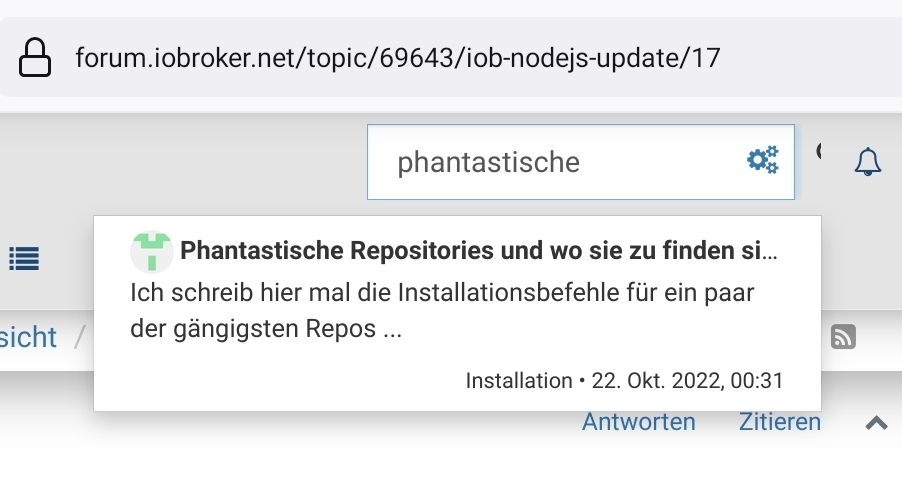
                                          Screenshot_20231118-181943_Firefox.jpg

                                          @laser sagte in iob nodejs-update":

                                          aber jetzt sieht iob diag so aus

                                          Warum?
                                          Aufgrund welcher Änderungen?

                                          kein Support per PN! - Fragen im Forum stellen - es gibt fast nichts, was nicht auch für andere interessant ist.

                                          Benutzt das Voting rechts unten im Beitrag wenn er euch geholfen hat.

                                          der Installationsfixer: curl -fsL https://iobroker.net/fix.sh | bash -

                                          L 1 Antwort Letzte Antwort
                                          0
                                          Antworten
                                          • In einem neuen Thema antworten
                                          Anmelden zum Antworten
                                          • Älteste zuerst
                                          • Neuste zuerst
                                          • Meiste Stimmen


                                          Support us

                                          ioBroker
                                          Community Adapters
                                          Donate
                                          FAQ Cloud / IOT
                                          HowTo: Node.js-Update
                                          HowTo: Backup/Restore
                                          Downloads
                                          BLOG

                                          390

                                          Online

                                          32.6k

                                          Benutzer

                                          81.9k

                                          Themen

                                          1.3m

                                          Beiträge
                                          Community
                                          Impressum | Datenschutz-Bestimmungen | Nutzungsbedingungen | Einwilligungseinstellungen
                                          ioBroker Community 2014-2025
                                          logo
                                          • Anmelden

                                          • Du hast noch kein Konto? Registrieren

                                          • Anmelden oder registrieren, um zu suchen
                                          • Erster Beitrag
                                            Letzter Beitrag
                                          0
                                          • Home
                                          • Aktuell
                                          • Tags
                                          • Ungelesen 0
                                          • Kategorien
                                          • Unreplied
                                          • Beliebt
                                          • GitHub
                                          • Docu
                                          • Hilfe