




Sonnof Adapter hat ständig Warnungen

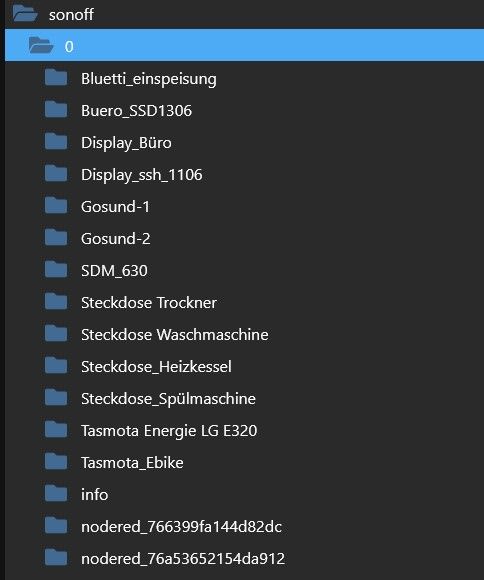
-
@teletapi ```
======== Start marking the full check here =========Skript v.2023-06-20 *** BASE SYSTEM *** Static hostname: iobroker Icon name: computer Machine ID: a9f1eae0dc5a48ddbf0e2a62c2227673 Boot ID: 5cce62b81695480fbfbda66850260622 Operating System: Debian GNU/Linux 11 (bullseye) Kernel: Linux 6.1.21-v8+ Architecture: arm64 Model : Raspberry Pi 4 Model B Rev 1.5 Docker : false Virtualization : none Kernel : aarch64 Userland : arm64 Systemuptime and Load: 19:54:38 up 10:22, 1 user, load average: 0.22, 0.56, 0.83 CPU threads: 4 Raspberry only: throttled=0x0 Other values than 0x0 hint to temperature/voltage problems temp=39.9'C volt=0.9460V *** Time and Time Zones *** Local time: Sat 2023-09-30 19:54:39 CEST Universal time: Sat 2023-09-30 17:54:39 UTC RTC time: n/a Time zone: Europe/Berlin (CEST, +0200) System clock synchronized: yes NTP service: active RTC in local TZ: no *** User and Groups *** pi /home/pi pi adm dialout cdrom sudo audio video plugdev games users input render netdev lpadmin gpio i2c spi iobroker *** X-Server-Setup *** X-Server: false Desktop: Terminal: tty Boot Target: multi-user.target *** MEMORY *** total used free shared buff/cache available Mem: 7.8G 2.9G 3.3G 1.0M 1.6G 4.8G Swap: 99M 0B 99M Total: 7.9G 2.9G 3.4G 7811 M total memory 2875 M used memory 3711 M active memory 607 M inactive memory 3307 M free memory 130 M buffer memory 1498 M swap cache 99 M total swap 0 M used swap 99 M free swap Raspberry only: oom events: 0 lifetime oom required: 0 Mbytes total time in oom handler: 0 ms max time spent in oom handler: 0 ms *** FILESYSTEM *** Filesystem Type Size Used Avail Use% Mounted on /dev/root ext4 59G 9.7G 47G 18% / devtmpfs devtmpfs 3.6G 0 3.6G 0% /dev tmpfs tmpfs 3.9G 0 3.9G 0% /dev/shm tmpfs tmpfs 1.6G 1.2M 1.6G 1% /run tmpfs tmpfs 5.0M 4.0K 5.0M 1% /run/lock /dev/sda1 vfat 255M 31M 225M 13% /boot tmpfs tmpfs 782M 16K 782M 1% /run/user/1000 Messages concerning ext4 filesystem in dmesg: [Sat Sep 30 09:32:14 2023] Kernel command line: coherent_pool=1M 8250.nr_uarts=1 snd_bcm2835.enable_headphones=0 snd_bcm2835.enable_headphones=1 snd_bcm2835.enable_hdmi=1 snd_bcm2835.enable_hdmi=0 smsc95xx.macaddr=D8:3A:DD:13:A5:D1 vc_mem.mem_base=0x3eb00000 vc_mem.mem_size=0x3ff00000 console=tty1 root=PARTUUID=2c0392e1-02 rootfstype=ext4 fsck.repair=yes rootwait quiet splash plymouth.ignore-serial-consoles [Sat Sep 30 09:32:16 2023] EXT4-fs (sda2): mounted filesystem with ordered data mode. Quota mode: none. [Sat Sep 30 09:32:16 2023] VFS: Mounted root (ext4 filesystem) readonly on device 8:2. [Sat Sep 30 09:32:17 2023] EXT4-fs (sda2): re-mounted. Quota mode: none. Show mounted filesystems (real ones only): TARGET SOURCE FSTYPE OPTIONS / /dev/sda2 ext4 rw,noatime `-/boot /dev/sda1 vfat rw,relatime,fmask=0022,dmask=0022,codepage=437,iocharset=ascii,shortname=mixed,errors=remount-ro Files in neuralgic directories: /var: 1.8G /var/ 1.1G /var/log/journal/a9f1eae0dc5a48ddbf0e2a62c2227673 1.1G /var/log/journal 1.1G /var/log 511M /var/lib Archived and active journals take up 1.0G in the file system. /opt/iobroker/backups: 1.1G /opt/iobroker/backups/ /opt/iobroker/iobroker-data: 361M /opt/iobroker/iobroker-data/ 181M /opt/iobroker/iobroker-data/files 71M /opt/iobroker/iobroker-data/backup-objects 62M /opt/iobroker/iobroker-data/node-red/node_modules 62M /opt/iobroker/iobroker-data/node-red The five largest files in iobroker-data are: 37M /opt/iobroker/iobroker-data/objects.jsonl 33M /opt/iobroker/iobroker-data/files/iot.admin/static/js/main.1797d034.js.map 21M /opt/iobroker/iobroker-data/files/web.admin/static/js/main.9aab3e1f.js.map 8.5M /opt/iobroker/iobroker-data/files/iot.admin/static/js/main.1797d034.js 8.3M /opt/iobroker/iobroker-data/files/web.admin/static/js/main.9aab3e1f.js *** NodeJS-Installation *** /usr/bin/nodejs v18.18.0 /usr/bin/node v18.18.0 /usr/bin/npm 9.8.1 /usr/bin/npx 9.8.1 nodejs: Installed: 18.18.0-1nodesource1 Candidate: 18.18.0-1nodesource1 Version table: *** 18.18.0-1nodesource1 1001 500 https://deb.nodesource.com/node_18.x nodistro/main arm64 Packages 100 /var/lib/dpkg/status 18.17.1-1nodesource1 1001 500 https://deb.nodesource.com/node_18.x nodistro/main arm64 Packages 18.17.0-1nodesource1 1001 500 https://deb.nodesource.com/node_18.x nodistro/main arm64 Packages 18.16.1-1nodesource1 1001 500 https://deb.nodesource.com/node_18.x nodistro/main arm64 Packages 18.16.0-1nodesource1 1001 500 https://deb.nodesource.com/node_18.x nodistro/main arm64 Packages 18.15.0-1nodesource1 1001 500 https://deb.nodesource.com/node_18.x nodistro/main arm64 Packages 18.14.2-1nodesource1 1001 500 https://deb.nodesource.com/node_18.x nodistro/main arm64 Packages 18.14.1-1nodesource1 1001 500 https://deb.nodesource.com/node_18.x nodistro/main arm64 Packages 18.14.0-1nodesource1 1001 500 https://deb.nodesource.com/node_18.x nodistro/main arm64 Packages 18.13.0-1nodesource1 1001 500 https://deb.nodesource.com/node_18.x nodistro/main arm64 Packages 18.12.0-1nodesource1 1001 500 https://deb.nodesource.com/node_18.x nodistro/main arm64 Packages 18.11.0-1nodesource1 1001 500 https://deb.nodesource.com/node_18.x nodistro/main arm64 Packages 18.10.0-1nodesource1 1001 500 https://deb.nodesource.com/node_18.x nodistro/main arm64 Packages 18.9.1-1nodesource1 1001 500 https://deb.nodesource.com/node_18.x nodistro/main arm64 Packages 18.9.0-1nodesource1 1001 500 https://deb.nodesource.com/node_18.x nodistro/main arm64 Packages 18.8.0-1nodesource1 1001 500 https://deb.nodesource.com/node_18.x nodistro/main arm64 Packages 18.7.0-1nodesource1 1001 500 https://deb.nodesource.com/node_18.x nodistro/main arm64 Packages 18.6.0-1nodesource1 1001 500 https://deb.nodesource.com/node_18.x nodistro/main arm64 Packages 18.5.0-1nodesource1 1001 500 https://deb.nodesource.com/node_18.x nodistro/main arm64 Packages 18.4.0-1nodesource1 1001 500 https://deb.nodesource.com/node_18.x nodistro/main arm64 Packages 18.3.0-1nodesource1 1001 500 https://deb.nodesource.com/node_18.x nodistro/main arm64 Packages 18.2.0-1nodesource1 1001 500 https://deb.nodesource.com/node_18.x nodistro/main arm64 Packages 18.1.0-1nodesource1 1001 500 https://deb.nodesource.com/node_18.x nodistro/main arm64 Packages 18.0.0-1nodesource1 1001 500 https://deb.nodesource.com/node_18.x nodistro/main arm64 Packages 12.22.12~dfsg-1~deb11u4 500 500 http://security.debian.org/debian-security bullseye-security/main arm64 Packages 12.22.12~dfsg-1~deb11u3 500 500 http://deb.debian.org/debian bullseye/main arm64 Packages Temp directories causing npm8 problem: 0 No problems detected Errors in npm tree: 0 *** ioBroker-Installation *** ioBroker Status iobroker is running on this host. Objects type: jsonl States type: jsonl No configuration change needed. Multihost discovery server: disabled Discovery authentication: enabled Persistent activation: disabled Objects: jsonl on 127.0.0.1 States: jsonl on 127.0.0.1 Core adapters versions js-controller: 5.0.12 admin: 6.10.4 javascript: 7.1.4 Adapters from github: 2 Adapter State + system.adapter.admin.0 : admin : iobroker - enabled, port: 8081, bind: 0.0.0.0, run as: admin + system.adapter.alexa2.0 : alexa2 : iobroker - enabled system.adapter.alias-manager.0 : alias-manager : iobroker - disabled + system.adapter.backitup.0 : backitup : iobroker - enabled + system.adapter.cloud.0 : cloud : iobroker - enabled + system.adapter.discovery.0 : discovery : iobroker - enabled + system.adapter.energiefluss.0 : energiefluss : iobroker - enabled + system.adapter.energiefluss.1 : energiefluss : iobroker - enabled + system.adapter.fritzdect.0 : fritzdect : iobroker - enabled + system.adapter.hm-rega.0 : hm-rega : iobroker - enabled + system.adapter.hm-rpc.0 : hm-rpc : iobroker - enabled, port: 18701 + system.adapter.hm-rpc.1 : hm-rpc : iobroker - enabled, port: 12001 + system.adapter.hm-rpc.2 : hm-rpc : iobroker - enabled, port: 12010 + system.adapter.hm-rpc.3 : hm-rpc : iobroker - enabled, port: 0 + system.adapter.hue-extended.0 : hue-extended : iobroker - enabled system.adapter.ical.0 : ical : iobroker - enabled + system.adapter.influxdb.0 : influxdb : iobroker - enabled, port: 8086 + system.adapter.info.0 : info : iobroker - enabled + system.adapter.iot.0 : iot : iobroker - enabled + system.adapter.jarvis.0 : jarvis : iobroker - enabled + system.adapter.javascript.0 : javascript : iobroker - enabled system.adapter.modbus.0 : modbus : iobroker - disabled + system.adapter.mqtt.0 : mqtt : iobroker - enabled, port: 1883, bind: 0.0.0.0 + system.adapter.net-tools.0 : net-tools : iobroker - enabled + system.adapter.node-red.0 : node-red : iobroker - enabled, port: 1880, bind: 0.0.0.0 + system.adapter.nuki.0 : nuki : iobroker - enabled + system.adapter.opendtu.0 : opendtu : iobroker - enabled + system.adapter.panasonic-viera.0 : panasonic-viera : iobroker - enabled + system.adapter.ping.0 : ping : iobroker - enabled + system.adapter.rpi2.0 : rpi2 : iobroker - enabled + system.adapter.simple-api.0 : simple-api : iobroker - enabled, port: 8087, bind: 192.168.178.82, run as: admin system.adapter.smartmeter.0 : smartmeter : iobroker - disabled system.adapter.smartmeter.1 : smartmeter : iobroker - disabled + system.adapter.socketio.0 : socketio : iobroker - enabled, port: 8084, bind: 0.0.0.0, run as: admin + system.adapter.sonoff.0 : sonoff : iobroker - enabled, port: 1886, bind: 0.0.0.0 + system.adapter.telegram.0 : telegram : iobroker - enabled, port: 8443, bind: 0.0.0.0 + system.adapter.tr-064.0 : tr-064 : iobroker - enabled + system.adapter.web.0 : web : iobroker - enabled, port: 8082, bind: 0.0.0.0, run as: admin + instance is alive Enabled adapters with bindings + system.adapter.admin.0 : admin : iobroker - enabled, port: 8081, bind: 0.0.0.0, run as: admin + system.adapter.hm-rpc.0 : hm-rpc : iobroker - enabled, port: 18701 + system.adapter.hm-rpc.1 : hm-rpc : iobroker - enabled, port: 12001 + system.adapter.hm-rpc.2 : hm-rpc : iobroker - enabled, port: 12010 + system.adapter.hm-rpc.3 : hm-rpc : iobroker - enabled, port: 0 + system.adapter.influxdb.0 : influxdb : iobroker - enabled, port: 8086 + system.adapter.mqtt.0 : mqtt : iobroker - enabled, port: 1883, bind: 0.0.0.0 + system.adapter.node-red.0 : node-red : iobroker - enabled, port: 1880, bind: 0.0.0.0 + system.adapter.simple-api.0 : simple-api : iobroker - enabled, port: 8087, bind: 192.168.178.82, run as: admin + system.adapter.socketio.0 : socketio : iobroker - enabled, port: 8084, bind: 0.0.0.0, run as: admin + system.adapter.sonoff.0 : sonoff : iobroker - enabled, port: 1886, bind: 0.0.0.0 + system.adapter.telegram.0 : telegram : iobroker - enabled, port: 8443, bind: 0.0.0.0 + system.adapter.web.0 : web : iobroker - enabled, port: 8082, bind: 0.0.0.0, run as: admin ioBroker-Repositories stable : http://download.iobroker.net/sources-dist.json beta : http://download.iobroker.net/sources-dist-latest.json Active repo(s): beta Installed ioBroker-Instances Used repository: beta Adapter "admin" : 6.10.4 , installed 6.10.4 Adapter "alexa2" : 3.25.2 , installed 3.25.2 Adapter "alias-manager": 1.2.6 , installed 1.2.6 Adapter "backitup" : 2.8.2 , installed 2.8.2 Adapter "cloud" : 4.4.1 , installed 4.4.1 Adapter "discovery" : 4.1.0 , installed 4.1.0 Adapter "fritzdect" : 2.4.1 , installed 2.4.1 Adapter "hm-rega" : 4.0.0 , installed 4.0.0 Adapter "hm-rpc" : 1.15.19 , installed 1.15.19 Adapter "hue-extended" : 2.0.0 , installed 2.0.0 Adapter "ical" : 1.13.3 , installed 1.13.3 Adapter "influxdb" : 3.2.0 , installed 3.2.0 Adapter "info" : 2.0.0 , installed 2.0.0 Adapter "iot" : 2.0.11 , installed 2.0.11 Adapter "jarvis" : 3.1.8 , installed 3.1.9-beta.3 Adapter "javascript" : 7.1.4 , installed 7.1.4 Controller "js-controller": 5.0.12 , installed 5.0.12 Adapter "modbus" : 5.0.11 , installed 5.0.11 Adapter "mqtt" : 5.0.0 , installed 5.0.0 Adapter "net-tools" : 0.2.0 , installed 0.2.0 Adapter "node-red" : 4.0.3 , installed 4.0.3 Adapter "nuki" : 1.6.0 , installed 1.6.0 Adapter "opendtu" : 0.1.8 , installed 0.1.8 Adapter "panasonic-viera": 2.0.0 , installed 2.0.0 Adapter "ping" : 1.6.2 , installed 1.6.2 Adapter "rpi2" : 1.3.2 , installed 1.3.2 Adapter "simple-api" : 2.7.2 , installed 2.7.2 Adapter "smartmeter" : 3.3.4 , installed 3.3.4 Adapter "socketio" : 6.5.6 , installed 6.5.6 Adapter "sonoff" : 3.0.3 , installed 3.0.3 Adapter "telegram" : 1.16.0 , installed 1.16.0 Adapter "tr-064" : 4.2.18 , installed 4.2.18 Adapter "web" : 6.1.3 , installed 6.1.3 Adapter "ws" : 2.5.6 , installed 2.5.6 Objects and States Please stand by - This may take a while Objects: 9645 States: 8963 *** OS-Repositories and Updates *** Hit:1 http://archive.raspberrypi.org/debian bullseye InRelease Hit:2 http://deb.debian.org/debian bullseye InRelease Hit:3 http://deb.debian.org/debian bullseye-updates InRelease Hit:4 http://security.debian.org/debian-security bullseye-security InRelease Hit:5 https://repos.influxdata.com/debian stable InRelease Hit:6 https://apt.grafana.com stable InRelease Hit:7 https://deb.nodesource.com/node_18.x nodistro InRelease Reading package lists... Pending Updates: 1 *** Listening Ports *** Active Internet connections (only servers) Proto Recv-Q Send-Q Local Address Foreign Address State User Inode PID/Program name tcp 0 0 192.168.178.82:8087 0.0.0.0:* LISTEN 1001 24790 2163/io.simple-api. tcp 0 0 192.168.178.82:12001 0.0.0.0:* LISTEN 1001 17735 1337/io.hm-rpc.1 tcp 0 0 192.168.178.82:12010 0.0.0.0:* LISTEN 1001 18890 1360/io.hm-rpc.2 tcp 0 0 192.168.178.82:18701 0.0.0.0:* LISTEN 1001 15591 1310/io.hm-rpc.0 tcp 0 0 127.0.0.1:631 0.0.0.0:* LISTEN 0 14092 540/cupsd tcp 0 0 127.0.0.1:9000 0.0.0.0:* LISTEN 1001 3986 654/iobroker.js-con tcp 0 0 127.0.0.1:9001 0.0.0.0:* LISTEN 1001 15240 654/iobroker.js-con tcp 0 0 0.0.0.0:1886 0.0.0.0:* LISTEN 1001 1529196 88470/io.sonoff.0 tcp 0 0 0.0.0.0:1880 0.0.0.0:* LISTEN 1001 17026 1239/node-red tcp 0 0 0.0.0.0:1883 0.0.0.0:* LISTEN 116 13041 568/mosquitto tcp 0 0 192.168.178.82:2001 0.0.0.0:* LISTEN 1001 19037 1415/io.hm-rpc.3 tcp 0 0 0.0.0.0:8400 0.0.0.0:* LISTEN 1001 20458 1820/io.jarvis.0 tcp 0 0 192.168.178.82:9092 0.0.0.0:* LISTEN 1001 24068 2020/io.nuki.0 tcp 0 0 0.0.0.0:22 0.0.0.0:* LISTEN 0 14073 572/sshd: /usr/sbin tcp6 0 0 :::8084 :::* LISTEN 1001 24135 2315/io.socketio.0 tcp6 0 0 :::8086 :::* LISTEN 999 14121 549/influxd tcp6 0 0 :::8081 :::* LISTEN 1001 15443 1055/io.admin.0 tcp6 0 0 :::8082 :::* LISTEN 1001 19700 1643/io.web.0 tcp6 0 0 :::3000 :::* LISTEN 117 15416 653/grafana tcp6 0 0 :::1883 :::* LISTEN 116 13042 568/mosquitto tcp6 0 0 ::1:631 :::* LISTEN 0 14091 540/cupsd tcp6 0 0 :::22 :::* LISTEN 0 14075 572/sshd: /usr/sbin udp 0 0 0.0.0.0:68 0.0.0.0:* 0 13123 457/dhcpcd udp 0 0 0.0.0.0:45674 0.0.0.0:* 108 14965 401/avahi-daemon: r udp 0 0 0.0.0.0:631 0.0.0.0:* 0 15175 630/cups-browsed udp 0 0 0.0.0.0:5353 0.0.0.0:* 108 14963 401/avahi-daemon: r udp6 0 0 :::546 :::* 0 14145 457/dhcpcd udp6 0 0 :::54331 :::* 108 14966 401/avahi-daemon: r udp6 0 0 :::5353 :::* 108 14964 401/avahi-daemon: r *** Log File - Last 25 Lines *** 2023-09-30 19:30:00.172 - info: host.iobroker instance system.adapter.ical.0 started with pid 96578 2023-09-30 19:30:09.741 - info: ical.0 (96578) Terminated (NO_ERROR): Without reason 2023-09-30 19:30:10.286 - info: host.iobroker instance system.adapter.ical.0 terminated with code 0 (NO_ERROR) 2023-09-30 19:31:42.572 - info: nuki.0 (2020) status change received for NukiID 790083444: unlocked 2023-09-30 19:31:42.573 - info: nuki.0 (2020) battery status received for NukiID 790083444: false 2023-09-30 19:32:03.027 - info: nuki.0 (2020) status change received for NukiID 790083444: unlocked 2023-09-30 19:32:03.028 - info: nuki.0 (2020) battery status received for NukiID 790083444: false 2023-09-30 19:33:14.175 - info: nuki.0 (2020) status change received for NukiID 790083444: unlocked 2023-09-30 19:33:14.176 - info: nuki.0 (2020) battery status received for NukiID 790083444: false 2023-09-30 19:33:34.878 - info: nuki.0 (2020) status change received for NukiID 790083444: unlocked 2023-09-30 19:33:34.879 - info: nuki.0 (2020) battery status received for NukiID 790083444: false 2023-09-30 19:54:21.440 - info: nuki.0 (2020) status change received for NukiID 790083444: locking 2023-09-30 19:54:21.441 - info: nuki.0 (2020) battery status received for NukiID 790083444: false 2023-09-30 19:54:41.344 - info: nuki.0 (2020) status change received for NukiID 790083444: unlocked 2023-09-30 19:54:41.345 - info: nuki.0 (2020) battery status received for NukiID 790083444: false 2023-09-30 19:55:01.853 - info: nuki.0 (2020) status change received for NukiID 790083444: unlocked 2023-09-30 19:55:01.854 - info: nuki.0 (2020) battery status received for NukiID 790083444: false 2023-09-30 19:55:22.003 - info: nuki.0 (2020) status change received for NukiID 790083444: unlocked 2023-09-30 19:55:22.004 - info: nuki.0 (2020) battery status received for NukiID 790083444: false 2023-09-30 19:55:51.541 - info: hue-extended.0 (1725) Attempt 1x - Successfully set Deckenlicht Flur unten Haustuer.============ Mark until here for C&P =============
iob diag has finished.
-
@teletapi ```
======== Start marking the full check here =========Skript v.2023-06-20 *** BASE SYSTEM *** Static hostname: iobroker Icon name: computer Machine ID: a9f1eae0dc5a48ddbf0e2a62c2227673 Boot ID: 5cce62b81695480fbfbda66850260622 Operating System: Debian GNU/Linux 11 (bullseye) Kernel: Linux 6.1.21-v8+ Architecture: arm64 Model : Raspberry Pi 4 Model B Rev 1.5 Docker : false Virtualization : none Kernel : aarch64 Userland : arm64 Systemuptime and Load: 19:54:38 up 10:22, 1 user, load average: 0.22, 0.56, 0.83 CPU threads: 4 Raspberry only: throttled=0x0 Other values than 0x0 hint to temperature/voltage problems temp=39.9'C volt=0.9460V *** Time and Time Zones *** Local time: Sat 2023-09-30 19:54:39 CEST Universal time: Sat 2023-09-30 17:54:39 UTC RTC time: n/a Time zone: Europe/Berlin (CEST, +0200) System clock synchronized: yes NTP service: active RTC in local TZ: no *** User and Groups *** pi /home/pi pi adm dialout cdrom sudo audio video plugdev games users input render netdev lpadmin gpio i2c spi iobroker *** X-Server-Setup *** X-Server: false Desktop: Terminal: tty Boot Target: multi-user.target *** MEMORY *** total used free shared buff/cache available Mem: 7.8G 2.9G 3.3G 1.0M 1.6G 4.8G Swap: 99M 0B 99M Total: 7.9G 2.9G 3.4G 7811 M total memory 2875 M used memory 3711 M active memory 607 M inactive memory 3307 M free memory 130 M buffer memory 1498 M swap cache 99 M total swap 0 M used swap 99 M free swap Raspberry only: oom events: 0 lifetime oom required: 0 Mbytes total time in oom handler: 0 ms max time spent in oom handler: 0 ms *** FILESYSTEM *** Filesystem Type Size Used Avail Use% Mounted on /dev/root ext4 59G 9.7G 47G 18% / devtmpfs devtmpfs 3.6G 0 3.6G 0% /dev tmpfs tmpfs 3.9G 0 3.9G 0% /dev/shm tmpfs tmpfs 1.6G 1.2M 1.6G 1% /run tmpfs tmpfs 5.0M 4.0K 5.0M 1% /run/lock /dev/sda1 vfat 255M 31M 225M 13% /boot tmpfs tmpfs 782M 16K 782M 1% /run/user/1000 Messages concerning ext4 filesystem in dmesg: [Sat Sep 30 09:32:14 2023] Kernel command line: coherent_pool=1M 8250.nr_uarts=1 snd_bcm2835.enable_headphones=0 snd_bcm2835.enable_headphones=1 snd_bcm2835.enable_hdmi=1 snd_bcm2835.enable_hdmi=0 smsc95xx.macaddr=D8:3A:DD:13:A5:D1 vc_mem.mem_base=0x3eb00000 vc_mem.mem_size=0x3ff00000 console=tty1 root=PARTUUID=2c0392e1-02 rootfstype=ext4 fsck.repair=yes rootwait quiet splash plymouth.ignore-serial-consoles [Sat Sep 30 09:32:16 2023] EXT4-fs (sda2): mounted filesystem with ordered data mode. Quota mode: none. [Sat Sep 30 09:32:16 2023] VFS: Mounted root (ext4 filesystem) readonly on device 8:2. [Sat Sep 30 09:32:17 2023] EXT4-fs (sda2): re-mounted. Quota mode: none. Show mounted filesystems (real ones only): TARGET SOURCE FSTYPE OPTIONS / /dev/sda2 ext4 rw,noatime `-/boot /dev/sda1 vfat rw,relatime,fmask=0022,dmask=0022,codepage=437,iocharset=ascii,shortname=mixed,errors=remount-ro Files in neuralgic directories: /var: 1.8G /var/ 1.1G /var/log/journal/a9f1eae0dc5a48ddbf0e2a62c2227673 1.1G /var/log/journal 1.1G /var/log 511M /var/lib Archived and active journals take up 1.0G in the file system. /opt/iobroker/backups: 1.1G /opt/iobroker/backups/ /opt/iobroker/iobroker-data: 361M /opt/iobroker/iobroker-data/ 181M /opt/iobroker/iobroker-data/files 71M /opt/iobroker/iobroker-data/backup-objects 62M /opt/iobroker/iobroker-data/node-red/node_modules 62M /opt/iobroker/iobroker-data/node-red The five largest files in iobroker-data are: 37M /opt/iobroker/iobroker-data/objects.jsonl 33M /opt/iobroker/iobroker-data/files/iot.admin/static/js/main.1797d034.js.map 21M /opt/iobroker/iobroker-data/files/web.admin/static/js/main.9aab3e1f.js.map 8.5M /opt/iobroker/iobroker-data/files/iot.admin/static/js/main.1797d034.js 8.3M /opt/iobroker/iobroker-data/files/web.admin/static/js/main.9aab3e1f.js *** NodeJS-Installation *** /usr/bin/nodejs v18.18.0 /usr/bin/node v18.18.0 /usr/bin/npm 9.8.1 /usr/bin/npx 9.8.1 nodejs: Installed: 18.18.0-1nodesource1 Candidate: 18.18.0-1nodesource1 Version table: *** 18.18.0-1nodesource1 1001 500 https://deb.nodesource.com/node_18.x nodistro/main arm64 Packages 100 /var/lib/dpkg/status 18.17.1-1nodesource1 1001 500 https://deb.nodesource.com/node_18.x nodistro/main arm64 Packages 18.17.0-1nodesource1 1001 500 https://deb.nodesource.com/node_18.x nodistro/main arm64 Packages 18.16.1-1nodesource1 1001 500 https://deb.nodesource.com/node_18.x nodistro/main arm64 Packages 18.16.0-1nodesource1 1001 500 https://deb.nodesource.com/node_18.x nodistro/main arm64 Packages 18.15.0-1nodesource1 1001 500 https://deb.nodesource.com/node_18.x nodistro/main arm64 Packages 18.14.2-1nodesource1 1001 500 https://deb.nodesource.com/node_18.x nodistro/main arm64 Packages 18.14.1-1nodesource1 1001 500 https://deb.nodesource.com/node_18.x nodistro/main arm64 Packages 18.14.0-1nodesource1 1001 500 https://deb.nodesource.com/node_18.x nodistro/main arm64 Packages 18.13.0-1nodesource1 1001 500 https://deb.nodesource.com/node_18.x nodistro/main arm64 Packages 18.12.0-1nodesource1 1001 500 https://deb.nodesource.com/node_18.x nodistro/main arm64 Packages 18.11.0-1nodesource1 1001 500 https://deb.nodesource.com/node_18.x nodistro/main arm64 Packages 18.10.0-1nodesource1 1001 500 https://deb.nodesource.com/node_18.x nodistro/main arm64 Packages 18.9.1-1nodesource1 1001 500 https://deb.nodesource.com/node_18.x nodistro/main arm64 Packages 18.9.0-1nodesource1 1001 500 https://deb.nodesource.com/node_18.x nodistro/main arm64 Packages 18.8.0-1nodesource1 1001 500 https://deb.nodesource.com/node_18.x nodistro/main arm64 Packages 18.7.0-1nodesource1 1001 500 https://deb.nodesource.com/node_18.x nodistro/main arm64 Packages 18.6.0-1nodesource1 1001 500 https://deb.nodesource.com/node_18.x nodistro/main arm64 Packages 18.5.0-1nodesource1 1001 500 https://deb.nodesource.com/node_18.x nodistro/main arm64 Packages 18.4.0-1nodesource1 1001 500 https://deb.nodesource.com/node_18.x nodistro/main arm64 Packages 18.3.0-1nodesource1 1001 500 https://deb.nodesource.com/node_18.x nodistro/main arm64 Packages 18.2.0-1nodesource1 1001 500 https://deb.nodesource.com/node_18.x nodistro/main arm64 Packages 18.1.0-1nodesource1 1001 500 https://deb.nodesource.com/node_18.x nodistro/main arm64 Packages 18.0.0-1nodesource1 1001 500 https://deb.nodesource.com/node_18.x nodistro/main arm64 Packages 12.22.12~dfsg-1~deb11u4 500 500 http://security.debian.org/debian-security bullseye-security/main arm64 Packages 12.22.12~dfsg-1~deb11u3 500 500 http://deb.debian.org/debian bullseye/main arm64 Packages Temp directories causing npm8 problem: 0 No problems detected Errors in npm tree: 0 *** ioBroker-Installation *** ioBroker Status iobroker is running on this host. Objects type: jsonl States type: jsonl No configuration change needed. Multihost discovery server: disabled Discovery authentication: enabled Persistent activation: disabled Objects: jsonl on 127.0.0.1 States: jsonl on 127.0.0.1 Core adapters versions js-controller: 5.0.12 admin: 6.10.4 javascript: 7.1.4 Adapters from github: 2 Adapter State + system.adapter.admin.0 : admin : iobroker - enabled, port: 8081, bind: 0.0.0.0, run as: admin + system.adapter.alexa2.0 : alexa2 : iobroker - enabled system.adapter.alias-manager.0 : alias-manager : iobroker - disabled + system.adapter.backitup.0 : backitup : iobroker - enabled + system.adapter.cloud.0 : cloud : iobroker - enabled + system.adapter.discovery.0 : discovery : iobroker - enabled + system.adapter.energiefluss.0 : energiefluss : iobroker - enabled + system.adapter.energiefluss.1 : energiefluss : iobroker - enabled + system.adapter.fritzdect.0 : fritzdect : iobroker - enabled + system.adapter.hm-rega.0 : hm-rega : iobroker - enabled + system.adapter.hm-rpc.0 : hm-rpc : iobroker - enabled, port: 18701 + system.adapter.hm-rpc.1 : hm-rpc : iobroker - enabled, port: 12001 + system.adapter.hm-rpc.2 : hm-rpc : iobroker - enabled, port: 12010 + system.adapter.hm-rpc.3 : hm-rpc : iobroker - enabled, port: 0 + system.adapter.hue-extended.0 : hue-extended : iobroker - enabled system.adapter.ical.0 : ical : iobroker - enabled + system.adapter.influxdb.0 : influxdb : iobroker - enabled, port: 8086 + system.adapter.info.0 : info : iobroker - enabled + system.adapter.iot.0 : iot : iobroker - enabled + system.adapter.jarvis.0 : jarvis : iobroker - enabled + system.adapter.javascript.0 : javascript : iobroker - enabled system.adapter.modbus.0 : modbus : iobroker - disabled + system.adapter.mqtt.0 : mqtt : iobroker - enabled, port: 1883, bind: 0.0.0.0 + system.adapter.net-tools.0 : net-tools : iobroker - enabled + system.adapter.node-red.0 : node-red : iobroker - enabled, port: 1880, bind: 0.0.0.0 + system.adapter.nuki.0 : nuki : iobroker - enabled + system.adapter.opendtu.0 : opendtu : iobroker - enabled + system.adapter.panasonic-viera.0 : panasonic-viera : iobroker - enabled + system.adapter.ping.0 : ping : iobroker - enabled + system.adapter.rpi2.0 : rpi2 : iobroker - enabled + system.adapter.simple-api.0 : simple-api : iobroker - enabled, port: 8087, bind: 192.168.178.82, run as: admin system.adapter.smartmeter.0 : smartmeter : iobroker - disabled system.adapter.smartmeter.1 : smartmeter : iobroker - disabled + system.adapter.socketio.0 : socketio : iobroker - enabled, port: 8084, bind: 0.0.0.0, run as: admin + system.adapter.sonoff.0 : sonoff : iobroker - enabled, port: 1886, bind: 0.0.0.0 + system.adapter.telegram.0 : telegram : iobroker - enabled, port: 8443, bind: 0.0.0.0 + system.adapter.tr-064.0 : tr-064 : iobroker - enabled + system.adapter.web.0 : web : iobroker - enabled, port: 8082, bind: 0.0.0.0, run as: admin + instance is alive Enabled adapters with bindings + system.adapter.admin.0 : admin : iobroker - enabled, port: 8081, bind: 0.0.0.0, run as: admin + system.adapter.hm-rpc.0 : hm-rpc : iobroker - enabled, port: 18701 + system.adapter.hm-rpc.1 : hm-rpc : iobroker - enabled, port: 12001 + system.adapter.hm-rpc.2 : hm-rpc : iobroker - enabled, port: 12010 + system.adapter.hm-rpc.3 : hm-rpc : iobroker - enabled, port: 0 + system.adapter.influxdb.0 : influxdb : iobroker - enabled, port: 8086 + system.adapter.mqtt.0 : mqtt : iobroker - enabled, port: 1883, bind: 0.0.0.0 + system.adapter.node-red.0 : node-red : iobroker - enabled, port: 1880, bind: 0.0.0.0 + system.adapter.simple-api.0 : simple-api : iobroker - enabled, port: 8087, bind: 192.168.178.82, run as: admin + system.adapter.socketio.0 : socketio : iobroker - enabled, port: 8084, bind: 0.0.0.0, run as: admin + system.adapter.sonoff.0 : sonoff : iobroker - enabled, port: 1886, bind: 0.0.0.0 + system.adapter.telegram.0 : telegram : iobroker - enabled, port: 8443, bind: 0.0.0.0 + system.adapter.web.0 : web : iobroker - enabled, port: 8082, bind: 0.0.0.0, run as: admin ioBroker-Repositories stable : http://download.iobroker.net/sources-dist.json beta : http://download.iobroker.net/sources-dist-latest.json Active repo(s): beta Installed ioBroker-Instances Used repository: beta Adapter "admin" : 6.10.4 , installed 6.10.4 Adapter "alexa2" : 3.25.2 , installed 3.25.2 Adapter "alias-manager": 1.2.6 , installed 1.2.6 Adapter "backitup" : 2.8.2 , installed 2.8.2 Adapter "cloud" : 4.4.1 , installed 4.4.1 Adapter "discovery" : 4.1.0 , installed 4.1.0 Adapter "fritzdect" : 2.4.1 , installed 2.4.1 Adapter "hm-rega" : 4.0.0 , installed 4.0.0 Adapter "hm-rpc" : 1.15.19 , installed 1.15.19 Adapter "hue-extended" : 2.0.0 , installed 2.0.0 Adapter "ical" : 1.13.3 , installed 1.13.3 Adapter "influxdb" : 3.2.0 , installed 3.2.0 Adapter "info" : 2.0.0 , installed 2.0.0 Adapter "iot" : 2.0.11 , installed 2.0.11 Adapter "jarvis" : 3.1.8 , installed 3.1.9-beta.3 Adapter "javascript" : 7.1.4 , installed 7.1.4 Controller "js-controller": 5.0.12 , installed 5.0.12 Adapter "modbus" : 5.0.11 , installed 5.0.11 Adapter "mqtt" : 5.0.0 , installed 5.0.0 Adapter "net-tools" : 0.2.0 , installed 0.2.0 Adapter "node-red" : 4.0.3 , installed 4.0.3 Adapter "nuki" : 1.6.0 , installed 1.6.0 Adapter "opendtu" : 0.1.8 , installed 0.1.8 Adapter "panasonic-viera": 2.0.0 , installed 2.0.0 Adapter "ping" : 1.6.2 , installed 1.6.2 Adapter "rpi2" : 1.3.2 , installed 1.3.2 Adapter "simple-api" : 2.7.2 , installed 2.7.2 Adapter "smartmeter" : 3.3.4 , installed 3.3.4 Adapter "socketio" : 6.5.6 , installed 6.5.6 Adapter "sonoff" : 3.0.3 , installed 3.0.3 Adapter "telegram" : 1.16.0 , installed 1.16.0 Adapter "tr-064" : 4.2.18 , installed 4.2.18 Adapter "web" : 6.1.3 , installed 6.1.3 Adapter "ws" : 2.5.6 , installed 2.5.6 Objects and States Please stand by - This may take a while Objects: 9645 States: 8963 *** OS-Repositories and Updates *** Hit:1 http://archive.raspberrypi.org/debian bullseye InRelease Hit:2 http://deb.debian.org/debian bullseye InRelease Hit:3 http://deb.debian.org/debian bullseye-updates InRelease Hit:4 http://security.debian.org/debian-security bullseye-security InRelease Hit:5 https://repos.influxdata.com/debian stable InRelease Hit:6 https://apt.grafana.com stable InRelease Hit:7 https://deb.nodesource.com/node_18.x nodistro InRelease Reading package lists... Pending Updates: 1 *** Listening Ports *** Active Internet connections (only servers) Proto Recv-Q Send-Q Local Address Foreign Address State User Inode PID/Program name tcp 0 0 192.168.178.82:8087 0.0.0.0:* LISTEN 1001 24790 2163/io.simple-api. tcp 0 0 192.168.178.82:12001 0.0.0.0:* LISTEN 1001 17735 1337/io.hm-rpc.1 tcp 0 0 192.168.178.82:12010 0.0.0.0:* LISTEN 1001 18890 1360/io.hm-rpc.2 tcp 0 0 192.168.178.82:18701 0.0.0.0:* LISTEN 1001 15591 1310/io.hm-rpc.0 tcp 0 0 127.0.0.1:631 0.0.0.0:* LISTEN 0 14092 540/cupsd tcp 0 0 127.0.0.1:9000 0.0.0.0:* LISTEN 1001 3986 654/iobroker.js-con tcp 0 0 127.0.0.1:9001 0.0.0.0:* LISTEN 1001 15240 654/iobroker.js-con tcp 0 0 0.0.0.0:1886 0.0.0.0:* LISTEN 1001 1529196 88470/io.sonoff.0 tcp 0 0 0.0.0.0:1880 0.0.0.0:* LISTEN 1001 17026 1239/node-red tcp 0 0 0.0.0.0:1883 0.0.0.0:* LISTEN 116 13041 568/mosquitto tcp 0 0 192.168.178.82:2001 0.0.0.0:* LISTEN 1001 19037 1415/io.hm-rpc.3 tcp 0 0 0.0.0.0:8400 0.0.0.0:* LISTEN 1001 20458 1820/io.jarvis.0 tcp 0 0 192.168.178.82:9092 0.0.0.0:* LISTEN 1001 24068 2020/io.nuki.0 tcp 0 0 0.0.0.0:22 0.0.0.0:* LISTEN 0 14073 572/sshd: /usr/sbin tcp6 0 0 :::8084 :::* LISTEN 1001 24135 2315/io.socketio.0 tcp6 0 0 :::8086 :::* LISTEN 999 14121 549/influxd tcp6 0 0 :::8081 :::* LISTEN 1001 15443 1055/io.admin.0 tcp6 0 0 :::8082 :::* LISTEN 1001 19700 1643/io.web.0 tcp6 0 0 :::3000 :::* LISTEN 117 15416 653/grafana tcp6 0 0 :::1883 :::* LISTEN 116 13042 568/mosquitto tcp6 0 0 ::1:631 :::* LISTEN 0 14091 540/cupsd tcp6 0 0 :::22 :::* LISTEN 0 14075 572/sshd: /usr/sbin udp 0 0 0.0.0.0:68 0.0.0.0:* 0 13123 457/dhcpcd udp 0 0 0.0.0.0:45674 0.0.0.0:* 108 14965 401/avahi-daemon: r udp 0 0 0.0.0.0:631 0.0.0.0:* 0 15175 630/cups-browsed udp 0 0 0.0.0.0:5353 0.0.0.0:* 108 14963 401/avahi-daemon: r udp6 0 0 :::546 :::* 0 14145 457/dhcpcd udp6 0 0 :::54331 :::* 108 14966 401/avahi-daemon: r udp6 0 0 :::5353 :::* 108 14964 401/avahi-daemon: r *** Log File - Last 25 Lines *** 2023-09-30 19:30:00.172 - info: host.iobroker instance system.adapter.ical.0 started with pid 96578 2023-09-30 19:30:09.741 - info: ical.0 (96578) Terminated (NO_ERROR): Without reason 2023-09-30 19:30:10.286 - info: host.iobroker instance system.adapter.ical.0 terminated with code 0 (NO_ERROR) 2023-09-30 19:31:42.572 - info: nuki.0 (2020) status change received for NukiID 790083444: unlocked 2023-09-30 19:31:42.573 - info: nuki.0 (2020) battery status received for NukiID 790083444: false 2023-09-30 19:32:03.027 - info: nuki.0 (2020) status change received for NukiID 790083444: unlocked 2023-09-30 19:32:03.028 - info: nuki.0 (2020) battery status received for NukiID 790083444: false 2023-09-30 19:33:14.175 - info: nuki.0 (2020) status change received for NukiID 790083444: unlocked 2023-09-30 19:33:14.176 - info: nuki.0 (2020) battery status received for NukiID 790083444: false 2023-09-30 19:33:34.878 - info: nuki.0 (2020) status change received for NukiID 790083444: unlocked 2023-09-30 19:33:34.879 - info: nuki.0 (2020) battery status received for NukiID 790083444: false 2023-09-30 19:54:21.440 - info: nuki.0 (2020) status change received for NukiID 790083444: locking 2023-09-30 19:54:21.441 - info: nuki.0 (2020) battery status received for NukiID 790083444: false 2023-09-30 19:54:41.344 - info: nuki.0 (2020) status change received for NukiID 790083444: unlocked 2023-09-30 19:54:41.345 - info: nuki.0 (2020) battery status received for NukiID 790083444: false 2023-09-30 19:55:01.853 - info: nuki.0 (2020) status change received for NukiID 790083444: unlocked 2023-09-30 19:55:01.854 - info: nuki.0 (2020) battery status received for NukiID 790083444: false 2023-09-30 19:55:22.003 - info: nuki.0 (2020) status change received for NukiID 790083444: unlocked 2023-09-30 19:55:22.004 - info: nuki.0 (2020) battery status received for NukiID 790083444: false 2023-09-30 19:55:51.541 - info: hue-extended.0 (1725) Attempt 1x - Successfully set Deckenlicht Flur unten Haustuer.============ Mark until here for C&P =============
iob diag has finished.
@teletapi sagte in Sonnof Adapter hat ständig Warnungen:
- system.adapter.mqtt.0 : mqtt : iobroker - enabled, port: 1883, bind: 0.0.0.0
- system.adapter.sonoff.0 : sonoff : iobroker - enabled, port: 1886, bind: 0.0.0.0
mosquitto
Eventuell funkt da was zwischen !?
-
@teletapi ```
======== Start marking the full check here =========Skript v.2023-06-20 *** BASE SYSTEM *** Static hostname: iobroker Icon name: computer Machine ID: a9f1eae0dc5a48ddbf0e2a62c2227673 Boot ID: 5cce62b81695480fbfbda66850260622 Operating System: Debian GNU/Linux 11 (bullseye) Kernel: Linux 6.1.21-v8+ Architecture: arm64 Model : Raspberry Pi 4 Model B Rev 1.5 Docker : false Virtualization : none Kernel : aarch64 Userland : arm64 Systemuptime and Load: 19:54:38 up 10:22, 1 user, load average: 0.22, 0.56, 0.83 CPU threads: 4 Raspberry only: throttled=0x0 Other values than 0x0 hint to temperature/voltage problems temp=39.9'C volt=0.9460V *** Time and Time Zones *** Local time: Sat 2023-09-30 19:54:39 CEST Universal time: Sat 2023-09-30 17:54:39 UTC RTC time: n/a Time zone: Europe/Berlin (CEST, +0200) System clock synchronized: yes NTP service: active RTC in local TZ: no *** User and Groups *** pi /home/pi pi adm dialout cdrom sudo audio video plugdev games users input render netdev lpadmin gpio i2c spi iobroker *** X-Server-Setup *** X-Server: false Desktop: Terminal: tty Boot Target: multi-user.target *** MEMORY *** total used free shared buff/cache available Mem: 7.8G 2.9G 3.3G 1.0M 1.6G 4.8G Swap: 99M 0B 99M Total: 7.9G 2.9G 3.4G 7811 M total memory 2875 M used memory 3711 M active memory 607 M inactive memory 3307 M free memory 130 M buffer memory 1498 M swap cache 99 M total swap 0 M used swap 99 M free swap Raspberry only: oom events: 0 lifetime oom required: 0 Mbytes total time in oom handler: 0 ms max time spent in oom handler: 0 ms *** FILESYSTEM *** Filesystem Type Size Used Avail Use% Mounted on /dev/root ext4 59G 9.7G 47G 18% / devtmpfs devtmpfs 3.6G 0 3.6G 0% /dev tmpfs tmpfs 3.9G 0 3.9G 0% /dev/shm tmpfs tmpfs 1.6G 1.2M 1.6G 1% /run tmpfs tmpfs 5.0M 4.0K 5.0M 1% /run/lock /dev/sda1 vfat 255M 31M 225M 13% /boot tmpfs tmpfs 782M 16K 782M 1% /run/user/1000 Messages concerning ext4 filesystem in dmesg: [Sat Sep 30 09:32:14 2023] Kernel command line: coherent_pool=1M 8250.nr_uarts=1 snd_bcm2835.enable_headphones=0 snd_bcm2835.enable_headphones=1 snd_bcm2835.enable_hdmi=1 snd_bcm2835.enable_hdmi=0 smsc95xx.macaddr=D8:3A:DD:13:A5:D1 vc_mem.mem_base=0x3eb00000 vc_mem.mem_size=0x3ff00000 console=tty1 root=PARTUUID=2c0392e1-02 rootfstype=ext4 fsck.repair=yes rootwait quiet splash plymouth.ignore-serial-consoles [Sat Sep 30 09:32:16 2023] EXT4-fs (sda2): mounted filesystem with ordered data mode. Quota mode: none. [Sat Sep 30 09:32:16 2023] VFS: Mounted root (ext4 filesystem) readonly on device 8:2. [Sat Sep 30 09:32:17 2023] EXT4-fs (sda2): re-mounted. Quota mode: none. Show mounted filesystems (real ones only): TARGET SOURCE FSTYPE OPTIONS / /dev/sda2 ext4 rw,noatime `-/boot /dev/sda1 vfat rw,relatime,fmask=0022,dmask=0022,codepage=437,iocharset=ascii,shortname=mixed,errors=remount-ro Files in neuralgic directories: /var: 1.8G /var/ 1.1G /var/log/journal/a9f1eae0dc5a48ddbf0e2a62c2227673 1.1G /var/log/journal 1.1G /var/log 511M /var/lib Archived and active journals take up 1.0G in the file system. /opt/iobroker/backups: 1.1G /opt/iobroker/backups/ /opt/iobroker/iobroker-data: 361M /opt/iobroker/iobroker-data/ 181M /opt/iobroker/iobroker-data/files 71M /opt/iobroker/iobroker-data/backup-objects 62M /opt/iobroker/iobroker-data/node-red/node_modules 62M /opt/iobroker/iobroker-data/node-red The five largest files in iobroker-data are: 37M /opt/iobroker/iobroker-data/objects.jsonl 33M /opt/iobroker/iobroker-data/files/iot.admin/static/js/main.1797d034.js.map 21M /opt/iobroker/iobroker-data/files/web.admin/static/js/main.9aab3e1f.js.map 8.5M /opt/iobroker/iobroker-data/files/iot.admin/static/js/main.1797d034.js 8.3M /opt/iobroker/iobroker-data/files/web.admin/static/js/main.9aab3e1f.js *** NodeJS-Installation *** /usr/bin/nodejs v18.18.0 /usr/bin/node v18.18.0 /usr/bin/npm 9.8.1 /usr/bin/npx 9.8.1 nodejs: Installed: 18.18.0-1nodesource1 Candidate: 18.18.0-1nodesource1 Version table: *** 18.18.0-1nodesource1 1001 500 https://deb.nodesource.com/node_18.x nodistro/main arm64 Packages 100 /var/lib/dpkg/status 18.17.1-1nodesource1 1001 500 https://deb.nodesource.com/node_18.x nodistro/main arm64 Packages 18.17.0-1nodesource1 1001 500 https://deb.nodesource.com/node_18.x nodistro/main arm64 Packages 18.16.1-1nodesource1 1001 500 https://deb.nodesource.com/node_18.x nodistro/main arm64 Packages 18.16.0-1nodesource1 1001 500 https://deb.nodesource.com/node_18.x nodistro/main arm64 Packages 18.15.0-1nodesource1 1001 500 https://deb.nodesource.com/node_18.x nodistro/main arm64 Packages 18.14.2-1nodesource1 1001 500 https://deb.nodesource.com/node_18.x nodistro/main arm64 Packages 18.14.1-1nodesource1 1001 500 https://deb.nodesource.com/node_18.x nodistro/main arm64 Packages 18.14.0-1nodesource1 1001 500 https://deb.nodesource.com/node_18.x nodistro/main arm64 Packages 18.13.0-1nodesource1 1001 500 https://deb.nodesource.com/node_18.x nodistro/main arm64 Packages 18.12.0-1nodesource1 1001 500 https://deb.nodesource.com/node_18.x nodistro/main arm64 Packages 18.11.0-1nodesource1 1001 500 https://deb.nodesource.com/node_18.x nodistro/main arm64 Packages 18.10.0-1nodesource1 1001 500 https://deb.nodesource.com/node_18.x nodistro/main arm64 Packages 18.9.1-1nodesource1 1001 500 https://deb.nodesource.com/node_18.x nodistro/main arm64 Packages 18.9.0-1nodesource1 1001 500 https://deb.nodesource.com/node_18.x nodistro/main arm64 Packages 18.8.0-1nodesource1 1001 500 https://deb.nodesource.com/node_18.x nodistro/main arm64 Packages 18.7.0-1nodesource1 1001 500 https://deb.nodesource.com/node_18.x nodistro/main arm64 Packages 18.6.0-1nodesource1 1001 500 https://deb.nodesource.com/node_18.x nodistro/main arm64 Packages 18.5.0-1nodesource1 1001 500 https://deb.nodesource.com/node_18.x nodistro/main arm64 Packages 18.4.0-1nodesource1 1001 500 https://deb.nodesource.com/node_18.x nodistro/main arm64 Packages 18.3.0-1nodesource1 1001 500 https://deb.nodesource.com/node_18.x nodistro/main arm64 Packages 18.2.0-1nodesource1 1001 500 https://deb.nodesource.com/node_18.x nodistro/main arm64 Packages 18.1.0-1nodesource1 1001 500 https://deb.nodesource.com/node_18.x nodistro/main arm64 Packages 18.0.0-1nodesource1 1001 500 https://deb.nodesource.com/node_18.x nodistro/main arm64 Packages 12.22.12~dfsg-1~deb11u4 500 500 http://security.debian.org/debian-security bullseye-security/main arm64 Packages 12.22.12~dfsg-1~deb11u3 500 500 http://deb.debian.org/debian bullseye/main arm64 Packages Temp directories causing npm8 problem: 0 No problems detected Errors in npm tree: 0 *** ioBroker-Installation *** ioBroker Status iobroker is running on this host. Objects type: jsonl States type: jsonl No configuration change needed. Multihost discovery server: disabled Discovery authentication: enabled Persistent activation: disabled Objects: jsonl on 127.0.0.1 States: jsonl on 127.0.0.1 Core adapters versions js-controller: 5.0.12 admin: 6.10.4 javascript: 7.1.4 Adapters from github: 2 Adapter State + system.adapter.admin.0 : admin : iobroker - enabled, port: 8081, bind: 0.0.0.0, run as: admin + system.adapter.alexa2.0 : alexa2 : iobroker - enabled system.adapter.alias-manager.0 : alias-manager : iobroker - disabled + system.adapter.backitup.0 : backitup : iobroker - enabled + system.adapter.cloud.0 : cloud : iobroker - enabled + system.adapter.discovery.0 : discovery : iobroker - enabled + system.adapter.energiefluss.0 : energiefluss : iobroker - enabled + system.adapter.energiefluss.1 : energiefluss : iobroker - enabled + system.adapter.fritzdect.0 : fritzdect : iobroker - enabled + system.adapter.hm-rega.0 : hm-rega : iobroker - enabled + system.adapter.hm-rpc.0 : hm-rpc : iobroker - enabled, port: 18701 + system.adapter.hm-rpc.1 : hm-rpc : iobroker - enabled, port: 12001 + system.adapter.hm-rpc.2 : hm-rpc : iobroker - enabled, port: 12010 + system.adapter.hm-rpc.3 : hm-rpc : iobroker - enabled, port: 0 + system.adapter.hue-extended.0 : hue-extended : iobroker - enabled system.adapter.ical.0 : ical : iobroker - enabled + system.adapter.influxdb.0 : influxdb : iobroker - enabled, port: 8086 + system.adapter.info.0 : info : iobroker - enabled + system.adapter.iot.0 : iot : iobroker - enabled + system.adapter.jarvis.0 : jarvis : iobroker - enabled + system.adapter.javascript.0 : javascript : iobroker - enabled system.adapter.modbus.0 : modbus : iobroker - disabled + system.adapter.mqtt.0 : mqtt : iobroker - enabled, port: 1883, bind: 0.0.0.0 + system.adapter.net-tools.0 : net-tools : iobroker - enabled + system.adapter.node-red.0 : node-red : iobroker - enabled, port: 1880, bind: 0.0.0.0 + system.adapter.nuki.0 : nuki : iobroker - enabled + system.adapter.opendtu.0 : opendtu : iobroker - enabled + system.adapter.panasonic-viera.0 : panasonic-viera : iobroker - enabled + system.adapter.ping.0 : ping : iobroker - enabled + system.adapter.rpi2.0 : rpi2 : iobroker - enabled + system.adapter.simple-api.0 : simple-api : iobroker - enabled, port: 8087, bind: 192.168.178.82, run as: admin system.adapter.smartmeter.0 : smartmeter : iobroker - disabled system.adapter.smartmeter.1 : smartmeter : iobroker - disabled + system.adapter.socketio.0 : socketio : iobroker - enabled, port: 8084, bind: 0.0.0.0, run as: admin + system.adapter.sonoff.0 : sonoff : iobroker - enabled, port: 1886, bind: 0.0.0.0 + system.adapter.telegram.0 : telegram : iobroker - enabled, port: 8443, bind: 0.0.0.0 + system.adapter.tr-064.0 : tr-064 : iobroker - enabled + system.adapter.web.0 : web : iobroker - enabled, port: 8082, bind: 0.0.0.0, run as: admin + instance is alive Enabled adapters with bindings + system.adapter.admin.0 : admin : iobroker - enabled, port: 8081, bind: 0.0.0.0, run as: admin + system.adapter.hm-rpc.0 : hm-rpc : iobroker - enabled, port: 18701 + system.adapter.hm-rpc.1 : hm-rpc : iobroker - enabled, port: 12001 + system.adapter.hm-rpc.2 : hm-rpc : iobroker - enabled, port: 12010 + system.adapter.hm-rpc.3 : hm-rpc : iobroker - enabled, port: 0 + system.adapter.influxdb.0 : influxdb : iobroker - enabled, port: 8086 + system.adapter.mqtt.0 : mqtt : iobroker - enabled, port: 1883, bind: 0.0.0.0 + system.adapter.node-red.0 : node-red : iobroker - enabled, port: 1880, bind: 0.0.0.0 + system.adapter.simple-api.0 : simple-api : iobroker - enabled, port: 8087, bind: 192.168.178.82, run as: admin + system.adapter.socketio.0 : socketio : iobroker - enabled, port: 8084, bind: 0.0.0.0, run as: admin + system.adapter.sonoff.0 : sonoff : iobroker - enabled, port: 1886, bind: 0.0.0.0 + system.adapter.telegram.0 : telegram : iobroker - enabled, port: 8443, bind: 0.0.0.0 + system.adapter.web.0 : web : iobroker - enabled, port: 8082, bind: 0.0.0.0, run as: admin ioBroker-Repositories stable : http://download.iobroker.net/sources-dist.json beta : http://download.iobroker.net/sources-dist-latest.json Active repo(s): beta Installed ioBroker-Instances Used repository: beta Adapter "admin" : 6.10.4 , installed 6.10.4 Adapter "alexa2" : 3.25.2 , installed 3.25.2 Adapter "alias-manager": 1.2.6 , installed 1.2.6 Adapter "backitup" : 2.8.2 , installed 2.8.2 Adapter "cloud" : 4.4.1 , installed 4.4.1 Adapter "discovery" : 4.1.0 , installed 4.1.0 Adapter "fritzdect" : 2.4.1 , installed 2.4.1 Adapter "hm-rega" : 4.0.0 , installed 4.0.0 Adapter "hm-rpc" : 1.15.19 , installed 1.15.19 Adapter "hue-extended" : 2.0.0 , installed 2.0.0 Adapter "ical" : 1.13.3 , installed 1.13.3 Adapter "influxdb" : 3.2.0 , installed 3.2.0 Adapter "info" : 2.0.0 , installed 2.0.0 Adapter "iot" : 2.0.11 , installed 2.0.11 Adapter "jarvis" : 3.1.8 , installed 3.1.9-beta.3 Adapter "javascript" : 7.1.4 , installed 7.1.4 Controller "js-controller": 5.0.12 , installed 5.0.12 Adapter "modbus" : 5.0.11 , installed 5.0.11 Adapter "mqtt" : 5.0.0 , installed 5.0.0 Adapter "net-tools" : 0.2.0 , installed 0.2.0 Adapter "node-red" : 4.0.3 , installed 4.0.3 Adapter "nuki" : 1.6.0 , installed 1.6.0 Adapter "opendtu" : 0.1.8 , installed 0.1.8 Adapter "panasonic-viera": 2.0.0 , installed 2.0.0 Adapter "ping" : 1.6.2 , installed 1.6.2 Adapter "rpi2" : 1.3.2 , installed 1.3.2 Adapter "simple-api" : 2.7.2 , installed 2.7.2 Adapter "smartmeter" : 3.3.4 , installed 3.3.4 Adapter "socketio" : 6.5.6 , installed 6.5.6 Adapter "sonoff" : 3.0.3 , installed 3.0.3 Adapter "telegram" : 1.16.0 , installed 1.16.0 Adapter "tr-064" : 4.2.18 , installed 4.2.18 Adapter "web" : 6.1.3 , installed 6.1.3 Adapter "ws" : 2.5.6 , installed 2.5.6 Objects and States Please stand by - This may take a while Objects: 9645 States: 8963 *** OS-Repositories and Updates *** Hit:1 http://archive.raspberrypi.org/debian bullseye InRelease Hit:2 http://deb.debian.org/debian bullseye InRelease Hit:3 http://deb.debian.org/debian bullseye-updates InRelease Hit:4 http://security.debian.org/debian-security bullseye-security InRelease Hit:5 https://repos.influxdata.com/debian stable InRelease Hit:6 https://apt.grafana.com stable InRelease Hit:7 https://deb.nodesource.com/node_18.x nodistro InRelease Reading package lists... Pending Updates: 1 *** Listening Ports *** Active Internet connections (only servers) Proto Recv-Q Send-Q Local Address Foreign Address State User Inode PID/Program name tcp 0 0 192.168.178.82:8087 0.0.0.0:* LISTEN 1001 24790 2163/io.simple-api. tcp 0 0 192.168.178.82:12001 0.0.0.0:* LISTEN 1001 17735 1337/io.hm-rpc.1 tcp 0 0 192.168.178.82:12010 0.0.0.0:* LISTEN 1001 18890 1360/io.hm-rpc.2 tcp 0 0 192.168.178.82:18701 0.0.0.0:* LISTEN 1001 15591 1310/io.hm-rpc.0 tcp 0 0 127.0.0.1:631 0.0.0.0:* LISTEN 0 14092 540/cupsd tcp 0 0 127.0.0.1:9000 0.0.0.0:* LISTEN 1001 3986 654/iobroker.js-con tcp 0 0 127.0.0.1:9001 0.0.0.0:* LISTEN 1001 15240 654/iobroker.js-con tcp 0 0 0.0.0.0:1886 0.0.0.0:* LISTEN 1001 1529196 88470/io.sonoff.0 tcp 0 0 0.0.0.0:1880 0.0.0.0:* LISTEN 1001 17026 1239/node-red tcp 0 0 0.0.0.0:1883 0.0.0.0:* LISTEN 116 13041 568/mosquitto tcp 0 0 192.168.178.82:2001 0.0.0.0:* LISTEN 1001 19037 1415/io.hm-rpc.3 tcp 0 0 0.0.0.0:8400 0.0.0.0:* LISTEN 1001 20458 1820/io.jarvis.0 tcp 0 0 192.168.178.82:9092 0.0.0.0:* LISTEN 1001 24068 2020/io.nuki.0 tcp 0 0 0.0.0.0:22 0.0.0.0:* LISTEN 0 14073 572/sshd: /usr/sbin tcp6 0 0 :::8084 :::* LISTEN 1001 24135 2315/io.socketio.0 tcp6 0 0 :::8086 :::* LISTEN 999 14121 549/influxd tcp6 0 0 :::8081 :::* LISTEN 1001 15443 1055/io.admin.0 tcp6 0 0 :::8082 :::* LISTEN 1001 19700 1643/io.web.0 tcp6 0 0 :::3000 :::* LISTEN 117 15416 653/grafana tcp6 0 0 :::1883 :::* LISTEN 116 13042 568/mosquitto tcp6 0 0 ::1:631 :::* LISTEN 0 14091 540/cupsd tcp6 0 0 :::22 :::* LISTEN 0 14075 572/sshd: /usr/sbin udp 0 0 0.0.0.0:68 0.0.0.0:* 0 13123 457/dhcpcd udp 0 0 0.0.0.0:45674 0.0.0.0:* 108 14965 401/avahi-daemon: r udp 0 0 0.0.0.0:631 0.0.0.0:* 0 15175 630/cups-browsed udp 0 0 0.0.0.0:5353 0.0.0.0:* 108 14963 401/avahi-daemon: r udp6 0 0 :::546 :::* 0 14145 457/dhcpcd udp6 0 0 :::54331 :::* 108 14966 401/avahi-daemon: r udp6 0 0 :::5353 :::* 108 14964 401/avahi-daemon: r *** Log File - Last 25 Lines *** 2023-09-30 19:30:00.172 - info: host.iobroker instance system.adapter.ical.0 started with pid 96578 2023-09-30 19:30:09.741 - info: ical.0 (96578) Terminated (NO_ERROR): Without reason 2023-09-30 19:30:10.286 - info: host.iobroker instance system.adapter.ical.0 terminated with code 0 (NO_ERROR) 2023-09-30 19:31:42.572 - info: nuki.0 (2020) status change received for NukiID 790083444: unlocked 2023-09-30 19:31:42.573 - info: nuki.0 (2020) battery status received for NukiID 790083444: false 2023-09-30 19:32:03.027 - info: nuki.0 (2020) status change received for NukiID 790083444: unlocked 2023-09-30 19:32:03.028 - info: nuki.0 (2020) battery status received for NukiID 790083444: false 2023-09-30 19:33:14.175 - info: nuki.0 (2020) status change received for NukiID 790083444: unlocked 2023-09-30 19:33:14.176 - info: nuki.0 (2020) battery status received for NukiID 790083444: false 2023-09-30 19:33:34.878 - info: nuki.0 (2020) status change received for NukiID 790083444: unlocked 2023-09-30 19:33:34.879 - info: nuki.0 (2020) battery status received for NukiID 790083444: false 2023-09-30 19:54:21.440 - info: nuki.0 (2020) status change received for NukiID 790083444: locking 2023-09-30 19:54:21.441 - info: nuki.0 (2020) battery status received for NukiID 790083444: false 2023-09-30 19:54:41.344 - info: nuki.0 (2020) status change received for NukiID 790083444: unlocked 2023-09-30 19:54:41.345 - info: nuki.0 (2020) battery status received for NukiID 790083444: false 2023-09-30 19:55:01.853 - info: nuki.0 (2020) status change received for NukiID 790083444: unlocked 2023-09-30 19:55:01.854 - info: nuki.0 (2020) battery status received for NukiID 790083444: false 2023-09-30 19:55:22.003 - info: nuki.0 (2020) status change received for NukiID 790083444: unlocked 2023-09-30 19:55:22.004 - info: nuki.0 (2020) battery status received for NukiID 790083444: false 2023-09-30 19:55:51.541 - info: hue-extended.0 (1725) Attempt 1x - Successfully set Deckenlicht Flur unten Haustuer.============ Mark until here for C&P =============
iob diag has finished.
Meine Erfahrungen mit den Meldungen sind netzwerktechnischer Natur.
Wie ist Dein Netzwerk aufgebaut ?Und dann hat Dein Raspi zu wenig Power.
Richtiges (originales) Netzteil?Raspberry only: throttled=0x0 Other values than 0x0 hint to temperature/voltage problems temp=39.9'C volt=0.9460VSynology DS218+ & 2 x Fujitsu Esprimo (VM/Container) + FritzBox7590 + 2 AVM 3000 Repeater & Homematic & HUE & Osram & Xiaomi, NPM 10.9.8, Nodejs 22.23.2 ,JS Controller 7.2.2 ,Admin 8.0.4
-
Meine Erfahrungen mit den Meldungen sind netzwerktechnischer Natur.
Wie ist Dein Netzwerk aufgebaut ?Und dann hat Dein Raspi zu wenig Power.
Richtiges (originales) Netzteil?Raspberry only: throttled=0x0 Other values than 0x0 hint to temperature/voltage problems temp=39.9'C volt=0.9460V@haselchen sagte in Sonnof Adapter hat ständig Warnungen:
Und dann hat Dein Raspi zu wenig Power.
Nein, die Werte sind super. Gibt ja auch kein Gemecker,
throttled=0x0ist die Null-Meldung, also alles i.O.Die neuste Version von iob diag ist da aber besser lesbar,die gibt Klartext aus.
-
@haselchen sagte in Sonnof Adapter hat ständig Warnungen:
Und dann hat Dein Raspi zu wenig Power.
Nein, die Werte sind super. Gibt ja auch kein Gemecker,
throttled=0x0ist die Null-Meldung, also alles i.O.Die neuste Version von iob diag ist da aber besser lesbar,die gibt Klartext aus.
Okay , hatte mich da an einen anderen Thread orientiert, wo ich dachte gelesen zu haben , dass diese Aussage Probleme mit der Stromversorgung suggeriert .
Synology DS218+ & 2 x Fujitsu Esprimo (VM/Container) + FritzBox7590 + 2 AVM 3000 Repeater & Homematic & HUE & Osram & Xiaomi, NPM 10.9.8, Nodejs 22.23.2 ,JS Controller 7.2.2 ,Admin 8.0.4
-
Okay , hatte mich da an einen anderen Thread orientiert, wo ich dachte gelesen zu haben , dass diese Aussage Probleme mit der Stromversorgung suggeriert .
Wenn da was anders als
0x0steht ja. Z.B.0x5005oder sowas. -
Meine Erfahrungen mit den Meldungen sind netzwerktechnischer Natur.
Wie ist Dein Netzwerk aufgebaut ?Und dann hat Dein Raspi zu wenig Power.
Richtiges (originales) Netzteil?Raspberry only: throttled=0x0 Other values than 0x0 hint to temperature/voltage problems temp=39.9'C volt=0.9460V@haselchen sagte in Sonnof Adapter hat ständig Warnungen:
Meine Erfahrungen mit den Meldungen sind netzwerktechnischer Natur.
so auch meine , z.b.
- in Verbindung mit TasmoAdmin( werden wohl zu viele Anfragen auf einmal gesendet, beim starten)
- Wlan überlastet, z.b. durch W-lan Cams
umgestiegen von Proxmox auf Unraid
-
@haselchen sagte in Sonnof Adapter hat ständig Warnungen:
Meine Erfahrungen mit den Meldungen sind netzwerktechnischer Natur.
so auch meine , z.b.
- in Verbindung mit TasmoAdmin( werden wohl zu viele Anfragen auf einmal gesendet, beim starten)
- Wlan überlastet, z.b. durch W-lan Cams
-
@haselchen sagte in Sonnof Adapter hat ständig Warnungen:
Und dann hat Dein Raspi zu wenig Power.
Nein, die Werte sind super. Gibt ja auch kein Gemecker,
throttled=0x0ist die Null-Meldung, also alles i.O.Die neuste Version von iob diag ist da aber besser lesbar,die gibt Klartext aus.
@thomas-braun Hallo Thomas, was heißt die neue Iob Diag Version wie kann ich die denn aufrufen...?
-
@crunchip
Ich habe 1ne Wlan Kamera im Netzwerk, der Rest ist per Lan angebunden allerdings hab ich einige Tasmota Steckdosen die ja alle per Wlan eingebunden sind im Netzwerk. Vielleicht liegt es ja tatsächlich daran,@teletapi kann sein, das dieser genutzte Kanal überlastet ist(anderweitige Störquellen), mögliche Besserung wäre auf einen anderen Kanal zu wechseln
umgestiegen von Proxmox auf Unraid
-
@teletapi kann sein, das dieser genutzte Kanal überlastet ist(anderweitige Störquellen), mögliche Besserung wäre auf einen anderen Kanal zu wechseln
-
@crunchip Jetzt müsstest du mir evtl. dabei helfen wie ich das wechseln könnte in der Fritzbox 7590 . ich hab da schon von gelesen aber bin nicht wirklich sicher wie ich den kanal tauschen bzw. wechseln könnte
-
@thomas-braun Hallo Thomas, was heißt die neue Iob Diag Version wie kann ich die denn aufrufen...?
Hier stand Quark.
-
Hier stand Quark.
@thomas-braun
Hi, diese Warnungen habe ich auch ständig. Auch seit ich den Shelly Adapter upgedatet habe. Werte und Datenpunkte sind aktuell aber haufenweise Warnungen im Log. Das kommt bei mir vermutlich von dem Flatter-Mesh-WLAN-Netzwerk der Fritte. Habe zwei Fritten und zwei Repeater durch drei Betondecken im Einsatz.
GrüßeWer meint er ist was, hat aufgehört was zu werden
-
@thomas-braun
Hi, diese Warnungen habe ich auch ständig. Auch seit ich den Shelly Adapter upgedatet habe. Werte und Datenpunkte sind aktuell aber haufenweise Warnungen im Log. Das kommt bei mir vermutlich von dem Flatter-Mesh-WLAN-Netzwerk der Fritte. Habe zwei Fritten und zwei Repeater durch drei Betondecken im Einsatz.
GrüßeDie Repeater und die Tasmota Geräte sind ja an ihrem Standort fest installiert denke ich mal?
Dann kannst du in die GUI der Tasmota Geräte gehen und dort das WLAN stärkste Signal zum Verbinden auswählen.
Und so sollte eigentlich jedes Gerät dann stabil verbunden sein.
Es sei denn natürlich das die Geräte weit ausserhalb der Repeater Range sind.Synology DS218+ & 2 x Fujitsu Esprimo (VM/Container) + FritzBox7590 + 2 AVM 3000 Repeater & Homematic & HUE & Osram & Xiaomi, NPM 10.9.8, Nodejs 22.23.2 ,JS Controller 7.2.2 ,Admin 8.0.4
-
Die Repeater und die Tasmota Geräte sind ja an ihrem Standort fest installiert denke ich mal?
Dann kannst du in die GUI der Tasmota Geräte gehen und dort das WLAN stärkste Signal zum Verbinden auswählen.
Und so sollte eigentlich jedes Gerät dann stabil verbunden sein.
Es sei denn natürlich das die Geräte weit ausserhalb der Repeater Range sind.@haselchen
Das ist eine Option die ich mal testen werde. Danke Dir für den Tipp. Komischerweise, es sind zwei Tasmota Steckdosen ca. 2Meter neben einem FritzRepeater eingesteckt, der über LAN das WLAN verteilt. Auch von denen bekomme ich die Warnmeldungen. -
Die Repeater und die Tasmota Geräte sind ja an ihrem Standort fest installiert denke ich mal?
Dann kannst du in die GUI der Tasmota Geräte gehen und dort das WLAN stärkste Signal zum Verbinden auswählen.
Und so sollte eigentlich jedes Gerät dann stabil verbunden sein.
Es sei denn natürlich das die Geräte weit ausserhalb der Repeater Range sind.@haselchen gibt aber auch eine SetOption damit sich das tasmota Gerät mit dem stärksten Signal verbindet
umgestiegen von Proxmox auf Unraid
-
@haselchen gibt aber auch eine SetOption damit sich das tasmota Gerät mit dem stärksten Signal verbindet
Stimmt .
Nachteil ist (denke ich mir ), dass wenn er in einem bestimmten Intervall immer die beste Verbindung sucht , dass er eventuell immer von einem Router/Repeater zum Anderen springt .
Kann gutgehen , aber ich vermute mit dieser Einstellung mehr Probleme und Log Einträge.





Hey! Du scheinst an dieser Unterhaltung interessiert zu sein, hast aber noch kein Konto.
Hast du es satt, bei jedem Besuch durch die gleichen Beiträge zu scrollen? Wenn du dich für ein Konto anmeldest, kommst du immer genau dorthin zurück, wo du zuvor warst, und kannst dich über neue Antworten benachrichtigen lassen (entweder per E-Mail oder Push-Benachrichtigung). Du kannst auch Lesezeichen speichern und Beiträge positiv bewerten, um anderen Community-Mitgliedern deine Wertschätzung zu zeigen.
Mit deinem Input könnte dieser Beitrag noch besser werden 💗
Registrieren AnmeldenSupport us
254
Online33.0k
Benutzer83.6k
Themen1.3m
Beiträge