




iobroker geht nicht nach stromausfall
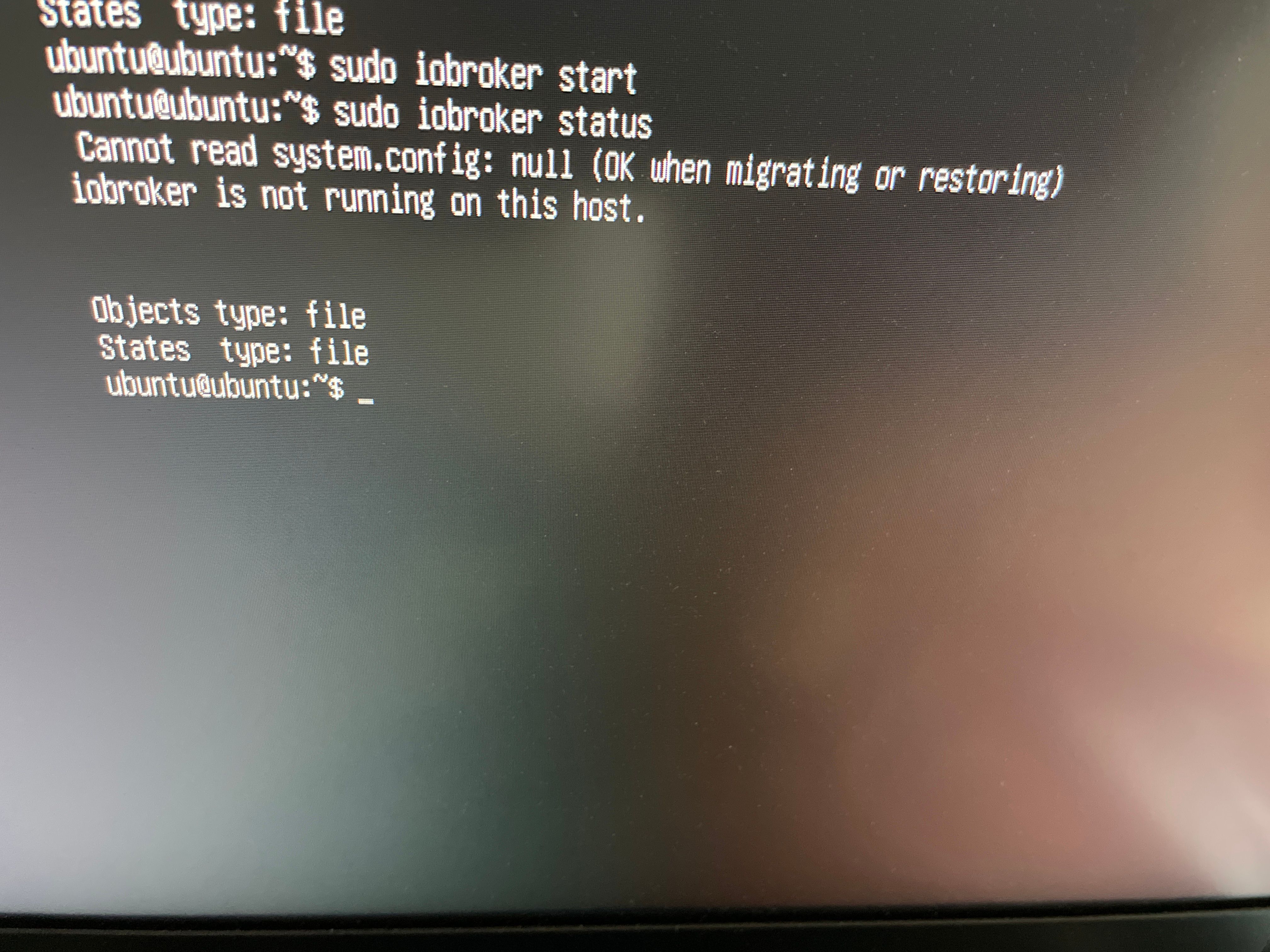
-
cd /opt/iobroker sudo -H -u iobroker npm install iobroker.js-controller iob restartubuntu@ubuntu:~$ sudo apt install nodejs=18.18.0-1nodesource1 Reading package lists... Done Building dependency tree... Done Reading state information... Done The following packages will be upgraded: nodejs 1 upgraded, 0 newly installed, 0 to remove and 22 not upgraded. Need to get 0 B/26.8 MB of archives. After this operation, 91.4 MB of additional disk space will be used. (Reading database ... 116546 files and directories currently installed.) Preparing to unpack .../nodejs_18.18.0-1nodesource1_armhf.deb ... Detected old npm client, removing... Unpacking nodejs (18.18.0-1nodesource1) over (12.22.7-deb-1nodesource1) ... Setting up nodejs (18.18.0-1nodesource1) ... Processing triggers for man-db (2.9.4-2) ... Scanning processes... Scanning processor microcode... Scanning linux images... Running kernel seems to be up-to-date. Failed to check for processor microcode upgrades. No services need to be restarted. No containers need to be restarted. No user sessions are running outdated binaries. ubuntu@ubuntu:~$ ^C ubuntu@ubuntu:~$ cd /opt/iobroker ubuntu@ubuntu:/opt/iobroker$ sudo -H -u iobroker npm install iobroker.js-controller npm WARN old lockfile npm WARN old lockfile The package-lock.json file was created with an old version of npm, npm WARN old lockfile so supplemental metadata must be fetched from the registry. npm WARN old lockfile npm WARN old lockfile This is a one-time fix-up, please be patient... npm WARN old lockfile changed 1 package in 9m 85 packages are looking for funding run `npm fund` for details ubuntu@ubuntu:/opt/iobroker$ iob restart ubuntu@ubuntu:/opt/iobroker$und nochmal diag
======== Start marking the full check here =========
Skript v.2023-06-20 *** BASE SYSTEM *** Static hostname: ubuntu Icon name: computer Machine ID: 551875df55414c0f832b43a896fe8ce5 Boot ID: a58fe4cd23274d7e86463c9c059dca8f Operating System: Ubuntu 21.04 Kernel: Linux 5.11.0-1027-raspi Architecture: arm Model : Raspberry Pi 4 Model B Rev 1.4 Docker : false Virtualization : none Kernel : armv7l Userland : armhf Systemuptime and Load: 13:34:12 up 1:43, 1 user, load average: 0.99, 0.93, 1.00 CPU threads: 4 *** Time and Time Zones *** Local time: Tue 2023-09-19 13:34:12 CEST Universal time: Tue 2023-09-19 11:34:12 UTC RTC time: n/a Time zone: Europe/Berlin (CEST, +0200) System clock synchronized: yes NTP service: active RTC in local TZ: no *** User and Groups *** ubuntu /home/ubuntu ubuntu adm dialout cdrom floppy sudo audio dip video plugdev netdev lxd iobroker *** X-Server-Setup *** X-Server: false Desktop: Terminal: tty Boot Target: graphical.target *** MEMORY *** total used free shared buff/cache available Mem: 7.9G 184M 6.6G 3.0M 1.1G 7.6G Swap: 0B 0B 0B Total: 7.9G 184M 6.6G 7886 M total memory 184 M used memory 544 M active memory 464 M inactive memory 6595 M free memory 236 M buffer memory 870 M swap cache 0 M total swap 0 M used swap 0 M free swap *** FILESYSTEM *** Filesystem Type Size Used Avail Use% Mounted on tmpfs tmpfs 789M 4.0M 785M 1% /run /dev/sda2 ext4 57G 7.0G 48G 13% / tmpfs tmpfs 3.9G 0 3.9G 0% /dev/shm tmpfs tmpfs 5.0M 0 5.0M 0% /run/lock tmpfs tmpfs 4.0M 0 4.0M 0% /sys/fs/cgroup /dev/sda1 vfat 253M 120M 133M 48% /boot/firmware tmpfs tmpfs 789M 4.0K 789M 1% /run/user/1000 Messages concerning ext4 filesystem in dmesg: [Tue Sep 19 11:50:44 2023] Kernel command line: coherent_pool=1M 8250.nr_uarts=1 snd_bcm2835.enable_compat_alsa=0 snd_bcm2835.enable_hdmi=1 bcm2708_fb.fbwidth=0 bcm2708_fb.fbheight=0 bcm2708_fb.fbswap=1 smsc95xx.macaddr=E4:5F:01:1B:22:9D vc_mem.mem_base=0x3eb00000 vc_mem.mem_size=0x3ff00000 dwc_otg.lpm_enable=0 console=ttyS0,115200 console=tty1 root=LABEL=writable rootfstype=ext4 elevator=deadline rootwait fixrtc quiet splash [Tue Sep 19 11:50:54 2023] EXT4-fs (sda2): mounted filesystem with ordered data mode. Opts: (null). Quota mode: none. [Tue Sep 19 11:50:57 2023] EXT4-fs (sda2): re-mounted. Opts: discard,errors=remount-ro. Quota mode: none. Show mounted filesystems (real ones only): TARGET SOURCE FSTYPE OPTIONS / /dev/sda2 ext4 rw,relatime,discard,errors=remount-ro |-/snap/core18/2789 /dev/loop0 squashfs ro,nodev,relatime |-/snap/core20/1894 /dev/loop2 squashfs ro,nodev,relatime |-/snap/core18/2795 /dev/loop1 squashfs ro,nodev,relatime |-/snap/lxd/24921 /dev/loop3 squashfs ro,nodev,relatime |-/snap/snapd/19366 /dev/loop4 squashfs ro,nodev,relatime |-/snap/snapd/20101 /dev/loop7 squashfs ro,nodev,relatime |-/snap/core22/754 /dev/loop8 squashfs ro,nodev,relatime |-/snap/core22/868 /dev/loop5 squashfs ro,nodev,relatime |-/snap/lxd/25507 /dev/loop9 squashfs ro,nodev,relatime |-/snap/core20/2018 /dev/loop6 squashfs ro,nodev,relatime `-/boot/firmware /dev/sda1 vfat rw,relatime,fmask=0022,dmask=0022,codepage=437,iocharset=ascii,shortname=mixed,errors=remount-ro Files in neuralgic directories: /var: 3.2G /var/ 1.9G /var/log 1.7G /var/log/journal/551875df55414c0f832b43a896fe8ce5 1.7G /var/log/journal 1.2G /var/lib Archived and active journals take up 1.6G in the file system. /opt/iobroker/backups: 54M /opt/iobroker/backups/ /opt/iobroker/iobroker-data: 149M /opt/iobroker/iobroker-data/ 129M /opt/iobroker/iobroker-data/files 59M /opt/iobroker/iobroker-data/files/javascript.admin 44M /opt/iobroker/iobroker-data/files/javascript.admin/static/js 44M /opt/iobroker/iobroker-data/files/javascript.admin/static The five largest files in iobroker-data are: 9.8M /opt/iobroker/iobroker-data/files/javascript.admin/static/js/2.f6fd0e72.chunk.js.map 9.5M /opt/iobroker/iobroker-data/files/javascript.admin/static/js/2.0ffea560.chunk.js.map 9.3M /opt/iobroker/iobroker-data/files/javascript.admin/static/js/2.b6edad9e.chunk.js.map 4.4M /opt/iobroker/iobroker-data/files/javascript.admin/vs/language/typescript/tsWorker.js 4.4M /opt/iobroker/iobroker-data/files/iot.admin/static/js/2.934fa7ad.chunk.js.map *** NodeJS-Installation *** /usr/bin/nodejs v18.18.0 /usr/bin/node v18.18.0 /usr/bin/npm 9.8.1 /usr/bin/npx 9.8.1 nodejs: Installed: 18.18.0-1nodesource1 Candidate: 18.18.0-1nodesource1 Version table: *** 18.18.0-1nodesource1 1001 500 https://deb.nodesource.com/node_18.x nodistro/main armhf Packages 100 /var/lib/dpkg/status 18.17.1-1nodesource1 1001 500 https://deb.nodesource.com/node_18.x nodistro/main armhf Packages 18.17.0-1nodesource1 1001 500 https://deb.nodesource.com/node_18.x nodistro/main armhf Packages 18.16.1-1nodesource1 1001 500 https://deb.nodesource.com/node_18.x nodistro/main armhf Packages 18.16.0-1nodesource1 1001 500 https://deb.nodesource.com/node_18.x nodistro/main armhf Packages 18.15.0-1nodesource1 1001 500 https://deb.nodesource.com/node_18.x nodistro/main armhf Packages 18.14.2-1nodesource1 1001 500 https://deb.nodesource.com/node_18.x nodistro/main armhf Packages 18.14.1-1nodesource1 1001 500 https://deb.nodesource.com/node_18.x nodistro/main armhf Packages 18.14.0-1nodesource1 1001 500 https://deb.nodesource.com/node_18.x nodistro/main armhf Packages 18.13.0-1nodesource1 1001 500 https://deb.nodesource.com/node_18.x nodistro/main armhf Packages 18.12.0-1nodesource1 1001 500 https://deb.nodesource.com/node_18.x nodistro/main armhf Packages 18.11.0-1nodesource1 1001 500 https://deb.nodesource.com/node_18.x nodistro/main armhf Packages 18.10.0-1nodesource1 1001 500 https://deb.nodesource.com/node_18.x nodistro/main armhf Packages 18.9.1-1nodesource1 1001 500 https://deb.nodesource.com/node_18.x nodistro/main armhf Packages 18.9.0-1nodesource1 1001 500 https://deb.nodesource.com/node_18.x nodistro/main armhf Packages 18.8.0-1nodesource1 1001 500 https://deb.nodesource.com/node_18.x nodistro/main armhf Packages 18.7.0-1nodesource1 1001 500 https://deb.nodesource.com/node_18.x nodistro/main armhf Packages 18.6.0-1nodesource1 1001 500 https://deb.nodesource.com/node_18.x nodistro/main armhf Packages 18.5.0-1nodesource1 1001 500 https://deb.nodesource.com/node_18.x nodistro/main armhf Packages 18.4.0-1nodesource1 1001 500 https://deb.nodesource.com/node_18.x nodistro/main armhf Packages 18.3.0-1nodesource1 1001 500 https://deb.nodesource.com/node_18.x nodistro/main armhf Packages 18.2.0-1nodesource1 1001 500 https://deb.nodesource.com/node_18.x nodistro/main armhf Packages 18.1.0-1nodesource1 1001 500 https://deb.nodesource.com/node_18.x nodistro/main armhf Packages 18.0.0-1nodesource1 1001 500 https://deb.nodesource.com/node_18.x nodistro/main armhf Packages 12.21.0~dfsg-3ubuntu1 500 500 http://ports.ubuntu.com/ubuntu-ports hirsute/universe armhf Packages Temp directories causing npm8 problem: 0 No problems detected Errors in npm tree: 0 *** ioBroker-Installation *** ioBroker Status Objects database error: connect ECONNREFUSED 127.0.0.1:9001 Objects database error: connect ECONNREFUSED 127.0.0.1:9001 No connection to databases possible ... No configuration change needed. Multihost discovery server: disabled Discovery authentication: enabled Persistent activation: disabled Objects: file on 127.0.0.1 States: file on 127.0.0.1 Core adapters versions js-controller: 3.3.22 admin: 5.2.1 javascript: 5.2.13 Adapters from github: 0 Adapter State + instance is alive Enabled adapters with bindings ioBroker-Repositories latest : http://download.iobroker.net/sources-dist-latest.json stable : http://download.iobroker.net/sources-dist.json Active repo: stable Installed ioBroker-Instances Used repository: stable hash changed or no sources cached => force download of new sources Cannot get any information of "_repoInfo". Ignored. update done Cannot find view "system" for search "instance" Error: Cannot find view "system" at ObjectsInRedisClient._getObjectView (/opt/iobroker/node_modules/@iobroker/db-objects-redis/lib/objects/objectsInRedisClient.js:3313:59) at process.processTicksAndRejections (node:internal/process/task_queues:95:5) Adapter "admin" : 6.10.1 , installed 5.2.1 [Updateable] Adapter "alexa2" : 3.25.2 , installed 3.9.3 [Updateable] Adapter "backitup" : 2.6.23 , installed 2.2.2 [Updateable] Adapter "cloud" : 4.4.1 , installed 4.1.0 [Updateable] Adapter "discovery" : 3.1.0 , installed 2.7.0 [Updateable] Adapter "flot" : 1.12.0 , installed 1.10.6 [Updateable] Adapter "heatingcontrol": 2.11.1 , installed 2.7.2 [Updateable] Adapter "history" : 2.2.6 , installed 1.9.14 [Updateable] Adapter "ical" : 1.13.3 , installed 1.11.4 [Updateable] Adapter "info" : 1.9.26 , installed 1.9.8 [Updateable] Adapter "iot" : 1.14.5 , installed 1.8.22 [Updateable] Adapter "javascript" : 7.1.4 , installed 5.2.13 [Updateable] Controller "js-controller" : 5.0.12 , installed 3.3.22 [Updateable] Adapter "linkeddevices" : 1.5.5 , installed 1.4.3 [Updateable] Adapter "mobile" : 1.0.1 , installed 1.0.1 Adapter "radar2" : 2.0.7 , installed 2.0.3 [Updateable] Adapter "rpi2" : 1.3.2 , installed 1.3.1 [Updateable] Adapter "shuttercontrol": 1.6.1 , installed 1.2.1 [Updateable] Adapter "simple-api" : 2.7.2 , installed 2.6.2 [Updateable] Adapter "socketio" : 6.5.5 , installed 3.1.4 [Updateable] Adapter "telegram" : 1.16.0 , installed 1.10.0 [Updateable] Adapter "text2command" : 3.0.2 , installed 2.1.1 [Updateable] Adapter "tr-064" : 4.2.18 , installed 4.2.14 [Updateable] Adapter "vis" : 1.4.16 , installed 1.4.5 [Updateable] Adapter "vis-colorpicker": 2.0.3 , installed 1.2.0 [Updateable] Adapter "vis-hqwidgets" : 1.4.0 , installed 1.1.7 [Updateable] Adapter "vis-jqui-mfd" : 1.0.12 , installed 1.0.12 Adapter "vis-metro" : 1.2.0 , installed 1.1.2 [Updateable] Adapter "vis-timeandweather": 1.2.2 , installed 1.1.7 [Updateable] Adapter "web" : 6.1.2 , installed 3.4.9 [Updateable] Adapter "zwave2" : 3.0.5 , installed 2.4.1 [Updateable] Objects and States Please stand by - This may take a while Objects: 11 States: 21 *** OS-Repositories and Updates *** E: The repository 'http://ports.ubuntu.com/ubuntu-ports hirsute Release' no longer has a Release file. E: The repository 'http://ports.ubuntu.com/ubuntu-ports hirsute-updates Release' no longer has a Release file. E: The repository 'http://ports.ubuntu.com/ubuntu-ports hirsute-backports Release' no longer has a Release file. E: The repository 'http://ports.ubuntu.com/ubuntu-ports hirsute-security Release' no longer has a Release file. Pending Updates: 22 *** Listening Ports *** Active Internet connections (only servers) Proto Recv-Q Send-Q Local Address Foreign Address State User Inode PID/Program name tcp 0 0 127.0.0.1:9001 0.0.0.0:* LISTEN 1001 287610 4905/iobroker.js-co tcp 0 0 127.0.0.53:53 0.0.0.0:* LISTEN 101 39620 1926/systemd-resolv tcp 0 0 0.0.0.0:22 0.0.0.0:* LISTEN 0 38625 2046/sshd: /usr/sbi tcp6 0 0 :::22 :::* LISTEN 0 38627 2046/sshd: /usr/sbi udp 0 0 127.0.0.53:53 0.0.0.0:* 101 39619 1926/systemd-resolv udp 0 0 192.168.178.51:68 0.0.0.0:* 100 41269 1924/systemd-networ udp6 0 0 fe80::e65f:1ff:fe1b:546 :::* 100 40545 1924/systemd-networ *** Log File - Last 25 Lines *** 2023-09-19 13:35:02.363 - error: host.ubuntu Cannot find view "system" for search "state" 2023-09-19 13:35:02.363 - error: host.ubuntu Cannot find view "system" for search "instance" 2023-09-19 13:35:02.368 - error: host.ubuntu Could not collect system.host.ubuntu states to check for obsolete states: Error: Cannot find view "system" 2023-09-19 13:35:02.369 - error: host.ubuntu _design/system missing - call node iobroker.js setup 2023-09-19 13:35:02.369 - info: host.ubuntu no instances found 2023-09-19 13:35:02.384 - error: host.ubuntu uncaught exception: doc.rows is not iterable 2023-09-19 13:35:02.385 - error: host.ubuntu TypeError: doc.rows is not iterable at Object.getInstancesOrderedByStartPrio (/opt/iobroker/node_modules/iobroker.js-controller/lib/tools.js:2863:27) at getInstances (/opt/iobroker/node_modules/iobroker.js-controller/main.js:2707:23) 2023-09-19 13:35:02.395 - info: host.ubuntu iobroker _restart 2023-09-19 13:35:02.443 - error: host.ubuntu Cannot write host object:Error: DB closed 2023-09-19 13:35:02.705 - info: host.ubuntu terminated 2023-09-19 13:35:03.353 - info: host.ubuntu iobroker Starting node restart.js 2023-09-19 13:35:05.193 - info: host.ubuntu iobroker.js-controller version 3.3.22 js-controller starting 2023-09-19 13:35:05.199 - info: host.ubuntu Copyright (c) 2014-2021 bluefox, 2014 hobbyquaker 2023-09-19 13:35:05.200 - info: host.ubuntu hostname: ubuntu, node: v18.18.0 2023-09-19 13:35:05.201 - info: host.ubuntu ip addresses: 192.168.178.51 2003:fa:736:b00:e65f:1ff:fe1b:229d fe80::e65f:1ff:fe1b:229d 2023-09-19 13:35:05.343 - info: host.ubuntu-Server Error inMem-objects listening on port 9000: Error: listen EADDRINUSE: address already in use 127.0.0.1:9000 2023-09-19 13:35:35.225 - error: host.ubuntu No connection to databases possible, restart 2023-09-19 13:35:35.235 - info: host.ubuntu iobroker _restart 2023-09-19 13:35:40.760 - info: host.ubuntu iobroker.js-controller version 3.3.22 js-controller starting 2023-09-19 13:35:40.765 - info: host.ubuntu Copyright (c) 2014-2021 bluefox, 2014 hobbyquaker 2023-09-19 13:35:40.767 - info: host.ubuntu hostname: ubuntu, node: v18.18.0 2023-09-19 13:35:40.768 - info: host.ubuntu ip addresses: 192.168.178.51 2003:fa:736:b00:e65f:1ff:fe1b:229d fe80::e65f:1ff:fe1b:229d 2023-09-19 13:35:41.092 - info: host.ubuntu-Server Error inMem-objects listening on port 9000: Error: listen EADDRINUSE: address already in use 127.0.0.1:9000============ Mark until here for C&P =============
iob diag has finished.
Press any key for a summary
-
ubuntu@ubuntu:~$ sudo apt install nodejs=18.18.0-1nodesource1
Reading package lists... Done
Building dependency tree... Done
Reading state information... Done
The following packages will be upgraded:
  nodejs
1 upgraded, 0 newly installed, 0 to remove and 22 not upgraded.
Need to get 0 B/26.8 MB of archives.
After this operation, 91.4 MB of additional disk space will be used.
(Reading database ... 116546 files and directories currently installed.)
Preparing to unpack .../nodejs_18.18.0-1nodesource1_armhf.deb ...
Detected old npm client, removing...
Unpacking nodejs (18.18.0-1nodesource1) over (12.22.7-deb-1nodesource1) ...
Setting up nodejs (18.18.0-1nodesource1) ...
Processing triggers for man-db (2.9.4-2) ...
Scanning processes...
Scanning processor microcode...
Scanning linux images...

Running kernel seems to be up-to-date.

Failed to check for processor microcode upgrades.

No services need to be restarted.

No containers need to be restarted.

No user sessions are running outdated binaries.
ubuntu@ubuntu:~$ ^C
ubuntu@ubuntu:~$ cd /opt/iobroker
ubuntu@ubuntu:/opt/iobroker$ sudo -H -u iobroker npm install iobroker.js-controller
npm WARN old lockfile
npm WARN old lockfile The package-lock.json file was created with an old version of npm,
npm WARN old lockfile so supplemental metadata must be fetched from the registry.
npm WARN old lockfile
npm WARN old lockfile This is a one-time fix-up, please be patient...
npm WARN old lockfile

changed 1 package in 9m

85 packages are looking for funding
  run `npm fund` for details
ubuntu@ubuntu:/opt/iobroker$ iob restart
ubuntu@ubuntu:/opt/iobroker$
und nochmal diag
======== Start marking the full check here =========
Skript v.2023-06-20

*** BASE SYSTEM ***
   Static hostname: ubuntu
         Icon name: computer
        Machine ID: 551875df55414c0f832b43a896fe8ce5
           Boot ID: a58fe4cd23274d7e86463c9c059dca8f
  Operating System: Ubuntu 21.04
            Kernel: Linux 5.11.0-1027-raspi
      Architecture: arm

Model           : Raspberry Pi 4 Model B Rev 1.4
Docker          : false
Virtualization  : none
Kernel          : armv7l
Userland        : armhf

Systemuptime and Load:
 13:34:12 up  1:43,  1 user,  load average: 0.99, 0.93, 1.00
CPU threads: 4


*** Time and Time Zones ***
               Local time: Tue 2023-09-19 13:34:12 CEST
           Universal time: Tue 2023-09-19 11:34:12 UTC
                 RTC time: n/a
                Time zone: Europe/Berlin (CEST, +0200)
System clock synchronized: yes
              NTP service: active
          RTC in local TZ: no

*** User and Groups ***
ubuntu
/home/ubuntu
ubuntu adm dialout cdrom floppy sudo audio dip video plugdev netdev lxd iobroker

*** X-Server-Setup ***
X-Server:       false
Desktop:
Terminal:       tty
Boot Target:    graphical.target

*** MEMORY ***
              total        used        free      shared  buff/cache   available
Mem:           7.9G        184M        6.6G        3.0M        1.1G        7.6G
Swap:            0B          0B          0B
Total:         7.9G        184M        6.6G

         7886 M total memory
          184 M used memory
          544 M active memory
          464 M inactive memory
         6595 M free memory
          236 M buffer memory
          870 M swap cache
            0 M total swap
            0 M used swap
            0 M free swap

*** FILESYSTEM ***
Filesystem     Type   Size  Used Avail Use% Mounted on
tmpfs          tmpfs  789M  4.0M  785M   1% /run
/dev/sda2      ext4    57G  7.0G   48G  13% /
tmpfs          tmpfs  3.9G     0  3.9G   0% /dev/shm
tmpfs          tmpfs  5.0M     0  5.0M   0% /run/lock
tmpfs          tmpfs  4.0M     0  4.0M   0% /sys/fs/cgroup
/dev/sda1      vfat   253M  120M  133M  48% /boot/firmware
tmpfs          tmpfs  789M  4.0K  789M   1% /run/user/1000

Messages concerning ext4 filesystem in dmesg:
[Tue Sep 19 11:50:44 2023] Kernel command line: coherent_pool=1M 8250.nr_uarts=1 snd_bcm2835.enable_compat_alsa=0 snd_bcm2835.enable_hdmi=1 bcm2708_fb.fbwidth=0 bcm2708_fb.fbheight=0 bcm2708_fb.fbswap=1 smsc95xx.macaddr=E4:5F:01:1B:22:9D vc_mem.mem_base=0x3eb00000 vc_mem.mem_size=0x3ff00000  dwc_otg.lpm_enable=0 console=ttyS0,115200 console=tty1 root=LABEL=writable rootfstype=ext4 elevator=deadline rootwait fixrtc quiet splash
[Tue Sep 19 11:50:54 2023] EXT4-fs (sda2): mounted filesystem with ordered data mode. Opts: (null). Quota mode: none.
[Tue Sep 19 11:50:57 2023] EXT4-fs (sda2): re-mounted. Opts: discard,errors=remount-ro. Quota mode: none.

Show mounted filesystems (real ones only):
TARGET              SOURCE     FSTYPE   OPTIONS
/                   /dev/sda2  ext4     rw,relatime,discard,errors=remount-ro
|-/snap/core18/2789 /dev/loop0 squashfs ro,nodev,relatime
|-/snap/core20/1894 /dev/loop2 squashfs ro,nodev,relatime
|-/snap/core18/2795 /dev/loop1 squashfs ro,nodev,relatime
|-/snap/lxd/24921   /dev/loop3 squashfs ro,nodev,relatime
|-/snap/snapd/19366 /dev/loop4 squashfs ro,nodev,relatime
|-/snap/snapd/20101 /dev/loop7 squashfs ro,nodev,relatime
|-/snap/core22/754  /dev/loop8 squashfs ro,nodev,relatime
|-/snap/core22/868  /dev/loop5 squashfs ro,nodev,relatime
|-/snap/lxd/25507   /dev/loop9 squashfs ro,nodev,relatime
|-/snap/core20/2018 /dev/loop6 squashfs ro,nodev,relatime
`-/boot/firmware    /dev/sda1  vfat     rw,relatime,fmask=0022,dmask=0022,codepage=437,iocharset=ascii,shortname=mixed,errors=remount-ro

Files in neuralgic directories:

/var:
3.2G    /var/
1.9G    /var/log
1.7G    /var/log/journal/551875df55414c0f832b43a896fe8ce5
1.7G    /var/log/journal
1.2G    /var/lib

Archived and active journals take up 1.6G in the file system.

/opt/iobroker/backups:
54M     /opt/iobroker/backups/

/opt/iobroker/iobroker-data:
149M    /opt/iobroker/iobroker-data/
129M    /opt/iobroker/iobroker-data/files
59M     /opt/iobroker/iobroker-data/files/javascript.admin
44M     /opt/iobroker/iobroker-data/files/javascript.admin/static/js
44M     /opt/iobroker/iobroker-data/files/javascript.admin/static

The five largest files in iobroker-data are:
9.8M    /opt/iobroker/iobroker-data/files/javascript.admin/static/js/2.f6fd0e72.chunk.js.map
9.5M    /opt/iobroker/iobroker-data/files/javascript.admin/static/js/2.0ffea560.chunk.js.map
9.3M    /opt/iobroker/iobroker-data/files/javascript.admin/static/js/2.b6edad9e.chunk.js.map
4.4M    /opt/iobroker/iobroker-data/files/javascript.admin/vs/language/typescript/tsWorker.js
4.4M    /opt/iobroker/iobroker-data/files/iot.admin/static/js/2.934fa7ad.chunk.js.map

*** NodeJS-Installation ***

/usr/bin/nodejs         v18.18.0
/usr/bin/node           v18.18.0
/usr/bin/npm            9.8.1
/usr/bin/npx            9.8.1


nodejs:
  Installed: 18.18.0-1nodesource1
  Candidate: 18.18.0-1nodesource1
  Version table:
 *** 18.18.0-1nodesource1 1001
        500 https://deb.nodesource.com/node_18.x nodistro/main armhf Packages
        100 /var/lib/dpkg/status
     18.17.1-1nodesource1 1001
        500 https://deb.nodesource.com/node_18.x nodistro/main armhf Packages
     18.17.0-1nodesource1 1001
        500 https://deb.nodesource.com/node_18.x nodistro/main armhf Packages
     18.16.1-1nodesource1 1001
        500 https://deb.nodesource.com/node_18.x nodistro/main armhf Packages
     18.16.0-1nodesource1 1001
        500 https://deb.nodesource.com/node_18.x nodistro/main armhf Packages
     18.15.0-1nodesource1 1001
        500 https://deb.nodesource.com/node_18.x nodistro/main armhf Packages
     18.14.2-1nodesource1 1001
        500 https://deb.nodesource.com/node_18.x nodistro/main armhf Packages
     18.14.1-1nodesource1 1001
        500 https://deb.nodesource.com/node_18.x nodistro/main armhf Packages
     18.14.0-1nodesource1 1001
        500 https://deb.nodesource.com/node_18.x nodistro/main armhf Packages
     18.13.0-1nodesource1 1001
        500 https://deb.nodesource.com/node_18.x nodistro/main armhf Packages
     18.12.0-1nodesource1 1001
        500 https://deb.nodesource.com/node_18.x nodistro/main armhf Packages
     18.11.0-1nodesource1 1001
        500 https://deb.nodesource.com/node_18.x nodistro/main armhf Packages
     18.10.0-1nodesource1 1001
        500 https://deb.nodesource.com/node_18.x nodistro/main armhf Packages
     18.9.1-1nodesource1 1001
        500 https://deb.nodesource.com/node_18.x nodistro/main armhf Packages
     18.9.0-1nodesource1 1001
        500 https://deb.nodesource.com/node_18.x nodistro/main armhf Packages
     18.8.0-1nodesource1 1001
        500 https://deb.nodesource.com/node_18.x nodistro/main armhf Packages
     18.7.0-1nodesource1 1001
        500 https://deb.nodesource.com/node_18.x nodistro/main armhf Packages
     18.6.0-1nodesource1 1001
        500 https://deb.nodesource.com/node_18.x nodistro/main armhf Packages
     18.5.0-1nodesource1 1001
        500 https://deb.nodesource.com/node_18.x nodistro/main armhf Packages
     18.4.0-1nodesource1 1001
        500 https://deb.nodesource.com/node_18.x nodistro/main armhf Packages
     18.3.0-1nodesource1 1001
        500 https://deb.nodesource.com/node_18.x nodistro/main armhf Packages
     18.2.0-1nodesource1 1001
        500 https://deb.nodesource.com/node_18.x nodistro/main armhf Packages
     18.1.0-1nodesource1 1001
        500 https://deb.nodesource.com/node_18.x nodistro/main armhf Packages
     18.0.0-1nodesource1 1001
        500 https://deb.nodesource.com/node_18.x nodistro/main armhf Packages
     12.21.0~dfsg-3ubuntu1 500
        500 http://ports.ubuntu.com/ubuntu-ports hirsute/universe armhf Packages

Temp directories causing npm8 problem: 0
No problems detected

Errors in npm tree: 0

*** ioBroker-Installation ***

ioBroker Status
 Objects database error: connect ECONNREFUSED 127.0.0.1:9001
 Objects database error: connect ECONNREFUSED 127.0.0.1:9001
No connection to databases possible ...

No configuration change needed.


Multihost discovery server: disabled
Discovery authentication:   enabled
Persistent activation:      disabled
Objects:                    file on 127.0.0.1
States:                     file on 127.0.0.1

Core adapters versions
js-controller:  3.3.22
admin:          5.2.1
javascript:     5.2.13

Adapters from github:   0

Adapter State


+ instance is alive

Enabled adapters with bindings

ioBroker-Repositories
latest      : http://download.iobroker.net/sources-dist-latest.json
stable      : http://download.iobroker.net/sources-dist.json

Active repo: stable

Installed ioBroker-Instances
Used repository: stable
hash changed or no sources cached => force download of new sources
Cannot get any information of "_repoInfo". Ignored.
update done
 Cannot find view "system" for search "instance"
Error: Cannot find view "system"
    at ObjectsInRedisClient._getObjectView (/opt/iobroker/node_modules/@iobroker/db-objects-redis/lib/objects/objectsInRedisClient.js:3313:59)
    at process.processTicksAndRejections (node:internal/process/task_queues:95:5)
Adapter    "admin"         : 6.10.1   , installed 5.2.1 [Updateable]
Adapter    "alexa2"        : 3.25.2   , installed 3.9.3 [Updateable]
Adapter    "backitup"      : 2.6.23   , installed 2.2.2 [Updateable]
Adapter    "cloud"         : 4.4.1    , installed 4.1.0 [Updateable]
Adapter    "discovery"     : 3.1.0    , installed 2.7.0 [Updateable]
Adapter    "flot"          : 1.12.0   , installed 1.10.6 [Updateable]
Adapter    "heatingcontrol": 2.11.1   , installed 2.7.2 [Updateable]
Adapter    "history"       : 2.2.6    , installed 1.9.14 [Updateable]
Adapter    "ical"          : 1.13.3   , installed 1.11.4 [Updateable]
Adapter    "info"          : 1.9.26   , installed 1.9.8 [Updateable]
Adapter    "iot"           : 1.14.5   , installed 1.8.22 [Updateable]
Adapter    "javascript"    : 7.1.4    , installed 5.2.13 [Updateable]
Controller "js-controller" : 5.0.12   , installed 3.3.22 [Updateable]
Adapter    "linkeddevices" : 1.5.5    , installed 1.4.3 [Updateable]
Adapter    "mobile"        : 1.0.1    , installed 1.0.1
Adapter    "radar2"        : 2.0.7    , installed 2.0.3 [Updateable]
Adapter    "rpi2"          : 1.3.2    , installed 1.3.1 [Updateable]
Adapter    "shuttercontrol": 1.6.1    , installed 1.2.1 [Updateable]
Adapter    "simple-api"    : 2.7.2    , installed 2.6.2 [Updateable]
Adapter    "socketio"      : 6.5.5    , installed 3.1.4 [Updateable]
Adapter    "telegram"      : 1.16.0   , installed 1.10.0 [Updateable]
Adapter    "text2command"  : 3.0.2    , installed 2.1.1 [Updateable]
Adapter    "tr-064"        : 4.2.18   , installed 4.2.14 [Updateable]
Adapter    "vis"           : 1.4.16   , installed 1.4.5 [Updateable]
Adapter    "vis-colorpicker": 2.0.3   , installed 1.2.0 [Updateable]
Adapter    "vis-hqwidgets" : 1.4.0    , installed 1.1.7 [Updateable]
Adapter    "vis-jqui-mfd"  : 1.0.12   , installed 1.0.12
Adapter    "vis-metro"     : 1.2.0    , installed 1.1.2 [Updateable]
Adapter    "vis-timeandweather": 1.2.2   , installed 1.1.7 [Updateable]
Adapter    "web"           : 6.1.2    , installed 3.4.9 [Updateable]
Adapter    "zwave2"        : 3.0.5    , installed 2.4.1 [Updateable]

Objects and States
Please stand by - This may take a while
Objects:        11
States:         21

*** OS-Repositories and Updates ***
E: The repository 'http://ports.ubuntu.com/ubuntu-ports hirsute Release' no longer has a Release file.
E: The repository 'http://ports.ubuntu.com/ubuntu-ports hirsute-updates Release' no longer has a Release file.
E: The repository 'http://ports.ubuntu.com/ubuntu-ports hirsute-backports Release' no longer has a Release file.
E: The repository 'http://ports.ubuntu.com/ubuntu-ports hirsute-security Release' no longer has a Release file.
Pending Updates: 22

*** Listening Ports ***
Active Internet connections (only servers)
Proto Recv-Q Send-Q Local Address           Foreign Address         State       User       Inode      PID/Program name
tcp        0      0 127.0.0.1:9001          0.0.0.0:*               LISTEN      1001       287610     4905/iobroker.js-co
tcp        0      0 127.0.0.53:53           0.0.0.0:*               LISTEN      101        39620      1926/systemd-resolv
tcp        0      0 0.0.0.0:22              0.0.0.0:*               LISTEN      0          38625      2046/sshd: /usr/sbi
tcp6       0      0 :::22                   :::*                    LISTEN      0          38627      2046/sshd: /usr/sbi
udp        0      0 127.0.0.53:53           0.0.0.0:*                           101        39619      1926/systemd-resolv
udp        0      0 192.168.178.51:68       0.0.0.0:*                           100        41269      1924/systemd-networ
udp6       0      0 fe80::e65f:1ff:fe1b:546 :::*                                100        40545      1924/systemd-networ

*** Log File - Last 25 Lines ***

2023-09-19 13:35:02.363  - error: host.ubuntu Cannot find view "system" for search "state"
2023-09-19 13:35:02.363  - error: host.ubuntu Cannot find view "system" for search "instance"
2023-09-19 13:35:02.368  - error: host.ubuntu Could not collect system.host.ubuntu states to check for obsolete states: Error: Cannot find view "system"
2023-09-19 13:35:02.369  - error: host.ubuntu _design/system missing - call node iobroker.js setup
2023-09-19 13:35:02.369  - info: host.ubuntu no instances found
2023-09-19 13:35:02.384  - error: host.ubuntu uncaught exception: doc.rows is not iterable
2023-09-19 13:35:02.385  - error: host.ubuntu TypeError: doc.rows is not iterable
    at Object.getInstancesOrderedByStartPrio (/opt/iobroker/node_modules/iobroker.js-controller/lib/tools.js:2863:27)
    at getInstances (/opt/iobroker/node_modules/iobroker.js-controller/main.js:2707:23)
2023-09-19 13:35:02.395  - info: host.ubuntu iobroker _restart
2023-09-19 13:35:02.443  - error: host.ubuntu Cannot write host object:Error: DB closed
2023-09-19 13:35:02.705  - info: host.ubuntu terminated
2023-09-19 13:35:03.353  - info: host.ubuntu iobroker Starting node restart.js
2023-09-19 13:35:05.193  - info: host.ubuntu iobroker.js-controller version 3.3.22 js-controller starting
2023-09-19 13:35:05.199  - info: host.ubuntu Copyright (c) 2014-2021 bluefox, 2014 hobbyquaker
2023-09-19 13:35:05.200  - info: host.ubuntu hostname: ubuntu, node: v18.18.0
2023-09-19 13:35:05.201  - info: host.ubuntu ip addresses: 192.168.178.51 2003:fa:736:b00:e65f:1ff:fe1b:229d fe80::e65f:1ff:fe1b:229d
2023-09-19 13:35:05.343  - info: host.ubuntu-Server  Error inMem-objects listening on port 9000: Error: listen EADDRINUSE: address already in use 127.0.0.1:9000
2023-09-19 13:35:35.225  - error: host.ubuntu No connection to databases possible, restart
2023-09-19 13:35:35.235  - info: host.ubuntu iobroker _restart
2023-09-19 13:35:40.760  - info: host.ubuntu iobroker.js-controller version 3.3.22 js-controller starting
2023-09-19 13:35:40.765  - info: host.ubuntu Copyright (c) 2014-2021 bluefox, 2014 hobbyquaker
2023-09-19 13:35:40.767  - info: host.ubuntu hostname: ubuntu, node: v18.18.0
2023-09-19 13:35:40.768  - info: host.ubuntu ip addresses: 192.168.178.51 2003:fa:736:b00:e65f:1ff:fe1b:229d fe80::e65f:1ff:fe1b:229d
2023-09-19 13:35:41.092  - info: host.ubuntu-Server  Error inMem-objects listening on port 9000: Error: listen EADDRINUSE: address already in use 127.0.0.1:9000
============ Mark until here for C&P =============
iob diag has finished.
Press any key for a summary
@esmax666 sagte in iobroker geht nicht nach stromausfall:
js-controller: 3.3.22
Steinalt. Wie der Rest von der Kiste halt auch...
Versuch es damit
iob update iob upgrade all -y iob stop iob fix iob upgrade self iob restart -
@esmax666 sagte in iobroker geht nicht nach stromausfall:
js-controller: 3.3.22
Steinalt. Wie der Rest von der Kiste halt auch...
Versuch es damit
iob update iob upgrade all -y iob stop iob fix iob upgrade self iob restart@thomas-braun said in iobroker geht nicht nach stromausfall:
iob stop
ich bekomme schonn hier fehler
ubuntu@ubuntu:/opt/iobroker$ iob update Used repository: stable hash unchanged, use cached sources update done Cannot find view "system" for search "instance" Error: Cannot find view "system" at ObjectsInMemoryServerClass._getObjectView (/opt/iobroker/node_modules/@iobroker/db-objects-redis/lib/objects/objectsInRedisClient.js:3313:59) at process.processTicksAndRejections (node:internal/process/task_queues:95:5) Adapter "admin" : 6.10.1 , installed 5.2.1 [Updateable] Adapter "alexa2" : 3.25.2 , installed 3.9.3 [Updateable] Adapter "backitup" : 2.6.23 , installed 2.2.2 [Updateable] Adapter "cloud" : 4.4.1 , installed 4.1.0 [Updateable] Adapter "discovery" : 3.1.0 , installed 2.7.0 [Updateable] Adapter "flot" : 1.12.0 , installed 1.10.6 [Updateable] Adapter "heatingcontrol": 2.11.1 , installed 2.7.2 [Updateable] Adapter "history" : 2.2.6 , installed 1.9.14 [Updateable] Adapter "ical" : 1.13.3 , installed 1.11.4 [Updateable] Adapter "info" : 1.9.26 , installed 1.9.8 [Updateable] Adapter "iot" : 1.14.5 , installed 1.8.22 [Updateable] Adapter "javascript" : 7.1.4 , installed 5.2.13 [Updateable] Controller "js-controller" : 5.0.12 , installed 3.3.22 [Updateable] Adapter "linkeddevices" : 1.5.5 , installed 1.4.3 [Updateable] Adapter "mobile" : 1.0.1 , installed 1.0.1 Adapter "radar2" : 2.0.7 , installed 2.0.3 [Updateable] Adapter "rpi2" : 1.3.2 , installed 1.3.1 [Updateable] Adapter "shuttercontrol": 1.6.1 , installed 1.2.1 [Updateable] Adapter "simple-api" : 2.7.2 , installed 2.6.2 [Updateable] Adapter "socketio" : 6.5.5 , installed 3.1.4 [Updateable] Adapter "telegram" : 1.16.0 , installed 1.10.0 [Updateable] Adapter "text2command" : 3.0.2 , installed 2.1.1 [Updateable] Adapter "tr-064" : 4.2.18 , installed 4.2.14 [Updateable] Adapter "vis" : 1.4.16 , installed 1.4.5 [Updateable] Adapter "vis-colorpicker": 2.0.3 , installed 1.2.0 [Updateable] Adapter "vis-hqwidgets" : 1.4.0 , installed 1.1.7 [Updateable] Adapter "vis-jqui-mfd" : 1.0.12 , installed 1.0.12 Adapter "vis-metro" : 1.2.0 , installed 1.1.2 [Updateable] Adapter "vis-timeandweather": 1.2.2 , installed 1.1.7 [Updateable] Adapter "web" : 6.1.2 , installed 3.4.9 [Updateable] Adapter "zwave2" : 3.0.5 , installed 2.4.1 [Updateable] ubuntu@ubuntu:/opt/iobroker$ iob upgrade all -y Cannot find view "system" for search "instance" Cannot find view "system" Cannot find view "system" for search "instance" Cannot find view "system" Cannot find view "system" for search "instance" Cannot find view "system" Cannot find view "system" for search "instance" Cannot find view "system" Cannot find view "system" for search "instance" Cannot find view "system" Cannot find view "system" for search "instance" Cannot find view "system" Cannot find view "system" for search "instance" Cannot find view "system" Cannot find view "system" for search "instance" Cannot find view "system" Cannot find view "system" for search "instance" Cannot find view "system" Cannot find view "system" for search "instance" Cannot find view "system" Cannot find view "system" for search "instance" Cannot find view "system" Cannot find view "system" for search "instance" Cannot find view "system" Cannot find view "system" for search "instance" Cannot find view "system" Cannot find view "system" for search "instance" Cannot find view "system" Cannot find view "system" for search "instance" Cannot find view "system" Cannot find view "system" for search "instance" Cannot find view "system" Cannot find view "system" for search "instance" Cannot find view "system" Cannot find view "system" for search "instance" Cannot find view "system" Cannot find view "system" for search "instance" Cannot find view "system" Cannot find view "system" for search "instance" Cannot find view "system" Cannot find view "system" for search "instance" Cannot find view "system" Cannot find view "system" for search "instance" Cannot find view "system" Cannot find view "system" for search "instance" Cannot find view "system" Cannot find view "system" for search "instance" Cannot find view "system" Cannot find view "system" for search "instance" Cannot find view "system" Cannot find view "system" for search "instance" Cannot find view "system" Cannot find view "system" for search "instance" Cannot find view "system" Cannot find view "system" for search "instance" Cannot find view "system" ubuntu@ubuntu:/opt/iobroker -
@esmax666 sagte in iobroker geht nicht nach stromausfall:
js-controller: 3.3.22
Steinalt. Wie der Rest von der Kiste halt auch...
Versuch es damit
iob update iob upgrade all -y iob stop iob fix iob upgrade self iob restart@thomas-braun sagte in iobroker geht nicht nach stromausfall:
js-controller: 3.3.22
ich glaube mich dunkel daran zu erinnern, das man von so alten installationen nicht in einem rutsch auf aktuell aktualisieren kann.
ich musste damals erst auf die letzte 3er version mit npm install den js-controller aktualisieren und dann ging es wieder mit iob upgrade weiter.das ist aber nicht sicher, wie gesagt kann mich nur dunkel daran erinnern.
auch das einspielen eines backups könnte von so alten versionen problematisch sein. aber da müssen sich hier noch andere dazu äußernMeine Adapter und Widgets
TVProgram, SqueezeboxRPC, OpenLiga, RSSFeed, MyTime,, pi-hole2, vis-json-template, skiinfo, vis-mapwidgets, vis-2-widgets-rssfeed
Links im Profil -
@thomas-braun sagte in iobroker geht nicht nach stromausfall:
js-controller: 3.3.22
ich glaube mich dunkel daran zu erinnern, das man von so alten installationen nicht in einem rutsch auf aktuell aktualisieren kann.
ich musste damals erst auf die letzte 3er version mit npm install den js-controller aktualisieren und dann ging es wieder mit iob upgrade weiter.das ist aber nicht sicher, wie gesagt kann mich nur dunkel daran erinnern.
auch das einspielen eines backups könnte von so alten versionen problematisch sein. aber da müssen sich hier noch andere dazu äußernIch hatte mich jetzt hieran orientiert:
Darüber hinaus ist der js-controller 5.0 generell kompatibel mit allen bestehenden ioBroker-Systemen. Ein Update von der 2.0/2.1/2.2/3.x ist problemlos möglich. Wir empfehlen allerings vor dem Update auf die 5.0 idealerweise ein Update auf die 4.0 und vorher auf 3.3.x durchzuführen, da ein Downgrade nach einem erfolgten Update nur auf eine 3.3.x möglich ist (siehe FAQ)! Nur die Node.js Version muss weiterhin mindestens 16.x sein, wie oben bereits ausgeführt.
Eine zwingende Installation von Vorversionen lese ich da nicht heraus.
-
Ich hatte mich jetzt hieran orientiert:
Darüber hinaus ist der js-controller 5.0 generell kompatibel mit allen bestehenden ioBroker-Systemen. Ein Update von der 2.0/2.1/2.2/3.x ist problemlos möglich. Wir empfehlen allerings vor dem Update auf die 5.0 idealerweise ein Update auf die 4.0 und vorher auf 3.3.x durchzuführen, da ein Downgrade nach einem erfolgten Update nur auf eine 3.3.x möglich ist (siehe FAQ)! Nur die Node.js Version muss weiterhin mindestens 16.x sein, wie oben bereits ausgeführt.
Eine zwingende Installation von Vorversionen lese ich da nicht heraus.
@thomas-braun
wenn es klappt, dann gutist gesichert, das sein Datenspeicher noch gut ist?
Nach Stromausfall zicken manchmal die SD-Cards rumMeine Adapter und Widgets
TVProgram, SqueezeboxRPC, OpenLiga, RSSFeed, MyTime,, pi-hole2, vis-json-template, skiinfo, vis-mapwidgets, vis-2-widgets-rssfeed
Links im Profil -
@thomas-braun
wenn es klappt, dann gutist gesichert, das sein Datenspeicher noch gut ist?
Nach Stromausfall zicken manchmal die SD-Cards rum@oliverio sagte in iobroker geht nicht nach stromausfall:
wenn es klappt, dann gut
Offenbar klappt es nicht.
Cannot find view "system" for search "instance"
Da gab es aber auch schon mal was gegen. Ich hab nur gerade kein Heilmittel parat.
-
@thomas-braun
wenn es klappt, dann gutist gesichert, das sein Datenspeicher noch gut ist?
Nach Stromausfall zicken manchmal die SD-Cards rum@oliverio sagte in iobroker geht nicht nach stromausfall:
Nach Stromausfall zicken manchmal die SD-Cards rum
Ja, die fressen dann offene files...
Ist hier ja auch offenbar passiert. -
Die Fehlermeldung scheint auf redis hinzuweisen, das er da die system.* datenpunkte nicht findet.
evtl ist die redis db kaputtError: Cannot find view "system" at ObjectsInMemoryServerClass._getObjectView (/opt/iobroker/node_modules/@iobroker/db-objects-redis/lib/objects/objectsInRedisClient.js:3313:59)Meine Adapter und Widgets
TVProgram, SqueezeboxRPC, OpenLiga, RSSFeed, MyTime,, pi-hole2, vis-json-template, skiinfo, vis-mapwidgets, vis-2-widgets-rssfeed
Links im Profil -
Die Fehlermeldung scheint auf redis hinzuweisen, das er da die system.* datenpunkte nicht findet.
evtl ist die redis db kaputtError: Cannot find view "system" at ObjectsInMemoryServerClass._getObjectView (/opt/iobroker/node_modules/@iobroker/db-objects-redis/lib/objects/objectsInRedisClient.js:3313:59)Da hab ich überhaupt keine Aktien drin.
Damals war glaube ich File/File der Standard? -
@thomas-braun sagte in iobroker geht nicht nach stromausfall:
js-controller: 3.3.22
ich glaube mich dunkel daran zu erinnern, das man von so alten installationen nicht in einem rutsch auf aktuell aktualisieren kann.
ich musste damals erst auf die letzte 3er version mit npm install den js-controller aktualisieren und dann ging es wieder mit iob upgrade weiter.das ist aber nicht sicher, wie gesagt kann mich nur dunkel daran erinnern.
auch das einspielen eines backups könnte von so alten versionen problematisch sein. aber da müssen sich hier noch andere dazu äußern -
-
@thomas-braun said in iobroker geht nicht nach stromausfall:
apt policy redis*
ubuntu@ubuntu:/opt/iobroker$ apt policy redis* redis-server: Installed: (none) Candidate: 5:6.0.11-1 Version table: 5:6.0.11-1 500 500 http://ports.ubuntu.com/ubuntu-ports hirsute/universe armhf Packages redis-redisearch-doc: Installed: (none) Candidate: 1:1.2.2-3 Version table: 1:1.2.2-3 500 500 http://ports.ubuntu.com/ubuntu-ports hirsute/universe armhf Packages redis-sentinel: Installed: (none) Candidate: 5:6.0.11-1 Version table: 5:6.0.11-1 500 500 http://ports.ubuntu.com/ubuntu-ports hirsute/universe armhf Packages redis-tools: Installed: (none) Candidate: 5:6.0.11-1 Version table: 5:6.0.11-1 500 500 http://ports.ubuntu.com/ubuntu-ports hirsute/universe armhf Packages redis-redisearch: Installed: (none) Candidate: 1:1.2.2-3 Version table: 1:1.2.2-3 500 500 http://ports.ubuntu.com/ubuntu-ports hirsute/universe armhf Packages redis: Installed: (none) Candidate: 5:6.0.11-1 Version table: 5:6.0.11-1 500 500 http://ports.ubuntu.com/ubuntu-ports hirsute/universe armhf Packages ubuntu@ubuntu:/opt/iobroker$ apt policy redis redis: Installed: (none) Candidate: 5:6.0.11-1 Version table: 5:6.0.11-1 500 500 http://ports.ubuntu.com/ubuntu-ports hirsute/universe armhf Packages ubuntu@ubuntu:/opt/iobroker$ -
@thomas-braun said in iobroker geht nicht nach stromausfall:
apt policy redis*
ubuntu@ubuntu:/opt/iobroker$ apt policy redis* redis-server: Installed: (none) Candidate: 5:6.0.11-1 Version table: 5:6.0.11-1 500 500 http://ports.ubuntu.com/ubuntu-ports hirsute/universe armhf Packages redis-redisearch-doc: Installed: (none) Candidate: 1:1.2.2-3 Version table: 1:1.2.2-3 500 500 http://ports.ubuntu.com/ubuntu-ports hirsute/universe armhf Packages redis-sentinel: Installed: (none) Candidate: 5:6.0.11-1 Version table: 5:6.0.11-1 500 500 http://ports.ubuntu.com/ubuntu-ports hirsute/universe armhf Packages redis-tools: Installed: (none) Candidate: 5:6.0.11-1 Version table: 5:6.0.11-1 500 500 http://ports.ubuntu.com/ubuntu-ports hirsute/universe armhf Packages redis-redisearch: Installed: (none) Candidate: 1:1.2.2-3 Version table: 1:1.2.2-3 500 500 http://ports.ubuntu.com/ubuntu-ports hirsute/universe armhf Packages redis: Installed: (none) Candidate: 5:6.0.11-1 Version table: 5:6.0.11-1 500 500 http://ports.ubuntu.com/ubuntu-ports hirsute/universe armhf Packages ubuntu@ubuntu:/opt/iobroker$ apt policy redis redis: Installed: (none) Candidate: 5:6.0.11-1 Version table: 5:6.0.11-1 500 500 http://ports.ubuntu.com/ubuntu-ports hirsute/universe armhf Packages ubuntu@ubuntu:/opt/iobroker$@esmax666 sagte in iobroker geht nicht nach stromausfall:
Demnach kann das nicht direkt über redis gelaufen sein. Sonst müsste da irgendwas aus der Ecke installiert sein.
cd /opt/iobroker
npm install iobroker.js-controller@4.0.24
liefert?
-
@esmax666 sagte in iobroker geht nicht nach stromausfall:
Demnach kann das nicht direkt über redis gelaufen sein. Sonst müsste da irgendwas aus der Ecke installiert sein.
cd /opt/iobroker
npm install iobroker.js-controller@4.0.24
liefert?
ubuntu@ubuntu:/opt/iobroker$ cd /opt/iobroker ubuntu@ubuntu:/opt/iobroker$ npm install iobroker.js-controller@4.0.24 added 48 packages, removed 33 packages, and changed 52 packages in 1m 86 packages are looking for funding run `npm fund` for details ubuntu@ubuntu:/opt/iobroker$ ~^C ubuntu@ubuntu:/opt/iobroker$ apt policy redis* redis-server: Installed: (none) Candidate: 5:6.0.11-1 Version table: 5:6.0.11-1 500 500 http://ports.ubuntu.com/ubuntu-ports hirsute/universe armhf Packages redis-redisearch-doc: Installed: (none) Candidate: 1:1.2.2-3 Version table: 1:1.2.2-3 500 500 http://ports.ubuntu.com/ubuntu-ports hirsute/universe armhf Packages redis-sentinel: Installed: (none) Candidate: 5:6.0.11-1 Version table: 5:6.0.11-1 500 500 http://ports.ubuntu.com/ubuntu-ports hirsute/universe armhf Packages redis-tools: Installed: (none) Candidate: 5:6.0.11-1 Version table: 5:6.0.11-1 500 500 http://ports.ubuntu.com/ubuntu-ports hirsute/universe armhf Packages redis-redisearch: Installed: (none) Candidate: 1:1.2.2-3 Version table: 1:1.2.2-3 500 500 http://ports.ubuntu.com/ubuntu-ports hirsute/universe armhf Packages redis: Installed: (none) Candidate: 5:6.0.11-1 Version table: 5:6.0.11-1 500 500 http://ports.ubuntu.com/ubuntu-ports hirsute/universe armhf Packages ubuntu@ubuntu:/opt/iobroker$ -
ubuntu@ubuntu:/opt/iobroker$ cd /opt/iobroker ubuntu@ubuntu:/opt/iobroker$ npm install iobroker.js-controller@4.0.24 added 48 packages, removed 33 packages, and changed 52 packages in 1m 86 packages are looking for funding run `npm fund` for details ubuntu@ubuntu:/opt/iobroker$ ~^C ubuntu@ubuntu:/opt/iobroker$ apt policy redis* redis-server: Installed: (none) Candidate: 5:6.0.11-1 Version table: 5:6.0.11-1 500 500 http://ports.ubuntu.com/ubuntu-ports hirsute/universe armhf Packages redis-redisearch-doc: Installed: (none) Candidate: 1:1.2.2-3 Version table: 1:1.2.2-3 500 500 http://ports.ubuntu.com/ubuntu-ports hirsute/universe armhf Packages redis-sentinel: Installed: (none) Candidate: 5:6.0.11-1 Version table: 5:6.0.11-1 500 500 http://ports.ubuntu.com/ubuntu-ports hirsute/universe armhf Packages redis-tools: Installed: (none) Candidate: 5:6.0.11-1 Version table: 5:6.0.11-1 500 500 http://ports.ubuntu.com/ubuntu-ports hirsute/universe armhf Packages redis-redisearch: Installed: (none) Candidate: 1:1.2.2-3 Version table: 1:1.2.2-3 500 500 http://ports.ubuntu.com/ubuntu-ports hirsute/universe armhf Packages redis: Installed: (none) Candidate: 5:6.0.11-1 Version table: 5:6.0.11-1 500 500 http://ports.ubuntu.com/ubuntu-ports hirsute/universe armhf Packages ubuntu@ubuntu:/opt/iobroker$iob restart ...etwas abwarten... iob status -
iob restart ...etwas abwarten... iob status@thomas-braun said in iobroker geht nicht nach stromausfall:
iob status
ubuntu@ubuntu:/opt/iobroker$ iob restart ubuntu@ubuntu:/opt/iobroker$ iob status iobroker is running on this host. Objects type: jsonl States type: jsonl ubuntu@ubuntu:/opt/iobroker$ -
@thomas-braun said in iobroker geht nicht nach stromausfall:
iob status
ubuntu@ubuntu:/opt/iobroker$ iob restart ubuntu@ubuntu:/opt/iobroker$ iob status iobroker is running on this host. Objects type: jsonl States type: jsonl ubuntu@ubuntu:/opt/iobroker$@esmax666
Okay, schaut schon besser aus.iob update iob upgrade all -y -
@esmax666
Okay, schaut schon besser aus.iob update iob upgrade all -y@thomas-braun said in iobroker geht nicht nach stromausfall:
iob upgrade all -y
ok läuft er braucht noch ein bisschen zeit

-
@thomas-braun said in iobroker geht nicht nach stromausfall:
iob upgrade all -y
ok läuft er braucht noch ein bisschen zeit
Klar, da muss ja jetzt jeder Adapter eine Zeitreise in die Gegenwart antreten.
Kannst 'ne Runde spazieren gehen. Das wird länger dauern.


Hey! Du scheinst an dieser Unterhaltung interessiert zu sein, hast aber noch kein Konto.
Hast du es satt, bei jedem Besuch durch die gleichen Beiträge zu scrollen? Wenn du dich für ein Konto anmeldest, kommst du immer genau dorthin zurück, wo du zuvor warst, und kannst dich über neue Antworten benachrichtigen lassen (entweder per E-Mail oder Push-Benachrichtigung). Du kannst auch Lesezeichen speichern und Beiträge positiv bewerten, um anderen Community-Mitgliedern deine Wertschätzung zu zeigen.
Mit deinem Input könnte dieser Beitrag noch besser werden 💗
Registrieren Anmelden414
Online33.0k
Benutzer83.4k
Themen1.3m
Beiträge