



Skip to content
  • Home
  • Recent
  • Tags
  • 0 Unread 0
  • Categories
  • Unreplied
  • Popular
  • GitHub
  • Docu
  • Hilfe
Skins
  • Light
  • Brite
  • Cerulean
  • Cosmo
  • Flatly
  • Journal
  • Litera
  • Lumen
  • Lux
  • Materia
  • Minty
  • Morph
  • Pulse
  • Sandstone
  • Simplex
  • Sketchy
  • Spacelab
  • United
  • Yeti
  • Zephyr
  • Dark
  • Cyborg
  • Darkly
  • Quartz
  • Slate
  • Solar
  • Superhero
  • Vapor

  • Default (No Skin)
  • No Skin
Collapse
ioBroker Logo

Community Forum

donate donate
  1. ioBroker Community Home
  2. Deutsch
  3. ioBroker Allgemein
  4. ZigBee macht mich irre und will einfach nicht.
NEWS

  • Weihnachtsangebot 2025! 🎄
    BluefoxB
    Bluefox
    22
    1
    1.2k

  • UPDATE 31.10.: Amazon Alexa - ioBroker Skill läuft aus ?
    apollon77A
    apollon77
    48
    3
    9.2k

  • Monatsrückblick – September 2025
    BluefoxB
    Bluefox
    14
    1
    2.5k

ZigBee macht mich irre und will einfach nicht.
Scheduled Pinned Locked Moved ioBroker Allgemein
58 Posts 8 Posters 4.2k Views 6 Watching
  • Oldest to Newest
  • Newest to Oldest
  • Most Votes
Reply
  • Reply as topic
Log in to reply
This topic has been deleted. Only users with topic management privileges can see it.
  • Lucifor1976L Offline
    Lucifor1976L Offline
    Lucifor1976
    wrote on last edited by Lucifor1976
    #1

    Hallo zusammen,

    ich habe ja schon leider ewig Probleme mit dem zigbee Adapter.
    Denen wollte ich dieser Tage an den Kragen, ich bekomm es aber nicht hin, es funktioniert einfach nicht.

    Ich habe einen Sonof Zigbee 3 USB Stick und neuerdings einen SMLight SLZB-06 Poe.
    Der Iobroker hat einen Master und (neuerdings zwei Slaves). Auf einem Slave läuft nur der Smartmeter und liest den Stromzähler aus. Der ZigBee ist nun auf einem weietren Slave, weil es auf dem Master auch nicht klappt.

    Derzeit ist der SMLight aus und ich versuche den Sonof zum laufen zu bewegen.
    Firmwareupdate vom Sonof habe ich gerade gemacht und lief problemlos durch.
    Der Raspberry 3 mit Debian 12.10 finden den Sonof auch.

    Den Zigbee Adapter bekomme ich nicht grün, es dauert ewig bis er gelb wird und mehr passiert nicht.

    Hier mal ein iobroker diag:


    ========== Start marking the full check here ===========

    Script v.2025-03-08
    
    *** BASE SYSTEM ***
     Static hostname: pizigbee
           Icon name: computer
    Operating System: Debian GNU/Linux 12 (bookworm)
              Kernel: Linux 6.12.25+rpt-rpi-v8
        Architecture: arm64
    OS is similar to: 
    
    Model		: Raspberry Pi 3 Model B Plus Rev 1.3
    Docker          : false
    Virtualization  : none
    Kernel          : aarch64
    Userland        : 64 bit
    
    Systemuptime and Load:
     12:22:23 up 27 min,  2 users,  load average: 0.31, 0.38, 0.26
    CPU threads: 4
    
    
    *** LIFE CYCLE STATUS ***
    Operating System is the current Debian stable version codenamed 'bookworm'!
    
    *** RASPBERRY THROTTLING ***
    Current issues:
    No throttling issues detected.
    
    Previously detected issues:
    ~ Under-voltage has occurred
    ~ Arm frequency capping has occurred
    ~ Throttling has occurred
    ~ Soft temperature limit has occurred
    
    *** TIME AND TIMEZONES ***
                   Local time: Wed 2025-06-11 12:22:24 CEST
               Universal time: Wed 2025-06-11 10:22:24 UTC
                     RTC time: n/a
                    Time zone: Europe/Berlin (CEST, +0200)
    System clock synchronized: yes
                  NTP service: active
              RTC in local TZ: no
    
    *** Users and Groups ***
    User that called 'iob diag':
    lucifor
    HOME=/home/lucifor
    GROUPS=lucifor adm dialout cdrom sudo audio video plugdev games users input render netdev gpio i2c spi iobroker
    
    User that is running 'js-controller':
    js-controller is not running
    
    *** DISPLAY-SERVER SETUP ***
    Display-Server: false
    Desktop: 	
    Terminal: 	tty
    
    *** MEMORY ***
                   total        used        free      shared  buff/cache   available
    Mem:            950M        165M        145M        3.1M        709M        785M
    Swap:           536M          0B        536M
    Total:          1.5G        165M        682M
    
    Active iob-Instances: 	43
    
              906 M total memory
              158 M used memory
              201 M active memory
              443 M inactive memory
              138 M free memory
               44 M buffer memory
              632 M swap cache
              511 M total swap
                0 M used swap
              511 M free swap
    
    *** top - Table Of Processes  ***
    top - 12:22:24 up 27 min,  2 users,  load average: 0.31, 0.38, 0.26
    Tasks: 155 total,   1 running, 154 sleeping,   0 stopped,   0 zombie
    %Cpu(s):  0.0 us, 28.6 sy,  0.0 ni, 71.4 id,  0.0 wa,  0.0 hi,  0.0 si,  0.0 st 
    MiB Mem :    906.7 total,    136.3 free,    160.3 used,    677.3 buff/cache     
    MiB Swap:    512.0 total,    512.0 free,      0.0 used.    746.4 avail Mem 
    
    *** FAILED SERVICES ***
    
      UNIT             LOAD   ACTIVE SUB    DESCRIPTION
    * iobroker.service loaded failed failed ioBroker Server
    
    LOAD   = Reflects whether the unit definition was properly loaded.
    ACTIVE = The high-level unit activation state, i.e. generalization of SUB.
    SUB    = The low-level unit activation state, values depend on unit type.
    1 loaded units listed.
    
    
    *** DMESG CRITICAL ERRORS ***
    3 CRITICAL ERRORS DETECTED! 
    Check 'sudo dmesg --level=emerg,alert,crit -T' for details
    
    *** FILESYSTEM ***
    Filesystem     Type      Size  Used Avail Use% Mounted on
    udev           devtmpfs  320M     0  320M   0% /dev
    tmpfs          tmpfs      91M  3.0M   88M   4% /run
    /dev/mmcblk0p2 ext4       15G  3.5G  9.9G  27% /
    tmpfs          tmpfs     454M     0  454M   0% /dev/shm
    tmpfs          tmpfs     5.0M   12K  5.0M   1% /run/lock
    /dev/mmcblk0p1 vfat      510M   57M  454M  12% /boot/firmware
    tmpfs          tmpfs      91M     0   91M   0% /run/user/1000
    
    Messages concerning ext4 filesystem in dmesg:
    [Wed Jun 11 11:54:51 2025] Kernel command line: coherent_pool=1M 8250.nr_uarts=0 snd_bcm2835.enable_headphones=0 cgroup_disable=memory snd_bcm2835.enable_headphones=1 snd_bcm2835.enable_hdmi=1 snd_bcm2835.enable_hdmi=0  vc_mem.mem_base=0x3ec00000 vc_mem.mem_size=0x40000000  console=ttyS0,115200 console=tty1 root=PARTUUID=33933b45-02 rootfstype=ext4 fsck.repair=yes rootwait cfg80211.ieee80211_regdom=DE
    [Wed Jun 11 11:54:55 2025] EXT4-fs (mmcblk0p2): mounted filesystem d4cc7d63-da78-48ad-9bdd-64ffbba449a8 ro with ordered data mode. Quota mode: none.
    [Wed Jun 11 11:54:58 2025] EXT4-fs (mmcblk0p2): re-mounted d4cc7d63-da78-48ad-9bdd-64ffbba449a8 r/w. Quota mode: none.
    
    Show mounted filesystems:
    TARGET           SOURCE         FSTYPE OPTIONS
    /                /dev/mmcblk0p2 ext4   rw,noatime,commit=600
    `-/boot/firmware /dev/mmcblk0p1 vfat   rw,relatime,fmask=0022,dmask=0022,codepage=437,iocharset=ascii,shortname=mixed,errors=remount-ro
    
    Files in neuralgic directories:
    
    /var:
    961M	/var/
    277M	/var/cache
    271M	/var/cache/apt
    172M	/var/lib
    157M	/var/cache/apt/archives
    
    Archived and active journals take up 1.9M in the file system.
    
    /opt/iobroker/backups:
    4.0K	/opt/iobroker/backups/
    
    /opt/iobroker/iobroker-data:
    69M	/opt/iobroker/iobroker-data/
    63M	/opt/iobroker/iobroker-data/files
    47M	/opt/iobroker/iobroker-data/files/admin.admin
    46M	/opt/iobroker/iobroker-data/files/admin.admin/custom/assets
    46M	/opt/iobroker/iobroker-data/files/admin.admin/custom
    
    The five largest files in iobroker-data are:
    8.1M	/opt/iobroker/iobroker-data/files/backitup.admin/assets/index-BFvcOIQE.js
    5.3M	/opt/iobroker/iobroker-data/objects.jsonl
    3.7M	/opt/iobroker/iobroker-data/files/backitup.admin/custom/assets/index-CyIqcfMJ.js
    3.7M	/opt/iobroker/iobroker-data/files/admin.admin/custom/assets/index-ZPb95xPG.js
    3.7M	/opt/iobroker/iobroker-data/files/admin.admin/custom/assets/index-IIKn7Ixx.js
    
    USB-Devices by-id:
    USB-Sticks -  Avoid direct links to /dev/tty* in your adapter setups, please always prefer the links 'by-id':
    
    /dev/serial/by-id/usb-Silicon_Labs_Sonoff_Zigbee_3.0_USB_Dongle_Plus_0001-if00-port0
    
    *** ZigBee Settings ***
    
    Your zigbee.0 COM-Port is matching 'by-id'. Very good!
    Zigbee Network Settings on your coordinator/in nvbackup are:
    
    zigbee.X
    Extended Pan ID:
    *** MASKED ***
    Pan ID:
    *** MASKED ***
    Channel:
    *** MASKED ***
    Network Key:
    *** MASKED ***
    
    To unmask the settings run 'iob diag --unmask'
    
    
    *** NodeJS-Installation ***
    
    /usr/bin/nodejs 	v20.19.2
    /usr/bin/node 		v20.19.2
    /usr/bin/npm 		10.8.2
    /usr/bin/npx 		10.8.2
    /usr/bin/corepack 	0.31.0
    
    nodejs:
      Installed: 20.19.2-1nodesource1
      Candidate: 20.19.2-1nodesource1
      Version table:
     *** 20.19.2-1nodesource1 1001
            500 https://deb.nodesource.com/node_20.x nodistro/main arm64 Packages
            100 /var/lib/dpkg/status
         20.19.1-1nodesource1 1001
            500 https://deb.nodesource.com/node_20.x nodistro/main arm64 Packages
         20.19.0-1nodesource1 1001
            500 https://deb.nodesource.com/node_20.x nodistro/main arm64 Packages
         20.18.3-1nodesource1 1001
            500 https://deb.nodesource.com/node_20.x nodistro/main arm64 Packages
         20.18.2-1nodesource1 1001
            500 https://deb.nodesource.com/node_20.x nodistro/main arm64 Packages
         20.18.1-1nodesource1 1001
            500 https://deb.nodesource.com/node_20.x nodistro/main arm64 Packages
         20.18.0-1nodesource1 1001
            500 https://deb.nodesource.com/node_20.x nodistro/main arm64 Packages
         20.17.0-1nodesource1 1001
            500 https://deb.nodesource.com/node_20.x nodistro/main arm64 Packages
         20.16.0-1nodesource1 1001
            500 https://deb.nodesource.com/node_20.x nodistro/main arm64 Packages
         20.15.1-1nodesource1 1001
            500 https://deb.nodesource.com/node_20.x nodistro/main arm64 Packages
         20.15.0-1nodesource1 1001
            500 https://deb.nodesource.com/node_20.x nodistro/main arm64 Packages
         20.14.0-1nodesource1 1001
            500 https://deb.nodesource.com/node_20.x nodistro/main arm64 Packages
         20.13.1-1nodesource1 1001
            500 https://deb.nodesource.com/node_20.x nodistro/main arm64 Packages
         20.13.0-1nodesource1 1001
            500 https://deb.nodesource.com/node_20.x nodistro/main arm64 Packages
         20.12.2-1nodesource1 1001
            500 https://deb.nodesource.com/node_20.x nodistro/main arm64 Packages
         20.12.1-1nodesource1 1001
            500 https://deb.nodesource.com/node_20.x nodistro/main arm64 Packages
         20.12.0-1nodesource1 1001
            500 https://deb.nodesource.com/node_20.x nodistro/main arm64 Packages
         20.11.1-1nodesource1 1001
            500 https://deb.nodesource.com/node_20.x nodistro/main arm64 Packages
         20.11.0-1nodesource1 1001
            500 https://deb.nodesource.com/node_20.x nodistro/main arm64 Packages
         20.10.0-1nodesource1 1001
            500 https://deb.nodesource.com/node_20.x nodistro/main arm64 Packages
         20.9.0-1nodesource1 1001
            500 https://deb.nodesource.com/node_20.x nodistro/main arm64 Packages
         20.8.1-1nodesource1 1001
            500 https://deb.nodesource.com/node_20.x nodistro/main arm64 Packages
         20.8.0-1nodesource1 1001
            500 https://deb.nodesource.com/node_20.x nodistro/main arm64 Packages
         20.7.0-1nodesource1 1001
            500 https://deb.nodesource.com/node_20.x nodistro/main arm64 Packages
         20.6.1-1nodesource1 1001
            500 https://deb.nodesource.com/node_20.x nodistro/main arm64 Packages
         20.6.0-1nodesource1 1001
            500 https://deb.nodesource.com/node_20.x nodistro/main arm64 Packages
         20.5.1-1nodesource1 1001
            500 https://deb.nodesource.com/node_20.x nodistro/main arm64 Packages
         20.5.0-1nodesource1 1001
            500 https://deb.nodesource.com/node_20.x nodistro/main arm64 Packages
         20.4.0-1nodesource1 1001
            500 https://deb.nodesource.com/node_20.x nodistro/main arm64 Packages
         20.3.1-1nodesource1 1001
            500 https://deb.nodesource.com/node_20.x nodistro/main arm64 Packages
         20.3.0-1nodesource1 1001
            500 https://deb.nodesource.com/node_20.x nodistro/main arm64 Packages
         20.2.0-1nodesource1 1001
            500 https://deb.nodesource.com/node_20.x nodistro/main arm64 Packages
         20.1.0-1nodesource1 1001
            500 https://deb.nodesource.com/node_20.x nodistro/main arm64 Packages
         20.0.0-1nodesource1 1001
            500 https://deb.nodesource.com/node_20.x nodistro/main arm64 Packages
         18.19.0+dfsg-6~deb12u2 500
            500 http://deb.debian.org/debian bookworm/main arm64 Packages
         18.19.0+dfsg-6~deb12u1 500
            500 http://deb.debian.org/debian-security bookworm-security/main arm64 Packages
    
    Temp directories causing deletion problem: 0
    No problems detected
    
    Errors in npm tree: 0
    No problems detected
    
    *** ioBroker-Installation ***
    
    ioBroker Status
    iobroker is not running on this host.
    
    At least one iobroker host is running.
    
    Objects type: jsonl
    States  type: jsonl
    
    Hosts:
    iobroker            iobroker (version: 7.0.7, hostname: iobroker      , alive, uptime: 70998)
    iobrokerslave       iobrokerslave (version: 7.0.7, hostname: iobrokerslave , alive, uptime: 91148)
    pizigbee            pizigbee (version: 7.0.7, hostname: pizigbee      , alive, uptime: 245)
    
    Core adapters versions
    js-controller: 	7.0.7
    admin: 		7.6.17
    javascript: 	"javascript" not found
    
    nodejs modules from github: 	0
    
    Adapter State
    + system.adapter.admin.1                  : admin                 : iobroker                                 -  enabled, port: 8081, bind: 0.0.0.0, run as: admin
    + system.adapter.alexa2.0                 : alexa2                : iobroker                                 -  enabled
      system.adapter.awattar.0                : awattar               : iobroker                                 -  enabled
    + system.adapter.backitup.0               : backitup              : iobroker                                 -  enabled
      system.adapter.daswetter.0              : daswetter             : iobroker                                 -  enabled
      system.adapter.device-reminder.0        : device-reminder       : iobroker                                 - disabled
      system.adapter.devices.0                : devices               : iobroker                                 - disabled
    + system.adapter.discovery.0              : discovery             : iobroker                                 -  enabled
    + system.adapter.e3dc-rscp.0              : e3dc-rscp             : iobroker                                 -  enabled
    + system.adapter.energiefluss-erweitert.0 : energiefluss-erweitert: iobroker                                 -  enabled
    + system.adapter.energiefluss.0           : energiefluss          : iobroker                                 -  enabled
    + system.adapter.enigma2.0                : enigma2               : iobroker                                 -  enabled
    + system.adapter.enigma2.1                : enigma2               : iobroker                                 -  enabled
    + system.adapter.fritzbox.0               : fritzbox              : iobroker                                 -  enabled
      system.adapter.fullybrowser.0           : fullybrowser          : iobroker                                 - disabled
    + system.adapter.hmip.0                   : hmip                  : iobroker                                 -  enabled
      system.adapter.hp-ilo.0                 : hp-ilo                : iobroker                                 - disabled
      system.adapter.hp-ilo.1                 : hp-ilo                : iobroker                                 - disabled
      system.adapter.hs100.0                  : hs100                 : iobroker                                 - disabled
    + system.adapter.hue-extended.0           : hue-extended          : iobroker                                 -  enabled
      system.adapter.ical.0                   : ical                  : iobroker                                 -  enabled
      system.adapter.ical.1                   : ical                  : iobroker                                 -  enabled
      system.adapter.icons-addictive-flavour-png.0: icons-addictive-flavour-png: iobroker                                 - disabled
      system.adapter.icons-eclipse-smarthome-classic.0: icons-eclipse-smarthome-classic: iobroker                                 -  enabled
      system.adapter.icons-freepic.0          : icons-freepic         : iobroker                                 -  enabled
      system.adapter.icons-material-svg.0     : icons-material-svg    : iobroker                                 - disabled
      system.adapter.icons-mfd-png.0          : icons-mfd-png         : iobroker                                 - disabled
      system.adapter.icons-mfd-svg.0          : icons-mfd-svg         : iobroker                                 - disabled
      system.adapter.icons-open-icon-library-png.0: icons-open-icon-library-png: iobroker                                 - disabled
      system.adapter.icons-ultimate-png.0     : icons-ultimate-png    : iobroker                                 - disabled
      system.adapter.influxdb.0               : influxdb              : iobroker                                 - disabled, port: 8086
    + system.adapter.influxdb.2               : influxdb              : iobroker                                 -  enabled, port: 8086
    + system.adapter.info.0                   : info                  : iobroker                                 -  enabled
    + system.adapter.javascript.0             : javascript            : iobroker                                 -  enabled
    + system.adapter.lgtv.0                   : lgtv                  : iobroker                                 -  enabled
      system.adapter.linux-control.0          : linux-control         : iobroker                                 - disabled
    + system.adapter.meross.0                 : meross                : iobroker                                 -  enabled
    + system.adapter.mqtt.0                   : mqtt                  : iobroker                                 -  enabled, port: 1882, bind: 0.0.0.0
    + system.adapter.nina.0                   : nina                  : iobroker                                 -  enabled
    + system.adapter.node-red.0               : node-red              : iobroker                                 -  enabled, port: 1880, bind: 0.0.0.0
    + system.adapter.nuki-extended.0          : nuki-extended         : iobroker                                 -  enabled
    + system.adapter.nut.0                    : nut                   : iobroker                                 -  enabled
    + system.adapter.operating-hours.0        : operating-hours       : iobroker                                 -  enabled
      system.adapter.pi-hole.0                : pi-hole               : iobroker                                 - disabled
    + system.adapter.plex.0                   : plex                  : iobroker                                 -  enabled
    + system.adapter.rest-api.0               : rest-api              : iobroker                                 -  enabled, port: 8093, bind: 0.0.0.0, run as: admin
    + system.adapter.ring.0                   : ring                  : iobroker                                 -  enabled
      system.adapter.rpi2.0                   : rpi2                  : iobroker                                 - disabled
    + system.adapter.samsung.0                : samsung               : iobroker                                 -  enabled
    + system.adapter.scenes.0                 : scenes                : iobroker                                 -  enabled
    + system.adapter.shelly.0                 : shelly                : iobroker                                 -  enabled, port: 1881, bind: 0.0.0.0
    + system.adapter.simple-api.0             : simple-api            : iobroker                                 -  enabled, port: 8087, bind: 0.0.0.0, run as: admin
    + system.adapter.smartmeter.0             : smartmeter            : iobrokerslave                            -  enabled
      system.adapter.solarwetter.0            : solarwetter           : iobroker                                 - disabled
    + system.adapter.sonoff.0                 : sonoff                : iobroker                                 -  enabled, port: 1883, bind: 0.0.0.0
    + system.adapter.sourceanalytix.0         : sourceanalytix        : iobroker                                 -  enabled
      system.adapter.sql.0                    : sql                   : iobroker                                 - disabled, port: 3306
    + system.adapter.synology.0               : synology              : iobroker                                 -  enabled, port: 5000
    + system.adapter.synology.1               : synology              : iobroker                                 -  enabled, port: 5000
    + system.adapter.tankerkoenig.0           : tankerkoenig          : iobroker                                 -  enabled
      system.adapter.telegram.0               : telegram              : iobroker                                 - disabled, port: 8443, bind: 0.0.0.0
    + system.adapter.tr-064.0                 : tr-064                : iobroker                                 -  enabled
    + system.adapter.trashschedule.0          : trashschedule         : iobroker                                 -  enabled
    + system.adapter.tuya.0                   : tuya                  : iobroker                                 -  enabled
      system.adapter.tvspielfilm.0            : tvspielfilm           : iobroker                                 -  enabled
      system.adapter.unifi.0                  : unifi                 : iobroker                                 - disabled
      system.adapter.upnp.0                   : upnp                  : iobroker                                 - disabled
      system.adapter.vis-2-widgets-energy.0   : vis-2-widgets-energy  : iobroker                                 -  enabled
      system.adapter.vis-2-widgets-inventwo.0 : vis-2-widgets-inventwo: iobroker                                 -  enabled
      system.adapter.vis-2-widgets-jaeger-design.0: vis-2-widgets-jaeger-design: iobroker                                 -  enabled
      system.adapter.vis-2-widgets-weather-and-heating.0: vis-2-widgets-weather-and-heating: iobroker                                 -  enabled
    + system.adapter.vis-2.0                  : vis-2                 : iobroker                                 -  enabled
      system.adapter.vis-google-fonts.0       : vis-google-fonts      : iobroker                                 -  enabled
      system.adapter.vis-hqwidgets.0          : vis-hqwidgets         : iobroker                                 -  enabled
      system.adapter.vis-icontwo.0            : vis-icontwo           : iobroker                                 - disabled
    + system.adapter.vis-inventwo.0           : vis-inventwo          : iobroker                                 -  enabled
      system.adapter.vis-lcars.0              : vis-lcars             : iobroker                                 -  enabled
      system.adapter.vis-material-advanced.0  : vis-material-advanced : iobroker                                 - disabled
      system.adapter.vis-materialdesign.0     : vis-materialdesign    : iobroker                                 - disabled
      system.adapter.vis-players.0            : vis-players           : iobroker                                 -  enabled
      system.adapter.vis-timeandweather.0     : vis-timeandweather    : iobroker                                 - disabled
      system.adapter.vis-weather.0            : vis-weather           : iobroker                                 - disabled
      system.adapter.vis.0                    : vis                   : iobroker                                 -  enabled
      system.adapter.weatherunderground.0     : weatherunderground    : iobroker                                 -  enabled
    + system.adapter.web.0                    : web                   : iobroker                                 -  enabled, port: 8082, bind: 0.0.0.0, run as: admin
      system.adapter.youtube.0                : youtube               : iobroker                                 -  enabled
      system.adapter.youtube.1                : youtube               : iobroker                                 -  enabled
      system.adapter.yr.0                     : yr                    : iobroker                                 -  enabled
      system.adapter.zigbee.0                 : zigbee                : pizigbee                                 -  enabled, port: /dev/serial/by-id/usb-Silicon_Labs_Sonoff_Zigbee_3.0_USB_Dongle_Plus_0001-if00-port0
    
    + instance is alive
    
    Enabled adapters with bindings
    + system.adapter.admin.1                  : admin                 : iobroker                                 -  enabled, port: 8081, bind: 0.0.0.0, run as: admin
    + system.adapter.influxdb.2               : influxdb              : iobroker                                 -  enabled, port: 8086
    + system.adapter.mqtt.0                   : mqtt                  : iobroker                                 -  enabled, port: 1882, bind: 0.0.0.0
    + system.adapter.node-red.0               : node-red              : iobroker                                 -  enabled, port: 1880, bind: 0.0.0.0
    + system.adapter.rest-api.0               : rest-api              : iobroker                                 -  enabled, port: 8093, bind: 0.0.0.0, run as: admin
    + system.adapter.shelly.0                 : shelly                : iobroker                                 -  enabled, port: 1881, bind: 0.0.0.0
    + system.adapter.simple-api.0             : simple-api            : iobroker                                 -  enabled, port: 8087, bind: 0.0.0.0, run as: admin
    + system.adapter.sonoff.0                 : sonoff                : iobroker                                 -  enabled, port: 1883, bind: 0.0.0.0
    + system.adapter.synology.0               : synology              : iobroker                                 -  enabled, port: 5000
    + system.adapter.synology.1               : synology              : iobroker                                 -  enabled, port: 5000
    + system.adapter.web.0                    : web                   : iobroker                                 -  enabled, port: 8082, bind: 0.0.0.0, run as: admin
      system.adapter.zigbee.0                 : zigbee                : pizigbee                                 -  enabled, port: /dev/serial/by-id/usb-Silicon_Labs_Sonoff_Zigbee_3.0_USB_Dongle_Plus_0001-if00-port0
    
    ioBroker-Repositories
    ┌─────────┬──────────┬─────────────────────────────────────────────────────────┬──────────────┐
    │ (index) │ name     │ url                                                     │ auto upgrade │
    ├─────────┼──────────┼─────────────────────────────────────────────────────────┼──────────────┤
    │ 0       │ 'stable' │ 'http://download.iobroker.net/sources-dist.json'        │ false        │
    │ 1       │ 'beta'   │ 'http://download.iobroker.net/sources-dist-latest.json' │ false        │
    └─────────┴──────────┴─────────────────────────────────────────────────────────┴──────────────┘
    
    Active repo(s): beta
    Upgrade policy: none
    
    Installed ioBroker-Adapters
    Used repository: beta
    Adapter    "admin"        : 7.6.19   , installed 7.6.17 [Updatable]
    Adapter    "backitup"     : 3.2.2    , installed 3.2.2
    Adapter    "discovery"    : 5.0.0    , installed 5.0.0
    Controller "js-controller": 7.0.7    , installed 7.0.7
    Adapter    "zigbee"       : 3.0.1    , installed 3.0.1
    
    Objects and States
    Please stand by - This may take a while
    Objects: 	42789
    States: 	36494
    
    *** OS-Repositories and Updates ***
    Hit:1 http://deb.debian.org/debian bookworm InRelease
    Hit:2 http://deb.debian.org/debian-security bookworm-security InRelease
    Hit:3 http://archive.raspberrypi.com/debian bookworm InRelease
    Hit:4 http://deb.debian.org/debian bookworm-updates InRelease
    Hit:5 https://deb.nodesource.com/node_20.x nodistro InRelease
    Reading package lists...
    Pending Updates: 0
    
    *** Listening Ports ***
    Active Internet connections (only servers)
    Proto Recv-Q Send-Q Local Address           Foreign Address         State       User       Inode      PID/Program name    
    tcp        0      0 0.0.0.0:22              0.0.0.0:*               LISTEN      0          478        507/sshd: /usr/sbin 
    tcp6       0      0 :::22                   :::*                    LISTEN      0          480        507/sshd: /usr/sbin 
    udp        0      0 0.0.0.0:49367           0.0.0.0:*                           104        5254       388/avahi-daemon: r 
    udp        0      0 0.0.0.0:5353            0.0.0.0:*                           104        5252       388/avahi-daemon: r 
    udp6       0      0 :::5353                 :::*                                104        5253       388/avahi-daemon: r 
    udp6       0      0 :::37726                :::*                                104        5255       388/avahi-daemon: r 
    
    *** Log File - Last 25 Lines ***
    
    2025-06-11 12:17:49.412  - debug: zigbee.0 (1121) States connected to redis: 192.168.1.245:9000
    2025-06-11 12:17:49.414  - silly: zigbee.0 (1121) statesDB connected
    2025-06-11 12:17:49.515  - debug: zigbee.0 (1121) Plugin sentry Initialize Plugin (enabled=true)
    2025-06-11 12:17:50.525  - info: zigbee.0 (1121) starting. Version 3.0.1 in /opt/iobroker/node_modules/iobroker.zigbee, node: v20.19.2, js-controller: 7.0.7
    2025-06-11 12:17:50.599  - silly: zigbee.0 (1121) States system redis pmessage system.adapter.zigbee.0.logLevel/system.adapter.zigbee.0.logLevel:{"val":"silly","ack":true,"ts":1749637070571,"q":0,"from":"system.adapter.zigbee.0","lc":1749632909340}
    2025-06-11 12:17:50.620  - info: zigbee.0 (1121) Adapter ready - starting subsystems. Adapter is running in silly mode.
    2025-06-11 12:17:50.625  - info: zigbee.0 (1121) init localConfig
    2025-06-11 12:17:50.641  - info: zigbee.0 (1121)   --> transmitPower : normal
    2025-06-11 12:17:50.655  - info: zigbee.0 (1121) --- creating device debug ---
    2025-06-11 12:17:50.683  - silly: zigbee.0 (1121) States user redis pmessage zigbee.0.*/zigbee.0.info.connection:{"val":false,"ack":true,"ts":1749637070678,"q":0,"from":"system.adapter.zigbee.0","user":"system.user.admin","lc":1749631840413}
    2025-06-11 12:19:01.247  - info: host.pizigbee received SIGTERM
    2025-06-11 12:19:01.252  - info: zigbee.0 (1121) cleaning everything up...
    2025-06-11 12:19:01.258  - info: host.pizigbee stopInstance system.adapter.zigbee.0 (force=false, process=true)
    2025-06-11 12:19:01.323  - info: host.pizigbee stopInstance system.adapter.zigbee.0 send kill signal
    2025-06-11 12:19:01.262  - info: zigbee.0 (1121) Saved local configuration data
    2025-06-11 12:19:01.446  - warn: zigbee.0 (1121) Failed to stop zigbee during startup
    2025-06-11 12:19:01.455  - info: zigbee.0 (1121) cleanup successful
    2025-06-11 12:19:01.460  - silly: zigbee.0 (1121) States system redis pmessage system.adapter.zigbee.0.sigKill/system.adapter.zigbee.0.sigKill:{"val":-1,"ack":false,"ts":1749637141269,"q":0,"from":"system.host.pizigbee","lc":1749637141269}
    2025-06-11 12:19:01.462  - info: zigbee.0 (1121) Got terminate signal TERMINATE_YOURSELF
    2025-06-11 12:19:01.932  - info: zigbee.0 (1121) terminating
    2025-06-11 12:19:01.935  - debug: zigbee.0 (1121) Plugin sentry destroyed
    2025-06-11 12:19:01.936  - info: zigbee.0 (1121) Terminated (NO_ERROR): Without reason
    2025-06-11 12:19:04.110  - info: host.pizigbee instance system.adapter.zigbee.0 terminated with code 0 (NO_ERROR)
    2025-06-11 12:19:04.113  - info: host.pizigbee All instances are stopped.
    2025-06-11 12:19:04.191  - info: host.pizigbee terminated


    ============ Mark until here for C&P =============

    Der Zigbee Adapter ist 3.0.1

    Braucht Ihr noch irendwas?

    P.S. Die Verbindung mit dem SMLight über TCP:// funktioniert auch nicht.
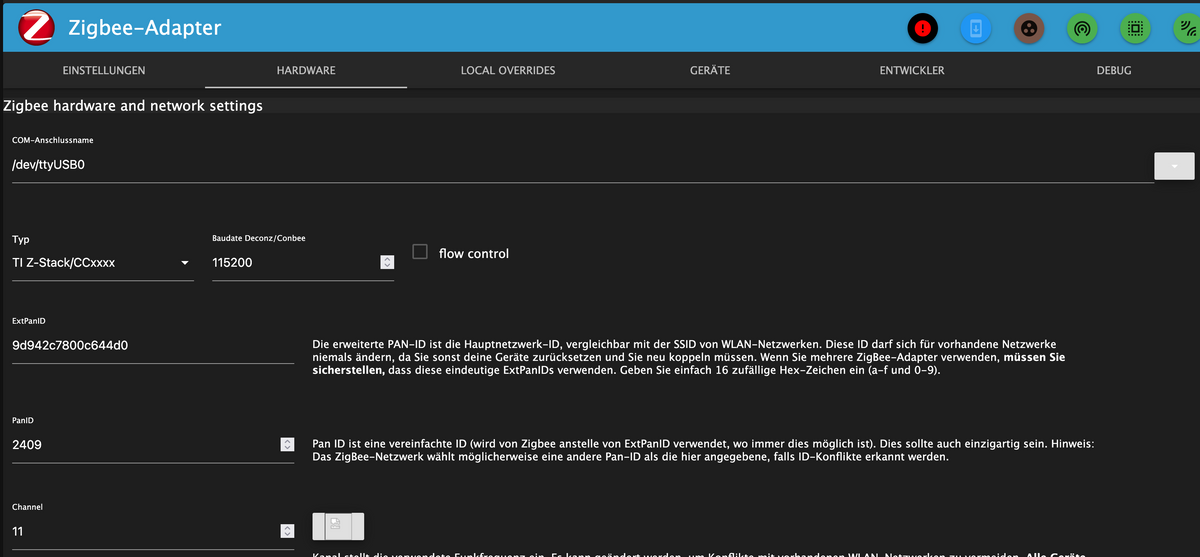
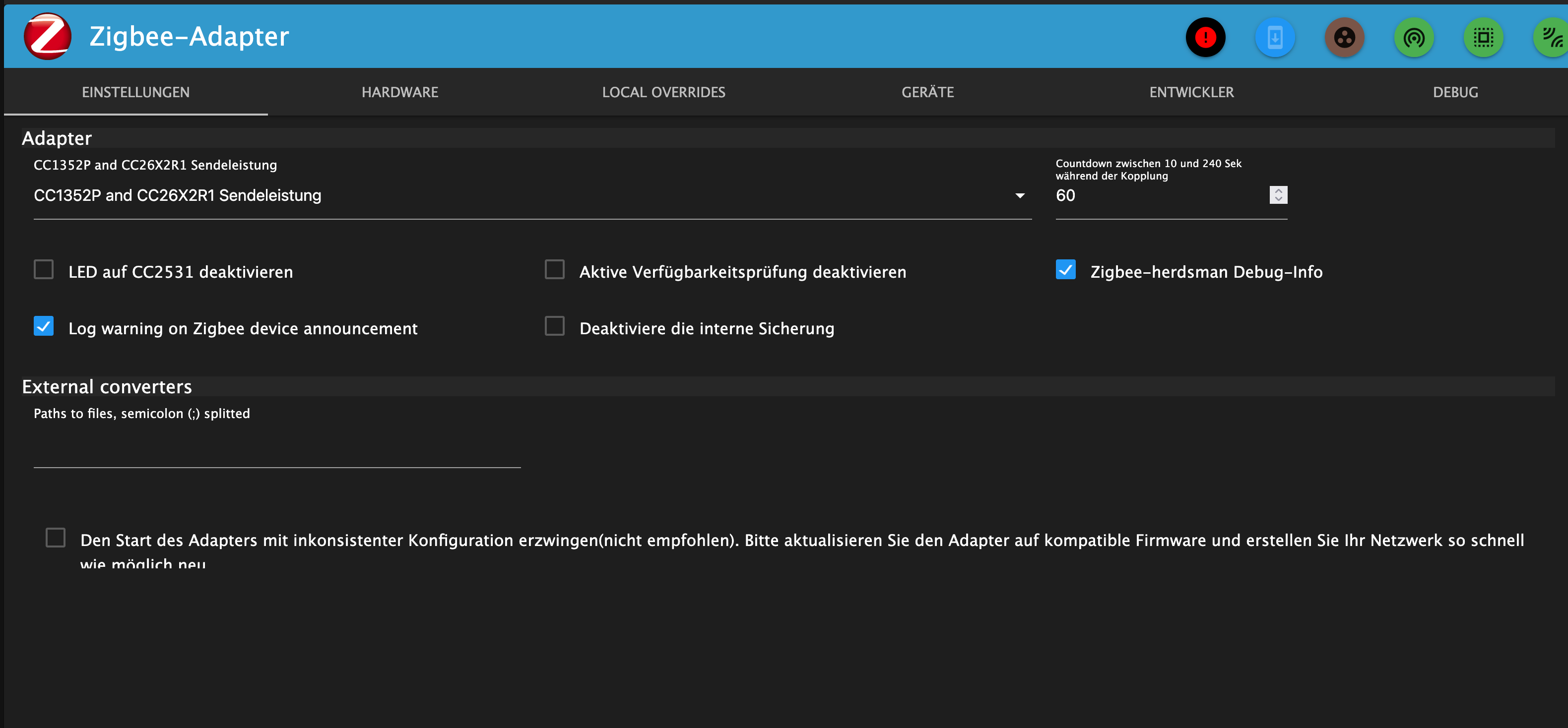
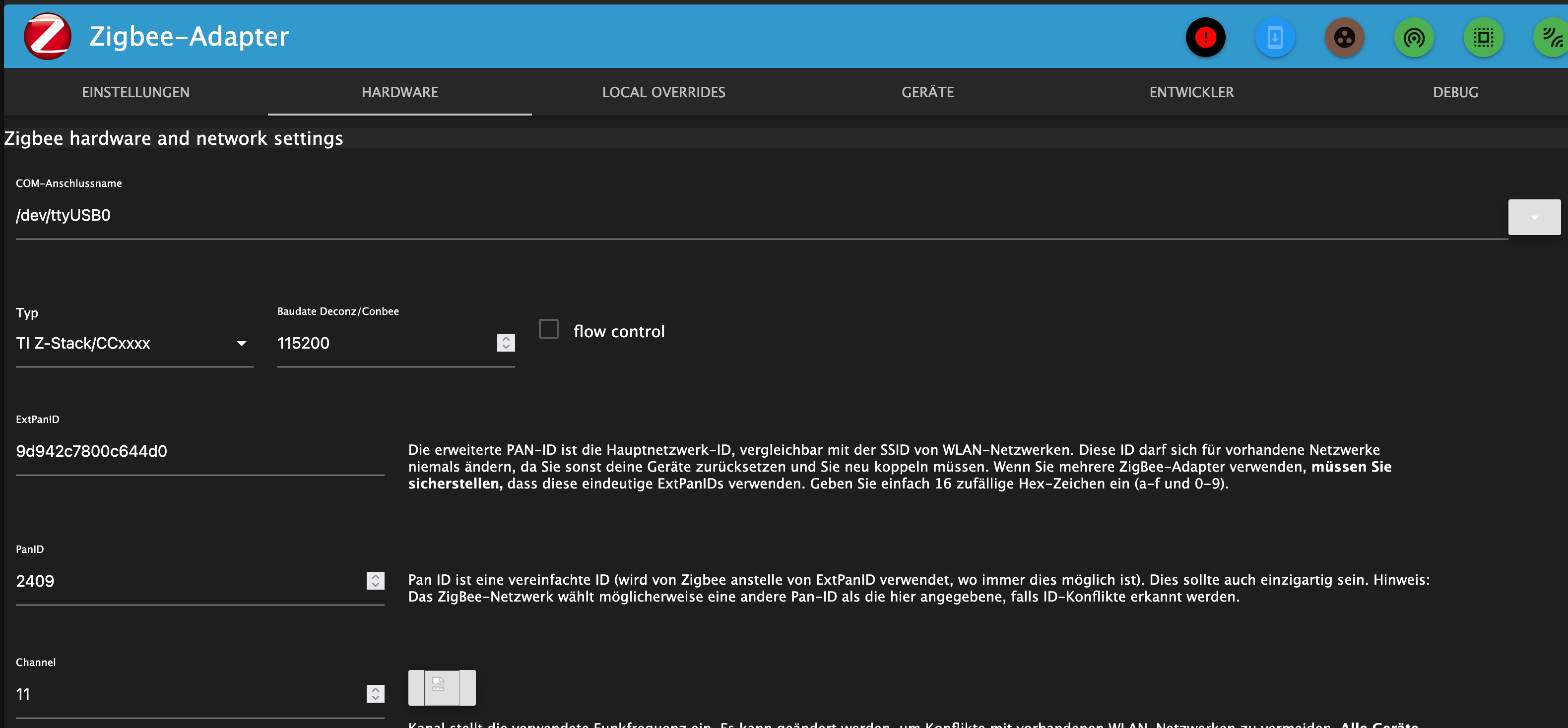
    Bildschirmfoto 2025-06-11 um 12.43.45.png

    Bildschirmfoto 2025-06-11 um 12.43.55.png

    ioBroker@Debian 12 VM auf Proxmox 8.4.1 | HP Proliant DL380G9 | DS923+ 10TB | RS4021+ 144TB | Unifi Netzwerk 6AP, 3 EtagenSwitche | Anycubic MegaS+Kossel+Chiron, Elektroniker und Funkamateur

    arteckA 1 Reply Last reply
    0
    • Lucifor1976L Lucifor1976

      Hallo zusammen,

      ich habe ja schon leider ewig Probleme mit dem zigbee Adapter.
      Denen wollte ich dieser Tage an den Kragen, ich bekomm es aber nicht hin, es funktioniert einfach nicht.

      Ich habe einen Sonof Zigbee 3 USB Stick und neuerdings einen SMLight SLZB-06 Poe.
      Der Iobroker hat einen Master und (neuerdings zwei Slaves). Auf einem Slave läuft nur der Smartmeter und liest den Stromzähler aus. Der ZigBee ist nun auf einem weietren Slave, weil es auf dem Master auch nicht klappt.

      Derzeit ist der SMLight aus und ich versuche den Sonof zum laufen zu bewegen.
      Firmwareupdate vom Sonof habe ich gerade gemacht und lief problemlos durch.
      Der Raspberry 3 mit Debian 12.10 finden den Sonof auch.

      Den Zigbee Adapter bekomme ich nicht grün, es dauert ewig bis er gelb wird und mehr passiert nicht.

      Hier mal ein iobroker diag:


      ========== Start marking the full check here ===========

      Script v.2025-03-08
      
      *** BASE SYSTEM ***
       Static hostname: pizigbee
             Icon name: computer
      Operating System: Debian GNU/Linux 12 (bookworm)
                Kernel: Linux 6.12.25+rpt-rpi-v8
          Architecture: arm64
      OS is similar to: 
      
      Model		: Raspberry Pi 3 Model B Plus Rev 1.3
      Docker          : false
      Virtualization  : none
      Kernel          : aarch64
      Userland        : 64 bit
      
      Systemuptime and Load:
       12:22:23 up 27 min,  2 users,  load average: 0.31, 0.38, 0.26
      CPU threads: 4
      
      
      *** LIFE CYCLE STATUS ***
      Operating System is the current Debian stable version codenamed 'bookworm'!
      
      *** RASPBERRY THROTTLING ***
      Current issues:
      No throttling issues detected.
      
      Previously detected issues:
      ~ Under-voltage has occurred
      ~ Arm frequency capping has occurred
      ~ Throttling has occurred
      ~ Soft temperature limit has occurred
      
      *** TIME AND TIMEZONES ***
                     Local time: Wed 2025-06-11 12:22:24 CEST
                 Universal time: Wed 2025-06-11 10:22:24 UTC
                       RTC time: n/a
                      Time zone: Europe/Berlin (CEST, +0200)
      System clock synchronized: yes
                    NTP service: active
                RTC in local TZ: no
      
      *** Users and Groups ***
      User that called 'iob diag':
      lucifor
      HOME=/home/lucifor
      GROUPS=lucifor adm dialout cdrom sudo audio video plugdev games users input render netdev gpio i2c spi iobroker
      
      User that is running 'js-controller':
      js-controller is not running
      
      *** DISPLAY-SERVER SETUP ***
      Display-Server: false
      Desktop: 	
      Terminal: 	tty
      
      *** MEMORY ***
                     total        used        free      shared  buff/cache   available
      Mem:            950M        165M        145M        3.1M        709M        785M
      Swap:           536M          0B        536M
      Total:          1.5G        165M        682M
      
      Active iob-Instances: 	43
      
                906 M total memory
                158 M used memory
                201 M active memory
                443 M inactive memory
                138 M free memory
                 44 M buffer memory
                632 M swap cache
                511 M total swap
                  0 M used swap
                511 M free swap
      
      *** top - Table Of Processes  ***
      top - 12:22:24 up 27 min,  2 users,  load average: 0.31, 0.38, 0.26
      Tasks: 155 total,   1 running, 154 sleeping,   0 stopped,   0 zombie
      %Cpu(s):  0.0 us, 28.6 sy,  0.0 ni, 71.4 id,  0.0 wa,  0.0 hi,  0.0 si,  0.0 st 
      MiB Mem :    906.7 total,    136.3 free,    160.3 used,    677.3 buff/cache     
      MiB Swap:    512.0 total,    512.0 free,      0.0 used.    746.4 avail Mem 
      
      *** FAILED SERVICES ***
      
        UNIT             LOAD   ACTIVE SUB    DESCRIPTION
      * iobroker.service loaded failed failed ioBroker Server
      
      LOAD   = Reflects whether the unit definition was properly loaded.
      ACTIVE = The high-level unit activation state, i.e. generalization of SUB.
      SUB    = The low-level unit activation state, values depend on unit type.
      1 loaded units listed.
      
      
      *** DMESG CRITICAL ERRORS ***
      3 CRITICAL ERRORS DETECTED! 
      Check 'sudo dmesg --level=emerg,alert,crit -T' for details
      
      *** FILESYSTEM ***
      Filesystem     Type      Size  Used Avail Use% Mounted on
      udev           devtmpfs  320M     0  320M   0% /dev
      tmpfs          tmpfs      91M  3.0M   88M   4% /run
      /dev/mmcblk0p2 ext4       15G  3.5G  9.9G  27% /
      tmpfs          tmpfs     454M     0  454M   0% /dev/shm
      tmpfs          tmpfs     5.0M   12K  5.0M   1% /run/lock
      /dev/mmcblk0p1 vfat      510M   57M  454M  12% /boot/firmware
      tmpfs          tmpfs      91M     0   91M   0% /run/user/1000
      
      Messages concerning ext4 filesystem in dmesg:
      [Wed Jun 11 11:54:51 2025] Kernel command line: coherent_pool=1M 8250.nr_uarts=0 snd_bcm2835.enable_headphones=0 cgroup_disable=memory snd_bcm2835.enable_headphones=1 snd_bcm2835.enable_hdmi=1 snd_bcm2835.enable_hdmi=0  vc_mem.mem_base=0x3ec00000 vc_mem.mem_size=0x40000000  console=ttyS0,115200 console=tty1 root=PARTUUID=33933b45-02 rootfstype=ext4 fsck.repair=yes rootwait cfg80211.ieee80211_regdom=DE
      [Wed Jun 11 11:54:55 2025] EXT4-fs (mmcblk0p2): mounted filesystem d4cc7d63-da78-48ad-9bdd-64ffbba449a8 ro with ordered data mode. Quota mode: none.
      [Wed Jun 11 11:54:58 2025] EXT4-fs (mmcblk0p2): re-mounted d4cc7d63-da78-48ad-9bdd-64ffbba449a8 r/w. Quota mode: none.
      
      Show mounted filesystems:
      TARGET           SOURCE         FSTYPE OPTIONS
      /                /dev/mmcblk0p2 ext4   rw,noatime,commit=600
      `-/boot/firmware /dev/mmcblk0p1 vfat   rw,relatime,fmask=0022,dmask=0022,codepage=437,iocharset=ascii,shortname=mixed,errors=remount-ro
      
      Files in neuralgic directories:
      
      /var:
      961M	/var/
      277M	/var/cache
      271M	/var/cache/apt
      172M	/var/lib
      157M	/var/cache/apt/archives
      
      Archived and active journals take up 1.9M in the file system.
      
      /opt/iobroker/backups:
      4.0K	/opt/iobroker/backups/
      
      /opt/iobroker/iobroker-data:
      69M	/opt/iobroker/iobroker-data/
      63M	/opt/iobroker/iobroker-data/files
      47M	/opt/iobroker/iobroker-data/files/admin.admin
      46M	/opt/iobroker/iobroker-data/files/admin.admin/custom/assets
      46M	/opt/iobroker/iobroker-data/files/admin.admin/custom
      
      The five largest files in iobroker-data are:
      8.1M	/opt/iobroker/iobroker-data/files/backitup.admin/assets/index-BFvcOIQE.js
      5.3M	/opt/iobroker/iobroker-data/objects.jsonl
      3.7M	/opt/iobroker/iobroker-data/files/backitup.admin/custom/assets/index-CyIqcfMJ.js
      3.7M	/opt/iobroker/iobroker-data/files/admin.admin/custom/assets/index-ZPb95xPG.js
      3.7M	/opt/iobroker/iobroker-data/files/admin.admin/custom/assets/index-IIKn7Ixx.js
      
      USB-Devices by-id:
      USB-Sticks -  Avoid direct links to /dev/tty* in your adapter setups, please always prefer the links 'by-id':
      
      /dev/serial/by-id/usb-Silicon_Labs_Sonoff_Zigbee_3.0_USB_Dongle_Plus_0001-if00-port0
      
      *** ZigBee Settings ***
      
      Your zigbee.0 COM-Port is matching 'by-id'. Very good!
      Zigbee Network Settings on your coordinator/in nvbackup are:
      
      zigbee.X
      Extended Pan ID:
      *** MASKED ***
      Pan ID:
      *** MASKED ***
      Channel:
      *** MASKED ***
      Network Key:
      *** MASKED ***
      
      To unmask the settings run 'iob diag --unmask'
      
      
      *** NodeJS-Installation ***
      
      /usr/bin/nodejs 	v20.19.2
      /usr/bin/node 		v20.19.2
      /usr/bin/npm 		10.8.2
      /usr/bin/npx 		10.8.2
      /usr/bin/corepack 	0.31.0
      
      nodejs:
        Installed: 20.19.2-1nodesource1
        Candidate: 20.19.2-1nodesource1
        Version table:
       *** 20.19.2-1nodesource1 1001
              500 https://deb.nodesource.com/node_20.x nodistro/main arm64 Packages
              100 /var/lib/dpkg/status
           20.19.1-1nodesource1 1001
              500 https://deb.nodesource.com/node_20.x nodistro/main arm64 Packages
           20.19.0-1nodesource1 1001
              500 https://deb.nodesource.com/node_20.x nodistro/main arm64 Packages
           20.18.3-1nodesource1 1001
              500 https://deb.nodesource.com/node_20.x nodistro/main arm64 Packages
           20.18.2-1nodesource1 1001
              500 https://deb.nodesource.com/node_20.x nodistro/main arm64 Packages
           20.18.1-1nodesource1 1001
              500 https://deb.nodesource.com/node_20.x nodistro/main arm64 Packages
           20.18.0-1nodesource1 1001
              500 https://deb.nodesource.com/node_20.x nodistro/main arm64 Packages
           20.17.0-1nodesource1 1001
              500 https://deb.nodesource.com/node_20.x nodistro/main arm64 Packages
           20.16.0-1nodesource1 1001
              500 https://deb.nodesource.com/node_20.x nodistro/main arm64 Packages
           20.15.1-1nodesource1 1001
              500 https://deb.nodesource.com/node_20.x nodistro/main arm64 Packages
           20.15.0-1nodesource1 1001
              500 https://deb.nodesource.com/node_20.x nodistro/main arm64 Packages
           20.14.0-1nodesource1 1001
              500 https://deb.nodesource.com/node_20.x nodistro/main arm64 Packages
           20.13.1-1nodesource1 1001
              500 https://deb.nodesource.com/node_20.x nodistro/main arm64 Packages
           20.13.0-1nodesource1 1001
              500 https://deb.nodesource.com/node_20.x nodistro/main arm64 Packages
           20.12.2-1nodesource1 1001
              500 https://deb.nodesource.com/node_20.x nodistro/main arm64 Packages
           20.12.1-1nodesource1 1001
              500 https://deb.nodesource.com/node_20.x nodistro/main arm64 Packages
           20.12.0-1nodesource1 1001
              500 https://deb.nodesource.com/node_20.x nodistro/main arm64 Packages
           20.11.1-1nodesource1 1001
              500 https://deb.nodesource.com/node_20.x nodistro/main arm64 Packages
           20.11.0-1nodesource1 1001
              500 https://deb.nodesource.com/node_20.x nodistro/main arm64 Packages
           20.10.0-1nodesource1 1001
              500 https://deb.nodesource.com/node_20.x nodistro/main arm64 Packages
           20.9.0-1nodesource1 1001
              500 https://deb.nodesource.com/node_20.x nodistro/main arm64 Packages
           20.8.1-1nodesource1 1001
              500 https://deb.nodesource.com/node_20.x nodistro/main arm64 Packages
           20.8.0-1nodesource1 1001
              500 https://deb.nodesource.com/node_20.x nodistro/main arm64 Packages
           20.7.0-1nodesource1 1001
              500 https://deb.nodesource.com/node_20.x nodistro/main arm64 Packages
           20.6.1-1nodesource1 1001
              500 https://deb.nodesource.com/node_20.x nodistro/main arm64 Packages
           20.6.0-1nodesource1 1001
              500 https://deb.nodesource.com/node_20.x nodistro/main arm64 Packages
           20.5.1-1nodesource1 1001
              500 https://deb.nodesource.com/node_20.x nodistro/main arm64 Packages
           20.5.0-1nodesource1 1001
              500 https://deb.nodesource.com/node_20.x nodistro/main arm64 Packages
           20.4.0-1nodesource1 1001
              500 https://deb.nodesource.com/node_20.x nodistro/main arm64 Packages
           20.3.1-1nodesource1 1001
              500 https://deb.nodesource.com/node_20.x nodistro/main arm64 Packages
           20.3.0-1nodesource1 1001
              500 https://deb.nodesource.com/node_20.x nodistro/main arm64 Packages
           20.2.0-1nodesource1 1001
              500 https://deb.nodesource.com/node_20.x nodistro/main arm64 Packages
           20.1.0-1nodesource1 1001
              500 https://deb.nodesource.com/node_20.x nodistro/main arm64 Packages
           20.0.0-1nodesource1 1001
              500 https://deb.nodesource.com/node_20.x nodistro/main arm64 Packages
           18.19.0+dfsg-6~deb12u2 500
              500 http://deb.debian.org/debian bookworm/main arm64 Packages
           18.19.0+dfsg-6~deb12u1 500
              500 http://deb.debian.org/debian-security bookworm-security/main arm64 Packages
      
      Temp directories causing deletion problem: 0
      No problems detected
      
      Errors in npm tree: 0
      No problems detected
      
      *** ioBroker-Installation ***
      
      ioBroker Status
      iobroker is not running on this host.
      
      At least one iobroker host is running.
      
      Objects type: jsonl
      States  type: jsonl
      
      Hosts:
      iobroker            iobroker (version: 7.0.7, hostname: iobroker      , alive, uptime: 70998)
      iobrokerslave       iobrokerslave (version: 7.0.7, hostname: iobrokerslave , alive, uptime: 91148)
      pizigbee            pizigbee (version: 7.0.7, hostname: pizigbee      , alive, uptime: 245)
      
      Core adapters versions
      js-controller: 	7.0.7
      admin: 		7.6.17
      javascript: 	"javascript" not found
      
      nodejs modules from github: 	0
      
      Adapter State
      + system.adapter.admin.1                  : admin                 : iobroker                                 -  enabled, port: 8081, bind: 0.0.0.0, run as: admin
      + system.adapter.alexa2.0                 : alexa2                : iobroker                                 -  enabled
        system.adapter.awattar.0                : awattar               : iobroker                                 -  enabled
      + system.adapter.backitup.0               : backitup              : iobroker                                 -  enabled
        system.adapter.daswetter.0              : daswetter             : iobroker                                 -  enabled
        system.adapter.device-reminder.0        : device-reminder       : iobroker                                 - disabled
        system.adapter.devices.0                : devices               : iobroker                                 - disabled
      + system.adapter.discovery.0              : discovery             : iobroker                                 -  enabled
      + system.adapter.e3dc-rscp.0              : e3dc-rscp             : iobroker                                 -  enabled
      + system.adapter.energiefluss-erweitert.0 : energiefluss-erweitert: iobroker                                 -  enabled
      + system.adapter.energiefluss.0           : energiefluss          : iobroker                                 -  enabled
      + system.adapter.enigma2.0                : enigma2               : iobroker                                 -  enabled
      + system.adapter.enigma2.1                : enigma2               : iobroker                                 -  enabled
      + system.adapter.fritzbox.0               : fritzbox              : iobroker                                 -  enabled
        system.adapter.fullybrowser.0           : fullybrowser          : iobroker                                 - disabled
      + system.adapter.hmip.0                   : hmip                  : iobroker                                 -  enabled
        system.adapter.hp-ilo.0                 : hp-ilo                : iobroker                                 - disabled
        system.adapter.hp-ilo.1                 : hp-ilo                : iobroker                                 - disabled
        system.adapter.hs100.0                  : hs100                 : iobroker                                 - disabled
      + system.adapter.hue-extended.0           : hue-extended          : iobroker                                 -  enabled
        system.adapter.ical.0                   : ical                  : iobroker                                 -  enabled
        system.adapter.ical.1                   : ical                  : iobroker                                 -  enabled
        system.adapter.icons-addictive-flavour-png.0: icons-addictive-flavour-png: iobroker                                 - disabled
        system.adapter.icons-eclipse-smarthome-classic.0: icons-eclipse-smarthome-classic: iobroker                                 -  enabled
        system.adapter.icons-freepic.0          : icons-freepic         : iobroker                                 -  enabled
        system.adapter.icons-material-svg.0     : icons-material-svg    : iobroker                                 - disabled
        system.adapter.icons-mfd-png.0          : icons-mfd-png         : iobroker                                 - disabled
        system.adapter.icons-mfd-svg.0          : icons-mfd-svg         : iobroker                                 - disabled
        system.adapter.icons-open-icon-library-png.0: icons-open-icon-library-png: iobroker                                 - disabled
        system.adapter.icons-ultimate-png.0     : icons-ultimate-png    : iobroker                                 - disabled
        system.adapter.influxdb.0               : influxdb              : iobroker                                 - disabled, port: 8086
      + system.adapter.influxdb.2               : influxdb              : iobroker                                 -  enabled, port: 8086
      + system.adapter.info.0                   : info                  : iobroker                                 -  enabled
      + system.adapter.javascript.0             : javascript            : iobroker                                 -  enabled
      + system.adapter.lgtv.0                   : lgtv                  : iobroker                                 -  enabled
        system.adapter.linux-control.0          : linux-control         : iobroker                                 - disabled
      + system.adapter.meross.0                 : meross                : iobroker                                 -  enabled
      + system.adapter.mqtt.0                   : mqtt                  : iobroker                                 -  enabled, port: 1882, bind: 0.0.0.0
      + system.adapter.nina.0                   : nina                  : iobroker                                 -  enabled
      + system.adapter.node-red.0               : node-red              : iobroker                                 -  enabled, port: 1880, bind: 0.0.0.0
      + system.adapter.nuki-extended.0          : nuki-extended         : iobroker                                 -  enabled
      + system.adapter.nut.0                    : nut                   : iobroker                                 -  enabled
      + system.adapter.operating-hours.0        : operating-hours       : iobroker                                 -  enabled
        system.adapter.pi-hole.0                : pi-hole               : iobroker                                 - disabled
      + system.adapter.plex.0                   : plex                  : iobroker                                 -  enabled
      + system.adapter.rest-api.0               : rest-api              : iobroker                                 -  enabled, port: 8093, bind: 0.0.0.0, run as: admin
      + system.adapter.ring.0                   : ring                  : iobroker                                 -  enabled
        system.adapter.rpi2.0                   : rpi2                  : iobroker                                 - disabled
      + system.adapter.samsung.0                : samsung               : iobroker                                 -  enabled
      + system.adapter.scenes.0                 : scenes                : iobroker                                 -  enabled
      + system.adapter.shelly.0                 : shelly                : iobroker                                 -  enabled, port: 1881, bind: 0.0.0.0
      + system.adapter.simple-api.0             : simple-api            : iobroker                                 -  enabled, port: 8087, bind: 0.0.0.0, run as: admin
      + system.adapter.smartmeter.0             : smartmeter            : iobrokerslave                            -  enabled
        system.adapter.solarwetter.0            : solarwetter           : iobroker                                 - disabled
      + system.adapter.sonoff.0                 : sonoff                : iobroker                                 -  enabled, port: 1883, bind: 0.0.0.0
      + system.adapter.sourceanalytix.0         : sourceanalytix        : iobroker                                 -  enabled
        system.adapter.sql.0                    : sql                   : iobroker                                 - disabled, port: 3306
      + system.adapter.synology.0               : synology              : iobroker                                 -  enabled, port: 5000
      + system.adapter.synology.1               : synology              : iobroker                                 -  enabled, port: 5000
      + system.adapter.tankerkoenig.0           : tankerkoenig          : iobroker                                 -  enabled
        system.adapter.telegram.0               : telegram              : iobroker                                 - disabled, port: 8443, bind: 0.0.0.0
      + system.adapter.tr-064.0                 : tr-064                : iobroker                                 -  enabled
      + system.adapter.trashschedule.0          : trashschedule         : iobroker                                 -  enabled
      + system.adapter.tuya.0                   : tuya                  : iobroker                                 -  enabled
        system.adapter.tvspielfilm.0            : tvspielfilm           : iobroker                                 -  enabled
        system.adapter.unifi.0                  : unifi                 : iobroker                                 - disabled
        system.adapter.upnp.0                   : upnp                  : iobroker                                 - disabled
        system.adapter.vis-2-widgets-energy.0   : vis-2-widgets-energy  : iobroker                                 -  enabled
        system.adapter.vis-2-widgets-inventwo.0 : vis-2-widgets-inventwo: iobroker                                 -  enabled
        system.adapter.vis-2-widgets-jaeger-design.0: vis-2-widgets-jaeger-design: iobroker                                 -  enabled
        system.adapter.vis-2-widgets-weather-and-heating.0: vis-2-widgets-weather-and-heating: iobroker                                 -  enabled
      + system.adapter.vis-2.0                  : vis-2                 : iobroker                                 -  enabled
        system.adapter.vis-google-fonts.0       : vis-google-fonts      : iobroker                                 -  enabled
        system.adapter.vis-hqwidgets.0          : vis-hqwidgets         : iobroker                                 -  enabled
        system.adapter.vis-icontwo.0            : vis-icontwo           : iobroker                                 - disabled
      + system.adapter.vis-inventwo.0           : vis-inventwo          : iobroker                                 -  enabled
        system.adapter.vis-lcars.0              : vis-lcars             : iobroker                                 -  enabled
        system.adapter.vis-material-advanced.0  : vis-material-advanced : iobroker                                 - disabled
        system.adapter.vis-materialdesign.0     : vis-materialdesign    : iobroker                                 - disabled
        system.adapter.vis-players.0            : vis-players           : iobroker                                 -  enabled
        system.adapter.vis-timeandweather.0     : vis-timeandweather    : iobroker                                 - disabled
        system.adapter.vis-weather.0            : vis-weather           : iobroker                                 - disabled
        system.adapter.vis.0                    : vis                   : iobroker                                 -  enabled
        system.adapter.weatherunderground.0     : weatherunderground    : iobroker                                 -  enabled
      + system.adapter.web.0                    : web                   : iobroker                                 -  enabled, port: 8082, bind: 0.0.0.0, run as: admin
        system.adapter.youtube.0                : youtube               : iobroker                                 -  enabled
        system.adapter.youtube.1                : youtube               : iobroker                                 -  enabled
        system.adapter.yr.0                     : yr                    : iobroker                                 -  enabled
        system.adapter.zigbee.0                 : zigbee                : pizigbee                                 -  enabled, port: /dev/serial/by-id/usb-Silicon_Labs_Sonoff_Zigbee_3.0_USB_Dongle_Plus_0001-if00-port0
      
      + instance is alive
      
      Enabled adapters with bindings
      + system.adapter.admin.1                  : admin                 : iobroker                                 -  enabled, port: 8081, bind: 0.0.0.0, run as: admin
      + system.adapter.influxdb.2               : influxdb              : iobroker                                 -  enabled, port: 8086
      + system.adapter.mqtt.0                   : mqtt                  : iobroker                                 -  enabled, port: 1882, bind: 0.0.0.0
      + system.adapter.node-red.0               : node-red              : iobroker                                 -  enabled, port: 1880, bind: 0.0.0.0
      + system.adapter.rest-api.0               : rest-api              : iobroker                                 -  enabled, port: 8093, bind: 0.0.0.0, run as: admin
      + system.adapter.shelly.0                 : shelly                : iobroker                                 -  enabled, port: 1881, bind: 0.0.0.0
      + system.adapter.simple-api.0             : simple-api            : iobroker                                 -  enabled, port: 8087, bind: 0.0.0.0, run as: admin
      + system.adapter.sonoff.0                 : sonoff                : iobroker                                 -  enabled, port: 1883, bind: 0.0.0.0
      + system.adapter.synology.0               : synology              : iobroker                                 -  enabled, port: 5000
      + system.adapter.synology.1               : synology              : iobroker                                 -  enabled, port: 5000
      + system.adapter.web.0                    : web                   : iobroker                                 -  enabled, port: 8082, bind: 0.0.0.0, run as: admin
        system.adapter.zigbee.0                 : zigbee                : pizigbee                                 -  enabled, port: /dev/serial/by-id/usb-Silicon_Labs_Sonoff_Zigbee_3.0_USB_Dongle_Plus_0001-if00-port0
      
      ioBroker-Repositories
      ┌─────────┬──────────┬─────────────────────────────────────────────────────────┬──────────────┐
      │ (index) │ name     │ url                                                     │ auto upgrade │
      ├─────────┼──────────┼─────────────────────────────────────────────────────────┼──────────────┤
      │ 0       │ 'stable' │ 'http://download.iobroker.net/sources-dist.json'        │ false        │
      │ 1       │ 'beta'   │ 'http://download.iobroker.net/sources-dist-latest.json' │ false        │
      └─────────┴──────────┴─────────────────────────────────────────────────────────┴──────────────┘
      
      Active repo(s): beta
      Upgrade policy: none
      
      Installed ioBroker-Adapters
      Used repository: beta
      Adapter    "admin"        : 7.6.19   , installed 7.6.17 [Updatable]
      Adapter    "backitup"     : 3.2.2    , installed 3.2.2
      Adapter    "discovery"    : 5.0.0    , installed 5.0.0
      Controller "js-controller": 7.0.7    , installed 7.0.7
      Adapter    "zigbee"       : 3.0.1    , installed 3.0.1
      
      Objects and States
      Please stand by - This may take a while
      Objects: 	42789
      States: 	36494
      
      *** OS-Repositories and Updates ***
      Hit:1 http://deb.debian.org/debian bookworm InRelease
      Hit:2 http://deb.debian.org/debian-security bookworm-security InRelease
      Hit:3 http://archive.raspberrypi.com/debian bookworm InRelease
      Hit:4 http://deb.debian.org/debian bookworm-updates InRelease
      Hit:5 https://deb.nodesource.com/node_20.x nodistro InRelease
      Reading package lists...
      Pending Updates: 0
      
      *** Listening Ports ***
      Active Internet connections (only servers)
      Proto Recv-Q Send-Q Local Address           Foreign Address         State       User       Inode      PID/Program name    
      tcp        0      0 0.0.0.0:22              0.0.0.0:*               LISTEN      0          478        507/sshd: /usr/sbin 
      tcp6       0      0 :::22                   :::*                    LISTEN      0          480        507/sshd: /usr/sbin 
      udp        0      0 0.0.0.0:49367           0.0.0.0:*                           104        5254       388/avahi-daemon: r 
      udp        0      0 0.0.0.0:5353            0.0.0.0:*                           104        5252       388/avahi-daemon: r 
      udp6       0      0 :::5353                 :::*                                104        5253       388/avahi-daemon: r 
      udp6       0      0 :::37726                :::*                                104        5255       388/avahi-daemon: r 
      
      *** Log File - Last 25 Lines ***
      
      2025-06-11 12:17:49.412  - debug: zigbee.0 (1121) States connected to redis: 192.168.1.245:9000
      2025-06-11 12:17:49.414  - silly: zigbee.0 (1121) statesDB connected
      2025-06-11 12:17:49.515  - debug: zigbee.0 (1121) Plugin sentry Initialize Plugin (enabled=true)
      2025-06-11 12:17:50.525  - info: zigbee.0 (1121) starting. Version 3.0.1 in /opt/iobroker/node_modules/iobroker.zigbee, node: v20.19.2, js-controller: 7.0.7
      2025-06-11 12:17:50.599  - silly: zigbee.0 (1121) States system redis pmessage system.adapter.zigbee.0.logLevel/system.adapter.zigbee.0.logLevel:{"val":"silly","ack":true,"ts":1749637070571,"q":0,"from":"system.adapter.zigbee.0","lc":1749632909340}
      2025-06-11 12:17:50.620  - info: zigbee.0 (1121) Adapter ready - starting subsystems. Adapter is running in silly mode.
      2025-06-11 12:17:50.625  - info: zigbee.0 (1121) init localConfig
      2025-06-11 12:17:50.641  - info: zigbee.0 (1121)   --> transmitPower : normal
      2025-06-11 12:17:50.655  - info: zigbee.0 (1121) --- creating device debug ---
      2025-06-11 12:17:50.683  - silly: zigbee.0 (1121) States user redis pmessage zigbee.0.*/zigbee.0.info.connection:{"val":false,"ack":true,"ts":1749637070678,"q":0,"from":"system.adapter.zigbee.0","user":"system.user.admin","lc":1749631840413}
      2025-06-11 12:19:01.247  - info: host.pizigbee received SIGTERM
      2025-06-11 12:19:01.252  - info: zigbee.0 (1121) cleaning everything up...
      2025-06-11 12:19:01.258  - info: host.pizigbee stopInstance system.adapter.zigbee.0 (force=false, process=true)
      2025-06-11 12:19:01.323  - info: host.pizigbee stopInstance system.adapter.zigbee.0 send kill signal
      2025-06-11 12:19:01.262  - info: zigbee.0 (1121) Saved local configuration data
      2025-06-11 12:19:01.446  - warn: zigbee.0 (1121) Failed to stop zigbee during startup
      2025-06-11 12:19:01.455  - info: zigbee.0 (1121) cleanup successful
      2025-06-11 12:19:01.460  - silly: zigbee.0 (1121) States system redis pmessage system.adapter.zigbee.0.sigKill/system.adapter.zigbee.0.sigKill:{"val":-1,"ack":false,"ts":1749637141269,"q":0,"from":"system.host.pizigbee","lc":1749637141269}
      2025-06-11 12:19:01.462  - info: zigbee.0 (1121) Got terminate signal TERMINATE_YOURSELF
      2025-06-11 12:19:01.932  - info: zigbee.0 (1121) terminating
      2025-06-11 12:19:01.935  - debug: zigbee.0 (1121) Plugin sentry destroyed
      2025-06-11 12:19:01.936  - info: zigbee.0 (1121) Terminated (NO_ERROR): Without reason
      2025-06-11 12:19:04.110  - info: host.pizigbee instance system.adapter.zigbee.0 terminated with code 0 (NO_ERROR)
      2025-06-11 12:19:04.113  - info: host.pizigbee All instances are stopped.
      2025-06-11 12:19:04.191  - info: host.pizigbee terminated


      ============ Mark until here for C&P =============

      Der Zigbee Adapter ist 3.0.1

      Braucht Ihr noch irendwas?

      P.S. Die Verbindung mit dem SMLight über TCP:// funktioniert auch nicht.
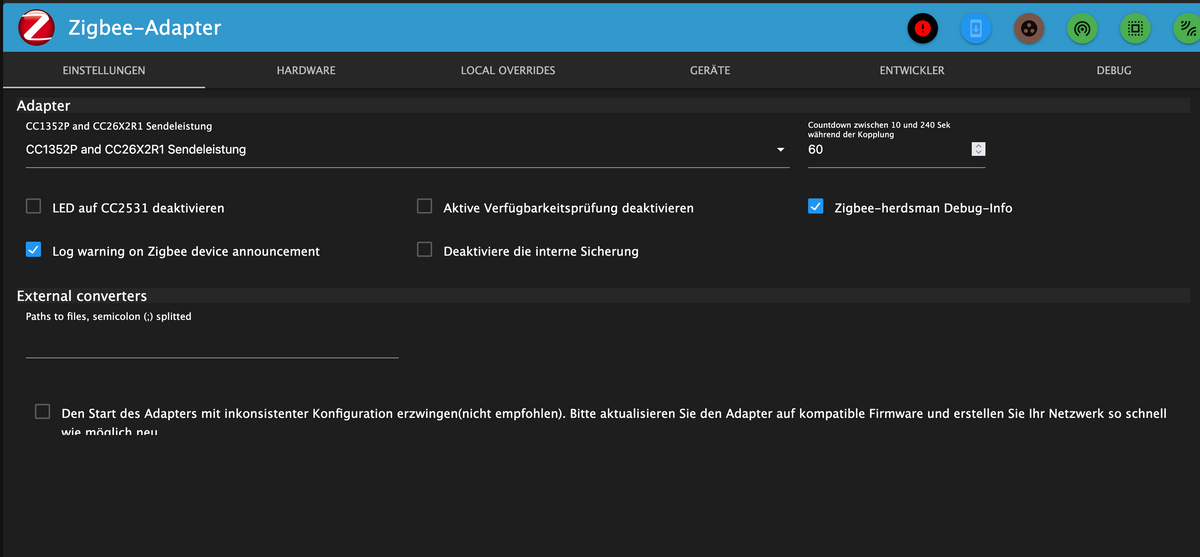
      Bildschirmfoto 2025-06-11 um 12.43.45.png

      Bildschirmfoto 2025-06-11 um 12.43.55.png

      arteckA Offline
      arteckA Offline
      arteck
      Developer Most Active
      wrote on last edited by
      #2

      @lucifor1976 aaeb413a-0877-4258-a736-349c9aab3373-grafik.png

      der ist falsch für den slzb

      zigbee hab ich, zwave auch, nuc's genauso und HA auch

      Lucifor1976L 1 Reply Last reply
      0
      • arteckA arteck

        @lucifor1976 aaeb413a-0877-4258-a736-349c9aab3373-grafik.png

        der ist falsch für den slzb

        Lucifor1976L Offline
        Lucifor1976L Offline
        Lucifor1976
        wrote on last edited by
        #3

        @arteck
        Das ist richtig, ich nutze den SLZB aber gerade nicht, wie ich schrieb ist der AUS und ich versuche den Sonof zum laufen zu bekommen.

        ioBroker@Debian 12 VM auf Proxmox 8.4.1 | HP Proliant DL380G9 | DS923+ 10TB | RS4021+ 144TB | Unifi Netzwerk 6AP, 3 EtagenSwitche | Anycubic MegaS+Kossel+Chiron, Elektroniker und Funkamateur

        arteckA 1 Reply Last reply
        1
        • Lucifor1976L Lucifor1976

          @arteck
          Das ist richtig, ich nutze den SLZB aber gerade nicht, wie ich schrieb ist der AUS und ich versuche den Sonof zum laufen zu bekommen.

          arteckA Offline
          arteckA Offline
          arteck
          Developer Most Active
          wrote on last edited by arteck
          #4

          @lucifor1976 welchen den -P oder -E

          den P seh ich gerade

          schreib das mal anstatt des /dev/ttyusbxxxxxx ports

          /dev/serial/by-id/usb-Silicon_Labs_Sonoff_Zigbee_3.0_USB_Dongle_Plus_0001-if00-port0
          

          der adapter hat auch ein test button ..was sagt der ?

          zigbee hab ich, zwave auch, nuc's genauso und HA auch

          Lucifor1976L 1 Reply Last reply
          0
          • arteckA arteck

            @lucifor1976 welchen den -P oder -E

            den P seh ich gerade

            schreib das mal anstatt des /dev/ttyusbxxxxxx ports

            /dev/serial/by-id/usb-Silicon_Labs_Sonoff_Zigbee_3.0_USB_Dongle_Plus_0001-if00-port0
            

            der adapter hat auch ein test button ..was sagt der ?

            Lucifor1976L Offline
            Lucifor1976L Offline
            Lucifor1976
            wrote on last edited by
            #5

            @arteck
            Jap den -P
            /dev/serial/by-id/usb-Silicon_Labs_Sonoff_Zigbee_3.0_USB_Dongle_Plus_0001-if00-port0
            hab ich ebenfalls versucht, keine Änderung, der Adapter wird nach einer Ewigkeit gelb.
            Die Testbuttons tun etwas, dauert ewig, kommt aber kein Ergebnis und das Fenster geht einfach zu.
            Seltsam ist auch das die Buttons nicht korrekt dargestellt werden.
            Auch blöd, seit dem der Adapter auf dem Multihost ist, wird kein Log geschrieben.
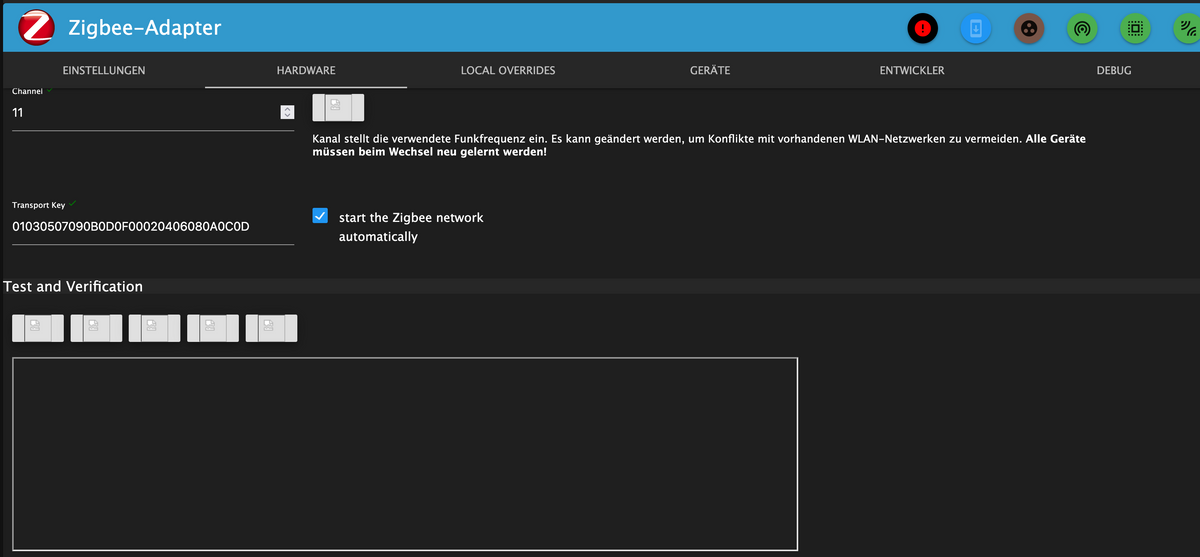
            Bildschirmfoto 2025-06-11 um 12.59.33.png

            ioBroker@Debian 12 VM auf Proxmox 8.4.1 | HP Proliant DL380G9 | DS923+ 10TB | RS4021+ 144TB | Unifi Netzwerk 6AP, 3 EtagenSwitche | Anycubic MegaS+Kossel+Chiron, Elektroniker und Funkamateur


            Lucifor1976L 1 Reply Last reply
            0
            • Lucifor1976L Lucifor1976

              @arteck
              Jap den -P
              /dev/serial/by-id/usb-Silicon_Labs_Sonoff_Zigbee_3.0_USB_Dongle_Plus_0001-if00-port0
              hab ich ebenfalls versucht, keine Änderung, der Adapter wird nach einer Ewigkeit gelb.
              Die Testbuttons tun etwas, dauert ewig, kommt aber kein Ergebnis und das Fenster geht einfach zu.
              Seltsam ist auch das die Buttons nicht korrekt dargestellt werden.
              Auch blöd, seit dem der Adapter auf dem Multihost ist, wird kein Log geschrieben.

              Bildschirmfoto 2025-06-11 um 12.59.33.png

              Lucifor1976L Offline
              Lucifor1976L Offline
              Lucifor1976
              wrote on last edited by
              #6

              Oha, jetzt tun die Buttons etwas.

              Test war erfolgreich, Button Start/Stop ergibt folgendes:

              overriding zigbee options with:
              extPanID : 9d942c7800c644d0
              panID : 2409
              channel : 11
              port : /dev/serial/by-id/usb-Silicon_Labs_Sonoff_Zigbee_3.0_USB_Dongle_Plus_0001-if00-port0
              adapterType : zstack
              baudRate : 115200
              precfgkey : 01030507090B0D0F00020406080A0C0D
              flowCTRL : false
              Starting Adapter npm ...
              Installed Version: iobroker.zigbee@3.0.1 (Converters 23.13.0 Herdsman 3.3.2)
              Starting zigbee-herdsman...
              Unable to obtain herdsman settings
              Starting zigbee-herdsman problem : Error Resource temporarily unavailable Cannot lock port
              Error herdsman start
              

              ioBroker@Debian 12 VM auf Proxmox 8.4.1 | HP Proliant DL380G9 | DS923+ 10TB | RS4021+ 144TB | Unifi Netzwerk 6AP, 3 EtagenSwitche | Anycubic MegaS+Kossel+Chiron, Elektroniker und Funkamateur

              Lucifor1976L 1 Reply Last reply
              0
              • Lucifor1976L Lucifor1976

                Oha, jetzt tun die Buttons etwas.

                Test war erfolgreich, Button Start/Stop ergibt folgendes:

                overriding zigbee options with:
                extPanID : 9d942c7800c644d0
                panID : 2409
                channel : 11
                port : /dev/serial/by-id/usb-Silicon_Labs_Sonoff_Zigbee_3.0_USB_Dongle_Plus_0001-if00-port0
                adapterType : zstack
                baudRate : 115200
                precfgkey : 01030507090B0D0F00020406080A0C0D
                flowCTRL : false
                Starting Adapter npm ...
                Installed Version: iobroker.zigbee@3.0.1 (Converters 23.13.0 Herdsman 3.3.2)
                Starting zigbee-herdsman...
                Unable to obtain herdsman settings
                Starting zigbee-herdsman problem : Error Resource temporarily unavailable Cannot lock port
                Error herdsman start
                
                Lucifor1976L Offline
                Lucifor1976L Offline
                Lucifor1976
                wrote on last edited by
                #7

                Das gibts nicht...

                Ich hab aus Verzweifelung die Firmware mal alle durchprobiert.. 5 Minuten gewartet und dann wieder auf z-Stack umgestellt... Jetzt wird das Mistding grün.

                Bin ich zu blöd oder ZigBee zu schlau ?

                ioBroker@Debian 12 VM auf Proxmox 8.4.1 | HP Proliant DL380G9 | DS923+ 10TB | RS4021+ 144TB | Unifi Netzwerk 6AP, 3 EtagenSwitche | Anycubic MegaS+Kossel+Chiron, Elektroniker und Funkamateur

                arteckA 1 Reply Last reply
                0
                • Lucifor1976L Lucifor1976

                  Das gibts nicht...

                  Ich hab aus Verzweifelung die Firmware mal alle durchprobiert.. 5 Minuten gewartet und dann wieder auf z-Stack umgestellt... Jetzt wird das Mistding grün.

                  Bin ich zu blöd oder ZigBee zu schlau ?

                  arteckA Offline
                  arteckA Offline
                  arteck
                  Developer Most Active
                  wrote on last edited by arteck
                  #8

                  @lucifor1976 sagte in ZigBee macht mich irre und will einfach nicht.:

                  Bin ich zu blöd oder ZigBee zu schlau ?

                  da antworte ich lieber nicht drauf :-)

                  aber.. grün heisst nicht dass der startet..

                  Starting zigbee-herdsman problem : Error Resource temporarily unavailable Cannot lock port
                  

                  da funktioniert was nicht..

                  machmal adapter upload.. die buttons sollten schon richtig angezeigt werden..sonst stimmt was nicht allgemein mit der installation

                  zigbee hab ich, zwave auch, nuc's genauso und HA auch

                  Lucifor1976L 1 Reply Last reply
                  0
                  • arteckA arteck

                    @lucifor1976 sagte in ZigBee macht mich irre und will einfach nicht.:

                    Bin ich zu blöd oder ZigBee zu schlau ?

                    da antworte ich lieber nicht drauf :-)

                    aber.. grün heisst nicht dass der startet..

                    Starting zigbee-herdsman problem : Error Resource temporarily unavailable Cannot lock port
                    

                    da funktioniert was nicht..

                    machmal adapter upload.. die buttons sollten schon richtig angezeigt werden..sonst stimmt was nicht allgemein mit der installation

                    Lucifor1976L Offline
                    Lucifor1976L Offline
                    Lucifor1976
                    wrote on last edited by
                    #9

                    @arteck
                    Ja ja ...

                    Er läuft, ich kann Sensoren verbinden und die geben sogar Daten aus, soweit wahr ich schon sehr lange nciht mehr...

                    Kann ich in einer weiteren Instanz den SMLight in Betrieb nehmen?
                    Das Zigbee Netzwerk reicht nämlich leider nciht in den Keller...

                    ioBroker@Debian 12 VM auf Proxmox 8.4.1 | HP Proliant DL380G9 | DS923+ 10TB | RS4021+ 144TB | Unifi Netzwerk 6AP, 3 EtagenSwitche | Anycubic MegaS+Kossel+Chiron, Elektroniker und Funkamateur

                    arteckA 1 Reply Last reply
                    0
                    • AsgothianA Offline
                      AsgothianA Offline
                      Asgothian
                      Developer
                      wrote on last edited by
                      #10

                      @lucifor1976 Ja

                      ioBroker auf RPi4 - Hardware soweit wie möglich via Zigbee.
                      "Shit don't work" ist keine Fehlermeldung, sondern ein Fluch.

                      1 Reply Last reply
                      0
                      • Lucifor1976L Lucifor1976

                        @arteck
                        Ja ja ...

                        Er läuft, ich kann Sensoren verbinden und die geben sogar Daten aus, soweit wahr ich schon sehr lange nciht mehr...

                        Kann ich in einer weiteren Instanz den SMLight in Betrieb nehmen?
                        Das Zigbee Netzwerk reicht nämlich leider nciht in den Keller...

                        arteckA Offline
                        arteckA Offline
                        arteck
                        Developer Most Active
                        wrote on last edited by
                        #11

                        @lucifor1976 sagte in ZigBee macht mich irre und will einfach nicht.:

                        Er läuft, ich kann Sensoren verbinden und die geben sogar Daten aus, soweit wahr ich schon sehr lange nciht mehr...

                        ahh ok das hast du nicht geschrieben...

                        ja mach eine zusatz instanz .. wobei wenn es nicht bis in den keller reicht dann brauchst du Router damit das Netzwerk expandieren kann

                        zigbee hab ich, zwave auch, nuc's genauso und HA auch

                        Lucifor1976L 1 Reply Last reply
                        0
                        • arteckA arteck

                          @lucifor1976 sagte in ZigBee macht mich irre und will einfach nicht.:

                          Er läuft, ich kann Sensoren verbinden und die geben sogar Daten aus, soweit wahr ich schon sehr lange nciht mehr...

                          ahh ok das hast du nicht geschrieben...

                          ja mach eine zusatz instanz .. wobei wenn es nicht bis in den keller reicht dann brauchst du Router damit das Netzwerk expandieren kann

                          Lucifor1976L Offline
                          Lucifor1976L Offline
                          Lucifor1976
                          wrote on last edited by
                          #12

                          @arteck

                          Ich weiss, ich habe leider keine.
                          Ich habe bis jetzt aus Unwissenheit das Sensoren keine Router sein können, nur Temperatur Sensoren an Zigbee.

                          ioBroker@Debian 12 VM auf Proxmox 8.4.1 | HP Proliant DL380G9 | DS923+ 10TB | RS4021+ 144TB | Unifi Netzwerk 6AP, 3 EtagenSwitche | Anycubic MegaS+Kossel+Chiron, Elektroniker und Funkamateur

                          arteckA 1 Reply Last reply
                          0
                          • Lucifor1976L Lucifor1976

                            @arteck

                            Ich weiss, ich habe leider keine.
                            Ich habe bis jetzt aus Unwissenheit das Sensoren keine Router sein können, nur Temperatur Sensoren an Zigbee.

                            arteckA Offline
                            arteckA Offline
                            arteck
                            Developer Most Active
                            wrote on last edited by
                            #13

                            @lucifor1976 du weisst aber schon dass alles was am Strom hängt als Router fungiert..

                            zigbee hab ich, zwave auch, nuc's genauso und HA auch

                            Lucifor1976L 1 Reply Last reply
                            0
                            • arteckA arteck

                              @lucifor1976 du weisst aber schon dass alles was am Strom hängt als Router fungiert..

                              Lucifor1976L Offline
                              Lucifor1976L Offline
                              Lucifor1976
                              wrote on last edited by
                              #14

                              @arteck
                              Ja, ich habe leider nichts, ich sollte mir mal etwas zulegen, hast empfehlungen dazu?

                              ioBroker@Debian 12 VM auf Proxmox 8.4.1 | HP Proliant DL380G9 | DS923+ 10TB | RS4021+ 144TB | Unifi Netzwerk 6AP, 3 EtagenSwitche | Anycubic MegaS+Kossel+Chiron, Elektroniker und Funkamateur

                              1 Reply Last reply
                              0
                              • arteckA Offline
                                arteckA Offline
                                arteck
                                Developer Most Active
                                wrote on last edited by
                                #15

                                @lucifor1976 sagte in ZigBee macht mich irre und will einfach nicht.:

                                @arteck
                                Ja, ich habe leider nichts, ich sollte mir mal etwas zulegen, hast empfehlungen dazu?

                                günstig ikea plugs.. die sind gut.. sonst geht alles ausser

                                lass die Finger von osram und ledvance..

                                zigbee hab ich, zwave auch, nuc's genauso und HA auch

                                Lucifor1976L 1 Reply Last reply
                                1
                                • arteckA arteck

                                  @lucifor1976 sagte in ZigBee macht mich irre und will einfach nicht.:

                                  @arteck
                                  Ja, ich habe leider nichts, ich sollte mir mal etwas zulegen, hast empfehlungen dazu?

                                  günstig ikea plugs.. die sind gut.. sonst geht alles ausser

                                  lass die Finger von osram und ledvance..

                                  Lucifor1976L Offline
                                  Lucifor1976L Offline
                                  Lucifor1976
                                  wrote on last edited by
                                  #16

                                  @arteck

                                  Danke, hab mir welche bestellt, geht das pairing auch über die Router?
                                  und beim nächsten Ikea Besuch sind wohl auch welche dabei :)

                                  ioBroker@Debian 12 VM auf Proxmox 8.4.1 | HP Proliant DL380G9 | DS923+ 10TB | RS4021+ 144TB | Unifi Netzwerk 6AP, 3 EtagenSwitche | Anycubic MegaS+Kossel+Chiron, Elektroniker und Funkamateur

                                  haselchenH 1 Reply Last reply
                                  0
                                  • Lucifor1976L Lucifor1976

                                    @arteck

                                    Danke, hab mir welche bestellt, geht das pairing auch über die Router?
                                    und beim nächsten Ikea Besuch sind wohl auch welche dabei :)

                                    haselchenH Offline
                                    haselchenH Offline
                                    haselchen
                                    Most Active
                                    wrote on last edited by
                                    #17

                                    @lucifor1976

                                    Pairing normal über Stick.
                                    Die Plugs "spannen" dann nach einer gewissen Zeit ihr Zigbee Netz auf.

                                    Synology DS218+ & 2 x Fujitsu Esprimo (VM/Container) + FritzBox7590 + 2 AVM 3000 Repeater & Homematic & HUE & Osram & Xiaomi, NPM 10.9.4, Nodejs 22.21.0 ,JS Controller 7.0.7 ,Admin 7.7.19

                                    Lucifor1976L 1 Reply Last reply
                                    0
                                    • haselchenH haselchen

                                      @lucifor1976

                                      Pairing normal über Stick.
                                      Die Plugs "spannen" dann nach einer gewissen Zeit ihr Zigbee Netz auf.

                                      Lucifor1976L Offline
                                      Lucifor1976L Offline
                                      Lucifor1976
                                      wrote on last edited by
                                      #18

                                      @haselchen

                                      Alles klar, danke.. der SLZB-06 läuft nun auch als weitere Instanz. Sehr schön.
                                      Jetzt haben sogar unsere Kühschränke einen Temperatursensor...

                                      ioBroker@Debian 12 VM auf Proxmox 8.4.1 | HP Proliant DL380G9 | DS923+ 10TB | RS4021+ 144TB | Unifi Netzwerk 6AP, 3 EtagenSwitche | Anycubic MegaS+Kossel+Chiron, Elektroniker und Funkamateur

                                      AsgothianA 1 Reply Last reply
                                      0
                                      • Lucifor1976L Lucifor1976

                                        @haselchen

                                        Alles klar, danke.. der SLZB-06 läuft nun auch als weitere Instanz. Sehr schön.
                                        Jetzt haben sogar unsere Kühschränke einen Temperatursensor...

                                        AsgothianA Offline
                                        AsgothianA Offline
                                        Asgothian
                                        Developer
                                        wrote on last edited by
                                        #19

                                        @lucifor1976 sagte in ZigBee macht mich irre und will einfach nicht.:

                                        @haselchen

                                        Alles klar, danke.. der SLZB-06 läuft nun auch als weitere Instanz. Sehr schön.
                                        Jetzt haben sogar unsere Kühschränke einen Temperatursensor...

                                        Hoffentlich mit eigener Pan-ID und ExtPan ID !

                                        ioBroker auf RPi4 - Hardware soweit wie möglich via Zigbee.
                                        "Shit don't work" ist keine Fehlermeldung, sondern ein Fluch.

                                        Lucifor1976L 1 Reply Last reply
                                        0
                                        • AsgothianA Asgothian

                                          @lucifor1976 sagte in ZigBee macht mich irre und will einfach nicht.:

                                          @haselchen

                                          Alles klar, danke.. der SLZB-06 läuft nun auch als weitere Instanz. Sehr schön.
                                          Jetzt haben sogar unsere Kühschränke einen Temperatursensor...

                                          Hoffentlich mit eigener Pan-ID und ExtPan ID !

                                          Lucifor1976L Offline
                                          Lucifor1976L Offline
                                          Lucifor1976
                                          wrote on last edited by
                                          #20

                                          @asgothian

                                          Klaro, läuft bis jetzt bestens, heute kommen 4 Steckdosen die ich im Haus als Router verteilen möchte.
                                          Dann kommt alles auf den SLZB und der Sonof geht in Rente.

                                          ioBroker@Debian 12 VM auf Proxmox 8.4.1 | HP Proliant DL380G9 | DS923+ 10TB | RS4021+ 144TB | Unifi Netzwerk 6AP, 3 EtagenSwitche | Anycubic MegaS+Kossel+Chiron, Elektroniker und Funkamateur

                                          AsgothianA 1 Reply Last reply
                                          0
                                          Reply
                                          • Reply as topic
                                          Log in to reply
                                          • Oldest to Newest
                                          • Newest to Oldest
                                          • Most Votes


                                          Support us

                                          ioBroker
                                          Community Adapters
                                          Donate
                                          FAQ Cloud / IOT
                                          HowTo: Node.js-Update
                                          HowTo: Backup/Restore
                                          Downloads
                                          BLOG

                                          341

                                          Online

                                          32.5k

                                          Users

                                          81.7k

                                          Topics

                                          1.3m

                                          Posts
                                          Community
                                          Impressum | Datenschutz-Bestimmungen | Nutzungsbedingungen | Einwilligungseinstellungen
                                          ioBroker Community 2014-2025
                                          logo
                                          • Login

                                          • Don't have an account? Register

                                          • Login or register to search.
                                          • First post
                                            Last post
                                          0
                                          • Home
                                          • Recent
                                          • Tags
                                          • Unread 0
                                          • Categories
                                          • Unreplied
                                          • Popular
                                          • GitHub
                                          • Docu
                                          • Hilfe