Weiter zum Inhalt
  • Home
  • Aktuell
  • Tags
  • 0 Ungelesen 0
  • Kategorien
  • Unreplied
  • Beliebt
  • GitHub
  • Docu
  • Hilfe
Skins
  • Hell
  • Brite
  • Cerulean
  • Cosmo
  • Flatly
  • Journal
  • Litera
  • Lumen
  • Lux
  • Materia
  • Minty
  • Morph
  • Pulse
  • Sandstone
  • Simplex
  • Sketchy
  • Spacelab
  • United
  • Yeti
  • Zephyr
  • Dunkel
  • Cyborg
  • Darkly
  • Quartz
  • Slate
  • Solar
  • Superhero
  • Vapor

  • Standard: (Kein Skin)
  • Kein Skin
Einklappen
ioBroker Logo

Community Forum

donate donate
  1. ioBroker Community Home
  2. English
  3. Scripting / Logic
  4. JavaScript
  5. problem during boot with schedule command in the script

NEWS

  • Monatsrückblick Januar/Februar 2026 ist online!
    BluefoxB
    Bluefox
    18
    1
    703

  • Jahresrückblick 2025 – unser neuer Blogbeitrag ist online! ✨
    BluefoxB
    Bluefox
    18
    1
    5.8k

  • Neuer Blogbeitrag: Monatsrückblick - Dezember 2025 🎄
    BluefoxB
    Bluefox
    13
    1
    1.5k

problem during boot with schedule command in the script

Geplant Angeheftet Gesperrt Verschoben JavaScript
5 Beiträge 4 Kommentatoren 777 Aufrufe 3 Beobachtet
  • Älteste zuerst
  • Neuste zuerst
  • Meiste Stimmen
Antworten
  • In einem neuen Thema antworten
Anmelden zum Antworten
Dieses Thema wurde gelöscht. Nur Nutzer mit entsprechenden Rechten können es sehen.
  • H Offline
    H Offline
    hschief
    schrieb am zuletzt editiert von
    #1

    Dear Forum,

    i face some problems during system boot. There are some scripts with time schedules. For testing I create the following:

    function Test1() {
        log('In Function','error');
        setState('0_userdata.0.Allgemein.TestBoot', 'test', false);
    };
    
    log('Script Test1 aufgerufen','error');
    
    schedule("*/10 * * * * *", Test1 )
    

    During normal operation it logs every 10s: "In Function" - as expected.

    During boot-up the following happend - it wrote logs to the log file more than 1000 times in a minute.:
    2024-04-16 14:25:31.573 - error: javascript.0 (726) script.js.Technik.Heizung.BootTestScript: In Function
    2024-04-16 14:25:31.580 - error: javascript.0 (726) script.js.Technik.Heizung.BootTestScript: In Function
    2024-04-16 14:25:31.591 - error: javascript.0 (726) script.js.Technik.Heizung.BootTestScript: In Function
    2024-04-16 14:25:31.598 - error: javascript.0 (726) script.js.Technik.Heizung.BootTestScript: In Function
    2024-04-16 14:25:31.610 - error: javascript.0 (726) script.js.Technik.Heizung.BootTestScript: In Function
    2024-04-16 14:25:31.622 - error: javascript.0 (726) script.js.Technik.Heizung.BootTestScript: In Function
    2024-04-16 14:25:31.634 - error: javascript.0 (726) script.js.Technik.Heizung.BootTestScript: In Function
    2024-04-16 14:25:31.642 - error: javascript.0 (726) script.js.Technik.Heizung.BootTestScript: In Function

    This happens in my installation for any scripts which such a schedule.
    In case i go to the shell and i use the commands: iobroker stop and afterwards iobroker start .. the system runs as expected without scheduling this 1000 times.

    In case I do a fresh boot, without starting the iobroker and then starting the iobroker from the console, I have the same problem. After I do iobroker stop/start all is fine again.

    I run:
    js: 5.0.19
    node: v18.17.1
    javascript: v7.8.0

    Any ideas? Anybody able to reproduce this before I create a bug report?

    DJMarc75D 1 Antwort Letzte Antwort
    0
    • H hschief

      Dear Forum,

      i face some problems during system boot. There are some scripts with time schedules. For testing I create the following:

      function Test1() {
          log('In Function','error');
          setState('0_userdata.0.Allgemein.TestBoot', 'test', false);
      };
      
      log('Script Test1 aufgerufen','error');
      
      schedule("*/10 * * * * *", Test1 )
      

      During normal operation it logs every 10s: "In Function" - as expected.

      During boot-up the following happend - it wrote logs to the log file more than 1000 times in a minute.:
      2024-04-16 14:25:31.573 - error: javascript.0 (726) script.js.Technik.Heizung.BootTestScript: In Function
      2024-04-16 14:25:31.580 - error: javascript.0 (726) script.js.Technik.Heizung.BootTestScript: In Function
      2024-04-16 14:25:31.591 - error: javascript.0 (726) script.js.Technik.Heizung.BootTestScript: In Function
      2024-04-16 14:25:31.598 - error: javascript.0 (726) script.js.Technik.Heizung.BootTestScript: In Function
      2024-04-16 14:25:31.610 - error: javascript.0 (726) script.js.Technik.Heizung.BootTestScript: In Function
      2024-04-16 14:25:31.622 - error: javascript.0 (726) script.js.Technik.Heizung.BootTestScript: In Function
      2024-04-16 14:25:31.634 - error: javascript.0 (726) script.js.Technik.Heizung.BootTestScript: In Function
      2024-04-16 14:25:31.642 - error: javascript.0 (726) script.js.Technik.Heizung.BootTestScript: In Function

      This happens in my installation for any scripts which such a schedule.
      In case i go to the shell and i use the commands: iobroker stop and afterwards iobroker start .. the system runs as expected without scheduling this 1000 times.

      In case I do a fresh boot, without starting the iobroker and then starting the iobroker from the console, I have the same problem. After I do iobroker stop/start all is fine again.

      I run:
      js: 5.0.19
      node: v18.17.1
      javascript: v7.8.0

      Any ideas? Anybody able to reproduce this before I create a bug report?

      DJMarc75D Offline
      DJMarc75D Offline
      DJMarc75
      schrieb am zuletzt editiert von
      #2

      @hschief i don´t think that a double post in an other language is helpful to solve you´re Problem ;)

      Lehrling seit 1975 !!!
      Beitrag geholfen ? dann gerne ein upvote rechts unten im Beitrag klicken ;)
      https://forum.iobroker.net/topic/51555/hinweise-f%C3%BCr-gute-forenbeitr%C3%A4ge

      H 1 Antwort Letzte Antwort
      0
      • arteckA Offline
        arteckA Offline
        arteck
        Developer Most Active
        schrieb am zuletzt editiert von
        #3

        why .....

        https://forum.iobroker.net/topic/74128/maximum-of-1000-setstate-during-boot?_=1713335509270

        zigbee hab ich, zwave auch, nuc's genauso und HA auch

        1 Antwort Letzte Antwort
        0
        • DJMarc75D DJMarc75

          @hschief i don´t think that a double post in an other language is helpful to solve you´re Problem ;)

          H Offline
          H Offline
          hschief
          schrieb am zuletzt editiert von
          #4

          @djmarc75 easy to explain.... more english speaker the German speaker ... to reach a bigger audience. Thx. for the hint ... doesn't help anything for the question


          HomoranH 1 Antwort Letzte Antwort
          0
          • H hschief

            @djmarc75 easy to explain.... more english speaker the German speaker ... to reach a bigger audience. Thx. for the hint ... doesn't help anything for the question

            HomoranH Nicht stören
            HomoranH Nicht stören
            Homoran
            Global Moderator Administrators
            schrieb am zuletzt editiert von
            #5

            @hschief sagte in problem during boot with schedule command in the script:

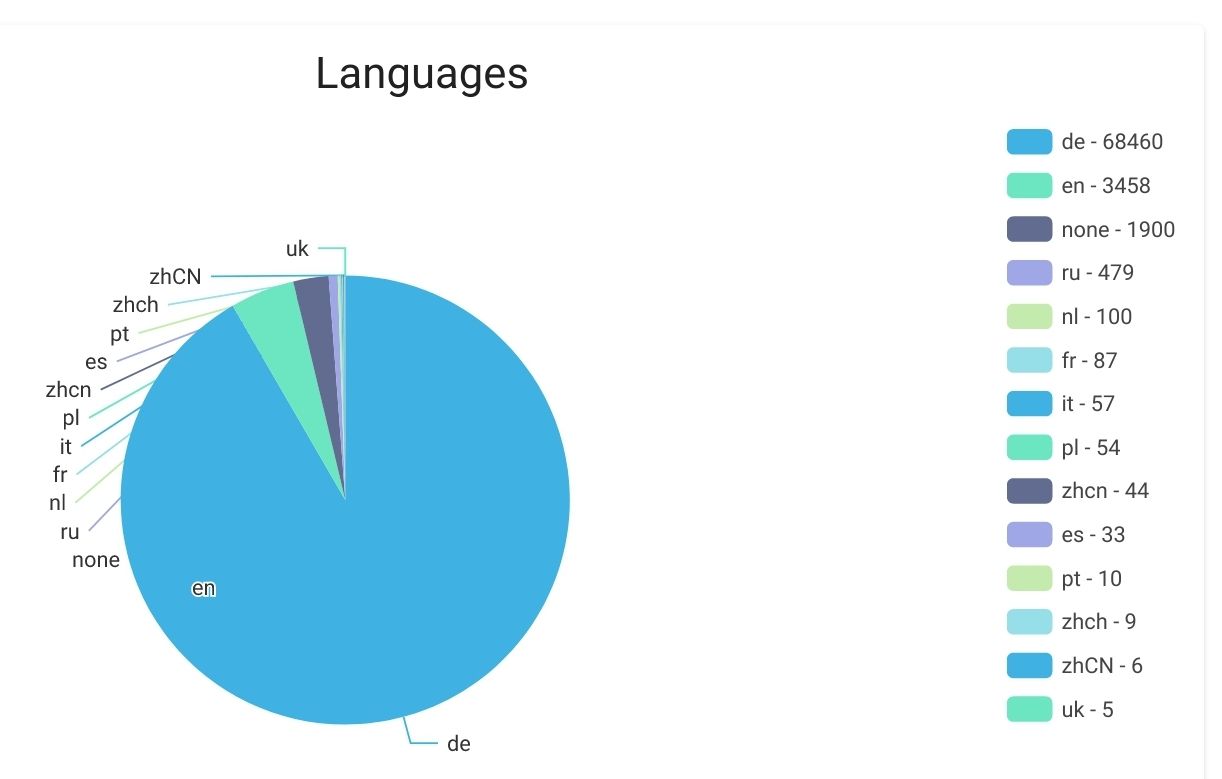
            .... more english speaker the German speaker

            🤣

            Screenshot_20240417-125840_Firefox.jpg
            das sind die Installationen und im forum istcdie Luft noch viel dünner

            kein Support per PN! - Fragen im Forum stellen -
            Benutzt das Voting rechts unten im Beitrag wenn er euch geholfen hat.
            Das Forum freut sich über eine Spende. Benutzt dazu den Spendenbutton oben rechts. Danke!
            der Installationsfixer: curl -fsL https://iobroker.net/fix.sh | bash -

            1 Antwort Letzte Antwort
            1

            Hey! Du scheinst an dieser Unterhaltung interessiert zu sein, hast aber noch kein Konto.

            Hast du es satt, bei jedem Besuch durch die gleichen Beiträge zu scrollen? Wenn du dich für ein Konto anmeldest, kommst du immer genau dorthin zurück, wo du zuvor warst, und kannst dich über neue Antworten benachrichtigen lassen (entweder per E-Mail oder Push-Benachrichtigung). Du kannst auch Lesezeichen speichern und Beiträge positiv bewerten, um anderen Community-Mitgliedern deine Wertschätzung zu zeigen.

            Mit deinem Input könnte dieser Beitrag noch besser werden 💗

            Registrieren Anmelden
            Antworten
            • In einem neuen Thema antworten
            Anmelden zum Antworten
            • Älteste zuerst
            • Neuste zuerst
            • Meiste Stimmen


            Support us

            ioBroker
            Community Adapters
            Donate

            543

            Online

            32.7k

            Benutzer

            82.6k

            Themen

            1.3m

            Beiträge
            Community
            Impressum | Datenschutz-Bestimmungen | Nutzungsbedingungen | Einwilligungseinstellungen
            ioBroker Community 2014-2025
            logo
            • Anmelden

            • Du hast noch kein Konto? Registrieren

            • Anmelden oder registrieren, um zu suchen
            • Erster Beitrag
              Letzter Beitrag
            0
            • Home
            • Aktuell
            • Tags
            • Ungelesen 0
            • Kategorien
            • Unreplied
            • Beliebt
            • GitHub
            • Docu
            • Hilfe