
NEWS




jarvis v3.2.x - just another remarkable vis
-
@zefau Ich konnte nicht von v3.2.x auf v.3.19-beta.2 downgraden. Hab jetzt von v3.2.x auf v3.1.8 downgrde durchgeführt und er bleibt dort auch auf v3.1.8?
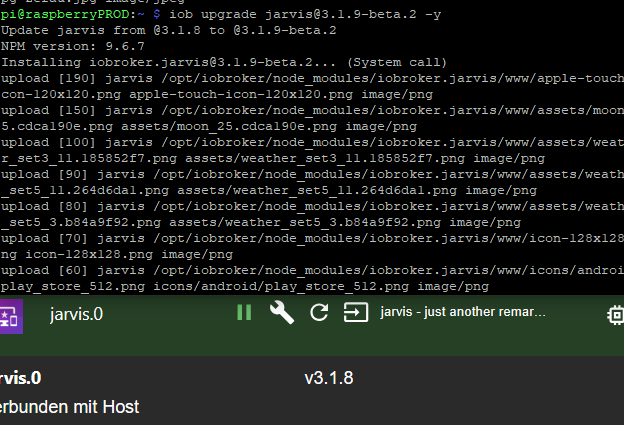
Jetzt weiß ich warum es nicht ging
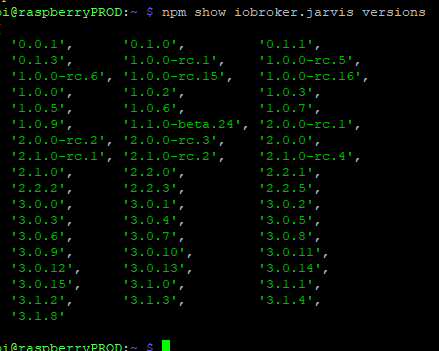
Man muss die github-Version nutzen
https://github.com/Zefau/ioBroker.jarvis/tree/31ad221a4171597a434fff0b41d75dd7d09d6d6c@Zefau Halli Hallo,
hatte bereits schon in einem anderen Bereich geschrieben da ich nicht wusste dass es einen extra für die3.2x alpha gibt. Da ich dort noch nicht weiter gekommen bin, packe ich es hier auch nochmal rein
Ich bekomme seit der 3.2.0 alpha 1 keine Verbindung zu Jarvis mehr hin . Also generell ist Jarvis so nicht mehr nutzbar bei mir. Zurück auf die 3.1.8 geht wieder alles.Im Log von Edge stehen etliche Einträge dass er keine WebSocket Verbindung hinbekommt.
Im IoBroker Log steht dies.web.0 2023-10-29 12:18:18.597 error Error: "error" - No sid found from ::ffff:192.168.100.84 web.0 2023-10-29 12:18:10.578 error Error: "error" - No sid found from ::ffff:192.168.100.84 web.0 2023-10-29 12:16:02.684 error Error: "error" - No sid found from ::ffff:192.168.100.84 web.0 2023-10-29 12:13:08.223 error Error: "error" - No sid found from ::ffff:192.168.100.84 web.0 2023-10-29 12:12:30.703 error Error: "error" - No sid found from ::ffff:192.168.100.84 web.0 2023-10-29 11:43:39.407 error Error: "error" - No sid found from ::ffff:192.168.100.84 jarvis.0 2023-10-29 11:43:20.804 error Error opening web socket: Cannot read properties of null (reading 'on') jarvis.0 2023-10-29 11:43:20.802 error WebSocketServer is not a constructordies bei allen alpha Versionen bis jetzt.
Grüße
-
@Zefau Halli Hallo,
hatte bereits schon in einem anderen Bereich geschrieben da ich nicht wusste dass es einen extra für die3.2x alpha gibt. Da ich dort noch nicht weiter gekommen bin, packe ich es hier auch nochmal rein
Ich bekomme seit der 3.2.0 alpha 1 keine Verbindung zu Jarvis mehr hin . Also generell ist Jarvis so nicht mehr nutzbar bei mir. Zurück auf die 3.1.8 geht wieder alles.Im Log von Edge stehen etliche Einträge dass er keine WebSocket Verbindung hinbekommt.
Im IoBroker Log steht dies.web.0 2023-10-29 12:18:18.597 error Error: "error" - No sid found from ::ffff:192.168.100.84 web.0 2023-10-29 12:18:10.578 error Error: "error" - No sid found from ::ffff:192.168.100.84 web.0 2023-10-29 12:16:02.684 error Error: "error" - No sid found from ::ffff:192.168.100.84 web.0 2023-10-29 12:13:08.223 error Error: "error" - No sid found from ::ffff:192.168.100.84 web.0 2023-10-29 12:12:30.703 error Error: "error" - No sid found from ::ffff:192.168.100.84 web.0 2023-10-29 11:43:39.407 error Error: "error" - No sid found from ::ffff:192.168.100.84 jarvis.0 2023-10-29 11:43:20.804 error Error opening web socket: Cannot read properties of null (reading 'on') jarvis.0 2023-10-29 11:43:20.802 error WebSocketServer is not a constructordies bei allen alpha Versionen bis jetzt.
Grüße
@intruder7 verbinde dich mal auf den jarvis Port
8400 -
@intruder7 verbinde dich mal auf den jarvis Port
8400 -
@intruder7 verbinde dich mal auf den jarvis Port
8400 -
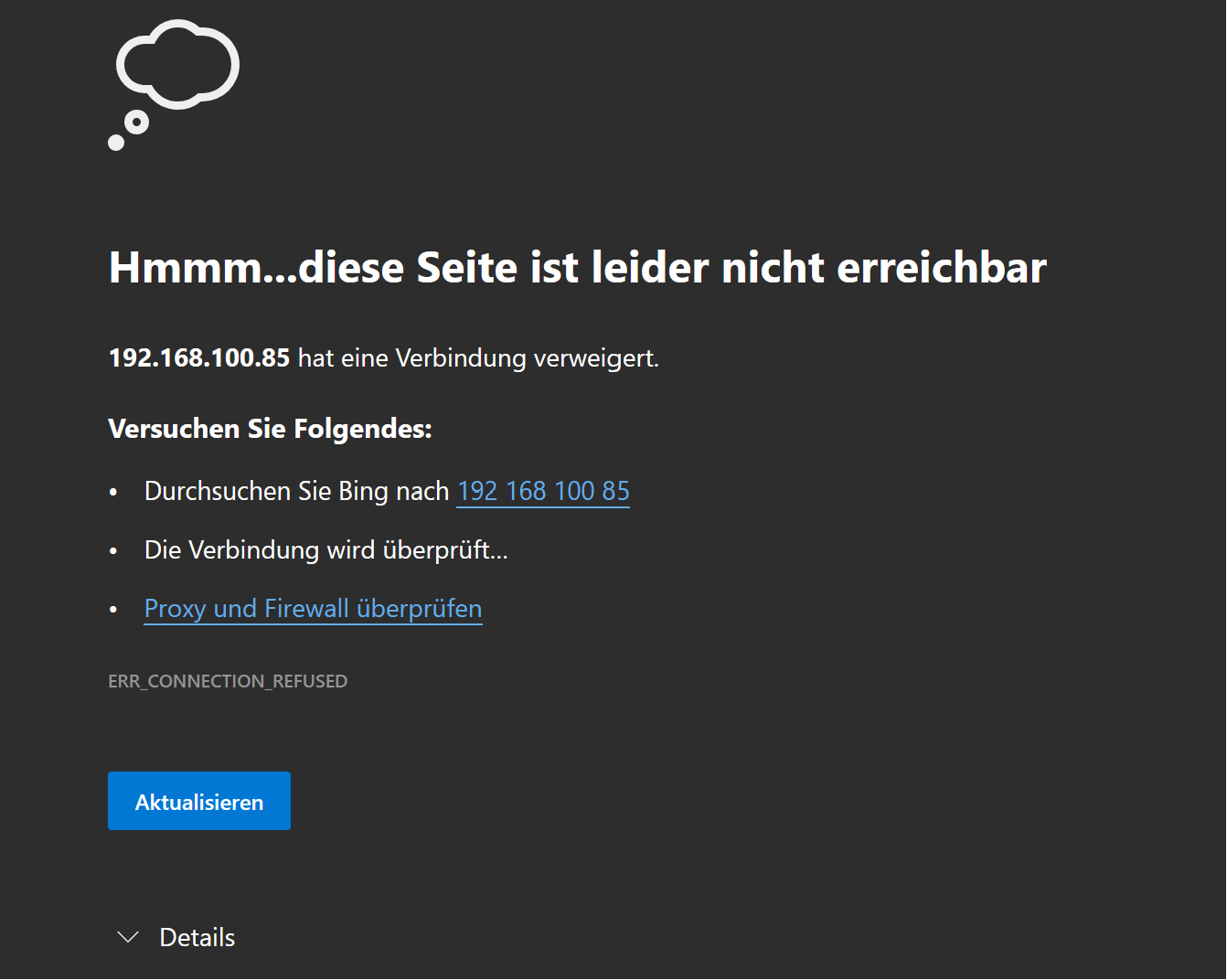
http://192.168.100.85:8400/jarvis/index.html#/home0NUC i7 64GB mit Proxmox ---- Jarvis Infos Aktualisierungen der Doku auf Instagram verfolgen -> mcuiobroker Instagram
Wenn Euch mein Vorschlag geholfen hat, bitte rechts "^" klicken. -
http://192.168.100.85:8400/jarvis/index.html#/home0@mcu sagte in jarvis v3.2.x - just another remarkable vis (alpha-testing):
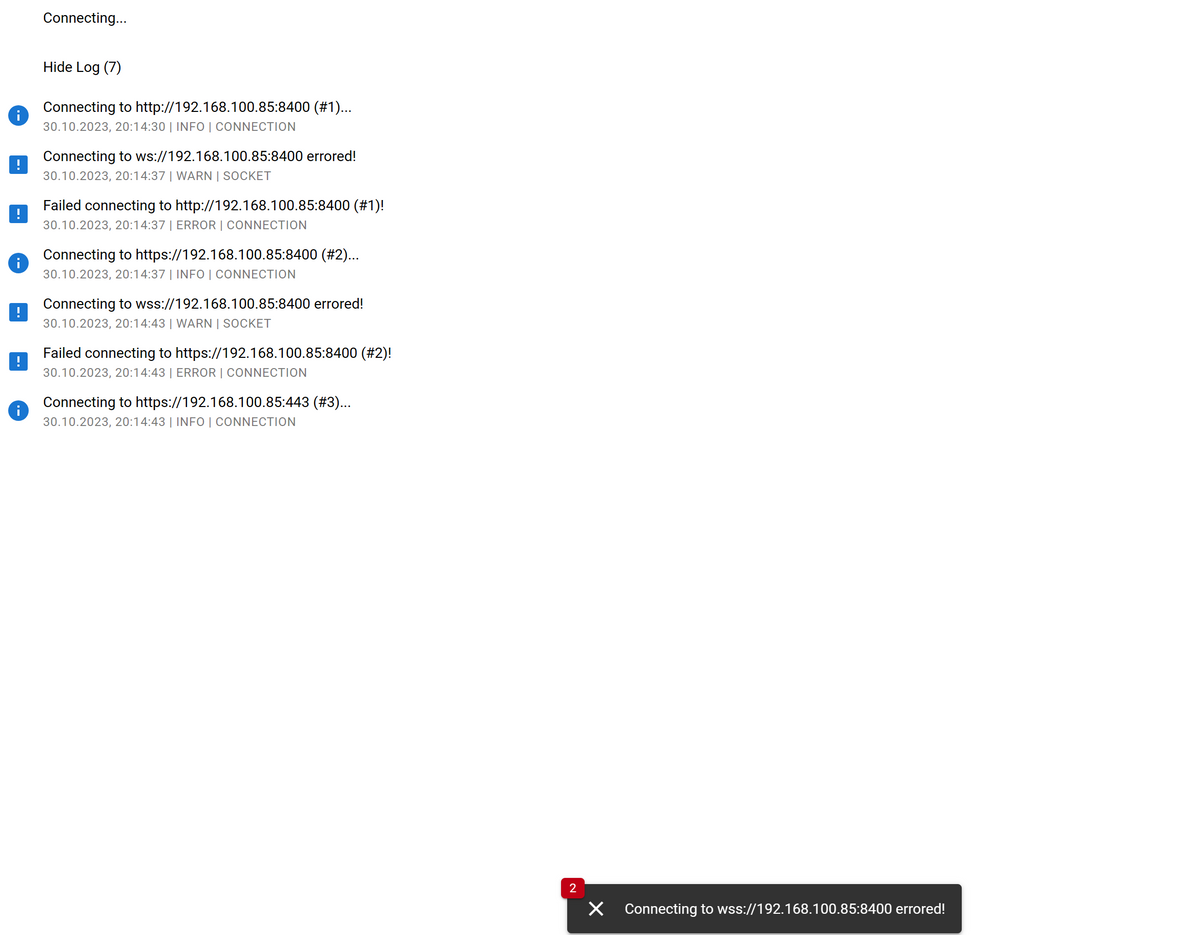
kommt das erste Bild vom letzten Post
mit
http://192.168.100.85:8400/
kommtError: xhr poll error Connecting to http://192.168.100.85:8400 (#1)... 30.10.2023, 20:16:26 | INFO | CONNECTION Connecting to http://192.168.100.85:8400 unsuccessful. 30.10.2023, 20:16:26 | WARN | SOCKET Failed connecting to http://192.168.100.85:8400 (#1)! 30.10.2023, 20:16:26 | ERROR | CONNECTION Connecting to https://192.168.100.85:8400 (#2)... 30.10.2023, 20:16:26 | INFO | CONNECTION Connecting to https://192.168.100.85:8400 unsuccessful. 30.10.2023, 20:16:29 | WARN | SOCKET Failed connecting to https://192.168.100.85:8400 (#2)! 30.10.2023, 20:16:29 | ERROR | CONNECTION Connecting to https://192.168.100.85:443 (#3)... 30.10.2023, 20:16:29 | INFO | CONNECTION Connecting to http://192.168.100.85:8400 unsuccessful. 30.10.2023, 20:16:30 | WARN | SOCKET Connecting to https://192.168.100.85:443 unsuccessful. 30.10.2023, 20:16:31 | WARN | SOCKET Failed connecting to https://192.168.100.85:443 (#3)! 30.10.2023, 20:16:31 | ERROR | CONNECTION Connecting to http://192.168.100.85:80 (#4)... 30.10.2023, 20:16:31 | INFO | CONNECTION Connecting to https://192.168.100.85:8400 unsuccessful. 30.10.2023, 20:16:32 | WARN | SOCKET Connecting to http://192.168.100.85:80 unsuccessful. 30.10.2023, 20:16:33 | WARN | SOCKET Failed connecting to http://192.168.100.85:80 (#4)! 30.10.2023, 20:16:33 | ERROR | CONNECTION Connecting to https://192.168.100.85:443 unsuccessful. 30.10.2023, 20:16:34 | WARN | SOCKET Connecting to http://192.168.100.85:8400 unsuccessful. 30.10.2023, 20:16:35 | WARN | SOCKET Connecting to https://192.168.100.85:8400 unsuccessful. 30.10.2023, 20:16:36 | WARN | SOCKET Connecting to http://192.168.100.85:80 unsuccessful. 30.10.2023, 20:16:36 | WARN | SOCKET Connecting to https://192.168.100.85:443 unsuccessful. 30.10.2023, 20:16:39 | WARN | SOCKET Connecting to http://192.168.100.85:8400 unsuccessful. 30.10.2023, 20:16:39 | WARN | SOCKET Connecting to http://192.168.100.85:80 unsuccessful. 30.10.2023, 20:16:41 | WARN | SOCKET Connecting to https://192.168.100.85:8400 unsuccessful. 30.10.2023, 20:16:43 | WARN | SOCKET Connecting to https://192.168.100.85:443 unsuccessful. 30.10.2023, 20:16:43 | WARN | SOCKET Connecting to http://192.168.100.85:8400 unsuccessful. 30.10.2023, 20:16:46 | WARN | SOCKET Connecting to http://192.168.100.85:80 unsuccessful. 30.10.2023, 20:16:48 | WARN | SOCKET Connecting to https://192.168.100.85:8400 unsuccessful. 30.10.2023, 20:16:50 | WARN | SOCKET Connecting to https://192.168.100.85:443 unsuccessful. 30.10.2023, 20:16:50 | WARN | SOCKET Connecting to http://192.168.100.85:8400 unsuccessful. 30.10.2023, 20:16:54 | WARN | SOCKET Connecting to http://192.168.100.85:80 unsuccessful. 30.10.2023, 20:16:55 | WARN | SOCKET Connecting to https://192.168.100.85:8400 unsuccessful. 30.10.2023, 20:16:57 | WARN | SOCKET Connecting to https://192.168.100.85:443 unsuccessful. 30.10.2023, 20:16:58 | WARN | SOCKET Connecting to http://192.168.100.85:8400 unsuccessful. 30.10.2023, 20:17:01 | WARN | SOCKET Connecting to http://192.168.100.85:80 unsuccessful. 30.10.2023, 20:17:02 | WARN | SOCKET Connecting to https://192.168.100.85:8400 unsuccessful. 30.10.2023, 20:17:04 | WARN | SOCKET Connecting to https://192.168.100.85:443 unsuccessful. 30.10.2023, 20:17:05 | WARN | SOCKET Connecting to http://192.168.100.85:8400 unsuccessful. 30.10.2023, 20:17:08 | WARN | SOCKET Connecting to http://192.168.100.85:80 unsuccessful. 30.10.2023, 20:17:09 | WARN | SOCKET Connecting to https://192.168.100.85:8400 unsuccessful. 30.10.2023, 20:17:11 | WARN | SOCKET Connecting to https://192.168.100.85:443 unsuccessful. 30.10.2023, 20:17:12 | WARN | SOCKET Connecting to http://192.168.100.85:8400 unsuccessful. 30.10.2023, 20:17:16 | WARN | SOCKET Connecting to http://192.168.100.85:80 unsuccessful. 30.10.2023, 20:17:17 | WARN | SOCKET Connecting to https://192.168.100.85:8400 unsuccessful. 30.10.2023, 20:17:19 | WARN | SOCKET Connecting to https://192.168.100.85:443 unsuccessful. 30.10.2023, 20:17:20 | WARN | SOCKET Connecting to http://192.168.100.85:8400 unsuccessful. 30.10.2023, 20:17:24 | WARN | SOCKET Connecting to http://192.168.100.85:80 unsuccessful. 30.10.2023, 20:17:25 | WARN | SOCKET Connecting to https://192.168.100.85:8400 unsuccessful. 30.10.2023, 20:17:27 | WARN | SOCKET Connecting to https://192.168.100.85:443 unsuccessful. 30.10.2023, 20:17:28 | WARN | SOCKET Connecting to http://192.168.100.85:8400 unsuccessful. 30.10.2023, 20:17:32 | WARN | SOCKET Connecting to http://192.168.100.85:80 unsuccessful. 30.10.2023, 20:17:33 | WARN | SOCKET Connecting to https://192.168.100.85:8400 unsuccessful. 30.10.2023, 20:17:34 | WARN | SOCKET Connecting to https://192.168.100.85:8400 unsuccessful. 30.10.2023, 20:17:45 | WARN | SOCKET Connecting to http://192.168.100.85:80 unsuccessful. 30.10.2023, 20:17:45 | WARN | SOCKET Connecting to http://192.168.100.85:8400 unsuccessful. 30.10.2023, 20:17:45 | WARN | SOCKET Connecting to https://192.168.100.85:8400 unsuccessful. 30.10.2023, 20:17:52 | WARN | SOCKET Connecting to http://192.168.100.85:8400 unsuccessful. 30.10.2023, 20:17:52 | WARN | SOCKET Connecting to http://192.168.100.85:80 unsuccessful. 30.10.2023, 20:17:52 | WARN | SOCKET -
@mcu sagte in jarvis v3.2.x - just another remarkable vis (alpha-testing):
kommt das erste Bild vom letzten Post
mit
http://192.168.100.85:8400/
kommtError: xhr poll error Connecting to http://192.168.100.85:8400 (#1)... 30.10.2023, 20:16:26 | INFO | CONNECTION Connecting to http://192.168.100.85:8400 unsuccessful. 30.10.2023, 20:16:26 | WARN | SOCKET Failed connecting to http://192.168.100.85:8400 (#1)! 30.10.2023, 20:16:26 | ERROR | CONNECTION Connecting to https://192.168.100.85:8400 (#2)... 30.10.2023, 20:16:26 | INFO | CONNECTION Connecting to https://192.168.100.85:8400 unsuccessful. 30.10.2023, 20:16:29 | WARN | SOCKET Failed connecting to https://192.168.100.85:8400 (#2)! 30.10.2023, 20:16:29 | ERROR | CONNECTION Connecting to https://192.168.100.85:443 (#3)... 30.10.2023, 20:16:29 | INFO | CONNECTION Connecting to http://192.168.100.85:8400 unsuccessful. 30.10.2023, 20:16:30 | WARN | SOCKET Connecting to https://192.168.100.85:443 unsuccessful. 30.10.2023, 20:16:31 | WARN | SOCKET Failed connecting to https://192.168.100.85:443 (#3)! 30.10.2023, 20:16:31 | ERROR | CONNECTION Connecting to http://192.168.100.85:80 (#4)... 30.10.2023, 20:16:31 | INFO | CONNECTION Connecting to https://192.168.100.85:8400 unsuccessful. 30.10.2023, 20:16:32 | WARN | SOCKET Connecting to http://192.168.100.85:80 unsuccessful. 30.10.2023, 20:16:33 | WARN | SOCKET Failed connecting to http://192.168.100.85:80 (#4)! 30.10.2023, 20:16:33 | ERROR | CONNECTION Connecting to https://192.168.100.85:443 unsuccessful. 30.10.2023, 20:16:34 | WARN | SOCKET Connecting to http://192.168.100.85:8400 unsuccessful. 30.10.2023, 20:16:35 | WARN | SOCKET Connecting to https://192.168.100.85:8400 unsuccessful. 30.10.2023, 20:16:36 | WARN | SOCKET Connecting to http://192.168.100.85:80 unsuccessful. 30.10.2023, 20:16:36 | WARN | SOCKET Connecting to https://192.168.100.85:443 unsuccessful. 30.10.2023, 20:16:39 | WARN | SOCKET Connecting to http://192.168.100.85:8400 unsuccessful. 30.10.2023, 20:16:39 | WARN | SOCKET Connecting to http://192.168.100.85:80 unsuccessful. 30.10.2023, 20:16:41 | WARN | SOCKET Connecting to https://192.168.100.85:8400 unsuccessful. 30.10.2023, 20:16:43 | WARN | SOCKET Connecting to https://192.168.100.85:443 unsuccessful. 30.10.2023, 20:16:43 | WARN | SOCKET Connecting to http://192.168.100.85:8400 unsuccessful. 30.10.2023, 20:16:46 | WARN | SOCKET Connecting to http://192.168.100.85:80 unsuccessful. 30.10.2023, 20:16:48 | WARN | SOCKET Connecting to https://192.168.100.85:8400 unsuccessful. 30.10.2023, 20:16:50 | WARN | SOCKET Connecting to https://192.168.100.85:443 unsuccessful. 30.10.2023, 20:16:50 | WARN | SOCKET Connecting to http://192.168.100.85:8400 unsuccessful. 30.10.2023, 20:16:54 | WARN | SOCKET Connecting to http://192.168.100.85:80 unsuccessful. 30.10.2023, 20:16:55 | WARN | SOCKET Connecting to https://192.168.100.85:8400 unsuccessful. 30.10.2023, 20:16:57 | WARN | SOCKET Connecting to https://192.168.100.85:443 unsuccessful. 30.10.2023, 20:16:58 | WARN | SOCKET Connecting to http://192.168.100.85:8400 unsuccessful. 30.10.2023, 20:17:01 | WARN | SOCKET Connecting to http://192.168.100.85:80 unsuccessful. 30.10.2023, 20:17:02 | WARN | SOCKET Connecting to https://192.168.100.85:8400 unsuccessful. 30.10.2023, 20:17:04 | WARN | SOCKET Connecting to https://192.168.100.85:443 unsuccessful. 30.10.2023, 20:17:05 | WARN | SOCKET Connecting to http://192.168.100.85:8400 unsuccessful. 30.10.2023, 20:17:08 | WARN | SOCKET Connecting to http://192.168.100.85:80 unsuccessful. 30.10.2023, 20:17:09 | WARN | SOCKET Connecting to https://192.168.100.85:8400 unsuccessful. 30.10.2023, 20:17:11 | WARN | SOCKET Connecting to https://192.168.100.85:443 unsuccessful. 30.10.2023, 20:17:12 | WARN | SOCKET Connecting to http://192.168.100.85:8400 unsuccessful. 30.10.2023, 20:17:16 | WARN | SOCKET Connecting to http://192.168.100.85:80 unsuccessful. 30.10.2023, 20:17:17 | WARN | SOCKET Connecting to https://192.168.100.85:8400 unsuccessful. 30.10.2023, 20:17:19 | WARN | SOCKET Connecting to https://192.168.100.85:443 unsuccessful. 30.10.2023, 20:17:20 | WARN | SOCKET Connecting to http://192.168.100.85:8400 unsuccessful. 30.10.2023, 20:17:24 | WARN | SOCKET Connecting to http://192.168.100.85:80 unsuccessful. 30.10.2023, 20:17:25 | WARN | SOCKET Connecting to https://192.168.100.85:8400 unsuccessful. 30.10.2023, 20:17:27 | WARN | SOCKET Connecting to https://192.168.100.85:443 unsuccessful. 30.10.2023, 20:17:28 | WARN | SOCKET Connecting to http://192.168.100.85:8400 unsuccessful. 30.10.2023, 20:17:32 | WARN | SOCKET Connecting to http://192.168.100.85:80 unsuccessful. 30.10.2023, 20:17:33 | WARN | SOCKET Connecting to https://192.168.100.85:8400 unsuccessful. 30.10.2023, 20:17:34 | WARN | SOCKET Connecting to https://192.168.100.85:8400 unsuccessful. 30.10.2023, 20:17:45 | WARN | SOCKET Connecting to http://192.168.100.85:80 unsuccessful. 30.10.2023, 20:17:45 | WARN | SOCKET Connecting to http://192.168.100.85:8400 unsuccessful. 30.10.2023, 20:17:45 | WARN | SOCKET Connecting to https://192.168.100.85:8400 unsuccessful. 30.10.2023, 20:17:52 | WARN | SOCKET Connecting to http://192.168.100.85:8400 unsuccessful. 30.10.2023, 20:17:52 | WARN | SOCKET Connecting to http://192.168.100.85:80 unsuccessful. 30.10.2023, 20:17:52 | WARN | SOCKET@intruder7 Du verwendest kein https, richtig? Adapter ist richtig geuploaded im ioBroker Backend? Also korrekte Versionsnummer in den Instanzen? Kannst du die Instanz mal auf debug stellen und schauen, ob du was im ioBroker Log bekommst?
-
@intruder7 Du verwendest kein https, richtig? Adapter ist richtig geuploaded im ioBroker Backend? Also korrekte Versionsnummer in den Instanzen? Kannst du die Instanz mal auf debug stellen und schauen, ob du was im ioBroker Log bekommst?
@zefau ja, ja und ja :-)
Log nach restart der instanzjarvis.0 2023-10-30 21:13:08.663 info State value to set for "jarvis.0.settings.pageHomeReturn" has to be type "number" but received type "string" jarvis.0 2023-10-30 21:13:08.473 info Found Backups for devices. jarvis.0 2023-10-30 21:13:08.471 error Error opening web socket: Cannot read properties of null (reading 'on') jarvis.0 2023-10-30 21:13:08.471 error WebSocketServer is not a constructor jarvis.0 2023-10-30 21:13:08.470 debug Connection: Using options: {} jarvis.0 2023-10-30 21:13:08.470 debug Connection: Using non-secure HTTP-Server jarvis.0 2023-10-30 21:13:08.468 debug Connection: ioBroker host detected with NUC-ioBroker (IP: 192.168.100.85). jarvis.0 2023-10-30 21:13:08.466 debug Web Configuration: {"port":8082,"auth":false,"secure":false,"bind":"0.0.0.0","cache":false,"socketio":"","simpleapi":false,"defaultUser":"admin","ttl":3600,"certPublic":"","certPrivate":"","certChained":"","addUserName":false,"forceWebSockets":false,"whiteListEnabled":false,"leEnabled":false,"leUpdate":false,"leCheckPort":80,"loginBackgroundColor":"","loginBackgroundImage":false,"basicAuth":false,"disableExtensions":false,"disableStates":false,"disableFilesObjects":false,"defaultRedirect":"","usePureWebSockets":false,"compatibilityV2":true,"staticAssetCacheMaxAge":60,"language":"","startDisabledExtensions":false,"showFolderIndex":false,"whiteListSettings":{"default":{"user":"admin"}}} jarvis.0 2023-10-30 21:13:08.457 info Found Backups for styles. jarvis.0 2023-10-30 21:13:08.455 info Found Backups for scripts. jarvis.0 2023-10-30 21:13:08.455 info Found Backups for settings. jarvis.0 2023-10-30 21:13:08.451 info Found Backups for widgets. jarvis.0 2023-10-30 21:13:08.450 info Found Backups for layout. jarvis.0 2023-10-30 21:13:08.412 debug Scheduled for 10:24 jarvis.0 2023-10-30 21:13:08.368 info starting. Version 3.2.0-alpha.3 (non-npm: Zefau/ioBroker.jarvis#62ba80dc2f5de2dd821c5226c786799629bd9950) in /opt/iobroker/node_modules/iobroker.jarvis, node: v18.17.1, js-controller: 5.0.15 -
http://192.168.100.85:8400/jarvis/index.html#/home0 -
https://github.com/Zefau/ioBroker.jarvis/tree/38ec42822d9580a7f2b6b9885413376da9631866NUC i7 64GB mit Proxmox ---- Jarvis Infos Aktualisierungen der Doku auf Instagram verfolgen -> mcuiobroker Instagram
Wenn Euch mein Vorschlag geholfen hat, bitte rechts "^" klicken. -
https://github.com/Zefau/ioBroker.jarvis/tree/38ec42822d9580a7f2b6b9885413376da9631866@mcu sagte in jarvis v3.2.x - just another remarkable vis (alpha-testing):
https://github.com/Zefau/ioBroker.jarvis/tree/38ec42822d9580a7f2b6b9885413376da9631866Ok, geht zwar aber Fehler in 12 , denke ich hatte zuletzt die v3.2.0-alpha.7
Bitte Link zu 7
-
@mcu sagte in jarvis v3.2.x - just another remarkable vis (alpha-testing):
https://github.com/Zefau/ioBroker.jarvis/tree/38ec42822d9580a7f2b6b9885413376da9631866Ok, geht zwar aber Fehler in 12 , denke ich hatte zuletzt die v3.2.0-alpha.7
Bitte Link zu 7
https://github.com/Zefau/ioBroker.jarvis/tree/6ba08dd71c92340d880a37555d96ca795f13f3eeNUC i7 64GB mit Proxmox ---- Jarvis Infos Aktualisierungen der Doku auf Instagram verfolgen -> mcuiobroker Instagram
Wenn Euch mein Vorschlag geholfen hat, bitte rechts "^" klicken. -
https://github.com/Zefau/ioBroker.jarvis/tree/6ba08dd71c92340d880a37555d96ca795f13f3ee@mcu Hallo zusammen, ich habe auch auf die 3.2.0 alpha 49 per Github ein Update gemacht. Gefällt mir sehr gut und funktioniert auch soweit alles.
Ich habe aktuell nur das kleinere Problem das bei mir im Bereich CSS nichts angezeigt wird. Jarvis aber trotzdem das was in der alten Version funktioniert anwendet aber eben nicht alles. Ich habe z.B. Anpassungen gemacht das die SwitchActions in rot und grün angezeigt werden je nach Zustand, nun bleiben mit der 3.2.0 alpha die Buttons immer weiß die Fläche im Hintergrund (wo der Button drauf hin und herspringt) ändert sich aber in der Farbe.
Ich würde gerne mal den aktuellen Zustand sehen und z.B. einfach erstmal rausnehmen oder so. Aufgrund eines Tipps von MCU im anderen Jarvis Thread habe ich schon mal ein Upload gemacht und den Web Adapter neugestartet. Das bringt aber leider nichts, der CSS Reiter in der Konfiguration von Jarvis bleibt leer.
Vielleicht gibt es ja noch was, was ich tun kann.
Grüße...
-
@mcu Hallo zusammen, ich habe auch auf die 3.2.0 alpha 49 per Github ein Update gemacht. Gefällt mir sehr gut und funktioniert auch soweit alles.
Ich habe aktuell nur das kleinere Problem das bei mir im Bereich CSS nichts angezeigt wird. Jarvis aber trotzdem das was in der alten Version funktioniert anwendet aber eben nicht alles. Ich habe z.B. Anpassungen gemacht das die SwitchActions in rot und grün angezeigt werden je nach Zustand, nun bleiben mit der 3.2.0 alpha die Buttons immer weiß die Fläche im Hintergrund (wo der Button drauf hin und herspringt) ändert sich aber in der Farbe.
Ich würde gerne mal den aktuellen Zustand sehen und z.B. einfach erstmal rausnehmen oder so. Aufgrund eines Tipps von MCU im anderen Jarvis Thread habe ich schon mal ein Upload gemacht und den Web Adapter neugestartet. Das bringt aber leider nichts, der CSS Reiter in der Konfiguration von Jarvis bleibt leer.
Vielleicht gibt es ja noch was, was ich tun kann.
Grüße...
@hotspot_2 Ist denn im DP jarvis.0.css was drin?
Bitte den Inhalt als Objekt kopieren und in CodeTags hier einfügenNUC i7 64GB mit Proxmox ---- Jarvis Infos Aktualisierungen der Doku auf Instagram verfolgen -> mcuiobroker Instagram
Wenn Euch mein Vorschlag geholfen hat, bitte rechts "^" klicken. -
@hotspot_2 Ist denn im DP jarvis.0.css was drin?
Bitte den Inhalt als Objekt kopieren und in CodeTags hier einfügen@mcu Anbei der Inhalt von jarvis.0.css.
{ "version": 3.2, "signature": 4889882263576557, "css": "/* Abfallkalender Widget */\n\n.jarvis-widget-d9e3b00f-a014-4004-9aeb-747f80d977ef .jarvis-iFrame-Container {\n\tposition: absolute;\n\tleft: 30px;\n}\n\n/* Farbige Slider Temperatur */\n\n.jarvis-widget-be0b1d30-14d3-48ef-8293-629517e56d42 .q-slider .q-slider__track {\n\tbackground: linear-gradient( to right, #009fff 0%, #00cfff 33%, #ffffff 50%, #fff000 83%, #ff5000 100% );\n}\n\n.jarvis-widget-be0b1d30-14d3-48ef-8293-629517e56d42 .q-slider__track {\n\tcolor: transparent;\n}\n\n/* Anderer Hintergrund */\n\n.jarvis-page-container {\n\tbackground-image: url(\"https://images.hdqwalls.com/download/black-gradient-b9-1920x1080.jpg\");\n}\n\n.body--dark .jarvis-header {\n\tbackground-color: rgba(0,0,0,0.45) !important;\n}\n\n.jarvis-tabs-container {\n\tbackground-color: rgba(0,0,0,0.45) !important;\n}\n\n.jarvis-widget-container {\n\tbackground-color: rgba(0,0,0,0.45) !important;\n}\n\n.body--dark .jarvis-widget {\n\tbackground: rgba(0,0,0,0.45);\n}\n\n.body--light .jarvis-widget {\n\tbackground: rgba(255,255,255,1);\n}\n\n.body--dark .jarvis-tabs-container {\n\tbackground-color: rgba(0,0,0,0.45) !important;\n}\n\n/* für JsonTable ergänzt @mcu */\n\n.q-table__container {\n\tbackground-color: transparent !important;\n}\n\n/* für Trennstrich für TABs ergänzt @mcu */\n\n.q-header--bordered {\n\tborder: 1px solid transparent !important;\n}\n\n/* transparents Icon im Widget-Header @mcu */\n\n.jarvis-widget-icon {\n\tbackground: rgba(0,0,0,0.45);\n}\n\n/* MediaControl in transparentem Design @mcu */\n\n.cover {\n\tbackground-color: transparent !important;\n}\n\n.controls {\n\tbackground-color: transparent !important;\n}\n\n.track-information {\n\tbackground: rgba(25, 118, 210, 0) !important;\n}\n\n.track-duration {\n\tbackground-color: white;\n}\n\n.track-progress {\n\tbackground-color: blue;\n}\n\n.controls .jarvis-icon svg {\n\tcolor: white;\n}\n\n.controls .controlsLeft .q-btn__wrapper {\n\tbackground-color: transparent !important;\n}\n\n.controls .q-btn-group >.q-btn-item {\n\tbackground-color: transparent !important;\n}\n\n/* Bei JsonTable in Vergrößerung anderer Hintergrund nicht transparent @MCU */\n\n.fullscreen.scroll.jarvis-JsonTable.sticky-table-header {\n\tbackground-image: url(\"https://images.hdqwalls.com/download/black-gradient-b9-1920x1080.jpg\") !important;\n}\n\n/* Anpassungen Widgets */\n\n.jarvis-widget-c1a9b0d4-192d-4eb5-ba7f-10239c84a817 .q-table__bottom {\n\tdisplay: none !important;\n}\n\n.jarvis-widget-28759d3b-e57f-4698-a1f2-35f45db074ba .q-toggle__inner--truthy .q-toggle__track {\n\tcolor: green;\n}\n\n.jarvis-widget-28759d3b-e57f-4698-a1f2-35f45db074ba .q-toggle__inner--truthy .q-toggle__thumb::after {\n\tcolor: green;\n}\n\n.jarvis-widget-28759d3b-e57f-4698-a1f2-35f45db074ba .q-toggle__inner--falsy .q-toggle__track {\n\tcolor: red;\n}\n\n.jarvis-widget-28759d3b-e57f-4698-a1f2-35f45db074ba .q-toggle__inner--falsy .q-toggle__thumb::after {\n\tbackground-color: red;\n}\n\n.jarvis-widget-0c044607-d8f9-40b1-a118-19ebc517e3d6 .q-toggle__inner--truthy .q-toggle__track {\n\tcolor: green;\n}\n\n.jarvis-widget-0c044607-d8f9-40b1-a118-19ebc517e3d6 .q-toggle__inner--truthy .q-toggle__thumb::after {\n\tcolor: green;\n}\n\n.jarvis-widget-0c044607-d8f9-40b1-a118-19ebc517e3d6 .q-toggle__inner--falsy .q-toggle__track {\n\tcolor: red;\n}\n\n.jarvis-widget-0c044607-d8f9-40b1-a118-19ebc517e3d6 .q-toggle__inner--falsy .q-toggle__thumb::after {\n\tbackground-color: red;\n}\n\n.jarvis-widget-0ce48d89-371c-4dae-b6f9-d26bb413eefa .q-toggle__inner--truthy .q-toggle__track {\n\tcolor: green;\n}\n\n.jarvis-widget-0ce48d89-371c-4dae-b6f9-d26bb413eefa .q-toggle__inner--truthy .q-toggle__thumb::after {\n\tcolor: green;\n}\n\n.jarvis-widget-0ce48d89-371c-4dae-b6f9-d26bb413eefa .q-toggle__inner--falsy .q-toggle__track {\n\tcolor: red;\n}\n\n.jarvis-widget-0ce48d89-371c-4dae-b6f9-d26bb413eefa .q-toggle__inner--falsy .q-toggle__thumb::after {\n\tbackground-color: red;\n}\n\n.jarvis-widget-92c3317f-0748-433b-97d2-049ead36699d .q-toggle__inner--truthy .q-toggle__track {\n\tcolor: green;\n}\n\n.jarvis-widget-92c3317f-0748-433b-97d2-049ead36699d .q-toggle__inner--truthy .q-toggle__thumb::after {\n\tcolor: green;\n}\n\n.jarvis-widget-92c3317f-0748-433b-97d2-049ead36699d .q-toggle__inner--falsy .q-toggle__track {\n\tcolor: red;\n}\n\n.jarvis-widget-92c3317f-0748-433b-97d2-049ead36699d .q-toggle__inner--falsy .q-toggle__thumb::after {\n\tbackground-color: red;\n}\n\n/* Temperatur Pufferspeicher */\n\n.disHTML {\n\tdisplay: table;\n\tmargin: 0px !important;\n\twidth: 100%;\n}\n\n.disHTMLimg {\n\twidth: 200px;\n\theight: auto;\n\t/* alternativ */\n\t/* width: 200px; */\n\t/* height: auto; */\n}\n\n.disHTMLcell {\n\tdisplay: table-cell;\n\tvertical-align: middle;\n\tpadding: 20px;\n\t/*Abstand der Zellen */\n}\n\n.disHTMLtemp {\n\tfont-size: 25px;\n\ttext-align: right;\n\tpadding-top: 30px;\n\tpadding-bottom: 30px;\n\t/* Abstand zwischen den Temperaturen */\n\tmargin: 0px;\n}\n\n/* fehlt die Einheit kann eine anhängen (nur einheitlich für alle Temp-Werte) */\n\n.disHTMLtemp.disHTMLUnit:after {\n\tcontent: ' °C';\n}\n\n/* Mit Umrahmung vom Image */\n\n.q-card.q-card--dark.q-dark .disHTMLimg {\n\tborder: 3px solid white;\n}\n\n.q-card .disHTMLimg {\n\tborder: 3px solid black;\n}" } -
@hotspot_2
Ändere mal ein Zeichen in css und speicher dann.NUC i7 64GB mit Proxmox ---- Jarvis Infos Aktualisierungen der Doku auf Instagram verfolgen -> mcuiobroker Instagram
Wenn Euch mein Vorschlag geholfen hat, bitte rechts "^" klicken. -
@hotspot_2
Ändere mal ein Zeichen in css und speicher dann. -
@hotspot_2 Das Problem ist doch, das in der Jarvis Konfiguration kein Eintrag in den Styles ist, oder?
Geh mal bitte auf die letzte Version alpha.50. Damit wir den gleichen Stand haben.NUC i7 64GB mit Proxmox ---- Jarvis Infos Aktualisierungen der Doku auf Instagram verfolgen -> mcuiobroker Instagram
Wenn Euch mein Vorschlag geholfen hat, bitte rechts "^" klicken. -
@hotspot_2 Das Problem ist doch, das in der Jarvis Konfiguration kein Eintrag in den Styles ist, oder?
Geh mal bitte auf die letzte Version alpha.50. Damit wir den gleichen Stand haben. -
@mcu Ich bin jetzt auch auf der .50 und es sieht gleich aus weiterhin.
Mein Problem ist das in der Konfiguration die Styles so aussehen:
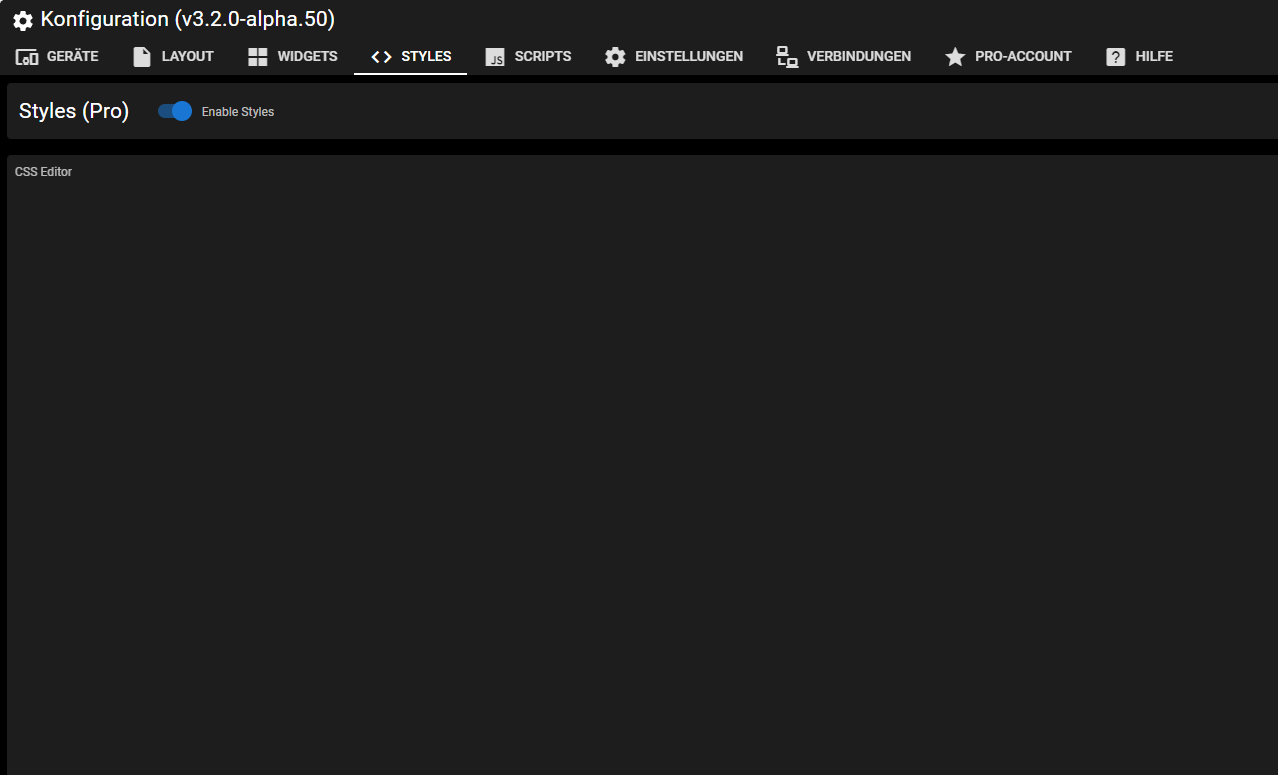
Es wird aber etwas angewendet sonst wären ja vermutlich die Buttons nicht teilweise rot und grün usw.
@hotspot_2 Kannst du bitte ein Issue erstellen, damit zefau sich das anschaut. Danke.
https://github.com/Zefau/ioBroker.jarvis/issues
Wenn du F12 drückst irgendwelche Fehler?NUC i7 64GB mit Proxmox ---- Jarvis Infos Aktualisierungen der Doku auf Instagram verfolgen -> mcuiobroker Instagram
Wenn Euch mein Vorschlag geholfen hat, bitte rechts "^" klicken.



Support us
687
Online32.4k
Users81.6k
Topics1.3m
Posts