




SONOFF NSPanel mit Lovelace UI (TypeScript Version)
-
@armilar
mein Vorschlag wäre jeder entscheidet selber. Weil z.B Teufel Raumfeld hat andere Möglichkeiten als Sonos und so weiter.@vumer sagte in SONOFF NSPanel mit Lovelace UI:
mein Vorschlag wäre jeder entscheidet selber. Weil z.B Teufel Raumfeld hat andere Möglichkeiten als Sonos und so weiter.
Das ist auch das Ziel.
Teufel/Raumfeld-Datenpunkte wären übrigens aus mal sehr interessant zu sehen...
Installationsanleitung, Tipps, Alias-Definitionen, FAQ für das Sonoff NSPanel mit lovelace UI unter ioBroker
https://github.com/joBr99/nspanel-lovelace-ui/wikiBenutzt das Voting rechts unten im Beitrag wenn er euch geholfen hat.
-
@vumer sagte in SONOFF NSPanel mit Lovelace UI:
mein Vorschlag wäre jeder entscheidet selber. Weil z.B Teufel Raumfeld hat andere Möglichkeiten als Sonos und so weiter.
Das ist auch das Ziel.
Teufel/Raumfeld-Datenpunkte wären übrigens aus mal sehr interessant zu sehen...
@armilar sagte in SONOFF NSPanel mit Lovelace UI:
Teufel/Raumfeld-Datenpunkte wären übrigens aus mal sehr interessant zu sehen...
Gibt es nur für Node-RED
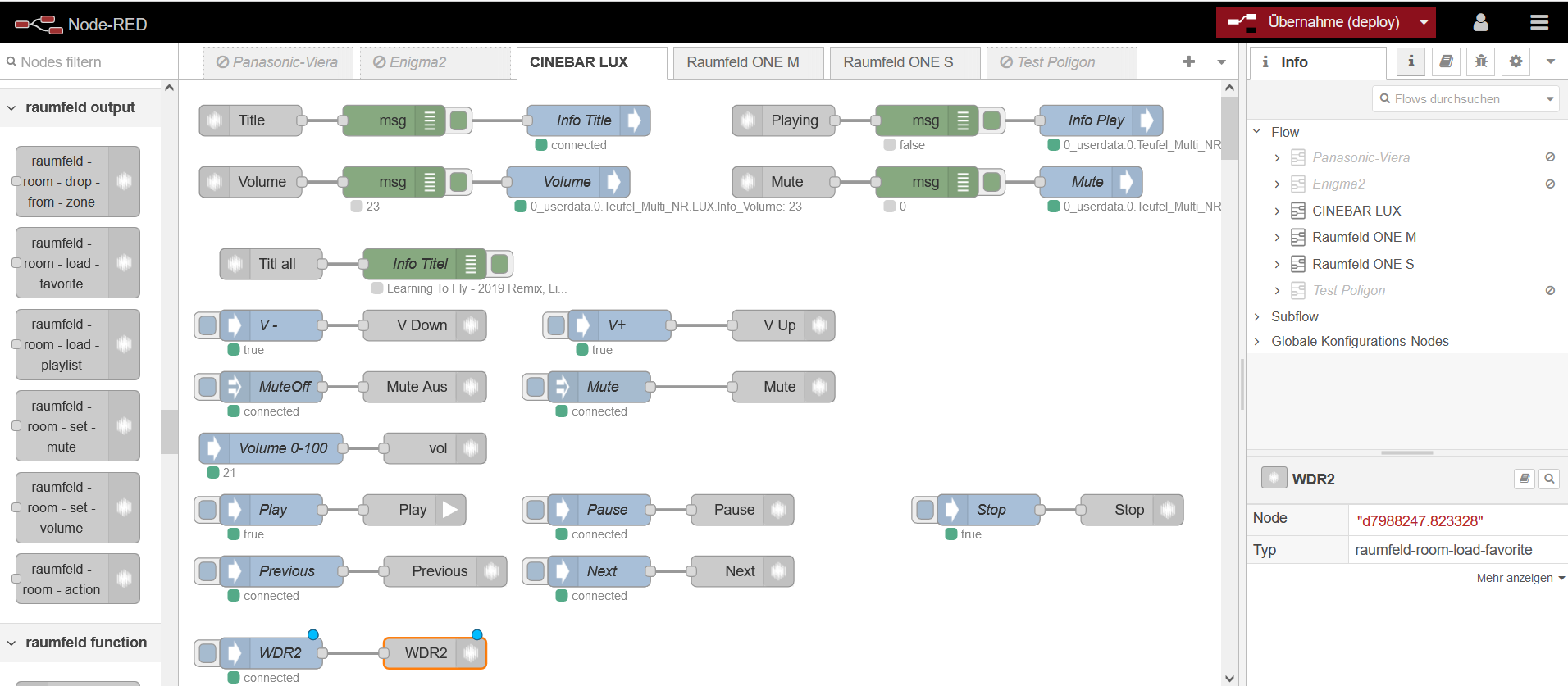
Kein Entwickler hat diese geile Geräte ;) -
@armilar sagte in SONOFF NSPanel mit Lovelace UI:
Teufel/Raumfeld-Datenpunkte wären übrigens aus mal sehr interessant zu sehen...
Gibt es nur für Node-RED
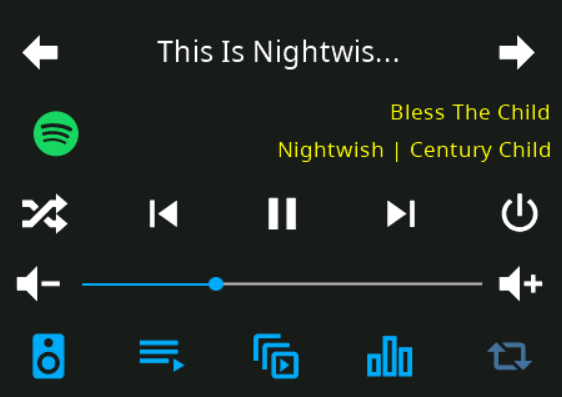
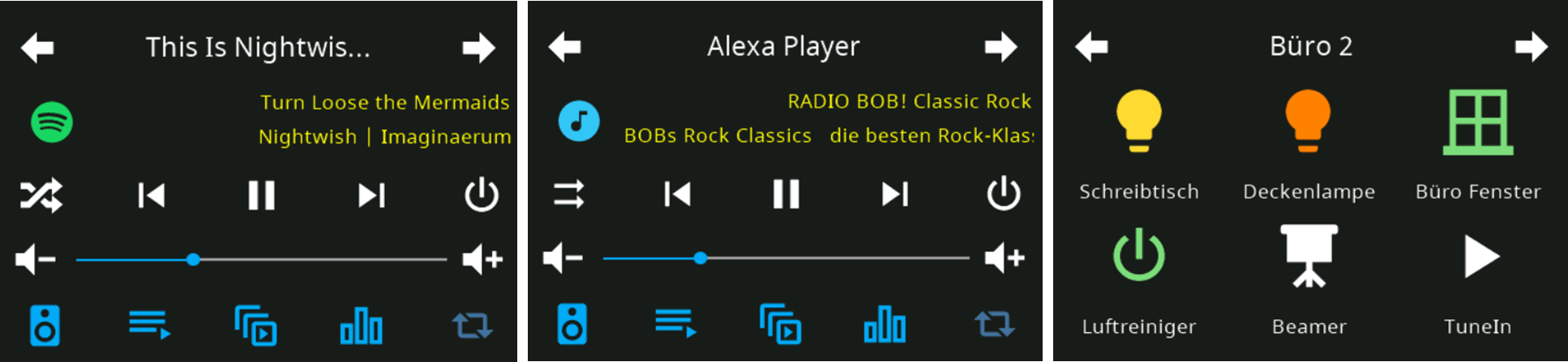
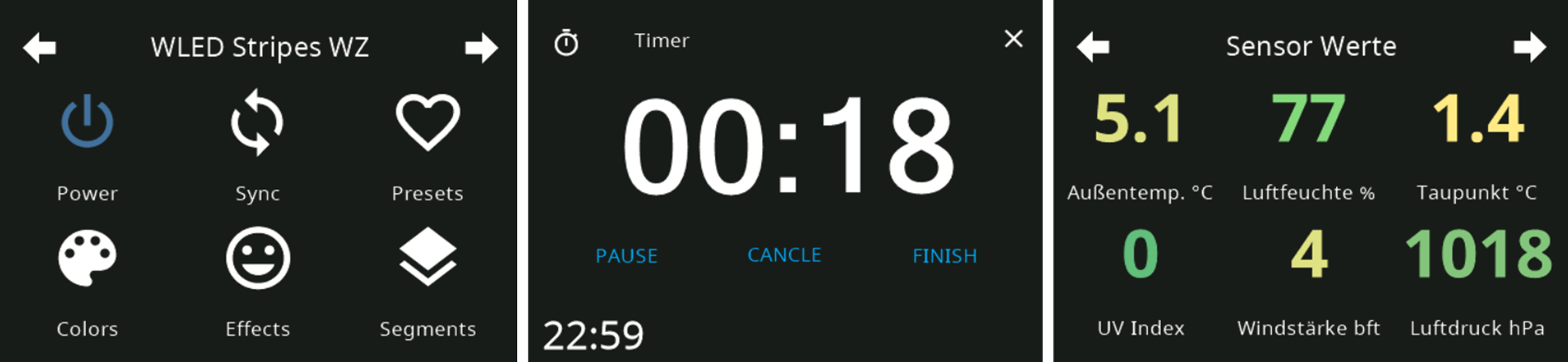
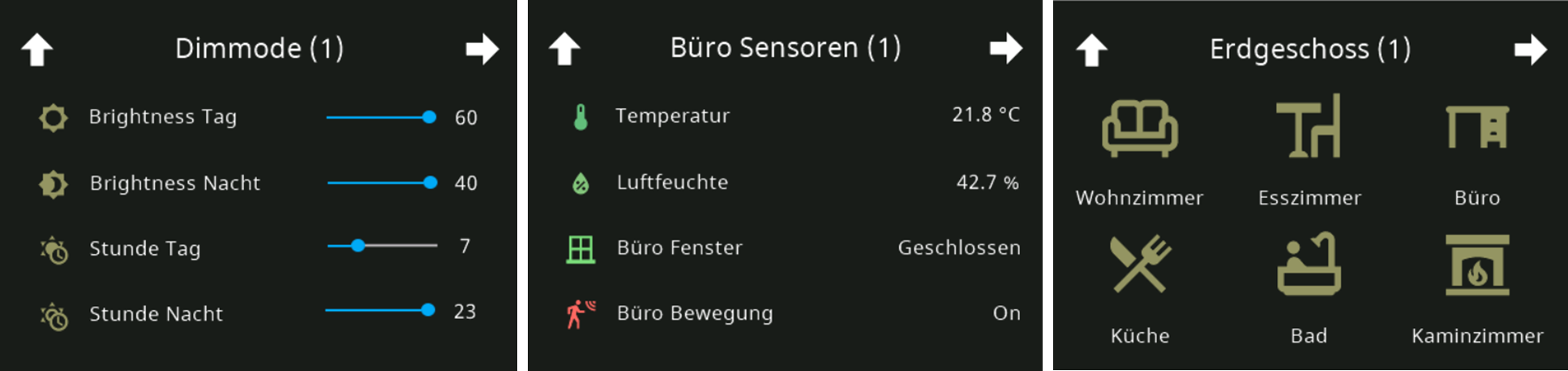
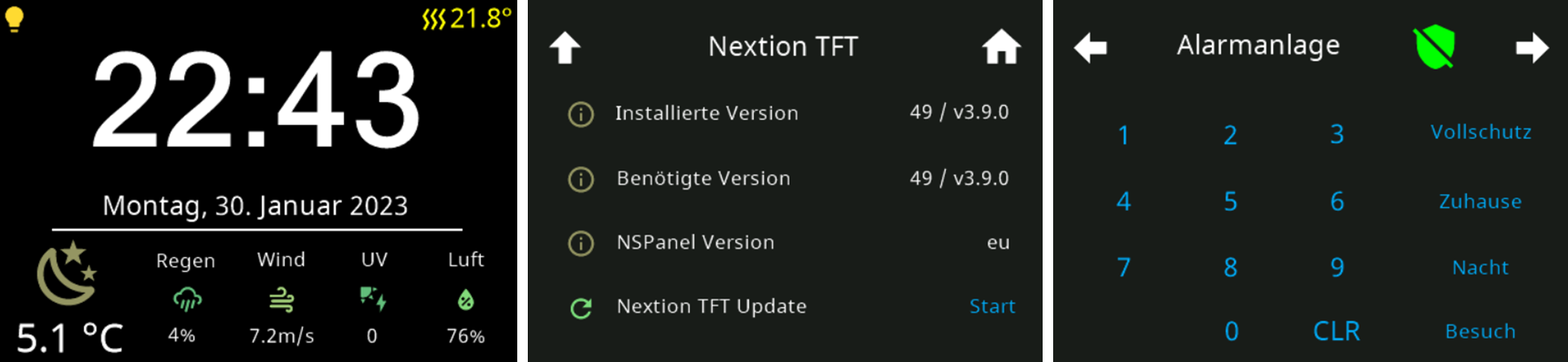
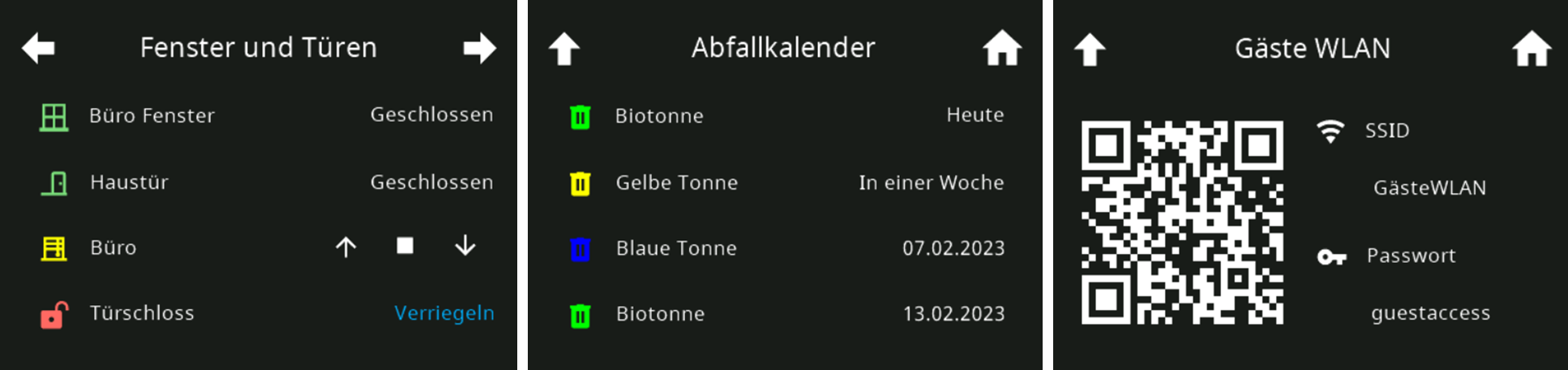
Kein Entwickler hat diese geile Geräte ;)Ein wenig gewöhnungsbedürftig die Ansicht ;-)
Ist das schon alles oder haben die neben den Funktionen, die ich da sehe (sind ja schon drin) auch noch weitere Features?
Also das müsste jetzt schon funktionieren.
Installationsanleitung, Tipps, Alias-Definitionen, FAQ für das Sonoff NSPanel mit lovelace UI unter ioBroker
https://github.com/joBr99/nspanel-lovelace-ui/wikiBenutzt das Voting rechts unten im Beitrag wenn er euch geholfen hat.
-
Ein wenig gewöhnungsbedürftig die Ansicht ;-)
Ist das schon alles oder haben die neben den Funktionen, die ich da sehe (sind ja schon drin) auch noch weitere Features?
Also das müsste jetzt schon funktionieren.
-
@armilar sagte in SONOFF NSPanel mit Lovelace UI:
auch noch weitere Features?
Eher weniger. Nur das Minimum. Spotify Speaker-Auswahl nur über Handy app ;(
Eher weniger. Nur das Minimum. Spotify Speaker-Auswahl nur über Handy app ;(
Das sollten wir uns demnächst mal ansehen. Das funktioniert, wenn du den Datenpunkt vom Spotify-Premium nimmst.
Installationsanleitung, Tipps, Alias-Definitionen, FAQ für das Sonoff NSPanel mit lovelace UI unter ioBroker
https://github.com/joBr99/nspanel-lovelace-ui/wikiBenutzt das Voting rechts unten im Beitrag wenn er euch geholfen hat.
-
Eher weniger. Nur das Minimum. Spotify Speaker-Auswahl nur über Handy app ;(
Das sollten wir uns demnächst mal ansehen. Das funktioniert, wenn du den Datenpunkt vom Spotify-Premium nimmst.
-
@armilar sagte in SONOFF NSPanel mit Lovelace UI:
Das sollten wir uns demnächst mal ansehen.
immer gerne
Das funktioniert, wenn du den Datenpunkt vom Spotify-Premium nimmst.
nee, das hängt mit dem Multiroom
-
Hat jemand auf Anhieb eine Idee wie ich die Buttons im Tasmota als extra Topic kriege so das man damit was anders machen kann? Ich glaube das stand mal hier irgendwo im Thread aber das wieder zu finden ist schwierig.
Danke schonmal! -
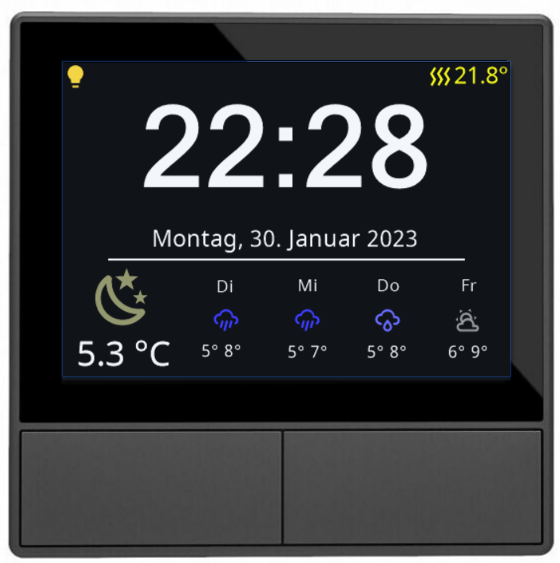
Wie oft aktualisiert die Temperaturanzeige im Screensaver? Kann man das einstellen? Ich habe einen Wetter-Alias der die aktuelle Temperatur aus einem Shelly Addon entnimmt. Mir ist gestern schon aufgefallen daß diese den ganzen Abend nicht aktualisiert wird.
-
@vumer ja mit dieser Hilfe kriege ich zwar bei Result die Ausgabe, muß dann aber wieder Verrenkungen machen um das aufzudröseln auf einzelne Datenpunkte. Theoretisch jetzt nicht so das Problem aber das geht doch irgendwie einfacher mit den Tasmota-Rules oder?
-
Wie oft aktualisiert die Temperaturanzeige im Screensaver? Kann man das einstellen? Ich habe einen Wetter-Alias der die aktuelle Temperatur aus einem Shelly Addon entnimmt. Mir ist gestern schon aufgefallen daß diese den ganzen Abend nicht aktualisiert wird.
@wuschl sagte in SONOFF NSPanel mit Lovelace UI:
Wie oft aktualisiert die Temperaturanzeige im Screensaver? Kann man das einstellen? Ich habe einen Wetter-Alias der die aktuelle Temperatur aus einem Shelly Addon entnimmt. Mir ist gestern schon aufgefallen daß diese den ganzen Abend nicht aktualisiert wird.
Die Temperatur ist ein Trigger im Wetter-Alias. Sollte sich also mit jeder Temperaturänderung ändern. Eventuell mal den Datenpunkt oder Adapter checken, der die Temperatur erzeugt.
-
@armilar
Tolle Arbeit!
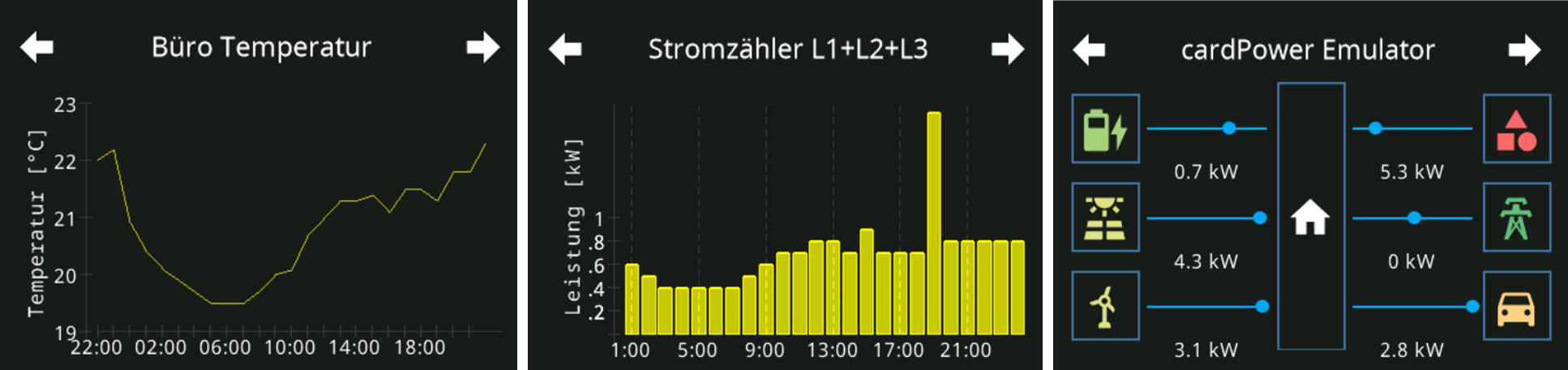
Kann ich in der grid Ansicht auch 6 Temperaturen anzeigen lassen oder geht es nur in der cardEntities mit 4 gleichzeitigen Anzeigen? Im grid sehe ich dann nur das Thermometer Symbol, aber keine aktuellen Werte. Vielen Dank -
@armilar
Tolle Arbeit!
Kann ich in der grid Ansicht auch 6 Temperaturen anzeigen lassen oder geht es nur in der cardEntities mit 4 gleichzeitigen Anzeigen? Im grid sehe ich dann nur das Thermometer Symbol, aber keine aktuellen Werte. Vielen DankTolle Arbeit!
Kann ich in der grid Ansicht auch 6 Temperaturen anzeigen lassen oder geht es nur in der cardEntities mit 4 gleichzeitigen Anzeigen? Im grid sehe ich dann nur das Thermometer Symbol, aber keine aktuellen Werte. Vielen DankDanke :blush:
In der cardGrid ist das mit ioBroker noch nicht abgebildet. Kommt aber noch.
Daher zu Deiner Frage:
Im Moment kannst du das nur in der cardEntities mit 4 x Alias Info oder Temperatur abbilden.LG
-
@wuschl sagte in SONOFF NSPanel mit Lovelace UI:
Wie oft aktualisiert die Temperaturanzeige im Screensaver? Kann man das einstellen? Ich habe einen Wetter-Alias der die aktuelle Temperatur aus einem Shelly Addon entnimmt. Mir ist gestern schon aufgefallen daß diese den ganzen Abend nicht aktualisiert wird.
Die Temperatur ist ein Trigger im Wetter-Alias. Sollte sich also mit jeder Temperaturänderung ändern. Eventuell mal den Datenpunkt oder Adapter checken, der die Temperatur erzeugt.
-
Der Datenpunkt vom Shelly steht bei "-3,8" der Datenpunkt vom Alias steht bei "-3,8", aber das Panel zeigt "-5,0"
Es aktualisiert die Temperatur erst wenn ich das Display antippe und danach der Screensaver wieder kommt.
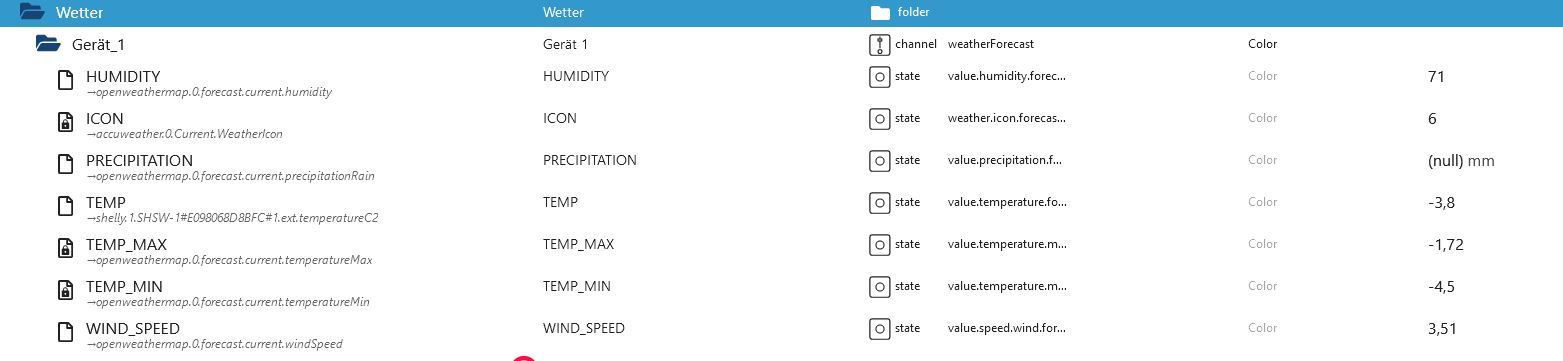
Erstmal die ein oder andere Frage:
- Ist das auch der Alias, der in der Config eingetragen ist, oder ggfs. ein anderer?
- Springt die Temperatur beim Doppelklick auf exakt die Temperatur, die auch im Alias ist?
-
hallo
ich habe mir auf die Startseite neben dem Wetter noch andere werte gelegt...
aber der screensaver Schalter noch zwischen Wetter und den werten hin und her.
kann ich das so schalten das die eine Seite länger zu sehen ist als die andere❓
oder ggf das Wetter ganz raus nehmen❓ -
hallo
ich habe mir auf die Startseite neben dem Wetter noch andere werte gelegt...
aber der screensaver Schalter noch zwischen Wetter und den werten hin und her.
kann ich das so schalten das die eine Seite länger zu sehen ist als die andere❓
oder ggf das Wetter ganz raus nehmen❓Ja für beide Fragen.
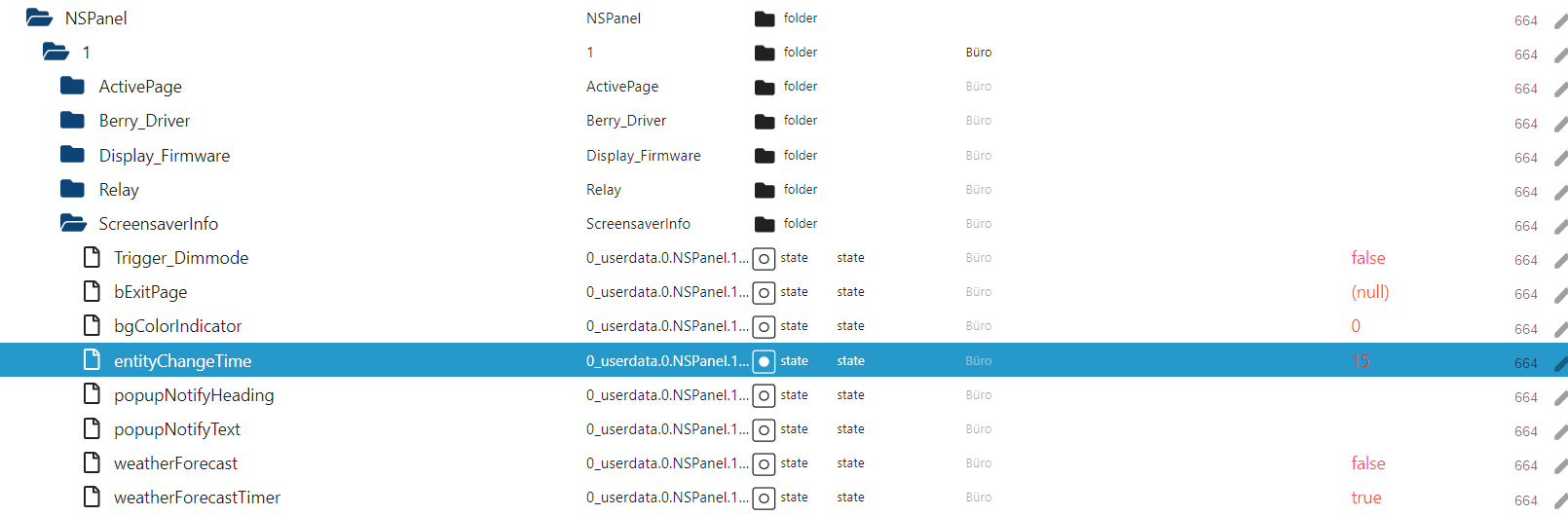
Nachfolgend die Zeit für "entityChangeTime höher setzten (siehe blau markierte Zeile von 15 auf 30 oder 60)
Du kannst das Wetter auch rausnehmen. Dafür müssen die im Bild abgebildeten unteren beiden Datenpunkte auf false stellen.
weatherForecastTimer sorgt für den Wechsel, wenn der auf "true" steht und weatherForcast auf false würde die Screensaver Entitäten anzeigen, statt der Wettervorhersage.
-
Der Datenpunkt vom Shelly steht bei "-3,8" der Datenpunkt vom Alias steht bei "-3,8", aber das Panel zeigt "-5,0"
Es aktualisiert die Temperatur erst wenn ich das Display antippe und danach der Screensaver wieder kommt.Es gibt in der Tat eine Lücke in der Konfiguration. Und zwar dann, wenn "kein" Wechsel zwischen ScreensaverEntities und WeatherForecast stattfindet. Ich werde das künftig anpassen.
Für den Übergang bis dahin kannst du dir die Funktion (um Zeile 5) erweitern. Dann findet jede Minute eine Überprüfung statt.
//Uhrzeit an NSPanel senden
schedule('* * * * *', () => {
    try {
        SendTime();
        HandleScreensaverUpdate();
    } catch (err) {
        console.warn('schedule: ' + err.message);
    }
});
also einfach Stelle suchen (ca. Zeile 1000) und
HandleScreensaverUpdate();hinzufügen
-
Erstmal die ein oder andere Frage:
- Ist das auch der Alias, der in der Config eingetragen ist, oder ggfs. ein anderer?
- Springt die Temperatur beim Doppelklick auf exakt die Temperatur, die auch im Alias ist?
@armilar
Ja das ist der Alias in der Configexport const config: Config = { panelRecvTopic: 'mqtt.0.tele.NS-Panel-Garage_0E3BFC.RESULT', // anpassen panelSendTopic: 'mqtt.0.cmnd.NS-Panel-Garage_0E3BFC.CustomSend', // anpassen firstScreensaverEntity: { ScreensaverEntity: 'accuweather.0.Hourly.h0.PrecipitationProbability', ScreensaverEntityIcon: 'weather-pouring', ScreensaverEntityText: 'Regen', ScreensaverEntityUnitText: '%', ScreensaverEntityIconColor: {'val_min': 0, 'val_max': 100} }, secondScreensaverEntity: { ScreensaverEntity: 'accuweather.0.Current.WindSpeed', ScreensaverEntityIcon: 'weather-windy', ScreensaverEntityText: "Wind", ScreensaverEntityUnitText: 'km/h', ScreensaverEntityIconColor: {'val_min': 0, 'val_max': 120} }, thirdScreensaverEntity: { ScreensaverEntity: "shelly.1.SHSW-1#E098068D8BFC#1.ext.temperatureC1", ScreensaverEntityIcon: "pool-thermometer", ScreensaverEntityText: "Pool", ScreensaverEntityUnitText: "°C", ScreensaverEntityIconColor: {'val_min': 0, 'val_max': 40} }, fourthScreensaverEntity: { ScreensaverEntity: 'accuweather.0.Current.RelativeHumidity', ScreensaverEntityIcon: 'water-percent', ScreensaverEntityText: 'Luft', ScreensaverEntityUnitText: '%', ScreensaverEntityIconColor: {'val_min': 0, 'val_max': 100, 'val_best': 65} }, alternativeScreensaverLayout: false, autoWeatherColorScreensaverLayout: true, mrIcon1ScreensaverEntity: { ScreensaverEntity: 'mqtt.0.stat.NS-Panel-Garage_0E3BFC.POWER1', ScreensaverEntityIcon: 'lightbulb', ScreensaverEntityOnColor: On, ScreensaverEntityOffColor: HMIOff }, mrIcon2ScreensaverEntity: { ScreensaverEntity: 'mqtt.0.stat.NS-Panel-Garage_0E3BFC.POWER2', ScreensaverEntityIcon: 'lightbulb', ScreensaverEntityOnColor: On, ScreensaverEntityOffColor: HMIOff }, timeoutScreensaver: 20, dimmode: 20, active: 100, //Standard-Brightness TFT screenSaverDoubleClick: true, locale: 'de-DE', // en-US, de-DE, nl-NL, da-DK, es-ES, fr-FR, it-IT, ru-RU, etc. timeFormat: '%H:%M', // currently not used dateFormat: '%A, %d. %B %Y', // currently not used weatherEntity: 'alias.0.Wetter.Gerät_1', // Dieser Alias muss erstellt werden, damit die 4 kleineren Icons (Wetter oder DP) angezeigt werden können --> oder autoCreateAlias auf true defaultOffColor: Off, defaultOnColor: On, defaultColor: Off, defaultBackgroundColor: Black, //New Parameter temperatureUnit: '°C',Bei einem Doppelklick springt das Display in die Card, erst wenn der Screensaver wieder kommt, dann stimmt die Temperatur. bei einem Klick passiert nichts.
Oh, zu spät gelesen:blush:
-
@armilar
Ja das ist der Alias in der Configexport const config: Config = { panelRecvTopic: 'mqtt.0.tele.NS-Panel-Garage_0E3BFC.RESULT', // anpassen panelSendTopic: 'mqtt.0.cmnd.NS-Panel-Garage_0E3BFC.CustomSend', // anpassen firstScreensaverEntity: { ScreensaverEntity: 'accuweather.0.Hourly.h0.PrecipitationProbability', ScreensaverEntityIcon: 'weather-pouring', ScreensaverEntityText: 'Regen', ScreensaverEntityUnitText: '%', ScreensaverEntityIconColor: {'val_min': 0, 'val_max': 100} }, secondScreensaverEntity: { ScreensaverEntity: 'accuweather.0.Current.WindSpeed', ScreensaverEntityIcon: 'weather-windy', ScreensaverEntityText: "Wind", ScreensaverEntityUnitText: 'km/h', ScreensaverEntityIconColor: {'val_min': 0, 'val_max': 120} }, thirdScreensaverEntity: { ScreensaverEntity: "shelly.1.SHSW-1#E098068D8BFC#1.ext.temperatureC1", ScreensaverEntityIcon: "pool-thermometer", ScreensaverEntityText: "Pool", ScreensaverEntityUnitText: "°C", ScreensaverEntityIconColor: {'val_min': 0, 'val_max': 40} }, fourthScreensaverEntity: { ScreensaverEntity: 'accuweather.0.Current.RelativeHumidity', ScreensaverEntityIcon: 'water-percent', ScreensaverEntityText: 'Luft', ScreensaverEntityUnitText: '%', ScreensaverEntityIconColor: {'val_min': 0, 'val_max': 100, 'val_best': 65} }, alternativeScreensaverLayout: false, autoWeatherColorScreensaverLayout: true, mrIcon1ScreensaverEntity: { ScreensaverEntity: 'mqtt.0.stat.NS-Panel-Garage_0E3BFC.POWER1', ScreensaverEntityIcon: 'lightbulb', ScreensaverEntityOnColor: On, ScreensaverEntityOffColor: HMIOff }, mrIcon2ScreensaverEntity: { ScreensaverEntity: 'mqtt.0.stat.NS-Panel-Garage_0E3BFC.POWER2', ScreensaverEntityIcon: 'lightbulb', ScreensaverEntityOnColor: On, ScreensaverEntityOffColor: HMIOff }, timeoutScreensaver: 20, dimmode: 20, active: 100, //Standard-Brightness TFT screenSaverDoubleClick: true, locale: 'de-DE', // en-US, de-DE, nl-NL, da-DK, es-ES, fr-FR, it-IT, ru-RU, etc. timeFormat: '%H:%M', // currently not used dateFormat: '%A, %d. %B %Y', // currently not used weatherEntity: 'alias.0.Wetter.Gerät_1', // Dieser Alias muss erstellt werden, damit die 4 kleineren Icons (Wetter oder DP) angezeigt werden können --> oder autoCreateAlias auf true defaultOffColor: Off, defaultOnColor: On, defaultColor: Off, defaultBackgroundColor: Black, //New Parameter temperatureUnit: '°C',Bei einem Doppelklick springt das Display in die Card, erst wenn der Screensaver wieder kommt, dann stimmt die Temperatur. bei einem Klick passiert nichts.
Oh, zu spät gelesen:blush:
Hey Leute,
ich hoffe, wenn es zu Problemen kommt, kann man sich auch hier melden, oder gibt es dafür ein eigenen Bereich?
ich habe es schon vor einer weile versucht und nun gerade nochmals erneut von vorne. Ich habe alles eins nach dem anderen so ausgeführt, wie in der Anleitung beschrieben, nur erhalte ich bei den Scripten eine Riesenfehlermeldung und der Kreis dreht sich auf dem Bildschirm von Sonoff immer weiter mit dem Hinweis "Wating for content ... Thes is taking than usual, please check your backend configuration"
Und die Fehlermeldung im ioBroker, die kommt wenn ich versuche das Script zu starten sieht wie folgt aus:
javascript.0 (658) script.js.common.NSPanels.Buero: TypeScript compilation failed: await createAliasAsync(config.weatherEntity + '.ICON', 'accuweather.0.Current.WeatherIcon', true, <iobJS.StateCommon>{ type: 'number', role: 'value', name: 'ICON' }); ^ ERROR: Cannot find name 'createAliasAsync'. await createAliasAsync(config.weatherEntity + '.TEMP', 'accuweather.0.Current.Temperature', true, <iobJS.StateCommon>{ type: 'number', role: 'value.temperature', name: 'TEMP' }); ^ ERROR: Cannot find name 'createAliasAsync'. await createAliasAsync(config.weatherEntity + '.TEMP_MIN', 'accuweather.0.Daily.Day1.Temperature.Minimum', true, <iobJS.StateCommon>{ type: 'number', role: 'value.temperature.forecast.0', name: 'TEMP_MIN' }); ^ ERROR: Cannot find name 'createAliasAsync'. await createAliasAsync(config.weatherEntity + '.TEMP_MAX', 'accuweather.0.Daily.Day1.Temperature.Maximum', true, <iobJS.StateCommon>{ type: 'number', role: 'value.temperature.max.forecast.0', name: 'TEMP_MAX' }); ^ ERROR: Cannot find name 'createAliasAsync'. await createAliasAsync(AliasPath + 'Dimmode.brightnessDay.ACTUAL', NSPanel_Path + 'NSPanel_Dimmode_brightnessDay', true, <iobJS.StateCommon>{ type: 'number', role: 'value', name: 'ACTUAL' }); ^ ERROR: Cannot find name 'createAliasAsync'. await createAliasAsync(AliasPath + 'Dimmode.brightnessDay.SET', NSPanel_Path + 'NSPanel_Dimmode_brightnessDay', true, <iobJS.StateCommon>{ type: 'number', role: 'level', name: 'SET' }); ^ ERROR: Cannot find name 'createAliasAsync'. await createAliasAsync(AliasPath + 'Dimmode.hourDay.ACTUAL', NSPanel_Path + 'NSPanel_Dimmode_hourDay', true, <iobJS.StateCommon>{ type: 'number', role: 'value', name: 'ACTUAL' }); ^ ERROR: Cannot find name 'createAliasAsync'. await createAliasAsync(AliasPath + 'Dimmode.hourDay.SET', NSPanel_Path + 'NSPanel_Dimmode_hourDay', true, <iobJS.StateCommon>{ type: 'number', role: 'level', name: 'SET' }); ^ ERROR: Cannot find name 'createAliasAsync'. await createAliasAsync(AliasPath + 'Dimmode.brightnessNight.ACTUAL', NSPanel_Path + 'NSPanel_Dimmode_brightnessNight', true, <iobJS.StateCommon>{ type: 'number', role: 'value', name: 'ACTUAL' }); ^ ERROR: Cannot find name 'createAliasAsync'. await createAliasAsync(AliasPath + 'Dimmode.brightnessNight.SET', NSPanel_Path + 'NSPanel_Dimmode_brightnessNight', true, <iobJS.StateCommon>{ type: 'number', role: 'level', name: 'SET' }); ^ ERROR: Cannot find name 'createAliasAsync'. await createAliasAsync(AliasPath + 'Dimmode.hourNight.ACTUAL', NSPanel_Path + 'NSPanel_Dimmode_hourNight', true, <iobJS.StateCommon>{ type: 'number', role: 'value', name: 'ACTUAL' }); ^ ERROR: Cannot find name 'createAliasAsync'. await createAliasAsync(AliasPath + 'Dimmode.hourNight.SET', NSPanel_Path + 'NSPanel_Dimmode_hourNight', true, <iobJS.StateCommon>{ type: 'number', role: 'level', name: 'SET' }); ^ ERROR: Cannot find name 'createAliasAsync'. await createAliasAsync(AliasPath + 'autoUpdate.ACTUAL', NSPanel_Path + 'NSPanel_autoUpdate', true, <iobJS.StateCommon>{ type: 'boolean', role: 'switch', name: 'ACTUAL' }); ^ ERROR: Cannot find name 'createAliasAsync'. await createAliasAsync(AliasPath + 'autoUpdate.SET', NSPanel_Path + 'NSPanel_autoUpdate', true, <iobJS.StateCommon>{ type: 'boolean', role: 'switch', name: 'SET' }); ^ ERROR: Cannot find name 'createAliasAsync'. await createAliasAsync(AliasPath + 'ipAddress.ACTUAL', NSPanel_Path + 'NSPanel_ipAddress', true, <iobJS.StateCommon>{ type: 'string', role: 'state', name: 'ACTUAL' }); ^ ERROR: Cannot find name 'createAliasAsync'. await createAliasAsync(AliasPath + 'Display.BerryDriver.ACTUAL', NSPanel_Path + 'Berry_Driver.currentVersion', true, <iobJS.StateCommon>{ type: 'string', role: 'state', name: 'ACTUAL' }); ^ ERROR: Cannot find name 'createAliasAsync'. await createAliasAsync(AliasPath + 'Tasmota.Uptime.ACTUAL', NSPanel_Path + 'Tasmota.Uptime', true, <iobJS.StateCommon>{ type: 'string', role: 'state', name: 'ACTUAL' }); ^ ERROR: Cannot find name 'createAliasAsync'. await createAliasAsync(AliasPath + 'Tasmota.Version.ACTUAL', NSPanel_Path + 'Tasmota.Version', true, <iobJS.StateCommon>{ type: 'string', role: 'state', name: 'ACTUAL' }); ^ ERROR: Cannot find name 'createAliasAsync'. await createAliasAsync(AliasPath + 'Tasmota.Hardware.ACTUAL', NSPanel_Path + 'Tasmota.Hardware', true, <iobJS.StateCommon>{ type: 'string', role: 'state', name: 'ACTUAL' }); ^ ERROR: Cannot find name 'createAliasAsync'. await createAliasAsync(AliasPath + 'Tasmota.Wifi.AP.ACTUAL', NSPanel_Path + 'Tasmota.Wifi.AP', true, <iobJS.StateCommon>{ type: 'number', role: 'state', name: 'ACTUAL' }); ^ ERROR: Cannot find name 'createAliasAsync'. await createAliasAsync(AliasPath + 'Tasmota.Wifi.SSId.ACTUAL', NSPanel_Path + 'Tasmota.Wifi.SSId', true, <iobJS.StateCommon>{ type: 'string', role: 'state', name: 'ACTUAL' }); ^ ERROR: Cannot find name 'createAliasAsync'. await createAliasAsync(AliasPath + 'Tasmota.Wifi.BSSId.ACTUAL', NSPanel_Path + 'Tasmota.Wifi.BSSId', true, <iobJS.StateCommon>{ type: 'string', role: 'state', name: 'ACTUAL' }); ^ ERROR: Cannot find name 'createAliasAsync'. await createAliasAsync(AliasPath + 'Tasmota.Wifi.Channel.ACTUAL', NSPanel_Path + 'Tasmota.Wifi.Channel', true, <iobJS.StateCommon>{ type: 'number', role: 'state', name: 'ACTUAL' }); ^ ERROR: Cannot find name 'createAliasAsync'. await createAliasAsync(AliasPath + 'Tasmota.Wifi.Mode.ACTUAL', NSPanel_Path + 'Tasmota.Wifi.Mode', true, <iobJS.StateCommon>{ type: 'string', role: 'state', name: 'ACTUAL' }); ^ ERROR: Cannot find name 'createAliasAsync'. await createAliasAsync(AliasPath + 'Tasmota.Wifi.RSSI.ACTUAL', NSPanel_Path + 'Tasmota.Wifi.RSSI', true, <iobJS.StateCommon>{ type: 'number', role: 'state', name: 'ACTUAL' }); ^ ERROR: Cannot find name 'createAliasAsync'. await createAliasAsync(AliasPath + 'Tasmota.Wifi.Signal.ACTUAL', NSPanel_Path + 'Tasmota.Wifi.Signal', true, <iobJS.StateCommon>{ type: 'number', role: 'state', name: 'ACTUAL' }); ^ ERROR: Cannot find name 'createAliasAsync'. await createAliasAsync(AliasPath + 'Display.TFTVersion.ACTUAL', NSPanel_Path + 'Display_Firmware.currentVersion', true, <iobJS.StateCommon>{ type: 'string', role: 'state', name: 'ACTUAL' }); ^ ERROR: Cannot find name 'createAliasAsync'. await createAliasAsync(AliasPath + 'Display.Model.ACTUAL', NSPanel_Path + 'NSPanel_Version', true, <iobJS.StateCommon>{ type: 'string', role: 'state', name: 'ACTUAL' }); ^ ERROR: Cannot find name 'createAliasAsync'. await createAliasAsync(id + '.ACTUAL', dpPath + '.Player.volume', true, <iobJS.StateCommon>{ type: 'number', role: 'value.volume', name: 'ACTUAL' }); ^ ERROR: Cannot find name 'createAliasAsync'. await createAliasAsync(id + '.ALBUM', dpPath + '.Player.currentAlbum', true, <iobJS.StateCommon>{ type: 'string', role: 'media.album', name: 'ALBUM' }); ^ ERROR: Cannot find name 'createAliasAsync'. await createAliasAsync(id + '.ARTIST', dpPath + '.Player.currentArtist', true, <iobJS.StateCommon>{ type: 'string', role: 'media.artist', name: 'ARTIST' }); ^ ERROR: Cannot find name 'createAliasAsync'. await createAliasAsync(id + '.TITLE', dpPath + '.Player.currentTitle', true, <iobJS.StateCommon>{ type: 'string', role: 'media.title', name: 'TITLE' }); ^ ERROR: Cannot find name 'createAliasAsync'. await createAliasAsync(id + '.NEXT', dpPath + '.Player.controlNext', true, <iobJS.StateCommon>{ type: 'boolean', role: 'button.next', name: 'NEXT' }); ^ ERROR: Cannot find name 'createAliasAsync'. await createAliasAsync(id + '.PREV', dpPath + '.Player.controlPrevious', true, <iobJS.StateCommon>{ type: 'boolean', role: 'button.prev', name: 'PREV' }); ^ ERROR: Cannot find name 'createAliasAsync'. await createAliasAsync(id + '.PLAY', dpPath + '.Player.controlPlay', true, <iobJS.StateCommon>{ type: 'boolean', role: 'button.play', name: 'PLAY' }); ^ ERROR: Cannot find name 'createAliasAsync'. await createAliasAsync(id + '.PAUSE', dpPath + '.Player.controlPause', true, <iobJS.StateCommon>{ type: 'boolean', role: 'button.pause', name: 'PAUSE' }); ^ ERROR: Cannot find name 'createAliasAsync'. await createAliasAsync(id + '.STOP', dpPath + '.Commands.deviceStop', true, <iobJS.StateCommon>{ type: 'boolean', role: 'button.stop', name: 'STOP' }); ^ ERROR: Cannot find name 'createAliasAsync'. await createAliasAsync(id + '.STATE', dpPath + '.Player.currentState', true, <iobJS.StateCommon>{ type: 'boolean', role: 'media.state', name: 'STATE' }); ^ ERROR: Cannot find name 'createAliasAsync'. await createAliasAsync(id + '.VOLUME', dpPath + '.Player.volume', true, <iobJS.StateCommon>{ type: 'number', role: 'level.volume', name: 'VOLUME' }); ^ ERROR: Cannot find name 'createAliasAsync'. await createAliasAsync(id + '.ACTUAL', dpPath + 'player.volume', true, <iobJS.StateCommon>{ type: 'number', role: 'value.volume', name: 'ACTUAL' }); ^ ERROR: Cannot find name 'createAliasAsync'. await createAliasAsync(id + '.ALBUM', dpPath + 'player.album', true, <iobJS.StateCommon>{ type: 'string', role: 'media.album', name: 'ALBUM' }); ^ ERROR: Cannot find name 'createAliasAsync'. await createAliasAsync(id + '.ARTIST', dpPath + 'player.artistName', true, <iobJS.StateCommon>{ type: 'string', role: 'media.artist', name: 'ARTIST' }); ^ ERROR: Cannot find name 'createAliasAsync'. await createAliasAsync(id + '.TITLE', dpPath + 'player.trackName', true, <iobJS.StateCommon>{ type: 'string', role: 'media.title', name: 'TITLE' }); ^ ERROR: Cannot find name 'createAliasAsync'. await createAliasAsync(id + '.CONTEXT_DESCRIPTION', dpPath + 'player.contextDescription', true, <iobJS.StateCommon>{ type: 'string', role: 'media.station', name: 'CONTEXT_DESCRIPTION' }); ^ ERROR: Cannot find name 'createAliasAsync'. await createAliasAsync(id + '.NEXT', dpPath + 'player.skipPlus', true, <iobJS.StateCommon>{ type: 'boolean', role: 'button.next', name: 'NEXT' }); ^ ERROR: Cannot find name 'createAliasAsync'. await createAliasAsync(id + '.PREV', dpPath + 'player.skipMinus', true, <iobJS.StateCommon>{ type: 'boolean', role: 'button.prev', name: 'PREV' }); ^ ERROR: Cannot find name 'createAliasAsync'. await createAliasAsync(id + '.PLAY', dpPath + 'player.play', true, <iobJS.StateCommon>{ type: 'boolean', role: 'button.play', name: 'PLAY' }); ^ ERROR: Cannot find name 'createAliasAsync'. await createAliasAsync(id + '.PAUSE', dpPath + 'player.pause', true, <iobJS.StateCommon>{ type: 'boolean', role: 'button.pause', name: 'PAUSE' }); ^ ERROR: Cannot find name 'createAliasAsync'. await createAliasAsync(id + '.STOP', dpPath + 'player.pause', true, <iobJS.StateCommon>{ type: 'boolean', role: 'button.stop', name: 'STOP' }); ^ ERROR: Cannot find name 'createAliasAsync'. await createAliasAsync(id + '.STATE', dpPath + 'player.isPlaying', true, <iobJS.StateCommon>{ type: 'boolean', role: 'media.state', name: 'STATE' }); ^ ERROR: Cannot find name 'createAliasAsync'. await createAliasAsync(id + '.VOLUME', dpPath + 'player.volume', true, <iobJS.StateCommon>{ type: 'number', role: 'level.volume', name: 'VOLUME' }); ^ ERROR: Cannot find name 'createAliasAsync'. await createAliasAsync(id + '.ACTUAL', dpPath + '.volume', true, <iobJS.StateCommon>{ type: 'number', role: 'value.volume', name: 'ACTUAL' }); ^ ERROR: Cannot find name 'createAliasAsync'. await createAliasAsync(id + '.ALBUM', dpPath + '.current_album', true, <iobJS.StateCommon>{ type: 'string', role: 'media.album', name: 'ALBUM' }); ^ ERROR: Cannot find name 'createAliasAsync'. await createAliasAsync(id + '.ARTIST', dpPath + '.current_artist', true, <iobJS.StateCommon>{ type: 'string', role: 'media.artist', name: 'ARTIST' }); ^ ERROR: Cannot find name 'createAliasAsync'. await createAliasAsync(id + '.TITLE', dpPath + '.current_title', true, <iobJS.StateCommon>{ type: 'string', role: 'media.title', name: 'TITLE' }); ^ ERROR: Cannot find name 'createAliasAsync'. await createAliasAsync(id + '.CONTEXT_DESCRIPTION', dpPath + '.current_station', true, <iobJS.StateCommon>{ type: 'string', role: 'media.station', name: 'CONTEXT_DESCRIPTION' }); ^ ERROR: Cannot find name 'createAliasAsync'. await createAliasAsync(id + '.NEXT', dpPath + '.next', true, <iobJS.StateCommon>{ type: 'boolean', role: 'button.next', name: 'NEXT' }); ^ ERROR: Cannot find name 'createAliasAsync'. await createAliasAsync(id + '.PREV', dpPath + '.prev', true, <iobJS.StateCommon>{ type: 'boolean', role: 'button.prev', name: 'PREV' }); ^ ERROR: Cannot find name 'createAliasAsync'. await createAliasAsync(id + '.PLAY', dpPath + '.play', true, <iobJS.StateCommon>{ type: 'boolean', role: 'button.play', name: 'PLAY' }); ^ ERROR: Cannot find name 'createAliasAsync'. await createAliasAsync(id + '.PAUSE', dpPath + '.pause', true, <iobJS.StateCommon>{ type: 'boolean', role: 'button.pause', name: 'PAUSE' }); ^ ERROR: Cannot find name 'createAliasAsync'. await createAliasAsync(id + '.STOP', dpPath + '.stop', true, <iobJS.StateCommon>{ type: 'boolean', role: 'button.stop', name: 'STOP' }); ^ ERROR: Cannot find name 'createAliasAsync'. await createAliasAsync(id + '.STATE', dpPath + '.state_simple', true, <iobJS.StateCommon>{ type: 'boolean', role: 'media.state', name: 'STATE' }); ^ ERROR: Cannot find name 'createAliasAsync'. await createAliasAsync(id + '.VOLUME', dpPath + '.volume', true, <iobJS.StateCommon>{ type: 'number', role: 'level.volume', name: 'VOLUME' }); ^ ERROR: Cannot find name 'createAliasAsync'. await createAliasAsync(AliasPath + 'Sensor.ANALOG.Temperature.ACTUAL', NSPanel_Path + 'Sensor.ANALOG.Temperature', true, <iobJS.StateCommon>{ type: 'number', 'unit': '°C' }); ^ ERROR: Cannot find name 'createAliasAsync'. await createAliasAsync(AliasPath + 'Sensor.ESP32.Temperature.ACTUAL', NSPanel_Path + 'Sensor.ESP32.Temperature', true, <iobJS.StateCommon>{ type: 'number', 'unit': '°C' }); ^ ERROR: Cannot find name 'createAliasAsync'.Also ich bin noch dabei, den Bildschirm überhaupt in Betrieb zu nehmen, noch ohne große Anpassungen an meinde Wünsche. Und die weiteren Datenpunkt in "0_userdata" werden auch nicht erzeugt. zumindest ist da bislang nichts passiert.
Ich hoffe man kann mir irgendwie helfen. Den so wie es aktuell ist, ist es nicht sonderlich nutzvoll um das Display für ein Sinnvollen Einsatz einzuplanen.
Michael



Support us
650
Online32.7k
Users82.5k
Topics1.3m
Posts