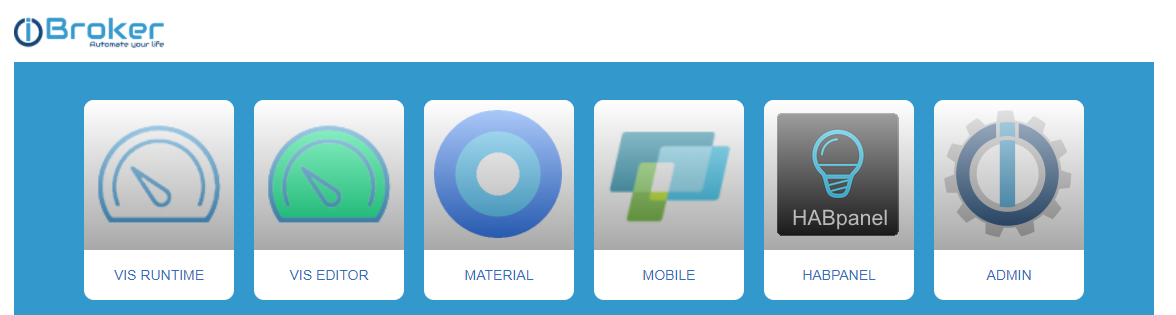
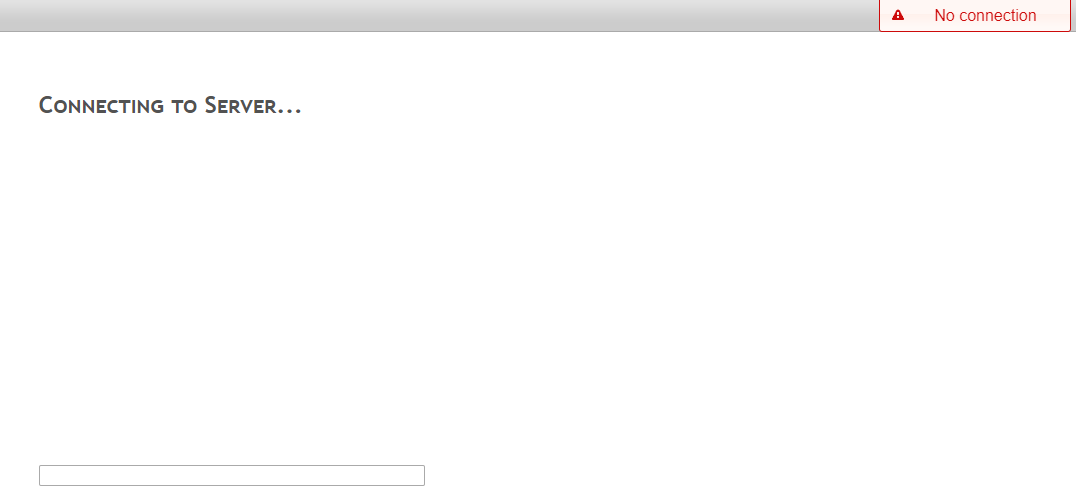
Skip to content
  • Home
  • Recent
  • Tags
  • 0 Unread 0
  • Categories
  • Unreplied
  • Popular
  • GitHub
  • Docu
  • Hilfe
Skins
  • Light
  • Brite
  • Cerulean
  • Cosmo
  • Flatly
  • Journal
  • Litera
  • Lumen
  • Lux
  • Materia
  • Minty
  • Morph
  • Pulse
  • Sandstone
  • Simplex
  • Sketchy
  • Spacelab
  • United
  • Yeti
  • Zephyr
  • Dark
  • Cyborg
  • Darkly
  • Quartz
  • Slate
  • Solar
  • Superhero
  • Vapor

  • Default (No Skin)
  • No Skin
Collapse
ioBroker Logo

Community Forum

donate donate
  1. ioBroker Community Home
  2. Deutsch
  3. Visualisierung
  4. VIS und HAP Panel laden nicht

NEWS

  • Jahresrückblick 2025 – unser neuer Blogbeitrag ist online! ✨
    BluefoxB
    Bluefox
    17
    1
    3.2k

  • Neuer Blogbeitrag: Monatsrückblick - Dezember 2025 🎄
    BluefoxB
    Bluefox
    13
    1
    1.1k

  • Weihnachtsangebot 2025! 🎄
    BluefoxB
    Bluefox
    25
    1
    2.4k

VIS und HAP Panel laden nicht

Scheduled Pinned Locked Moved Visualisierung
49 Posts 4 Posters 3.6k Views 3 Watching
  • Oldest to Newest
  • Newest to Oldest
  • Most Votes
Reply
  • Reply as topic
Log in to reply
This topic has been deleted. Only users with topic management privileges can see it.
  • wendy2702W wendy2702

    @chris-d-0 Geht der VIS Editor?

    ist das eine neu installation?

    iob list instances
    
    C Offline
    C Offline
    Chris-D 0
    wrote on last edited by
    #3

    @wendy2702 said in VIS und HAP Panel laden nicht:

    iob list instances

    Nein ist keine Neue

    pi@raspberrypi:~ $ iob list instances
    + system.adapter.admin.0                  : admin                 : raspberrypi                              -  enabled, port: 8081, bind: 0.0.0.0, run as: admin
      system.adapter.alexa2.0                 : alexa2                : raspberrypi                              - disabled
    + system.adapter.backitup.0               : backitup              : raspberrypi                              -  enabled
    + system.adapter.discovery.0              : discovery             : raspberrypi                              -  enabled
    + system.adapter.echarts.0                : echarts               : raspberrypi                              -  enabled
    + system.adapter.email.0                  : email                 : raspberrypi                              -  enabled
      system.adapter.fritzdect.0              : fritzdect             : raspberrypi                              - disabled
      system.adapter.habpanel.0               : habpanel              : raspberrypi                              - disabled
    + system.adapter.history.0                : history               : raspberrypi                              -  enabled
    + system.adapter.hm-rega.0                : hm-rega               : raspberrypi                              -  enabled
    + system.adapter.hm-rpc.0                 : hm-rpc                : raspberrypi                              -  enabled, port: 0
    + system.adapter.hm-rpc.1                 : hm-rpc                : raspberrypi                              -  enabled, port: 0
      system.adapter.ical.0                   : ical                  : raspberrypi                              -  enabled
      system.adapter.ical.1                   : ical                  : raspberrypi                              -  enabled
    + system.adapter.info.0                   : info                  : raspberrypi                              -  enabled
    + system.adapter.iot.0                    : iot                   : raspberrypi                              -  enabled
    + system.adapter.javascript.0             : javascript            : raspberrypi                              -  enabled
      system.adapter.material.0               : material              : raspberrypi                              -  enabled
    + system.adapter.meross.0                 : meross                : raspberrypi                              -  enabled
      system.adapter.mobile.0                 : mobile                : raspberrypi                              - disabled
      system.adapter.netatmo-crawler.0        : netatmo-crawler       : raspberrypi                              -  enabled
      system.adapter.openweathermap.0         : openweathermap        : raspberrypi                              -  enabled
    + system.adapter.ping.0                   : ping                  : raspberrypi                              -  enabled
      system.adapter.proxy.0                  : proxy                 : raspberrypi                              - disabled
    + system.adapter.samsung.0                : samsung               : raspberrypi                              -  enabled
    + system.adapter.simple-api.0             : simple-api            : raspberrypi                              -  enabled, port: 8087, bind: 0.0.0.0, run as: admin
      system.adapter.socketio.0               : socketio              : raspberrypi                              - disabled, port: 8084, bind: 192.168.178.34, run as: admin
      system.adapter.sonos.0                  : sonos                 : raspberrypi                              - disabled
      system.adapter.synology.0               : synology              : raspberrypi                              - disabled, port: 5000
    + system.adapter.telegram.0               : telegram              : raspberrypi                              -  enabled, port: 8443, bind: 0.0.0.0
      system.adapter.tr-064.0                 : tr-064                : raspberrypi                              - disabled
    + system.adapter.tr-064.1                 : tr-064                : raspberrypi                              -  enabled
    + system.adapter.trashschedule.0          : trashschedule         : raspberrypi                              -  enabled
      system.adapter.viessmann.0              : viessmann             : raspberrypi                              - disabled, port: 3002
      system.adapter.vis.0                    : vis                   : raspberrypi                              -  enabled
    + system.adapter.web.0                    : web                   : raspberrypi                              -  enabled, port: 8082, bind: 192.168.178.34, run as: admin
      system.adapter.worx.0                   : worx                  : raspberrypi                              - disabled
    
    + instance is alive
    
    
    wendy2702W 1 Reply Last reply
    0
    • C Chris-D 0

      @wendy2702 said in VIS und HAP Panel laden nicht:

      iob list instances

      Nein ist keine Neue

      pi@raspberrypi:~ $ iob list instances
      + system.adapter.admin.0                  : admin                 : raspberrypi                              -  enabled, port: 8081, bind: 0.0.0.0, run as: admin
        system.adapter.alexa2.0                 : alexa2                : raspberrypi                              - disabled
      + system.adapter.backitup.0               : backitup              : raspberrypi                              -  enabled
      + system.adapter.discovery.0              : discovery             : raspberrypi                              -  enabled
      + system.adapter.echarts.0                : echarts               : raspberrypi                              -  enabled
      + system.adapter.email.0                  : email                 : raspberrypi                              -  enabled
        system.adapter.fritzdect.0              : fritzdect             : raspberrypi                              - disabled
        system.adapter.habpanel.0               : habpanel              : raspberrypi                              - disabled
      + system.adapter.history.0                : history               : raspberrypi                              -  enabled
      + system.adapter.hm-rega.0                : hm-rega               : raspberrypi                              -  enabled
      + system.adapter.hm-rpc.0                 : hm-rpc                : raspberrypi                              -  enabled, port: 0
      + system.adapter.hm-rpc.1                 : hm-rpc                : raspberrypi                              -  enabled, port: 0
        system.adapter.ical.0                   : ical                  : raspberrypi                              -  enabled
        system.adapter.ical.1                   : ical                  : raspberrypi                              -  enabled
      + system.adapter.info.0                   : info                  : raspberrypi                              -  enabled
      + system.adapter.iot.0                    : iot                   : raspberrypi                              -  enabled
      + system.adapter.javascript.0             : javascript            : raspberrypi                              -  enabled
        system.adapter.material.0               : material              : raspberrypi                              -  enabled
      + system.adapter.meross.0                 : meross                : raspberrypi                              -  enabled
        system.adapter.mobile.0                 : mobile                : raspberrypi                              - disabled
        system.adapter.netatmo-crawler.0        : netatmo-crawler       : raspberrypi                              -  enabled
        system.adapter.openweathermap.0         : openweathermap        : raspberrypi                              -  enabled
      + system.adapter.ping.0                   : ping                  : raspberrypi                              -  enabled
        system.adapter.proxy.0                  : proxy                 : raspberrypi                              - disabled
      + system.adapter.samsung.0                : samsung               : raspberrypi                              -  enabled
      + system.adapter.simple-api.0             : simple-api            : raspberrypi                              -  enabled, port: 8087, bind: 0.0.0.0, run as: admin
        system.adapter.socketio.0               : socketio              : raspberrypi                              - disabled, port: 8084, bind: 192.168.178.34, run as: admin
        system.adapter.sonos.0                  : sonos                 : raspberrypi                              - disabled
        system.adapter.synology.0               : synology              : raspberrypi                              - disabled, port: 5000
      + system.adapter.telegram.0               : telegram              : raspberrypi                              -  enabled, port: 8443, bind: 0.0.0.0
        system.adapter.tr-064.0                 : tr-064                : raspberrypi                              - disabled
      + system.adapter.tr-064.1                 : tr-064                : raspberrypi                              -  enabled
      + system.adapter.trashschedule.0          : trashschedule         : raspberrypi                              -  enabled
        system.adapter.viessmann.0              : viessmann             : raspberrypi                              - disabled, port: 3002
        system.adapter.vis.0                    : vis                   : raspberrypi                              -  enabled
      + system.adapter.web.0                    : web                   : raspberrypi                              -  enabled, port: 8082, bind: 192.168.178.34, run as: admin
        system.adapter.worx.0                   : worx                  : raspberrypi                              - disabled
      
      + instance is alive
      
      
      wendy2702W Online
      wendy2702W Online
      wendy2702
      wrote on last edited by
      #4

      @chris-d-0

      iob update
      

      Bitte keine Fragen per PN, die gehören ins Forum!

      Benutzt das Voting rechts unten im Beitrag wenn er euch geholfen hat.

      C 1 Reply Last reply
      0
      • wendy2702W wendy2702

        @chris-d-0

        iob update
        
        C Offline
        C Offline
        Chris-D 0
        wrote on last edited by wendy2702
        #5

        @wendy2702

        Used repository: Stable (default)
        Adapter    "admin"        : 5.3.1    , installed 5.3.1
        Adapter    "alexa2"       : 3.11.2   , installed 3.11.2
        Adapter    "backitup"     : 2.3.3    , installed 2.3.3
        Adapter    "discovery"    : 2.7.5    , installed 2.7.5
        Adapter    "echarts"      : 1.0.3    , installed 1.0.3
        Adapter    "email"        : 1.0.10   , installed 1.0.10
        Adapter    "fritzdect"    : 2.2.3    , installed 2.2.3
        Adapter    "habpanel"     : 0.4.3    , installed 0.4.3
        Adapter    "history"      : 1.10.5   , installed 1.10.5
        Adapter    "hm-rega"      : 3.0.35   , installed 3.0.35
        Adapter    "hm-rpc"       : 1.15.8   , installed 1.15.8
        Adapter    "ical"         : 1.11.4   , installed 1.11.4
        Adapter    "info"         : 1.9.8    , installed 1.9.8
        Adapter    "iot"          : 1.8.24   , installed 1.8.24
        Adapter    "javascript"   : 5.2.21   , installed 5.2.21
        Controller "js-controller": 4.0.21   , installed 4.0.15 [Updatable]
        Adapter    "material"     : 1.1.2    , installed 1.1.2
        Adapter    "meross"       : 1.10.1   , installed 1.10.1
        Adapter    "mobile"       : 1.0.1    , installed 1.0.1
        Adapter    "netatmo"      : 1.4.4    , installed 1.4.4
        Adapter    "netatmo-crawler": 0.8.1  , installed 0.8.1
        Adapter    "openweathermap": 0.1.0   , installed 0.1.0
        Adapter    "ping"         : 1.5.0    , installed 1.5.0
        Adapter    "proxy"        : 1.2.2    , installed 1.2.2
        Adapter    "samsung"      : 0.2.9    , installed 0.2.9
        Adapter    "simple-api"   : 2.6.2    , installed 2.6.2
        Adapter    "socketio"     : 3.1.5    , installed 4.0.3
        Adapter    "sonos"        : 2.1.7    , installed 2.1.7
        Adapter    "synology"     : 1.1.3    , installed 1.1.3
        Adapter    "telegram"     : 1.11.1   , installed 1.11.1
        Adapter    "tr-064"       : 4.2.15   , installed 4.2.15
        Adapter    "trashschedule": 1.4.1    , installed 1.4.1
        Adapter    "viessmann"    : 1.3.5    , installed 1.3.5
        Adapter    "vis"          : 1.4.5    , installed 1.4.5
        Adapter    "web"          : 3.4.16   , installed 3.4.16
        Adapter    "worx"         : 1.5.5    , installed 1.5.5
        
        
        wendy2702W 1 Reply Last reply
        0
        • C Chris-D 0

          @wendy2702

          Used repository: Stable (default)
          Adapter    "admin"        : 5.3.1    , installed 5.3.1
          Adapter    "alexa2"       : 3.11.2   , installed 3.11.2
          Adapter    "backitup"     : 2.3.3    , installed 2.3.3
          Adapter    "discovery"    : 2.7.5    , installed 2.7.5
          Adapter    "echarts"      : 1.0.3    , installed 1.0.3
          Adapter    "email"        : 1.0.10   , installed 1.0.10
          Adapter    "fritzdect"    : 2.2.3    , installed 2.2.3
          Adapter    "habpanel"     : 0.4.3    , installed 0.4.3
          Adapter    "history"      : 1.10.5   , installed 1.10.5
          Adapter    "hm-rega"      : 3.0.35   , installed 3.0.35
          Adapter    "hm-rpc"       : 1.15.8   , installed 1.15.8
          Adapter    "ical"         : 1.11.4   , installed 1.11.4
          Adapter    "info"         : 1.9.8    , installed 1.9.8
          Adapter    "iot"          : 1.8.24   , installed 1.8.24
          Adapter    "javascript"   : 5.2.21   , installed 5.2.21
          Controller "js-controller": 4.0.21   , installed 4.0.15 [Updatable]
          Adapter    "material"     : 1.1.2    , installed 1.1.2
          Adapter    "meross"       : 1.10.1   , installed 1.10.1
          Adapter    "mobile"       : 1.0.1    , installed 1.0.1
          Adapter    "netatmo"      : 1.4.4    , installed 1.4.4
          Adapter    "netatmo-crawler": 0.8.1  , installed 0.8.1
          Adapter    "openweathermap": 0.1.0   , installed 0.1.0
          Adapter    "ping"         : 1.5.0    , installed 1.5.0
          Adapter    "proxy"        : 1.2.2    , installed 1.2.2
          Adapter    "samsung"      : 0.2.9    , installed 0.2.9
          Adapter    "simple-api"   : 2.6.2    , installed 2.6.2
          Adapter    "socketio"     : 3.1.5    , installed 4.0.3
          Adapter    "sonos"        : 2.1.7    , installed 2.1.7
          Adapter    "synology"     : 1.1.3    , installed 1.1.3
          Adapter    "telegram"     : 1.11.1   , installed 1.11.1
          Adapter    "tr-064"       : 4.2.15   , installed 4.2.15
          Adapter    "trashschedule": 1.4.1    , installed 1.4.1
          Adapter    "viessmann"    : 1.3.5    , installed 1.3.5
          Adapter    "vis"          : 1.4.5    , installed 1.4.5
          Adapter    "web"          : 3.4.16   , installed 3.4.16
          Adapter    "worx"         : 1.5.5    , installed 1.5.5
          
          
          wendy2702W Online
          wendy2702W Online
          wendy2702
          wrote on last edited by
          #6

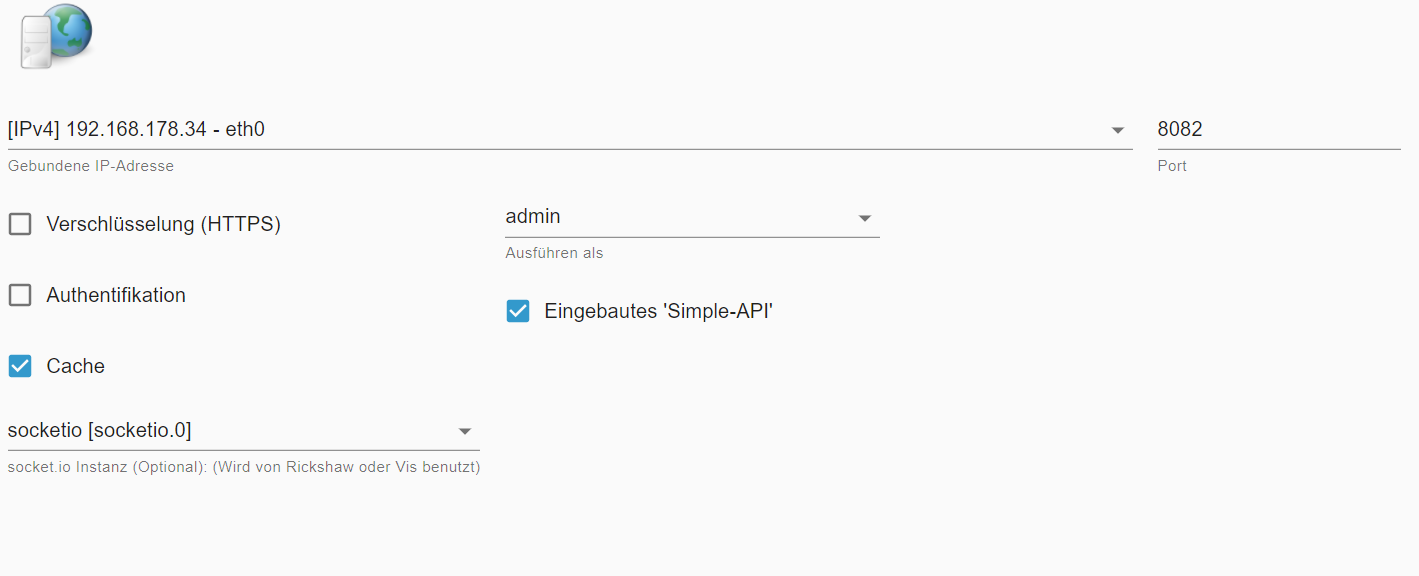
          @chris-d-0 Wie sehen deine Einstellungen im WEB Adapter aus?

          Und was genau bedeutet der Satz im Eingangspost:

          @chris-d-0 sagte in VIS und HAP Panel laden nicht:

          WEB Adapter v3.4.16 geht

          Was kommt den in der Browserkonsole und im iob logfile wenn du für vis, habpanel und web das loggen auf Debug stellst?

          Bitte keine Fragen per PN, die gehören ins Forum!

          Benutzt das Voting rechts unten im Beitrag wenn er euch geholfen hat.

          C 2 Replies Last reply
          0
          • wendy2702W wendy2702

            @chris-d-0 Wie sehen deine Einstellungen im WEB Adapter aus?

            Und was genau bedeutet der Satz im Eingangspost:

            @chris-d-0 sagte in VIS und HAP Panel laden nicht:

            WEB Adapter v3.4.16 geht

            Was kommt den in der Browserkonsole und im iob logfile wenn du für vis, habpanel und web das loggen auf Debug stellst?

            C Offline
            C Offline
            Chris-D 0
            wrote on last edited by
            #7

            @wendy2702
            207b767d-a59c-4e69-9a1f-aa7a05d52b5e-image.png

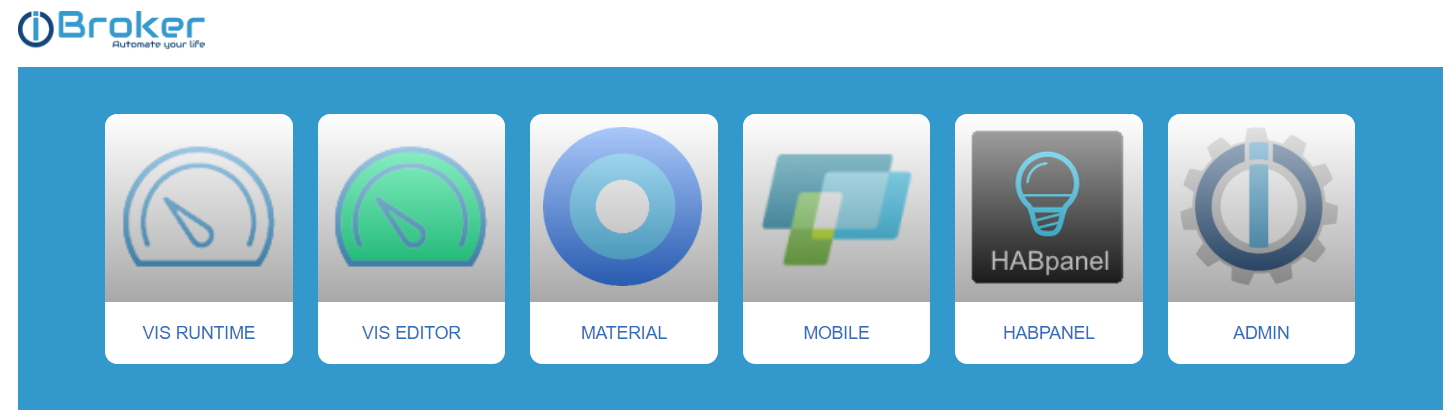
            Webserver läuft - siehe Bild
            b3eedd9e-f713-47cd-af77-c729891d2c3e-image.png

            Wie

            1 Reply Last reply
            0
            • wendy2702W wendy2702

              @chris-d-0 Wie sehen deine Einstellungen im WEB Adapter aus?

              Und was genau bedeutet der Satz im Eingangspost:

              @chris-d-0 sagte in VIS und HAP Panel laden nicht:

              WEB Adapter v3.4.16 geht

              Was kommt den in der Browserkonsole und im iob logfile wenn du für vis, habpanel und web das loggen auf Debug stellst?

              C Offline
              C Offline
              Chris-D 0
              wrote on last edited by Chris-D 0
              #8

              @wendy2702 Was meinst du mit "Was kommt den in der Browserkonsole und im iob logfile wenn du für vis, habpanel und web das loggen auf Debug stellst?"
              im iob selbst kommt kein Fehler im Log und die Fehler des Browser habe ich oben gesnipt.

              GlasfaserG 1 Reply Last reply
              0
              • C Chris-D 0

                @wendy2702 Was meinst du mit "Was kommt den in der Browserkonsole und im iob logfile wenn du für vis, habpanel und web das loggen auf Debug stellst?"
                im iob selbst kommt kein Fehler im Log und die Fehler des Browser habe ich oben gesnipt.

                GlasfaserG Offline
                GlasfaserG Offline
                Glasfaser
                wrote on last edited by Glasfaser
                #9

                @chris-d-0

                nimm mal testweise die

                bind: 192.168.178.34 bei vis , web und socket io raus , also auf 0.0.0.0

                starte vis in deinem Browser am PC und dann anschließend in der Browserkonsole mit F12 schauen welche Fehler / Meldungen kommen
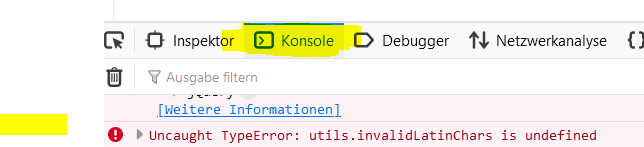
                b3ebd0fc-8e28-41ad-87d6-fd35f6448f0d-grafik.png

                Synology 918+ 16GB - ioBroker in Docker v9 , VISO auf Trekstor Primebook C13 13,3" , Hikvision Domkameras mit Surveillance Station .. CCU RaspberryMatic in Synology VM .. Zigbee CC2538+CC2592 .. Sonoff .. KNX .. Modbus ..

                C 1 Reply Last reply
                0
                • GlasfaserG Glasfaser

                  @chris-d-0

                  nimm mal testweise die

                  bind: 192.168.178.34 bei vis , web und socket io raus , also auf 0.0.0.0

                  starte vis in deinem Browser am PC und dann anschließend in der Browserkonsole mit F12 schauen welche Fehler / Meldungen kommen

                  b3ebd0fc-8e28-41ad-87d6-fd35f6448f0d-grafik.png

                  C Offline
                  C Offline
                  Chris-D 0
                  wrote on last edited by
                  #10

                  @glasfaser bei Vis kann man keine IPs einschränken in der Instanz.
                  beim Afuruf von Hab Panel kommt folgender Fehler im Browser
                  Access to XMLHttpRequest at 'http://192.168.178.34:8084/socket.io/?key=nokey&EIO=3&transport=polling&t=N-Eu8WW' from origin 'http://192.168.178.34:8082' has been blocked by CORS policy: No 'Access-Control-Allow-Origin' header is present on the requested resource.
                  socket.io.js:7 GET http://192.168.178.34:8084/socket.io/?key=nokey&EIO=3&transport=polling&t=N-Eu8WW net::ERR_FAILED 501
                  i.create @ socket.io.js:7
                  i @ socket.io.js:7
                  o.request @ socket.io.js:7
                  o.doPoll @ socket.io.js:7
                  r.poll @ socket.io.js:7
                  r.doOpen @ socket.io.js:7
                  r.open @ socket.io.js:7
                  r.open @ socket.io.js:6
                  r @ socket.io.js:6
                  r @ socket.io.js:6
                  r.open.r.connect @ socket.io.js:6
                  r.open.r.connect @ socket.io.js:8
                  (anonymous) @ vendor.js:904

                  C 1 Reply Last reply
                  0
                  • C Chris-D 0

                    @glasfaser bei Vis kann man keine IPs einschränken in der Instanz.
                    beim Afuruf von Hab Panel kommt folgender Fehler im Browser
                    Access to XMLHttpRequest at 'http://192.168.178.34:8084/socket.io/?key=nokey&EIO=3&transport=polling&t=N-Eu8WW' from origin 'http://192.168.178.34:8082' has been blocked by CORS policy: No 'Access-Control-Allow-Origin' header is present on the requested resource.
                    socket.io.js:7 GET http://192.168.178.34:8084/socket.io/?key=nokey&EIO=3&transport=polling&t=N-Eu8WW net::ERR_FAILED 501
                    i.create @ socket.io.js:7
                    i @ socket.io.js:7
                    o.request @ socket.io.js:7
                    o.doPoll @ socket.io.js:7
                    r.poll @ socket.io.js:7
                    r.doOpen @ socket.io.js:7
                    r.open @ socket.io.js:7
                    r.open @ socket.io.js:6
                    r @ socket.io.js:6
                    r @ socket.io.js:6
                    r.open.r.connect @ socket.io.js:6
                    r.open.r.connect @ socket.io.js:8
                    (anonymous) @ vendor.js:904

                    C Offline
                    C Offline
                    Chris-D 0
                    wrote on last edited by
                    #11

                    @chris-d-0 bei Vis kommt das
                    Access to XMLHttpRequest at 'http://192.168.178.34:8084/socket.io/?key=nokey&EIO=3&transport=polling&t=N-EuW2C' from origin 'http://192.168.178.34:8082' has been blocked by CORS policy: No 'Access-Control-Allow-Origin' header is present on the requested resource.
                    socket.io.js:7 GET http://192.168.178.34:8084/socket.io/?key=nokey&EIO=3&transport=polling&t=N-EuW2C net::ERR_FAILED 501

                    GlasfaserG 1 Reply Last reply
                    0
                    • C Chris-D 0

                      @chris-d-0 bei Vis kommt das
                      Access to XMLHttpRequest at 'http://192.168.178.34:8084/socket.io/?key=nokey&EIO=3&transport=polling&t=N-EuW2C' from origin 'http://192.168.178.34:8082' has been blocked by CORS policy: No 'Access-Control-Allow-Origin' header is present on the requested resource.
                      socket.io.js:7 GET http://192.168.178.34:8084/socket.io/?key=nokey&EIO=3&transport=polling&t=N-EuW2C net::ERR_FAILED 501

                      GlasfaserG Offline
                      GlasfaserG Offline
                      Glasfaser
                      wrote on last edited by
                      #12

                      @chris-d-0 sagte in VIS und HAP Panel laden nicht:

                      has been blocked by CORS policy

                      Hast du eine Addblocker .... PiHole oder ... anderen Browser mal versucht ,

                      Synology 918+ 16GB - ioBroker in Docker v9 , VISO auf Trekstor Primebook C13 13,3" , Hikvision Domkameras mit Surveillance Station .. CCU RaspberryMatic in Synology VM .. Zigbee CC2538+CC2592 .. Sonoff .. KNX .. Modbus ..

                      C 1 Reply Last reply
                      0
                      • GlasfaserG Glasfaser

                        @chris-d-0 sagte in VIS und HAP Panel laden nicht:

                        has been blocked by CORS policy

                        Hast du eine Addblocker .... PiHole oder ... anderen Browser mal versucht ,

                        C Offline
                        C Offline
                        Chris-D 0
                        wrote on last edited by Chris-D 0
                        #13

                        @glasfaser Habe ublock im Chrome, der zeigt aber nicht an, dass etwas geblockt wird - ja Safari aufm Ipad mal probiert. gleicher Fehler. Gerade noch den Firefox ausprobiert. Gleiche Fehler

                        HomoranH 1 Reply Last reply
                        0
                        • C Chris-D 0

                          @glasfaser Habe ublock im Chrome, der zeigt aber nicht an, dass etwas geblockt wird - ja Safari aufm Ipad mal probiert. gleicher Fehler. Gerade noch den Firefox ausprobiert. Gleiche Fehler

                          HomoranH Do not disturb
                          HomoranH Do not disturb
                          Homoran
                          Global Moderator Administrators
                          wrote on last edited by
                          #14

                          @chris-d-0 nimm mal die socketio.0 aus dem web raus und nimm integriert

                          kein Support per PN! - Fragen im Forum stellen - es gibt fast nichts, was nicht auch für andere interessant ist.

                          Benutzt das Voting rechts unten im Beitrag wenn er euch geholfen hat.

                          der Installationsfixer: curl -fsL https://iobroker.net/fix.sh | bash -

                          C 1 Reply Last reply
                          0
                          • HomoranH Homoran

                            @chris-d-0 nimm mal die socketio.0 aus dem web raus und nimm integriert

                            C Offline
                            C Offline
                            Chris-D 0
                            wrote on last edited by Chris-D 0
                            #15

                            @homoran Gleicher Fehler
                            Beispiel VIS:
                            DevTools failed to load source map: Could not load content for http://192.168.178.34:8082/lib/js/socket.io.js.map: HTTP error: status code 404, net::ERR_HTTP_RESPONSE_CODE_FAILURE
                            info.js:21 Version Info-Adapter-Widget: 0.0.9
                            trashschedule.js:152 Version trashschedule: 1.4.1
                            jquery-1.11.2.min.js:4 GET http://192.168.178.34:8082/vis.0/main/vis-user.css?_=1647370033318 404 (Not Found)
                            send @ jquery-1.11.2.min.js:4
                            ajax @ jquery-1.11.2.min.js:4
                            main @ vis.js:3398
                            (anonymous) @ vis.js:3817
                            j @ jquery-1.11.2.min.js:2
                            fireWith @ jquery-1.11.2.min.js:2
                            ready @ jquery-1.11.2.min.js:2
                            J @ jquery-1.11.2.min.js:2
                            conn.js:1256 Error: Cannot load /vis.0/main/vis-user.css - Not Found
                            socket.io.js:7 GET http://192.168.178.34:8082/socket.io/?key=nokey&EIO=3&transport=polling&t=N-EvzcB 404 (Not Found)
                            i.create @ socket.io.js:7
                            i @ socket.io.js:7
                            o.request @ socket.io.js:7
                            o.doPoll @ socket.io.js:7
                            r.poll @ socket.io.js:7
                            r.doOpen @ socket.io.js:7
                            r.open @ socket.io.js:7
                            r.open @ socket.io.js:6
                            r @ socket.io.js:6
                            r @ socket.io.js:6
                            r.open.r.connect @ socket.io.js:6
                            r @ socket.io.js:6
                            r @ socket.io.js:6
                            r @ socket.io.js:6
                            init @ conn.js:266
                            main @ vis.js:3539
                            (anonymous) @ vis.js:3817
                            j @ jquery-1.11.2.min.js:2
                            fireWith @ jquery-1.11.2.min.js:2
                            ready @ jquery-1.11.2.min.js:2
                            J @ jquery-1.11.2.min.js:2
                            VM1149:410 Uncaught (in promise) SyntaxError: Unexpected token } in JSON at position 247559
                            at JSON.parse (<anonymous>)
                            at getTranslation (info.js:13:47)
                            getTranslation @ info.js:13
                            await in getTranslation (async)
                            (anonymous) @ info.js:6
                            conn.js:157 Trying connect...
                            socket.io.js:7 GET http://192.168.178.34:8082/socket.io/?key=nokey&EIO=3&transport=polling&t=N-Ew07Q 404 (Not Found)

                            1 Reply Last reply
                            0
                            • GlasfaserG Offline
                              GlasfaserG Offline
                              Glasfaser
                              wrote on last edited by
                              #16

                              @Chris-D-0

                              @wendy2702 sagte in VIS und HAP Panel laden nicht:
                              ist das eine neu installation?

                              @chris-d-0 sagte in VIS und HAP Panel laden nicht:
                              Nein ist keine Neue

                              Was hast du denn zuvor gemacht , weil es nicht mehr geht !?

                              Synology 918+ 16GB - ioBroker in Docker v9 , VISO auf Trekstor Primebook C13 13,3" , Hikvision Domkameras mit Surveillance Station .. CCU RaspberryMatic in Synology VM .. Zigbee CC2538+CC2592 .. Sonoff .. KNX .. Modbus ..

                              C 1 Reply Last reply
                              0
                              • GlasfaserG Glasfaser

                                @Chris-D-0

                                @wendy2702 sagte in VIS und HAP Panel laden nicht:
                                ist das eine neu installation?

                                @chris-d-0 sagte in VIS und HAP Panel laden nicht:
                                Nein ist keine Neue

                                Was hast du denn zuvor gemacht , weil es nicht mehr geht !?

                                C Offline
                                C Offline
                                Chris-D 0
                                wrote on last edited by
                                #17

                                @glasfaser Wenn ich das mal wüsste. Nichts bewusstes. Ganz normal die Updates gemacht, aber kein besonderes, das ich damit in Zusammenhang bringen könnte...

                                GlasfaserG 1 Reply Last reply
                                0
                                • C Chris-D 0

                                  @glasfaser Wenn ich das mal wüsste. Nichts bewusstes. Ganz normal die Updates gemacht, aber kein besonderes, das ich damit in Zusammenhang bringen könnte...

                                  GlasfaserG Offline
                                  GlasfaserG Offline
                                  Glasfaser
                                  wrote on last edited by
                                  #18

                                  @chris-d-0 sagte in VIS und HAP Panel laden nicht:

                                  /vis.0/main/vis-user.css?_=1647370033318 404 (Not Found)

                                  Gibt es noch deine Projekte !?

                                  ls -l iobroker-data/files/vis.0/main/
                                  

                                  Synology 918+ 16GB - ioBroker in Docker v9 , VISO auf Trekstor Primebook C13 13,3" , Hikvision Domkameras mit Surveillance Station .. CCU RaspberryMatic in Synology VM .. Zigbee CC2538+CC2592 .. Sonoff .. KNX .. Modbus ..

                                  C 1 Reply Last reply
                                  0
                                  • GlasfaserG Glasfaser

                                    @chris-d-0 sagte in VIS und HAP Panel laden nicht:

                                    /vis.0/main/vis-user.css?_=1647370033318 404 (Not Found)

                                    Gibt es noch deine Projekte !?

                                    ls -l iobroker-data/files/vis.0/main/
                                    
                                    C Offline
                                    C Offline
                                    Chris-D 0
                                    wrote on last edited by
                                    #19

                                    @glasfaser

                                    
                                    pi@raspberrypi:~ $ ls -l iobroker-data/files/vis.0/main/
                                    ls: Zugriff auf 'iobroker-data/files/vis.0/main/' nicht möglich: Datei oder Verzeichnis nicht gefunden
                                    
                                    
                                    GlasfaserG 1 Reply Last reply
                                    0
                                    • C Chris-D 0

                                      @glasfaser

                                      
                                      pi@raspberrypi:~ $ ls -l iobroker-data/files/vis.0/main/
                                      ls: Zugriff auf 'iobroker-data/files/vis.0/main/' nicht möglich: Datei oder Verzeichnis nicht gefunden
                                      
                                      
                                      GlasfaserG Offline
                                      GlasfaserG Offline
                                      Glasfaser
                                      wrote on last edited by Glasfaser
                                      #20

                                      @chris-d-0

                                      ls -l iobroker-data/files/

                                      EDIT : ( nimm mal das , ich komme von Docker da ist es etwas anders , bzw. ich stehe schon in opt/iobroker)

                                      ls -la  /opt/iobroker/iobroker-data/files/vis.0/
                                      

                                      Synology 918+ 16GB - ioBroker in Docker v9 , VISO auf Trekstor Primebook C13 13,3" , Hikvision Domkameras mit Surveillance Station .. CCU RaspberryMatic in Synology VM .. Zigbee CC2538+CC2592 .. Sonoff .. KNX .. Modbus ..

                                      C 1 Reply Last reply
                                      0
                                      • GlasfaserG Glasfaser

                                        @chris-d-0

                                        ls -l iobroker-data/files/

                                        EDIT : ( nimm mal das , ich komme von Docker da ist es etwas anders , bzw. ich stehe schon in opt/iobroker)

                                        ls -la  /opt/iobroker/iobroker-data/files/vis.0/
                                        
                                        C Offline
                                        C Offline
                                        Chris-D 0
                                        wrote on last edited by
                                        #21

                                        @glasfaser

                                        pi@raspberrypi:~ $ ls -la  /opt/iobroker/iobroker-data/files/vis.0/
                                        ls: Zugriff auf '/opt/iobroker/iobroker-data/files/vis.0/' nicht möglich: Datei oder Verzeichnis nicht gefunden
                                        
                                        
                                        HomoranH 1 Reply Last reply
                                        0
                                        • C Chris-D 0

                                          @glasfaser

                                          pi@raspberrypi:~ $ ls -la  /opt/iobroker/iobroker-data/files/vis.0/
                                          ls: Zugriff auf '/opt/iobroker/iobroker-data/files/vis.0/' nicht möglich: Datei oder Verzeichnis nicht gefunden
                                          
                                          
                                          HomoranH Do not disturb
                                          HomoranH Do not disturb
                                          Homoran
                                          Global Moderator Administrators
                                          wrote on last edited by
                                          #22

                                          @chris-d-0

                                          iobroker stop 
                                          iobroker fix
                                          iobroker start 

                                          

                                          kein Support per PN! - Fragen im Forum stellen - es gibt fast nichts, was nicht auch für andere interessant ist.

                                          Benutzt das Voting rechts unten im Beitrag wenn er euch geholfen hat.

                                          der Installationsfixer: curl -fsL https://iobroker.net/fix.sh | bash -

                                          C 1 Reply Last reply
                                          0
                                          Reply
                                          • Reply as topic
                                          Log in to reply
                                          • Oldest to Newest
                                          • Newest to Oldest
                                          • Most Votes


                                          Support us

                                          ioBroker
                                          Community Adapters
                                          Donate

                                          591

                                          Online

                                          32.7k

                                          Users

                                          82.3k

                                          Topics

                                          1.3m

                                          Posts
                                          Community
                                          Impressum | Datenschutz-Bestimmungen | Nutzungsbedingungen | Einwilligungseinstellungen
                                          ioBroker Community 2014-2025
                                          logo
                                          • Login

                                          • Don't have an account? Register

                                          • Login or register to search.
                                          • First post
                                            Last post
                                          0
                                          • Home
                                          • Recent
                                          • Tags
                                          • Unread 0
                                          • Categories
                                          • Unreplied
                                          • Popular
                                          • GitHub
                                          • Docu
                                          • Hilfe