Skip to content
  • Home
  • Recent
  • Tags
  • 0 Unread 0
  • Categories
  • Unreplied
  • Popular
  • GitHub
  • Docu
  • Hilfe
Skins
  • Light
  • Brite
  • Cerulean
  • Cosmo
  • Flatly
  • Journal
  • Litera
  • Lumen
  • Lux
  • Materia
  • Minty
  • Morph
  • Pulse
  • Sandstone
  • Simplex
  • Sketchy
  • Spacelab
  • United
  • Yeti
  • Zephyr
  • Dark
  • Cyborg
  • Darkly
  • Quartz
  • Slate
  • Solar
  • Superhero
  • Vapor

  • Default (No Skin)
  • No Skin
Collapse
ioBroker Logo

Community Forum

donate donate
  1. ioBroker Community Home
  2. Deutsch
  3. ioBroker Allgemein
  4. [HowTo] ioBroker unter Docker auf Synology DiskStation
NEWS

  • Jahresrückblick 2025 – unser neuer Blogbeitrag ist online! ✨
    BluefoxB
    Bluefox
    17
    1
    2.0k

  • Neuer Blogbeitrag: Monatsrückblick - Dezember 2025 🎄
    BluefoxB
    Bluefox
    13
    1
    927

  • Weihnachtsangebot 2025! 🎄
    BluefoxB
    Bluefox
    25
    1
    2.2k

[HowTo] ioBroker unter Docker auf Synology DiskStation
Scheduled Pinned Locked Moved ioBroker Allgemein
iobrokerdockerbuanetsynologydiskstation
2.9k Posts 248 Posters 1.6m Views 123 Watching
  • Oldest to Newest
  • Newest to Oldest
  • Most Votes
Reply
  • Reply as topic
Log in to reply
This topic has been deleted. Only users with topic management privileges can see it.
  • D dtp

    @andre Dazu hätte ich direkt auch mal eine Frage, die aber die Docker-Container im Allgemeinen betrifft.

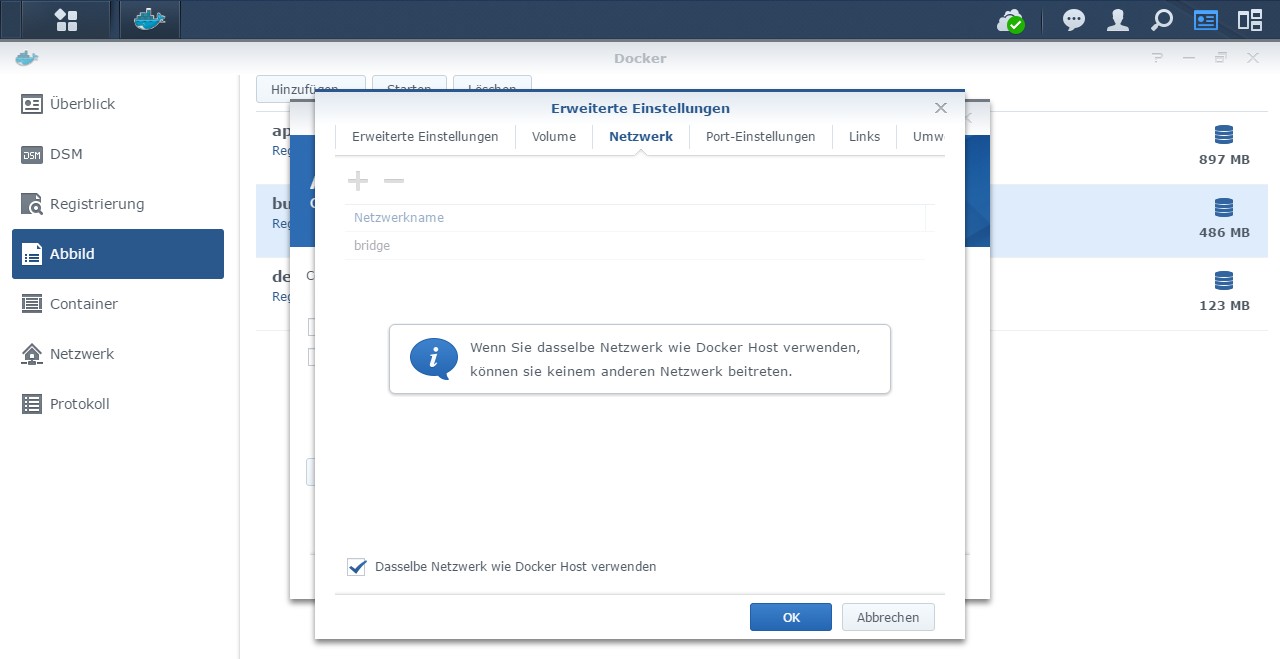
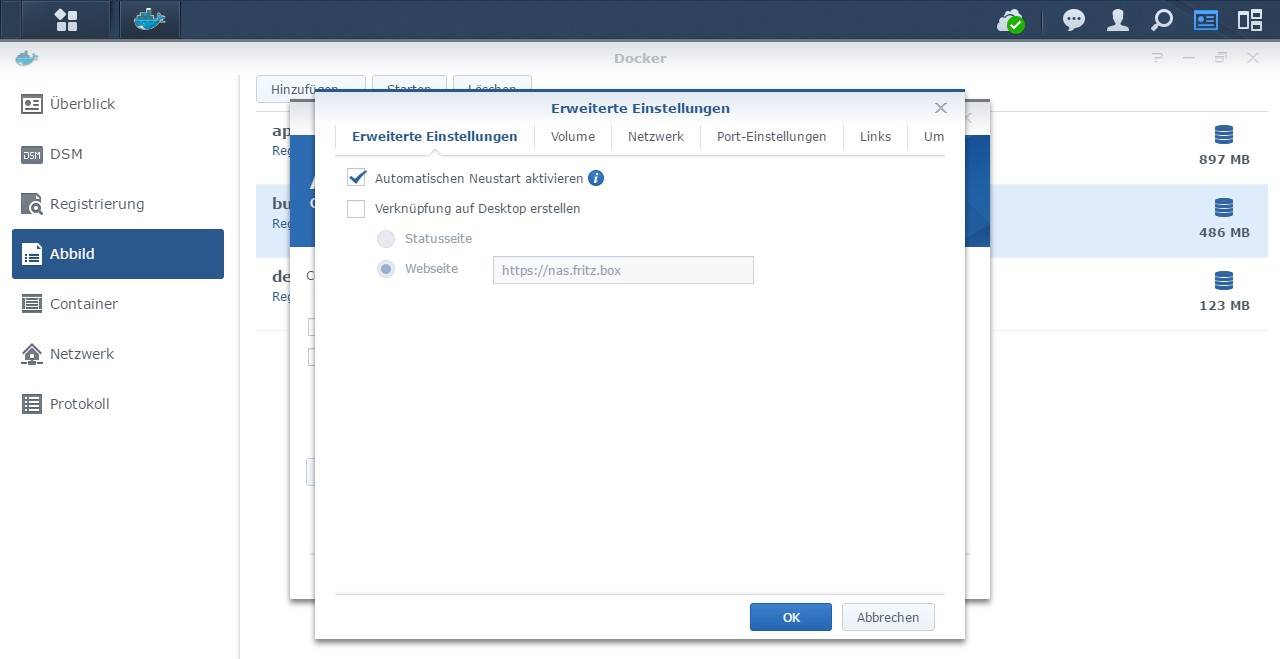
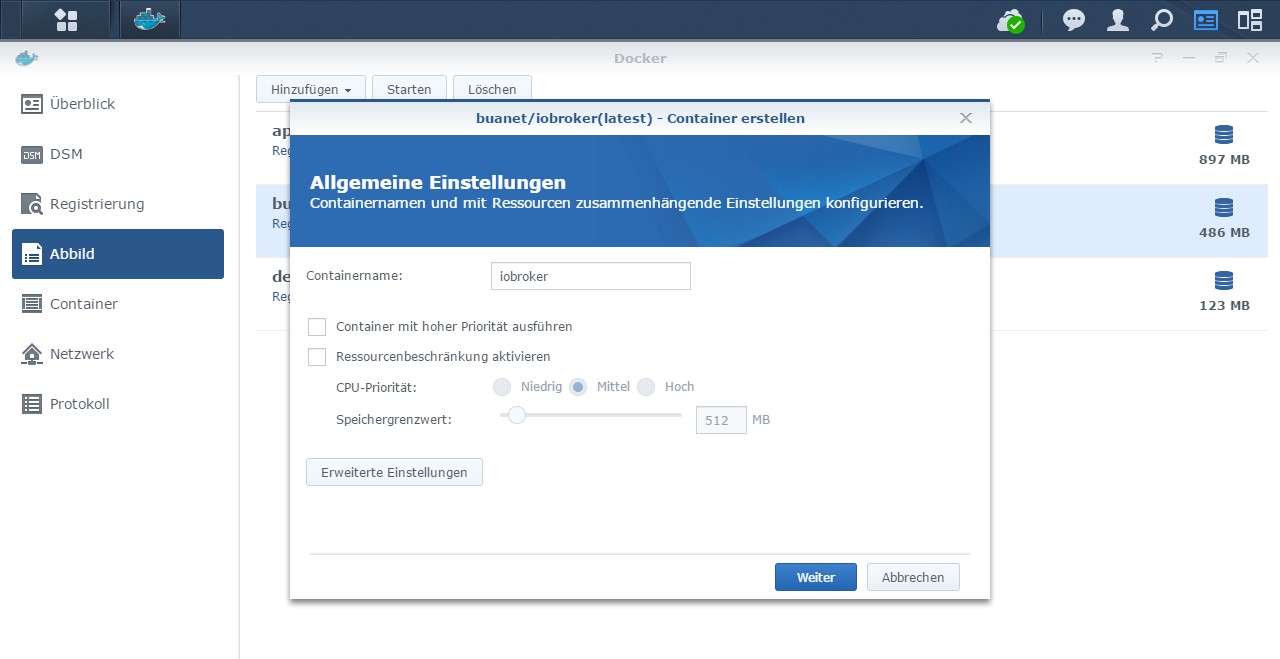
    Wenn ich einen Docker-Container im bridge-Modus betreibe (also nicht über Portainer), dann ist es ja mitunter erforderlich, Ports freizugeben. Möchte ich für den Container nun ein neues Image erstellen, dann stoppe ich in der Regel das alte Image. Das Problem beim Neuanlegen ist nun aber, dass trotz des Stopps die Ports weiterhin blockiert sind. Ich muss also erst den alten Container löschen, bevor ich den neuen mit identischen Ports betreiben kann. Gibt es dafür einen Workaround?

    Ich nutze absichtlich nicht den Portainer, weil es mir damit irgendwie nicht gelungen ist, meine nativ auf der DS laufende SQL-Datenbank (mariaDB) in den ioBroker einzubinden. Mir war das dann irgendwie zu müßig, so dass ich mich gegen den Portainer entschieden hatte. Zudem gab es auch hier und da Probleme, wenn ich ein bestehende Konfiguration ändern wollte.

    Das Problem mit den Ports habe ich jetzt übrigens nicht beim ioBroker-Container, weil der bei mir im host-Modus läuft. Aber ich dachte mir, ich frag trotzdem mal. ;)

    Marc BergM Offline
    Marc BergM Offline
    Marc Berg
    Most Active
    wrote on last edited by Marc Berg
    #2681

    @dtp sagte in [HowTo] ioBroker unter Docker auf Synology DiskStation:

    @andre Dazu hätte ich direkt auch mal eine Frage, die aber die Docker-Container im Allgemeinen betrifft.

    Wenn ich einen Docker-Container im bridge-Modus betreibe (also nicht über Portainer), dann ist es ja mitunter erforderlich, Ports freizugeben. Möchte ich für den Container nun ein neues Image erstellen, dann stoppe ich in der Regel das alte Image. Das Problem beim Neuanlegen ist nun aber, dass trotz des Stopps die Ports weiterhin blockiert sind. Ich muss also erst den alten Container löschen, bevor ich den neuen mit identischen Ports betreiben kann. Gibt es dafür einen Workaround?

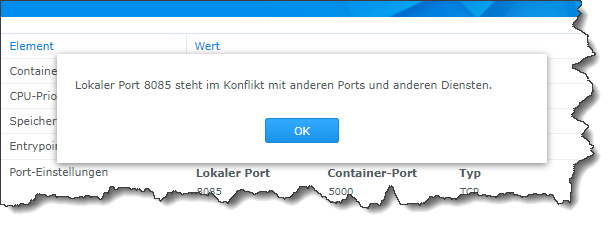
    Zeig mal bitte die Meldung, die besagt, dass die Ports belegt sein sollen. Das kann dann nur eine Synology Spezialität sein. In einer nativen Docker-Umgebung kann ich mehrere Container mit gleichen Portfreigaben anlegen, kann natürlich nur einen starten.

    NUC10I3+Ubuntu+Docker+ioBroker+influxDB2+Node Red+EMQX+Grafana

    Pi-hole, Traefik, Checkmk, Conbee II+Zigbee2MQTT, ESPSomfy-RTS, LoRaWAN, Arduino, KiCad

    Benutzt das Voting im Beitrag, wenn er euch geholfen hat.

    CodierknechtC 1 Reply Last reply
    0
    • Marc BergM Marc Berg

      @dtp sagte in [HowTo] ioBroker unter Docker auf Synology DiskStation:

      @andre Dazu hätte ich direkt auch mal eine Frage, die aber die Docker-Container im Allgemeinen betrifft.

      Wenn ich einen Docker-Container im bridge-Modus betreibe (also nicht über Portainer), dann ist es ja mitunter erforderlich, Ports freizugeben. Möchte ich für den Container nun ein neues Image erstellen, dann stoppe ich in der Regel das alte Image. Das Problem beim Neuanlegen ist nun aber, dass trotz des Stopps die Ports weiterhin blockiert sind. Ich muss also erst den alten Container löschen, bevor ich den neuen mit identischen Ports betreiben kann. Gibt es dafür einen Workaround?

      Zeig mal bitte die Meldung, die besagt, dass die Ports belegt sein sollen. Das kann dann nur eine Synology Spezialität sein. In einer nativen Docker-Umgebung kann ich mehrere Container mit gleichen Portfreigaben anlegen, kann natürlich nur einen starten.

      CodierknechtC Online
      CodierknechtC Online
      Codierknecht
      Developer Most Active
      wrote on last edited by
      #2682

      @marc-berg sagte in [HowTo] ioBroker unter Docker auf Synology DiskStation:

      Das kann dann nur eine Synology Spezialität sein

      Ist so ...
      1972c0a9-9b9d-408f-b140-2f89550807a0-image.png

      "Any fool can write code that a computer can understand. Good programmers write code that humans can understand." (Martin Fowler, "Refactoring")

      Proxmox 9.1.1 LXC|8 GB|Core i7-6700
      HmIP|ZigBee|Tasmota|Unifi
      Zabbix Certified Specialist
      Konnte ich Dir helfen? Dann benutze bitte das Voting unten rechts im Beitrag

      Marc BergM 1 Reply Last reply
      0
      • CodierknechtC Codierknecht

        @marc-berg sagte in [HowTo] ioBroker unter Docker auf Synology DiskStation:

        Das kann dann nur eine Synology Spezialität sein

        Ist so ...
        1972c0a9-9b9d-408f-b140-2f89550807a0-image.png

        Marc BergM Offline
        Marc BergM Offline
        Marc Berg
        Most Active
        wrote on last edited by
        #2683

        @codierknecht
        Eine Google-Suche ergibt, dass du auf der Synology wohl nicht allein mit dem Problem bist.

        Was spricht dagegen, den Container vorher zu löschen?

        NUC10I3+Ubuntu+Docker+ioBroker+influxDB2+Node Red+EMQX+Grafana

        Pi-hole, Traefik, Checkmk, Conbee II+Zigbee2MQTT, ESPSomfy-RTS, LoRaWAN, Arduino, KiCad

        Benutzt das Voting im Beitrag, wenn er euch geholfen hat.

        CodierknechtC D 2 Replies Last reply
        0
        • Marc BergM Marc Berg

          @codierknecht
          Eine Google-Suche ergibt, dass du auf der Synology wohl nicht allein mit dem Problem bist.

          Was spricht dagegen, den Container vorher zu löschen?

          CodierknechtC Online
          CodierknechtC Online
          Codierknecht
          Developer Most Active
          wrote on last edited by
          #2684

          @marc-berg sagte in [HowTo] ioBroker unter Docker auf Synology DiskStation:

          Eine Google-Suche ergibt, dass du auf der Synology wohl nicht allein mit dem Problem bist.

          Mir ist das völlig Wumpe. Aber @dtp dürfte das sicher interessieren ;-)

          "Any fool can write code that a computer can understand. Good programmers write code that humans can understand." (Martin Fowler, "Refactoring")

          Proxmox 9.1.1 LXC|8 GB|Core i7-6700
          HmIP|ZigBee|Tasmota|Unifi
          Zabbix Certified Specialist
          Konnte ich Dir helfen? Dann benutze bitte das Voting unten rechts im Beitrag

          Marc BergM 1 Reply Last reply
          1
          • F Offline
            F Offline
            fir3drag0n
            wrote on last edited by fir3drag0n
            #2685

            Guten Tag zusammen,

            ich wollte vor kurzem ein Multihost System einrichten, eine Instanz (Slave) auf einem Unraid Server. Einrichtung hat auch funktioniert, allerdings startet der Docker Container jetzt nicht mehr:

            (Re)setting permissions (This might take a while! Please be patient!)... Done.
             
            Fixing "sudo-bug" by replacing sudo with gosu... Done.
             
            Hostname in ioBroker does not match the hostname of this container.
            Updating hostname to iobroker UR... 
            
            ** Press ANY KEY to close this window ** 
            

            Gibt es da noch einen Bug (wie zuvor beschrieben auf Beta wechseln) oder woran kann das liegen?

            GlasfaserG 3 Replies Last reply
            0
            • CodierknechtC Codierknecht

              @marc-berg sagte in [HowTo] ioBroker unter Docker auf Synology DiskStation:

              Eine Google-Suche ergibt, dass du auf der Synology wohl nicht allein mit dem Problem bist.

              Mir ist das völlig Wumpe. Aber @dtp dürfte das sicher interessieren ;-)

              Marc BergM Offline
              Marc BergM Offline
              Marc Berg
              Most Active
              wrote on last edited by
              #2686

              @codierknecht sagte in [HowTo] ioBroker unter Docker auf Synology DiskStation:

              @marc-berg sagte in [HowTo] ioBroker unter Docker auf Synology DiskStation:

              Eine Google-Suche ergibt, dass du auf der Synology wohl nicht allein mit dem Problem bist.

              Mir ist das völlig Wumpe. Aber @dtp dürfte das sicher interessieren ;-)

              Achja, falscher Adressat .. :-)

              NUC10I3+Ubuntu+Docker+ioBroker+influxDB2+Node Red+EMQX+Grafana

              Pi-hole, Traefik, Checkmk, Conbee II+Zigbee2MQTT, ESPSomfy-RTS, LoRaWAN, Arduino, KiCad

              Benutzt das Voting im Beitrag, wenn er euch geholfen hat.

              1 Reply Last reply
              0
              • F fir3drag0n

                Guten Tag zusammen,

                ich wollte vor kurzem ein Multihost System einrichten, eine Instanz (Slave) auf einem Unraid Server. Einrichtung hat auch funktioniert, allerdings startet der Docker Container jetzt nicht mehr:

                (Re)setting permissions (This might take a while! Please be patient!)... Done.
                 
                Fixing "sudo-bug" by replacing sudo with gosu... Done.
                 
                Hostname in ioBroker does not match the hostname of this container.
                Updating hostname to iobroker UR... 
                
                ** Press ANY KEY to close this window ** 
                

                Gibt es da noch einen Bug (wie zuvor beschrieben auf Beta wechseln) oder woran kann das liegen?

                GlasfaserG Offline
                GlasfaserG Offline
                Glasfaser
                wrote on last edited by
                #2687

                @fir3drag0n sagte in [HowTo] ioBroker unter Docker auf Synology DiskStation:

                Hostname in ioBroker does not match the hostname of this container.

                steht doch da ... das ist kein Bug !

                Synology 918+ 16GB - ioBroker in Docker v9 , VISO auf Trekstor Primebook C13 13,3" , Hikvision Domkameras mit Surveillance Station .. CCU RaspberryMatic in Synology VM .. Zigbee CC2538+CC2592 .. Sonoff .. KNX .. Modbus ..

                F 1 Reply Last reply
                0
                • GlasfaserG Glasfaser

                  @fir3drag0n sagte in [HowTo] ioBroker unter Docker auf Synology DiskStation:

                  Hostname in ioBroker does not match the hostname of this container.

                  steht doch da ... das ist kein Bug !

                  F Offline
                  F Offline
                  fir3drag0n
                  wrote on last edited by
                  #2688

                  @glasfaser und wie schaffe ich es dann den Container zu starten?

                  1 Reply Last reply
                  0
                  • F fir3drag0n

                    Guten Tag zusammen,

                    ich wollte vor kurzem ein Multihost System einrichten, eine Instanz (Slave) auf einem Unraid Server. Einrichtung hat auch funktioniert, allerdings startet der Docker Container jetzt nicht mehr:

                    (Re)setting permissions (This might take a while! Please be patient!)... Done.
                     
                    Fixing "sudo-bug" by replacing sudo with gosu... Done.
                     
                    Hostname in ioBroker does not match the hostname of this container.
                    Updating hostname to iobroker UR... 
                    
                    ** Press ANY KEY to close this window ** 
                    

                    Gibt es da noch einen Bug (wie zuvor beschrieben auf Beta wechseln) oder woran kann das liegen?

                    GlasfaserG Offline
                    GlasfaserG Offline
                    Glasfaser
                    wrote on last edited by
                    #2689

                    @fir3drag0n sagte in [HowTo] ioBroker unter Docker auf Synology DiskStation:

                    ich wollte vor kurzem ein Multihost System einrichten, eine Instanz (Slave) auf einem Unraid Server. Einrichtung hat auch funktioniert,

                    Habe kein Unraid Server.

                    Keine Ahnung ... warum es so dann bei dir so kommt .

                    https://forum.iobroker.net/post/922487

                    Synology 918+ 16GB - ioBroker in Docker v9 , VISO auf Trekstor Primebook C13 13,3" , Hikvision Domkameras mit Surveillance Station .. CCU RaspberryMatic in Synology VM .. Zigbee CC2538+CC2592 .. Sonoff .. KNX .. Modbus ..

                    F 1 Reply Last reply
                    0
                    • GlasfaserG Glasfaser

                      @fir3drag0n sagte in [HowTo] ioBroker unter Docker auf Synology DiskStation:

                      ich wollte vor kurzem ein Multihost System einrichten, eine Instanz (Slave) auf einem Unraid Server. Einrichtung hat auch funktioniert,

                      Habe kein Unraid Server.

                      Keine Ahnung ... warum es so dann bei dir so kommt .

                      https://forum.iobroker.net/post/922487

                      F Offline
                      F Offline
                      fir3drag0n
                      wrote on last edited by
                      #2690

                      @glasfaser der Container wird ja direkt beendet - wie soll ich da die Befehle absetzen?

                      1 Reply Last reply
                      0
                      • F fir3drag0n

                        Guten Tag zusammen,

                        ich wollte vor kurzem ein Multihost System einrichten, eine Instanz (Slave) auf einem Unraid Server. Einrichtung hat auch funktioniert, allerdings startet der Docker Container jetzt nicht mehr:

                        (Re)setting permissions (This might take a while! Please be patient!)... Done.
                         
                        Fixing "sudo-bug" by replacing sudo with gosu... Done.
                         
                        Hostname in ioBroker does not match the hostname of this container.
                        Updating hostname to iobroker UR... 
                        
                        ** Press ANY KEY to close this window ** 
                        

                        Gibt es da noch einen Bug (wie zuvor beschrieben auf Beta wechseln) oder woran kann das liegen?

                        GlasfaserG Offline
                        GlasfaserG Offline
                        Glasfaser
                        wrote on last edited by
                        #2691

                        @fir3drag0n sagte in [HowTo] ioBroker unter Docker auf Synology DiskStation:

                        Hostname in ioBroker does not match the hostname of this container.
                        Updating hostname to iobroker UR..

                        iobroker UR..

                        Hast du hier was gekürzt !?

                        Nochmal ... ich weiß nicht was du gemacht hast ... normalerweise kommt soetwas , wenn du ein Backup einspielst .

                        Hast du den Hostname geändert !?

                        Synology 918+ 16GB - ioBroker in Docker v9 , VISO auf Trekstor Primebook C13 13,3" , Hikvision Domkameras mit Surveillance Station .. CCU RaspberryMatic in Synology VM .. Zigbee CC2538+CC2592 .. Sonoff .. KNX .. Modbus ..

                        F 1 Reply Last reply
                        0
                        • GlasfaserG Glasfaser

                          @fir3drag0n sagte in [HowTo] ioBroker unter Docker auf Synology DiskStation:

                          Hostname in ioBroker does not match the hostname of this container.
                          Updating hostname to iobroker UR..

                          iobroker UR..

                          Hast du hier was gekürzt !?

                          Nochmal ... ich weiß nicht was du gemacht hast ... normalerweise kommt soetwas , wenn du ein Backup einspielst .

                          Hast du den Hostname geändert !?

                          F Offline
                          F Offline
                          fir3drag0n
                          wrote on last edited by
                          #2692

                          @glasfaser hat sich erledigt, im Docker Image müssen unbedingt noch die ENV Variables für Multihost (master od slave) und objectsdb sowie statesdb gesetzt werden

                          GlasfaserG kosmixK 2 Replies Last reply
                          0
                          • F fir3drag0n

                            @glasfaser hat sich erledigt, im Docker Image müssen unbedingt noch die ENV Variables für Multihost (master od slave) und objectsdb sowie statesdb gesetzt werden

                            GlasfaserG Offline
                            GlasfaserG Offline
                            Glasfaser
                            wrote on last edited by
                            #2693

                            @fir3drag0n sagte in [HowTo] ioBroker unter Docker auf Synology DiskStation:

                            @glasfaser hat sich erledigt,

                            Freut mich ... das du deinen Bug gefunden hast :)

                            Synology 918+ 16GB - ioBroker in Docker v9 , VISO auf Trekstor Primebook C13 13,3" , Hikvision Domkameras mit Surveillance Station .. CCU RaspberryMatic in Synology VM .. Zigbee CC2538+CC2592 .. Sonoff .. KNX .. Modbus ..

                            1 Reply Last reply
                            1
                            • Marc BergM Marc Berg

                              @codierknecht
                              Eine Google-Suche ergibt, dass du auf der Synology wohl nicht allein mit dem Problem bist.

                              Was spricht dagegen, den Container vorher zu löschen?

                              D Offline
                              D Offline
                              dtp
                              wrote on last edited by
                              #2694

                              @marc-berg sagte in [HowTo] ioBroker unter Docker auf Synology DiskStation:

                              Was spricht dagegen, den Container vorher zu löschen?

                              Danke für eure Hinweise. Gegen das vorherige Löschen des Containers spricht natürlich nicht viel, außer, dass man sich dann ggf. vorher die Einstellungen hinsichtlich der Ports, Volumes und Umgebungsvariablen notieren muss. Und wenn was nicht funktioniert, besteht ggf. ein Risiko, dass man nicht mehr zur alten Version zurück kommt.

                              ioBroker im Docker-Container auf Synology DiskStation DS718+, HomeMatic IP über CCU3, IKEA Dirigera inkl. Matter, Apple Homekit, Amazon Alexa.
                              Marc BergM andreA 2 Replies Last reply
                              0
                              • D dtp

                                @marc-berg sagte in [HowTo] ioBroker unter Docker auf Synology DiskStation:

                                Was spricht dagegen, den Container vorher zu löschen?

                                Danke für eure Hinweise. Gegen das vorherige Löschen des Containers spricht natürlich nicht viel, außer, dass man sich dann ggf. vorher die Einstellungen hinsichtlich der Ports, Volumes und Umgebungsvariablen notieren muss. Und wenn was nicht funktioniert, besteht ggf. ein Risiko, dass man nicht mehr zur alten Version zurück kommt.

                                Marc BergM Offline
                                Marc BergM Offline
                                Marc Berg
                                Most Active
                                wrote on last edited by Marc Berg
                                #2695

                                gelöscht

                                NUC10I3+Ubuntu+Docker+ioBroker+influxDB2+Node Red+EMQX+Grafana

                                Pi-hole, Traefik, Checkmk, Conbee II+Zigbee2MQTT, ESPSomfy-RTS, LoRaWAN, Arduino, KiCad

                                Benutzt das Voting im Beitrag, wenn er euch geholfen hat.

                                1 Reply Last reply
                                0
                                • D dtp

                                  @marc-berg sagte in [HowTo] ioBroker unter Docker auf Synology DiskStation:

                                  Was spricht dagegen, den Container vorher zu löschen?

                                  Danke für eure Hinweise. Gegen das vorherige Löschen des Containers spricht natürlich nicht viel, außer, dass man sich dann ggf. vorher die Einstellungen hinsichtlich der Ports, Volumes und Umgebungsvariablen notieren muss. Und wenn was nicht funktioniert, besteht ggf. ein Risiko, dass man nicht mehr zur alten Version zurück kommt.

                                  andreA Offline
                                  andreA Offline
                                  andre
                                  Developer
                                  wrote on last edited by
                                  #2696

                                  @dtp sagte in [HowTo] ioBroker unter Docker auf Synology DiskStation:

                                  Gegen das vorherige Löschen des Containers spricht natürlich nicht viel, außer, dass man sich dann ggf. vorher die Einstellungen hinsichtlich der Ports, Volumes und Umgebungsvariablen notieren muss. Und wenn was nicht funktioniert, besteht ggf. ein Risiko, dass man nicht mehr zur alten Version zurück kommt.

                                  Nein. Schau dir Portainer Stacks aka docker-compose an! Dann brauchst du dir keine Einstellungen merken.
                                  Zur alten Version zurück? Schau dir die Tags des Docker Images an. Es gibt immer die Möglichkeit eine ältere Version zu laden.
                                  Und das Wichtigste: Mach ein Backup vom ioBroker Ordner!

                                  MfG,
                                  André

                                  Bitte keine Support-Fragen per PN! Nutzt die öffentliche Kanäle damit auch andere von den Antworten profitieren können!

                                  1 Reply Last reply
                                  0
                                  • uweklattU Offline
                                    uweklattU Offline
                                    uweklatt
                                    wrote on last edited by
                                    #2697

                                    Ich have aktuell auch Probleme, ioBroker als Container neu aufzusetzen.
                                    Ich nutze Docker innerhalb einer Proxmox Virtualisierung. Diese funktioniert wunderbar mit diversen Containern. Zur Verwaltung nutze ich Portainer.
                                    Beim Einrichten eines neuen "leeren" ioBroker mit gemappten Verzeicnis /opt/iobroker und gesetzem "DEBUG"-Flag bekomme ich als log:

                                    --------------------------------------------------------------------------------
                                    -------------------------     2023-01-22 17:12:08      -------------------------
                                    --------------------------------------------------------------------------------
                                    -----                                                                      -----
                                    ----- ██╗  ██████╗  ██████╗  ██████╗   ██████╗  ██╗  ██╗ ███████╗ ██████╗  -----
                                    ----- ██║ ██╔═══██╗ ██╔══██╗ ██╔══██╗ ██╔═══██╗ ██║ ██╔╝ ██╔════╝ ██╔══██╗ -----
                                    ----- ██║ ██║   ██║ ██████╔╝ ██████╔╝ ██║   ██║ █████╔╝  █████╗   ██████╔╝ -----
                                    ----- ██║ ██║   ██║ ██╔══██╗ ██╔══██╗ ██║   ██║ ██╔═██╗  ██╔══╝   ██╔══██╗ -----
                                    ----- ██║ ╚██████╔╝ ██████╔╝ ██║  ██║ ╚██████╔╝ ██║  ██╗ ███████╗ ██║  ██║ -----
                                    ----- ╚═╝  ╚═════╝  ╚═════╝  ╚═╝  ╚═╝  ╚═════╝  ╚═╝  ╚═╝ ╚══════╝ ╚═╝  ╚═╝ -----
                                    -----                                                                      -----
                                    -----              Welcome to your ioBroker Docker container!              -----
                                    -----                    Startupscript is now running!                     -----
                                    -----                          Please be patient!                          -----
                                    --------------------------------------------------------------------------------
                                     
                                    --------------------------------------------------------------------------------
                                    -----                          System Information                          -----
                                    -----                    arch:                x86_64                       -----
                                    -----                    hostname:            92b196522335                 -----
                                    -----                                                                      -----
                                    -----                          Version Information                         -----
                                    -----                    image:               v7.2.0                       -----
                                    -----                    build:               2023-01-12T23:45:25+00:00    -----
                                    -----                    node:                v16.19.0                     -----
                                    -----                    npm:                 8.19.3                       -----
                                    -----                                                                      -----
                                    -----                        Environment Variables                         -----
                                    -----                    DEBUG:               true                         -----
                                    -----                    SETGID:              1000                         -----
                                    -----                    SETUID:              1000                         -----
                                    --------------------------------------------------------------------------------
                                     
                                    !!!!!!!!!!!!!!!!!!!!!!!!!!!!!!!!!!!!!!!!!!!!!!!!!!!!!!!!!!!!!!!!!!!!!!!!!!!!!!!!
                                    !!!!                            DEBUG LOG ACTIVE                            !!!!
                                    !!!!               Environment variable DEBUG is set to true.               !!!!
                                    !!!! This will extend the logging output and may slow down container start. !!!!
                                    !!!!          Please make sure to deactivate if no longer needed.           !!!!
                                    !!!!     For more information see ioBroker Docker image documentation:      !!!!
                                    !!!!           https://docs.buanet.de/iobroker-docker-image/docs/           !!!!
                                    !!!!!!!!!!!!!!!!!!!!!!!!!!!!!!!!!!!!!!!!!!!!!!!!!!!!!!!!!!!!!!!!!!!!!!!!!!!!!!!!
                                     
                                    --------------------------------------------------------------------------------
                                    -----                  Step 1 of 5: Preparing container                   -----
                                    --------------------------------------------------------------------------------
                                     
                                    Updating Linux packages on first run... 
                                    (Reading database ... 
                                    (Reading database ... 5%
                                    (Reading database ... 10%
                                    (Reading database ... 15%
                                    (Reading database ... 20%
                                    (Reading database ... 25%
                                    (Reading database ... 30%
                                    (Reading database ... 35%
                                    (Reading database ... 40%
                                    (Reading database ... 45%
                                    (Reading database ... 50%
                                    (Reading database ... 55%
                                    (Reading database ... 60%
                                    (Reading database ... 65%
                                    (Reading database ... 70%
                                    (Reading database ... 75%
                                    (Reading database ... 80%
                                    (Reading database ... 85%
                                    (Reading database ... 90%
                                    (Reading database ... 95%
                                    (Reading database ... 100%
                                    (Reading database ... 29424 files and directories currently installed.)
                                    Preparing to unpack .../sudo_1.9.5p2-3+deb11u1_amd64.deb ...
                                    Unpacking sudo (1.9.5p2-3+deb11u1) over (1.9.5p2-3) ...
                                    Setting up sudo (1.9.5p2-3+deb11u1) ...
                                    invoke-rc.d: could not determine current runlevel
                                    invoke-rc.d: policy-rc.d denied execution of restart.
                                    Done.
                                     
                                    Registering maintenance script as command... Done.
                                    
                                    --------------------------------------------------------------------------------
                                    -----             Step 2 of 5: Detecting ioBroker installation             -----
                                    --------------------------------------------------------------------------------
                                     
                                    There is no data detected in /opt/iobroker.
                                    Restoring initial ioBroker installation... Done.
                                    
                                    --------------------------------------------------------------------------------
                                    -----             Step 3 of 5: Checking ioBroker installation              -----
                                    --------------------------------------------------------------------------------
                                    
                                    (Re)setting permissions (This might take a while! Please be patient!)... Done.
                                     
                                    Fixing "sudo-bug" by replacing sudo with gosu... Done.
                                    error: failed switching to "iobroker": operation not permitted
                                    There was a problem detecting the admin instance of your iobroker.
                                    Make sure the ioBroker installation you use has an admin instance or start over with a fresh installation and restore your configuration.
                                    
                                    For more details see https://docs.buanet.de/iobroker-docker-image/docs/#restore
                                     
                                    [DEBUG] Debug mode prevents the container from exiting on errors.
                                    [DEBUG] This enables you to investigate or fix your issue on the command line.
                                    [DEBUG] If you want to stop or restart your container you have to do it manually.
                                    [DEBUG] IoBroker is not running!


                                    Mir scheint hier ein Rechteproblem vorzuliegen.
                                    Der Container läuft als "root". Im Container scheint aber der User "iobroker" verwendet zu werden.

                                    Was muss ich nun tun?

                                    Uwe

                                    Proxmox/LXC/Docker

                                    GlasfaserG 2 Replies Last reply
                                    0
                                    • uweklattU uweklatt

                                      Ich have aktuell auch Probleme, ioBroker als Container neu aufzusetzen.
                                      Ich nutze Docker innerhalb einer Proxmox Virtualisierung. Diese funktioniert wunderbar mit diversen Containern. Zur Verwaltung nutze ich Portainer.
                                      Beim Einrichten eines neuen "leeren" ioBroker mit gemappten Verzeicnis /opt/iobroker und gesetzem "DEBUG"-Flag bekomme ich als log:

                                      --------------------------------------------------------------------------------
                                      -------------------------     2023-01-22 17:12:08      -------------------------
                                      --------------------------------------------------------------------------------
                                      -----                                                                      -----
                                      ----- ██╗  ██████╗  ██████╗  ██████╗   ██████╗  ██╗  ██╗ ███████╗ ██████╗  -----
                                      ----- ██║ ██╔═══██╗ ██╔══██╗ ██╔══██╗ ██╔═══██╗ ██║ ██╔╝ ██╔════╝ ██╔══██╗ -----
                                      ----- ██║ ██║   ██║ ██████╔╝ ██████╔╝ ██║   ██║ █████╔╝  █████╗   ██████╔╝ -----
                                      ----- ██║ ██║   ██║ ██╔══██╗ ██╔══██╗ ██║   ██║ ██╔═██╗  ██╔══╝   ██╔══██╗ -----
                                      ----- ██║ ╚██████╔╝ ██████╔╝ ██║  ██║ ╚██████╔╝ ██║  ██╗ ███████╗ ██║  ██║ -----
                                      ----- ╚═╝  ╚═════╝  ╚═════╝  ╚═╝  ╚═╝  ╚═════╝  ╚═╝  ╚═╝ ╚══════╝ ╚═╝  ╚═╝ -----
                                      -----                                                                      -----
                                      -----              Welcome to your ioBroker Docker container!              -----
                                      -----                    Startupscript is now running!                     -----
                                      -----                          Please be patient!                          -----
                                      --------------------------------------------------------------------------------
                                       
                                      --------------------------------------------------------------------------------
                                      -----                          System Information                          -----
                                      -----                    arch:                x86_64                       -----
                                      -----                    hostname:            92b196522335                 -----
                                      -----                                                                      -----
                                      -----                          Version Information                         -----
                                      -----                    image:               v7.2.0                       -----
                                      -----                    build:               2023-01-12T23:45:25+00:00    -----
                                      -----                    node:                v16.19.0                     -----
                                      -----                    npm:                 8.19.3                       -----
                                      -----                                                                      -----
                                      -----                        Environment Variables                         -----
                                      -----                    DEBUG:               true                         -----
                                      -----                    SETGID:              1000                         -----
                                      -----                    SETUID:              1000                         -----
                                      --------------------------------------------------------------------------------
                                       
                                      !!!!!!!!!!!!!!!!!!!!!!!!!!!!!!!!!!!!!!!!!!!!!!!!!!!!!!!!!!!!!!!!!!!!!!!!!!!!!!!!
                                      !!!!                            DEBUG LOG ACTIVE                            !!!!
                                      !!!!               Environment variable DEBUG is set to true.               !!!!
                                      !!!! This will extend the logging output and may slow down container start. !!!!
                                      !!!!          Please make sure to deactivate if no longer needed.           !!!!
                                      !!!!     For more information see ioBroker Docker image documentation:      !!!!
                                      !!!!           https://docs.buanet.de/iobroker-docker-image/docs/           !!!!
                                      !!!!!!!!!!!!!!!!!!!!!!!!!!!!!!!!!!!!!!!!!!!!!!!!!!!!!!!!!!!!!!!!!!!!!!!!!!!!!!!!
                                       
                                      --------------------------------------------------------------------------------
                                      -----                  Step 1 of 5: Preparing container                   -----
                                      --------------------------------------------------------------------------------
                                       
                                      Updating Linux packages on first run... 
                                      (Reading database ... 
                                      (Reading database ... 5%
                                      (Reading database ... 10%
                                      (Reading database ... 15%
                                      (Reading database ... 20%
                                      (Reading database ... 25%
                                      (Reading database ... 30%
                                      (Reading database ... 35%
                                      (Reading database ... 40%
                                      (Reading database ... 45%
                                      (Reading database ... 50%
                                      (Reading database ... 55%
                                      (Reading database ... 60%
                                      (Reading database ... 65%
                                      (Reading database ... 70%
                                      (Reading database ... 75%
                                      (Reading database ... 80%
                                      (Reading database ... 85%
                                      (Reading database ... 90%
                                      (Reading database ... 95%
                                      (Reading database ... 100%
                                      (Reading database ... 29424 files and directories currently installed.)
                                      Preparing to unpack .../sudo_1.9.5p2-3+deb11u1_amd64.deb ...
                                      Unpacking sudo (1.9.5p2-3+deb11u1) over (1.9.5p2-3) ...
                                      Setting up sudo (1.9.5p2-3+deb11u1) ...
                                      invoke-rc.d: could not determine current runlevel
                                      invoke-rc.d: policy-rc.d denied execution of restart.
                                      Done.
                                       
                                      Registering maintenance script as command... Done.
                                      
                                      --------------------------------------------------------------------------------
                                      -----             Step 2 of 5: Detecting ioBroker installation             -----
                                      --------------------------------------------------------------------------------
                                       
                                      There is no data detected in /opt/iobroker.
                                      Restoring initial ioBroker installation... Done.
                                      
                                      --------------------------------------------------------------------------------
                                      -----             Step 3 of 5: Checking ioBroker installation              -----
                                      --------------------------------------------------------------------------------
                                      
                                      (Re)setting permissions (This might take a while! Please be patient!)... Done.
                                       
                                      Fixing "sudo-bug" by replacing sudo with gosu... Done.
                                      error: failed switching to "iobroker": operation not permitted
                                      There was a problem detecting the admin instance of your iobroker.
                                      Make sure the ioBroker installation you use has an admin instance or start over with a fresh installation and restore your configuration.
                                      
                                      For more details see https://docs.buanet.de/iobroker-docker-image/docs/#restore
                                       
                                      [DEBUG] Debug mode prevents the container from exiting on errors.
                                      [DEBUG] This enables you to investigate or fix your issue on the command line.
                                      [DEBUG] If you want to stop or restart your container you have to do it manually.
                                      [DEBUG] IoBroker is not running!


                                      Mir scheint hier ein Rechteproblem vorzuliegen.
                                      Der Container läuft als "root". Im Container scheint aber der User "iobroker" verwendet zu werden.

                                      Was muss ich nun tun?

                                      Uwe

                                      GlasfaserG Offline
                                      GlasfaserG Offline
                                      Glasfaser
                                      wrote on last edited by
                                      #2698

                                      @uweklatt sagte in [HowTo] ioBroker unter Docker auf Synology DiskStation:

                                      Beim Einrichten eines neuen "leeren" ioBroker mit gemappten Verzeicnis /opt/iobroker

                                      was ist ohne einem gemappten Ordner , läuft er dann durch !?

                                      Synology 918+ 16GB - ioBroker in Docker v9 , VISO auf Trekstor Primebook C13 13,3" , Hikvision Domkameras mit Surveillance Station .. CCU RaspberryMatic in Synology VM .. Zigbee CC2538+CC2592 .. Sonoff .. KNX .. Modbus ..


                                      uweklattU 1 Reply Last reply
                                      0
                                      • GlasfaserG Glasfaser

                                        @uweklatt sagte in [HowTo] ioBroker unter Docker auf Synology DiskStation:

                                        Beim Einrichten eines neuen "leeren" ioBroker mit gemappten Verzeicnis /opt/iobroker

                                        was ist ohne einem gemappten Ordner , läuft er dann durch !?

                                        uweklattU Offline
                                        uweklattU Offline
                                        uweklatt
                                        wrote on last edited by uweklatt
                                        #2699

                                        @glasfaser
                                        Nein, dann erscheint derselbe Fehler.

                                        Proxmox/LXC/Docker

                                        1 Reply Last reply
                                        0
                                        • uweklattU uweklatt

                                          Ich have aktuell auch Probleme, ioBroker als Container neu aufzusetzen.
                                          Ich nutze Docker innerhalb einer Proxmox Virtualisierung. Diese funktioniert wunderbar mit diversen Containern. Zur Verwaltung nutze ich Portainer.
                                          Beim Einrichten eines neuen "leeren" ioBroker mit gemappten Verzeicnis /opt/iobroker und gesetzem "DEBUG"-Flag bekomme ich als log:

                                          --------------------------------------------------------------------------------
                                          -------------------------     2023-01-22 17:12:08      -------------------------
                                          --------------------------------------------------------------------------------
                                          -----                                                                      -----
                                          ----- ██╗  ██████╗  ██████╗  ██████╗   ██████╗  ██╗  ██╗ ███████╗ ██████╗  -----
                                          ----- ██║ ██╔═══██╗ ██╔══██╗ ██╔══██╗ ██╔═══██╗ ██║ ██╔╝ ██╔════╝ ██╔══██╗ -----
                                          ----- ██║ ██║   ██║ ██████╔╝ ██████╔╝ ██║   ██║ █████╔╝  █████╗   ██████╔╝ -----
                                          ----- ██║ ██║   ██║ ██╔══██╗ ██╔══██╗ ██║   ██║ ██╔═██╗  ██╔══╝   ██╔══██╗ -----
                                          ----- ██║ ╚██████╔╝ ██████╔╝ ██║  ██║ ╚██████╔╝ ██║  ██╗ ███████╗ ██║  ██║ -----
                                          ----- ╚═╝  ╚═════╝  ╚═════╝  ╚═╝  ╚═╝  ╚═════╝  ╚═╝  ╚═╝ ╚══════╝ ╚═╝  ╚═╝ -----
                                          -----                                                                      -----
                                          -----              Welcome to your ioBroker Docker container!              -----
                                          -----                    Startupscript is now running!                     -----
                                          -----                          Please be patient!                          -----
                                          --------------------------------------------------------------------------------
                                           
                                          --------------------------------------------------------------------------------
                                          -----                          System Information                          -----
                                          -----                    arch:                x86_64                       -----
                                          -----                    hostname:            92b196522335                 -----
                                          -----                                                                      -----
                                          -----                          Version Information                         -----
                                          -----                    image:               v7.2.0                       -----
                                          -----                    build:               2023-01-12T23:45:25+00:00    -----
                                          -----                    node:                v16.19.0                     -----
                                          -----                    npm:                 8.19.3                       -----
                                          -----                                                                      -----
                                          -----                        Environment Variables                         -----
                                          -----                    DEBUG:               true                         -----
                                          -----                    SETGID:              1000                         -----
                                          -----                    SETUID:              1000                         -----
                                          --------------------------------------------------------------------------------
                                           
                                          !!!!!!!!!!!!!!!!!!!!!!!!!!!!!!!!!!!!!!!!!!!!!!!!!!!!!!!!!!!!!!!!!!!!!!!!!!!!!!!!
                                          !!!!                            DEBUG LOG ACTIVE                            !!!!
                                          !!!!               Environment variable DEBUG is set to true.               !!!!
                                          !!!! This will extend the logging output and may slow down container start. !!!!
                                          !!!!          Please make sure to deactivate if no longer needed.           !!!!
                                          !!!!     For more information see ioBroker Docker image documentation:      !!!!
                                          !!!!           https://docs.buanet.de/iobroker-docker-image/docs/           !!!!
                                          !!!!!!!!!!!!!!!!!!!!!!!!!!!!!!!!!!!!!!!!!!!!!!!!!!!!!!!!!!!!!!!!!!!!!!!!!!!!!!!!
                                           
                                          --------------------------------------------------------------------------------
                                          -----                  Step 1 of 5: Preparing container                   -----
                                          --------------------------------------------------------------------------------
                                           
                                          Updating Linux packages on first run... 
                                          (Reading database ... 
                                          (Reading database ... 5%
                                          (Reading database ... 10%
                                          (Reading database ... 15%
                                          (Reading database ... 20%
                                          (Reading database ... 25%
                                          (Reading database ... 30%
                                          (Reading database ... 35%
                                          (Reading database ... 40%
                                          (Reading database ... 45%
                                          (Reading database ... 50%
                                          (Reading database ... 55%
                                          (Reading database ... 60%
                                          (Reading database ... 65%
                                          (Reading database ... 70%
                                          (Reading database ... 75%
                                          (Reading database ... 80%
                                          (Reading database ... 85%
                                          (Reading database ... 90%
                                          (Reading database ... 95%
                                          (Reading database ... 100%
                                          (Reading database ... 29424 files and directories currently installed.)
                                          Preparing to unpack .../sudo_1.9.5p2-3+deb11u1_amd64.deb ...
                                          Unpacking sudo (1.9.5p2-3+deb11u1) over (1.9.5p2-3) ...
                                          Setting up sudo (1.9.5p2-3+deb11u1) ...
                                          invoke-rc.d: could not determine current runlevel
                                          invoke-rc.d: policy-rc.d denied execution of restart.
                                          Done.
                                           
                                          Registering maintenance script as command... Done.
                                          
                                          --------------------------------------------------------------------------------
                                          -----             Step 2 of 5: Detecting ioBroker installation             -----
                                          --------------------------------------------------------------------------------
                                           
                                          There is no data detected in /opt/iobroker.
                                          Restoring initial ioBroker installation... Done.
                                          
                                          --------------------------------------------------------------------------------
                                          -----             Step 3 of 5: Checking ioBroker installation              -----
                                          --------------------------------------------------------------------------------
                                          
                                          (Re)setting permissions (This might take a while! Please be patient!)... Done.
                                           
                                          Fixing "sudo-bug" by replacing sudo with gosu... Done.
                                          error: failed switching to "iobroker": operation not permitted
                                          There was a problem detecting the admin instance of your iobroker.
                                          Make sure the ioBroker installation you use has an admin instance or start over with a fresh installation and restore your configuration.
                                          
                                          For more details see https://docs.buanet.de/iobroker-docker-image/docs/#restore
                                           
                                          [DEBUG] Debug mode prevents the container from exiting on errors.
                                          [DEBUG] This enables you to investigate or fix your issue on the command line.
                                          [DEBUG] If you want to stop or restart your container you have to do it manually.
                                          [DEBUG] IoBroker is not running!


                                          Mir scheint hier ein Rechteproblem vorzuliegen.
                                          Der Container läuft als "root". Im Container scheint aber der User "iobroker" verwendet zu werden.

                                          Was muss ich nun tun?

                                          Uwe

                                          GlasfaserG Offline
                                          GlasfaserG Offline
                                          Glasfaser
                                          wrote on last edited by
                                          #2700

                                          @uweklatt sagte in [HowTo] ioBroker unter Docker auf Synology DiskStation:

                                          Zur Verwaltung nutze ich Portainer.

                                          Welche Version ... es gibt ein Problem damit ...

                                          siehe hier :
                                          https://forum.iobroker.net/post/919177

                                          Synology 918+ 16GB - ioBroker in Docker v9 , VISO auf Trekstor Primebook C13 13,3" , Hikvision Domkameras mit Surveillance Station .. CCU RaspberryMatic in Synology VM .. Zigbee CC2538+CC2592 .. Sonoff .. KNX .. Modbus ..

                                          uweklattU 1 Reply Last reply
                                          0
                                          Reply
                                          • Reply as topic
                                          Log in to reply
                                          • Oldest to Newest
                                          • Newest to Oldest
                                          • Most Votes


                                          Support us

                                          ioBroker
                                          Community Adapters
                                          Donate
                                          FAQ Cloud / IOT
                                          HowTo: Node.js-Update
                                          HowTo: Backup/Restore
                                          Downloads
                                          BLOG

                                          425

                                          Online

                                          32.6k

                                          Users

                                          82.2k

                                          Topics

                                          1.3m

                                          Posts
                                          Community
                                          Impressum | Datenschutz-Bestimmungen | Nutzungsbedingungen | Einwilligungseinstellungen
                                          ioBroker Community 2014-2025
                                          logo
                                          • Login

                                          • Don't have an account? Register

                                          • Login or register to search.
                                          • First post
                                            Last post
                                          0
                                          • Home
                                          • Recent
                                          • Tags
                                          • Unread 0
                                          • Categories
                                          • Unreplied
                                          • Popular
                                          • GitHub
                                          • Docu
                                          • Hilfe