




Iobroker läuft nicht mehr richtig, nur noch Logfehler
-
@Lady-Ela
Die Befehle ändern ja auch nichts am System, die Rückmeldungen derselben würden aber helfen das einzugrenzen.
Bitte in CodeTags. -
root@ioBroker-Pi:/# dmesg | grep -i ext4 [ 2.838395] EXT4-fs (mmcblk0p2): mounted filesystem with ordered data mode. Opts: (null) [ 3.639298] EXT4-fs (mmcblk0p2): re-mounted. Opts: errors=remount-ro root@ioBroker-Pi:/# who -r && whoami && which nodejs && nodejs -v && which node && node -v && which npm && npm -v && apt policy nodejs Runlevel 5 2020-11-25 17:38 root /usr/bin/nodejs v12.20.0 /usr/bin/node v12.20.0 /usr/bin/npm 6.14.8 nodejs: Installiert: 12.20.0-1nodesource1 Installationskandidat: 12.20.0-1nodesource1 Versionstabelle: *** 12.20.0-1nodesource1 500 500 https://deb.nodesource.com/node_12.x stretch/main amd64 Packages 100 /var/lib/dpkg/status 4.8.2~dfsg-1 500 500 http://ftp.de.debian.org/debian stretch/main amd64 Packages -
root@ioBroker-Pi:/# dmesg | grep -i ext4 [ 2.838395] EXT4-fs (mmcblk0p2): mounted filesystem with ordered data mode. Opts: (null) [ 3.639298] EXT4-fs (mmcblk0p2): re-mounted. Opts: errors=remount-ro root@ioBroker-Pi:/# who -r && whoami && which nodejs && nodejs -v && which node && node -v && which npm && npm -v && apt policy nodejs Runlevel 5 2020-11-25 17:38 root /usr/bin/nodejs v12.20.0 /usr/bin/node v12.20.0 /usr/bin/npm 6.14.8 nodejs: Installiert: 12.20.0-1nodesource1 Installationskandidat: 12.20.0-1nodesource1 Versionstabelle: *** 12.20.0-1nodesource1 500 500 https://deb.nodesource.com/node_12.x stretch/main amd64 Packages 100 /var/lib/dpkg/status 4.8.2~dfsg-1 500 500 http://ftp.de.debian.org/debian stretch/main amd64 Packages@Lady-Ela
Bitte nicht als root anmelden auf einem Debian Stretch.
Abmelden und als user:sudo apt update sudo apt dist-upgrade -
root@ioBroker-Pi:/# dmesg | grep -i ext4 [ 2.838395] EXT4-fs (mmcblk0p2): mounted filesystem with ordered data mode. Opts: (null) [ 3.639298] EXT4-fs (mmcblk0p2): re-mounted. Opts: errors=remount-ro root@ioBroker-Pi:/# who -r && whoami && which nodejs && nodejs -v && which node && node -v && which npm && npm -v && apt policy nodejs Runlevel 5 2020-11-25 17:38 root /usr/bin/nodejs v12.20.0 /usr/bin/node v12.20.0 /usr/bin/npm 6.14.8 nodejs: Installiert: 12.20.0-1nodesource1 Installationskandidat: 12.20.0-1nodesource1 Versionstabelle: *** 12.20.0-1nodesource1 500 500 https://deb.nodesource.com/node_12.x stretch/main amd64 Packages 100 /var/lib/dpkg/status 4.8.2~dfsg-1 500 500 http://ftp.de.debian.org/debian stretch/main amd64 Packages@Lady-Ela
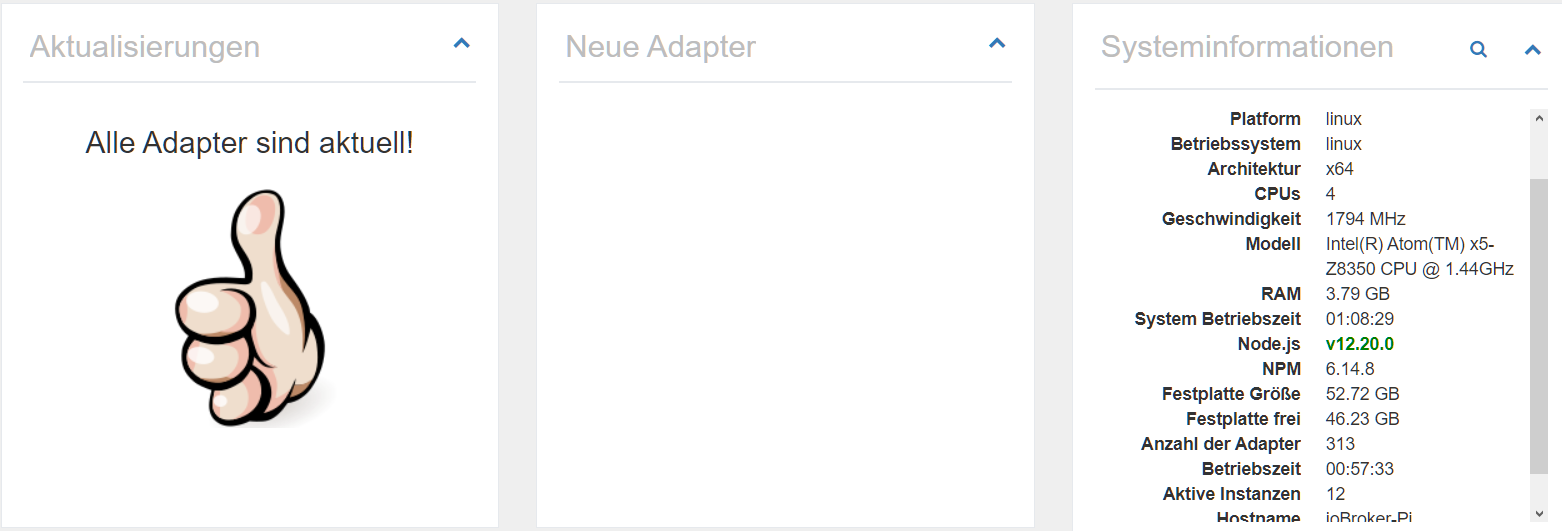
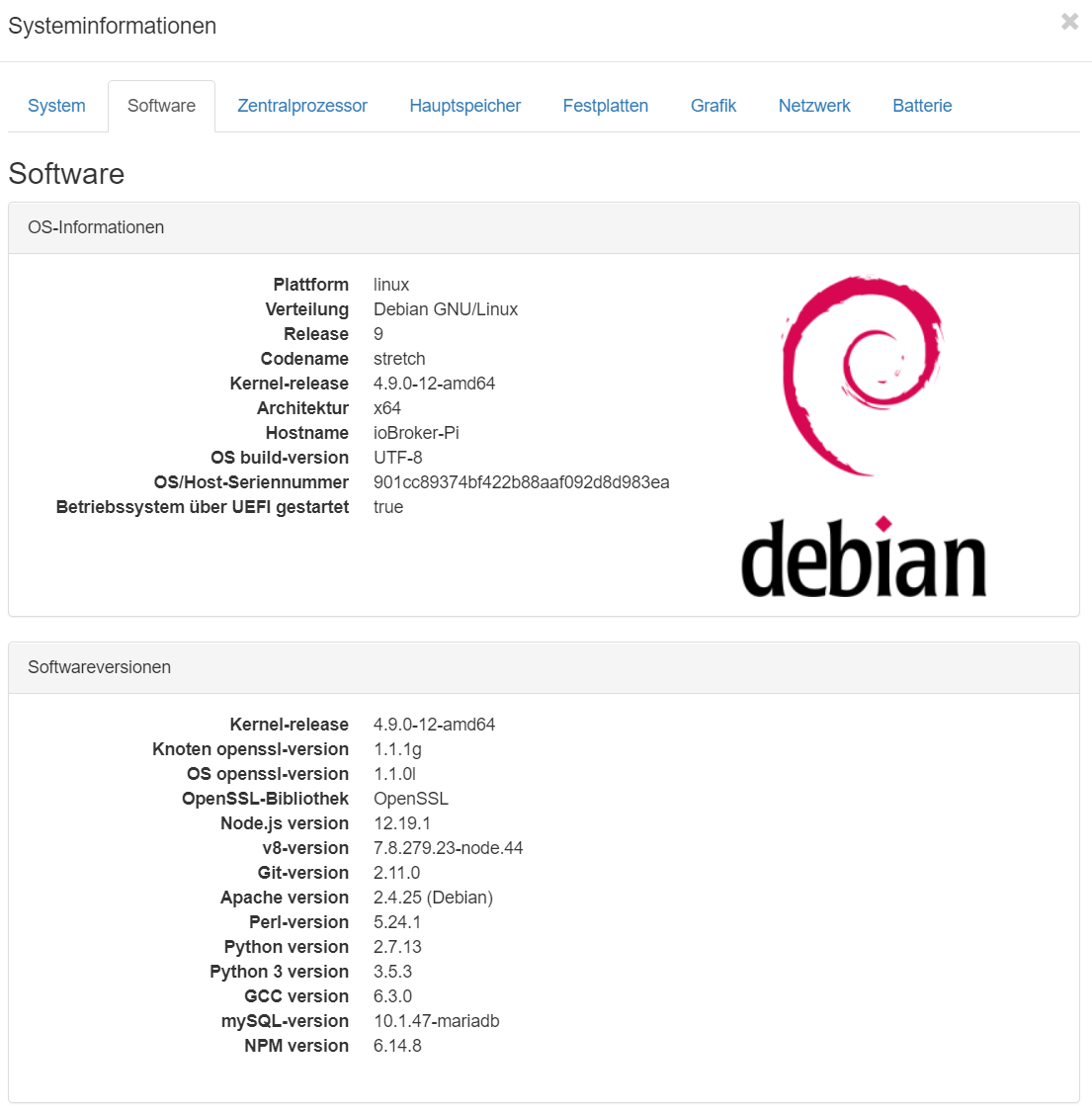
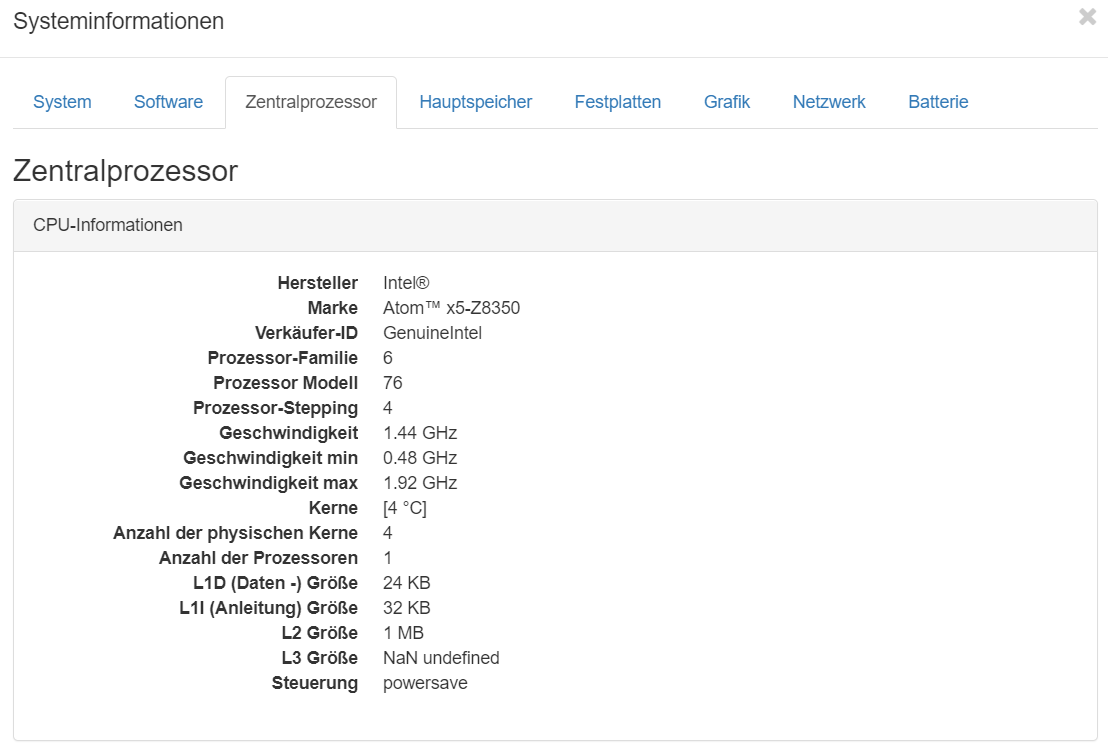
Was ist denn das für ein System da? Benannt als Pi, aber mit amd64-CPU, dann aber über SD-Karte betrieben. OrangePi oder sowas? -
Ich kann es leider nur als root ausführen, als User bekomme ich folgenden Fehler zurück.
michaela@ioBroker-Pi:~$ Leider darf der Benutzer michaela »/usr/bin/apt update« als root auf ioBroker-Pi .fritz.box nicht ausführen. -bash: Leider: Kommando nicht gefunden. michaela@ioBroker-Pi:~$ michaela@ioBroker-Pi:~$ -bash: michaela@ioBroker-Pi:~$: Kommando nicht gefunden. -
Ich kann es leider nur als root ausführen, als User bekomme ich folgenden Fehler zurück.
michaela@ioBroker-Pi:~$ Leider darf der Benutzer michaela »/usr/bin/apt update« als root auf ioBroker-Pi .fritz.box nicht ausführen. -bash: Leider: Kommando nicht gefunden. michaela@ioBroker-Pi:~$ michaela@ioBroker-Pi:~$ -bash: michaela@ioBroker-Pi:~$: Kommando nicht gefunden.@Lady-Ela
Als root:usermod -aG sudo michaelaDann am besten mal rebooten:
rebootDann sollte die michaela auch per sudo root-Kommandos absetzen können.
-
@Lady-Ela
Joh...
Wir haben ja auch noch gar nichts gemacht...Die michaela kann aber jetzt das sudo Kommando nutzen?
sudo whoami -
@Thomas-Braun said in Iobroker läuft nicht mehr richtig, nur noch Logfehler:
sudo whoami
ja kann ich beziehungsweise als user michaela
-
@Thomas-Braun said in Iobroker läuft nicht mehr richtig, nur noch Logfehler:
sudo whoami
ja kann ich beziehungsweise als user michaela
iobroker fixUnd bitte die Ausführung bzw. die Rückmeldungen vom System auch die Helfer wissen lassen.
-
Leider kein Erfolg
michaela@ioBroker-Pi:~$ iobroker fix library: loaded Library version=2020-06-12 ioBroker or some processes are still running: io.admin.0 io.discovery.0 io.terminal.0 io.alexa2.0 io.backitup.0 io.hue.0 io.zigbee.0 io.tankerkoenig.0 io.denon.0 io.email.0 io.ping.0 io.web.0 io.pollenflug.0 io.pushover.0 io.telegram.0 io.javascript.0 io.sonoff.0 io.iot.0 io.harmony.0 io.sql.0 io.iqontrol.0 Please stop them first and try again! michaela@ioBroker-Pi:~$ sudo iobroker stop michaela@ioBroker-Pi:~$ iobroker fix library: loaded Library version=2020-06-12 ========================================================================== Welcome to the ioBroker installation fixer! Script version: 2020-06-15 You might need to enter your password a couple of times. ========================================================================== ========================================================================== Installing prerequisites (1/3) ========================================================================== OK:1 http://phoscon.de/apt/deconz stretch InRelease Ign:2 http://ftp.de.debian.org/debian stretch InRelease OK:3 http://ftp.de.debian.org/debian stretch-updates InRelease OK:4 http://ftp.de.debian.org/debian stretch Release OK:5 https://deb.nodesource.com/node_12.x stretch InRelease OK:6 http://security.debian.org/debian-security stretch/updates InRelease Paketlisten werden gelesen... Fertig Installed gcc-c++ ========================================================================== Checking ioBroker user and directory permissions (2/3) ========================================================================== Created /etc/sudoers.d/iobroker Fixing directory permissions... ========================================================================== Checking autostart (3/3) ========================================================================== Enabling autostart... Autostart enabled! ========================================================================== Your installation was fixed successfully Run iobroker start to start ioBroker again! ========================================================================== michaela@ioBroker-Pi:~$ sudo iobroker start michaela@ioBroker-Pi:~$ ^C michaela@ioBroker-Pi:~$ ^C michaela@ioBroker-Pi:~$ ^C michaela@ioBroker-Pi:~$ iobroker fix Library version=2020-06-12 ioBroker or some processes are still running: io.admin.0 io.discovery.0 io.terminal.0 io.alexa2.0 io.backitup.0 io.hue.0 io.zigbee.0 io.tankerkoenig.0 io.denon.0 io.email.0 io.ping.0 io.web.0 io.pollenflug.0 io.pushover.0 io.telegram.0 io.javascript.0 io.sonoff.0 io.iot.0 io.harmony.0 io.sql.0 io.iqontrol.0 Please stop them first and try again! michaela@ioBroker-Pi:~$ sudo iobroker stop michaela@ioBroker-Pi:~$ iobroker fix library: loaded Library version=2020-06-12 ========================================================================== Welcome to the ioBroker installation fixer! Script version: 2020-06-15 You might need to enter your password a couple of times. ========================================================================== ========================================================================== Installing prerequisites (1/3) ========================================================================== OK:1 http://phoscon.de/apt/deconz stretch InRelease Ign:2 http://ftp.de.debian.org/debian stretch InRelease OK:3 http://ftp.de.debian.org/debian stretch-updates InRelease OK:4 http://ftp.de.debian.org/debian stretch Release OK:5 https://deb.nodesource.com/node_12.x stretch InRelease OK:6 http://security.debian.org/debian-security stretch/updates InRelease Paketlisten werden gelesen... Fertig Installed gcc-c++ ========================================================================== Checking ioBroker user and directory permissions (2/3) ========================================================================== Created /etc/sudoers.d/iobroker Fixing directory permissions... ========================================================================== Checking autostart (3/3) ========================================================================== Enabling autostart... Autostart enabled! ========================================================================== Your installation was fixed successfully Run iobroker start to start ioBroker again! ========================================================================== -
Leider kein Erfolg
michaela@ioBroker-Pi:~$ iobroker fix library: loaded Library version=2020-06-12 ioBroker or some processes are still running: io.admin.0 io.discovery.0 io.terminal.0 io.alexa2.0 io.backitup.0 io.hue.0 io.zigbee.0 io.tankerkoenig.0 io.denon.0 io.email.0 io.ping.0 io.web.0 io.pollenflug.0 io.pushover.0 io.telegram.0 io.javascript.0 io.sonoff.0 io.iot.0 io.harmony.0 io.sql.0 io.iqontrol.0 Please stop them first and try again! michaela@ioBroker-Pi:~$ sudo iobroker stop michaela@ioBroker-Pi:~$ iobroker fix library: loaded Library version=2020-06-12 ========================================================================== Welcome to the ioBroker installation fixer! Script version: 2020-06-15 You might need to enter your password a couple of times. ========================================================================== ========================================================================== Installing prerequisites (1/3) ========================================================================== OK:1 http://phoscon.de/apt/deconz stretch InRelease Ign:2 http://ftp.de.debian.org/debian stretch InRelease OK:3 http://ftp.de.debian.org/debian stretch-updates InRelease OK:4 http://ftp.de.debian.org/debian stretch Release OK:5 https://deb.nodesource.com/node_12.x stretch InRelease OK:6 http://security.debian.org/debian-security stretch/updates InRelease Paketlisten werden gelesen... Fertig Installed gcc-c++ ========================================================================== Checking ioBroker user and directory permissions (2/3) ========================================================================== Created /etc/sudoers.d/iobroker Fixing directory permissions... ========================================================================== Checking autostart (3/3) ========================================================================== Enabling autostart... Autostart enabled! ========================================================================== Your installation was fixed successfully Run iobroker start to start ioBroker again! ========================================================================== michaela@ioBroker-Pi:~$ sudo iobroker start michaela@ioBroker-Pi:~$ ^C michaela@ioBroker-Pi:~$ ^C michaela@ioBroker-Pi:~$ ^C michaela@ioBroker-Pi:~$ iobroker fix Library version=2020-06-12 ioBroker or some processes are still running: io.admin.0 io.discovery.0 io.terminal.0 io.alexa2.0 io.backitup.0 io.hue.0 io.zigbee.0 io.tankerkoenig.0 io.denon.0 io.email.0 io.ping.0 io.web.0 io.pollenflug.0 io.pushover.0 io.telegram.0 io.javascript.0 io.sonoff.0 io.iot.0 io.harmony.0 io.sql.0 io.iqontrol.0 Please stop them first and try again! michaela@ioBroker-Pi:~$ sudo iobroker stop michaela@ioBroker-Pi:~$ iobroker fix library: loaded Library version=2020-06-12 ========================================================================== Welcome to the ioBroker installation fixer! Script version: 2020-06-15 You might need to enter your password a couple of times. ========================================================================== ========================================================================== Installing prerequisites (1/3) ========================================================================== OK:1 http://phoscon.de/apt/deconz stretch InRelease Ign:2 http://ftp.de.debian.org/debian stretch InRelease OK:3 http://ftp.de.debian.org/debian stretch-updates InRelease OK:4 http://ftp.de.debian.org/debian stretch Release OK:5 https://deb.nodesource.com/node_12.x stretch InRelease OK:6 http://security.debian.org/debian-security stretch/updates InRelease Paketlisten werden gelesen... Fertig Installed gcc-c++ ========================================================================== Checking ioBroker user and directory permissions (2/3) ========================================================================== Created /etc/sudoers.d/iobroker Fixing directory permissions... ========================================================================== Checking autostart (3/3) ========================================================================== Enabling autostart... Autostart enabled! ========================================================================== Your installation was fixed successfully Run iobroker start to start ioBroker again! ==========================================================================@Lady-Ela
Sorry...iobroker stop iobroker fix -
-
@Lady-Ela Welcher Fehler?
-
Das einmal beim Terminal das Icon fehlt und das der Infoadapter nicht richtig läuft, sowie der ganz oben genannter Logfehler.
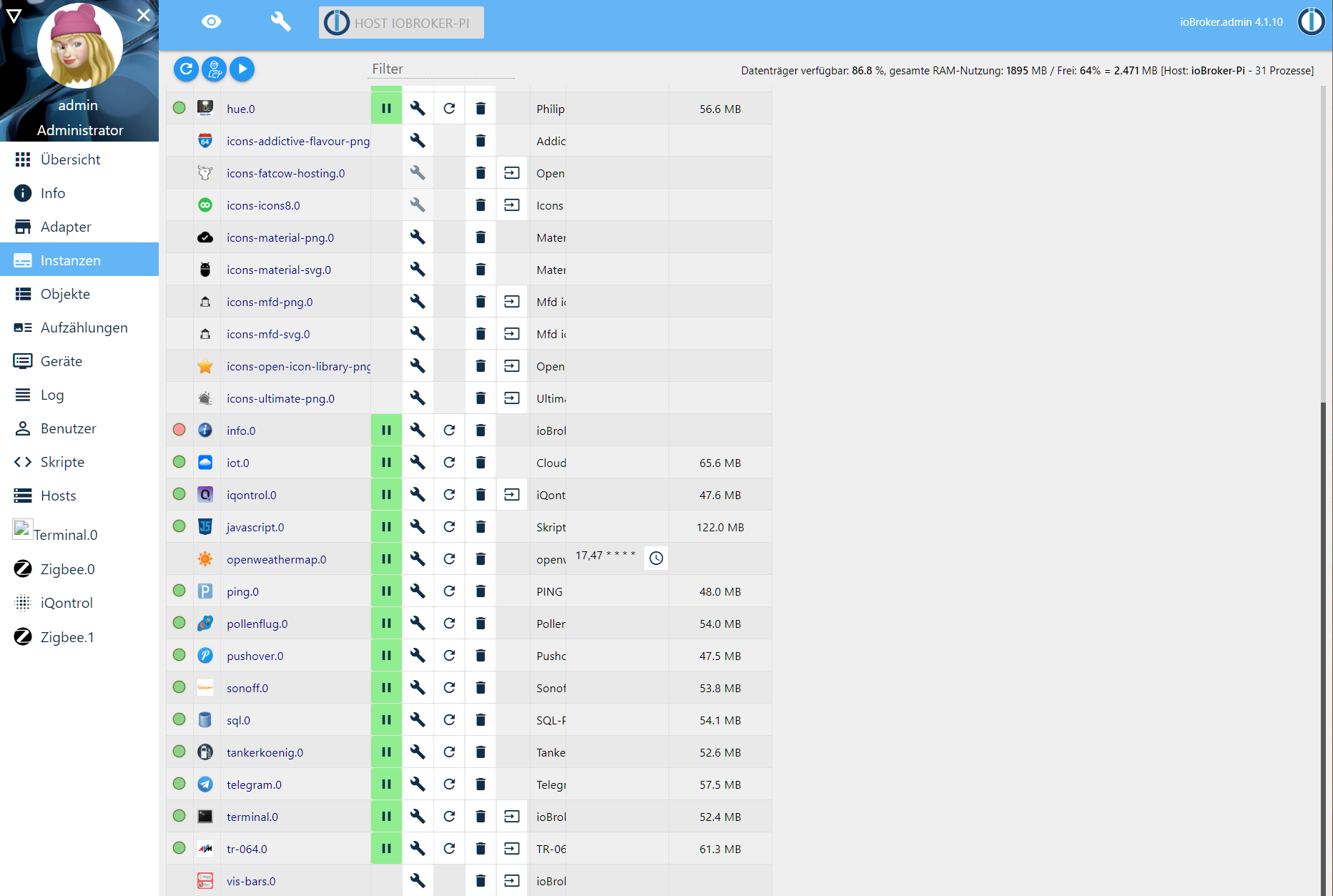
Fehlendes Icon im Terminal-Adapter ist bekannt.
IMHO kann man den Adapter auch deinstallieren, auf dem Debian hast du ja ohnehin diverse Konsolen zur Verfügung.info-Adapter: Starte das Ding mal neu, Einträge dazu im Logfile hier posten.
Zu den Meldungen im Log:
cd /opt/iobroker
sudo -H -u iobroker npm install iobroker.js-controller


Hey! Du scheinst an dieser Unterhaltung interessiert zu sein, hast aber noch kein Konto.
Hast du es satt, bei jedem Besuch durch die gleichen Beiträge zu scrollen? Wenn du dich für ein Konto anmeldest, kommst du immer genau dorthin zurück, wo du zuvor warst, und kannst dich über neue Antworten benachrichtigen lassen (entweder per E-Mail oder Push-Benachrichtigung). Du kannst auch Lesezeichen speichern und Beiträge positiv bewerten, um anderen Community-Mitgliedern deine Wertschätzung zu zeigen.
Mit deinem Input könnte dieser Beitrag noch besser werden 💗
Registrieren Anmelden239
Online32.7k
Benutzer82.6k
Themen1.3m
Beiträge